
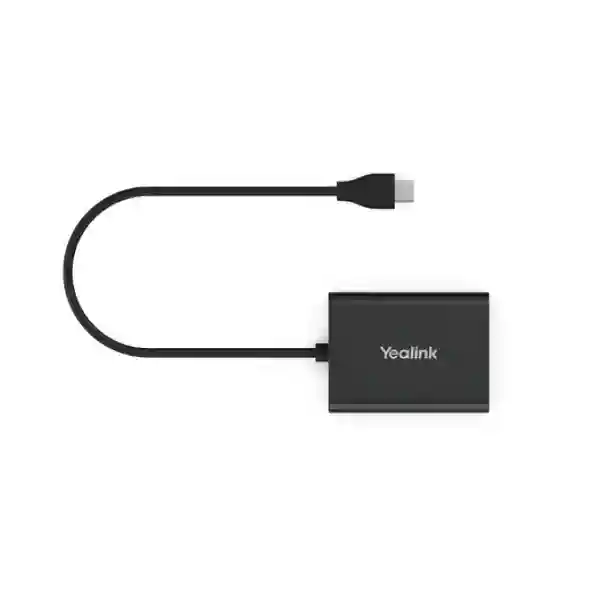
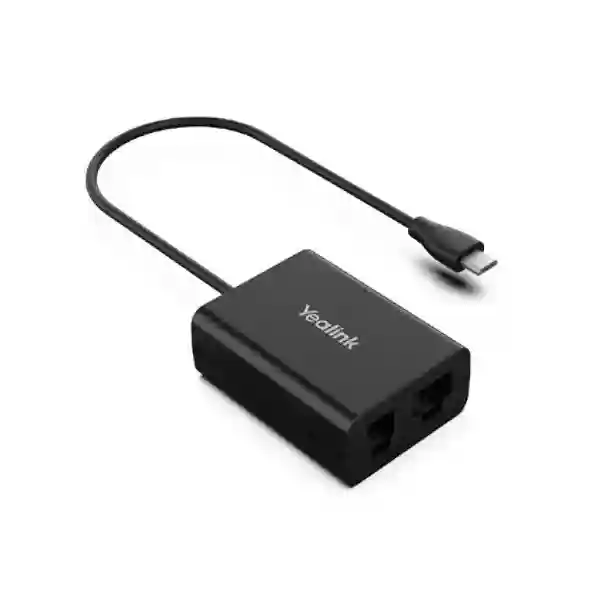
YEALINK BUSINESS HEADSET ACCESSORY
Yealink EHS61 Headset Adapter
The Yealink EHS61 Headset Adapter is designed to connect supported Yealink wireless headsets with compatible business desk phones so users can gain convenient remote call control from the headset. Yealink positions the EHS61 as an interface for supported Yealink DECT headset deployments and compatible Mitel, Unify, Poly and selected Yealink phone environments. In practical terms, that means a user can answer or end calls and adjust volume from the wireless headset when the specific headset, phone and firmware combination is supported.
For organisations in Tanzania, the value of the EHS61 is not simply the cable or adapter itself. The important purchasing question is whether it matches the exact desk-phone model, headset generation and firmware state already in use. Yealink documentation identifies EHS61 support for specific headset families and phone combinations, and it also advises users to check the compatibility information for the deployed devices. FourTeck therefore treats the EHS61 as a compatibility-sensitive business accessory rather than a universal headset adapter.
What does the Yealink EHS61 do?
The EHS61 creates the control link between a supported Yealink wireless headset base and a compatible desk phone. According to Yealink, the adapter is intended for business environments where users need the freedom of a wireless headset while retaining practical call-control functions. This is especially useful for staff who frequently move around a desk or work area but still need to answer incoming calls quickly without reaching for the phone handset.
The accessory is particularly relevant to receptionists, service desks, call-handling teams, finance departments, healthcare administration, education offices, government desks and other roles with repeated call activity. Instead of buying the EHS61 only because the connector appears suitable, procurement teams should check the desk-phone model and the Yealink headset model together. Yealink’s current support guidance notes that EHS61 compatibility depends on supported headset hardware and compatible phone models, so an accurate quotation should begin with the exact equipment list.
Remote call control
Supports convenient call handling from a compatible Yealink wireless headset, including answering, ending calls and volume adjustment when the connected phone and headset combination supports these functions.
Business desk integration
Designed for supported desk-phone environments from Mitel, Unify, Poly and selected Yealink phone families, subject to the official compatibility matrix and firmware requirements.
Simple deployment
Yealink describes the EHS61 as a plug-and-play accessory for supported combinations, although some phone families may require menu configuration before remote headset control is available.
Compatibility first
The correct purchasing process is to verify the desk phone, headset model, headset hardware generation and current firmware before confirming the adapter.
Verified compatibility guidance
Yealink documentation identifies the EHS61 as a wireless-headset adapter for supported Yealink headset platforms including WH62 and WH63 families, with additional support guidance for BH71 Workstation (Pro). For WH62 and WH63 deployments, Yealink specifically advises checking that the headset base or product package is marked as EHS61 supported where applicable. This matters because different hardware revisions can exist under a familiar headset family name.
On the desk-phone side, Yealink publishes model-specific compatibility rather than describing the EHS61 as universal. The manufacturer documentation covers supported Mitel and Unify phones as well as selected Yealink T2X and T4XG-era phones, while later support resources also refer to Poly in the broader compatibility context. Some Mitel deployments require the EHS or DHSG-related headset option to be enabled in the phone menu before the adapter operates correctly. Unify and supported Yealink phone combinations may be simpler, but model and firmware verification remains the safest procurement step.
For buyers replacing an older EHS60 setup, Yealink support information states that headsets carrying EHS60-supported marking can also work with EHS61. That does not mean every desk phone or every headset variant will automatically fit, so the exact combination should still be checked. FourTeck can review the product labels, phone model numbers and intended call workflow before quotation.
Buying checklist for Yealink EHS61
| Check | Why it matters | What to provide |
|---|---|---|
| Headset model | EHS61 support is headset-generation dependent. | Exact Yealink headset model and base label. |
| Desk-phone model | Not every Mitel, Unify, Poly or Yealink phone is compatible. | Brand, model and hardware revision if available. |
| Firmware | Supported operation or adapter updating may depend on current firmware. | Headset and phone firmware versions where known. |
| Call-control expectation | It clarifies whether remote answer/end and volume functions are required. | Reception, call-centre, office or other user role. |
Related FourTeck resources
For a broader telephony deployment, the FourTeck Tanzania services page explains how endpoint selection, network readiness, configuration and support can be considered as one project. Buyers who need to compare business-phone categories can also use the FourTeck IP phone specialist site for wider desk-phone context. Regional organisations can review FourTeck Uganda, FourTeck Kenya and the FourTeck Africa technology portfolio when planning multi-country procurement.
Yealink EHS61 Headset Adapter Tanzania
Businesses searching for the Yealink EHS61 Headset Adapter in Tanzania are usually trying to solve a very specific operational problem: they already have, or plan to deploy, a compatible Yealink wireless headset and they want it to work correctly with a supported business desk phone. In this context, the most important value FourTeck can add is compatibility guidance before a purchase is finalised. A procurement team should identify the headset model, the phone manufacturer and model, the number of users, and whether the requirement is for reception, contact-centre work, executive calling or general office use. Those details help separate a correct EHS61 requirement from a situation where a different headset cable, EHS adapter or newer headset platform would be more appropriate.
Tanzania deployments can include mixed fleets of phones acquired at different times, particularly in organisations that have grown through branch expansion or phased upgrades. That makes model-level checking important. Two phones from the same brand can expose different headset ports or signalling methods, while two units from the same headset family can belong to different hardware revisions. Yealink’s support documentation explicitly highlights the need to check EHS61-supported labelling for certain WH62 and WH63 hardware, so buyers should avoid assuming compatibility from the family name alone. Where possible, a photograph of the headset base label and the desk-phone model label can make pre-sales verification more efficient.
For Tanzanian reception desks and customer-facing teams, the practical benefit is workflow efficiency. A wireless-headset user can move within the supported headset range while still having call-control functions available from the headset, reducing the need to return to the phone for every incoming call. That can be useful in front offices, service counters, finance teams, support desks, school administration, healthcare administration and busy commercial offices. However, the EHS61 does not itself create a wireless headset system; it is an interface accessory used as part of a compatible Yealink headset and desk-phone combination.
When requesting a Tanzania quotation, include quantity, exact phone models, exact Yealink headset models and any existing EHS accessories. FourTeck can then help confirm whether the EHS61 fits the intended setup and whether phone-side configuration may be required. This compatibility-led process is more reliable than buying by connector appearance alone and is especially valuable when an organisation is standardising headset accessories across many desks.
Yealink EHS61 Headset Adapter Dar es Salaam
In Dar es Salaam, organisations often operate high-call-volume front desks, customer-service teams, logistics offices, finance departments and corporate reception environments where a wireless headset can reduce desk congestion and improve mobility. The Yealink EHS61 Headset Adapter is relevant when those users rely on supported Yealink wireless headsets together with compatible desk phones and need remote answer, end-call and volume control. For a busy reception position, small improvements in call handling can be meaningful because users may be greeting visitors, checking documents or moving between nearby workstations while calls continue to arrive.
A Dar es Salaam buyer should begin by confirming the installed telephony environment. If the site uses mixed Mitel, Unify, Poly and Yealink endpoints, the adapter requirement should be checked per phone model rather than per brand. This is particularly important during office migrations, IP PBX refreshes or handset replacement projects, because an existing headset may remain in service while the phone beneath it changes. Yealink’s compatibility information is model specific, and some phone families require local settings to enable EHS or DHSG-related operation. Procurement staff should therefore collect model numbers before requesting a bulk quantity.
For contact-centre or service-desk use, standardisation can simplify support. If ten or twenty users all have the same phone and headset combination, it becomes easier to document the connection method, firmware baseline and troubleshooting steps. By contrast, a desk-by-desk mixture may need several accessory types. FourTeck can help map those combinations before a purchase decision. The goal is not to sell an adapter for every desk automatically; it is to ensure that each user who needs wireless call control receives the correct interface for the installed equipment.
Dar es Salaam customers requesting a quotation should include the number of desks, phone models, headset models and whether the headsets are already installed or being purchased as part of a wider telephony refresh. If the project includes an IP PBX, network switching or voice VLAN changes, those dependencies can be considered alongside the endpoint accessory requirement. That approach reduces surprises at installation and makes the EHS61 purchase part of a documented business-communications design.
Yealink EHS61 Headset Adapter Mwanza
For organisations in Mwanza, the Yealink EHS61 Headset Adapter can be a useful accessory where customer-facing staff, administrative teams or branch-office users depend on supported desk phones and Yealink wireless headsets. The main buying requirement is not geographic; it is technical fit. The adapter must match the relevant headset and phone combination, and Yealink’s published guidance should be followed before ordering. This is especially important for businesses that have retained older phone models while adding newer headset equipment, because headset interfaces vary between product generations.
A practical Mwanza deployment might involve a hotel reception, educational institution, healthcare administration desk, trading company, branch office or customer-support counter. In each case, a wireless headset can allow the user to move away from the handset while remaining engaged in a call. The EHS61’s role is to carry the electronic hook-switch control between supported devices, allowing the user to answer or end a call from the headset rather than manually lifting or operating the desk phone. That can make repeated call handling more efficient, particularly for roles that combine phone work with nearby physical tasks.
Before purchasing for multiple Mwanza users, it is worth creating a small device inventory. Record the desk-phone brand and model, the Yealink headset model, any labels on the headset base, and existing adapter or cable type. If the environment contains WH62 or WH63 units, check the hardware markings referenced by Yealink for EHS61 support. If phones are from Mitel or Unify, confirm the exact model and any required EHS configuration. This simple pre-purchase exercise can prevent an order from being based on assumptions about brand-wide compatibility.
For quotation preparation, Mwanza customers can also identify whether the accessory is needed for a few priority users or as part of a wider headset standardisation project. Where the requirement includes desk phones, IP PBX equipment, switching or call-routing changes, the accessory should be evaluated in that broader context. FourTeck can help translate the inventory into a clearer bill of materials and highlight any combinations that require further compatibility confirmation before procurement.
Yealink EHS61 Headset Adapter Arusha
Businesses and institutions in Arusha may use wireless headsets in reception areas, tourism operations, professional offices, education, healthcare administration and branch communications. The Yealink EHS61 Headset Adapter becomes relevant when a supported Yealink wireless headset needs to interface with a compatible desk phone for remote call control. The operational benefit is straightforward: where the full combination is supported, the user can handle calls from the headset while moving within the work area rather than remaining physically tied to the handset.
Compatibility verification is especially important in environments where several phone brands or generations coexist. A business may have moved from one PBX platform to another while retaining some desk phones, or it may have a mixture of executive phones, reception phones and standard user phones. The EHS61 should not be treated as a universal answer to all of those positions. Yealink publishes device-specific support information, and the safest purchase process is to match each phone model to the intended headset and adapter. Where a headset base must carry an EHS61-supported mark, that should be checked before the order is confirmed.
For hospitality and tourism-related organisations in Arusha, reception and reservation desks may spend long periods on calls while simultaneously checking booking information or coordinating with colleagues. A well-matched wireless headset setup can reduce the physical friction of those tasks. For offices, the same principle applies to administrators, sales teams and support staff who need to consult files or move to nearby desks without dropping a conversation. The EHS61 is only one component in that workflow, but the right adapter ensures that the call-control path between headset and phone is designed correctly.
When requesting an Arusha quotation, provide device model numbers, quantities and the intended users. If the project also involves new Yealink headsets or phone replacements, include those requirements together so compatibility can be planned as one system. This is usually more effective than procuring adapters independently and trying to resolve mismatches after equipment arrives.
Yealink EHS61 Headset Adapter Dodoma
In Dodoma, government offices, professional services, education institutions, commercial organisations and administrative teams may require dependable desk-phone workflows for users who spend a large part of the day on calls. The Yealink EHS61 Headset Adapter can support that workflow when used with an officially compatible Yealink wireless headset and desk phone. Its purpose is not to add telephony features to the PBX itself; it provides the headset-to-phone control interface that allows supported remote answer, end-call and volume functions.
For procurement teams, the most useful step is to document the installed estate before ordering. Government and institutional environments can contain equipment purchased under different projects, which increases the chance of mixed handset models and headset revisions. A bulk order based only on the words “Yealink headset” or “Mitel phone” is therefore risky. Yealink’s own documentation is specific about compatible families and hardware markings, and some Mitel environments require headset-mode settings to be enabled. Checking those details early can avoid deployment delays and unnecessary returns.
For shared service desks or reception areas, it can also be useful to define who actually needs an EHS adapter. A user who remains at the desk and does not need wireless call control may not require the same accessory as a receptionist who moves frequently. Matching the equipment to the job keeps the bill of materials focused. If the project involves dozens of users, standardising on one validated combination of phone, headset and EHS adapter can simplify future support, spare stocking and user onboarding.
Dodoma organisations preparing a quotation should include the exact desk-phone and headset models, approximate quantities, whether existing devices will remain, and whether the requirement is a new installation or an upgrade. FourTeck can then help identify where the EHS61 is suitable and where a different cable or adapter may be required. That compatibility-led approach keeps procurement aligned with the actual communications environment rather than with generic accessory descriptions.
Yealink EHS61 Headset Adapter UAE
For organisations in the UAE, the Yealink EHS61 Headset Adapter is relevant to corporate offices, contact centres, hospitality operations, financial services, healthcare administration and other environments where desk-phone users need wireless mobility. The accessory is most useful when a supported Yealink headset must connect to a compatible desk phone and retain electronic hook-switch functions. Buyers should not treat the adapter as a generic cable because the supported phone and headset combinations are defined by model and hardware generation.
Large UAE offices often standardise endpoints across departments, which can make the EHS61 easier to deploy when one validated combination is repeated. A compatibility pilot on one or two desks can confirm call control, audio routing, phone settings and firmware before a large quantity is rolled out. This is particularly useful for Mitel or mixed-vendor estates, where some devices may need EHS or DHSG-related configuration. The same method is valuable during office relocations and PBX migrations, because a change in desk phone can alter the required headset accessory even if the headset itself remains unchanged.
Procurement should also distinguish between the first-generation WH62 or WH63 hardware that supports EHS61 and newer headset platforms that may use different connection accessories. Yealink’s current support information should be checked at the time of purchase. If an organisation maintains a device-standard catalogue, the EHS61 can be recorded as an approved accessory only for the validated combinations, which reduces confusion when new employees or replacement phones are added later.
For a UAE quotation, provide the exact desk-phone model, headset model, quantity and desired remote-call-control functions. If the requirement forms part of a wider IP telephony, contact-centre or unified-communications project, include those details so endpoint and accessory compatibility can be evaluated together. This helps avoid treating a small adapter as an isolated purchase when its success depends on the surrounding phone and headset environment.
Yealink EHS61 Headset Adapter Uganda
Ugandan organisations considering the Yealink EHS61 Headset Adapter should start with the same compatibility questions that apply elsewhere: which Yealink wireless headset is being used, which desk phone must it control, and whether the hardware and firmware versions are supported. The adapter’s business value comes from enabling convenient remote call control in compatible setups, which can help receptionists, support teams and administrative users answer and end calls without returning to the handset for every interaction.
For multi-branch organisations in Uganda, standardisation is particularly useful. If Kampala, regional branches and satellite offices use different phone models, procurement should not assume that one accessory fits all locations. A simple equipment matrix can list each site, phone model, headset model and required quantity. Where the same validated combination is used throughout, spares and support become easier. Where combinations differ, the matrix can identify which desks need EHS61 and which may require another Yealink accessory.
Yealink’s published information identifies EHS61 support around specific headset and phone families. For WH62 and WH63 environments, hardware-support markings are relevant, while desk-phone compatibility must also be confirmed. Some Mitel phones require enabling EHS-related settings, so a deployment checklist should include both physical connection and phone configuration. A pilot installation is a sensible approach for large orders because it validates the complete workflow before all accessories are distributed.
Uganda buyers can use the regional FourTeck Uganda site for wider technology context while preparing a request. Include user roles, quantities and existing phone/headset details in the enquiry. If the need is part of a broader voice deployment, mention PBX, SIP or handset-refresh requirements as well so the adapter is evaluated as part of the complete communications system.
Yealink EHS61 Headset Adapter Kampala
Kampala offices frequently contain reception, sales, financial-service, healthcare, education and customer-support roles where staff handle many calls while also working on computers or moving around a small work area. In a supported desk-phone setup, the Yealink EHS61 Headset Adapter can help connect a compatible Yealink wireless headset to the phone’s call-control interface. This allows supported remote actions from the headset and can reduce the repetitive need to reach for the handset.
The main implementation risk is assuming that all desk phones from a supported brand behave the same way. They do not. Yealink publishes compatibility information at model level, and the headset side can also depend on hardware generation. Before a Kampala organisation buys ten, fifty or more adapters, it should capture the exact desk-phone models and the labels on the Yealink headset bases. This information can then be checked against current vendor guidance. If firmware updates are required, they should be planned before or during deployment rather than discovered after users begin reporting call-control issues.
For customer-service departments, another useful step is to define the expected controls. Some users may only need audio through the headset, while others specifically require remote answer and end-call operation. The EHS61 is primarily relevant to the latter workflow. If a user’s phone/headset combination already provides direct USB functionality or uses a different connection standard, another accessory may be more appropriate. A clear requirements list helps avoid purchasing EHS adapters where they are unnecessary.
Kampala customers should include quantity, phone model, headset model, current adapter if any, and whether the project is a new deployment or replacement. FourTeck can use that information to focus the quotation on validated combinations and to flag any desks that require additional confirmation. For larger projects, standardisation and documentation are as important as the accessory itself because they make future adds, moves and changes much easier to support.
Yealink EHS61 Headset Adapter Arua
Organisations in Arua looking for the Yealink EHS61 Headset Adapter may be supporting branch administration, hospitality, education, healthcare, NGO operations or commercial offices where dependable desk-phone communication remains important. The adapter is useful when a supported Yealink wireless headset needs call-control integration with a compatible desk phone. In these environments, purchasing the correct accessory the first time is valuable because unnecessary return cycles or troubleshooting can slow down a small IT team.
A practical approach is to treat every phone/headset pairing as a compatibility record. Note the desk-phone brand and model, Yealink headset model, base-unit labels and firmware where available. The EHS61 should be approved only for combinations supported by Yealink. This is especially relevant for older headsets and phone fleets, where equipment may look physically similar but use different electronic hook-switch interfaces. If the phone requires a menu setting for EHS or DHSG operation, that step should be added to the deployment notes.
For smaller Arua offices, even a single adapter can matter if it is intended for the main reception or customer-contact desk. The user may need to step to a nearby printer, file area or colleague’s desk while staying available to callers. With the right wireless headset and desk-phone combination, remote call control can make that workflow more practical. The EHS61 does not extend the wireless range or replace the headset; it enables the supported control relationship between the phone and the Yealink headset base.
When requesting pricing, Arua customers should state whether the requirement is one unit, a small branch quantity or part of a wider organisational standard. Include the exact device models and any planned phone upgrades. This allows the procurement discussion to consider whether the EHS61 remains suitable throughout the expected lifecycle, particularly if the organisation is moving toward newer desk phones or newer Yealink headset families that may use different connection accessories.
Yealink EHS61 Headset Adapter Mbarara
In Mbarara, the Yealink EHS61 Headset Adapter can support business users who rely on compatible desk phones and supported Yealink wireless headsets for daily calling. Typical users may include front-desk staff, administrators, finance teams, healthcare administration, education offices and customer-service functions. The key benefit is remote call control from the headset, helping a user answer or finish a call without repeatedly returning to the phone controls when the official device combination supports that feature.
Because accessory compatibility can be easy to overlook, Mbarara organisations should include headset and phone verification in the same procurement checklist used for larger IT equipment. An EHS adapter is a small item, but an incorrect one can prevent an otherwise good headset deployment from working as expected. Yealink documentation identifies specific WH62/WH63 hardware considerations and supported desk-phone families, so purchasing teams should capture labels and model numbers rather than relying on a general statement such as “we use Yealink headsets.”
For branch environments with limited onsite IT resources, standardisation reduces support complexity. If all call-handling users use the same validated phone/headset/EHS combination, setup instructions can be documented once and repeated. Spare accessories can also be held with confidence that they fit the approved standard. If the site has mixed phones, a compatibility matrix should be prepared so technicians know which desk requires which interface. Phone-side configuration steps, where needed, can then be recorded in the same document.
A useful quotation request from Mbarara should include the quantity, desk-phone model, Yealink headset model, user role and any planned change to the telephony platform. FourTeck can then help determine whether the EHS61 is the correct accessory for each requirement. This is particularly valuable when replacing older equipment because newer Yealink headset platforms may use different adapters, and the procurement goal should be a supported system rather than simply matching connector shapes.
Yealink EHS61 Headset Adapter Gulu
Gulu businesses, institutions and branch offices can use the Yealink EHS61 Headset Adapter where supported Yealink wireless headsets must connect to compatible desk phones for remote call control. The accessory is relevant for users who spend substantial time on telephone conversations and need to move around the immediate workspace without losing the ability to answer or end calls. Reception, administration, customer support and coordination roles are common examples.
The first purchasing step should be a compatibility check rather than a quantity decision. Identify the exact phone model at each desk and the exact headset model. If the headset belongs to the WH62 or WH63 generation, confirm the hardware-support marking described by Yealink. If the desk phone is from Mitel or another supported vendor, confirm the model and any configuration requirement. This small amount of preparation can prevent a situation where adapters arrive but cannot provide the expected call-control function.
For organisations operating several northern Uganda sites, a standard equipment list can also make future expansion easier. New desks can be fitted with the same validated phone/headset/accessory combination, reducing the number of spare parts and instructions that IT staff must manage. Where a standard cannot be applied because different branches use different phones, document the exception rather than assuming one EHS adapter works everywhere. The EHS61 is a precise interface product, so detailed asset information is more useful than broad brand names.
Gulu customers requesting a quotation should state the number of users, the phone and headset models, whether they need remote answer/end functions and whether existing devices will remain. If the organisation is also planning an IP PBX or phone refresh, include that roadmap because the best accessory choice can change when endpoint hardware changes. Planning the adapter together with the telephony lifecycle gives a more durable result.
Yealink EHS61 Headset Adapter Kenya
Kenyan organisations seeking the Yealink EHS61 Headset Adapter typically need a dependable way to connect supported Yealink wireless headsets with compatible desk phones for remote call handling. This can be useful in Nairobi and other business centres where reception, support, financial services, healthcare, education and contact-centre staff may spend much of the day moving between a computer screen, desk phone and nearby work area. In the right combination, the EHS61 enables call-control actions from the headset and can make that routine more efficient.
For larger Kenyan businesses, the most effective procurement method is to validate one standard combination and then scale it. Choose the actual phone model and Yealink headset model, confirm EHS61 support using current manufacturer guidance, verify any required phone settings, and test call answer, call end and volume behaviour. Once validated, the same combination can be deployed across matching desks with a documented setup process. This method is more reliable than purchasing a large number of adapters before checking the installed hardware.
Mixed-device environments need additional care. A site may contain Yealink desk phones in one department and Mitel or Poly in another, or a business may have inherited different endpoints through expansion. The EHS61 should be mapped only to supported models. Headset revisions matter too, particularly around the WH62/WH63 families referenced in Yealink support documentation. Recording the labels and firmware information can help technical teams avoid confusion between similar-looking devices that have different accessory support.
Kenyan buyers can review the FourTeck Kenya technology site for regional context. When asking for the EHS61, include quantities, exact device models and whether the requirement is standalone or part of a wider IP telephony deployment. This helps keep the quotation focused on working combinations and gives procurement teams a clearer basis for approval.
Yealink EHS61 Headset Adapter Kuwait
For organisations in Kuwait, the Yealink EHS61 Headset Adapter supports a familiar business requirement: enabling compatible Yealink wireless headsets to control calls on supported desk phones. In offices where staff spend hours handling customer, supplier or internal calls, wireless mobility can improve comfort and reduce the repeated motion of reaching for a handset. The EHS61 is the interface component that makes remote call control possible for specified combinations; it is not a universal phone-to-headset adapter.
Procurement teams should first establish whether the phone and headset combination appears in current Yealink compatibility information. The headset model and hardware generation are important, and WH62/WH63 users should pay attention to the EHS61-supported markings described by Yealink. The desk-phone model must also be checked. If the phone platform requires an EHS-related setting, it should be enabled and tested as part of deployment. These checks are especially important for businesses that have kept older desk phones while refreshing headsets.
In multi-floor offices or call-heavy departments, it can be useful to test a sample before rolling out many adapters. A pilot can confirm the physical connection, headset audio, ring behaviour, remote answer/end control and user experience. Technical teams can then document the correct wiring and any phone settings so the full deployment is consistent. This turns a small accessory into a controlled standard rather than an undocumented cable added desk by desk.
Kuwait buyers should provide device model numbers, quantity and the intended user profiles when requesting pricing. If a phone-system refresh is planned in the near future, include that information because the accessory choice may need to align with the future endpoints as well as the current ones. A compatibility-focused quotation helps reduce avoidable replacement costs and gives the purchasing team a clearer lifecycle view.
Yealink EHS61 Headset Adapter Ghana
Ghanaian businesses considering the Yealink EHS61 Headset Adapter may be supporting reception desks, customer-service teams, finance offices, healthcare administration, education, hospitality or general corporate users. The adapter is designed to connect supported Yealink wireless headsets to compatible desk phones for remote call-control functions. The primary procurement task is therefore to verify fit between the headset and the phone, rather than viewing the EHS61 as a generic accessory suitable for any desk.
A useful buying workflow is to collect the phone model from each user group and the exact Yealink headset model. Where WH62 or WH63 units are installed, check the hardware markings noted in Yealink documentation. Where Mitel, Unify, Poly or selected Yealink phones are involved, verify the individual model and any setup instructions. This matters because electronic hook-switch behaviour depends on the interfaces and signalling implemented by the phone, and those details can vary within a single vendor’s portfolio.
For growing organisations, the EHS61 can be included in a standard workstation profile for selected call-intensive roles. A receptionist profile might contain a desk phone, wireless headset and verified EHS adapter, while a general-office profile might use a different arrangement. This role-based approach prevents over-purchasing accessories for users who do not need wireless call control. It also makes it easier to document spares and replacement standards for IT support.
When Ghana customers request a quotation, it is helpful to provide quantity, phone model, headset model and whether the need is for a new rollout or an existing problem. If users already have a headset but cannot answer or end phone calls remotely, mention that symptom. FourTeck can then focus the discussion on compatibility, firmware and connection method rather than assuming the adapter alone will resolve every headset issue.
Yealink EHS61 Headset Adapter Nigeria
In Nigeria, the Yealink EHS61 Headset Adapter can be relevant to enterprises, contact centres, financial services, healthcare administration, education, hospitality, logistics and professional offices that use supported Yealink wireless headsets with compatible desk phones. The adapter provides the call-control interface required for supported remote answering, call ending and volume control, helping high-call-volume users work more freely around their desks.
For large Nigerian deployments, compatibility planning is essential because the number of endpoints can amplify a small mistake. If fifty adapters are purchased for a phone model that requires a different accessory, the deployment delay affects many users at once. The safer method is to identify the exact phone and headset combination, check the current Yealink compatibility resources, confirm any firmware or phone-setting requirements, and validate a sample. Once that combination works, it can be documented and scaled to equivalent desks.
Organisations with multiple offices should also note that their endpoint standards may differ by site. Lagos, Abuja, Port Harcourt or regional branches may not all use the same handset generation. Instead of issuing one generic EHS61 quantity for the entire organisation, create a location-based device matrix. This allows procurement to consolidate only the validated requirements and gives IT staff clearer installation instructions. The same process helps during future handset replacement because the accessory dependency is already visible in the asset documentation.
For quotation requests, Nigerian buyers should state quantities, exact models, user roles and whether the headsets are already installed. If the project includes a broader PBX, SIP, call-centre or handset upgrade, provide that context as well. The purpose is to ensure that the EHS61 fits a supported and maintainable communications design rather than becoming an isolated accessory order with uncertain compatibility.
Yealink EHS61 Headset Adapter Seychelles
Seychelles organisations in hospitality, tourism, government, professional services and commercial operations may use wireless headsets where reception or administrative staff need to handle calls while moving around the immediate workspace. The Yealink EHS61 Headset Adapter is designed for supported Yealink wireless headset and compatible desk-phone combinations, enabling remote call control where the manufacturer specifies support. This can be particularly useful at hotel reception desks, reservations offices or service counters where users frequently switch between phone calls, computer systems and face-to-face interactions.
Because island procurement can make replacement cycles more inconvenient, accurate compatibility checks are valuable before ordering. Collect the desk-phone brand and model, Yealink headset model and any hardware markings from the headset base. Check the combination against current Yealink guidance rather than relying on a generic reseller description. If the installation uses Mitel or another phone family with configuration steps, include those steps in the deployment plan and test a sample before scaling.
For hotels or multi-property groups, standardising the reception workstation can simplify operations. A validated phone, headset and EHS adapter combination can be repeated at front desks and reservations areas, while spares are held centrally. If different properties use different phone systems, document the accessory differences rather than trying to force one standard across incompatible hardware. The EHS61 should be used where it is officially supported and where remote call control provides real operational value.
Seychelles customers requesting a quotation should include quantity, exact device models and the intended deployment locations or user roles. If future phone upgrades are already planned, mention them so accessory choices can be considered against the expected lifecycle. This gives procurement teams a stronger basis for deciding whether to purchase EHS61 now, bundle it with new headsets or align the requirement with a broader communications refresh.
Installation and configuration guidance
For a supported deployment, connect the EHS61 according to the Yealink guide for the specific phone family and headset base. Yealink documentation explains that supported WH62/WH63 systems can connect the phone port on the headset base to the appropriate EHS interface through EHS61. For Mitel phones, the phone-side audio mode and DHSG/EHS option may need to be enabled. Supported Unify and Yealink phone combinations are described as simpler plug-and-play scenarios, but checking the official guide for the exact model remains recommended.
Firmware should also be kept current. Yealink provides an update path in which supported WH62/WH63 hardware can trigger an EHS61 update through the headset base when connected to a PC using Yealink USB Connect. Do not interrupt calls or power during an update. In managed business environments, record the validated firmware baseline together with the phone and headset models so technicians have a repeatable reference for future installations.
Frequently asked questions
Is the Yealink EHS61 a universal headset adapter?
No. It is intended for supported Yealink wireless headsets and compatible desk-phone models. Check the current Yealink compatibility information for the exact headset and phone combination before purchase.
Which Yealink headsets work with EHS61?
Yealink support information identifies WH62 and WH63 families and also references BH71 Workstation (Pro) support. Hardware revisions can matter, so check the EHS61-supported marking and current compatibility guidance.
Can EHS61 control Mitel desk-phone calls?
It can work with supported Mitel models listed by Yealink. Some Mitel configurations require enabling the relevant headset or DHSG setting before remote call control operates correctly.
Does EHS61 work with all Yealink desk phones?
No. Yealink identifies selected compatible phone models and families. Confirm the exact model rather than assuming all Yealink phones support EHS61.
What information should I send for a quotation?
Send the desk-phone brand and model, Yealink headset model, quantity, current adapter if any, and the user role or required remote-call-control functions. Photos of device labels can also help with compatibility checks.
Quotation checklist
Include the exact phone model, exact Yealink headset model, number of users, location, current firmware if known, required call-control features and whether the requirement is a new deployment or replacement. For multi-site projects, group quantities by phone/headset combination.
Decision recap
Choose the EHS61 when the exact Yealink headset and desk-phone combination is officially supported and remote call control is required. Do not buy it solely because the connector appears suitable. Compatibility, hardware revision and phone configuration are the deciding factors.
Consultation panel
FourTeck Tanzania can help business buyers turn a mixed list of phones and headsets into a compatibility-led accessory requirement. This is useful for reception desks, call-handling teams, branch rollouts and telephony refresh projects where the adapter needs to work reliably from day one.




Reviews
There are no reviews yet.