
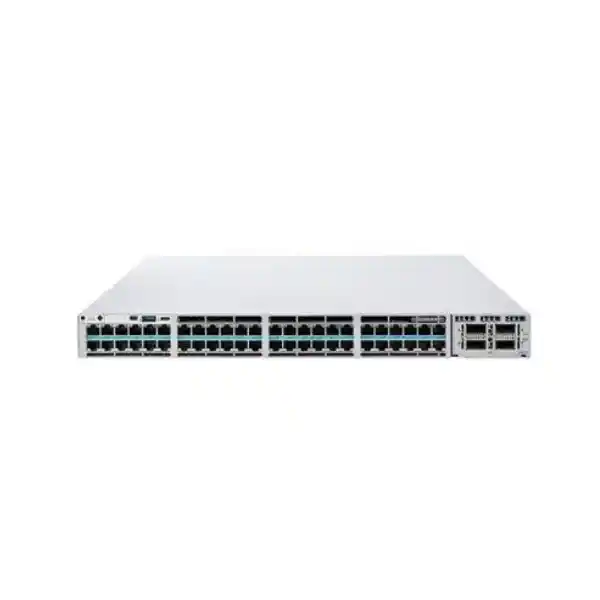
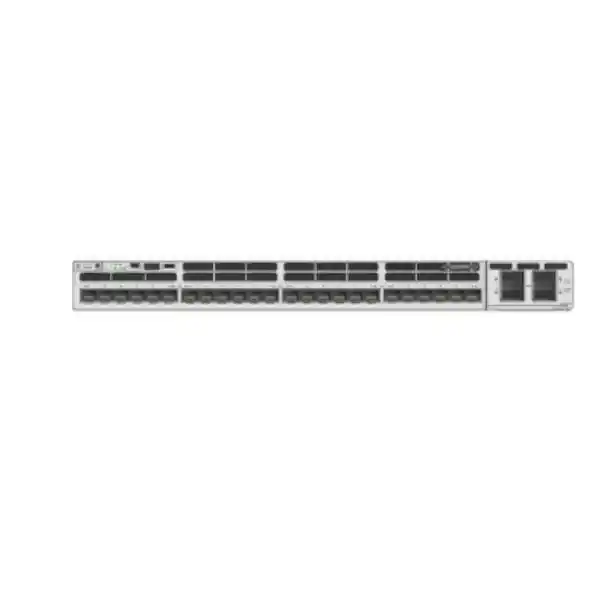
90W Cisco UPOE+
StackWise-1T
Modular uplinks
Cisco Catalyst C9300X-24HX Network Switch
The Cisco Catalyst C9300X-24HX is designed for access networks that have outgrown conventional 1 Gigabit switching. It combines twenty-four copper multigigabit ports, high-power Cisco UPOE+, high-speed stacking and modular uplink choices in a single enterprise access platform. For organisations in Tanzania planning newer Wi-Fi, high-bandwidth user access, smart-building endpoints or dense powered-device deployments, this model is most relevant when the switch must provide both faster edge connectivity and a clear path to higher-capacity aggregation.
The model should be specified as part of a complete design rather than as a standalone box. The right order depends on the intended software license, uplink module, optics or cables, power redundancy, PoE consumption, stacking requirements and rack environment. FourTeck Tanzania can use those design inputs to prepare a configuration and quotation without assuming that every deployment needs the same accessories.
Choose the C9300X-24HX when 24 high-speed copper access ports are enough, but individual edge links may need 2.5G, 5G or 10G and some connected devices may require more than standard PoE+ power.
Key specifications at a glance
| Access ports | 24 × copper multigigabit ports |
|---|---|
| Supported access speeds | 100 Mbps, 1 Gbps, 2.5 Gbps, 5 Gbps and 10 Gbps |
| Power over Ethernet | Cisco UPOE+, up to 90W per supported port |
| PoE budget with default 1100W AC PSU | 735W |
| Uplinks | Modular; C9300X network module options support high-speed copper or fiber uplinks |
| Stacking | Cisco StackWise-1T; StackPower+ supported |
| Switching capacity | 800 Gbps standalone; 1,880 Gbps with stacking |
| Forwarding rate | 654.72 Mpps standalone; 1,398.72 Mpps with stacking |
| Memory / flash | 16 GB DRAM / 16 GB flash |
| Default power supply | 1100W AC; platform supports dual redundant power supplies |
| Chassis weight with default PSU | Approximately 6.25 kg |
The headline numbers are useful for screening, but they do not replace design checks. A 90W-capable port does not mean the default power configuration can deliver 90W simultaneously to all 24 access ports. Likewise, the uplink speed available in the final installation depends on the selected C9300X network module, transceivers or cables and the capabilities of the device at the other end of the link.
Why multigigabit access matters
Many campus access networks still use cabling originally installed for Gigabit Ethernet, while the devices connected to that cabling have become substantially faster. Modern wireless access points, engineering workstations, content-production systems, high-resolution surveillance platforms and specialised operational technology can create traffic bursts or sustained throughput above 1 Gbps. The C9300X-24HX addresses that gap by allowing each of its 24 copper access ports to negotiate at 100 Mbps, 1 Gbps, 2.5 Gbps, 5 Gbps or 10 Gbps according to the connected device and the physical link.
That range gives network teams more flexibility during staged upgrades. An organisation can keep legacy endpoints on lower link rates while enabling faster devices on selected ports. This is especially useful when a site cannot replace all endpoint hardware at once or when different floors and departments have different performance needs. The switch can therefore support mixed generations of connected equipment without forcing every port into the same access speed.
Multigigabit Ethernet is also relevant to Wi-Fi access design. A high-capacity wireless access point can aggregate client traffic above a single-gigabit wired uplink, so 2.5G, 5G or 10G Ethernet at the switch can prevent the wired handoff from becoming the limiting factor. Cisco positions the C9300X-24HX for secure Wi-Fi 6 and Wi-Fi 6E high-speed access and beyond. The practical design question is not simply whether the switch supports a fast port; it is whether the cabling, access point Ethernet interface, uplink capacity, PoE demand and upstream network are all sized together.
Use higher access speeds only where devices and traffic justify them, while lower-speed clients remain supported.
A group of multigigabit edge ports can quickly exceed a conventional uplink, so uplink capacity should be planned with realistic concurrency.
Actual negotiated speed depends on cable quality, length, termination, endpoint support and installation conditions.
90W UPOE+ with a realistic power-budget approach
The C9300X-24HX supports Cisco UPOE+ and is designed for powered endpoints that can require significantly more than traditional PoE. Cisco identifies the access ports as 90W UPOE+ capable. That capability can be important for advanced wireless access points, video endpoints, building systems, cameras with heaters or illuminators, thin-client or display deployments and other devices whose power demand exceeds common 15W or 30W classes.
Power planning is the critical distinction. With the default 1100W AC supply, Cisco specifies a 735W PoE budget for the C9300X-24HX. If all 24 ports were expected to deliver their theoretical 90W maximum at the same time, the endpoint requirement alone would be 2,160W, which is far above that default PoE budget. Most real networks do not operate every port at maximum draw, but this example shows why the bill of materials must be based on the actual powered-device mix.
A useful design exercise is to list every expected powered device, its negotiated PoE class or maximum draw, the number of devices planned for day one, and the expected growth margin. Add the values and compare them with the switch power budget under the proposed power-supply configuration. Also consider whether business continuity requires redundant power supplies and whether power should be shared through StackPower+ across a supported stack. The switch platform supports dual redundant power supplies, while Cisco StackPower+ enables power pooling in supported Catalyst 9300X stack designs.
Treat “90W per port” as a port capability, not as the default total power budget. Confirm endpoint wattage, redundancy goals, power-supply quantity, available rack power and UPS capacity before finalising the order.
Modular uplinks for different aggregation designs
The C9300X-24HX uses a modular uplink architecture rather than locking the buyer into one fixed uplink layout. That is valuable when the access layer may connect to different aggregation platforms over time or when one site needs fiber while another needs high-speed copper. Cisco lists C9300X network modules that provide multigigabit copper, 25G/10G/1G fiber and 100G/40G fiber options. For this specific switch, compatible module families include the C9300X-NM-8M, C9300X-NM-8Y and C9300X-NM-2C. The C9300X-NM-4C has a narrower compatibility list and is not the module to assume for the C9300X-24HX.
The C9300X-NM-8M is relevant where additional multigigabit copper connectivity is required in the modular uplink slot. The C9300X-NM-8Y provides SFP28-based interfaces for 25G, 10G or 1G optical or direct-attach use according to Cisco support and the selected transceiver or cable. The C9300X-NM-2C provides two 40G/100G QSFP-class uplink slots. These choices make it possible to match the access switch to different campus, branch or aggregation topologies without replacing the entire chassis solely because the required upstream interface changes.
Uplink selection should be based on more than the fastest available number. Consider the number of physical upstream paths, whether the design uses link aggregation, the distance to the upstream switch, fiber type, transceiver compatibility, desired redundancy, oversubscription, and whether the aggregation layer actually supports the selected speed. For example, two 100G-capable uplinks may be appropriate in a high-density design, while a smaller site may gain no practical benefit from purchasing that level of uplink bandwidth if its traffic, core interfaces or WAN capacity are much lower.
Optics and direct-attach cables are separate design items. Compatibility can change by platform and software support, so the final configuration should validate the exact Cisco transceiver or cable against the C9300X platform and the intended IOS XE release rather than relying on a generic “SFP works with SFP” assumption.
StackWise-1T and StackPower+ for resilient access
Cisco StackWise-1T is a major reason to consider the Catalyst 9300X family for environments that need multiple access switches to operate as a coordinated system. Cisco specifies up to 1 Tbps of local stacking bandwidth for Catalyst 9300X models. A physical stack can simplify operational design by allowing multiple switches to be managed and interconnected as a stack rather than as completely independent access devices, while also supporting resiliency features across stack members.
For the C9300X-24HX, Cisco lists 800 Gbps standalone switching capacity and 654.72 Mpps standalone forwarding rate. With stacking, Cisco lists 1,880 Gbps switching capacity and 1,398.72 Mpps forwarding rate. These figures show that the platform is engineered for considerably more than basic 1G edge switching, but performance numbers should still be interpreted within the real topology, software features, traffic mix and uplink design.
StackPower+ addresses a different problem: power resilience and power sharing. In a supported stack, power resources can be pooled so the design can make better use of installed power supplies and provide resilience according to the chosen topology. This is useful in PoE-heavy environments because access-switch availability is not only about keeping the switching ASIC alive; the connected phones, access points, cameras or other powered endpoints also depend on switch power.
Stacking is not automatic just because the switches support it. A complete stack design needs the correct StackWise cables or accessories, supported member combinations, adequate power components, software compatibility and physical rack planning. Cable routing, stack-member placement and maintenance procedures should be considered before installation so that a future switch replacement or expansion does not require unnecessary disruption.
Security and segmentation capabilities
The Catalyst 9300X family is built around Cisco’s UADP 2.0sec architecture and includes hardware capabilities intended for secure enterprise access. Cisco documents MACsec support across the Catalyst 9300 family and hardware-based IPsec capability on Catalyst 9300X models. For IPsec, Cisco states that the platform can support up to 100G line-rate hardware IPsec and notes that an HSEC key is required for the IPsec feature. That licensing requirement is important: the presence of a hardware capability does not mean every ordered configuration automatically enables every advanced security function.
Software license level also affects features. Cisco offers different Catalyst 9300X ordering variants, including Network Essentials and Network Advantage options, and its feature tables differentiate capabilities such as advanced routing, segmentation, automation, high-availability functions and MACsec-256 by license. Buyers should therefore decide what the switch must do at Layer 3 and in the policy architecture before selecting the final license tier. Ordering the correct physical chassis but the wrong license can create avoidable redesign or entitlement work later.
For access-control projects, the important design questions include how users and devices authenticate, what VLAN or segmentation model is used, whether the network relies on 802.1X, whether network access control integrates with an identity platform, and whether encrypted traffic visibility or advanced telemetry is required. The switch can participate in a much broader Cisco campus architecture, but those outcomes depend on the complete solution, not only the hardware model.
Security procurement should also include an operational plan: supported software releases, configuration backups, administrator access controls, patching, logging, telemetry and lifecycle maintenance. A high-capability switch provides the building blocks, while secure results depend on how those functions are licensed, configured and maintained.
Software, management and licensing choices
The C9300X-24HX is not a single universal order code. Cisco’s current ordering information distinguishes C9300X-24HX variants tied to software and management choices. Examples include C9300X-24HX-E for Network Essentials, C9300X-24HX-A for Network Advantage, and C9300X-24HX-M for Meraki cloud-managed ordering with the applicable Meraki license options. This means a quote should identify not only “C9300X-24HX” but also the management and licensing path that matches the intended network architecture.
Network Essentials can suit deployments that need the appropriate baseline switching and routed-access feature set, while Network Advantage is the path for additional advanced enterprise features listed by Cisco. The exact feature decision should be checked against the current Cisco feature matrix and the software release selected for deployment. Avoid choosing solely on license name: write down the required routing protocols, segmentation features, security functions, automation interfaces, resiliency behaviour and telemetry requirements, and verify each one.
Cisco Catalyst 9000 platforms use Smart Licensing in current IOS XE generations. Subscription and entitlement requirements have changed over the product family’s life, so procurement should follow current Cisco ordering rules at the time of purchase. If the deployment is part of an existing Cisco estate, also confirm whether the organisation has a preferred Cisco Smart Account structure, software policy, support process and standard IOS XE release.
The Meraki-managed option changes the operational model and should be chosen deliberately, particularly if the rest of the network is already managed through a specific Cisco or Meraki workflow. The choice should align with the organisation’s existing monitoring, configuration, change-management and troubleshooting practices rather than being treated as an interchangeable label.
Performance and platform resources
Cisco specifies 800 Gbps switching capacity and 654.72 Mpps forwarding rate for the standalone C9300X-24HX. The platform also carries 16 GB of DRAM and 16 GB of flash. These resources support an enterprise switching platform that is intended to run far more functionality than a basic unmanaged or lightly managed access switch. The available capacity is particularly relevant when multiple multigigabit edge devices send traffic concurrently, when higher-speed uplinks are installed, or when the switch participates in a larger routed campus design.
Raw throughput, however, is only one design dimension. A network can still suffer congestion if uplinks are undersized, if too many high-rate endpoints converge on a narrow aggregation path, or if WAN and application infrastructure are the actual bottleneck. For this reason, access-layer capacity should be reviewed together with expected traffic patterns. Wireless access points may burst differently from cameras, backup clients or large file-transfer workstations, and different application groups may peak at different times.
The C9300X architecture also provides application-hosting resources beyond the standard switching data plane. Cisco positions the 9300X models with increased hosting resources compared with standard Catalyst 9300 models. Whether that matters depends on the customer’s use case; many organisations will never need to host applications on the switch. The practical procurement approach is to value features that solve a defined operational requirement rather than paying attention to every capability simply because it exists.
For performance-sensitive projects, document the expected number of connected devices, typical and peak traffic, east-west versus north-south flows, uplink topology, routing location and redundancy behaviour. This creates a measurable basis for deciding whether one C9300X-24HX, a stack of switches or a different port-density model is appropriate.
Physical, power and rack-planning considerations
The C9300X-24HX is a rack-class enterprise switch. Cisco lists chassis dimensions of approximately 4.4 × 44.5 × 44.6 cm, and approximately 4.4 × 44.5 × 52.4 cm when configured with the default 1100W power supply. The listed weight with the default power supply is approximately 6.25 kg. Depth matters because the power supply extends the overall installed depth beyond the bare chassis, and adequate rear clearance is needed for power cabling and airflow.
Cisco’s Catalyst 9300 architecture supports dual power supplies and uses field-replaceable fans. A resilience plan should decide whether the second supply is required at initial purchase, how it connects to independent power sources, and how the rack UPS or power distribution unit is sized. For a PoE deployment, UPS calculations should consider not just the switch’s own electronics but also the downstream powered endpoints that must remain online during an outage.
Cooling is equally important. Cisco publishes operating-temperature limits that vary with altitude and exceptional conditions, so the installation should be treated as an equipment-room deployment with adequate airflow and environmental control. Do not design around short-term exceptional temperature allowances as a normal operating target. Keep intake and exhaust paths unobstructed and account for the heat load from adjacent network and power equipment.
Before installation in Tanzania, confirm the actual rack depth, available rack units, earthing, UPS sizing, power-feed arrangement and cable-management path at the target site. Those checks are local engineering tasks and should be completed using the site’s real electrical and facilities conditions rather than generic assumptions.
Where the C9300X-24HX fits best
High-density wireless access
A strong fit when newer access points need multigigabit Ethernet and higher PoE classes, especially where several wireless cells aggregate meaningful traffic back to the wired network.
Smart-building edge
Useful where cameras, building controllers, displays, sensors or collaboration devices need a mixture of Ethernet speed and PoE power from a centrally managed access layer.
Performance-focused offices
Relevant for teams moving large files, using high-performance workstations or connecting local systems that benefit from 2.5G, 5G or 10G access without requiring fiber to every desk.
Resilient campus access
StackWise-1T and StackPower+ make the platform attractive when multiple access switches must be designed for operational continuity, scalable bandwidth and coordinated power planning.
The C9300X-24HX may be unnecessarily powerful when every endpoint is strictly 1G, PoE demand is low, the uplink remains modest and there is no requirement for high-speed stacking or advanced enterprise features. In that case, a lower-cost Catalyst access model may be more appropriate. Conversely, if the project requires more than 24 high-speed copper access ports in each closet, a higher-density model can reduce chassis count. The right choice is therefore based on port density, speed, power and resilience together.
Buying checklist for a complete C9300X-24HX deployment
- Confirm the exact software and management variant. Decide whether the design requires Network Essentials, Network Advantage or a Meraki-managed order path, and verify the features needed in the intended software release.
- Select the uplink module. Choose the C9300X module that matches the required copper or fiber interface speeds, uplink count and aggregation design.
- Validate optics and cables. Check the exact transceiver, direct-attach cable, fiber type, distance and peer-device compatibility.
- Build a PoE worksheet. Sum the realistic maximum draw of access points, cameras, phones, displays and other powered devices, then include expansion margin.
- Decide power redundancy. Determine whether a second power supply is required and whether separate power feeds or UPS circuits are available.
- Plan stacking deliberately. If StackWise-1T or StackPower+ will be used, specify the required stack and power cables and confirm the supported member topology.
- Check rack depth and cooling. Use the installed depth with power supply, not only the bare-chassis figure, and leave suitable space for cabling and airflow.
- Review cabling capability. Existing copper cabling may support multigigabit operation, but actual performance depends on category, condition, length and termination quality.
- Confirm support and lifecycle requirements. Align software maintenance, support entitlement and operational ownership with the organisation’s Cisco standards.
- Document future growth. Estimate additional endpoints, wireless upgrades, higher uplink demand and PoE expansion so the first purchase does not immediately create a capacity constraint.
C9300X-24HX versus nearby Catalyst 9300X choices
Within the Catalyst 9300X family, the closest alternatives differ mainly in port density, access-media type and PoE capability. The C9300X-48HX doubles the high-speed copper access-port count to 48 and keeps 90W UPOE+ capability, making it a stronger choice when a closet needs more powered multigigabit devices. The C9300X-48TX also provides high-density 10G multigigabit copper but is the data-only option, so it suits environments where endpoint power is delivered separately. The C9300X-48HXN mixes 5G and 10G multigigabit port capabilities across a 48-port UPOE+ platform. Fiber-focused C9300X-12Y and C9300X-24Y models target deployments that need 25G/10G/1G SFP28 downlinks rather than copper access ports.
| Model | Access profile | PoE profile | Best reason to choose it |
|---|---|---|---|
| C9300X-24HX | 24 × up to 10G multigigabit copper | 90W UPOE+ | High-performance 24-port powered access |
| C9300X-48HX | 48 × up to 10G multigigabit copper | 90W UPOE+ | More powered 10G-capable copper ports per switch |
| C9300X-48TX | 48 × up to 10G multigigabit copper | Data only | High-density multigigabit access without PoE |
| C9300X-48HXN | Mixed 5G / 10G multigigabit copper | 90W UPOE+ | 48-port powered access where not every port needs 10G |
| C9300X-24Y | 24 × 25G/10G/1G SFP28 | Fiber downlinks | High-speed fiber access or aggregation-focused designs |
This comparison is about platform fit, not a substitute for an exact bill of materials. Uplink modules, license variants, power supplies, optics and support options still need to be selected for the chosen base platform.
Deployment guidance for Tanzania organisations
For a Tanzania deployment, the most useful planning work is site-specific. Start with the network closet: confirm rack depth, cooling, electrical capacity, UPS runtime targets, earthing, fiber termination and cable pathways. Then map the connected devices by type and power requirement. A wireless refresh may need fewer ports but higher speed and PoE per port; a surveillance expansion may need many powered ports but a different traffic pattern; an office refresh may prioritise 2.5G or 5G access to selected workstations.
Next, inspect the upstream path. A 24-port multigigabit access switch can create substantial aggregate bandwidth, so the aggregation or core layer should not be treated as an afterthought. Identify the number and speed of uplinks, whether they are diverse, whether there is a second upstream switch, and whether fiber routes are physically separated where resilience matters. Ensure that the chosen transceivers and fiber type match the installed plant.
For PoE-heavy designs, combine switch-power planning with facility-power planning. If critical access points, cameras or communications endpoints must continue operating during a mains interruption, determine the required UPS runtime based on the real load. Adding a second switch power supply improves platform power resilience only when the surrounding power architecture also supports the intended redundancy.
Finally, define who will operate the switch and how. Confirm the organisation’s preferred management model, software standard, configuration backup process, monitoring system, change-control workflow and support escalation path. These operational details often determine whether an advanced switch delivers lasting value after installation.
Frequently asked questions
Does the C9300X-24HX have 24 ten-gigabit ports?
It has 24 copper multigigabit access ports capable of operating at 100 Mbps, 1 Gbps, 2.5 Gbps, 5 Gbps or 10 Gbps, depending on the connected device and link conditions. They are not fixed at 10 Gbps.
Can every port supply 90W at the same time?
Each access port is 90W UPOE+ capable, but Cisco lists a 735W PoE budget for the switch with the default 1100W AC power supply. The total endpoint load must therefore be calculated for the planned power configuration.
Which uplink module should I use?
That depends on the aggregation design. Relevant C9300X options for this model include multigigabit copper, 25G/10G/1G SFP28 and 100G/40G QSFP-class modules. Select the module by required speed, port count, cable medium, distance and peer-switch compatibility.
Does the switch support stacking?
Yes. The C9300X-24HX supports Cisco StackWise-1T and StackPower+. A working stack still requires the correct cables, supported member design, software compatibility and power planning.
Is a second power supply included?
Cisco’s Catalyst 9300 platform supports dual redundant power supplies, while switches ship with one power supply by default according to Cisco documentation. Confirm the exact quoted configuration and add a second supply when the resilience design requires it.
What is the difference between C9300X-24HX-E and C9300X-24HX-A?
Cisco associates the -E order variant with Network Essentials and the -A variant with Network Advantage. Advanced features differ by license, so the correct variant should be selected after checking the functions required by the network design.
Can the C9300X-24HX be Meraki cloud managed?
Cisco lists a C9300X-24HX-M cloud-managed ordering path with applicable Meraki licensing. Confirm that management model before ordering because it affects how the switch is operated and licensed.
Does it support hardware IPsec?
Cisco documents hardware-based IPsec capability on Catalyst 9300X, including up to 100G line-rate IPsec, and notes that the HSEC key is required for the IPsec feature. Confirm licensing and design requirements before depending on that capability.
What should I provide for a quote?
Provide the number of switches, required software or management preference, powered-device list with estimated wattage, desired uplink speeds, fiber type and distance, stacking requirement, redundancy target and any required optics or cables. This allows the bill of materials to be built around the actual network rather than a generic switch-only order.
Migration and pre-deployment validation
Replacing an existing access switch with the C9300X-24HX should be planned as a controlled migration rather than a simple port-for-port swap. Capture the current VLAN assignments, trunks, routed interfaces, spanning-tree roles, link aggregation, authentication settings, voice or camera policies, DHCP-related controls, quality-of-service configuration and monitoring dependencies before cutover. If the existing network uses older Cisco syntax or features, verify how those functions map to the target IOS XE release and selected license level.
Test critical endpoint types before the full migration. A representative wireless access point, IP phone, camera, workstation and any unusual powered device can reveal cabling, negotiation, PoE, authentication or policy issues that may not appear in a paper design. Where multigigabit speeds are expected, confirm the negotiated rate after installation and investigate links that fall back to a lower speed. Where PoE is important, observe actual device power draw and leave sensible headroom rather than designing permanently at the budget ceiling.
The uplink should also be tested under failover conditions if redundancy is part of the design. Verify how traffic behaves when an uplink, stack member or power source is removed, and confirm that monitoring systems generate the expected alerts. A stack can simplify operation, but it also deserves documented procedures for software upgrades, member replacement and configuration recovery.
Before handover, record serialised asset information, installed module and power-supply details, software version, license status, management addresses, stack-member numbering, uplink destinations, fiber or cable identifiers and backup locations. This operational record makes future support and expansion considerably easier. It also provides a baseline for comparing the deployed configuration with the approved bill of materials, reducing the risk that missing optics, stack cables or secondary power components are discovered only after installation begins.
Request a Cisco C9300X-24HX configuration and quote
For a useful quotation, include the expected number of powered devices, their PoE requirements, preferred uplink speeds, stacking plans, redundancy goals and software-management preference. FourTeck Tanzania can then prepare the product configuration around the required chassis variant, uplink module, power supplies, stacking accessories and compatible connectivity components.
Next step: request a configuration review for the Cisco Catalyst C9300X-24HX before ordering so the switch, licenses, uplinks, power design and accessories match the intended deployment.




Reviews
There are no reviews yet.