
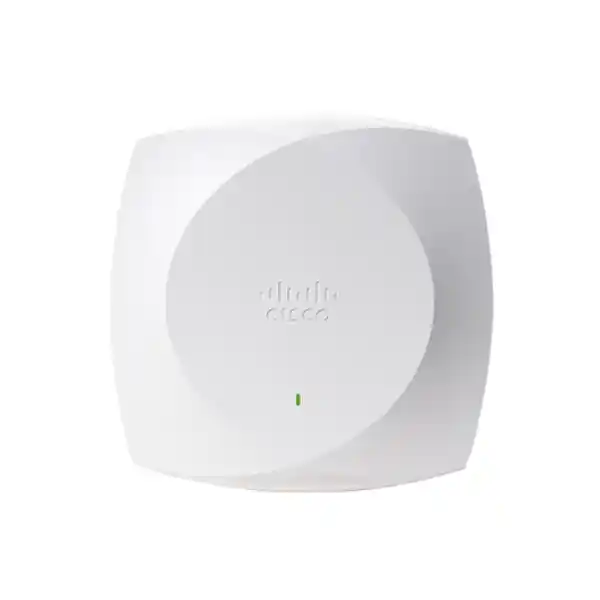
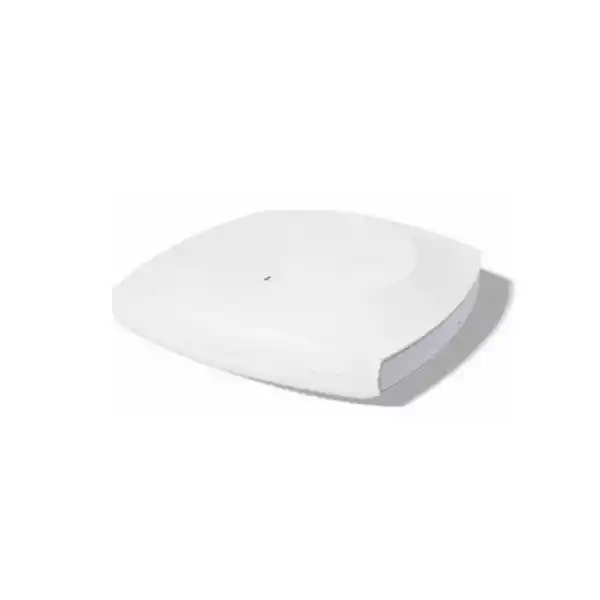
Integrated omnidirectional antennas
5 GbE multigigabit uplink
Cisco Wireless CW9174I Wi-Fi 7 Access Point
The CW9174I is an enterprise indoor access point for organisations moving toward Wi-Fi 7 while retaining a choice between Cisco Catalyst controller-based operations and Meraki cloud management. It is built for moderate-to-high-density indoor environments and combines integrated antennas, multigigabit wired connectivity, dedicated IoT and scanning radios, modern Wi-Fi security support, and flexible radio modes in one platform.
Buying guidance for Tanzania: treat the access point as part of a complete wireless design rather than a standalone speed upgrade. Confirm the intended management platform, Cisco Networking Subscription, switch PoE budget, Ethernet cabling, RF coverage, client mix and country-specific 6 GHz availability before ordering or rollout.
Fast decision summary
Best fit
Indoor offices, education spaces, healthcare facilities, retail environments, hospitality areas and other moderate-to-high-density locations that suit an integrated omnidirectional antenna pattern.
Radio design
Tri-band operation can use 2.4 GHz, 5 GHz and 6 GHz with up to ten serving spatial streams, while an alternate dual-band configuration can use 2.4 GHz and 5 GHz with eight serving spatial streams.
Wired edge
One 100M/1G/2.5G/5G multigigabit RJ-45 interface supports the uplink. The maximum link capability depends on the power mode selected for the access point.
Management choice
The same platform can participate in Cisco Catalyst controller deployments or operate with the Meraki cloud stack, subject to the appropriate software, licensing and deployment design.
What the CW9174I is designed to solve
Modern wireless projects are increasingly constrained by more than raw throughput. Teams may need to support a growing mix of laptops, phones, scanners, collaboration endpoints, sensors and IoT devices while keeping roaming behaviour, interference, security policy and operational visibility consistent across multiple sites. The Cisco Wireless CW9174I addresses this requirement as an enterprise-class indoor access point with Wi-Fi 7 capability, integrated omnidirectional antennas and a design intended for moderate-to-high-density deployments.
For buyers, the important point is that the CW9174I is not simply a faster radio. It combines serving radios with a dedicated scanning radio and a dedicated IoT radio, giving network teams additional tools for spectrum visibility, assurance and connected-device use cases. It can also operate within either a Cisco Catalyst management architecture or the Meraki cloud stack. That flexibility can be valuable for organisations standardising hardware while choosing an operational model that matches their internal skills, security model and network strategy.
The integrated antenna format is also a practical selection criterion. It is intended for indoor areas where an omnidirectional coverage pattern is appropriate and where installers want a self-contained access point rather than an external-antenna design. Warehouses, narrow aisles, very high ceilings, cold-storage designs or locations requiring precise directional coverage may call for a different antenna approach. In those cases, an external-antenna model such as the CW9174E may be more appropriate after a professional RF assessment.
Wi-Fi 7 radio architecture and practical meaning
The CW9174I supports two primary serving-radio configurations. In tri-band operation it can use a 2.4 GHz 2×2:2 radio together with 5 GHz 4×4:4 and 6 GHz 4×4:4 radios, creating a ten-spatial-stream serving design. In the alternate dual-band arrangement, 2.4 GHz and 5 GHz can each operate as 4×4:4 radios, creating an eight-spatial-stream design. This flexibility matters because wireless capacity planning depends on client capabilities, spectrum policy, channel reuse and the regulatory environment—not only on the number of radios in the access point.
For a Tanzanian deployment, 6 GHz should be treated as a capability that must be verified rather than assumed. Cisco states that where 6 GHz use is not allowed or current software support is unavailable, the 6 GHz radio is disabled and may only be enabled when appropriate certification and software support are in place. A deployment plan should therefore confirm the current country approval for the exact hardware and software release before relying on 6 GHz capacity in the coverage model. The access point remains able to serve 2.4 GHz and 5 GHz networks according to its supported radio configuration.
The integrated antennas are omnidirectional in azimuth. Cisco lists peak gains for the CW9174I of 5 dBi at 2.4 GHz, 5 dBi at 5 GHz and 6 dBi at 6 GHz, with a separate 4 dBi IoT antenna. These figures help qualified wireless engineers understand the hardware characteristics, but they should not be used as a substitute for a site survey. Real coverage depends on mounting position, wall materials, ceiling height, client transmit power, interference, channel plan and local regulatory limits.
The access point also includes a dedicated tri-band scanning radio. A scanning radio lets the platform observe the RF environment without relying exclusively on the client-serving radios for monitoring. In a managed Cisco environment, that capability can support spectrum intelligence and operational assurance. The practical benefit is better visibility into interference and wireless conditions, particularly in busy locations where troubleshooting solely from client reports can be slow and inconclusive.
Core Wi-Fi 7 capabilities
Cisco documents the CW9174 Series with 802.11be features that include 4096-QAM, Multi-Link Operation, preamble puncturing, uplink and downlink OFDMA, Target Wake Time, BSS coloring and support for 320 MHz channels in the 6 GHz band. These capabilities are designed to improve how modern clients use available spectrum and how the network handles demanding applications. Their actual benefit depends on compatible clients, channel availability, configuration and RF conditions.
4K-QAM
Higher-order modulation can carry more data per symbol under sufficiently strong, clean RF conditions. It is most useful where client capability and signal quality allow the higher modulation rate.
Multi-Link Operation
MLO is a defining Wi-Fi 7 capability intended to let compatible devices make use of multiple links. Deployment behaviour depends on client support, software features and network configuration.
Preamble puncturing
Preamble puncturing can improve spectrum use by allowing portions of a wider channel to remain usable when interference affects part of that channel, subject to compatible configuration and clients.
320 MHz channels
Wi-Fi 7 can use channels up to 320 MHz in 6 GHz. Such channel widths are not automatically the best choice in every network; spectrum availability, reuse, density and country rules must be evaluated.
Backward compatibility remains important because enterprise environments rarely replace every client at the same time. Cisco documents interoperability with 802.11ax and 802.11ac clients, allowing organisations to introduce the CW9174I while existing devices continue to connect on supported bands. The value of a Wi-Fi 7 refresh can therefore come from improved infrastructure capability and operational flexibility even before every endpoint has migrated to Wi-Fi 7.
Capacity, client scale and density planning
Cisco’s deployment guidance lists a scale of up to 768 clients for the CW9174 platform, described as 256 clients per radio. That number is a platform scale figure, not a recommendation to place hundreds of active high-throughput users on one access point. Real design targets should be based on application demand, airtime consumption, minimum data-rate policy, roaming requirements, device capabilities, voice/video use, retransmission levels and the amount of spectrum available in the location.
In a high-density classroom, meeting area or hospitality venue, for example, the limiting factor may be airtime rather than the theoretical association limit. A large number of low-traffic IoT devices has a very different impact from the same number of laptops running video calls and cloud applications. For this reason, an RF design should estimate simultaneous active users, expected traffic per user and client radio capability. That approach produces a more reliable AP count than simply dividing a building’s user population by a headline client number.
The CW9174I is positioned by Cisco for moderate-to-high-density deployments, which makes it relevant for organisations that have outgrown basic access points but do not necessarily require the highest tier of Cisco’s Wi-Fi 7 portfolio. It should still be matched to the environment. If a site requires unusual antenna patterns, very high ceilings or directional coverage, antenna choice may be more important than selecting a model purely by density label.
Multigigabit Ethernet, PoE and power budgeting
A Wi-Fi 7 access point can only deliver its intended capability when the wired edge and power design support it. The CW9174I includes one multigigabit Ethernet interface that supports 100 Mbps, 1 Gbps, 2.5 Gbps and 5 Gbps link rates. Cisco also provides a management console port, USB 2.0 and a 54 V DC power input for use with the specified Cisco power adapter. The access point’s effective uplink and USB capability changes with the PoE level provided by the switch or injector.
With 802.3bt Class 5 power or supported DC power, Cisco specifies operation with a 5 Gbps wired link and up to 9 W available to USB. In tri-band 10-spatial-stream mode, the maximum PoE requirement at the powered device is listed as 37 W. A dual-band 8-spatial-stream configuration under the same power class has a lower stated maximum requirement of 32 W. This makes 802.3bt the preferred design target when the project intends to use the full wired and accessory capability of the platform.
The access point can also operate with 802.3at PoE+. In that mode Cisco lists a 2.5 Gbps link for the documented radio configurations, with a maximum PoE requirement of 25.5 W. Cisco’s hardware installation guidance notes reduced USB power under PoE+ compared with 802.3bt. The practical implication is that a PoE+ network may still support the access point but does not provide the same full-power feature envelope as an 802.3bt design. Buyers should avoid assuming that an existing PoE switch is sufficient simply because it can turn the AP on.
802.3af PoE is much more restrictive. Cisco’s current data sheet shows only a 1 Gbps link with the serving radios unavailable in the listed low-power state. For a production Wi-Fi 7 deployment, this should be treated as a strong signal to review switch hardware and PoE budgets before procurement. Where many access points are planned, calculate both per-port capability and total switch power budget, including the effect of redundant power supplies, other PoE devices and future growth.
Cabling matters as well. Cisco documents Cat 5e/6/6A requirements for multigigabit Ethernet and recommends Cat 6/6A in its installation guidance for appropriate distances. Existing cabling should be tested rather than assumed to support stable multigigabit operation. In buildings with older copper, patch panels, mixed termination quality or electrical interference, a cabling audit can prevent difficult post-installation troubleshooting.
Catalyst or Meraki: choose the operating model before rollout
One of the most important procurement decisions is not the radio specification but the management architecture. The CW9174 Series is designed as a unified hardware platform that can be used with Cisco’s Catalyst wireless stack or with Meraki cloud management. This can simplify hardware standardisation, but the operational experience, software versions, licensing and surrounding architecture still need to be planned carefully.
For Cisco Catalyst deployments, Cisco lists support with Catalyst 9800 Series wireless controllers and integration with the broader Catalyst stack. The CW9174 platform requires Cisco IOS XE 17.18.2 or later in the current documentation. A controller-based environment can suit organisations that want detailed enterprise WLAN controls, integration with Cisco Catalyst Center, identity services, campus automation and established controller operations. Existing controller capacity and software readiness should be confirmed before adding a large number of new Wi-Fi 7 access points.
For Meraki mode, Cisco lists Meraki MR 32.1.5 or later for the current platform documentation. Meraki can appeal to teams that prefer cloud-based monitoring and configuration, especially across distributed sites. The decision should consider internet dependency for cloud operations, administrator workflow, policy design, organisation structure, licensing and whether the existing network already uses Meraki switching, security or other components.
The key buying lesson is to avoid purchasing the AP before the target management mode is agreed. Confirm which team will operate the wireless network, how authentication and segmentation will be implemented, how sites will be monitored, how software upgrades will be governed, and which Cisco subscription level is required. Cisco states that Wi-Fi 7 access points in the 9174 Series require a Cisco Networking Subscription using either Cisco Wireless Essentials or Cisco Wireless Advantage licensing. The correct subscription should be selected according to the features and management plan of the deployment.
Security, RF visibility and operational assurance
Wireless security is a combination of radio protection, identity, segmentation, software integrity and operational monitoring. The CW9174 Series supports WPA3 and includes Cisco platform capabilities that can be used within a broader enterprise security design. The access point itself should not be treated as a complete security policy. Organisations still need appropriate authentication, certificate or credential management, guest-access design, VLAN or policy segmentation, firewall rules and secure administration.
Cisco also documents platform security mechanisms based on its Trust Anchor technology, including image signing and secure boot. These controls are intended to provide a more trustworthy hardware and software foundation. For buyers evaluating infrastructure lifecycle, this is relevant because an access point is a long-lived network device that will receive software updates and participate directly in the access layer. Procurement should therefore include a plan for software maintenance, administrative access and vulnerability response rather than focusing only on initial installation.
For RF operations, the dedicated scanning radio and Cisco CleanAir Pro capabilities can provide visibility into spectrum conditions. This is useful in environments where interference may come from neighbouring WLANs, non-Wi-Fi devices or changing user density. A dedicated scan function can help operations teams detect and investigate issues without relying entirely on client-serving radios. The precise analytics available will depend on the chosen management stack and licensed features.
A strong deployment process combines these platform capabilities with good design discipline: secure management access, documented SSIDs, consistent authentication policy, monitored firmware levels, controlled change windows and a clear incident process. Wi-Fi 7 can improve the radio layer, but predictable service still depends on operational governance across the complete network.
IoT, BLE and application-hosting considerations
The CW9174I includes a dedicated 2.4 GHz IoT radio and integrated Bluetooth Low Energy capability. Cisco identifies BLE 5.3 support and describes use cases such as asset tracking, wayfinding and analytics, with a future software path to BLE 6. These capabilities can be useful where the wireless network is expected to support more than conventional user devices, but they should be evaluated as part of the chosen Cisco solution and application architecture.
The access point also supports application hosting. Cisco describes containerised applications and hardware modules connected through USB as a way to support certain edge and IoT scenarios. This does not mean every third-party workload can or should run on the access point. Compatibility, resource requirements, lifecycle management, security and the management platform must all be checked before using application hosting in production.
For organisations planning IoT services in Tanzania, start with the business requirement: what device types need connectivity, what protocol they use, what data they generate, where that data should be processed, and how devices will be authenticated and monitored. Then determine whether the CW9174I’s IoT capabilities contribute to that architecture. This avoids buying on the basis of a feature name without a corresponding operational use case.
Tanzania deployment planning: what to verify before purchase
A successful wireless refresh in Tanzania should begin with a site and infrastructure assessment. Building materials, ceiling construction, floor layout, electrical design, internet architecture and the existing switching environment can all affect the final result. The CW9174I is an indoor access point with an operating-temperature range documented by Cisco from 0°C to 50°C and operating humidity of 10% to 90% noncondensing. Installations should remain within the published environmental limits and follow Cisco’s mounting and cabling guidance.
Power quality and continuity should be part of the design. In locations where utility interruptions are a concern, the wireless layer normally depends on the resilience of the upstream switching, UPS and generator strategy. An AP powered by PoE will remain available only as long as its access switch and upstream network remain powered and functional. For critical sites, calculate UPS runtime using the complete access-switch load rather than considering the AP alone.
Internet capacity should also be separated from Wi-Fi capacity. Upgrading to Wi-Fi 7 does not increase the speed of an undersized WAN circuit. Branches and offices should assess peak internet demand, application traffic, cloud usage, local server traffic and WAN redundancy. Where the AP is used with Meraki cloud management, the organisation should also plan reliable management connectivity as part of the cloud operating model.
The country-specific radio plan requires verification. The CW9174I hardware supports 6 GHz, but Cisco makes clear that 6 GHz operation depends on country approval and software support. Do not base a Tanzanian capacity design on 6 GHz until the current Cisco product-approval status and applicable local requirements have been confirmed for the exact deployment. If 6 GHz is not currently enabled, design around the supported 2.4 GHz and 5 GHz operation and treat future 6 GHz availability as a potential expansion rather than guaranteed present capacity.
Finally, confirm the commercial bill of materials before ordering. The AP itself is only one line item. A complete project may require appropriate Cisco subscriptions, controller or cloud entitlements, switch upgrades, PoE-capable ports, compatible injectors where needed, mounting hardware, patch leads, structured cabling remediation, UPS capacity, professional installation and post-deployment validation. None of these should be assumed to be included unless they are explicitly stated in the quotation.
Important 6 GHz note: the hardware capability of the CW9174I does not itself prove that 6 GHz operation is authorised or enabled in Tanzania. Verify current Cisco country approval, software support and applicable local requirements before using 6 GHz in the design.
Site survey, mounting and cabling checklist
An RF survey should determine access-point locations rather than placing devices according to visual symmetry or a fixed distance rule. Survey work should account for wall attenuation, ceiling height, furniture, machinery, lift shafts, glass, neighbouring networks, expected user density and the capabilities of the client devices that matter most to the business. Voice, real-time collaboration and roaming applications usually require more careful design than best-effort web access.
The integrated omnidirectional antenna design is well suited to conventional indoor ceiling deployments when the RF plan calls for broadly distributed coverage. Mounting orientation matters because antenna patterns are tied to the physical orientation of the device. Installers should follow Cisco’s mounting instructions and avoid improvising positions that change the intended radiation pattern. A post-installation survey should confirm that the deployed result matches the design assumptions.
The wired side should be tested at the same time. Confirm the switch-port speed, PoE class, LLDP/CDP power negotiation, VLAN configuration and physical cabling. Cisco’s installation guidance calls for suitable Ethernet cabling and recommends Cat 6/6A for appropriate multigigabit deployments. Older Cat 5e may be usable within specified conditions, but cable quality, distance and termination should be tested. Problems at the copper layer can appear to users as inconsistent Wi-Fi performance even when the radio design is sound.
Document each AP location, switch port, cable identifier, mounting type, management mode and software baseline. Good documentation makes future troubleshooting, moves and upgrades significantly easier. For multi-floor or multi-site projects, use a consistent naming standard that links the physical location to controller or dashboard inventory.
Migration from Wi-Fi 6 or earlier generations
A migration to Wi-Fi 7 does not have to be an all-at-once client replacement. The CW9174I supports interoperability with earlier Wi-Fi client generations, allowing organisations to modernise the infrastructure while users continue to operate supported Wi-Fi 6, Wi-Fi 5 and other compatible devices. The migration strategy should focus on business benefit: capacity, user experience, operational visibility, security posture and platform lifecycle.
Before replacing access points, review the existing controller or cloud architecture, switch uplinks and PoE capacity. A legacy switch may support an older AP adequately but limit the benefit of a Wi-Fi 7 refresh through 1 GbE ports or insufficient PoE. Similarly, old cabling can become a bottleneck when moving to multigigabit Ethernet. Addressing these dependencies during planning is usually more efficient than discovering them after the new APs are installed.
Client capability should also be inventoried. If most business-critical endpoints are still 2.4 GHz-only or older 5 GHz devices, immediate Wi-Fi 7 client benefits may be limited. However, infrastructure refresh may still be justified for lifecycle, capacity, security and future device adoption. Conversely, organisations already deploying modern laptops and mobile devices may be able to benefit sooner from newer radio capabilities.
Pilot deployment is a useful risk-control step. Install a small number of access points in a representative area, validate radio coverage, authentication, roaming, application performance and management visibility, and then refine the rollout standard. A pilot can uncover PoE, cabling or policy issues before they are repeated across many sites.
CW9174I versus an external-antenna access point
Choose the CW9174I when the deployment calls for an integrated omnidirectional antenna and a clean indoor installation. Typical examples include offices, classrooms, meeting areas, clinic or hospital administrative spaces, retail floors and hospitality common areas where ceiling-mounted omnidirectional coverage is appropriate. The integrated design reduces the need to select and mount separate antennas.
Do not choose an internal-antenna model simply because it is easier to order. Some environments need directional or specialised coverage. Warehouses with long aisles, very high ceilings, cold rooms, industrial spaces, large venues or locations where the AP must be separated from the antenna may require an external-antenna model such as the CW9174E and the correct compatible antenna. Antenna selection in those environments should be based on a professional RF design.
The CW9174I and CW9174E share the same core 9174 platform but solve different physical deployment needs. The right choice is therefore driven by antenna pattern and mounting requirements as much as by Wi-Fi generation or management features.
Key verified specifications
| Item | CW9174I specification |
|---|---|
| Product type | Indoor enterprise Wi-Fi 7 access point with integrated omnidirectional antennas |
| Wireless standard | 802.11be (Wi-Fi 7), with backward support for documented earlier Wi-Fi generations |
| Serving radios | Tri-band 2.4 GHz 2×2:2, 5 GHz 4×4:4 and 6 GHz 4×4:4, or dual-band 2.4 GHz 4×4:4 and 5 GHz 4×4:4 |
| Wi-Fi 7 features | 4K-QAM, Multi-Link Operation, preamble puncturing, OFDMA and up to 320 MHz channels in 6 GHz where supported |
| Ethernet | 1 × 100M/1G/2.5G/5G multigigabit RJ-45 |
| Additional interfaces | RJ-45 management console, USB 2.0 and 54 V DC power jack |
| Management | Cisco Catalyst controller environment or Meraki cloud stack, with required compatible software and licensing |
| Software baseline | Cisco IOS XE 17.18.2 or later; Cisco Meraki MR 32.1.5 or later |
| Power | 802.3bt Class 5, 802.3at PoE+, limited 802.3af mode, or supported 54 V DC power; capability varies by power source |
| Dimensions | 22.6 × 22.6 × 4.9 cm without mounting brackets |
| Weight | 1.52 kg |
| Operating environment | 0°C to 50°C; 10% to 90% noncondensing humidity |
Procurement checklist for an accurate quotation
To receive a quotation that matches the intended deployment, provide more than the model name. Start with the number of locations, approximate floor area, expected number of active users and devices, and the main applications that will run over Wi-Fi. State whether the environment is a conventional office or contains challenging spaces such as high ceilings, long aisles, dense meeting rooms or outdoor transitions.
Describe the current wired network: switch models, available PoE class, free PoE budget, uplink capacity and cabling category. If the organisation already uses Cisco Catalyst 9800 controllers, Catalyst Center or Meraki, include the current platform and software version. This helps determine whether the new AP can be integrated directly or whether controller, subscription or software changes should be included in the project plan.
Also state the desired security and segmentation requirements. Examples include corporate authentication, guest access, staff versus student or clinical segmentation, IoT networks and integration with existing identity services. These are solution-design inputs rather than hardware specifications, but they affect the final bill of materials and implementation scope.
- Number of sites and estimated access points
- Building plans or approximate coverage areas
- Expected simultaneous users and critical applications
- Existing switch and PoE capabilities
- Cabling category and condition
- Preferred Catalyst or Meraki management model
- Required Cisco subscription level or existing entitlements
- Need for RF survey, installation and post-deployment validation
Frequently asked questions
Is the CW9174I a Wi-Fi 7 access point?
Yes. Cisco identifies the CW9174I as an indoor 802.11be Wi-Fi 7 access point. The platform supports Wi-Fi 7 functions including 4096-QAM, Multi-Link Operation, preamble puncturing, OFDMA and 320 MHz channels in the 6 GHz band where that band is supported and permitted.
Does the CW9174I support 6 GHz in Tanzania?
The hardware includes a 6 GHz radio, but 6 GHz operation is country-dependent. Cisco states that the 6 GHz radio is disabled in countries where use is not allowed or where current software support is unavailable. Verify current Cisco product approval and applicable Tanzanian requirements before designing around 6 GHz.
Can it run on standard PoE+?
Yes, Cisco documents operation with 802.3at PoE+, but the available feature envelope differs from 802.3bt Class 5. Under PoE+, Cisco lists a 2.5 Gbps wired link for the main radio configurations and reduced USB capability. Use 802.3bt when the design requires the full 5 Gbps uplink and higher USB power.
What Ethernet speed does it support?
The CW9174I has one multigigabit RJ-45 interface supporting 100 Mbps, 1 Gbps, 2.5 Gbps and 5 Gbps. The negotiated capability available to the deployment depends on switch support, cable quality and the power mode supplied to the access point.
Can the same access point use Catalyst or Meraki management?
The 9174 Series is a unified hardware platform designed for either Cisco Catalyst controller-based deployment or the Meraki cloud stack. The target mode should be selected deliberately because software, workflows, architecture and licensing differ. Confirm the intended management model before rollout.
Does it need a Cisco subscription?
Yes. Cisco states that its Wi-Fi 7 access points, including the 9174 Series, require a Cisco Networking Subscription using Cisco Wireless Essentials or Cisco Wireless Advantage. The appropriate tier depends on the required features and the chosen operational model.
How many clients can it support?
Cisco’s deployment guide lists a platform scale of 768 clients, or 256 clients per radio. This is an association scale figure, not a recommended design target for active high-bandwidth users. An RF design should size access points by airtime, application load, client type, spectrum and coverage requirements.
Is it suitable for warehouses?
It can be suitable for some indoor warehouse areas, but the CW9174I uses integrated omnidirectional antennas. Warehouses with high ceilings, long aisles or specialised directional-coverage requirements often benefit from an external-antenna design. A site survey should determine the correct model and antenna pattern.
Will Wi-Fi 6 and Wi-Fi 5 devices still connect?
Cisco documents interoperability with earlier Wi-Fi generations, including 802.11ax and 802.11ac clients. This supports phased infrastructure upgrades. Actual client behaviour still depends on the configured SSID security, supported bands and device capabilities.
What should be checked before replacing older access points?
Check controller or cloud compatibility, Cisco subscription licensing, switch PoE class, switch power budget, multigigabit port support, Ethernet cabling, mounting, RF design and software versions. A pilot installation is recommended for larger rollouts so operational and infrastructure dependencies are discovered early.
Does the AP include IoT capability?
Yes. The CW9174I includes a dedicated 2.4 GHz IoT radio, integrated Bluetooth Low Energy and support for application hosting. Whether those features are useful depends on the intended Cisco solution, compatible applications and the organisation’s IoT architecture.
What is the difference between CW9174I and CW9174E?
CW9174I has integrated omnidirectional antennas, while CW9174E provides external antenna connectivity for deployments that require specialised antenna patterns. Both belong to the same 9174 Wi-Fi 7 platform, so the deciding factor is often the physical RF design and mounting environment.
Plan your Cisco Wi-Fi 7 deployment
For a reliable quotation and implementation plan, define the site count, coverage area, user density, management platform, switch PoE capability and licensing requirements before ordering the CW9174I. A professional RF survey is especially valuable where the building has dense rooms, difficult wall materials, multiple floors, high ceilings or demanding roaming applications.
Request a Tanzania deployment review with your current network details and target coverage requirements. The review should confirm access-point quantity, radio design, switch and PoE readiness, cabling, management mode, subscriptions and the current status of country-dependent 6 GHz operation before final procurement.
Technical capabilities and software requirements should be revalidated against the current Cisco documentation at the time of purchase. Performance depends on client capability, RF design, interference, spectrum availability, configuration, cabling, switching and licensing. No local stock, price, delivery time or Tanzania-specific 6 GHz approval is implied by this page.




Reviews
There are no reviews yet.