
Industrial wireless for demanding environments
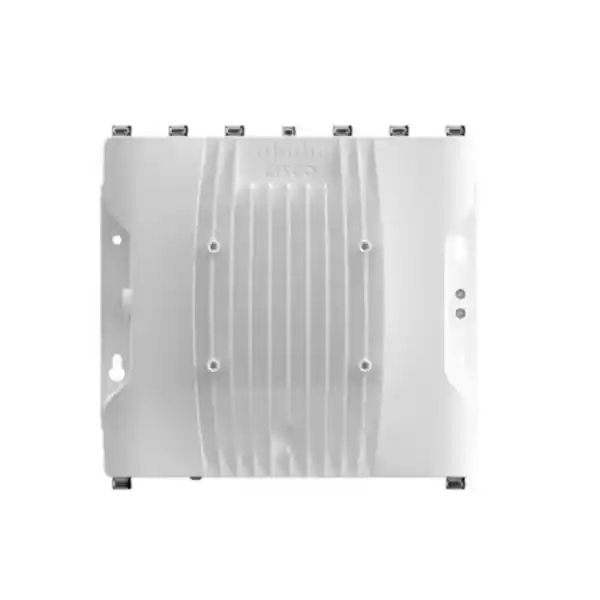
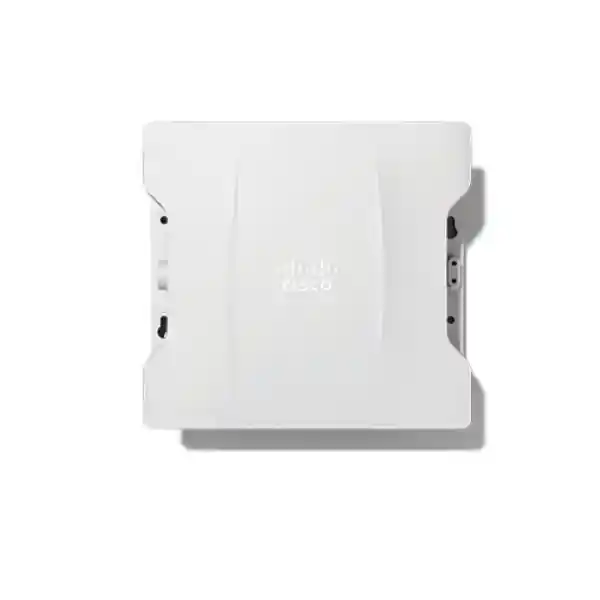
Cisco Catalyst IW9167E Industrial Access Point
The Cisco Catalyst IW9167E is designed for organizations that need more than ordinary office Wi‑Fi. It combines a rugged outdoor and industrial enclosure, three 4×4 radios, external antenna flexibility, multigigabit wired interfaces, and multiple wireless operating models in one platform. That makes it relevant to factories, warehouses, ports, transport systems, mines, utilities, campuses, large outdoor facilities, and other sites where wireless coverage must reach difficult spaces or support operational equipment rather than only laptops and phones.
3 × 4×4 radios
External antennas
AP / WGB / URWB options
IP66 / IP67
A practical answer for industrial wireless coverage
The IW9167E is a strong fit when a project calls for a rugged access point with external antennas and the ability to adapt to different wireless roles. In Wi‑Fi access-point mode, it can serve industrial and outdoor client connectivity under Cisco Catalyst wireless control. In Workgroup Bridge mode, the same hardware can connect Ethernet-attached equipment through a wireless infrastructure. In Cisco Ultra-Reliable Wireless Backhaul mode, it can be used for fixed or moving assets and for network extension where installing fiber is difficult, disruptive, or uneconomic.
This flexibility matters during long-lived infrastructure projects. A site may begin with conventional Wi‑Fi for scanners, tablets, sensors, controllers, cameras, or maintenance devices, then introduce autonomous equipment, vehicle-mounted systems, or a wireless backhaul requirement later. Because the IW9167E platform supports several operating modes, the hardware can fit different designs without treating every industrial use case as a standard indoor WLAN problem. The specific software image, license, controller architecture, antenna system, regulatory domain, and power method still need to be selected correctly for the intended deployment.
Key capabilities at a glance
Wi‑Fi 6 performance for industrial and outdoor networks
The IW9167E uses IEEE 802.11ax technology with 4×4 uplink and downlink MU‑MIMO, OFDMA, beamforming, Target Wake Time, BSS coloring, and support for modern Wi‑Fi security. These features are designed to improve how airtime is used when many devices are competing for wireless resources. In industrial environments, that can be useful where handheld terminals, sensors, mobile workstations, cameras, maintenance tablets, and automation devices share the same coverage area but have very different traffic patterns.
Cisco specifies channel widths up to 160 MHz on the IW9167E 5/6 GHz radio, up to 80 MHz on the dedicated 5 GHz radio, and 20 MHz on the 2.4 GHz radio. The platform specification cites an aggregate PHY data rate of up to 7.8 Gbps under the relevant 4×4 channel-width configuration. That number is a physical-layer capability, not a guaranteed application throughput figure. Real throughput depends on channel plan, interference, client capability, regulatory limits, antenna selection, distance, obstructions, protocol overhead, traffic mix, and controller configuration.
For buyers, the important point is not only the peak number. The combination of three high-capacity radios and external antennas gives a network designer more options for balancing coverage, capacity, legacy device support, and directional reach. A proper industrial WLAN survey should determine whether wider channels are beneficial or whether narrower channels and greater frequency reuse are more appropriate for the site.
Wi‑Fi 6E and 6 GHz: capability with an important Tanzania caveat
The IW9167E hardware is built to support operation in the 6 GHz band through its third radio, which can operate in 5 GHz or 6 GHz according to software, regulatory domain, country approval, and deployment conditions. Cisco explicitly states that 6 GHz use is subject to each country’s regulatory approvals. That distinction is important for Tanzania: a project should not be designed on the assumption that every 6 GHz channel, power level, or outdoor operating mode is automatically available locally.
Before ordering or enabling 6 GHz, the deployment team should confirm the current Tanzania Communications Regulatory Authority spectrum framework, the Cisco regulatory domain approved for Tanzania, permitted frequency ranges, indoor or outdoor restrictions, transmit-power rules, and any coordination requirements that apply to the intended installation. The correct regulatory domain is part of product selection, not a setting that should be guessed after equipment arrives.
If 6 GHz is not available for the intended use, the IW9167E can still be evaluated as a rugged Wi‑Fi 6 platform using locally permitted 2.4 GHz and 5 GHz resources, subject to the same local regulatory checks. This makes regulatory planning an early design task alongside RF survey, antenna choice, mounting, power, backhaul, and controller architecture.
External antennas: where the IW9167E earns its place
Unlike an access point with only built-in omnidirectional antennas, the IW9167E provides eight N-type Wi‑Fi antenna connectors plus a separate TNC connection for GNSS. This is valuable when the physical environment demands deliberate antenna engineering. A warehouse aisle may need a narrow directional pattern. A yard may need broad sector coverage. A rail or vehicle route may require controlled coverage along a path. A remote-building link may benefit from directional antennas that concentrate energy toward the intended endpoint rather than radiating equally in every direction.
External antenna freedom also creates responsibility. Cable loss, connector type, antenna gain, polarization, mounting height, weather sealing, separation, grounding, lightning protection, radio-to-port mapping, and regulatory EIRP limits all affect the final design. Antenna choice should therefore be based on the Cisco-supported antenna portfolio and a site-specific RF plan rather than on gain alone.
The IW9167E also supports Cisco Self-Identifying Antenna capability with compatible antennas, allowing the access point to read antenna information and assist with antenna-gain configuration. This can simplify deployment consistency, but it does not replace physical survey work. Industrial metalwork, containers, vehicles, machinery, walls, storage racks, terrain, moisture, and changing inventory can alter RF behavior considerably.
Three operating approaches on one industrial platform
1. Access-point mode
For conventional enterprise or industrial Wi‑Fi, the IW9167E can operate as an access point under Cisco Catalyst 9800 Series Wireless Controllers, whether the controller is physical or virtual. This model is appropriate when the goal is to provide managed WLAN service to compatible client devices while retaining centralized policy, RF management, security, and operational tooling from the Cisco wireless architecture.
2. Workgroup Bridge mode
Workgroup Bridge mode is useful when Ethernet-attached equipment needs to reach a Wi‑Fi infrastructure. Instead of installing a conventional wireless client in every connected device, the IW9167E can act as the wireless bridge for equipment behind its wired interface. That can be relevant to industrial controllers, vehicle subsystems, legacy devices, kiosks, or other equipment that is easier to connect by Ethernet locally.
3. Ultra-Reliable Wireless Backhaul mode
URWB is aimed at demanding backhaul and mobility applications, including moving assets and links where fiber is impractical. Cisco describes URWB as providing seamless handoffs and very low latency, with features such as multipath operation available in URWB mode. Results still depend on correct RF design, path diversity, topology, interference, software level, and application requirements. A proof of concept is advisable when a project has strict latency, packet-loss, or mobility targets.
Built for harsh outdoor and industrial conditions
Industrial wireless hardware often fails at the mechanical and environmental layer before radio capability becomes the limiting factor. The IW9167E addresses this with an IP66/IP67-rated heavy-duty design. Cisco specifies operation from -40°C to +70°C with solar load and still air, plus an extended DC-powered range down to -50°C and up to +75°C without solar loading, with cold start limited to -40°C. It is also specified for condensing humidity, high altitude, and sustained winds up to 160 mph (257 km/h).
Those ratings are useful for outdoor poles, industrial structures, exposed yards, transportation infrastructure, process sites, and locations with significant dust or moisture. They do not eliminate the need for correct installation. Cable glands, weatherproofing, drip loops, grounding, surge protection, mounting orientation, enclosure clearance, cable strain relief, and antenna installation all contribute to preserving the rated protection in service.
The standard IW9167E should also not be confused with the separate IW9167E-HZ hazardous-location model. The HZ variant is the product intended for certified hazardous-location deployments and uses different hardened port arrangements. If a Tanzanian project is located in a potentially explosive environment, the required hazardous-area classification, local acceptance, exact product variant, accessories, and installation method should be reviewed before procurement.
Wired connectivity for high-capacity industrial designs
The IW9167E provides a 100 Mbps/1 Gbps/2.5 Gbps/5 Gbps multigigabit RJ‑45 interface that can accept supported PoE power, plus an SFP interface supporting copper multigigabit or 1G/10G fiber operation depending on the selected module and configuration. This is useful when the radio side of the network needs more uplink capacity than a traditional 1 Gbps access-point connection can offer, or when fiber is preferred for distance, electrical isolation, or infrastructure design reasons.
The presence of both copper and SFP/SFP+ options also helps integration teams choose a backhaul method that matches the surrounding industrial network. In a facility with fiber distribution, an optical uplink may avoid long copper runs. In a simpler outdoor installation, a single powered Ethernet path may be more practical. The correct transceiver, cable, surge protection, media type, distance, and environmental rating should be selected as part of the bill of materials.
Optional M12 converters are available to adapt the base unit’s Ethernet and power interfaces for industrial cabling environments while retaining relevant certifications. Designers should check the specific converter documentation because adapter use can affect interface capabilities and installation details. The hazardous-location IW9167E-HZ uses permanent M25 ports and is not the same adapter arrangement as the standard model.
Power planning: do not size only for “PoE supported”
The IW9167E can be powered by 24–48 VDC nominal input or by supported Ethernet power sources including 802.3at, 802.3bt, and Cisco UPOE. The power choice can influence available radio and Ethernet capability. Cisco’s specification shows full 4×4 operation on all three radios with 5 Gbps RJ‑45 and SFP/SFP+ capability at a 48 W draw when using DC or suitable 802.3bt/UPOE power. With 802.3at PoE+, the documented operating profile is reduced to 2×2 radio operation, 1 Gbps RJ‑45, and 25 W.
That makes power-budget review essential. A switch that can technically power the access point may not necessarily power it in the performance mode expected by the RF design. The site should confirm the switch or injector standard, available per-port power, total PoE budget, cable length, conductor gauge, ambient temperature, surge-protection design, and any voltage drop before installation.
For sites with unreliable mains supply, power continuity should be considered separately from the access point’s input options. The wireless design may need UPS-backed switching, protected DC systems, or another resilient power architecture according to the operational importance of the link. The IW9167E provides flexible inputs, but overall service availability depends on the full power chain.
Security and infrastructure integration
The IW9167E supports modern enterprise wireless security capabilities including WPA3, WPA2, IEEE 802.1X, AES, and multiple EAP authentication methods. In Wi‑Fi deployments, this allows organizations to integrate industrial wireless access with identity, certificate, and policy frameworks rather than relying only on a shared password. The platform also supports secure-infrastructure functions such as image signing, Secure Boot, and Cisco Trust Anchor technologies designed to help establish hardware and software authenticity.
Security design should still be application-specific. Operational technology traffic may require segmentation from corporate user traffic, restrictive access control, device identity, certificate lifecycle management, protected management interfaces, logging, monitored software versions, and change-control procedures. Wireless encryption is one layer of a larger industrial network-security architecture.
In Wi‑Fi mode, a dedicated scanning radio can support RF monitoring functions such as spectrum analysis and wireless intrusion-prevention capabilities within the appropriate Cisco software architecture. Buyers should confirm which features require specific controller software, Cisco DNA licensing, subscriptions, or release levels. Feature availability can change with software, so procurement should align hardware, licenses, controller versions, and desired operational capabilities in one design.
GNSS, Bluetooth, scanning, and edge-oriented functions
Industrial access points increasingly do more than move Wi‑Fi frames. The IW9167E includes a GNSS receiver, Bluetooth Low Energy 5.1, a scanning radio, and support for application containers in relevant software modes. The GNSS capability can provide location coordinates for the access point and is also part of the platform’s approach to 6 GHz standard-power operation where Automated Frequency Coordination is applicable and permitted by local rules.
Bluetooth Low Energy can support location-related use cases such as asset tracking, wayfinding, or analytics when combined with a compatible application architecture. The scanning radio gives the wireless system an additional source of RF visibility without dedicating one of the primary service radios solely to scanning. Container support can place selected application functions closer to the network edge, although the exact use case, software support, resource requirements, and operational model should be validated before it becomes a purchase requirement.
These features can reduce the need for separate appliances in some designs, but they should be treated as architecture options rather than automatic outcomes. Confirm the required Cisco software release, licensing, platform compatibility, API or analytics integration, and local operational requirements for each function.
Where the IW9167E can fit in Tanzania projects
These are deployment examples, not guarantees that one configuration will suit every site. Tanzania has coastal, high-humidity, inland, industrial, urban, remote, and high-elevation environments with different practical constraints. A final design should account for local spectrum rules, site access, lightning exposure, grounding, power quality, mounting structures, backhaul availability, maintenance access, and the client devices that actually need service.
Technical specifications buyers should verify
Licensing and software selection
The IW9167E is not a “buy the box and decide everything later” product. Cisco provides different software and licensing paths for access-point, URWB, and Workgroup Bridge operation. In access-point mode, current product documentation lists Cisco IOS XE-based software and Cisco Catalyst 9800 controller support, with Industrial Wireless Cisco DNA licensing options. URWB standalone uses its own network and service license choices, while WGB and URWB operation use the industrial wireless software path.
A purchase specification should therefore state the intended operating mode, controller environment, software release target, desired management features, licensing level, and migration requirements. If the equipment may change roles later, the project should confirm the process and licensing implications for moving between software images. Cisco documentation notes that the platform is designed so the operating technology can be changed without replacing the hardware, but the exact field procedure and entitlements should be validated for the software versions in use.
This is also important for long-term support. Industrial networks often have stricter maintenance windows than office WLANs. Aligning controller releases, access-point software, operational features, and support policy helps avoid discovering after deployment that a desired feature requires a different software train or license level.
How to decide whether IW9167E is the right model
Choose the IW9167E when you specifically need an external-antenna industrial platform. External antenna ports are a major differentiator because they let the RF design adapt to unusual spaces and directional coverage goals. If a simple omnidirectional outdoor access point is sufficient and antenna customization is unnecessary, another model may be easier to install. If the environment is classified as hazardous, the IW9167E-HZ rather than the standard IW9167E may be the appropriate starting point, subject to exact local requirements.
Also consider whether you need URWB or WGB. If the project is only conventional Wi‑Fi client access, the platform’s extra flexibility may still be useful, but the business case should compare it with other Cisco outdoor or industrial AP options. If the project involves moving assets, difficult-to-cable links, autonomous equipment, or a future backhaul requirement, the IW9167E’s software flexibility becomes more valuable.
Finally, check whether your wired infrastructure and power system can support the intended performance profile. A 5 Gbps-capable copper uplink, 10G-capable SFP path, and full 4×4 radio configuration provide room for demanding deployments, but those capabilities require compatible switching, optics, cabling, power, and software. Buying the access point without validating the surrounding network can leave useful hardware features unused.
Deployment checklist before requesting a quote
- Define the wireless role. Decide whether the project needs Wi‑Fi access-point service, Workgroup Bridge, URWB backhaul, or a roadmap that may use more than one mode over time.
- Confirm the client and application requirements. Record device types, supported bands, traffic patterns, mobility, latency sensitivity, availability expectations, and whether clients are stationary or moving.
- Complete an RF and physical survey. Map coverage areas, mounting points, obstructions, interference, vehicle routes, metallic structures, cable paths, and locations where directional antennas may be useful.
- Verify Tanzania regulatory requirements. Confirm approved bands, channel availability, 6 GHz rules, power limits, and the correct Cisco regulatory domain before finalizing the part number.
- Select antennas and accessories. Determine supported antenna models, gain, pattern, polarization, cable lengths, weather protection, mounting hardware, grounding, surge protection, and any M12 adapters required.
- Validate power. Decide between DC, 802.3bt/UPOE, or 802.3at and understand the performance implications of the selected power source.
- Validate wired backhaul. Confirm switch ports, fiber or copper media, optics, link speed, VLAN design, routing, redundancy, and cable environmental ratings.
- Align software and licenses. Specify controller release, access-point software image, Cisco DNA or URWB licensing, monitoring features, and support requirements.
- Plan installation and acceptance testing. Define mounting, safety, weather sealing, grounding, commissioning tests, roaming or backhaul tests, throughput targets, failover checks, and documentation handover.
Important ordering and compatibility notes
Cisco’s IW9167E ordering structure includes regulatory-domain and software distinctions. Product documentation lists part-number families for Wi‑Fi access-point, URWB, and WGB software, with the regulatory-domain character represented separately. The exact orderable SKU for a Tanzania deployment should be selected only after confirming the approved domain and intended software mode. This page therefore does not invent or substitute a model number as a local FourTeck SKU.
The chosen antenna system must also be compatible with the exact radio plan. The device has eight external N-type Wi‑Fi ports, but a complete project may need multiple antennas, cables, mounting brackets, surge protectors, power injectors or adapters, SFP/SFP+ modules, and environmental accessories. These items should appear in the project bill of materials rather than being assumed to be included.
When integrating with an existing Cisco wireless network, confirm Catalyst 9800 controller compatibility and the target software release. For URWB or WGB designs, confirm the specific software train, licensing, topology, peer equipment, and feature requirements. For hazardous locations, use the appropriate HZ variant and review its distinct hardware and certification requirements rather than treating the standard IW9167E as interchangeable.
RF design matters more than the access point alone
A rugged access point is only one part of a dependable industrial wireless system. Before fixing quantities, the design team should model or survey the actual RF environment, then validate it after installation. Warehouses, production lines, shipping containers, cranes, vehicles, metal roofing, tanks, conveyors, high-bay storage, and changing inventory can create reflections, shadowing, and interference patterns that are difficult to predict from a floor plan. Outdoor links add terrain, foliage, weather exposure, Fresnel-zone clearance, and mounting stability to the design problem.
For Wi‑Fi coverage, define a target for signal level, signal-to-noise ratio, channel utilization, client density, roaming behavior, and application performance rather than relying only on maximum range. For backhaul, document link distance, line of sight, antenna pattern, redundancy, acceptable latency, required throughput, and failover expectations. Where mobile equipment is involved, survey the complete travel path and test handoffs at operational speed.
The IW9167E’s external antennas and multiple operating modes give engineers useful tools, but they do not remove the need for disciplined RF engineering. A well-designed system may use different antenna types, mounting heights, channel plans, and power levels in different zones. That is usually more reliable than deploying identical settings everywhere and attempting to correct coverage gaps after commissioning.
Frequently asked questions
Is the Cisco Catalyst IW9167E an indoor or outdoor access point?
It is a rugged industrial and outdoor access point. Cisco specifies IP66/IP67 protection and industrial environmental ranges. It can also be used in indoor industrial spaces where ruggedness, external antennas, or industrial connectivity features are needed.
Does the IW9167E support Wi‑Fi 6E?
The hardware is designed for Wi‑Fi 6/6E capability, with the third 4×4 radio able to operate in 5/6 GHz. Actual 6 GHz use depends on the regulatory domain, country approvals, permitted channels, software, and deployment rules. Tanzania projects should verify current TCRA requirements before planning 6 GHz operation.
Can it connect moving vehicles or industrial assets?
Yes, depending on mode and design. Workgroup Bridge can provide wireless connectivity for Ethernet-attached equipment, while Cisco URWB is intended for demanding fixed and mobile industrial connectivity. A mobility design should be validated with the actual route, antennas, handoff expectations, interference environment, and application requirements.
Does it require a Cisco wireless controller?
In Wi‑Fi access-point mode, Cisco lists support for Catalyst 9800 Series Wireless Controllers, including physical and virtual controller options. URWB standalone and WGB use different software and operating models, so the controller requirement depends on the selected role.
Can it run at full capability from ordinary PoE+?
Not in the same profile as higher-power input. Cisco documents a reduced 802.3at profile with 2×2 radio operation and a 1 Gbps RJ‑45 link, while DC or suitable 802.3bt/UPOE power supports the full 4×4 configuration and higher wired capability. The power source should be selected to match the design target.
What is the difference between IW9167E and IW9167E-HZ?
The IW9167E-HZ is the hazardous-location variant and adds certifications and hardened port arrangements intended for regulated explosive environments. The standard IW9167E should not be represented as having those hazardous-location certifications.
Are antennas built in?
The IW9167E is the external-antenna model. It provides eight N-type Wi‑Fi antenna ports. Antenna selection is part of the system design and should be matched to coverage pattern, frequency, regulatory limits, mounting, and the specific Cisco-supported accessory set.
What should be provided when requesting a project quote?
Useful information includes the installation environment, intended operating mode, number of coverage zones or links, mounting heights, client types, mobility requirements, existing Cisco controller and switch models, available power, copper or fiber backhaul preference, antenna objectives, and whether the site requires hazardous-location certification. This helps turn a hardware request into a complete and compatible bill of materials.
Request a Cisco IW9167E project quote for Tanzania
For the most useful quotation, specify whether your requirement is industrial Wi‑Fi, wireless backhaul, connectivity for moving assets, or a combination of these. Include the site environment, expected coverage area, existing Cisco infrastructure, preferred uplink media, available power, antenna requirements, and any regulatory or hazardous-location constraints.
Request a configuration review and quotation for the Cisco Catalyst IW9167E Industrial Access Point and the accessories required for your deployment.
Technical note: Wireless bands, channel widths, transmit power, software functions, licenses, controller compatibility, accessories, and regulatory-domain availability can vary by country and software release. 6 GHz operation is subject to local regulatory approval. Final procurement should verify the exact Cisco orderable part number and approved regulatory domain for Tanzania.




Reviews
There are no reviews yet.