
Hanwha Vision • Wisenet L series • 16-channel IP recording
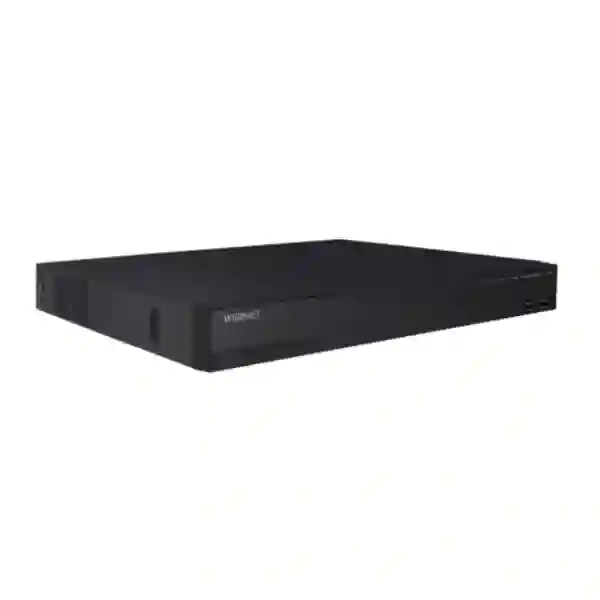
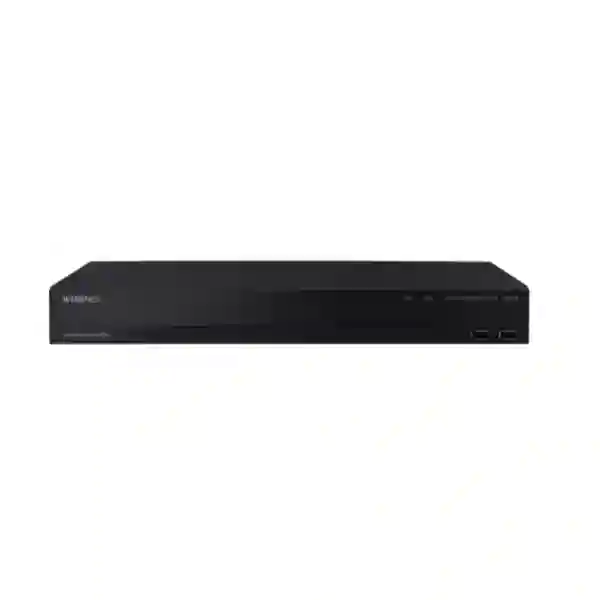
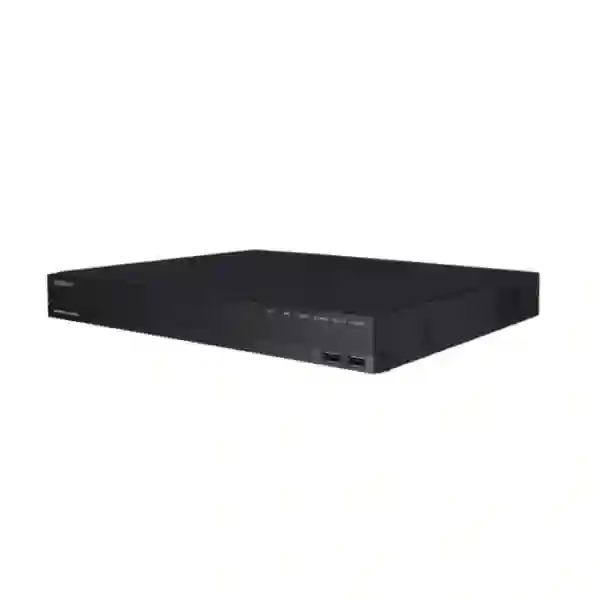
Hanwha LRN-1610S 16-Channel 5MP PoE NVR in Tanzania
Need one manageable recorder for up to sixteen IP cameras? The Hanwha Vision LRN-1610S combines network video recording, integrated PoE+ connections and local HDMI monitoring. It is best evaluated as part of a complete camera, storage and power design. Request a configuration review to confirm whether its 5MP, 100Mbps and 130W PoE limits suit your premises.
At a glance: verified specifications
| Recorder type | 16-channel IP network video recorder |
|---|---|
| Supported recording resolution | Up to 5MP |
| Video codecs | H.265, H.264, MJPEG |
| Maximum recording bandwidth | 100Mbps total |
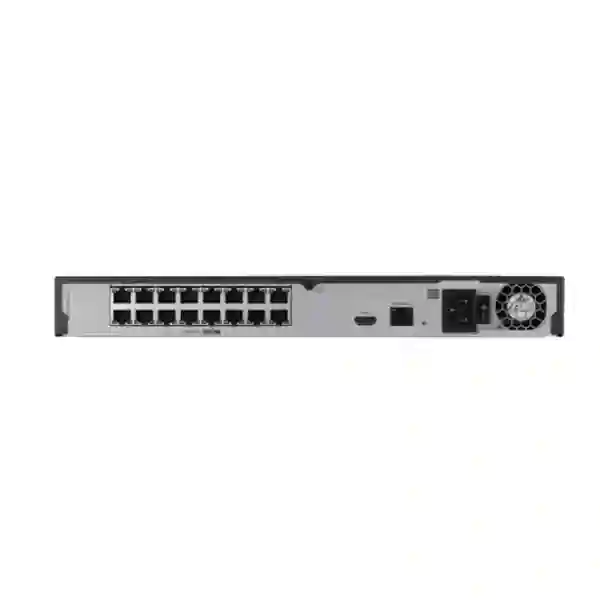
| Built-in camera connections | 16 PoE+ ports; 130W shared power budget |
| Storage | Two SATA bays, up to 6TB per supported disk / 12TB total |
| Local output | HDMI, up to 1920 × 1080 per datasheet |
| Camera protocols | Wisenet and ONVIF |
| Remote use | Supported smartphone live view and playback |
| Power and operating conditions | 100–240V AC; 0–40°C |
These are device specifications, not confirmation of a particular sales package, hard-drive inclusion, local stock, pricing or warranty.
Choose the recorder around the surveillance job
The Hanwha Vision LRN-1610S is a practical option when a site needs one recorder for up to sixteen IP video channels, rather than a collection of separate camera memory cards. An administrator can organize recording, find video from a particular camera and use a local monitor without managing each device independently. For a smaller retail premises, the objective might be dependable coverage of entrances, tills, stock movement and exterior access. For an office, it may be shared reception areas, corridors and controlled doors. The camera plan, not the model’s channel count alone, should drive the selection.
The first buying decision is whether the site needs no more than sixteen supported camera channels and whether 5MP recording is suitable for the intended evidence. Consider what a reviewer must actually see: activity across a doorway, movement between rooms, or a clear view of a loading bay. High resolution cannot fix poor positioning, backlighting, unsuitable optics or missing coverage. A strong design pairs the recorder’s capabilities with appropriate cameras, network conditions and a realistic video-retention requirement. Buyers in Tanzania should ask for a site-specific proposal instead of assuming that the recorder alone represents a complete surveillance solution.
Understand the sixteen-channel ceiling
Sixteen channels means the LRN-1610S can register up to sixteen supported network camera channels. It does not mean sixteen cameras are supplied with the unit, and it should not be interpreted as unlimited expansion. When planning a system, draw a location map and count every video channel expected to be recorded. Reserve time to confirm whether unusual multi-sensor devices consume more than one channel and whether each requested camera stream will be accepted. If the plan already requires sixteen channels, discuss future growth before buying.
The number of PoE ports and the number of recorder channels serve related but different purposes. The built-in switch exposes sixteen PoE+ network connections, but a mixed system might also use cameras reached through other network equipment. Every video feed still needs to fit within the recorder’s supported channel and throughput limits. A design with fewer than sixteen cameras can be easier to administer and leave room for a later addition. A design that definitely requires more channels should be costed against a larger recorder instead of relying on an unverified expansion method.
What the 5MP limit means
The model is specified for network camera recording up to 5 megapixels. That is the recorder’s supported camera resolution class, not a promise that every installed camera will deliver usable identification at every distance. An entrance with a wide view, a dim warehouse aisle and a brightly lit reception desk can all need different camera lenses, exposure settings or supplementary lighting. Ask the installer to show representative images for the desired target area at the actual installation distance before finalizing the design.
If an organization already owns 8MP or 4K cameras, their higher-resolution recording should not be assumed compatible with this 5MP NVR. A camera may offer a lower-resolution stream, but whether it can be recorded with the desired features requires testing against the exact camera firmware and protocol. Equally, purchasing a 5MP camera does not automatically give better images than a thoughtfully positioned lower-resolution camera. Resolution is one constraint among field of view, compression, motion, lighting, lens choice, storage and network performance. Include all of them in the acceptance test.
Plan within 100Mbps recording bandwidth
Hanwha specifies up to 100Mbps of network camera recording bandwidth. This is a combined recording limit; it is not a dedicated 100Mbps allowance for each attached camera. Camera streams vary with motion, image detail, codec, frame rate and configuration. A busy delivery area may generate more data than a quiet corridor, and an abrupt lighting change can alter stream behavior. Add the expected bitrates of all recording streams, then leave operational headroom rather than designing precisely at the published maximum.
A sensible commissioning plan measures actual stream behavior in the day and at night, when infrared lighting and activity patterns may differ. Record a representative busy period, review image quality and confirm the total inbound throughput. If bandwidth becomes tight, discuss whether some cameras can use a lower frame rate or more efficient compression without undermining their purpose. Avoid reducing quality across every camera by default. For sites with stricter evidence requirements, a higher-throughput recorder may be the more appropriate investment. This bandwidth check is particularly important when sixteen channels are populated.
Use H.265 without assuming a fixed saving
The recorder supports H.265, H.264 and MJPEG video compression. H.265 can make storage and bandwidth use more efficient for suitable cameras and settings, but there is no fixed savings percentage that applies to every scene. Motion, image noise, night operation, frame rate and camera implementation all affect results. The codec must be supported by the camera and recorder combination, and administrators should verify that live view and playback still function as expected after the intended profile is enabled.
Legacy cameras may use H.264 or another compatible profile instead. A mixed installation may therefore have different data rates across channels. When comparing recorder quotations, ask which cameras will send which codec, at what resolution and frame rate, and how those choices affect the proposed disk capacity. The practical goal is footage that remains useful at the required retention period. Storage efficiency matters, but it should not override the need to capture faces, movements or events with the level of detail specified by the site owner.
Interpret the 130W PoE budget correctly
Sixteen PoE+ ports are convenient because network cabling can deliver data and power to compatible cameras. The important design limit is the recorder’s 130W total PoE power budget. Sixteen ports do not mean sixteen high-consumption cameras can all use their maximum draw simultaneously. Some infrared cameras, heaters or motorized units may require noticeably more power than compact fixed cameras. Prepare a per-device power schedule using the manufacturer’s stated maximum operating draw, not just a typical value.
Add the planned demands for all ports and include a sensible margin for peak load. Check whether each individual camera’s PoE standard and power requirement match the recorder’s supported port behavior. A camera that operates during the day may demand more power after its infrared illumination turns on. If the complete design exceeds the integrated power allowance, consider compatible external power or switching arrangements and recheck the network layout. Never solve a power shortfall by assuming the unit will continuously exceed its documented rating. This is an essential distinction for professional installation.
PoE simplifies installation but not all cabling questions
With the LRN-1610S, many compatible network cameras can connect directly to the integrated PoE switch, reducing the need for a separate switch at every endpoint. That may simplify a compact premises where cabling returns to a central equipment space. However, direct connection is not always the best network design. Distant buildings, outdoor poles, distributed floors or long cable routes may call for additional switching, protected links and a different topology. The recorder should not be located merely where the first camera cable happens to terminate.
Request a cabling plan that identifies each camera run, its intended route, connectors, labeling and protection against accidental damage. Test each installed cable to the required networking standard and verify that the attached camera negotiates power and data reliably. Exposed outdoor runs deserve appropriate protection, grounding practices and installation materials. Equipment location also matters: the recorder needs secure access, ventilation and a stable source of power. Good cable documentation can save significant diagnostic time if a single camera becomes unavailable months after commissioning.
Select storage by recording policy, not just drive size
The LRN-1610S has two SATA hard-drive bays and is specified for a maximum of 12TB total, with up to 6TB per supported drive in the referenced datasheet. This describes potential capacity, not an assertion that drives are bundled with a particular sale. Before approving a quotation, establish whether the disks are included, how many are supplied and whether their exact models appear on the manufacturer’s compatibility guidance. Surveillance-oriented storage selection should also account for sustained recording workloads and environmental conditions.
Twelve terabytes may be ample for one deployment and insufficient for another. The same number of cameras can require very different storage depending on resolution, codec, frame rate, activity and hours of recording. A system retaining seven days of mostly event-based clips differs from one preserving continuous footage throughout the day. Ask the installer for an assumptions-based storage worksheet and, where possible, validate it with actual measured camera bitrates. Keep a record of the settings used so future camera replacements do not silently invalidate the retention estimate.
Make retention calculations transparent
A useful retention specification says how many days of footage are required, which channels must record continuously and which can be event-triggered, and whether the stored image quality may vary by schedule. Estimate daily data from every stream’s expected average bitrate and the number of recording hours. Multiply that daily requirement by the target period, then allow for file-system use and practical headroom. Estimates should be checked against field measurements because actual camera video can change substantially with movement and lighting.
Separate the business requirement from the technical result. For example, a manager might ask for footage from recent deliveries or after-hours access. The required look-back period may be influenced by internal incident reporting processes rather than by the largest disk available. A recording policy should define what happens when the disk becomes full, who may export evidence and how long exports are kept. Confirm local policy and any applicable legal obligations with appropriate advisers. Avoid promising any specific number of retention days solely from the recorder’s 12TB maximum.
Choose continuous, scheduled and event recording deliberately
The manufacturer’s specification lists normal, scheduled continuous or event recording, event pre/post recording and dual-track recording. These modes can support different operational priorities. Continuous recording makes it easier to examine context before an incident is noticed. Scheduled recording can follow predictable operating periods, while event recording may reduce the amount of routine footage stored. The best configuration is not always the one that consumes the least disk space; missing the start of a relevant incident can be more expensive than saving additional footage.
Build a recording matrix for every camera. A reception camera may need continuous coverage, while a low-activity service entrance may have an event-based policy after a carefully tested configuration. Determine the pre-event and post-event windows appropriate for the situation and check that events are actually generated by the chosen camera. Test a real approach, departure and repeat movement rather than relying on a menu setting alone. Document exceptions such as public holidays, shift changes and overnight deliveries. Review the policy after a change to opening hours or security procedures.
Understand motion and camera event dependencies
The recorder can respond to supported signals including video loss and compatible camera events. Its datasheet mentions motion detection, video analytics and defocus as examples of camera-side event inputs. That does not mean the recorder itself creates every advanced analytic feature or that every third-party camera exposes identical events. The camera model, firmware, selected protocol and configuration all matter. Buyers should ask whether their required alarm condition is available with the exact proposed camera-recorder pair.
Treat notifications and recordings as separate acceptance items. An alert may help staff notice something, but it must be configured to avoid unnecessary noise and missed events. Camera motion regions, lighting and sensitivity should be checked on site. Confirm that an event leads to the intended recording, that date and time are correct, and that staff know where to find the clip. If the solution depends on a specific analytic rule, demonstrate the rule before sign-off. A generic claim that an NVR supports analytics is not enough to establish that a particular site scenario will work.
Review, search and export incident footage
A surveillance system becomes valuable when authorized staff can quickly locate useful video. The LRN-1610S supports local monitoring and recorder playback workflows, plus supported network access. According to the manufacturer specification, simultaneous playback is up to sixteen channels over the network and up to eight channels on the local monitor, subject to the documented performance limits. Playback bandwidth is specified at up to 32Mbps. Those figures matter when several streams are examined during an incident review.
Define a simple investigation procedure before staff need it. Identify the camera, confirm the incident time, examine adjacent views and export the relevant interval with enough context to understand the event. Verify that the chosen backup format can be opened on the intended review computer. Keep a record of who made the export, when, and why, in line with the organization’s evidence policy. Train more than one authorized person to retrieve footage. An easy-to-understand naming scheme for cameras and a correctly configured clock are often as important as the technical playback limit.
Local HDMI monitoring and day-to-day viewing
The recorder includes an HDMI output for local display. Hanwha’s datasheet lists local monitor resolutions of 1920 by 1080 and 1280 by 720. This is useful for a guarded office, reception desk or equipment room where operators need to check views without launching a remote session. It is not a promise of 4K HDMI output, even if a nearby television happens to support 4K. Compare both the camera recording specification and the display specification separately.
Consider the operator’s work environment before choosing a monitor. A small display showing many cameras simultaneously may make detail difficult to recognize. Staff might prefer a routine multi-camera overview and a straightforward method of enlarging one camera when needed. Place the display where authorized people can use it without exposing sensitive views to visitors. Decide whether the equipment is monitored actively or mainly used for occasional retrieval, because the requirements for layout, access and training are different. Confirm the proposed monitor and any cabling accessories are included in the installation scope.
Remote live view and smartphone access
The LRN-1610S includes manufacturer-documented P2P QR-code connection support and smartphone live view and playback functionality for supported iOS and Android workflows. These conveniences can assist an authorized owner who needs to check premises while off-site. Nevertheless, the availability of a remote feature does not replace proper network setup, device hardening or an account-access policy. Actual access depends on current application support, recorder firmware, network connectivity and the organization’s security configuration.
Before approving remote access, decide who really needs it and which cameras each person may view. Prefer unique accounts, appropriately strong credentials and security controls supported by the installed system. Test access from a separate network and verify that playback is usable at the available internet uplink speed. Document how access is revoked when an employee changes role or leaves the organization. Do not assume a QR-code feature means zero maintenance or that a mobile application will operate indefinitely on every phone version. Ask the supplier to confirm the current compatible software and a practical support path.
Separate user access from camera ownership
The product datasheet lists a maximum of four users for its stated playback-user specification, described as one local and three remote. Other remote-viewer counts depend on the viewing mode and should not be confused with that playback figure. A manager requesting access for several supervisors should therefore explain how many people need concurrent live viewing, searching or administration. The technical answer may differ by activity and client software. A shared login is not a substitute for a well-defined access arrangement.
Assign responsibility for account creation, password recovery and permission review. Decide whether security personnel can only view footage, whether managers can export clips and who may change recording schedules. Record the authorized contacts and retain a controlled process for transferring system administration if a contractor changes. Review access logs when available and verify that routine staff cannot accidentally erase settings or remove evidence. When the number of concurrent users is a critical business requirement, test it with the actual viewer software and network rather than deriving a promise from the headline channel count.
Check ONVIF and Wisenet camera compatibility
Hanwha lists Wisenet and ONVIF camera protocols for the LRN-1610S. This is valuable for buyers planning a Wisenet installation or assessing selected third-party IP cameras, but ONVIF support is not a universal guarantee of identical functionality across brands. Video recording may work while advanced camera configuration, special events, audio, PTZ or other features behave differently. The specific camera model, firmware, stream format and supported profiles must be checked before the equipment list is finalized.
For mixed-brand systems, build a short compatibility test using at least one of each intended camera type. Verify camera discovery or manual registration, stable recording, correct time, playback, event handling and the required resolution. If a third-party device needs a dedicated user account for its ONVIF service, include that setup in the handover documentation. Do not rely solely on a successful live preview, because it proves only a portion of the desired functionality. If critical capabilities are missing, evaluate a compatible camera or a different recording platform before purchasing the remaining devices.
Migrating from an older NVR or DVR
An upgrade project should begin with an inventory of existing cameras, cabling, power systems, displays and recording requirements. The LRN-1610S is an IP network video recorder; it should not be mistaken for an analog-coaxial DVR accepting conventional analog camera inputs. Buyers replacing a DVR should identify the actual camera interface and discuss whether camera replacement, encoders or another system design is appropriate. Reusing an old monitor is not the same as reusing an incompatible camera.
If the current system already uses IP cameras, compatibility still needs verification. Note each camera’s resolution, codec, IP addressing, PoE demand and requested recording features. Determine whether the existing hard disks are technically compatible and suitable for continued use, rather than transferring them without inspection. Plan a changeover window and clarify what happens to older stored recordings. The old recorder’s video archive may require a separate retention or export procedure. Before decommissioning, prove that each replacement channel records and can be retrieved. A migration succeeds when the business retains the surveillance coverage it actually needs.
Practical layouts for shops and offices
In a shop, a camera plan may include the customer entrance, checkout approach, sales floor, stock-room door and goods-receiving point. Each location serves a different purpose. General overview cameras answer where people moved, while a narrower view may help examine a transaction or the direction of travel. Careful positioning should avoid unnecessary recording of private spaces. The NVR brings supported feeds into one recording arrangement, but the quality of the camera design determines how useful the resulting evidence will be.
For offices, likely priorities include reception, shared circulation routes, meeting-area access points and selected building entrances, subject to a lawful and proportionate security policy. Begin with a site diagram, identify blind spots and ask who will review footage after an incident. If the organization operates multiple buildings, decide whether each one needs a recorder or whether a different network design makes more sense. Avoid purchasing sixteen cameras merely because there are sixteen ports. Count the views required to solve a genuine security or operational problem, and keep capacity for justified growth.
Warehouses, stock areas and outdoor approaches
Warehouses and logistics spaces create different visual challenges from offices. Shelving can block lines of sight, high mounting points can make faces appear small and moving vehicles may need a dedicated overview camera. A loading entrance may be bright in daylight and very dark after closing. Camera selection should account for these conditions, including lens coverage, lighting and any protective housing. The recorder’s up-to-5MP capability does not independently determine whether a number plate or label will be readable.
Outdoor approaches also add installation responsibilities. A suitable external camera needs the environmental rating required for its position, while exposed cable paths and network equipment deserve protection against moisture and electrical hazards. Check the maximum camera power draw if infrared illumination, motorized optics or accessories are involved. Record actual video from the loading activity and review it on the intended playback equipment before acceptance. A carefully tested eight-camera design may be more useful than an untested sixteen-camera layout, even though both are within the NVR’s headline channel count.
Network architecture and IP addressing
The datasheet specifies one Gigabit Ethernet network connection alongside sixteen PoE+ ports. The local camera-side connections and the wider network connection should be treated as parts of a documented design. Decide how cameras receive addresses, whether they sit on the integrated switch, and how authorized management devices reach the recorder. A corporate network may require segmentation and firewall rules; a small standalone installation may be simpler. Neither should expose unnecessary recorder services directly to the public internet.
Document the intended address plan and any services needed for time synchronization, management or remote viewing. Do not assume that simply plugging the NVR into a broadband router creates a secure deployment. Coordinate with the site’s IT administrator if the recorder joins an existing business network. Check available uplink bandwidth for remote playback and the impact of multiple viewers. If cameras are installed in remote areas through separate switches, verify routing and protocol behavior in that topology. Label the network interfaces and keep a controlled backup of settings where supported. Clarity here makes future troubleshooting faster and safer.
Cybersecurity is part of the commissioning scope
The manufacturer documentation lists controls including HTTPS login authentication, user access logging, IP address filtering and 802.1X authentication options. Their presence does not mean every installation is secure by default. Security depends on configuration, supported firmware, local network policy and ongoing account management. The first setup should include unique administrator credentials, removal of unnecessary access, review of enabled services and a firmware check using the appropriate manufacturer documentation for the exact recorder.
Adopt a maintenance process rather than treating cybersecurity as a one-off checkbox. Know who can change settings, where recovery information is kept and how a suspected compromise will be investigated. Use network access controls to limit management to authorized devices where practical. Review whether remote connectivity is essential and select a secure approach that fits the site. If the organization has formal IT or privacy requirements, ask its responsible team to review the design before installation. This model’s advertised security features are tools for a secure configuration, not a substitute for a documented security policy.
Power supply, ventilation and placement
The LRN-1610S is specified for 100–240V AC input, a 0–40°C operating temperature range and 20–85% relative humidity under the manufacturer’s stated conditions. Its published maximum power consumption is approximately 158.2W with two drives and PoE active, while the separate total PoE output budget is 130W. These are useful equipment planning values, but the electrical design must consider the complete installation, including a monitor, network uplink and any independently powered cameras or switches.
Place the recorder in a ventilated, physically controlled location with space for service access. A hot cabinet or exposed dusty position can undermine an otherwise sound system, especially in a site with long operating hours. Evaluate the need for a correctly sized uninterruptible power supply using actual connected loads and the required backup duration. Any UPS runtime must be calculated for the selected battery and installed equipment; it cannot be promised from the NVR specifications alone. Ask a qualified installer to consider grounding, cable protection and the local electrical environment. Power continuity and cooling directly influence recording continuity.
A useful step-by-step installation sequence
Start by defining the surveillance objectives and mapping all camera views. Choose camera models and installation positions, check maximum PoE consumption and calculate the expected aggregate recording bitrate. Next establish the recording schedule, retention target, hard-drive compatibility and any remote access requirement. Only then finalize the recorder and accessories. This sequence reduces the risk of buying a sixteen-port unit and discovering that the camera power budget or recording throughput is unsuitable for the planned equipment.
During installation, label and test every cable before connecting it, secure the recorder, configure approved accounts and update settings according to the appropriate manufacturer guidance. Register one test camera first and verify live video, recording and playback. Add the remaining channels methodically and document their addresses, names, bitrates and recording schedules. Finally test a full busy period, a night-time scene, an event alert where applicable and an evidence export. The handover should explain the equipment installed, its settings, known limits and who to contact for support. A completed install is a verified functioning system, not simply a powered-on recorder.
Acceptance tests should match the original requirements
Ask for an acceptance checklist that describes what success looks like for each view. For an entrance, the test might require a recognizable approach and a usable recording under daytime and night-time conditions. For a stock-room corridor, it might require uninterrupted recording during the hours specified by management. For an event-triggered external camera, it could require the full movement to be captured with appropriate footage before and after the trigger. These examples are project-specific tests, not guarantees of any camera or NVR’s performance.
The recorder itself should pass channel registration, storage detection, correct time settings, recording recovery after a controlled restart and playback from representative channels. Verify the available disk space, user permissions, notification behavior and intended remote-access method. Confirm how the equipment behaves during a planned power interruption if backup power is part of the contract. Record observations and correct failures before final sign-off. A documented test protects both buyer and installer by making it clear what was expected and what was actually delivered. Repeat critical tests after major firmware or camera changes.
Maintenance and ongoing operational checks
Plan simple routine checks instead of waiting until footage is urgently needed. An authorized operator can confirm that every required camera is online, current recordings are being created, the recorder’s clock is correct and the expected storage period is broadly being achieved. Where the equipment presents drive health or warning information, make those checks part of the maintenance record. The schedule should reflect the site’s importance and operating pattern rather than an arbitrary universal frequency.
Keep a list of camera models, firmware versions, hard-drive details and the person responsible for each device. Any proposed firmware update should be assessed against the exact model documentation, operational risks and available recovery steps. After making changes, confirm that remote viewing, events, recording and playback still work. Replace a failed disk only with an appropriately compatible part, and handle older storage according to the organization’s evidence and disposal policies. If footage is legally or operationally important, establish an incident export process independent of routine recorder overwriting. Maintenance preserves the value of the original system design.
What to ask before buying for a Tanzania project
A useful quotation should distinguish the recorder from everything required to make it operational. Confirm the exact LRN-1610S model, quantity of supported cameras, whether suitable hard drives are included, camera and network accessories, and the intended recording profile. Ask who will verify PoE consumption, bitrate, recording days and ONVIF interoperability. If installation or configuration is requested, define the deliverables in writing rather than assuming those services are included with the hardware price.
For Tanzania purchasing decisions, seek a verified local offer covering the actual supply arrangement, available stock, after-sales terms, taxes where applicable and any transport or installation charges. Do not assume a particular price, delivery date or warranty because another market lists one. Clarify whether the equipment is new, the exact product variant and the process for technical support or a hardware issue. Since recorder hardware, compatible disks and cameras are separate decisions, comparing only the NVR unit price can conceal important differences in total solution cost. A complete scope reduces surprises at commissioning.
Compare this model with larger or newer alternatives
The LRN-1610S makes most sense when a sixteen-channel ceiling, 5MP support, 100Mbps recording budget and 130W shared PoE power allowance match the design. A site needing higher camera resolutions, more channels, a larger aggregate bitrate or heavier PoE loads should examine a suitable higher-capacity model. A buyer requiring advanced built-in analytics, specialist redundancy or a specific software ecosystem should ask for those capabilities explicitly and have them demonstrated on the proposed alternative. They should not infer them from a similar model number.
Do not confuse the LRN-1610S with other Hanwha products whose identifiers differ by a few letters. Models in the ARN, QRN, WRN or XRN families may have materially different resolution limits, recording bandwidth, software features, storage or power budgets. A side-by-side specification comparison is safer than assuming they are interchangeable. Also verify current manufacturer lifecycle guidance, regional supply and supported firmware before committing to a long-term project. An NVR selected for future requirements can be a better investment than one that just satisfies today’s smallest configuration.
Build a realistic total project budget
The NVR is only one line of a complete surveillance purchase. The project may also need compatible IP cameras, appropriate lenses or mounts, tested network cabling, hard drives, a secure equipment location, power backup and a suitable display. Some sites need additional network switching or cable protection. Configuration, evidence-retrieval training and a maintenance arrangement can affect long-term usefulness more than a small difference in recorder price. Include the complete scope when comparing offers.
Avoid equating a high capacity claim with a low overall cost. If several selected cameras exceed the PoE budget, an external switching solution may change the design. If a long retention requirement exceeds the supported internal storage, a different recorder strategy may be necessary. If the system must support many remote reviewers, concurrent-use expectations may alter software or network requirements. Ask the supplier to explain which assumptions support the quote and which items are optional. It is better to identify a mismatch on paper than during a live security incident.
Privacy, evidence handling and responsible operation
Security video can include employees, visitors and members of the public. Decide what is genuinely necessary to record, who needs access and how video will be retained, exported and deleted under the organization’s applicable policy and legal requirements. Avoid filming sensitive areas without a clear lawful basis. Posting clear notices, providing access controls and limiting distribution may be appropriate, but the exact obligations should be assessed for the organization and location. The recorder specifications do not establish legal compliance.
Create an incident-handling procedure that starts with a request from an authorized person, records the reason for retrieval and identifies the relevant footage. Keep original recordings under controlled access, provide exports only to appropriate recipients and document handover where evidence integrity matters. Train staff not to circulate clips casually on personal messaging accounts. When an incident is investigated, good time synchronization and a consistent camera naming scheme reduce confusion. A well-governed recording system can support safety and accountability while limiting unnecessary exposure of people’s movements.
How to get a configuration recommendation
For a useful product recommendation, share the number of planned IP cameras, their exact brands and models, the areas they will cover and the number of days of footage the business needs. Include expected recording resolution, frame rate, night operation and any special analytics or remote access requirements. If the cameras are already installed, identify their current power source, networking arrangement and firmware. These details allow a meaningful check of the LRN-1610S’s channel, bandwidth, PoE and storage limits.
The next step is a configuration review and quotation for the intended Tanzania project. A suitable proposal should state which requirements the recorder can meet, which components must be supplied separately, and any compatibility or installation questions that need testing. Pricing, stock, licensing conditions if any, regional warranty terms and service arrangements should be confirmed rather than implied. If the requirements exceed the model’s published capabilities, request a properly specified alternative. The goal is a complete, manageable CCTV recording solution that fits the premises and can be supported after installation.
Frequently asked questions
Does the LRN-1610S come with sixteen cameras?
No camera bundle is established by the recorder’s specifications. Sixteen channels describe the maximum supported number of camera inputs. Cameras, drives, cables and other accessories must be verified against the specific quotation. Confirm the complete bill of materials before placing an order.
Does the recorder support 4K or 8MP recording?
The documented network camera resolution limit for the LRN-1610S is up to 5MP. Do not assume full-resolution recording from 8MP or 4K cameras. A lower-resolution camera stream may be possible with a compatible model, but this requires verification and does not remove the recorder’s stated limit.
How many PoE cameras can I power directly?
There are sixteen built-in PoE+ ports, but the shared PoE power allowance is 130W. The practical number depends on each camera’s maximum electrical demand and compatibility. Confirm the complete power budget, including possible infrared or motorized-operation peaks, before connecting all cameras.
Can it use third-party IP cameras?
Hanwha lists ONVIF and Wisenet protocol support. Some third-party cameras may work, but model-specific compatibility is not guaranteed. Test the required video stream, recording, playback and any special events or controls before buying a mixed-brand installation.
How much storage does it support?
The manufacturer’s specifications list two SATA drive bays, supporting up to 6TB per compatible drive and 12TB total. The listing does not establish whether drives are supplied. Confirm supported drive models and actual usable recording capacity in the proposed configuration.
How many days of CCTV footage will it keep?
There is no universal number. Retention depends on the number of channels, actual bitrates, resolution, codec, recording hours and disk capacity. Request a calculation based on your camera profiles, then verify the estimate after the cameras operate in representative conditions.
Can staff watch video from a smartphone?
The recorder documents mobile live view and playback support, including P2P QR-code setup. Successful use depends on the selected supported application, firmware, accounts and network configuration. Make remote-access testing and security settings part of the installation acceptance process.
Is the HDMI output 4K?
The manufacturer documents local HDMI monitor resolutions of 1920 by 1080 and 1280 by 720 for this model. Do not mistake its 5MP camera recording capability for a 4K local monitor output. Choose the display arrangement according to actual monitoring needs.
Is the recorder suitable for an analog coaxial CCTV system?
The LRN-1610S is a network video recorder for supported IP camera streams. Conventional analog cameras should not be assumed to connect directly. Ask for an inventory of existing cameras and interfaces before selecting a replacement for an older DVR.
Is it appropriate for a warehouse or retail store?
It can be a suitable candidate for a site requiring up to sixteen supported IP channels, provided the camera resolution, combined bitrate, storage requirement and PoE demand remain within its limits. Site layout, lighting, cabling and security policy still need individual design.
Can I expand beyond sixteen channels later?
Sixteen supported network channels is the stated limit for this model. Do not plan an expansion beyond that specification without selecting a different recording strategy. If growth is likely, compare higher-channel alternatives before committing to the initial equipment.
What should I confirm in a Tanzania quotation?
Check the exact model, supplied disks, camera compatibility, accessories, stock, actual price, applicable charges, installation scope and after-sales terms. No Tanzania-specific availability, price or warranty is established by the manufacturer’s global technical specification. Request written confirmation for the intended purchase.
Request a Hanwha LRN-1610S configuration review
Share your camera count and models, required recording days, layout, PoE demand and expected remote viewing needs. Request a written Tanzania quotation that confirms the exact recorder, drives, accessories, installation scope, availability and support terms. If this model does not fit, ask for a documented alternative.
Contact FourTeck Tanzania to request a product quotation and compatibility assessment.




Reviews
There are no reviews yet.