
HANWHA VISION • PRODUCT GUIDE FOR TANZANIA
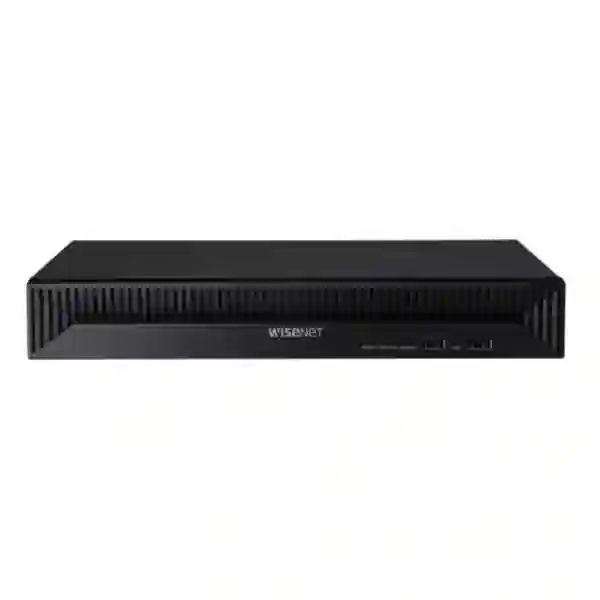
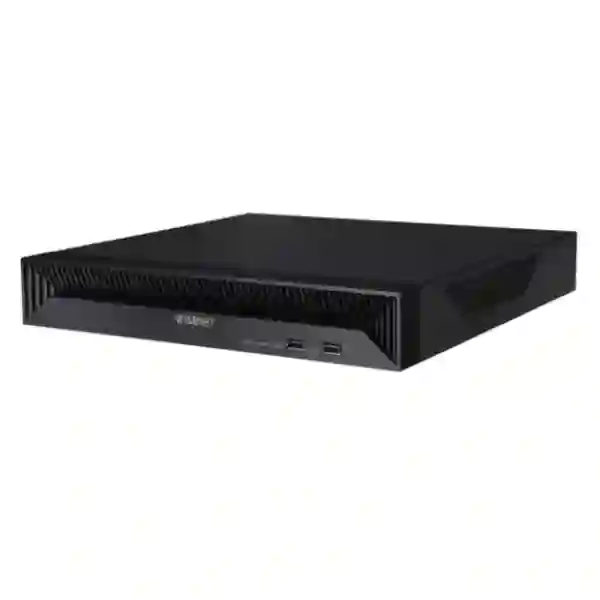
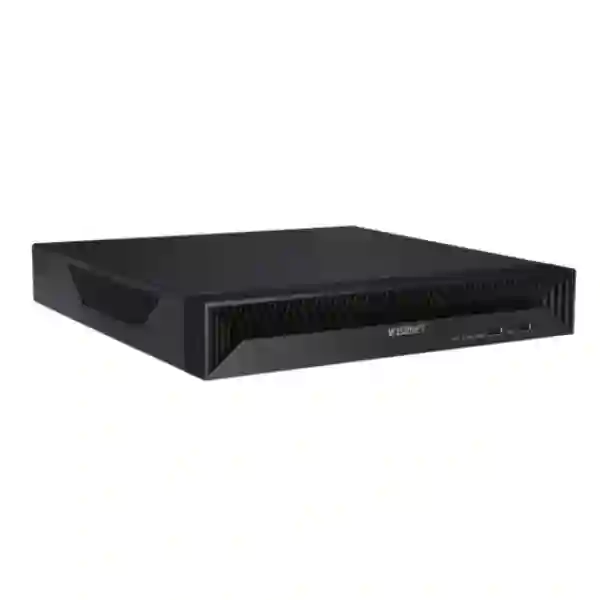
Hanwha QRN-830S 8-Channel PoE Network Video Recorder
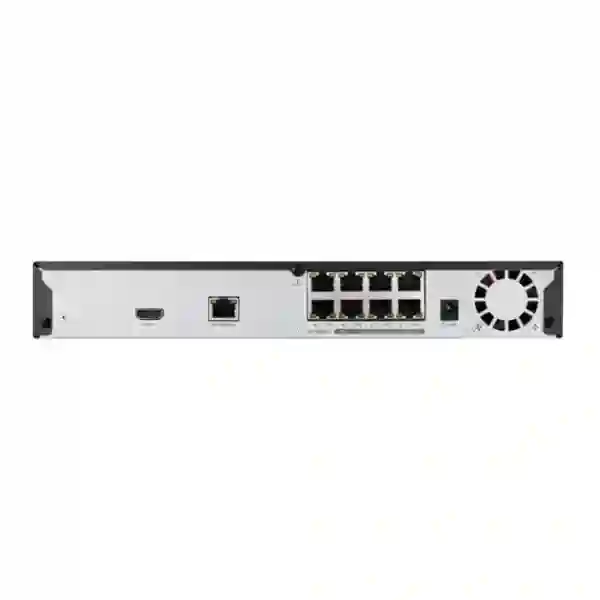
The Hanwha QRN-830S 8 channel NVR is a compact recording hub for up to eight IP security cameras. It combines H.265/H.264/MJPEG recording, an 80 Mbps incoming recording limit, eight PoE+ camera ports sharing 65 W, one SATA drive bay up to 6 TB and 4K-capable HDMI monitoring. It suits carefully planned small CCTV systems where viewing, retention and camera power requirements are understood.
For a Tanzania quotation, specify the cameras, required recording days and whether you need a disk, monitor, UPS or installation. A complete solution should be designed around those requirements rather than assuming this recorder includes the other equipment.
Verified technical specifications at a glance
| Camera channels | Up to 8 network cameras |
|---|---|
| Camera resolution | Up to 8 MP |
| Video codecs | H.265, H.264 and MJPEG |
| Maximum recording bandwidth | 80 Mbps combined |
| PoE connections | 8 PoE+ camera ports; 65 W total budget |
| Internal HDD | 1 SATA bay, up to 6 TB |
| Local display | 4K-capable HDMI |
| Camera protocols | SUNAPI, ONVIF |
| Remote viewing | Supported Wisenet mobile and Wisenet Viewer P2P setup |
| Operating conditions | 0–40°C and 20–85% relative humidity |
These are recorder limits and supported functions, not a promise of performance with any arbitrary eight cameras. Confirm the exact regional hardware, camera compatibility and current supported firmware with the supplier. In particular, the PoE budget is shared between camera ports and retention depends on actual recording rates.
What the QRN-830S is designed to do
The Hanwha QRN-830S 8 channel NVR brings video from up to eight compatible IP cameras into one recording and playback interface. It is intended for sites where a dedicated recorder is preferable to a continuously running general-purpose computer. A shop may want an evidence trail around the entrance and till, while an office may want a consistent way to review a corridor or reception incident. The recorder is only the central component: camera placement, cabling, image quality, network arrangement and power continuity determine whether the complete system answers those needs.
This is not automatically an eight-camera kit. A specification for the recorder does not establish which cameras, hard disk, cables, monitor, UPS, labour or warranty services are included in an individual offer. Ask for an itemized proposal. Buyers in Tanzania should verify local commercial terms, the exact regional unit and available support before making purchasing decisions. The right first question is not merely whether it records eight streams, but whether the overall configuration will preserve useful footage for the required time.
Define the camera coverage plan before buying
Start with the locations where video will solve a real business problem. Identify entrances, important transaction areas, stock access, goods receiving points or particular corridors. For each camera, describe the purpose and the detail needed. A wide overview and a close identification view are different jobs. Camera lens selection, mounting position, lighting and distance influence evidence quality as much as pixel count. Create a simple camera schedule identifying proposed model, viewing direction, expected night conditions, maximum power draw and recording bitrate.
Remember that eight channels is a hard planning boundary. If a site needs seven cameras today and expects two more next year, the future plan does not fit this model. Choosing a larger recorder may be simpler than adding a second small unit later. If the site definitely needs no more than eight, the QRN-830S can still be a compact and focused choice. Agree who will watch live video, who can search history, who can export clips and how incidents will be documented.
Camera resolution and real image usefulness
Hanwha lists support for network cameras at up to 8 megapixels. That capability allows higher-resolution camera streams when compatible devices and recording settings are selected, but it does not mean every camera must use 8 MP. An entry doorway, a small counter and a broad warehouse overview may need different viewing angles and levels of detail. A carefully chosen camera at a lower resolution can be more useful than a high-resolution model installed too far from the subject.
When evaluating a proposed camera package, ask to see real images from the actual mounting positions in daylight, in low light and during movement. Look for readable detail where it matters rather than judging a still marketing image. Check the selected recording profile, frame rate and bitrate. Camera resolution, the stored stream and the HDMI monitor output are three separate decisions. A 4K monitor cannot recover information that was never captured by the camera or saved by the recorder.
Eight PoE+ ports and the shared 65 W budget
The recorder includes eight PoE+ camera ports. With suitable network cameras and properly installed Ethernet cabling, the same cable can carry the video data and camera power. This is useful for compact installations where separate adapters at each camera would complicate the work. The crucial detail is the manufacturer’s total 65 W PoE allowance. That is a shared budget across the ports, not 65 W available to every connected camera. Port count by itself does not prove that eight selected cameras can be powered together.
Add the maximum stated power requirement of every proposed camera, considering infrared illumination, motorized lenses and any additional loads. Eight cameras each requiring as much as 10 W would total 80 W, exceeding the recorder’s combined 65 W allowance. The solution might be a different set of cameras, a suitably engineered external PoE power arrangement or a larger recorder with more available power. Confirm PoE standards, cable condition, distances and real operating behaviour before final acceptance.
Understand the 80 Mbps recording bandwidth
The QRN-830S supports a maximum combined network camera recording bandwidth of 80 Mbps. This describes the overall intake available for recorded camera streams; it is not an 80 Mbps allocation for each of the eight channels. A camera’s stream load is influenced by its resolution, codec, frame rate, configured bitrate and how much change occurs in the scene. A busy entrance and a nearly static storeroom may produce different data demands even with similarly configured cameras.
Add the expected bitrates of all planned streams. As an illustrative example, eight cameras configured around 4 Mbps each would represent roughly 32 Mbps combined. This shows a planning method, not guaranteed image quality or storage duration. Account for variable-bitrate behaviour and operating margins. Also distinguish incoming recording capacity from playback and network uplink demands. The manufacturer lists playback bandwidth separately, so multiple viewers or simultaneous searches should be tested under the site’s actual usage conditions.
Storage is one internal SATA drive up to 6 TB
Hanwha specifies one internal SATA hard-drive bay with support up to 6 TB. This matters because the recorder cannot gain another internal disk by fitting a second drive. A business with strict long-term retention requirements should calculate its recording volume before purchasing. A nominal 6 TB drive is not the same as six terabytes of available stored footage after formatting, system overhead and operational variation. The quantity and type of scenes being recorded often matter more than the count of cameras alone.
A helpful planning approximation is that continuous video at 1 Mbps consumes around 10.8 GB per day using decimal units. Eight streams averaging 4 Mbps each would total about 32 Mbps, or 345.6 GB per day. Dividing a nominal 6,000 GB by that illustrative daily total gives around 17 theoretical days, before overhead and changes in bitrate. That is not a retention promise. Ask the supplier to calculate the proposed configuration, confirm the drive is included and demonstrate the recorder’s actual storage settings.
Continuous, scheduled and event-based recording
The recorder supports several recording modes, including normal recording, schedules and camera-event workflows. Continuous recording can be appropriate where it is important to avoid gaps in the history of an entrance or transaction area. Scheduled recording may suit a site with defined monitoring periods. Event recording may reduce stored footage in certain situations, but it works only when the required event is detected correctly and the configured trigger remains dependable.
Do not assume that motion-based recording automatically captures every relevant incident. Shadows, vehicles, reflections and changes in lighting can create unwanted events, while some activity may not trigger the chosen rule. Test event sensitivity and the pre-event and post-event recording settings in realistic conditions. Decide who reviews alarms, and what happens if a camera disconnects. The best policy usually comes from weighing storage space against the consequences of a missing clip rather than simply choosing the smallest possible video file.
H.265, H.264 and MJPEG compression
The QRN-830S supports H.265, H.264 and MJPEG video compression. H.265 can often reduce the data needed for comparable footage relative to H.264 under suitable conditions, but actual results depend on camera encoding, scene detail and selected parameters. It is unsafe to promise a fixed storage saving or a specific number of extra recording days merely because H.265 is enabled. Different cameras may also support different settings or features under each codec.
Choose compression together with the playback workflow. The recorder may save a high-quality recording stream while an authorized remote user watches a lower-bandwidth live profile. An exported clip may later need to play on another computer or evidence-review application. Confirm format compatibility rather than assuming every software package can read the same video. During commissioning, check night footage, movement and small details at the proposed bitrate; excessively aggressive compression may undermine the reason the camera was installed.
4K-capable HDMI local monitoring
A local HDMI display connection allows staff to view the recorder without depending solely on a mobile application. Hanwha specifies 4K-capable HDMI monitoring for the QRN-830S. A directly connected monitor can be useful at a reception desk, office security point or manager’s workspace. The quality of the displayed view still depends on the camera’s stream, decoding arrangement and selected screen layout. A higher-resolution display is not proof that every camera is being recorded at its maximum setting.
Decide whether the operator needs a constant multi-camera overview or regularly expands one view to review detail. Provide a compatible monitor, input device and secure viewing position where required. Test the actual layout the staff will use rather than evaluating only a single enlarged camera. If a particular multi-screen configuration or monitor mode is critical, request a demonstration with the intended monitor and firmware before accepting the system.
Remote viewing with Wisenet applications
The manufacturer lists P2P QR-code connection support for Wisenet mobile and Wisenet Viewer. This can support authorized access to compatible live and recorded views when the recorder, applications, user permissions and network are configured correctly. The benefit is practical: a responsible manager can check a site or review an event away from the local display. Remote viewing is not a guarantee of service through every network or device, and application compatibility should be confirmed for the current version.
Plan site upload capacity, mobile connectivity and security together. Several users requesting high-resolution live streams can put a different load on the internet connection than a single user checking a lower-resolution view. Configure unique credentials and avoid handing the same administrator login to everyone. Keep unnecessary remote services closed and follow a current supported update process. If a business expects remote viewing to be essential, test it over the actual connection used by its authorized staff.
Network layout and camera registration
Hanwha’s first-time setup guidance for the S-series recorder family, which includes the QRN-830S, distinguishes the camera-side PoE connections from the site-network connection. Network planning should be explicit rather than left to chance. The manufacturer’s instructions discuss automatic camera registration for cameras plugged directly into the recorder and manual registration where cameras are on another switch arrangement. These are different scenarios and may require different configuration choices.
The setup guidance also warns about possible DHCP conflicts if a recorder’s DHCP service is left active on a customer network that already has a router providing addresses. Review the currently applicable firmware instructions before setting IP addresses or connecting the system to a production network. Label camera cabling, document camera names, maintain accurate credentials and record the chosen network scheme. That simple documentation can save substantial troubleshooting work during later maintenance.
SUNAPI, ONVIF and third-party compatibility
The supported protocol list includes Hanwha SUNAPI and ONVIF, which may help the recorder connect to compatible IP cameras. However, general protocol support does not guarantee every feature of every manufacturer’s camera. A device can provide basic video while particular motion events, advanced analytics, PTZ controls or audio functions are unavailable through the chosen integration. The correct test is against the exact camera model, firmware and feature list required by the site.
Before finalizing a mixed-brand camera system, verify registration, credentials, codec support, stable recording, time synchronization, event handling and playback. Check whether the proposed analytics are generated in the camera and how the recorder receives those events. If a camera supports a special detection function, obtain a demonstration of that exact event being recorded and found during playback. Avoid describing all ONVIF-capable devices as fully interchangeable.
Events, alerts and finding an incident
A small business may not have staff watching screens all day. Search and event tools therefore influence the practical value of the recorder. Hanwha documents calendar, event-list and other supported search options, together with recording modes that can respond to compatible camera-originated events. Such functions can help an authorized operator narrow a review to a likely time and channel rather than playing hours of unrelated footage.
Begin with a limited number of meaningful alerts and test them. A delivery area may require attention when access occurs outside planned hours; another location may need a different trigger. False positives from changing light, moving trees or reflections can overwhelm staff. Record who is responsible for investigating an alert and how the response will be documented. Treat event detection as a workflow that needs appropriate camera settings, user access and human follow-through, not a substitute for security procedures.
Playback and exporting usable recordings
An NVR should make it practical to reconstruct what happened. Test selecting a date and time, reviewing several related cameras, slowing playback and saving the relevant clip. The QRN-830S documents local and network backup options; actual export formats and user privileges should be verified during commissioning. A clip is most useful when the person receiving it can open it on the intended computer without depending on undocumented knowledge held by the original installer.
Establish a process for footage requests. Record which camera was involved, the incident time and who authorized the export. Preserve important source recordings where appropriate and avoid unnecessary re-encoding before review. Store exported material securely and document access. Not every staff member should have administrative privileges simply because they need to view an incident. A clear process for footage handling may be just as important as the recorder’s technical playback controls.
Retail shops and checkout areas
For a small retail premises, relevant camera positions can include the main door, checkout, goods receiving point, stock access and selected sales areas. The QRN-830S can consolidate their video when the total channel count, combined stream load and power draw stay inside the specified limits. The important task is to choose a useful view of each activity. A checkout camera positioned for a clear transaction overview may be more valuable than a very wide camera showing the entire shop from a distance.
Think about contrast near bright entrances, changing illumination during opening hours and the practical needs of staff reviewing a suspected loss. A multi-camera timeline can be helpful if the time settings are correct across all cameras. Determine whether continuous recording is needed on the most critical views. Ask staff to demonstrate how quickly they can find and export a known test event. This gives the business a practical acceptance measure beyond simply seeing eight live pictures.
Offices, reception and shared workspaces
In an office, a compact network recorder may be a fit for reception, public-facing access points and selected corridors. It can reduce the complexity of managing recordings on separate camera memory cards. However, the design should be guided by the actual reason for monitoring and the organization’s privacy rules. Camera placement and viewing permissions need careful decisions, especially where employee or visitor images may be captured.
If the office has separate IT and security responsibilities, agree who administers the recorder network, who manages user accounts and who approves footage exports. A directly connected monitor may serve reception while management uses approved remote access when needed. Keep administrative credentials separate from day-to-day viewing credentials. The channel count should also reflect possible future floors, entrances or service areas so that expansion does not unexpectedly require a new platform.
Warehouses, stockrooms and workshops
A small warehouse may want views of loading doors, dispatch points, selected aisles and secure storage. Such sites often introduce challenges beyond channel count: high mounting positions, changing light, long cable runs, dust and heat. A camera may need a different lens, enclosure or infrared capability from an ordinary office model. The recorder itself must be kept inside its supported environmental conditions even when cameras are designed for outdoor or industrial locations.
Check the exact cameras’ maximum power requirements, particularly if night illumination or additional features increase consumption. Confirm that any long cable arrangement is appropriate for Ethernet and power delivery. Consider whether a 6 TB single-drive ceiling can satisfy the desired days of recording when the site has regular movement. When there are multiple loading zones or future premises to monitor, evaluate a larger NVR before the installation is finalized.
Operating temperature and recorder placement
Hanwha specifies an operating range of 0°C to 40°C and relative humidity from 20% to 85% for the QRN-830S. A covered space or locked cabinet does not automatically meet those conditions. Equipment can become hotter inside a poorly ventilated enclosure than the room around it, particularly near a roof or electrical equipment. A sheltered, ventilated location reduces unnecessary stress on the hard drive, cabling and recorder.
Protect the NVR from moisture, direct sun, impact, excessive dust and accidental cable disconnection. Keep it accessible to authorized technicians but not to casual visitors. Label the adapter and network connections, ensure ventilation openings are not blocked and provide a secure surface or enclosure. Consider how staff will connect a monitor, inspect status indicators or replace the supported disk if servicing becomes necessary. Installation quality matters to reliability after the original installer has left.
Power continuity and UPS planning
The recorder uses a specified 54 V DC power input through an appropriate adapter. It requires electrical power to record, and its integrated PoE cameras also depend on the recorder’s power arrangement. For installations where even short interruptions are disruptive, consider an appropriately engineered UPS. A UPS is an external design choice, not a built-in guarantee that the recorder will continue operating during a power failure.
Calculate the power requirements of the recorder, connected camera load and essential network devices when sizing backup power. If cameras are supplied through an external PoE switch, that switch must also be included in continuity planning. Request a realistic runtime estimate for the selected UPS and battery arrangement, and test an orderly return to normal operation after power restoration. Local electrical conditions and a particular site’s needs should be assessed by qualified personnel; the NVR specification alone does not certify a complete installation.
Cybersecurity and responsible account management
A recorder holds images that may reveal business activity and personal information, so it should be treated as an IT security asset. Use strong unique credentials, role-based access where supported and current supported firmware. Keep a record of the authorized users and revoke access when responsibilities change. Do not place administrative passwords in plain sight beside the equipment. Review how remote access is provided and avoid exposing unnecessary management interfaces.
Separate camera network traffic where appropriate and work with the site’s IT administrator to avoid address conflicts or unprotected connections. Document settings before updates and ensure important footage is preserved according to the organization’s rules. The existence of security features in a manufacturer’s specification is not a substitute for configuring them correctly. The buyer should also set its own retention, privacy and disclosure policy under applicable requirements, rather than assuming that a recorder makes the whole operation legally compliant.
First-time setup and commissioning
Hanwha’s official S-series first-time setup guidance covers the QRN-830S and describes a commissioning sequence involving camera-network settings, camera registration, passwords, time configuration and display options. Before opening that wizard, verify the hardware list, install a compatible drive where supplied, check PoE totals, label cables and ensure the intended network arrangement is understood. Using the wrong camera-registration mode can complicate an otherwise straightforward installation.
After cameras are registered, confirm a live picture and a saved recording from each position. Set the correct date and time, camera names, recording schedules, overwrite policy and operator permissions. Test the phone or desktop application if remote viewing is part of the specification. Conduct a controlled event test, replay it and export a sample. A complete commissioning record should include installed models, key settings and the responsible support contact without exposing sensitive credentials.
Maintenance and health checks after handover
A working live view does not prove that all historical footage is being stored. The business should periodically confirm that cameras are recording, disk health is acceptable, timestamps remain correct and older footage can be retrieved within the expected retention period. Check for loose or damaged cables and revisit camera views when shelving, signs or equipment are moved. A previously useful angle can become obstructed without any recorder fault.
Keep a log of firmware changes, camera replacements, drive servicing and test results. When a problem occurs, check camera power, cable, network reachability, stream settings and disk condition systematically. Preserve important recordings before actions that could affect storage. Clarify any external maintenance agreement in writing, including service scope and exclusions. Buying the QRN-830S does not itself verify a local on-site support arrangement or guarantee a particular repair time.
Signs you may need a larger recorder
Consider a different model if the project needs more than eight camera channels, more than one internal storage drive, a longer high-bitrate recording history than 6 TB can support or combined camera power above 65 W. Other potential requirements include more complex multi-site management, additional concurrent playback use or features that need specific compatibility confirmation. The QRN-830S is a focused small-system solution, not a substitute for defining the total technical scope.
When comparing alternatives, look beyond the headline number of channels. Check incoming recording bandwidth, storage slots, disk capacity, PoE power budget, compatible camera functions, viewer requirements and expected expansion. A recorder with more channels but inadequate power or disk room may simply introduce a different bottleneck. Request a design comparison against the site camera schedule and retention objective rather than buying an unspecified amount of future capacity.
What to include in the Tanzania quotation
Request an itemized proposal specifying the exact Hanwha Vision QRN-830S regional unit, each proposed camera model, hard disk and capacity, cabling, display, accessories, UPS if needed, installation scope and commissioning. State the number of days of recording required and whether footage should be continuous or event-based. Ask the supplier to show the combined expected recording bitrate and combined maximum camera power load so that the 80 Mbps and 65 W limits are checked openly.
Commercial terms should be verified for the actual project: quoted price and currency, taxes, freight, delivery destination, warranty terms, support responsibilities and any exclusions. No local stock, price, delivery period, installer availability or official authorization is implied by the manufacturer’s technical sheet. An accurate quotation makes it possible to compare a low initial hardware price with the total cost of a functioning, maintained CCTV installation.
Final acceptance checks for the business owner
Before signing off, check that every camera is labeled and records the intended view under realistic lighting. Verify the final camera count, night power load, camera bitrates and storage schedule. Select a known time, play video and export a sample clip that opens on the intended computer. If alerts were requested, create a safe test event and confirm that the event can be located as expected. Test mobile viewing only where it has been included in the project.
Confirm that the authorized administrator has the network inventory, user-access plan, equipment records, maintenance instructions and warranty documents. Ask how disk errors, camera disconnections and power failures will be noticed, and who should be contacted. The system should be accepted because it provides retrievable, useful recordings for the business’s requirements. A screen displaying live video is only the beginning of the handover, not proof that the complete security objective has been met.
Frequently asked questions
Can the QRN-830S record eight IP cameras?
Yes. The maximum is eight network camera channels. If the site requires a ninth camera, plan a recorder with more channels. Count both the cameras to be installed immediately and the positions likely to be added during the intended life of the system.
Does it support 8 MP cameras?
Yes. Hanwha states camera resolution support up to 8 megapixels. This is a recorder capability, not a guarantee that every third-party camera feature works. Verify the exact camera model, codec and intended stream settings before ordering.
What is the maximum recording bandwidth?
The manufacturer specifies up to 80 Mbps total incoming camera recording bandwidth. Add the bitrates of all connected camera recording streams. It is not an 80 Mbps limit per camera and should not be confused with playback or internet upload capacity.
Are all eight ports PoE+?
The model is listed with eight PoE+ camera connections and a combined 65 W PoE budget. The budget is shared, so calculate maximum power draw for every selected camera. Eight high-power cameras can exceed the available total even though eight ports exist.
How many hard drives can be fitted?
Hanwha lists a single SATA hard-drive bay with support for one disk up to 6 TB. Ask whether the supplier includes a drive in the price. The technical specification does not establish the contents of any particular reseller’s product bundle.
How long can 6 TB store video?
Retention depends on the average total recording bitrate, continuous versus event-based schedules and system overhead. For illustration, 32 Mbps continuous video is about 345.6 GB per day and nominal 6 TB divided by that is about 17 days before reductions. It is not a guaranteed result.
Can I access footage from a phone?
Hanwha lists P2P QR-code support for Wisenet mobile and Wisenet Viewer. Correct recorder configuration, compatible apps, internet access where required and authorized accounts are necessary. Confirm current application and service support during commissioning.
Does it work with ONVIF cameras?
The manufacturer lists ONVIF support, but interoperability varies by camera model, firmware, codec and function. Test basic video, recording, motion events, PTZ or analytics that matter to the site. Protocol support alone does not establish universal feature compatibility.
Does it need internet to record locally?
Ordinary local camera recording and local viewing do not inherently require internet access. Remote access, outside notifications and some online services may depend on connectivity. Choose the network design according to whether the site needs local-only operation or off-site access.
Is a 4K monitor compulsory?
No. The recorder offers 4K-capable HDMI output, but the site can select an appropriate compatible display for its viewing needs. The output resolution is distinct from the resolution of video captured by a camera and saved in storage.
Can it keep recording during a power outage?
Only if the complete recording and necessary camera-power arrangement continues receiving power. An appropriately sized UPS may help, but backup runtime depends on the real connected load. A UPS and its runtime are not included in the recorder’s stated features.
What happens when the disk fills?
The actual storage and overwrite settings should be configured and demonstrated during installation. Ask the installer how the recorder manages old files, how disk warnings are checked and how important incident clips are exported before they are lost under the selected retention policy.
Is the QRN-830S a good fit for a small shop?
It can suit a shop whose camera coverage fits eight channels and whose total bitrate, power and storage requirements fit its limits. The cameras’ positions and image quality still need to be designed for entrances, checkout and stock access rather than assumed from recorder specifications.
Can I put this recorder outdoors?
Do not treat an outdoor-capable camera as evidence that the recorder is weatherproof. The QRN-830S is specified for 0°C to 40°C and 20% to 85% relative humidity. Install the NVR in a protected, ventilated location appropriate to those conditions.
How do I request a quote in Tanzania?
Send the camera count, proposed camera models, site type, required recording days, viewing needs and installation location. Ask for the exact recorder configuration, hard-drive inclusion, PoE calculations, accessories, current commercial terms and any services the supplier can confirm for that project.
What if I need more storage or cameras later?
If growth may exceed eight channels or the single-drive 6 TB ceiling, consider a different recorder before installing the system. Compare available channels with recording bandwidth, power budget and disk capacity so that an expansion plan is technically complete.
Request a configuration-based QRN-830S quotation
A suitable system starts with the camera schedule, intended retention period, total recording bitrate and combined maximum PoE camera load. The QRN-830S is designed for no more than eight recording channels, 80 Mbps incoming recording bandwidth, a total 65 W integrated PoE allowance and a single SATA disk up to 6 TB. If those limits do not match the site, request a larger recorder or alternative power and storage architecture.
Ask FourTeck Tanzania for a written, itemized proposal confirming the exact NVR, supported camera models, compatible hard drive, accessories and any installation or support services for the relevant location. Confirm stock, price, delivery, warranty and taxes separately. These commercial details are not implied or guaranteed by this informational product page.
Next step: request a QRN-830S CCTV system quote with your camera list and desired recording days.




Reviews
There are no reviews yet.