
Hanwha Vision • Network Video Recorder • Tanzania buyer guide
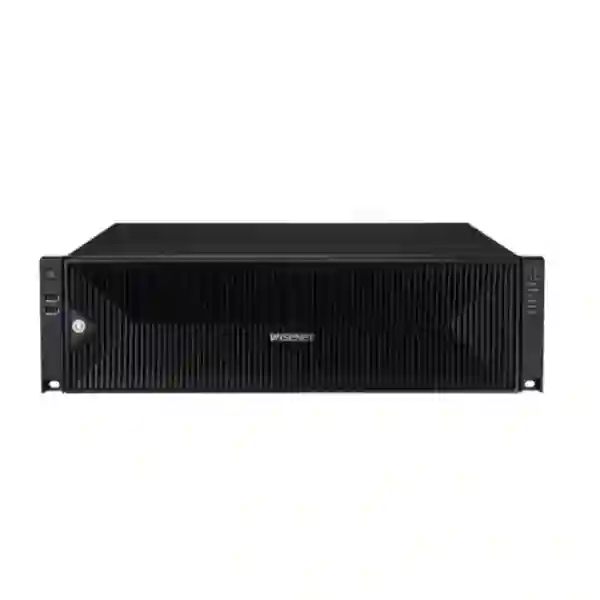
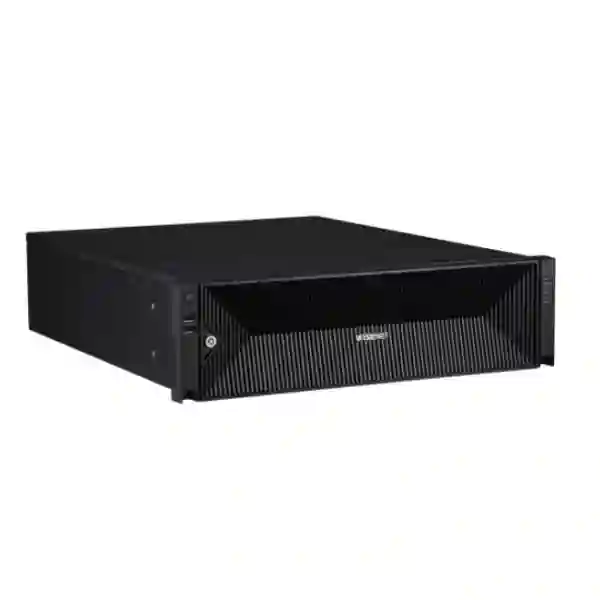
Hanwha Vision XRN-6410DB4 64-Channel 32MP NVR
The Hanwha Vision XRN-6410DB4 is a 64-channel network video recorder for organisations assessing a substantial IP camera installation or maintaining an established recording platform. It supports network camera resolutions up to 32 MP, multiple encoding formats, dual HDMI displays, sixteen SATA HDD bays, RAID 5/6, and compatible AI-camera search functions. These capabilities make it relevant to a carefully engineered surveillance system, not a guarantee of suitability for every camera mix. Start with the questions that determine real performance: how many streams will record, how much bandwidth they need in the selected operating mode, how many days of footage must be retained, and who needs to review it.
Check model lifecycle and exact offer
Lifecycle matters: Hanwha Vision marks the XRN-6410DB4 discontinued in its regional catalogues and lists the XRN-6420DB4 as its replacement in one regional market. Ask FourTeck Tanzania to confirm whether an exact unit can be sourced, its condition and terms, and whether the successor would be a better fit. No Tanzania stock, delivery, pricing, warranty or service coverage is represented as verified here.
Verified technical specifications
| Maximum camera channels | 64 |
|---|---|
| Supported camera resolution | Up to 32 MP; subject to mode and camera compatibility |
| Compression | H.265 / H.264 / MJPEG |
| Recording bandwidth | Distributed: up to 400 Mbps; normal non-RAID: up to 150 Mbps; normal RAID: up to 400 Mbps; degraded/rebuilding RAID: up to 320 Mbps |
| Internal drive bays | 16 SATA bays, with up to 10 TB per supported HDD in published specifications |
| Maximum stated raw storage | 160 TB in non-RAID mode; not usable RAID capacity |
| RAID | RAID 5 / RAID 6; two arrays of up to eight drives |
| Video outputs | HDMI 1 up to 3840 × 2160 at 30 Hz; HDMI 2 up to 1920 × 1080 at 60 Hz |
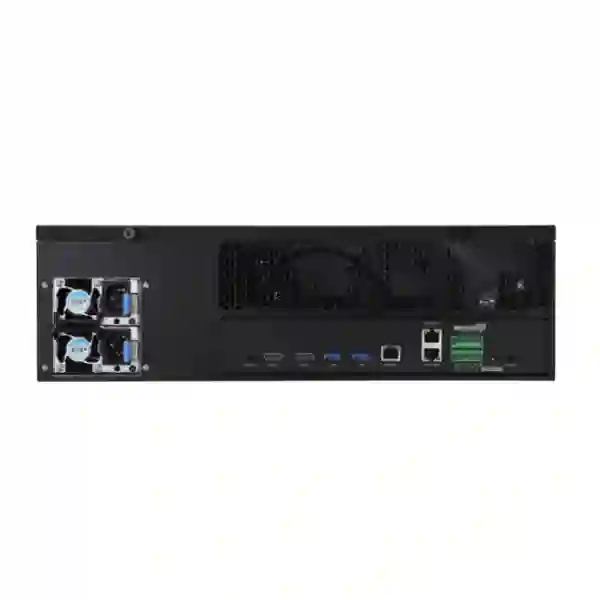
| Network | Three RJ-45 1 Gbps interfaces; SUNAPI and ONVIF support |
| Power | Dual SMPS; 100–240 VAC, 50/60 Hz; published maximum 265 W with 16 HDDs |
| Operating environment | 0–40 °C; 20–85% relative humidity |
| Chassis | 440 × 132 × 571.1 mm; approximately 14.1 kg without HDDs |
Specifications are model-level manufacturer statements, not promises about the components included in any particular sales quotation.
How to evaluate this recorder for your system
The following practical buying, engineering and operational guidance explains both the product’s strengths and the checks a Tanzania project should complete. It distinguishes verified recorder specifications from questions that require a site-specific design or seller confirmation.
What this recorder is designed to do
The Hanwha Vision XRN-6410DB4 is a dedicated network video recorder for installations that need to manage a substantial group of IP cameras from one central system. It accepts up to 64 camera channels and supports cameras with resolutions up to 32 megapixels, subject to the recorder’s processing and recording limits. It is better evaluated as a recording platform than as a simple collection of camera inputs. A successful deployment depends on the bitrate profile of each camera, storage retention requirements, security administration, and the way operators search and export footage. Buyers should review the entire system rather than select a recorder based on channel count alone.
Who should consider this 64-channel NVR
An organisation consolidating cameras across a building, campus, warehouse, factory, or other sizeable managed site may find the XRN-6410DB4 relevant. Its sixteen internal drive bays and RAID options make it more appropriate for a planned recording room than a small plug-and-play installation. Buyers should already have, or be prepared to design, a structured IP camera network. The equipment may also be of interest when maintaining an existing Hanwha installation built around this model. Because the manufacturer lists the model as discontinued in regional catalogues, a new project should compare a supported successor before assuming this is the best long-term purchase.
A lifecycle decision before a price decision
Manufacturer lifecycle status deserves attention at the beginning of procurement. Hanwha Vision identifies the XRN-6410DB4 as discontinued in certain regional product pages and names the XRN-6420DB4 as a replacement in its Canadian listing. This does not, by itself, prove that a particular unit is unavailable in Tanzania or that existing equipment has stopped functioning. It does mean a buyer should request written confirmation of the exact offered model, product condition, warranty terms, compatible firmware, and availability of replacement parts. For a greenfield deployment, include the newer model in the technical evaluation before choosing an older recorder purely because a quotation is attractive.
Understand the meaning of 64 channels
A channel represents a video source that can be assigned to the recorder. The maximum of 64 channels is not a promise that all sixty-four cameras can continuously record their highest available resolution, frame rate, and image-quality setting at the same time. Each stream consumes network and recording bandwidth. A design containing a mix of corridors, entrances, vehicle approaches, and outdoor coverage must total the expected bitrates under realistic conditions. Leave engineering margin for scenes with high motion, additional metadata, and future camera changes. If more cameras may be added later, confirm whether a second recorder or a different platform is more appropriate.
High-resolution camera support
Support for a camera resolution up to 32 MP matters where detailed images are needed, but megapixels are only one part of evidential quality. Lens choice, scene distance, lighting, shutter speed, compression, and camera placement have a major influence on whether recorded images are useful. A 32 MP device may have a different frame-rate or codec requirement than a standard full-HD camera. Hanwha lists specific decoding rates and H.265-only conditions for certain high-resolution modes. Engineers should verify the intended camera models and streams rather than infer that the maximum supported resolution applies to every possible simultaneous display and playback scenario.
Recording bandwidth: read the operating mode
The headline recording capability is up to 400 Mbps, but the published specification distinguishes operating modes. Distributed recording mode is specified up to 400 Mbps; normal non-RAID recording mode is listed up to 150 Mbps. In RAID mode, normal recording reaches up to 400 Mbps, while degraded or rebuilding operation is specified up to 320 Mbps. These are important procurement details, not minor technical footnotes. The deployment plan must identify which recording mode will be used and calculate the aggregate stream rate against that mode. A theoretical maximum without a declared mode is not a sound basis for acceptance testing.
Why realistic bitrate sizing matters
Two installations with the same number of cameras can generate very different recording loads. Outdoor scenes with movement, foliage, rain, changing light, or busy traffic may need different bitrates from a quiet indoor corridor. Resolution and frame rate influence demand, as do the codec and quality settings. Ask the camera designer to provide a per-camera bitrate schedule, including the busiest expected periods, and then calculate a total. For example, a fleet of moderately compressed cameras may fit comfortably while a smaller collection of demanding high-resolution streams may approach the limit. Validate the estimate on the actual cameras wherever possible.
H.265, H.264 and MJPEG support
The recorder supports H.265, H.264 and MJPEG compression. H.265 may reduce storage demand compared with H.264 at a comparable visual target, but real savings vary with scene content, camera implementation, image settings, and the chosen quality level. H.264 remains useful when a particular integration or workflow requires it. MJPEG can have comparatively heavy bandwidth and storage demands. Codec compatibility should be checked across the whole chain: camera generation, live viewing, recorded playback, exports, and any third-party management software. An attractive compression figure is not useful if the intended evidence viewer cannot reproduce the files reliably.
Sixteen drive bays and raw capacity
Hanwha specifies sixteen internal SATA HDD slots, each supporting drives up to 10 TB on the published specification, for a maximum stated raw non-RAID capacity of 160 TB. This figure is not the space available to store footage after redundancy, formatting, overhead, or retained system data. It also does not indicate how many days of footage an installation will retain. Actual retention depends on continuous or event-based recording, camera bitrate, the number of active cameras, and RAID configuration. The precise HDD compatibility list should be checked before selecting a drive model, capacity, or firmware revision.
RAID 5 and RAID 6 explained
RAID 5 and RAID 6 can help an NVR continue operating through certain disk failures, subject to the health of the array and the applicable failure scenario. RAID 5 uses parity information with a different failure-tolerance profile from RAID 6, which uses additional parity. This is a trade-off between usable space, protection level, and rebuild behaviour rather than a universally correct choice. The XRN-6410DB4 specification describes RAID 5/6 with two arrays of up to eight drives each. Confirm the actual disk layout, parity overhead, spare strategy, monitoring, and operational response before a purchase. RAID is not a substitute for independent evidence backup.
Hot-swap capability and maintenance
The published design includes hot-swappable HDD bays. This can simplify maintenance in an appropriately configured and supported system, especially when a defective disk needs replacement without dismantling the whole recorder. It should not be interpreted as permission to remove any drive without reviewing the current storage state. An operator must identify the correct bay, record its status, follow the manufacturer’s maintenance procedure, and check that the chosen replacement disk is compatible. Rebuild activity can increase operational pressure and may affect available recording bandwidth. A disk replacement plan should therefore include status alerts, spare drives, access control, and post-maintenance verification.
Retention is a design calculation
Buyers commonly ask whether 160 TB is enough for thirty, sixty, or ninety days of recording. No responsible answer is possible without a camera-by-camera storage model. Start with each camera’s expected average bitrate, the hours recorded per day, motion or event scheduling, the retention policy, and the available capacity after the selected RAID scheme. Then add a safety margin for varying scenes, increased quality settings, system data, and future changes. Recheck the estimate when a camera is added or reconfigured. Retention should be demonstrated during commissioning rather than accepted solely from a spreadsheet based on optimistic compression assumptions.
Separate retention policy from export policy
Keeping routine footage and preserving an incident clip are different operational tasks. The recorder’s retention window is normally about how long day-to-day video remains available before its recording space is reused. Evidence preservation requires a separate procedure for identifying, exporting, verifying, transporting, and securely retaining the necessary files. The XRN-6410DB4 includes local and network backup/export formats in its specification, but the receiving organisation should test which format its investigators or authorised reviewers can actually open. A clear chain-of-custody procedure and restricted export permissions reduce accidental loss or uncontrolled circulation of sensitive footage.
Dual-monitor operation
Two HDMI interfaces help operators use the recorder in a control-room environment. The manufacturer’s specification lists HDMI 1 at up to 3840 × 2160 at 30 Hz and HDMI 2 at up to 1920 × 1080 at 60 Hz. This does not mean both outputs provide the same image detail or independent unlimited decoding capacity. The available multi-screen and expansion layouts should be matched to the number of feeds an operator genuinely needs at once. Large video walls may warrant a separate viewing architecture. Before commissioning, confirm monitor compatibility, display profiles, cable runs, and how alarms will be presented.
Live view and playback are different workloads
A recorder may capture a camera stream successfully even when local decoding or multiple remote playback sessions are subject to other limits. Hanwha’s published specification separates recording throughput from playback throughput and simultaneous viewing arrangements. Playback bandwidth is stated as up to 64 Mbps in RAID mode or up to 32 Mbps outside RAID mode. A control room that often reviews multiple high-resolution incidents while recording continuously should test this behaviour explicitly. Document how many investigators need to search at once, whether each requires local or remote access, and which exported resolution is suitable for the evidence workflow.
AI-assisted searches need compatible cameras
Hanwha describes AI search support when the recorder is used with compatible Hanwha or Wisenet AI cameras. That does not establish that every IP camera connected to the recorder can produce the same searchable object attributes. The camera must generate relevant metadata, and software compatibility and configuration matter. If the project requires finding people, vehicles, or other objects quickly, specify the exact AI camera models and the attributes that are essential to operations. Demonstrate search results on realistic footage before acceptance. Avoid treating the recorder as an independent AI analytics server that can add unsupported intelligence to any ordinary video stream.
Search features for practical investigations
The recorder offers calendar-based time search, event lists, text and smart-search capabilities described by Hanwha. In practice, search quality is influenced by clock synchronisation, camera naming, event configuration, and how reliably the right metadata reaches the recording platform. A good commissioning process should create consistent channel names such as building, level, entrance, and camera position. Confirm that system and camera clocks match and that an investigator can find an incident using a known date, time, and location. Test the entire sequence from initial query to export, not just whether search controls appear in the interface.
Event recording and alarm integration
Supported recording modes include continuous operation, scheduled operation, and event-based recording, with pre-event and post-event options. The specification also lists alarm input, video loss, camera events, dynamic events, and other event triggers. These options can help a security team focus attention on incidents, but careless event thresholds can create either too many nuisance recordings or missed activity. Identify the important alarms during design, map them to appropriate actions, and document who responds. Test behaviour during both ordinary working hours and quieter periods. Do not make a critical retention policy depend on untested motion detection alone.
Network architecture for a 64-camera deployment
The XRN-6410DB4 uses network camera connections and supports recognised integration protocols including SUNAPI and ONVIF. A sixty-four-camera design should consider switch capacity, uplink congestion, VLAN segmentation, routing, DNS, time services, and management access. Manufacturer specifications list three RJ-45 1 Gbps interfaces, but the presence of multiple ports does not automatically create one combined high-speed link. The engineer must map each interface to its role and verify supported network configurations. Isolating camera traffic from ordinary office devices, where appropriate, can make the system easier to manage and help limit unnecessary exposure.
Camera compatibility and ONVIF
ONVIF support is helpful when choosing cameras, especially for a mixed estate, but it is not a guarantee that every vendor-specific function will be available. Common functions such as adding a stream may work while specialised events, analytic attributes, PTZ commands, audio behaviour, or recording profiles require further checks. SUNAPI can be relevant for supported Hanwha integrations. For an upgrade project, make an exact inventory of existing cameras, including model, firmware, codec, resolution, and required features. Pilot at least one example of each camera family on the recorder before committing to a complete migration.
iSCSI and storage expansion decisions
Hanwha lists external iSCSI storage support. That offers another architecture consideration, but it does not remove the need to validate storage compatibility, throughput, resilience, and administration. External storage changes the failure model: network availability, storage controller health, permissions, and recovery procedures become part of recording continuity. Do not assume that every storage appliance or every RAID configuration can be used successfully just because the iSCSI protocol appears in the specification. Ask for a supported configuration and test disconnection, restoration, and recording behaviour in a controlled commissioning exercise before relying on the arrangement.
Redundancy without overpromising
The recorder is described with dual power supplies and support for N+1 failover and automatic recovery backup functions. These features address different kinds of risk. Two power modules do not guarantee continuous operation if both are connected to a single failed power source. Recorder failover requires a correctly engineered companion system, configuration, and compatible environment. Storage RAID addresses disk-related resilience but not every category of footage loss. Define the service objective first: continued recording through a disk failure, through a recorder fault, or through a loss of site power. Then identify the specific equipment and operational procedures needed for each case.
Power planning for Tanzania
The specified input is 100–240 VAC at 50/60 Hz, with two AC inlets. Published maximum consumption is approximately 265 W with sixteen HDDs. Electrical design should account for the actual installed recorder, switches, monitors, network equipment, and cooling rather than treat recorder power as the total surveillance load. At a site where power continuity is important, evaluate correctly sized UPS capacity, distribution, earthing, surge protection, and a controlled shutdown process. It is also useful to consider how long cameras and network switches remain powered, because a functioning NVR cannot record unavailable camera streams. Confirm all site-specific electrical requirements with a qualified installer.
Environmental operating conditions
The manufacturer’s operating range is 0 °C to 40 °C, with 20–85% relative humidity in the specification. This makes room conditions a serious design consideration in warm, humid, or dusty installations. Check the intended equipment cabinet’s airflow, dust management, ambient temperature, and heat contribution from neighbouring servers or network devices. Leave enough space for servicing drive bays, connections, and ventilation openings. A quoted ambient room temperature is not necessarily the same as the temperature inside a crowded rack. Monitor environmental conditions and document corrective actions before heat or humidity begins to threaten recording reliability.
Physical installation and rack planning
Hanwha gives chassis dimensions of approximately 440 × 132 × 571.1 mm and a weight around 14.1 kg excluding HDDs. This is a substantial recorder, especially after fitting drives and securing its cables. Confirm rack depth, mounting hardware, support rails where required, rear clearance, door access, and a sensible service route for hot-swap disks. Handle the device with appropriate lifting and installation support. The desired location should be restricted from unauthorised physical access while remaining available to trained staff for maintenance. Physical security also protects stored evidence, not only the hardware.
Access control and cybersecurity
Recorders manage sensitive camera views and must not be treated like unmanaged consumer appliances. Define administrator, operator, reviewer, and maintenance access according to operational needs. Use strong unique credentials, approved secure access methods, network segmentation where practicable, and timely review of vendor security advisories. Do not expose remote management interfaces broadly to the internet simply to make mobile viewing convenient. Record who is permitted to export video and how account privileges will be reviewed when personnel change. The precise security features and supported updates depend on firmware and product lifecycle, making version validation especially important for this discontinued model.
Firmware and software lifecycle checks
Before accepting an XRN-6410DB4, request the installed firmware version and consult current Hanwha documentation for that exact variant. Determine whether the desired camera models, supported browsers, remote viewing tools, and management integrations work with the available release. Record a rollback and configuration-backup plan before applying an update. A discontinued product can still have historical firmware resources, but that is not an unlimited promise of future patches. Buyers planning a deployment that must remain in service for many years should weigh lifecycle uncertainty alongside purchase price, maintenance capacity, and the practical benefits of a newer recorder.
Operator workflow and training
A capable recorder is most useful when staff can operate it consistently under pressure. Design a short workflow for responding to a camera fault, finding a time window, checking an event, preserving a clip, and reporting a storage warning. Provide hands-on training using sample incidents and representative user accounts. Establish who is authorised to change settings and who only needs to review recordings. Test the steps after any significant firmware or camera configuration change. In a larger control room, a written incident guide can be more valuable than showing operators every advanced menu before they have mastered the essential tasks.
Time synchronisation and evidence accuracy
Correct time is a prerequisite for useful surveillance evidence. Make sure the recorder and connected cameras use appropriate time settings and a consistent source. Review timezone, daylight-saving assumptions where relevant, and whether logs and exports present timestamps as expected. A few minutes of disagreement between devices can complicate an incident involving several cameras. During commissioning, compare observed events with the recorded timestamps and review how the system behaves after an extended power interruption. Include periodic checks in maintenance procedures. This work is not a product marketing feature, but it significantly affects the value of the recorded footage.
Network and storage monitoring
Plan to detect problems before a user discovers that needed footage is missing. Operational monitoring should cover disk and RAID health, camera disconnections, recording interruptions, environmental alarms, and available retention. The XRN-6410DB4 provides recorder status and event functions, but the exact external alerting design must be verified for the selected software environment. Assign responsibility for receiving warnings and set an escalation path when a disk fails or a camera repeatedly drops offline. Scheduled sample-playback checks help confirm that recorded video is actually accessible, not merely that the device’s front-panel indicators appear normal.
Integrating an existing camera estate
Replacing a recorder in an established building can be less predictable than installing a new camera system. Before migration, collect the existing camera list, IP addresses, firmware versions, passwords managed through approved processes, recording schedules, audio requirements, and physical network map. Confirm the supported protocol and desired stream profile of every camera type. Preserve necessary legacy recordings before the old platform is disconnected, because changing the recorder does not automatically transfer historical evidence. Perform migration in stages where possible and verify picture quality, time alignment, alarms, playback, and export for each section before the original recorder is retired.
New-project procurement questions
A buyer planning a new system should ask for an equipment schedule rather than a single NVR model number. The schedule should state camera models and quantities, planned resolutions and frame rates, expected bitrates, retention days, HDD models, RAID configuration, network infrastructure, display arrangements, UPS requirements, and maintenance responsibilities. Include firmware and compatibility confirmation. The quotation should clarify whether hard drives, mounting accessories, supporting software, configuration, and commissioning are part of the scope. Since the XRN-6410DB4 is identified as discontinued in regional manufacturer listings, also request a comparison with its named replacement before making the final selection.
Existing-installation spare or replacement
An organisation already using the XRN-6410DB4 may have different priorities from a new buyer. Matching existing workflows, preserving trained staff procedures, and limiting integration changes could be valuable. Even then, exact hardware condition and provenance matter. Verify whether the offered equipment is new old stock, refurbished, used, or another condition, and insist that the quotation describes it accurately. Confirm the power modules, drive trays, firmware, and support pathway included with the unit. Make a recovery plan for configuration files and existing evidence. In many cases, migration to a newer supported model will still be worth evaluating.
Comparing XRN-6410DB4 with XRN-6420DB4
Hanwha identifies the XRN-6420DB4 as the successor in one regional listing. The newer model’s published performance includes up to 520 Mbps distributed recording, up to 300 Mbps normal non-RAID recording, and up to 520 Mbps in both normal and degraded or rebuild RAID modes. The older XRN-6410DB4 is listed at 400, 150, and 320 Mbps in the corresponding relevant conditions. Both models are associated with 64 channels and up to sixteen SATA drive bays in published information. That is a useful initial comparison, not a guarantee of interchangeable trays, firmware, accessories, integration behaviour, or availability in Tanzania.
Choosing between lifecycle and acquisition cost
A lower initial equipment price can be offset by challenges with obtaining spare parts, sourcing compatible disks, applying security updates, or integrating newer cameras. Conversely, a known older model might satisfy an existing site where compatibility has been demonstrated and replacement inventory is controlled. Evaluate the total expected operating period, support arrangements, downtime consequences, migration labour, and eventual decommissioning. Ask suppliers to state the exact version and model on the quote. The decision should follow documented technical and operational requirements, rather than be driven only by a specification headline or an assumed lifecycle date.
A realistic warehouse example
Consider a warehouse that needs views of entrances, loading docks, perimeter approaches, aisles, and stock-handling areas. The channel count may be sufficient, but each location has a different imaging requirement. Cameras watching moving vehicles often need careful exposure and bitrate selection, while static stock aisles may be less demanding. The design team should estimate total recording traffic, check the most heavily used viewing layouts, decide how long incidents need to be retained, and test searches across relevant cameras. The recorder can sit at the centre of that design, but lighting, network switches, storage, power continuity, and staff procedures are equally important.
A multi-building facility example
For an institution using several connected buildings, the central question may be whether cameras can reliably reach the recording room across network links. Channel capacity alone says little about the quality or resilience of those links. Assess upstream bandwidth, shared traffic, fibre or copper infrastructure, switching policy, and what happens when a building loses connectivity. If local recording or later recovery is required, investigate supported camera and recorder features and test them explicitly. Establish clear permissions for staff responsible for different buildings. This is especially important where video is used for investigations involving several departments or custodians.
A security control-room example
A control room may want many live feeds visible while another operator searches an incident. The two HDMI outputs help with local display, yet maximum layouts and decoding performance must be assessed separately from the recorder’s ability to ingest camera streams. Ask operators which views must remain on screen, which cameras are critical during an alarm, and how often simultaneous playback is needed. Check how events, PTZ control, and user rights are presented in the chosen configuration. A properly designed workflow can deliver faster decisions than simply filling every available screen tile with a camera.
Installation acceptance testing
Commissioning should demonstrate the actual specified system, not merely that the NVR powers on. Verify all intended channels are added, recording schedules work, time is consistent, playback opens, and exports can be viewed on the receiving computers. Record camera bitrate measurements under representative activity. Confirm RAID status, drive alerts, alarm actions, network loss recovery, and the behaviour of dual power feeds where safe to test. Demonstrate user roles with separate accounts and inspect network exposure. Finally, sign off the intended retention policy and document any exception. Results from this exercise should form the baseline for ongoing service.
Service records and ongoing maintenance
Maintain a register of serial numbers, hardware condition, fitted disks, firmware versions, connected cameras, configuration backups, and relevant service contacts. Record changes to bitrates, retention settings, access rights, or alarm mappings, because those changes can affect the system months later. Routine maintenance should include a short recording and playback test, review of storage and RAID health, and confirmation that environmental and power arrangements remain suitable. Assign clear ownership for the tasks. For a model with discontinued status in regional catalogues, keeping accurate asset records also makes future migration planning considerably less disruptive.
Evidence handling and privacy
Security video can contain personal information and sensitive operational activity. Organisations should define why they record, who may view footage, how long it should be retained, when it may be disclosed, and how obsolete copies are destroyed. Requirements can vary by organisation and applicable law, so legal and compliance responsibilities should be reviewed separately from a recorder specification. In a practical NVR deployment, enforce least-privilege access, export authorisation, safe storage of copies, and reviewable incident procedures. Avoid capturing more information than the stated security purpose requires, and do not confuse high storage capacity with an obligation to retain everything indefinitely.
Tanzania-specific planning without assumptions
For projects in Tanzania, the correct design depends on the actual site, whether it is in a dense commercial area, industrial environment, or more isolated property. Discuss the availability and reliability of site power, network connectivity, equipment-room cooling, local technician access, and any organisational retention rules. Do not assume a particular internet provider, installation service area, delivery time, or product stock status from a product model alone. Remote viewing requirements also need cybersecurity and bandwidth planning. A useful local quotation should be based on the site requirements and an independently confirmed equipment offering, not on unverifiable claims about nationwide availability.
What should be included in a complete quote
Ask for the precise model and condition; an itemised HDD schedule with compatibility confirmation; the chosen RAID arrangement; recording and retention assumptions; cameras and encoding profiles; installation and configuration scope; and any required network and electrical accessories. The quotation should also state the actual warranty and after-sales terms offered for that transaction. Confirm whether the unit is supplied with drives or without drives and whether evidence export demonstrations and user training are included. Where continuity matters, request a separate statement for UPS design and recorder failover architecture rather than treating these as automatic inclusions.
What the specifications do not prove
A 64-channel label does not prove a particular site’s recording duration, a 400 Mbps maximum does not apply identically to every mode, and a raw 160 TB figure does not equal usable RAID space. Dual power supplies do not mean that a recorder survives every electrical fault, while ONVIF compatibility does not ensure full access to every third-party analytic event. AI search support depends on compatible cameras and metadata. Likewise, a manufacturer support page does not prove a local unit is in stock. Understanding these boundaries protects buyers from ordering an impressive-looking configuration that fails to meet the actual operational brief.
Questions to send with your enquiry
Share the required number of cameras, current and planned models, resolution and frame-rate targets, retention period, and whether recording must be continuous. Include details of the viewing room, number of operators, desired alert and search functions, existing network, UPS arrangements, and any legacy recorder being replaced. State whether the purchase is for an existing XRN-6410DB4 system or a new deployment. Ask for the available equipment condition and lifecycle guidance, as well as a comparison with the XRN-6420DB4 when appropriate. These details help produce a meaningful technical discussion without claiming availability, price, or compatibility before confirmation.
Decision checklist before ordering
The final decision should satisfy several independent tests. First, the exact model and lifecycle status must be acknowledged. Second, the camera count, compatibility, encoding settings, and operating-mode bandwidth must fit with margin. Third, effective storage must meet the required retention after RAID overhead. Fourth, power, environmental conditions, network design, and physical installation must be workable. Fifth, authorised users must be able to search, replay, export, and preserve footage. Lastly, the actual seller’s documentation must confirm equipment condition, support terms, and inclusions. If any of these areas is uncertain, address it before placing an order.
Frequently asked questions
Is the Hanwha XRN-6410DB4 a 64-channel recorder?
Yes. Hanwha specifies a maximum of 64 network camera channels. This describes the supported channel count, not an unconditional promise that every camera can use its highest available bitrate simultaneously. A designer should calculate the recording workload for the selected camera profiles and confirm that the required mode provides sufficient bandwidth. It is sensible to include margin for scenes with substantial movement and later equipment changes.
Does it support 32 MP cameras?
Hanwha states support for network camera resolutions up to 32 MP. Compatibility, stream format, decoding capacity, and frame-rate conditions still matter. Higher resolutions may require H.265 or particular settings in some playback and display modes. Confirm the exact high-resolution camera model and test the intended recording, search, and export workflow before relying on this capability for an evidence-critical application.
Can it record at 400 Mbps in every configuration?
No. The manufacturer’s technical table distinguishes distributed, normal non-RAID, and RAID operating modes. The up-to-400-Mbps figure applies to specified distributed and normal RAID conditions; the non-RAID normal figure is lower, and degraded RAID operation has its own limit. The final engineering schedule should identify the recording mode and use its actual published performance figure.
Does the NVR include 160 TB of usable storage?
Not necessarily. The published 160 TB figure represents the maximum stated raw capacity from sixteen supported 10 TB SATA disks in non-RAID operation. Drive quantity, supplied configuration, RAID parity, formatting, and reserve requirements all affect available recording space. A buyer should check whether any HDDs are included in the actual offer and request a retention calculation based on usable capacity.
Does RAID mean my footage is backed up?
No. RAID is a method of maintaining data availability through certain disk faults, with different tolerance depending on the RAID level and configuration. It is not a complete evidence preservation strategy. Accidental deletion, incorrect retention settings, major hardware damage, or other failures can still compromise recordings. Important clips should be exported and protected through a separate approved backup and access-control procedure.
Can I connect cameras from other brands?
The recorder specifies ONVIF support, so certain third-party integrations may be possible. However, ONVIF interoperability varies by camera, firmware, stream settings, and the specific function needed. A basic video stream may work while specialised analytics, alarms, audio, or PTZ features behave differently. Obtain a compatibility check for each relevant camera family and test the features required by the project.
Is AI search available on every connected camera?
No. Hanwha describes AI object-attribute search with compatible Hanwha AI cameras. The required metadata must be produced and interpreted by supported components. A conventional connected camera should not be assumed to gain full AI metadata search simply because it is attached to this recorder. Specify the camera type and search attributes, then demonstrate the actual workflow during system testing.
Can it display on two monitors?
Yes. Hanwha lists two HDMI outputs, one with a maximum published 3840 × 2160 at 30 Hz and the other with 1920 × 1080 at 60 Hz. The two outputs have different capabilities. The number of video tiles and decoding performance depend on the selected layouts and streams. Test the intended control-room view rather than rely on an assumption of unlimited simultaneous high-resolution decoding.
What power supply does it need?
The manufacturer’s specification lists a 100–240 VAC, 50/60 Hz input arrangement and dual power supplies, with a published maximum draw of approximately 265 W when fitted with sixteen HDDs. This is not the total consumption of a complete CCTV system. Cameras, switches, monitors, cooling, and supporting equipment need a separate electrical and UPS assessment appropriate to the installation.
Is the XRN-6410DB4 discontinued?
Hanwha Vision marks this model discontinued on regional product pages. A Canadian listing identifies the XRN-6420DB4 as the replacement. Regional catalogue labels do not establish the stock status of a specific offer in Tanzania. Buyers should ask for written confirmation of availability, unit condition, firmware, support and warranty terms, and whether a current successor is better for the proposed installation.
What is the newer XRN-6420DB4 advantage?
Published manufacturer information gives the XRN-6420DB4 higher maximum recording throughput in several modes: up to 520 Mbps in distributed mode and normal RAID mode, compared with the older model’s up-to-400-Mbps figures in those modes. Its normal non-RAID figure is also higher. Compatibility, lifecycle, hardware condition, and project budget should still be compared. Do not assume identical accessories or configuration without checking.
Does the recorder come with hard drives?
The XRN-6410DB4 model specification describes drive-bay capacity, not the contents of a particular seller’s package. Different offers may list a chassis without drives or a fitted system. A quotation should explicitly state the number, brand, capacity, and compatibility of included disks, plus the configured RAID level and usable storage. Never treat the headline 160 TB capability as proof that disks are included in the supplied unit.
How many days of footage will it retain?
There is no universal retention figure. Days retained depend on fitted and usable storage, the number of cameras, average and peak bitrate, recording schedules, resolution, codec, and RAID arrangement. Continuous recording demands a different capacity from some event-only schedules. Request a camera-by-camera calculation and confirm real retention through operational checks after the system is commissioned.
Can it support an existing surveillance system?
It may be useful when an organisation already has compatible cameras or an established Hanwha workflow. A migration or replacement project still needs an inventory of camera firmware, protocols, network design, recording requirements, and historical footage handling. For a new installation, the discontinued lifecycle status is a strong reason to compare the XRN-6420DB4. Either approach needs written confirmation of the actual hardware being supplied.
What should I provide for a Tanzania quotation?
Provide the number and models of cameras, desired image detail, expected retention period, current network arrangement, RAID preference, monitoring and export requirements, and whether this is a replacement or a new system. State any power-continuity and environmental challenges at the site. Ask for model status, stock and condition confirmation, current warranty terms, disk compatibility, and an alternative-model comparison when appropriate. A reliable quotation should answer these questions without inventing price or availability.
Request an XRN-6410DB4 specification and availability review
Tell FourTeck Tanzania whether you are maintaining an existing system or planning a new installation. Include your camera list, target retention, drive requirements and recording workloads. Ask for confirmation of the exact product condition and current availability, plus a technical comparison with the XRN-6420DB4 where appropriate. A quotation should specify the included HDDs, warranty and support arrangements rather than assume them from this product description.
Next step: Request a written technical quotation and model-status confirmation.




Reviews
There are no reviews yet.