
Hanwha Vision • Professional IP video recording
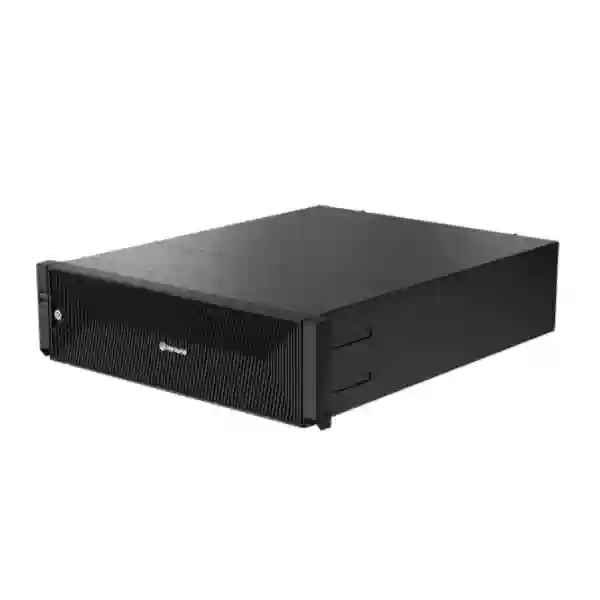
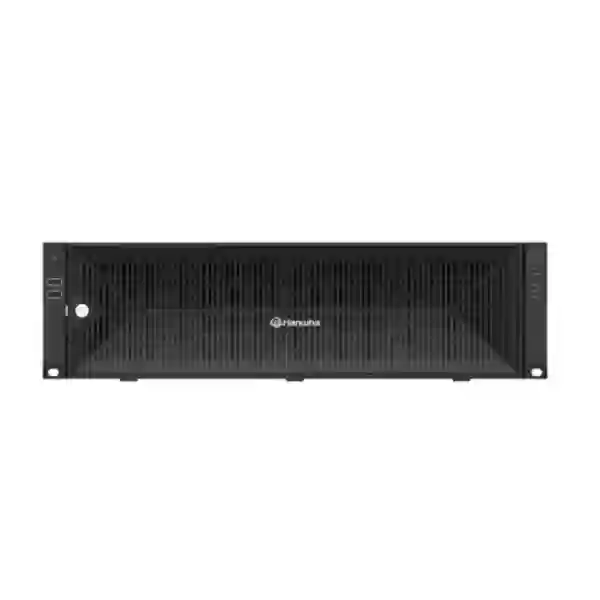
Hanwha Vision XRN-6420B4-60 64-Channel NVR
A 60 TB configuration of Hanwha Vision’s XRN-6420B4 recorder platform for large IP CCTV systems. Evaluate its 64-camera capacity, mode-dependent recording bandwidth, RAID options and operational controls against your Tanzania project’s actual network and retention requirements before ordering.
60 TB model configuration
Up to 520 Mbps in specified modes
RAID 5 / RAID 6
16 SATA drive bays
Technical specification snapshot
Use this confirmed platform information as a starting point. The actual shipped hard drives, storage protection, available accessories and any local services must be confirmed on the exact quotation.
| Manufacturer / series | Hanwha Vision • XRN-6420B4 platform |
|---|---|
| Full variant identifier | XRN-6420B4-60; 60 TB configuration in manufacturer model lineup |
| Camera inputs | Up to 64 IP channels |
| IP camera resolution | CIF to 32 MP, subject to stream and decoding limits |
| Recording codecs | H.265, H.264 and MJPEG |
| Recording bandwidth | Up to 520 Mbps distributed; up to 300 Mbps normal; RAID-mode figures separately specified |
| Storage hardware | 16 hot-swappable SATA bays; up to 160 TB non-RAID maximum using supported drives |
| Array capability | RAID 5 / RAID 6; up to two 8-disk arrays |
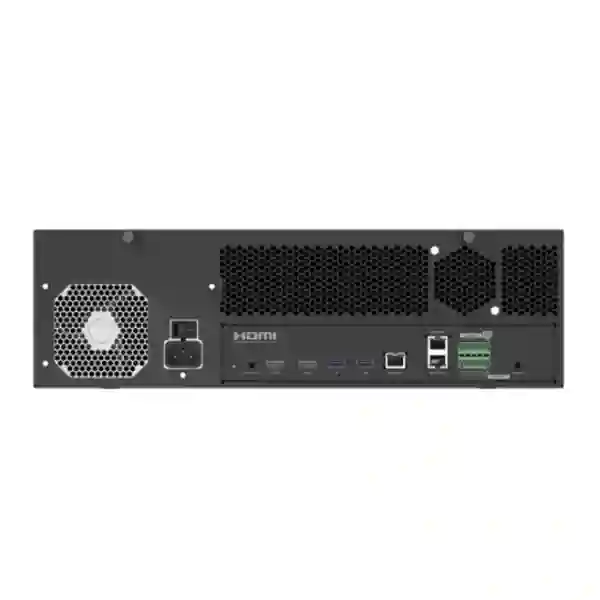
| Video interfaces | HDMI 1 up to 4K 30 Hz; HDMI 2 up to 1080p 60 Hz |
| Network | 3 × Gigabit RJ-45 Ethernet ports |
| Cameras / integration | SUNAPI and ONVIF; functions depend on camera compatibility |
| AI search | Object-attribute search with compatible Hanwha AI cameras |
| Chassis | Approx. 440 × 132 × 571.1 mm; approx. 14 kg without HDDs |
| Operating environment | 0–40°C; 20–85% relative humidity |
| Power | 100–240 VAC, 50/60 Hz; max 265 W with 16 HDDs, per platform specification |
Who this 64-channel NVR is for
The Hanwha Vision XRN-6420B4-60 is intended for organisations that need a central, managed way to record video from a substantial IP camera system. Its 64 network-camera inputs make sense for a multi-building workplace, an industrial compound, a large retail property or another site where a small desktop recorder would be limiting. Buyers should start with the actual camera list and the required retention period, not the channel count alone. The recorder has to accept the planned streams, store them for the required number of days and let authorised operators recover footage when an incident occurs.
This model belongs to Hanwha Vision’s XRN-6420B4 platform and is identified as a 60 TB configuration in the manufacturer’s model lineup. The underlying platform supports high-resolution network video, RAID 5/6 arrays, hot-swappable drive bays, two local monitor outputs and several management tools. Those capabilities are valuable when the system is correctly designed, but they do not make every camera, recording profile or software integration automatically compatible. Ask for the configured hard-drive bill of materials and a stream-by-stream design before committing to a purchase.
For a project in Tanzania, consider the practical installation environment as carefully as the headline specification. Reliable power, an adequately ventilated equipment room, protected network cabling, authorised remote access and a workable plan for exporting evidence are important requirements. A quote should identify these project dependencies and should not assume that a 60 TB nominal disk configuration automatically provides 60 TB of usable protected storage.
Key capabilities at a glance
A useful specification summary distinguishes what the recorder can technically support from what a particular installation will achieve. The XRN-6420B4 has up to 64 IP camera inputs and supports video resolutions from CIF through 32 megapixels; however, local decoding performance depends on the number of streams, their resolution, frame rate and compression. The published maximum recording bandwidth applies to defined operating modes rather than every configuration indiscriminately.
The 16 SATA drive positions are designed for hot swapping, with a stated maximum of 160 TB in non-RAID mode using supported 10 TB drives. RAID 5 and RAID 6 are available in arrays of up to eight drives each. The 60 TB designation is therefore not another name for the 160 TB chassis ceiling. Treat those figures as different planning inputs, and confirm what drives and protection mode would be provided for your order.
What the 60 TB configuration means
The exact suffix matters when comparing quotations. XRN-6420B4 identifies the recorder platform, while XRN-6420B4-60 identifies a 60 TB version in Hanwha Vision’s 2026 lineup. Product descriptions from other markets commonly characterise the version as supplied with a total of 60 TB of hard drives. For the intended Tanzania purchase, confirm the actual number, size, make and supported status of those drives in writing. The listing designation alone should not replace a confirmed scope of supply.
Raw disk capacity is not the same as usable recording capacity. Formatting, system allocation and the chosen RAID arrangement reduce the space available for recordings. With parity-based protection, some disks’ capacity is used to recover from a drive failure rather than to store ordinary video. Furthermore, different definitions of a terabyte may affect how capacity appears in management software. Before promising a retention period, use the recorder’s reported usable volume, the proposed video bitrates and a realistic activity profile.
The platform can accept up to 16 compatible SATA drives, but that does not mean a buyer should fill every slot or expand storage without reviewing the supported-drive list. Different disks, firmware revisions and RAID design choices can affect maintenance and resilience. Specify the 60 TB package as one quoted configuration, not an unconditional guarantee of a fixed number of recording days or a promise of future expansion.
Recording bandwidth: calculate before buying
Hanwha lists a maximum recording bandwidth of 520 Mbps in distributed recording mode. The same technical specification gives up to 300 Mbps for normal recording mode, while RAID mode is listed at up to 520 Mbps during normal recording and degraded or rebuild operation. These are mode-specific limits. Describing the product simply as “520 Mbps for every deployment” can mislead a project designer if the chosen arrangement and firmware settings are not considered.
Add the expected average and peak bitrate of all cameras rather than dividing 520 Mbps by 64 and assuming every channel behaves identically. A high-resolution camera with fast motion, detailed scenes or a demanding frame-rate target can use substantially more network and disk bandwidth than a lower-resolution camera in a quiet corridor. Variable bitrate configurations can also create peaks. Plan a margin for bursts, camera additions and operational changes rather than setting the theoretical total at the maximum threshold.
For example, a design involving multiple high-resolution entrances, conventional perimeter views and low-traffic service corridors needs a camera-by-camera stream schedule. Note the codec, resolution, frames per second, scene complexity and desired continuous or event recording mode for each camera. If the calculated load approaches a limit, adjust stream profiles or system architecture before procurement. The headline number cannot replace a tested recording plan.
How to estimate video retention
Retention is the period for which footage remains accessible before it is overwritten or otherwise removed. It should be defined by the organisation’s operational and legal needs, not by a generic claim about how many days 60 TB will last. Establish separate requirements for routine cameras, sensitive access points and evidence that may need to be preserved after an incident. The number of cameras, actual usable drive capacity and recording patterns determine the result.
A preliminary estimate starts with the aggregate average bitrate of all recorded streams, converts that bitrate into daily storage consumption and then allows for the actual usable capacity. As a simple planning illustration, one continuous 4 Mbps stream uses approximately 43 GB over 24 hours before any additional storage overhead; actual footage will vary with the chosen bitrate controls. Sixty-four streams at the same average would use a very different amount than a mixed system that records some views on events or uses lower bitrates overnight.
Always validate the estimate with sample scenes or a short pilot where possible. Daylight, rain, moving vehicles, crowd activity and camera noise can change compression efficiency. Review the result after deployment and adjust the system if the measured recording days differ from the project target. Ask for a documented retention calculation based on the proposed cameras, codec settings, RAID mode and capacity actually available.
RAID 5 and RAID 6: protection with limits
RAID provides a way to combine disks so that the system can continue to tolerate particular drive failures, depending on the chosen level and array condition. The XRN-6420B4 supports RAID 5 and RAID 6, with two arrays of up to eight disks according to Hanwha’s specifications. RAID 5 generally uses parity equivalent to one disk per array; RAID 6 generally uses parity equivalent to two. Those concepts help explain why protected usable capacity is less than the sum printed on the drives.
RAID is not the same as a backup. It does not prevent mistakes such as accidental deletion or an authorised user exporting the wrong footage, and it cannot protect against every hardware failure, theft, fire, power event or malicious action. A drive rebuild can take time and the array may be exposed to additional risk until the process completes. Monitoring alerts and a tested procedure for replacing supported drives are essential parts of using RAID responsibly.
Before choosing a RAID level, decide how much storage overhead is acceptable and what level of fault tolerance the site requires. A facility that must retain critical video through maintenance may value greater redundancy, while another may prioritise usable capacity. Do not assume the recorder automatically ships with a particular RAID level configured. Include array design, spare-drive policy, alarm recipients and evidence backup in the commissioning checklist.
Camera compatibility and onboarding
The recorder uses Hanwha’s SUNAPI and supports ONVIF connectivity, including ONVIF Profile S in the published network specifications. This can make the platform relevant to projects with compatible third-party IP cameras as well as Hanwha cameras. However, ONVIF support is a starting point for evaluation, not a blanket promise that every feature from every camera will work. Recording, PTZ control, metadata, motion events and analytics may each have separate compatibility conditions.
Build a camera schedule that records the exact manufacturer and model, firmware version, intended video profile and any required events. Check every item against the current compatibility guidance before assuming it can be registered. Test time synchronisation, continuous recording, event recording, playback and the camera’s behaviour after a network interruption. If the site uses existing cameras, confirm their condition and firmware support rather than treating the recorder purchase as an automatic camera upgrade.
Hanwha lists automatic and manual camera registration, and configuration of common parameters such as bitrate, compression, image quality and certain image controls. The level of control depends on the camera. For mixed-brand installations, expect that some settings will remain on each camera’s own web interface. A practical acceptance test should cover at least one representative camera of each model and verify that the important functions work as specified.
AI-assisted search requires compatible cameras
The XRN-6420B4 includes an object-attribute AI search capability described by Hanwha as compatible with its AI cameras. This can help an operator narrow a search when appropriate analytic metadata is present. It should not be marketed as a recorder that independently performs every form of artificial intelligence analysis on any ordinary video stream. The actual search functions depend on the connected camera, its supported analytics, firmware and recording setup.
If a security team expects to search for people or vehicles using attributes, first identify the required attributes and the exact compatible camera models. Validate that the chosen cameras generate the necessary metadata and that the NVR records and retrieves it as intended. Confirm the operator’s workflow using actual sample events. A search feature is useful only if the relevant cameras cover the right location, have suitable image quality and produce actionable results.
AI-driven search complements, rather than replaces, sound camera positioning and event response. Poor lighting, excessive viewing angles, occlusion and inaccurate timestamps can make even sophisticated searches less useful. Specify what the team needs to find, how quickly it needs to find it and which parts of the system must be integrated. This protects the buyer from paying for an attractive label without obtaining the desired investigation workflow.
Local monitoring and control-room operation
The NVR has two HDMI outputs, with the first supporting up to 3840 × 2160 at 30 Hz and the second up to 1920 × 1080 at 60 Hz. Hanwha also describes dynamic layouts and virtual channel views. These features can help an operator build useful screen arrangements for gates, entrances, perimeter zones or other monitored areas. They do not mean that all 64 high-resolution streams can be decoded simultaneously at their highest frame rates on every local screen.
The published decoding examples illustrate why the intended display layout should be designed separately from recording capacity. A recorder may store a high-resolution stream while displaying a lower-resolution substream in a multi-camera grid. Control-room usability depends on screen size, viewing distance, operator duties and how cameras are grouped. A good layout highlights the cameras most likely to need attention instead of filling every part of the display with tiny images.
During commissioning, verify the layout, monitor connections and playback workflow with the people who will operate the system. Test how an alarm brings relevant cameras to attention and how the operator switches from live view to evidence review. Include simple labels, documented camera names and a clear incident escalation process. This can deliver more practical value than adding channels without an operational plan.
Events, alerts and incident response
Hanwha lists event inputs such as alarm signals, video loss and camera-originated events including motion and analytics where supported. Configurable actions include e-mail, event push, buzzer, alarm output, PTZ preset actions and other integrations. The usefulness of an event depends on appropriate thresholds, responsible recipients and a procedure for deciding what to do next. Incorrectly tuned events can create alert fatigue rather than security improvement.
Begin by defining the events that actually require an action: a critical entrance out of hours, video loss on a perimeter camera or a contact sensor that opens outside an approved window. Determine which event should trigger recording changes, an operator notification, a camera preset or an external system. Test false-alarm patterns and document who is responsible for acknowledgement. The recorder is one component of a wider incident-response process; it does not substitute for trained personnel.
For investigations, capture the time of the event, the camera location and any related alarm information. Confirm clock synchronisation across the recorder, cameras and any other security devices. An accurate event timeline helps teams correlate video with access-control events and operational records. Review alarm performance after the system has been in service rather than assuming the first configuration will remain ideal.
Playback, search and evidence export
The manufacturer specifies up to 200 Mbps of playback bandwidth and supports search by time, event, text, bookmark and smart search where applicable. Local and remote playback arrangements are subject to published limits. These details matter when an investigation involves multiple viewpoints at once: viewing many channels for a short interval is not identical to streaming one camera at full resolution, and an operator may need to work within session or bandwidth constraints.
Set an evidence-handling process before the first incident occurs. Operators should know how to locate the correct camera and time range, check the event context, mark relevant material and export the permitted footage. The device supports several local and network export formats, but the appropriate choice depends on the recipient, playback tools and evidence requirements. A trial export should be opened and checked on the intended review workstation.
Where footage may be used in an investigation or dispute, preserve an original copy and document who exported it, when it was taken and how it was transferred. Restrict access to authorised staff and follow the organisation’s applicable privacy and retention rules. The NVR’s export features can support this process, but they do not independently establish an evidence chain of custody or guarantee admissibility.
Network design for stable 64-channel recording
A 64-camera deployment is a network engineering project as much as it is a recorder purchase. The device lists three RJ-45 Gigabit Ethernet ports for LAN and WAN connectivity. Appropriate switch capacity, uplinks, cable quality and IP addressing are needed to move all planned camera traffic reliably. A camera network with undersized uplinks or broadcast problems can lose streams even if the recorder itself has available bandwidth.
Document camera VLANs or other network segmentation, addressing, routing, DNS where needed and the path used for management access. Use supported network protocols and design the network so recording traffic does not unnecessarily compete with ordinary office applications. If different sites feed a central recorder through a WAN, include the available upstream bandwidth, link stability and response to a link outage in the design. A headline recorder bandwidth figure cannot overcome an unreliable connection.
Monitor actual traffic after commissioning, especially at busy times when motion increases bitrates. Check packet loss and the behaviour of cameras after a switch or power restart. Make sure network management access is limited to authorised personnel. If the system uses third-party video-management software, validate that software’s intended access paths and supported integrations rather than assuming every viewing application will perform identically.
Remote viewing and controlled access
Hanwha documents support for browser viewing, management software and mobile access, with supported platforms and user limits stated in its product specification. Remote review may help an authorised security manager investigate an event without being at the recorder, but performance will depend on the site’s upstream connection, remote network conditions, configured streams and account permissions. It should not be sold as unrestricted viewing for any number of users.
The safest starting point is a clearly defined access policy. Decide which roles may view live video, search recordings, export evidence or change recorder settings. Use individual accounts where supported, strong authentication practices and the minimum permissions required for each role. Keep a record of account changes when personnel join or leave. Consider a secured remote-access architecture rather than exposing administrative interfaces indiscriminately to the internet.
Test remote playback using realistic network conditions and the devices the team actually uses. If a mobile connection is slow, a lower-bandwidth stream may be appropriate for quick checks, while full-quality evidence retrieval may be better handled on a managed workstation. The goal is dependable access to relevant information, not a vague promise of access from anywhere under every condition.
Security controls and firmware upkeep
The published platform specification includes a Trusted Platform Module, signed firmware, transport-security support, access logs and network access controls such as IP filtering and 802.1X. These are useful components of a defence-in-depth approach. They do not eliminate the need to configure the device correctly, protect administrator accounts, keep firmware current and control the surrounding network. Security should be evaluated at installation and revisited during maintenance.
Create an administrative baseline with unique credentials, defined time and date settings, approved network services and an inventory of who has access. Disable features that are not needed for the site and review any remote-access mechanisms before enabling them. Use relevant vendor release notes and maintenance guidance when planning updates, and protect configuration backups appropriately. A firmware change should have a test and rollback plan suited to the organisation’s operating requirements.
If the buyer has a formal security policy, check how the recorder fits requirements for authentication, encrypted traffic, audit evidence and asset management. Avoid treating broad product security marketing statements as independent proof of any local certification or procurement eligibility. Confirm any regulatory or tender-specific requirement against the relevant authoritative documentation for the exact model and destination market.
Power, rack space and operating environment
The XRN-6420B4 platform is a rack-style metal recorder, not a weatherproof outdoor camera appliance. Hanwha lists approximate chassis dimensions of 440 × 132 × 571.1 mm and a weight of about 14 kg without hard drives. Its specified operating environment is 0–40°C and 20–85% relative humidity. Those parameters should guide the location of the equipment cabinet, ventilation strategy and maintenance clearances.
The published power input is 100–240 VAC, 50/60 Hz with a single AC inlet, and the manufacturer lists a maximum consumption of 265 W in a configuration with 16 hard drives. The actual draw can vary with the installed disks and operating conditions. Size the power distribution, circuit protection and any backup power using the final equipment schedule, including displays, switches and other accessories. A UPS requirement depends on how long the system must remain available through an outage.
For Tanzania installations, assess heat buildup, dust, moisture and electrical continuity in the specific equipment room or cabinet. Do not assume a generic rack location provides enough cooling. Allow space for cable bends and service access, and confirm the loaded weight after the drive configuration is decided. A good enclosure design also considers physical security so that unauthorised personnel cannot remove disks or interfere with cabling.
Typical deployment scenarios
A large warehouse or distribution site may use the recorder to bring together cameras at gates, loading docks, yards and interior circulation routes. The key design questions are whether camera coverage is adequate for the required identification tasks and whether recording can continue during periods of heavy vehicle movement. Separate retention priorities may be useful for entrances and general observation areas.
A commercial office campus may need to monitor common entrances, service areas, parking zones and a collection of buildings. In that case, the value of a central recorder depends on network segmentation, clear camera naming and usable permissions for security operators. Some areas may need privacy masking or carefully restricted access according to the organisation’s policies and applicable requirements.
A retail or mixed-use property with many cameras may value configurable live-screen layouts and an efficient way to locate a sequence of events across several views. The system should be designed around operational questions such as which cashier or entrance needs closer review, how incidents are reported and how evidence is retained. Camera placement and lighting often matter more than the recorder’s maximum supported resolution.
An industrial facility may place emphasis on continuous recording, clear alarm escalation and resilience during maintenance. A 64-channel platform can be appropriate where the proposed stream load and storage calculation fit, but the design must still cover switches, backup power, equipment-room conditions and data handling. The examples describe potential uses, not a claim that this exact model is installed or supported at any named customer site.
A structured commissioning sequence
Good deployment starts with a written acceptance plan that assigns responsibility to a qualified installer or integrator and the customer’s IT or security team. The following steps provide a practical structure; their order may be adapted for the site. The recorder should be accepted against the actual quote and the agreed operating requirements rather than a generic demo configuration.
Before any cameras are added, confirm the delivered unit’s identity, documented hard-drive package and power requirements. Inspect the rack and network infrastructure, configure secure management access, and set the correct time source. Register a representative camera, verify that it records and plays back properly, then scale the configuration using the approved camera schedule. This staged approach helps isolate integration problems early.
Complete acceptance by measuring actual recording load, checking retention assumptions, confirming display layouts, testing events and exporting sample footage. Document the configured RAID level, management accounts, firmware and backup process. Hand over clear operator instructions and a maintenance contact process without inventing a support response time or manufacturer warranty commitment.
- Confirm exact XRN-6420B4-60 variant and included hard-drive capacities against the order.
- Inspect ventilation, rack support, cable routing, grounding and power protection.
- Prepare IP addressing, camera access credentials and network segmentation.
- Configure date/time, roles, security policies and the approved recording profiles.
- Create and verify the intended RAID arrays, if included in the project scope.
- Test sample cameras, live view, recorded playback and an alarm scenario.
- Measure bandwidth and calculate recorded days using reported usable capacity.
- Test evidence export and hand over a signed acceptance checklist.
Routine maintenance and operational checks
The long-term usefulness of a CCTV recorder depends on regular checks after installation. Assign someone to review device health, storage alarms, camera connectivity and recording continuity. A camera can appear in a live-view layout while a recording or time-setting problem goes unnoticed; checking the stored footage is therefore important. Sample different cameras and time ranges rather than relying only on a green status indicator.
Create a routine that includes storage health, drive replacement procedures, event notifications and a review of accounts that still need access. Track changes in camera bitrates or coverage because these can alter storage consumption. Where site policies require a defined retention period, review measured retention regularly and after any camera additions. Keep configuration records current so that a future technician does not have to reverse-engineer the installation.
Plan firmware review and security updates with vendor guidance and the organisation’s change-control process. Protect configuration backups, test restoration procedures where appropriate and record the serial numbers of installed major components. A maintenance plan cannot prevent every failure, but it can make emerging problems easier to detect before they compromise an investigation or force an unplanned outage.
Business continuity and the limits of redundancy
The recorder supports RAID and Hanwha lists N+1 failover functionality as a platform feature, but the presence of that feature does not mean an individual unit provides a complete fault-tolerant recording service on its own. Failover designs require compatible additional equipment, configuration and testing. If the application needs uninterrupted surveillance, include network paths, spare hardware, backup power and operational response procedures in a documented continuity plan.
For critical footage, decide how and when an evidence copy should be transferred to a separate protected location. A protected disk array is useful against certain disk failures but not against physical loss of the recorder or a site-wide incident. Make clear which recordings must be archived, who may authorise an export and what retention rules apply to copies. A secure and testable process is generally more reliable than assuming that RAID solves every data-protection problem.
During a continuity review, ask what happens when the recorder loses power, an individual camera becomes unreachable, a switch fails or the remote site loses connectivity. Define which event must produce an alert and who will investigate it. This turns the NVR from an equipment purchase into a managed recording system with explicit responsibilities.
How the model compares with other recorder options
A buyer choosing between a compact recorder and the XRN-6420B4-60 should look first at channel scale, recording bandwidth, storage expansion, resilience and operational complexity. A smaller system may be suitable for a short camera list with modest retention, while this 64-channel platform provides more scope for large camera schedules and multiple disks. More capacity is not automatically better if the site cannot maintain the hardware or if the proposed camera load is outside the platform’s mode-specific limits.
When comparing the XRN-6420B4-60 with another high-capacity recorder, check the actual drive bundle and RAID design rather than comparing model names or raw terabytes alone. One quotation may include drives and commissioning, while another may include only the chassis. Compare usable protected capacity, export requirements, supported analytics, software compatibility, warranty terms and any additional equipment needed for reliable operation. Ensure each offer is for the intended market and exact hardware variant.
The Hanwha Vision XRN-6420B4-60 is worth considering where the project requires an integrated 64-channel recorder with professional monitoring features and a substantial disk configuration. It may be unnecessary for a very small camera system; it may also be insufficient as a single recorder if planned streams or continuity demands exceed its verified limits. The correct choice follows from the system design, not from the largest number in a product headline.
Questions to resolve before requesting a quote
A useful purchase request should describe the system it needs to support. Include the number of current cameras, expected additions, resolution and frame rate profiles, recording schedule and required retention period. Identify whether the cameras are all Hanwha devices or a mix of manufacturers. If AI-assisted object search matters, list the exact compatible cameras and the investigative outcomes the operators expect. If integration with existing software is required, name that software and the features to be tested.
Ask the supplier to specify the quoted recorder, included hard drives, formatted and RAID-usable capacity, supported RAID level and any recommended spare drives. Confirm whether installation, network configuration, commissioning, user training and evidence-export testing are included or excluded. Seek written clarity on local commercial terms such as pricing, warranty, delivery, installation scope and after-sales support rather than inferring them from generic manufacturer pages.
If a project has an equipment-room temperature concern, remote-location connectivity or a particularly strict recording requirement, raise it during design rather than after purchase. The final proposal should make technical assumptions visible, including peak bandwidth margin and how storage days have been estimated. A clear scope makes offers easier to compare and reduces the chance of discovering a mismatch after deployment.
Tanzania project planning considerations
The recorder’s specifications do not change because it is being evaluated for a site in Tanzania, but the surrounding deployment conditions do matter. Start with the real layout of the premises, planned cable routes, protected equipment location and whether staff must monitor the site locally, remotely or both. Confirm the technical responsibilities between the customer’s IT personnel and its physical-security team. If the organisation uses a central office and remote branches, assess the bandwidth and reliability of each connection.
Use the published operating temperature and humidity ranges to assess the intended enclosure. Check the site’s power-continuity requirement and identify which camera switches and network devices must remain active for recording to continue. Network cameras need a functioning network path to the recorder; keeping only the NVR powered will not help if the upstream switch or camera supply fails. A realistic continuity plan therefore covers the recording chain, not just the recorder.
Before ordering, request confirmation of local commercial arrangements, available configuration, deployment responsibility and any applicable compliance or procurement checks for the exact supply. This page does not assume a particular Tanzanian city, an in-country inventory, regulatory approval, an installation service or a guaranteed delivery window. Those are quote-specific matters to be verified separately.
Frequently asked questions
Practical answers to common technical and buying questions. Confirm final compatibility and commercial inclusions against the proposed system design.
How many IP cameras can the XRN-6420B4-60 record?
The XRN-6420B4 platform supports up to 64 network camera inputs. Actual suitability also depends on total camera bitrate, selected recording mode, resolution, frame rate and available storage. A 64-channel limit is not a guarantee that every imaginable combination of 64 high-resolution streams will operate at the highest settings. Supply a detailed camera schedule so the recording load can be checked before the recorder is ordered.
Does XRN-6420B4-60 mean the usable recording space is 60 TB?
No. The suffix identifies a 60 TB storage configuration in the manufacturer model lineup, but usable recording capacity depends on the delivered disk package, formatting and RAID configuration. A protected array consumes capacity for redundancy. Verify the installed drives and ask for the usable capacity displayed by the proposed configured system. Do not rely on a raw disk figure when calculating the retention period.
Can the recorder hold more than 60 TB?
The XRN-6420B4 chassis has 16 hot-swappable SATA bays and a published 160 TB maximum in non-RAID mode using supported drives. This is a platform ceiling, not the size of the 60 TB model’s delivered storage and not a promise that any disk can be installed. Expansion plans should be checked against the current supported-drive list, firmware and intended RAID layout.
What is the difference between 300 Mbps and 520 Mbps recording?
Hanwha distinguishes recording modes in the published specification. Normal recording is listed at up to 300 Mbps; distributed recording reaches up to 520 Mbps, and RAID operating figures are separately documented. The appropriate performance assumption depends on the selected setup. A designer should verify the intended mode and calculate the combined average and peak loads of all recorded camera streams.
Does it support RAID 5 and RAID 6?
Yes. Hanwha lists RAID 5 and RAID 6 with arrays of up to eight disks and support for two arrays. Redundancy reduces the impact of certain disk failures, but it reduces usable capacity and is not a replacement for a separate evidence backup. Confirm whether the supplied system will have RAID configured, which level will be used and how failures will be monitored.
Is AI object search available with every IP camera?
No. Hanwha describes object-attribute search as a feature used with compatible Hanwha AI cameras. The required analytic metadata and supported camera functions must be present. Before purchase, check the exact camera models, firmware and intended search attributes. Test the search process on representative recordings instead of assuming that ordinary IP video streams automatically provide AI metadata.
Can third-party ONVIF cameras connect?
The platform supports ONVIF and SUNAPI, but individual camera features vary. Basic discovery and recording may be possible with a compatible ONVIF camera while advanced settings, events or analytics are unavailable. Verify the exact third-party camera model and firmware, then test recording, time synchronisation, playback and the required control functions during commissioning.
Does it support 4K local monitoring?
Yes. The primary HDMI output is specified for up to 3840 × 2160 at 30 Hz, while a second HDMI output supports up to 1920 × 1080 at 60 Hz. Recording resolution, monitor output and simultaneous live decoding are different performance considerations. Validate the intended multi-camera screen layout against the manufacturer’s decoding limits.
Will a 60 TB recorder retain recordings for 30 days?
Not automatically. Retention depends on usable capacity, camera count, actual bitrates, continuous or event recording and other configuration choices. A 60 TB raw disk figure alone cannot establish a number of days. Ask for a retention calculation based on each proposed camera, the selected RAID level and a realistic sample of daytime and night-time scenes.
Can staff view cameras from a phone or another office?
Hanwha documents browser, software and mobile viewing options. Whether a particular user can access a given stream depends on configured permissions, the available network and client compatibility. Remote access should be implemented securely and tested under realistic bandwidth conditions. Confirm the exact client software and permissions needed for the organisation’s workflow.
Does this recorder power the IP cameras with PoE?
The XRN-6420B4 platform lists separate Gigabit Ethernet connections for data, not an integrated PoE camera-port bank. A deployment generally requires suitable external PoE switches or other camera power sources, depending on the cameras. Specify those items in the system bill of materials and include them in the power-continuity plan.
Can a hard drive be replaced without shutting down the unit?
The manufacturer specifies hot-swappable SATA drive bays. That feature must still be used according to Hanwha’s supported-drive and replacement procedures, particularly when a RAID array is degraded or rebuilding. Have a maintenance plan, trained personnel and a tested evidence-protection procedure before relying on a live drive replacement.
What temperature and power environment does it need?
The stated operating range is 0–40°C with 20–85% relative humidity. Power input is 100–240 VAC at 50/60 Hz, and the manufacturer gives a maximum consumption of 265 W with a full 16-drive configuration. Account for additional devices such as network switches and monitors when designing cooling, electrical distribution and backup power.
Is the XRN-6420B4-60 available in Tanzania and what does it cost?
This page does not confirm stock, a current Tanzanian price or delivery date. Those depend on the exact supplier quotation and configured scope. Request confirmation of the specific 60 TB package, installed drive list, local commercial terms and any installation or support services. A comparison is most useful when pricing and technical inclusions are documented together.
What should we send for a configuration review?
Send the camera schedule, recording requirements, target retention days, intended RAID preference, site network diagram, monitoring locations and any expected AI or software integrations. Include planned future camera expansion and any strict availability requirements. Those details allow the NVR, storage and network assumptions to be checked and help define what should appear in the purchase quotation.
Request a configuration-focused quotation
For a professional CCTV installation, begin with the requirements rather than a guess about hardware capacity. Ask for a quotation for the Hanwha Vision XRN-6420B4-60 that identifies the actual 60 TB storage configuration, intended RAID mode and usable recording space. Provide your camera list, stream profiles and desired retention period so that recording and storage requirements can be checked before the equipment is specified.
If the project also needs switches, backup power, monitors, compatible AI cameras, installation or training, include those items in the proposed scope and request separate confirmation of each service. Pricing, availability, warranty and delivery details should be provided in the specific offer. This approach helps decision-makers compare complete solutions instead of relying on nominal storage and channel count alone.




Reviews
There are no reviews yet.