
CCTV recorder | Product and replacement guidance for Tanzania
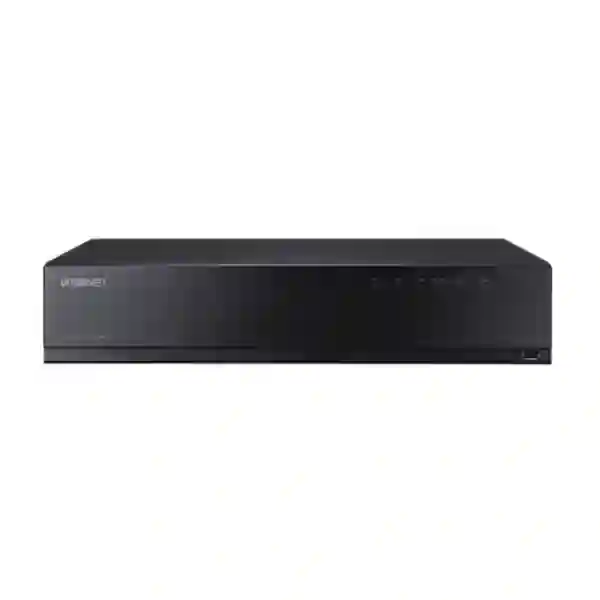
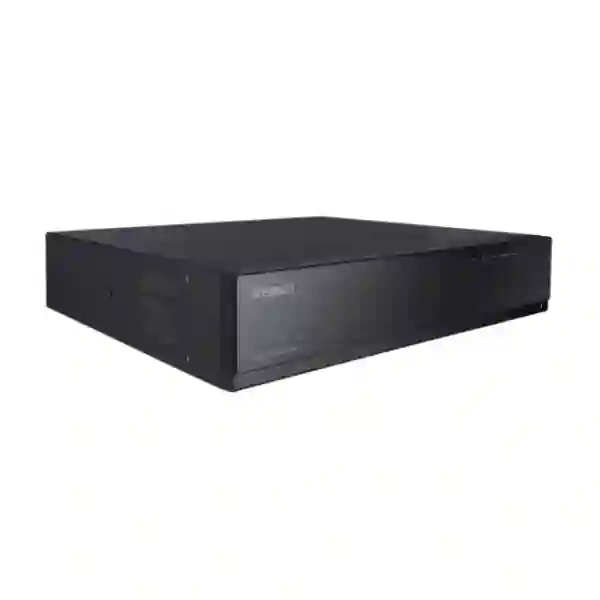
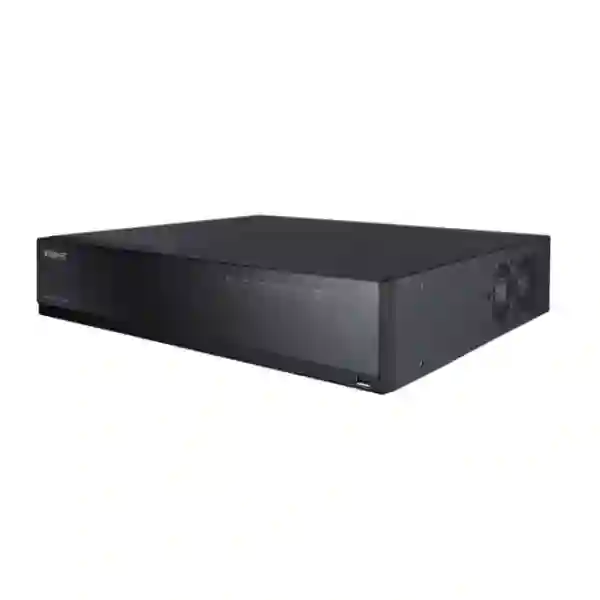
Hanwha HRX-1621 16-Channel Pentabrid DVR
The Hanwha HRX-1621 16-channel DVR is a five-in-one Pentabrid recorder for sites combining compatible AHD, HDTVI, HDCVI, CVBS and IP cameras. It offers a documented mixed arrangement of up to 16 analogue cameras plus two network cameras, H.265/H.264/MJPEG compression, local HDMI and VGA viewing, and eight SATA drive bays accepting up to 6 TB per supported drive. Hanwha Vision now marks this model as discontinued. For Tanzania buyers, it is best evaluated as a legacy-system compatibility or replacement question, with current product availability and support independently confirmed before purchase.
Quick specification snapshot
Capacity figures, supported features and frame rates describe the manufacturer’s product specification, not the contents of any individual sales package. Prices, stock, warranty, installation coverage and Tanzanian regulatory status are not confirmed here.
Technical details at a glance
| Model | HRX-1621, Hanwha Vision / Wisenet |
|---|---|
| Recorder class | 16-channel Pentabrid DVR; up to 18 channels in the documented mixed arrangement |
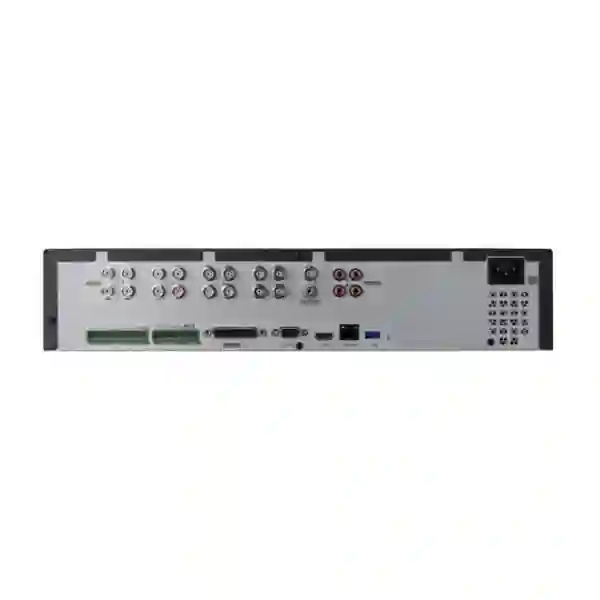
| Analogue connections | 16 BNC camera inputs |
| Input families | AHD, HDTVI, HDCVI, CVBS; supported IP cameras |
| Network compatibility | SUNAPI and ONVIF; device/function compatibility must be checked |
| Resolution / analogue recording | 8 MP at about 8 fps; 5 MP at about 12 fps; 2 MP up to 30/25 fps, subject to input standard |
| Video compression | H.265, H.264 and MJPEG |
| Storage | 8 SATA drive slots; up to 6 TB per supported drive; 48 TB stated raw maximum |
| Video output | 1 HDMI and 1 VGA; spot BNC output documented |
| Audio | Up to 16 line inputs, with four built in and an optional extension cable; one line output |
| Alarm contacts | 16 inputs and 4 relay outputs |
| Control / connectivity | Coaxial control, supported PTZ interfaces, gigabit RJ-45 Ethernet |
| Environmental guidance | 0–40 °C; 20–85% relative humidity |
| Power input | 100–240 VAC, 50/60 Hz |
| Manufacturer lifecycle | Discontinued; verify seller-specific commercial terms |
Detailed configurations vary by camera signal, firmware and connected equipment. Validate the exact deployment against the latest accessible manufacturer documentation and a working test.
Who should consider the HRX-1621?
The Hanwha HRX-1621 16-channel DVR is most relevant to an organisation that already owns coaxial CCTV cameras and wants to understand how a mixed analogue and network recording system works. It supports several established analogue signal families, while allowing network-camera participation in supported configurations. The value is in evaluating an existing investment rather than assuming that every camera, lens, control feature or recording setting will automatically transfer to a replacement recorder. A careful survey of the installed equipment is essential.
For buyers in Tanzania, the most useful starting point is an inventory of camera models, signal standards, recording resolutions, cable lengths, existing power arrangements and required days of evidence retention. Those details show whether this discontinued model can meet a maintenance or like-for-like replacement need and whether a currently supported platform is the wiser purchase. FourTeck can be asked to review the equipment list and help specify the desired configuration; no local stock or service commitment is implied by this product description.
Understand what pentabrid means
Pentabrid describes the five video input technology families associated with this model: AHD, HDTVI, HDCVI, conventional CVBS and IP cameras. It does not mean that every feature works identically across those technologies. Each format has its own resolution, frame-rate, signalling and camera-control constraints. A camera can look physically compatible because it has a BNC connector while still needing verification of its actual output standard and video mode.
The practical benefit is flexibility when a site contains cameras installed at different times or when an upgrade must happen in stages. Before deciding to keep old cameras, record the output format selected in each camera, the intended display and recording resolution, and the cable condition. If the site uses more than one manufacturer, check compatibility on a camera-by-camera basis rather than assuming that a format label guarantees reliable recording, event notifications or control.
Channel capacity without the confusion
Hanwha specifies 16 analogue camera inputs with a mixed configuration that can include two additional network cameras, giving a maximum of 18 channels in the stated setup. A channel is a recorder input or recording position, not a promise that a single cable can serve multiple cameras or that extra network cameras can be added without limit. The final number and mix should be checked against the recorder’s current firmware, recording settings and camera support information.
For a business with 14 existing analogue cameras and a plan to add two IP cameras, the channel arrangement may be a useful discussion point. For a project requiring dozens of new network cameras or extensive future growth, a purpose-designed network video recorder could make more sense. Confirm how many camera positions will be occupied on the installation date, how many are expected later and whether unused channels are genuinely available for the required technology.
Analogue formats and the existing coaxial system
The 16 BNC video inputs are intended for supported analogue video formats. Manufacturer documentation lists AHD and HDTVI resolutions up to 8 MP, HDCVI modes through 5 MP in the detailed signal table, and conventional CVBS input. Do not interpret the broad 8 MP headline as an unconditional promise that every camera technology and output mode can record at 8 MP. The exact format and mode matter, especially on sites with equipment supplied over several years.
An upgrade assessment should look beyond the recorder chassis. Inspect connectors for corrosion, confirm the camera output is not set to an unsupported format, and identify whether cable joints or power-voltage drops are causing intermittent video. The recorder’s multi-format support can reduce pressure to replace usable cameras immediately, but it cannot repair damaged wiring or make an incompatible camera signal valid. Test representative cameras before approving a full-site migration.
Adding network cameras responsibly
The HRX-1621 supports network-camera integration using Hanwha’s SUNAPI environment and ONVIF support documented for the recorder. These standards provide a starting point for interoperability, not a blanket guarantee of all camera functions. Live video might connect while motion events, advanced analytics, audio, PTZ or configuration controls remain unavailable or work differently. Firmware and profile combinations can affect the outcome.
Create a compatibility sheet for each proposed IP camera, including manufacturer, exact model, firmware, codec, resolution, stream type and desired events. Verify that the network route is reliable and that the camera has a suitable power source; the presence of network-camera input does not itself mean that the DVR supplies PoE power. For a multi-brand deployment, a live bench test is more useful than a general compatibility claim on a purchasing checklist.
Recording resolution and frame rate: read both numbers
The manufacturer lists maximum analogue main-stream recording rates of approximately 8 frames per second at 8 MP, 12 frames per second at 5 MP, 15 or 12 frames per second at 4 MP, and 30 or 25 frames per second at 2 MP, depending on the signal system and camera input. These figures describe important trade-offs between image detail and temporal smoothness. A higher megapixel number does not always give a better result for a fast-moving subject.
For a vehicle entrance, a scene may benefit from a frame-rate discussion as well as a resolution discussion. For a store room monitored mainly for presence and activity, a different balance may be acceptable. Ask the installer to demonstrate representative footage at the proposed setting, including daylight, night and motion. The camera’s own output frame rate and the recorder’s system limits influence the resulting evidence quality.
Codec support and what storage savings really mean
The listed video compression methods are H.265, H.264 and MJPEG. H.265 can reduce the amount of data required for comparable video compared with some older compression configurations, but the actual benefit depends on camera support, scene motion, image noise, resolution, bit rate, quality settings and operating conditions. It would be misleading to promise a specific percentage saving for every installation.
When planning an upgrade, compare measured bit rates rather than relying on the codec name alone. Keep the same representative scenes and retention targets in any before-and-after test. A crowded entrance with frequent movement can consume more storage than a quiet corridor even when both streams use the same resolution. Include the requirements of export players, client applications and any security investigation workflow before choosing the final video format.
Eight drive bays and a maximum raw capacity of 48 TB
The recorder provides eight SATA hard-drive positions. Manufacturer specifications state a maximum of 6 TB per supported drive, yielding up to 48 TB of stated raw installed capacity when all eight positions are populated with supported drives. This is a hardware capacity figure and must not be treated as the amount of footage that will remain after any filesystem allocation, recorder overhead or other operating constraints. The drives and their exact supported types also need confirmation.
Ask how many hard drives are installed in the actual unit being evaluated. A chassis with eight slots is not necessarily supplied with eight drives, or with any drives. Check surveillance-drive suitability, firmware recognition, health status, temperature and service history. If considering a used or old-stock recorder, confirm that the storage configuration being quoted is explicitly listed rather than assuming maximum capacity is included in the sale.
Plan recording retention with real data
Retention is the number of days that recordings must remain available before older footage is overwritten or archived. A 48 TB headline alone cannot answer how long a site will retain video. The number of cameras, individual stream bit rates, recording schedules, events, image settings and usable drive capacity all change the result. Site policy may also require a separate export or preservation process when footage is needed for an incident investigation.
Start with a realistic sample period and measure actual data consumption for each camera group. Multiply the daily usage by the desired retention period, then allow a sensible operational margin rather than targeting the last available gigabyte. Review whether continuous recording, event-based recording or a combination is appropriate for each scene. Confirm the required retention policy with the organisation responsible for the surveillance system instead of assuming a universal number of days is correct.
Event recording and investigation workflows
Manufacturer documentation includes manual recording, scheduled recording and event-related recording with pre- and post-event options. The recorder can work with triggers such as video loss, motion and camera events, subject to the camera type and supported configuration. Event rules should be tested against real activities on site; a motion zone that looks correct on a screen may behave differently after lighting changes, rain or movement outside the area of interest.
Set up an incident workflow before an incident happens. Decide which staff member can search recordings, which person can export evidence and how the original file will be protected from casual editing or deletion. Test a sample export to confirm that the recording can actually be opened on the intended review device. A good CCTV design is not merely a collection of cameras; it is a dependable process for finding, preserving and understanding the footage.
Important limitation: smart search
Hanwha explicitly describes the HRX-1621 smart-search capability as applying to network cameras only. Buyers should not assume that the same search function will identify motion or objects across all connected analogue cameras. Event and analytics behaviour also depends on the features exposed by the selected camera and supported by the recorder. This distinction matters when staff expect to find incidents quickly across a mixed camera estate.
If advanced investigation tools are a priority, specify the exact search question: finding activity in a zone, locating a person entering a restricted area, reviewing a vehicle movement or filtering by camera events. Ask for a demonstration on the proposed camera type and firmware combination. A procurement decision based only on the phrase ‘smart search’ can create a mismatch between what an operator expects and what the installed combination can actually perform.
Local monitoring with HDMI and VGA
The recorder includes one HDMI and one VGA output for local display. Hanwha’s detailed specifications list HDMI output modes including 3840 by 2160 and VGA output modes including 1920 by 1080. These are monitor-output capabilities; they should not be confused with guaranteed 4K recording at a high frame rate on every connected camera. Recording resolution, display resolution and exported file properties are separate items.
Before installation, confirm the type, location and number of screens the control room needs. Decide whether a security operator will monitor a live camera grid, focus on selected entrances or use a workstation for investigation. Test the intended display layout with real camera streams, because dense multi-camera views can make small details difficult to see even on a high-resolution monitor. Keep the display setup understandable for the people who will actually use it.
Remote viewing requires network design
The manufacturer’s materials describe QR-code P2P setup and mobile viewing features. These are useful capabilities to investigate, but they do not constitute a guarantee that every historical application version or remote access service remains available for a discontinued product. Compatibility with current mobile operating systems, firmware, client software and any service dependencies should be confirmed before relying on remote viewing for daily security operations.
Where remote access is needed, establish who is authorised to connect, how accounts are managed and which networks are trusted. Avoid exposing administrative interfaces directly to the public internet without a properly assessed security design. Test viewing on the types of devices staff use and document what happens if the internet connection fails. Local recording should be evaluated separately from remote monitoring so that a connectivity interruption does not create an unnoticed gap in the organisation’s surveillance plan.
Audio channels and realistic installation checks
The detailed manufacturer sheet describes up to 16 line-level audio inputs and one line-level audio output, with four audio inputs built in and an optional audio extension cable for the remaining inputs. This distinction is important: the headline audio input count does not mean all 16 connections are necessarily accessible without additional hardware. Audio functionality also depends on cabling, connected devices, configuration and local operational policy.
If audio is part of a CCTV requirement, confirm which cameras or microphones supply it, whether input levels are appropriate, how audio and video are synchronised and whether users have permission to access recordings. Do not treat an audio input specification as authority to record conversations. The project owner should review the applicable privacy, notice and organisational requirements before enabling microphones. A clear equipment schedule should show any extension cable or accessories needed to make the desired setup functional.
Alarm inputs, relay outputs and practical responses
Hanwha lists 16 alarm inputs and four relay outputs for this model. The recorder also documents possible actions including buzzer, alarm out, monitor output, email and PTZ preset actions, depending on the event configuration. These connections can support an integrated response, but they do not prove compatibility with a particular intruder alarm, access-control panel or building system without an interface review.
For example, a door-contact event may be useful when operators need to correlate a physical entry with the associated camera view. Before wiring anything, check voltage, contact type, input supervision and relay electrical limits against the actual integration design. Test both normal operation and failure states. Define which alerts require human acknowledgement and which are only logged for later analysis, so that an abundance of alarms does not obscure the few events that matter.
PTZ and coaxial control considerations
The manufacturer includes coaxial control support and PTZ control options through supported interfaces. Coaxial control is especially relevant when a legacy camera installation has historically used control features without a separate dedicated control cable. However, commands, camera firmware, signal type and protocol support all affect whether a particular PTZ feature will work as expected.
List every moving camera and its required functions before the recorder is installed. Basic pan, tilt and zoom may be insufficient where operators depend on named presets, tours or event-driven camera movements. Verify the available control protocol and test the functions from the intended operator interface. If a camera is being replaced, do not assume that previously programmed presets will transfer automatically. Record a commissioning baseline that an administrator can restore after maintenance.
Survey cables, cameras and network infrastructure first
A site survey should distinguish video cabling from camera power cabling and recorder network connections. On an analogue site, the camera may use coaxial video cabling but receive power from a separate supply. A network camera may require switching equipment and its own power arrangement. Mixed systems therefore need a clear diagram showing what terminates at the DVR, what passes through a switch and where power protection is located.
Identify each cable at both ends, check the physical condition of connectors and measure representative signal quality where appropriate. Document switch ports, network addresses, gateway settings and the bandwidth needed for remote viewing or camera traffic. Avoid using a recorder upgrade as a substitute for repairing unstable network infrastructure. A modest amount of verification before purchase can prevent expensive call-backs caused by issues unrelated to the recording unit.
A sensible commissioning sequence
Begin by recording the exact device model and current firmware information, then inspect the unit and any installed drives. Connect a monitor in a controlled location and confirm basic access using authorised credentials. Set the correct date, time and time synchronisation method before evaluating recordings, because an incorrect clock can make exported evidence difficult to correlate with an incident or another system.
Next, add cameras in a planned order and verify each channel for live image, expected recording mode, resolution, frame rate and night-time performance. Configure retention rules, user roles, network parameters and relevant events. Test an alarm, a remote-viewing session if required and a backup export. Finally, create an as-built document with camera names, location map, operating instructions and the support contact process. A successful start-up is demonstrated by end-to-end evidence, not just by a live picture on the screen.
What discontinued status changes for buyers
Hanwha Vision currently labels the HRX-1621 as discontinued. That lifecycle status should appear prominently in purchasing decisions and not be hidden beneath older specification material. It does not prove that every remaining unit has stopped operating, nor does it establish that stock, spare parts, firmware, technical assistance or warranty coverage remain available in a particular market. Each of those questions needs separate confirmation for the exact unit and supplier.
For a planned new installation, compare the business case for an available, supportable recorder instead of selecting this model solely because it meets a familiar specification sheet. For maintenance of a working system, decide whether repair, an equivalent replacement or a phased migration is most reasonable. Request written clarification of equipment condition, included drives, accessories, firmware status and the terms offered. Avoid building a long-term surveillance plan on an assumption that discontinued hardware can always be replaced quickly.
How to assess a replacement platform
A replacement recorder should be selected against the installed camera mix and the organisation’s actual operating requirements. Count BNC inputs, IP camera needs, required recording resolutions, usable storage, network bandwidth, alarm contacts, audio paths, displays and the preferred evidence-export process. A superficially similar 16-channel recorder can still have far fewer hard-drive bays or different input rules, which would change both retention and migration cost.
Ask for a side-by-side specification comparison rather than a replacement name alone. Include the manufacturer’s current product lifecycle, documented firmware path, software compatibility and whether existing cameras have been tested. If the long-term direction is all-IP video, assess whether a phased transition is worth the infrastructure changes. The correct answer may be a mixed-format recorder for continuity, a different hybrid model or a network-focused platform; it depends on the site rather than marketing terminology.
Physical space, operating environment and ventilation
The manufacturer’s listed operating conditions are 0 to 40 degrees Celsius and 20 to 85 percent relative humidity. Those boundaries matter when planning a recorder cabinet in warm or humid premises. A product stored in a poorly ventilated cupboard can face conditions very different from the temperature recorded elsewhere in the building. Heat from multiple installed hard drives may also raise the temperature inside an enclosure.
Choose a clean, secure installation position with adequate airflow, appropriate cable clearance and access for authorised maintenance. If the room is exposed to dust, moisture, high heat or frequent access by unrelated personnel, address those risks in the cabinet design. A lockable rack is useful only if cooling and service access remain workable. Do not assert that this indoor recorder is weatherproof or suitable for an outdoor enclosure without a separately engineered environmental solution.
Mains power and resilience planning
Hanwha’s technical information lists a 100 to 240 volt AC, 50/60 Hz power input and maximum power consumption of 180 watts in the specified eight-drive configuration. The actual operating load depends on the configuration. Power provision should be based on the complete installation, including recorder, displays, network switches, camera power supplies and any accessories, rather than assuming that the DVR is the only equipment that matters.
Consider how voltage interruptions, surges and extended outages will affect recording. A properly specified uninterruptible power supply can be part of the resilience design, but its duration must be calculated from the equipment load, battery condition and desired backup time. Plan orderly recovery and check whether time settings and recording schedules behave correctly after power returns. The aim is to preserve useful footage and avoid silent failures, not to make unsupported promises about uninterrupted recording.
Network security for an older recorder
Remote-capable video equipment should be treated as part of the organisation’s IT environment. The manufacturer’s documentation describes security-related features such as user access logs, address filtering and authentication controls; availability and behaviour may vary with firmware. These features are useful only when configured appropriately and maintained. A discontinued model deserves extra attention to the practical availability of updates and support.
Use individual accounts where supported, replace default credentials, limit administrative privileges and document who is responsible for access reviews. Place cameras and recording equipment on a managed network segment when the infrastructure permits. Restrict unnecessary inbound services and avoid assuming that a QR-code connection is a substitute for security policy. Before allowing remote access, seek a current assessment of firmware, client software and exposure. Sensitive footage should not be made casually reachable through unmanaged devices.
Operator roles and evidence accountability
A surveillance system should make it easy for authorised staff to perform ordinary tasks while limiting unnecessary access to recordings and configuration. Decide which team members require live viewing, which need playback, who can export footage and who can alter camera or retention settings. Separate daily operations from administration where the software allows. An access policy should also describe what happens when a staff member changes role or leaves the organisation.
Keep a simple log of evidence requests and exports, including the relevant camera, approximate time period, receiving person and reason for access. Recordings may contain sensitive images of staff, visitors or customers. Limit distribution, use secure storage for exported files and keep retention consistent with the organisation’s approved practices. These operational controls are often as important as camera resolution when a system must provide reliable, defensible evidence.
Backup and export should be tested, not assumed
Manufacturer material describes backup or export facilities and local and remote playback options. In day-to-day use, the essential question is whether a person can locate footage, export an appropriate time interval and open the result on a designated review device without relying on undocumented steps. File format and player requirements may differ by method, so an export that works in a recorder interface may need additional checking elsewhere.
Schedule a small test that includes video playback, correct time stamps, visible camera identification and secure transfer to the authorised destination. Document the export process in plain language for site operators. Keep exported evidence separate from routine recorder storage when policy requires preservation, because older recorder footage may eventually be overwritten. Review user permissions before granting export access, and avoid treating a USB port as an adequate data protection policy on its own.
Routine checks that catch problems early
Even a correctly installed recorder needs periodic attention. Staff can review whether each camera displays and records, whether the recorder clock is accurate and whether drive or equipment warnings have appeared. Periodic sample playback can reveal a failure that an apparently normal live picture conceals. A planned check of high-priority cameras is especially useful where entrances, cash-handling locations or safety-critical areas must be investigated later.
Maintain a basic service register with the date of checks, observed drive capacity, firmware information, camera faults, temperature issues and corrective actions. A drive failure, camera power problem or deteriorating connection should have a named person responsible for resolution. For equipment that the manufacturer has discontinued, also review whether replacement parts and operational skills remain available. A maintenance record makes upgrade decisions less speculative and easier to budget.
Troubleshooting a missing or unstable picture
When a channel shows no video, begin with the simplest checks: camera power, cable termination, selected signal format and whether the input is assigned and enabled. A black image, intermittent image and ‘unsupported signal’ condition may point to different faults. Check a known-working camera on the affected input when it is safe and practical, then compare the results. Do not change multiple unrelated settings at once, because that makes the actual cause difficult to isolate.
For an IP camera, also verify network reachability, address configuration, credentials, stream settings and compatible protocol details. If an image appears only during daylight, investigate camera power, infrared mode and lighting rather than immediately blaming the recorder. Keep a record of changes and test recording after restoring the picture. The objective is to recover dependable footage, not merely to remove a warning from the live-view screen.
Troubleshooting poor playback or missing events
Poor playback can be caused by stream settings, drive issues, timestamp mismatches, camera conditions or a search method that does not match the selected recording mode. First establish whether the relevant period was scheduled for continuous recording, event-based recording or neither. Then check the correct channel and time range. A person may believe an incident is missing simply because the system clock or camera naming convention was never verified.
Look for event rules that are too restrictive, storage nearing its limit, unavailable camera video or unusual recording bit rates. Check whether the requested search feature actually supports the camera technology being used, particularly the network-camera limitation noted for smart search. If evidence has been lost, document what is known without changing configuration until the investigation owner has approved any alterations. Prevention depends on routine playback testing and clear operational ownership.
For Tanzania buyers: request an itemised technical review
Before requesting a purchase quotation, send a concise equipment schedule rather than only the model number. Include the existing camera list, resolution and signal format of each group, number of proposed IP cameras, storage retention target, desired viewing locations, audio or alarm requirements and whether the job is repair, replacement or a new installation. State which recording problems the organisation is trying to solve and any timeline that affects the project.
Ask the supplier to confirm the exact condition of any HRX-1621 unit offered, the status of all required accessories, included hard drives and written commercial terms. Because Hanwha identifies the model as discontinued, availability, warranty and support must be assessed case by case. This page does not represent verified Tanzanian inventory, price, delivery, installation coverage or certification. A current quotation and compatibility review are the appropriate next steps.
Common site scenarios
These examples are planning situations, not claims that this discontinued recorder is available or suitable for any particular property. Each requires a camera-by-camera compatibility review and an assessment of a currently supported alternative.
Retaining an established analogue estate
A multi-camera property with working coaxial cameras may want to retain parts of its investment. The critical questions are the actual AHD, TVI, CVI or CVBS output modes, the condition of existing wiring, the recording resolution and the ability to maintain the discontinued hardware. An equipment survey will indicate whether keeping a hybrid format is practical.
Adding a small number of IP views
A site with existing analogue coverage may wish to add a network view at a loading area or entrance. The documented mixed input arrangement can be assessed against that plan. Check camera compatibility, network capacity, power and event requirements instead of treating IP capability as unrestricted expansion.
Improving an evidence-retention process
An organisation may need to make footage easier to find and export. Storage quantity is only one part of that goal. A usable plan includes recording schedules, clock accuracy, protected user accounts, export testing and the actual search features available for the connected camera technologies.
Replacing an ageing control-room recorder
Where an existing DVR is becoming unreliable, evaluate whether the cameras, alarm wiring, audio connections and display layout can be reused. Compare supported modern equipment with the HRX-1621’s documented inputs and storage bays. Current product support may matter more than matching an old model number.
Planning phased camera migration
A business moving gradually toward IP video can consider its existing coaxial assets alongside future network requirements. The decision should address switch infrastructure, camera power, software support and the expected life of the recorder. A system chosen only for immediate channel count can constrain a later expansion.
Frequently asked questions
Is the Hanwha HRX-1621 still being manufactured?
Hanwha Vision currently marks the HRX-1621 as discontinued. That describes the manufacturer lifecycle; it does not establish whether a particular seller has remaining units or what condition those units are in. Buyers should obtain written confirmation of equipment condition, stock, included accessories, firmware and commercial support terms before committing funds. For a new installation, it is sensible to compare a currently supported recorder against the site’s existing cameras and recording needs.
How many cameras can this recorder support?
Its documented configuration includes up to 16 analogue inputs with two additional network-camera channels, for a maximum of 18 in the stated mixed arrangement. Do not assume that 18 arbitrary cameras of any type, resolution or feature set can be connected without limitations. Verify the signal format, actual channel allocation, camera firmware and recording bandwidth for the intended deployment. A site requiring significant network-camera expansion should also assess a modern NVR alternative.
What is the difference between 8 MP support and 8 MP recording speed?
Resolution describes image detail while frame rate describes how many frames are captured each second. Hanwha’s published analogue recording figures include about 8 fps at 8 MP, 12 fps at 5 MP and up to 30 or 25 fps at 2 MP, depending on the signal standard. Review the required scene and movement speed before deciding that the highest resolution is automatically the best choice. Test the proposed configuration on real cameras.
Does the maximum 48 TB figure mean 48 TB of installed storage?
No. The figure is the maximum stated raw capacity from eight supported 6 TB SATA drives. The recorder being purchased may have fewer drives or none installed. Usable capacity and retention depend on configuration, camera bit rate and recording schedules. Ask for the exact drive inventory and a retention estimate based on measured video consumption. Do not treat the chassis capacity as a guarantee of recording days or as an included hardware bundle.
Can the HRX-1621 work with cameras from other brands?
The recorder supports multiple analogue technologies and documented ONVIF network-camera integration, but third-party compatibility still needs validation. Live images, PTZ control, camera events, audio and advanced functions do not necessarily behave identically across brands. Prepare a list of exact camera models and current firmware versions, then request a practical test for the functions that matter. A generic claim of ONVIF or AHD support is not sufficient proof of complete system compatibility.
Will smart search work on every analogue camera?
No. Hanwha’s official feature list specifically limits the described smart search to network cameras. Other event functions may exist, but they should not be described as equivalent. If an operator requires rapid filtering of incidents, identify exactly which camera and event types need searching. Demonstrate the intended workflow with the proposed configuration before procurement. A clearly defined investigation task is a more reliable acceptance test than an unqualified feature label.
Does the recorder provide power to IP cameras?
Network input support does not by itself establish an integrated PoE switch or power outputs for the cameras. Plan network-camera power separately using appropriate equipment and check the exact installation design. Also account for network switching, surge protection, backup power and cable runs. For an existing site, documenting the power feed for every camera helps avoid confusion when moving from coaxial cameras to IP models. The recorder’s network interface should not be treated as a camera-power specification.
Can staff view recordings on a mobile phone?
Hanwha lists mobile viewing and QR-code P2P setup among the product’s original capabilities. Because the device is discontinued, verify that the intended mobile software, firmware and associated remote services are still compatible before making operational promises. Confirm user permissions, network security and how the system behaves during internet loss. A demonstration from the specific unit and client device is more reliable than relying only on an older feature sheet.
What information is needed to request an accurate quote?
Provide the model number, site purpose, camera count, video standards, resolution targets, required retention, number of displays, existing storage and any audio, alarm or PTZ requirements. Specify whether you need a replacement unit, compatibility assessment or proposal for a supported alternative. Ask which drives and accessories are included and whether the equipment is new old stock, refurbished or otherwise supplied. Availability, pricing, warranty and delivery in Tanzania are not confirmed by this description.
Should a business still choose a discontinued DVR?
That depends on the use case and the evidence available. Maintaining a compatible legacy system may justify evaluating existing or remaining equipment, but purchasing a discontinued recorder for a fresh long-term deployment introduces support, replacement and security considerations. Compare the total maintenance and migration implications with a currently supported recorder, not only the immediate purchase cost. A documented camera inventory and retention requirement make this decision more objective.
Request a compatibility and availability review
Planning to maintain a Hanwha HRX-1621, replace an existing DVR or specify a compatible modern recorder for a CCTV site in Tanzania? Prepare your camera models, camera count, video standards, recording-retention target, installed drive details and required remote-viewing or alarm features. Request a written technical comparison and itemised quote through FourTeck’s normal enquiry process.
Hanwha Vision lists the HRX-1621 as discontinued. Ask for confirmation of unit condition, availability, support, accessories, warranty and the suitability of any proposed alternative. No stock, price, delivery period or installation arrangement is promised on this page.




Reviews
There are no reviews yet.