
Hanwha WRT-P-3102L Wisenet WAVE Network Video Recorder
Assess an existing Linux-based video recording server or compare a replacement with confidence. The Hanwha WRT-P-3102L originally combined Wisenet WAVE recording and local viewing in a compact mini-tower, with four Professional licences, up to 170 Mbps recording throughput and storage variants up to 16 TB raw.
Important buyer notice: Hanwha Vision labels this model discontinued. Confirm the exact variant, actual storage, licence status, maintenance arrangements and local commercial terms before deciding whether to retain, source or replace one.
Specifications at a glance
Manufacturer-published series characteristics. Verify the precise unit, suffix and installed configuration against its documentation.
| Platform | Ubuntu Linux 20.04 LTS, Wisenet WAVE preconfigured |
|---|---|
| Recording throughput | Up to 170 Mbps; workload-dependent |
| Included licences | Four Wisenet WAVE Professional licences, original configuration |
| Raw recording storage | Up to 16 TB; supplied variant must be confirmed |
| Processing | 12th-generation Intel Core i3, 16 GB DDR4 |
| Operating-system drive | 256 GB SSD; three 3.5-inch SATA recording-drive bays |
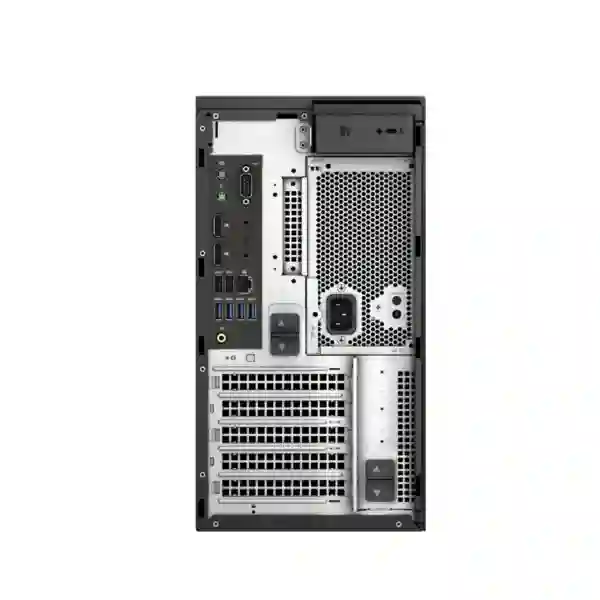
| Interfaces | Two 1 GbE ports, two DisplayPort outputs |
| Lifecycle | Discontinued; confirm condition and current support |
What this recorder is—and what to confirm first
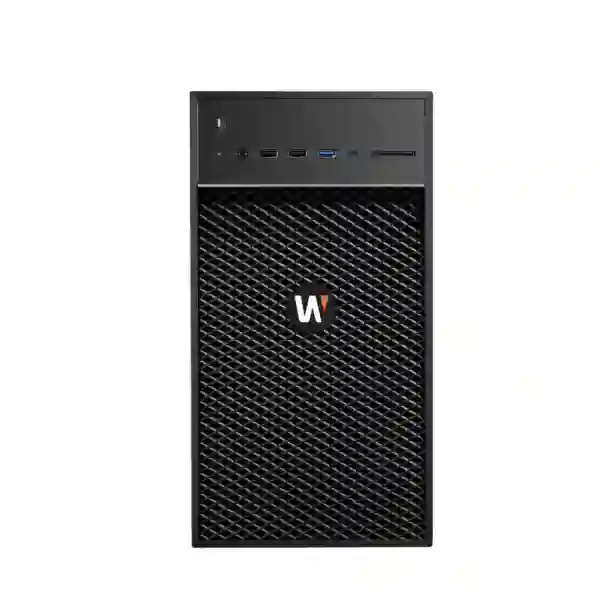
The Hanwha WRT-P-3102L is a purpose-built mini-tower recorder for IP video surveillance using the Wisenet WAVE video management system. It is not a conventional analogue DVR, a camera, or a PoE network switch. Its role is to receive authorised camera streams over the network, apply the configured recording and retention settings, maintain video archives on local disks, and make those archives available to properly configured WAVE users. The combination of server and viewing-client functions may suit a modest single-site security office, although simultaneous viewing and recording workloads still need to be assessed separately.
The first purchasing question is not simply whether the unit can record video. It is whether this exact, now-discontinued model is an appropriate long-term choice for the proposed site. An organisation reusing a known WAVE installation may have different needs from one commissioning a new multi-building deployment. Confirm the full suffix on the unit, the installed disk configuration, serial and warranty status, current operating-system and WAVE versions, and the expected recording workload. Ask whether a current-generation Linux recorder is a better procurement decision before committing to a legacy appliance.
Verified WRT-P-3102L capabilities
Hanwha Vision describes this as a dual-purpose Wisenet WAVE network video recorder with preconfigured management software, four included Professional licences, recording throughput up to 170 Mbps, and internal raw storage capacity up to 16 TB. The product also supports compatible Hanwha Wisenet and ONVIF-conformant IP cameras. Its two Gigabit Ethernet connections and two DisplayPort outputs help explain the intended combined recording and local viewing role. A keyboard and mouse were included in the original manufacturer configuration, but second-hand or remaining-stock packages should be checked individually.
The series datasheet further specifies a 12th-generation Intel Core i3 processor, 16 GB DDR4 memory, a separate 256 GB SSD used for the operating system, and three 3.5-inch SATA data-drive positions. Those values describe the platform, not a guarantee that every offered unit has the same preinstalled recording drives. The L suffix identifies the Ubuntu Linux 20.04 LTS version; related W-suffix equipment uses Windows and should not be treated as identical. Technical limits are ceilings under defined conditions, not promises about camera count, storage days or future software support.
Why lifecycle status matters in Tanzania
The manufacturer’s published product page presently labels WRT-P-3102L discontinued. That does not prove a particular physical unit is defective or unusable, but it changes a buyer’s risk assessment. A discontinued model can create additional questions about replacement parts, operating-system security, WAVE release compatibility, approved disk substitutions and repair arrangements. A seller’s statement that a unit is available is not the same as confirmation of active manufacturer production or eligibility for a new warranty in the intended market.
For a Tanzania deployment, ask for written confirmation of exact item condition, serial-specific coverage, included drive capacity, licence entitlements and after-sales responsibilities. Do not assume regional warranty wording quoted in a North American datasheet will apply locally. Consider what happens if the motherboard, operating-system SSD, disk or power supply fails during the required service life. If the project is new, has critical evidence-retention obligations, or needs predictable support over several years, compare a currently listed Hanwha Vision WAVE platform before selecting this discontinued unit.
Suitable and less suitable applications
The appliance can be considered where a business already uses Wisenet WAVE and needs to maintain or assess a compatible recording node. Typical planning contexts include a building reception area, a supervised stockroom, a small office or a security desk where local footage review matters. It can also be evaluated as an addition to an established WAVE environment, subject to software-version compatibility and practical performance testing. These are deployment examples, not claims that a particular camera quantity, retention period or site topology is automatically supported.
It is less attractive as an unquestioned default for a greenfield system expected to grow considerably, especially when software lifecycle, component replacement and compliance documentation must remain straightforward. High aggregate camera bitrates, extensive concurrent playback, centralised multi-site use and specialised integrations all call for careful sizing. Buyers should compare the cost of existing licences and storage against lifecycle risk rather than assume an older recorder provides lower lifetime cost. The right choice follows a recorded site requirement and a tested system design, not a single headline specification.
Understanding the 170 Mbps recording figure
The up-to-170 Mbps rating refers to recording throughput, not a guaranteed number of IP cameras. A useful initial calculation sums the recording bitrates of all expected camera streams and allows capacity for changing scenes, configuration adjustments and other work. For example, 20 streams averaging 4 Mbps would represent approximately 80 Mbps of recording traffic before considering additional factors. This is an illustrative arithmetic example, not a certified WRT-P-3102L camera-count rating. Camera resolution, frame rate, compression, activity and illumination all influence the real bitrate.
Peak workload matters as much as a quiet daytime average. A loading area can change dramatically during vehicle movement; rain, low light and busy scenes can also influence encoding demands. Review recording profiles, scheduled recording behaviour, simultaneous live viewing, footage export and any analytics or remote clients. Do not size a system to operate continually at its published maximum. The design should include reasonable headroom and be validated against current Hanwha guidance and a representative live camera test before a service commitment is made.
Separating bitrate, camera channels and licence count
The recorder includes four Wisenet WAVE Professional licences according to Hanwha’s product information. That fact should not be confused with a four-camera hardware ceiling, an unlimited recording entitlement, or a promise that every attached camera is already licensed. Recording licences are a separate purchasing and activation consideration. The precise number and type of additional licences needed will depend on the WAVE configuration and the characteristics of cameras or encoded channels being added. Verify entitlements in the actual installed system rather than relying only on a historical invoice.
Before expansion, prepare a device schedule showing each physical camera, the streams to be recorded, any multi-sensor characteristics, and the licence class that the current WAVE release requires. Check whether licences are active, transferrable in the contemplated arrangement and visible in the administration interface. Match that review to storage and processing calculations. A design that satisfies bandwidth but lacks sufficient authorised channels cannot be considered fully planned. Conversely, purchasing extra licences does not increase the recorder’s processor capacity, throughput rating or available disk space.
What up to 16 TB raw storage actually means
The WRT-P-3102L product family is specified for raw storage configurations up to 16 TB. Raw capacity is the aggregate marketed disk capacity before file-system overhead, reserved space and other operational deductions. It does not automatically represent sixteen terabytes of usable archive, nor does it mean every unit contains a 16 TB drive configuration. Variants with different fitted capacity have been described in the product family, so the exact supplied suffix and a drive inventory are important. Request photographs or a system report if evaluating a refurbished appliance.
The number of recording days depends principally on how much video is written each day. Continuous high-bitrate streams consume more space than lower-bitrate or intelligently scheduled streams; exporting evidence and keeping spare capacity can also affect operational planning. Agree a retention target before choosing disk capacity. If a buyer needs footage for a defined number of days, the practical order is to document the camera profiles, estimate realistic daily data creation, apply overhead and safety margin, and then confirm that the chosen recording configuration supports the result. Avoid promising a fixed retention period from disk size alone.
A practical retention-estimation method
Begin with an inventory of cameras and their intended video quality. Record the planned resolution, frames per second, codec, expected average and demanding-scene bitrates, and whether the camera records continuously or according to an approved schedule. Multiply the recording bitrate by active recording time to estimate data generated per camera, then sum across the system. A rough continuous-recording estimate in decimal units is gigabytes per day ≈ Mbps × 10.8 per stream; actual archives may differ. Use manufacturer-supported planning tools and measured scene data rather than treating the formula as a final design.
Once the initial estimate is complete, compare it with the storage that will actually be available after configuration. Allow margin for variation during busy periods and verify how older footage will be recycled when space becomes constrained. A system intended to preserve incident evidence should have a defined export and custody process rather than depend on the rotating recording archive forever. In environments where retention is a contractual, regulatory or investigative requirement, obtain a written design review that connects camera settings, storage capacity, and operational procedure to the specific obligation.
Linux operating system and software planning
The L version of this model was supplied with Ubuntu Linux 20.04 LTS. That historical platform information is useful for identifying the product but is not proof that the operating system or current Wisenet WAVE version remains supported in every planned configuration. Software compatibility, security patching, available manufacturer recovery media and upgrade paths must be evaluated against the exact appliance hardware and installed release. Do not assume an operating-system upgrade is safe simply because a later Ubuntu edition exists.
Before reusing a recorder, document the current OS build, WAVE server and client versions, camera firmware levels and any dependencies on older integrations. Confirm Hanwha’s currently supported combinations and the recovery steps available if an update fails. Back up configuration and authorised licensing records, schedule a maintenance window, and test playback and exports after changes. A machine that records today may still be unsuitable for a long-term new deployment if its update plan cannot be demonstrated. Include the upgrade and cybersecurity assessment in the purchase decision instead of leaving it to the installer after delivery.
Camera compatibility is a project check
Hanwha states that WRT-P-3102L supports Wisenet and ONVIF-conformant IP cameras. Compatibility, however, involves more than seeing an ONVIF label on a catalogue page. Confirm the exact camera model and firmware, discovery method, intended recording codec, time synchronisation, authentication, and whether events or controls needed by the security team are supported in the chosen WAVE release. Third-party cameras may provide basic video while leaving some specialised functions unavailable. Do not assume every feature works across every device solely because basic ONVIF video can be received.
For mixed-brand estates, run a small integration test using representative devices before preparing a final bill of materials. Check live view, scheduled recording, event-triggered actions where required, playback, export, and recovery after camera or network interruptions. Multi-sensor or specialised cameras can raise additional licensing and stream-management questions. Maintain a compatibility register listing the tested camera firmware and WAVE version. That evidence is especially valuable when evaluating a discontinued recorder, because future integrations may have different support expectations from an actively marketed platform.
Network design with two Gigabit ports
The recorder provides two 1 GbE network interfaces. In a practical architecture, separate interfaces may help arrange camera-side and client-side connectivity where supported and correctly configured; the presence of two ports alone does not guarantee automatic failover, link aggregation or cyber isolation. Document IP addressing, VLAN policy, routing, switches, firewall boundaries and which network path carries each type of traffic. In larger designs, check uplink loads independently of the recorder’s recording-rate limit so that switching and WAN connections do not become overlooked bottlenecks.
IP cameras need an appropriate network and power design. This mini-tower recorder should not be treated as a multiport PoE NVR with built-in powered camera sockets merely because it records network cameras. Specify compatible PoE switches or other manufacturer-approved camera power arrangements separately. Ensure cable routes, surge protection, earthing arrangements and switch capacity are evaluated for the site by qualified personnel. When cameras are spread across buildings, account for inter-building links, outage behaviour and security policy. A stable recording server cannot compensate for intermittent camera transport or insufficient power at the edge.
Local viewing and dual monitor outputs
The appliance has two DisplayPort video outputs; the series datasheet also identifies a DisplayPort-to-HDMI adapter in the original package. These connections help support local viewing with the installed WAVE client, but two physical outputs do not guarantee that any requested video-wall layout will run smoothly. Actual concurrent high-resolution viewing depends on decoder workload, client resources, display configuration and software behaviour. If the operator expects many simultaneous tiles, test the intended layout rather than infer performance from connector count.
Plan a usable monitoring workstation around the people operating it. Decide who may see which cameras, how incidents are located, how playback is performed and whether a separate workstation is more appropriate when recording must remain uninterrupted. Connect displays with compatible adapters, confirm supported resolution modes, and avoid adding unsupported peripherals. Protect the physical console from casual access, especially in shared premises. If a security operator regularly exports clips, specify where exported files are stored and how they are handed to authorised investigators, not only which monitor is attached.
Processor, memory and operating-system SSD
The published series specification identifies an Intel Core i3 processor from the 12th generation and 16 GB of DDR4 memory. It also describes a dedicated 256 GB SSD for the operating system. This separation helps distinguish application and system storage from the larger video archive drives, although the final storage layout of a particular unit must be verified directly. Performance depends on the complete workload: ingesting video, maintaining archives, running a desktop client, handling searches and serving multiple authorised users.
For a pre-owned system, check the installed memory, boot-disk health, disk errors, fan operation and whether hardware components match the intended specification. Confirm that logs and monitoring tools can reveal problems before video retention is compromised. A computer passing an initial power-on test is not evidence of reliable extended recording. Arrange a controlled soak test with realistic streams, normal archive writes and representative playback. Retain reports of any hardware changes so future support teams know whether the appliance is still in its original configuration.
Physical dimensions, environment and installation
The published WRT-P-3102 series dimensions are approximately 369 × 173 × 420 mm in height, width and depth. The enclosure is a tower rather than a small wall-mounted camera recorder or rack server. Allocate a clean, secure location with space for ventilation, cables and service access. The manufacturer’s series information indicates an operating temperature range of 5°C to 45°C and 20% to 85% non-condensing operating humidity. Those specifications do not make the device suitable for direct rain, dust exposure, unventilated outdoor cabinets or uncontrolled condensation.
For a Tanzania site, evaluate the actual room rather than assume every indoor location is acceptable. A communications cupboard can become hotter than the surrounding office, particularly during a power interruption or when other network equipment is installed nearby. Check available airflow, dust exposure, access security and the practicality of ongoing cleaning. If a location is humid, dusty or frequently left without cooling, use an appropriately engineered equipment room or cabinet environment. Physical placement is part of recording reliability because sustained heat and poor airflow can shorten component life.
Power requirements and continuity
The series document lists a 550 W power supply with a nominal 100–240 V AC input range and a maximum power-consumption figure of 550 W. These figures identify the historical appliance specification; they do not tell a buyer how much energy an installed unit will consume during ordinary recording, nor do they certify a particular local electrical installation. Ask an electrician or qualified systems integrator to check the final supply, plug, earthing, surge protection and circuit loading for the equipment delivered.
A recorder may stop archiving when mains power fails even if the cameras continue operating briefly on separate power. Design battery backup around the complete recording path, including switches, storage and any necessary network transport. Calculate required autonomy from measured or manufacturer-supported power assumptions and the intended outage response. Determine how the system shuts down safely and restarts after an extended outage, and test whether cameras reconnect and recording resumes. Avoid describing a UPS as guaranteeing retention unless its runtime, battery health and all dependent devices are accounted for in a documented test.
What the original accessory list does not prove
Hanwha’s published description includes a keyboard, mouse and video-output adapter as part of the original package specification. Those details are helpful when checking an unopened manufacturer package, but they should not be copied unconditionally into the commercial description of an individually sourced or previously deployed unit. Packaging, cable condition, installed drives and recovery materials can vary between offers. An equipment quotation should state exactly what is included rather than only repeating the historical model brochure.
Ask the supplier to itemise chassis, installed hard drives, operating-system SSD, power cable, keyboard, mouse, adapter, licensed software and any separately priced components. Obtain the precise storage suffix and evidence of successful boot, recording and playback. If the hardware is refurbished, seek clear disclosure of replaced or reused parts and the basis of any reseller support. Do not mistake a generic product photograph for evidence of the contents of the actual shipment. Exact-condition verification reduces disputes during installation and later maintenance.
Before purchasing a discontinued recorder
Buying decisions for the WRT-P-3102L should start with operational necessity. Is the goal to recover an existing WAVE site quickly, add a compatible recording endpoint, obtain spares for a managed environment, or commission a new surveillance solution? An older appliance may be considered in a tightly defined maintenance scenario, but a fresh site normally benefits from comparing currently supported recorders. Record the reasons for choosing the legacy model and the practical consequence if no replacement unit can be sourced later.
Request confirmation of product identity, serial, installed OS, WAVE release, active licence count, disk capacities, drive-health reports, prior service history and the status of security updates. Clarify whether the stated commercial terms are from a seller rather than Hanwha Vision and exactly which party provides warranty or support. For any quote, compare the complete solution cost: licences, cameras, switches, storage, UPS, installation, configuration, testing, training and later replacement. The lowest initial chassis price is not necessarily the most economical surveillance system over its intended service life.
Planning a replacement or migration
If a current recorder is reaching end of life, define a migration plan before switching it off. Inventory camera names, addresses, site locations, recording schedules, users, integrations and saved layouts. Establish what recorded evidence must remain accessible during the change, whether the original storage must be preserved, and which WAVE versions can interoperate or migrate according to current vendor guidance. Licence transfer and activation procedures should be checked for the actual account and deployment rather than presumed from the number printed on an appliance brochure.
A robust transition separates design validation from cutover. Build and test the replacement platform, connect representative cameras, verify time settings and recording profiles, and demonstrate playback and export. Agree a safe cutover window and a rollback plan, then record the operational acceptance result. Do not promise that footage can be copied between arbitrary old and new systems without checking supported processes, permissions and archive format. Where incident footage is relevant, protect the original evidence and document custody before changing recording disks or user access.
Comparing a newer WAVE recording platform
The decision to choose a current model should be based on more than raw throughput. Compare supported operating systems, software release policy, current manufacturer documentation, available drive sizes, warranty terms, physical form factor and the camera workloads the design must sustain. The manufacturer lists newer Linux WAVE recording servers in its current recorder range, but a candidate replacement must still be checked by exact model and region. Do not automatically treat every newer product number as a direct one-for-one successor with identical ports or disk arrangements.
Prepare an evaluation matrix using measured or realistic stream bitrates, required archive days, number of operator clients, upgrade expectations, spare-part policy and total ownership cost. A successor with adequate bandwidth but the wrong storage capacity may still fail the actual requirement. Likewise, a large archive capacity cannot compensate for an unsupported camera interface or missing WAVE licensing. For buyers handling a sensitive facility, include cybersecurity and evidence recovery in the comparison. The intended result is a defensible equipment decision, not simply a preference for the newest label.
A sample single-building design discussion
Imagine a building with cameras at entrances, corridors, an office reception and a loading area. The designer first determines which scenes need continuous recording, what picture quality helps identify relevant activity, and how long each category of footage must be retained. These are business decisions before they become technical settings. Camera selection, network cabling, PoE switch sizing and the recording server can then be specified as one coherent system. The WRT-P-3102L may be considered only if its supported configuration and lifecycle match those documented requirements.
The design review should test an ordinary day and a high-activity period, because the loading area may generate very different bitrates from a quiet corridor. It should confirm how authorised personnel review footage and how evidence is exported during an incident. If the operator expects two monitors on the recorder, include a viewing-performance test. Discuss failure response: Who notices a missing camera, who checks disk errors, and who restores recording after a power event? These practical questions often matter more to business outcomes than a headline maximum throughput.
Adding to an existing multi-site WAVE estate
An organisation with a central WAVE management approach may investigate whether a legacy WRT-P-3102L can participate in an existing environment. The decision depends on supported software versions, system topology, network availability, licence administration and the intended role of the node. A shared management experience does not eliminate the local need for appropriate recording storage and a reliable camera network. Avoid assuming that connecting an appliance to the same wide-area network automatically integrates all features or provides failover.
Map each site’s camera traffic and archive obligations, then determine what information needs to cross between sites for monitoring or investigation. Review WAN bandwidth separately from local recording ingestion, especially when multiple remote users open live streams or export footage. Verify how authentication, time synchronisation and update management work across locations. If the legacy unit is only a temporary bridge while the wider estate migrates, document its removal criteria and the date the support risk will be reviewed. A controlled temporary use case is different from committing an organisation to indefinite dependence on discontinued hardware.
Security, user access and auditability
A network video recorder can contain sensitive footage about employees, visitors and operations. Protecting it requires defined user roles, strong credential practice, restricted administration, system hardening and appropriate network boundaries. Use the supported security facilities of the installed WAVE release, and confirm the site’s own policy for who can view, export, delete or share recordings. Do not expose management interfaces casually to the public internet or assume that a factory-default software installation is appropriate for permanent use.
For a discontinued appliance, cybersecurity maintenance deserves specific attention. Identify which security updates are still provided for the hardware, operating system and WAVE version, and determine who has authority to apply them. Consider how account access is removed when staff change roles. Preserve evidence-handling records and test that time and date remain correct after outages. Security controls should be documented and periodically checked, not merely named in an installation handover. The appropriate legal and organisational privacy requirements must be assessed for the actual Tanzania deployment rather than inferred from this product description.
Network resilience and operational monitoring
A recorder can be physically healthy while some cameras have stopped delivering usable images. Establish monitoring for missing video, storage faults, time errors, abnormal network usage and unexpected restarts. Decide where alerts go and who is responsible for responding. Dual Gigabit ports are useful interfaces, but they are not a substitute for a monitored switch design, known-good cabling and a tested power strategy. Camera availability should be checked from the operator’s perspective as well as from the recorder’s status screen.
Include simple acceptance tests that can be repeated after maintenance: disconnect and reconnect a camera, interrupt a noncritical network path, confirm video resumes, verify that the archive contains the expected period, and attempt an authorised clip export. Do not disrupt a live critical installation without permission and a maintenance plan. Keep a baseline record of firmware, IP addresses, licence state, server storage and network settings. A log of small changes can help diagnose problems that otherwise look like unexplained recorder failures months after installation.
Evidence retrieval and export workflow
The purpose of recording is often to find a particular incident quickly and produce footage that the receiving person can understand. Discuss search criteria, camera naming, timestamp accuracy, recorded image quality, user permissions and export procedure before the system goes live. A recorder that captures many hours of video may still frustrate operators if cameras are poorly labelled or exports are stored on unsecured removable drives. Document the authorised process for collecting a clip and identifying its time range.
Test video playback at the location where staff will actually review incidents. Confirm whether the selected export format and any required player are suitable for the organisation’s investigative workflow. Use access controls and a documented custody procedure when footage may become evidence. Retention policy should identify when material is overwritten and when a specific recording needs to be preserved separately. These steps are not automatically supplied by the hardware model; they are operational practices that make the installed WAVE system usable, accountable and resilient.
Maintenance tasks for an installed WRT-P-3102L
If the appliance is already in service, establish periodic checks for recording continuity, disk-health indicators, archived footage availability, server time accuracy, camera connection health and environmental conditions. Track operating-system and WAVE versions and compare them with the manufacturer’s current support guidance. Inspect ventilation, fans and equipment-room conditions. Do not perform unsupported hardware changes or firmware upgrades merely to make an old appliance appear current; confirm an approved maintenance path for the exact version and configuration.
Keep a secure configuration backup and an equipment register containing serial information, installed disks, licence records and responsible contacts. Test restoring service through a controlled procedure where possible. Plan proactive replacement when failures become frequent or the support position becomes uncertain. If a disk is replaced, verify the recording system recognises the disk and the archive operates correctly rather than assuming the physical swap completed the task. Maintenance records make it easier to decide whether the next repair is sensible or the appliance should be retired.
Questions a buyer should put in a quotation
A useful request for quotation identifies the exact model and suffix, required installed raw storage, WAVE licence entitlement, condition of the unit and the intended number and types of cameras. It should include recording profiles, retention goals, user viewing needs and any integration dependencies. Ask for a current statement about product discontinuation, regional support, included accessories and whether commissioning services are included. A quote that simply states “16TB NVR” leaves too much uncertainty about usable archive, software licences and long-term maintainability.
Specify the documentation expected at handover: equipment and serial register, drive-health confirmation, version list, camera compatibility schedule, network diagram, access-control matrix, storage calculation and acceptance results. Request clear commercial separation of hardware, licensed software, new disks, installation, commissioning and any support offer. Avoid assuming warranty or delivery terms from another market. Where a current WAVE alternative is proposed, require the same level of detail so the two options can be compared fairly and the legacy unit’s lower or higher price is not judged in isolation.
Tanzania deployment checks without unsupported promises
This product description is intended for buyers evaluating surveillance infrastructure in Tanzania. Local decisions still require site-specific verification: location of the equipment room, power quality, internet and local-network reliability, physical security, technical support arrangements and the operating conditions of the cameras and server. The appliance does not need a constant public-internet connection simply because it records IP cameras, but remote connectivity or cloud-linked features may introduce additional dependencies that must be designed and secured. Determine which functions genuinely require external network access.
No claim is made here about local stock, delivery coverage, pricing in Tanzanian shillings, installation services, manufacturer authorisation or warranty eligibility. Those depend on a verified commercial offer for the exact unit. Ask for an up-to-date quotation and a technical assessment that includes the server, camera network, power backup and retention plan. A buyer should not interpret manufacturer specifications from a different region as proof of regulatory approval or commercial support for a particular Tanzania installation. The appropriate next step is to verify the deployment and offer rather than guess.
Installation and commissioning checklist
A sensible commissioning sequence starts with a signed equipment schedule and approved network design. Check the recorder model and disk configuration; install the device in a suitably ventilated secured space; connect network interfaces as planned; configure authorised accounts; and verify that the installed software is within the agreed supported baseline. Register compatible cameras, apply recording profiles and schedules, and confirm that the expected licensed channels are available. Compare measured camera bitrates with the design assumptions and review how storage space is assigned.
Next, test live viewing, recording, archive playback, evidence export, time synchronisation, camera reconnection, alerting and recovery after a planned power interruption. Confirm that users can carry out their tasks without administrator access and that unused accounts are not left enabled. Obtain sign-off from the responsible security and IT representatives, then hand over a configuration and maintenance record. The precise steps may differ by software release and deployment; follow the current vendor guide and qualified installer procedures rather than treating this checklist as an unsupported universal configuration recipe.
Common procurement mistakes to avoid
One mistake is interpreting 170 Mbps as a fixed camera count. Another is treating 16 TB raw as a guaranteed number of days of footage. A third is assuming four Professional licences mean that all planned camera streams are covered. Each of these can produce a system that appears suitable during quotation review but fails an operational requirement. Equally risky is ordering a recorder without confirming whether PoE switches, UPS equipment, compatible hard disks and on-site commissioning are separately required.
There is also a lifecycle mistake specific to this model: the original manufacturer brochure describes attractive hardware and historical warranty features, while the current manufacturer page marks the unit discontinued. Both statements can be true, but the latter changes what buyers should verify today. Do not quote the historical five-year on-site warranty as a current local entitlement. Do not mistake a reseller’s SKU or a model suffix for a FourTeck Tanzania inventory SKU. Request model-specific confirmation instead of filling gaps with assumptions.
Decision framework: retain, source or replace
Retaining an installed WRT-P-3102L may be reasonable when it is functioning reliably, its security and software position has been assessed, and a funded replacement plan exists. Sourcing an additional legacy unit can be a different decision, potentially useful for a temporary compatibility need but exposed to uncertain spares and support. Replacing it with a currently supported platform may be preferable where the site has growing camera numbers, strict archive obligations, multiple monitoring users or long investment horizons.
Compare the options using evidence rather than preference. List the required recording workload, archive days, supported cameras, security maintenance, licence costs, expected remaining service, spare-part availability and migration effort. Give each risk an owner and a review date. If the desired hardware cannot meet the security or support requirement, the correct response is to change the product choice, not soften the requirement. A clear decision record prevents an inexpensive interim purchase from becoming a permanent dependency without organisational approval.
Buyer questions and answers
Below are the practical questions most likely to affect purchase, integration or continued use of this exact model. The answers distinguish published manufacturer specifications from items that require a check on an individual unit, commercial quotation or site design. They are intended to help a buyer prepare the right request, not to replace official WAVE installation guidance, supported hardware lists or a qualified engineer’s system acceptance tests.
Where a question depends on region, supplier, installed drives, licence status or software release, the responsible answer is to verify those details before making a promise. Buyers can use the questions as a meeting agenda when comparing an existing recorder with a newer Wisenet WAVE platform. A clear answer to each one will normally be more valuable than extra marketing claims about reliability, price or suitability that have not been established for the actual Tanzania deployment.
Frequently asked questions
Is the Hanwha WRT-P-3102L discontinued?
Yes. Hanwha Vision currently labels the WRT-P-3102L discontinued on its product page. Discontinued status does not mean every existing unit immediately stops working, but it is a reason to verify spare parts, software support, security updates, warranty status and the suitability of any new purchase. A buyer planning a long-lived project should also compare a currently supported WAVE recorder.
What is the maximum recording bandwidth?
The manufacturer specifies recording throughput up to 170 Mbps. That describes aggregate recording performance rather than a guaranteed camera total. The safe design method is to estimate and then measure expected camera bitrates across the full recording schedule, taking account of scene variation and concurrent workloads. Do not allocate the entire published maximum to camera traffic without appropriate design headroom and testing.
How many Wisenet WAVE licences are included?
Hanwha identifies four preloaded Wisenet WAVE Professional licences in the original product configuration. Check the installed appliance’s actual active entitlements before buying or expanding it. Additional cameras may require more licences depending on device and channel arrangements. Licensing, throughput and storage are separate constraints, so the presence of more licences does not guarantee the server can handle every proposed stream.
Does it include 16 TB of hard drives?
Not necessarily. The product family supports storage configurations up to 16 TB raw, but a particular unit may contain less. The exact model suffix and fitted disk inventory must be confirmed in writing. Raw capacity is not the same as usable video archive space, and neither figure by itself establishes a retention period. Ask for a storage calculation using the intended camera profiles and recording schedule.
Can I connect any ONVIF camera?
Hanwha states support for Wisenet and ONVIF-conformant IP cameras. This is a compatibility starting point, not a guarantee that every third-party camera feature works. Verify model, firmware, stream profiles, authentication, event functions and the installed WAVE version. Test representative cameras before committing to a mixed-brand project, especially when multi-sensor devices or specialised analytics are part of the requirements.
Is this a Linux or Windows recorder?
WRT-P-3102L is the Linux variant, originally specified with Ubuntu 20.04 LTS. Related W models use a Windows platform and should not be substituted without review. The original OS specification does not settle whether a particular software version is currently supported. Check the installed release, vendor upgrade path, security maintenance and recovery procedure before making changes or procuring used equipment.
Can it power IP cameras directly?
Do not assume so. The WRT-P-3102L is described as a mini-tower network video recording appliance with two Gigabit Ethernet interfaces, not as a multiport PoE switch. Network cameras need suitable power and data infrastructure, often including separately specified PoE switches. The installer should verify each camera’s requirements, cable distance, switching capacity and power continuity as part of the complete design.
Does it support two monitors?
The product specification lists two DisplayPort outputs, and the original series package includes a DisplayPort-to-HDMI adapter. Two outputs provide display connectivity but are not a measured guarantee for a large simultaneous high-resolution viewing layout. Test the intended WAVE client display and consider a separate operator workstation if the recorder’s primary task must be protected from extensive interactive viewing.
What warranty applies in Tanzania?
No current Tanzania-specific manufacturer or seller warranty has been verified for this listing. Historical manufacturer material describes a five-year service arrangement in another market; it should not be presented as a local entitlement. Request the seller’s written terms and confirm serial-specific support with the responsible manufacturer or authorised support channel. Separate the warranty for new replacement drives, if any, from the status of the original chassis.
How many recording days will it provide?
There is no reliable fixed answer without the fitted capacity, actual camera bitrates, recording schedules and archive settings. Build a storage calculation from the intended streams, include realistic scene activity, and check the usable capacity after system overhead. Validate the result during commissioning. If a business has a required retention target, make it an explicit acceptance condition instead of using an assumed number from a generic camera-count table.
Can it join an existing Wisenet WAVE system?
The product was designed for Wisenet WAVE use and may be evaluated in an existing WAVE environment, but the installed server and client versions, network topology, licence administration and management architecture must be checked. Plan an integration test using representative cameras and operators. Do not promise transparent migration, failover or licence transfer without confirming the vendor-supported procedure for that exact deployment.
What should be sent with a quotation request?
Send the exact model or suffix, intended camera count and camera models, expected resolution and bitrates, archive retention target, number of viewing users, required export workflow, available network and power infrastructure, and whether the unit is new-old-stock or pre-owned. Ask for confirmation of storage, licensing, lifecycle, warranty and software support. Request a side-by-side alternative using a currently supported WAVE platform when practical.
Request a model-specific surveillance assessment
Share the model suffix, current WAVE version, camera list, required retention and deployment constraints. Ask for written confirmation of available equipment, licence status, lifecycle support and an appropriate current-platform comparison. A quote should identify the exact supplied configuration and commercial terms rather than relying on general brochure features.
Next step: Contact FourTeck Tanzania through its verified contact or quotation channel for confirmation before ordering.




Reviews
There are no reviews yet.