
Hanwha Vision • Wisenet WAVE • Tanzania product guidance
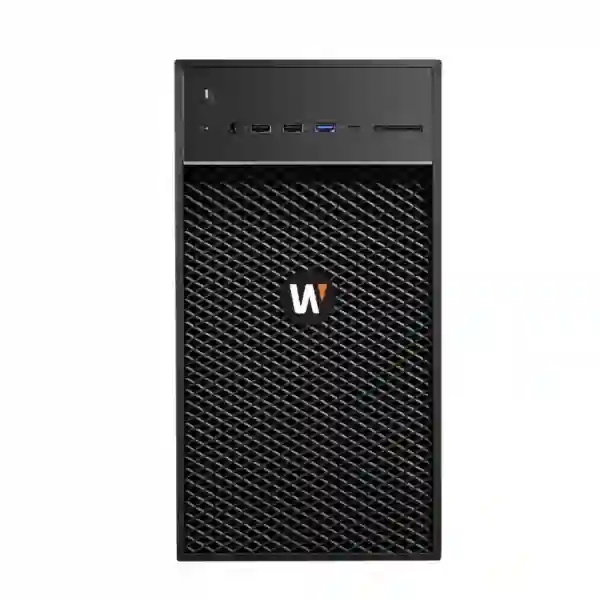
Hanwha WRT-P-5200L Linux Wisenet WAVE Network Video Recorder
A dual-purpose IP video recording server and local client with up to 470 Mbps recording throughput, up to 30 TB raw storage and four included Wisenet WAVE Professional licenses. Confirm the supplied disk configuration and legacy Ubuntu maintenance plan before buying.
At a glance: the right purchasing questions
- How many IP-camera streams will be recorded and licensed?
- What recording bitrate and retention period must the system support?
- Which hard drives and how much usable recording capacity are included?
- How will the older Ubuntu 18.04 LTS system be maintained securely?
- What local support, exact quotation and deployment scope are offered?
Original model specifications
Values below describe Hanwha’s original WRT-P-5200L family documentation. The exact supplied drive configuration, current software build and commercial support must be confirmed in the seller’s offer.
| Product / model | Hanwha Vision WRT-P-5200L |
|---|---|
| Role | Dual-purpose Wisenet WAVE recording server and client |
| Operating system | Ubuntu Linux 18.04 LTS (original model) |
| Recording throughput | Up to 470 Mbps; vendor-test dependent |
| Included VMS licensing | 4 × Wisenet WAVE Professional recording licenses |
| Storage ceiling | Up to 30 TB raw; installed capacity must be quoted |
| Data drive bays | 3 × 3.5-inch SATA HDD bays |
| System drive | 1 × 256 GB internal SSD |
| Processor / memory | Intel Core i5-9500 / 16 GB DDR4 |
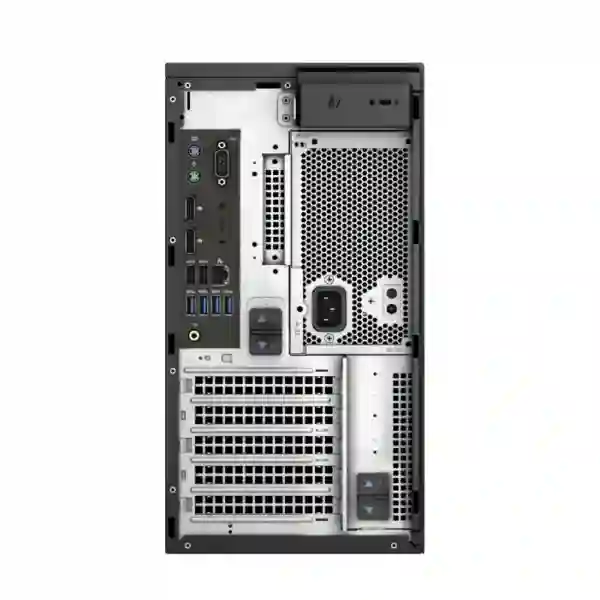
| Network connections | 2 × RJ-45 Gigabit Ethernet |
| Video outputs | 2 × DisplayPort; DP-to-HDMI adapter supplied |
| Power | 100–240 V AC; 460 W 80 Plus Gold power supply |
| Operating environment | 0–35°C; 10–80% RH non-condensing |
| Chassis | Black metal mini-tower, 33.5 × 17.7 × 34.5 cm |
| Camera interoperability | Wisenet and ONVIF-conformant IP cameras |
A video recording server built around an actual surveillance plan
A professional CCTV system needs more than a box that stores footage. The recording server must accept streams reliably, preserve useful evidence, give authorized operators a practical way to review events, and remain maintainable throughout the planned service life. The Hanwha WRT-P-5200L addresses that requirement with a compact Wisenet WAVE server and client appliance. It is suitable for buyers evaluating a dedicated IP-video recording platform instead of assembling a generic desktop computer and installing surveillance software without a defined support plan. Request a configuration review before purchase so the number of cameras, recording quality, available storage and operational responsibilities are understood.
Its most important headline figures are an up-to-470 Mbps recording-throughput specification, support for up to 30 TB of raw drive storage in the original series and four included Wisenet WAVE Professional recording licenses. These specifications describe different aspects of the system: bandwidth is not storage capacity, raw disk capacity is not guaranteed usable footage space, and four included licenses do not mean unlimited camera recording. A sensible proposal considers all three independently. It also checks the specific hardware, software image, drive configuration and compatibility of the unit actually being supplied, rather than treating the maximum published series specification as the contents of every order.
Understand the exact Linux model before comparing offers
The model suffix matters. Hanwha identifies the WRT-P-5200L as the Ubuntu Linux 18.04 LTS version of its WRT-P-5200 family, while the corresponding WRT-P-5200W is associated with Windows. The original specification covers a mini-tower computer with Wisenet WAVE preloaded, an internal SSD for the operating system and separate SATA bays for recorded video. The appliance can act as a recording server and a local client, but those two roles still require a sensible design for screen usage, video load and operator access. Do not assume that software images, drivers or parts intended for later Hanwha server generations can be substituted without validation.
This distinction is especially important for replacement or expansion projects. A business may already have WAVE licenses, recording rules, users and cameras installed, and the question is whether this exact appliance can join the existing design. Confirm the installed WAVE version, compatible upgrade path, license condition, network topology and available storage before migration. Where the intended installation is new rather than an extension, compare the WRT-P-5200L against a currently supported recording platform as well. An older model may meet a technical requirement but still need additional lifecycle, spare-part and operating-system planning before it is appropriate for a new procurement.
Which businesses and environments may benefit?
A centralized recording server can make sense in offices with several internal zones, retail premises that need transaction-area video review, schools that restrict access to sensitive footage, warehouses with multiple entrance views, or facilities where authorized staff need to monitor several camera streams from one operator station. These are deployment examples, not guarantees about suitability for every site. A small shop with only a few cameras may have a simpler and less expensive NVR option. A larger estate with multiple buildings, demanding analytics or very long retention may require more storage architecture, licenses or dedicated servers than this tower provides.
During an initial consultation, define what the surveillance system should accomplish. Is the objective rapid investigation after an incident, continuous perimeter evidence, live monitoring, after-hours alert review, or integration into an established WAVE environment? Each goal changes the choice of camera location, image resolution, retention policy, access controls and backup requirements. The server is one part of the design. Camera optics, suitable illumination, network power, installation quality, security policies and operator training often determine whether the recorded evidence is actually useful when an event needs investigating.
Start with the number and role of cameras
Count camera streams by location and use case rather than assuming that every camera produces the same load. A fixed view over a corridor, a high-resolution entrance camera and a camera watching fast-moving loading-bay activity may produce different data rates and retention demands. Obtain representative encoding settings, expected frame rates, image resolutions, motion behavior and scene complexity. Account for recording continuously or only when events are detected, and identify any cameras whose evidence must be retained longer than others. This produces a much more dependable sizing brief than simply requesting a recorder for a headline number of channels.
Hanwha’s historical product-line brochure gives a suggested maximum of 64 camera channels for this series, but that is planning guidance rather than a promise that every combination of 64 cameras will perform acceptably. Actual performance depends on stream profiles and the workload allocated to the recorder. The vendor’s primary product page places emphasis on recording bandwidth and compatibility instead of a fixed number of supported cameras. Treat the 470 Mbps figure, camera-license entitlement, retention requirement and ongoing client load as separate checks. Use pilot streams or manufacturer sizing guidance for demanding combinations of cameras before approving the final configuration.
What the 470 Mbps recording figure really means
Hanwha states a maximum recording throughput of 470 Mbps for the WRT-P-5200L. This refers to incoming recording traffic under the manufacturer’s test conditions, not to guaranteed internet access speed, local live-view performance or the bitrate of an individual camera. The sum of intended camera streams must be evaluated together with burst behavior, background services, network design and the work of serving playback sessions. A design operating near any quoted maximum has less flexibility when cameras are added, settings increase or an incident causes operators to review multiple streams at once. Reserve operating headroom rather than specifying every subsystem at its limit.
For a practical first estimate, build a camera schedule showing the expected average recording bitrate per stream. Add the planned values and compare the result with the server’s recording limit; then examine peak rates, codec choices and activity in the busiest scenes. Compression options such as H.265 and H.264 can affect resulting storage volumes, but a codec label by itself does not provide a defensible bitrate prediction. A change in frame rate, image quality, scene movement or camera firmware can alter traffic significantly. Validate the proposed profiles in a representative pilot whenever the recording duty is important to business operations.
Keep recording throughput separate from network-interface speed. The chassis includes two Gigabit Ethernet RJ-45 connections, yet a single camera network can still become constrained by switch uplinks, shared traffic or incorrect routing. Separate management and camera traffic where the topology requires it, verify permitted inter-network communication and calculate both sustained ingest and administrative or playback traffic. Also confirm whether the intended client viewing arrangement imposes additional load. Do not promise uninterrupted recording based only on a single large Mbps number. Recording availability depends on storage health, operating-system stability, physical connectivity, proper configuration and planned response to faults.
Plan raw capacity and actual video retention separately
The original WRT-P-5200 series specification states up to 30 TB of raw storage with three 3.5-inch SATA data-drive bays and a separate internal 256 GB SSD for the operating system. Raw capacity is the aggregate nominal disk space before considering the file system, system reservations, metadata or the business’s actual video-retention requirements. A product label that only names the base model does not establish how many data drives are installed or how much usable footage capacity ships with the unit. Ask the supplier to show the supplied drive count, individual drive sizes, total raw capacity and the expected usable allocation in the exact quotation.
Retention depends on the amount of data written every day. As an illustration rather than a product guarantee, eight cameras recording continuously at an average of 4 Mbps each produce about 346 GB per day in decimal units, or roughly 10.4 TB over 30 days before overhead and variations in footage volume. Doubling camera count, average bitrate or the retention period can dramatically change the storage requirement. Motion-based rules may lower average consumption in some scenes but should not be credited with savings until measured. Establish retention based on a documented operational or legal need, and use actual test footage to refine the calculation.
A resilient design also defines what happens as storage fills. Confirm overwrite rules, recording priorities and the treatment of exported evidence before commissioning. The recording disks are not a substitute for a separate backup or evidence-preservation process when investigations require footage to survive equipment failure. Keep a margin for changing recording schedules, high-activity periods and system housekeeping. Review the local organization’s data-handling requirements and who is entitled to retain, export or delete clips. No published capacity figure can determine the right retention period without those business and operational decisions.
Four included Professional licenses: know what they cover
Hanwha identifies four preloaded Wisenet WAVE Professional licenses on the appliance. The WAVE licensing documentation explains that a recording license is normally needed for an IP-camera stream being archived, while viewing live streams is a distinct entitlement. Consequently, the included four licenses should be treated as the initial recording-license allowance rather than evidence that dozens of cameras can automatically be recorded at no further cost. A project with more recorded cameras needs a license plan that identifies the number and type of recording streams, any applicable special device entitlements and the available license inventory.
For an expansion, confirm whether existing licenses are already activated and bound to another server. WAVE’s licensing documentation ties activated licenses to server hardware identity, so board replacement, major network changes or migrations may introduce reactivation steps. Do not casually reuse a license key, publish it in a support ticket or assume a transfer will be approved. Have an authorized administrator document the current licenses, archive requirements and transition procedure. The objective is a system that records legally and reliably from the first day, without discovering at acceptance testing that only a subset of the intended cameras has recording entitlement.
Integrating Hanwha and ONVIF-conformant IP cameras
The manufacturer’s product information states support for Wisenet and ONVIF-conformant IP cameras. That is useful for buyers working with a mixed fleet, but ONVIF conformance is not a blanket promise that every camera function or firmware combination is supported. Before ordering, check the exact camera model, firmware, security settings, supported stream profiles and the WAVE version supplied with the appliance. Basic live streaming may work while an advanced event type, motion notification, metadata field, microphone feature or camera-side analytic does not behave as expected. Plan a compatibility test for the actual features the operators need.
Define camera credentials and access permissions before adding devices. Recording servers should not depend on shared administrator passwords across a building, and camera configuration changes should be controlled. Test a normal camera restart, a temporary network outage and the behavior when a camera’s IP address changes. Include both scheduled recording and event-triggered recording in acceptance tests when those modes are required. Verify time synchronization so that an exported clip from one camera can be compared sensibly with another camera’s footage. Consistent timestamps, naming conventions and documentation can be as important as raw resolution during a real investigation.
Hardware, local operation and expansion considerations
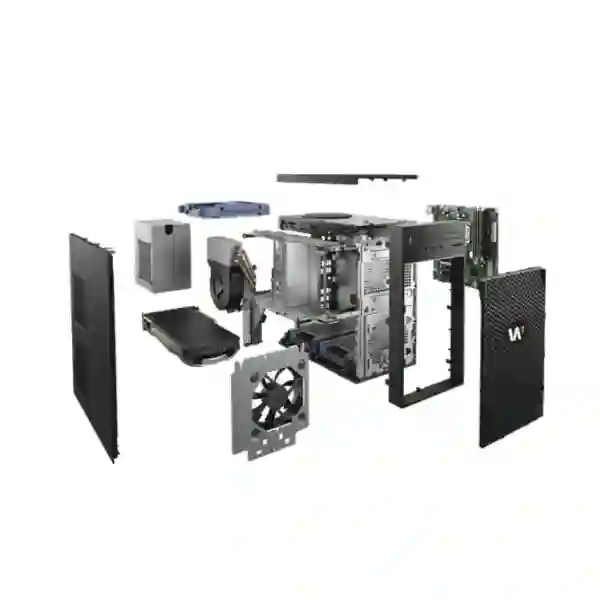
The original datasheet lists an Intel Core i5-9500 processor, 16 GB DDR4 memory, a 256 GB internal operating-system SSD and three 3.5-inch SATA data bays. These details describe the published original model, not an undertaking that every refurbished, reconfigured or substitute unit has identical components. Ask for a bill of materials when purchasing an exact configuration. The mini-tower form factor is intended for an equipment area with suitable ventilation and physical protection. It is not a rack server unless an independently validated installation arrangement has been designed, and it should not be placed where dust, dampness or unauthorized access can undermine reliability.
Dual DisplayPort outputs and the included DisplayPort-to-HDMI adapter make local display use practical with compatible monitors. Hanwha also lists a USB keyboard and mouse, which can support the initial setup and local operator interaction. Design the user workstation around the way staff actually work: continuous live view, occasional searches, evidence export or administrative maintenance. A local display output does not automatically guarantee that any combination of monitor resolution, layout and simultaneous decoding will be effortless. Establish the client workload separately from recording capacity and evaluate a dedicated viewing workstation where operators need persistent multi-screen monitoring.
Network segmentation, addressing and remote access
The pair of Gigabit Ethernet ports gives a designer flexibility, not an automatic security boundary. Decide whether cameras and business users will share a network, use distinct virtual LANs or operate through physically separated segments. Document IP assignments, switch uplinks, routes, DNS, time services and administrator access. If camera traffic must pass between networks, use explicit permitted paths and monitor those connections. If PoE is needed for cameras, specify suitable PoE switches or injectors as separate parts of the camera-network design; the server’s ordinary network ports should not be mistaken for an integrated camera-power switch.
Remote viewing is a separate security and connectivity decision. Assess the intended WAVE remote-access method, organizational identity controls, approved users and internet reliability before enabling off-site access. Avoid exposing unnecessary management services directly to the public internet. Use appropriate multifactor authentication and access policies where supported by the deployed software and the organization’s environment. Check the quality of available upstream bandwidth from the site, particularly if several remote clients may review video at once. A useful remote video system should be documented, secure, supportable and tested from the users’ actual networks, rather than added hastily after an installer leaves.
Design an operator experience that supports investigations
A surveillance purchase should include practical questions about what happens after a possible incident. Can an authorized user quickly find the right camera, navigate to a time window, compare related scenes and export a clip with enough context to be understood? Are camera names meaningful, timestamps consistent and access rights restricted? Wisenet WAVE provides a video-management environment for cameras and recorded footage, but the final usability depends on how the system is configured. Create simple camera groups, informative names and recording policies based on the site’s areas and staff responsibilities rather than preserving arbitrary installation labels.
Consider a review workflow for the office manager, security supervisor or incident investigator. Specify which people can view live feeds, search recordings, export evidence, change retention and edit server settings. Log changes when the deployed version and company processes support it, and maintain a clear owner for user access. Train at least two authorized staff members in everyday search and evidence-export tasks. Test the workflow using an agreed scenario before accepting the installation. A system may have ample storage yet still fail operational expectations if nobody can retrieve the relevant footage quickly and reliably.
Security and lifecycle: an essential consideration for this generation
Hanwha specifies Ubuntu 18.04 LTS for this exact Linux model. Canonical ended the standard security-maintenance period for Ubuntu 18.04 on 31 May 2023. Extended security maintenance options exist through Ubuntu Pro, but neither the product specification nor a bare model description proves that a particular appliance has been enrolled, updated or tested against a newer software image. This is a material purchasing consideration in 2026. Before approving a newly deployed or inherited unit, obtain evidence of the installed operating-system build, available security updates, WAVE software version, patch responsibilities and vendor-supported lifecycle path.
Do not treat an unsupported ad hoc operating-system upgrade as a routine solution. Surveillance appliances combine an operating system, hardware drivers, licensed VMS components, security settings and configuration that may not tolerate an unplanned upgrade. Request current compatibility guidance and an approved maintenance or migration approach for the exact unit. If extended maintenance is proposed, establish who owns the entitlement and who will check that security updates continue to be installed. When a newer supported replacement provides a more sustainable solution, compare its complete installed cost with the cost and risk of maintaining the older WRT-P-5200L.
Protecting recorded video requires more than antivirus software. Keep access credentials restricted, remove inactive accounts, monitor failed logins where available and protect configuration backups. Limit management-network exposure and restrict the physical equipment space. Define how long footage may be retained, who can export it, and how exported files will be secured once they leave the VMS. Document the response to compromised credentials or a lost operator device. For security-critical sites, request a periodic review of software patches, camera firmware, account privileges and remote-access settings so that the original installation does not become a permanent unexamined configuration.
Power, temperature and physical installation
The original specification lists 100 to 240 V AC input, a 460 W 80 Plus Gold power supply and an operating temperature range of 0°C to 35°C. The stated maximum power value is not a prediction of normal site electricity consumption, and the 35°C upper operating limit makes enclosure and room-temperature planning particularly important. In warm equipment rooms, ensure conditioned or adequately ventilated air, clear inlet and exhaust paths, dust control and suitable spacing around the tower. Use an enclosure that can be secured without obstructing cooling. Confirm the actual thermal and electrical arrangement for the installed drives and accessories.
For a Tanzania deployment, plan for site-specific electricity interruptions and voltage conditions rather than making assumptions about reliability at every address. Size a compatible uninterruptible power supply using the real system load, intended safe-shutdown process and required runtime. Include switches, network equipment and any critical camera-power infrastructure when calculating what must remain active during an outage. Test a power-loss scenario and verify that the server returns to the intended recording state after power is restored. Good power protection cannot replace an off-site evidence process, but it can reduce avoidable shutdowns and give operators time to respond to an interruption.
Understand storage resilience and maintenance limits
The historical Hanwha product-line brochure identifies the WRT-P-5200 series as having no built-in RAID and no hot-swap disk feature in the compared configuration. That matters because a buyer should not assume the tower behaves like a redundant storage array or that a failed recording drive can be removed while the server keeps operating. Ask the supplier to document the installed storage layout, how failures are reported and what service interruption would be required to replace a disk. Where evidence continuity is critical, assess whether another platform with a stronger storage-resilience design is more suitable.
Redundancy also needs to be described precisely. Having several recording disks is not the same as having fault-tolerant storage, and having multiple servers is not proof that all video is recorded twice. For critical coverage, define a realistic failure scenario and ask what video remains available if a disk, network switch, power source or entire appliance fails. Determine which incidents need independently preserved evidence and how frequently successful exports or backups are verified. Budget for monitoring, spares and recovery testing rather than assuming reliability can be inferred from the metal chassis or a headline storage figure.
A procurement checklist for the exact quotation
An effective quotation should identify the full model, Linux operating-system image, WAVE version, supplied drive capacities, number of installed disks, included recording licenses, any extra license requirement, memory, network connections and accessories. Ask whether the equipment is new, legacy stock, refurbished or a proposed replacement model, and require a clear statement if the hardware differs from the original datasheet. Confirm compatibility with the specific cameras and intended client devices. Pricing, local stock, import terms and the offered warranty must be set out by the actual supplier rather than assumed from a manufacturer’s historical regional datasheet.
Ask for deliverables, not just a unit price. A complete proposal can include sizing calculations, a camera-license schedule, network layout, rack or tower placement, monitor requirements, UPS capacity, commissioning tests, administrator handover and an agreed support scope. Identify who is responsible for installation and who is responsible for software maintenance after acceptance. If the procurement requires a guaranteed resolution time, a defined maintenance window or data-handling controls, put those items in the contract. The objective is to compare total deployed capability and operational risk between options, not just the cost of one server chassis.
Commissioning step one: design before connecting cameras
Prepare a camera register that lists each camera’s purpose, model, network address, expected recording bitrate, priority and retention target. Confirm which existing cameras must be reused and which devices have not yet been selected. Make the WAVE license schedule match the streams that will actually be recorded. Agree how many staff members require concurrent viewing and what they must be authorized to do. This preparation helps installers avoid configuring every camera at a convenient default and later discovering that storage runs out sooner than planned. It also creates a baseline for future camera additions and maintenance reviews.
Reserve appropriate network addresses, agree time-synchronization sources, create unique administrator accounts and document the intended management connections. Verify the physical switch ports, routing, cameras and PoE supply. Check that the recording server can reach required cameras without exposing unnecessary networks. Confirm disk health and the exact usable storage before establishing retention rules. For an existing WAVE system, plan backup and migration of settings only through the methods supported by the relevant software versions. Keep a rollback plan for changes that could interrupt recording.
Commissioning step two: validate real-world recording
After adding representative cameras, confirm live video and actual recorded footage for each intended stream. Review camera-side encoding settings and compare measured ingest with the bandwidth budget. Run the recorder through the busiest expected viewing and recording activity, not only an idle test. Examine storage consumption over enough time to estimate retention realistically. Verify that time stamps, recording rules, search results and clip exports match the agreed operating plan. Do not sign off on a server simply because its dashboard shows all cameras online: a visible live image does not prove that the required archive is being written.
Test faults intentionally under controlled conditions. Disconnect and restore an agreed test camera, restart a switch or simulate a short loss of external connectivity where safe, then check what is logged and what recordings can be retrieved. Review low-storage warnings, time-source changes and power-recovery behavior. Record defects and corrections in a commissioning report. Include a short operator demonstration that covers camera selection, timeline navigation, evidence export and whom to contact when recording is lost. These steps turn a technical installation into an operational service that the buyer can evaluate.
Commissioning step three: hand over a maintainable system
The handover package should document serial numbers, installed drive configuration, current software versions, license ownership, camera inventory, network diagram, administrator recovery procedures and support contacts. Store passwords and license credentials in an approved secure system rather than in public documents or equipment labels. Assign responsibility for regular health checks, patch evaluation and storage review. Make sure the equipment owner understands how retention may change if camera count or image quality increases. A signed handover checklist makes subsequent troubleshooting less dependent on the memory of the original installer.
Provide an agreed escalation process for recording interruptions, damaged drives, lost access, export failures and proposed software changes. Decide who is allowed to reboot the server, install updates, replace disks or modify camera settings. When a site has security staff working different shifts, keep the everyday procedure concise and easy to follow. Include a small scheduled review of the system’s continued fit: required cameras, observed retention, successful exports, user accounts and maintenance status. The investment remains useful only if recordings continue to be accessible and trustworthy after the original commissioning period.
Tanzania deployment questions to settle before purchase
Organizations procuring CCTV infrastructure in Tanzania should base their decisions on the actual building, network, power environment, operating team and evidence-handling policies. Ask whether cameras are located in one building or connected across different premises; whether uplink bandwidth is stable enough for the selected remote-access approach; and whether equipment rooms stay within the manufacturer’s temperature specification. Review who can lawfully or operationally access personal video footage and how sensitive clips will be protected. Requirements can vary by customer and application, so do not rely on an equipment listing to establish regulatory compliance or a particular data-retention obligation.
An accurate purchasing conversation also separates product capability from local commercial commitments. No price, Tanzania warehouse availability, delivery promise, installation coverage or locally enforceable warranty is established by the model name alone. Those details must come from a current, exact quotation and the supplier’s applicable terms. If a project needs an installation visit, network integration or commissioning support, request that service scope explicitly. The result should be a documented system that meets actual surveillance and operational needs, rather than a generic hardware order with unresolved assumptions about who will install, secure, service and eventually replace it.
When to choose a different recorder or a newer generation
The WRT-P-5200L may be a reasonable fit when its specified throughput, form factor and WAVE workflow match the intended deployment and a documented support plan exists. It is less compelling if the project needs an actively maintained base operating system without special arrangements, hot-swappable disks, a built-in RAID storage design, a large amount of usable retention capacity or a higher level of hardware redundancy. Those requirements should trigger a comparison with current Hanwha WAVE recording servers or alternative appropriately specified solutions. Do not substitute a different model silently, because its processor, operating system, storage design, licensing and service requirements may change.
Compare the actual costs and risks across several years. Include hardware, required hard disks, camera licenses, network switches, power protection, remote-access design, setup work, software updates, recovery planning and eventual replacement. If the project already has suitable WAVE licenses and cameras, continuity of training and workflow may matter. If it is a brand-new installation, current lifecycle status may carry more weight. A strong purchasing decision is based on clear evidence of fit and maintenance, not on whether a specification sheet contains a particularly impressive bandwidth figure.
What the buyer should provide for an accurate sizing review
Prepare the intended number of cameras, camera brands and exact models, resolution and recording settings where known, required retention days, site layout, operating hours and expected number of simultaneous viewers. Explain whether footage must be kept continuously or based on events, whether the system needs secure off-site access, and whether any sensitive areas require stricter permission controls. For a replacement, include the existing server details, current WAVE version, recording-license status and an outline of current difficulties. These details allow a solution designer to estimate storage, determine extra licenses and identify compatibility questions before money is committed.
The next step is to request a configuration-specific quotation or technical suitability review for the Hanwha WRT-P-5200L, with explicit confirmation of the Linux software maintenance path. Ask the supplier to identify what is included, what remains optional, what needs independent validation and which commercial terms apply in Tanzania. If the model is not a responsible fit for a new project, request a comparison with a currently supported alternative rather than changing product descriptions or assumptions mid-order. A clear, documented decision protects both the purchasing team and the operators who will depend on the surveillance footage.
Frequently asked questions
Is the WRT-P-5200L a camera or a recorder?
It is a network video recording server and Wisenet WAVE client appliance, not an IP camera. It receives and manages compatible camera video streams and provides software tools for monitoring and review. The cameras, network switches, display devices and storage configuration must be considered as separate parts of the complete installation.
What operating system does the L version use?
Hanwha identifies the WRT-P-5200L as the Ubuntu 18.04 LTS model. That release ended standard security maintenance in May 2023. Before deploying this older platform, confirm its installed build, any applicable extended maintenance, WAVE compatibility and a manufacturer-approved upgrade or replacement plan.
Does it include licenses for every camera?
No. The manufacturer’s exact-model description specifies four Wisenet WAVE Professional licenses. WAVE generally requires a recording license for each camera stream being archived, subject to the software’s applicable licensing rules. Additional recording streams may need additional licenses; confirm exact entitlement with the supplier.
What is the maximum recording bandwidth?
The published maximum is up to 470 Mbps of recording throughput under the manufacturer’s performance conditions. This does not guarantee a particular number of cameras, recording duration or remote viewing speed. Plan around camera bitrates, workload, available headroom and real testing rather than treating the figure as a universal system capacity.
Does the server come with 30 TB of hard disks?
Not necessarily. Up to 30 TB is the published raw-capacity limit of the original series, not proof that the base model includes that much storage. Request the installed drive count, drive sizes and useful footage capacity for the exact quoted configuration before deciding whether the retention target is achievable.
Can it use cameras from different manufacturers?
Hanwha lists support for Wisenet and ONVIF-conformant IP cameras. Interoperability still depends on the camera model, firmware, stream settings and features required. Test the actual devices, especially if analytics, audio, metadata or special recording triggers are important to the proposed application.
Does it have PoE ports for directly powering cameras?
The datasheet identifies two Gigabit Ethernet network interfaces but does not describe a built-in multiport PoE camera switch. Plan an appropriate external PoE network when the selected cameras need network power, and verify total switch wattage, cable distances and protection requirements separately.
Is the storage hot-swappable or RAID protected?
The manufacturer’s historical product-line comparison describes this generation as having neither RAID nor hot-swap storage. Confirm the actual hardware layout and recovery procedure for the unit offered, especially for sites where an interrupted recording or failed hard drive creates substantial risk.
Is the original five-year warranty valid in Tanzania?
The historical Hanwha product description refers to a five-year on-site program, but that does not establish current coverage or enforceable terms for a particular unit or region. Ask the seller for written, exact-unit warranty details and local service arrangements rather than assuming a regional benefit applies.
What information is needed to request a quote?
Provide camera quantity and models, desired recording settings, retention target, site network arrangement, any existing WAVE licenses, remote viewing needs, required installation services and preferred storage configuration. Ask for a clear statement of hardware condition, software support, delivery terms and any extra licenses.
Request a WRT-P-5200L configuration review
Ask for an exact-model quotation showing installed drives, WAVE recording licenses, camera compatibility, software-maintenance arrangements, local support conditions and proposed installation scope. If this legacy-generation recorder is not suitable for the requirement, request a newer supported alternative with an explained specification comparison.
Contact FourTeck Tanzania to discuss your requirements and request a verified quotation.




Reviews
There are no reviews yet.