
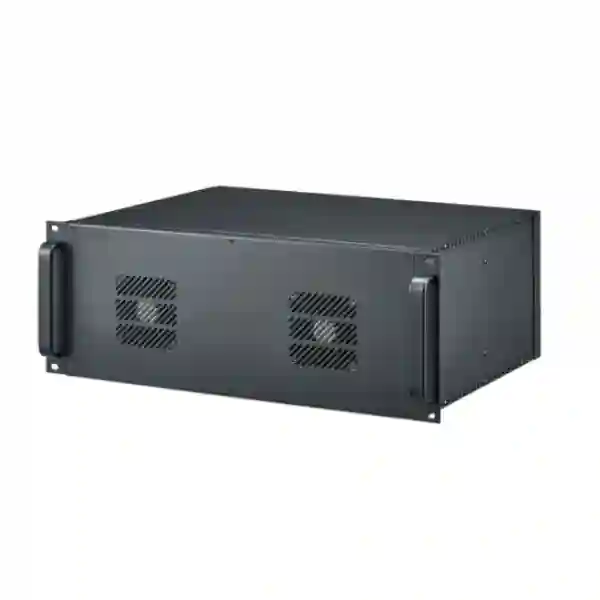
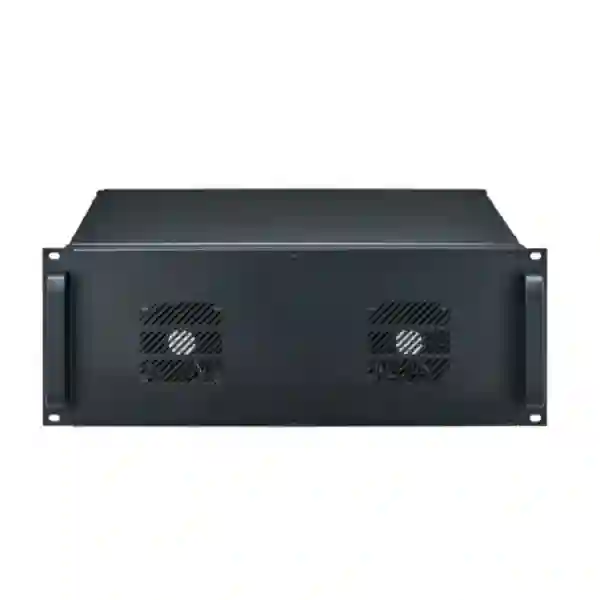
Hanwha SPD-1660R: build a more capable 16-monitor CCTV video wall
For Tanzania surveillance teams planning a multi-screen control room, this modular decoder chassis supports up to 16 independent monitor views using optional SPD-260B boards. Plan the complete system around the displays, camera streams and operator tasks you actually need, not just the highest headline channel count.
The buying decision in one minute
The SPD-1660R is the decoder chassis, and the SPD-260B supplies two independent monitor outputs per board. Eight boards are needed to reach the full sixteen-monitor configuration. The VGA ports mirror HDMI views, so they do not double the number of independent screens. A fully populated unit has a mix of 4K-capable and Full HD HDMI outputs, not sixteen identical 4K outputs. Request an itemised configuration review and quotation before purchase.
Verified key specifications
| Product | Hanwha Vision SPD-1660R network video decoder chassis |
|---|---|
| Independent monitor views | Up to 16 with eight optional SPD-260B boards |
| Outputs at full build | Up to 16 HDMI plus paired VGA clone outputs |
| HDMI detail | Up to eight 4K-capable and eight Full HD outputs when fully populated |
| Registered / decoded channels | Up to 128 at 2MP/30fps in published full-system configuration |
| Codecs | H.265, H.264 and MJPEG |
| Display controls | Split-screen layouts, sequences and monitor merge |
| Network / decoding bandwidth | Published maxima: 512 Mbps network / 600 Mbps decoding |
| Power / environment | 100–240V AC; maximum 90W full build; 0–40°C operating range |
| Critical accessory | SPD-260B two-monitor decoder board; confirm quantity in quotation |
Manufacturer-rated maxima depend on installed boards and the precise stream mix. Product supply, software compatibility and commercial terms require confirmation for the proposed configuration.
A decoder for control rooms that need several screens
The Hanwha SPD-1660R is a network video decoder chassis for teams that need to display many IP camera views on a coordinated monitor wall. Rather than placing an ordinary workstation beside every display, the solution brings compatible camera video streams through the network and presents them on monitors connected to its decoder boards. This makes it relevant to dedicated monitoring rooms, reception security desks with several displays, industrial operations centres and facilities where operators need a persistent overview of multiple areas.
The central buying question is not simply how many cameras are installed. It is how many independent monitor canvases are required, how many camera tiles must be visible at once, which streams must be shown at which resolution and whether operators need to change layouts regularly. Those answers determine the number of SPD-260B boards, the likely decoding workload, the display arrangement and the network design. A specification-led proposal prevents a chassis-only order from being mistaken for a complete video wall.
This product is designed for live network video display and management, not as a substitute for recording, archival retention or an entire video management platform. Buyers planning playback, evidence export or long-term storage should specify those requirements separately. The most useful outcome is a complete system design showing camera sources, decoding hardware, display count, control method and operating responsibilities before equipment is purchased.
Understand the chassis and optional SPD-260B boards
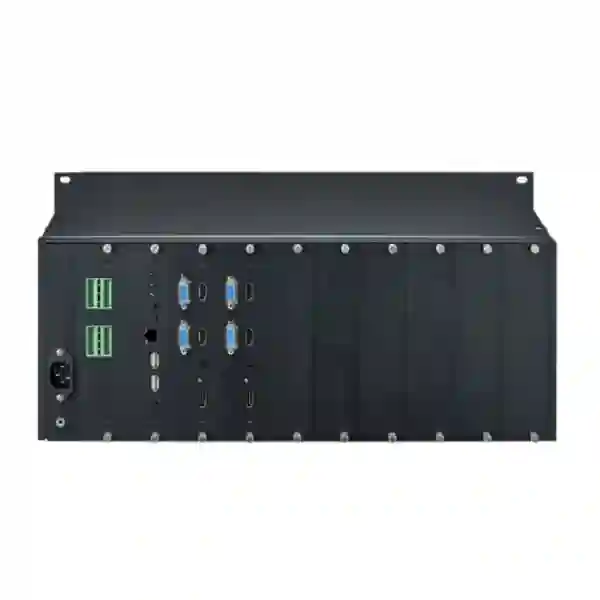
The SPD-1660R chassis has eight slots for optional SPD-260B decoder boards. Each board supports two independently controlled monitor outputs through two HDMI connectors. With eight boards fitted, the system can serve up to 16 monitor views. Boards are the working video-output components, so the chassis alone should never be described as a fully populated 16-screen solution. The purchase enquiry should state exactly how many boards are included and identify any additional boards required for the deployment.
Planning can be staged. A four-screen design ordinarily calls for two boards; an eight-screen design calls for four; the full sixteen-screen arrangement calls for eight. These counts describe the board-to-monitor relationship, not guaranteed overall camera performance. The requested stream mix still needs assessment, particularly where several 4K images, high frame rates or many simultaneous tiles are involved. Monitor brackets, display panels, cables, switches and management software also sit outside this simple board count.
Ask the supplier to distinguish hardware installed at delivery from future expansion capacity. A drawing should label every board slot, HDMI output and corresponding display, as well as any VGA mirrors. Expansion is easier to plan when rack space, cable routes and display naming are documented from day one. Request confirmation of the accessories and firmware or software versions appropriate to the exact quotation rather than relying on an undated generic product photo.
Sixteen independent views does not mean thirty-two independent screens
Marketing summaries often mention up to 16 HDMI ports and 16 VGA ports across a fully equipped unit. The important distinction is that the VGA outputs clone their paired HDMI screen content. In other words, the system supports up to 16 independent monitor views, not 32 different canvases. A VGA connection may be useful where an existing display needs a duplicate of the same picture, but it should not be counted as another independently arranged control-room monitor.
Each SPD-260B board provides one HDMI output supporting up to 4K and a second HDMI output supporting up to 1080p, together with paired VGA outputs supporting up to 1080p. Across eight boards, that means up to eight 4K-capable HDMI outputs and eight additional Full HD HDMI outputs. This is more specific and useful than saying every one of sixteen displays can independently run a 4K output. Displays, cables and their accepted signal formats must match the selected outputs.
An installer should map monitor positions to physical ports before making a wiring schedule. For example, the largest screen intended for high-detail overview imagery could use a 4K-capable output, while smaller peripheral status displays may be adequately served by Full HD outputs. If the design calls for identical content on a second display, specify that as a clone rather than budgeting it as another distinct layout.
What 4K output and 12MP decoding mean in practice
The decoder supports 4K-capable HDMI output and can decode compatible camera video with resolutions up to 12 megapixels. These claims describe different parts of the signal path. A high-resolution incoming camera stream does not automatically create a higher-resolution physical monitor output, and displaying many streams on one screen usually reduces the visible size of each tile. The operator’s ability to identify details depends on camera placement, source image quality, tile dimensions and the selected display.
For the SPD-260B, the published decoding examples include four 4K streams at 30 frames per second or sixteen 2MP streams at 30 frames per second per board. Across a fully populated chassis, the published system examples reach 32 channels at 4K/30fps or 128 channels at 2MP/30fps. These are stated performance configurations, not permission to add all headline maximums together. Mixed-resolution projects need a decoding budget based on actual camera streams, frame rates and scene priorities.
A 4K overview display is worthwhile where it improves a genuine task, such as seeing critical entrances, wide parking areas or detailed operational zones. For routine guard-tour tiles, Full HD may be sufficient. Designing around tasks rather than the largest available number can reduce unnecessary network and display demands while preserving the clarity required for an incident response.
Video formats, camera streams and interoperability
The published decoder supports H.265, H.264 and MJPEG video decoding. The combination allows system designers to accommodate several common network-camera encoding methods, but codec support alone does not confirm that every third-party camera, recorder or software version will work without restrictions. Camera authentication, stream profiles, supported APIs, channel registration and event behaviour still need to be verified in a pilot or against current compatibility documentation.
Hanwha documentation identifies SUNAPI and SVNP protocol support, with management through Wisenet SSM and the web viewer. This makes the model especially relevant in a Hanwha-oriented monitoring environment, yet a mixed-brand control room should test its actual camera models and firmware versions. The test should include the chosen resolution, compression, stream transport, login method, intended layout and a deliberate reconnect after a network interruption.
Where cameras offer a high-resolution main stream and a lower-bandwidth substream, an integrator can evaluate which stream makes sense for each viewing position. The preferred settings may change between a sixteen-tile overview and a full-screen incident view. Do not assume automatic stream switching or every VMS feature is available until verified for the exact application and software combination.
Split-screen layouts and scheduled view changes
Operators rarely need one permanently fixed camera arrangement. The SPD-1660R supports layouts with 1, 4, 6, 8, 9, 13 and 16 views, along with 2V and 3V formats. It also supports up to 20 layouts per monitor and layout sequencing. This lets a design group cameras around an operational task, such as entrances, vehicle access, loading docks or perimeter sections, and present different groups on a defined monitor without moving the physical display.
Start with the people using the system. An operator watching access points may need large tiles for gate cameras and smaller tiles for low-priority corridors. A supervisor may need an overview that changes between different facilities on a timed sequence. A response team may prefer a stable incident display with manual layout changes rather than frequent automatic cycling. This choice should be documented; constant switching can make important events harder to notice if the sequence is not designed carefully.
Layouts should use clear camera names and a sensible order. The configuration plan should say which cameras appear in each group, who may alter a layout and what the fallback view should be after a restart. During acceptance testing, verify that sequence timing is comfortable for users and that every critical camera appears on a screen for long enough to be useful.
Monitor merge for a larger operational picture
Monitor merge lets the decoder span a video image across multiple screens in supported grid arrangements. Published patterns include small two-screen arrangements and larger combinations up to a five-by-three or four-by-four style of merged wall, subject to the supported configurations and installed outputs. This can help a control room show a large site overview, operational map or selected incident image when a single display is too small for everyone to see.
Monitor merging should not be confused with increasing image detail. Enlarging one source across many panels does not create information absent from the original camera stream. Bezels, screen geometry, panel alignment and viewing distance also influence how readable a merged image will be. For applications involving fine detail, inspect the source image on the actual target display before committing to the final wall layout.
The project brief should identify which content will be merged, the proposed grid pattern and how operators return to individual camera layouts. Test merged and unmerged modes with the installed displays. Where maps, desktop screens or other operational information are involved, confirm the supported input and management behaviour with the actual configuration, rather than assuming every PC display workflow behaves like a normal camera stream.
Wisenet SSM and web-based management
The SPD-1660R can be managed through Wisenet SSM and a web viewer according to the manufacturer’s documentation. These interfaces support the idea of a central operator workflow rather than a collection of separate display boxes. Buyers should still establish which functions are available through the selected software version, how user permissions are handled and whether the proposed server or operator workstation is already part of the existing installation.
An effective configuration separates everyday monitoring actions from administrator-only tasks. A guard may need to select a defined layout, while a system administrator needs to manage camera registrations, account settings and network changes. Build the permission model around those duties. During commissioning, test logins, layout application, restart behaviour and whether the team can recover a sensible display arrangement after maintenance.
Software compatibility and lifecycle status should be checked as part of procurement, especially when an organisation is extending an older installation. Manufacturer documentation includes Wisenet SSM version references, but buyers should ask for current compatibility evidence for the specific edition, release and firmware intended for their deployment. Management access also needs a secure network design; convenience should not mean leaving the decoder’s administration interface exposed to the public internet.
Reference architecture for a video wall
A practical deployment begins with IP cameras connected to a suitably designed surveillance network. The camera streams reach the decoding system over Ethernet; installed SPD-260B boards feed the chosen HDMI displays; operators use the designated management interface to create and select layouts. An NVR or VMS may be present for recording and playback, but the decoder’s display role is distinct from the retention and investigation functions of those systems.
A network drawing should show the camera or recorder source, VLANs where used, switches, decoder network interface, management station and monitor cabling. Record every intended stream type and its expected bandwidth. The decoder has a gigabit Ethernet connection, so it is important to evaluate the traffic carried by that connection and not simply count the cameras in the whole estate. Other parts of the network, such as uplinks shared with additional users, may impose earlier bottlenecks.
Keep the physical installation serviceable. Allow access to the chassis, boards, power feed and network ports. Use documented labels such as Wall-A-01 for displays and CAM-GATE-01 for cameras. A simple naming convention makes layout corrections, fault diagnosis and future expansions faster. The architecture should also show which components remain operational if a workstation fails, as that may influence the choice of decoder-led monitoring.
Bandwidth, bit rate and decoding headroom
The manufacturer’s published maximum figures include a network bandwidth value of 512 Mbps and a decoding bandwidth value of 600 Mbps. These describe different limits and should not be read as a promise that any mixture of streams totalling a nominal bit rate will display successfully. Resolution, encoding profile, frame rate, number of simultaneous channels and the allocation of work across installed boards all affect the final result.
Build a camera schedule with an estimated or measured bit rate for each stream that will actually be displayed. Include peak behaviour where scenes are busy or lighting changes. Then test the proposed layout under realistic conditions, including all displays active and planned sequence changes. A total that looks reasonable on paper may still require adjustment because individual decoder boards have their own channel and resolution limits. Leave practical margin rather than designing to a theoretical maximum.
Where a site already operates many cameras, a decoder does not necessarily need all recorded streams at full quality at the same moment. Prioritise the camera views that affect response decisions. Consider a sensible mix of overview and detail streams, and verify any switching behaviour. Ask the integrator to document observed performance after commissioning so subsequent camera additions can be judged against a real baseline.
Power, physical dimensions and room conditions
The published chassis power input is 100–240 V AC at 50/60 Hz, with maximum consumption stated as 90 W when eight SPD-260B boards are installed. The chassis dimensions are approximately 487.8 by 187.0 by 363.4 millimetres and its listed weight is about 6.79 kilograms without decoder boards. Confirm mounting requirements and rack compatibility against the installation drawing and the exact accessories supplied.
The specified operating environment is 0°C to 40°C and 20% to 85% relative humidity. A control room that uses multiple displays can become warmer than expected because monitors, network equipment and power supplies all contribute heat. Plan airflow and accessible service space around the hardware. A reliable power arrangement is also important, because a video wall is only useful while cameras, networking, decoding equipment and monitors remain available.
The decoder’s power figure is not the total electrical load of a multi-screen wall. Include all displays, network switches, camera power supplies, management computers and any recording equipment when sizing circuits and backup power. Confirm electrical work and protective arrangements with appropriately qualified personnel. A cooling and UPS plan should be based on the complete room, not just the chassis nameplate.
Tanzania-specific deployment planning
For a project in Tanzania, practical site conditions should be addressed before selecting the final video-wall configuration. Ask whether the installation is in a consistently air-conditioned control room, an equipment room with variable temperatures or a location affected by dust and humidity. The decoder has published environmental limits, so enclosure choice, ventilation and routine housekeeping matter more than simply stating that the hardware is suitable for any local climate.
Electricity interruptions and unstable upstream connectivity can affect a monitoring solution even if the decoder itself is functioning correctly. A project plan should identify which network devices and displays need backup power, how the system behaves when communication to a remote site is interrupted and how operators are notified about missing camera views. This is operational design guidance rather than a claim about the reliability of any particular Tanzanian provider or location.
If a surveillance network spans several buildings or geographically separated sites, confirm available bandwidth and latency with the actual network design. Document who is responsible for camera maintenance, switch configuration, decoder access and display replacement. Local product availability, pricing, lead time, warranty, installation coverage and service arrangements should be confirmed in the specific FourTeck Tanzania quotation rather than presumed from general product specifications.
Information security and access control
Video-wall equipment is part of the security system and deserves the same disciplined configuration as cameras and recording servers. Define a restricted management network, use individual administrator credentials where supported, apply the organisation’s password rules and disable access routes that are not required for the installation. Do not make the web viewer directly reachable from the public internet merely to simplify remote support.
Specify how configuration files are backed up, who may change camera assignments and how logs are reviewed. The manufacturer lists configuration export and import capability, time synchronisation options and system logging. These functions are useful only when someone has responsibility for using them. Time settings should be coordinated across the display system and the related surveillance environment so incident review is not confused by inconsistent timestamps.
Compatibility and updates need controlled testing. A camera firmware change or a VMS update can affect integration even when the physical monitor wiring remains the same. Maintain a record of device models, software versions, access roles and tested procedures. When remote support is required, use the organisation’s approved secure access method and remove temporary access after the work is complete.
Selecting the right arrangement for different operations
In a retail or commercial complex, the monitoring team may want entrance cameras, cash-handling areas, corridors and parking views distributed across a modest display wall. The design question is which camera groups deserve continuous visibility and which can rotate through a timed layout. Large numbers of cameras do not automatically justify the maximum possible number of monitors. A focused layout with clear alerts and operating procedures can be easier to use.
For warehouses and logistics facilities, a control room might group loading bays, goods movement routes, access gates and vehicle circulation zones. Operators may need one large incident image alongside stable overviews of entry and exit points. The SPD-1660R’s split-screen and merge functions are relevant here, provided the camera placement and streams support the required detail. The display design should follow the site’s actual risk and operational process.
For campus, industrial or multi-building security, the main challenge may be combining streams from distinct network segments or remote systems. In such cases, confirm network reachability, stream rights and software compatibility before specifying hardware quantities. A video wall can make distributed activities visible to a central team, but it cannot replace the connectivity and security controls needed between the source systems and the monitoring room.
Questions to settle before asking for a quotation
Begin the enquiry with the number of independent displays rather than a vague request for a sixteen-monitor decoder. Provide the preferred resolution for each screen, the proposed monitor sizes and a simple diagram of the display wall. Explain whether any screens are meant to show identical mirrored content. This lets the supplier choose the correct number of SPD-260B boards and avoids overestimating what the VGA ports add.
Next, supply the camera inventory: make and model, resolution, codec, frame rate, anticipated simultaneous view count and whether the project depends on a third-party recorder or VMS. Identify any cameras that must always be visible and any that can appear in sequence. Ask for confirmation of Wisenet SSM and web-viewer compatibility, along with a practical test plan for the exact equipment and software versions.
Finally, clarify the commercial and installation scope. Is the quotation for the chassis only, for a chassis populated with boards, or for a complete operational wall with displays, rack hardware, network equipment and commissioning? Request itemised details rather than a single unexplained package price. Ask about supply terms, warranty, installation responsibilities, training, documentation and support arrangements without assuming those services are included.
Installation workflow and commissioning steps
Start with a surveyed room and a sign-off on screen locations, cable lengths, power capacity, ventilation and operator sight lines. Next, establish the network design and confirm the available camera streams. Fit and connect the specified SPD-260B boards in accordance with the applicable installation guide, then cable each display to its allocated output. The exact installation sequence should follow current manufacturer documentation and qualified installer practice.
Configure the decoder’s network settings, camera registrations and management access in a controlled environment. Create a small number of meaningful layouts first: for example, a general site overview, an access-control view and an incident-response view. Check each HDMI output at its intended resolution before building more complex split-screen or merged layouts. If VGA mirroring is required, verify that the duplicated output displays the expected content.
Finish by simulating normal operation. Run all intended displays together, switch layouts, test a sequenced view, restart relevant equipment and confirm that the wall returns to an acceptable operating state. Document the finished port map, configuration, software versions, camera list, account ownership and support contacts. A handed-over system is more valuable when the customer can understand how it was configured and how to recover from common faults.
Acceptance tests that protect the buyer
A useful factory or site acceptance test should measure more than whether an image appears. Confirm the actual number of independent screens, the requested HDMI resolutions, the expected number of camera tiles and the behaviour of each layout. Show the difference between a 4K-capable output and the Full HD output on the same board. Check that VGA mirroring behaves as expected instead of counting cloned outputs as new screens.
Test the most demanding planned combination of camera resolutions and frame rates while all required monitors are active. Observe display latency, dropped images or unexpected changes in quality. Include a network reconnect test, a controlled power restart and checks after any management software changes. Record the observed configuration and results in the handover document rather than describing performance only with catalogue maximums.
Ask actual operators to confirm that the wall supports their routine duties. They should be able to find a camera, identify the monitor assigned to it, switch to an emergency layout and report a missing stream without guessing. Include training, access credentials, maintenance responsibilities and a recoverable copy of the approved configuration in the acceptance criteria.
Common design mistakes and how to avoid them
One mistake is buying the SPD-1660R chassis while assuming the monitor outputs are already populated. Another is interpreting sixteen HDMI plus sixteen VGA connections as thirty-two different display views. A third is treating every HDMI port as 4K-capable. Each error can cause a costly mismatch between the intended wall and the delivered hardware. Verify the board count, port allocation and supported output resolution on the supplier’s equipment schedule.
Performance can also be oversimplified. An installation designed around 128 camera registrations might be expected to show 128 high-resolution streams simultaneously, although the manufacturer’s channel performance varies significantly by source resolution. Use a clear stream schedule, including frame rates and codec settings. Monitor placement and operator workflow are equally important; a wall filled with tiny unreadable tiles may provide less practical value than fewer carefully selected views.
A final risk is overlooking operational readiness. Without power continuity, suitable cooling, access controls, documentation and a support plan, even correctly specified decoding hardware can become difficult to manage. Treat those items as part of the solution rather than extras to be considered only after installation.
Maintenance, expansion and the equipment lifecycle
The modular decoder approach makes it sensible to document which board slots are occupied and which remain available. If the first stage needs only a few monitor canvases, the chassis may have physical room for expansion. Expansion still requires a check of decoder workload, network traffic, available display space, installation accessories and the specific compatibility of any additional boards. More physical outputs do not remove the stream performance limits.
Keep a maintenance register for the chassis, SPD-260B boards, displays, network infrastructure and management software. Record configuration backups and any approved changes to camera assignments. Review the wall after significant camera additions, network changes or control-room renovations. Planned inspection should include ventilation, visible equipment condition, secure access settings and operators’ ability to restore standard layouts.
The SPD-1660R is an established model with documentation dating from its original release. Buyers should confirm current supply availability, supported firmware, accessory supply and lifecycle terms with the manufacturer or quoted supplier for the exact market. Do not base a long-term expansion plan solely on the presence of an old online listing or assume a replacement board will be available indefinitely.
How to compare the SPD-1660R with other display approaches
A single-display decoder or a normal VMS workstation may be sufficient when only one or two monitors are required. A modular sixteen-monitor decoder becomes more relevant when independent display outputs, consistent multi-camera layouts and a dedicated control-room presentation are the priorities. Neither choice is automatically more economical; the result depends on the required views, software, network infrastructure, support model and expected growth.
Compare options using the total operational requirement rather than a headline camera count. Include monitor resolution, number of independent layouts, ability to merge screens, stream compatibility, management permissions, backup power and operator usability. If the project requires advanced analytics, recording, incident management or investigation tools, identify which separate platforms provide those functions instead of assuming a decoder includes them.
An evidence-based trial is especially useful when replacing an existing display wall. Test the real camera streams and everyday layouts first. That approach reduces the risk of ordering hardware that meets a brochure description but does not suit the workflow of the people watching the screens.
Total project cost and the most useful next step
The purchase cost of a control-room decoder is only one part of the investment. A complete project may include the SPD-1660R chassis, optional SPD-260B boards, compatible monitors, mounting structures, video cables, network switches, rack space, electrical work, power backup, network configuration, commissioning and operator training. Depending on the wider surveillance system, software and recording components may also need review.
Ask for an itemised quotation tied to a signed display schedule and camera stream schedule. That makes the initial scope easier to compare and helps clarify whether additional board capacity is included now or proposed for a later phase. For Tanzania procurement, request written confirmation of local terms and availability for the exact configuration. Do not rely on prices or warranties from unrelated markets.
FourTeck Tanzania can be asked to review the intended display count, the camera environment and the proposed control-room arrangement before a quotation is finalised. Share a simple floor plan, a list of camera models and the monitor requirements. The goal is to specify the correct functional system, not simply to order the maximum number of outputs because the chassis can support them.
Common business scenarios
Central security room
Keep critical entrances, internal routes and high-priority areas visible across a dedicated wall. Allocate large tiles to incident-prone zones and reserve secondary displays for rotation. Confirm the real camera stream count before setting the number of decoder boards.
Industrial operations
Combine camera groups from production entrances, operational yards and perimeter areas for a control team. Design for ventilation, power continuity and the separation of surveillance management from unrelated office traffic.
Warehouse and logistics
Place loading bays, dispatch gates and vehicle routes in coherent monitoring groups. Use view changes deliberately so operators retain a stable picture during a busy shift or a developing incident.
Multi-building campus
Create clear display groups for different buildings or zones. Confirm how cameras traverse network segments and test all intended software and stream integrations rather than assuming brand names alone guarantee compatibility.
Command or response centre
Use split-screen and monitor-merge arrangements to switch between routine monitoring and a focused event view. Document who is authorised to change wall layouts and how normal configuration is restored.
Buyer FAQs
What exactly is the Hanwha SPD-1660R?
It is a modular network video decoder chassis designed to present compatible IP camera streams on a multi-monitor video wall. The working monitor connections are supplied through optional SPD-260B boards. It is best evaluated as the display component of a wider surveillance system, rather than a recorder or a complete turnkey installation.
Does the base unit include all sixteen monitor outputs?
Do not assume so. The manufacturer identifies SPD-260B as an optional decoder board. The chassis has eight board slots, and each board provides two independently arranged HDMI monitor outputs. Ask the supplier to state the installed board quantity and distinguish chassis-only pricing from a fully populated configuration.
Can sixteen monitors all show different layouts?
Up to sixteen independently controlled monitor views are possible when the necessary eight boards are installed and the system is configured within its performance limits. Paired VGA outputs clone HDMI views; they do not create additional independent layouts. The exact camera distribution and output mapping should be tested before handover.
Are all sixteen HDMI outputs 4K?
No. Each SPD-260B board has one HDMI output supporting up to 4K and a second HDMI output supporting up to 1080p. With eight boards, this corresponds to eight 4K-capable and eight Full HD HDMI outputs. The screen and cable also have to support the selected signal.
How many camera channels can the unit decode?
The published fully populated system performance includes up to 128 2MP streams at 30fps. Other examples include up to 32 4K streams at 30fps. This does not mean 128 streams of every possible resolution, and mixed stream layouts should be checked against individual board capacity and total network limits.
What is the SPD-260B used for?
The SPD-260B is the optional two-monitor decoder board installed in the SPD-1660R chassis. It provides two independent HDMI monitor outputs and paired VGA clone outputs. Board quantity follows the independent display requirement, while stream resolution and frame rate determine whether the planned workload is within the published decoding performance.
Does the decoder record CCTV footage?
Its specified role is live network video decoding and multi-screen display. Do not select it in place of a recorder, archive or video management system that provides retention, search and evidence export. Confirm separately where footage is stored and which software gives operators access to recorded events.
Can it work with existing cameras or a third-party VMS?
It supports common codecs and manufacturer-documented management and protocol functions, but interoperability is a project-level question. Supply the camera makes, models, firmware, stream settings and intended VMS release. Ask for a compatibility review and a practical test of the chosen layouts before relying on a mixed-brand deployment.
What are layout sequences and monitor merge?
A layout sequence cycles between prepared camera arrangements on a monitor; the published design supports up to twenty layouts per monitor. Monitor merge spans selected content across several screens in supported grid patterns. Both functions should be configured for operator needs and verified with the intended physical display arrangement.
What networking is needed for a video wall?
The device has a gigabit Ethernet interface and published network and decoding bandwidth limits. The project needs a camera stream schedule, suitable switching and reliable connectivity between source systems and the decoder. Count only the streams that will be decoded at a given time, and test performance with the final layout and frame rates.
Can it be installed in a hot equipment room?
The manufacturer specifies an operating range of 0°C to 40°C and relative humidity of 20% to 85%. A room that exceeds those conditions needs a revised cooling or equipment-location plan. Display walls also produce heat, so the assessment should include the entire monitoring room and its ventilation.
How much does it cost in Tanzania?
A verified Tanzania price for the exact chassis-and-board configuration was not provided. Request a quotation that states how many SPD-260B boards are included and whether monitors, installation, software, cabling, backup power and training are separate. Avoid comparing an unpopulated chassis price with a fully installed wall.
What should I send to request the right configuration?
Share the intended independent monitor count, screen resolutions, camera inventory, expected simultaneous camera views and any required VMS integration. Add the site conditions and a simple display-wall sketch. Ask for a bill of materials, tested compatibility assumptions, commissioning responsibilities and written commercial terms.
Can the system be expanded later?
The chassis accepts up to eight optional decoder boards, so a partly populated design may have space for additional monitor outputs. Future expansion is still subject to compatible hardware availability, network and decoding capacity, power, room design and software support. Document the original slot and stream allocation so expansion can be evaluated reliably.
Request a correctly specified control-room quotation
Contact FourTeck Tanzania with your number of independent screens, proposed 4K and Full HD mix, camera list and existing management software. Request a written configuration that identifies the SPD-1660R chassis, the quantity of optional SPD-260B boards, interfaces, installation scope and commercial terms. No price, inventory position or service coverage is implied until confirmed in the quotation.




Reviews
There are no reviews yet.