
Hanwha Vision • AI Public View Monitor
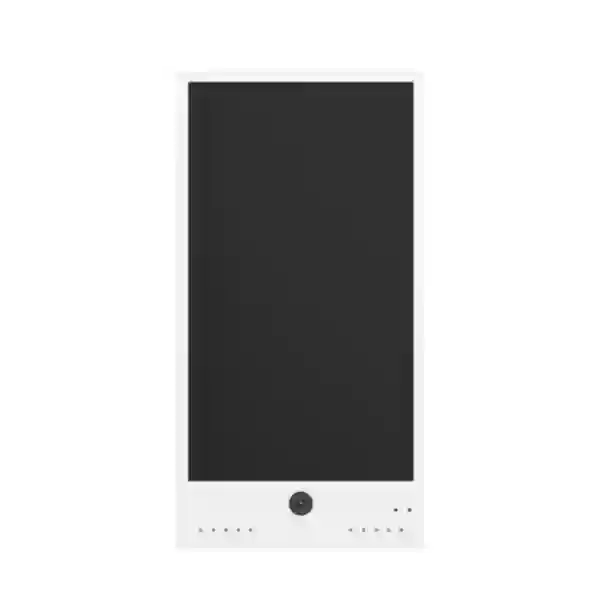
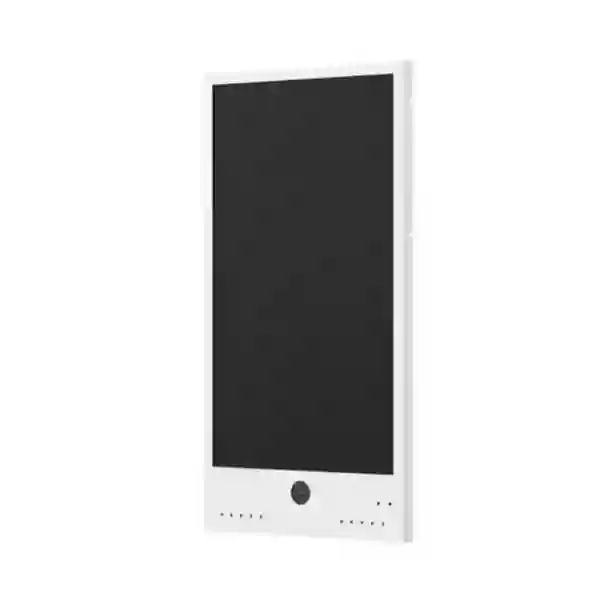
SMT-2221PVW: visible security presence in a 22-inch white display
The Hanwha SMT-2221PVW combines a Full HD public-facing display with a built-in 2MP AI IP camera, configurable messaging, and event-responsive deterrence features. Designed for considered indoor placement, it can help an organization make monitoring visible at entrances, reception points, and customer service areas while supporting a networked surveillance workflow.
For a Tanzania project, start with the scene you need to monitor, its lighting, network and power design, privacy requirements, and any existing recorder. Request a quote only after confirming those dependencies.
At a glance: verified technical details
| Screen | 22-inch Full HD LED, 1920 × 1080, 16:9 |
|---|---|
| Camera | Integrated 2MP CMOS; 3.06mm fixed F1.6 lens |
| Viewing angle | Camera H 107.7°, V 59.0°, D 126.7° |
| Analytics | Person/face classification; people counting; queue/heatmap functions |
| Interface | 10/100 Ethernet; ONVIF S/G/T/M; SUNAPI |
| Audio and alarms | 2 × 1W speakers; alarm I/O; event-responsive audio and LED |
| Card storage | microSD/SDHC/SDXC, up to 256GB |
| Mounting | VESA 100 × 100mm; white cabinet |
| Power | 24V DC or network power—confirm 802.3at/802.3bt discrepancy |
| Power use | 22.5W typical; 28W maximum |
| Environment | 0°C to +40°C; 10–80% RH non-condensing |
Specifications describe the exact model as listed in Hanwha Vision product information. Final installation suitability and optional accessories require project-specific verification.
What makes this public view monitor different?
A conventional security monitor generally displays feeds from separate cameras in a staff room or behind a counter. The SMT-2221PVW takes a different approach: it puts a camera and public-facing display into one visible device. Visitors can see the screen in the same area where the camera observes activity, making it suitable for a deliberate security-presence strategy. The display can carry a message or a live camera view rather than simply operating as a hidden recording point.
The practical benefit is communication as well as observation. A store may want shoppers to recognize that a checkout is being monitored; a facility may want a clear reminder near a shared entrance. The unit should not be presented as a replacement for the entire CCTV system, and visible deterrence cannot guarantee that incidents will stop. Treat it as one carefully positioned component of a complete, site-specific security design.
Who should evaluate the SMT-2221PVW?
The Hanwha SMT-2221PVW is worth evaluating when the project brief calls for a compact, clearly visible monitoring point rather than another back-office video screen. Typical candidates include retail checkouts, reception counters, access-controlled visitor zones, ticket areas, internal corridors, and service queues. The 22-inch format can suit positions where a larger screen would obstruct people or compete with essential customer information.
Suitability depends on how close people stand, the mounting height, and whether the built-in camera actually captures the intended area. An installation near a doorway may create a useful reminder yet still miss activity behind shelving or a counter. Ask the site designer to define the event to observe, the audience that should see the display, and the intended outcome. This avoids choosing a monitor size purely from an equipment list.
Understanding the 22-inch Full HD display
Hanwha specifies a 22-inch LED display with a maximum resolution of 1920 by 1080 pixels, a 16:9 aspect ratio, 250 cd/m² nominal brightness, 1000:1 contrast, and 178-degree horizontal and vertical viewing angles. These are useful reference points for assessing how legible video, notices, and small logo elements may be from expected visitor positions. The manufacturer also lists 16.7 million display colours, a 14 ms response time, and a 30,000-hour panel-life specification.
Those values do not establish suitability for every lighting environment. A bright shopfront with direct afternoon sun can demand different visual performance from a sheltered indoor reception. Before specifying several units, mock up the intended message size and view it from the normal approach path. Give priority to readable communication rather than putting excessive detail on the screen. For outdoor exposure, seek an explicitly rated alternative instead of assuming this indoor unit can tolerate weather.
How the built-in camera contributes
An integrated 1/2.8-inch 2MP CMOS camera is central to the product. Hanwha lists a 3.06mm fixed focal-length lens with an F1.6 maximum aperture, approximately 107.7 degrees of horizontal view, 59 degrees vertically, and 126.7 degrees diagonally. These figures describe a wide scene, not an adjustable optical zoom lens. The camera location and angle matter just as much as the published field of view.
For example, an overhead installation looking down at a counter may capture a very different useful scene from a face-level display near a doorway. A broad view can provide situational context while making distant subjects smaller in the image. Define where people will walk and stand, test for obstructions, and verify that the observed details meet your operational purpose. The built-in lens should not be sold as a universal solution for distant identification or complex multi-zone coverage.
Person and face detection: what it means
Hanwha describes AI-based classification for people and faces, with a person/face detection box feature. In operational terms, this allows the system to distinguish supported object classes for some analytics and visual alerts. It does not mean the monitor identifies named individuals, proves identity, or supplies unrestricted facial-recognition services. Those are materially different claims, and they should not be inferred from the word detection.
Before deploying analytics, determine which event is useful. An entrance may benefit from identifying movement into a defined zone, whereas a customer-service area may benefit more from counting or queue indicators. Test sensitivity and camera positioning against real traffic patterns, including groups, partial occlusions, and changing lighting. Human review remains important: analytical detections can be missed or triggered inappropriately, and the presence of AI does not guarantee a perfect operational decision.
Visible deterrence and visitor messaging
The unit supports motion- or event-activated LED and audio alarms along with configurable on-screen text. Hanwha gives “Recording in progress” as a default message and supports a custom logo on the screen. This combination can make a monitoring point apparent to visitors while allowing an organization to present its own concise notice. A message is most effective when it is visible, truthful, and appropriate to the actual recording configuration.
Choose words that match what the system really does. If recording has not been enabled, do not imply that it is active merely because the manufacturer provides a default phrase. If audio alarms could disturb a quiet reception or clinical waiting area, evaluate whether they should be disabled or adjusted under the applicable configuration. Design the visible warning as part of a wider visitor-information and privacy process, not as a substitute for policies, signage, or staff procedures.
Retail checkout and loss-prevention planning
At a checkout, a public view monitor may reinforce that transactions and nearby movement are being observed. It can show a current scene, present a clear surveillance notice, and make the security installation less hidden. However, a camera facing the shopper may not see every product-handling angle, cash drawer, or exit route. Good loss-prevention design normally considers several viewpoints and the existing workflow around scanning, payment, and customer service.
Place the monitor where staff can work without obstruction and where customers do not have to lean around it. Consider whether an alert would help staff or simply distract them during a busy period. The aim should be proportionate awareness and useful incident context, not intimidating customers or assuming that a visible monitor can eliminate theft. Ask for an installation plan showing the exact mounting point, camera coverage, message visibility, and integration with any wider system.
Entrances, lobbies, and reception desks
A visitor entrance has a different requirement from a checkout. There may be people walking quickly, standing to register, or gathering at peak times. The 22-inch display can present a clear monitoring message while the integrated camera observes its immediate scene. Reception staff may appreciate a consistent indication of monitored space, but the viewing angle should not expose visitor information on other screens or interfere with access controls.
Before selection, map the direction of travel, expected crowd size, door swing, and possible backlighting from glass. Evaluate whether the camera sees faces at a practical height rather than only the tops of heads. A lobby monitor cannot replace visitor registration, access permissions, emergency procedures, or a suitably positioned entrance camera. Use it where the visible-monitor role is genuinely helpful and coordinate placement with the reception and security teams.
Queue areas and service counters
Where visitors wait for assistance, the manufacturer’s AI business-intelligence functions include queue management and people counting. These capabilities may be useful for reviewing crowd patterns or setting operational notifications when properly configured. They are not a promise of guaranteed measurement accuracy, automated staffing decisions, or direct connection to any particular queue-ticket system. Camera angle, scene geometry, and the method of interpreting results must be validated.
A useful procurement question is whether managers need live alerts, historical trends, or simply a visible security presence. Those are different outcomes and may call for different configurations. Discuss where the queue starts and ends, whether people form multiple lines, and how long the area remains busy. Run a practical trial against manually observed conditions before basing service-level decisions on analytic output. Keep staff and visitors informed of the monitoring purpose.
People counting and heatmaps in context
Hanwha lists people counting and heatmap functions among the AI-enabled business-intelligence capabilities. These tools can help characterize activity in the camera’s observed area, subject to setup and environmental limitations. A heatmap is not necessarily the same as a precise floor plan or a reliable count of all customers entering an entire premises. It reflects the configured field of view and analytic method.
For a shop manager, the decision should begin with a question such as “which approach route becomes congested?” rather than “what AI features can we turn on?” Define the observation period and compare analytic output with a trusted reference sample. Consider how objects, signage, seasonal layout changes, and queues can alter the scene. Use aggregated observations where possible and limit access to the data. Any wider reporting or dashboards should be confirmed against the actual system and integration plan rather than assumed from the monitor specification.
Options for offices and shared facilities
Corporate reception spaces, residential common areas, administrative buildings, and managed campuses may consider a public view monitor at an indoor visitor point. The visible display can support a consistent message about monitoring while the camera contributes local scene awareness. This is a possible application, not a claim that the product meets every site’s access-control, safety, or information-security requirements. Sensitive spaces may call for less intrusive alternatives.
Coordinate a proposed installation with the person responsible for visitor experience, building operations, and security. A notice that is acceptable at a goods-loading area may be unnecessarily prominent near a private meeting room. Clarify whether recordings will be stored, what the retention period is, who can retrieve events, and how the installation will be communicated. The correct decision may be a public view monitor, another camera type, or no camera at that exact position depending on the purpose.
Display content and on-screen identity
Beyond showing the camera scene, Hanwha describes image slideshow functionality, a customizable text overlay, and custom logo display. Its web-management features include scheduling and banner-related settings. These options let a business plan for a more purposeful screen than a generic monitor showing a continuous video window. However, the precise layout flexibility, supported image formats, and display scheduling workflow should be confirmed during setup.
Keep the screen content simple: a recognizable monitoring notice, a logo of appropriate size, and enough visual contrast for the viewing distance. A crowded banner can defeat the purpose of a public-facing screen. Ask which staff members will be authorized to update the content and whether the organization needs standard wording across multiple sites. Test a representative screenshot on the installed unit. Do not assume the monitor includes a full digital-signage content-management platform or supports every marketing presentation format.
Web-based administration and remote changes
The manufacturer identifies a WebUI for functions such as power on/off control, scheduling, and banner management. This may simplify administration where a qualified operator needs to manage settings without reaching the unit physically. It does not establish that a cloud subscription, centralized fleet service, or unrestricted remote internet access is included. Those capabilities must be verified separately for the planned installation.
Treat management access as a security-sensitive function. Change default credentials as applicable, limit access to authorized staff, place management traffic on an appropriate network segment, and document who can alter public notices or analytic settings. A responsible handover should include account ownership, recovery steps, configuration backup where supported, and a change-control procedure. For a multi-site estate, request a demonstration of the exact management workflow rather than assuming that ordinary web access equals multi-branch control.
ONVIF integration: verify the workflow
Hanwha lists ONVIF Profiles S, G, T, and M as supported, alongside its SUNAPI interface. ONVIF can assist interoperability between compliant video devices and compatible clients, but a matching profile does not guarantee every event, stream, or setting will appear in every third-party recorder or video-management system. The details depend on software versions, licensing, network design, and the functions actually implemented.
Before procurement, identify the recorder or VMS product and the exact use case: live video, recording, event alerts, analytics metadata, or administrative control. Ask the integration team to test the required function, not merely discover the device on the network. Confirm supported video format, event mapping, authentication and access rights. Some public-facing features may be managed on the monitor even when the video stream is available elsewhere. State any additional licenses or services in a project quotation only after verifying them.
SUNAPI and advanced system integration
SUNAPI is Hanwha’s application interface for supported devices. For a technical team, its presence can be useful when evaluating integration or automation, provided the implementation and API permissions are checked against current device documentation. The mere mention of SUNAPI does not certify that a particular access-control controller, alarm platform, or analytics dashboard will work with the monitor without engineering effort.
Write an integration checklist before connecting systems. Record which events are required, whether they are generated by the camera or another device, how notifications are transported, and which action should follow a trigger. Ensure communication remains within approved network boundaries and that integration accounts have only the privileges needed. For a new deployment, test a small representative scenario before scaling out. This helps buyers distinguish an advertised protocol from a complete, tested operational workflow.
Video encoding and practical bandwidth
The camera specification includes H.265, H.264, and MJPEG video formats. It lists a maximum of 30 or 25 frames per second for H.265/H.264 depending on system frequency, and lower maximum rates for MJPEG. Hanwha also identifies WiseStream III as a smart codec capability. Actual network load will vary with the configured stream, scene motion, image quality, event settings, and any recording destination.
A prudent installer calculates expected traffic for the intended number of units instead of treating a 2MP label as a bandwidth figure. Determine whether a local recorder will receive one stream or several, what quality is needed, and whether the network can handle peaks. Test video during busy periods and under changing light. Avoid promising a specific storage duration or bandwidth saving without a known bitrate, compression profile, and recording schedule. Planning this early reduces surprises when analytics and recording are activated together.
Image quality, lighting, and WDR
The manufacturer lists 120 dB wide dynamic range, backlight compensation, and additional image-processing capabilities. These functions can help manage scenes containing strong differences between bright and dark areas, but they cannot guarantee usable faces in every challenging condition. Window glare, reflections, moving people, and direct light into the lens can still degrade the image. A published minimum illumination figure is also not a substitute for an on-site lighting test.
When evaluating an entrance, inspect the scene at morning, midday, and evening conditions where possible. Look for deep shadows near the door and reflections from glossy surfaces. Decide whether the purpose is general presence awareness or more detailed incident review. Adjusting the mount or adding suitable ambient light may improve results more than changing a menu option. The camera is integrated, so the physical installation deserves particular care before fixings are finalized.
Portrait, landscape, and hallway viewing
Hanwha identifies flip, mirror, and hallway-view rotation options, including 90-degree and 270-degree orientations. Retail aisles and narrow indoor passages may benefit from evaluating a portrait-oriented view, while reception and checkout areas often suit landscape presentation. The available rotation settings should not be confused with automatic framing for every display layout or a mechanical camera rotation mechanism.
Start by sketching the intended mounting orientation, cable path, and viewer position. Verify that the public notice and camera image remain readable in the selected mode. Check whether the analytic detection area corresponds to the rotated scene and whether the recorder or VMS handles its orientation as expected. A hallway-oriented image may use pixels differently from a conventional wide image. A short site demonstration is more useful than selecting a mode from the specification without testing the actual environment.
Recording and the microSD slot
The SMT-2221PVW specification includes one microSD/SDHC/SDXC slot with support up to 256GB and mentions event-related recording to compatible storage destinations. This can provide an option for recording workflows, but storage capacity alone says nothing reliable about how many hours of video a deployment will retain. Recording mode, bitrate, quality, motion levels, retention settings, and card performance all affect results.
Decide first whether the unit will record locally, send events to an established recorder, or operate primarily as a visible monitor. Then specify an appropriate compatible card if local recording is required, with a maintenance and replacement policy. Define who checks recording health and how failures are reported. Where evidence is important, review time synchronization, secure export, chain-of-custody practices, and redundant storage requirements. Do not treat a single removable card as equivalent to a fully managed evidentiary archive.
Event triggers, alarms, and notifications
Hanwha lists analytic events, network-disconnect conditions, and alarm input among possible triggers. Depending on configuration, its event actions include notification, image transfer, recording, alarm output, and integration-oriented handover commands. This breadth is helpful for system design, yet it should not be read as a promise that every alert path will work immediately without a server, account, receiver, or supported software.
Design each alert around a responsible human response. A virtual-line event at a monitored doorway might be useful after opening hours but unhelpful during normal business traffic. A network-disconnect alarm needs a recipient who can investigate power or cabling. Test event frequency and false positives before enabling audible alerts in public. Document which notification is important, who receives it, how to acknowledge it, and what should happen when the network or recording path is unavailable.
Cybersecurity and device administration
The manufacturer describes secure boot, signed firmware, firmware encryption, secure communication protocols, account authentication protections, and network access-control features. These are valuable elements to consider in a video-security procurement, but they do not remove the need for good operational security. Security depends on deployment choices, timely maintenance, access rules, and verification of currently supported firmware.
Before commissioning, record the approved firmware version and use manufacturer-supported update procedures. Limit administrative access, configure strong credentials, and separate devices from unrelated guest or public networks. Keep system and event logs available to authorized administrators where appropriate. Avoid exposing the management interface directly to the open internet. If integration is required, assess how accounts, certificates, and keys will be handled. Arrange a periodic review so the unit does not remain forgotten after initial installation.
Ethernet cabling and network preparation
The product lists one RJ-45 Ethernet interface rated at 10/100BASE-T. The installation therefore needs a suitable wired network path, not a presumed Wi-Fi connection. The cable route should be protected, accessible for service, and designed around the chosen mounting location. A site with multiple monitors should account for switch-port availability, cabling distance, network segmentation, and power delivery before fitting the devices.
Ask the installer to confirm the intended switch or injector, cable category, terminations, and relevant installation standards. If the deployment includes a recorder or VMS, verify routing and firewall permissions for required streams and events. Coordinate IP addressing and DNS or time-service settings with IT operations. A display that powers on is not necessarily a fully commissioned network-security device. Include link quality, device discovery, video reception, and event testing in the acceptance checklist.
Power requirements need specific confirmation
Hanwha’s product feature summary describes PoE+ under IEEE 802.3at, while the detailed electrical specification lists HPoE under IEEE 802.3bt. Because these published statements differ, the safest purchasing action is to verify the exact power method for the shipping hardware and approved accessories before specifying a PoE switch or injector. The manufacturer also states a 24V DC input option and notes that a power adapter is not included.
The published power consumption is approximately 22.5W typical and 28W maximum. These are equipment figures, not a complete project power budget. Allow for appropriate network power capacity, startup conditions, distribution equipment, and any backup requirements. Do not assume that a generic injector, adapter, or switch port is suitable merely because it has an Ethernet connector. A supplier should confirm the approved power option as part of the quotation and installation design.
Indoor operating limits and Tanzania conditions
The published operating temperature range is 0°C to +40°C, with 10% to 80% non-condensing humidity. These limits matter for projects in warm or humid indoor settings. They should not be interpreted as outdoor-weatherproof ratings or evidence that the device can operate safely in direct rain, spray, or intense sun. An enclosed shopfront near glazing may experience temperatures higher than nearby air-conditioned space.
For Tanzania projects, assess the actual indoor microclimate instead of relying on city or regional averages. Inspect afternoon solar gain, airflow around the monitor, proximity to heat-producing equipment, and cleaning practices. Keep the product away from moisture and locations where condensation may occur. If the required site cannot remain within the rated operating conditions, specify equipment designed for that environment. Include power reliability and appropriate surge protection in the wider design without claiming such accessories are included.
Mounting and physical installation
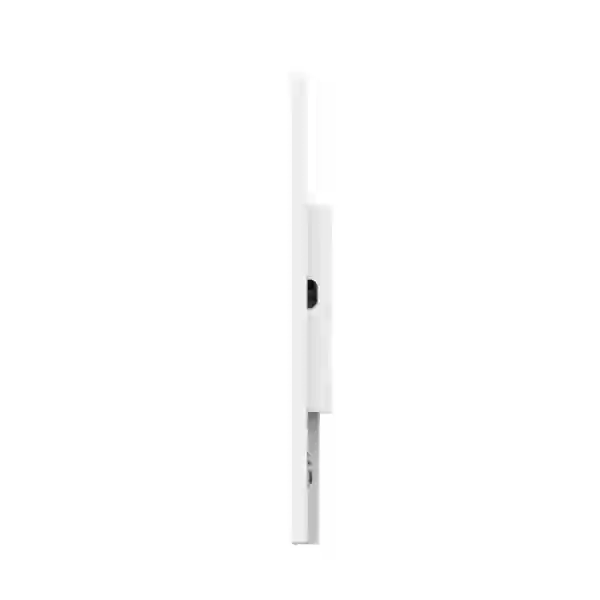
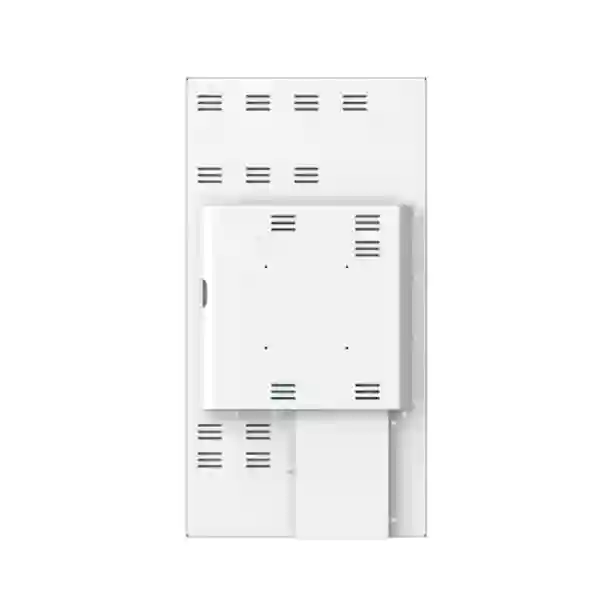
Hanwha specifies a 100 × 100mm VESA mounting interface and a white cabinet. That helps installers identify a mounting-pattern requirement, but it does not confirm that a bracket, stand, bolts, wall anchors, or a pole mount is included in the sales package. The weight and physical form should be checked against a suitable bracket and the strength of the mounting surface.
A good installation considers both public visibility and service access. Position the screen where a visitor can read it without obstructing doors, aisles, emergency signage, or staff work areas. Avoid a camera angle that captures only the ceiling or gives a distorted view of people entering. Plan concealed or protected cables and a route for any separate power supply. Before drilling, verify the exact dimensions and mounting orientation with the installation drawings. Use competent installation personnel for overhead or public-facing mounts.
Selecting an effective camera height
Because the camera is integrated into the display, the best height for reading the screen may not be the best height for capturing the intended scene. A unit mounted very high can be highly visible but may show mostly the tops of heads. A unit mounted too low could be blocked by visitors or made vulnerable to accidental contact. Neither outcome is solved by the display resolution alone.
Observe the normal pedestrian route, including people using mobility aids, visitors of different heights, and any existing signage or shelving. Check the field of view from the planned mount before purchasing multiple units. A sample unit or realistic camera-height mock-up can reveal blind spots and reflections. Document the intended viewing and recording zones, then obtain site-owner approval. For installations facing public areas, confirm applicable notices and privacy considerations before final commissioning.
Built-in speakers and audio deterrence
The manufacturer lists integrated speakers rated at 1W × 2 and supports audio alarms associated with events. These features can add an audible cue when selected conditions occur. They should not be assumed to provide intelligible announcements across a large room or replace a public-address or emergency evacuation system. Ambient noise, distance, mounting orientation, and configured volume all influence how the warning will be perceived.
Consider whether audio will genuinely improve response. At a busy shop entrance it could reinforce a notice, whereas in a library-like reception, clinic, or financial-services area it may be intrusive. Decide who is permitted to enable audio and how alert rules will be reviewed. Test sound levels with employees and affected stakeholders. Make sure audio use aligns with applicable workplace rules, privacy practices, and site policies. Prefer a clear, proportionate message over constant or overly aggressive alerting.
Choosing between this and a standard CCTV monitor
A standard Full HD monitor is generally selected to display an external video source, often through ports such as HDMI or VGA. The SMT-2221PVW is primarily an AI public view monitor with an integrated IP camera, network functions, on-screen messaging, and analytics. Hanwha’s detailed interface table for this model identifies the internal camera as its video connector; therefore buyers should not assume it functions as a general-purpose external HDMI display.
If the objective is to show existing NVR channels at a guard desk, check another monitor category and the required physical inputs. If the objective is a public-facing monitoring notice with an integrated camera, this model is more directly aligned. The difference matters for budget, installation, privacy, and future maintenance. Write down the required incoming video signal, the audience for the screen, and the recording architecture before selecting the product.
White finish and visual fit
The SMT-2221PVW is the white-cabinet version of Hanwha’s 22-inch AI public view monitor family. A white enclosure may work well in light-coloured reception areas and retail interiors where the display should look intentional rather than industrial. The finish is a design characteristic, not a different security feature or guarantee of easier cleaning. Do not infer that the white version has different analytics capability without a published exact-model comparison.
For a design-led interior, review the visible cabling, bracket finish, wall surface, and screen content together. A clean installation can look poor if cables trail along the wall or the default notice conflicts with brand guidelines. Conversely, a very discreet installation may weaken the intended visible-deterrence function. Confirm with the site owner whether the screen should be prominent or integrated into the surroundings, and evaluate the entire installation rather than the bezel colour alone.
Differences from other sizes in the range
Hanwha’s AI public view monitor family includes other display sizes and finish options. The relevant choice should be made around viewing distance, available wall space, field-of-view requirements, power, and interfaces—not simply by choosing the largest diagonal available. Some larger or differently named models may provide features or connection options that should not be attributed automatically to the SMT-2221PVW.
For example, a large open foyer may benefit from greater visual presence, while a compact checkout may suit this 22-inch format. A narrower passage may need an installation that optimizes its view orientation rather than its screen size. Compare manufacturer documents for each exact model before selecting alternatives. A quote should spell out the requested colour and part number to avoid receiving a visually similar black model or a different monitor family. Do not assume shared specifications from appearance alone.
What to check before connecting an NVR or VMS
List the existing recorder, video-management software, and security network before ordering. Identify the required camera streams, frame rates, analytics events, and retention schedule. Confirm whether the receiving application supports the exact model and firmware or whether only standard video streaming has been tested. ONVIF support is a useful starting point but not proof of a validated end-to-end integration.
If the public view monitor is intended to feed evidence into a central recording environment, confirm time synchronization, event search, playback, and secure export. If it is intended primarily for deterrence, avoid adding complexity that staff will not use. Ask the installer to demonstrate relevant functions in the chosen software. Keep screenshots or an acceptance checklist of the tested behaviour, with any limitations noted. This helps distinguish manufacturer capability, software compatibility, and project-specific configuration responsibilities.
Recording retention and access decisions
A monitoring deployment needs a decision about how long images will be kept, who can watch them live, and who can export recordings. Those choices are organizational policies, not specifications implied by a 256GB storage slot. If retention must meet contractual, legal, or incident-investigation requirements, have the responsible team document those requirements before configuration. Capacity calculations should use actual recording settings and a practical safety margin.
Minimize unnecessary access and protect recordings against casual browsing, unauthorized sharing, or accidental deletion. Consider whether the monitored area includes children, patients, private transactions, or sensitive visitor information. Public-facing monitoring should have a clear legitimate purpose and suitable visitor communications. Seek local legal or privacy advice for the planned use case rather than treating the product description as a compliance statement. The hardware may support a workflow, but the organization remains responsible for using it appropriately.
Planning a multi-unit rollout
Several public view monitors across branches or floors create consistency opportunities and operational complexity. The installation team should standardize mounting height where practical, approved screen wording, network segmentation, time settings, firmware management, and maintenance records. At the same time, each site needs a local field-of-view assessment because entrance layouts and lighting conditions differ. Copying one configuration blindly may create avoidable blind spots.
Prepare a schedule identifying the intended location, responsible owner, switch and power arrangement, required event rules, and acceptance-test outcome for every unit. Confirm how notices and camera images will be checked after store layout changes or refurbishments. If centralized management is desired, validate the exact supported approach rather than assuming the WebUI provides a full enterprise fleet service. A small pilot can establish standards and reveal practical issues before a larger procurement commitment.
Commissioning checklist for installers
Commissioning should verify more than a lit screen. Confirm that the mounting is secure, the camera observes the intended area, display text remains legible, and the selected power source is stable. Test wired connectivity, administrative access, firmware status, clock synchronization, and the chosen streaming and storage configuration. Confirm that alerts are relevant, that event rules are not excessively sensitive, and that the monitoring notice matches the installed workflow.
Record the results in a simple handover sheet. Include the device location, approved configuration owner, network details stored securely, service contacts, and any outstanding limitations. If integration is part of the scope, demonstrate playback or event reception in the nominated recorder or VMS. Check performance with representative visitor traffic rather than an empty room. Do not mark a project complete solely because the equipment has been mounted and powered.
Maintenance and operational ownership
Public-facing security equipment requires attention after installation. Screens can become obscured by new signage, cameras may be blocked by decorative displays, and alert settings can lose relevance when opening hours change. Assign responsibility for periodic visual inspections, time and date accuracy, display content, event review, and supported firmware maintenance. Keep cleaning methods consistent with manufacturer guidance.
Maintenance planning should also identify how staff report a blank display, network disconnection, unusual warning, or suspected recording failure. Maintain a record of changes so the installation can be restored predictably after service. If a unit is relocated, repeat the field-of-view and privacy review rather than assuming its old configuration remains suitable. Any specific warranty, repair terms, or service response time must come from the actual supplier agreement; they are not promised by this general product description.
Practical procurement requirements
A useful quotation request names the exact model SMT-2221PVW and confirms the white finish, quantity, intended indoor site, mounting method, and whether compatible power accessories are required. Specify whether the price should cover just the hardware or also design, cable runs, bracket supply, installation, recorder integration, user training, and configuration. This prevents an apparently simple monitor quotation from omitting important project elements.
Ask the supplier to confirm the network power specification because Hanwha’s summary and detailed electrical table use different IEEE PoE terminology. Request an explicit accessory and compatibility statement for the delivered revision. If local recording is required, confirm compatible storage and retention expectations. State any site-level security and privacy requirements. A responsible quotation should make inclusions and exclusions visible; it should not invent stock, local certification, shipping time, local warranty, or taxes without verifiable listing information.
How to compare an alternative offer
When comparing vendors, verify the exact manufacturer and part number first. Two white 22-inch monitors can have very different roles: one might be an ordinary display and another an integrated AI public view device. Compare the built-in camera, resolution, supported analytics, video protocols, mounting pattern, power requirements, and operating environment. Check whether quoted accessories and integration work are included.
A cheaper hardware-only price may be less useful if the planned switch cannot supply the required power or the recorder cannot process desired events. Conversely, paying for sophisticated analytics may not be justified where the only requirement is a simple visible notice. Ask for written technical assumptions and an acceptance test appropriate to the project. Avoid choosing from generic claims such as “AI security ready” without a specific feature and model reference. The best offer is the one that matches the documented site need.
Limits worth knowing before you buy
The SMT-2221PVW is intended for specific indoor public-view monitoring tasks, not every video-security application. The fixed lens limits optical framing adjustments. The published environmental limits mean that weather-exposed or overheated positions need a different solution. The detailed connector table does not establish a conventional external video input, so do not select it as an HDMI replacement without separate confirmation.
AI classification and counting are subject to positioning, scene conditions, and configuration. Integration protocols do not ensure all third-party software functions will work. The power-standard descriptions require confirmation for the exact unit and accessory. Storage capacity is not a guaranteed retention duration. Acknowledging these boundaries helps prevent mismatched installations and supports more useful supplier conversations. Evaluate the intended environment and operational question before comparing feature checklists alone.
A Tanzania-focused project conversation
For a Tanzania-based purchaser, a useful starting point is the building environment and intended security outcome rather than a claim about local inventory or coverage. Describe the site type, approximate mounting height, the number of entrance or checkout positions, and whether a recorder or video-management system is already in place. Share photographs or drawings only through an appropriate secure project channel when needed and authorized.
Discuss local power continuity and whether the network cabinet can accommodate compatible power equipment. Note if the proposed indoor space is unusually hot, humid, dusty, or exposed to glare. Ask for a quote that distinguishes supplied hardware from optional accessories and installation services. FourTeck Tanzania can be asked to review the requirement and provide an offer, but the availability, price, shipping, warranty, installation coverage, and contractual terms must be confirmed separately rather than assumed from this page.
What to provide when requesting a quote
To help assess whether this specific monitor suits a project, supply the product model, required quantity, general site type, and intended use: visible deterrence, public messaging, local recording, people counting, or event integration. Note the planned mounting location and whether the installation can use a wired network. Identify the existing recorder or VMS if one must receive the camera stream.
Also state whether mounting hardware, compliant power accessories, storage cards, cabling, commissioning, or staff handover should be included in the quotation. For a new site, a simple layout sketch can be more valuable than a long generic specification. Request written confirmation of the exact unit’s power requirements and any integration dependencies. This approach supports a more accurate project discussion without presuming local pricing, stock, or service commitments.
Buyer questions about the SMT-2221PVW
Is the SMT-2221PVW a normal HDMI CCTV monitor?
No external HDMI input is established in Hanwha’s detailed interface specification for this exact model. It is marketed as an AI public view monitor with an integrated IP camera. Confirm another model if an HDMI feed from an NVR is essential.
Does it contain its own camera?
Yes. Hanwha specifies an integrated 2MP CMOS camera with a 3.06mm fixed lens and F1.6 aperture. Placement and lighting determine the usefulness of its image.
Can it identify people by name?
The published capability is person/face detection and related analytics. Do not treat detection as a promise of named-person facial recognition, biometric identification, or guaranteed accuracy.
Can the display show a business logo?
Hanwha describes custom on-screen logo, text-overlay, and slideshow capabilities. Confirm the accepted file formats and display layout during configuration.
Does it work with ONVIF systems?
The manufacturer lists ONVIF Profiles S, G, T, and M. Verify the needed stream, event, and metadata functions with the exact recorder or VMS before relying on interoperability.
Is the power adapter included?
The manufacturer states that the adapter is not included. The precise network-power standard needs confirmation because its published key-feature summary and electrical table differ.
Can it record to a memory card?
The specification lists one microSD/SDHC/SDXC slot supporting up to 256GB and event-related recording capabilities. Retention time depends on configuration and conditions.
Is it suitable for outdoor use in Tanzania?
The listed operating range is 0°C to 40°C and 10–80% non-condensing humidity. No outdoor weatherproof rating is established here; use an appropriately rated product for exposed installations.
Can it count customers or analyze queues?
The manufacturer’s specification lists people counting, queue management, and heatmap functions. Confirm configuration, analytic performance, and desired reporting workflow in a pilot.
What is the difference between SMT-2221PV and SMT-2221PVW?
The SMT-2221PVW is identified by Hanwha as the white 22-inch model; SMT-2221PV is the black variant. Verify complete specifications for each exact variant when quoting.
Does it replace all existing CCTV cameras?
No. Its integrated wide-angle camera observes a particular position. An overall security design may still need other cameras, recording systems, lighting, policies, and trained staff.
How do I request a Tanzania quotation?
Provide model SMT-2221PVW, quantity, proposed indoor locations, existing security-system details, and whether power, bracket, storage, cabling, installation, or integration should be quoted. Ask for a confirmed local offer.
Request a Hanwha SMT-2221PVW quotation in Tanzania
Share your proposed site type, quantity, mounting position, recording or analytics needs, and existing network or VMS information. Ask for confirmation of exact network-power compatibility, power accessories, brackets, recording media, and any optional installation or integration services. Pricing, availability, warranty, and delivery arrangements should be stated in the supplier’s actual offer.
Contact FourTeck Tanzania with your project requirements for a quotation.




Reviews
There are no reviews yet.