
Wireless performance and four wired connections in one room-ready device
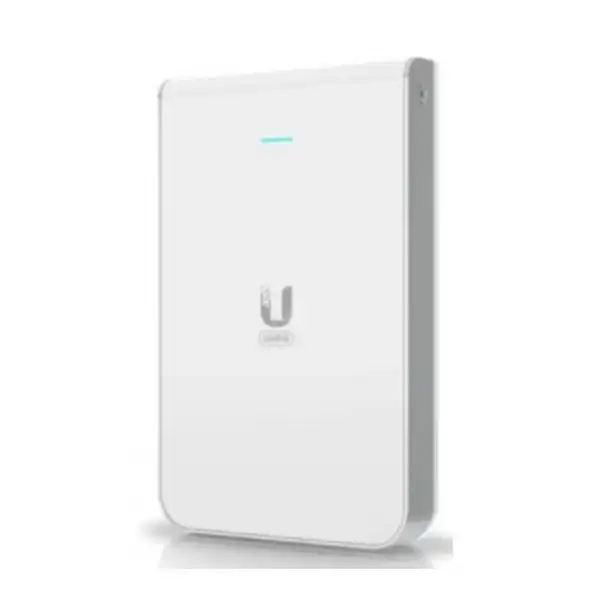
The Ubiquiti U6 Enterprise In-Wall is a managed tri-band access point for indoor enterprise rooms. It combines a 2.5 GbE uplink, four Gigabit Ethernet ports and a ten-stream Wi-Fi 6E radio design. Evaluate the power source, client mix, mounting position and Tanzania-specific radio permissions before ordering.
At-a-glance manufacturer specifications
| Manufacturer / model | Ubiquiti / U6-Enterprise-IW |
|---|---|
| Product type | Indoor wall-mounted UniFi wireless access point |
| Wi-Fi standard | Wi-Fi 6E (802.11ax) |
| Radio bands | 2.4 GHz, 5 GHz and 6 GHz capable; actual 6 GHz availability is region-dependent |
| Spatial streams | 10 total: 2×2 at 2.4 GHz; 4×4 each at 5 and 6 GHz |
| Maximum listed radio rates | 573.5 Mbps (2.4 GHz); 4.8 Gbps (5 GHz); 4.8 Gbps (6 GHz), at specified channel widths |
| Data-in interface | 1 × RJ45, 1/2.5 GbE |
| Data-out interfaces | 4 × RJ45, Gigabit Ethernet; one supported PoE output |
| Power input | PoE+; PoE++ needed for downstream PoE output |
| Maximum power consumption | 21 W excluding PoE output |
| Dimensions / weight | 159.7 × 156.7 × 33.8 mm / 884 g |
| Manufacturer’s coverage reference | 115 m²; not a site-specific guarantee |
| Manufacturer’s client reference | 600+ maximum listed; application performance varies |
| Management | UniFi Network, with version requirements and compatibility to be verified |
| Mounting | Wall; mount included |
Performance values are manufacturer specifications, not promises of achieved speed, usable coverage, concurrent application capacity or local regulatory approval.
The right access point for a wired, busy room
An enterprise room often needs more than one kind of connection. Laptops and phones need stable Wi-Fi, while a desktop computer, network printer, conference device or telephone may benefit from a dependable Ethernet socket. The Ubiquiti U6 Enterprise In-Wall combines a tri-band wireless access point with four downstream Gigabit Ethernet ports in a wall-mounted format. It suits projects where the Ethernet cable already reaches the room and the installer wants a single, centrally managed device serving both wireless and nearby wired clients.
The main buying decision is not whether the hardware has an impressive specification. It is whether a wall-positioned access point matches the room layout, radio environment, network architecture and power source. A room full of Wi-Fi 6E capable laptops has different requirements from a corridor of legacy 2.4 GHz devices. A workspace with four fixed terminals has different cabling needs from an open-plan floor. Assess these conditions before selecting the access point.
For a Tanzania deployment, prepare a simple room-by-room requirement: number and type of clients, available cabling, source switch, required SSIDs, security policy and the services users actually run. Match the intended 6 GHz configuration to applicable rules and enabled country support. This produces a more reliable buying decision than relying on maximum data-rate figures or a theoretical coverage radius alone. The next step is a site-specific hardware and installation review.
What buyers receive from the design
The model U6-Enterprise-IW belongs to the UniFi wireless family and uses Wi-Fi 6E radios in the 2.4, 5 and 6 GHz bands. It has ten spatial streams in total: two at 2.4 GHz and four each at 5 GHz and 6 GHz. The wired uplink negotiates at 1 or 2.5 Gigabit Ethernet according to the connected equipment. Four additional one-gigabit Ethernet ports serve downstream devices. The enclosure is intended for an indoor wall installation using its included mount.
These features create a compact endpoint for a room rather than an entire building’s network backbone. The access point still depends on an upstream switch, gateway, internet service and sound structured cabling. The integrated ports do not replace a full distribution switch, and the 2.5 GbE uplink does not make every connected client operate at 2.5 GbE. Understanding these boundaries is important for quotations, performance expectations and suitable network design.
The integrated switch is especially useful when a desk cluster or meeting area needs limited local Ethernet breakout. Wi-Fi users and connected wired devices share the upstream network capacity, so expected traffic matters. If the room has servers, large media workstations or many simultaneous high-throughput devices, the designer should assess dedicated network links or higher-capacity switching instead of assuming this single wall device will meet every requirement.
Who should consider this model
Good candidates include small or medium offices with structured cabling, conference rooms with fixed audiovisual equipment, professional workspaces, controlled hospitality rooms and network upgrades already standardized on UniFi. These locations may value an access point that sits near the users and connects a few nearby devices. A central administrator can configure radio settings and security policies consistently rather than manage an assortment of independent consumer routers.
This is less suitable when the best wireless position is a high ceiling, when an outdoor enclosure is needed or when there is no reliable Ethernet feed. A wall access point positioned behind a metal cabinet, below a desk or inside a service cupboard may underperform a correctly placed ceiling model. Facilities that need more than four local ports, multigigabit ports for connected equipment or unusually high PoE output should consider a different access-layer design.
The purchase should follow a practical comparison of room dimensions, wall materials, estimated users and their traffic, access-layer PoE capability and maintenance requirements. An application-driven decision also accounts for network uptime, staff training and monitoring. The device can be an elegant component of a managed network, but it is not automatically the right answer for every school, apartment, hotel or office merely because those environments use Wi-Fi.
How Wi-Fi 6E differs from earlier Wi-Fi
Wi-Fi 6E extends Wi-Fi 6 class technology into the 6 GHz band where supported. The newer band can provide additional radio-channel choices for compatible client devices and may reduce contention with older equipment under suitable conditions. The same access point also supports the traditional 2.4 and 5 GHz bands. That combination is valuable where the business is upgrading gradually and cannot replace every phone, tablet, camera and laptop at once.
A 6 GHz radio does not make an older device 6 GHz capable. A client needs compatible wireless hardware, operating-system support and appropriate security configuration. The 6 GHz band also does not guarantee better range; higher-frequency signals are often more affected by walls and obstructions. For a room design, usable signal quality, channel availability and client placement are more relevant than a headline claim that the newest band is always fastest.
The sensible approach is to build a mixed-client plan. Identify which business laptops and phones actually support 6 GHz, retain appropriate 5 GHz coverage for other devices and keep 2.4 GHz available where justified for legacy or low-bandwidth equipment. Validate the configuration in the selected country and on the actual UniFi software version. That keeps the benefits of modern Wi-Fi in perspective without excluding necessary older devices.
Understand the ten spatial streams
Ubiquiti specifies ten total spatial streams: 2×2 on 2.4 GHz, 4×4 on 5 GHz and 4×4 on 6 GHz. Multiple-input multiple-output technology gives the radio system more scope to serve traffic efficiently with capable clients. It is a radio-capability description, not a promise that one laptop receives ten streams. Individual client devices commonly support fewer streams and have their own limits for antenna configuration, channel width and wireless performance.
The manufacturer’s maximum physical data rates are up to 573.5 Mbps at 2.4 GHz and up to 4.8 Gbps at each of 5 and 6 GHz, with the specified channel widths and conditions. Those are theoretical link-layer rates. Actual application throughput is lower because Wi-Fi shares airtime and carries protocol overhead, and because traffic can be limited by interference, cabling, uplink capacity or the remote service.
When planning a network, use stream count to understand overall radio capability, then evaluate realistic client distributions and application demands. Measure performance with representative laptops at the intended locations and during normal business occupancy. A single device’s speed-test result should not be treated as a complete capacity test. Roaming behavior, call quality, packet loss, latency and the experience of many simultaneous users often matter more than a maximum speed number.
The practical meaning of 6 GHz capacity
The 6 GHz radio is useful only when the country setting, permitted channels, client capability and deployment environment allow it. Where those conditions align, a compatible client may use channels that are less occupied by older Wi-Fi devices. A clean channel can help demanding tasks such as large file transfers, conferencing or accessing local business applications. The amount of benefit varies with spectrum availability, interference and how many clients share the radio.
A wider channel can increase potential data rate but consumes more spectrum and may be harder to deploy efficiently across neighboring rooms. A narrower channel can be a better engineering choice where many access points operate nearby. Multiple wall units in adjoining rooms should therefore be planned as a coordinated radio network. Avoid setting maximum channel width universally without understanding the building and adjacent wireless systems.
For planning in Tanzania, distinguish the product’s global hardware capability from the configuration the local regulatory environment actually permits. Confirm current TCRA requirements and Ubiquiti’s country-specific radio support before activating a 6 GHz network. The product should not be purchased on an assumption that every 6 GHz channel shown in a global datasheet is available in every installation.
Four wired ports in the room
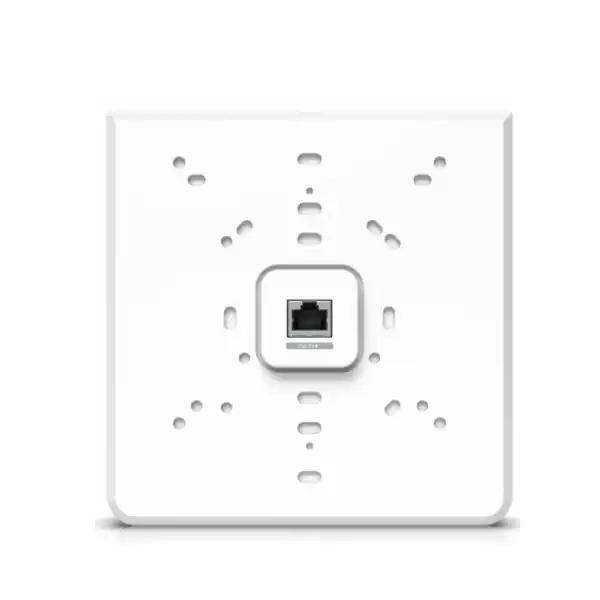
The U6 Enterprise In-Wall includes four downstream Gigabit Ethernet ports alongside its wireless function. Those ports can be helpful for a workstation, an IP-based communication device, a meeting-room appliance or a printer when the room has only one upstream structured cable. Instead of adding an extra small desktop switch for a modest number of wired endpoints, the installer can use the Ethernet interfaces integrated into the wall-mounted access point.
Each downstream interface is Gigabit Ethernet, not 2.5 Gigabit Ethernet. The shared upstream link is at most 2.5 GbE and needs a compatible switch port and suitable cable to negotiate at that rate. If all four attached devices transfer large files simultaneously, traffic can contend for the uplink just as Wi-Fi traffic does. Capacity planning should consider both local device requirements and the expected business applications.
In a managed office, wired ports also require an intentional network policy. Decide which devices belong on which VLANs, which should access internal services and which require internet-only connectivity. Confirm what port-level settings the deployed UniFi software and network design support. Avoid assuming all wired connections should automatically share the same security permissions. Label the connected cables and document their destinations to make future support simpler.
PoE input and the downstream PoE limitation
Power over Ethernet reduces the need for a separate electrical socket at the access point. According to Ubiquiti, this model can be powered using PoE+, while PoE++ is required when using its supported downstream PoE output. The difference is important: powering the access point successfully with PoE+ does not establish that it can power another connected device through its output port. Plan the power source around the actual downstream requirement.
The manufacturer’s listed maximum power consumption is 21 watts excluding downstream PoE output. Therefore the upstream switch or power equipment needs sufficient capability for the access point and, when applicable, the device receiving passthrough power. A switch’s advertised total power budget must also be considered because many access points on the same switch can compete for available power. Check port-class support and budget together.
Before ordering, record the intended PoE switch model, available per-port power, total available budget, cable condition and the exact downstream device power demand. Confirm the supported output mode and limits with current Ubiquiti documentation and the receiving device’s specification. This prevents an avoidable installation fault where Wi-Fi operates but a connected powered device fails to start, restarts intermittently or never receives the expected supply.
Why the 2.5 GbE uplink matters
The upstream network port supports 1 or 2.5 GbE. A 2.5 GbE uplink can provide more shared wired capacity for simultaneous wireless users and downstream Ethernet clients than a one-gigabit uplink, if the switch and cable path also support the higher rate. That is useful for a modern access point with capable radios, especially when users exchange data with local servers or cloud applications at the same time.
The uplink is not a guarantee of 2.5 Gbps internet speed. An internet connection may be slower, and a single Wi-Fi client will face its own radio, antenna and application limits. The port does not make the four room-facing Ethernet sockets multigigabit. If the upstream switch only supports Gigabit Ethernet, the access point can negotiate a slower connection and the system should be evaluated against that constraint.
A procurement review should therefore include the current edge-switch model, port negotiation capability, cable category and condition, link length, gateway throughput and workload. In many deployments, upgrading the correct switch port and improving radio placement matter more than chasing headline wireless specifications. A simple network diagram and traffic estimate help determine whether the 2.5 GbE feature will deliver a practical benefit.
Wall positioning and physical installation
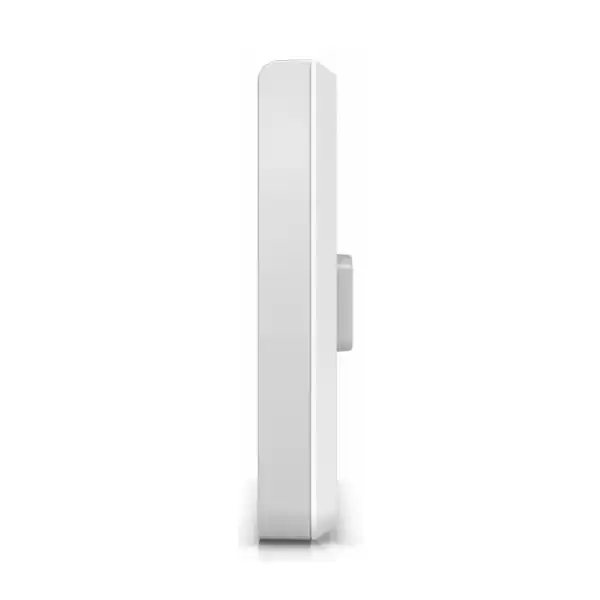
This product is designed for wall mounting, with a manufacturer-specified enclosure size of approximately 159.7 by 156.7 by 33.8 millimetres and a weight of about 884 grams. The supplied wall mount helps position the unit at an existing network termination. Installation should be mechanically secure, electrically appropriate and accessible for maintenance. The face and cable exits should not be obstructed by furniture or permanent fixtures.
A wall connection located just above floor level may be convenient for Ethernet ports but poor for radio coverage if surrounded by desks, metal furnishings or dense partitions. In contrast, a more open wall position can improve wireless propagation but may complicate cable routing to nearby equipment. Site planning balances these objectives instead of treating the original data-outlet position as automatically optimal for the access point.
During installation, inspect the Ethernet run, connector termination, power delivery, local environmental conditions and the route of attached patch leads. Avoid exposed, stressed cables that can be dislodged during routine cleaning. The device is intended for indoor applications; do not infer outdoor weather resistance from its operating-temperature specification. Mount it in a location that is appropriate for people, equipment and service access.
Coverage figures need a site survey
Ubiquiti publishes a reference coverage area of 115 square metres for this access point. That helps compare product positioning but is not a measured coverage guarantee for a particular office or building. Radio propagation depends on the mounting height, direction, wall materials, floor plan, client antenna design, local interference, regulatory power limits and the data rate needed at the outer parts of the room.
A connected device may show a Wi-Fi signal yet still provide poor video-conference quality or slow business-application response. That is why signal strength alone is insufficient. Assess signal-to-noise ratio, channel use, client roaming, latency and actual throughput at workstations, corridors and meeting spaces. Compare performance during busy hours, not only when the building is empty. The required service level should drive acceptance testing.
Do not multiply the reference coverage area by a count of access points to estimate a complete building design. Adjacent units require deliberate cell planning and channel management, particularly where walls vary from lightweight partitions to reinforced concrete. The best layout may use more modest-sized cells with careful overlap rather than a few devices pushed to high transmit power. This approach supports predictable experience.
UniFi Network management
The U6 Enterprise In-Wall is managed through the UniFi Network ecosystem. The manufacturer’s specification identifies UniFi Network version 6.0.45 and later as an application requirement, but the deployed environment should use a currently supported release compatible with the installed hardware and features. Central management can help administrators provision access points, monitor connected clients, review alarms and adjust wireless policies across multiple rooms.
The access point is not a replacement for the site’s gateway, internet router or network security architecture. UniFi management gives visibility and configuration capabilities, while actual routing, upstream firewall enforcement and service quality depend on the broader deployment. If the organization already runs UniFi, this model may be easier to integrate operationally than unmanaged room-level routers with different control interfaces.
Before installation, confirm administrator access, device adoption procedure, software compatibility, backup policy and change-control ownership. Plan how a failed device will be replaced and who maintains network credentials. Remote support can be useful, but it still requires reliable access and appropriate security. Central management adds value when responsibility, monitoring and maintenance routines are clearly defined.
Security and guest access decisions
Ubiquiti lists guest isolation, client isolation, private pre-shared keys, password authentication, hotspot portal options and dynamic RADIUS-assigned VLAN among the UniFi capabilities for this model. These features can support different business policies for employees, visitors and managed devices. Their effectiveness depends on careful configuration across access points, switches, identity systems and gateways rather than simply enabling a feature label.
For example, a visitor network may require internet access without visibility of office printers or private servers. A managed-device network may need access to a specific application but not general internal resources. A voice or audiovisual device may need its own wired and wireless rules. Translate those requirements into network segmentation, tested firewall policies and a consistent SSID plan. The goal is least-necessary access without breaking real workflows.
Security reviews should also cover administrator accounts, software updates, secure credential handling and a documented response plan. Use supported authentication choices for each band and client population; 6 GHz deployments may impose different security requirements from legacy networks. Do not assume the same settings work on every older device. Test onboarding and isolation using representative clients before inviting staff and guests onto a production network.
Roaming and multi-room deployments
For facilities with multiple access points, smooth roaming can matter more than the speed achieved beside one unit. Ubiquiti lists support for mechanisms such as 802.11k, 802.11v and 802.11r on this model. These can help compatible clients identify and move between wireless cells, but client behavior remains a major factor. Roaming is ultimately influenced by signal overlap, authentication choices, firmware and the radio design.
An office can suffer poor experience even with strong access points if adjacent units are configured on competing channels or transmit at unnecessarily high power. Sticky clients may remain connected to a distant access point while a closer one offers better service. A planned deployment considers expected movement through meeting rooms, workstations and corridors and then tests application continuity when users walk between those locations.
Do not enable every advanced roaming option without evaluating compatibility. Some older embedded devices and specialized terminals behave differently from modern laptops. A good commissioning plan establishes normal settings, tests representative client types, measures handoffs and documents any exceptions. The resulting configuration should prioritize reliable business communications over an attractive but unverified theoretical network design.
Tanzania-specific frequency considerations
Tanzania is the intended market for this page, so local wireless requirements are part of the purchasing decision. The Tanzania Communications Regulatory Authority publishes national frequency planning and wireless technical documentation. Its July 2025 WLAN and LPWAN band plan identifies license-exempt 2.4 and 5 GHz ranges and conditions, while other regulatory material discusses emerging 6 GHz technologies. This does not automatically establish that any imported 6 GHz configuration is approved.
The manufacturer also conditions 6 GHz operation on supported countries and appropriate product settings. Before enabling the 6 GHz radio, confirm the current applicable Tanzanian rules, relevant equipment approval requirements, specific permitted frequency range, power limits, indoor-use conditions and the device firmware’s country selection. If these checks have not been completed, procure and design on the basis that actual 6 GHz operation remains subject to verification.
Avoid buying a foreign-region unit on the assumption that changing its country setting will safely unlock features. Verify the exact hardware region and supply chain. Businesses with compliance obligations should obtain suitable professional advice and documentation rather than relying on informal community configurations. The value of this access point in Tanzania comes from the complete wired and wireless design, not from unverified claims about regulatory clearance.
Client compatibility and migration
A workplace wireless network usually serves devices bought across several years. Older laptops may connect on 5 GHz, entry-level peripherals may use only 2.4 GHz and newer premium devices may support 6 GHz. The U6 Enterprise In-Wall can participate in that mixed environment, but each client uses the band and data rates it actually supports. A modern access point does not retroactively upgrade a client’s radio hardware.
Before selecting a wireless security policy, list important older systems such as barcode scanners, handheld terminals, printers and specialized control devices. Check whether they support the desired authentication and whether any need a dedicated legacy SSID. It may be wise to separate low-bandwidth devices from business-user traffic for operational clarity. However, excessive SSIDs can add management complexity, so keep the design purposeful.
For user-facing devices, test current drivers, operating systems and business applications. A laptop marketed as Wi-Fi 6 may lack 6 GHz capability unless it specifically supports Wi-Fi 6E. Similarly, broad 6 GHz capability does not prove every channel or feature works in the selected country. Confirm compatibility with the actual deployed access point settings and document any exceptions before a company-wide switchover.
Use case: offices and coworking spaces
In a structured office, one wall unit can serve an individual workspace, team area or meeting room where Wi-Fi clients share the space with a handful of wired devices. The four Ethernet outlets provide practical convenience for equipment that would otherwise require additional patching or a separate desktop switch. Employees can use managed wireless access while approved desktop devices retain wired connectivity. That combination can simplify smaller room deployments.
A coworking site introduces additional requirements because users may belong to different organizations and need isolation. Network planning must distinguish guest internet access, site-admin equipment, shared meeting resources and any tenant-specific services. The access point can provide the wireless edge, but secure separation also depends on upstream switching, VLAN design and gateway policy. Documenting these boundaries protects operations and reduces support confusion.
For offices, a useful acceptance test includes normal video meetings, shared-file access, print jobs, basic mobility between rooms and simultaneous use during peak hours. Do not assume that a specification of hundreds of supported clients means hundreds of users will receive equal high-speed service. Application mix, radio airtime and the upstream connection determine the experience. A deployment plan should describe realistic occupancy and service targets.
Use case: conference and meeting rooms
Meeting spaces frequently need a mix of wireless laptops, presentation equipment, a conferencing appliance and perhaps a control system. A wall-mounted AP with local Ethernet connections may fit this setting, particularly if equipment is already arranged around a wall termination point. The wired ports are suitable for network endpoints that benefit from stable Ethernet connections, provided their traffic and network-security requirements fit the design.
Conferencing quality depends on more than headline Wi-Fi speed. Low packet loss, predictable latency, sound DNS and internet connectivity, and a properly configured voice or video service are essential. If the room uses wireless screen sharing, verify the discovery and multicast behavior required by the platform across its VLANs. A guest network intentionally isolated from internal services may need a separate policy for approved presentation workflows.
Power planning matters when a conferencing accessory expects PoE from the wall device. Check the exact accessory’s required standard and budget before counting on passthrough power. Put critical equipment on appropriate protected upstream power if business continuity warrants it. After installation, test the complete meeting-room experience rather than simply verifying that each device shows a connection icon.
Use case: managed accommodation and shared facilities
Certain managed indoor accommodation environments can benefit from giving each unit or common room its own discreet wireless endpoint with extra Ethernet sockets. Network segmentation, authorized management and maintenance access are particularly important when different occupants use the same infrastructure. The U6 Enterprise In-Wall may be evaluated for these applications, but suitability depends on the building’s cabling, available power and wireless overlap.
High-density hospitality designs should not be inferred from an access point’s theoretical maximum client figure. Occupancy varies over time, users bring different devices and concrete walls can make neighboring rooms behave unpredictably. A model that works well in a single demonstration room may need different channel and placement choices when repeated across a floor. Trial a representative area before finalizing a larger installation plan.
Operators should define where guests may connect, what services they can reach and how support staff diagnose failures without compromising privacy. Verify the authentication experience, reset procedures, monitoring permissions and network upgrade process. If future use may require more wired ports or different bandwidth per unit, include that in the design now rather than adding uncontrolled switches later.
Choosing between U6 Enterprise In-Wall and U6 In-Wall
The U6 Enterprise In-Wall and the U6 In-Wall are distinct products, despite similar names and wall-mounted layouts. Manufacturer information identifies Wi-Fi 6E, ten spatial streams and a 2.5 GbE uplink for the Enterprise model. The standard U6 In-Wall uses Wi-Fi 6, has six spatial streams and a Gigabit Ethernet uplink. These differences may justify the Enterprise model when the network has compatible clients and the switching infrastructure can make use of the additional capability.
The better choice depends on the application, not just the generation number. A room containing mostly legacy clients on a one-gigabit upstream switch may see little immediate benefit from 6 GHz capability, while a modern office expecting more compatible wireless devices may value the extra radio and uplink options. Both choices still need sound site planning, sufficient PoE, suitable cabling and a consistent security architecture.
A procurement comparison should cover installed cost rather than device cost alone. Include any required switch upgrade, power budget, patching, survey, licensing or management infrastructure, installation labor and ongoing support. The exact product variation and regional regulatory support should also be confirmed. A newer model is not automatically the most economical solution for a room whose clients and workloads do not require its extra capabilities.
Commissioning workflow for installers
Begin with a surveyed room, approved network diagram and documented acceptance criteria. Identify the upstream switch port, intended VLANs, cable route and mounting location. Verify whether PoE+ is sufficient or PoE++ is necessary because the room requires downstream PoE. Test the cable run before connecting the device. Record the access point’s position and the four downstream equipment connections so that later support does not depend on memory.
After physical installation, adopt the device into the intended UniFi Network environment and confirm the correct software and settings. Set an appropriate country region, wireless networks, security modes, traffic segmentation and wired-port policy. Check whether the actual connected upstream link negotiates at the expected speed. Configure transmit power and channels in the context of neighboring access points instead of forcing every unit to identical maximum settings.
Commissioning should conclude with real client tests: connect compatible and legacy devices, confirm expected network access, try local applications, measure roaming where applicable and verify that any powered downstream device works reliably. Save configuration information and an as-built diagram. Record the tested 6 GHz behavior only when regulatory and device-support checks have been completed. This creates an evidence-based handover rather than a simple statement that installation was successful.
Common performance problems and first checks
If wireless users report slow speeds, begin with the complete path rather than replacing the access point immediately. Check whether the upstream link is negotiating at one gigabit instead of the expected 2.5 GbE, whether cable errors are present and whether the internet or gateway is saturated. Then examine channel utilization, nearby radio interference and the distance between the client and the access point. Each factor can limit performance independently.
If a nearby laptop performs well but clients beyond a partition struggle, the problem may be coverage or wall attenuation rather than insufficient hardware capability. If only one device type has trouble, examine its wireless driver, security support and band compatibility. If a downstream powered device fails, verify PoE++ input and power budgeting. These simple distinctions often reduce time spent changing unrelated settings.
Use consistent evidence: client model, band, channel width, signal conditions, tested service, observed throughput and time of day. Avoid equating an advertised physical rate with application throughput. Keep firmware and network management within supported versions and review changes after an upgrade. A good support process resolves issues with measured observations and documented corrective actions, not guesses based on marketing labels.
Power, reliability and maintenance planning
A business wireless installation must remain serviceable after the initial deployment. Document which switch powers each access point, which patch-panel port feeds it and which rooms depend on it. If many wall units share one PoE switch, evaluate the total power budget and the business effect of that switch failing. A single access point may support several wired and wireless clients, making the upstream power path an important operational dependency.
Preventive work can include inspecting cable connections, checking device health, reviewing alerts and confirming that the wireless configuration still matches current business needs. Firmware updates should follow a documented policy with backups and an appropriate maintenance window. A managed network benefits from clear ownership of configuration changes and a way to roll back or troubleshoot when unexpected client behavior appears.
Do not promise a particular service life or warranty period without an exact commercial offer. Instead, plan replaceability, configuration records and a source for compatible power equipment. Where uninterrupted connectivity is critical, consider redundant infrastructure at the appropriate network layer. Reliability comes from the whole installation, including upstream switching, internet service, electrical continuity and maintenance discipline.
Understanding the advertised client figure
The Ubiquiti specification lists a maximum client count above 600. That number describes a product capacity characteristic under specified assumptions; it is not a guarantee of acceptable performance for 600 simultaneous video calls, large file transfers or other demanding sessions. Radio airtime is shared, and each active device consumes a different amount depending on its signal quality, traffic pattern and wireless capabilities.
For practical planning, count active users and their devices separately. Fifty people may bring more than fifty connected devices, while only a portion may transfer significant data simultaneously. Identify the busiest periods and whether the critical applications are sensitive to delay. A capacity plan may need multiple access points, adjusted channels or separate wired connections despite a high stated supported-client figure.
Treat performance as a measured service outcome. A pilot should exercise realistic traffic patterns and monitor application responsiveness, packet loss, roaming stability and channel contention. If the site has unusually dense seating, engage a wireless designer to model and test the intended layout. A large maximum client count is useful context but cannot substitute for an occupancy-specific engineering assessment.
Cost of ownership and procurement scope
When requesting a quotation for the U6 Enterprise In-Wall, ask for the complete deployment scope rather than just the unit price. The network may also need a PoE-capable switch, compatible multigigabit uplink port, structured cabling, patch accessories, installation work and configured UniFi management. An incomplete quote can appear inexpensive until these dependencies are discovered during installation.
For a Tanzania project, avoid assuming a listed overseas retail price is the local selling price or that stock, import requirements, warranty and delivery arrangements are identical. Request a current written quotation with the exact model and appropriate commercial terms. Hardware region and verified 6 GHz support should be addressed explicitly. The exact target-listing SKU also needs confirmation from FourTeck’s listing records rather than being guessed from the manufacturer’s model identifier.
Useful comparison criteria include total installed cost, expected client mix, number of downstream wired devices, power needs, management fit and room-to-room radio design. Businesses should also consider operational costs such as monitoring, access changes, replacement planning and troubleshooting. The lowest equipment price may not be the best long-term choice if it introduces incompatible power equipment or requires costly redesign.
A practical checklist before ordering
First confirm the product: U6 Enterprise In-Wall with model identifier U6-Enterprise-IW, not the different U6 In-Wall or ceiling-mounted U6 Enterprise. Identify the required quantity and installation rooms. Provide floor plans where available and note the wall material, client density and any existing Ethernet points. This basic information lets a network specialist distinguish a suitable wall access point from a design that needs a different mounting approach.
Next verify the upstream switch’s PoE class, available power budget and 1/2.5 GbE support. Count the wired endpoints required in every room and identify any device that expects power from the AP. Check cable quality and patching. List current wireless client standards and any authentication, visitor access or VLAN requirements. These details determine how much of the Enterprise model’s capability can actually be used.
Finally review the regulatory setting and intended 6 GHz operation, as well as the management platform and handover requirements. Request written confirmation of local commercial details rather than treating an international datasheet as a source of Tanzania stock or warranty information. Agree on testing and acceptance criteria before installation. A well-scoped purchase reduces avoidable questions and costs during commissioning.
Request a configuration-led quote
For a suitable project, the next step is to request a quotation and implementation review for the exact U6-Enterprise-IW model. Include the expected number of rooms, client types, wired devices, PoE requirements, existing switch models and any network drawings. That information is more useful than simply requesting the fastest possible access point, because it enables a realistic assessment of wiring, radio coverage and management dependencies.
Ask for confirmation of the exact product variation, power-source requirements, applicable Tanzania regulatory considerations, commercial terms and support arrangements. Where the project includes multiple rooms or demanding applications, a survey or pilot may be appropriate before quantity selection. Deployment design should remain adjustable until the actual floor plan and client requirements have been checked.
FourTeck Tanzania can be contacted through the site’s normal enquiry or quotation process. No particular local stock level, price, delivery period or installation service is represented by this technical guide. The aim is to help buyers frame the right questions and select a wireless solution with clear expectations about capabilities, limitations and the steps needed for a successful installation.
Frequently asked questions
Is the U6 Enterprise In-Wall a Wi-Fi 6 or Wi-Fi 6E access point?
It is a Wi-Fi 6E access point. It supports 2.4 GHz, 5 GHz and a 6 GHz-capable radio, subject to device settings and applicable country rules. Wi-Fi 6E extends the Wi-Fi 6 family into 6 GHz. Existing clients without compatible 6 GHz hardware continue using bands they support. Check the operating system and wireless adapter before planning for 6 GHz client use.
Can it replace the main office router?
No. It is a managed access point with an integrated four-port Ethernet switch, not a substitute for the network gateway, firewall or internet service. It needs an appropriate upstream network, power and UniFi management. The overall design should include routing, security rules, upstream switching, DNS, DHCP and the desired internet or private-network connectivity.
How many Ethernet ports are available?
There is one data-input uplink supporting 1/2.5 GbE and four downstream Gigabit Ethernet data ports. The downstream ports can connect nearby wired devices, but they do not individually support 2.5 GbE. The uplink capacity is shared with wireless traffic. Count expected devices and traffic before deciding whether the built-in switch can replace a separate room switch.
Does PoE+ power the access point?
Ubiquiti lists PoE+ as a supported power method for the access point. However, PoE++ is required to use its supported downstream PoE output. A successful PoE+ installation should not be assumed to provide passthrough power. Confirm the power budget of the upstream equipment and the requirement of any device that will receive power from the access point.
Can one of the four ports supply PoE?
Yes, Ubiquiti identifies one downstream PoE output among the four Gigabit Ethernet ports, provided the access point itself receives the necessary PoE++ input. Confirm the output limitations and compatibility of the intended powered endpoint before purchase. The remaining room connections are ordinary network data ports unless an official specification for the exact model states otherwise.
Will the unit deliver 4.8 Gbps to my laptop?
The manufacturer quotes up to 4.8 Gbps physical radio data rate on its 5 GHz and 6 GHz radios under suitable conditions, not guaranteed end-user throughput. A laptop’s radio capabilities, signal quality, wireless overhead, other clients, channel width, interference and the upstream link all influence real results. Test business applications under realistic site conditions rather than using the PHY rate as a service promise.
Is the published 115-square-metre coverage guaranteed?
No. The area published by the manufacturer is a reference specification. Actual usable coverage depends on partitions, metal, floor plan, client devices, placement and the performance level needed. A voice call may require a stronger and more stable signal than a light messaging application. For multiple rooms, use a site survey and acceptance testing instead of relying on a simple area calculation.
Can the access point support more than 600 active devices?
The product specification lists a maximum client count above 600, but that does not guarantee usable capacity for any particular group of active applications. The network must be designed around expected simultaneous traffic, radio airtime, device diversity, uplink speed and application sensitivity. High-density installations should be validated against real users and workloads, not a client-count figure alone.
Can it operate on 6 GHz in Tanzania?
The device has 6 GHz-capable hardware, but actual use must follow current Tanzanian rules, any applicable equipment approvals, permitted channels and power limits, and Ubiquiti’s supported country configuration. Do not assume every global 6 GHz frequency is permitted. Review relevant TCRA documentation and the exact device variant before turning the band on or promising customers 6 GHz service.
Does every Wi-Fi 6 laptop support 6 GHz?
No. Ordinary Wi-Fi 6 equipment can operate on 2.4 and 5 GHz without supporting the 6 GHz extension. Look specifically for Wi-Fi 6E capability and compatible software and drivers. Even with a capable device, actual band availability may depend on local regulations, security settings and the access point’s supported region. Maintain suitable alternatives for legacy clients.
Is it suitable for a concrete-walled office?
It may be suitable for individual rooms or planned zones, but concrete walls can weaken radio signals significantly. An access point in one room should not be assumed to cover several separated rooms with equal quality. Evaluate mounting locations, cable availability and measured propagation. More appropriately placed access points may deliver a better result than trying to extend a single radio cell through dense partitions.
Can it provide employee and guest Wi-Fi?
The UniFi platform supports features such as guest isolation, captive portal options and VLAN-related controls. Whether the final employee and guest policies are secure depends on the wider configuration, including the switches and gateway. Design and test network separation, authentication and allowed services carefully. Additional management or identity infrastructure may be needed for particular requirements.
Will it work without any UniFi system?
The model is designed for management through UniFi Network rather than ordinary standalone consumer-router administration. Plan for an appropriate UniFi Network environment and compatible version. Also consider adoption, updates, administrator access, backups and monitoring as part of the project scope. Confirm the existing site’s network architecture before assuming deployment will be plug-and-play.
What is the difference between this and U6-IW?
The U6 Enterprise In-Wall adds Wi-Fi 6E capability, ten spatial streams and a 2.5 GbE uplink, while the U6 In-Wall is a Wi-Fi 6 product with six spatial streams and a Gigabit uplink. Compare actual clients, power provision, cost and regional radio support before choosing. Either model needs good placement and network configuration to perform well.
What should a buyer provide for an accurate quote?
Provide the exact model U6-Enterprise-IW, desired quantity, number of rooms, floor plan if available, expected devices, wired-port requirements, switch details and power budget. Mention whether 6 GHz use is central to the project and whether a guest network or VLAN separation is needed. Ask for a written confirmation of current Tanzania commercial terms, variant compatibility and any installation scope.
Plan your U6-Enterprise-IW deployment
Request a FourTeck Tanzania quotation with your floor plan, number of devices, switch information, PoE budget and required wireless services. Confirm regional radio requirements, hardware variant and current commercial terms before purchasing. Use FourTeck Tanzania’s standard enquiry process to begin the review.




Reviews
There are no reviews yet.