
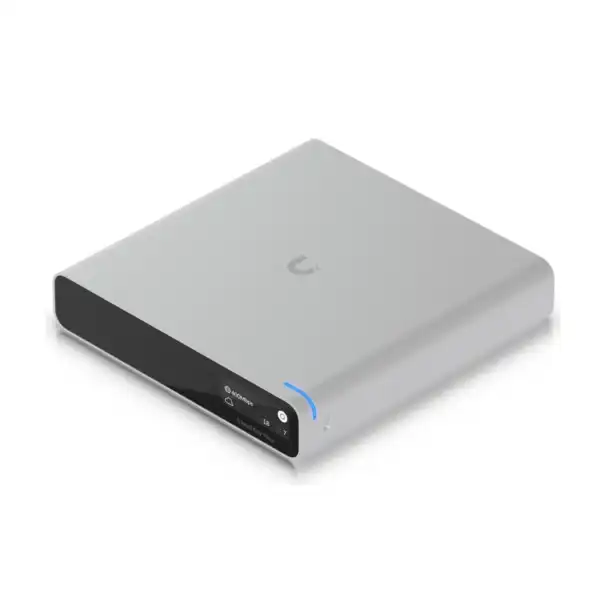
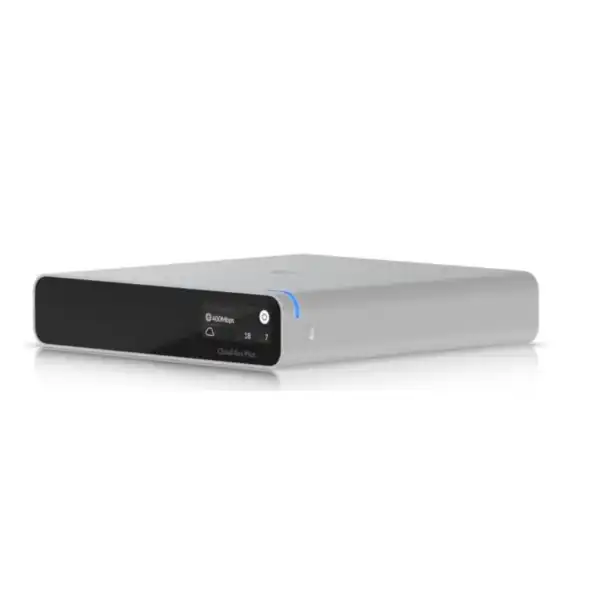
Ubiquiti CloudKey Plus UCK-G2-SSD with 1 TB SSD
Manage compatible UniFi networking and selected physical-security applications from a compact local console. The factory-installed solid-state drive provides a practical starting point for a modest UniFi Protect recording deployment. Request a fit-for-purpose quote before selecting cameras, power accessories, or storage retention.
Quick product facts
Important: the CloudKey+ is a management console, not a router, PoE switch, wireless access point, or redundant multi-drive NVR.
What the CloudKey+ SSD does for your site
A modern business network has several moving parts: wireless access points, switches, an internet gateway, cameras, administrator accounts, alerts, and security policies. The CloudKey+ SSD provides a dedicated place to run supported UniFi management applications instead of relying on an employee laptop or a general-purpose computer that might be shut down. Administrators can review the state of the supported installation, adopt compatible devices, apply settings, and supervise local recordings. It is especially attractive when a site already uses UniFi equipment and wants a small physical console rather than a larger integrated gateway.
The important buying distinction is between management and connectivity. This appliance hosts the UniFi control plane; it does not independently route internet traffic, distribute wireless signals, provide switching ports for client devices, or make cameras appear without compatible hardware. Your deployment still needs the appropriate gateway, switches, wireless equipment, cameras, power arrangement, and network design. For many offices the practical value is organizational: one dedicated management host, local storage for a modest Protect deployment, and a predictable place for administrators to manage supported UniFi applications.
Confirm the model: UCK-G2-SSD rather than the older HDD version
The product covered here is specifically UCK-G2-SSD. Its identifying feature is the factory-installed 1 TB 2.5-inch SATA solid-state drive. Another model, UCK-G2-PLUS, is often described using very similar Cloud Key Gen2 Plus naming and historically shipped with a hard disk drive. Product listings sometimes combine descriptions for the two, so a buyer should verify the complete model designation on the quote and packaging, not rely on the shorthand Cloud Key Plus alone. The installed storage type matters for purchasing expectations, maintenance planning, and an accurate comparison between offers.
An SSD eliminates moving disk platters, but its presence does not turn the console into a fault-tolerant storage array. A single drive remains a single point of storage failure, and the capacity is not an assurance about how many days of footage you can retain. If a quotation uses a different model code, asks you to add an SSD separately, or bundles an unknown storage size, clarify exactly what will be delivered before ordering. The model code UCK-G2-SSD is a manufacturer model identifier, not a verified FourTeck Tanzania listing SKU.
At-a-glance technical design
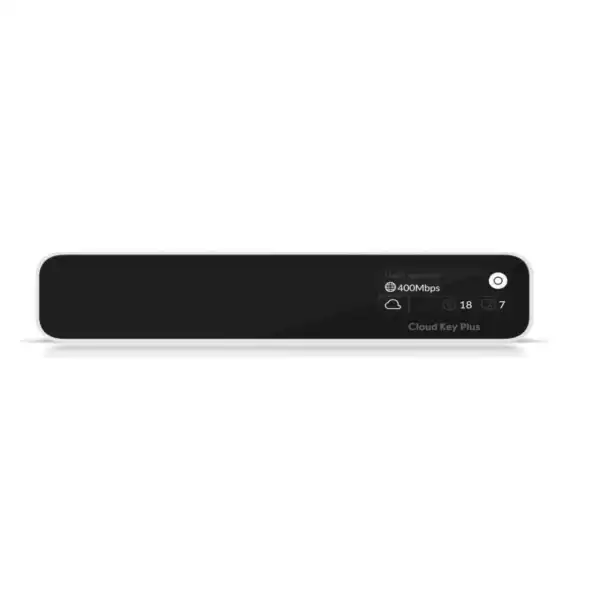
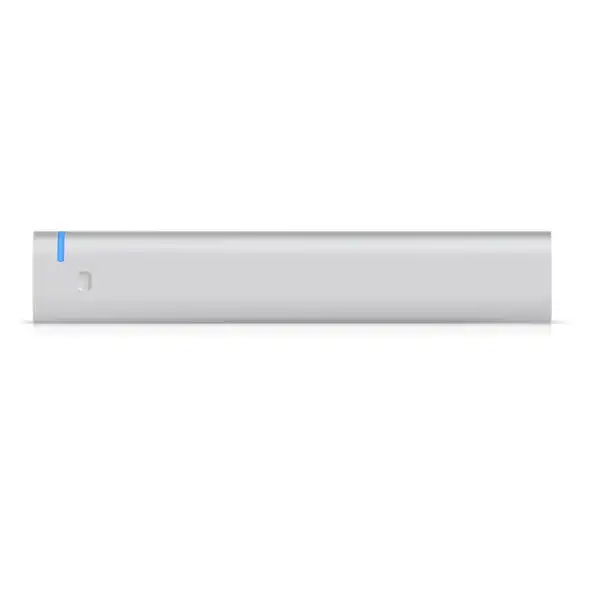
Ubiquiti specifies an octa-core Arm Cortex-A53-based processor, 3 GB of RAM, and 32 GB of eMMC memory for the UCK-G2-SSD, alongside the pre-installed user-upgradeable 1 TB SATA SSD. The network interface is one Gigabit Ethernet RJ45 connection. The compact desktop enclosure measures approximately 131.2 by 27.1 by 134.2 millimetres, weighs about 560 grams, and uses anodized aluminium. It has a 1.42-inch grayscale OLED display that provides local device information. Ethernet and Bluetooth are supported management paths, with Bluetooth helpful during initial setup using a compatible mobile device.
The maximum stated power consumption is 9.6 watts. Power can be supplied through compatible PoE, or through the optional USB-C method using a Quick Charge 2.0 or 3.0 compliant 9 V DC, 2 A adapter. These figures describe the console, not the whole solution; PoE switches, cameras, access points, routers, and uninterruptible power supplies have separate electrical needs. Ubiquiti states ambient operating limits of 0–35 degrees Celsius and 20–80 percent non-condensing humidity. Site design should respect those limits instead of assuming that any unventilated cabinet is acceptable.
Who should choose a dedicated UniFi console?
The CloudKey+ SSD suits an organization that wants to separate application hosting from the day-to-day computer used by staff. A branch office with managed UniFi access points and switches may value an always-on Network application. A shop with a small set of compatible UniFi cameras may value the local Protect recording function. A facility with supported UniFi door-access components may benefit from running the Access application on a dedicated host. The overall fit depends on the size of the deployment and which applications must run together.
It is less convincing when the requirement is high-capacity recording, many simultaneous 4K cameras, multiple recording drives, integrated routing, or an enterprise-scale estate with complex redundancy requirements. In those cases, a suitable UniFi Cloud Gateway, dedicated Network Video Recorder, or another control-plane architecture may be better. The correct evaluation question is not simply whether this model supports a named application; it is whether the expected mix of cameras, networking devices, users, storage retention, and business continuity requirements can be supported together with sufficient headroom.
UniFi Network: manage compatible switches and wireless devices
UniFi Network gives administrators a place to work with supported UniFi networking equipment. Depending on the devices in the installation, the application can show adoption status, configuration, network health, wireless settings, and operational information. For an office where access points and switches are installed across rooms or floors, a consistent controller can make policy changes and troubleshooting easier to coordinate. The CloudKey+ does not itself provide radio coverage; the quality of Wi-Fi still depends on access point placement, client density, building materials, interference, radio settings, and uplink capacity.
The console also is not a substitute for a secure gateway. Firewall features, internet routing, VPN services, and other gateway functions require suitable hardware and configuration. This separation is useful when a business already owns a router it wants to retain, but it must be considered when designing a new network from scratch. Before adopting existing devices, check their management state, software compatibility, VLAN reachability, credentials, and backup arrangements. A smooth controller deployment begins with a clear network inventory rather than assuming every installed device will automatically join the new host.
UniFi Protect: local recording with realistic capacity planning
The built-in SSD allows the UCK-G2-SSD to host local UniFi Protect recordings from compatible cameras. This is a practical option for modest surveillance needs where a standalone large recorder would be disproportionate. Operators can use the supported Protect application to view cameras, review recordings, and manage related settings according to the installed software and camera features. Local recording is particularly relevant when a business prefers its primary video footage to be stored on a device at the premises, while remote administration can be configured separately if appropriate.
Camera capacity needs careful interpretation. Ubiquiti’s technical specification lists examples of up to 24 HD, 14 2K, or 8 4K cameras, but the manufacturer’s camera-capacity guidance treats such figures as indicative for a console dedicated to Protect, not as an unconditional promise for simultaneous mixed workloads. Operating UniFi Network, Access, or other applications at the same time reduces available resources; camera models, encoding, concurrent viewers, and recording choices also matter. For a production site, plan conservatively, assess the intended camera mix, and allow margin for future additions rather than purchasing against a headline maximum.
What one terabyte of recording space really means
A 1 TB SSD is a physical capacity, not a fixed number of recording days. Retention changes with resolution, frame rate, image complexity, bitrate, camera count, continuous versus detection-based recording, and any capacity reserved by the console or other functions. Two sites with the same number of cameras may retain very different amounts of footage. A customer who needs to retrieve an incident from several weeks earlier should start by defining the actual retention target, then size storage and recording policy to meet it instead of selecting a recorder only because it has a familiar capacity figure.
Consider a simple planning exercise before purchase. List each camera, the scene it covers, its video quality requirement, its expected daily recording pattern, and the minimum acceptable retention period. Identify whether motion or event-based recording is suitable for that scene; not every area can rely on detections alone. Include headroom for periods of unusually heavy activity, and decide who will verify disk health and export important evidence. The built-in drive can be replaced with a compatible model, but that is a maintenance project and does not remove the need for backup and capacity planning.
Camera-resolution figures are guidance, not promises
A useful buying conversation separates three questions: can the console recognize and manage the camera, can it record the intended camera mix at the selected quality, and can it hold the recordings long enough? The published HD, 2K, and 4K figures address broad management workload limits, while storage retention is a different calculation. These figures should not be added together as if the console could handle each maximum at once. The more applications and live viewports involved, the more important it becomes to allow operating headroom.
If your design is close to the stated limits, move the decision from a catalog comparison to a deployment assessment. Confirm camera models, codecs, desired recording schedules, live monitoring needs, user access patterns, and the consequences of missed footage. Ubiquiti recommends larger dedicated video-recording platforms when practical camera limits are exceeded. Choosing an appropriately sized recorder early can be less disruptive than replacing a small console after cameras have been installed. A cautious design is valuable where recordings are important to operations, investigations, or incident response.
UniFi Access: where door management enters the picture
The manufacturer’s product specification includes UniFi Access and lists support for up to 80 managed access hubs. That figure relates to supported access-control architecture and should not be interpreted as eighty complete, ready-to-use doors supplied with the CloudKey. Readers must separately budget for the correct hubs, readers, power equipment, locks, wiring, exit mechanisms, and any other compatible access components. A site with one entrance has very different integration demands from a multi-floor building with emergency egress and multiple staff roles.
Physical access systems also carry responsibilities beyond an IT dashboard. Confirm safe egress, power-failure behavior, credential management, door hardware selection, installer competence, and any applicable local building or security requirements before purchasing components. Test user provisioning and revocation procedures, and decide who can authorize access changes. The CloudKey+ can be an application host within a properly designed UniFi Access deployment, but it is not itself a door controller, electronic lock, reader, or substitute for a complete access-control engineering plan.
UniFi Talk and Connect: additional applications, additional checks
The CloudKey+ SSD is listed as supporting the UniFi application suite, including Talk and Connect. That does not imply that every telephony feature, service plan, display, peripheral, or device is available in every market or compatible with every setup. Organizations evaluating Talk should first establish their calling requirements, supported handsets, account and subscription conditions where applicable, numbering options, and connectivity dependencies. Availability of a named app on the console is only the first part of a voice deployment decision.
Similarly, evaluate UniFi Connect against the exact compatible devices and application features required for the proposed installation. Do not select a controller simply because it has a long list of application names. Write down which applications will run in practice, how many devices each will manage, and which users will need access. A console running several services may need a more conservative camera-sizing target than a Protect-only deployment. For critical voice or display functions, confirm service, regional, and software compatibility before treating the feature as a purchase justification.
Power over Ethernet simplifies installation when correctly specified
A single Ethernet run can carry both management traffic and power from a suitable PoE source, reducing cable clutter around the console. That makes the CloudKey+ convenient for a small communications room, shelf, or cabinet with an appropriately configured PoE switch. It does not mean any Ethernet socket provides power. The upstream switch or supported injector must deliver compatible PoE, and the overall PoE power budget must accommodate all other devices drawing power from the same equipment.
A pre-installation check should identify the actual switch model, available powered ports, negotiated power mode, cable route, and electrical resilience. Check the quality and condition of structured cabling rather than relying on an improvised long patch lead. Avoid assuming that a passive PoE injector is interchangeable with a standards-based supply; power mismatches can cause failure or damage. Where the switch is backed by a UPS, the same arrangement may help keep the console running through brief supply disturbances, but network connectivity and camera power need their own continuity assessment.
Using the optional USB-C power method
Ubiquiti specifies optional USB-C input through a Quick Charge 2.0 or 3.0 compliant adapter rated at 9 V DC and 2 A. This is a specific requirement, not a statement that every phone charger or USB-C port will power the console reliably. If a site cannot provide suitable PoE, include the correct compatible power arrangement in the bill of materials and confirm the device boots and remains stable under the intended workload.
Choose a supported primary power method and document it for the maintenance team. Do not assume that connecting different power sources creates an approved redundant supply arrangement unless official documentation explicitly supports the design. Plan how the console, gateway, PoE switch, and cameras behave during power interruptions. A small recorder can be difficult to support if its own power source is protected but the network switch or camera feeds fail simultaneously. A short commissioning test that verifies safe operation after a controlled power cycle can reveal problems before the site depends on the system.
Enclosure, temperature, and indoor placement
The low-profile aluminium housing is intended for a compact installation, but its environmental rating still matters. The stated 0–35 degrees Celsius operating temperature and non-condensing humidity limits make a ventilated indoor location preferable to a hot roof space, sealed outdoor enclosure, or cabinet beside heat-producing equipment. In Tanzania, selection should consider the actual temperature and ventilation of the intended room rather than assuming a device suitable for indoor offices will tolerate every site environment.
Leave room for the network and power connections, avoid heavy objects pressing on the unit, and place it where authorized personnel can inspect the status display without exposing it to accidental handling. If a rack installation is desired, confirm that the proposed shelf or mounting accessory is appropriate for this model; do not assume rack hardware is included. Keep the unit away from moisture, dust accumulation, direct sun, and sources of excessive heat. Document its physical location so administrators can find the correct device during outages or storage maintenance.
Network architecture: the console is not your router
One of the most common misunderstandings is treating a CloudKey as a replacement for a gateway. The UCK-G2-SSD hosts UniFi applications and uses its Gigabit Ethernet port to communicate across the network. It does not replace the upstream internet router, firewall, local Ethernet switching, or wireless access points. New sites should decide first how internet access, VLANs, wireless coverage, device addressing, network security, and PoE will be delivered. The CloudKey then fits into that design as an application host.
For an existing office, sketch the topology before changing controllers. Show the internet handoff, gateway, distribution switches, access points, cameras, and CloudKey connection. Record which equipment belongs to each management VLAN and what routes and rules permit legitimate device adoption. A well-documented topology reduces the chance of orphaned devices when a controller is migrated. It also clarifies the blast radius of a console failure: normal network forwarding may continue on already configured hardware, but management operations and services hosted on the console can be interrupted.
Local management and remote access are different design decisions
The appliance is a local UniFi console and can work with UniFi Site Manager to support centralized visibility and remote management of eligible deployments. Remote functionality requires appropriate account setup, software configuration, security settings, and functioning internet connectivity. A network should not rely on public remote access as a replacement for carefully controlled on-site administration. Define who owns the console, who holds administrator credentials, and which people need full administrative access versus narrower operational roles.
For organizations with several premises, it may be appropriate to run a separate local console at each site and view supported deployments through a common management account. That does not make the separate consoles a shared storage array, nor does it remove inter-site internet dependencies. Establish account ownership before the installer leaves, and keep emergency recovery details in a secure administrative process. If the internet fails, distinguish between local recording, local network operation, and cloud-mediated remote visibility; each has different dependencies and should be tested against actual business expectations.
Build a practical security and administration baseline
A console that can alter network policy or access recordings deserves the same attention as other sensitive infrastructure. Use named administrator accounts where available, apply strong authentication, protect recovery methods, and grant only the privileges people genuinely need. Review account ownership whenever an employee changes role or an external technician finishes a job. Restrict physical access to the appliance and its associated switch, gateway, and video storage. The fact that equipment is small does not make the management functions low risk.
Establish a routine for approved software updates, backup checks, monitoring of abnormal device states, and review of who can access recorded footage. Document the decision process for exporting video and retaining evidence, especially where more than one department handles an incident. Keep firewall rules and network segmentation aligned with vendor guidance; avoid opening arbitrary inbound management ports as a shortcut. If remote administration is needed, use supported methods and audit them periodically. These operational measures add value regardless of the console’s purchase price or physical size.
Tanzania deployment considerations without assumptions
A business selecting technology in Tanzania should evaluate conditions at the exact premises: utility power stability, available UPS capacity, building temperature, broadband reliability, network-cabling quality, and whether qualified support is available when maintenance is required. These factors influence whether a compact single-drive console is appropriate. The CloudKey+ has no special immunity to power disturbance or overheating simply because it consumes relatively little energy. Storage and cameras also depend on a functioning local network, not just on the recorder itself.
Prepare a local bill of materials covering the controller, gateway, compatible PoE source, structured cabling, cameras or access points, any power backup, and suitable mounting or ventilation. Confirm import and commercial details through the seller’s actual quotation instead of copying prices, warranty periods, or availability claims from other countries. A credible Tanzania purchasing discussion should state precisely which model will be supplied, whether any accessories are included, and who is responsible for commissioning and ongoing support.
Example: small office network management
Imagine an office that already has compatible UniFi access points and switches, but management runs from a computer that is sometimes turned off. A dedicated CloudKey+ can keep the supported Network application available on a separate appliance. Administrators can use a consistent place to review configuration and device status. If the office later adds a limited number of UniFi Protect cameras, the same console may be able to host recordings, subject to the combined workload and retention requirements.
The purchase should follow an inventory, not precede it. Count the existing managed devices, identify the present console or controller owner, verify compatible firmware, and determine whether configuration backup or migration is needed. Check the available PoE port and physical placement. Document who will administer the system after installation and when changes may be performed. If the office needs a new router or advanced security gateway as well, quote that separately because the CloudKey is not a substitute for it.
Example: retail shop or reception surveillance
For a small retail location, the operational question may be whether staff can review an entrance incident or verify activity around a counter. A compact Protect host with local SSD recording can make sense when the camera count is modest and the chosen retention policy is realistic. The business should map camera positions, lighting, recording schedules, privacy considerations, and access rights before relying on a storage figure. Good camera coverage is a property of the entire design, not just the console.
Compare continuous recording with event-focused recording for each camera. A busy scene can generate frequent detections and use substantially more storage than anticipated. Consider how a manager will export a recording securely, how long files must be kept, and what happens after a drive fault or power loss. If multiple branches need surveillance, assess the requirements at each branch separately. Remote viewing can help administration, but stable local network connectivity, properly powered cameras, and a maintained storage device remain fundamental.
Example: school, clinic, or shared facility
Sites with classrooms, consultation areas, visitor entrances, and shared offices may be interested in unified network management and a modest amount of surveillance or access control. However, these environments can impose more demanding obligations around privacy, evidence handling, authorization, and uptime. The CloudKey+ may be one component of the design, but should never be treated as an automatic fit for all building areas or as a comprehensive safety solution. Identify essential and optional functions before selecting a platform.
Separate network operations from sensitive camera and access-administration privileges. Ask who can watch footage, how an incident is escalated, how credentials are revoked, and what the organization expects during a power or internet outage. Confirm whether a single SSD meets the operational recovery and storage requirements. When high camera counts, long retention, or strict continuity are necessary, investigate a dedicated recorder and a more resilient architecture. The cost of missing recordings may matter more than the difference between console hardware options.
Preparation checklist before installation
Start with a full inventory: the correct UCK-G2-SSD model, installed gateway, switches, access points, cameras, door-access hardware, and desired UniFi applications. Note the device counts and planned growth. Record the current management platform, administrative ownership, network addressing plan, VLANs, DNS arrangements, internet access, and available PoE. Verify the room temperature and whether the power supply is protected. These checks establish whether the console will meet the real requirement rather than simply power on.
Next, document recovery expectations. Decide how configuration backups will be created, where authorized copies will be stored, who can restore them, and how important video clips will be exported before maintenance. Set the target recording retention period, define user roles, and list commissioning tests. Clarify whether any new cameras or locks will be installed at the same time and who owns that work. A clear acceptance checklist should cover device adoption, ordinary application access, recording playback, planned remote access, software versions, and a tested response to an interruption.
Initial setup and commissioning
Place the CloudKey+ in a suitable ventilated location and connect its Gigabit Ethernet port to the intended network using an appropriate supported power method. Follow the current Ubiquiti onboarding process for a local console, including account ownership and software updates. Bluetooth may assist mobile setup, but the management path should be confirmed on the actual network. Where a router or firewall restricts traffic between VLANs, validate the necessary device communication without weakening security indiscriminately.
Once the console is online, configure only the applications the site actually needs. Adopt compatible UniFi devices carefully, especially if they are currently associated with another controller. Define administrator roles and configure recording settings to match the storage plan. Verify time, alerts, camera views, event retrieval, and any relevant access-control workflows. Record the final configuration and confirm a recoverable backup exists. Before signing off, ask the person who will operate the system to perform common tasks such as finding a camera event or checking an offline device.
Migrating from another controller or Cloud Key
Migration is a business-continuity task rather than a simple change of cable. Before removing an existing controller, identify the old host, its applications, the devices it manages, and the location of recoverable configuration backups. Follow the current UniFi migration method appropriate to the source and destination versions. Do not reset or forget devices casually: such actions can interrupt management and may require re-adoption. Plan a change window and retain the information needed to restore the prior configuration if a step fails.
UniFi documentation distinguishes configuration migration from historic Protect video storage. Restoring supported settings to a new console does not automatically transfer every existing recording between consoles. Footage remaining on the previous host may need separate retention or export planning. Communicate this limitation to site owners before decommissioning the old recorder. After migration, verify that each managed device appears in the correct console, that camera recording has resumed, and that administrative access is appropriate. Finish by updating the network inventory and removing obsolete privileged access only after successful verification.
Backups protect configuration, not every recording
System configuration backups are important because they make recovery from misconfiguration, replacement, or migration more manageable. The UniFi platform supports backup and restore workflows, including offline configuration files under supported conditions. Administrators should check that backups exist, that they cover the expected settings, and that the people responsible for recovery know where to find them. A backup procedure is incomplete if only one technician knows the credentials or if files are stored on an inaccessible computer.
Video recordings require their own protection strategy. Do not assume that a control-plane configuration backup includes the entire contents of the local SSD. Identify important footage, preserve or export it using supported tools, and determine whether additional archival arrangements are warranted. A single-SSD CloudKey is not a RAID-protected video archive. If retention, investigation, or availability objectives call for redundancy, evaluate a recorder designed for additional disks and the appropriate backup approach. Test restoration and exported footage access during planned maintenance rather than discovering deficiencies after an incident.
Storage replacement and SSD endurance
The 1 TB 2.5-inch SATA SSD is user-upgradeable, but replacement requires planning. Ubiquiti’s storage guidance specifies a compatible SATA SSD that operates within the applicable 5 V power requirement, and its Protect recommendations address endurance and onboard cache characteristics. Not every physically fitting drive is automatically suitable. Confirm the current support requirements before buying replacement media, especially for continuous recording workloads, where wear characteristics can be as important as headline capacity.
Ubiquiti notes that CloudKey+ storage should not be hot-swapped. Shut down the console through the supported software process and disconnect power before removing a drive. Back up configuration and export recordings that must be retained first; replacing the drive can create a new database and erase footage. Without a suitable backup, devices may appear associated with another console and require recovery work. Assign the task to a competent administrator, check disk health afterward, and document any revised retention settings. An SSD upgrade is a maintenance operation, not a substitute for a resilient recording design.
Ongoing maintenance and operational ownership
After installation, responsibility should be explicit. Someone needs to monitor console availability, storage health, device alerts, camera connectivity, software updates, administrator access, and the success of backups. Assign a primary owner and a recovery contact, and decide how faults will be reported. For a business with multiple branches, record which local console belongs to which site. These ordinary records prevent avoidable delays when an engineer receives a vague report that the network controller is down.
Set review intervals appropriate to operational risk, not merely when the device shows an obvious failure. Periodically confirm that recent recordings can actually be played back, that the oldest available footage still meets policy, and that new cameras or applications have not overloaded the host. Review the PoE budget after any network expansion. Keep physical ventilation unobstructed and investigate repeated power interruptions. A small appliance can deliver useful service for years only when the surrounding network, power, administration, and recovery procedures are maintained.
CloudKey+ SSD versus Cloud Gateway or dedicated NVR
Choose the CloudKey+ SSD when the main requirement is compact, dedicated UniFi application hosting with modest local recording and the gateway is provided separately. Choose a suitable UniFi Cloud Gateway when the project also needs an integrated routing and security gateway and the chosen model supports the applications and performance required. A Cloud Gateway is not automatically the correct recorder for a large surveillance project; its disk and camera capabilities must also be evaluated. These product families solve overlapping but distinct problems.
Choose a dedicated UniFi Network Video Recorder when footage is the primary requirement and camera numbers, retention time, resilience, or expansion exceed what a single-drive console can reasonably provide. The exact recorder model should be sized using current manufacturer guidance for the desired cameras and recording policy. For a very large network-management deployment, examine the enterprise control-plane options rather than stretching a compact console beyond its intended role. The winning design minimizes the overall operational risk and complexity, not simply the number of boxes on a purchase order.
What to confirm on a Tanzania quotation
Ask for the exact product designation UCK-G2-SSD, confirmation of the supplied SSD capacity, the included items, and any accessories that must be purchased separately. Have the seller confirm the power method, whether a compatible PoE source is already available, and whether the quoted solution includes cameras, switching, gateway equipment, or only the CloudKey console. Clarify who will perform installation, device adoption, backup configuration, testing, and handover. Prices and stock should come from the actual Tanzanian quotation, not overseas listings or converted foreign-currency amounts.
The request should also state the intended use: Network only, Protect only, several UniFi applications, or a combination. Supply device counts, desired surveillance retention, number of administrators, internet and power conditions, and expected expansion. A good quotation can then identify whether the CloudKey+ is suitable or whether a Cloud Gateway or dedicated recorder would make better operational sense. Avoid making commitments about warranty terms, local availability, delivery timing, or regulatory status until they are explicitly documented for the offered item and supplier.
Frequently asked questions
Is the UCK-G2-SSD a router?
No. It is a UniFi console for hosting supported management applications. A separate compatible router or gateway is still needed for the site’s routing, firewall, and internet connectivity functions. It also does not create Wi-Fi coverage on its own. Plan the complete network instead of assuming this one box replaces the gateway, switches, access points, or other required hardware.
Does the Ubiquiti CloudKey Plus UCK-G2-SSD include storage?
Yes. The exact UCK-G2-SSD model comes with a pre-installed 1 TB 2.5-inch SATA SSD, which is described by Ubiquiti as user-upgradeable. The SSD provides local storage, including for supported UniFi Protect recording. It is still a single drive, not a redundant array, and its actual recording retention depends on workload and settings.
How many cameras can it support?
Manufacturer specifications list indicative maximums of 24 HD, 14 2K, or 8 4K cameras. The camera guidance assumes a Protect-focused workload and actual recommended capacity is lower when the console also runs Network or other applications. Camera models, recording modes, live viewers, and disk health can affect performance. Ask for sizing against your actual camera list rather than relying on the headline figure.
Can it run UniFi Network and Protect together?
The console supports both applications and may run them together, but shared processing, memory, and storage resources must be considered. Camera capacity will not necessarily match a Protect-only maximum when multiple applications are active. Record your required device counts and retention target, and assess headroom before deciding whether a separate dedicated video recorder is preferable.
Does the console include a power adapter?
Do not assume an optional power adapter or PoE injector is included unless the seller’s itemized quotation confirms it. The device supports compatible PoE and an optional USB-C Quick Charge 2.0 or 3.0 power method rated 9 V DC at 2 A. Verify the actual power arrangement in advance, including the supporting switch or adapter and any backup power needs.
Is one terabyte enough for thirty days of video?
It may be sufficient for some low-volume, carefully configured workloads and insufficient for others. Camera quantity, resolution, bitrate, recording schedule, and activity levels all influence storage usage. There is no defensible universal thirty-day promise for a 1 TB drive. Define the required retention and get a camera-specific storage assessment before committing to the design.
Can I replace the SSD later?
Yes, provided the replacement meets current Ubiquiti compatibility guidance, including the relevant 5 V power and Protect endurance requirements. The CloudKey+ drive must not be hot-swapped. Before maintenance, make configuration backups, export recordings that must be kept, shut down the console correctly, and follow the current manufacturer’s replacement steps.
Can I manage the site remotely?
UniFi Site Manager can support remote visibility and management of appropriately configured and connected UniFi consoles. Availability depends on the account, software settings, service connectivity, and network conditions. Give administrators appropriate privileges and protect the account. Remote access does not remove the need for on-site power, local network connectivity, backups, or a recovery process.
Is the older UCK-G2-PLUS the same product?
The names are closely related, but a listing for UCK-G2-PLUS may refer to the older hard-drive configuration. UCK-G2-SSD specifically identifies the SSD model discussed here. Ask the seller to show the complete manufacturer model code and included storage configuration. Do not treat another retailer’s SKU or a generic Cloud Key Gen2 Plus title as proof that the quoted hardware is identical.
Where can I request a Tanzania price or suitability review?
Contact FourTeck Tanzania and request a quotation for the Ubiquiti CloudKey Plus UCK-G2-SSD. Include the number of UniFi switches, access points, cameras, and other devices, as well as your recording-retention target and preferred power method. Ask for confirmation of price, stock, included accessories, installation scope, and the appropriate alternative if the planned load is too large.
Request a CloudKey+ SSD quotation for Tanzania
Tell FourTeck Tanzania which UniFi equipment you already have, how many compatible cameras you plan to record, your target retention period, and whether a suitable PoE port is available. Request confirmation of the exact UCK-G2-SSD model, accessories, commercial terms, and installation scope. If the planned solution needs integrated routing, greater recording capacity, or disk redundancy, ask for a suitable UniFi alternative.
Next step: request pricing and a deployment fit review from FourTeck Tanzania.




Reviews
There are no reviews yet.