
Business wireless headsets • Tanzania
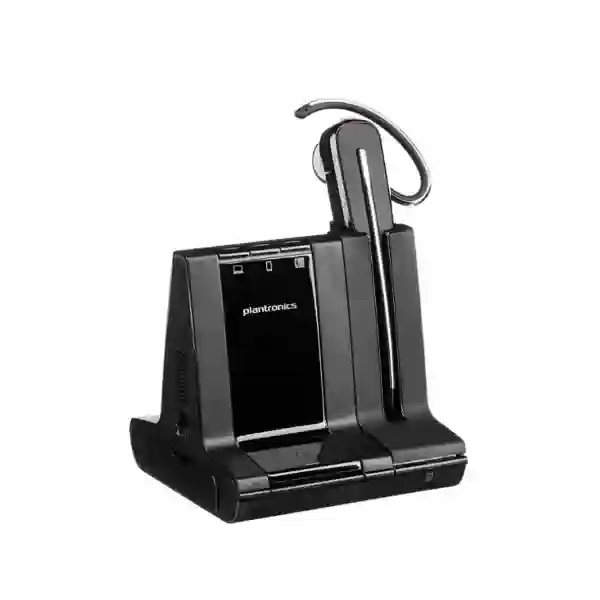
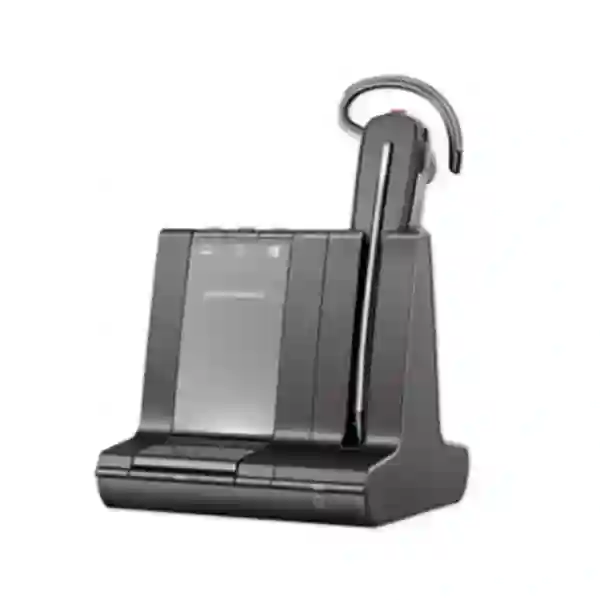
HP Poly Savi 8240 Office Convertible DECT Headset
A convertible single-ear headset system for professionals who work across compatible desk telephones, computer calls and mobile phones. Its dedicated Office base connects those call sources while DECT links the headset to the base.
Choose the HP Poly Savi 8240 Office Convertible DECT Headset when desk-based flexibility, speech clarity and wearable comfort matter. Before buying, confirm the exact variant, telephone compatibility, required accessories and battery specification.
At a glance: what the buyer should know
- Convertible single-ear design with over-the-ear, over-the-head and behind-the-head options.
- DECT wireless headset-to-base communication for office mobility.
- Office base intended for compatible desk-phone, USB computer and Bluetooth mobile connections.
- Noise-cancelling boom microphone and call, mute and volume controls.
- Desk-phone remote answering may require a compatible electronic hookswitch cable or handset lifter.
- Exact battery runtime, regional variant, Teams certification and package contents require part-number confirmation.
A clearer way to manage three business call sources
Reception teams, managers and support staff often move between a desk telephone, a meeting application on a computer and a mobile phone. Using separate headsets for each device can interrupt conversations and complicate a busy desk. The Savi 8240 Office is designed around a dedicated base that brings these sources together. The intention is straightforward: choose the source you need, use one familiar headset and keep the controls within reach rather than constantly changing audio accessories. It is especially relevant where voice communication is a daily part of the job rather than an occasional activity.
This is a desk-based wireless system, not a travel headset that pairs independently with everything around you. The headset uses DECT to communicate with its base. The office base has the desk-phone, computer and mobile connection functions. That distinction matters when planning a purchase: the mobile Bluetooth connection comes through the base, and a worker generally needs the base within operating range to use the headset. A clear understanding of that architecture prevents wrong expectations about taking calls far outside the office or pairing the headset directly to a phone while travelling.
Who benefits from the convertible single-ear format
The most natural users are people who make and receive frequent business calls while remaining aware of colleagues or visitors. A receptionist may need to listen to an incoming caller while noticing someone arriving at the front desk. An administrator may switch between a computer softphone and a traditional office telephone. An account manager may step away from the keyboard to find information while staying connected to a customer. These are examples of suitable workflows, not promises that every office telephone or application will support every control without configuration.
A single-ear headset leaves one ear open to the room. That can be beneficial for some collaborative workstations, but it also means the product is not intended to isolate the wearer from surrounding sound as a pair of over-ear stereo headphones would. People who need two-ear concentration for prolonged multimedia listening may prefer a different design. Conversely, workers who dislike heavy headbands may value the lighter, convertible approach. A proper fitting trial is more useful than treating one wearing style as comfortable for every employee.
Understand the DECT connection before buying
DECT is the wireless link between the headset and the office base. The PC is not normally communicating with this Office version through a standalone Bluetooth headset pairing. Instead, the computer attaches to the base, and the headset talks wirelessly to that base. This arrangement can be useful in established workplaces with a dedicated workstation and regular voice traffic. It also explains why setup requires attention to the base position, desk layout, nearby equipment and available power rather than only the operating system’s audio menu.
The manufacturer lists a maximum range of up to approximately 180 metres in open conditions and around 55 metres in a typical office for the product family. Those figures describe reference conditions, not guaranteed coverage inside a particular building. Walls, stairwells, dense equipment, interference and office layout can reduce usable range. Buyers should test the paths their staff actually walk, including corridors and reception areas, before choosing equipment based solely on the largest number in a specification. A controlled pilot helps establish reliable working boundaries.
One office base, three practical connection paths
The office base provides separate call-source selection for a compatible desk telephone, a computer and a mobile phone. The desk-phone connection uses the telephone interface cable and a supported port arrangement. The computer uses the supplied or appropriate USB connection, while the mobile phone pairs by Bluetooth with the office base. The headset is then used to listen and speak as the selected source becomes active. The exact behaviour of answering, ending, transferring or combining calls depends on the connected equipment, supported applications and configuration.
This multi-device capability is valuable because modern offices rarely operate from one calling channel alone. However, connectivity must not be confused with universal interoperability. An older telephone may need an additional electronic hookswitch accessory; a computer softphone may need compatible device software for headset button control; and some phones have different headset-port wiring arrangements. The right buying process begins with a list of the actual devices on the desk. That list should include model numbers, operating systems, communication applications and any telephone-system accessories already installed.
Three wearing styles: fit the headset to the person
The convertible design supports over-the-ear, over-the-head and behind-the-head configurations using the appropriate fit accessories. An over-the-ear arrangement can feel unobtrusive for users who move between phone work and face-to-face discussion. A headband gives a more conventional wearing position and may appeal to people who prefer consistent contact. The behind-the-head option may suit someone who does not want a band across the top of the head. Different assemblies can also affect the position of the microphone relative to the mouth.
Comfort should be tested during ordinary working conditions rather than in a quick unboxing demonstration. Employees may wear glasses, work near fans, change posture or use the headset for several continuous sessions. A fit that is comfortable for a short call may not suit a full shift. Check whether the specific quoted package contains the necessary ear tips, hooks, bands and cushions; packaging can differ by region or revision. Spare fitting parts and sensible cleaning procedures are especially useful where several staff members use identical equipment.
The noise-cancelling microphone and what it can do
The boom microphone is designed to prioritise the user’s speech and reduce some nearby background conversation transmitted to the caller. HP also identifies a close-conversation-limiting feature in relevant product information. This can be helpful when desks are positioned near each other or when a receptionist must speak while office activity continues. For the best result, position the boom correctly, speak at a consistent volume and test the outgoing sound with someone at the receiving end. Microphone positioning often matters as much as feature labels.
Noise reduction should not be described as eliminating every sound. A loud printer, overlapping voices or a person speaking directly beside the microphone may still be audible. Nor should microphone noise cancellation automatically be advertised as active noise cancellation for the listener: those are different claims. Documentation associated with different product revisions is not entirely uniform, so any active noise cancellation claim should be verified against the precise part being supplied. For a voice-focused single-ear headset, speech clarity and correct fit are the practical priorities.
Voice clarity, hearing comfort and realistic expectations
The Savi family is built around business calls where speech intelligibility is more important than home-theatre-style audio. A consistent connection, suitably adjusted listening level and well-positioned boom can make customer conversations easier to follow. HP lists SoundGuard Digital acoustic protection in product information, but purchasers should not treat that as a substitute for an organisational hearing-safety policy. Staff still need sensible volume settings, appropriate breaks and a way to report discomfort or unexpected audio levels.
Sound also depends on the telephone system, internet connection, microphone settings, selected audio device and remote caller. A headset cannot repair packet loss on a poor voice-over-IP connection or correct a badly configured desk telephone. During acceptance testing, make calls both to and from representative external destinations. Check normal speech, muted speech, interruptions, volume changes and any echo. The best headset deployment is one where both the user and the far-end caller can communicate comfortably, not simply one where the device produces sound.
Computer calling and softphone preparation
A computer can connect to the Office base by USB, enabling it to act as the audio path for supported calling or meeting software. The computer should recognise the intended audio input and output device, after which the selected application may need its own speaker and microphone choices. Depending on the application, separate device software is needed to support remote answer and end controls. The official quick-start instructions specifically direct users to supported Poly desktop software for softphone call control, rather than suggesting that every application will work automatically.
An IT administrator should test the specific combination in use, such as a Windows workstation with the organisation’s calling client or a Mac with a meeting application. Verify audio selection after device restart, headset docking, app updates and switching between sources. Confirm whether the computer has a compatible physical port and whether an approved adapter is necessary. If headset buttons do not control calls, first check software support and configuration instead of assuming the headset hardware is faulty. Audio passing through USB is not the same guarantee as full application-level call control.
Desk-phone integration without compatibility surprises
The official setup guide shows two principal telephone connections. Where the desk phone has a suitable headset port, the telephone interface cable can be connected there. Where that port is absent, setup may use the handset connection instead. The base also provides configuration adjustments, because telephone audio levels and wiring are not identical across all telephone models. This is why generic statements that a headset fits every business telephone are unhelpful. The exact desk-phone brand, model and port arrangement must be checked before ordering.
Some systems require an electronic hookswitch cable or a handset lifter to answer or end calls from a distance. These accessories are not interchangeable, and the correct choice depends on the telephone. A user may otherwise hear and speak perfectly after manually lifting the handset but still be unable to answer a ringing desk phone remotely. Confirm the desired behaviour: manual handset operation, headset button control, ring indication and line release. A short compatibility check is far less expensive than deploying a room of headsets with the wrong connecting accessories.
Mobile calls work through Bluetooth at the office base
The mobile phone is paired to the Savi Office base using the base’s Bluetooth controls. Once paired, the mobile source can be selected when handling the relevant call. This design is useful when a person handles customer calls through an office handset and also receives authorised work calls on a mobile device. The base provides the switching point. It should not be presented as a fully independent Bluetooth earbud that can leave the base behind while commuting, visiting clients or moving between distant sites.
For reliable mobile use, keep the paired handset within its normal Bluetooth working conditions and follow the official pairing process. Check organisational mobile-device policies before pairing a privately owned phone to a shared workstation. If the phone has been replaced or pairing stops working, review the pairing list and base status rather than repeatedly changing settings without a test plan. Where teams share a workstation, agree who may pair a phone, how pairing information is cleared and how personal calls are kept separate from business activity.
Moving between call channels: train the user, not just the device
The top of the Office base provides source controls for computer, mobile and desk-phone audio. This is practical for workers who must recognise whether a ringing call is coming from a softphone, a mobile or a conventional telephone. A short orientation should show what the source lights mean, how to select the required line and how to use mute, volume and call control. It should also explain how to return the headset to the charging position at the end of a call or shift.
Avoid promising seamless conferencing between every possible device without verifying the actual call flow. Joining or switching calls can be influenced by the desk-phone platform, computer client and policies around external calls. Staff should practise with a colleague before attempting to combine important customer discussions. A simple laminated workstation guide can make the equipment easier to adopt: identify the source, answer the call, confirm that the microphone is active and verify that the previous line has been ended or placed on hold as intended.
Wireless freedom without overpromising coverage
The attraction of a DECT office headset is the ability to stand, collect information, reach nearby equipment or move to another part of a workspace without immediately ending a call. HP’s published maximum open-area range is a useful starting point for evaluation, but the more relevant test is the staff member’s actual route through the building. A corridor corner, reinforced wall or equipment room can behave differently from an open-plan desk. Test both outbound audio and inbound listening, not just whether a connection light remains on.
In larger offices, range should be considered together with the number of active headset systems and nearby radio equipment. An IT or facilities team can set up a pilot that reflects a busy period rather than an empty room. Note where conversation begins to break up and whether relocating the base improves results. Avoid placing bases in inaccessible corners merely because power is available there. For buyers in Tanzania, the same physical considerations apply as elsewhere; they do not justify a claim of guaranteed range in any particular building or district.
Battery planning and the importance of the exact variant
Battery information for products carrying the Savi 8240 Office name appears in documentation from different periods and configurations. Older manufacturer editorial material describes approximately seven hours of conversation, while newer official HP product information lists up to thirteen hours for specified variants. Those figures should not be combined into a single promise for an unidentified unit. A purchase quotation should state the precise product code, edition and supplied battery specification. Charging arrangements and expected continuous call time matter most for roles that cannot leave a desk unattended.
The 8240 and 8245 names should also not be treated as equivalent battery systems. Some Savi 8245 configurations are associated with spare-battery and hot-swap workflows; that capability must not automatically be attributed to the quoted 8240. For staff who handle lengthy calls, plan when the headset can recharge and whether there is a backup communication option. Battery performance can change with age and use. If uninterrupted around-the-clock calling is essential, raise that requirement explicitly before selecting a model, accessory package or alternative.
Savi 8240 Office versus Savi 8240 UC
The word Office is important. This requested model is intended for workplace users who need the office base and the ability to connect a compatible desk telephone, computer and mobile phone. UC-labelled variants may be supplied with different adapters or connection arrangements and are often intended primarily for computer communications. A catalogue name that includes the same number does not prove that the box contains the same base or connectors. When comparing quotations, examine the exact version and its supported connection methods.
The distinction is especially relevant when replacing older headsets in a telephone-equipped office. A computer-only package can appear attractive until the business discovers that the existing desk-phone workflow cannot be recreated with the included hardware. Conversely, a user who only needs a laptop softphone may not require the Office configuration. The buyer should explain which call sources must be connected on day one and which are merely possible future uses. Procurement becomes easier when feature requirements drive the variant selection.
Savi 8240 Office versus Savi 8245 Office
The Savi 8240 Office and Savi 8245 Office belong to a related convertible business-headset family, but the battery arrangements are a meaningful point of comparison. An office that has predictable call breaks may be comfortable using a rechargeable headset returned to its base between sessions. A very high-call-volume desk may place more importance on a battery-management arrangement that supports longer uninterrupted coverage. The exact capabilities, accessory contents and approved spare-battery options need confirmation for the edition under consideration.
Do not choose on model number alone. Compare the actual daily talk pattern, expected number of calls, shift overlap and opportunities to recharge. Ask whether spare batteries, cradles and replacement wearing accessories are included, optional or unavailable for the quoted code. A reception team that runs a single eight-hour shift has a different requirement from a support station that is staffed continuously. A transparent quotation should show the system and required accessories together so that the total deployment is not misunderstood.
Standard and Microsoft Teams variants are not identical
HP markets both standard and Microsoft-oriented versions within the wider Savi range. A listing that states only Savi 8240 Office Convertible DECT Headset does not by itself establish Microsoft Teams certification or a dedicated Teams control. An official HP listing for a named 8240-M Office part describes Teams certification, but that should not be transferred to another regional part automatically. Businesses using Teams heavily should check the exact code and certification information for the unit being purchased.
Even with a certified edition, organisation-specific software policies can affect the user experience. The calling client, operating system and approved device software need to be checked together. For mixed environments where staff use a desk phone plus more than one meeting platform, test the actual workflow rather than relying on a logo in a catalogue. The goal is not to accumulate badges; it is to ensure that the user can reliably hear a caller, speak clearly and operate the intended controls throughout an ordinary working day.
A useful first-day setup sequence
Begin by identifying the workstation and checking that the correct headset, office base, charging parts, telephone cable, computer cable and fit components are present in the delivered package. Position the base on a stable surface near the desk phone and computer. Connect the required power supply and the appropriate telephone and USB interfaces. Assemble the preferred wearing style and charge the headset according to the supplied instructions. Do not substitute an unapproved power adapter simply because its plug appears to fit.
Next, select and test each source separately. Place a desk-phone call and check the configuration setting and microphone level. Place a computer call and confirm both the operating system and application use the correct audio device. Pair a permitted mobile phone with the base, then test an incoming and outgoing mobile call. Finally, walk the normal work area while speaking, check mute and volume behaviour, return the headset to charge and record any remaining limitations. A documented test sequence prevents several small issues from being confused with one another.
What to check if a desk phone has no dial tone
A missing dial tone is often a connection or configuration problem rather than a broken wireless headset. Check whether the telephone interface cable is plugged into the expected headset or handset port and whether the desk phone itself works normally. The official quick-start material describes a configuration switch on the base that can be adjusted when dial tone is missing. Its default setting works with many telephones, but some models need another setting. Follow the guidance applicable to the actual telephone rather than copying a setting from a different installation.
After changing a setting, make a short test call and check both directions of audio. If a headset button cannot answer remotely, determine whether the telephone needs an electronic hookswitch cable or handset lifter. If sound is present but distorted, review speaking and listening levels rather than increasing every volume control simultaneously. Keep a record of the working setting for each desk-phone model. That small step makes later device replacement or workstation moves more predictable for the support team.
What to check if the computer can hear but not speak
Start with the physical USB connection and the computer’s audio-device selection. The meeting or calling application may use a different microphone from the one shown in the operating-system preferences. Check that the headset microphone is not muted, the boom is positioned correctly and the selected input level is reasonable. On managed company computers, permissions may prevent a communication app from accessing the microphone. Test the same hardware in a second permitted application to help separate headset audio problems from a single program’s settings.
If calls can be heard but headset buttons do not answer or end them, distinguish audio compatibility from software call control. The manufacturer notes that appropriate desktop software is needed for certain softphone controls. Review the supported application and any IT restrictions before installing or changing software. Do not assume that a headset which works for audio is automatically certified for every application. After resolving the issue, test docking, undocking and switching from a computer call to another source so that the fix is reliable during real work.
What to check when mobile pairing fails
Because the Office version pairs the mobile phone to the base, troubleshooting begins at the base’s Bluetooth pairing control. Check that the base is powered, that the phone’s Bluetooth function is enabled and that the phone is within a suitable distance. The official quick-start sequence describes holding the pairing control on the base and selecting Poly Savi in the phone’s Bluetooth list. Where an old device record remains, follow the documented process for clearing or replacing the pairing information before starting again.
The call source also needs to be selected correctly after pairing. A successful Bluetooth connection alone does not mean that computer audio or desk-phone audio has been redirected. If a phone connects but no sound is heard, check its call routing and the base source state. For workstations used by rotating personnel, build phone unpairing into the handover procedure. That protects user privacy and reduces the chance that a later employee receives call notifications intended for someone else.
Shared desks, hygiene and user ownership
A convertible headset can support flexible wearing preferences, but the most comfortable arrangement is usually personal rather than communal. In shared environments, decide whether each employee receives an individual headset that connects to a shared base, or whether the entire station is assigned to one user. The correct sharing method depends on the supported base subscriptions and operational policy. Confirm the headset and base pairing process before introducing interchangeable user equipment. Do not assume that any third-party headset can register to the system.
If the business shares physical equipment, document cleaning methods that are safe for the manufacturer’s materials and electrical components. Replace worn ear pieces rather than attempting to make damaged fittings last indefinitely. Label devices for inventory and user support without exposing private contact information. Consider how new staff learn mute, volume and source selection. A well-managed shared workstation is more than a hardware purchase: it needs a simple ownership rule, an approved cleaning routine and a consistent handover method.
Training, call monitoring and guest headsets
Certain Savi Office systems support conferencing with additional compatible headsets, which can help a supervisor demonstrate customer-service techniques or support staff training. Official HP information describes conferencing up to four headsets onto a single compatible base. The important words are compatible and configured. A training plan should confirm the available headset models, subscription procedure and whether the team’s business phone or calling application supports the intended conversation. It should also respect company policies on customer consent and monitoring.
A practical training exercise can begin with a simulated customer call. The trainee practises selecting the source, speaking at a normal level, muting when needed and asking the supervisor for help. The supervisor then demonstrates how to close the call and confirm that the line is no longer active. For organisations with formal quality assurance, keep the training workflow separate from any recording system. The headset itself should not be represented as providing a complete contact-centre recording, analytics or compliance platform.
Planning a team deployment in Tanzania
A Tanzania-based organisation considering several headsets should start with an inventory of telephone hardware and calling applications rather than a list of product names. Identify how many staff use traditional desk telephones, how many use a computer softphone and whether mobile calls are part of the approved business workflow. Record the relevant cable and accessory requirements, the number of charging positions, desk power availability and the places staff normally walk during calls. This creates a specification that can be evaluated against the exact product edition offered.
Local procurement should also confirm supply status, lead time, warranty terms applicable to the quoted goods and any after-sales arrangements in writing. No local stock, delivery promise, warranty extension or service coverage should be inferred merely from the existence of this product description. For radio equipment, confirm the regional product variant and any applicable local requirements with the supplier and appropriate authorities before deployment. The purpose is to prevent an apparently inexpensive unit from becoming an expensive compatibility or support problem.
Remote work versus a fixed workstation
The Savi 8240 Office can be useful at a stable home-office desk if the user has the base, suitable power, a supported computer and any required phone connections. Its dedicated base can provide a familiar place to dock and charge the headset. However, the full Office design may be unnecessary for an employee who works solely on a laptop with one meeting application. In that case, comparing a computer-focused UC headset could be worthwhile, especially if portability and a compact travel setup matter more than desk-phone integration.
A person moving frequently between home, office and client sites needs to consider the size and setup effort of the base. The headset is not a substitute for an independent mobile Bluetooth headset when the base stays behind. Plan whether each working location has a complete compatible setup rather than expecting the wireless headset to operate without its supporting unit. A good hybrid-work decision considers where calls are actually taken, not simply whether the product is described as wireless.
Choosing between a single-ear and dual-ear solution
Single-ear audio can be a good choice for an employee who must remain attentive to the room while making voice calls. It allows quick awareness of colleagues, visitors and nearby events. The tradeoff is reduced acoustic separation from surrounding noise. Someone who spends most of the day in a very loud office or performs concentration-heavy online meetings may prefer a two-ear model, subject to safety and workplace requirements. The correct choice depends on the environment, not on the assumption that more ear coverage is always better.
Ask employees what they need to hear while working. Reception and front-desk teams may value environmental awareness, while people handling complex remote discussions may benefit from more isolation. The microphone’s ability to reduce transmitted background noise is a separate question from the wearer’s ability to hear clearly. Pilot both aspects. A small comfort and call-quality trial with representative users is often more informative than purchasing solely from a specification table or a feature comparison graphic.
Buying checklist: gather the right information for a quote
Before requesting a quote, record the exact product name, whether a standard or application-specific variant is required, and the number of users. List each desk-phone manufacturer and model, its available headset port, the computer connection type and the main softphone or meeting applications. State whether staff need to answer and end desk-phone calls while away from the handset. Include the planned wearing styles, shift length, expected uninterrupted talk periods and any need for spare fitting accessories. If possible, attach photographs of the telephone connections rather than relying on a generic office description.
Ask the supplier to identify the exact regional part number, included base and cables, software requirements and optional accessories on the quote. Confirm whether the offered product is current, limited-stock or an alternative model, since some third-party listings describe older 8240 units as discontinued while manufacturer material remains available. Request clarification about the battery specification for the precise edition instead of accepting conflicting figures from unrelated listings. A comprehensive quotation should make any compatibility assumptions visible before the order is placed.
IT administration and long-term support
For a small number of desks, users may only need to know how to charge, select lines and adjust audio. Larger deployments benefit from standardised documentation: which telephone model is connected, which accessory cable is fitted, what audio settings are approved and who is responsible for software updates. HP Poly device software may provide configuration and update options for compatible models, but functionality should be checked against the exact unit and the organisation’s device-management policies. Avoid treating every Savi model or generation as interchangeable in an enterprise support plan.
IT teams should preserve a tested configuration baseline and a troubleshooting checklist. If an operating-system update changes call behaviour, they can then identify the software or device setting that differs from the baseline. Inventory records should include the commercial part number, purchase channel, warranty information supplied with the goods and any optional accessories. Reusable documentation supports onboarding, replacement and secure reassignment without demanding that each user become a headset specialist.
Understanding what is and is not included
A product family description is not a packing list for every country or revision. The headset, office base and core connectivity arrangement define the requested solution, but exact cables, adapters, fit accessories and charging components must be checked against the proposed part. Some desk-phone brands require an additional electronic hookswitch cable or handset lifter, and those accessories should not be assumed to be part of every retail package. The same caution applies to USB connector types, replacement batteries and optional charging accessories.
When assessing two supplier offers, ask for line items rather than comparing a headline price without context. One quotation may include the correct desk-phone control cable while another may not. One may refer to a Teams-oriented edition, a regional radio variant or older packaging. A lower initial price can therefore conceal a missing component or an unwanted limitation. Clear package verification helps the purchasing team compare like with like and gives the installation team an accurate checklist on delivery.
Practical acceptance testing before a full rollout
Test one complete workstation from beginning to end before approving a larger deployment. Start with an incoming desk-phone call, then an outgoing call. Confirm the far-end audio, microphone clarity and answer/end behaviour. Repeat the exercise using the organisation’s computer calling software and an approved mobile phone. Test moving from the desk into the work area, checking both listening and speaking at several points. Confirm the charging indicator and expected behaviour after a period of docking. Record every test result against the actual hardware configuration.
Add a realistic noisy-office trial if the headset will be used near colleagues. Have a person listen from the other end and describe what background conversation they can hear. Ask the wearer whether the single-ear arrangement is comfortable and whether notifications from a nearby desk remain audible. If an accessory, software setting or different wearing style solves a problem, record the change. The test should end with a concise go or no-go decision supported by observations, not with an assumption that a product advertised as compatible must work in every local environment.
When a different headset may be the better option
The Savi 8240 Office is not the right recommendation for every employee. A frequent traveller who wants direct pairing to a mobile phone away from a desk should compare more portable wireless options. A user who never connects a desk telephone might be better served by a simpler computer-focused headset. Someone working in an extremely noisy environment may want two-ear coverage, subject to the organisation’s communication and awareness requirements. A continuous multi-shift desk may place greater value on a suitable spare-battery system or another operational arrangement.
An effective procurement decision weighs connection needs, microphone performance, wearer comfort, mobility, battery workflow and accessory availability together. The key is to identify the limiting requirement before purchasing. If the desk-phone model cannot be supported with the available interface, a feature-rich headset is still the wrong choice. If the end user dislikes the fit, the device may be abandoned regardless of its technical capability. Ask for a compatibility review and, where possible, an end-user pilot before standardising on a fleet.
Request a compatibility-led FourTeck Tanzania quotation
For the HP Poly Savi 8240 Office Convertible DECT Headset, the most useful next step is to confirm the precise variant that matches your calling environment. Tell FourTeck Tanzania how many users need headsets, which desk phones and computers are installed, and whether staff also need mobile calling through the office base. Include any requirement for headset-button answer and end controls, software integration or extra wearing accessories. That information supports a meaningful discussion about the supplied hardware and installation prerequisites.
Ask for written confirmation of the exact code, specification, package contents, available alternatives and applicable commercial terms before ordering. No price, stock level, shipping date or support commitment is asserted on this page. The goal is to obtain the correct headset system for the real workstation, with required accessories identified early and no assumptions about features associated only with other Savi versions.
Frequently asked buyer questions
Can the Savi 8240 Office connect to a desk phone, PC and mobile phone?
The Office base is designed to handle compatible desk-phone, computer and mobile connections. The desk phone uses a telephone interface, the computer uses USB, and mobile Bluetooth pairing occurs at the base. The headset communicates wirelessly with that base through DECT. The final combination still needs verification against the exact telephone, computer and product version. If you need a particular call-control feature, test that workflow instead of assuming all connected devices behave in the same way.
Does the headset connect directly to a smartphone by Bluetooth?
For the Office configuration described here, the smartphone pairs with the office base, not as an independent roaming Bluetooth headset used without that base. This is a critical distinction for people who want to make calls from a mobile phone while travelling. The system is primarily a desk-based arrangement. Check the product’s connection design carefully if you expect one headset to work both at your workstation and outside the office without carrying additional equipment.
What does convertible mean in the product name?
Convertible describes the ability to assemble the headset in different wearing configurations. The Savi 8240 Office family supports over-the-ear, over-the-head and behind-the-head options when the relevant fit components are supplied. It does not mean that the headset changes from a single-ear device into a stereo headset. Confirm the included wearing accessories with the precise package and, if possible, test comfort over a realistic call period.
Does noise cancellation remove every background sound?
No. The microphone is designed to reduce certain background sounds reaching the far-end caller, including nearby conversation, but it cannot make every office environment silent. A person shouting beside the wearer or a very loud machine may still be audible. Microphone noise cancellation should not be confused with guaranteed active noise cancellation for the listener. Correct boom positioning and a test call are important parts of achieving useful speech quality.
What is the wireless range of the Savi 8240 Office?
HP product information for the family lists up to about 180 metres in open conditions and roughly 55 metres in a typical office. These figures are indicative rather than a promise for a particular floor plan. Walls, construction materials, other equipment and base placement can reduce usable range. Test the actual work areas where people expect to walk while speaking. A reliable route within an office matters more than the maximum line-of-sight figure.
How long does the battery last?
Confirm the exact quoted variant. Older manufacturer material references around seven hours of talk time for certain 8240 versions, while newer official HP listings describe up to thirteen hours for specified configurations. It would be misleading to choose one figure without knowing the exact supplied part. Explain the user’s call pattern and shift length when requesting a quote. A compatible charging plan or a different model may be preferable where calls continue for long periods without a practical break.
Is the Savi 8240 Office the same as the Savi 8245 Office?
No. They are related products but should not be treated as identical packages. Battery-handling arrangements and accessories are important differences to confirm. Some 8245 configurations are associated with spare-battery workflows, while those capabilities should not automatically be promised for an unspecified 8240 unit. Compare the exact commercial part numbers, intended shift duration and supplied accessories before choosing either one.
Is this headset certified for Microsoft Teams?
A named HP Poly Savi 8240-M Office edition has an official Microsoft Teams certification claim. However, a generic Savi 8240 Office listing is not enough to establish that every offered unit has that certification or the same dedicated controls. If Teams certification is required for procurement, insist on the exact part number and matching manufacturer confirmation. Audio compatibility and full certified application controls are not identical requirements.
Can I answer desk-phone calls while away from the telephone?
Possibly, provided the specific telephone and headset setup support that function. Some desk phones need a compatible electronic hookswitch cable or a mechanical handset lifter for remote answer and end operation. The base and headset alone should not be assumed to provide remote control on every phone. Share the desk-phone model and the desired workflow with the supplier before ordering so the required accessory can be identified.
Will it work with any USB softphone application?
USB audio may operate with a wide range of computer applications, but complete call-control integration is application and software dependent. A headset might provide working microphone and speaker audio while its answer or end button does not control a particular program. Check the organisation’s operating system, client application and manufacturer-supported software together. Test the exact user workflow in a representative workstation before a larger rollout.
Can multiple headsets be used for staff training?
HP describes compatible Savi Office configurations that can conference up to four headsets onto a single base. This is useful for supervised call training, but it must be verified for the precise units and software involved. A headset conference is not a substitute for a contact-centre recording or compliance system. Follow organisational policies about customer information, consent and the participation of supervisors or trainees.
Will it work with our existing telephone system in Tanzania?
Compatibility depends on the actual desk-phone endpoint, its ports, firmware, connection method and any required accessories. The country alone does not determine compatibility. Provide the telephone’s manufacturer and model, explain whether you need remote answering, and identify any computer or mobile sources that must also be connected. The supplier can then check whether the Office variant and available connecting parts fit the proposed deployment.
Is a charging base included and what else should be in the box?
The Office system uses a base that serves as a wireless connection and charging point, but the exact supplied package must be checked against the commercial part number. Core cables, wearing accessories, optional electronic hookswitch leads and other parts may differ between editions and retailers. Ask for a written package list and a separate list of required extras. Do not assume an accessory seen in a photo is included in every carton.
Can one headset be used for travel and home working?
It can support a fixed home-office arrangement where the correct base and connections are available. It is not best understood as a standalone mobile headset that continues working without its base. A worker who moves frequently between several sites should assess whether a complete setup is present at each location and whether a more portable design would suit the job better. Define the actual working pattern before choosing between Office and other wireless headset types.
What should we check before buying several units?
Start with the number of users, desk-phone models, USB connection requirements, calling applications, requested certification, wearing preferences and shift lengths. Confirm whether remote phone answering needs a dedicated cable or lifter. Then test one complete workstation and obtain the exact regional part code, included accessories, battery specification, service arrangements and quotation terms in writing. This process reduces the risk of purchasing technically similar but operationally unsuitable headset packages.
Is the product currently in stock in Tanzania?
Stock and supply status have not been verified for this listing, and they should not be inferred from a product description. Some external catalogues describe particular older Savi 8240 variants as discontinued; that does not establish the status of every regional edition or the availability of a specific unit. Request current supply confirmation and, where necessary, a comparison with a suitable alternative. Confirm any promised delivery date or warranty terms directly in the supplier’s quotation.
Does the headset guarantee secure or private conversations?
HP describes DECT security-related features for specified Savi products, but a headset should not be described as guaranteeing privacy for every communication system. The complete call path also involves telephones, computer software, accounts, networks and the handling of shared devices. Follow your organisation’s identity, access, device-update and customer-information policies. If a named certification or regulatory requirement applies to procurement, verify it for the exact variant rather than relying on a family description.
How do we request a suitable quotation from FourTeck Tanzania?
Provide the product name, expected quantity, installed desk-phone brand and model, computer platform, calling application and whether mobile calling is needed. Explain if staff must answer desk-phone calls remotely and whether there are special wearing or long-shift requirements. Ask for the exact product variant, full package contents, compatibility accessories and applicable commercial terms. This approach makes the quotation easier to evaluate and helps prevent unexpected setup gaps after delivery.
Request the right headset, not just a model number
Ask FourTeck Tanzania to review your existing desk phones, computer calling software, mobile workflow and expected usage. Request an exact regional product code, relevant compatibility accessories and a complete quotation before ordering. Product availability, price, warranty conditions and delivery are subject to written confirmation.




Reviews
There are no reviews yet.