
Fortinet secure internet access for business networks
FortiGate Web Filtering and Application Control
FortiGate Web Filtering and Application Control gives IT teams two complementary ways to govern internet use: web filtering evaluates destinations and web categories, while application control identifies application traffic and applies actions according to business policy. Used together, they can reduce exposure to malicious or unwanted web destinations, improve visibility into application use, support acceptable-use rules, and create a clearer operating model for staff, guests, branches and shared networks.
Quick answer
FortiGate web filtering is designed to control access to web resources through FortiGuard categories, local URL rules and related web-security options. FortiGate application control uses application signatures and protocol decoders to recognize application traffic, including traffic that may use non-standard ports, and lets administrators monitor, allow, block or otherwise control matched applications according to the selected FortiOS feature set and policy design.
Why use both?
A website and an application are not always the same policy object. A web category can answer whether a destination belongs to an allowed or blocked class, while application identification can distinguish the application or service using the connection. Combining both controls gives security teams more useful context than relying only on ports, IP addresses or a static blocklist.
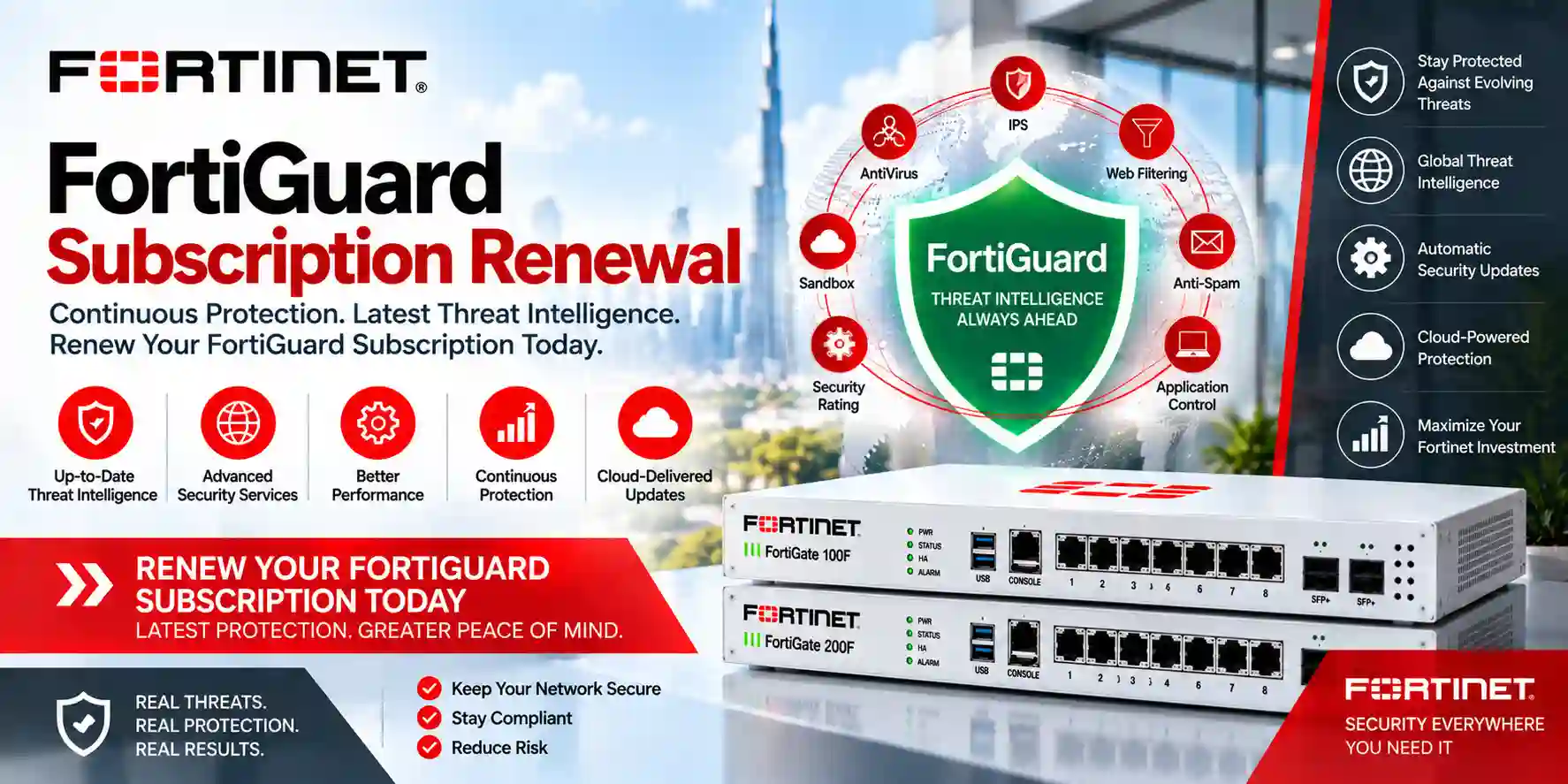
How FortiGate Web Filtering and Application Control work together
FortiOS security profiles can be attached to firewall policies in profile-based deployments, while policy-based NGFW designs expose application and URL-category criteria directly in security policy logic. The correct approach depends on FortiOS version, platform capability, inspection mode, existing policy structure and operational preference. For a new deployment, the design should begin with business outcomes: which users need unrestricted access, which departments need tighter controls, which cloud applications are essential, which categories represent unacceptable risk, what exceptions are required, and how administrators want to review events after a block or warning occurs.
Fortinet documentation for current FortiOS versions describes web filtering as a method for restricting or controlling access to web resources and notes that an SSL inspection profile and a web filter profile are selected together on the associated firewall policy. Application control is based on application signatures and IPS protocol decoders that inspect traffic characteristics rather than depending only on service ports. This difference is valuable when common applications use HTTPS or dynamically selected connections that would otherwise look similar at a basic firewall layer.
The strongest design is not the one with the largest number of blocked categories. It is the one that is understandable, tested and aligned with the organization. Start with visibility, define a small number of policy groups, document exceptions, choose the appropriate FortiGuard entitlement, validate encrypted-traffic behavior, and review logs after deployment. Overly aggressive filtering can interrupt legitimate business workflows, while an overly permissive configuration may provide little practical control.
Web filtering versus application control
| Area | Web Filtering | Application Control |
|---|---|---|
| Primary decision | Controls access to websites, URLs and categories. | Identifies application traffic and applies application-aware actions. |
| Typical use | Block malicious categories, manage acceptable web use, create URL exceptions and monitor selected categories. | Restrict risky applications, monitor cloud or social apps, control peer-to-peer or unapproved remote-access tools, and create application overrides. |
| Policy basis | FortiGuard categorization, local URL rules and supported web-filter techniques. | Application signatures, categories and protocol decoding. |
| Encrypted traffic | Visibility depends on the selected SSL inspection method and the detail required by the policy. | Encrypted application identification can also depend on the inspection design and protocol behavior. |
| Subscription planning | FortiGuard category-rating capability requires a valid applicable entitlement. | Fortinet states that FortiGuard Application Control requires an Application Control subscription. |
FortiGuard licensing and bundle planning
FortiGate hardware and FortiGuard subscriptions should be treated as one procurement decision when web filtering and application control are important. Fortinet’s current FortiGate security-bundle information identifies Application Control among the foundational services in the ATP tier, while the UTP tier adds URL and DNS filtering, video filtering and other web-oriented services. Enterprise-level bundles extend the protection set further. Bundle names, inclusions and commercial terms can change, so a quotation should always be matched to the exact FortiGate model, serial-number status where applicable, desired term and deployment country.
For a new firewall, do not choose a bundle only by the number of services in the description. Define which controls the organization actually expects to operate. A company that wants category-based web restrictions and application governance needs entitlement for both capabilities. A company that only needs basic stateful firewalling has a different requirement. Renewal projects require additional care because an expired or mismatched service can affect live security functions even when the hardware continues forwarding traffic.
For procurement teams, useful quotation inputs include the FortiGate model, serial number when discussing renewal, present service expiry, required security bundle, number of years, country of deployment and whether multiple appliances need aligned renewal dates. This avoids treating a license as a generic code that can be transferred between unrelated models or regions.
Practical policy design for business networks
1. Observe first
Use monitoring and logging to understand which applications and web categories are actually used before creating broad blocks. This reduces accidental disruption and creates an evidence-based baseline.
2. Separate user groups
Staff, finance, administrators, guests, students, contractors and shared devices may need different policies. Segment by role and network zone instead of forcing every user through one profile.
3. Plan exceptions
Business exceptions should have an owner, reason and review date. Avoid permanent broad bypasses because they can silently reduce inspection across unrelated traffic.
4. Review encrypted traffic
Decide whether certificate inspection or deeper SSL inspection is appropriate for each traffic class, considering endpoint trust, privacy, application compatibility and operational support.
5. Log meaningful events
Logging should help administrators answer who was affected, what was detected, which policy acted and whether the event requires a change. Excessive low-value logging can make important events harder to find.
6. Maintain the lifecycle
Track FortiGuard entitlement, firmware, policy ownership, configuration backups and change history. Filtering quality depends on current services and disciplined operations, not just the initial setup.
Common business use cases
Organizations use these controls for more than blocking entertainment websites. A finance department may need stricter controls around unapproved file-sharing tools. A school may apply different policies to student and administrative networks. A hospitality property may keep guest browsing separate from business applications. A head office may monitor collaboration, cloud storage, generative-AI services and remote-access applications before deciding where restriction is necessary. A multi-branch company may standardize the same baseline across sites while allowing local exceptions for specific business applications.
FortiGate can also support traffic shaping, segmentation, VPN, SD-WAN and other security profiles, so web and application policy should be designed as part of the wider network rather than in isolation. For organizations moving from a basic router, the biggest operational change is often not the block list; it is the ability to see and document how internet traffic is being used.
FortiGate Web Filtering and Application Control Tanzania
For organizations in Tanzania, FortiGate web filtering and application control can provide a practical control point between users and the internet when cloud applications, remote work, online services and guest connectivity are part of daily operations. The starting requirement should be a map of users, network segments, key applications and internet links. A small office with one ISP and mostly Microsoft 365 or Google Workspace traffic needs a different policy from a university, hotel, logistics company or national organization with several branches. Rather than buying a firewall and enabling every default profile, the project should define which web categories are blocked, which are monitored, which business applications need priority, which risky applications should be restricted and how exceptions are approved.
Tanzanian procurement teams should also include licensing in the initial bill of materials. FortiGuard URL categorization and Application Control are subscription-backed capabilities, so the commercial plan should identify the exact FortiGate platform, the desired FortiGuard bundle and the subscription term. If the project is a renewal, the current appliance model, serial number, service expiry and existing entitlement should be verified before ordering. If it is a new deployment, sizing should reflect the internet speed after security inspection, VPN requirements, likely growth, number of users and whether deeper SSL inspection is expected.
Policy design should be operationally simple. Staff, guests, servers, CCTV, voice and other device groups can be separated into VLANs or zones and assigned different controls. Guest networks may use internet-only access with stricter category filtering. Business users may require broad web access but stronger protection against malicious destinations and selected high-risk applications. IT administrators may need exceptions for tools that would be inappropriate on general user networks. Logging should be planned so the organization can review blocked categories, detected applications and repeated policy violations without generating reports that no one reads.
For broader firewall architecture and enterprise planning, FourTeck Tanzania’s FortiGate enterprise network guide provides related guidance on segmentation, WAN design, security inspection and lifecycle planning. A Tanzania project can use that wider architecture as the foundation, then tune web and application control to the organization’s actual users and risk tolerance.
FortiGate Web Filtering and Application Control Dar es Salaam
Dar es Salaam organizations often place a high concentration of users, cloud applications and branch connectivity behind the head-office firewall. In that environment, web filtering and application control should be designed with performance and business continuity in mind. A policy that works for a small branch may become too broad at headquarters because finance, HR, developers, sales, customer service, executives and guest users have different access requirements. The better approach is to classify user groups, identify essential SaaS platforms, review encrypted traffic needs and build a small number of reusable security profiles that can be maintained over time.
For businesses using multiple internet links, application visibility can also inform SD-WAN decisions. Critical ERP, voice, video meetings and transactional applications may need predictable path selection, while large downloads, streaming or software updates may use different bandwidth rules. Application control is not a replacement for traffic engineering, but accurate identification can help administrators distinguish business applications from general HTTPS traffic. Web filtering adds another layer by controlling destination categories and known malicious URLs. When both are enabled, the firewall becomes a policy enforcement point rather than simply a gateway between the LAN and ISP.
SSL inspection planning matters in Dar es Salaam corporate networks because a large proportion of web traffic is encrypted. Deep inspection can provide more visibility but requires endpoint certificate trust, application testing and careful treatment of sensitive or incompatible traffic. Organizations should define the technical and governance process before switching it on widely. A staged deployment to a pilot group is usually easier to troubleshoot than applying a new inspection profile to the entire office at once.
Quotation preparation should include the primary and backup ISP bandwidth, expected user count, FortiGate model or preferred sizing range, FortiGuard term, branch count, VPN requirements, logging/reporting expectations and whether centralized FortiManager or FortiAnalyzer is part of the wider design. These details allow a Dar es Salaam deployment to be planned around actual traffic and operational responsibility instead of generic firewall specifications.
FortiGate Web Filtering and Application Control Mwanza
A Mwanza branch or regional office may depend heavily on cloud services and links to a headquarters system, making internet policy closely connected to WAN reliability. Web filtering and application control can help a local IT team distinguish essential business traffic from avoidable or risky use, but the controls should not be so aggressive that legitimate cloud workflows fail when connectivity is already constrained. Start by identifying the applications the site cannot operate without: accounting, ERP, inventory, email, collaboration, customer portals, VPN services and any industry-specific platform. Those services become the reference set for policy testing.
For logistics, distribution, retail, healthcare or education environments, different device populations may share the same physical site. Staff laptops, handheld scanners, guest phones, CCTV, point-of-sale devices, IP phones and servers should not all be governed by one internet policy. Segmentation lets the FortiGate apply tighter rules where appropriate. A CCTV network may need only vendor cloud access and time synchronization; a guest network may need broad internet access but no path to internal resources; staff may need category filtering and application monitoring; administrators may require approved remote tools that are blocked for general users.
When a Mwanza site uses a backup ISP, test what happens to FortiGuard connectivity, DNS resolution and cloud applications during failover. The firewall policy should continue to behave predictably when the preferred path changes. The organization should also decide how it wants to handle a temporary FortiGuard rating failure: security and availability implications should be understood rather than left to an undocumented default. Logging of rating errors and policy events helps support teams separate a filtering problem from a connectivity problem.
For procurement, include the branch’s actual peak bandwidth, device mix, number of concurrent users and the security services that will be enabled. The smallest appliance that can route the line at headline firewall throughput may not be the correct choice once SSL inspection, application control, web filtering and VPN are used together. A sizing discussion should therefore be based on production policy, not only on the ISP package.
FortiGate Web Filtering and Application Control Arusha
Arusha businesses in hospitality, tourism, professional services, education and branch operations often need to separate guest internet from internal business systems. FortiGate web filtering and application control can support that separation by applying different policies to guest, staff and infrastructure networks. Guest browsing may be governed mainly by safety, acceptable-use and bandwidth considerations, while staff networks require protection for email, reservation systems, cloud accounting, payment workflows and administrative portals. The policies should reflect these different purposes rather than treating every wireless client as the same type of user.
Hospitality environments deserve special attention because streaming, messaging, VPN tools and video services can consume significant bandwidth without being malicious. Application control can provide visibility into these classes and support appropriate traffic handling. Web filtering can reduce access to known malicious or unacceptable categories while avoiding an unrealistic attempt to predict every legitimate guest destination. For staff and back-office networks, the policy can be more restrictive because the set of required applications is narrower and business risk is higher.
Encrypted traffic must be handled carefully where guest devices are unmanaged. Deep inspection generally requires trust of the FortiGate inspection certificate on endpoints, which is practical on centrally managed corporate devices but not on arbitrary guest phones and laptops. The deployment can therefore use different SSL inspection approaches for different segments. Corporate endpoints can be prepared through device management, while guest access can rely on controls suitable for unmanaged devices. This distinction reduces certificate errors and avoids creating a support burden at reception or customer-service desks.
When requesting a quote for Arusha, identify whether the project is for a hotel, office, school, lodge, clinic or multi-site branch, and provide user counts for staff and guests separately. Include WAN speed, access-point count if guest Wi-Fi is involved, required reporting, FortiGuard term, any existing FortiGate model and the applications that must never be interrupted. That information helps convert a generic firewall purchase into a usable web and application-control design.
FortiGate Web Filtering and Application Control Dodoma
Dodoma organizations may use FortiGate web and application controls to create a clear policy framework for administrative offices, institutions, professional services, education and distributed public-facing operations. The design should begin with governance: who owns the acceptable-use policy, who can approve an exception, how blocked events are reviewed, and how changes are documented. Technical filters are much easier to manage when those operational responsibilities are defined before deployment.
A practical Dodoma policy can group users by function rather than by individual IP address. General staff might receive a standard profile that blocks high-risk and malicious web categories, monitors selected cloud applications and restricts unapproved tunneling or remote-access tools. Finance or HR users may have tighter controls around file-sharing services. IT administrators may require approved diagnostic utilities. Training rooms, visitors and public Wi-Fi can be isolated from internal networks and assigned a separate policy. These distinctions make troubleshooting easier because administrators know which rule set should apply to each user population.
Reporting is also important. A report that simply lists thousands of URLs can create noise. Useful reviews focus on repeated blocks, newly observed risky applications, policy exceptions, authentication failures and unusual changes in application usage. FortiAnalyzer can be considered where centralized logging, longer retention or multi-site reporting is required, but the exact platform should follow the organization’s scale and compliance needs. Smaller deployments can still benefit from disciplined local logging and regular review.
Procurement should align subscription term with the organization’s budget cycle and maintenance responsibility. Confirm the FortiGuard services required for both web and application control, validate FortiCare coverage where appropriate, and document renewal dates. If several Dodoma and regional sites are being standardized, aligning firewall models and subscription terms can simplify operations, but the final model at each site should still reflect its bandwidth, users and inspection load.
FortiGate Web Filtering and Application Control UAE
Organizations with UAE headquarters and Tanzania or wider African branches can use FortiGate web filtering and application control as part of a standardized security policy across locations. Standardization does not mean copying every rule unchanged. A useful global baseline defines common blocked threat categories, approved remote-access applications, logging conventions, administrator roles and change-control requirements, while site-specific overlays reflect local internet links, business applications and user populations. This approach reduces drift without forcing a small branch to operate like a data center.
UAE environments with high-capacity fiber and extensive cloud use may require careful performance sizing for SSL inspection and application identification. A FortiGate selected only on basic firewall throughput can be undersized when full security inspection is enabled. Procurement teams should compare the relevant threat-protection or NGFW performance for the exact model and FortiOS design, not mix specifications from different appliances. If high availability is required, the quotation should include matching appliances, compatible subscriptions and the operational plan for failover testing.
Application-control policy is especially useful for enterprises that need visibility into SaaS, remote administration, file sharing, collaboration and emerging AI services. Web filtering can complement this by controlling malicious or disallowed web categories. The two should be reviewed together because blocking a domain may affect an application, and an application signature may span multiple domains. Change windows should include test cases for business-critical workflows so security improvements do not surprise users after rollout.
For UAE-focused Fortinet enquiries, FourTeck’s Fortinet UAE resource provides a regional path for firewall and licensing discussions. Cross-border organizations should include each deployment country in the commercial request because license, logistics and support conditions can vary by region.
FortiGate Web Filtering and Application Control Uganda
Ugandan organizations planning FortiGate web filtering and application control across multiple branches can benefit from a repeatable policy template. The template can define baseline web categories, application-control actions, logging, administrator naming and exception workflow, then be adjusted for the bandwidth and business role of each site. A Kampala headquarters may host centralized services and handle substantial cloud traffic, while regional branches may have smaller links and fewer users. Using the same policy philosophy with different sizing is usually more manageable than building every firewall independently.
Application visibility is valuable when branches use ERP, collaboration, cloud storage, video meetings and remote-support tools over a shared internet link. IT teams can monitor traffic first, identify high-volume or high-risk applications, and then decide what to block, limit or prioritize. Web filtering adds protection and acceptable-use control at the destination level. Policies should avoid broad “allow any” rules where more specific business intent can be expressed, but they should also avoid overcomplicated exception lists that no one can maintain.
For organizations with limited local IT staff at some branches, central management can reduce configuration inconsistency. FortiManager may be considered for centralized policy operations and FortiAnalyzer for aggregated logs and reporting, depending on the number of devices and operational requirements. Even without those platforms, each branch should have configuration backups, documented WAN settings, clear administrator access controls and a renewal calendar for FortiGuard services.
A Uganda quotation should state the site list, users per site, ISP speeds, VPN topology, required security services and whether the project includes new hardware or renewals. If some branches already run FortiGate, include model and subscription details rather than assuming one license package fits the entire estate. This makes it easier to design a phased rollout that preserves business connectivity while introducing consistent web and application policy.
FortiGate Web Filtering and Application Control Kampala
Kampala headquarters, service businesses, schools, financial organizations and technology teams often have dense user populations and heavy SaaS dependence. FortiGate application control can help administrators see which applications are consuming the connection or introducing risk, while web filtering provides category and URL-based controls for browsing. The design should prioritize visibility and user grouping before enforcement. Monitoring a pilot group can reveal the actual mix of Microsoft 365, Google services, collaboration tools, social platforms, cloud storage, remote access and industry applications that must be considered.
Identity-aware policies can be useful where user authentication and directory integration are already part of the environment, but network-based segmentation remains important. A guest wireless network, server VLAN, finance department and general staff network should not rely on the same trust assumptions. Clear zones also make application and web-filter logs easier to interpret because the source context is meaningful. For example, a remote-administration tool may be legitimate from an IT management network but inappropriate from guest Wi-Fi.
Kampala businesses with two ISP connections should test security behavior during path changes. FortiGuard reachability, DNS, cloud services, VPN and application recognition should remain stable when the preferred WAN fails or degrades. If SD-WAN is used, health checks and application steering should be documented alongside security rules. This avoids a common operational problem where routing and filtering are changed separately and a later troubleshooting team cannot determine which control caused the symptom.
During procurement, include current or planned internet speed, concurrent users, branch VPNs, FortiGuard term, logging needs and any SSL deep-inspection requirement. A Kampala site with many cloud users may need more security-processing capacity than an equally sized office that mainly accesses a few internal applications. The right firewall is therefore selected around inspected traffic, not only employee count.
FortiGate Web Filtering and Application Control Arua
For an Arua branch, NGO office, school, clinic or regional business location, FortiGate web filtering and application control can be configured with an emphasis on simplicity and resilience. Smaller sites often have fewer administrators, so the policy should be easy for a central team to understand remotely. A compact baseline can block known malicious web categories, monitor business and high-risk applications, restrict clearly unapproved tunneling or peer-to-peer tools and maintain a short, documented exception list.
Bandwidth awareness is important. When a branch depends on a more constrained connection, entertainment streaming, large software updates or unsanctioned cloud storage can compete with ERP, voice, video meetings and remote support. Application control can help identify these classes, while traffic shaping or SD-WAN policies can address bandwidth behavior. The security profile should not be asked to solve every performance problem by blocking traffic; the team should distinguish security decisions from quality-of-service decisions.
If the Arua location is part of a national network, centralized templates can simplify changes. A branch should still retain local details such as WAN addressing, DHCP, VLANs and approved business applications. Configuration backup and out-of-band support planning are useful because a policy mistake that removes remote access can be harder to recover from at a distant site. Changes to web or application control should therefore be tested on a limited group or during an agreed maintenance window when possible.
For quotation, provide the expected staff count, guest usage, internet speed, primary business applications, VPN dependence and whether a backup connection exists. Include the exact FortiGate model for a renewal or replacement. This information helps determine whether the requirement is a new firewall, a FortiGuard subscription update, a policy redesign or a combination of those tasks.
FortiGate Web Filtering and Application Control Mbarara
Mbarara organizations across education, healthcare, trade, professional services and regional operations can use FortiGate web and application controls to separate business-critical access from general internet use. The most useful design begins with service mapping. List the cloud platforms, payment systems, patient or student systems, ERP, email, voice and remote-support tools that must work. Then classify user populations and device types. This creates a policy that protects important workflows rather than simply blocking a long list of websites.
Schools and training environments may need distinct student, staff and administrative policies. Healthcare sites may need strict separation between clinical systems, guest access and general office users. Retail or distribution branches may have point-of-sale devices that require only a small set of destinations. FortiGate segmentation combined with web filtering and application control lets each group receive a policy appropriate to its role. The result can be simpler than applying one complex profile with many exceptions to everyone.
Policy changes should be measurable. After a new block or application restriction, review logs for repeated denials and support tickets. If a legitimate workflow is being interrupted, create the narrowest practical exception and document why it exists. If an application is newly detected and not recognized by the business, investigate before immediately blocking it. This approach keeps the security policy aligned with real use rather than turning it into an accumulation of unexplained rules.
Mbarara procurement requests should state whether the firewall will protect only internet access or also route internal VLANs, terminate VPNs and manage multiple WAN links. These additional roles affect sizing and design. Subscription planning should cover the FortiGuard services actually required and include a renewal process so web-category and application intelligence remain available for the intended service term.
FortiGate Web Filtering and Application Control Gulu
Gulu branches and institutions can use FortiGate web filtering and application control to establish a consistent security baseline without requiring a large local security team. For NGOs, education sites, clinics and regional offices, the firewall may be one of the few centralized control points available to manage internet access. That makes policy clarity especially important. Administrators should know which categories are blocked for security reasons, which applications are restricted for risk or bandwidth reasons, and which exceptions are required for mission-critical work.
Remote support is often essential at regional sites, but unapproved remote-access applications can create risk. Application control can help identify known remote-administration tools and apply rules according to the organization’s approved support method. A managed IT network may permit selected tools while the general user network blocks the category or specific applications. Web filtering can complement this by restricting malicious and phishing destinations that may be reached through email or browsing.
When connectivity is variable, the organization should test how the FortiGate handles FortiGuard rating availability and how users experience blocked or unrated destinations. The objective is to balance security and continuity with an explicit decision rather than an accidental configuration. DNS, NTP and FortiGuard reachability should be part of the deployment checklist, and logs should distinguish rating failures from intentional policy blocks.
For a Gulu rollout that is managed from Kampala or another central location, standard device naming, administrator accounts, policy names and backup procedures make remote troubleshooting easier. Quotation information should include ISP capacity, users, application list, VPN topology and FortiGuard term. If the site is expected to grow, account for additional bandwidth and inspection load so the firewall does not need to be replaced shortly after deployment.
FortiGate Web Filtering and Application Control Kenya
Kenyan businesses with users in Nairobi, Mombasa, Kisumu, Nakuru and other commercial centers can use FortiGate web filtering and application control as part of a common internet-security standard. For organizations that also operate in Tanzania or Uganda, a shared baseline can reduce administrative overhead. The baseline might define malicious categories that are always blocked, application groups that are monitored everywhere, approved remote-access tools, logging rules and a common process for policy exceptions. Local sites then add the applications and access patterns specific to their operation.
Cloud-heavy businesses should review application visibility before enforcement. Modern SaaS often shares content-delivery networks, uses multiple domains and changes service behavior over time. Blocking by a single domain or service port can have unintended effects. FortiGate application signatures and category-based web controls provide more context, but administrators still need to test critical services. Changes to Microsoft 365, Google Workspace, cloud ERP, payment systems and video platforms should be validated against the organization’s actual workflow.
For branches connected through IPsec or SD-WAN, decide whether internet traffic exits locally or backhauls to a central security point. Local breakout can reduce latency but requires consistent policy and logging at more sites. Central breakout simplifies some controls but may increase WAN dependence. FortiGate can support either architecture; the correct choice depends on connectivity, operational model and application requirements. Web filtering and application control should follow that architecture rather than being added as an afterthought.
FourTeck’s Kenya technology site can be used for Kenya-focused enquiries. For a regional quotation, provide the device list, site locations, internet speeds, FortiGuard term and whether subscriptions should be aligned to a common renewal date.
FortiGate Web Filtering and Application Control Kuwait
Kuwait enterprises and branch offices can use FortiGate web filtering and application control to create an internet-security policy that combines destination control with application awareness. In environments with high-speed internet, the design challenge is often not raw routing capacity but inspected throughput and operational scale. Organizations that plan SSL deep inspection, IPS, antivirus, application control and web filtering together should size the firewall for the combined security workload. The exact model must be validated against current Fortinet specifications rather than relying on a single headline firewall-throughput figure.
Policy architecture should reflect departments and business roles. General office users may receive a standard web profile, while finance, executive, guest and IT networks receive different exceptions. Application control can monitor or block unapproved VPN tools, peer-to-peer traffic and risky remote applications while allowing approved collaboration platforms. Web filtering can enforce category restrictions and specific URL rules. Where authentication is integrated, user or group context can add precision, but segmentation remains valuable for devices that do not have individual user identity.
For multi-site Kuwait organizations, centralized management and reporting can simplify policy updates and audit review. A change that is intended for every branch can be staged, validated and deployed through a controlled process. Branch-specific requirements should remain documented so a global policy update does not overwrite a necessary local exception. Subscription renewals should also be coordinated because a lapse on one firewall can create inconsistent protection across the estate.
Commercial planning should include appliance model, support status, FortiGuard bundle, required years, HA requirement and deployment country. Where a Kuwait organization also has Tanzania or East African sites, list each device and country separately so entitlement and logistics can be reviewed without assuming that one regional SKU applies everywhere.
FortiGate Web Filtering and Application Control Ghana
Ghanaian organizations can use FortiGate web and application controls to improve internet governance across headquarters, branches, schools, healthcare sites, hospitality businesses and professional services. The most effective starting point is an application inventory. Identify which online services are required for sales, finance, customer support, collaboration, backups, remote administration and industry workflows. Then identify traffic classes that create risk or excessive bandwidth consumption. This prevents a policy from being designed around assumptions about how users work.
For an Accra headquarters with regional branches, a standardized baseline can be deployed while preserving site-specific exceptions. Application control can monitor or restrict unapproved remote tools, peer-to-peer applications and selected high-risk categories. Web filtering can block known malicious destinations and enforce acceptable-use categories. If a legitimate service is miscategorized or a business workflow is interrupted, the exception process should be narrow, documented and periodically reviewed. Permanent “allow all” bypasses undermine the value of the security profiles.
Logging and reporting should serve operations rather than produce decorative dashboards. Security teams should be able to identify repeated blocked requests, unusual new applications, policy changes and sites experiencing FortiGuard reachability issues. Where multiple firewalls are deployed, FortiAnalyzer or another appropriate logging architecture can help aggregate events. The exact retention period should match the organization’s investigation and compliance requirements rather than a generic default.
When requesting a Ghana quotation, include the FortiGate model or sizing requirements, users, bandwidth, branches, VPN design, FortiGuard term and any need for centralized management. If the requirement is primarily a subscription renewal, provide the current entitlement details. If it is a new project, describe the user groups and applications so the proposal can consider both security capability and operational complexity.
FortiGate Web Filtering and Application Control Nigeria
Nigeria’s large enterprise and multi-branch environments can generate a wide range of internet traffic across offices, retail locations, financial services, logistics, education, healthcare and technology operations. FortiGate web filtering and application control can help classify that traffic and enforce policy closer to business intent. For a large Lagos or Abuja site, the deployment should begin with capacity planning: total WAN bandwidth, expected encrypted traffic, peak concurrent users, VPN load, branch connections and the security profiles that will run simultaneously. A firewall sized only for stateful throughput may not provide the desired performance under full inspection.
Application control is useful when many cloud services use HTTPS and administrators need more context than port 443. Policies can be created around application categories, risks and specific signatures, with monitoring used before broad enforcement. Web filtering adds destination intelligence for malicious, phishing, inappropriate or otherwise disallowed categories. Together they can support an acceptable-use policy while improving incident visibility. They should be complemented by DNS security, endpoint controls and user awareness where the organization’s security program requires multiple layers.
For distributed organizations, consider where internet breakout occurs. A centralized architecture may simplify policy but can create heavy WAN backhaul. Local breakout at branches can improve cloud performance but requires consistent policy deployment and log collection. FortiManager and FortiAnalyzer can support larger operational models, but tooling should not substitute for clear naming, change control and ownership. A simple, well-governed policy is safer than hundreds of undocumented exceptions.
Nigeria procurement teams should specify whether the requirement is new hardware, license renewal, policy migration or a broader branch standardization project. Include models, quantities, deployment cities, subscription term, desired bundle and any HA pair. For renewals, confirm serial and expiry information. This makes the commercial review more accurate and reduces the risk of ordering a service that does not match the installed appliance.
FortiGate Web Filtering and Application Control Seychelles
Seychelles businesses, particularly hospitality, professional services and multi-property operations, may need to balance guest internet freedom with strong separation of business systems. FortiGate web filtering and application control can support distinct policies for guests, staff, administration, payment systems, cameras and infrastructure. The important design principle is segmentation. Guest devices should not share the same trust zone as back-office systems simply because both use the same internet connection. Separate VLANs or zones make the security policy easier to understand and reduce the effect of a compromised guest device.
Hospitality traffic can be highly variable. Streaming and personal cloud applications may be normal for guests but inappropriate on staff networks or too bandwidth-intensive for a constrained uplink. Application control can provide visibility and support traffic decisions, while web filtering can enforce safety and acceptable-use categories. For unmanaged guest devices, the SSL inspection approach should avoid certificate requirements that cannot be deployed to customer endpoints. Managed corporate devices can use a different inspection profile if the organization needs deeper visibility.
If a property relies on a single critical internet circuit, operational resilience should be part of the firewall project. A backup WAN option, documented failover behavior and testing of FortiGuard, DNS and cloud applications can reduce surprises. For a multi-property group, consistent application and web-filter naming allows central support to understand which policy applies at each site. Configuration backups and renewal tracking are also important where onsite technical resources are limited.
A Seychelles quotation should identify staff and guest user counts separately, internet speeds, number of properties or sites, required VPN links, FortiGuard term and any centralized reporting requirement. The goal is to select a FortiGate and subscription plan that fits both security inspection and the guest-service environment rather than simply choosing the smallest device that can connect to the ISP.
Deployment and configuration considerations
A successful deployment should have a before-and-after test plan. Before change, record current browsing behavior, important applications, WAN performance and existing exceptions. During rollout, apply new profiles to a pilot user group or one controlled network segment, then validate business-critical websites, SaaS, VPN, voice, video meetings, software updates and authentication workflows. After deployment, review web-filter and application-control logs to identify false positives, unexpected bypasses and applications that were not part of the original inventory.
FortiOS inspection mode also matters. Web-filter profile feature sets should match the inspection mode of the associated firewall policy. Some proxy-related features are not supported on lower-memory FortiGate platforms in newer FortiOS releases, so do not copy a configuration guide from a larger appliance without checking the exact model and version. Firmware changes can also alter feature availability. A production design should therefore be documented against the installed FortiOS release rather than relying on screenshots from an older version.
Static URL entries, category rules and application overrides should be used intentionally. A broad exempt rule can bypass more inspection than expected. Administrators should understand the difference between allow, monitor, block, warning and exemption behavior for the relevant feature. The safest exception is usually the narrowest one that restores the required business function while preserving other security controls.
Related FourTeck planning resources
Tanzania technology services
Review FourTeck Tanzania services when the firewall project also involves switching, Wi-Fi, servers, cabling or broader infrastructure work. Web and application policy is more effective when network dependencies are planned together.
Contact for requirement review
Use the FourTeck Tanzania contact page to share firewall model, user count, bandwidth, current subscription status and the internet-use controls you want to implement.
Frequently asked questions
What is the difference between FortiGate web filtering and application control?
Web filtering focuses on web destinations, URL rules and FortiGuard web categories. Application control focuses on recognizing application traffic using signatures and protocol decoding, then applying actions to those applications or categories. They overlap in some user experiences but make different policy decisions and are often used together.
Does FortiGate web filtering need a FortiGuard license?
Fortinet documentation states that FortiGuard category-rating service requires a valid FortiGuard license. Local static URL controls are a different mechanism, but organizations that want continuously updated FortiGuard categorization should include the appropriate subscription in the procurement plan.
Does Application Control require a subscription?
Current Fortinet FortiOS documentation states that Application Control functionality requires a subscription to FortiGuard Application Control. The exact bundle and entitlement should be confirmed against the appliance model, region and subscription term.
Can FortiGate block applications even when they use non-standard ports?
Yes. Fortinet describes Application Control as using IPS protocol decoders to analyze network traffic and identify applications even when traffic uses non-standard ports or protocols. Encrypted application traffic may still require an appropriate SSL inspection design for the visibility needed by the policy.
Should we enable SSL deep inspection for every user?
Not automatically. Deep inspection increases visibility but also requires endpoint certificate trust, application compatibility testing and consideration of privacy and sensitive traffic. Many organizations use different inspection profiles for managed corporate endpoints, special applications and unmanaged guest devices.
Can policies be different for staff and guest Wi-Fi?
Yes. Separating staff and guest traffic into different VLANs or zones allows the FortiGate to apply different firewall, web-filter, application-control and SSL-inspection policies. This is usually easier to maintain than trying to identify every guest device inside one shared network.
How should we start an application-control rollout?
Begin with monitoring. Observe applications used by a representative pilot group, identify essential business services and risky or unwanted applications, then introduce restrictions gradually. Review logs and support feedback after each change. This reduces the risk of blocking a legitimate workflow that was not included in the original application inventory.
What information is needed for a FortiGate web filtering quotation?
For new deployments, provide user count, ISP bandwidth, number of sites, VPN requirements, desired FortiGuard term, required web and application controls and whether SSL deep inspection is planned. For renewals, add the exact FortiGate model, serial number, current entitlement and expiry date so the subscription can be matched correctly.
Quotation checklist
- FortiGate model and quantity, or expected user count and bandwidth if model selection is still open.
- Country and city of deployment for each firewall.
- New hardware, subscription renewal, configuration project or combined requirement.
- Current FortiGuard entitlement and expiry information for renewal projects.
- Required web-filter categories, application-control goals and any known business exceptions.
- Primary and backup ISP speeds, VPN topology and branch count.
- Need for centralized management, logging, reports, high availability or SSL deep inspection.
- Preferred FortiGuard subscription term and any need to align multiple devices to a common renewal cycle.
Decision recap
Choose FortiGate Web Filtering and Application Control when the requirement is to combine safer web access with application-aware visibility and policy. Confirm licensing first, size the firewall for inspected traffic, segment users into meaningful groups, test encrypted traffic carefully and roll out policy changes with logging and review. The value comes from a maintainable operating model, not from blocking the largest possible number of categories.
Consultation panel
Share your FortiGate model, bandwidth, user groups, existing FortiGuard subscription and the web or application problems you want to solve. FourTeck can use that information to discuss compatible licensing, policy scope, deployment planning and quotation requirements without assuming that every site needs the same profile.
Fortinet, FortiGate, FortiGuard, FortiOS, FortiManager and FortiAnalyzer are trademarks or product names of Fortinet, Inc. Product capabilities, bundle contents, licensing and feature availability vary by model, FortiOS release and subscription. Confirm current official documentation and commercial entitlement for the exact deployment before purchase or policy change.