
Fortinet Security Fabric Configuration
Build a coordinated Fortinet security environment around a correctly designed Fabric root, authorized downstream devices, supported connectors, central visibility, security assessment and operational controls. This guide is written for organizations planning Fortinet Security Fabric configuration in Tanzania and related regional environments where branch connectivity, multi-site management, logging, endpoint integration and secure network segmentation need to work together rather than as isolated projects.
What is Fortinet Security Fabric Configuration?
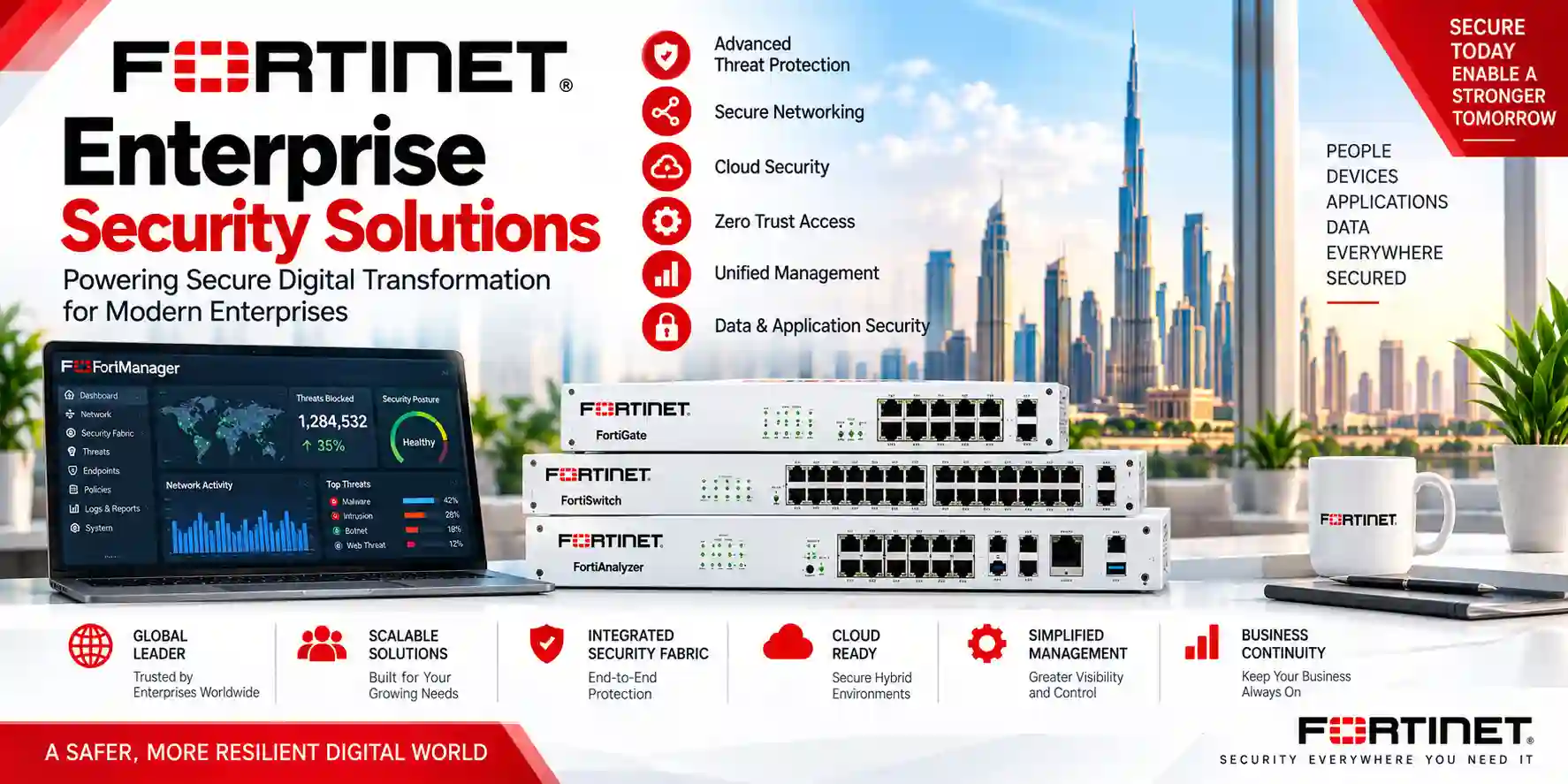
Fortinet Security Fabric Configuration is the process of connecting supported Fortinet and compatible security components so that administrators can gain broader topology visibility, coordinate management and analytics, use supported Fabric connectors, assess security posture and automate selected responses. Fortinet documents a typical design with a root FortiGate and downstream FortiGates, while additional components can include FortiAnalyzer or supported cloud logging, FortiManager, FortiClient EMS, FortiNAC, FortiSwitch, FortiAP, FortiExtender, FortiWeb, FortiMail, FortiNDR, sandboxing and other supported connectors depending on the FortiOS release and product integration matrix. The exact design must therefore be based on the actual firmware branch, hardware models, VDOM mode, licensing and operational requirements rather than copied from a generic diagram.
Fabric root planning
Choose the FortiGate role, confirm model and release support, define downstream interfaces and prepare device authorization before connecting sites or security components.
Topology and visibility
Use physical and logical topology views to understand participating devices, links and relationships instead of operating every appliance as an unrelated console.
Connectors and analytics
Plan supported FortiAnalyzer, FortiManager, EMS, NAC, LAN-edge and other Fabric integrations so logging, policy operations and security context match the intended architecture.
Operational controls
Use Security Rating, automation stitches, controlled administration, backups, change management and ongoing review to keep the Fabric useful after the initial deployment.
Fortinet Security Fabric configuration roadmap
A reliable deployment begins with inventory rather than with clicking Enable. Document every FortiGate model, FortiOS version, VDOM mode, management address, WAN and LAN interface, routing dependency, VPN, FortiGuard subscription, administrator role and connected Fortinet platform. Fortinet states that devices included in the Fabric must meet the Product Integration and Support requirements in the relevant FortiOS release notes, and some capabilities depend on model and firmware. That makes version alignment a design task. Before a production change, confirm that the intended root, downstream FortiGates and connected products are supported together.
Decide which sites and security systems belong in the Fabric, which devices remain independent, where the root should sit and how administrators will reach every management plane without exposing unnecessary interfaces.
Check NAT mode and other release-specific requirements, model restrictions, supported connector versions, DNS and time synchronization, reachability, certificates where applicable and the logging architecture before enabling Fabric participation.
On the selected root FortiGate, enable the Security Fabric role, set the Fabric identity, configure logging/analytics as required and permit joining only on the interfaces intended to accept downstream Fabric connections.
Configure downstream FortiGates to join the existing Fabric, point them to the upstream FortiGate, then authorize or pre-authorize units according to the operational process. Confirm that the connecting interface has Security Fabric Connection enabled.
Connect analytics, central management, endpoint, NAC, LAN-edge, sandboxing and application-security components only after the base Fabric is stable. Validate permissions and API access required by each integration.
Check physical and logical topology, logging, Security Rating, automated actions, alert paths, administrator access, backup procedures and failure behavior. Record the final design so future engineers can support it without guesswork.
Security Fabric Connection, authorization and topology
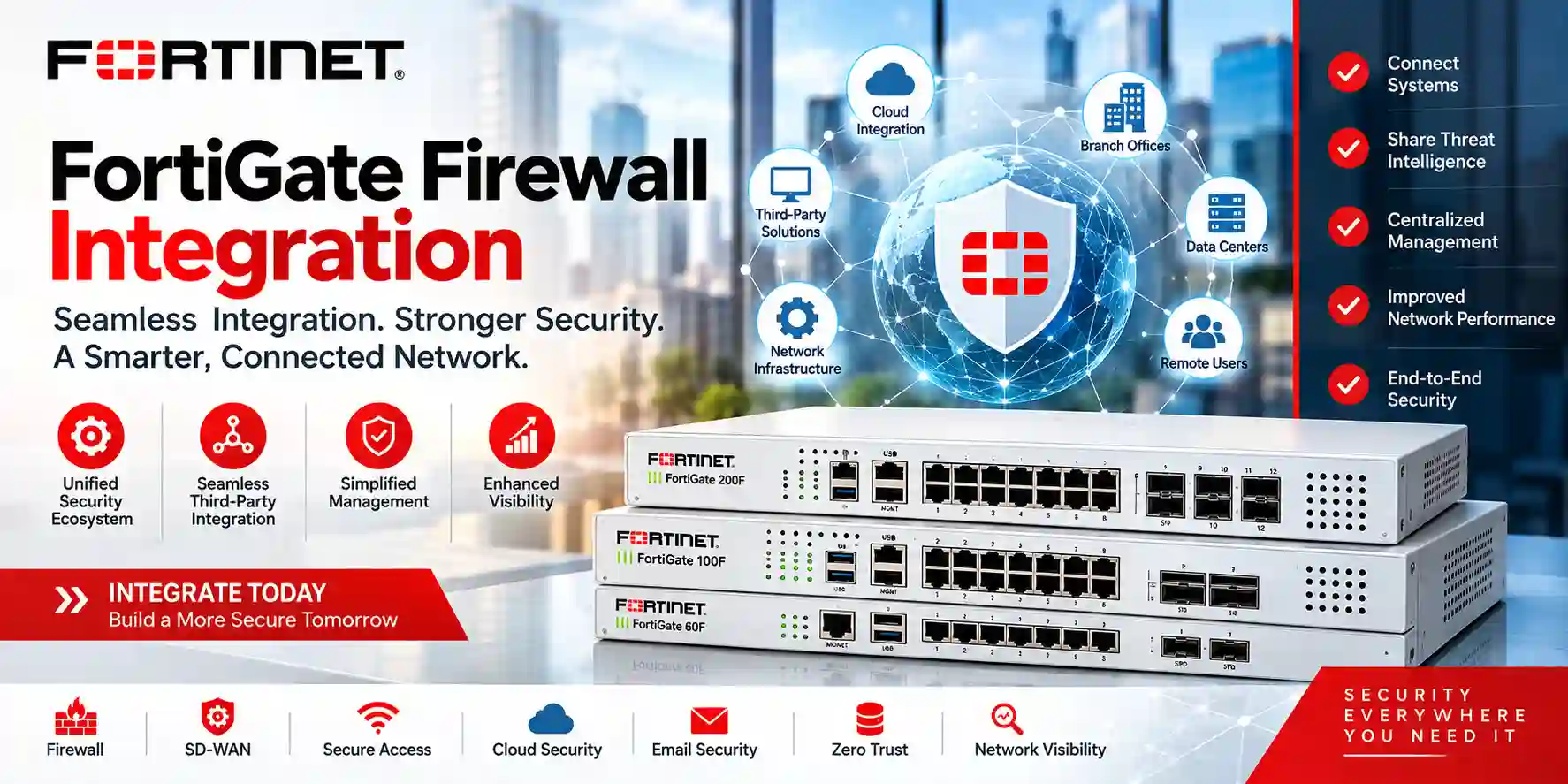
Security Fabric Connection is the FortiGate interface-level access option used for Fabric participation on supported FortiOS releases. It should be enabled only on interfaces that genuinely need to accept Security Fabric communication. A downstream FortiGate that requests membership still needs authorization from the root unless it has been pre-authorized. After devices are accepted, the topology views become an important validation tool: the physical topology helps show connected devices and access-layer relationships, while the logical topology helps administrators understand interface-level connections. These views are operational aids, not substitutes for network documentation. Keep an independent record of device names, serials, management IPs, roles, firmware versions, upstream paths, WAN dependencies and support contacts.
Configuration decisions that matter before deployment
| Decision | Why it matters | What to document |
|---|---|---|
| Root placement | Determines the hierarchy and how downstream units are represented. | Root model, FortiOS release, role, management path and redundancy design. |
| Logging and analytics | Visibility depends on a practical log destination, retention plan and operational ownership. | FortiAnalyzer or supported cloud logging design, retention goals and alert workflow. |
| Central management | Multi-site environments need controlled templates, approvals and device-specific exceptions. | FortiManager scope, ADOM strategy where used, template ownership and change process. |
| Endpoint and identity | ZTNA tags, user context and NAC integrations affect dynamic policy behavior. | EMS, FortiNAC, authentication sources, tag logic and permitted API access. |
| Automation | Automated actions can reduce response time but should be controlled and tested. | Trigger, action, owner, expected outcome, rollback path and escalation rule. |
Security Rating, automation and operational maturity
A configured Fabric should be operated, not merely displayed. Fortinet Security Rating can analyze the deployment against security checks and highlight configuration areas that deserve attention. Treat the results as engineering inputs: review the recommendation, understand the operational impact, stage changes where necessary and record accepted exceptions. Automation stitches pair an event trigger with one or more actions. They can help with repeatable responses, notifications or containment workflows, but any action that can block a host, modify policy or affect production traffic should be tested with clear ownership and rollback procedures. A well-run Fabric therefore combines technical integration with process: regular configuration backups, controlled firmware updates, administrator least privilege, log review, periodic policy cleanup, certificate tracking, subscription renewal planning and documented change approval.
FortiGuard, FortiCare and licensing considerations
Security Fabric is an architecture, while individual capabilities across FortiGate and connected products can depend on hardware entitlement, FortiCare, FortiGuard subscriptions, cloud services or separate product licenses. Procurement teams should not assume that every feature shown in a Fortinet diagram is included with every appliance. Build the bill of materials from the intended outcome: firewall and security inspection, analytics, centralized management, endpoint integration, NAC, secure switching, wireless, sandboxing, application security or other components. Then confirm the required licenses and service terms for each product. Record renewal dates and account ownership during handover so the technical design does not later degrade because a critical subscription or cloud service expires unnoticed.
Related FourTeck Tanzania resources
Review a current FortiGate product example and the way firewall capacity, subscriptions, VPN requirements and branch deployment scope should be considered together.
Tanzania IT and security services
See FourTeck’s broader approach to firewall security, switching, wireless, structured infrastructure and technology deployment services that can support Fabric projects.
Tanzania technology shop guidance
Use the product-selection guidance to frame firewall, switch, wireless and infrastructure requirements before requesting an integrated quotation.
About FourTeck Tanzania
Understand the integrated-technology approach used when security depends on networking, cabling, compute, voice, wireless and operational support working together.
FourTeck Tanzania technology portfolio
Explore firewall, VPN, LAN, Wi-Fi, server and infrastructure categories that often sit around a Security Fabric deployment.
Tanzania quotation and project contact
Send the site list, FortiGate models, current firmware, management tools, WAN topology, integration needs and target outcome for a scoped discussion.
Fortinet Security Fabric Configuration Tanzania
Fortinet Security Fabric Configuration Tanzania is most useful for organizations that have moved beyond a single firewall and now need a clearer operating model across branches, campuses, data centers, cloud connections, endpoint controls or secure LAN infrastructure. The starting point is an accurate inventory. Record every FortiGate, FortiSwitch, FortiAP, FortiAnalyzer, FortiManager, FortiClient EMS, FortiNAC and other supported platform that is expected to participate. Add firmware versions, license state, management address, WAN circuits, VLANs, VPNs and the people responsible for administration. This prevents a common implementation problem: enabling integration before the team has confirmed whether all components are supported on the chosen software branch.
For Tanzania deployments, the technical design should also reflect how individual sites reach one another. A head office in Dar es Salaam may connect to branches in Mwanza, Arusha or Dodoma over IPsec, private connectivity or internet-based links. The Fabric hierarchy should not be confused with the routing hierarchy. Engineers still need a deliberate address plan, non-overlapping subnets, resilient DNS and time synchronization, correct firewall policy and a stable management path. If more than one WAN circuit exists, SD-WAN can be part of the connectivity design, but Fabric membership alone does not provide path resilience. Each dependency should therefore be tested separately and then tested again as an integrated service.
Procurement should separate the architecture from the commercial bundle. Confirm which FortiGuard services, FortiCare term, FortiAnalyzer or cloud logging capacity, FortiManager entitlement, endpoint licenses and additional products are required. Ask for the exact implementation scope: root configuration, downstream authorization, Fabric Connection interfaces, connector integration, logging, topology validation, Security Rating review, automation, backups, administrator hardening, documentation and knowledge transfer. FourTeck Tanzania provides broader firewall and network service context for organizations preparing this type of project. The objective should be a supportable architecture with named owners and repeatable procedures, not simply a dashboard that shows connected devices.
Fortinet Security Fabric Configuration Dar es Salaam
Fortinet Security Fabric Configuration Dar es Salaam can address the needs of organizations running headquarters, corporate offices, professional services, logistics operations, hospitality groups, retail networks and technology-intensive branches where internet, cloud applications, remote access and internal systems converge. The city often becomes the central point in a Tanzania network, but the correct design depends on the business rather than geography. A Dar es Salaam head office might host the root FortiGate, FortiAnalyzer or FortiManager, while smaller sites join as downstream locations; another organization may centralize management in a data center or cloud environment. The root role should be selected only after validating FortiOS and model support, management reachability, redundancy and the operational impact of that hierarchy.
A strong deployment separates several questions that are often mixed together. First, how will devices become part of the Fabric? The required interfaces need Security Fabric Connection enabled and downstream units must be authorized or pre-authorized according to policy. Second, where will logs go and who will review them? FortiAnalyzer or supported cloud logging should be sized around the actual event volume and retention need rather than added as an afterthought. Third, how will policies be administered across sites? FortiManager may be useful when the organization needs centralized templates, controlled changes and repeatable configurations. Fourth, which endpoint, NAC, LAN-edge or application-security systems should connect? Each connector introduces its own permissions, version compatibility and operational responsibility.
For a busy Dar es Salaam site, failure testing is essential. Disconnect a non-production WAN path, test downstream reachability, confirm log continuity, verify that administrators can still reach the devices through approved management paths, and validate what Security Fabric topology shows during the event. Review automation stitches carefully so a noisy trigger does not create an unintended production block. Businesses preparing a quotation should provide the existing FortiGate models, FortiOS branches, number of sites, WAN links, VPNs, VLANs, Fortinet components and desired management outcome. The FortiGate 30G Tanzania page is a useful example of why model capability and subscription scope should be checked before designing a wider Fabric.
Fortinet Security Fabric Configuration Mwanza
Fortinet Security Fabric Configuration Mwanza is relevant when a regional office, commercial branch, warehouse, education facility, healthcare site or hospitality property needs to participate in a centrally visible security design. The key requirement at a regional site is usually not to reproduce every head-office component. Instead, decide what needs to be local and what can be consumed through the wider architecture. A Mwanza FortiGate may join an existing Fabric, connect local FortiSwitch and FortiAP devices, send logs to centralized analytics and use a standard policy framework while retaining site-specific WAN and VLAN settings. This makes the branch easier to understand without forcing a one-size-fits-all configuration.
Connectivity should be evaluated before Fabric onboarding. Confirm that management and Security Fabric communication will traverse stable, permitted paths and that IP addressing does not overlap with other branches. If the site connects to headquarters over IPsec, document which management and Fabric flows use the tunnel and what happens when the tunnel is unavailable. If the branch has a primary and secondary internet service, test SD-WAN failover independently of Security Fabric membership. A branch should remain secure even if central logging or management is temporarily unreachable. Local firewall policy, segmentation and administrator access therefore need to be designed for safe degraded operation.
Mwanza teams should also define the support boundary. Who can authorize a new device? Who can upgrade FortiOS? Who owns FortiAnalyzer retention or FortiManager templates? Who reviews Security Rating findings? If a local FortiSwitch or FortiAP is replaced, what steps are required to authorize and validate it? These questions turn a technical integration into an operational service. During handover, store a backup, topology record, interface map, WAN details, VPN parameters, serial numbers and license renewal dates. For procurement, request configuration and documentation as named deliverables rather than assuming they are included with hardware. Where the project also needs switching, wireless or rack planning, the FourTeck Tanzania technology shop guidance helps frame those dependencies before a quotation is requested.
Fortinet Security Fabric Configuration Arusha
Fortinet Security Fabric Configuration Arusha is well suited to organizations that combine staff networks with guest access, operational devices, IP phones, surveillance, branch applications and cloud services. Hospitality, tourism, education, NGOs, healthcare and professional offices can have mixed trust levels on the same physical site. Security Fabric can improve visibility across supported Fortinet components, but segmentation still requires deliberate VLAN, switching and policy design. A guest wireless network, for example, should not gain additional trust simply because the FortiAP and FortiGate both appear in a Fabric topology. The administrator must define the network boundary, allowed destinations, DNS behavior, authentication and security profiles that match the business need.
An Arusha deployment should begin with the access layer because the Fabric often extends beyond the firewall. Document FortiSwitch uplinks, FortiAP management, VLAN trunks, SSID mapping, power dependencies and any FortiLink design before making broad changes. If FortiNAC or FortiClient EMS will be added later, plan addressing, certificates, API access and identity sources early so those integrations do not require avoidable redesign. Use the Security Fabric topology as one view of the environment, then compare it with the physical cabling and logical network diagrams to confirm that the representation matches reality.
For hospitality or customer-facing sites, maintenance windows and rollback plans deserve special attention because a firewall or switch change can affect bookings, payment systems, guest internet, staff communications and cloud applications at once. Stage configuration changes, back up devices and test both normal and failure conditions. Security Rating findings can be reviewed during maintenance planning, but changes should be prioritized by risk and operational impact rather than applied automatically. When requesting an Arusha project quote, include the number of FortiGate devices, firmware versions, FortiSwitch and FortiAP counts, internet circuits, guest and staff VLANs, VPN links, expected logging, management platform and support model. This creates a scope that an implementation team can validate before touching production rather than discovering dependencies during the cutover.
Fortinet Security Fabric Configuration Dodoma
Fortinet Security Fabric Configuration Dodoma can support institutional, professional, education, project and branch networks that need clear administration, secure site connectivity and consistent controls. In environments where changes may require formal approval, the configuration process should be documented from the beginning. Define which FortiGate will serve as Fabric root, which units are downstream, which interfaces permit Security Fabric Connection, which administrators can authorize new devices and where configuration changes are logged. If FortiManager is used, align templates and approval workflow with the organization’s change-control procedure instead of treating central management as a purely technical convenience.
Logging and audit requirements should be specified separately. A FortiAnalyzer or supported cloud-logging design can centralize security information, but the team needs retention targets, storage expectations, alert responsibilities and a process for reviewing important events. If reports are required for internal governance, define who receives them and what decisions they support. Security Rating can provide additional configuration assessment, yet every recommendation still needs technical review for the actual environment. Do not make production changes merely to improve a score. The goal is reduced risk and stronger operational control.
Dodoma sites connected to other Tanzanian offices should also pay attention to naming and addressing standards. Use predictable device names, unique subnets, consistent VLAN purposes and clear policy descriptions. Site-to-site IPsec should be documented with routing, selectors, authentication and failover behavior. If multiple WAN circuits are present, test link failure, recovery and management reachability. If the branch loses connectivity to central management, it should continue enforcing local security policy. Procurement teams should therefore ask for architecture documentation, configuration backup, test evidence and administrator handover in addition to the hardware or licensing bill of materials. FourTeck’s integrated technology approach in Tanzania is relevant when the firewall project also depends on switching, Wi-Fi, cabling, servers or other site infrastructure.
Fortinet Security Fabric Configuration UAE
Fortinet Security Fabric Configuration UAE is relevant to headquarters, regional offices, data-center environments and distributed enterprises that may need to coordinate security across high-bandwidth WANs, branch sites, cloud services and users working across several countries. A UAE-based organization managing Tanzania, Kenya, Uganda or other African sites should first decide whether one Fabric hierarchy is appropriate for the entire environment or whether separate Fabrics, management domains or operational boundaries are more maintainable. The answer depends on ownership, latency, change control, device count, regulatory obligations, routing and the Fortinet product versions in use. A single global diagram should not be assumed to be the correct technical design.
Cross-border projects benefit from standardized documentation. Define device naming, firmware branches, administrator roles, log destinations, FortiManager templates, FortiAnalyzer organization, IP addressing and tunnel conventions before adding many sites. A branch should be identifiable from its name and address plan without opening multiple tools. The Fabric root and management platforms should have resilient access, and engineers should document how a regional site behaves when international connectivity is interrupted. Where remote administration crosses public networks, use secure management paths and restrict administrative exposure rather than enabling broad access for convenience.
Commercial planning should also be standardized. Different countries can receive different hardware bundles, support terms or licensing quotes, so procurement must compare equivalent FortiCare, FortiGuard and cloud-service terms. Record who owns the FortiCloud account and who receives renewal notices. For specialist UAE Fortinet procurement and product context, buyers can review FourTeck’s Fortinet UAE resource and FourTeck firewall solutions in Dubai. Those regional resources can support cross-border planning, while the actual Fabric configuration must still be validated against the deployed models, FortiOS release and local operational responsibilities at every participating site.
Fortinet Security Fabric Configuration Uganda
Fortinet Security Fabric Configuration Uganda can help multi-site organizations bring branch firewalls and supported Fortinet components into a more consistent security operating model. A company with locations in Kampala, Arua, Mbarara and Gulu may want centralized analytics, standard policy, repeatable VPN design and clearer topology while allowing each branch to keep site-specific internet details. The design should therefore separate the common template from local variables. Standardize administrator hardening, log settings, policy naming, DNS, NTP, address objects, segmentation principles and documentation, while treating WAN addressing, ISP handoff, local subnets and business exceptions as controlled site data.
For the Fabric itself, identify the root FortiGate and verify that each participating model and firmware release supports the intended role. Enable Security Fabric Connection only where required. Authorize downstream units through a controlled process and verify them in topology after they join. If FortiSwitch and FortiAP devices are managed by FortiGate, confirm how they are represented and who is allowed to authorize replacements. If FortiAnalyzer, FortiManager, FortiClient EMS or FortiNAC are part of the architecture, define their permissions and network reachability before integration. Avoid giving a connector broader rights than its function needs.
Operations should be designed for regional realities. A branch can lose its upstream link without losing the need for local security enforcement. Test whether users retain the intended local services, whether VPN traffic fails as expected, whether central logs resume when connectivity returns and whether administrators have an approved recovery path. Keep local backups and a current runbook. Quotation requests should state whether the requirement is advisory design, new build, migration, audit, troubleshooting or full configuration. For Uganda-specific IT project context, organizations can use FourTeck Uganda alongside the Tanzania resources. The goal is consistent engineering across borders without assuming that every city has identical bandwidth, provider handoff or support conditions.
Fortinet Security Fabric Configuration Kampala
Fortinet Security Fabric Configuration Kampala often begins with a busy urban branch or headquarters where many services share the firewall: cloud applications, voice, video meetings, ERP traffic, guest Wi-Fi, server access, remote users and branch VPNs. This traffic mix makes policy clarity important. Before integrating devices, map the current network by trust zone and business service. Identify which flows must remain local, which travel to another site, which use direct internet access and which require inspection or logging. Fabric visibility is most useful when the underlying network already has understandable segmentation and naming.
If the Kampala location becomes the Fabric root, the team should confirm hardware and FortiOS support and protect the management plane carefully. Do not expose administrative interfaces to broad user networks merely to simplify downstream joining. Create the minimum required management and Fabric paths, authorize devices deliberately and document each serial number and role. FortiAnalyzer or cloud logging should be tested for event delivery, while FortiManager templates should be tested on a small scope before mass deployment. A configuration error pushed centrally can scale as quickly as a correct one, so change-control discipline matters more as the Fabric grows.
Kampala organizations with several remote branches should test failure scenarios during staging. Simulate primary-WAN loss, secondary-WAN use, IPsec interruption, central-management loss and recovery. Confirm that local firewall policy continues to function and that devices reconnect cleanly when the path returns. Review automation stitches for false-positive impact and ensure alerts reach a monitored destination. During procurement, list exact branch count, FortiGate models, firmware, FortiGuard terms, FortiSwitch/FortiAP inventory, management platforms, identity systems and required integration outcomes. This detail helps distinguish a genuine Security Fabric implementation from a generic firewall installation. It also gives procurement a basis for comparing implementation scope, documentation and support instead of comparing hardware prices alone.
Fortinet Security Fabric Configuration Arua
Fortinet Security Fabric Configuration Arua is particularly useful when a regional branch must be managed consistently from a distant IT team. Remote sites benefit from simplicity: clearly named interfaces, predictable VLANs, standard policy structures, known logging destinations and documented recovery procedures. The Fabric can provide centralized context, but it should not create a branch that becomes impossible to operate when connectivity to headquarters is disrupted. Local firewall rules, DHCP or routing services, switch operation and wireless access should continue according to design even if analytics or management systems are temporarily unreachable.
The onboarding plan should account for the site’s actual WAN characteristics. If the Arua branch connects over a service with variable latency or intermittent performance, validate Fabric communication and central logging under realistic conditions. Where a backup link exists, decide whether management traffic may use it and whether costly or constrained circuits should carry full log traffic. If the branch connects to headquarters through IPsec, confirm that route changes during failover do not break the management path unexpectedly. These are networking decisions that affect the Security Fabric even though they are not configured solely inside the Fabric menu.
Remote replacement procedures are also important. If a FortiGate, FortiSwitch or FortiAP fails, the support team needs a record of configuration backups, licenses, serial numbers, port assignments and authorization steps. Pre-authorization may be useful in carefully controlled workflows, but it should be tied to verified device identity and change records. After any replacement, confirm topology, logs, security profiles, VPNs and policy behavior before closing the incident. For quotation preparation, Arua buyers should include the WAN handoff, branch users and devices, current Fortinet inventory, connection to central sites, required analytics and whether the equipment will be staged remotely before installation. A well-defined scope reduces dependence on improvised configuration during a site visit and makes ongoing support more predictable.
Fortinet Security Fabric Configuration Mbarara
Fortinet Security Fabric Configuration Mbarara can support a growing branch that is adding more users, cloud applications, voice, wireless and security controls over time. Growth creates configuration drift when each new requirement is solved with an isolated exception. A Fabric-centered approach can help the organization retain common visibility and management practices, but it should be paired with a lifecycle plan. Decide which FortiOS branch is approved, how upgrades are tested, when subscriptions renew, who reviews security findings and how new VLANs or VPNs are requested. Without those rules, a technically integrated environment can still become operationally inconsistent.
A Mbarara branch may start as a downstream FortiGate with local FortiSwitch or FortiAP devices and later add FortiClient EMS integration, FortiNAC or more advanced analytics. Design the first phase with that expansion in mind. Use address ranges that leave room for additional segments, avoid hard-coded assumptions that block future sites and keep administrator accounts separate from ordinary users. If FortiAnalyzer or FortiManager is centralized elsewhere, confirm capacity and organizational structure before onboarding many additional devices. The best time to solve naming and template conventions is before growth makes them expensive to change.
Testing should cover both security and business continuity. Check that guest traffic remains isolated, server access follows least privilege, VPN routes are correct and management interfaces are restricted. Then test what happens when an ISP circuit fails, when the central log destination is unavailable or when an administrator needs to restore a backup. Security Rating findings can be incorporated into periodic reviews alongside firewall policy cleanup and firmware assessment. When requesting a Mbarara quotation, state the current scale and the expected scale over the next deployment phase. Include target Fortinet integrations, number of downstream sites, logging requirements, management tools and documentation needs. This enables an architecture that can grow deliberately instead of being rebuilt each time the branch adds devices.
Fortinet Security Fabric Configuration Gulu
Fortinet Security Fabric Configuration Gulu is relevant for commercial, institutional and service locations where the central IT team wants repeatable security policy without requiring extensive local administration. A remote branch should be straightforward to understand. Use descriptive interface names, documented address ranges, clearly scoped policies and consistent object naming. Fabric membership can then add topology and integration context instead of compensating for an undocumented local network. Before onboarding the device, back up the configuration, record firmware and licensing, verify time synchronization and confirm the management path to the root or central systems.
If the Gulu site uses more than one internet connection, plan how Fabric and management traffic behave during failover. An SD-WAN rule might direct business applications correctly while management traffic follows an unexpected path unless explicitly considered. Test both directions: can the central team still reach the branch, and can the branch still send logs or Fabric communication upstream? During a degraded link, it may be reasonable for log delivery to queue or reduce, but local security policy should remain intact. Document the expected behavior so a temporary loss of central visibility is not mistaken for a branch failure.
Operational ownership should be explicit. Identify who authorizes new Fabric members, who can edit automation stitches, who responds to Security Rating recommendations, who maintains FortiAnalyzer storage and who approves FortiManager template changes. Limit administrative permissions to these responsibilities. A regional branch does not need broad administrator exposure simply because support is remote. When hardware changes, follow a controlled replacement checklist and validate topology afterward. For Gulu project planning, provide the current FortiGate and FortiOS version, WAN links, IPsec tunnels, local VLANs, managed switches and access points, logging destination, management platform and remote-support expectations. A quotation built from that inventory is much more likely to include the real engineering work needed for a maintainable Fabric.
Fortinet Security Fabric Configuration Kenya
Fortinet Security Fabric Configuration Kenya can help organizations connect Nairobi headquarters, Mombasa facilities, branch networks and regional operations into a more consistent Fortinet security framework. Kenya-based businesses that also operate in Tanzania or Uganda should focus on standardization without assuming identical connectivity. The common baseline can include approved FortiOS branches, administrator hardening, logging, object naming, segmentation principles, VPN standards and documentation. Site-specific variables can then include ISP circuits, public IP addresses, local subnets and application exceptions. This reduces support complexity while respecting the technical differences between locations.
For a multi-country Fabric, the team should decide whether the Fabric root is regional or whether each country maintains its own Fabric with centralized management layered above it. Both patterns can be valid depending on device count, latency, operational ownership and Fortinet support requirements. FortiManager can centralize policy administration across many devices, while FortiAnalyzer can centralize analytics; these roles are related to, but not identical with, the Security Fabric hierarchy. Document the purpose of each platform so administrators do not confuse topology membership with management authority or log ownership.
Kenya projects should also address cross-border VPN design. Use non-overlapping networks, predictable tunnel names and documented routing. Test what happens when one country’s internet circuit changes or fails. If cloud applications use local breakout, ensure security profiles and DNS behavior remain consistent. Security Fabric connectors and endpoint integrations should be validated against the chosen FortiOS versions before rollout. For Kenya-specific procurement and regional IT context, organizations can use FourTeck Kenya together with FourTeck IT Solutions Africa. A strong request for quotation should include the site list, Fortinet product inventory, management platforms, desired integrations, FortiGuard/FortiCare terms and whether the project includes migration, staging, testing, documentation and post-cutover assistance.
Fortinet Security Fabric Configuration Kuwait
Fortinet Security Fabric Configuration Kuwait is useful for organizations that want stronger coordination between network security, branch connectivity, analytics and supported Fortinet components across office, retail, service or data-center environments. Kuwait sites may have high-speed internet and substantial cloud use, so the Fabric design should not be separated from capacity planning. The selected FortiGate must have sufficient performance for the inspection, VPN and policy load that will run in production, while FortiAnalyzer, FortiManager and other platforms must be sized for the number of devices and events they will manage. Fabric integration cannot compensate for an undersized appliance or storage platform.
A Kuwait deployment should clearly distinguish management traffic, user traffic and inter-site traffic. Restrict device administration to approved management networks or secure remote paths. Enable Security Fabric Connection only on required interfaces and authorize downstream units through a documented process. If a branch or data-center firewall will be the root, confirm its model and FortiOS support for that role before production. Where high availability is used, test the Fabric and management behavior during HA failover as part of acceptance rather than assuming visibility will remain unchanged.
For businesses linking Kuwait with UAE or African operations, standardization becomes valuable. Use common naming, policy descriptions, log retention categories, firmware approval rules and renewal tracking, while keeping local addressing unique. Central management can reduce repetitive changes, but large deployments should use staged rollouts and validation groups so one template change does not affect every location simultaneously. The regional procurement discussion can be supported through FourTeck Kuwait. Buyers should request exact licensing, FortiCare and FortiGuard terms, management/analytics requirements, migration scope, change windows and handover documents. This creates a commercial scope aligned with the real security architecture rather than a product-only quotation.
Fortinet Security Fabric Configuration Ghana
Fortinet Security Fabric Configuration Ghana can support organizations that operate a head office, branches, warehouses, professional facilities or distributed service points and want a clearer approach to policy, visibility and security operations. The design should start with the business services that must remain available. Identify internet-facing applications, cloud dependencies, branch-to-head-office traffic, remote administration, guest networks, servers and operational devices. Then map each service to the firewall, switching, wireless, endpoint and analytics components involved. This makes the Fabric relevant to real business workflows rather than a collection of connected product icons.
A Ghana deployment may benefit from centralized FortiAnalyzer logging and FortiManager policy control, but each system needs defined ownership. Who reviews alerts? Who approves a template change? How long are logs retained? Which branch can deviate from the standard policy and who documents the exception? Security Rating can add useful configuration insight, while automation stitches can handle selected repetitive responses. Both should be governed by a change and incident process so automated actions do not surprise operations teams. Where FortiClient EMS or FortiNAC is introduced, validate tags, identity, API permissions and fail-safe behavior before relying on dynamic policy in production.
Branch connectivity should be tested under realistic conditions. If a site uses a primary and backup ISP, confirm the path for VPN, management and logging during failover. If central systems are unreachable, local policy should remain secure. Maintain backups and a current inventory at both central and branch levels. Ghana buyers preparing a scope can use FourTeck Ghana for regional technology context while coordinating multi-country design through the broader FourTeck network. A useful quotation should state site count, FortiGate models, FortiOS versions, expected root and downstream roles, analytics and management systems, endpoint or NAC integrations, WAN design, support terms and the documentation required after commissioning.
Fortinet Security Fabric Configuration Nigeria
Fortinet Security Fabric Configuration Nigeria can be applied to organizations with complex branch networks, logistics locations, financial operations, education, healthcare, retail or enterprise sites where security teams need to manage many endpoints and network segments consistently. Large environments should avoid building the Fabric as one uncontrolled hierarchy. Establish management domains, site groups, change windows and standard templates first. Determine whether one root Fabric, multiple Fabrics or a broader central-management model is appropriate. Fortinet’s support matrix and the actual device versions should guide the topology; business ownership and operational scale should guide how responsibilities are divided.
Nigeria deployments often need careful WAN and branch planning because multiple providers or link types can be used across the same organization. Secure SD-WAN, IPsec and routing decisions influence how Fabric communication, logging and remote management traverse the network. Create explicit rules for management traffic and test every important failure path. A site may still have internet service while losing the route to central FortiAnalyzer or FortiManager. Monitoring should distinguish those conditions so the support team knows whether the issue is a branch security failure, a management-path failure or a logging interruption.
At scale, automation requires governance. A Security Fabric automation stitch that blocks an address can be useful, but the organization should define what triggers the action, how long it lasts, how an analyst confirms the event and how legitimate traffic is restored if needed. Likewise, Security Rating recommendations should be tracked through normal change control. For regional product and project context, buyers can use FourTeck Nigeria. The procurement scope should include the full device inventory, license and renewal terms, management and analytics platforms, expected integrations, network diagrams, migration tasks, acceptance tests, documentation and training. This prevents an enterprise Fabric project from being quoted as a simple firewall configuration exercise.
Fortinet Security Fabric Configuration Seychelles
Fortinet Security Fabric Configuration Seychelles can be valuable for hospitality, professional, commercial and multi-site organizations where secure networking must be manageable even when locations are geographically separated. Island or remote-site operations often place a premium on clear remote administration and resilient configuration. A branch should be built so that routine operations do not depend on continuous access to a distant engineer. Use stable local policies, documented VLANs, predictable interface roles and tested backup/restore procedures, then layer Fabric visibility and central management on top of that dependable base.
Connectivity constraints should be reflected in the logging and management design. If bandwidth between sites is limited or variable, define how much log data is sent centrally, whether local buffering is available and which alerts must be prioritized. If there is a backup internet path, decide whether management traffic may use it and how VPNs recover after failover. Test recovery rather than only initial connection. A Security Fabric topology can confirm that devices have rejoined, but application testing should verify that business services actually work through the restored path.
Hospitality and guest-network environments should maintain strong separation between customer access, staff devices, payment or booking systems, cameras, building systems and management interfaces. FortiSwitch and FortiAP integration may improve visibility, yet each segment still needs explicit policy. If endpoint or NAC integrations are added, define what happens when the identity service is unreachable so access decisions fail in the intended way. Seychelles procurement requests should include the number and location of sites, FortiGate models, WAN links, guest/staff segmentation, central logging requirements, management tools and the expected remote-support process. For broader multi-country coordination, Fortinet Security Fabric Solutions Africa provides related regional buying context. A complete design should still be validated against the exact local environment before implementation.
Deployment and quotation checklist
Fortinet Security Fabric configuration FAQs
Does every FortiGate support the same Security Fabric role?
No. Fortinet documents model- and FortiOS-specific requirements and limitations. Confirm the Product Integration and Support information and special notices for the exact release before assigning a Fabric root, downstream or mid-tier role.
What is Security Fabric Connection on a FortiGate interface?
It is the interface access setting used for supported Security Fabric communication. Enable it only on the interfaces intended to participate in Fabric connectivity, then authorize downstream devices through the root according to the deployment process.
Is FortiAnalyzer required for every design?
Logging and analytics requirements depend on the FortiOS release and chosen architecture. Fortinet supports FortiAnalyzer and cloud logging options in current Security Fabric guidance. Confirm the exact requirement and supported option for your release rather than assuming one design applies everywhere.
Can FortiManager and FortiAnalyzer both be part of the Fabric?
Yes, in supported designs they perform different functions. FortiManager focuses on centralized management and policy operations, while FortiAnalyzer focuses on logging, analytics and reporting. Their versions, permissions and deployment scope should be planned together.
Can FortiSwitch and FortiAP appear in Security Fabric topology?
Supported LAN-edge devices managed through the Fortinet environment can be included in topology and authorization workflows. Exact behavior depends on FortiOS, FortiSwitchOS, FortiAP and management design, so check the current integration guidance.
What should be tested after Security Fabric configuration?
Validate root/downstream status, topology, logging, central management, connector health, administrator access, Security Rating, automation, WAN or VPN failover behavior, backups and application connectivity. Test recovery paths as well as normal operation.
How should a multi-country Security Fabric be planned?
Standardize device naming, addressing principles, firmware policy, logging, administrator roles and documentation, then decide whether one Fabric or multiple Fabrics best match the operational boundaries. Do not assume the same WAN, model or licensing profile for every country.
Decision recap
A successful Fortinet Security Fabric configuration is not measured by how many icons appear in the topology. It is measured by whether the architecture is supported, understandable, secure and maintainable. Confirm model and firmware compatibility, choose the Fabric root deliberately, restrict Security Fabric Connection to the required interfaces, authorize devices through a controlled process, design logging and central management around real operational needs, validate connectors and identity integrations, test failure behavior, document the environment and track licensing over the lifecycle. These steps reduce the risk of building a Fabric that looks integrated but is difficult to support.
Plan your Fortinet Security Fabric configuration
Prepare the FortiGate models, FortiOS versions, site list, WAN topology, existing FortiAnalyzer or FortiManager environment, FortiSwitch/FortiAP inventory, endpoint or NAC integrations, VPNs, desired logging and the outcome you want from the Fabric. FourTeck can use that information to structure a configuration or migration discussion around the actual environment rather than a generic template.