
Fortinet secure switching services
Fortinet FortiSwitch Installation and Configuration
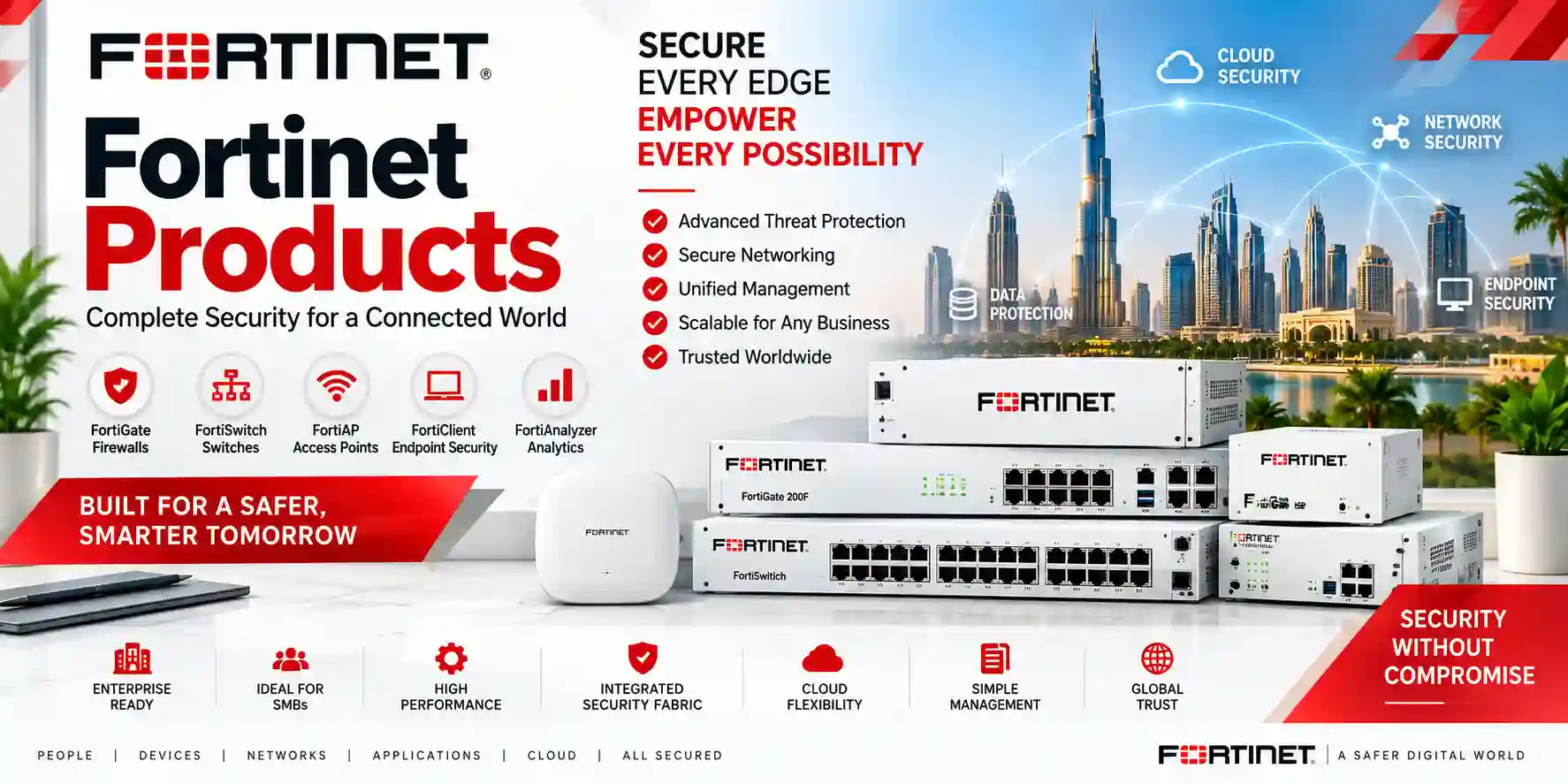
A FortiSwitch deployment should do more than bring ports online. The switching layer must match the organization’s users, devices, VLAN structure, PoE demand, uplink capacity, security policy, management model and future growth. FourTeck approaches FortiSwitch installation as a complete network task covering physical deployment, FortiLink or standalone onboarding, segmentation, port configuration, connectivity validation, documentation and handover.
Management choice
FortiSwitch can operate in standalone mode or be centrally managed using Fortinet management platforms. The correct option depends on architecture, operational responsibility and the Fortinet environment already in use.
Secure segmentation
VLANs, port roles, uplink permissions and management access should be designed around real device groups such as employees, voice, Wi-Fi, cameras, servers, guests and infrastructure.
Deployment discipline
Rack position, power, transceivers, fiber, copper patching, firmware compatibility, naming and backups are part of the project, not details to solve after the switch is mounted.
Operational handover
Testing should prove endpoint access, VLAN separation, PoE behavior, uplink continuity and management reachability, followed by a configuration record that future administrators can understand.
What FortiSwitch installation and configuration should achieve
Fortinet positions FortiSwitch as secure Ethernet switching that can be integrated with FortiGate through FortiLink or managed through other supported methods. That flexibility is valuable, but it also means the installation must begin with a management decision. A FortiGate-managed access layer can centralize switch configuration and security policy around the FortiGate environment, while a standalone design may be appropriate where switching is operated independently. Fortinet also supports centralized options such as FortiSwitch Manager and cloud-oriented management. FourTeck does not assume that one management mode is correct for every project; the design starts with the existing network, administrative model and intended lifecycle.
A useful installation plan identifies every role the switch will perform. This can include standard user access, IP phones, wireless access points, CCTV cameras, servers, printers, building systems and uplinks to other switches. Each role affects port configuration. Phones, cameras and access points may need Power over Ethernet. Wireless networks may carry multiple VLANs over a single access-point connection. Servers can require higher-bandwidth links or aggregation. Inter-switch uplinks may carry many VLANs and need loop-prevention or resilient topology design. Management traffic should be deliberate rather than left on an undefined flat network.
The target outcome is a network that is stable on day one and understandable months later. That means device names, switch locations, port descriptions, VLAN IDs, uplink paths, IP addressing, management access and backups need to be recorded. For customers planning a broader refresh, FourTeck can connect the switch project with FourTeck Tanzania’s integrated IT and networking portfolio, so switching, firewalls, Wi-Fi, cabling and dependent systems can be assessed as one environment rather than as unrelated purchases.
FortiSwitch deployment workflow
Review the FortiGate or upstream network, switch models, firmware families, available ports, existing VLANs, address plan, PoE endpoints, uplinks, fiber or copper media, rack conditions and required redundancy. Define whether the switches will be FortiLink-managed, standalone or managed by another supported Fortinet platform.
Confirm rack space, airflow, power, UPS connection, grounding where applicable, patch panels, transceiver compatibility and cable labeling. Mount and connect the switch according to the hardware guide for the exact model rather than relying on assumptions from another FortiSwitch series.
Establish secure administrative access, set appropriate administrator credentials, confirm time services and management reachability, and back up the initial state. For FortiLink deployments, prepare the FortiGate switch-controller environment and authorize the discovered FortiSwitch units through the supported FortiOS workflow.
Create the required VLANs and assign native or allowed VLAN behavior according to endpoint and trunk roles. Configure access ports, phone or AP ports, uplinks and any special ports with clear descriptions. Apply PoE only where needed and validate the available power budget against the actual connected devices.
Review spanning-tree behavior, link aggregation, inter-switch links, MCLAG requirements where supported, management access restrictions, DHCP-related protections, edge-port behavior and any Fortinet access-control features that are part of the approved design. Do not enable complexity without a defined operational reason.
Test representative clients from each VLAN, PoE endpoints, uplinks, DHCP, DNS reachability, gateway access and management connectivity. Record firmware, serials, switch names, port maps, VLANs, uplink paths, backup location and known dependencies so the environment can be supported consistently.
FortiLink-managed FortiSwitch configuration
In a FortiGate-managed design, FortiLink connects the switching environment to the FortiGate management and security architecture. Fortinet documentation describes discovery and authorization of FortiSwitch units, centralized configuration of VLANs and ports, and topology options ranging from a simple single-switch connection to larger multi-switch environments. The practical advantage is that administrators can work from a coordinated Fortinet environment rather than treating every access switch as a separate configuration island.
FourTeck’s configuration process first checks the FortiGate interface intended for FortiLink, switch-controller readiness, physical uplink selection and software compatibility. The exact ports, aggregation method and topology depend on the FortiGate and FortiSwitch models in use. Once the switch is discovered and authorized, the project can proceed with VLAN creation, switch-port assignments, PoE settings, uplink policy and device-specific access. Configuration is performed through the FortiGate management plane where Fortinet recommends that workflow for FortiLink-managed switches, reducing the risk of making local changes that the controller does not understand.
For organizations already using FortiGate security, this architecture can connect wired access more closely with segmentation and policy. That does not remove the need for conventional switching design: loop prevention, bandwidth planning, PoE sizing, cable quality and fault isolation remain essential. Customers reviewing the security gateway at the same time can explore FourTeck’s Fortinet-focused security resources for complementary firewall and Secure Networking requirements.
Standalone FortiSwitch configuration
Standalone mode is useful when a FortiSwitch is administered directly rather than through FortiGate. Fortinet’s FortiSwitchOS administration documentation supports direct GUI and CLI management in this mode. The initial configuration should establish the switch identity, secure administrative credentials, management addressing and access protocols, followed by VLAN, interface, trunk, PoE and monitoring settings that match the broader network.
A standalone project needs a particularly clear record because the switch does not inherit the organizational context of a FortiGate-managed environment. FourTeck documents management IPs, default routes where required, VLAN definitions, tagged and untagged behavior, uplinks, access-port assignments and monitoring settings. Administrator access should be limited to the interfaces and source networks that genuinely need it. HTTPS and SSH are generally preferable for secure administration; unnecessary services should not be enabled simply because the platform supports them.
Standalone mode can also be appropriate during migration when the surrounding network uses another switching or routing platform. In those cases, VLAN tags, link aggregation, spanning tree and transceiver choices must be aligned with the neighboring equipment. The project should include an interoperability test rather than assuming that similarly named features behave identically across vendors.
Core configuration areas we plan
VLAN segmentation
Separate user groups and device classes according to operational and security needs. Common examples include corporate users, voice, guest Wi-Fi, cameras, access points, servers and infrastructure management.
Port profiles
Define what each access, trunk, server, phone, AP or camera port is expected to carry. Clear descriptions reduce troubleshooting time and make moves, additions and changes safer.
PoE planning
Count PoE devices and review their actual requirements against the switch model’s supported PoE capabilities and total budget. Leave practical headroom where growth is expected.
Uplinks and fiber
Match uplink speed and media to aggregate traffic, distance, transceiver compatibility and redundancy goals. Larger access layers can be bottlenecked by a poorly sized uplink even when edge ports are fast.
Loop prevention
Review spanning-tree roles, edge settings and intentional redundant paths before multiple inter-switch links are enabled. Resilience should be engineered rather than created by adding cables without topology control.
Monitoring and backup
Define how switch health, port state, errors, power and configuration changes will be observed. Preserve configuration backups and document the management method so recovery does not depend on one administrator’s memory.
FortiSwitch installation for business systems
The access switch is shared infrastructure. A Wi-Fi access point may require PoE and transport several SSIDs mapped to different VLANs. An IP phone can require voice VLAN assignment and quality-of-service treatment while a workstation shares the same physical area. A CCTV camera may consume PoE continuously and generate sustained traffic to a recorder. A server may demand a faster or aggregated uplink. These dependencies are why FourTeck reviews the connected systems before applying a standard switch template.
For Wi-Fi projects, the wired edge should have sufficient PoE, port speed and uplink capacity for the selected access points. For voice, the network should support the required VLAN and prioritization strategy. For surveillance, camera counts, resolution, recording location and uplink paths should be considered. For servers and storage, jumbo frames or higher-bandwidth links should only be enabled when the full end-to-end path and application actually require them. A setting that helps one workload can create troubleshooting complexity when enabled without a validated reason.
Customers that need broader integration can review FourTeck Africa regional infrastructure solutions for multi-country network planning, or use the Tanzania contact workflow to provide switch quantities, site details, current firewall environment and connected-device requirements.
Fortinet FortiSwitch Installation and Configuration Tanzania
For organizations in Tanzania, FortiSwitch installation often sits at the center of a wider network modernization project. Offices may be adding Wi-Fi access points, IP phones, cameras, new servers or a FortiGate firewall at the same time. A good deployment begins by mapping those dependencies. The number of switch ports is only one input; engineers should also identify PoE devices, traffic-heavy endpoints, uplink destinations, fiber distances, VLAN requirements, internet gateway design, management responsibilities and expected expansion over the next few years. This prevents a project from selecting an access switch that fits the present rack but becomes a constraint when more powered devices or faster uplinks are needed.
FourTeck can structure the Tanzania deployment around either FortiLink management or standalone FortiSwitchOS administration, depending on the customer’s architecture. In FortiGate environments, the project can include FortiLink preparation, switch discovery and authorization, VLAN creation, port assignments, PoE policy, uplink configuration and topology verification. In standalone environments, the focus includes management addressing, secure administrator access, switch VLANs, tagged and untagged port behavior, trunks, monitoring and configuration backup. In both cases, the exact commands and feature availability are checked against the deployed model and software version rather than copied from a generic template.
Tanzania projects should also consider physical conditions that directly affect network reliability. Rack space, ventilation, UPS capacity, cable labeling and fiber termination quality influence serviceability long after the configuration is complete. Where branches are connected across different cities, consistent switch names, VLAN numbers, port descriptions and documentation templates make support easier. FourTeck’s aim is to leave the customer with an operational network map, a repeatable configuration standard and a clear list of dependencies for future growth, not just a switch that is temporarily reachable after installation.
Fortinet FortiSwitch Installation and Configuration Dar es Salaam
Dar es Salaam businesses frequently operate from multi-floor offices, commercial buildings, warehouses, hospitality properties and branch environments where switching must support several technology systems at once. A FortiSwitch project in this setting should begin with the physical topology: where the main communications room is located, whether there are additional floor racks, how uplinks move between them, which links are copper or fiber, and how many endpoints need PoE. If access switches are distributed through the building, the backbone should be designed for the combined traffic of users, Wi-Fi, CCTV and voice rather than sized only from individual edge-port speeds.
For a FortiGate-managed deployment, FortiLink can provide a centralized operational model, but the topology still needs disciplined planning. The implementation can map staff, guest, camera, voice and infrastructure networks into separate VLANs, assign those VLANs to the correct access or trunk ports, and confirm which routes or firewall policies are required beyond the switching layer. Where IP phones, cameras or access points are powered by the switch, the design should verify both per-port support and the total power budget. This is particularly important when devices are upgraded later to higher-power models.
Dar es Salaam customers preparing a quotation can speed up design by providing the switch models, FortiGate model if present, number of floors, existing VLAN list, approximate endpoint count, PoE device count, uplink speeds, fiber requirements and any current fault such as loops, unstable links or unmanaged switch sprawl. A structured survey makes it easier to distinguish a simple switch replacement from a broader LAN redesign. The result should include testing and port documentation so support teams know what is connected and how each part of the access network is intended to behave.
Fortinet FortiSwitch Installation and Configuration Mwanza
A FortiSwitch deployment in Mwanza may serve a compact office, retail or distribution environment, education facility, hospitality site or a branch connected to a larger corporate network. The first design question is whether the site should operate as an independent LAN or follow a standard defined by headquarters. Multi-site organizations benefit when switch naming, VLAN IDs, management addressing and uplink conventions are repeatable. Standardization reduces the amount of site-specific knowledge required when troubleshooting and makes replacement or expansion less disruptive.
Where the Mwanza site uses FortiGate, FortiLink management can provide a consistent Fortinet-centered configuration workflow. The engineer can prepare the FortiLink connection, authorize the switch, define VLANs, assign access and trunk ports, and review PoE and uplink settings from the controller environment. If the site uses another firewall or router, standalone FortiSwitch configuration can still provide managed VLANs, trunking and secure administration. The choice should follow the existing architecture rather than forcing a FortiGate dependency where one does not exist.
Before implementation, FourTeck recommends confirming cable quality, rack power, UPS support and the condition of any fiber runs. Intermittent physical faults can appear to be configuration problems, especially when older cabling or transceivers are reused during an upgrade. Handover should therefore include link testing, representative endpoint checks, port labeling and a saved configuration. For remote support scenarios, secure management reachability should also be planned so administrators can diagnose the switch without exposing unnecessary services to untrusted networks.
Fortinet FortiSwitch Installation and Configuration Arusha
Arusha environments can combine office networking with hospitality, conference, tourism, education and multi-building requirements. This often increases the variety of devices connected to the switching layer. Staff computers, guest wireless, IP phones, access points, cameras and building systems should not automatically share one flat network. FortiSwitch configuration can use VLANs and explicit port roles to create cleaner boundaries, while the upstream firewall or routing layer controls communication between those networks according to business requirements.
When several buildings or floors are involved, uplink planning becomes as important as access-port count. Fiber may be suitable for distance, electrical isolation and higher-capacity interconnections, but the design needs the correct optics and a clear record of which strands and ports are used. Where redundant links are required, spanning-tree, link aggregation or supported multichassis designs should be engineered carefully rather than created by simply connecting extra cables. Fortinet publishes topology guidance for FortiLink-managed switch networks, and the selected design should match the actual models and software versions in service.
For Arusha buyers, a useful quotation request includes floor plans or rack locations, switch quantities, expected endpoint counts, PoE devices, access-point models, camera quantities, current firewall platform and any branch connectivity requirements. FourTeck can then frame the work around discovery, installation, configuration, migration, testing and documentation. The objective is to keep guest, operational and business networks predictable while giving administrators enough visibility to troubleshoot ports and expand the environment later without rebuilding the entire LAN.
Fortinet FortiSwitch Installation and Configuration Dodoma
Organizations in Dodoma may need FortiSwitch deployments for administrative offices, professional services, education, institutional networks and branch operations. A reliable project starts with the logical design before equipment is connected. Define which users and systems belong together, which systems should be isolated, how IP addressing and DHCP are provided, and which VLANs must reach the FortiGate or another router. A switch should not be configured from an old port list without confirming that the business use of those ports is still valid.
For new installations, FourTeck can build a clean port map from the outset. Uplinks are identified separately from endpoint ports, AP connections can carry the required VLANs, phone and camera ports can receive appropriate PoE, and unused ports can be handled according to the customer’s security standard. Management access should be restricted to approved administrator paths. If the FortiSwitch is managed by FortiGate, configuration should be performed through the supported FortiLink workflow so the controller retains awareness of the switch state.
For upgrades, the migration plan is just as important as the final configuration. Existing unmanaged or third-party switches may have undocumented VLANs, patching or loops. A staged change can identify critical endpoints, move uplinks first where appropriate, migrate endpoint groups in controlled batches and validate each service before the next step. The final deliverables should include updated labels, switch names, port descriptions, VLAN records, uplink diagrams and backup information. This makes the new FortiSwitch environment easier to support and gives procurement teams a clearer basis for future additions.
Fortinet FortiSwitch Installation and Configuration UAE
Organizations with operations in the UAE often need FortiSwitch networks to align with a wider Fortinet security architecture, especially across headquarters, branches, retail sites, warehouses and managed office environments. The deployment should begin with a standard that can be repeated: switch naming, FortiLink topology, VLAN numbering, port profiles, management addressing, firmware policy and documentation. Standardization is useful when the IT team supports many locations because it reduces the number of unique configurations and makes incident response faster.
A UAE project may also involve higher-density wireless access, extensive IP telephony, CCTV or access-control networks. Those systems increase both PoE demand and east-west LAN traffic. Switch selection and configuration therefore need to account for total powered-device load, multigigabit requirements where applicable, uplink speed, transceiver type and distribution-layer capacity. FortiSwitch models vary significantly, so the engineering should be based on the exact model rather than broad family assumptions. Where FortiGate controls the switches, FortiLink provides centralized visibility and configuration, while resilient topologies can be considered where availability requirements justify them.
FourTeck can support customers that want the same network approach across UAE and African branches. A common configuration framework can define which VLANs exist everywhere and which are site-specific, how switch ports are described, how backups are retained and how changes are approved. This is particularly valuable for procurement teams that want consistent operations even when each branch uses a different switch size. The design should remain flexible enough to reflect actual device counts and local uplink needs rather than forcing every branch into identical hardware.
Fortinet FortiSwitch Installation and Configuration Uganda
Uganda deployments can range from single-office access switching to distributed branch networks where FortiGate and FortiSwitch form a standardized Secure Networking stack. For organizations managing several sites, the main value comes from repeatability. Each site can use a consistent naming and VLAN strategy while switch capacity, PoE and uplinks are sized for the local endpoint count. That balance avoids two common mistakes: building every branch differently or purchasing identical hardware regardless of the actual requirement.
The installation process should identify the FortiSwitch management model, confirm firmware interoperability, prepare rack power and cabling, establish uplinks and then configure VLANs and edge ports according to device roles. FortiLink-managed environments should be authorized and controlled through the FortiGate workflow. Standalone sites should use secure management access and documented VLAN/trunk configurations. In both cases, technicians should verify how DHCP, routing and firewall policy interact with the switch rather than expecting Layer 2 configuration alone to provide end-to-end connectivity.
Customers coordinating Tanzania and Uganda networks can also use FourTeck Uganda as a regional point of reference for connected IT requirements. For quotation preparation, provide site count, switch models or desired port quantities, current firewall platform, PoE endpoints, uplink media, VLAN plan and any requirement for remote management. Clear inputs allow the implementation scope to separate hardware supply, configuration, migration, cabling work and post-installation testing.
Fortinet FortiSwitch Installation and Configuration Kampala
Kampala offices often combine dense user populations with meeting rooms, wireless access, IP phones, surveillance and server or cloud connectivity. That mix makes the access layer a shared service rather than a simple desktop connection point. A FortiSwitch design should therefore separate endpoint categories logically, verify the PoE requirement of every powered system and ensure the uplinks can carry aggregate traffic without becoming a hidden bottleneck.
Where FortiGate is already deployed, FortiLink can simplify centralized switch operations. The network team can organize VLANs, switch ports and connected devices from the Fortinet management plane, while firewall policy handles communication between security zones. For standalone FortiSwitch installations, the same underlying design principles apply, but management IPs, trunks and monitoring are configured directly on the switch. Access methods should be secured, administrator credentials managed carefully and configuration backups retained before major changes.
A practical Kampala implementation should also address change windows and rollback. Businesses may not be able to disconnect all users at once, so migration can be planned by floor, department or switch. Critical devices such as internet gateways, servers, VoIP systems and CCTV recorders are identified in advance. After each migration stage, representative clients are tested for addressing, gateway reachability, DNS, application access and VLAN isolation. This disciplined approach is more reliable than replacing hardware quickly and troubleshooting unidentified dependencies after users return to work.
Fortinet FortiSwitch Installation and Configuration Arua
For an Arua branch or regional site, simplicity and remote support can be as important as advanced features. The FortiSwitch should be configured so a central IT team can understand the topology, identify endpoints and recover from faults without depending entirely on local knowledge. A clear device name, management address, uplink description and port map are therefore essential deliverables, not administrative extras.
The deployment can be designed around a FortiGate-managed FortiLink architecture when that fits the branch standard. This allows switch configuration to follow the FortiGate environment and can reduce the number of separate management points. If the branch uses standalone switching, secure remote administration can still be planned through approved management networks or VPN paths. The switch should not expose management services broadly to user or internet-facing networks.
Physical reliability also matters in branch environments. UPS support, stable rack power, protected cabling and clearly labeled uplinks help local staff identify basic issues without changing configuration. Spare optics or patch leads may be useful where replacement lead times are significant, but procurement should be based on the actual switch interfaces and design. During handover, FourTeck can document the branch VLANs, uplink path, PoE endpoints, administrative method and backup location so future maintenance can be performed consistently with other sites.
Fortinet FortiSwitch Installation and Configuration Mbarara
Mbarara businesses planning new offices, warehouses, hospitality environments or branch upgrades can use FortiSwitch to create a managed access layer with intentional separation between user and device networks. The project should begin by listing everything that will connect: workstations, printers, phones, cameras, access points, servers, controllers and uplinks. That endpoint inventory drives port count, PoE sizing and VLAN design more accurately than purchasing a switch solely by rack size.
In a FortiLink design, the FortiGate becomes the central configuration point for managed FortiSwitch units, so the FortiLink interface, authorization process and switch-controller settings need to be prepared first. VLANs can then be created and assigned to edge or trunk ports based on the site plan. In standalone mode, the same logical network can be implemented directly on FortiSwitchOS with secure management and documented interface settings. The correct method depends on the existing security and operations architecture.
For Mbarara sites that rely on voice, CCTV or wireless services, testing should include more than a laptop on one port. Verify a PoE phone or camera, an access point with its intended VLANs, a representative office client and the uplink to the gateway. Check that each device receives the correct address and reaches only the networks it is intended to use. This service-based testing confirms that the switch configuration supports real operations, not merely link lights.
Fortinet FortiSwitch Installation and Configuration Gulu
A Gulu FortiSwitch project should be designed for maintainability from the beginning, particularly when technical support may be centralized elsewhere. Remote administrators need predictable switch names, management paths, VLAN conventions and port descriptions. Local teams need clear labels for uplinks, critical endpoints and power. When those details are documented, routine changes become safer and troubleshooting can begin with reliable information rather than physical tracing of every cable.
The network design should distinguish between access ports that serve one device class and uplink or AP ports that may carry several VLANs. PoE ports should be assigned with awareness of the switch’s total power capability and the actual connected load. If multiple switches are interconnected, the topology should be reviewed for loops and redundancy. Additional links can improve availability only when the switching protocols and supported architecture are configured to use them correctly.
For organizations that operate Gulu alongside Kampala or other branches, FourTeck can frame the installation around a shared standard. The branch can keep the same logical naming and security zones while using hardware capacity that suits its size. After implementation, backups and diagrams should be stored where the central IT team can access them. This creates a foundation for future additions such as new cameras, access points or phones without turning each expansion into a fresh network-discovery exercise.
Fortinet FortiSwitch Installation and Configuration Kenya
Kenya deployments often form part of regional networks linking headquarters, branches, warehouses, retail locations or service sites. FortiSwitch can fit that architecture as an access, aggregation or campus switching component depending on the model family and design. The implementation should therefore identify where each switch sits in the hierarchy and what traffic it is expected to aggregate. Access-layer concerns such as PoE and endpoint VLANs are different from distribution or data-center concerns such as high-speed fiber, link aggregation and resilient uplinks.
Where FortiGate is part of the site standard, FortiLink can centralize switch administration and connect switching with the broader Fortinet Security Fabric approach. If the network remains multi-vendor, standalone FortiSwitch can be configured to interoperate through standard VLAN, trunking and link-management practices. FourTeck focuses on the target architecture rather than requiring every neighboring device to be Fortinet. Interoperability should be tested with the exact upstream platform and optics in use.
Regional organizations can reference FourTeck Kenya for country-specific technology requirements while keeping the Tanzania deployment aligned with the same engineering framework. A cross-border standard can define naming, VLANs, management, backup and monitoring conventions, but hardware sizing remains site-specific. This makes expansion easier while avoiding the cost and operational complexity of overbuilding smaller branches.
Fortinet FortiSwitch Installation and Configuration Kuwait
Kuwait organizations deploying FortiSwitch may prioritize high-density office connectivity, centralized Fortinet management, wireless capacity, IP telephony and surveillance integration. The switching project should begin with a port and power profile for each area. Meeting rooms, ceiling access points, phones, cameras and user desks create different access requirements, while uplinks to distribution or core switches need enough capacity for the combined load. High port density alone does not guarantee a well-sized design.
A FortiLink-managed network can simplify administration where FortiGate is already the security platform. The deployment process includes validating software compatibility, preparing FortiLink interfaces, discovering and authorizing FortiSwitch units, creating VLANs, assigning port behavior and testing security-zone connectivity. Large or availability-sensitive environments may also require resilient switch topologies, but those should be selected from Fortinet-supported designs and matched to the actual models rather than improvised.
For Kuwait procurement, it is useful to separate the bill of materials from the engineering scope. Hardware may include switches, optics, patch cords, rack accessories and power components, while the service scope covers design, mounting, configuration, migration, testing, documentation and knowledge transfer. Clarifying those elements prevents a low hardware quote from being mistaken for a complete deployment proposal. Customers with regional sites can also align Kuwait switch standards with Tanzania and other branches while adapting capacity to local endpoint and bandwidth requirements.
Fortinet FortiSwitch Installation and Configuration Ghana
Ghana customers can use FortiSwitch as part of office, branch, hospitality, education, retail or operational networks where managed switching and segmentation are required. The deployment should document the current gateway, IP addressing, DHCP services and VLANs before any migration begins. This is particularly important when replacing unmanaged switches, because hidden loops or undocumented daisy chains can cause instability as soon as the new managed topology is connected.
A structured FortiSwitch installation identifies each uplink, edge port and powered endpoint. Phones, cameras and access points are matched to available PoE capacity. User, guest and device networks are assigned to the correct VLANs. Uplink ports are configured with the intended allowed VLANs instead of carrying everything by default. Administrative access is limited to the management design, and backups are captured before and after significant changes. Where FortiGate is used, FortiLink can centralize these tasks within the Fortinet environment.
For multi-site organizations, the Ghana deployment can follow the same naming and documentation convention used in Tanzania, making remote support easier across regions. A consistent standard should still leave room for differences in branch size, internet design and attached systems. The most useful handover includes not just screenshots but an understandable table of switch names, management addresses, firmware, VLANs, uplinks, critical ports and backup location. That record allows future changes to begin from known information.
Fortinet FortiSwitch Installation and Configuration Nigeria
Nigeria deployments can involve large user populations, branch networks and mixed business systems, making switch architecture and documentation especially important. A FortiSwitch design should distinguish access, aggregation and core roles where applicable, with uplink capacity sized for the traffic each layer carries. Networks supporting many access points, cameras, phones and cloud-connected users can generate much more aggregate traffic than a simple port count suggests.
The configuration scope may include FortiLink-managed switching with FortiGate or standalone FortiSwitchOS. FortiLink can centralize switch discovery, authorization, VLAN and port operations in a Fortinet security environment. Standalone operation can integrate with multi-vendor networks when VLAN tagging, trunks, spanning tree and link aggregation are designed carefully. Either approach should use secure administrator access, clear port descriptions, configuration backups and monitoring appropriate to the customer’s operations team.
Migration planning is critical where users cannot tolerate a long outage. FourTeck can define a staged cutover by switch, floor, department or service group, with pre-change backups and rollback steps. After each phase, representative users and systems are tested before the next group moves. This method helps identify legacy dependencies early and reduces the likelihood that an undocumented printer, phone gateway or camera recorder becomes a surprise after the old switch is removed. The final network should support both current operations and a documented path for growth.
Fortinet FortiSwitch Installation and Configuration Seychelles
Seychelles networks may support hospitality properties, offices, service organizations and distributed facilities where availability and remote manageability are significant concerns. FortiSwitch deployment planning should therefore include not only VLANs and access ports but also the practical ability to diagnose faults remotely. Clear topology records, management access, uplink labels, backups and spare strategy can reduce the impact of a problem when technical resources or replacement logistics are constrained.
In hospitality and guest-facing environments, staff, guest Wi-Fi, cameras, phones and building devices should be separated according to operational requirements rather than placed on one common LAN. Wireless access points may carry several VLANs and consume PoE, while cameras generate sustained traffic and require predictable connectivity to recorders. The switch design must account for these shared workloads and provide enough uplink capacity to the router, firewall or core network.
Where FortiGate is deployed, FortiLink offers a centralized Fortinet management model that can be useful across multiple switches. Standalone configuration remains an option when the network architecture requires it. FourTeck can document either method with switch roles, VLANs, IPs, uplinks, PoE endpoints and recovery information. For island or remote operations, the handover should be usable by both local staff and remote administrators, allowing basic physical checks and advanced configuration support to work together without confusion.
Selection and sizing guidance before installation
FortiSwitch is a family rather than a single model, and Fortinet offers switches for access, campus, data-center and rugged use cases. The correct model should be selected from the project requirement. Count current wired endpoints, then add realistic growth. Separate devices that require PoE and determine their power needs. Identify any multigigabit endpoints, fiber uplinks, server links or high-speed aggregation requirements. Review the switching layer above and below the proposed device so uplinks do not become bottlenecks.
Management and topology requirements can also influence model choice. Some sites need a straightforward access switch. Others require redundant uplinks, multiple high-speed fiber interfaces, campus aggregation or data-center performance. The project should confirm which features are supported on the exact hardware and software release. A configuration found for one FortiSwitch generation should never be assumed to apply unchanged to another.
Procurement teams should request a bill of materials that distinguishes the switch from dependent items such as optics, DAC cables, rack accessories, patching, fiber work and UPS requirements. If the project includes multiple branches, the same model is not always necessary at every site. Standardizing two or three approved switch profiles can provide operational consistency while matching capacity to branch size.
FortiSwitch migration and change control
Replacing a production switch is a service migration, not only a hardware task. Before the change, record the old switch port usage, VLAN behavior, uplinks, link aggregation, PoE devices and management dependencies. Identify critical services and create a rollback plan. Where possible, pre-stage the FortiSwitch with the intended configuration, labels and firmware before the cutover window begins.
During migration, move endpoints in logical groups and validate each group. A link light confirms only the physical connection; it does not prove the device received the correct VLAN, address or application access. Test DHCP, gateway reachability, DNS, selected business applications and any special services such as voice or CCTV recording. If a trunk or AP port carries multiple VLANs, test more than one connected network.
After cutover, retain the previous configuration and update network diagrams. Remove temporary migration settings and confirm that monitoring sees the new switch. The final backup should represent the actual production state rather than the pre-staged template. This closes the change properly and gives the support team a trustworthy reference.
Related FourTeck services
Network and infrastructure planning
Use the FourTeck Tanzania services page to connect FortiSwitch work with cabling, Wi-Fi, firewall, server and wider infrastructure requirements.
Technology procurement
The FourTeck Tanzania shop provides a starting point for business IT, networking and security product requests where compatibility and sizing need to be discussed.
Regional solution coordination
For organizations with branches across East Africa and the Gulf, FourTeck’s regional network can help align switching standards, security architecture and procurement conversations across locations.
FortiSwitch quotation checklist
Decision recap
Choose the management model first, then design the switching details around it. FortiLink is appropriate when FortiGate is intended to manage the FortiSwitch environment; standalone management is available where the switch operates independently. Confirm hardware and firmware compatibility, then size ports, PoE and uplinks for the real endpoint inventory. Define VLANs according to business and security needs, not simply because an old configuration used them. Plan resilient links only with an understood topology. Test applications and device classes after migration, then preserve the production backup and port documentation.
A successful FortiSwitch installation is one that administrators can operate confidently after the installer leaves. The configuration should be secure, readable, backed up and aligned with the rest of the network. FourTeck can help turn a switch purchase into a documented access-layer deployment that supports Wi-Fi, voice, surveillance, users, servers and future expansion.
FortiSwitch installation and configuration FAQs
Can FortiSwitch be managed without a FortiGate?
Yes. Fortinet documents standalone FortiSwitchOS administration and also supports other management approaches. The best option depends on the architecture and operations model. If FortiGate is intended to centrally manage the switches, FortiLink is the relevant design path.
What information is needed before FortiSwitch configuration?
Provide switch models, FortiGate details if present, desired management mode, VLANs, subnets, DHCP and gateway design, endpoint counts, PoE devices, uplink media, redundancy requirements and any existing port map. For migrations, the current switch configuration is very useful.
How are VLANs configured on a FortiSwitch?
The method depends on management mode. In a FortiLink-managed environment, VLANs and ports are configured through the FortiGate switch-controller workflow. In standalone mode, VLAN and interface configuration is performed directly on FortiSwitchOS. The exact steps should match the deployed software release.
Can FortiSwitch power access points, phones and cameras?
PoE-capable FortiSwitch models can power supported endpoints, but capability varies by model. Check the required PoE standard, per-port need and total power budget for the exact switch. The design should include headroom for realistic growth where appropriate.
Should FortiSwitch firmware be upgraded during installation?
Firmware should be evaluated against Fortinet’s compatibility guidance and the customer’s change policy. An upgrade should not be performed blindly just because a newer build exists. Confirm interoperability, feature requirements, release guidance, backup and rollback planning before changing production software.
What is tested after installation?
Testing should cover management reachability, uplinks, representative access ports, VLAN addressing, DHCP, gateway and DNS access, PoE endpoints, critical applications and expected isolation between network segments. Redundant paths should be tested if they are part of the design.
Can you migrate from Cisco or another switch brand to FortiSwitch?
Yes, but the existing configuration must be translated rather than copied literally. Document VLANs, trunks, spanning tree, aggregation, PoE, voice and management settings, then map each requirement to FortiSwitch capabilities. Validate interoperability with neighboring devices during the change.
Do you provide documentation after configuration?
Documentation can be included in the project scope. Useful handover material includes switch names, management IPs, firmware, VLANs, uplinks, important port assignments, backup location and notes about dependencies or future expansion.
Consultation panel
For a useful FortiSwitch quotation, send the model or expected port count, FortiGate details if applicable, number of PoE endpoints, VLAN list, uplink requirements, site location and whether the work is a new installation or migration. If the current network has recurring loops, unmanaged switch sprawl, poor documentation or insufficient uplink capacity, include those symptoms as part of the request.
FourTeck can then distinguish hardware supply from engineering tasks such as design, rack installation, FortiLink onboarding, VLAN and port configuration, migration, testing and documentation. This gives procurement and IT teams a clearer scope before the change is scheduled.