
Cisco Meraki MS130-48 Tanzania
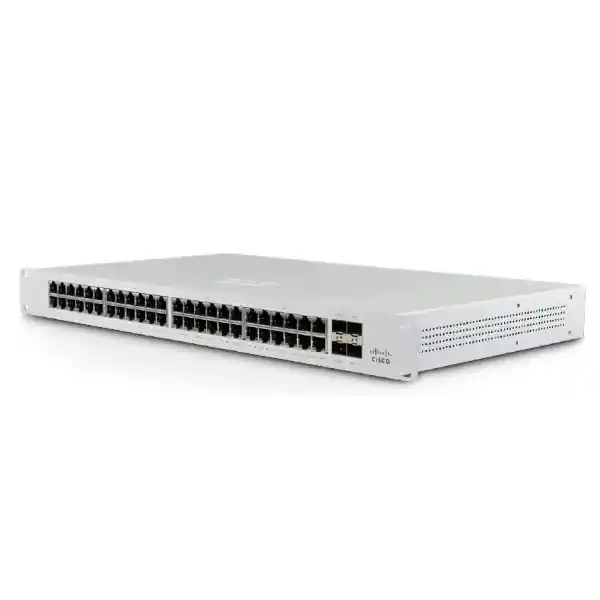
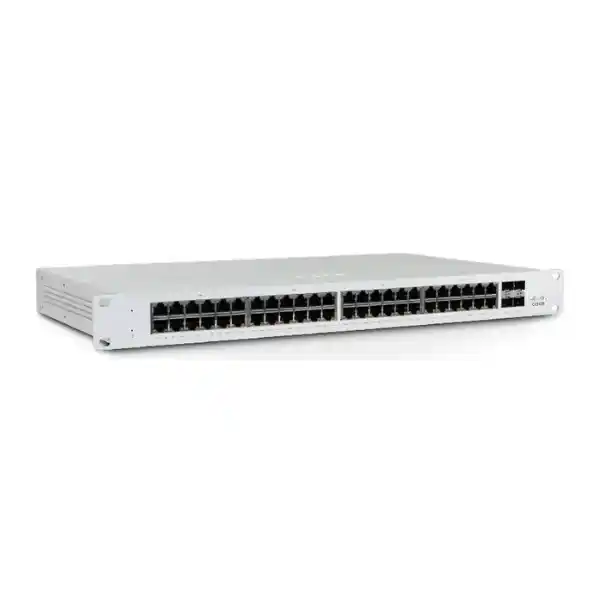
The Cisco Meraki MS130-48 is a 48-port cloud-managed Layer 2 access switch designed for branch and campus deployments that need straightforward Gigabit Ethernet access, fiber uplinks and centralized administration through the Meraki Dashboard. The exact MS130-48 model provides 48 × 1 GbE RJ45 access ports, 4 × 1 GbE SFP uplinks and a dedicated management interface. It is the non-PoE member of the 48-port MS130 family, so buyers who need switch-delivered power for access points, IP phones or cameras should compare the MS130-48P or MS130-48X rather than assuming the MS130-48 itself provides PoE.
For organisations in Tanzania, the value of the MS130-48 is not simply its port count. It combines access switching with cloud-first operational tools such as zero-touch provisioning, network-wide visibility, remote troubleshooting and coordinated firmware management. That combination can simplify day-to-day administration for companies with multiple floors, branches or geographically separated sites, provided the licensing model, internet reachability, VLAN plan, uplink design, rack space and growth expectations are confirmed before purchase.
48 Gigabit access ports
Connect desktops, printers, servers, appliances and other wired endpoints using forty-eight 10/100/1000 Ethernet interfaces.
4 × 1 GbE SFP uplinks
Use supported SFP optics or compatible uplink design for fiber connections between racks, floors or network distribution points.
Meraki Dashboard management
Centralized cloud administration can simplify configuration, monitoring and troubleshooting across one switch or a larger Meraki estate.
What the Cisco Meraki MS130-48 is designed to solve
The MS130-48 addresses a common enterprise access-layer requirement: many wired endpoints must be connected and managed without turning every configuration change into an on-site task. Its forty-eight copper ports make it suitable for office floors, branch facilities, schools, hospitality back-office networks and other environments where endpoint density is substantial but Power over Ethernet is not required on the switch itself. The four SFP uplinks provide options for fiber-connected aggregation or distribution designs, subject to the selected transceivers and upstream network architecture.
Cloud management changes the operating model. Administrators can work from a common Meraki Dashboard instead of relying only on local command-line sessions for routine configuration and visibility. For IT teams supporting multiple premises, this can reduce travel for basic changes and diagnostics. Zero-touch provisioning is particularly useful when a switch is being installed in a branch where an onsite technician can rack, cable and power the device while central administrators handle policy and configuration remotely.
The product is best evaluated as part of a complete LAN design. A 48-port count does not automatically mean the switch is the right fit. Buyers should consider endpoint quantity, expected growth, whether any attached devices require PoE, whether 1 GbE uplinks are sufficient for the projected aggregate traffic, how VLANs will be arranged, what upstream firewall or core switch is used, and which Meraki licensing model applies to the organisation.
Verified Cisco Meraki MS130-48 technical highlights
| Item | MS130-48 detail | Buying significance |
|---|---|---|
| Access interfaces | 48 × 1 GbE RJ45 | High port density for wired office and branch endpoints. |
| Uplinks | 4 × 1 GbE SFP | Supports fiber-oriented uplink designs where 1 GbE uplink capacity is appropriate. |
| PoE | Not provided on MS130-48 | Choose MS130-48P/48X when switch-powered endpoints are required. |
| Switching scope | Layer 2, DHCP relay, DHCP snooping | Suitable as an access switch; upstream routing design must be considered separately. |
| Access security | 802.1X authentication support | Can contribute to identity-aware wired access when integrated with the wider authentication environment. |
| Management | Meraki cloud management | Central configuration, visibility and troubleshooting across sites. |
| Form factor | 1U rack-mountable | Plan rack space, patching, airflow and UPS capacity. |
| Operating temperature | 0°C to 45°C | Network-room ventilation and environmental control should be planned accordingly. |
Important: MS130-48 is not the PoE model
Cisco’s MS130 family contains closely named models. The MS130-48 has 48 Gigabit Ethernet access ports and four 1 GbE SFP uplinks but no PoE output. The MS130-48P adds PoE+ and a larger power budget, while the MS130-48X introduces multigigabit access and 10 GbE SFP+ uplinks alongside PoE+. If the project includes Meraki access points, IP phones, CCTV cameras, door controllers or other powered Ethernet devices, decide whether those endpoints will receive power from another source or whether a PoE-capable switch is the more appropriate model.
Cloud-managed operations and licensing considerations
Meraki switching is designed around cloud-based management. That makes licensing part of the procurement decision rather than an afterthought. Cisco documents multiple licensing approaches for the MS130 family, and the correct choice depends on how the customer’s Meraki organisation is already licensed. In co-termination environments, licence compatibility across relevant switch families must be checked carefully, particularly where Enterprise and Advanced feature levels are involved. Per-device and subscription licensing models also have their own rules and product identifiers.
For the MS130-48 class, licensing should be quoted with the hardware rather than left unresolved until installation. Procurement teams should confirm licence term, support entitlement, organisation licensing mode, renewal date implications and any feature requirement that depends on a higher licence tier. The Advanced licence on MS130 is associated with Adaptive Policy functionality, while standard access switching requirements may not need that feature.
A useful pre-order process is to share the existing Meraki organisation details, current switch models, licence model and intended deployment role. That allows compatibility to be checked before hardware is committed. For a new Meraki deployment, the requirement can be designed from the beginning around consistent licensing, naming, VLAN structure, firmware policy and administrator access.
Where the MS130-48 fits in a business LAN
Office access layer
A 48-port switch can consolidate workstation, printer and appliance connections for a busy office floor. The non-PoE design is especially suitable when the majority of endpoints have local power and the network does not need to energize phones, cameras or access points from Ethernet.
Branch standardisation
Organisations with several branches can use common Meraki Dashboard templates, naming conventions and monitoring practices to make branch switching easier to operate from a central IT function.
Fiber-connected floors or racks
Four SFP uplinks give designers flexibility for fiber connections, but uplink bandwidth should be checked against aggregate traffic. Sites with heavy server, video or wireless traffic may require a model with faster uplinks.
Related FourTeck networking resources
For broader solution planning, review the FourTeck Tanzania technology portfolio to place the switch within the wider IT, telecom, security and infrastructure environment. The FourTeck Tanzania shop guidance explains the practical buying checks for switches, firewalls, wireless and supporting infrastructure. Organisations building complete LAN projects can also use the Tanzania IT services overview to consider design, implementation and support requirements.
For regional projects, FourTeck Kenya and FourTeck Uganda provide additional regional context for organisations coordinating technology procurement across East Africa.
Cisco Meraki MS130-48 Tanzania
Businesses evaluating the Cisco Meraki MS130-48 in Tanzania are usually balancing three practical needs: enough wired access ports for current operations, manageable growth over the next few years, and an administration model that works even when IT staff are not physically beside the switch. The MS130-48 addresses those needs with forty-eight Gigabit Ethernet access ports, four 1 GbE SFP uplinks and centralized Meraki cloud management. It is well suited to offices, education sites, professional-service environments, branch operations and other facilities where many wired devices need dependable Layer 2 connectivity without PoE power from the switch.
For Tanzania procurement, the first step should be to build a port schedule. Count active wired devices, spare capacity, uplinks and planned growth rather than buying on port count alone. If the site has IP phones, Wi-Fi access points, CCTV cameras or access-control devices, identify which require PoE. Because the MS130-48 itself is non-PoE, those devices will need separate power or a different switch model. This distinction matters in quotation preparation because an apparently small model change can alter power budgeting, rack requirements and total project cost.
The second step is to validate the uplink architecture. Four 1 GbE SFP interfaces provide useful flexibility for fiber-connected distribution, but a network serving heavy file transfers, high-density Wi-Fi, video surveillance or server workloads may need faster uplinks. Review traffic patterns rather than relying on an assumption that four uplinks automatically solve congestion. VLAN segmentation, spanning-tree design, link redundancy, upstream routing and firewall placement should be documented before deployment.
Finally, licensing and cloud connectivity must be planned with the hardware. Meraki Dashboard is central to the operating model, so procurement should include the appropriate licensing, administrator setup and renewal planning. Tanzania customers requesting a quotation should share device counts, rack location, existing Meraki environment, fiber type, upstream switch or firewall, licensing model and any multi-site requirements. That information helps determine whether the MS130-48 is the right access switch or whether the PoE or multigigabit variants are more appropriate.
Cisco Meraki MS130-48 Dar es Salaam
For organisations in Dar es Salaam, the Cisco Meraki MS130-48 can serve as a practical access-layer switch for corporate offices, commercial facilities, professional-services firms, schools, hospitality administration areas and branch environments that need dense wired connectivity. In multi-floor offices, the model can connect desk users, printers, application appliances and locally powered devices while its SFP uplinks connect back toward an aggregation point. Cloud management is useful when IT support is centralized or when several branches must be managed under consistent standards.
A Dar es Salaam deployment should begin with infrastructure checks rather than assuming the rack is ready. Confirm rack depth and free rack units, stable power, UPS capacity, ventilation, patch-panel organisation and the condition of copper and fiber cabling. The published operating range extends to 45°C, but network-room heat can exceed comfortable levels in poorly ventilated spaces, particularly when several active devices share the same rack. Good airflow and power planning improve the environment for the switch and connected equipment.
Connectivity planning is equally important. A 48-port switch can aggregate a large amount of endpoint traffic, but the MS130-48 uses 1 GbE SFP uplinks. Businesses using large cloud transfers, local servers, high-volume backup or high-density wireless should estimate peak traffic and determine whether 1 GbE uplinks remain suitable. Where the access switch is mainly serving standard business applications and user endpoints, the design can be efficient; where access-layer demand is expected to exceed that profile, the faster-uplink MS130-48X or another switching family may be a better architectural choice.
Dar es Salaam buyers should request a quotation that separates hardware, licensing, optics, patching and deployment services. This makes it easier to compare like with like and avoids discovering later that SFP modules or licences were excluded. If the existing network already uses Meraki, provide the organisation licensing mode and current switch families so compatibility can be reviewed before the MS130-48 is added.
Cisco Meraki MS130-48 Mwanza
In Mwanza, organisations considering the Cisco Meraki MS130-48 may be planning new offices, modernising an existing LAN or replacing unmanaged switching with a centrally administered platform. The switch is particularly relevant when a site has many wired user devices and wants Meraki Dashboard visibility without requiring PoE from every access port. Because the MS130-48 provides forty-eight Gigabit copper ports, one unit can cover a substantial endpoint population while preserving spare ports for growth if the initial design is sized carefully.
A strong Mwanza design should map every port to a use case. Separate workstation, printer, server, guest-device and infrastructure segments logically with VLANs where appropriate, and reserve switch ports for expansion rather than operating permanently at maximum occupancy. If voice phones, wireless access points or IP cameras are part of the site, calculate how they are powered. A mixed design can use the MS130-48 for non-PoE endpoints and a dedicated PoE switch for powered devices, but in some sites consolidating onto a PoE-capable MS130 model may be operationally simpler.
Remote management can be valuable when specialist networking staff are not always at the Mwanza site. Meraki cloud tools allow administrators to monitor switch status, apply configuration and investigate many issues from elsewhere, reducing the need for travel for routine tasks. That does not eliminate the need for onsite basics: labelled cabling, documented patch panels, accessible rack hardware and a responsible local contact still make troubleshooting faster.
Before procurement, define the upstream network path and fiber requirements. The SFP uplinks should be matched with supported optics and the correct fiber media. Confirm the switch licence at the same time as hardware and optics. A complete quotation should therefore describe the exact MS130-48 model, licence term, optic type, quantities and any installation or configuration scope rather than listing only the switch chassis.
Cisco Meraki MS130-48 Arusha
The Cisco Meraki MS130-48 can be a good access-switch candidate for Arusha organisations that need a clean way to connect office users, business systems and locally powered network endpoints. Hotels, tour operators, professional offices, education environments and multi-building organisations often value centralized monitoring because network problems can affect reservations, communications, cloud applications and customer service. The Meraki Dashboard model gives administrators one place to view and manage switching across multiple sites when the wider Meraki architecture is adopted.
Arusha projects should pay particular attention to whether the intended edge devices require PoE. Hospitality and campus environments frequently include wireless access points, IP cameras and phones, and these can create substantial PoE demand. The MS130-48 is not a PoE switch. It remains useful for wired desks, back-office systems, printers and other separately powered devices, but a PoE-capable model may be a better fit when most access ports will serve powered endpoints.
It is also important to design for service continuity. Cloud management simplifies administration, but the LAN should still be planned around resilient upstream connectivity, sound cabling and appropriate power protection. Where a site spans buildings, use suitable fiber cabling and transceivers rather than extending copper beyond normal design limits. Where multiple access switches converge on an upstream switch, document VLAN trunks, spanning-tree behaviour and the expected traffic load on each uplink.
For quotation preparation in Arusha, provide the number of endpoints per location, existing rack layout, required SFP types, current Meraki licensing status and whether configuration services are needed. This helps distinguish a simple hardware purchase from a complete deployment. It also creates an opportunity to compare MS130-48 with 48P and 48X alternatives before ordering, reducing the risk that a non-PoE or 1 GbE-uplink limitation becomes an issue later.
Cisco Meraki MS130-48 Dodoma
For offices and institutions in Dodoma, the Cisco Meraki MS130-48 offers a cloud-managed approach to high-density wired access. The forty-eight Gigabit Ethernet ports can support a significant number of desktops, printers, servers and network appliances, while four SFP uplinks provide options for connecting to distribution equipment over fiber. The product is designed as a Layer 2 access switch, so the wider network must provide the routing, internet security and inter-VLAN policy required by the organisation.
In administrative or institutional environments, standardisation is often as important as raw switching capacity. A consistent Meraki switching design can help IT teams apply common VLAN structures, port policies, monitoring standards and firmware processes across departments or sites. Before deployment, define user groups and services clearly. Finance, administration, guest access, management systems and shared infrastructure should not simply be placed on one flat network because the switch has enough ports.
Power and physical infrastructure should be documented. The MS130-48 is a 1U rack-mounted device and does not provide PoE. Confirm rack space, UPS-backed power, airflow and patch-panel capacity. If the planned endpoints include IP phones, wireless APs or surveillance cameras, determine whether another PoE switch will support those devices or whether the MS130-48P is a more efficient choice. This decision can affect UPS sizing because PoE switching can substantially increase total rack power demand.
Dodoma procurement teams should also include licensing in budget planning. A Meraki switch should not be ordered without understanding the licensing model and renewal responsibilities. A precise quotation should identify hardware, licence term, optics, installation scope and any configuration work. This provides a more reliable total-cost view than comparing chassis prices alone.
Cisco Meraki MS130-48 UAE
In the UAE, the Cisco Meraki MS130-48 is relevant to organisations standardising branch offices, retail back-office networks, professional workplaces and distributed corporate environments on Meraki cloud management. The core hardware profile remains straightforward: forty-eight 1 GbE RJ45 access ports, four 1 GbE SFP uplinks and no PoE on the base MS130-48. The model is therefore most attractive where a large number of standard wired endpoints require connectivity and powered edge devices are either absent or handled by separate PoE infrastructure.
UAE buyers often compare several MS130 variants, so model distinction is critical. The MS130-48P adds PoE+ for applications such as voice and wireless, while the MS130-48X adds multigigabit access ports and 10 GbE SFP+ uplinks. An office preparing for high-density Wi-Fi or faster access-point backhaul may benefit from the 48X, whereas an office dominated by 1 GbE wired endpoints can avoid paying for capabilities it will not use by selecting the standard 48.
For multi-branch organisations, cloud management can reduce operational inconsistency. Templates, remote visibility and central troubleshooting help a core network team oversee sites without maintaining a separate local management process in each branch. However, deployment documentation remains important. Each switch should have clear rack identification, uplink mapping, port labels, VLAN assignments and a recorded licensing status so the cloud view matches the physical environment.
A UAE quotation should confirm hardware part, Meraki licensing approach, SFP requirements and any installation or managed-service scope. If the project spans multiple countries, consistent naming and licensing conventions can simplify regional support. Review local power, rack, fiber and upstream architecture at every site instead of assuming a design proven in one office can be copied unchanged to another.
Cisco Meraki MS130-48 Uganda
Uganda organisations evaluating the Cisco Meraki MS130-48 can use it as a centrally managed access switch for branch and campus environments where wired port density is the main requirement. With forty-eight Gigabit Ethernet ports, the switch can serve user desktops, printers, servers and appliances while preserving centralized configuration and monitoring through the Meraki Dashboard. Four SFP uplinks provide fiber connectivity options for links back to a distribution layer.
The most important sizing question is whether the site needs PoE. Many modern offices connect phones, cameras and wireless access points, and those devices are often powered from the switch. The MS130-48 does not provide PoE. A Uganda deployment can still use it alongside dedicated PoE switching, but buyers should compare the operational simplicity and cost of the MS130-48P if a large percentage of ports need power.
For geographically distributed organisations, remote troubleshooting can be especially valuable. Cloud management may allow a central support team to inspect status and configuration before dispatching a technician. That can shorten diagnosis for configuration-related issues, although physical faults such as cabling, power loss or failed patching still require onsite attention. Good documentation therefore remains part of the design.
Uganda customers preparing an MS130-48 quotation should specify device count, branch quantity, rack environment, expected uplink media, licensing model and upstream firewall or core switch. Where the network includes high-bandwidth wireless or video applications, validate whether 1 GbE uplinks are sufficient. The best purchase is the model that fits the traffic, power and management profile rather than simply the largest number of access ports at the lowest chassis price.
Cisco Meraki MS130-48 Kampala
In Kampala, the Cisco Meraki MS130-48 can support business offices that need a dense, manageable wired access layer without switch-provided PoE. Forty-eight Gigabit access ports can consolidate workstation and peripheral connectivity into a single rack-mounted switch, while cloud management helps IT teams supervise configuration and health centrally. For companies with several Kampala sites or branches elsewhere in Uganda, consistent Meraki management can reduce variation between locations.
A practical deployment should begin with a port worksheet. Record every existing endpoint, required VLAN, power requirement and cable destination. Allocate realistic spare ports for expansion. When access points, phones or cameras are included, note whether they will use injectors, separate PoE switches or a PoE-capable Meraki model. This avoids a common procurement mistake in which the correct port count is selected but the power requirement is missed.
The uplink design should then be reviewed. Four 1 GbE SFP ports can support fiber links to upstream equipment, but they are not the same as 10 GbE SFP+ uplinks. A Kampala office with high-volume server traffic, large backup jobs or modern Wi-Fi infrastructure should estimate aggregate bandwidth. If future requirements are likely to exceed 1 GbE uplink capacity, the MS130-48X or another switch family can be considered before cabling and optics are purchased.
Licensing should appear explicitly on the quotation. Include the licence term and confirm whether the switch will join an existing Meraki organisation. For installation, plan rack space, airflow, UPS-backed power, patch cords and labelled fiber. A disciplined installation helps ensure the benefits of cloud management are supported by an equally clean physical network.
Cisco Meraki MS130-48 Arua
For organisations in Arua, the Cisco Meraki MS130-48 is particularly useful when local IT resources are limited and a central team needs visibility into branch switching. The Meraki Dashboard approach allows configuration and monitoring to be handled remotely, while the physical switch provides forty-eight Gigabit Ethernet access ports for wired endpoints. That combination can make the model attractive for branch offices, service centres and institutional facilities that require a substantial number of wired connections.
Remote management works best when the physical installation is planned carefully. The switch should be mounted in a secure rack, protected by stable power and UPS, connected through labelled patching and installed where airflow is adequate. A cloud-managed platform cannot compensate for undocumented cabling or an overheated equipment area. Before deployment, record the uplink path and maintain a simple site diagram that onsite personnel can follow if central support requests a cable or power check.
Arua buyers should also verify that the non-PoE profile matches the intended endpoints. If the branch has many IP phones, cameras or access points, a PoE switch may simplify installation by reducing local power adapters. If most connected devices are desktops, printers and equipment with their own power supplies, the MS130-48 can be a cost-conscious way to obtain forty-eight managed ports without an unused PoE budget.
For procurement, ask for the complete solution rather than hardware alone: MS130-48 switch, appropriate licence, required SFP modules, installation scope, VLAN configuration and documentation. If the branch connects back to a central office over VPN, remember that the switch is not the VPN termination device; the upstream firewall or security appliance remains responsible for that role.
Cisco Meraki MS130-48 Mbarara
Mbarara businesses choosing the Cisco Meraki MS130-48 can use it to modernise a wired LAN with centralized cloud management while retaining standard Gigabit Ethernet access for user devices. Forty-eight ports provide room for sizeable offices or branch environments, and the rack-mounted form factor fits conventional network cabinets. The key is to match the model to actual endpoint and uplink needs rather than treating all forty-eight-port switches as interchangeable.
First, check power requirements. The base MS130-48 does not supply PoE. If the network has locally powered PCs and printers, this may be ideal. If it includes phones, cameras and wireless access points, decide whether another PoE device will handle them. Second, review fiber. Four 1 GbE SFP uplinks can be useful for building or rack links, but optic type and fiber compatibility must be confirmed. Third, review traffic. A forty-eight-port access switch can produce more aggregate traffic than one uplink can carry, so design for realistic concurrent usage.
Meraki Dashboard management can improve consistency in Mbarara branch operations. Central teams can standardize VLANs and port policy, monitor switch status and perform many diagnostics remotely. To make that practical, define administrator roles, maintain licensing and document every branch. The best cloud-managed network combines remote visibility with good onsite records.
When requesting pricing, specify whether the MS130-48 is a new standalone Meraki deployment or an addition to an existing organisation. Existing Meraki users should provide licensing mode and current models. New deployments should establish naming, VLANs and renewal ownership at the beginning. These details may seem administrative, but they can prevent licensing and operational issues later.
Cisco Meraki MS130-48 Gulu
The Cisco Meraki MS130-48 can provide Gulu organisations with a structured access-switch platform where dozens of wired endpoints must be connected and centrally managed. Typical uses include branch offices, educational administration buildings, service facilities and business environments that want the Meraki cloud operating model. The forty-eight Gigabit access ports support broad endpoint connectivity, while four SFP uplinks can connect the switch to an upstream distribution layer over suitable fiber links.
Because remote administration is one of the product’s strengths, the network should be designed so remote staff can trust what they see. Use consistent switch names, descriptive port labels, accurate VLAN descriptions and documented uplink ports. A technician looking at the Meraki Dashboard should be able to identify which floor, department or device is associated with a port without relying on guesswork.
Physical resilience also matters. Plan UPS backup for the switch and upstream internet equipment, maintain reasonable rack temperature and keep patching organized. If a branch loses internet, local switching does not suddenly become irrelevant, but the cloud management path is affected, so local network continuity and internet resilience should be evaluated as separate design concerns.
Gulu buyers should compare MS130-48 against PoE versions whenever voice, Wi-Fi or surveillance devices are involved. The standard model can be an excellent fit for separately powered endpoints, while the 48P may reduce complexity when many devices need Ethernet power. Ask for a quotation that includes licensing and optics, because a switch chassis alone is not a complete deployable solution.
Cisco Meraki MS130-48 Kenya
In Kenya, the Cisco Meraki MS130-48 suits organisations building or standardising branch and campus access networks around cloud management. It offers forty-eight 1 GbE RJ45 ports and four 1 GbE SFP uplinks in a 1U rack-mount format. For enterprise offices with many conventional wired endpoints, this can provide a clean balance between port density and operational simplicity, especially when centralized IT teams are responsible for multiple locations.
The model choice should reflect the endpoint mix. The base MS130-48 is non-PoE. If wireless APs, cameras or IP phones dominate the access layer, compare it carefully with the MS130-48P. If new high-performance wireless infrastructure requires multigigabit access and faster uplinks, the 48X can be more appropriate. Selecting the correct variant initially is usually better than adding injectors or additional switching later to compensate for a missed power or bandwidth requirement.
Kenya deployments can also benefit from standardized cloud operations across offices. Administrators can build repeatable configuration patterns, monitor devices remotely and coordinate firmware updates. For branches connected through different service providers, the switch remains part of the LAN; internet resilience and WAN failover must be handled by the wider network design. Do not confuse cloud management with a substitute for proper WAN architecture.
A procurement brief should include the number of switches, port utilization target, SFP media type, licence term, existing Meraki organisation information and any configuration services required. Multi-site buyers should also decide whether the same model genuinely fits every site. Smaller branches may not need 48 ports, while larger offices may need higher-capacity uplinks or stacking capabilities from another product family.
Cisco Meraki MS130-48 Kuwait
Kuwait organisations can use the Cisco Meraki MS130-48 as a cloud-managed access switch for office and branch networks where dense Gigabit wired connectivity is needed. Its forty-eight 1 GbE access ports support a broad user population, while four 1 GbE SFP uplinks allow fiber connections to upstream equipment. Meraki Dashboard administration can be valuable for businesses operating several sites because network staff can maintain a common management view.
Environmental planning is important in any rack deployment. Network rooms should maintain appropriate cooling and airflow, particularly in climates where ambient heat can become significant if equipment spaces are poorly conditioned. The MS130-48 operating specification reaches 45°C, but designing a rack to run close to temperature limits is not desirable. UPS sizing, equipment spacing and clean cable management help create a more maintainable environment.
The switch is non-PoE, which makes it suitable for locally powered endpoints but not a direct power source for phones, cameras or access points. Buyers should quantify powered-device requirements before selecting the chassis. In projects where Wi-Fi and voice are central, the MS130-48P may simplify power distribution. For faster wireless backhaul or high-capacity aggregation, the MS130-48X or another model with higher-speed uplinks may be preferable.
For Kuwait quotations, confirm whether the requirement includes optics, licensing, installation, configuration and support. If the customer already operates Meraki, the new switch should be checked against the existing licensing mode. A clear bill of materials should specify each element so commercial comparison is based on equivalent scope rather than an incomplete hardware-only price.
Cisco Meraki MS130-48 Ghana
For Ghana businesses, the Cisco Meraki MS130-48 offers a straightforward route to cloud-managed access switching where many wired endpoints must be supported. The model combines forty-eight Gigabit Ethernet access ports with four SFP uplinks and central Meraki Dashboard management. It can be suitable for corporate offices, schools, professional services, branch networks and other environments that value remote administration but do not require PoE from this specific switch.
Ghana deployments should distinguish endpoint connectivity from endpoint power. A workstation or printer may only need a data port because it has local mains power. An IP phone or access point may be expected to receive both data and power over the same cable. The MS130-48 provides the data connection but no PoE output. A mixed rack can combine it with PoE switching, but a single PoE-capable model may be easier to manage if powered devices make up a large share of the network.
Fiber and uplink planning are also central to a good design. Four SFP ports provide options for upstream connectivity, but they are 1 GbE on the MS130-48. If forty-eight ports serve bandwidth-intensive applications simultaneously, the uplink can become the constraint. Traffic estimation should account for server access, cloud applications, backups and wireless infrastructure connected elsewhere in the LAN.
When requesting a quote in Ghana, include the desired licence term, optic requirements, rack environment and deployment role. Existing Meraki users should identify organisation licensing mode and current switch families. New users should plan administrator ownership and renewals. This approach turns the purchase into a manageable lifecycle decision rather than a one-time hardware transaction.
Cisco Meraki MS130-48 Nigeria
The Cisco Meraki MS130-48 can fit Nigerian enterprise and branch networks that need high port density with centralized cloud administration. With forty-eight Gigabit copper access ports, it can connect a full office floor or sizeable branch user population. Four 1 GbE SFP uplinks provide fiber options for connection to distribution switching. The design focus is Layer 2 access, so routing, WAN security and internet services remain responsibilities of the upstream network architecture.
For organisations operating across several Nigerian cities, Meraki’s centralized management model can simplify standards and monitoring. IT administrators can apply consistent switch policies and review remote sites from a shared dashboard. This is particularly valuable when local technical resources vary by branch. Still, the physical network must be documented. Clear labels, rack diagrams, power protection and responsible onsite contacts remain essential when a cable, optic or power issue must be checked locally.
Power planning deserves careful attention because the MS130-48 is non-PoE. Many modern business networks have a significant number of powered Ethernet devices. If that describes the project, compare the MS130-48P or 48X. Also evaluate the 1 GbE uplinks against expected aggregate bandwidth. Businesses deploying high-speed Wi-Fi, dense virtualized workloads or substantial east-west traffic may need faster uplink architecture.
Nigeria procurement teams should ask suppliers to state hardware, licence, transceivers and services separately. This helps prevent incomplete price comparisons and gives finance teams a clearer total-cost view. Where Meraki switching already exists, confirm licence compatibility before adding the new switch to the organisation.
Cisco Meraki MS130-48 Seychelles
In Seychelles, the Cisco Meraki MS130-48 can support business and hospitality networks where centralized administration is valuable and a site needs many wired Ethernet connections. Forty-eight Gigabit access ports make the switch suitable for back-office systems, administration workstations, business appliances and other endpoints with their own power. Meraki cloud management can help regional or remote IT teams maintain visibility without being physically present for every routine configuration task.
Hospitality and multi-building sites should assess PoE requirements carefully. Wireless access points, IP phones, cameras and building systems frequently depend on switch power. The base MS130-48 does not provide PoE, so projects with many such devices may be better served by the 48P or a mixed switching design. A site survey or detailed device inventory can prevent the wrong variant from being ordered.
Fiber links are common between network rooms and separate buildings, and the MS130-48 provides four 1 GbE SFP uplinks. Select optics according to fiber type, distance and upstream interface compatibility. Also calculate bandwidth. A switch serving dozens of users can easily create bursts that exceed a single 1 GbE uplink if file transfer, backup or media workloads are heavy.
Seychelles buyers should treat licensing and lifecycle as part of the initial specification. Confirm the Meraki licence model, term and renewal responsibility, and include required optics and rack accessories in the bill of materials. For remote sites, it is also sensible to maintain configuration documentation and basic spare patching so central support can guide onsite staff efficiently if physical intervention is needed.
MS130-48 buying and sizing checklist
Before confirming the Cisco Meraki MS130-48, answer these questions: How many wired endpoints are active today? How many ports should remain free for growth? Which devices need PoE? Are four 1 GbE SFP uplinks sufficient for expected traffic? What fiber and transceiver type is required? Is the switch joining an existing Meraki organisation? Which licensing model is in use? Does the project require Enterprise or Advanced features? Is the rack properly powered, ventilated and UPS protected? Which VLANs, authentication methods and port policies need to be configured?
If any of those answers point toward powered endpoints or higher-speed access and uplinks, compare the 48P and 48X before purchase. If the requirement is primarily standard wired Gigabit access with cloud management, the MS130-48 is the cleanest fit within the 48-port MS130 choices.
Frequently asked questions
Does the Cisco Meraki MS130-48 support PoE?
No. The base MS130-48 is the non-PoE 48-port model. For PoE+, compare the MS130-48P or MS130-48X.
How many uplinks does the MS130-48 have?
It provides four 1 GbE SFP uplinks. Buyers should confirm optic compatibility, fiber media and whether 1 GbE uplink capacity is sufficient for the intended traffic profile.
Is the MS130-48 a Layer 3 switch?
It is positioned as a Layer 2 access switch. Cisco documents DHCP relay and DHCP snooping, but inter-VLAN routing and broader Layer 3 design should be handled by the appropriate upstream platform.
Does Meraki licensing matter before ordering?
Yes. Licensing is part of the Meraki operating model. The correct licence and term should be confirmed with the hardware, especially when the switch will join an existing Meraki organisation.
When should I choose the MS130-48X instead?
Consider the 48X when the design benefits from multigigabit access ports, 10 GbE SFP+ uplinks and PoE+. Those capabilities can be important for modern high-performance wireless and bandwidth-intensive access environments.
What should I send for a Cisco Meraki MS130-48 quotation?
Send the required quantity, site location, endpoint count, PoE requirements, rack details, desired license term, existing Meraki organisation information, SFP or fiber requirements and any installation or configuration scope.
Decision recap
Choose the MS130-48 when you need forty-eight standard Gigabit access ports, four 1 GbE SFP uplinks and Meraki cloud management without PoE. Choose a different variant when endpoint power, multigigabit access or faster uplinks are central requirements.
Quotation checklist
Confirm quantity, exact model, licence term, SFP modules, fiber type, rack and UPS requirements, endpoint count, VLAN plan, upstream switch or firewall and whether installation, configuration or documentation services are required.
Consultation panel
If you are deciding between MS130-48, MS130-48P and MS130-48X, share the endpoint list and network diagram before ordering. FourTeck Tanzania can help review port density, PoE requirements, uplink speed, optics, licensing and integration so the selected model aligns with the actual deployment rather than only the headline port count.




Reviews
There are no reviews yet.