
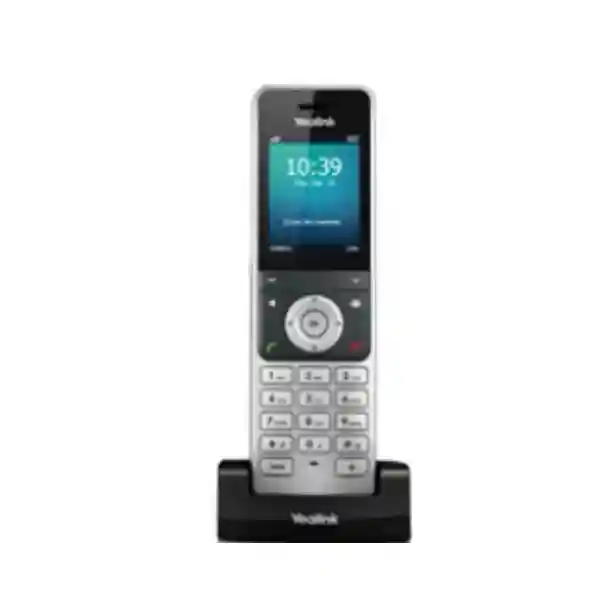
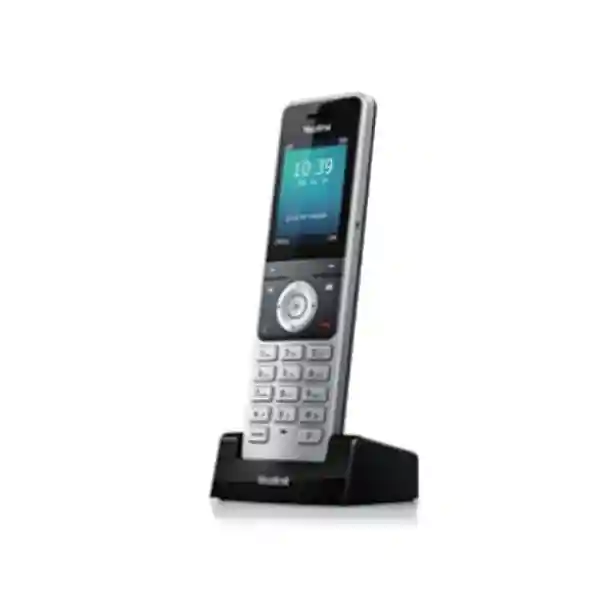
Yealink W56H DECT Handset
The Yealink W56H is a business-focused wireless DECT handset for organisations that want staff to move around the workplace without giving up the call-control features of an IP telephony platform. It combines a 2.4-inch 240×320 colour display, HD audio, full-duplex hands-free calling, a 3.5 mm headset jack and long battery endurance with compatibility across supported Yealink DECT systems. For buyers in Tanzania, the most important purchasing question is not simply whether the handset is available, but whether it is being paired with the right Yealink base, SIP platform, coverage plan and user workflow.
What the W56H solves
Desk phones work well when users stay at a desk. The W56H is intended for staff who need to answer and manage business calls while moving between rooms, counters, stock areas, service points or operational zones. That makes it relevant to offices, hotels, retail, healthcare administration, workshops and other environments where a fixed handset can slow response time.
Important compatibility point
The W56H is a handset, not a complete standalone IP phone system. It registers to a compatible Yealink DECT base or multi-cell platform. Yealink states that its DECT technology is not compatible with third-party DECT base stations and handsets, so the base model, firmware, SIP service and system architecture should be confirmed before procurement.
Buying focus
For a useful quotation, state whether the requirement is an additional handset for an existing Yealink DECT installation, a replacement unit, or part of a new cordless VoIP deployment. Include the planned quantity, current base station, PBX or hosted SIP service, building type and expected coverage area so that the handset is evaluated as part of a working voice system.
Verified Yealink W56H features and specifications
Yealink positions the W56H as a professional wireless DECT handset for business communications. The current Yealink documentation lists a 2.4-inch 240×320 pixel colour display with an icon-based user interface, caller identification, date and time, screen saver, multiple languages and backlighting. The handset supports up to two simultaneous calls per handset when used within a compatible Yealink DECT system, together with business features such as call hold, transfer, call waiting, mute, do-not-disturb, redial, forwarding, speed dial, voicemail access, call history and three-way conferencing where supported by the system.
| Area | Verified detail | Procurement meaning |
|---|---|---|
| Display | 2.4-inch, 240×320 colour display | Clear menus and call information for everyday business users. |
| Audio | HD audio and full-duplex speakerphone | Suitable for professional voice use where intelligibility matters. |
| Headset | 3.5 mm headset jack | Useful for frequent callers who prefer a wired headset. |
| Battery | Up to 30 hours talk time; standby varies by hardware revision, with Yealink listing up to 400 hours for V0–V3 and up to 350 hours for V4 in ideal conditions | Designed for extended shifts, but real runtime depends on use, radio conditions and battery condition. |
| Range | Up to 50 m indoors and up to 300 m outdoors in ideal conditions | Actual buildings require coverage planning because walls, floors and interference reduce usable range. |
| DECT system | Compatible with supported Yealink DECT bases including W70B and multi-cell systems such as W80B; current Yealink comparison material also lists additional supported bases | Confirm exact base and firmware before adding handsets to an existing installation. |
How to choose and deploy the Yealink W56H
A good DECT deployment begins with the number of people who need cordless extensions, not with the handset quantity alone. A small office may only need one compatible base and a few handsets, while a hotel, warehouse, clinic, showroom or multi-floor workplace can require broader coverage and a multi-cell design. The W56H can be part of either type of environment, but the base infrastructure determines how many handsets, SIP accounts, simultaneous calls and roaming scenarios the complete system can support.
For an existing Yealink installation, identify the base station model and firmware before ordering extra W56H units. For a new system, document the building layout, expected call paths and the places where users must remain reachable. Concrete walls, metal racking, plant rooms, lifts, stair cores and long corridors can all change radio behaviour. Published range figures are ideal-condition reference points, not guaranteed coverage promises. For larger sites, a DECT site survey and multi-cell planning can reduce dead spots and make roaming more predictable.
The IP network still matters because the DECT base connects the handsets to the SIP or IP-PBX environment. Voice VLANs, reliable switching, appropriate QoS, secure provisioning and resilient power for the base/network equipment can improve service consistency. Explore FourTeck Tanzania’s integrated IT and telecom solutions for the wider infrastructure context, or review the specialist FourTeck IP phone and VoIP portfolio when comparing business voice endpoints and system requirements.
Yealink W56H DECT Handset Tanzania
Businesses evaluating the Yealink W56H DECT Handset in Tanzania are usually trying to solve one of three practical problems: they need an extra cordless extension for an existing Yealink DECT installation, they want to replace a damaged or ageing handset without rebuilding the whole voice platform, or they are planning a new IP-PBX deployment where selected employees need mobility. In all three cases, the W56H should be treated as part of a system rather than as an isolated phone. The handset’s 2.4-inch colour display, business call controls, full-duplex speakerphone, wired-headset interface and extended battery design make it suitable for users who spend much of the day away from a fixed desk but still need a controlled corporate extension.
For Tanzanian offices, hotels, retail operations, healthcare administration, education facilities and industrial sites, the deciding factor is often radio coverage. A published ideal indoor range cannot predict performance in every building. Reinforced concrete, long corridors, internal partitions, warehouse shelving, equipment rooms and multiple floors can reduce or reshape coverage. A small branch may operate well from a single compatible Yealink base, while a larger property may need a multi-cell architecture. The right approach is to map where calls must work, where users move and how many simultaneous conversations are expected before selecting the base design.
Procurement teams should also confirm the current PBX or hosted SIP platform, whether existing Yealink DECT hardware is already installed, the number of extensions required and the charging arrangement for each user. The W56H does not eliminate the need for network planning: the base station still relies on Ethernet connectivity, provisioning and the IP telephony platform. FourTeck Tanzania can use this project information to structure a quotation around compatibility rather than simply supplying a handset. For wider regional projects, the verified FourTeck network also includes FourTeck Kenya business communication solutions and FourTeck Uganda IP PBX and VoIP solutions, which can be relevant when a customer is standardising voice platforms across East African operations.
Yealink W56H DECT Handset Dar es Salaam
For organisations in Dar es Salaam, the Yealink W56H is particularly relevant where employees need to move between reception areas, offices, stores, service counters, hotel floors or warehouse zones while remaining reachable on the same business extension. A fixed desk phone can create missed calls when the responsible person is regularly away from a desk. A correctly planned DECT deployment keeps call handling tied to the corporate voice system while giving that user practical cordless mobility. This can be useful for supervisors, facilities staff, customer-service teams, hospitality staff, inventory coordinators and managers who routinely work across several rooms or operational areas.
The first technical question for a Dar es Salaam deployment should be whether the W56H will join an existing Yealink DECT base or form part of a new installation. If a Yealink W70B, W80B or another supported platform is already present, compatibility and firmware should be checked before adding handsets. If the site is new, the expected coverage footprint, number of cordless users and peak call volume should be documented. Larger buildings should not be designed from published maximum range alone; the layout and construction can create radio shadows that require additional base planning or a multi-cell approach.
Buyers requesting a quotation should provide the exact W56H quantity, current PBX or SIP service, base model if known, number of floors and whether users require seamless movement through larger areas. It is also helpful to state whether users need headsets, shared directories, call transfer, voicemail access or particular business call flows. These details allow a more useful quotation than a model-only request. FourTeck Tanzania’s verified contact and quotation page specifically asks customers to share the product category, quantity, site type, current equipment, expected users and intended outcome so that product selection and integration can be evaluated in context.
Yealink W56H DECT Handset Mwanza
A Yealink W56H deployment in Mwanza can be useful for businesses that need staff to remain contactable while moving between customer-facing and back-office areas. Rather than relying on personal mobile phones for every internal call, a DECT handset can keep communication within the organisation’s IP telephony environment and provide familiar call controls such as hold, transfer, forwarding, call waiting, mute and three-way conferencing when supported by the connected system. This can suit branch offices, accommodation businesses, distribution operations, clinics, schools and service organisations where the user’s role is mobile within the premises but still closely tied to the company’s main telephone number and extensions.
The handset itself offers a clear colour screen, hands-free operation and long battery endurance, but those features are only one part of the buying decision. An existing customer should confirm which Yealink DECT base is in service and whether the current firmware and licence or PBX configuration support the intended extensions. A new customer should consider how many people need cordless calling, how many calls may happen at once and where the users travel during normal work. This avoids a common procurement problem in which several handsets are ordered before the capacity of the base or radio coverage has been planned.
For Mwanza sites with separated buildings, heavy walls or expansive operational spaces, coverage should be treated as an engineering question rather than an assumption. Published range values represent ideal conditions. The actual design can require a multi-cell Yealink platform or different base placement. The network path from the DECT base to the PBX must also be stable, with appropriate switching, IP addressing, security and voice configuration. A quotation is therefore more accurate when it includes the building type, extension count and existing voice equipment in addition to the W56H model name.
Yealink W56H DECT Handset Arusha
In Arusha, the Yealink W56H can fit business environments where hospitality, tourism support, professional services, offices and multi-room facilities need dependable internal voice mobility. A member of staff may need to answer a call at a front desk and continue working elsewhere without forcing the caller through repeated transfers to different fixed phones. A DECT handset attached to the business PBX can make that workflow simpler, particularly for roles that combine customer interaction, supervision and on-site movement. The W56H’s colour display, illuminated keypad, speakerphone and headset jack are practical for day-to-day use without pushing users toward a consumer mobile-device workflow.
Before ordering for an Arusha site, identify whether the requirement is for an additional handset, a direct replacement or a greenfield deployment. Additional-handset requests depend on the capacity and compatibility of the installed Yealink base. Replacement requests should check the hardware generation and accessories so that the charging arrangement and battery expectations are understood. New deployments should be sized around users, call concurrency and movement patterns. For example, a small administrative office has very different radio and capacity needs from a lodge, warehouse, campus-style property or multi-floor office.
The most useful pre-sales information includes the approximate floor area, construction type, number of users, PBX or hosted voice platform and whether roaming between coverage zones is required. When these inputs are provided early, the W56H can be evaluated alongside the base station and network instead of being treated as a generic cordless telephone. FourTeck Tanzania’s broader telecom and network positioning is useful here because DECT performance still depends on a well-connected base and a functioning IP telephony environment.
Yealink W56H DECT Handset Dodoma
For Dodoma organisations, the Yealink W56H is a practical option when a cordless extension is needed inside a controlled business telephony environment. Administrative offices, institutions, professional practices, training facilities and service organisations may have users who divide their time between desks, meeting rooms, records areas, reception points and operational spaces. In those cases, the W56H allows the user to remain on the company extension while moving within the designed DECT coverage area. The handset supports the familiar call-management functions expected in business environments, while the battery profile is designed for long periods away from the charging cradle.
A procurement team should avoid choosing the W56H only from handset specifications. The relevant Yealink base station and SIP/PBX platform determine how the overall system behaves. Existing installations should be checked for supported base models and current firmware. New systems should define the number of handsets and concurrent calls, then select the base architecture around that requirement. For a single-floor office, this may be straightforward. A multi-building or multi-floor property needs more careful RF planning, especially where reinforced walls or long distances can affect signal strength.
Dodoma buyers preparing an RFQ can speed up technical validation by listing the model and quantity, current telephone platform, existing Yealink DECT equipment, building layout and whether users must roam continuously between areas. The same information helps identify accessories and networking dependencies before the purchase order. It is better to confirm these items during quotation than after devices arrive, because DECT compatibility is manufacturer-specific and Yealink states that its DECT handsets are not designed to interoperate with third-party DECT bases.
Yealink W56H DECT Handset UAE
For UAE organisations, the Yealink W56H is commonly considered as an extension to a professional SIP phone environment where staff need to move through offices, retail floors, warehouses, clinics, hotels or customer-service areas. The handset is particularly useful when the organisation wants cordless mobility without moving every user to a cellular device. Because the W56H remains associated with a Yealink DECT system and the business PBX, policies such as extension numbering, transfers, voicemail and central call routing can remain consistent with the fixed-phone environment.
The technical design should begin with base compatibility and radio coverage. A customer with an existing Yealink deployment should state the base station model and firmware when requesting additional W56H units. A new project should include the number of cordless users, intended call concurrency and the physical zones where calls must remain active. Large warehouses, hospitality properties and multi-storey offices can require a multi-cell approach, while smaller branches may work with a single supported base. The W56H’s ideal-condition range figures should be treated as planning references, not as a substitute for evaluating the building.
For cross-border procurement or organisations standardising voice systems between UAE and African sites, it is useful to keep the handset and base architecture consistent where operationally appropriate. FourTeck’s UAE technology solutions site provides a regional reference point, while the specialist IP phone site covers Yealink and other business voice endpoints. Buyers should still validate local frequency, power, PBX, service-provider and compliance requirements for each deployment country before rollout.
Yealink W56H DECT Handset Uganda
Ugandan businesses considering the Yealink W56H generally need a cordless business extension that can travel with the user across a defined workplace. The value is strongest where employees are not seated continuously: branch managers, hospitality teams, warehouse supervisors, clinic administrators, retail staff and facilities personnel can remain reachable through the PBX while moving. The W56H brings business calling functions into that mobile workflow without requiring the organisation to route every internal conversation through personal cellular numbers.
From a technical perspective, the handset depends on a compatible Yealink base. That is the first item to verify for an existing system. When planning from scratch, the project should define the number of handsets, concurrent calls, building size and desired roaming behaviour. Yealink’s W70B can support a compact cordless deployment, while multi-cell options such as the W80B address larger spaces and roaming requirements. The correct platform should be chosen from the actual call and coverage requirement, not simply from maximum published figures.
The verified FourTeck Uganda site covers IP PBX, VoIP and related networking services, making it a relevant regional resource for organisations that need to coordinate the W56H with the broader voice platform. Procurement requests should state whether the requirement is handset-only or includes bases, PBX configuration and deployment services. That distinction helps prevent incomplete quotations where the cordless handset is specified but the required DECT infrastructure has not been accounted for.
Yealink W56H DECT Handset Kampala
In Kampala, the Yealink W56H can support businesses that have outgrown the limitations of fixed desk phones for mobile roles. A user working between reception, meeting rooms, service counters or stock areas can carry the W56H and remain attached to the organisation’s SIP extension. This helps maintain a clear business identity for calls and makes familiar features such as transfer, hold and voicemail accessible without forcing staff to return to a desk. The device is therefore best viewed as a mobility endpoint inside a managed corporate voice environment.
Kampala deployments should be planned around the building. A compact office can have straightforward coverage, while multi-level properties, concrete structures and larger commercial spaces can need additional radio planning. The W56H publishes ideal-condition indoor and outdoor ranges, but real-world results depend on materials, interference and base placement. Buyers that require uninterrupted roaming should say so in the project brief, because that may shift the recommended system from a single-base design to a multi-cell deployment.
When requesting pricing, include the exact quantity, PBX platform, current Yealink DECT base if present, headset requirements and the expected working area. If the W56H is being added to an established system, identifying the installed base and firmware before purchase is especially important. This simple compatibility check reduces the risk of buying a handset that cannot be integrated as expected. For larger rollouts, provisioning, extension naming, directories, VLANs and network resilience should be considered together with the handset count.
Yealink W56H DECT Handset Arua
For organisations in Arua, the Yealink W56H can be a strong fit when a small number of staff need reliable cordless access to the company telephone system while moving within the workplace. The practical advantage is not simply that the handset is wireless. It allows an extension-based calling workflow to follow the user, so reception, internal transfers, voicemail and PBX call routing can remain part of the same communication structure. That can be more manageable than mixing fixed office phones with personal mobile numbers for routine internal communication.
Arua buyers should first establish whether the W56H is joining an existing Yealink DECT environment. If so, the base model should be provided with the quotation request so compatibility can be verified. If the requirement is new, the selection should include the base, the number of handsets and the expected simultaneous calls. This is especially important because a handset alone does not connect directly to the organisation’s Ethernet network as a desk IP phone would; the compatible Yealink DECT base provides that connection to the SIP system.
The site layout matters even for modest projects. Thick walls, isolated rooms and separated work areas can change the effective radio footprint. A clear description of the building and user movement can therefore be more valuable than relying on maximum range figures. Buyers should also consider charging locations, spare-handset requirements and whether particular staff need wired headsets. These operational details help turn a simple product purchase into a system that users can rely on during the working day.
Yealink W56H DECT Handset Mbarara
In Mbarara, the W56H can serve offices, hospitality operations, healthcare administration, retail and other organisations that need users to answer business calls away from a fixed desk. The handset combines the mobility of DECT with business-oriented call handling, giving employees a consistent extension rather than creating separate communication paths for every location in the workplace. The screen and keypad are designed for everyday business use, while the speakerphone and 3.5 mm headset connector offer flexibility for users who handle calls in different ways during a shift.
The most important deployment choice is the Yealink base platform. For an existing system, confirm the installed base model and available capacity. For a new project, count both the users and the number of simultaneous conversations the business expects. A site with ten cordless users does not necessarily have ten concurrent calls, and that difference can affect system sizing. Coverage should also be mapped from real movement: front office to back office, floors, service areas and any outside operational zones where calls are required.
A request for the “Yealink W56H price in Mbarara” becomes more useful when it includes the complete context. State whether the need is handset-only, whether a compatible base already exists, what PBX is used and how many extensions will be assigned. If installation or configuration is required, include that in the RFQ rather than assuming it is part of the handset supply. Clear scoping makes it easier to separate hardware, system configuration and deployment work and avoids hidden gaps in the final solution.
Yealink W56H DECT Handset Gulu
For Gulu businesses, the W56H is useful when mobility inside the premises is more important than a large desk-phone feature set. Staff can carry a familiar business extension between work areas, answer calls, transfer them and use voicemail or other PBX-supported functions while remaining within the planned DECT coverage zone. This can suit operations where one employee supervises multiple rooms, where a front-office team moves regularly, or where managers need to remain contactable while away from their desk.
The handset’s long battery design can reduce the need for frequent charging during normal shifts, but battery performance should still be treated as dependent on use and conditions. The more important system question is whether the site needs a single DECT cell or multiple coordinated cells. A compact building can be simple to cover. A larger campus, warehouse or hospitality facility may need additional radio planning. Real walls, doors, metal structures and interference can produce results very different from open-space range figures.
Gulu procurement teams can improve quotation quality by sharing a simple floor plan or written description of the site together with handset quantity and current phone-system details. If a Yealink base is already installed, provide its model. If not, state the number of users and the areas they must cover. This allows the proposal to consider the complete DECT system rather than pricing the W56H in isolation. It also helps identify whether the project needs network changes, PBX configuration or only an additional registered handset.
Yealink W56H DECT Handset Kenya
In Kenya, the Yealink W56H is widely positioned by business-telephony suppliers as a cordless SIP/DECT handset for offices, hotels, warehouses and commercial environments. The strongest reason to choose it is not simply its battery life or colour display; it is the ability to give mobile users an extension that remains part of the organisation’s PBX. That can simplify internal transfers, caller handling and extension management compared with using unrelated mobile numbers for staff who move around the site.
Kenyan buyers should distinguish between a W56H handset and a complete DECT kit. The W56H requires a compatible Yealink base. If a supported base is already installed, adding a handset can be a straightforward expansion subject to available capacity and compatibility. If there is no base, the quotation must include the DECT infrastructure as well. Large facilities should evaluate whether a multi-cell platform is more appropriate, especially where users need to roam between wider zones without losing service.
The verified FourTeck Kenya site specifically covers IP PBX communication systems and VoIP business phones, making it relevant to organisations coordinating Yealink handsets with a broader voice deployment. A strong RFQ should include handset quantity, base model, PBX or hosted SIP platform, the number of concurrent calls expected and whether installation is part of the requirement. This provides a clearer basis for comparing offers than a unit-price request alone.
Yealink W56H DECT Handset Kuwait
For Kuwait organisations, the W56H is relevant to business sites that need cordless calling while maintaining central SIP and PBX control. Offices, service operations, clinics, hospitality properties and warehouses can benefit when selected employees carry an extension through their working area instead of relying on a stationary desk telephone. The handset’s speakerphone, headset support and colour interface support regular business use, while its battery specification is designed for long periods of operation between charges under ideal conditions.
System planning should start with the supported Yealink base and local deployment requirements. The handset is not a generic DECT accessory for any brand of base station. Existing customers should identify the exact base model, firmware and available capacity before adding units. New installations should be sized around handset count, call concurrency and building coverage. For larger sites, multi-cell DECT can provide a more scalable design than attempting to stretch one base beyond practical radio limits.
For procurement, it is helpful to request the handset, base infrastructure and any deployment work as clearly separated line items. Include the PBX platform and whether configuration, extension registration or site testing is required. International projects should also verify the appropriate regional DECT frequency variant and local regulatory requirements before equipment is shipped or standardised across countries. This is particularly important when the same corporate voice design is being used in several markets, because the physical handset name may be the same while regulatory and radio variants can differ.
Yealink W56H DECT Handset Ghana
In Ghana, the Yealink W56H can be considered by organisations that want a professional cordless extension for users who move around offices, hotels, shops, clinics or operational facilities. The handset preserves the benefits of a centrally managed PBX while giving the user freedom from a fixed desk position. This is valuable for roles where missing an incoming call can delay customer service but carrying a personal mobile phone is not the preferred corporate workflow.
A procurement decision should consider the complete Yealink DECT architecture. The W56H must be registered to a compatible Yealink base, and larger sites can require a multi-cell design. Published ideal-condition ranges are useful as a starting point, but actual buildings in Accra or elsewhere can have walls, floors, metalwork and interference that reduce coverage. A small single-floor office and a multi-level hospitality facility therefore should not be sized from the same assumptions.
Before seeking a final quote, define the number of cordless users, peak calls, PBX or hosted voice platform, current base model if one exists and any headset or spare-battery requirements. If the project covers more than one branch, it can also be useful to standardise extension naming, provisioning and firmware policy across sites. The handset is only one endpoint in that operational model; network stability, SIP configuration and support procedures determine whether the overall system remains easy to manage over time.
Yealink W56H DECT Handset Nigeria
Nigerian businesses can use the Yealink W56H where staff need to stay reachable through the office voice system while moving through a defined site. This can apply to reception teams, hotels, retail operations, logistics facilities, clinics, educational organisations and multi-room offices. The handset supports a business calling workflow with features such as hold, transfer, call waiting and do-not-disturb when supported by the connected system, while providing the mobility of DECT rather than a fixed Ethernet handset.
The key design question is capacity and coverage. A customer adding a few units to an existing compatible Yealink base should first confirm available handset and call capacity. A customer planning a new site should define how many users need cordless extensions and how many concurrent calls are expected. Large premises may need multi-cell DECT to create usable coverage and roaming across the required areas. This decision should be made before the handsets are purchased so that the radio infrastructure and handset count are aligned.
For buyers comparing the W56H with newer Yealink handsets, the decision can include display size, battery expectations, ruggedisation, Bluetooth requirements and the life cycle of the existing DECT estate. The W56H remains supported in Yealink’s current handset comparison material, but each project should still confirm the current vendor status and compatibility at the time of purchase. A good RFQ names the model and quantity while also listing the base station, PBX, building type and any installation scope.
Yealink W56H DECT Handset Seychelles
For organisations in Seychelles, particularly hospitality, service, office and facilities environments, the Yealink W56H can provide a structured way for mobile staff to remain on the business telephone system. Instead of moving between fixed extensions or relying entirely on mobile networks for internal communication, selected users can carry a W56H through the areas covered by the Yealink DECT system. The benefit is operational continuity: calls can still be routed through the organisation’s PBX, transferred between extensions and handled according to business rules.
Island properties and hospitality sites may have unusual layouts, separate buildings or outdoor transitions, making coverage planning particularly important. The W56H publishes generous ideal-condition outdoor range figures, but an actual deployment needs to account for building materials, distance, terrain, interference and whether users must roam seamlessly between zones. Where one base cannot provide the required footprint, a multi-cell Yealink design can be evaluated. The goal should be reliable service in the places staff actually work, not simply reaching a theoretical maximum distance.
Procurement teams should include the number of handsets, intended user roles, property layout, current PBX and existing Yealink bases when requesting a quotation. For hospitality, it may also be useful to identify whether the handsets are for front office, maintenance, supervisors or other operational teams, because the calling pattern and mobility requirement can differ. This information supports a more precise solution and helps separate the handset purchase from any additional base, network or configuration work.
Compatibility, integration and buying guidance
The W56H should be purchased only after confirming the DECT base. Yealink’s current support comparison lists the W56H with several Yealink DECT base platforms, including W60B, W70B, W75B, W80B, W90B and VIM in the relevant product ecosystem. Exact compatibility can depend on firmware and deployment mode, so current Yealink documentation should be checked for the installed system. The key point is that the W56H is part of Yealink’s DECT ecosystem rather than a universal handset for third-party bases.
For new projects, decide whether the design needs a compact single-base system or multi-cell coverage. Small organisations can prioritise simplicity. Large sites should map user movement and simultaneous call requirements before finalising hardware. The IP-PBX or hosted SIP platform must also be compatible with the Yealink base configuration and required features. The handset receives its business call behaviour through that system, so features such as voicemail, forwarding, directories and call permissions should be tested as part of deployment.
Do not assume that a quoted handset price includes the base station, PBX configuration, installation, network changes or on-site coverage validation. Ask suppliers to identify exactly what is included. This is especially important for organisations replacing an older cordless system, because an apparently simple handset refresh can become a platform change if the installed base is unsupported or at capacity.
Common business use cases
Hotels and hospitality
Supervisors, front-office staff and operational teams can stay reachable while moving through designed coverage zones. Larger properties should evaluate multi-cell coverage rather than relying on one base.
Warehouses and logistics
Cordless extensions can help supervisors and inventory teams answer calls away from desks. Metal shelving and expansive spaces make radio planning particularly important.
Offices and branches
Managers or shared-service staff can carry an extension between rooms while remaining part of the same PBX call flow.
Retail and customer service
Staff can answer or transfer business calls without remaining beside a counter phone, helping maintain responsiveness during floor activity.
Yealink W56H FAQ
Does the Yealink W56H work by itself?
No. The W56H is a DECT handset and requires a compatible Yealink DECT base or multi-cell system connected to the organisation’s SIP or IP-PBX environment.
Can the W56H connect to a third-party DECT base?
Yealink states that its DECT technology is not compatible with third-party DECT devices. Use a supported Yealink base and confirm the specific platform and firmware before procurement.
What is the Yealink W56H talk time?
Yealink lists up to 30 hours of talk time in ideal conditions. Standby time depends on hardware revision, with current documentation listing up to 400 hours for V0–V3 and up to 350 hours for V4 under ideal conditions.
How far does the W56H work from the base?
Yealink lists up to 50 metres indoors and up to 300 metres outdoors in ideal conditions. Real coverage can be lower because of walls, floors, metal structures, interference and base placement.
Does the W56H support a headset?
Yes. The handset has a 3.5 mm headset jack. Confirm the intended headset connection and user preference when preparing the order.
What should I include in a quotation request?
Include the number of W56H handsets, current Yealink base model, PBX or hosted SIP platform, building type, coverage requirement, number of cordless users, expected simultaneous calls and whether installation or configuration is needed.
Quotation checklist
For the most useful Yealink W56H quotation, prepare these details before contacting sales:
- Required W56H quantity
- Existing Yealink DECT base model, if any
- PBX or hosted SIP platform
- Number of users and expected concurrent calls
- Site size, floors and coverage zones
- Headset and charging requirements
- Whether installation, configuration or testing is required
Decision recap
Choose the Yealink W56H when you need a professional cordless handset inside a supported Yealink DECT and SIP environment, value long battery operation and want users to retain PBX call functions while moving around the workplace.
Do not order it as a generic standalone cordless phone. Confirm the base station, capacity, radio coverage and PBX integration first. For larger sites, consider whether a Yealink multi-cell system is the better architectural fit.
Consult FourTeck Tanzania about the Yealink W56H
FourTeck Tanzania positions IP phones, IP PBX, networking and related infrastructure as connected business systems rather than isolated devices. That approach is especially useful for DECT, because the handset, base station, SIP platform, switching and coverage design all influence the final user experience. If you already have a Yealink base, provide its model and the number of additional handsets required. If you are planning a new system, share the building type, expected users and coverage areas so the quotation can include the right system components.
Use the FourTeck Tanzania contact page to request pricing, compatibility guidance or a broader voice solution review. Availability, lead time, warranty and final commercial terms should be confirmed in the quotation rather than assumed from online content.




Reviews
There are no reviews yet.