
Wireless presentation for modern meeting rooms
Yealink RoomCast E2 Tanzania
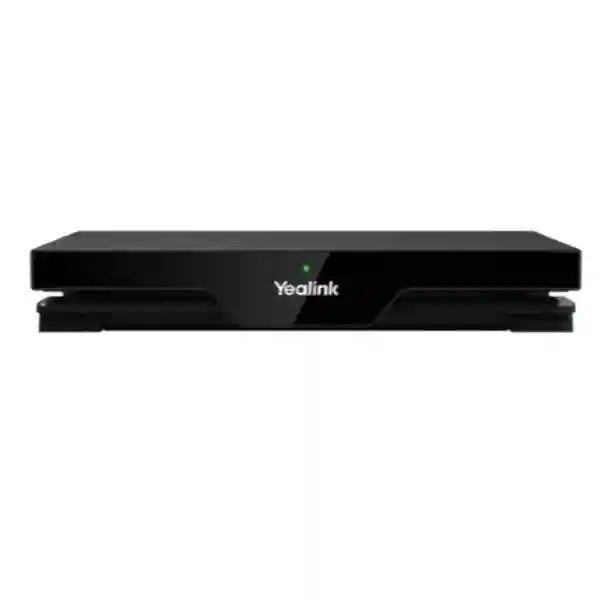
Yealink RoomCast E2 is a multi-user wireless content sharing system designed for organisations that want simpler presentation, cleaner meeting-room cabling and flexible collaboration across mixed devices. Official Yealink information lists 4K/60 HDMI output, Wi-Fi 6, Gigabit Ethernet, Bluetooth 5.0, Miracast, AirPlay, YeaCast, Yealink Pod support, four simultaneous on-screen sources, Power over Ethernet and remote device management. For Tanzanian businesses, schools, public-sector teams, hospitality venues and system integrators, the practical value is the ability to modernise an existing display or collaboration space without requiring every presenter to work from the same operating system or fixed cable position.
What Yealink RoomCast E2 does
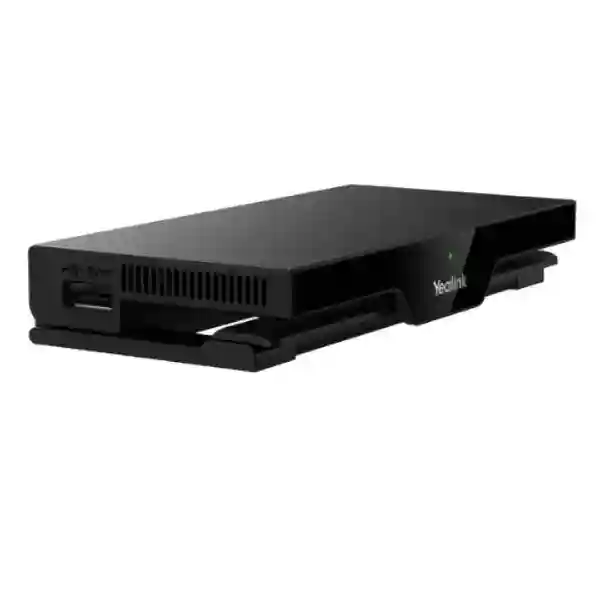
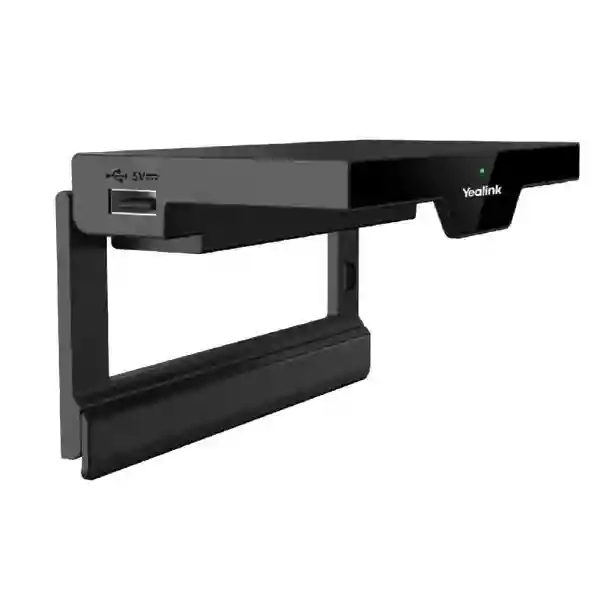
RoomCast E2 acts as the presentation hub between users’ devices and a room display. Instead of depending on a single HDMI cable at the conference table, compatible users can share wirelessly using Miracast, AirPlay, YeaCast or a Yealink Presentation Pod. The official datasheet states that up to four content sources can be shown at the same time, which can be useful for design reviews, comparison sessions, training, project coordination and meetings where several participants need to contribute material without repeatedly changing the active cable. The unit offers a single HDMI output to the display, a Gigabit Ethernet port with IEEE 802.3af PoE support, three USB Type-A ports, a power connector, reset slot and Kensington security slot. Built-in Wi-Fi 6 supports 802.11a/b/g/n/ac/ax with 2×2 MIMO, while the device also includes Bluetooth 5.0 and ultrasonic communication.
The product is positioned for small and medium meeting rooms and multimedia classrooms. That does not mean every room should be designed identically. A good deployment starts by checking the display input, seating arrangement, number and type of presenters, wireless policy, available Ethernet, PoE capability, guest access process and whether the room is presentation-only or also expected to support video meetings through a user laptop. Yealink documents a wireless IP BYOD workflow in which RoomCast E2, when paired with the Yealink Presentation Pod and compatible standard UAC/UVC peripherals, can allow a laptop meeting to use room camera, microphone and speaker equipment. Buyers who want this workflow should specify it at quotation stage because the peripheral design and pod requirement matter.
Universal sharing choices
Miracast, AirPlay, YeaCast and Yealink Pod options help mixed-device teams choose a practical sharing method rather than relying on one connector or operating system.
Four-way display
Up to four content sources can be displayed simultaneously, reducing screen switching during reviews, collaborative workshops and multi-presenter sessions.
Cleaner installation
PoE can combine network connectivity and power over one Ethernet run when the switch and cabling support IEEE 802.3af, helping reduce visible power cabling near the display.
Central management
Yealink lists cloud and device-management options for remote administration and diagnostics, useful for IT teams standardising multiple rooms.
Verified RoomCast E2 technical highlights
| HDMI output | Up to 4K/60 fps |
| Decoder | Up to 4K/30 fps |
| Network | Gigabit Ethernet; Wi-Fi 6, 802.11a/b/g/n/ac/ax, 2×2 MIMO |
| Wireless features | Bluetooth 5.0 and ultrasonic communication |
| Presentation | Yealink Pod, YeaCast, Miracast and AirPlay |
| Simultaneous sources | Four |
| Power | IEEE 802.3af PoE or 12V power adapter |
| Interfaces | 1 HDMI out, 1 Gigabit Ethernet with PoE, 3 USB Type-A, reset slot, power connector and Kensington security slot |
| Security controls | Local-area cast-stream isolation, Wi-Fi encryption options and PIN protection according to Yealink documentation |
| Physical size | 145 x 72.5 x 23.5 mm; approximately 0.2 kg |
Specification note: procurement teams should verify current firmware, package contents, compatible accessories and feature availability for the exact quoted unit. Older Yealink RoomCast material describes a previous-generation product with different wireless and collaboration details, so RoomCast and RoomCast E2 specifications should not be mixed.
Deployment, integration and buying guidance
Before ordering RoomCast E2, identify the room’s actual workflow. A presentation-only room may need the RoomCast E2, a compatible display, HDMI path and reliable network or standalone wireless configuration. A BYOD video room can be more complex because users may expect a laptop to access an installed USB camera, microphone and loudspeaker while also sending content to the room display. Yealink’s Wireless IP BYOD documentation specifies the Presentation Pod for that mode and requires compatible UAC/UVC devices. A quotation should therefore separate the wireless presentation requirement from cameras, microphones, video bars, displays, mounts and network switching so the buyer knows exactly what is included.
Network planning matters even when the user experience feels wireless. If PoE is chosen, confirm available switch PoE budget and cable quality. If AirPlay or YeaCast is expected across the corporate LAN, verify segmentation, guest policy and the discovery path required by the chosen workflow. Miracast behaviour can depend on device capabilities and wireless settings. PIN validation should be considered for spaces where an accidental or unauthorised cast would be disruptive. IT teams standardising multiple rooms should also define naming, firmware maintenance, administrator credentials, management-platform access and room ownership before deployment.
FourTeck Tanzania’s broader collaboration planning can be viewed on the FourTeck Tanzania technology solutions site, which covers video conferencing, audio conferencing, displays, switching and Wi-Fi as connected parts of a room solution. For broader African technology procurement and regional project coordination, the FourTeck Africa technology platform provides complementary regional context.
Yealink RoomCast E2 Tanzania
Tanzanian organisations evaluating Yealink RoomCast E2 are often trying to solve a practical meeting-room problem: too many adapters, inconsistent laptop ports, presenters passing one HDMI cable around a table, or a display that works well but is underused because sharing content is inconvenient. RoomCast E2 can be considered as a wireless presentation layer for small and medium collaboration spaces where employees, guests, lecturers, consultants or project partners bring different devices. Its support for AirPlay, Miracast, YeaCast and the Yealink Presentation Pod gives the room designer several ways to build a predictable sharing experience while the 4K/60 HDMI output can connect the presentation appliance to a suitable UHD display.
For Tanzania procurement, the useful starting point is not merely asking for a RoomCast E2 price. Buyers should state how many rooms are involved, which cities the equipment is destined for, whether the displays already exist, whether PoE switches are available, and which device types commonly enter the room. A Windows-heavy office may place more emphasis on Miracast and extended-desktop workflows. An organisation with many Apple devices may focus on AirPlay. Guest-facing rooms may benefit from a documented Presentation Pod process or carefully managed wireless access. Training centres and educational spaces may value four-source simultaneous display when comparing assignments, dashboards or reference material.
Infrastructure differences between sites can also matter. A headquarters may have managed switching, VLANs and central IT administration, while a smaller branch might have a simpler network and need a more self-contained configuration. Power continuity, display placement, cable protection and secure mounting should be considered during installation. Where the business wants the same room standard in Dar es Salaam, Mwanza, Arusha and Dodoma, creating a repeatable bill of materials and commissioning checklist can reduce variation. The quotation should identify the RoomCast E2, required power method, Presentation Pods if requested, display and mounting dependencies, and any camera or audio equipment needed for BYOD video meetings. FourTeck can review these inputs and prepare a solution-oriented quotation without assuming local stock, guaranteed delivery timing or a specific warranty arrangement until the supply route is confirmed.
Yealink RoomCast E2 Dar es Salaam
In Dar es Salaam, RoomCast E2 is relevant to corporate offices, professional-services firms, logistics companies, banks, hotels, training facilities, education providers and project teams that host frequent in-person and hybrid meetings. A busy meeting room in a commercial office often has a higher turnover of presenters than a private executive room. Staff may arrive with company laptops, visiting clients may carry unmanaged devices, and suppliers may need to show a proposal without joining the corporate domain. A wireless presentation design can reduce dependence on a fixed cable and help the room support these changing users more consistently.
The planning challenge in a dense office environment is controlling convenience without losing manageability. If the RoomCast E2 is connected to the corporate LAN, IT should decide which networks presenters are allowed to use, how device discovery is handled, whether a dedicated collaboration VLAN is appropriate, and how guest casting should be separated from internal resources. Yealink documentation includes PIN validation and local-area cast-stream isolation controls, so these features should be reviewed in the context of the organisation’s own security policy rather than left at defaults without discussion. PoE can be particularly useful when the unit is installed behind a wall-mounted display because Ethernet can carry both network and power where an IEEE 802.3af source is available.
Dar es Salaam projects can also involve boardrooms being renovated around larger displays, video bars or cameras. In that case, decide whether RoomCast E2 is being added purely for presentation or expected to participate in BYOD video meetings. For BYOD, confirm Yealink Presentation Pod requirements and the compatibility of the selected room peripherals before purchasing. A project quotation should list room count, display size and inputs, camera and microphone models if existing, switch and PoE details, expected number of presentation pods and user training expectations. That information gives a supplier a much better basis for selecting the right package than a one-line request for the device alone. It also helps facilities and IT teams coordinate mounting, cabling and power before installation day.
Yealink RoomCast E2 Mwanza
For organisations in Mwanza, RoomCast E2 can fit offices and institutions that want to modernise presentation rooms while continuing to use existing commercial displays or TVs with suitable HDMI inputs. Regional operations, financial services, healthcare administration, educational institutions, distribution businesses and NGOs may need meeting spaces where local teams regularly present to managers, partners or visiting staff. Wireless content sharing can be valuable when the presenter position changes frequently or when a room needs to support different laptop brands without keeping multiple dongles at the table.
A Mwanza deployment should be assessed against local site conditions rather than copied from a headquarters design without review. Confirm the available Ethernet route to the display area, PoE capability, power backup strategy and wireless environment. If the building already uses a managed LAN, RoomCast E2 can be documented as another managed endpoint with an assigned network policy, administrator ownership and firmware-maintenance plan. If the room is in a smaller site with limited network management, the design should prioritise simplicity and clear operating instructions. In either case, the four-screen casting capability can support workshops and decision meetings where teams need to compare multiple documents or dashboards on one display.
Procurement teams should also distinguish required accessories from optional convenience. A Presentation Pod can simplify certain user experiences and is required for Yealink’s documented Wireless IP BYOD workflow, but organisations that rely mainly on supported native casting methods may have a different accessory plan. When a display, camera or microphone is already installed, provide the exact model numbers so compatibility can be checked before quotation. For new rooms, it can be more efficient to quote the presentation system together with the display, mount, PoE switch capacity and any conference peripherals rather than purchasing each item in isolation. Buyers should request current availability, commercial terms and package contents for Mwanza at the time of order because these can vary with the selected supply route and project quantity.
Yealink RoomCast E2 Arusha
Arusha has a wide range of organisations that depend on professional meeting spaces, including hospitality businesses, tour and travel operators, development organisations, conference venues, education providers and regional offices. Yealink RoomCast E2 can support rooms where local staff and international visitors need to present from different devices without negotiating a collection of display adapters. AirPlay, Miracast, YeaCast and Yealink Pod support make it possible to design a room around several presenter profiles while keeping one HDMI connection from the RoomCast E2 to the main display.
Hospitality and conference environments deserve particular attention to guest usability. The organisation should decide whether visitors are expected to join the venue Wi-Fi, use a dedicated casting network, or receive a Presentation Pod from staff. Clear instructions can matter as much as the hardware because a meeting system only feels simple when users know the approved connection path. PIN validation can help reduce accidental casting in adjacent rooms, especially where several meeting spaces are active at once. Device naming should also be standardised so a guest can identify the correct room on a casting list without guesswork.
For training centres and project workshops, four-source casting can support side-by-side comparison, group exercises or simultaneous review of multiple reference screens. For executive rooms, the priority may instead be rapid one-user sharing, neat installation and the ability for IT to manage the device remotely. If the room doubles as a video-conferencing space, define the camera, microphone and speaker path separately and confirm whether Wireless IP BYOD is part of the design. The quote request should include the number of Arusha rooms, expected seating capacity, display type, network availability, preferred casting methods, need for Presentation Pods and any requirement for camera/audio integration. These details help turn RoomCast E2 from a standalone appliance into a supportable room standard rather than an isolated purchase.
Yealink RoomCast E2 Dodoma
Dodoma organisations considering RoomCast E2 may include government-related offices, educational institutions, professional firms, project units, NGOs and businesses that need straightforward presentation facilities for committee meetings, training, planning and stakeholder sessions. Wireless content sharing can reduce room setup time when presenters rotate frequently and can help preserve an orderly conference table by moving the presentation connection away from a long HDMI cable. The compact RoomCast E2 can be mounted near the display or placed on a suitable surface, while PoE offers a cleaner power option where network infrastructure supports it.
For formal meeting environments, operational control is particularly important. IT administrators should define who manages RoomCast E2, how firmware is updated, how administrators authenticate, how presentation PINs are used and how the device is placed on the network. A room used by several departments may need a simple user instruction card or screen-side guide explaining AirPlay, Miracast, YeaCast or Pod procedures. That reduces dependence on technical support whenever a new presenter enters the room. When confidential material is routinely presented, the organisation should also align the device’s available security settings with internal meeting and network policies.
Procurement in Dodoma should be based on the complete room requirement. If the display is already installed, confirm an available HDMI input, supported resolution and the physical cable route. If the project is new, include display size, wall mount, network switch and power planning in the bill of materials. When buyers expect BYOD video meetings, provide the camera, microphone and speaker requirements and ask for confirmation of compatible UAC/UVC peripherals together with the appropriate Yealink Presentation Pod. For multi-room deployments, assigning a standard naming pattern, IP plan and acceptance checklist can simplify future support. Commercial availability, warranty terms and delivery arrangements should be confirmed in the final quotation rather than assumed from generic online listings.
Yealink RoomCast E2 UAE
UAE buyers often evaluate wireless presentation systems as part of broader meeting-room, boardroom and workplace-standardisation projects. RoomCast E2 suits organisations that want a common wireless sharing experience across small and medium rooms while maintaining compatibility with mixed Windows, macOS and mobile-user workflows. In offices where consultants, customers and employees regularly move between rooms, standardising the presentation appliance, display connection, naming convention and user instructions can make each room more predictable. The 4K/60 HDMI output supports modern displays, while built-in Wi-Fi 6 and Gigabit Ethernet provide flexible network options for suitably designed environments.
The UAE market also includes many multi-site groups, system integrators and regional headquarters. For these buyers, centralized management can be more valuable than a single-room feature comparison. IT should plan how RoomCast E2 devices are enrolled, named, updated and monitored, and whether the same casting policy applies to executive rooms, training rooms and visitor-facing spaces. PoE can simplify deployment behind wall-mounted screens if the switching infrastructure supports the required standard. Where AV integrators are coordinating displays, cameras, USB video bars and room microphones, they should define whether RoomCast E2 is being used only for wireless content or as part of the documented Wireless IP BYOD workflow.
A UAE request for quotation should state the emirate, number of rooms, quantity, current displays, network availability, PoE preference, Presentation Pod requirement and any room peripherals that need to work with BYOD. This provides a clear basis for checking compatibility and package contents. Regional buyers can also explore FourTeck UAE technology solutions when the requirement extends beyond RoomCast E2 into full conference-room, network or business IT planning. Current pricing, stock position, delivery, warranty and service scope should always be confirmed in the project quotation.
Yealink RoomCast E2 Uganda
Ugandan businesses and institutions can use RoomCast E2 when meeting rooms need to accept presentations from varied user devices without relying on one table cable. Corporate offices, universities, healthcare administrators, hotels, financial organisations and development agencies may host internal and external presenters in the same room. A wireless presentation appliance can make these sessions smoother when the room is correctly planned around the users’ operating systems, security requirements and network environment. Four simultaneous sources are particularly useful for workshops and comparison sessions, while a single presenter can still use the room in a conventional full-screen workflow.
For multi-branch organisations, the main design objective should be consistency. A Kampala head office may have a managed Wi-Fi and PoE switching environment, while regional sites may use different switch models and internet connections. RoomCast E2 can be standardised across locations only after confirming the dependencies at each site. Where PoE is unavailable, the 12V power option can be considered. Where corporate wireless segmentation is strict, the casting method and access policy need to be agreed before installation. The system should also have documented administrator ownership so firmware and settings do not become unmanaged over time.
Uganda buyers planning BYOD conferencing should confirm the Yealink Presentation Pod and selected UAC/UVC room peripherals rather than assuming that wireless presentation alone automatically exposes cameras and microphones to laptops. A procurement request should specify whether the project is presentation-only, video BYOD, or part of a larger Yealink room system. Quantity, city, display type, camera and audio equipment, PoE availability and preferred sharing methods should be included. For wider Uganda communications and infrastructure requirements, see FourTeck Uganda IT solutions. Final commercial terms should be based on a current quotation for the exact project.
Yealink RoomCast E2 Kampala
Kampala is a strong fit for wireless presentation because many organisations operate high-traffic meeting rooms used by staff, suppliers, clients and regional visitors. RoomCast E2 can reduce the repeated search for adapters and cables by giving the room multiple supported wireless presentation methods. A financial-services meeting may prioritise controlled access and fast one-user sharing, a university seminar may use multi-source display for teaching, and a consulting team may want extended desktop workflows when presenting detailed reports. The same hardware can support different room behaviours when the configuration is planned intentionally.
Network policy should be discussed early. If RoomCast E2 is connected by Ethernet, decide whether it belongs on a collaboration VLAN, how it reaches management services, and what client networks are permitted to discover or cast to it. If the room serves external guests, organisations should avoid giving broad internal access simply to enable presentation. PIN validation, clear room naming and a defined guest procedure can make the experience safer and more predictable. PoE deployment is attractive for wall-mounted displays, but switch capability and cable length should be checked before relying on it.
Kampala projects also frequently involve conference cameras or all-in-one USB video bars. When laptop users need to run their own Teams, Zoom or other UC application while using room peripherals, the quotation should explicitly request Wireless IP BYOD and identify the Yealink Presentation Pod as part of the required workflow. Existing USB peripherals should be checked for standard UAC/UVC compatibility. Buyers should share room dimensions, seating, display count, expected laptop types and quantity so the proposal can account for physical installation as well as device supply. This approach is more reliable than comparing RoomCast E2 prices without confirming whether the requested package includes the accessories and infrastructure needed for the intended experience.
Yealink RoomCast E2 Arua
In Arua, RoomCast E2 can support branch offices, education spaces, healthcare administration, NGOs, training teams and businesses that need a professional way to share laptop or mobile-device content on a central display. The device is especially relevant where a room is used by different departments and visitors, because users do not all need to depend on the same physical video connector. Native casting support and the optional Pod workflow can be matched to the organisation’s endpoint mix and user-support model.
A regional site should be designed for maintainability. Before installation, confirm whether there is a managed Ethernet switch close enough to the display, whether PoE is available, how the room is protected against brief power interruptions and who will hold administrator responsibility. If the local site has limited IT support, the configuration should favour a small number of clearly documented presentation methods rather than enabling every possible feature without user guidance. Naming the unit after the actual room and providing a concise cast instruction can prevent users from connecting to the wrong device.
For organisations linking Arua with Kampala or other offices, RoomCast E2 should be considered separately from the internet connection used for video conferencing. Wireless presentation can improve the local room experience, but remote meeting quality still depends on the conferencing platform, network bandwidth, camera, microphone and speaker design. If laptop-based UC is required with installed peripherals, ask specifically for a BYOD configuration and Presentation Pod compatibility check. Procurement teams should include destination, room count, display model, switch details, preferred casting methods and any conferencing peripherals in the quotation request. That information makes it easier to determine which accessories and deployment services are required while avoiding assumptions about stock, delivery time or local service coverage.
Yealink RoomCast E2 Mbarara
Mbarara businesses and institutions may use RoomCast E2 to upgrade meeting rooms without replacing a functioning display. This can be useful for universities, healthcare groups, financial branches, agricultural and trading organisations, hotels and professional offices where teams need a shared screen for reports, training, project reviews and customer presentations. The compact device can sit close to the display, and PoE can reduce the number of separate power cables when the local switch supports IEEE 802.3af.
The main technical choice is the presentation workflow. Some organisations may prefer Miracast for compatible Windows devices, while others may rely on AirPlay for Apple users or YeaCast for a managed software-based process. A Yealink Presentation Pod can provide a more standardised user path and is central to the documented Wireless IP BYOD feature. The right combination depends on who uses the room and how much user training is realistic. A room shared by many occasional presenters may benefit from a simple physical Pod process; an IT-managed internal room may use native wireless methods more heavily.
Mbarara procurement should also include practical installation questions: where the device will be placed, which HDMI input will be used, whether the Ethernet run is tested, whether PoE capacity is available and whether the display is already wall mounted. For new builds or refurbishments, it is better to plan the RoomCast E2 together with display mounting, cable containment and switching. For BYOD conference rooms, include the exact camera, microphone and speaker equipment in the compatibility review. A request for quote should state the number of rooms, expected presenters, destination and accessory requirements. Current pricing and supply terms should then be confirmed for the actual order rather than inferred from listings in other countries.
Yealink RoomCast E2 Gulu
Gulu organisations can evaluate RoomCast E2 for meeting rooms, training venues and collaborative classrooms where presenters need an easier way to put content on a central screen. The ability to support several casting methods is useful when the room serves both managed staff laptops and visiting devices. Instead of keeping a collection of HDMI, USB-C and mini-display adapters, the organisation can define wireless workflows that match the most common users. Four-source display can also help facilitators compare multiple group contributions during workshops or teaching sessions.
For reliable daily use, however, the device needs the same operational planning as other networked room equipment. IT should know whether it will use wired Ethernet, PoE, a local wireless mode or a combination supported by the intended configuration. Administrator credentials, firmware and management responsibilities should be documented. If the unit is mounted behind a display, make sure installers still have safe access for service and that ventilation and cable bend radius are reasonable. A secure physical position and Kensington slot can be considered in rooms with frequent public access.
The RoomCast E2 should also be distinguished from a complete video-conferencing appliance. It handles content sharing and can support BYOD use with the documented Pod and compatible room peripherals, but the room still needs an appropriate camera, microphone, loudspeaker and collaboration software path for remote meetings. Gulu buyers should therefore describe whether the objective is local presentation, laptop-based video collaboration or a combination. The quotation can then include the correct number of Presentation Pods, display cables, network requirements and any related room devices. For multi-site organisations, using one configuration template across locations can simplify user training while allowing local differences in PoE, cabling and room layout to be handled during deployment.
Yealink RoomCast E2 Kenya
Kenyan organisations looking at RoomCast E2 may be standardising meeting spaces across Nairobi and regional branches, refreshing existing conference rooms, or adding a wireless presentation layer to displays that remain technically suitable. The unit’s combination of Wi-Fi 6, Gigabit Ethernet, 4K/60 HDMI output and multiple casting protocols gives solution designers flexibility, but the commercial decision should be based on room workflow rather than a specification checklist alone. An executive room, classroom, client presentation room and agile project space can all require different user procedures even when they use the same device.
For enterprise deployment, central management and repeatability are important. IT teams can create a room standard that defines unit naming, VLAN policy, PIN validation, preferred casting methods, firmware maintenance and how guest users are supported. PoE can reduce visible cabling when the network switch has enough power budget. If the organisation uses Apple and Windows devices together, validating both AirPlay and Miracast workflows during commissioning is sensible. YeaCast and Presentation Pod use can be documented as alternatives for users who need a more guided process.
A Kenya quotation should include quantity, destination, room sizes, display types, network readiness and whether the deployment also requires cameras, microphones or USB video bars. If Wireless IP BYOD is expected, request the appropriate Presentation Pod and confirm the peripherals that the laptop needs to access. Multi-branch customers may also want spare accessories, standard labels and a repeatable acceptance test included in the project plan. For related Kenyan infrastructure and communications requirements, visit FourTeck Kenya IT solutions. Availability, warranty terms, freight and installation scope should be confirmed for the specific order.
Yealink RoomCast E2 Kuwait
Kuwait businesses can consider RoomCast E2 when meeting rooms need a cleaner wireless presentation experience for staff and visitors. Corporate offices, engineering firms, education providers, government-related entities, hospitality venues and professional-services teams often work with a mixture of Windows and Apple devices. A presentation appliance that supports Miracast, AirPlay, YeaCast and Yealink Pod workflows can reduce connector friction and help standardise rooms around one display-side endpoint.
Installation planning should take account of the room’s network and AV layout. PoE is useful where the device is mounted near a display and the access switch can supply IEEE 802.3af power. Otherwise, the documented 12V power option can be used. A modern 4K display may be able to accept the RoomCast E2’s 4K/60 HDMI output, but the full signal chain still needs a suitable HDMI cable and correctly selected input. In larger refurbishments, integrators should coordinate the RoomCast E2 with display mounts, cable pathways, camera position and room audio so the final installation remains serviceable.
Kuwait buyers planning secure corporate use should define PIN, network access and administrator policies before rollout. Guest users should have a simple process that does not require broad access to internal networks. Where a room is expected to support laptop-based UC using installed cameras and microphones, the quotation should explicitly include the Yealink Presentation Pod workflow and confirm UAC/UVC compatibility. Provide the number of rooms, display and peripheral details, network design and user profiles when requesting pricing. This allows the supplier to distinguish a straightforward wireless presentation package from a more integrated BYOD collaboration design and to quote current commercial terms without making assumptions about availability or service coverage.
Yealink RoomCast E2 Ghana
Ghanaian organisations may deploy RoomCast E2 in corporate meeting rooms, education facilities, training centres, hotel conference areas and project offices that need fast sharing from different devices. The value is strongest when the room already has a good display but users lose time connecting laptops or finding adapters. RoomCast E2 provides a dedicated wireless presentation layer with several supported sharing methods and a four-source display option that can make collaborative reviews more effective.
For offices in Accra or regional locations, the network design should determine how the appliance is connected and managed. The built-in Wi-Fi 6 capability supports modern wireless options, while Gigabit Ethernet provides a wired path. PoE can help create a tidy display-side installation, provided the network switch and cabling meet the required standard. IT teams should also plan device naming, PIN use, firmware updates and administration so the appliance remains part of the managed environment rather than becoming an unknown device attached behind a screen.
Ghana buyers should decide whether they are purchasing RoomCast E2 for local content sharing only or for a wider BYOD conference-room workflow. The latter requires more than the presentation box: Yealink documentation specifies a Presentation Pod and compatible UAC/UVC peripherals for Wireless IP BYOD. Existing cameras, microphones and speakers should therefore be identified during quotation. Multi-room projects should include room size, display model, quantity, PoE readiness and user device mix. This helps create an accurate bill of materials and allows commercial teams to confirm current supply, warranty and delivery options for the destination. Avoid assuming that accessories shown in a generic product image or third-party listing are automatically included in every RoomCast E2 package.
Yealink RoomCast E2 Nigeria
Nigeria has a wide range of corporate, financial, education, energy, professional-services and public-sector meeting environments where wireless presentation can reduce setup friction. RoomCast E2 is suited to small and medium rooms that need 4K display output, support for mixed casting methods and the ability to show up to four content sources at once. In project rooms where several teams compare dashboards, documents or designs, multi-source display can improve discussion flow. In client-facing rooms, the more important benefit may simply be enabling a visitor to present without changing the room’s cabling.
Because Nigerian deployments can range from a single boardroom to multi-site standardisation, buyers should define the intended operating model. A central IT team may want Ethernet, PoE, remote management and controlled firmware. A smaller office may value a simple, documented standalone workflow. Power protection, switch capacity, cable route and display compatibility should all be checked. If multiple RoomCast E2 units are installed in nearby rooms, clear naming and PIN use can reduce accidental connections to the wrong display.
The quotation should also distinguish wireless content sharing from BYOD video conferencing. If users expect their laptop to access an installed room camera, microphone and speakers wirelessly, the design should include the Yealink Presentation Pod and compatible UAC/UVC devices as documented by Yealink. Provide room count, city, display information, peripheral models and network details so the supplier can verify the correct configuration. Buyers should request current price, lead time, package contents and warranty information for the final Nigerian order rather than relying on third-party web prices that may include different taxes, freight or accessories. A well-defined bill of materials is especially useful when the project is being coordinated by an integrator or central procurement team.
Yealink RoomCast E2 Seychelles
Seychelles businesses, hotels, government-related organisations, professional offices and education providers can use RoomCast E2 where meeting rooms need a professional wireless sharing experience but space and installation simplicity matter. The device’s compact form factor and PoE option can be useful in neatly finished rooms where visible adapters and power supplies are undesirable. AirPlay, Miracast, YeaCast and Yealink Pod support also suit hospitality and executive spaces that receive presenters with varied devices.
Island procurement can make planning and documentation particularly important because missing accessories can complicate a deployment after equipment has arrived. Before ordering, confirm whether the room requires only the RoomCast E2 or also Presentation Pods, a new display, HDMI cabling, PoE switching, mounts, cameras, microphones or other collaboration equipment. Package contents and current supply terms should be confirmed in the quotation. If several rooms are being standardised, a detailed room schedule can identify which spaces are presentation-only and which need BYOD video capability.
Network and security policy should also be decided before commissioning. Hotels and guest-facing venues may prefer a tightly controlled guest presentation process, while internal corporate rooms may integrate the appliance with managed networks and remote administration. The four-source casting feature can be useful for workshops and group reviews, but many users will still benefit from a simple default one-presenter procedure. For BYOD video meetings, ask the supplier to validate the Yealink Presentation Pod and UAC/UVC peripherals rather than assuming compatibility. Clear room labels, a short user guide, documented administrator credentials and an acceptance test for the common laptop types can make the deployment more supportable over time.
Frequently asked questions about Yealink RoomCast E2
Does RoomCast E2 support 4K output?
Yes. Yealink lists HDMI output up to 4K at 60 frames per second. The datasheet separately lists decoding up to 4K at 30 frames per second. The connected display and HDMI path must also support the required format.
How many users can share at the same time?
Yealink documents up to four content-sharing channels displayed simultaneously. Its support documentation notes that a fifth sharing request is not accepted while all four channels are occupied.
Which wireless presentation methods are supported?
The current RoomCast E2 documentation lists Yealink Pod, YeaCast, Miracast and AirPlay. Buyers should not rely on feature lists for the older RoomCast model when specifying the E2.
Can RoomCast E2 be powered by PoE?
Yes. Yealink lists IEEE 802.3af Power over Ethernet as well as a 12V power-adapter option. The switch port and cabling must support the required PoE standard and available power budget.
Can it be used for BYOD video meetings?
Yealink documents Wireless IP BYOD when RoomCast E2 is paired with a Yealink Presentation Pod and suitable standard UAC/UVC room peripherals. The exact camera, microphone and speaker combination should be checked before purchase.
Is a Yealink Presentation Pod always required?
Not for every casting method. RoomCast E2 also supports Miracast, AirPlay and YeaCast. However, the Pod is used for the one-click Yealink sharing workflow and is required for the documented Wireless IP BYOD process.
What should I provide for a quotation?
Share the number of rooms, destination, quantity, display model, PoE/network availability, preferred casting methods, whether Presentation Pods are needed, and details of any camera, microphone or video bar that should participate in BYOD meetings.
Quotation checklist for RoomCast E2
Number of rooms, room names, seating capacity, city and installation destination.
Display make/model, available HDMI input, resolution, mounting and cable path.
Gigabit Ethernet availability, PoE switch capability, VLAN requirements and power protection.
Windows, Apple and guest devices; preferred use of Miracast, AirPlay, YeaCast or Yealink Pod.
Whether laptops must access an installed camera, microphone and speaker through the room system.
Quantity, desired deployment date, required accessories and destination for current supply and warranty terms.
Decision recap
Choose Yealink RoomCast E2 when the room needs enterprise-oriented wireless content sharing, 4K display output, mixed AirPlay/Miracast/YeaCast/Pod options, up to four simultaneous shared sources and a choice of PoE or DC power. Evaluate Presentation Pods separately based on the desired user experience and BYOD requirements. Confirm existing displays, Ethernet, PoE, security policy and room peripherals before ordering. For multi-room projects, standardise naming, network policy, accessory quantities and commissioning tests so each room behaves predictably.
For regional projects that extend beyond Tanzania, FourTeck’s Africa, Uganda, Kenya and UAE technology sites can help frame wider infrastructure requirements. The device should be quoted as part of the actual room requirement rather than treated as an isolated box, especially when cameras, microphones, video bars, displays or network upgrades are involved.
Consultation panel
To prepare a useful RoomCast E2 recommendation, send the room quantity, location, existing display information, preferred casting methods, PoE/network details and whether the room also needs BYOD video meetings. This lets the proposal identify the presentation appliance, required Presentation Pods, compatible room peripherals and any infrastructure dependencies without assuming stock, delivery timing, pricing or warranty before they are checked for the exact project.




Reviews
There are no reviews yet.