
Professional meeting-room control for Tanzania and regional deployments
Yealink MTouch Plus
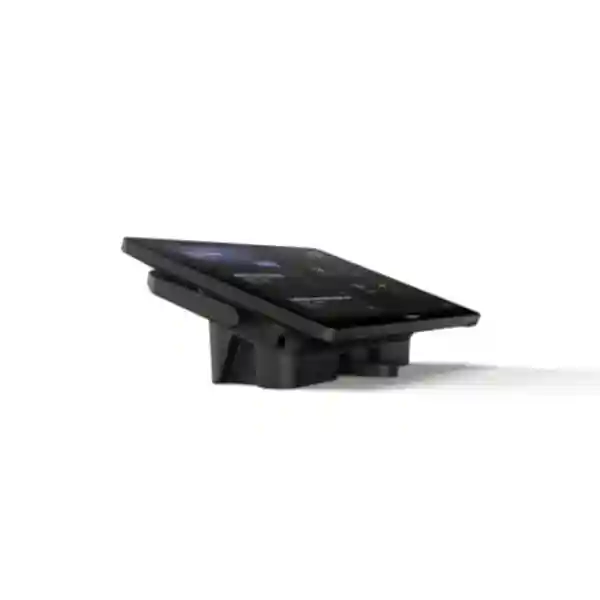
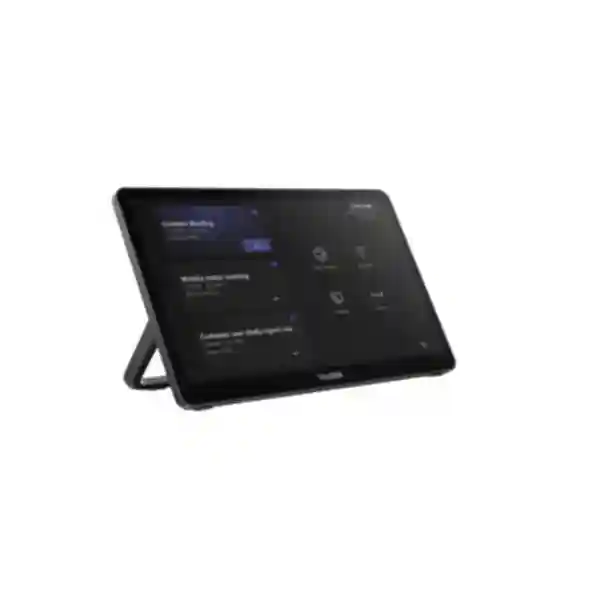
Yealink MTouch Plus is a third-generation room-control touch panel built for professional meeting spaces that need a clear, responsive and flexible control surface. Its 11.6-inch IPS display uses a 1920 × 1080 resolution and an anti-glare, anti-fingerprint finish, helping users read controls comfortably in bright rooms and shared boardroom environments. The panel supports HDMI 2.0 ingest, USB connectivity, Wi-Fi based on IEEE 802.11 a/b/g/n/ac/ax, Bluetooth 5.2, and multiple physical deployment approaches including desktop, flat-table and wall-oriented installation. In compatible Yealink meeting-room systems, MTouch Plus can also participate in multi-panel control workflows, work with RoomSensor for room-presence automation, and support content-sharing scenarios where the selected room platform and accessory combination permits them.
What the Yealink MTouch Plus solves
A well-designed video meeting room should not force users to operate a laptop, hunt for cables, switch display inputs manually or learn a complicated control process every time they enter. MTouch Plus is intended to give compatible Yealink room systems a dedicated control surface that sits where participants can reach it. That changes the meeting experience from a collection of separate devices into a more deliberate room workflow. Depending on the connected Yealink system and software platform, users can start or manage meetings, access room controls, handle content-sharing workflows and operate supported camera or conferencing functions from the same touch interface.
The panel is especially relevant where the room itself is a shared business asset: executive boardrooms, management meeting spaces, conference rooms, training rooms, customer briefing rooms, operations rooms and larger collaboration spaces. The 11.6-inch screen gives more room for controls than a compact controller, while the anti-glare and anti-fingerprint treatment is practical for a device that many people may touch throughout the day. Flexible mounting also helps installers keep the control surface aligned with the furniture plan rather than forcing every project into the same tabletop layout.
Clear room control
The 11.6-inch 1080p IPS display provides a generous area for room controls, meeting actions and supported sharing workflows while keeping the controller separate from a participant’s personal computer.
Flexible installation
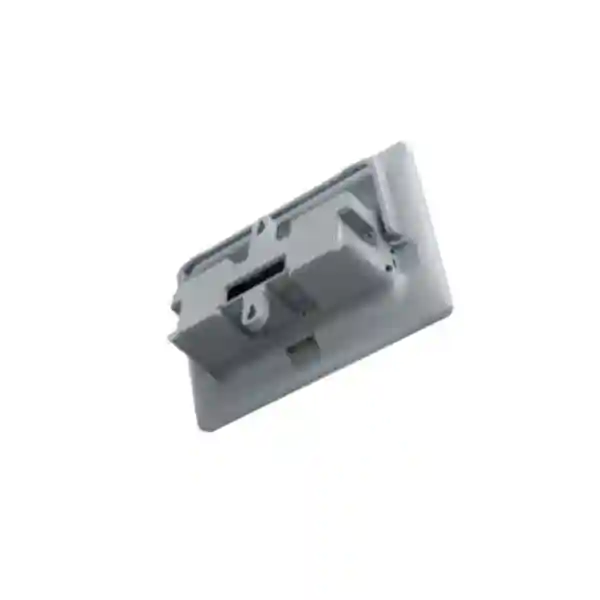
MTouch Plus can be placed flat, fixed on a desktop or wall mounted using the supported mounting approach, giving designers more freedom for boardroom tables, lecterns and control positions.
Expandable control
Compatible Yealink room deployments can use multiple touch-control points, useful in long boardrooms, training rooms or larger spaces where a single tabletop controller may be inconvenient for every participant.
RoomSensor workflow
When deployed with a compatible Yealink RoomSensor and supported room system, the controller can participate in presence-aware room experiences, including automatic room wake-up behavior.
Verified Yealink MTouch Plus technical details
| Display | 11.6-inch anti-fingerprint, anti-glare IPS touchscreen |
| Resolution | 1920 × 1080 |
| Brightness | 290 cd/m² |
| Display contrast | 1000:1 as specified by Yealink |
| Content input | HDMI 2.0 ingest |
| Wireless | IEEE 802.11 a/b/g/n/ac/ax Wi-Fi; Bluetooth 5.2 |
| Ports | MCore Pro VCH port, USB 2.0 Type-C, USB 2.0 Type-C PD, 3.5 mm headset, USB Type-A ports and Ext Touch RJ-45 as listed by Yealink |
| Weight | Approximately 0.967 kg according to Yealink logistics information |
Feature availability can depend on the connected Yealink room bundle, conferencing platform, firmware, selected accessories and deployment mode. A project quotation should therefore confirm the complete system rather than treating the controller as an isolated universal device.
Compatibility, room design and procurement guidance
MTouch Plus appears in Yealink room-system families that use the MCore platform and is listed in Microsoft Teams Rooms hardware documentation as part of certified Yealink room-system configurations. For procurement teams, the critical point is to define the entire room architecture before ordering. Confirm the required conferencing platform, room-system generation, camera choice, microphone strategy, speakers, displays, network connection, power arrangement, mounting position and content-sharing method. This avoids buying a controller that is technically capable but not matched to the rest of the room design.
For broader planning, FourTeck Tanzania’s video conferencing and meeting-room solution portfolio covers room controllers, displays, cameras, microphones and hybrid-meeting design in one project view. Buyers may also need IT integration services, business technology products, FourTeck Tanzania company information and the Tanzania contact page when a complete room quotation is required.
Regional projects can also draw on the wider FourTeck network, including FourTeck UAE, FourTeck Kenya, FourTeck Uganda, FourTeck Ghana and FourTeck Nigeria. These links are useful when an organization is standardizing meeting rooms across several countries and wants a common product and room-design discussion.
Yealink MTouch Plus Tanzania
For Tanzanian organizations building or upgrading professional meeting rooms, Yealink MTouch Plus is most valuable when it is specified as part of a complete collaboration design rather than purchased as a standalone touchscreen. A good Tanzania project starts by identifying the meeting platform and the way people use the room. A boardroom used for Microsoft Teams meetings with external customers has different needs from a training room, a project war room or a hybrid classroom. MTouch Plus can provide the dedicated room-control layer, but the camera, microphones, speakers, compute unit, display layout and network path determine whether the full experience feels dependable.
Tanzania buyers should pay particular attention to room size, table length and seating geometry. In a small or medium meeting room, one controller may be easy for everyone to reach. In a long boardroom, a multi-console design may be more appropriate where supported by the selected Yealink system. This is one of the stronger reasons to evaluate MTouch Plus for larger spaces: it is designed for advanced room-control scenarios and Yealink supports multi-panel approaches in compatible configurations. The final design should verify the exact quantity, cabling path, firmware and accessory compatibility before procurement.
Network and power quality also matter in Tanzania. Collaboration rooms depend on stable internet connectivity, a reliable LAN, correctly configured switching and sensible power protection. Even the best room controller cannot compensate for unstable WAN bandwidth, overloaded Wi-Fi or poor audio design. Where possible, the meeting-room system should use a carefully planned wired network path, with appropriate firewall policies and QoS considered for real-time collaboration. UPS protection for the display, conferencing compute, network switch and related devices can reduce disruption during short power events.
Procurement teams can prepare a better quotation by providing the room dimensions, meeting platform, display count, preferred camera style, microphone preference, number of regular participants, mounting requirements and any need for laptop content sharing. FourTeck can then align the Yealink MTouch Plus with the rest of the room components and avoid mismatched accessories or unnecessary hardware.
Yealink MTouch Plus Dar es Salaam
Dar es Salaam organizations often operate fast-moving commercial offices where meeting rooms serve management teams, sales groups, regional visitors, suppliers and international partners throughout the day. In this environment, room usability becomes a business requirement rather than a convenience. Yealink MTouch Plus can act as the visible control point for a compatible Yealink room system, giving staff a dedicated interface instead of relying on whichever laptop happens to be connected. The 11.6-inch full-HD screen is large enough for clear room interaction while remaining compact enough for boardroom or conference-table placement.
For new office fit-outs in Dar es Salaam, the controller should be designed together with table cable routes, display positions, camera sight lines and network outlets. A flat tabletop installation may work well in a small conference room, while a fixed desktop position can keep the controller from moving or becoming disconnected in a high-use shared space. Wall mounting can be useful where a control point is needed near an entrance, lectern or presentation area. The final position should allow convenient operation without blocking participant sight lines or consuming valuable table space.
Businesses should also define how guests will present content. Depending on the chosen Yealink room configuration, MTouch Plus can participate in wired or optional wireless content-sharing workflows. If third-party sharing or BYOD is required, that requirement should be stated before ordering because support depends on the room-system combination and accessories. This is particularly important for customer-facing meeting rooms where visitors may arrive with different laptop types and expect a simple presentation method.
A Dar es Salaam quotation should therefore cover more than the controller price. Ask for the complete room bill of materials, including mounting, cables, compatible compute, camera, microphones, speakers, display interfaces, required optional accessories, installation and commissioning. That approach makes the meeting room easier to operate and easier to support after handover.
Yealink MTouch Plus Mwanza
Mwanza businesses, institutions and project teams that collaborate with colleagues in Dar es Salaam or international offices can use a properly designed meeting room to reduce unnecessary travel and improve decision speed. Yealink MTouch Plus fits this requirement as the control surface within a compatible Yealink room system. Its value is not simply the touchscreen specification; it is the ability to give a shared room a consistent operating point so users do not need to rebuild the conferencing setup for every call.
When planning a Mwanza installation, consider who uses the room and how frequently. A meeting room reserved mainly for management may prioritize a clean fixed installation, fast meeting access and reliable content sharing. A training room may require the controller to be reachable from a facilitator position, while a long conference room may benefit from additional supported control points. MTouch Plus’s flexible placement options give integrators room to adapt the controller to the furniture layout rather than forcing the furniture around the device.
Connectivity planning is equally important. Video conferencing performance depends on the quality of the WAN connection, local network and audio/video peripherals. Businesses should review available internet capacity, wired switching, VLAN policy, wireless congestion and firewall behavior before commissioning. If the room is mission critical, backup connectivity and UPS protection may also be worth considering. The room controller will be most useful when the whole environment has been engineered for predictable operation.
For procurement, provide room dimensions, seat count, platform preference, display size, current conferencing equipment and any requirement for future expansion. That allows the controller, camera and audio components to be matched to the actual room. Buyers should also ask that firmware and compatibility be checked against the chosen Yealink bundle at the time of supply, because room-system platforms evolve and accessory support can depend on software versions.
Yealink MTouch Plus Arusha
Arusha has a mix of corporate, hospitality, development, education and international-facing organizations that frequently host remote meetings with participants in different countries. In these environments, the meeting room often has to serve both internal staff and visitors who may never have used the equipment before. Yealink MTouch Plus supports a more predictable user experience by providing a dedicated room-control panel in compatible Yealink systems, reducing dependence on personal laptops for basic room operations.
For conference facilities and executive rooms, the anti-glare IPS screen is practical because room lighting can vary across the day. The anti-fingerprint surface is also useful in shared spaces where the panel is touched by many users. Installers can choose the controller position based on how the room is used: centrally on a meeting table, fixed at the head of the table, placed at a trainer’s desk or mounted on a suitable wall position. Cable planning should be completed before furniture or joinery is finalized so the finished installation looks intentional.
Arusha buyers should also distinguish between a room controller and a room-scheduling panel. MTouch Plus is designed as part of the in-room collaboration control experience; it should not be confused with a corridor scheduling display used outside the room. If the project needs both functions, specify both requirements separately. Likewise, if the room needs wireless presentation, BYOD or multiple control panels, those requirements should be confirmed against the exact Yealink room system before purchase.
A useful quotation request should include photos or drawings of the room, table dimensions, display wall, expected seat count and preferred meeting platform. The supplier can then recommend whether MTouch Plus is appropriate, what system it should connect to, where it should be mounted and which additional accessories are needed for the complete Arusha collaboration space.
Yealink MTouch Plus Dodoma
Organizations in Dodoma that rely on structured meetings, inter-office collaboration, training sessions and remote stakeholder engagement can benefit from a permanent room-control interface. Yealink MTouch Plus is suited to this role within compatible Yealink conferencing systems. By separating room control from personal user devices, the organization can create a more repeatable meeting process: staff enter the room, operate the shared controller and use the installed audio/video system rather than improvising a different setup for each call.
For institutional and administrative environments, standardization is important. If several rooms are being deployed, the same controller family and consistent mounting position can reduce user confusion and simplify support. However, identical hardware does not mean every room should have the same camera or microphone configuration. A compact meeting room may use an all-in-one video device, while a large chamber or training room may require separate cameras, installed microphones and more complex audio processing. MTouch Plus should be specified in the context of that room architecture.
Cable management and power planning deserve early attention. Dedicated room systems generally perform best when critical connections are not left as temporary loose cables. The MTouch Plus provides several interface options, but the final connection method depends on the selected Yealink system. Installers should document cable routes, network ports, power sources and controller placement so future maintenance teams can understand the design quickly.
Dodoma procurement teams should request a compatibility-checked bill of materials, confirm any platform licensing that belongs to the wider room system, and ask for commissioning that includes test meetings, content sharing, camera control, audio validation and user handover. This converts the controller from a purchased device into part of a usable collaboration solution.
Yealink MTouch Plus UAE
For UAE organizations operating high-use boardrooms, customer briefing centers and regional headquarters, Yealink MTouch Plus offers a dedicated control interface for compatible Yealink meeting-room deployments. Many UAE projects prioritize tidy interiors, standardized user experiences and quick meeting start times, so controller placement and cabling are often considered as part of the room fit-out. The panel’s desktop, flat and wall-oriented deployment options are useful when designers need to balance usability with premium room aesthetics.
Large meeting rooms can also create a practical reach problem: one controller at the far end of a long table may not be convenient for every participant. Where supported by the selected Yealink system, multi-panel control can address this by placing control points where users actually sit. The design should still be validated against the precise room-system generation, firmware and accessory list before ordering additional panels.
UAE procurement often involves multi-site standardization. If a company has offices in Dubai, Abu Dhabi and other regional locations, it may want the same user interface across rooms while adapting cameras, microphones and displays to room size. MTouch Plus can be part of that standard, but the complete room template should document networking, display connections, content-sharing method, accounts, platform licensing and support responsibilities.
For regional coordination, organizations can also use FourTeck UAE for broader IT and collaboration discussions. A successful deployment should include compatibility checks, installation planning, commissioning and a handover process so users understand how to start meetings, share content and use the room controls consistently.
Yealink MTouch Plus Uganda
Ugandan organizations that need dependable hybrid meetings between head offices, branches and external partners can use MTouch Plus as the control layer in a compatible Yealink room system. A dedicated touch controller helps standardize the way a shared room is operated, which can reduce support calls caused by disconnected personal devices, missing adapters or inconsistent software setups.
The most important procurement decision is the room architecture. Confirm whether the target system is a Microsoft Teams Rooms deployment or another supported Yealink room environment, then choose the correct compute platform, camera, microphones, speakers and display arrangement. MTouch Plus should be matched to that design. Features such as content sharing, multi-panel control and sensor-based workflows may depend on specific combinations, so the quotation should state exactly which functions are expected and which accessories are included.
For offices outside major urban centers, supportability is also important. Standard cable types, documented network settings, labelled connections and consistent mounting can make troubleshooting easier. The controller’s physical deployment flexibility helps installers choose a practical position without compromising table use. If the room may expand later, consider the controller and cabling layout with that future change in mind.
Organizations coordinating projects across Uganda can review FourTeck Uganda alongside the Tanzania team. Provide the room dimensions, city, expected participant count, conferencing platform and existing equipment so the quotation can focus on a complete, compatible room solution rather than isolated hardware.
Yealink MTouch Plus Kampala
Kampala’s corporate and institutional meeting spaces frequently connect local teams with regional offices, suppliers and international stakeholders. MTouch Plus can improve the usability of these rooms by providing a permanent touch interface for supported Yealink room systems. Instead of passing a laptop around or relying on a wireless mouse for room control, users work from a purpose-built panel placed at an accessible location.
In a Kampala boardroom, one of the first decisions should be where the controller will live. A fixed desktop mount can create a professional, consistent position. A flat placement can be useful when furniture needs to remain flexible. Wall mounting may suit training or presentation rooms where the operator stands away from the main table. Whichever approach is chosen, the cable path should be designed so connectors are protected from accidental movement and the table remains uncluttered.
The room network should also be treated as part of the collaboration system. Video conferencing places sustained demands on internet connectivity and can expose weaknesses in Wi-Fi or firewall configuration. A wired connection for core room equipment, suitable QoS and carefully configured security policies can improve predictability. If the room relies on wireless content sharing, that function should be tested in the actual RF environment rather than assumed from a specification sheet.
Kampala buyers should request system commissioning that includes a live meeting test, camera and microphone validation, content sharing and user orientation. That is especially important for shared executive rooms where many different teams expect the system to work without technical assistance.
Yealink MTouch Plus Arua
For Arua organizations connecting with national offices, project partners and remote teams, a dependable meeting-room controller can simplify day-to-day collaboration. MTouch Plus is designed to work as part of compatible Yealink room systems, giving users a dedicated interface for meeting and room-control tasks instead of requiring a personal computer to become the room’s permanent control device.
Arua deployments should be planned with infrastructure realities in mind. Reliable internet, local switching, power protection and clear cable management may have a greater effect on user satisfaction than adding unnecessary room features. Start with the required meeting platform and typical participant count, then choose the room system around those needs. The MTouch Plus can be positioned where the moderator or participants can reach it easily, and its multiple mounting approaches allow the design to suit different furniture layouts.
If the installation will be supported remotely, documentation becomes valuable. Label controller connections, record firmware versions, note the room account configuration and preserve diagrams of the signal path. This makes it easier for a support engineer to understand the system without being physically present. Where RoomSensor or multi-console functions are required, document those relationships as well so future changes do not break the room workflow.
A good Arua quotation should list the MTouch Plus together with the exact Yealink room system, display requirements, camera, microphones, speakers, mounting accessories and any presentation devices. It should also state what is optional. Clear separation between standard and optional components helps procurement compare proposals fairly and avoids surprises during installation.
Yealink MTouch Plus Mbarara
Mbarara organizations can use Yealink MTouch Plus to bring a more structured operating experience to shared meeting rooms. The controller is appropriate where the business wants a permanent conferencing environment rather than a temporary webcam-and-laptop setup. In compatible Yealink systems, the touch panel becomes the room’s operational interface, while the dedicated camera and audio devices handle the actual meeting capture and playback.
For multipurpose rooms, flexibility is important. The same space may host management meetings, staff training and remote presentations. A controller fixed in an unsuitable position can become inconvenient when furniture is rearranged, so the project should consider the most common room layout and whether a desktop or wall placement is better. MTouch Plus gives installers more than one physical deployment method, but each installation should still protect cabling and keep the screen easy to reach.
Buyers should be careful when comparing touch panels only by screen size. Compatibility, supported conferencing platform, connection method and room-system generation matter more than a small difference in display dimensions. The MTouch Plus has an 11.6-inch 1080p screen and is part of Yealink’s third-generation room-control approach, but a successful Mbarara deployment still requires the correct surrounding hardware.
Before purchase, provide details of the existing network, any current display and camera equipment, meeting platform accounts and planned room capacity. A compatibility review can then determine whether the project is a fresh deployment or an upgrade and whether existing components should be retained, replaced or integrated.
Yealink MTouch Plus Gulu
Gulu businesses, NGOs, education teams and project organizations often need to collaborate across distance. A well-planned video meeting room can make those conversations more natural and reduce the time spent solving basic connection problems. Yealink MTouch Plus can support that objective as the dedicated room-control panel in a compatible Yealink conferencing setup.
The controller’s large 11.6-inch screen is useful in shared rooms because controls can be easier to identify than on a small handheld device. The anti-glare treatment can help in rooms with bright ambient light, while anti-fingerprint glass is practical for frequent shared use. These physical characteristics improve usability, but the room’s audio remains critical. Poor microphone placement, reflective surfaces or weak speaker coverage can make a meeting frustrating even if the controller works perfectly.
Gulu projects should therefore evaluate the complete environment: internet stability, wired network, display viewing distance, camera framing, microphone pickup and power protection. If the organization operates several sites, standardizing controller layout and naming can help support staff diagnose issues more quickly. A documented commissioning checklist should verify room login, meeting join, content presentation, camera control, audio playback and microphone pickup.
When requesting pricing, specify whether installation and configuration are required and whether the project includes new displays, cabling or network upgrades. A transparent bill of materials will make it easier to distinguish the MTouch Plus controller from the wider room components required to deliver the final collaboration experience.
Yealink MTouch Plus Kenya
Kenyan companies deploying standardized meeting rooms across Nairobi, branch locations or East African offices can consider Yealink MTouch Plus as the dedicated control interface within compatible Yealink room systems. The controller’s full-HD 11.6-inch display, flexible mounting and integration options make it suitable for rooms where a professional, fixed conferencing workflow is preferred over ad-hoc laptop setups.
For multi-room projects, create a room standard rather than repeating individual purchases. Define small, medium and large room templates, then specify which controller, camera, microphone and display set belongs to each template. MTouch Plus may be particularly suitable for larger or more advanced rooms where multi-panel control or a larger touch surface is valuable. Compact rooms may use a different Yealink controller depending on the selected system, so the correct choice should be based on the bundle, not on brand familiarity alone.
Kenya procurement teams should also define the content-sharing experience. Wired HDMI ingest, USB-C workflows, optional wireless sharing and BYOD can mean different things across room platforms. The requirement should be written in user terms: for example, “a visitor must be able to present from a Windows or Mac laptop without joining the room account.” The integrator can then confirm which Yealink accessories and firmware support that workflow.
For regional support discussions, buyers can review FourTeck Kenya. If the same organization has Tanzania locations, aligning the room architecture across both countries can simplify user training, spare planning and troubleshooting.
Yealink MTouch Plus Kuwait
Kuwait organizations planning executive boardrooms, training suites and hybrid meeting spaces can use MTouch Plus as a dedicated room-control panel in compatible Yealink deployments. The device’s 11.6-inch anti-glare display is particularly relevant where meeting rooms use bright overhead lighting or large windows, while the multiple mounting approaches allow the control surface to be integrated into different furniture concepts.
A Kuwait room project should first define the conferencing platform and room size. From there, the integrator can determine the appropriate Yealink compute platform, camera type, audio design and controller. In larger rooms, users may need more than one convenient control position. Supported multi-panel arrangements can be considered, but the exact controller combination should be verified for the selected room system rather than assumed from a generic product specification.
Thermal conditions and equipment placement are also worth planning carefully. The touch panel itself sits in the user area, while conferencing compute and network devices may be hidden in cabinetry or a rack. Those enclosed spaces need suitable ventilation and accessible service points. Power adapters and cable joins should not be left loose under tables where they can be kicked or disconnected.
Procurement requests should ask for an installation drawing, complete bill of materials and test procedure. The final test should cover meeting join, room controls, audio, camera operation and presentation from guest laptops. That disciplined approach is more useful than evaluating the MTouch Plus purely on unit price.
Yealink MTouch Plus Ghana
Ghanaian organizations that conduct regular cross-office meetings can use MTouch Plus to give compatible Yealink meeting rooms a consistent, dedicated control interface. This is especially useful in spaces where many departments share the same room and the company wants users to operate the conferencing system without changing laptop settings or searching for adapters before every meeting.
The controller should be treated as one layer of the overall room. Display visibility, camera field of view and microphone pickup need to be sized to the seating plan, while the network needs stable bandwidth and appropriate security policies. In a long room, controller placement may also affect usability. Where the selected Yealink system allows, a multi-touch arrangement can give participants more than one control location. This should be designed deliberately, not added after installation without checking compatibility.
For organizations with offices in Accra and other locations, a standardized room architecture can reduce training and support effort. Use consistent controller mounting, room naming, account configuration and cable labeling. Document the firmware baseline and accessory list so replacement parts can be sourced correctly later. If the company grows, that documentation becomes the foundation for replicating the room design at new sites.
Buyers can coordinate wider regional needs through FourTeck Ghana. For quotations, send room dimensions, expected participants, required platform and any existing equipment that may be reused. That information helps determine whether MTouch Plus is the correct controller and what other Yealink components should be included.
Yealink MTouch Plus Nigeria
Nigeria’s larger corporate offices, financial institutions, professional-service firms and distributed enterprises often rely on video collaboration between cities and regional operations. Yealink MTouch Plus can serve as the dedicated control surface within compatible Yealink room systems, helping organizations move from ad-hoc laptop meetings to a predictable, installed-room workflow.
For large boardrooms, the controller’s 11.6-inch screen and support for advanced multi-panel arrangements in compatible systems can be valuable. The design should place controls where they are easy to reach without forcing a participant to stand up or pass a controller across a long table. In training rooms, a fixed controller near the presenter position may be more logical. MTouch Plus’s mounting flexibility allows each room type to be approached differently.
Power and network resilience should be part of the Nigeria design discussion. Video rooms depend on internet, switching, displays, compute and audio devices at the same time. UPS protection and stable network design can prevent brief infrastructure events from becoming failed meetings. If multiple internet circuits or enterprise SD-WAN are already used, the conferencing traffic policy should be tested to ensure sessions remain stable during normal network changes.
Organizations can review FourTeck Nigeria for local project coordination. A complete proposal should identify the exact room bundle, controller, camera, audio equipment, cabling, mounts, accessories and implementation services rather than listing MTouch Plus alone.
Yealink MTouch Plus Seychelles
Seychelles organizations in hospitality, government, financial services, professional services and regional operations can benefit from meeting rooms that are simple for both staff and visiting participants. Yealink MTouch Plus supports this objective in compatible Yealink room systems by providing a dedicated touchscreen for room interaction. This can be useful in executive spaces and customer-facing rooms where a polished, repeatable user experience is important.
Island deployments also make procurement planning important because replacement accessories may not be immediately available. Before ordering, verify the complete bill of materials, including cables, mounting brackets, power accessories and any optional sharing device. If the room is critical, consider whether keeping selected spare cables or adapters locally is sensible. The MTouch Plus package and optional components should be confirmed at quotation stage so the installation does not depend on a missing small accessory.
Room environment matters too. Hospitality meeting spaces may be reconfigured frequently, while executive rooms tend to use fixed furniture. Choose the mounting method accordingly. A movable flat placement may suit flexible rooms, whereas a fixed desktop or wall position can be better where consistent appearance and cable security are priorities. The installation should preserve access for maintenance without leaving visible loose cabling.
For Seychelles quotations, provide room photos, seating capacity, preferred conferencing platform and expected presentation workflow. Ask the integrator to validate compatibility and test the complete system before handover. This reduces the risk of discovering after installation that a desired sharing or control feature depends on an accessory that was not included.
Buying checklist for Yealink MTouch Plus
- Confirm the exact Yealink meeting-room system and conferencing platform that will use the controller.
- Provide room dimensions, seating count, table shape and display wall layout.
- State whether one or multiple control positions are required.
- Define wired and wireless content-sharing expectations before choosing accessories.
- Confirm camera, microphone, speaker and display compatibility as one system.
- Plan network ports, internet capacity, firewall policy, QoS and power protection.
- Choose tabletop, fixed desktop or wall mounting based on the real room workflow.
- Request installation, firmware validation, commissioning and user handover where required.
Frequently asked questions
What is Yealink MTouch Plus?
Yealink MTouch Plus is a third-generation 11.6-inch 1080p touch panel designed as a room-control interface for compatible Yealink video conferencing systems. It supports multiple connection and deployment options and can be used in advanced room-control scenarios when paired with supported Yealink equipment.
Does MTouch Plus work with Microsoft Teams Rooms?
Yes, MTouch Plus appears in Yealink Microsoft Teams Rooms system configurations, and Microsoft lists MTouch Plus within certified Yealink Teams Rooms hardware combinations. The exact system bundle and current firmware should be checked for each project.
Can more than one MTouch Plus be used in a room?
Yealink supports multiple-touch-panel control in compatible configurations. The permitted quantity and required companion hardware depend on the room system and accessories, so the exact design should be verified before ordering.
Can MTouch Plus be wall mounted?
Yes. Yealink describes three deployment approaches: wall mounting, flat placement and fixed desktop placement using the designed mounting arrangement.
Does MTouch Plus support wireless content sharing?
Wireless sharing and BYOD capabilities depend on the selected Yealink room configuration and optional accessories such as supported presentation devices. The requirement should be confirmed against the exact bundle instead of assumed from the controller alone.
What information is needed for a quotation?
Provide the city, room dimensions, participant capacity, conferencing platform, display count, existing camera or audio equipment, desired content-sharing method and whether installation is required. This helps determine the correct controller and complete Yealink room configuration.
Decision recap
Choose Yealink MTouch Plus when the project needs a larger dedicated touch controller for a compatible Yealink room system, flexible placement and advanced room-control possibilities. It is particularly relevant to boardrooms, training rooms and larger collaboration spaces where a fixed, repeatable user interface improves meeting usability.
Do not choose it only because of screen size. Confirm compatibility with the exact Yealink room platform, the intended conferencing service and all required accessories. FourTeck can use your room details to build a complete quotation covering the controller and the surrounding conferencing components.
Consult FourTeck for a complete room design
For Yealink MTouch Plus pricing, compatibility checks, complete room-system selection or multi-country deployment planning, share your room dimensions, platform preference, city and expected participant count. FourTeck can then prepare a solution-focused discussion covering the controller, video, audio, displays, cabling, network readiness and installation requirements.




Reviews
There are no reviews yet.