

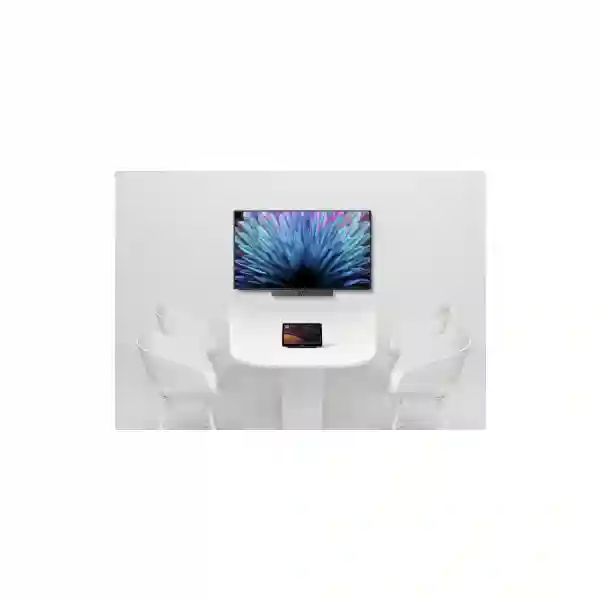
Yealink MeetingDisplay Tanzania
Yealink MeetingDisplay is a purpose-built professional display for Yealink Microsoft Teams Rooms environments. It is available in 55, 65, 75 and 86-inch sizes and is designed to coordinate with compatible Yealink MTR bars, UVC cameras and MCore-based room systems. For organizations in Tanzania planning a new meeting room or replacing a conventional television with a collaboration-focused screen, MeetingDisplay provides a cleaner path to unified installation, management, content sharing and room-device coordination.
4K UHD resolution, anti-glare IPS panel, 500-nit brightness, 178° viewing angle, dual 12W speakers, HDMI input, AirPlay, Miracast, Wi-Fi 6, Bluetooth 5.1 and Yealink device-management integration.
What is Yealink MeetingDisplay?
Yealink MeetingDisplay is a commercial collaboration screen engineered specifically for the Yealink Microsoft Teams Rooms ecosystem rather than as a general consumer television. Yealink positions it as the display component of a unified room solution that can work with compatible MeetingBar appliances, UVC cameras and MCore room systems. The current family includes 55, 65, 75 and 86-inch models, allowing room designers to match the display to huddle rooms, standard conference rooms, boardrooms and larger collaboration spaces.
Across the family, Yealink specifies a 3840 × 2160 resolution, IPS display technology, anti-glare surface treatment, 500 cd/m² brightness, 60 Hz refresh rate, 178-degree horizontal and vertical viewing angles and two integrated 12W speakers. MeetingDisplay supports wired sharing through HDMI and wireless sharing through AirPlay, Miracast and Yealink Wireless Presentation Pod where supported. Network connectivity includes dual Gigabit Ethernet ports and Wi-Fi 6, while Bluetooth 5.1, RS232 and IP control are also provided.
The key procurement point is that MeetingDisplay should be evaluated as part of the room architecture. Screen size, seating distance, camera placement, microphone pickup, lighting, platform requirements, mounting method and cable routes all affect whether a room feels effortless in daily use. FourTeck can help customers connect those decisions rather than treating the display as an isolated purchase.
Unified room deployment
Compatible Yealink MTR equipment can be mounted and coordinated with the display using Yealink’s purpose-designed mounting and control approach, helping reduce fragmented installation.
4K business display
The 4K UHD IPS panel, anti-glare treatment and wide viewing angles are suited to collaborative rooms where participants need readable content from different seating positions.
Flexible sharing
Users can present using HDMI or supported wireless methods such as AirPlay and Miracast, helping accommodate varied laptops and presentation workflows.
Centralized management
MeetingDisplay can participate in Yealink’s unified MTR management model so administrators can coordinate room endpoints and display behavior more consistently.
Yealink MeetingDisplay technical overview
| Specification area | Verified Yealink detail |
|---|---|
| Sizes | 55, 65, 75 and 86 inches |
| Panel | IPS, anti-glare coating, 25% haze |
| Resolution / refresh | 3840 × 2160, 60 Hz |
| Brightness / viewing | 500 cd/m², 178° H / 178° V |
| Audio | 12W × 2 speakers |
| Video inputs | HDMI 2.1 × 3 |
| USB | USB-A 2.0 × 2, USB-B 2.0 × 1 |
| Network | 2 × Gigabit Ethernet, Wi-Fi 6 dual-band |
| Wireless | Bluetooth 5.1, AirPlay, Miracast, supported Yealink Wireless Presentation Pod |
| Control | RS232, IP control, IR remote |
| Installation | Wall-mounted or floor-stand configurations with compatible accessories |
Choosing 55, 65, 75 or 86 inches
A useful MeetingDisplay quotation starts with room dimensions and seating rather than screen size alone. A 55-inch model may suit smaller collaboration rooms where the nearest and farthest seats are relatively close and the screen mainly shows one remote speaker or standard presentation content. The 65-inch model can suit many conventional conference rooms, while 75 and 86-inch models provide more visual area for larger spaces, boardrooms, training environments or layouts where shared documents and remote participants need to remain legible from farther away.
The display should also be coordinated with camera position. Mounting a camera too high above a very large display can create an unnatural eye line, while placing the screen too low may compromise visibility for participants sitting farther back. For rooms that will use a compatible Yealink MeetingBar or MCore/UVC architecture, bracket selection and cable routing should be confirmed before installation. Customers can review FourTeck Tanzania’s business technology portfolio for the wider infrastructure context, including networking, conferencing and display planning.
Room integration matters as much as the display
MeetingDisplay is strongest when it is planned as part of a complete room. The display carries visual content, but the meeting experience also depends on camera framing, microphone coverage, loudspeaker behavior, network stability, internet performance and the meeting platform. A boardroom with reflective glass and a long table, for example, needs a different audio and camera plan from a compact huddle space.
FourTeck’s technology services and deployment support can be used to plan installation, configuration, network readiness and handover around the selected room design. For wireless-heavy rooms, network quality and access-point placement should be verified before relying on wireless presentation workflows.
Yealink MeetingDisplay Tanzania
For Tanzanian organizations, Yealink MeetingDisplay is relevant where Microsoft Teams Rooms are becoming a standard part of day-to-day collaboration. Banks, professional-services firms, schools, universities, hospitality operators, manufacturers, NGOs, government departments and multi-site businesses may all need rooms that are easier to operate than a mixture of consumer televisions, USB cameras and ad-hoc cables. MeetingDisplay provides a display layer designed around Yealink’s room ecosystem, helping teams standardize the visual component alongside compatible cameras, bars and MCore systems.
A Tanzania deployment should begin by documenting the room rather than immediately selecting the largest display. Measure the viewing distance, table length, wall area and ceiling height. Identify whether meetings are mostly one-to-one calls, large group sessions, document reviews, training or executive presentations. Confirm whether the room will run a dedicated Microsoft Teams Rooms appliance or use another workflow. Check power availability, UPS strategy, wired network points, Wi-Fi coverage, internet capacity and cable pathways before ordering mounts and accessories. These practical steps reduce last-minute changes during installation.
MeetingDisplay’s 4K resolution and anti-glare IPS panel can help maintain readable visual content in bright business environments, but lighting still deserves attention. Direct sunlight, glass reflections and poorly positioned ceiling lights can make any display harder to read. Likewise, sound quality depends on the room, not only the built-in speakers. Medium and larger spaces may rely on the audio components of the chosen Yealink room solution instead of the screen speakers alone.
Procurement teams should request a quotation that identifies the exact screen size, compatible Yealink room components, mounting hardware, cabling, installation scope and any management requirements. FourTeck can also relate the display project to Tanzania meeting-room, network and infrastructure solutions, helping customers assess the room as one operational system rather than a set of disconnected products.
Yealink MeetingDisplay Dar es Salaam
Businesses in Dar es Salaam often operate headquarters, client-facing offices, regional coordination centers and executive meeting rooms where hybrid meetings are frequent. In this environment, Yealink MeetingDisplay can serve as the visual foundation of a standardized Microsoft Teams Rooms space. A professional display that is designed to work with the rest of the Yealink MTR ecosystem can simplify room ownership compared with a television sourced separately from conferencing hardware.
For an office in Masaki, Oyster Bay, the city center, Mikocheni, Upanga or another commercial area, the first design concern should be room geometry. A compact six-person room may not need the same screen as a boardroom where participants sit several metres from the wall. MeetingDisplay’s four available sizes make it possible to choose based on actual viewing requirements. Mounting height should keep shared content comfortable to read while allowing a compatible camera to sit close enough to eye level for natural remote interaction.
Dar es Salaam deployments also benefit from disciplined network planning. Teams Rooms performance depends on stable internet access, while wireless presentation features depend on predictable LAN and Wi-Fi behavior. Where the room is part of a larger corporate network, IT teams should verify VLAN policies, firewall rules, DHCP/DNS behavior and management access. If wireless sharing will be used heavily, interference and access-point placement should be checked in the actual room rather than assumed from general office coverage.
A quotation request should state the room size, expected occupancy, Teams Rooms platform, preferred screen size, camera or MeetingBar model, mounting preference and any need for floor-standing mobility. This lets the supplier validate bracket compatibility and create a clearer bill of materials. FourTeck’s Tanzania deployment services can support the broader planning conversation around mounting, connectivity and room readiness without assuming that every Dar es Salaam site has the same infrastructure.
Yealink MeetingDisplay Mwanza
Organizations in Mwanza may use video collaboration to connect operational teams with Dar es Salaam, regional branches, customers, suppliers and international partners. Yealink MeetingDisplay can fit this requirement where a business wants a dedicated Microsoft Teams Rooms environment rather than a laptop-driven meeting setup. The display is designed to coordinate with compatible Yealink room components, which can be valuable for companies seeking repeatable room standards across more than one site.
A Mwanza project should pay particular attention to connectivity resilience and room usability. The display itself supports wired Ethernet and Wi-Fi 6, but the quality of a Teams meeting ultimately depends on the complete network path. The room should have stable LAN connectivity where possible, and the internet service should be evaluated for both upload and download performance during business hours. Organizations with critical meetings may also consider how their firewall, secondary internet connection or network failover strategy affects the collaboration room.
Physical installation matters too. MeetingDisplay can be wall mounted or used with a compatible floor stand, but the selected mounting route should reflect the wall construction, room layout and future maintenance needs. If the room may be reconfigured for training or presentations, a mobile stand can provide flexibility. If the room is permanent, a wall-mounted design can create a cleaner professional appearance, provided cable routing and service access are planned first.
For procurement, avoid asking only for “a Yealink screen.” Specify MeetingDisplay, the desired size and the related room equipment. Include the seating count, wall width, nearest and farthest viewing distances and whether users need wireless content sharing. FourTeck can help review these details together with the wider Tanzania collaboration and network portfolio, so the room specification addresses display, network and conferencing dependencies together.
Yealink MeetingDisplay Arusha
Arusha has a varied business environment that includes tourism operators, international organizations, professional services, education, government-related activity and companies coordinating work across Tanzania and East Africa. For these users, a dependable hybrid meeting room can be more valuable than a collection of portable conferencing accessories. Yealink MeetingDisplay supports a room-centric approach by providing a professional display designed to integrate with Yealink Microsoft Teams Rooms equipment.
The room-use pattern should determine the specification. A hotel administration team conducting regular management calls may value simplicity and a clean wall installation. An NGO or project office may need a room that supports presentations from many visiting laptops. A training space may prioritize a larger display and flexible seating. MeetingDisplay’s 55, 65, 75 and 86-inch variants allow buyers to choose according to room scale rather than forcing a single format into every environment.
Wireless sharing through AirPlay or Miracast can be useful in mixed-device environments, but organizations should still provide a predictable wired presentation route for situations where wireless policies, guest devices or network conditions create complications. HDMI input gives teams a straightforward fallback. IT administrators should also decide whether they will use Yealink cloud-based device management capabilities and how device credentials, firmware updates and room ownership will be handled after deployment.
When requesting a quotation in Arusha, include the room dimensions, intended occupancy, preferred conferencing platform, whether a Yealink MeetingBar or UVC/MCore system is planned, and whether the installation should be wall mounted or floor standing. This information helps prevent incompatible bracket or accessory choices. FourTeck’s solution planning and installation services can be considered where customers want help turning the display into a complete operational meeting room rather than a standalone screen.
Yealink MeetingDisplay Dodoma
In Dodoma, organizations planning formal meeting rooms for administration, education, project coordination or business operations can use Yealink MeetingDisplay as part of a standardized Microsoft Teams Rooms environment. The value of the product is not simply its 4K panel; it is the way Yealink has designed the display to participate in a coordinated room solution with compatible Yealink MTR devices. This can help IT teams reduce the operational differences that arise when separate TVs, cameras and room computers are assembled without a common design.
A good Dodoma deployment should document the meeting objective and the people who will operate the room. Executive rooms may need a polished, fixed installation with carefully aligned camera and display positions. Training or project rooms may value a larger screen or mobile floor-stand setup. Spaces with many visitors may need a simple presentation workflow so outside participants can share content without changing room settings. MeetingDisplay provides HDMI input alongside supported wireless sharing, giving designers multiple ways to accommodate those patterns.
Power and network design should be part of the same scope. The meeting system, display, touch controller, networking hardware and any room PC should have organized power distribution, while critical sites may also consider UPS protection according to their operational needs. Wired Ethernet is generally preferable for fixed room components where cabling is practical, leaving Wi-Fi capacity available for participant devices and wireless presentation use.
Procurement teams should ask for model-specific quotations and confirm what is included versus optional. Yealink lists mounting accessories separately for a number of configurations, and related MeetingBar, UVC or MCore devices are not automatically included with the display. A clear room bill of materials avoids assumptions. FourTeck can assist with the broader Tanzania IT and collaboration design when the project also requires network, cabling or room-infrastructure coordination.
Yealink MeetingDisplay UAE
Organizations procuring Yealink MeetingDisplay for UAE projects often need highly standardized meeting spaces across headquarters, branch offices, hospitality properties, training centers and customer-facing facilities. MeetingDisplay can support this standardization because the display is engineered for the Yealink MTR ecosystem and is offered in several sizes that can be matched to repeated room types. A corporate rollout, for example, can define a 55 or 65-inch configuration for small rooms and 75 or 86-inch configurations for larger executive and training spaces.
UAE buyers should distinguish MeetingDisplay from generic signage or television products. Its value lies in Yealink room integration, supported management, signal coordination and mounting compatibility with selected Yealink conferencing equipment. For a new office fit-out, the display decision should therefore be made together with the camera, room computer or MeetingBar, touch controller, microphone strategy, cabling and furniture layout. Coordinating those elements before construction closes walls and ceilings can produce a cleaner result and reduce visible cabling.
For multi-room projects, IT teams should also define naming conventions, management ownership, firmware policies and test procedures. A room should be commissioned with checks for Teams sign-in, camera framing, microphone pickup, speaker output, content sharing, display input switching, sleep/wake behavior and network access. Documenting the final configuration makes future troubleshooting easier and supports consistent expansion.
Where procurement spans Tanzania and the Gulf, the important commercial step is to request exact models and accessories rather than compare only display size. Freight, installation scope and project timing should be quoted explicitly and should not be assumed. FourTeck customers can use FourTeck UAE technology solutions for UAE-focused enquiries while maintaining a consistent room-design brief across regional offices.
Yealink MeetingDisplay Uganda
For organizations in Uganda, Yealink MeetingDisplay can be specified as the professional display element within a Microsoft Teams Rooms deployment serving headquarters, branches, universities, NGOs, financial services, healthcare administration and other collaborative environments. The range of four sizes gives designers flexibility when standardizing meeting rooms across facilities with different seating capacities. The display can be paired with compatible Yealink MTR bars, UVC cameras and MCore systems according to the chosen room architecture.
A national rollout should avoid using screen size as the only design standard. Two rooms with the same number of seats can require different displays if one has a long narrow table and another has a wide classroom layout. Viewing distance, font size in shared documents, camera position and participant sightlines should all be considered. The 4K resolution is valuable when sharing detailed spreadsheets, drawings or dashboards, but only if the screen is large enough for the farthest participant to read the content comfortably.
Network readiness is equally important. Fixed room systems should have dependable Ethernet wherever possible, and organizations should confirm that internet, firewall and DNS policies support the intended conferencing platform. Wireless presentation can add convenience, but guest-network isolation and corporate device controls may affect how AirPlay or Miracast behaves. These issues should be tested during commissioning rather than left to end users.
Ugandan procurement teams should request a complete equipment list showing display, room system, brackets, touch controller, cabling and installation assumptions. Where project scope extends to branches or multiple sites, consistent documentation is useful for support. Regional buyers can also consult FourTeck Uganda solutions for Uganda-specific commercial enquiries while keeping the display specification aligned with the broader Yealink room design.
Yealink MeetingDisplay Kampala
Kampala organizations frequently use hybrid meetings to coordinate regional teams, customers, suppliers and international partners. Yealink MeetingDisplay can suit businesses that want meeting spaces with a more predictable user experience than laptop-and-TV setups. Because the product is designed around Yealink MTR solutions, it can be evaluated together with compatible MeetingBars, cameras and MCore systems to create a standardized conference-room package.
Office fit-outs in Kampala should consider viewing distance and wall space early. A 75 or 86-inch screen may appear attractive on a specification sheet, but a smaller room can become uncomfortable if participants sit too close. Conversely, a 55-inch display may be inadequate in a long room where users need to read detailed documents. The room plan should identify the farthest viewing position and the types of content normally shared. Camera mounting also needs to be coordinated so remote participants see a natural angle instead of looking down from an excessively high camera position.
For daily usability, provide both wireless and wired content-sharing paths. AirPlay and Miracast can reduce cable handling for compatible devices, while HDMI remains useful for guests or controlled environments where wireless discovery is restricted. IT teams should test network isolation, corporate Wi-Fi policies and multicast-related behavior if wireless sharing is important. Device management and update settings should be documented as part of the handover.
Kampala buyers should ask whether each quoted mounting accessory is compatible with the chosen MeetingDisplay size and conferencing device. Yealink publishes different bracket options for MeetingBars, UVC cameras and MCore combinations, so a detailed bill of materials is preferable to a generic “wall mount included” assumption. For Uganda-focused procurement, FourTeck Uganda provides a regional route for discussing the wider room requirement, including networking and collaboration components.
Yealink MeetingDisplay Arua
For projects in Arua, Yealink MeetingDisplay can support organizations that need reliable visual collaboration with teams in Kampala, other Ugandan regions or international offices. The product is particularly relevant when the objective is to establish a dedicated Microsoft Teams Rooms environment instead of relying on portable webcams and consumer displays. Its integration with compatible Yealink MTR devices can help organizations create a room that behaves consistently every time staff start a meeting.
Connectivity planning deserves extra attention for any site where internet conditions can vary. The display includes Ethernet and Wi-Fi connectivity, but the conferencing application’s performance depends on the room system and WAN connection. Organizations should measure real business-hour internet performance, not just the advertised service speed. If meetings are operationally important, consider how the wider network handles ISP outages, firewall changes and power interruptions. Those decisions sit outside the display itself but determine whether the complete room remains useful.
The installation method should also be chosen carefully. A permanent wall installation can keep the room uncluttered, while a compatible floor stand can suit multi-purpose spaces where the display needs to move. Wall structure, cable pathways, access for maintenance and the location of the camera or MeetingBar should all be confirmed before mounting. The display’s anti-glare surface helps in bright environments, but window placement and direct light should still be managed.
For an Arua quotation, provide the exact room dimensions, expected user count, desired screen size and the Yealink conferencing components already owned or planned. This allows accessory compatibility to be checked rather than assumed. Businesses managing a wider Uganda deployment can use FourTeck Uganda’s regional technology channel to discuss procurement requirements consistently across cities and branches.
Yealink MeetingDisplay Mbarara
Mbarara businesses, universities, healthcare administrators and regional operations teams can use Yealink MeetingDisplay to build a more permanent hybrid-meeting environment. The 55, 65, 75 and 86-inch choices make the product adaptable to a range of rooms, but the selection should be made from measured viewing requirements. A larger display does not automatically improve a room if it forces an awkward camera position or dominates a short viewing distance.
For education or training use, a 75 or 86-inch display may be attractive because shared slides and remote participants can remain visible to a wider audience. For management rooms, a 65-inch display may provide a more balanced fit depending on the table length and wall. For compact consultation or project rooms, the 55-inch option may be sufficient. The correct choice should reflect the normal content type, the distance to the farthest participant and whether the room will show one image or multiple meeting panes.
Organizations should also plan how visitors share content. MeetingDisplay supports HDMI and wireless presentation methods, which provides useful flexibility. However, wireless sharing may interact with corporate guest networks and security rules. A commissioning checklist should test employee laptops, at least one guest workflow, audio playback and the meeting platform before the room is handed over. Device names and management credentials should be documented so support teams can identify the correct room remotely.
When requesting supply in Mbarara, ask for the exact MeetingDisplay size, compatible bracket, room-system components and installation scope. If the screen will be mobile, confirm the floor stand model and stability requirements. Regional organizations can coordinate this planning through FourTeck Uganda, especially where multiple Ugandan sites need similar Yealink room standards and centrally understandable documentation.
Yealink MeetingDisplay Gulu
In Gulu, Yealink MeetingDisplay can support offices and institutions that need structured remote collaboration with national and international teams. A dedicated display integrated with a Yealink Microsoft Teams Rooms system reduces dependence on users remembering how to connect a loose collection of devices. This is especially useful in shared meeting rooms where many departments or visiting staff need the same straightforward workflow.
The system design should match the room’s real purpose. A project office conducting frequent document reviews may prioritize text legibility and screen size. A management room may prioritize a clean wall appearance and natural camera eye line. A training room may value mobility or a larger screen. MeetingDisplay’s four sizes provide a useful starting range, while Yealink’s mounting accessories allow compatible conferencing components to be integrated around the display rather than installed independently in unrelated positions.
IT teams should verify the network path before deployment. Microsoft Teams Rooms calls need stable access to cloud services, and the room should be tested under typical business load. Ethernet is generally a strong choice for fixed room systems, while Wi-Fi 6 can support scenarios where wireless connectivity is required. For wireless presentation, device discovery and security policies should be tested with the organization’s actual network configuration.
A Gulu quotation should identify whether the customer needs only the display or a complete room system. If a MeetingBar, MCore, UVC camera, touch console, mounting kit or cabling is required, those items should appear separately so the buyer can compare the true project scope. Organizations with multiple Uganda sites can coordinate specifications through FourTeck Uganda’s business technology portfolio, helping maintain consistent room standards and support documentation across branches.
Yealink MeetingDisplay Kenya
Kenyan enterprises, regional headquarters, universities, hospitality groups and professional-services organizations can use Yealink MeetingDisplay as part of a standardized Microsoft Teams Rooms strategy. For companies that operate across East Africa, using a consistent collaboration-room architecture can simplify user training and support. MeetingDisplay’s 55, 65, 75 and 86-inch variants allow the same product family to cover different room sizes without forcing every site into an identical physical layout.
A Kenya deployment should start with a room typology. Define small, medium and large meeting-room standards, then assign display size, camera architecture, microphone approach, controller and mounting method to each type. This is more scalable than designing every room from scratch. The product’s HDMI, AirPlay and Miracast sharing options can also be standardized in user guidance, helping employees understand the available presentation methods across offices.
Technical teams should plan management from the beginning. If Yealink’s management platforms will be used, determine who owns device enrollment, firmware policy, room naming and alert response. If the organization already has network monitoring and service-desk processes, add the room systems to those procedures. A conference room is a business endpoint and should be documented with the same care as other managed infrastructure.
Kenya procurement should compare complete room costs rather than only panel prices. Brackets, floor stands, MTR components, cabling, installation and commissioning can materially affect the project. Requests for quotation should therefore provide room count, dimensions, platform, preferred size and installation conditions. Regional buyers can engage FourTeck Kenya for Kenya-focused requirements while keeping the technical specification aligned with East African branches using the same Yealink collaboration environment.
Yealink MeetingDisplay Kuwait
For organizations in Kuwait, Yealink MeetingDisplay can be part of a polished Microsoft Teams Rooms deployment for executive offices, corporate meeting rooms, training facilities and customer-facing spaces. The product is designed to work as more than a generic screen: its integration with Yealink MTR equipment supports unified room coordination and management, helping IT departments create repeatable standards across several meeting spaces.
Room designers should evaluate sightlines carefully, especially in long boardrooms. A 75 or 86-inch display can improve visibility for participants seated farther away, but the camera should remain close enough to eye level for natural conversation. In a shorter conference room, 55 or 65 inches may be more proportionate. If dual displays are required for separate participant and content views, the complete Teams Rooms architecture should be reviewed to confirm the supported design instead of assuming that any screen arrangement will behave identically.
Wireless presentation is useful for executive and visitor workflows, but network policies can affect discoverability. HDMI should be retained as a dependable wired option, particularly for guest laptops. During commissioning, the room should be tested for content switching, audio, camera framing, touch control, sleep/wake behavior and management visibility. These checks are important because a visually impressive room can still frustrate users if basic workflows are not verified.
Kuwait buyers should request exact accessories and installation requirements with the display. Wall construction, cable route, service access and floor-stand requirements should be known before delivery. For regional FourTeck customers, FourTeck Kuwait provides a relevant procurement and project channel for local requirements, while organizations operating in Tanzania can maintain a common Yealink room standard across both markets.
Yealink MeetingDisplay Ghana
Ghanaian businesses planning hybrid meeting environments can consider Yealink MeetingDisplay where Microsoft Teams Rooms is the preferred collaboration platform. The display family provides a consistent 4K visual experience across four screen sizes and is intended to work with compatible Yealink MTR components. This makes it suitable for organizations that want repeatable room standards across Accra and other offices without relying on unrelated consumer displays.
For procurement, room classification is useful. Small rooms can be evaluated for the 55-inch model, standard conference spaces for 65 inches, and larger boardroom or training environments for 75 or 86 inches, but final selection should be based on measured distance and content rather than a simple seat-count rule. Users who regularly review spreadsheets, drawings or dashboards generally need larger readable content than teams who mostly view a single remote speaker.
The room network should be treated as part of the collaboration system. Teams Rooms traffic requires stable internet service, while content-sharing features can depend on LAN and Wi-Fi configuration. Organizations should also decide whether room devices will be placed on a dedicated network segment, how firmware updates are controlled and how support staff access device-management tools. Documenting those decisions helps prevent each room from becoming a unique support problem.
A Ghana quotation should state the desired screen size, associated MeetingBar or MCore/UVC system, mounting method and whether installation and commissioning are included. Buyers should not assume that optional brackets or room devices are bundled with the display unless the quote explicitly says so. Multi-country organizations can coordinate Ghana-specific enquiries through FourTeck Ghana while preserving a common technical standard with Tanzania and other regional sites.
Yealink MeetingDisplay Nigeria
Nigeria’s large multi-site organizations often need collaboration rooms that can be deployed repeatedly across headquarters, regional offices and project locations. Yealink MeetingDisplay can support this model because the family offers multiple sizes while retaining a consistent interface and Yealink MTR integration approach. Organizations can create room templates for small, medium and large spaces and then adjust details for each site instead of beginning from zero every time.
A rollout plan should define more than hardware. It should include room naming, platform accounts, network requirements, display size rules, camera position, mounting height, wireless-sharing policy, firmware management and acceptance testing. For rooms used by executives or external clients, simple operation should be a major design objective. Users should be able to enter, join a scheduled meeting, share content and end the session without searching for remotes or changing hidden input settings.
Power planning is also relevant in any environment where collaboration rooms are operationally important. The display, room system and networking equipment should be connected through a properly designed power arrangement, and organizations can evaluate UPS protection according to their continuity requirements. This is a broader infrastructure decision rather than a MeetingDisplay feature, but it can determine whether the room remains usable during short power events.
Nigeria buyers should request a complete bill of materials and distinguish hardware cost from installation, mounting and commissioning. If the room uses Yealink brackets, confirm that the selected bracket matches both the MeetingDisplay size and the conferencing device. Organizations can use FourTeck Nigeria for Nigeria-focused discussions while keeping room standards aligned with Tanzanian and wider African deployments.
Yealink MeetingDisplay Seychelles
Organizations in Seychelles, including hospitality groups, professional offices, public-sector teams and multi-property operators, can use Yealink MeetingDisplay for dedicated Microsoft Teams Rooms environments where reliable remote collaboration is important. For businesses coordinating with regional offices, suppliers or international management, a standardized room can reduce the variability of laptop-based meetings and make scheduled calls easier for non-technical users.
MeetingDisplay’s screen-size range supports different property and room types. A smaller back-office meeting room may need 55 or 65 inches, while a boardroom, training space or larger management room may justify 75 or 86 inches. The decision should consider the farthest viewing distance, whether users share detailed documents and how the camera will be positioned. Mounting choice should also reflect whether the room is permanent or multi-purpose.
For island environments, procurement planning benefits from an accurate bill of materials before shipping. Missing a small bracket or adapter can delay an installation disproportionately, so the display, compatible Yealink room system, mounting accessories, cable requirements and controller should be validated together. Any freight, import or delivery assumptions should be confirmed commercially rather than inferred from product availability online.
During commissioning, test both wired and wireless presentation, camera framing, microphone pickup, audio playback, Teams login, network access and management settings. Create a simple handover guide for staff and record device names and credentials according to company policy. Where Seychelles organizations source regionally, FourTeck’s Africa technology solutions channel can be used to discuss multi-country requirements while coordinating with the Tanzania project standard where relevant.
Compatibility, deployment and management guidance
Yealink publishes bracket compatibility and suggested room combinations for the MeetingDisplay family. Depending on the display and room endpoint, installation can involve the MD-WallMount and device-specific brackets for selected MeetingBars, SmartVision products, UVC cameras or MCore components. Because these combinations can change as Yealink updates product generations, the safest procurement practice is to validate the current compatibility list for the exact room system before ordering.
MeetingDisplay can be initialized with wired or wireless networking, date and time settings, a device name and Yealink cloud-service options. When integrated with a compatible Yealink room host, management settings can be coordinated so administrators have a clearer view of the room environment. Organizations should still define their own operational controls: administrator credentials, update windows, network access, room naming and support ownership should be recorded during handover.
For wireless content sharing, compatibility with presentation pods can vary by model and region, so buyers should verify the current accessory list. AirPlay and Miracast support can provide convenient native workflows, while HDMI remains a dependable method for controlled or guest scenarios. The ideal room offers enough flexibility that users can present without turning the meeting into a troubleshooting session.
Who should consider Yealink MeetingDisplay?
Teams Rooms standardization
Organizations already using Yealink Microsoft Teams Rooms equipment and wanting a display designed to coordinate with that ecosystem.
New meeting-room projects
Office fit-outs where display, camera, controller, room computer, mounting and cabling can be planned as one system from the start.
Multi-site organizations
Businesses that want repeatable room templates across Tanzania, East Africa and other regional operations.
Quotation checklist for Yealink MeetingDisplay
To receive a more accurate commercial proposal, provide the following information with your enquiry:
✓ Country and city of installation
✓ Room dimensions and seating capacity
✓ Nearest and farthest viewing distance
✓ Preferred MeetingDisplay size, if already known
✓ Microsoft Teams Rooms platform requirement
✓ Existing or planned Yealink MeetingBar, UVC or MCore equipment
✓ Wall-mount or floor-stand preference
✓ Need for wired and wireless content sharing
✓ Network and internet readiness
✓ Requirement for installation, configuration, testing and user handover
✓ Number of rooms and whether a common room standard is desired
Frequently asked questions
Is Yealink MeetingDisplay a normal television?
No. It is a professional collaboration display designed specifically for Yealink Microsoft Teams Rooms deployments. Its value includes integration, management and mounting coordination with compatible Yealink room equipment in addition to its 4K display specifications.
Which Yealink MeetingDisplay sizes are available?
Yealink lists MeetingDisplay models in 55, 65, 75 and 86-inch sizes. The correct size depends on room dimensions, viewing distance, content type and camera placement.
Does MeetingDisplay support 4K?
Yes. Yealink specifies 3840 × 2160 resolution across the MeetingDisplay family, together with IPS panel technology, anti-glare treatment and a 60 Hz refresh rate.
Can users share content wirelessly?
MeetingDisplay supports AirPlay and Miracast, and Yealink also documents Wireless Presentation Pod support. Accessory compatibility and regional availability should be checked for the exact deployment.
Can MeetingDisplay be wall mounted?
Yes. Yealink supports wall-mounted and floor-stand installation. The correct mounting accessories depend on the screen size and any Yealink conferencing equipment mounted with it.
What information is needed for a Tanzania quotation?
Provide the city, room dimensions, seating, preferred screen size, Teams Rooms platform, existing Yealink equipment, installation method and whether you need deployment services. This helps create a more accurate bill of materials.
Decision recap
Choose Yealink MeetingDisplay when the requirement is a professional 4K display that integrates closely with a Yealink Microsoft Teams Rooms environment. Select the screen size from real viewing distance and room geometry, verify compatibility with the chosen MeetingBar, UVC or MCore architecture, and include mounting, cabling, network readiness and commissioning in the project plan.
For Tanzania, the strongest outcome comes from treating MeetingDisplay as one component of the complete collaboration room. FourTeck can help connect display choice with conferencing, networking and deployment requirements. Use the verified FourTeck Tanzania contact page to send room details and request a project quotation.
Consultation panel
For a useful Yealink MeetingDisplay consultation, share a floor plan or room dimensions, seating layout, meeting platform and photos of the intended display wall if available. The design conversation can then cover screen size, camera placement, compatible brackets, presentation workflows, network readiness and whether a fixed wall installation or mobile stand is more suitable. No stock, delivery time or local service coverage should be assumed until it is confirmed in the commercial proposal.




Reviews
There are no reviews yet.