
Yealink MCore-OPS-G2T Tanzania
Yealink MCore-OPS-G2T is the Teams-focused second-generation modular computing option for compatible Yealink MeetingBoard environments. It is designed for organizations that want the familiar Microsoft Teams Rooms on Windows experience inside a streamlined meeting-room architecture, without adding a separate desktop PC beside the display. The module combines current-generation Intel compute, upgraded memory and storage, room-system connectivity, wireless networking and enterprise security capabilities in an embedded OPS form factor.
Quick answer
Choose MCore-OPS-G2T when a compatible Yealink MeetingBoard or MeetingBoard Pro needs a Microsoft Teams-certified Windows OPS module with the Teams Rooms app and Yealink RoomConnect preloaded. Confirm the exact MeetingBoard model, room peripherals and deployment mode before ordering.
What is the Yealink MCore-OPS-G2T?
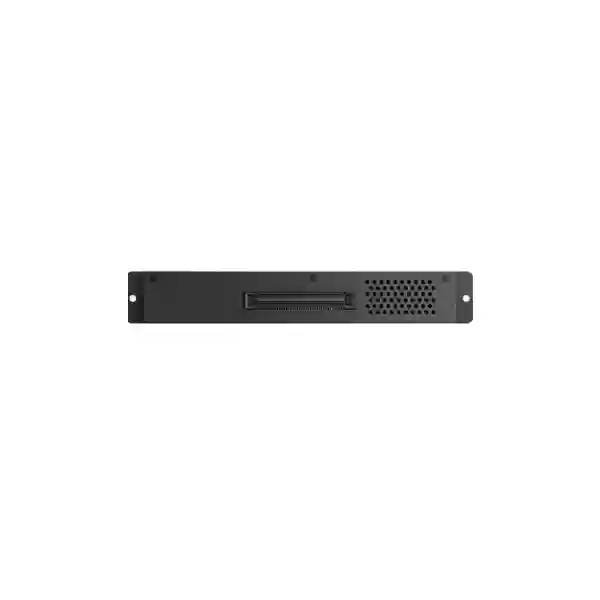
The MCore-OPS-G2T is Yealink’s Microsoft Teams-certified Gen 2 OPS computing module for the MeetingBoard ecosystem. Yealink’s current documentation identifies the module as compatible with MeetingBoard and MeetingBoard Pro, while the company’s compatibility matrix shows that MeetingBoard C is not supported by this Teams-certified G2T variant. That distinction matters in procurement: the product name may look similar to the non-T MCore-OPS-G2, but the system preload and compatibility profile are not identical.
The module arrives with Windows 11 IoT Enterprise x64, a Windows 11 IoT Enterprise license, the Microsoft Teams Rooms app and Yealink RoomConnect. Its compute platform is based on the Intel Core Ultra 5 125H processor, paired with 16GB DDR5 memory and a 256GB SSD. Yealink also specifies Intel Arc graphics, giving the system a substantially more modern compute foundation than first-generation OPS choices. For meeting-room administrators, this platform is aimed at dependable room operation, application responsiveness, collaboration workflows and management of supported Yealink peripherals.
For organizations comparing a modular OPS approach with a separate room PC, the practical benefit is integration. The module is designed to sit within the MeetingBoard architecture rather than occupy another shelf, cabinet or tabletop position. That can simplify cable planning, equipment placement and room appearance. It does not remove the need for correct network, Microsoft 365, Teams Rooms licensing, account configuration or room commissioning; instead, it provides the dedicated compute component around which those services can be configured.
Modern processing
Intel Core Ultra 5 125H processing, 16GB DDR5 and 256GB SSD storage provide the hardware foundation for the current Teams Rooms experience and room-side applications.
Embedded deployment
The OPS design fits into the supported MeetingBoard environment, reducing dependence on a separate external PC chassis and helping create a cleaner room installation.
Teams-ready preload
The G2T variant includes Windows 11 IoT Enterprise, Microsoft Teams Rooms and Yealink RoomConnect, differentiating it from the non-T G2 model.
Enterprise security foundation
Yealink lists TPM 2.0, UEFI Secure Boot and Kernel DMA support, which are relevant controls for organizations standardizing Windows-based meeting-room endpoints.
Verified Yealink MCore-OPS-G2T specifications
| Category | MCore-OPS-G2T specification |
|---|---|
| Processor | Intel Core Ultra 5 125H |
| Memory | 16GB DDR5 (2 × 8GB) |
| Storage | 256GB SSD |
| Graphics | Intel Arc graphics |
| Preloaded software | Windows 11 IoT Enterprise x64, Microsoft Teams Rooms app, Yealink RoomConnect |
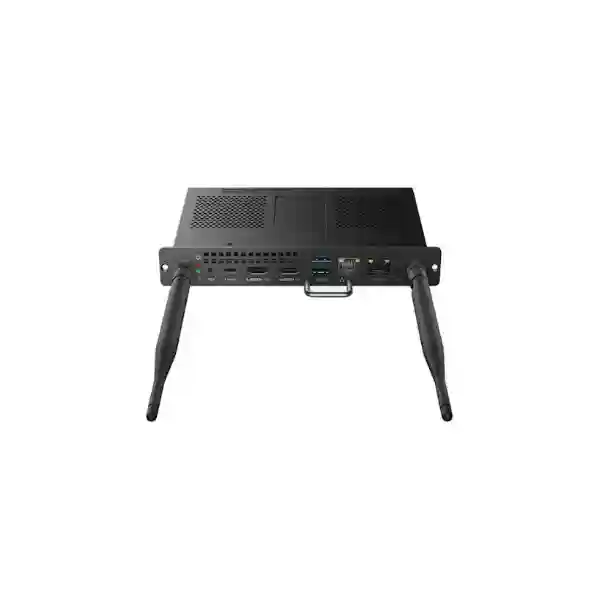
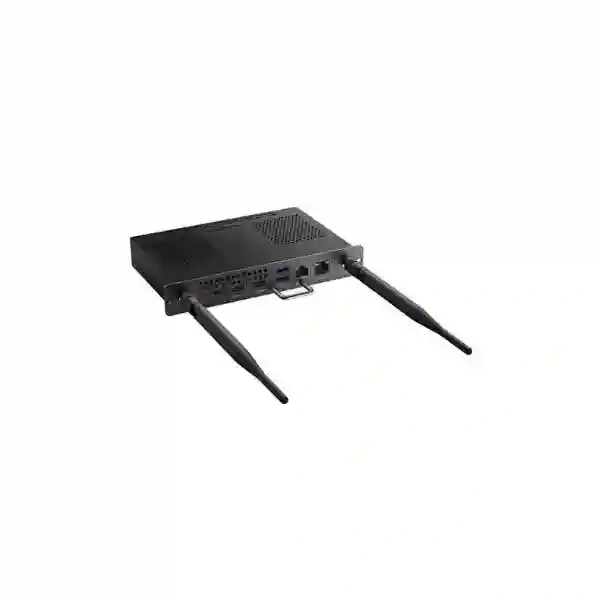
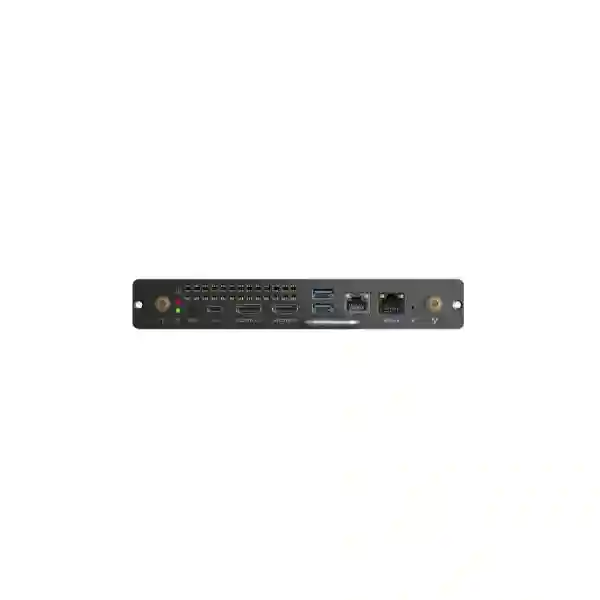
| Wired interfaces | 1 × MTouch RJ-45, 1 × LAN RJ-45, 1 × HDMI input, 1 × HDMI output, 2 × USB 3.0 Type-A, 1 × USB 3.0 Type-C without DisplayPort Alt Mode |
| Wireless | Wi-Fi 6 (IEEE 802.11a/b/g/n/ac/ax) and Bluetooth 5.2 |
| Security / BIOS | TPM 2.0, UEFI Secure Boot, Kernel DMA, CEC and custom boot-logo support |
| Dimensions | 180 × 119 × 30 mm |
| Weight | 0.7 kg |
| Published compatibility | MeetingBoard, MeetingBoard Pro and MTouch Plus-MB; not MeetingBoard C |
Important deployment note: Yealink states that HDMI output is not available while the MCore-OPS-G2T is operating in Teams Rooms mode. The USB-C port also does not provide DisplayPort Alt Mode. These interface details should be considered before a room design is finalized.
Compatibility and room-design guidance
Compatibility is the most important purchasing check for this module. Yealink’s published matrix shows MCore-OPS-G2T support for MeetingBoard and MeetingBoard Pro and support for MTouch Plus-MB. The same matrix shows that the Teams-certified G2T module is not intended for MeetingBoard C. Procurement teams should therefore record the exact MeetingBoard model and, ideally, current firmware before ordering.
The next decision is platform mode. The G2T suffix identifies the Teams-certified model, and its preload includes Microsoft Teams Rooms. Organizations that already standardize on Microsoft 365 and Teams can use that dedicated room experience, while administrators should still review the required Microsoft licensing and room-resource account design separately. The hardware module does not itself replace a Teams Rooms service entitlement.
A complete meeting-room plan should also include display placement, camera view, microphones, loudspeakers, room acoustics, network quality and user workflow. Fourteck Tanzania’s business technology services overview explains why conferencing works best when the room, network and peripherals are treated as one connected system rather than unrelated devices.
Who should consider MCore-OPS-G2T?
Microsoft Teams-first organizations
Businesses that use Teams as their standard collaboration platform can deploy a consistent room experience with a dedicated Teams-certified OPS module. This can simplify user expectations across meeting rooms because people join from a room interface rather than treating the display like a generic PC.
MeetingBoard upgrade projects
Sites with compatible MeetingBoard or MeetingBoard Pro hardware can evaluate G2T when they need the supported second-generation Windows OPS architecture. Model and firmware confirmation should come before the purchase order.
IT-managed meeting spaces
The Windows platform, TPM 2.0, UEFI Secure Boot and defined network interfaces fit organizations that treat meeting rooms as managed endpoints and want the room compute included in asset, update and support processes.
Buying and deployment checklist
Record whether the room uses MeetingBoard or MeetingBoard Pro and verify current Yealink compatibility guidance.
Define the Microsoft tenant, room-resource account, Teams Rooms licensing and sign-in process before installation.
Check wired LAN availability, internet quality, firewall rules, DNS, proxy requirements and Wi-Fi policy where wireless connectivity is considered.
Document controller, camera, microphone, speaker, content-sharing and display requirements so every interface has a purpose.
Decide who maintains Windows, Teams Rooms, Yealink firmware, room accounts and the underlying network after handover.
Provide the exact room count, MeetingBoard model, required accessories, installation scope and destination before asking for commercial pricing.
Yealink MCore-OPS-G2T Tanzania
For organizations buying Yealink MCore-OPS-G2T in Tanzania, the purchasing decision should begin with the room architecture rather than the processor specification alone. The module is most relevant where a compatible MeetingBoard or MeetingBoard Pro will operate as a Microsoft Teams Rooms on Windows endpoint. That means procurement teams should identify the exact board model, the number of rooms, Microsoft Teams licensing approach, room account ownership and peripheral requirements before asking for a final quote. This preparation helps separate a simple module replacement from a broader meeting-room deployment that may also require controllers, presentation accessories, network changes or commissioning.
Tanzanian businesses often need conferencing systems that can be supported consistently across headquarters, branches, training rooms and management spaces. A standardized MeetingBoard plus MCore-OPS-G2T design can help create repeatable user behavior, but standardization works best when each room is surveyed for seating distance, display visibility, acoustic conditions and network quality. Wired LAN is generally easier to govern for a fixed room endpoint, while Wi-Fi 6 remains available where the approved design requires wireless connectivity. IT teams should also verify firewall, DNS and Microsoft 365 access policies before installation so room commissioning is not delayed by network controls that were designed only for user laptops.
Power continuity is another practical consideration. The MCore-OPS-G2T sits within the conferencing chain, so a room remains usable only when the display, network equipment and internet path are available. For business-critical boardrooms, buyers can include UPS protection and resilient network planning in the wider solution rather than viewing the OPS module in isolation. Fourteck Tanzania’s integrated IT and collaboration overview provides context on coordinating conferencing with switching, Wi-Fi, security and infrastructure.
When requesting a Tanzania quotation, include room quantity, MeetingBoard model, current firmware if known, required Teams Rooms experience, accessories, installation city and expected deployment timeline. Ask for clarification on what is included with the MCore-OPS-G2T package versus what must be ordered separately. Yealink lists the module, two antennas, two screws, a screwdriver and quick start guide in the package, but project requirements can extend beyond those basic contents. A clear bill of materials reduces procurement ambiguity and gives technical teams a better handover document.
Yealink MCore-OPS-G2T Dar es Salaam
Dar es Salaam organizations evaluating MCore-OPS-G2T are often planning collaboration rooms in head offices, commercial facilities, professional-services firms, project offices and multi-floor business environments. In these settings, the strongest reason to choose the G2T model is not simply that it is faster than an older compute module; it is that it brings a defined Teams Rooms on Windows software stack into a supported MeetingBoard design. Facilities, IT and procurement teams can therefore work from one room standard instead of assembling an ad hoc PC, display and peripheral combination for each meeting space.
A Dar es Salaam room survey should document the display position, camera sightline, table geometry, microphone coverage, ambient noise, lighting and cable path. Network readiness should be tested from the actual room outlet, not assumed from general office connectivity. Teams meetings are sensitive to unstable bandwidth, packet loss and poorly performing Wi-Fi, so the conferencing project may need coordination with switching, firewall and ISP services. The MCore-OPS-G2T includes its own LAN interface and Wi-Fi 6 capability, giving architects deployment choices, but the final path should match company policy and support practice.
For executive or board-level rooms, commissioning should include real test calls with remote participants. This verifies not only that the OPS module boots and signs in, but also that users can join scheduled meetings, share content through the intended method, hear remote participants clearly and be heard from every relevant seat. HDMI input can support content ingest, while teams should remember that Yealink documents HDMI output as unavailable in Teams Rooms mode. That detail can affect designs that expected the module to drive an additional screen directly.
A useful Dar es Salaam RFQ should identify whether the project is a new MeetingBoard deployment, a Windows-mode expansion or an upgrade of an existing room. Provide the board model, quantity, Microsoft tenant readiness, cabling status and any required room controller. For buyers comparing multiple collaboration options, the Fourteck Tanzania technology shop offers broader context on video-conferencing, displays and supporting infrastructure that may form part of the complete room.
Yealink MCore-OPS-G2T Mwanza
Organizations in Mwanza can use the MCore-OPS-G2T as part of a deliberate strategy to make remote collaboration more predictable between regional teams and centralized management. A Teams Rooms endpoint is valuable when staff should be able to walk into a room, see scheduled meetings and join without connecting a personal computer for every call. The G2T model supports that style of operation through its preloaded Microsoft Teams Rooms application and Windows 11 IoT Enterprise environment, while still requiring the organization to prepare the correct Teams account and licensing.
For Mwanza projects, internet-path resilience deserves specific attention. A sophisticated room endpoint cannot compensate for an unstable WAN connection. Buyers should identify the primary internet service, expected concurrent cloud use, firewall inspection policies and whether important sites have backup connectivity. Network administrators can then prioritize consistent application performance instead of troubleshooting meeting quality after deployment. Where wireless is used, Wi-Fi coverage should be measured inside the room; where wired Ethernet is available, switch port configuration, VLAN policy and upstream connectivity should be checked before commissioning.
Another useful planning step is to define who supports the room locally when the central IT team is elsewhere. Basic operating instructions, a documented restart procedure, room naming, cable labeling and support escalation contacts can reduce downtime caused by small issues. Because the OPS module is embedded in the compatible MeetingBoard architecture, technicians should document how to access and remove it safely as well as how to check its software and firmware state. Standard documentation is especially helpful when several branch rooms use the same design.
When seeking pricing for Mwanza, provide the destination, number of rooms, existing MeetingBoard hardware and whether installation, remote configuration or onsite commissioning is required. Avoid comparing quotes only by the MCore-OPS-G2T line price. Confirm included accessories, freight scope, taxes where applicable, deployment services and any separate Microsoft licensing. A complete quotation allows finance and IT teams to compare the real project cost rather than discovering dependencies after approval.
Yealink MCore-OPS-G2T Arusha
Arusha businesses, hospitality groups, development organizations, training operations and regional project teams can evaluate Yealink MCore-OPS-G2T where Microsoft Teams is the preferred meeting platform and a compatible MeetingBoard is already part of the room design. The module’s role is to provide the Windows computing layer inside the MeetingBoard environment. That distinction helps buyers avoid treating it as a standalone mini PC that can be deployed independently of Yealink’s compatibility requirements.
Rooms used for hybrid workshops and training may place different demands on the system than a small executive room. Participants might move around, present from multiple devices or switch between formal calls and local content. The room design should therefore confirm how content will be shared, what peripherals are connected and how people at the far end will see and hear the room. The G2T module provides HDMI input for content ingest and two USB 3.0 Type-A ports plus USB-C, but every external device should be checked for supported operation rather than connected on assumption.
For sites that host guests or external organizations, user experience matters as much as backend configuration. Room instructions should be short, visible and aligned with the actual Teams Rooms workflow. Staff should know how to start an invited meeting, place an ad-hoc call, adjust volume and present content. Administrators, meanwhile, should retain control of account credentials and system settings. The combination of end-user simplicity and IT governance is a major reason to use a purpose-built room solution instead of a shared laptop.
Arusha procurement teams should request confirmation of compatibility against the precise MeetingBoard generation and ask how firmware alignment will be handled during installation. If the room will be installed as part of a wider office technology project, network switching, Wi-Fi, firewall policy and power protection can be reviewed at the same time. A meeting room is an application endpoint on the business network, so its reliability depends on the infrastructure around it just as much as on the OPS compute specification.
Yealink MCore-OPS-G2T Dodoma
In Dodoma, the MCore-OPS-G2T can suit organizations that require structured Microsoft Teams Rooms for administration, inter-office collaboration, project coordination and remote stakeholder meetings. The product is particularly relevant where IT wants a consistent Windows-based room platform rather than relying on whichever employee laptop happens to be available. Because the G2T variant is Teams-certified and includes the Teams Rooms app, it can become part of a standardized collaboration endpoint policy when paired with supported Yealink MeetingBoard hardware.
A well-prepared Dodoma deployment begins with account and governance decisions. Each room should have an appropriate resource identity, calendar configuration and Teams Rooms entitlement. Organizations should define who can create room mailboxes, who owns authentication changes and how meeting-room credentials are protected. Those responsibilities are separate from the hardware purchase but directly influence whether the room can be commissioned on schedule. Security teams may also need to review network access, endpoint policies and update procedures for Windows-based room systems.
Physical planning remains important. The embedded OPS approach reduces clutter, yet the overall room still needs reliable power, data cabling and appropriate display positioning. Where power interruptions could disrupt important meetings, the wider design can include UPS-backed network equipment and display protection according to site needs. The MCore-OPS-G2T operating specification should be considered together with room temperature and ventilation, particularly in enclosed cabinetry or high-heat environments where electronics need adequate airflow.
For a Dodoma quotation, include whether the requirement is hardware-only or a complete configured room. Buyers that need deployment assistance should specify installation, Teams Rooms sign-in, firmware verification, test calls and documentation as separate deliverables so the scope is transparent. If several rooms are involved, ask for a standardized room template covering names, network settings, accessories and handover procedures. Consistency makes later support considerably easier than treating every room as a unique one-off installation.
Yealink MCore-OPS-G2T UAE
UAE organizations considering the Yealink MCore-OPS-G2T typically operate in environments where Microsoft Teams is already part of enterprise communication and where meeting spaces are expected to deliver a consistent, managed experience. The G2T’s Windows 11 IoT Enterprise platform, Teams Rooms application and Yealink RoomConnect can fit that requirement when deployed with compatible MeetingBoard or MeetingBoard Pro hardware. IT teams should still validate Microsoft licensing, security policy and room-resource configuration as part of the design.
In multi-site UAE projects, standardization can be more valuable than any single hardware feature. A common room architecture across headquarters, branches and project locations reduces the number of workflows users must learn and gives support teams a repeatable troubleshooting model. MCore-OPS-G2T provides a current Intel Core Ultra 5 platform with 16GB DDR5 and 256GB SSD, which supports that standardized compute layer. Site differences should then be handled through room size, camera coverage, microphone design, displays and network configuration rather than by changing the core platform unnecessarily.
Procurement should confirm exactly how the MeetingBoard will be used in Teams Rooms mode. Yealink documents that HDMI output is not available in this mode, so any requirement for additional displays or specialized AV routing needs to be reviewed against the supported solution design. Similarly, the USB-C connection on G2T does not support DisplayPort Alt Mode. These are small specification details that can become significant during integration if they are overlooked in the bill of materials.
Regional projects can also benefit from consolidated support planning. Document firmware versions, Teams Rooms configuration, tenant details, network VLANs, administrator ownership and peripheral connections for every room. Buyers coordinating East African and Gulf deployments may also use Fourteck UAE technology resources as a regional reference point while keeping the Tanzania deployment scope and commercial terms clearly defined.
Yealink MCore-OPS-G2T Uganda
Ugandan organizations planning Teams-enabled meeting rooms can evaluate MCore-OPS-G2T as the integrated Windows compute choice for supported Yealink MeetingBoard systems. The purchase is especially logical when a business wants meeting rooms to behave as managed corporate endpoints rather than informal spaces where users connect personal laptops. With a dedicated room account, calendar integration and appropriate Microsoft licensing, employees can use the familiar Teams Rooms workflow while IT retains control over the underlying platform.
For projects that connect Uganda with Tanzania, Kenya or other offices, bandwidth planning should reflect real meeting patterns. Concurrent HD video sessions, cloud applications and file transfers share the same WAN capacity, and firewall inspection can also influence performance. Before commissioning, network teams should test the actual room connection during business hours. A strong result requires stable latency, low packet loss and predictable DNS and Microsoft 365 access, not just a high advertised internet speed.
The G2T module offers both wired LAN and Wi-Fi 6, which lets solution designers work within different site constraints. However, fixed meeting rooms usually benefit from a clearly managed connection method rather than automatic switching between paths. Administrators should document whether wired or wireless is primary and how the room is segmented from guest or unmanaged device traffic. TPM 2.0, UEFI Secure Boot and Kernel DMA support can form part of the endpoint security baseline, while account security and network policy remain equally important.
When sourcing for Uganda, include the exact city, quantity, MeetingBoard model and desired delivery or installation scope in the RFQ. Buyers coordinating multiple East African branches can consult Fourteck Uganda for regional technology context while ensuring that each site’s room design is verified independently. Identical hardware does not guarantee identical performance if network and acoustic conditions differ.
Yealink MCore-OPS-G2T Kampala
Kampala offices often need collaboration rooms that serve local staff, regional management and international partners throughout the same working day. MCore-OPS-G2T can support that requirement when paired with compatible MeetingBoard hardware and a properly configured Microsoft Teams Rooms environment. The embedded OPS format keeps the Windows compute close to the display system, which can reduce desktop clutter and simplify how the room is presented to users.
In a busy Kampala headquarters, meeting-room availability is a service-management issue as much as an AV issue. IT should define how faults are reported, how remote support is performed, how updates are scheduled and what staff should do when a room cannot join a meeting. Standardized naming, calendar setup and documented peripheral connections make incidents easier to diagnose. If several rooms use MCore-OPS-G2T, keeping a configuration record for each room helps technical teams identify whether a problem is device-specific, network-related or account-related.
Content-sharing expectations should be discussed during design. Yealink lists HDMI input and supports 4K content sharing through HDMI ingest, which can be useful for presenters who want a direct physical connection. Wireless presentation methods may also be part of the wider MeetingBoard workflow depending on the deployed environment and supported accessories. Rather than enabling every possible method, organizations can choose a small set that users understand and that IT can support reliably.
For procurement, request a room-level bill of materials instead of ordering the OPS module in isolation. Include the MeetingBoard, MCore-OPS-G2T, controller or presentation accessories, network cabling, mounting, installation, configuration and acceptance testing as applicable. This makes it clear which components are already present and which are part of the new purchase. It also allows finance teams to compare proposals on equivalent scope instead of seeing a low device price that excludes the work needed to make the room operational.
Yealink MCore-OPS-G2T Arua
Arua organizations may value MCore-OPS-G2T for a different reason than a large headquarters: it can make a regional meeting room easier to use consistently when specialist IT staff are not always onsite. Once the compatible MeetingBoard, Windows environment and Teams Rooms account are correctly configured, routine users can interact with a dedicated room system instead of assembling a call from separate cables, laptops and adapters each time.
Remote-site design should emphasize resilience and simplicity. The network should be tested for the expected call quality, and administrators should identify how the room behaves if the internet link is temporarily degraded. Where dual-WAN or backup connectivity exists at the site, the conferencing room should be included in failover testing rather than assumed to follow business traffic correctly. DNS, firewall and time synchronization services also need to remain available for cloud-connected room systems.
Support documentation should be written for both users and technicians. Users need a short guide covering joining meetings, adjusting audio and presenting content. Technicians need the deeper record: MeetingBoard model, MCore-OPS-G2T serial details, firmware and software versions, network information, room account ownership and connected peripherals. This separation keeps the daily instructions simple without losing the technical data required for escalation.
For Arua quotations, state whether the project includes only the OPS module or an entire MeetingBoard-based room. Remote locations can be more sensitive to missing accessories, so the packing list and scope should be checked carefully before dispatch. Yealink’s published package for MCore-OPS-G2T includes the module, two antennas, two screws, screwdriver and quick-start guide. Other room elements should be listed separately so the installation team knows exactly what to expect on arrival.
Yealink MCore-OPS-G2T Mbarara
Mbarara businesses and institutions can use a MeetingBoard plus MCore-OPS-G2T design to create a dedicated Teams Rooms environment for management meetings, education, healthcare administration, project reviews or regional coordination. The value is highest where Teams is already an approved business platform and the organization wants rooms to function as shared resources rather than depending on individual users’ computers.
Before buying, the local room should be assessed for visibility and acoustics. A technically correct OPS module will not solve poor microphone pickup, excessive echo, a display that is too small for the viewing distance or a camera positioned above participants’ natural eye line. Buyers should therefore separate the compute decision from the room-design decision while ensuring the two are planned together. MeetingBoard integration reduces the number of separate components, but installation quality still shapes the final user experience.
Network configuration should be documented early. The MCore-OPS-G2T includes an RJ-45 LAN port and Wi-Fi 6. Organizations should choose the preferred path according to stability, network policy and manageability. If guest users also need internet access in the room, that requirement should not result in the Teams Rooms endpoint being placed on an uncontrolled guest network. Segmentation and firewall rules can preserve the different security needs of corporate endpoints and visitor devices.
A good Mbarara proposal should include commissioning criteria. Examples are successful sign-in, calendar synchronization, a test meeting to an external participant, microphone and speaker checks, content ingest, controller operation and verification that the room returns to its expected idle state after a call. Acceptance criteria turn the project from a hardware delivery into a measurable operational handover and give both customer and installer a shared definition of completion.
Yealink MCore-OPS-G2T Gulu
Gulu deployments may involve branch offices, universities, NGOs, healthcare organizations or project teams that need reliable collaboration with national and international counterparts. MCore-OPS-G2T can provide the Microsoft Teams Rooms compute layer within a compatible MeetingBoard environment, supporting a more controlled meeting experience than laptop-based ad hoc setups. Its Intel Core Ultra 5 platform, 16GB DDR5 and 256GB SSD give the room a current hardware base, while software configuration determines how users actually experience the system.
For regional meeting spaces, practical supportability should guide design decisions. Keep cable paths understandable, document the network switch port, label room equipment and record administrator responsibilities. If an issue occurs, local staff should be able to describe symptoms accurately without needing access to privileged settings. Remote IT teams can then investigate account, network or software issues before deciding whether onsite service is necessary.
Where the room will be used for training or community engagement, presentation methods should be tested with the devices users actually bring. HDMI ingest provides a predictable wired method for content, but organizations may also need to establish approved wireless presentation workflows. Any accessory should be validated against the chosen MeetingBoard software and firmware. A simple, tested presentation process is preferable to a long list of theoretical connection options that users do not understand.
Gulu procurement teams should also ask about lifecycle management. Meeting rooms are shared endpoints that can remain in service for years, so software updates, firmware compatibility, Microsoft platform changes and replacement planning matter after installation. The initial quotation can include deployment documentation and a support model that identifies who is responsible for Yealink firmware, Windows updates, Teams Rooms configuration and physical hardware faults. That clarity can prevent future delays when responsibilities otherwise fall between different vendors or departments.
Yealink MCore-OPS-G2T Kenya
Kenyan businesses with Microsoft Teams-centric collaboration strategies can consider the MCore-OPS-G2T when standardizing compatible Yealink MeetingBoard and MeetingBoard Pro rooms. Regional enterprises often want the same user experience in Nairobi and branch locations as they have in Tanzania or other markets. The G2T module supports that objective by providing a defined Windows and Teams Rooms platform that can be repeated across rooms while room-specific AV and network requirements are addressed locally.
Multi-country standardization should not mean copying every configuration without review. Internet architecture, firewall policy, VLAN design, room size and local support capability may differ by site. A reusable deployment template should therefore contain both fixed standards and variables. Fixed items might include the approved MeetingBoard model, MCore-OPS-G2T, naming convention and Teams Rooms policy; variable items might include network addresses, screen placement, room account, accessories and local ISP considerations.
Kenya procurement teams comparing the G2T with earlier OPS modules should pay attention to practical differences rather than model age alone. Yealink’s current matrix shows 16GB DDR5, 256GB SSD, Intel Core Ultra 5 125H, a dedicated LAN port and HDMI input for the G2T, alongside the Teams-specific preload. It also shows that the G2T is not compatible with MeetingBoard C. Those distinctions help prevent a purchase based only on a similar product name.
For regional sourcing and solution planning, Fourteck Kenya can serve as a related market reference. Whether the project is quoted locally or coordinated regionally, the RFQ should contain room count, exact MeetingBoard model, Teams licensing status, installation scope, accessories and expected commissioning date. That information allows the proposal to address the complete operational requirement rather than only the OPS module.
Yealink MCore-OPS-G2T Kuwait
Kuwait organizations adopting Microsoft Teams Rooms can evaluate MCore-OPS-G2T for compatible MeetingBoard deployments where a compact, integrated Windows compute design is preferred. Boardrooms and executive meeting spaces frequently require clean installation as well as reliable performance, and the OPS form factor helps minimize the number of visible computing devices around the display. That aesthetic benefit should still be balanced with serviceability so technicians can access the module and document how it is connected.
Enterprise IT teams should include the room in standard endpoint governance without treating it exactly like a user workstation. Shared-room systems have different login behavior, update windows and availability expectations. The preloaded Windows 11 IoT Enterprise and Teams Rooms environment provides the base platform, while the organization defines tenant policy, room accounts, network access and monitoring. TPM 2.0 and UEFI Secure Boot support are useful security capabilities, but they are only part of the broader control set.
AV integrators should note the interface behavior in Teams Rooms mode. HDMI input is intended for content ingest, while Yealink states HDMI output is unavailable in Teams Rooms mode. USB-C does not include DisplayPort Alt Mode. These points can affect designs that expect the OPS module to provide additional display outputs or act as a general-purpose USB-C presentation computer. Early interface mapping prevents late-stage redesign.
When requesting a Kuwait quote, clarify whether the product will be installed into an existing compatible MeetingBoard or supplied as part of a new room system. Include room size, number of displays, content-sharing method, controller requirements and commissioning expectations. Where the project spans other GCC or African sites, keep a master standard but allow local network and room conditions to be validated individually. This produces a consistent user experience without forcing one site’s assumptions onto another.
Yealink MCore-OPS-G2T Ghana
Ghanaian organizations can consider MCore-OPS-G2T for formal Microsoft Teams Rooms deployments in offices, universities, professional-services environments and regional business operations using compatible Yealink MeetingBoard hardware. A dedicated room platform can improve meeting consistency because users no longer depend on the operating state, adapters or software configuration of a personal laptop. The room becomes a managed shared endpoint with its own calendar, account and support process.
For Accra and branch environments, the project should separate cloud-service readiness from local room readiness. Cloud readiness covers Microsoft tenant configuration, Teams Rooms licensing, room-resource accounts and security policy. Local readiness covers power, network, display placement, acoustics, camera framing and peripheral connectivity. Both layers must be complete before acceptance testing. If one is missing, the room may appear to have a hardware fault when the actual issue lies elsewhere.
The MCore-OPS-G2T includes modern hardware resources, but buyers should not interpret the 256GB SSD as general file storage for meeting participants. A Teams Room is a dedicated collaboration endpoint, and user documents should remain in the organization’s approved cloud or file services. Keeping the room appliance focused on its collaboration function reduces support complexity and aligns better with shared-device security practices.
Ghana procurement teams should also define what happens after warranty or support events. Keep purchase records, serial information and firmware details in the organization’s asset system. When a room is critical for leadership or customer meetings, support arrangements can include remote diagnosis and a clear escalation path. The goal is not simply to install a powerful module but to create a room that remains predictable over its operational life. A well-documented build makes replacement or migration much easier later.
Yealink MCore-OPS-G2T Nigeria
Nigeria’s larger enterprises and distributed organizations often operate many collaboration spaces across headquarters, regional offices and project sites. MCore-OPS-G2T can be part of a standardized Teams Rooms design where compatible Yealink MeetingBoard hardware is selected as the room platform. The strongest operational benefit comes from consistency: the same joining workflow, account model and support playbook can be reused across locations while network and room-specific details are adapted locally.
Network resilience can be particularly important in sites where multiple internet connections are used. The room should be tested through the actual firewall and WAN policy that will carry Teams traffic, including any failover path. If a secondary ISP activates during an outage, IT should know whether the meeting-room VLAN receives working DNS, routing and Microsoft service access. A failover link that keeps web browsing alive but disrupts real-time media may not meet the room’s continuity requirement.
Large deployments also benefit from a staging process. Before shipping or installing many units, build one representative room and verify the full workflow: MeetingBoard compatibility, MCore-OPS-G2T firmware and software, Teams account, controller, microphone and speaker behavior, content ingest, network policy and remote support. Lessons from the pilot can then be incorporated into a deployment checklist. This approach is usually more efficient than troubleshooting the same configuration issue independently at every site.
Nigerian buyers should request quotations that clearly separate hardware, accessories, software licensing, installation and support. Exact pricing can vary with scope, destination and commercial terms, so a model-only price is not enough for project budgeting. Ask whether configuration and acceptance testing are included, and identify who supplies the Microsoft Teams Rooms entitlement. Clear scope gives procurement teams a fair basis for comparing vendors and protects the technical team from hidden dependencies during rollout.
Yealink MCore-OPS-G2T Seychelles
Seychelles organizations in hospitality, government, professional services and multi-island operations may use dedicated Teams Rooms to reduce the friction of remote meetings with regional and international participants. MCore-OPS-G2T is relevant when the room is based on a compatible Yealink MeetingBoard or MeetingBoard Pro and the organization wants Microsoft’s Windows-based Teams Rooms experience. The embedded form factor can be attractive in customer-facing spaces where a clean installation is preferred.
Island and remote-site logistics make pre-installation verification especially valuable. Buyers should confirm the exact MeetingBoard model, package contents, required accessories and cabling before equipment is dispatched. A missing controller, adapter or network requirement can cause disproportionate delay when replacement items must travel between markets. A photographed or documented staging checklist can help local installers verify that all components and configuration information are available before the scheduled commissioning date.
Connectivity planning should include both primary performance and recovery options. Teams Rooms rely on cloud access, so the room’s business value is connected directly to internet availability. IT teams can review ISP capacity, firewall configuration, DNS and any backup path. Where Wi-Fi is used, the built-in Wi-Fi 6 capability should be supported by appropriate coverage and enterprise authentication policy. Where Ethernet is available, a dedicated managed switch connection often provides clearer troubleshooting and policy enforcement.
For Seychelles quotations, ask for a complete landed and deployment scope rather than assuming regional shipping or onsite services. Specify destination, quantities, room hardware and whether remote configuration is acceptable. If local technicians will perform the physical installation, provide clear mounting and handover documentation and schedule remote validation where appropriate. A structured acceptance call can test sign-in, calendar behavior, audio, video and content sharing before the project is considered complete.
MCore-OPS-G2T versus MCore-OPS-G2: which one fits?
Both second-generation modules use Intel Core Ultra 5 125H processing, 16GB DDR5 and 256GB SSD storage, but they are intended for different deployment profiles. The MCore-OPS-G2T is the Teams-certified variant and includes Microsoft Teams Rooms and Yealink RoomConnect in its preload. The non-T MCore-OPS-G2 does not include those Teams-specific items in Yealink’s published system-preload table.
Compatibility also differs. Yealink lists MCore-OPS-G2T for MeetingBoard, MeetingBoard Pro and MTouch Plus-MB, while MeetingBoard C is not supported. By contrast, the non-T G2 is listed for MeetingBoard, MeetingBoard Pro and MeetingBoard C but not MTouch Plus-MB. The correct choice therefore depends on the board model and desired room operating mode, not on processor performance alone.
If Microsoft Teams Rooms on Windows is the target and the board is compatible, G2T is the natural model to evaluate. If the project requires another MeetingBoard operating scenario, confirm the current Yealink compatibility list before ordering. Procurement teams should avoid substituting one model for the other merely because stock or pricing looks favorable; an incompatible or incorrectly preloaded OPS module can create more cost than the initial saving.
Frequently asked questions
Is Yealink MCore-OPS-G2T Microsoft Teams certified?
Yes. Yealink identifies the model with the “T” suffix as Microsoft Teams-certified. It is preloaded with Windows 11 IoT Enterprise, the Microsoft Teams Rooms app and Yealink RoomConnect.
Which Yealink boards are compatible with MCore-OPS-G2T?
Yealink’s current compatibility list shows support for MeetingBoard and MeetingBoard Pro. It also shows support for MTouch Plus-MB. MeetingBoard C is listed as not compatible with MCore-OPS-G2T.
Does MCore-OPS-G2T include the Microsoft Teams Rooms license?
The hardware includes the Microsoft Teams Rooms application as part of its system preload, but organizations should separately confirm the Microsoft service licensing required for the room account in their tenant. Application preload and cloud-service entitlement are different items.
Can I use the HDMI output in Teams Rooms mode?
Yealink states that the HDMI output on MCore-OPS-G2T is not available in Teams Rooms mode. If your room design depends on an additional display output, confirm the supported architecture before procurement.
Does the USB-C port support DisplayPort Alt Mode?
No. Yealink’s specification table identifies the USB 3.0 Type-C port on MCore-OPS-G2T as operating without DisplayPort Alt Mode.
What is included in the package?
Yealink lists the MCore-OPS-G2T module, two antennas, two screws, a screwdriver and a Quick Start Guide. Other MeetingBoard, room-control or installation components should be confirmed separately.
What information should I provide for a quotation?
Provide the exact MeetingBoard model, number of rooms, destination, Microsoft Teams Rooms requirement, current accessories, installation scope and desired timeline. If the board is already installed, current firmware and room-network information can also help with compatibility planning.
Decision recap
Yealink MCore-OPS-G2T is a strong fit when three conditions are true: the room uses a compatible MeetingBoard or MeetingBoard Pro, Microsoft Teams Rooms on Windows is the intended collaboration experience, and the organization wants the compute module integrated into the room architecture rather than deployed as a separate PC. Its Core Ultra 5 processor, 16GB DDR5, 256GB SSD, Wi-Fi 6, Bluetooth 5.2, HDMI input and enterprise security capabilities provide a current hardware platform for that role.
Before approval, confirm board compatibility, Teams licensing, room account ownership, network path, content-sharing method and all required accessories. If you need help defining those items, use the Fourteck Tanzania consultation route below so the quotation reflects the complete meeting-room requirement rather than only the OPS module.
Quotation checklist for Yealink MCore-OPS-G2T
For a faster and more accurate quotation, include: MeetingBoard model and quantity; deployment city or country; whether this is a new room or an upgrade; Microsoft Teams Rooms requirement; controller and content-sharing accessories; installation and commissioning scope; network readiness; and target deployment date.
For broader product planning, Fourteck Tanzania’s service and shop pages can help identify connected requirements such as displays, networking, Wi-Fi, security and support. Do not assume pricing, stock, delivery time or warranty terms until they are confirmed in the current quotation.




Reviews
There are no reviews yet.