
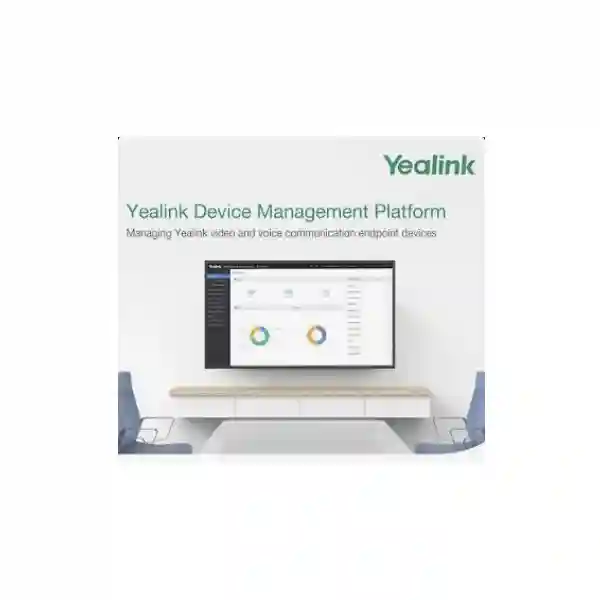
Yealink Management Platform • Tanzania
Yealink Device Management Platform
Yealink Device Management Platform, commonly abbreviated YDMP, is Yealink’s on-premise software for centralized management of supported Yealink communication and collaboration endpoints. It is designed for IT teams that want device deployment, configuration, monitoring, task scheduling, alarm handling, diagnosis and operational visibility to sit inside an organization-controlled management environment rather than depend entirely on a public cloud service.
For Tanzanian enterprises, institutions, service providers and multi-site organizations, the practical value is consistency. A growing estate of desk phones, conferencing endpoints and room systems can become difficult to maintain when every device is handled separately. YDMP provides a central administrative layer so policies, firmware actions, configuration jobs, monitoring and troubleshooting can be approached systematically. Exact supported models and software versions should always be confirmed against the current Yealink compatibility documentation before purchase or deployment.
Centralize management
Group supported devices by site, department or operational role and manage them through one browser-based administrative environment.
Standardize deployment
Use repeatable configuration, firmware and task workflows instead of relying on manual device-by-device changes across larger fleets.
Monitor and diagnose
Review device status, quality information and alarms, then use supported remote diagnostic functions to reduce unnecessary desk-side troubleshooting.
What Yealink Device Management Platform Does
YDMP brings several endpoint-management functions into a single system. Yealink documents centralized deployment and management, device analysis, alarm monitoring, diagnosis and account-related administration as core capabilities. The current Yealink datasheet also describes site-based organization, remote device management, immediate or scheduled tasks, multiple diagnostic methods, real-time business and quality analysis, abnormal-device alarms and multi-factor authentication. These functions are especially useful when an organization has enough endpoints that manual administration becomes slow, inconsistent or difficult to audit.
The platform can help an IT department build a controlled operating model. Devices can be grouped according to geography, department or function. Standard changes can be distributed through task workflows rather than repeated locally. Administrators can use monitoring information to identify devices that are offline, behaving abnormally or reporting quality problems. When supported by the endpoint and the configured permissions, remote diagnostic capabilities can help narrow faults without immediately sending a technician to the desk or meeting room.
YDMP should be evaluated as part of the complete communications architecture rather than as an isolated software purchase. The management server needs suitable compute, storage, networking, security and backup planning. Endpoints must be compatible with the intended YDMP release. Required ports and trust relationships need to be incorporated into firewall policy. Device naming, site structure, administrator roles, firmware policy and change windows should also be defined before onboarding a large fleet. FourTeck can help buyers frame these questions as part of a Yealink endpoint-management project.
YDMP vs Yealink Management Cloud Service
Yealink currently separates its management portfolio into the Device Management Platform for on-premise deployment and Yealink Management Cloud Service for cloud-based management. That distinction matters. Organizations considering YDMP are usually prioritizing control of the management application and its server environment inside their own infrastructure or a privately managed environment. Organizations preferring a vendor-hosted approach may instead assess YMCS.
The choice should be made from governance, operational responsibility, integration, security policy, scale and support expectations rather than simply from the word “cloud” or “on-premise.” YDMP places more responsibility on the customer or implementation team for server readiness, platform deployment, backups, upgrades, network access and ongoing maintenance. In return, the organization has direct control over where the management application is deployed. YMCS changes that responsibility model and includes cloud-service capabilities that should not be assumed to exist identically in YDMP.
Before deciding, document the Yealink endpoint estate, number of sites, expected device growth, internal server standards, identity and authentication requirements, firewall rules, remote-support model, change-management process and any data-location constraints. A formal requirement list makes it easier to decide whether YDMP is the better operational fit or whether Yealink’s cloud management option should be considered.
Key Verified YDMP Capabilities
Device and site organization
Create a structure that reflects districts, offices, departments or functional groups so administrators can work with logical sets of endpoints instead of one undifferentiated device list.
Configuration and task execution
Use management tasks for controlled actions such as configuration or firmware-related operations, including immediate, timed and periodic workflows where supported.
Monitoring and alarms
Observe device working state and quality information and surface alarms when managed endpoints show abnormal conditions that warrant investigation.
Remote diagnostics
Use supported diagnostic functions and device information to troubleshoot faults centrally and reduce the number of issues that require an immediate physical visit.
Administrative control
Use administrator accounts, role-oriented management and operational logs to make responsibilities clearer inside teams that share management duties.
Login security
Current Yealink YDMP documentation lists multi-factor authentication support, including authenticator-app or email verification approaches, as an available security capability.
Planning an On-Premise YDMP Deployment
An on-premise device-management platform becomes part of core IT operations, so deployment planning should cover much more than installing the software. Start by inventorying every Yealink endpoint that may be brought under management, including exact model, hardware revision where relevant, current firmware, physical site and business owner. Compare that inventory with Yealink’s current YDMP compatibility documentation. Older product lists found in archived guides should not be treated as proof that a modern endpoint or current firmware is supported; the current support matrix should govern the final decision.
Next, design the server and network environment. Capacity requirements vary with device count and platform release, and Yealink publishes deployment guidance for supported versions. Define server resources, storage growth, backup, DNS and addressing, required service ports, certificate approach, administrative access and monitoring. If the YDMP server is hosted in a virtual environment, include hypervisor capacity, snapshot policy and recovery procedures. If different branches connect to the management server over WAN or VPN, make sure routing and firewall policies permit only the required flows.
Operational standards are equally important. Decide how sites will be named, which administrator roles can change configuration, how firmware is tested before broad rollout, when maintenance windows occur, who approves changes and how exceptions are documented. A pilot group should be used before moving hundreds of devices into a new policy. Central management is valuable precisely because it can change many devices quickly; that makes controlled testing and rollback planning essential.
Finally, decide what “managed” means for the business. Some organizations need only inventory and health visibility. Others need centralized provisioning, regular firmware control, quality monitoring and remote troubleshooting. Defining the expected outcomes keeps the deployment focused and helps procurement teams understand which implementation services, server resources and ongoing support responsibilities should be included in the quotation.
Yealink Device Management Platform Tanzania
Organizations evaluating Yealink Device Management Platform in Tanzania are often dealing with a familiar operational problem: the communications estate has grown faster than the management process. A company may begin with a few Yealink desk phones at one office, then add branch phones, executive endpoints, conference devices and meeting-room systems. At that point, recording each device manually, checking firmware individually and travelling to endpoints for basic diagnostics becomes difficult to sustain. YDMP gives the IT team an on-premise control point for supported Yealink devices and can help transform that collection of endpoints into a managed fleet.
For Tanzania, server placement and connectivity deserve early attention. If the main YDMP server will be located at a data centre or head office, each managed branch needs a reliable and secure network path to it. The design should account for VPN architecture where appropriate, DNS, firewalls, IP addressing, certificate handling and backup. Power continuity is also important for the server and core network. A UPS-backed management server, protected switching and a documented recovery plan help prevent the management layer itself from becoming a single point of operational confusion.
Procurement teams should include the endpoint inventory with any request for quotation: model names, quantities, current locations, planned expansion and whether the devices are new or already in service. IT teams should add the intended YDMP use cases, such as centralized firmware management, configuration standardization, alarm review or remote diagnosis. Where the environment includes Yealink meeting-room systems as well as SIP phones, list each product family because management features can differ by model and software mode.
Buyers can also review the broader FourTeck Tanzania technology portfolio when the project includes IP phones, switching, firewalls, servers or conferencing infrastructure. YDMP works best when the network and endpoint-management design are considered together rather than purchased as unrelated components.
Yealink Device Management Platform Dar es Salaam
For businesses in Dar es Salaam, YDMP can be particularly relevant to headquarters, financial institutions, hospitality groups, logistics companies, professional-service firms, campuses and regional operations that maintain many Yealink endpoints from one central IT function. A head office may support users in several buildings or coordinate branch offices across the country. Without a central management system, firmware consistency and endpoint configuration can depend too heavily on local technicians or manual support sessions. An on-premise YDMP server can create a common operational framework for supported Yealink devices while remaining under the organization’s control.
The first design question is where the YDMP server belongs in the architecture. A server-room deployment at the main office may be suitable when the organization already maintains virtual infrastructure, backup, UPS, firewall and remote-access standards. A privately hosted data-centre environment may be considered when centralized availability is more important than locating the platform inside the office itself. In either case, management traffic should be explicitly documented and restricted rather than opening broad network access merely to make endpoint discovery easier.
For large Dar es Salaam offices, it is useful to organize YDMP sites around actual support boundaries. Floors, departments, buildings or business units can be represented in a way that makes task targeting and alarm review easier. Firmware rollout should begin with a test population, followed by controlled waves. Configuration standards should be separated into common settings and any genuine exceptions required by reception, contact-centre, executive or meeting-room users. This reduces the temptation to maintain dozens of one-off device configurations.
If the requirement also includes Yealink phones, switches, voice VLAN preparation or meeting-room equipment, the FourTeck Tanzania technology shop provides a broader procurement starting point. For a meaningful YDMP quotation, include endpoint count, branch count, current firmware, existing server platform and the management outcomes your IT team expects.
Yealink Device Management Platform Mwanza
A Mwanza-based organization may use Yealink endpoints in a headquarters building while supporting satellite offices, warehouses, clinics, education facilities, hospitality properties or operational sites around the Lake Zone. In this type of distributed environment, the strongest YDMP use case is not merely “remote management”; it is the ability to make device standards repeatable when the technical team cannot stand next to every phone or meeting-room system. Central visibility can help administrators distinguish an endpoint problem from a local network issue and decide when physical intervention is truly necessary.
WAN reliability should be considered in the design. If a branch temporarily loses access to the YDMP server, communication services and management functions should be understood separately. The endpoint’s core calling or meeting behavior depends on its own platform and network design, while YDMP provides the management layer. This distinction helps teams plan troubleshooting correctly. The management server should therefore have stable connectivity, appropriate firewall rules and monitoring of its own, while local sites should have documented paths back to the platform.
For procurement, Mwanza buyers should avoid assuming that every Yealink device in the organization will expose identical management features. Compatibility and remote-control capabilities vary between endpoint families and software versions. Build an inventory first, then map required tasks such as firmware updates, configuration changes, status monitoring and diagnostics to the models in use. If a planned refresh is already under consideration, compatibility with YDMP can become one of the selection criteria for the new endpoints.
The most useful project scope states how many devices are in Mwanza, how many other sites need central oversight, what server environment exists and which problems consume the most support time today. That lets the YDMP deployment be designed around measurable operational benefits such as faster change rollout, fewer inconsistent configurations and more effective remote diagnosis rather than around an abstract list of software features.
Yealink Device Management Platform Arusha
Arusha organizations often combine office communications with hospitality, tourism, education, NGO, conference and regional-administration requirements. A Yealink estate may therefore include standard desk phones in offices, phones at reception or service desks and conferencing endpoints in meeting spaces. YDMP can provide one management layer for supported devices, but the deployment should reflect these different user roles instead of treating every endpoint as interchangeable.
Site structure is particularly useful in mixed environments. Administrators can design a hierarchy that reflects properties, campuses, departments or rooms and then use targeted tasks instead of pushing every change to the entire organization. Reception devices may need a different configuration policy from general office phones. Meeting-room systems may require a separate maintenance window. Critical service desks may need changes scheduled outside operating hours. Centralization is most effective when the platform mirrors how the organization actually provides support.
The server should be treated as a business application. Include it in patching, backup, access-control and monitoring procedures. Restrict administrator privileges to appropriate roles and use supported MFA controls where they fit the security policy. Where remote diagnosis features require device permissions, document what is authorized and who can use those functions. This is especially important for endpoints with screen-capture or remote-control capabilities because support convenience should not override privacy and governance requirements.
For an Arusha quotation, identify the primary site, number of remote sites, total supported endpoints, desired administrative roles and current server virtualization environment. If the project includes wider telephony or meeting-room work, review the FourTeck Tanzania services overview to frame network, voice and collaboration dependencies together with the YDMP implementation.
Yealink Device Management Platform Dodoma
Organizations in Dodoma considering Yealink Device Management Platform may include public-sector departments, education institutions, professional offices, project teams, healthcare administrators and private companies that need structured management of a growing Yealink endpoint estate. The strongest reason to deploy YDMP is operational consistency: one controlled platform can help the central IT team understand device status, apply approved changes and troubleshoot supported endpoints without building a separate manual process for every site.
Governance should be designed before the first large onboarding wave. Decide who is allowed to create sites, edit device configuration, schedule firmware tasks, perform diagnostics and change administrator permissions. Maintain a small number of meaningful roles rather than giving broad access to every technician. Use named accounts, MFA where required, and change documentation. The platform’s ability to act on many endpoints is powerful, so administrative controls should be proportional to the potential impact of a mistake.
For organizations with several offices, standardization can reduce support overhead. Naming conventions, firmware baselines, device groups and configuration profiles should be defined centrally, while genuine local exceptions are documented. If some branches have slower or less reliable links, firmware and configuration jobs can be scheduled thoughtfully rather than launched during busy hours. Where YDMP integrates with other operational systems or PBX workflows, verify the supported API and integration documentation for the intended platform release rather than relying on examples from older versions.
A procurement request should separate software requirements from infrastructure. State the YDMP deployment requirement, expected device count and support objectives, then list server, storage, backup, firewall and network work that may also be required. This makes the commercial proposal easier to assess and helps decision-makers understand which costs belong to the management platform and which belong to the environment that keeps it available and secure.
Yealink Device Management Platform UAE
UAE organizations with regional offices frequently need one operational model for endpoints used across several countries. YDMP can fit this requirement when the business prefers an on-premise management platform under its own infrastructure control. A UAE-based headquarters might host the management environment while supporting Yealink devices in branch offices across Africa and the Middle East, provided routing, security policy, latency and endpoint compatibility are designed correctly.
Regional management raises additional questions. The organization should determine whether one YDMP instance is appropriate for all business units, how sites will be segmented administratively, who can access each group and how management traffic crosses WAN or VPN links. Maintenance windows may differ between countries or business units. A firmware rollout that is convenient for a UAE office may occur during working hours elsewhere, so task scheduling should follow local operational calendars.
Security architecture should include the YDMP server as a privileged management system. Administrative access should be limited, logged and protected with appropriate authentication. Network rules should expose only necessary services. If administrators use remote control or diagnostic features, the organization should define acceptable-use rules and obtain internal approvals where required. Backup and disaster recovery should be planned because losing the management database or configuration during a broad endpoint estate can create significant recovery work.
For UAE-led regional projects, it is useful to document countries, device counts, endpoint models, PBX or meeting platforms, server-location preference and support responsibilities in one scope. Buyers can consult FourTeck UAE for wider regional technology requirements while using the Tanzania team for Tanzania-specific endpoint and infrastructure planning.
Yealink Device Management Platform Uganda
Ugandan organizations can consider Yealink Device Management Platform when supported Yealink phones and collaboration devices are distributed across headquarters, branches, clinics, schools, hotels, field offices or customer-service environments. The platform is most valuable when local endpoint administration is becoming repetitive. Instead of using technician time to inspect every device separately, a central management workflow can provide inventory, status, task execution, alarms and diagnostic information from one place.
For cross-border groups operating in both Tanzania and Uganda, decide whether one regional YDMP environment or separate national environments better fits governance and connectivity. A single platform may simplify standards but creates stronger dependency on the WAN path to the management server. Separate instances can localize management but increase administrative overhead. The right design depends on device count, security policy, data-management preferences, branch connectivity and the support model.
Compatibility should be checked endpoint by endpoint. The Yealink estate may include several generations of SIP phones or room systems, and older firmware may not expose the same functions as current releases. Before budgeting for centralized operations, confirm which devices can be onboarded and which management features are supported. If replacement is already planned, the refresh can be staged so that new endpoints are onboarded into the desired management structure from the beginning rather than migrated later.
For buyers who need Uganda-specific sourcing or broader IT coordination, FourTeck Uganda provides a regional point of reference. A useful YDMP request should include total endpoint count, branch list, management objectives, current server environment and any requirement for centralized firmware, monitoring or remote diagnostics.
Yealink Device Management Platform Kampala
Kampala-based IT teams may be responsible for many users at a main office while also supporting branch offices elsewhere in Uganda. In that model, YDMP can act as the management hub for supported Yealink endpoints. The platform can make routine administration more predictable by grouping devices, scheduling tasks and giving support staff a common place to view status and diagnostic information. This is particularly useful when phone and meeting-room support is shared between network, unified-communications and help-desk teams.
A Kampala deployment should begin with a pilot. Select representative endpoint models and user groups, onboard them, validate configuration templates, review alarms and test troubleshooting workflows. Confirm that firmware tasks behave as expected and that endpoint settings remain compatible with the PBX, SIP provider, Microsoft Teams, Zoom or other communication platform in use. Only then should the process expand to larger device groups. This staged approach reduces the risk of applying an incorrect setting across many endpoints.
Server capacity and backup are procurement items, not afterthoughts. Ask which YDMP version will be deployed, what device count it is sized for, how the platform will be backed up and how upgrades will be handled. If the server runs as a virtual machine, define resource reservations and monitoring. If administrators connect remotely, use approved secure-access methods instead of exposing the administrative interface unnecessarily to the public internet.
The quotation should also clarify responsibility. Identify whether the customer’s IT team will operate YDMP after deployment, whether implementation includes endpoint onboarding and whether ongoing support covers server issues, platform updates, device policy changes or only initial installation. Clear boundaries make it easier to evaluate the true lifecycle cost of centralized device management.
Yealink Device Management Platform Arua
For organizations operating in Arua, centralized Yealink management can reduce the support gap between a regional site and a technical team located elsewhere. A branch may have only a modest number of phones or meeting endpoints, yet each service call can become expensive when troubleshooting requires travel. YDMP can give the central team visibility into supported device status and a path to remote configuration or diagnostics, allowing engineers to decide whether the problem is on the endpoint, the local network or another communications platform.
Connectivity planning is critical for remote locations. The management system should not be treated as a substitute for good branch networking. Local switching, PoE, VLAN configuration, DNS, internet or WAN connectivity and power stability still determine whether endpoints can operate reliably. YDMP adds management visibility; it cannot correct a failing cable, undersized UPS or congested branch uplink by itself. The best result comes from combining centralized tools with clean branch infrastructure and documented support procedures.
When onboarding Arua devices, create meaningful site labels and record the physical location, responsible contact and network details. If a fault appears later, the central support team can correlate device information with the branch topology. Schedule large firmware downloads at times that do not compete with business-critical traffic if the WAN link has limited capacity. Maintain a small local spare strategy for critical endpoints where immediate replacement is operationally important.
A quotation request should therefore include more than the word “YDMP.” State how many Yealink endpoints are in Arua, who currently supports them, how the site connects to headquarters and which remote-support tasks would save the most time. This allows the management-platform project to be sized around real operational needs and avoids overpromising what software alone can achieve.
Yealink Device Management Platform Mbarara
Businesses and institutions in Mbarara can use a centralized management approach to make Yealink endpoint support more consistent across offices, campuses, healthcare facilities, hotels and service organizations. When device quantities grow, problems often come from configuration drift: one phone has missed a firmware update, another has a different account setting, and a third was manually changed during a previous support incident. YDMP can help administrators replace this informal model with controlled tasks, common device groups and a clearer view of endpoint health.
The management structure should match the support model. If one team handles all endpoints, site grouping may be enough. If several administrators support different facilities, role permissions and device scope should be designed carefully. Avoid giving every account full platform control simply because it is faster during setup. Least-privilege administration, named accounts and logged changes create better accountability and reduce accidental broad changes.
For a mixed estate, firmware governance is a major benefit of centralized management, but it also requires discipline. Establish an approved baseline, test updates on representative devices and document rollback or recovery steps before broad distribution. Confirm PBX and application compatibility. Meeting-room devices can have dependencies different from SIP desk phones, so do not assume one update policy fits every product family.
Mbarara procurement teams should request a deployment scope that distinguishes platform installation, server preparation, endpoint onboarding, administrator training and ongoing support. Ask how many devices are included in the initial onboarding and whether configuration templates will be created. This prevents a software quotation from being mistaken for a full migration service and gives the organization a clearer picture of the work required to turn YDMP into a functioning management process.
Yealink Device Management Platform Gulu
A Gulu site that is part of a larger organization can benefit from centralized Yealink management even when the local device count is not large. The value comes from connecting the branch to a consistent IT operating model. Supported phones and conferencing endpoints can be represented in the same management environment as devices at other branches, allowing the central team to compare status, apply approved tasks and troubleshoot using one set of tools.
Branch support should be designed around what can be resolved remotely and what still requires local hands. YDMP may help with status checks, configuration and supported diagnostics, but physical issues such as power adapters, damaged handsets, cabling faults or switch-port problems still need on-site attention. A good operating procedure therefore combines remote visibility with a local checklist: confirm power, Ethernet link, switch status, IP addressing and user symptoms before escalating.
If the site connects over a shared WAN link, management tasks should respect link capacity. Large updates should be scheduled outside peak business use where necessary. The central team should monitor whether a device failed a task rather than assuming success merely because the job was launched. Endpoint naming should include enough location information to avoid confusion between similar room or user names across branches.
For Gulu buyers, the commercial requirement should identify the central YDMP server location and the local device list. If the server is in Kampala, Tanzania, the UAE or another regional hub, verify reachability and security controls before onboarding. The implementation plan should include a branch pilot, documented network rules and a named owner for ongoing administration so the platform remains useful after the initial project is complete.
Yealink Device Management Platform Kenya
Kenyan enterprises with substantial Yealink estates can evaluate YDMP when they want on-premise centralized administration instead of a fully vendor-hosted device-management service. Typical use cases include standardized SIP-phone deployment, multi-office firmware control, device monitoring, centralized troubleshooting and management of compatible collaboration endpoints. The business case becomes stronger as endpoint quantity, site count and change frequency increase.
For Nairobi-led regional groups, YDMP can be designed as a shared management service for branches in East Africa, but the architecture should be deliberate. Define whether the server sits in a primary data centre, what VPN or private connectivity links branch endpoints to it, how administrators authenticate and how the platform is protected from unnecessary external exposure. Use site and role boundaries so a regional help desk can manage appropriate devices without giving every technician unrestricted access.
Procurement should include lifecycle planning. Ask which YDMP release is proposed, what infrastructure it requires, how future upgrades are performed, what backup process protects its data and how new endpoint models are validated before they join the fleet. If an existing Yealink deployment contains older hardware, the project may need a compatibility review and phased modernization rather than a simple “connect everything” migration.
For Kenya-specific technology sourcing and infrastructure requirements, visit FourTeck Kenya. When requesting a YDMP proposal, include current endpoint quantities by model, expected growth, number of offices, management-server preference and the support tasks your team wants to centralize. This produces a more useful design than requesting a software license or platform name without context.
Yealink Device Management Platform Kuwait
Kuwait businesses that use Yealink endpoints across offices, retail operations, hospitality, customer-service environments or multi-site corporate networks can consider YDMP for centralized on-premise administration. The platform is suited to organizations that want a dedicated management environment under their own operational control and have the server, network and IT procedures needed to maintain it responsibly.
In high-availability business environments, the management server itself should be designed carefully. Determine the acceptable recovery time if YDMP becomes unavailable, how often backups are taken and whether the underlying virtual or physical infrastructure is protected by redundant storage and UPS power. Although endpoint communication services may have separate operational dependencies, losing the management platform during a major change window can slow support and create uncertainty about device state.
Centralized management also creates an opportunity to improve change control. Rather than allowing ad hoc phone changes by different technicians, define approved configuration templates, test populations and maintenance windows. Use YDMP task scheduling to align changes with operational hours. Review alarms and quality information as part of routine support instead of only opening the platform after users complain. The goal is to move from reactive device administration toward an organized lifecycle process.
For procurement, include any requirement to manage devices outside Kuwait. Cross-border estates introduce WAN, firewall, administrator-role and maintenance-window considerations that can materially affect the architecture. A well-prepared request lists the sites, devices, expected YDMP functions, server platform and security requirements so the proposed solution can be evaluated for fit instead of being compared on price alone.
Yealink Device Management Platform Ghana
Ghanaian organizations operating Yealink voice and collaboration endpoints can use YDMP to create a common management approach across offices and branches when the supported device estate is large enough to justify a dedicated platform. The central benefit is control at scale: one team can organize endpoints, execute approved tasks, monitor abnormal conditions and use available diagnostics without maintaining a different process at every location.
Accra-based headquarters supporting remote sites should map connectivity before deployment. The YDMP server needs a dependable route to managed devices, but security rules should remain narrow and documented. Avoid solving reachability by broadly exposing administrative services. Instead, define the required ports for the deployed version, use secure private connectivity where appropriate and ensure the server itself is patched, backed up and monitored like other management infrastructure.
Device onboarding should be accompanied by data cleanup. Standardize names, site labels and ownership information. Remove stale records when hardware is decommissioned and record replacement devices accurately. Central platforms become less useful when administrators cannot trust the inventory. Establish who updates device records after moves, replacements and branch changes so YDMP remains an operational source of truth instead of a historical list.
A Ghana procurement request should state whether the organization already owns Yealink endpoints or is buying a new fleet. New deployments can be designed around management compatibility from the start, while existing estates need an audit. Include model names, software versions, branch locations, server preference and the primary management pain points. This information helps determine whether YDMP is the right fit and what implementation work is required beyond installing the platform.
Yealink Device Management Platform Nigeria
Nigeria presents strong use cases for centralized endpoint management because many enterprises operate across several cities and maintain large user populations. A Yealink deployment can span headquarters, branch offices, contact centers, training facilities and meeting rooms. YDMP allows supported endpoints to be brought into a single on-premise management environment so the IT team can standardize configuration, review device status, schedule tasks and diagnose issues more consistently.
Scale makes governance essential. Large device groups should not be changed without testing. Create a lab or pilot group for every major endpoint family and validate new firmware or configuration before organization-wide distribution. Segment devices by site and function so tasks can be targeted precisely. Maintain approval processes for high-impact changes and keep records of what was pushed, when it was applied and who initiated the action.
Multi-city operations also make WAN behavior important. Branches with different connectivity profiles may need different update windows. If some locations use backup links with limited capacity, a large firmware task could consume bandwidth at the wrong time. Monitoring the result of tasks is therefore as important as scheduling them. Support teams should use YDMP information together with router, switch, firewall and PBX monitoring rather than assuming every call-quality or registration issue originates on the phone.
For commercial planning, Nigerian buyers should request a device audit, compatibility review, server sizing and onboarding plan appropriate to the actual estate. Include growth expectations because the management platform should be sized for the planned fleet rather than today’s count alone. Define whether the deployment includes administrator training, documentation and post-installation support; these services often determine whether a central platform becomes part of daily operations or remains underused after implementation.
Yealink Device Management Platform Seychelles
Seychelles organizations may have smaller absolute endpoint counts than large regional enterprises, but centralized management can still matter when devices are distributed across hotels, offices, campuses, service locations or separate islands. The operational cost of dispatching technical staff can be high, so the ability to inspect supported endpoint status and perform certain management or diagnostic actions centrally can create practical value even with a moderate fleet.
The project should be right-sized. An on-premise YDMP deployment creates server, backup, security and maintenance responsibilities, so buyers should compare those responsibilities with the scale of the endpoint estate and with Yealink’s cloud management alternative. If the organization already maintains suitable server infrastructure and prefers local control, YDMP may align well. If not, the operational overhead of the on-premise platform should be included in the decision rather than ignored.
Connectivity between locations is another important factor. Central management should use secure, reliable network paths, and administrators should understand which functions depend on real-time reachability. Firmware jobs should be scheduled with bandwidth in mind. Local site contacts should still have a basic physical troubleshooting checklist because software cannot resolve power, cabling or hardware damage remotely.
A Seychelles quotation request should list every site, approximate endpoint count, model families, management objectives and server preference. If the project is part of a larger regional communications standard, include the neighboring countries or headquarters location so site naming, administrator roles and change windows can be designed consistently. The objective is not simply to install YDMP, but to create a repeatable management process that reduces avoidable travel and keeps supported Yealink devices aligned with approved policy.
Compatibility, Security and Integration Checklist
Before purchase, verify exact endpoint compatibility against Yealink’s current documentation for the YDMP version you intend to deploy. Confirm the model, firmware and management functions required. Do not assume that because a Yealink device can register to a communications service it will automatically expose every YDMP feature. Phones, conference devices and room systems can have different connection procedures, permissions and remote-management capabilities.
Quotation Checklist for Yealink YDMP
A precise quotation starts with a precise estate description. Send the following information so platform sizing and implementation scope can be assessed without relying on assumptions:
- Exact Yealink models and quantities.
- Current firmware versions where known.
- Number of physical sites and countries.
- Preferred YDMP server location and existing virtualization environment.
- PBX, SIP, Microsoft Teams, Zoom or other communications platforms in use.
- Management functions required: inventory, provisioning, configuration, firmware, monitoring, alarms, quality analysis, diagnostics or remote support.
- Administrator roles and security requirements.
- Existing WAN, VPN and firewall architecture between sites.
- Expected device growth over the next implementation cycle.
- Whether deployment, onboarding, documentation, training and ongoing support are required.
Frequently Asked Questions
Is Yealink Device Management Platform cloud based?
YDMP is Yealink’s on-premise management software. Yealink also offers Yealink Management Cloud Service as a separate cloud-management option. The two should be evaluated according to hosting preference, governance, operational responsibility and required features.
What can YDMP manage?
Yealink documents centralized deployment, device management, configuration, task execution, monitoring, alarms, quality analysis and diagnostic functions for supported Yealink endpoints. Exact functions depend on model, firmware and YDMP release, so compatibility should be verified before deployment.
Can YDMP manage devices at multiple branches?
Yes, multi-site management is a core use case when supported devices can securely reach the YDMP server. Branch routing, firewall rules, WAN capacity, site structure and administrative permissions should be designed as part of the project.
Does YDMP support remote troubleshooting?
Yealink documentation includes multiple diagnostic methods and remote troubleshooting capabilities. The available controls depend on the endpoint family, software version and permissions enabled on the device and platform.
Does YDMP support MFA?
Current Yealink YDMP datasheet material lists multi-factor authentication, including authenticator-app and email verification methods, as a supported login-security capability. Confirm the exact implementation in the YDMP release proposed for your project.
What information is needed for a YDMP quotation?
Provide the Yealink models and quantities, firmware versions if known, number of sites, server preference, current communications platform, desired management functions, security requirements and whether implementation, onboarding and support are required.
Should every firmware update be pushed to all devices at once?
A safer operating practice is to validate updates on representative pilot devices, confirm compatibility with the communications environment and then roll out in controlled waves. Centralized management increases speed, which makes testing and change control more important rather than less important.
Decision Recap
Choose Yealink Device Management Platform when your organization needs an on-premise management layer for a compatible Yealink endpoint estate and is prepared to operate the supporting server, network and security environment. The platform can centralize device organization, deployment workflows, configuration, scheduled tasks, monitoring, alarms and supported diagnostics, which can reduce repetitive manual administration and make multi-site operations more consistent.
Do not select YDMP only because you have Yealink devices. First verify current compatibility, define what management functions you actually need and compare the operational responsibility of on-premise YDMP with Yealink’s cloud management option. Then design site structure, roles, change control, backup and connectivity so the management platform becomes part of a reliable support process.
For Tanzania procurement, the most useful next step is to send the endpoint list, branch count, management goals and server environment. FourTeck can then review the requirement in the context of Yealink endpoints, network readiness and the broader communication infrastructure instead of treating device management as an isolated software line item.
Consultation Panel: Prepare Your Yealink YDMP Requirement
Before contacting sales, prepare a simple spreadsheet or list containing each Yealink model, quantity, site and current software version. Add the current PBX or collaboration platform, identify who administers the devices today and note the recurring support tasks you want to centralize. If you already have a preferred server environment, include its operating platform, virtualization details, backup method and network location.
This information allows the discussion to focus on compatibility, deployment scope, server readiness, security and implementation effort. It also helps distinguish between a YDMP software requirement and a complete managed rollout that includes server preparation, endpoint onboarding, configuration standards, administrator training and lifecycle support.




Reviews
There are no reviews yet.