
CISCO CATALYST 1300 • TANZANIA
10G copper switching for demanding local workloads
The Cisco Catalyst C1300-24XT Network Switch suits organizations building a copper-based 10 Gigabit Ethernet network for servers, shared storage and high-throughput workstations. Its shared copper/SFP+ connections add media flexibility within a 24-port data-switching total. Request a Tanzania quotation from FourTeck with your endpoint list, uplink design and cabling requirements so the proposed equipment matches the network you intend to build.
Choose the switch around your local workloads
This model is worth assessing when several servers, storage systems or professional workstations need substantial capacity inside the same local network. Begin with the applications and their traffic paths. A shared project folder, backup repository and virtual server environment can place different demands on the network. Write down which systems communicate, how often transfers occur and whether several important tasks overlap. That gives the purchasing team a clearer requirement than a simple request for a faster switch or a higher advertised port speed.
Check the present bottleneck before replacing equipment. A busy storage array, a lower-speed server adapter or a constrained upstream connection may dominate the result even after the switching hardware changes. Capture representative transfer times and record the systems involved. Use those measurements to define an acceptance target for the upgrade. The aim is to connect a verified business requirement with an appropriate network design, rather than assume that installing a 10G platform will make every application faster by the same amount.
For a Tanzania quotation, provide FourTeck with the exact endpoint models, desired interfaces, connection count and intended installation environment. Include expansion plans that are already funded or likely to affect the port allocation. If the requirement is mainly ordinary office access or powering phones and cameras, explain that early. It may call for a different switch type or a combination of access and aggregation equipment. A clear description of the workload makes the proposed bill of materials easier to assess before purchase.
Verified hardware at a glance
| Item | Specification |
|---|---|
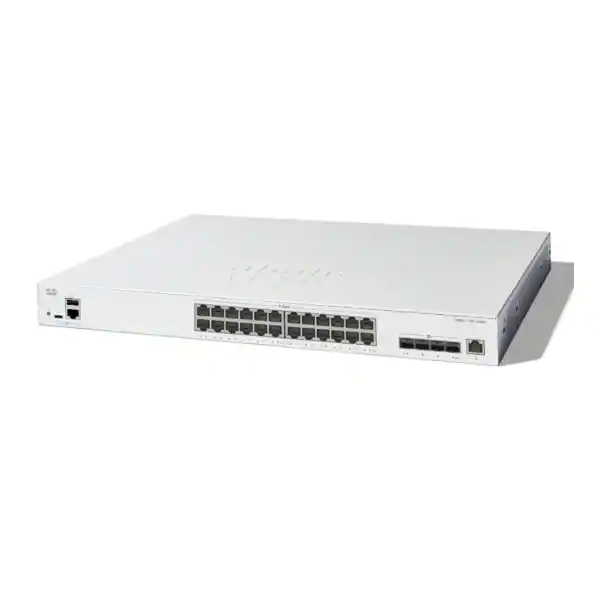
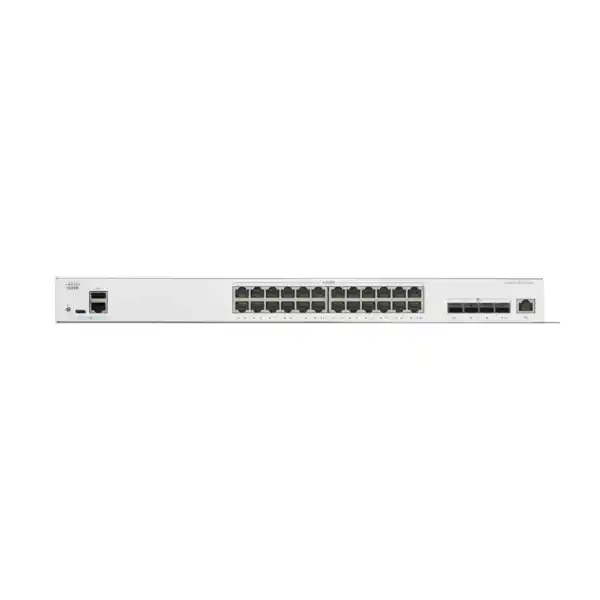
| Data connections | 20 dedicated 10G copper ports and 4 shared 10G copper/SFP+ pairs; 24 usable data ports total |
| Separate management | 1 Gigabit Ethernet out-of-band management port |
| Switching capacity | 480 Gbps |
| Forwarding rate | 357.14 Mpps at 64-byte packet size |
| PoE output | Not provided |
| AC input | Internal universal supply, 100–240V, 50–60 Hz |
| Cooling and weight | 1 fan; 4.29 kg |
Switching and packet-forwarding figures describe hardware under specified measurement conditions. They do not promise the same figure for a file transfer or an application session. Storage speed, endpoint processing, protocols and the full network path also influence results. Use these specifications to establish the platform baseline, then validate the intended workload with representative traffic.
Count shared connections correctly
The four combo pairs offer media flexibility within the usable data-port total. Each shared pair represents one logical connection, with a choice between its copper and SFP+ interfaces. Do not count the two sockets in a pair as independent additional connections. This is especially important when a procurement spreadsheet allocates endpoints and uplinks separately. Include the logical port number, selected interface and connected device in the same row so the final schedule cannot accidentally allocate one connection twice.
As an illustrative standalone plan, a team could reserve sixteen connections for servers and workstations, four for other local equipment and four for upstream links or future expansion. That example is a planning aid rather than a prescribed configuration. The actual allocation depends on topology, media and operational priorities. If an optical link uses a shared connection, its paired copper interface must not also be assigned to a separate endpoint in the equipment schedule. Check this before ordering patch leads and modules.
Leave practical room for change. Migration work can require temporary connections, a new monitoring appliance or a spare server interface. A switch with every connection committed on day one may be awkward to operate even if it satisfies the immediate device count. Identify ports needed now, ports reserved for infrastructure and capacity intentionally left available. Where stacking is proposed, account for its connection requirements too. Compare complete usable layouts rather than relying on the largest port number printed in a product name.
Prepare the copper cabling and endpoint adapters
Cisco’s installation guidance calls for Category 6A or higher cabling for 10G ports. Treat the complete channel as part of the project: patch leads, patch panels, permanent cabling and termination quality all deserve attention. Existing outlets should be identified and appropriately tested before they are relied upon for the new design. Ask for cable records and test results to be retained with the handover information so the operations team can identify the installed path when investigating errors or making later changes.
Inspect each endpoint as well. A connector that physically fits does not establish the supported operating speeds, driver readiness or performance of the attached system. Record the network adapter model, server operating system and intended link mode. Verify compatibility against the actual equipment rather than a broad description such as business laptop or storage server. If a project requires 2.5G or 5G operation, request explicit confirmation for that requirement; the label 10G should not be used as a substitute for checking intermediate-speed support.
Make patching easy to maintain. Labels should identify both ends and relate to the approved connection schedule. Route cables without unnecessary tension and keep access to ventilation and serviceable components clear. Replace questionable leads before migration, rather than discovering faults during an application outage. After connecting systems, inspect negotiated links and interface errors as well as application behaviour. A tidy installation and a documented cable path make future troubleshooting more efficient, particularly when several people maintain the same cabinet over time.
Specify optical links and accessories together
For every SFP+ connection, identify both endpoints, the intended link speed, the media and the route. An optical module purchase should account for fibre type, connector arrangement and distance as well as switch compatibility. A short connection inside a rack and a link between equipment rooms can require different components. Include the far-end model in the request so both ends are checked. Matching the connector shape alone is not sufficient evidence that the complete optical path is suitable.
Where a direct-attach cable is being considered, verify the exact cable against both connected devices. Record the intended length and routing requirements before ordering. If existing fibre infrastructure is to be reused, document its available strands, patch-panel transitions and connector types. These details help distinguish an accessory that is missing from a link whose design is incomplete. Keep each link as a separate line in the bill of materials so its modules, leads and endpoint requirements can be reviewed together.
Ask what is included in the offer. SFP+ interfaces do not establish that transceivers, optical patch leads or direct-attach cables are supplied with the switch. Mark every accessory as newly supplied, customer supplied or reused. Consider whether a spare is appropriate for an important link and who will store it. This approach supports a fair comparison between quotations and reduces the risk of a deployment being delayed by a small but essential component that was assumed to be included by somebody else.
Plan VLANs around clear traffic groups
The Catalyst 1300 administration documentation covers VLAN membership and Layer 3 switching. A useful design gives each segment a defined purpose, such as user access, server administration or backup traffic. These are possible examples rather than a requirement to create several networks in every installation. List the systems that belong together and the reason they should be separated from other systems. Each segment should have an addressing plan and a person responsible for its continued operation.
Decide where traffic between segments will be routed and where the access policy will be enforced. Creating a VLAN does not by itself define which applications may cross into another network. Record allowed communication in practical terms: which users reach which applications, which backup server reaches which repository, and which administrators reach infrastructure management. If security inspection is required, ensure the route follows the intended firewall path. Avoid enabling communication merely because it is technically possible on the local switch.
Coordinate segmentation changes with DHCP, DNS, application addressing and upstream rules. A migration can reveal dependencies on an undocumented static address or an old untagged connection. Find those dependencies while the current system remains available. Test a representative endpoint from each group before moving the remaining systems. Keep the initial design understandable; additional complexity should have a reason and an owner. This creates a network that the support team can explain and maintain after the installation project has ended.
Restrict administration and validate access policy
Cisco documents management authentication, endpoint authentication and access control features for this platform. Their value depends on a policy that matches the organization and on careful implementation. Start by identifying authorized administrators, approved management networks and the methods they may use. Maintain a tested recovery method so a configuration change cannot leave the team without authorized access. Keep account ownership clear when a contractor or another support organization assists with the initial setup.
If endpoint authentication is required, establish how each device type will be recognized and what should happen when an authentication service is unavailable. Servers and appliances may need different handling from user workstations. Stage the policy with a small test group and exercise both permitted and denied cases. A successful connection by an approved laptop is only one part of the test. Confirm that unapproved access is handled as intended and that essential systems are not accidentally excluded.
Build traffic filters from an application flow list, then validate rule placement, direction and default action. An overly broad rule can defeat the intended separation, while an overly restrictive one can interrupt a dependency that was missed during planning. Apply changes in manageable steps and preserve a known working configuration. Keep wider firewall, logging and monitoring requirements in view. A switch access policy should have a defined role within the security design, with documented exceptions and an agreed process for reviewing them.
Keep management reachable during network changes
The separate out-of-band management connection gives the design a dedicated management interface to plan around. Its usefulness depends on how it is connected. If the management path shares every upstream dependency with the production path, a failure can still remove access to both. Draw the route used by the administrator and identify the equipment and power sources it relies upon. That simple exercise helps distinguish an available interface from an operationally independent recovery path.
Choose management addresses, naming and access rules before the switch goes into service. Record who can change these settings and where the approved details are stored. Consider how an engineer will reach the equipment when the ordinary user network is unavailable. Local console access may be part of the recovery procedure, so confirm the necessary cable, workstation and physical access arrangements. Do not leave these details until the first incident, when finding a missing cable or forgotten address becomes much more disruptive.
Protect configuration exports and administrative information according to the organization’s own access practices. A backup is useful only if an authorized person can find it and understand which device and software state it represents. Label exports with meaningful dates and change references, and verify the restore procedure in an appropriate test setting. Include management recovery in the handover discussion. The objective is to make an approved support action predictable even when the person who originally configured the switch is unavailable.
Design server and shared-storage connections carefully
A copper-led server rack is a practical scenario to evaluate for this model. Identify which interfaces carry application traffic, storage access, administration and backup. Some environments can share these functions within a carefully designed network; others require stronger separation or independent failure paths. Let application requirements drive that decision. Obtain the storage and server vendors’ network requirements before finalizing the switch layout, especially where a workload has specific latency, redundancy or supported-topology expectations.
For shared storage, inspect the whole chain between client and repository. Disks, controllers, network adapters and software settings can limit throughput independently of the switch. Determine whether the workload is dominated by large sequential transfers, many small operations or several simultaneous clients. Test the representative pattern rather than relying on a single large file copy. If settings such as larger frames are proposed, confirm consistent support across the intended path and document the operational reason for changing them.
Treat backup windows as a scheduling question as well as a bandwidth question. Several backup jobs starting at once can create a different load from the same jobs spread over an evening. Record the source systems, expected data movement and restore priorities. A good design should support recovery requirements, not merely produce a fast demonstration transfer. Run a representative restore test after migration and keep its results alongside the backup test so the business can assess whether the complete protection workflow remains usable.
Size uplinks for simultaneous demand
A collection of fast endpoint links can still converge on a constrained upstream path. Identify where traffic leaves the rack and how many systems may use that path at once. Separate local traffic that remains within the switch from traffic crossing an uplink to another network. This makes capacity planning more useful than simply adding all interface speeds together. Include normal operating periods, scheduled jobs and exceptional activities such as server migrations when describing the expected demand.
Where multiple links are proposed, verify the aggregation design with both endpoints and consider how individual sessions will be distributed. Additional physical links should not be assumed to multiply the throughput of every single transfer. Ask the engineer to explain the chosen method in terms of the actual workloads. Also define what happens when one connection is removed. Remaining capacity may be adequate for ordinary business traffic while requiring heavy background jobs to be delayed until the failed connection is restored.
Keep monitoring focused on actionable evidence. Observe interface utilization, errors and application symptoms during busy periods. Compare those observations with the baseline taken before migration and with the acceptance targets agreed for the project. A short quiet-period test can miss a recurring backup or reporting peak. Retain enough history to explain whether a later slowdown coincides with a network change, an application release or increased workload. This helps the team decide whether the next improvement belongs in switching, storage, scheduling or another part of the system.
Consider stacking alongside failure and maintenance needs
Cisco’s stacking documentation describes supported combinations and operational considerations. Verify the exact models, firmware and intended topology against that documentation before including a stack in the bill of materials. Membership in the same broad product family is not enough to assume that every model combination is valid. Identify the ports and cables needed for the design and subtract those resources from the capacity available to attached systems. Keep a diagram of the proposed stack with the quotation.
Stacking can simplify administration, but it should be evaluated separately from application resilience. Shared management does not establish that a server, uplink or storage path will survive every failure without interruption. Cisco notes that dynamic states may need to be relearned following a failover. Translate that into a practical test plan for the important services. Check the behaviour of connected systems during an agreed failure exercise and record any interruption, rather than promising uninterrupted operation from the presence of a stack.
Also plan maintenance. Ask how software updates, member replacement and configuration recovery will be handled for the selected arrangement. A design that is easy to operate on an ordinary day may still require a service window for planned work. Define ownership of that window and the rollback criteria. Compare the operational requirements of a stack with those of independently managed switches where relevant. The appropriate choice is the one whose capacity, dependencies and maintenance process match the organization’s service expectations.
Account for power, cooling and physical access
The switch is fan-cooled, so place it where ventilation and service access can be maintained. Check rack depth, mounting arrangements, cable clearance and the equipment around it before delivery. A cabinet that has room for the chassis may still be awkward if power leads or patching cannot be routed safely. Avoid treating an enclosed office cupboard as equivalent to a prepared equipment location. The installation environment should support the device and allow routine inspection without moving unrelated systems.
If battery backup is required, size it for the complete set of equipment that must remain available. A working switch alone cannot keep an application usable when its server, storage or upstream router has lost power. List those dependencies and establish the intended runtime with the person responsible for power infrastructure. Confirm the supplied power-cord option and local connection arrangements in the offer. The input-voltage specification should not be used as a reason to skip checking the actual accessories and installation requirements.
The absence of PoE output is relevant to power planning too. Attached phones, cameras and wireless access points that depend on Ethernet power need an appropriately specified power source elsewhere in the design. Identify the exact device requirements before choosing a separate PoE switch or injector. Do not assume that an ordinary data connection provides power. Keep the power and data schedules consistent so a device shown as connected in the network diagram also has a verified way to operate in the physical installation.
Migrate in stages with a usable rollback path
Before replacing an existing switch, export the current configuration and build a connection inventory. Record port descriptions, addressing, VLAN membership, uplink media and any unusual endpoint behaviour. Photograph or label patching where that helps the team reconnect equipment correctly. Set a migration window with the application owners and identify the services that must be checked first. A well-prepared port schedule is often more valuable during the change than a large collection of undocumented configuration notes.
Prepare and validate the new configuration away from the live workload where practical. Check management access, a representative endpoint and the upstream connection before moving the remaining systems. If the old environment uses a different software platform, review the desired behaviour rather than assuming that an old configuration can be pasted into the replacement. Have the engineer explain any translated settings and verify them with the actual endpoints. Preserve an approved copy of the intended configuration before the live change begins.
Define the rollback trigger in advance. It might be failure of a critical application test, loss of an essential management path or an unresolved dependency within the agreed window. Keep the previous connection schedule available so a return to service is achievable, not merely mentioned in a plan. After migration, save the accepted configuration and note any temporary exceptions. Assign each remaining action to an owner, including removing temporary links and updating monitoring, so the installation does not end with an undocumented transitional state.
Compare the complete solution before ordering
Compare offers using the same requirement list. The relevant cost includes the switch, compatible link accessories, cabling work, required power arrangements and any agreed implementation assistance. Two quotations with the same product name may cover materially different scopes. Ask for the exact model designation and a clear statement of what will be supplied. Identify assumptions that depend on equipment already owned by the customer, especially modules, patch leads and server adapters that may not have been independently checked.
Distinguish the role of this model from an ordinary Gigabit access switch with a small number of fast uplinks. If the workload requires high-speed copper connections at many endpoints, confirm that the quoted alternative offers those interfaces where needed. If the project is predominantly optical, compare a design with a more suitable media balance. Where Ethernet power is central to the requirement, evaluate a separately specified PoE option. These comparisons should follow the connection plan rather than a broad preference for one model family.
Request current commercial terms in writing. Price, tax treatment, availability, delivery arrangements, supplied condition and applicable support or warranty terms should be confirmed for the actual offer. Do not infer them from a general manufacturer statement or an unrelated seller’s listing. For a project in Tanzania, provide the intended delivery destination and installation timing so the response can address the specific request. Where local site assistance is required, ask for its scope and availability explicitly rather than assuming it accompanies a hardware quotation.
Prepare a useful request for quotation
Send a short project brief with the product request. Explain whether this is a new installation, an expansion or replacement of an existing switch. Include the number and type of endpoints, the traffic groups that matter and any applications with strict recovery expectations. Attach a current network diagram if one is available, or describe the upstream and downstream equipment in a simple connection list. Exact model numbers are more useful than descriptions such as main server or office router.
For the physical layer, supply copper cable information and details of any existing fibre paths. Specify which links need new modules or cables and which components you propose to reuse. Note the intended rack location, available power arrangements and any access constraints that affect installation. If these details are unknown, identify them as questions for assessment. It is better to expose an unanswered compatibility question before purchase than to treat a missing requirement as an implied promise in the final offer.
Ask FourTeck to return an itemized proposal for the C1300-24XT requirement, with accessories and any requested services shown clearly. Separate essential requirements from optional expansion items so the team can make a practical decision within its budget. Confirm who will configure the equipment, who will approve the final design and who will run acceptance tests. Clear responsibility at this stage reduces delays between hardware delivery and usable service, particularly when the customer, cabling installer and network administrator are different parties.
Buyer questions
How many devices can use the data ports at the same time?
Plan around the usable logical-port total in the hardware summary. The shared pairs offer a choice of copper or SFP+ media for the same logical connection. Do not allocate both sockets in one pair to independent devices. Upstream connections and any other infrastructure links also consume available resources, so the number of attached endpoints depends on the completed topology. Prepare a port schedule that includes those links before deciding how much spare capacity remains.
Does this model power phones, cameras or access points?
It does not provide PoE output. If an attached device requires Ethernet power, include a suitable power source in the design and verify its requirements separately. For a wireless project, the Cisco wireless access point planning guidance can help frame the wider requirement. Check the exact access point, supported data speeds and power needs together rather than choosing its switch connection in isolation.
Are optical modules and patch leads included?
Confirm this in the itemized offer. The availability of an interface does not establish which accessories accompany the supplied equipment. List every required link and identify the modules, cable type and length, connectors and far-end device. Mark reused components separately so their compatibility can be checked. This is particularly useful for replacements, where an existing module may physically fit but still require verification for the proposed platform and intended operating mode.
Will a switch upgrade make all file transfers faster?
The result depends on the full transfer path. Network adapters, storage performance, operating-system behaviour and simultaneous workloads can all affect the outcome. Begin with measurements of the actual problem and agree a realistic acceptance test. After installation, repeat the same workload under comparable conditions and inspect interface errors as well as transfer time. This helps determine whether the improvement addresses the original bottleneck or whether another system component needs attention.
Can it be used in a server or backup network?
That is a reasonable scenario to assess, especially when the equipment is predominantly copper-connected. Verify the requirements of the server, storage and backup systems, including expected traffic, addressing, recovery objectives and any vendor-supported topology rules. Capacity alone does not establish that a design is suitable for a particular application. For critical systems, include a recovery test and review the failure dependencies before approving the final arrangement or removing the previous equipment.
What should be checked when replacing another Cisco switch?
Record the exact existing model and its operational role. Inventory interfaces, media, VLANs, management access and application dependencies, then compare the required behaviour with the replacement design. Do not assume that similar product names imply identical software or interchangeable configuration. Preserve a working configuration backup and a labelled connection schedule. Agree the change window, validation sequence and rollback conditions with the people responsible for the applications that depend on the network.
Can FourTeck confirm current Tanzania price and delivery?
Request a quotation for the exact model and accessory list, including the intended delivery destination and required timing. Ask for current availability, commercial terms and any requested installation scope to be confirmed in the response. This page does not establish stock, a fixed price, a delivery commitment or service coverage for a particular location. Written confirmation for the actual request gives the purchasing team a clear basis for approval and subsequent scheduling.
Request a Cisco C1300-24XT Tanzania quotation
Tell FourTeck which servers, storage systems and upstream devices you need to connect. Include your port count, media choices, available cabling and desired expansion capacity. Request a confirmed bill of materials covering the switch, compatible link accessories and any assistance you need. Before approving the order, review the shared-port allocation, power arrangements and acceptance plan alongside the commercial terms. A specific requirement gives your team a clearer route from product selection to a working network.




Reviews
There are no reviews yet.