
FOURTECK TANZANIA · ENTERPRISE ACCESS SWITCHING
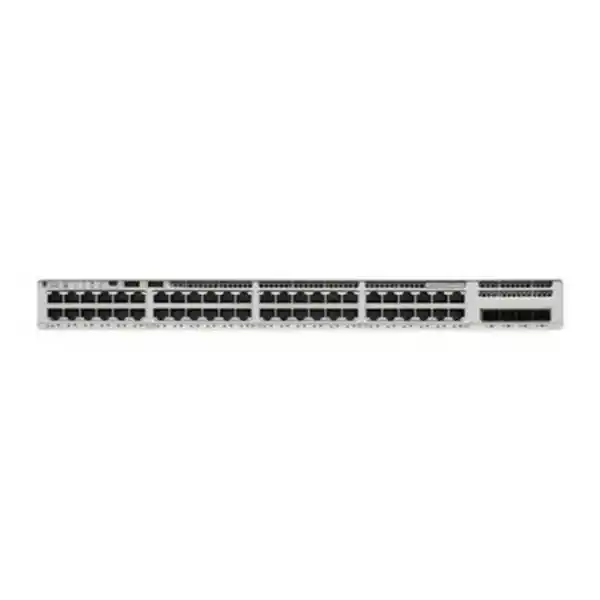
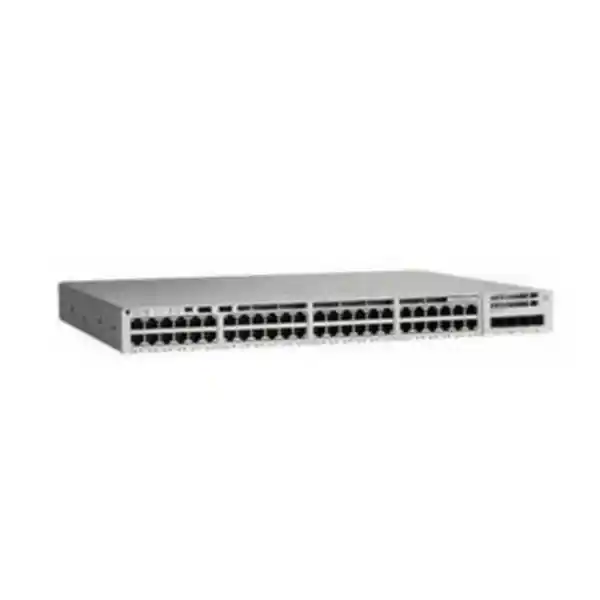
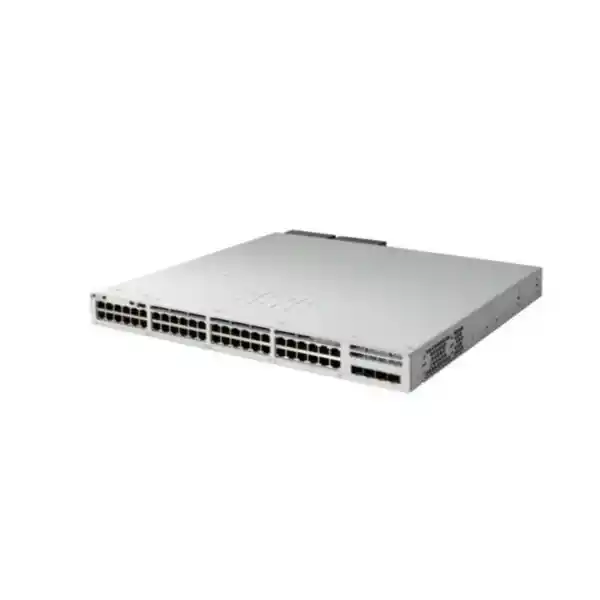
Cisco Catalyst C9200L-48PL-4X Network Switch
Connect a dense wired floor while matching Ethernet power capacity to the devices that actually need it. This partial-PoE+ access model combines Gigabit user connections with faster fixed uplinks. It deserves particular attention when the port requirement is high but the powered-device load is carefully controlled. Request a configuration quote that includes your endpoint mix, software edition and uplink media.
A practical fit when
- The outlet schedule calls for many Gigabit connections.
- The documented powered-device load fits the planned capacity.
- The fixed uplink arrangement matches the upstream design.
- The team has a clear software and management requirement.
Review another configuration when
- Endpoint power exceeds the normal or failure-state allowance.
- Devices require faster copper access interfaces.
- The uplink or stacking requirement falls outside the supported arrangement.
- A required feature is unavailable in the quoted edition.
Where this switch fits in your network
Choose an access switch around the devices and applications it will serve. For a business in Tanzania, that starts with an accurate outlet schedule, an inventory of powered equipment and a clear upstream connection plan. The Cisco Catalyst C9200L-48PL-4X is worth evaluating where many wired connections are needed but the powered-device load is lower than a fully populated high-power installation. The buying decision should therefore consider the relationship between connection density and power demand, rather than treating every occupied socket as an identical requirement.
A useful starting point is to separate workstations and locally powered equipment from devices that need power through their Ethernet cable. Then identify which services are essential during a fault or maintenance event. A reception phone, a shared printer and an access point may occupy similar-looking network outlets, yet have different power, availability and security requirements. Recording those differences gives the network team a practical way to allocate ports and lets procurement ask for a configuration that reflects the building’s actual needs.
Ask FourTeck Tanzania for a configuration-based quotation with your endpoint schedule and intended uplink arrangement. Specify whether this is a new installation, an expansion or a replacement. That context helps identify accessories and configuration questions before an order is placed. The base model name alone does not confirm the license edition, installed power supplies, optics, stacking hardware, support entitlement or other items included in a particular offer.
Verified hardware snapshot
The key manufacturer specifications below describe the platform. The quotation must separately identify the items supplied with your chosen configuration.
| Item | Specification or buying condition |
|---|---|
| Access interfaces | 48 × 10/100/1000 copper Ethernet ports; partial PoE+ configuration. |
| Uplinks | 4 × fixed 1/10G SFP/SFP+ uplinks; select supported media for the intended speed. |
| Default AC supply | PWR-C5-600WAC; manufacturer-listed PoE budget of 370 W with one primary supply. |
| Two-supply PoE figure | 740 W with an additional PWR-C5-600WAC in the manufacturer’s listed configuration; confirm failure-state capacity. |
| Standalone performance | 176 Gbps switching capacity; 130.95 Mpps forwarding rate. Platform ratings are not application throughput guarantees. |
| Stacking | StackWise-80, with compatible members and the required stacking components. |
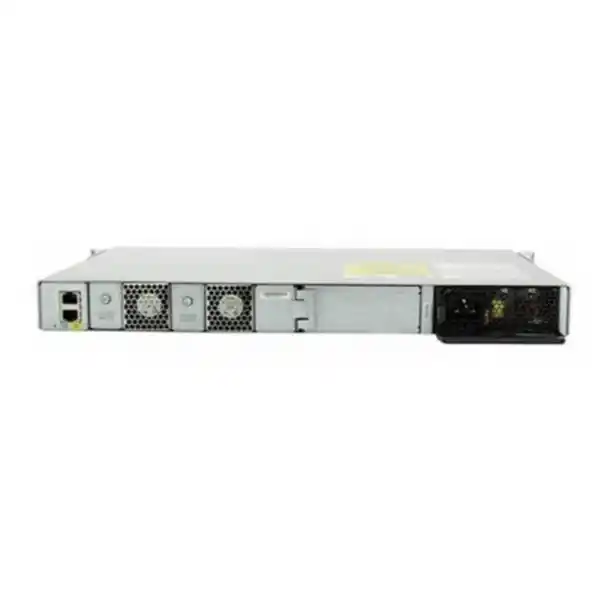
| Cooling and supply slots | Two fixed fans and two power-supply slots; confirm the installed supply count in the offer. |
| Orderable license variants | -E: Network Essentials. -A: Network Advantage. Final edition remains a quote requirement. |
Understand partial PoE+ before choosing
Partial PoE+ is the central buying distinction for this model. It describes an aggregate power limitation, so plan from the total electrical demand of the connected devices. Do not interpret the label as a promise that every connected endpoint can receive its maximum requested power simultaneously. Equally, do not assume that a fixed group of only 24 sockets defines the product; use Cisco’s model documentation and the configured power allocation when planning the installation.
Build a power worksheet with one row per device type. Include the exact endpoint model, quantity, required power standard, maximum negotiated allocation and any optional features that increase demand. Cameras with accessories, wireless access points with different operating modes and phones with expansion modules should be assessed from their own manufacturer documentation. Where a device supports a reduced-function power mode, decide whether that operating mode is acceptable before selecting the switch.
Separate average measured consumption from the allocation used to admit devices. A group of endpoints can look comfortable during a quiet period yet require more power during startup or feature activation. Leave an explicitly chosen reserve for additions and investigate how the system behaves if available power falls. The objective is a design that can explain both normal operation and the intended degraded state, with critical services identified in advance.
A worked power-planning example
Consider an illustrative floor with 18 phones allocated 7 W each and six access points allocated 25 W each. The arithmetic is 126 W for phones plus 150 W for wireless, or 276 W overall. Against a 370 W design budget, that leaves 94 W before any further design allowance. These are hypothetical planning values, not specifications for particular phones or access points and not a guarantee that an arbitrary combination will be admitted.
Now imagine four additional devices allocated 30 W each. They add 120 W, taking the worksheet total to 396 W. The proposed configuration would need revision rather than relying on the fact that spare Ethernet sockets remain. Possible responses include changing the endpoint mix, distributing powered equipment across switches or selecting another appropriately powered configuration. An engineer should confirm the final allocation from endpoint requirements and the switch’s operating configuration.
Document the assumed power-supply state alongside the calculation. A worksheet that is valid only when every supply is present should say so. If continuity after a supply failure is required, recalculate against the surviving capacity and identify which devices must stay powered. This makes the power design reviewable and prevents a later expansion from consuming the reserve that an earlier availability decision depended on.
Plan the uplinks from traffic and distance
The uplink is the shared path between this access layer and the rest of the network. Size that path around simultaneous demand, not just the number of connected users. Office applications, software distribution, backups and video transfers create different traffic patterns. An installation dominated by cloud applications may also be constrained by its internet connection or firewall, so replacing an access switch alone will not remove every bottleneck.
Create a simple link schedule that records the device at each end, intended speed, media, distance, connector and available fiber strands. Select supported transceivers or direct-attach cables against both endpoints and the intended software release. A module that physically fits is not sufficient evidence of support. Optical wavelength, fiber type, connector condition and receive-power limits must also match the link design.
Where multiple uplinks are proposed, decide how they will be used before patching. Link aggregation, independent paths and standby arrangements require different upstream capabilities and configuration. Several physical links do not automatically become one faster connection for every individual flow. Define expected behavior during a link failure and test it with the actual upstream equipment. Record which paths share conduits, power or rack infrastructure so that apparent diversity is not mistaken for physical independence.
Access speed and wireless requirements
Evaluate the wired interface of each proposed wireless access point as carefully as its radio features. A modern wireless model can have a higher wired speed or greater power requirement than the access layer provides. A connection that establishes successfully may still restrict the access point’s intended operating mode. Verify the manufacturer’s requirements for the exact wireless model, including optional radios and any features dependent on the negotiated power level.
For a user population mainly connecting standard office equipment, a Gigabit access design may be suitable. For heavier local transfers or wireless designs requiring faster copper links, compare a platform with the appropriate multigigabit interfaces. Make that decision using realistic application demand and a capacity forecast. Headline radio rates are not a direct measurement of traffic that one Ethernet port will carry.
Include the patching system in the assessment. Test existing outlets and document cable routes that are difficult to replace. A network refresh is an opportunity to correct mislabeled circuits, damaged patch leads and inconsistent cabinet records. For broader endpoint selection, see the Cisco wireless access point planning guide. Use it to frame the wireless requirement, then confirm the exact switch-to-access-point combination in the bill of materials.
Choose the software edition deliberately
Cisco lists C9200L-48PL-4X-E with Network Essentials and C9200L-48PL-4X-A with Network Advantage. The unsuffixed model supplied here does not identify which edition is intended. Ask for the complete orderable part number and a written description of the software entitlements in the quote. Do not infer the edition from photographs, chassis appearance or a shortened product title.
Translate the network design into a feature checklist before choosing an edition. Identify where routing will occur, what segmentation is required and which management or automation functions the team expects to use. Have the proposed edition and software release checked against that list. Buying a higher edition without a requirement can add unnecessary cost; assuming a required function is included can create a deployment obstacle.
Separate hardware, perpetual network entitlements, subscription items and support services in the commercial review. Ask which items have a term, who will own the associated accounts and how renewals will be tracked. Any management platform should be identified together with its prerequisites and licensing. A named management capability does not mean that the management server, hosted service or subscription is bundled with every hardware offer.
Stacking and growth without assumptions
This model supports StackWise-80. Cisco’s stacking architecture supports up to eight compatible members, with the appropriate C9200L stacking hardware and cabling. Treat stacking as a designed topology, not a feature enabled by plugging normal front-panel network cables between switches. Confirm compatibility for every proposed member and the software combination before selecting a stack design.
Do not plan to mix C9200L units with modular-uplink C9200 switches in the same physical stack. Model-family names can sound similar while using different stacking arrangements. Ask for a diagram showing member positions, stack adapters, cable lengths and the complete connection path. Check the actual kit contents and quantities on the quotation rather than assuming a second switch includes every required accessory.
Decide how much equipment should share one operational unit. A stack can simplify administration, but it also creates shared maintenance considerations. Schedule upgrades, replacement procedures and recovery access accordingly. Record how a failed member would be replaced and which endpoint groups it serves. Reserve suitable cabinet space and cable access for expansion so that an additional member can be installed without disturbing every existing connection.
Power resilience and failure planning
The chassis has two power-supply slots and fixed fans. An additional supported supply may provide capacity or resilience depending on the selected design. Installed hardware and its configured operating state matter more than the number of available slots. If both supplies are needed to support the normal endpoint load, losing one may affect powered devices even though the switch itself can continue operating.
Define the failure condition you need to tolerate. Examples include loss of one supply, loss of one power circuit, exhaustion of UPS runtime or loss of an upstream network device. For each condition, identify the services expected to remain available and the infrastructure they depend on. A working access switch cannot keep an application available if the application server, firewall or internet circuit has no corresponding continuity arrangement.
Discuss UPS sizing with the complete load rather than the switch’s chassis alone. Include the endpoints powered through Ethernet, other cabinet equipment and the desired runtime. Check how maintenance bypass, battery replacement and shutdown procedures will be handled. Where two power feeds are proposed, verify their actual independence with the site’s electrical team. A second socket on the same failed circuit will not provide a separate power path.
Segmentation that follows the business
Start segmentation with a list of who needs to communicate with whom. Staff devices, guest access, phones, cameras and infrastructure management often have different trust requirements. Write the permitted relationships in plain language before translating them into VLANs, routing and filtering rules. This gives the organization an understandable policy and makes it easier to review exceptions when new equipment is installed.
VLAN separation by itself does not define the complete security outcome. The design must also identify where traffic between groups is permitted or blocked and which device enforces that decision. Coordinate the switch configuration with the firewall, wireless network and addressing plan. Otherwise, a carefully labeled set of VLANs can still produce either excessive access or unexpected application failures.
Choose a naming and numbering scheme that another administrator can follow. Record the purpose of each network, its gateway, DHCP source and any special handling. Keep management access restricted to appropriate administrators and paths. Test both allowed and prohibited communication during acceptance. A meaningful test should show that a required application works and that an unrelated device cannot reach a service it is not supposed to use.
Endpoint admission and local network protection
Cisco’s Catalyst 9200 security documentation covers IEEE 802.1X authentication, DHCP snooping and Dynamic ARP Inspection. These are configuration capabilities, not automatic protection supplied by a product name. Their value depends on an appropriate design, compatible endpoints and correct trust boundaries. Verify feature behavior for the chosen software release and license before making it part of an acceptance requirement.
Authentication planning should include the devices that cannot use the preferred method. Printers, cameras, phones and building systems may require specific handling. Define how exceptions are approved, recorded and reviewed, and what happens when the authentication service is unavailable. Deploy the policy in stages so that a change intended to improve access control does not unexpectedly disconnect essential operational equipment.
DHCP snooping and ARP inspection require care around trusted links, address bindings and static-address devices. Test these policies in a representative segment before wider deployment. Keep the commissioning record focused on the desired outcome: legitimate devices receive service while unauthorized local behavior is restricted. Include a recovery procedure for an incorrect policy and ensure the team has an independent management path before enabling controls that could interrupt normal access.
Voice, cameras and shared applications
For voice deployments, verify the phone model, its power requirement and the intended connection of any workstation behind it. Coordinate addressing, voice network policy and service dependencies with the telephony team. Test a complete call path after installation, including the application or call-control system and any required external route. A phone displaying an address is only one part of a successful voice acceptance test.
For camera networks, review both power demand and sustained traffic to the recording system. Include operating conditions that activate additional endpoint functions. Identify where recordings are stored, how retention affects storage requirements and which users may view or export footage. The access switch should be evaluated as one component of that end-to-end path; its port count does not determine recording capacity or image quality.
For shared applications, identify the critical user experience rather than relying exclusively on a link-speed check. A file transfer, a video meeting and a transaction system may fail for different reasons. Where traffic prioritization is needed, define the policy across the full route and verify the relevant configuration support. Marking traffic at one point cannot create bandwidth or ensure consistent treatment throughout an independently managed network.
Installation readiness for a Tanzania site
Prepare the actual equipment room before scheduling delivery or a cutover. Confirm cabinet space, mounting arrangements, electrical supply, grounding, ventilation and physical access using the installation requirements for the selected hardware. Review conditions at the cabinet rather than relying on a general room description. Heat, blocked airflow and poor cable management can become operational problems even in an otherwise suitable building.
Treat fiber and copper termination quality as part of the project. Label patch panels, verify outlet records and identify any links that cross between buildings or electrical environments. Have the responsible specialists assess protection and installation methods for those routes. This product should be selected for its documented environment; do not assume an enterprise access switch is appropriate for exposed outdoor or industrial locations.
Local procurement should also establish who is responsible for installation, configuration, acceptance and ongoing administration. Confirm any proposed on-site work, delivery arrangements and service scope in the quotation. Ask for a complete commercial breakdown, including applicable charges and the validity of the offer. Product documentation does not establish local stock, delivery time or a particular service entitlement, so these items need a written commercial answer.
Replacing an existing access switch
Begin a replacement with a configuration and dependency inventory. Capture the current port map, active uplinks, addressing, VLANs, endpoint power use and management requirements. Record any unusual features or workarounds that have accumulated over time. A replacement selected only from the old front-panel port count can miss the behavior on which users now depend.
Separate configuration intent from old command syntax. Describe what each port and policy is meant to do, then have that intent translated to the new platform and chosen release. Verify optics, stacking and licensing independently instead of assuming that accessories or entitlements transfer. Plan the migration in manageable groups so that one fault does not leave an entire site without a clear rollback path.
The Catalyst 2960-X replacement planning guide can help structure an assessment of an older access layer. This product page focuses on the specific partial-PoE configuration rather than treating every replacement as identical. Preserve a usable backup of the old configuration, label rollback connections and decide in advance who can authorize continuing or reversing the cutover.
Commissioning and acceptance tests
Agree on acceptance criteria before the installation begins. Check that the delivered hardware and entitlements match the approved bill of materials. Record identifiers, installed accessories and the selected software image. Inspect mounting and cable management, then confirm that each labeled outlet corresponds to the expected switch port. A tidy installation is useful only if the documentation also reflects the actual connections.
Test representative endpoint types under normal operating conditions. Confirm addressing, name resolution, application access and the required segmentation policy. For powered devices, record negotiated allocation and check that the intended features work. Exercise uplinks and any designed redundancy with controlled tests approved by the operations team. Note the recovery behavior and any manual action required, rather than recording only that a cable was unplugged successfully.
Finish with a handover that another administrator can use. Include the final configuration backup, topology, port schedule, management method, support details and change procedure. Keep credentials in the organization’s approved secure system rather than embedding them in a general project report. Record unresolved issues and their owners. Acceptance should establish what was tested, what passed and what still requires action.
Software maintenance and operational visibility
Select software using Cisco’s current recommended-release guidance, the exact hardware and the features in use. Review release notes and relevant defects before scheduling an upgrade. A numerically newer image is not automatically the best choice for every deployment. Confirm upgrade prerequisites and allow time to validate the intended configuration in a representative environment.
Define the measurements that will tell the team whether the access layer is healthy. Useful categories include interface errors, uplink utilization, power allocation, device reachability and system events. Choose thresholds and alert destinations that have an identified owner. Collecting data without a response process can create a large archive while leaving a service issue unnoticed.
Maintain an inventory of hardware, software, entitlements and support arrangements. Schedule configuration backups and check that the recovery material can actually be used. When changing a port or adding an endpoint, update the power worksheet and port schedule at the same time. Small, documented changes make it easier to investigate later faults and prevent the spare capacity planned at installation from disappearing without review.
Compare configurations by the requirement
The best comparison starts with the problem that remains unsolved. If connection density is sufficient but powered-device demand is too high, compare power configurations and models intended for that load. If the limitation is endpoint speed, compare appropriate multigigabit access options. If the required uplink design falls outside this fixed arrangement, evaluate a platform with the necessary interface choices.
Keep the comparison fair by including accessories and entitlements. Two prices can describe materially different systems if one omits uplink modules, a secondary supply, stacking parts or required subscriptions. Compare the final supported configuration and its operating requirements over the intended ownership period. Ask each quote to distinguish required items from optional enhancements so that procurement can see what changes the outcome.
Also consider the team’s ability to operate the design. A technically capable platform still needs clear administration, monitoring and a maintenance plan. Where a simpler arrangement meets the requirement, evaluate its operational benefits. Where a more advanced capability is essential, identify who will configure and support it. The purchase should leave the organization with an understood network design, rather than a list of features whose responsibilities remain unclear.
What to include in your quote request
Provide the number and type of wired devices, including exact models for powered endpoints. Add the expected growth, required uplink speed and media, distances to upstream equipment and any existing Cisco switches that may need to interoperate. State whether the network team expects standalone operation or a stack. A current diagram and port schedule can resolve ambiguities more effectively than a short request for a switch alone.
Request separate confirmation of the complete hardware part number, license edition, software entitlement, included power supplies and all necessary accessories. Ask whether optics, patch leads, mounting items, stacking adapters and stack cables are included or separately priced. Include support requirements and the intended project schedule. If a particular configuration is mandatory, list it explicitly so that a proposed substitution can be reviewed against the same criteria.
Before accepting the offer, confirm the commercial details for Tanzania: quoted currency, applicable charges, delivery terms, stock confirmation and the scope of any installation or support service. Obtain written warranty and support terms for the actual supply rather than assuming they follow from the model name. Keep the approved bill of materials with the network design so that both technical and purchasing teams are working from the same configuration.
Questions buyers ask before ordering
Does partial PoE+ mean I should choose this for every powered outlet?
Choose it only after completing the endpoint power schedule. The useful buying question is whether the proposed configuration can support the negotiated load, the reserve for growth and the intended failure condition. A spare port is not evidence of spare power. Where the worksheet exceeds the available capacity, change the configuration or equipment selection before ordering rather than expecting lower average consumption to solve the problem.
Can I select the license from the base model name?
The base name does not settle the software edition. Request the complete suffix and an entitlement breakdown. Have the technical team identify the required functions and check them against the proposed release and license. Keep any subscription duration and support service separate in the review. This gives procurement a clear explanation of what it is buying and gives operations a record of future renewal responsibilities.
Will existing fiber modules work in the new switch?
Reuse should be treated as a compatibility check. Provide the complete transceiver part numbers, upstream device details, link distance and fiber type for review. Check software support and the physical optical requirements at both ends. A module that works in an older switch is not automatically an approved choice for another platform. Where reuse is essential to the project budget, resolve it before approving the bill of materials.
Is this suitable for phones, access points and cameras together?
A mixed endpoint design can be evaluated, but the device names alone do not establish compatibility. Verify each model’s Ethernet interface, required power standard, negotiated allocation and intended feature set. Then review aggregate power, traffic and segmentation. Include the upstream applications in acceptance testing. This prevents an apparently successful link connection from being mistaken for a complete working voice, wireless or video system.
Does adding a second power supply guarantee endpoint continuity?
Continuity depends on the load that the surviving supply can support and on the rest of the design. Specify the failure to be tolerated and calculate the expected operating state after that failure. Also check the UPS, power circuits and upstream equipment. A design that uses every available watt during normal operation needs a different assessment from one that deliberately reserves capacity for a supply loss.
Can I replace an older switch without changing the configuration?
Prepare a migration assessment rather than assuming the old configuration can be transferred unchanged. Inventory current functions, ports, uplinks and accessories, and translate the intended behavior to the new platform. Test a representative group of devices and define a rollback point. Schedule the work around business dependencies so that the team can confirm service restoration before moving to the next part of the installation.
What price and delivery time should I budget in Tanzania?
Request a current written quote for the complete required configuration. Include accessories, entitlements and any requested services so that the budget represents a deployable system. Confirm the quote’s currency, applicable charges, validity and delivery terms directly. This page does not establish a transaction price or stock position. If the schedule is critical, ask which items are confirmed and which depend on a further supply check.
What should be ready before installation day?
Complete the port schedule, endpoint inventory, power worksheet and upstream link plan. Confirm cabinet and electrical readiness, administrator access, configuration ownership and a maintenance window. Agree on acceptance tests and keep a recoverable copy of the existing configuration if this is a replacement. Allocate time for documentation and handover, because a switch that passes basic connectivity checks still needs an operating record and an assigned support owner.
Request your switch configuration quote
Send FourTeck Tanzania your endpoint quantities, powered-device models, uplink requirements and preferred standalone or stack arrangement. Request confirmation of the complete part number, software edition, power-supply configuration, accessories and support terms. Use the resulting bill of materials to compare the offer with your network plan before approving the purchase.
Include your required project date and identify any existing equipment that must be retained. A clear requirement makes it easier to review substitutions and establish the complete commercial scope. Confirm pricing, availability, delivery and any requested installation work in the written quotation.




Reviews
There are no reviews yet.