
Enterprise access switching for PoE-connected workplaces
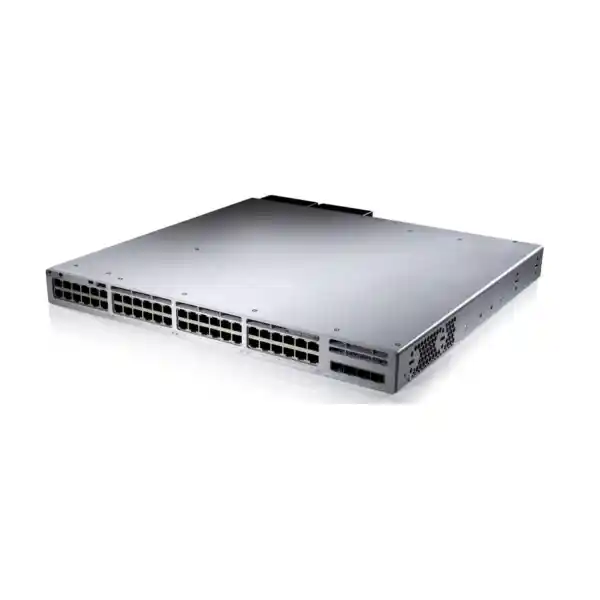
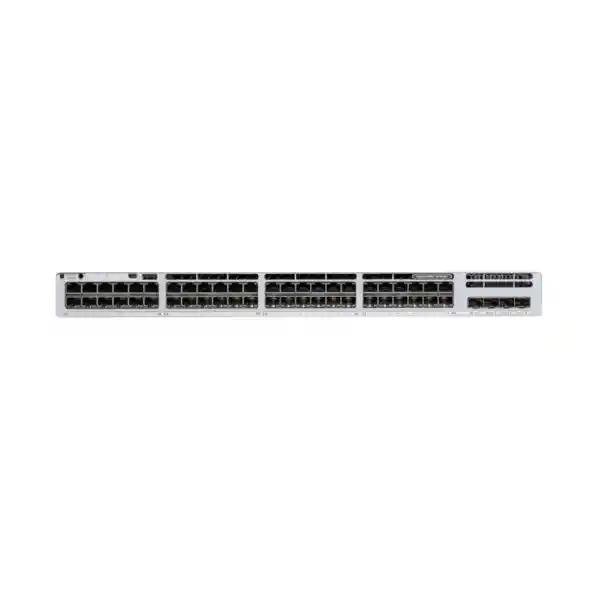
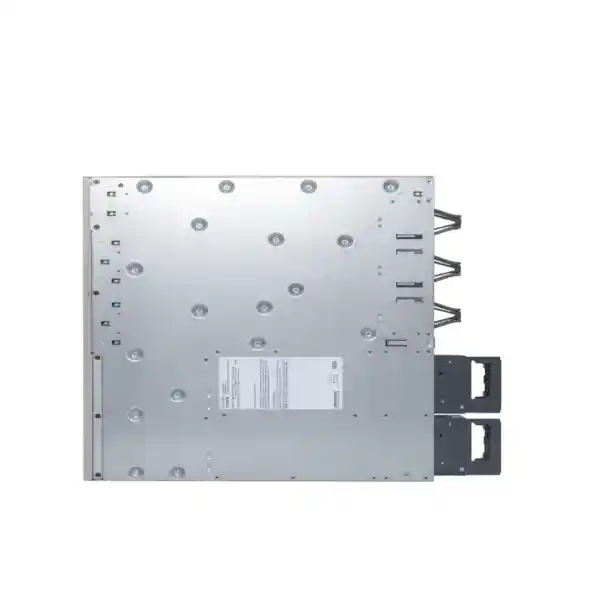
Cisco Catalyst C9300-48P 48-Port PoE+ Network Switch
The Cisco Catalyst C9300-48P is a stackable enterprise access switch built for organisations that need forty-eight 1 Gigabit Ethernet copper access ports with PoE+, modular high-speed uplink choices, resilient stacking and the operational capabilities of the Catalyst 9300 platform. It is a strong fit for business networks where one access-layer switch may connect users, IP phones, wireless access points, surveillance cameras, printers, building devices and other Ethernet endpoints while supporting segmentation, policy, monitoring and future growth.
For buyers in Tanzania, the most important decision is not simply whether forty-eight ports are enough. Confirm the total PoE load, required uplink speed and fibre type, software and licensing tier, stack design, rack and UPS capacity, and whether any attached wireless or specialised endpoint needs multigigabit access rather than standard 1GbE. FourTeck can review the intended network role and bill of materials before quotation so the switch, uplink module, optics, power design and licences are aligned with the deployment.
Quick product information
| Model | Cisco Catalyst C9300-48P |
|---|---|
| Access ports | 48 × 10/100/1000 copper ports with PoE+ |
| Uplinks | Modular; uplink network module is selected according to the ordered configuration |
| Default AC power supply | 715W AC |
| Available PoE with default supply | 437W |
| Switching capacity | 256 Gbps; 736 Gbps with stacking |
| Forwarding rate | 190.47 Mpps; 547.62 Mpps with stacking |
| Stacking | Cisco StackWise-480 and StackPower support |
| Form factor | 1RU rack-mount platform; approximately 4.4 × 44.5 × 48.8 cm with default power supply installed |
| Typical role | Managed enterprise access switching for offices, branches, campuses and infrastructure networks |
Configuration note: C9300-48P is the model family reference. Cisco offers licensing and management variants such as Network Essentials, Network Advantage and Meraki-managed ordering options. Final part numbers, licences, uplink modules, optics, stacking accessories, power supplies and support should be confirmed for the exact quotation.
What the C9300-48P is designed to solve
A forty-eight-port access switch often sits at the point where many different business systems meet. User computers need stable wired connectivity. IP phones need network access and electrical power. Wireless access points may carry hundreds of client sessions through a smaller number of switch ports. Cameras generate continuous traffic and can consume significant PoE power. Printers, access-control devices, building systems, conference equipment and specialist appliances may all share the same wiring cabinet. The Cisco Catalyst C9300-48P brings these endpoint types onto a managed enterprise switching platform rather than treating the access layer as a simple collection of Ethernet sockets.
Its key value is the combination of forty-eight 1GbE copper ports with PoE+, modular uplink flexibility and Catalyst 9300 stacking. That combination makes it suitable for dense office floors, branch sites, education buildings, healthcare environments, hotels, larger retail or operational sites, enterprise campuses and other locations where powered network devices are common. A single C9300-48P can consolidate both data and power delivery for compatible devices, while a stack of switches can provide greater port density and a more resilient operational design.
This model is best understood as a mainstream enterprise 1 Gigabit access switch, not as a multigigabit edge switch. That distinction matters when new wireless access points or specialised devices can exceed 1Gbps on a single copper link. If the planned endpoints require 2.5GbE, 5GbE or 10GbE copper access, another Catalyst 9300 family model may be more appropriate. On the other hand, where endpoints are standard Gigabit Ethernet and the primary requirement is reliable PoE+ access at high port density, the C9300-48P can be a practical and cost-conscious fit within the broader Catalyst 9300 range.
Before purchasing, define the switch role in plain operational terms: how many devices connect now, how many are expected later, which ports need PoE, how much power each powered device requests, what uplink speed is needed, where the switch connects upstream, whether the site needs stacking or power redundancy, and which software features the network design actually uses. Those answers are more useful than selecting a model only from port count.
PoE+ planning: the 48 ports and the power budget are separate decisions
The C9300-48P provides PoE+ capability across its forty-eight copper access ports, but the available power budget depends on the installed power-supply configuration. With the default 715W AC supply, Cisco specifies 437W of available PoE power. That means a buyer should not assume that forty-eight PoE+ ports automatically provide 30W to every port at the same time. Port capability describes what an individual interface can negotiate; the switch-wide power budget describes how much power can be allocated across all powered devices in total.
A practical design starts with a device-level power inventory. List every intended IP phone, wireless access point, security camera, intercom, door controller, thin client, sensor gateway or other powered device. Record its expected PoE class or maximum power draw, then add a reasonable allowance for growth. Real deployments often change after installation: more cameras are added, access points are upgraded, conference rooms receive extra devices, or spare ports that were originally data-only begin powering new equipment. A switch that appears adequate on port count can become constrained by PoE budget if this step is skipped.
Cisco documents additional power-supply combinations for higher PoE requirements. Depending on the selected primary and secondary power supplies, the available power can increase substantially. The correct choice should be based on the real endpoint load, desired redundancy model and the complete switch configuration rather than on a headline wattage alone. If the requirement is full PoE+ at high density, verify the required power-supply combination before ordering because the default 715W configuration is not intended to deliver 30W simultaneously to all forty-eight ports.
Power planning also affects the UPS and electrical design in the rack. A PoE switch is not only powering itself; it can effectively become a shared DC power source for dozens of edge devices. When the site depends on phones, cameras and wireless access points during a mains interruption, the UPS must be sized for the switch load plus the attached PoE load and any other rack equipment such as firewalls, routers, controllers, servers or fibre devices. Backup time should be calculated against the expected operational load rather than the switch chassis rating in isolation.
If most ports will power endpoints, provide a device list with quantity, model and expected wattage. FourTeck can use that information to review whether the default 437W PoE budget is sufficient or whether a different power-supply plan should be quoted.
Modular uplinks for a network that may change over time
Unlike fixed-uplink access switches, the C9300-48P uses a modular uplink design. This is important for organisations that want to choose the uplink media and speed around the network architecture rather than accepting one fixed uplink layout. Cisco supports several Catalyst 9300 network modules, including modules for 1GbE SFP, 10GbE SFP+, 25GbE SFP28, 40GbE QSFP+ and multigigabit copper uplink options, subject to the selected module and supported configuration.
Cisco’s current ordering guidance lists the C9300-NM-8X, an eight-port 10GE/1GE SFP+ network module, as the default module selection for C9300 modular-uplink SKUs, while allowing another supported module or no network module to be selected. That does not mean every reseller listing automatically includes the same module. The final quotation should explicitly state which uplink module is included, especially when the switch will connect to an existing fibre backbone or when optics have already been standardised across the organisation.
Uplink selection should consider aggregate traffic rather than only the speed of one user port. Forty-eight 1GbE access ports can feed many simultaneous flows toward servers, firewalls, internet gateways, wireless controllers, storage systems or core switches. A pair of high-speed uplinks may be appropriate for redundancy and bandwidth, but the exact design depends on expected traffic patterns, upstream equipment and whether link aggregation is used. A school with dozens of cloud-connected classrooms, a hotel carrying guest wireless traffic, a financial office with voice and business applications, and a CCTV-heavy site can all use the same access switch while needing very different uplink designs.
Fibre type and optics also need to match the physical path. The switch network module determines the interface type, while the selected transceiver must match speed, fibre type, wavelength, connector, distance and the compatible upstream interface. Existing multimode fibre, single-mode fibre, short direct-attach links and copper uplinks should not be treated as interchangeable. If the project already has transceivers or patch leads, include their exact part numbers in the review rather than assuming compatibility.
The benefit of the modular approach is investment flexibility. A site may begin with one uplink requirement and later move to a faster distribution layer, a new building link or a different optical standard. The network module can help the access layer evolve without replacing the entire switch, provided the planned module and software support the target architecture.
StackWise-480 and StackPower for scalable access design
Cisco positions the C9300 family as a stackable enterprise access platform. The C9300-48P supports StackWise-480, allowing compatible switches to operate as a stack with high-bandwidth interconnection and unified operation. In practical terms, stacking can simplify a larger access layer because multiple physical switches can be designed and managed as a coordinated system instead of as unrelated standalone devices.
Stacking is useful when one wiring cabinet needs more than forty-eight access ports, when port density is expected to grow, or when the design benefits from redundant uplink placement across different stack members. It can also simplify configuration consistency and maintenance planning because the switches participate in a shared stack architecture. However, a stack is not automatically resilient merely because multiple units are connected. Resilience depends on the stack cabling topology, uplink design, power design, software plan and the way critical endpoints are distributed.
StackPower is a separate but related capability. It allows compatible Catalyst 9300 switches to participate in a power-sharing stack, giving designers another option when planning power redundancy and capacity across multiple switches. Whether it is useful depends on the site’s electrical design, installed power supplies, PoE demand and required failure behaviour. A power architecture should be documented just as carefully as data uplinks, particularly when powered endpoints include phones, access points or cameras that are operationally important.
For a multi-switch order, specify whether the switches will be standalone, data-stacked, power-stacked or both. Confirm stacking cable lengths based on rack layout and the intended stack topology. Cable length can become an avoidable project issue when switches are spread across a tall rack or when stack members are installed in different physical positions than originally planned.
A good stack design also considers maintenance. Identify how firmware upgrades, member replacement, power-supply replacement and uplink changes will be handled. Keep spare-port capacity and documentation so that future changes do not require emergency re-cabling. The strongest benefit of a stack is not simply a larger port count; it is a more structured access-layer design that can grow and be maintained predictably.
Performance and scale for enterprise access networks
Cisco specifies 256 Gbps switching capacity and 190.47 million packets per second forwarding rate for the C9300-48P as a standalone switch. With stacking included in the platform figures, Cisco lists 736 Gbps switching capacity and 547.62 Mpps forwarding. These values describe the platform’s switching and packet-processing capability; they should not be confused with internet speed, uplink speed or the throughput of a single endpoint.
For most access-layer projects, performance should be assessed together with traffic design. A desktop may use only a fraction of a Gigabit most of the day, while an access point or camera aggregation point can produce more sustained traffic. Backups, software deployment, video, large file transfers, cloud synchronisation and voice all have different traffic patterns. VLAN design, quality of service, multicast behaviour, uplink oversubscription and the upstream firewall or core can affect user experience as much as raw switch capacity.
The Catalyst 9300 modular-uplink platform also supports enterprise-scale forwarding tables. Cisco’s published platform figures list up to 32,000 MAC addresses for standard Catalyst 9300 modular-uplink models, together with routing and multicast scale designed for campus access and distribution use cases. The exact feature set and scale that matter to a project depend on the chosen software release and licence level, so advanced routing or segmentation requirements should be mapped against the intended Cisco IOS XE and licensing configuration rather than assumed from hardware alone.
This distinction is especially important in networks moving beyond simple Layer 2 access. Some organisations want access switches to participate in routed access, dynamic routing, policy-based segmentation, automation or wider Cisco campus architecture. Others need only reliable VLAN access, PoE, redundancy and monitoring. Buying the correct hardware but the wrong software tier can create unnecessary cost or feature gaps. A requirements list should therefore separate hardware needs from software features.
For a Tanzania project, share existing core or distribution switch models, firewall model, VLAN count, major applications, expected wireless density and any routing protocol requirements. That gives the design review enough context to decide whether the C9300-48P is simply an access switch or part of a more advanced campus architecture.
Licensing and management: choose the operating model before ordering
Cisco Catalyst 9300 purchasing includes hardware and software choices. Cisco’s current ordering guidance distinguishes Network Stack perpetual licences and software subscription options, with C9300-48P variants available for different licensing and management models. Common orderable examples include C9300-48P-E for Network Essentials, C9300-48P-A for Network Advantage and a Meraki-managed variant. The generic C9300-48P name therefore does not by itself describe the complete commercial or software configuration.
The right tier depends on what the network needs to do. A buyer should identify required routing, automation, assurance, segmentation, management and integration features before selecting the licence. If the organisation already operates Cisco Catalyst infrastructure, check the current Smart Account, software entitlement approach, management platform and renewal responsibilities. If the switch is being added to an existing standard build, matching the organisation’s established licence and software policy is often more important than selecting the lowest initial hardware price.
Management architecture matters as well. Some teams prefer local Cisco IOS XE operation with established command-line and network-management processes. Others use Cisco Catalyst Center or a Meraki dashboard operating model where supported by the ordered SKU and licence. These approaches involve different workflows, entitlement requirements and operational expectations. Confirm the intended management model at the quotation stage so that hardware, subscription and administration planning are aligned.
Software lifecycle planning should include the release used across the network, maintenance windows, backup and restore procedures, configuration templates, monitoring, security updates and change control. A new switch introduced into an established environment should be checked for compatible software and feature support before deployment. This is particularly important in stacks, where member compatibility and upgrade planning need to be controlled as a system.
Security, segmentation and operational control
A managed enterprise switch contributes to security by enforcing network policy at the point where users and devices connect. The exact features available depend on software, licence and design, but the access layer can support structured VLAN segmentation, authentication and access-control approaches, traffic classification, monitoring and integration with a wider Cisco network architecture. These capabilities are valuable when the same physical switch serves staff, voice, cameras, guest-related infrastructure, building systems and administrative devices that should not all share one unrestricted broadcast domain.
Segmentation should be planned around business risk rather than created as an arbitrary collection of VLAN numbers. User workstations, IP phones, CCTV cameras, wireless management, access-control systems, printers, servers and guest services often have different trust levels and communication needs. The switch can provide the access-layer enforcement point, while routing, firewall policy, identity systems and management platforms determine how those segments communicate.
Operational visibility is equally important. A larger enterprise switch should be monitored for interface errors, link state, PoE consumption, temperature, power-supply status, stack health, spanning-tree events, authentication failures and uplink utilisation. Good monitoring turns the switch from a passive box into an observable part of the infrastructure. This reduces troubleshooting time when users report intermittent voice, wireless or application problems because administrators can correlate symptoms with port and system data.
Configuration discipline matters more as the switch becomes central to multiple systems. Use consistent naming for interfaces and VLANs, document patch-panel relationships, back up the configuration, restrict administrative access, use appropriate management protocols, and keep unused ports under control. When a stack serves an entire floor or building, a small configuration mistake can affect many services, so change control and rollback planning should be part of normal operation.
Security capability should never be treated as a substitute for design. The switch is one layer in an architecture that may also include firewalls, identity services, endpoint protection, wireless controls, secure remote access and physical security. The C9300-48P is most effective when its access controls and telemetry are integrated into that wider operational model.
Common deployment scenarios in Tanzania
Corporate office floors
Use the forty-eight access ports for desktop users, IP phones, printers, meeting-room systems and wireless access points. PoE simplifies phone and AP installation, while VLANs and managed uplinks support separation between user, voice, guest-related and infrastructure traffic. Large offices should calculate uplink demand from aggregate user and wireless traffic rather than using 1GbE access-port count as the only sizing measure.
Education and campus buildings
A school, college or training facility may connect classroom computers, phones, access points, cameras, projectors and administrative systems from one wiring cabinet. Stacking can expand port density when several floors or zones terminate in the same room. The PoE budget should account for wireless density and cameras because these can consume more power than ordinary desk phones.
Healthcare and professional facilities
Managed switching can separate staff systems, voice, wireless, surveillance and building devices while supporting documented access-layer operations. Procurement should include redundancy expectations, UPS backup, environmental conditions and maintenance windows because a switch serving many operational systems can become a critical shared dependency.
Hotels and hospitality sites
PoE access switching can serve wireless access points, phones, cameras and selected building devices alongside administrative networks. The design should separate guest-facing services from business systems and size uplinks for peak wireless usage. Rack cooling and backup power deserve attention because hospitality network cabinets can accumulate several high-load devices.
CCTV-heavy facilities
Forty-eight PoE+ ports can make the model attractive where many compatible cameras need power and connectivity, but camera count alone is not enough. Calculate total PoE watts, continuous video bandwidth, recording-server path, uplink capacity and UPS runtime. Higher-resolution or feature-rich cameras can create both power and bandwidth requirements that exceed a simple port-count estimate.
Branch and distributed networks
Larger branches can standardise on a Catalyst access design that integrates with existing Cisco operations. Consistent software, templates, monitoring and spare strategy can simplify support across multiple locations. The exact branch design should still reflect WAN capacity, local device count, voice, wireless and any site-specific resilience needs.
Tanzania deployment planning: power, environment, cabling and supportability
A switch can meet every datasheet requirement and still underperform if the installation environment is weak. For Tanzanian business sites, deployment planning should include stable mains power, UPS capacity, rack ventilation, grounding, cabling quality and the condition of the fibre or copper infrastructure. These are project requirements rather than assumptions about any particular location. Each site should be assessed on its actual electrical and environmental conditions.
Cisco specifies an operating temperature range for the Catalyst 9300 platform and requires appropriate airflow. The rack should allow front-to-back airflow without blocked intakes or exhaust paths. Avoid tightly enclosed cabinets that trap heat, especially where a PoE switch is operating at substantial power. Dust control and regular maintenance matter because accumulated dust can reduce cooling efficiency over time. If the network room also contains UPS units, servers or other heat-producing equipment, consider the combined thermal load.
Structured cabling quality directly affects 1GbE operation and PoE reliability. Existing copper links should be tested if they are old, unusually long, joined through poor terminations or known to have intermittent faults. PoE places additional importance on connector quality because the cable carries both data and electrical power. Label patch panels, wall outlets and switch ports consistently so that troubleshooting does not depend on tracing unknown cables during an outage.
Fibre uplinks should be documented with both endpoints, fibre type, connector type and transceiver part numbers. When an organisation has several buildings or floors, maintain a simple link schedule showing which switch uplink connects to which distribution or core port. This is especially valuable when multiple switches are stacked because physical topology can become difficult to reconstruct after staff changes or emergency maintenance.
Backup power planning should reflect the services that depend on the switch. If the switch powers phones and wireless access points, an outage can remove both data connectivity and local device power. If it powers cameras, the security monitoring path may be affected even when the recorder has its own UPS. Calculate the desired runtime and confirm whether the UPS can support the switch plus PoE load, upstream firewall or router, fibre termination equipment and any other devices needed to keep the network path useful.
Supportability also includes spares and documentation. For critical sites, consider spare optics, patch leads, stacking cables and an agreed replacement strategy for power supplies or switch hardware. Record the switch serial numbers, software versions, licence details, management IP addresses, stack member positions and key configuration notes in a secure operations document. Good records reduce recovery time when an issue occurs months or years after installation.
How the C9300-48P compares with nearby Catalyst 9300 choices
The Catalyst 9300 family includes multiple models with different access-port types, PoE capabilities, uplink designs and power profiles. Selecting the closest-looking part number without checking those differences can result in unnecessary cost or an unsuitable switch. The C9300-48P is specifically a forty-eight-port 1GbE copper PoE+ model with modular uplinks.
| Model type | When it may fit better | Main decision point |
|---|---|---|
| C9300-48P | 48-port standard Gigabit access with PoE+ | Good when 1GbE edge speed and PoE+ meet endpoint needs |
| C9300-48T | Data-only environments where endpoints do not need switch-delivered PoE | Avoid paying for PoE capability that is not required |
| C9300-48U / higher-power variants | Deployments with devices that need more power than standard PoE+ | Endpoint power requirement and total PoE budget |
| Multigigabit C9300 models | Newer wireless or specialised devices requiring more than 1Gbps on copper | Per-port access speed, cabling capability and PoE requirement |
| C9300L fixed-uplink models | Sites that prefer fixed uplinks and a different cost or deployment profile | Modular uplink flexibility versus fixed uplink simplicity |
A useful rule is to start with the endpoint list. If every access device is 1GbE and the powered devices fit within PoE+ limits, the C9300-48P is a natural candidate. If a large proportion of new access points can negotiate above 1GbE, review multigigabit options before finalising the bill of materials. If very high-power endpoints dominate the design, compare higher-power PoE variants. If the site has no PoE requirement, a data-only model may be sufficient.
This comparison should also include uplink and software needs. A cheaper chassis can become the wrong choice if it cannot match the required uplink architecture or management standard. Conversely, a more advanced model may add cost without operational benefit if the network never uses its additional access speed or power capability. The goal is to match the switch to the actual role, not to choose the largest specification available.
Procurement checklist for a complete C9300-48P quote
A switch quotation should represent a deployable configuration, not only a chassis part number. Use the checklist below to reduce last-minute accessory, compatibility and licensing issues.
- Confirm the exact hardware and licence suffix. State whether the project requires Network Essentials, Network Advantage or another supported management/licensing model rather than leaving the order at the generic C9300-48P level.
- List all powered devices. Include quantity and maximum or expected PoE draw for phones, APs, cameras and other endpoints so the total PoE budget can be checked against the selected power supplies.
- Define the uplink module. Specify required speed and interface type. Confirm whether the selected configuration includes the module or whether it must be quoted separately.
- Define optics and fibre. Provide distance, fibre type, connector and upstream switch interface details. Do not choose SFP/SFP+/SFP28/QSFP modules from speed alone.
- Confirm stacking requirements. State the number of stack members, expected cable lengths, stack topology and whether StackPower is also planned.
- Review power redundancy. Decide whether one supply is adequate or whether the design needs a second compatible supply for capacity or resilience. Check the electrical circuits and UPS design at the same time.
- Confirm rack depth and airflow. The switch is a 1RU enterprise platform with chassis depth that must be considered together with cable bend radius and rear power connections.
- Confirm software and Smart Account details. Align subscription term, entitlement ownership and software management with the organisation’s operational model.
- Document the upstream architecture. Include core/distribution switch model, link speed, redundancy method, VLAN and routing expectations, and any existing Cisco standards.
- Confirm commercial details at quotation time. Availability, final bundle contents, support services, warranty handling, delivery arrangements and pricing can depend on the exact part numbers and supply route, so they should be confirmed for the order rather than assumed from a general product description.
Installation and operations guidance
Treat installation as part of the network design, not a final physical task. Before the switch arrives, confirm rack space, power circuits, UPS outlets, grounding, patch-panel capacity, uplink fibre, optics, stacking cables and console or management access. Reserve enough rack depth for the chassis and cabling. Avoid sharp bends in fibre patch leads and keep copper patching organised so that ports remain visible and serviceable.
At commissioning, record the base software version and upgrade plan before introducing the switch into production. Apply the organisation’s standard management configuration, time synchronisation, logging, authentication, SNMP or telemetry settings, configuration backup method and administrative access controls. Build VLANs and access policies from a documented plan rather than configuring ports one by one without a standard. If the switch joins a stack, verify member numbering, stack links and software compatibility before moving production devices.
PoE commissioning should verify both device operation and budget. Check which ports are supplying power, the negotiated class where relevant, total consumption and remaining capacity. A powered endpoint that repeatedly resets can indicate cabling, power negotiation or power-budget issues rather than a simple network fault. Monitoring power usage after go-live helps reveal whether the original design assumptions remain valid as devices are added.
Uplinks should be tested for the expected speed, redundancy state and error-free operation. Verify optical levels where the operational process supports it, and check that link aggregation or redundant-path mechanisms behave as intended. A secondary uplink that has never been failover-tested may not provide meaningful resilience. Planned maintenance is a good opportunity to test failure scenarios before they are needed during an actual outage.
Routine operations should include configuration backups, software lifecycle review, security advisories, interface and error monitoring, PoE capacity review, stack health, fan and power-supply status, and periodic physical inspection. Replace temporary patching with labelled permanent connections and keep diagrams current. When new APs, cameras or phones are introduced, update both the port schedule and the PoE calculation rather than treating them as isolated device additions.
For organisations with several C9300 switches, standard templates improve support. Consistent VLAN names, interface descriptions, management addressing, monitoring settings and software versions reduce troubleshooting complexity. The access layer becomes easier to operate when every site follows the same documented pattern while still allowing local differences such as uplink media or endpoint mix.
Frequently asked questions
Does the Cisco C9300-48P provide PoE+ on all 48 ports?
The access interfaces are PoE+ capable, but total simultaneous power is limited by the switch’s available PoE budget. With the default 715W AC supply, Cisco specifies 437W of available PoE. If the deployment needs higher aggregate PoE, review supported power-supply combinations before ordering.
Are the 48 access ports multigigabit?
No. The C9300-48P is a 48-port 10/100/1000 copper model. If endpoint devices need 2.5GbE, 5GbE or 10GbE copper access, review the multigigabit Catalyst 9300 models instead.
Which uplink module comes with the switch?
Cisco’s current ordering guidance uses the C9300-NM-8X eight-port 10GE/1GE SFP+ module as the default selection for C9300 modular-uplink orders, while allowing other supported selections or no module. A reseller quote should explicitly state the included uplink module because the generic product name alone is not enough to confirm bundle contents.
Can the C9300-48P be stacked?
Yes. The model supports Cisco StackWise-480 and can participate in Catalyst 9300 stack designs. The order should include the correct stacking cables and the physical topology should be planned before installation.
Does it support power redundancy?
The chassis has two internal power-supply slots and can operate with supported power-supply configurations. The second slot can be used as part of a higher-capacity or redundancy design. Confirm the required supply combination for the intended PoE load and failure behaviour.
What is the difference between C9300-48P-E and C9300-48P-A?
They are licensing variants of the same basic 48-port PoE+ hardware family. The -E variant is associated with Network Essentials and the -A variant with Network Advantage. Choose the tier according to the required network features and the organisation’s Cisco software strategy.
Is the C9300-48P suitable for wireless access points?
It can power and connect compatible 1GbE PoE/PoE+ access points, subject to PoE budget. For newer APs that benefit from multigigabit wired links or higher PoE classes, compare the endpoint requirements with other Catalyst 9300 models before deciding.
Is it suitable for CCTV networks?
It can be suitable for compatible PoE cameras where the aggregate power and bandwidth fit the design. Calculate camera wattage, sustained video traffic, recording path, uplink bandwidth and UPS runtime rather than selecting the switch only from the number of camera ports.
What should I provide to request a useful quote in Tanzania?
Provide quantity, delivery destination, required licence tier or management preference, powered-device list, uplink speed and fibre type, optics requirement, stack size, redundancy requirement and any existing Cisco core or access equipment. This helps the quotation cover the complete deployable configuration instead of only the switch chassis.
Is price or stock confirmed on this page?
No. Pricing, availability, lead time, final bundle contents, support and warranty handling should be confirmed for the exact part number, quantity and supply route at quotation time.
Request a C9300-48P configuration review and quotation
For the most accurate quotation, share the number of switches, required access ports, PoE device list, preferred licence tier, uplink speed, fibre type, stacking requirement, power redundancy plan and delivery destination in Tanzania. If you already have Cisco switches, optics or a bill of materials, include the exact part numbers so compatibility can be reviewed before the order is finalised.
FourTeck can review the requested configuration and prepare a quotation based on the confirmed hardware, software, accessories and project requirements.




Reviews
There are no reviews yet.