
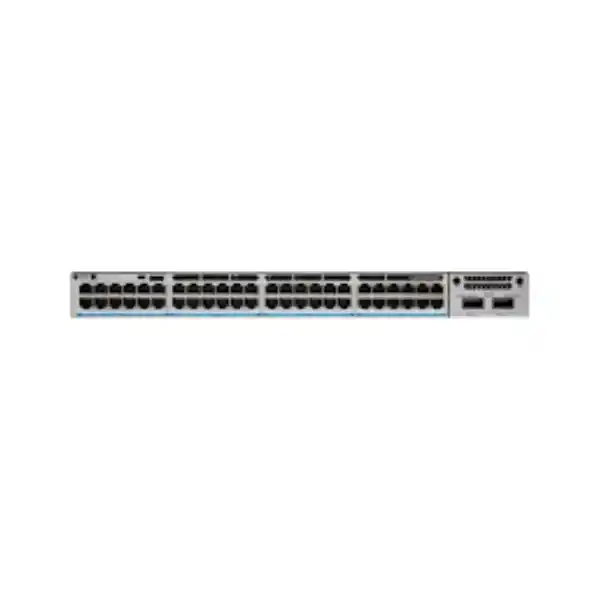
Enterprise multigigabit access switching
Cisco Catalyst C9300-48UN Network Switch
The Cisco Catalyst C9300-48UN is built for access networks that have outgrown ordinary 1 Gigabit edge switching. Its 48 copper multigigabit ports can operate at 100 Mbps, 1 Gbps, 2.5 Gbps or 5 Gbps and support Cisco UPOE, giving network teams a practical platform for high-throughput wireless access points, powered endpoints and dense enterprise LANs. Modular uplinks, StackWise-480 stacking and redundant power-supply capability make it suitable for designs where capacity, service continuity and future expansion must be considered together.
Cisco UPOE
Modular uplinks
StackWise-480
What buyers should confirm first
C9300-48UN identifies the hardware platform, but it does not by itself define the complete orderable software and management configuration. Cisco currently lists C9300-48UN-E with Network Essentials, C9300-48UN-A with Network Advantage, and C9300-48UN-M for Meraki Advanced or Enterprise management options. Before requesting a quotation, decide whether the switch will join a conventional Cisco Catalyst environment or a Meraki-managed environment, and confirm the required software level with the wider network design.
The same discipline applies to uplinks, optics, power and stacking. The chassis has a modular uplink slot rather than a fixed uplink arrangement, so the correct network module has to be selected for the required upstream speed and media. A project also needs an accurate PoE load, the intended redundancy level, compatible transceivers, stack cables where applicable, rack depth, cooling and protected power. Treating these items as one bill of materials helps avoid receiving a capable switch that is missing the modules or accessories needed for deployment.
Key specifications at a glance
| Platform | Cisco Catalyst 9300 Series, model C9300-48UN |
|---|---|
| Access ports | 48 × copper multigigabit ports supporting 100M/1G/2.5G/5G |
| Power over Ethernet | Cisco UPOE, up to 60W per supported port; total usable PoE depends on installed power supplies |
| Default power supply | 1100W AC; Cisco lists 645W available PoE with the default single 1100W supply |
| Uplinks | Modular; supported C9300 network modules provide 1G, 10G, 25G, 40G and multigigabit copper options depending on module |
| Stacking | StackWise-480, up to eight supported C9300 members subject to Cisco stacking compatibility and licence-level rules |
| Switching capacity | 640 Gbps standalone; 1,120 Gbps with stacking |
| Forwarding rate | 476.19 Mpps standalone; 833.33 Mpps with stacking |
| Memory | 8 GB DRAM and 16 GB flash |
| Jumbo frames | Up to 9198 bytes |
| Chassis size | 1.73 × 17.5 × 19.1 in chassis-only; 4.4 × 44.5 × 48.5 cm |
| Weight | Approximately 20.05 lb / 9.09 kg with default power supply |
Specifications above describe the C9300-48UN platform. Exact software features, uplink interfaces, PoE budget and management experience depend on the selected order code, power supplies, network module and licence configuration.
Why 48 ports of 5G multigigabit matter
Many access networks were designed around the assumption that every user-facing copper link would remain at 1 Gbps. That assumption becomes restrictive when a site introduces higher-performance wireless access points, content-heavy workgroups, local services or other endpoints capable of exceeding a single gigabit. The C9300-48UN provides a different access-layer profile: every one of its 48 copper ports can negotiate 100 Mbps, 1 Gbps, 2.5 Gbps or 5 Gbps. This allows one switch to accommodate older Ethernet devices and newer multigigabit equipment without assigning only a small subset of ports to faster endpoints.
For wireless projects, the benefit is especially practical. Cisco positions this model for secure Wi-Fi 6 and Wi-Fi 6E high-speed access. Modern access points can aggregate traffic from many clients and may need more than 1 Gbps on the wired side. A 2.5G or 5G switch port gives the access point more headroom without requiring a 10GBASE-T connection at every edge location. The design still needs to consider cabling quality, access-point capabilities, uplink capacity and real application demand, but multigigabit access reduces the risk that the wired port becomes the first bottleneck in a high-density wireless deployment.
The same flexibility is useful when a network must support mixed generations of equipment for several years. Existing 1G devices can remain connected while selected endpoints move to 2.5G or 5G as projects are refreshed. This can make phased upgrades easier to plan because the access switch does not force all connected devices to adopt the same speed at the same time. Buyers should still confirm whether the cost and power profile of a 48-port multigigabit platform is justified by the expected endpoint mix; a conventional 1G Catalyst 9300 may be more economical where most ports will never exceed 1 Gbps.
UPOE planning: port capability is not the same as total PoE budget
C9300-48UN access ports support Cisco UPOE and Cisco describes the platform as providing up to 60W PoE on supported ports. That does not mean a single default power supply can deliver 60W simultaneously to all 48 ports. The current Cisco data sheet lists the default PWR-C1-1100WAC-P power supply with 645W of available PoE for this model. The total budget can increase when an appropriate secondary or higher-capacity supply is installed, but the final design must be calculated against the actual endpoint load and selected power configuration.
Build the PoE plan from the endpoint list, not from a port count alone. Record each access point, IP phone, camera, sensor, access-control device or other powered endpoint and note its expected maximum draw. Add sensible engineering margin, account for future devices, and decide what should happen during a power-supply failure. If the design requires full endpoint operation after one supply fails, the redundancy calculation is different from a design that only needs dual supplies for switch resiliency. This is one of the most important configuration checks for a C9300-48UN quotation.
Modular uplinks let the switch match the distribution layer
The C9300-48UN does not lock the project into one fixed uplink arrangement. Cisco supports modular uplink choices for the C9300 family, including the C9300-NM-4G 4-port 1G module, C9300-NM-8X 8-port 10G/1G module, C9300-NM-2Q 2-port 40G module, C9300-NM-2Y 2-port 25G/10G/1G module and C9300-NM-4M multigigabit network module. The right choice depends on the upstream switch, expected traffic, optic type, fibre plant and resilience design rather than simply selecting the fastest module on the list.
A branch or smaller office may need only a modest uplink profile, while a dense wireless floor with many 2.5G or 5G access links can create much higher aggregate traffic. If several C9300-48UN switches feed the same distribution pair, uplink capacity should be reviewed as a system. Oversubscription is normal in enterprise networks, but it should be intentional and based on traffic patterns. Voice, video, SaaS applications, local server access, backups, surveillance and guest wireless can create different peaks, so the useful question is not simply “how many gigabits does the switch support?” but “how much northbound capacity does this cabinet need during busy periods?”
Optics and fibre are equally important. Confirm whether the installed plant is multimode or single-mode, the link length, connector and patching arrangement, and the interface type on both ends. A correct chassis paired with the wrong transceiver family or unsupported module combination can stop an otherwise straightforward deployment. For new sites in Tanzania, include the fibre and patching plan in the bill of materials review instead of treating optics as an afterthought.
StackWise-480 for scalable access designs
Cisco Catalyst 9300 modular-uplink models support StackWise-480, providing 480 Gbps of stacking bandwidth and support for up to eight stack members in compatible configurations. A physical stack can simplify the operational view of several access switches by presenting them through a common management and control plane. It can also support designs where port density must grow within the same rack without treating every chassis as an isolated operational island.
Stacking still requires careful compatibility checks. Cisco’s current guidance states that C9300 stack members must follow supported model and licence-level rules, and certain higher-scale C9300 models have additional restrictions. C9300 fixed-uplink L models do not simply mix with modular-uplink C9300 models, and older Catalyst families should not be assumed to share the same stack domain. A project expanding an existing stack should therefore document the exact installed model numbers, licence levels, software release and stacking hardware before a new C9300-48UN is ordered.
Physical planning matters as well. Stack cables are available in different lengths, and the switch sequence in a rack can affect cable routing and serviceability. Where a stack is part of a critical access layer, review dual power, upstream link diversity and maintenance procedures so that stacking does not become the only resiliency measure. The aim is to simplify operations while keeping the failure domains and maintenance steps understandable to the team that will support the network.
Dense wireless access
A strong fit when many Wi-Fi 6/6E access points need 2.5G or 5G wired links and substantial PoE. Confirm each AP’s negotiated speed, power requirement and upstream traffic profile.
Campus and multi-floor LAN
Useful for access closets that need high port density, stacking and modular fibre uplinks to distribution. Review rack depth, fibre paths, redundancy and power protection by cabinet.
Mixed powered endpoints
Supports phones, cameras, access points and other compatible PoE devices, but the total power plan must be based on actual wattage rather than assuming every port can operate at maximum power simultaneously.
Phased network refresh
Allows 100M, 1G, 2.5G and 5G devices to coexist, which can help organisations refresh endpoints and wireless infrastructure over time without replacing the access switch for each speed transition.
Performance and scale for enterprise access
Cisco specifies 640 Gbps of standalone switching capacity and a 476.19 Mpps forwarding rate for the C9300-48UN. With stacking included in the platform calculation, the published figures are 1,120 Gbps and 833.33 Mpps respectively. These numbers show that the model is designed for demanding access-layer use, but they should not be interpreted as a promise that every application will achieve a particular throughput. Real performance depends on packet sizes, feature configuration, traffic patterns, upstream links and the wider network architecture.
The platform class also provides 8 GB of DRAM and 16 GB of flash, supports 4094 VLAN IDs and 9198-byte jumbo frames, and includes a 32 MB packet buffer for the 48-port multigigabit model class. These capabilities matter when comparing the switch with lighter access platforms, especially in networks that use substantial segmentation, telemetry, routing or high-speed bursty traffic. Feature scale should still be matched to the chosen software licence and current Cisco software documentation before a design depends on a specific table size or advanced function.
For procurement teams, the practical lesson is to separate chassis capability from configured solution capability. A high-performance switch cannot compensate for an undersized uplink, incorrect optics, inadequate power, congested WAN service or poor wireless design. Conversely, an oversized switch can increase cost without improving user experience if the endpoints remain 1G and the site has modest traffic. The C9300-48UN is most compelling when the edge genuinely needs multigigabit density, enterprise resiliency and a growth path that simpler switches do not provide.
Network Essentials, Network Advantage or Meraki-managed?
The correct order code should follow the operating model and feature requirements. Cisco currently identifies C9300-48UN-E as the Network Essentials variant and C9300-48UN-A as the Network Advantage variant. Cisco also lists C9300-48UN-M for a Meraki Advanced or Enterprise management experience. These are not interchangeable labels to select casually at the end of procurement; they influence how the switch is licensed, managed and integrated into the customer’s environment.
If the organisation already operates Catalyst switches under established Cisco enterprise tooling, document the current licence levels, management platform, software standards and feature set before adding new hardware. If the project is intended for Meraki Dashboard management, confirm the required Meraki licence term and ensure the rest of the deployment is designed for that operating model. Migration between management approaches may involve planning beyond the hardware itself, so a mixed environment should be reviewed rather than assumed to behave as one homogeneous platform.
Advanced routing, automation, segmentation, telemetry and security requirements should be written as specific design requirements instead of being inferred from the word “enterprise.” For example, state the routing protocols required, the intended access-control model, whether the switch participates in a larger campus fabric, what monitoring tools are used and what lifecycle policy applies to software releases. That gives the technical review a concrete basis for confirming the correct software edition and subscription rather than overselling a feature set that may not be needed.
Power resilience and rack planning
Cisco Catalyst 9300 switches support dual redundant power supplies, and the chassis ships with one supply by default. A second power supply can be added when the switch is ordered or later. The C9300-48UN is listed with an 1100W AC supply as the default and supports higher-capacity power configurations. Because power supplies contribute both to switch resiliency and available PoE, the selection should be made from the desired failure behavior and endpoint load rather than only the chassis wattage.
Rack dimensions deserve early attention. The C9300-48UN chassis is about 4.4 cm high, 44.5 cm wide and 48.5 cm deep before the additional depth of the installed power supply is considered; Cisco lists 56.4 cm depth with the default 1100W supply. Allow extra clearance for power cords, fibre bend radius, copper patching and service access. In compact wall cabinets or older communications rooms, usable depth can be more limiting than the nominal rack-unit count.
For Tanzania deployments where continuity is important, the UPS design should be calculated around the complete cabinet load: switch, installed PoE endpoints as reflected through switch draw, router or firewall, ISP equipment, wireless controllers if present, environmental monitoring and any other critical devices. Backup runtime is a site requirement, not a property of the switch itself. Confirm input power conditions, UPS output capacity, power distribution and grounding with the facility design rather than assuming the network rack can use whatever outlet is available.
Cabling considerations for 2.5G and 5G access
One reason multigigabit Ethernet is attractive is that it can provide higher data rates over familiar balanced copper infrastructure when the cabling installation supports the required link. However, the switch cannot correct poor terminations, excessive channel length, damaged cable, unsuitable patch leads or unmanaged electromagnetic conditions. Before a large 2.5G/5G rollout, validate representative cable runs and document the cabling category, patching and test history. Existing sites that were installed for 1G operation may benefit from certification testing before all ports are expected to negotiate at higher rates.
Wireless projects are a common trigger for this review. An access point may be physically mounted far from the communications room and powered from the switch, so the same copper channel must meet both data and power requirements. High-power PoE can increase thermal considerations in large cable bundles, particularly where many powered links run together. Cable selection, bundle sizing, containment and ambient conditions should follow the structured-cabling design and applicable standards for the site.
The practical procurement approach is to treat the switch, copper plant and wireless design as connected decisions. If the existing cabling can reliably support only 1G at important locations, buying a 48-port 5G access switch will not automatically create a multigigabit network. Conversely, if a new building is being cabled now, planning the edge speeds, PoE loads and access-point positions together can reduce later rework and allow the C9300-48UN’s capabilities to be used where they add real value.
How to decide whether C9300-48UN is the right model
Choose this model when the access layer needs a high concentration of multigigabit ports rather than only one or two faster connections. It is particularly relevant when many wireless access points or other high-throughput endpoints are expected to use 2.5G or 5G, when UPOE power is part of the design, and when the network benefits from modular uplinks and StackWise-480. A standard C9300 1G model can be a better fit where most edge devices are desktops, printers and conventional phones and there is little realistic demand above 1 Gbps.
Also compare the C9300-48UN with other multigigabit Catalyst 9300 models. The C9300-48UXM uses a different port mix, combining 36 ports up to 2.5G with 12 ports capable of higher multigigabit speeds up to 10G. The appropriate choice depends on whether the project values uniform 5G capability across all 48 ports or needs a smaller group of 10G-capable copper ports. Higher-performance C9300X models may be more suitable where the architecture needs 10G multigigabit access, UPOE+ power levels or faster platform uplinks. These alternatives should be evaluated against the actual endpoint map rather than assumed to be automatic upgrades.
A simple way to make the decision is to create a port schedule for every closet. Mark each port as 1G, 2.5G, 5G or another speed, record whether it needs PoE and note the endpoint wattage. Then calculate growth ports and uplink traffic. If a large share of the 48 ports need multigigabit service and the site also values stacking and modular uplinks, the C9300-48UN becomes a well-justified candidate. If only a handful of ports need multigigabit, a mixed-port design may be more cost-effective.
Deployment planning for Tanzania organisations
Tanzanian enterprises, education institutions, healthcare organisations, financial services teams, public-sector projects, resellers and systems integrators can use the C9300-48UN as part of a modern access-layer design, but the deployment should be built around the site rather than a generic country template. Start with the number of communications rooms, connected users and devices, wireless access-point density, IP telephony, surveillance, access control, servers and any specialised equipment. Map which services must remain available during maintenance or a component failure and identify the business applications that drive peak traffic.
Internet capacity and LAN capacity are separate questions. A site can have a relatively modest internet circuit but still generate substantial internal traffic from wireless clients, local servers, backups, video, collaboration and surveillance. Conversely, a high-speed internet service will not deliver its full benefit to users if internal uplinks or wireless design are constrained. When specifying the C9300-48UN, document both local east-west traffic and upstream WAN or internet demand so the access and distribution layers are sized together.
Power protection should be part of the same design review. A switch feeding many access points and phones centralises both network connectivity and electrical delivery for those endpoints. If the switch loses power, the effect can extend well beyond wired users. Define the required UPS runtime, generator or backup-power relationship where applicable, and which network services must survive a utility interruption. These are project-specific requirements, so they should be confirmed for the actual facility rather than presented as guaranteed characteristics of the product.
Finally, establish the support model before deployment. Record the chosen software and management approach, keep a configuration backup process, define approved software releases, document stack and uplink topology, label optics and fibre paths, and maintain a port schedule. A technically capable switch provides the most value when the operational team can understand and support the design throughout its lifecycle.
Procurement checklist for a complete C9300-48UN solution
Common configuration mistakes to avoid
Ordering only the chassis name. C9300-48UN is not a complete project bill of materials. The licence/management variant, uplink module, optics, power, stack components and software entitlements need to be confirmed. A quote that omits these decisions can be difficult to compare with another quote because both may describe “the same switch” while representing different usable configurations.
Assuming 48 powered ports means full maximum PoE on every port. Port capability and total switch PoE budget are different. The power-supply arrangement sets the available pool, so endpoint wattage has to be totalled. This is especially important for wireless access points and other high-power devices.
Using multigigabit access with undersized uplinks. Forty-eight ports capable of several gigabits each do not require a one-to-one sum of uplink capacity, but a dense high-performance edge can overwhelm a legacy uplink if oversubscription is not planned. Size uplinks for expected aggregate demand and service priorities.
Ignoring physical depth. The chassis is a 1RU device, yet depth with the power supply is significant. Measure the cabinet from mounting rail to usable rear clearance and include room for cables. Shallow wall racks can be unsuitable even when they have an empty rack unit.
Assuming existing cabling will automatically run at 5G. Multigigabit Ethernet can be very useful on established copper infrastructure, but link performance depends on the actual channel. Test critical runs and correct cabling issues before treating 5G operation as guaranteed across the site.
Security, segmentation and operational visibility
The Catalyst 9300 family is designed as an enterprise access platform, but a secure network is created by configuration and operations, not by the model name alone. Define VLANs and routing boundaries according to business roles, separate user, guest, voice, camera and infrastructure traffic where appropriate, and control management access. Authentication, access policy, monitoring and logging should be aligned with the organisation’s security architecture and the exact software capabilities licensed on the switch.
Visibility is also important in a multigigabit environment because higher access speeds can move problems upstream more quickly. Monitor interface utilisation, errors, PoE draw, stack health, uplink congestion and environmental conditions. Establish baseline behaviour after deployment so unusual traffic, rising error rates or power-pressure conditions are easier to spot. Where the switch participates in Cisco automation, assurance or security solutions, verify the required software edition and integration prerequisites before including those functions in the project scope.
Operational security includes lifecycle discipline. Keep software versions under change control, review Cisco release guidance, maintain configuration backups, restrict administrative access and document recovery procedures. The C9300-48UN can provide a strong technical foundation, but stable service depends on the management process around it. Buyers comparing vendors should therefore ask not only for hardware pricing but also for clarity about licensing, initial configuration responsibility, handover documentation and the support route after installation.
Expansion and lifecycle considerations
A switch purchase often stays in service through several endpoint refresh cycles, so growth planning should look beyond today’s port count. Reserve practical capacity for new access points, meeting-room devices, cameras, phones and work areas. If expansion is likely to add another switch in the same cabinet, plan stack ports, uplink capacity, rack space and UPS capacity from the beginning. It is usually easier to reserve these resources during the first design than to retrofit them after the cabinet is full.
Software lifecycle should be planned too. Cisco continues to publish current Catalyst 9300 data sheets, ordering information and IOS XE release documentation, but individual features and supported software trains change over time. A project should select a release based on the organisation’s approved software policy and current Cisco guidance for the exact hardware and features. Do not assume that the newest available release is automatically the correct production choice for every environment.
Commercial lifecycle and availability can also change, so a product page should not be treated as proof of stock, lead time or local warranty terms. Confirm the exact part numbers, quantities, licences, power supplies, modules and accessories at quotation stage. If a requested configuration is not suitable or commercially practical, compare adjacent Catalyst 9300 models against the same requirements rather than substituting based only on port count.
Frequently asked questions
Is the C9300-48UN a 48-port 5 Gigabit switch?
Yes. Cisco specifies 48 copper multigigabit access ports supporting 100 Mbps, 1 Gbps, 2.5 Gbps and 5 Gbps. This means each access port can negotiate an appropriate supported rate with the connected endpoint; it does not mean every connected device must operate at 5 Gbps.
Does the C9300-48UN support PoE?
Yes. The model supports Cisco UPOE, with up to 60W on supported access ports. Total available PoE is determined by the installed power supplies. Cisco currently lists 645W available PoE with the default single 1100W AC supply for this model.
Can it power 48 high-power devices at once?
Not at maximum per-port power with the default single supply. Calculate the total endpoint load and select the power-supply configuration around that requirement. If power redundancy is required, the calculation should also cover the expected PoE behaviour during a power-supply failure.
What uplink ports are included?
The C9300-48UN uses a modular uplink design. The actual uplink interfaces depend on the selected C9300 network module. Cisco offers modules for 1G, 10G, 25G, 40G and multigigabit copper options, subject to module compatibility and design requirements.
Does it support stacking?
Yes. C9300 modular-uplink models support StackWise-480 with up to eight supported members. Exact model, licence-level and software compatibility should be checked before adding a switch to an existing stack.
Which licence comes with C9300-48UN?
The base model name does not identify one licence. Cisco lists C9300-48UN-E for Network Essentials, C9300-48UN-A for Network Advantage and C9300-48UN-M for Meraki Advanced or Enterprise management. Confirm the exact order code required for the project.
Is it suitable for Wi-Fi 6 and Wi-Fi 6E access points?
Cisco positions the C9300-48UN for high-speed Wi-Fi 6/6E access. Its 2.5G/5G multigigabit ports and UPOE capability can suit compatible access points. The final design must still confirm each AP’s Ethernet rate, PoE requirement, cabling and uplink capacity.
What should I provide for a Tanzania quotation?
Provide the required quantity, intended management/licence approach, number and speed of connected devices, PoE endpoint list with wattage where known, required uplink speed, fibre type and distances, stacking requirement, redundancy preference, project destination and any existing Cisco equipment the new switch must integrate with.
Is price or local stock confirmed on this page?
No. Price, stock, lead time, warranty route and final commercial terms depend on the exact configuration, quantity and supply conditions. Request a quotation for the complete bill of materials rather than assuming the chassis listing represents a ready-to-deploy package.
Request a C9300-48UN configuration review
For a useful quotation, send the intended number of switches, endpoint count, multigigabit requirements, PoE device list, preferred management approach, uplink design, fibre information and stacking or redundancy requirements. This allows the hardware, software edition, power supplies, network module, optics and accessories to be reviewed as one solution.
If you are replacing an existing Catalyst switch, include the current model numbers and relevant licence information. If the project is a new deployment, a simple per-cabinet port schedule is enough to start the technical discussion. A complete requirement is the fastest way to distinguish whether C9300-48UN is the right fit or whether another Catalyst 9300 model would be more appropriate.




Reviews
There are no reviews yet.