
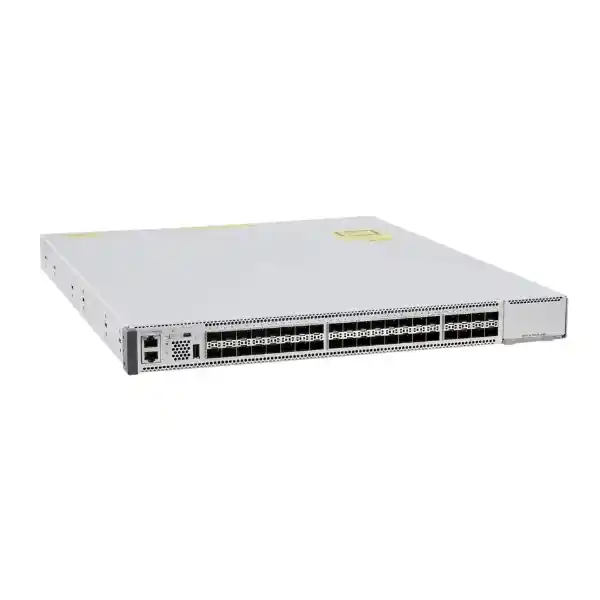
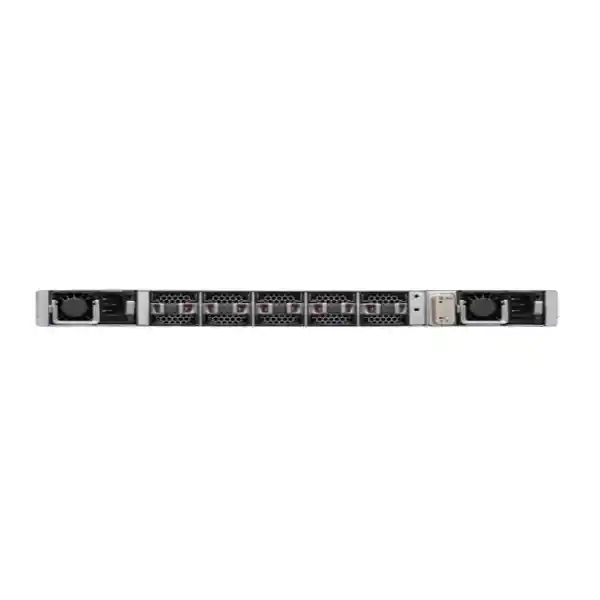
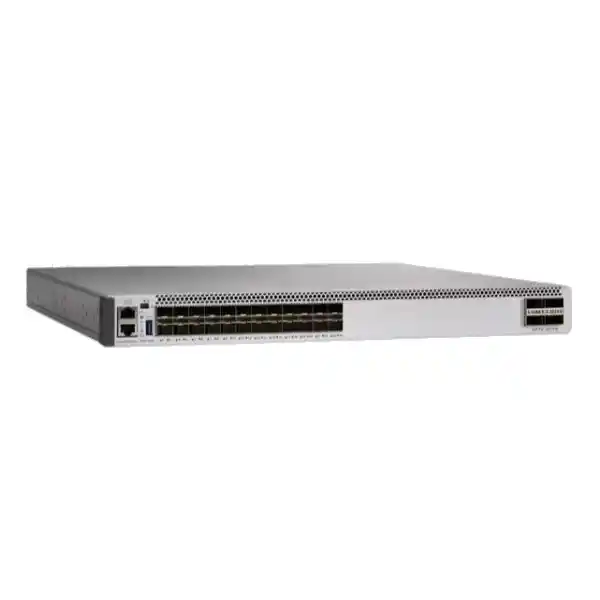
Cisco Catalyst C9500-48Y4C Network Switch
The Cisco Catalyst C9500-48Y4C is designed for organisations that need a compact, fibre-dense enterprise switching platform for the core or aggregation layer. It combines 48 ports of 1/10/25 Gigabit Ethernet on SFP28 interfaces with four fixed 40/100 Gigabit Ethernet QSFP28 uplinks in a 1RU chassis. That mix is especially useful when a network is moving beyond 10G aggregation, consolidating many fibre-connected access switches, or building a resilient campus core without moving to a modular chassis.
1G / 10G / 25G data ports
40G / 100G fixed uplinks
switching capacity
forwarding performance
Buying guidance: choose the C9500-48Y4C when you need high 10/25G fibre density, 40/100G uplinks, enterprise routing and resiliency, and a fixed 1RU design. It is not a PoE access switch and it is not intended to replace copper edge switching. Before requesting a quote, define the port speeds, fibre media, optic types, software licensing, power design, and redundancy topology required for the deployment.
What the C9500-48Y4C is built to do
Cisco positions the Catalyst 9500 family as a fixed enterprise core and aggregation switching platform. Within that family, the C9500-48Y4C is a high-performance model based on the UADP 3.0 architecture. Its port mix makes it a strong fit for networks where many upstream or downstream connections need to run at 10G or 25G while the core, data-centre, WAN edge, or adjacent aggregation layer requires 40G or 100G connections.
In practical terms, this switch can sit between high-density access switching and the rest of the enterprise network. It can aggregate fibre links from distribution blocks, server or appliance connections, building networks, or routed infrastructure and then hand off traffic through higher-speed uplinks. Because the 48 primary interfaces can operate at 1G, 10G, or 25G, a migration does not have to happen all at once. Existing lower-speed links can remain in service while selected connections are upgraded as bandwidth demand increases, provided the optics, cabling, software support, and remote devices are compatible.
The C9500-48Y4C is also useful where operational continuity matters. It supports redundant power-supply configurations, field-replaceable fan modules, Cisco StackWise Virtual, and enterprise software capabilities in Cisco IOS XE. Those features can be combined into a design that reduces single points of failure, but resilience still depends on the complete topology. A resilient switch does not make a resilient network by itself: dual power feeds, diverse fibre paths, redundant peer devices, correct software design, and tested failover procedures are equally important.
Key specifications at a glance
| Model | Cisco Catalyst C9500-48Y4C |
|---|---|
| Primary ports | 48 × SFP28 supporting 1/10/25 Gigabit Ethernet |
| Fixed uplinks | 4 × QSFP28 supporting 40/100 Gigabit Ethernet |
| Switching capacity | Up to 3.2 Tbps |
| Forwarding rate | Up to 1 Bpps |
| ASIC family | Cisco UADP 3.0 |
| Form factor | 1RU fixed switch |
| Dimensions | Approximately 4.4 × 44.5 × 45.7 cm (H × W × D) |
| Chassis weight | Approximately 9.96 kg with two power supplies and built-in fan assembly |
| Power architecture | Dual power-supply bays; 1+1 redundancy supported |
| Supported PSU families | Cisco 650W AC variants and 930W DC option for this model |
| AC input range | 90 to 264 VAC for the supported high-performance platform power system |
| High availability | StackWise Virtual, Stateful Switchover with supported design, and redundant power options |
| Security | MACsec-256 support, secure boot and platform trust capabilities |
| Software | Cisco IOS XE; minimum platform software listed by Cisco begins at IOS XE 16.8.1a for this model |
Exact capabilities can depend on software release, feature licensing, SDM template, optics, and network design. Validate the intended feature set against the current Cisco release and compatibility documentation before deployment.
Why 48 × 1/10/25G ports matter
A common core-upgrade problem is that the organisation has already outgrown 1G uplinks but does not need every connection to jump directly to 100G. The C9500-48Y4C addresses that middle ground. Its 48 SFP28 interfaces provide a flexible set of speeds that can support older 1G fibre connections, established 10G links, and newer 25G connections. That flexibility can reduce the pressure to replace every connected device at the same time.
For example, an enterprise may have several access or distribution blocks using 10G fibre today and a smaller number of high-traffic locations ready for 25G. The same chassis can accommodate both classes of connection. As demand rises, selected uplinks can be re-engineered for 25G without replacing the aggregation switch, assuming the remote equipment and optical path are suitable. This makes the platform useful for phased campus upgrades, data-centre interconnect at modest scale, and aggregation environments where port density is more important than having dozens of native 100G ports.
The four fixed QSFP28 interfaces provide the faster tier. They can operate at 40G or 100G, allowing the switch to connect upstream to a higher-capacity core, peer switch, data-centre network, or other compatible infrastructure. Because these are fixed uplinks on the C9500-48Y4C, the model does not use the optional uplink network modules associated with some other Catalyst 9500 variants. That should be considered during design: the four fixed ports are powerful, but their count and location are part of the chassis and cannot be expanded by adding a separate uplink module.
Core and aggregation performance
Cisco specifies up to 3.2 Tbps of switching capacity and up to 1 billion packets per second of forwarding performance for the C9500-48Y4C. Those figures place the switch well above ordinary access-layer requirements and align with its role as a high-performance enterprise core or aggregation platform. The important buying question, however, is not simply whether the headline capacity is large. The real question is whether the port mix and feature set match the traffic pattern that will pass through the switch.
A design with many 10G or 25G downstream links may produce highly variable traffic. Some links are quiet most of the day, while others carry backups, application flows, video, virtualisation traffic, or large transfers. The four 40/100G uplinks give architects room to build higher-capacity northbound paths, but oversubscription still needs to be calculated. Add the realistic peak throughput of the connected blocks, determine which traffic stays local versus leaves the switch, and size the uplinks accordingly. Where very high availability is required, reserve capacity for failure conditions so that the remaining path can carry an acceptable load when one uplink, fibre route, peer, or power source is unavailable.
The UADP 3.0 architecture also gives the platform flexibility for enterprise forwarding and policy functions. Cisco documents flexible ASIC and SDM templates that allow hardware resources to be allocated differently according to the deployment. This matters for routing-heavy, campus, and policy-rich designs because table utilisation can differ substantially. Network engineers should therefore validate expected route scale, adjacency scale, ACL requirements, NetFlow use, multicast needs, and segmentation design against the chosen IOS XE release and SDM template rather than relying only on a single maximum number.
High availability with StackWise Virtual
The C9500-48Y4C supports Cisco StackWise Virtual, which can pair two supported switches into a logical high-availability system. On this model, Cisco documents StackWise Virtual link support across suitable 10/25G downlink ports and 40/100G fixed uplink ports. Dual Active Detection can also be designed using supported interfaces. This gives network architects flexibility when selecting how the virtual pair is interconnected.
The practical benefit is that a pair of switches can provide a more unified control and forwarding design than two completely independent boxes. StackWise Virtual can support stateful switchover and multichassis EtherChannel designs, allowing downstream or upstream systems to build redundant port channels across the two physical chassis. Used correctly, this can simplify failure handling and avoid spanning-tree dependence for important aggregated links.
It is still important to design beyond the feature name. Two switches mounted in the same rack and powered from the same electrical circuit can still share a major failure domain. For critical environments, consider separate power feeds, independent UPS or power distribution paths where available, diverse fibre routes, and careful physical placement. Validate the supported software release on both peers, use matched configurations, document which interfaces carry StackWise Virtual and Dual Active Detection, and test failover before putting the network into production.
For organisations replacing an older two-switch core, StackWise Virtual can be a particularly useful migration tool because it supports a familiar redundant design while allowing much higher interface speeds. It may also simplify downstream dual-homing, but every connected device must be checked for the correct EtherChannel, LACP, VLAN, routing, and first-hop redundancy behaviour. A planned migration window, rollback configuration, and pre-staged optics are strongly recommended.
Security and trusted infrastructure
The Catalyst 9500 platform includes enterprise security capabilities intended for networks where the core must do more than forward packets. Cisco documents secure boot, image-signing and trust capabilities as part of the platform. These features help establish confidence that the system starts from trusted software and hardware components. They are valuable in regulated, security-conscious, or centrally managed environments where infrastructure integrity is part of the organisation’s security model.
The C9500-48Y4C also supports MACsec encryption. Cisco documents 256-bit AES-GCM MACsec capability for the Catalyst 9500 family and specific MACsec support for the high-performance C9500-48Y4C beginning with its early IOS XE support. MACsec can protect eligible Ethernet links against eavesdropping and tampering at Layer 2 when both ends of the connection support and are correctly configured for the required mode. It is not a substitute for application encryption or end-to-end security, but it can be an important control for sensitive fibre links between network devices.
When evaluating MACsec, confirm the exact topology, port type, software release, key-management method, peer compatibility, and performance expectations. Features evolve across IOS XE releases, and not every newer capability is available on every member of the Catalyst 9500 family. Treat the exact release documentation and Cisco Feature Navigator as part of the deployment checklist rather than assuming that a feature listed for one Catalyst 9500 model or one software train automatically applies to all others.
Security policy should also cover management access, AAA, role-based administration, secure logging, SNMP configuration, configuration backups, software lifecycle, and restricted out-of-band access. A high-performance core switch is a critical control point, so operational security is just as important as encrypted data-plane links.
Cisco IOS XE, automation and policy
The C9500-48Y4C runs Cisco IOS XE. Cisco lists IOS XE 16.8.1a as the minimum software requirement for this specific model, while current deployments should normally be planned around a supported release selected for the organisation’s features, lifecycle policy, and interoperability requirements. The minimum release is useful for identifying platform history; it should not be interpreted as a recommendation to deploy an old train.
IOS XE supports traditional CLI-based operations as well as modern management and automation workflows. Depending on software and licensing, organisations can integrate the switch into broader Cisco management, assurance, telemetry, segmentation, and SD-Access designs. Cisco’s current SD-Access documentation lists the Catalyst 9500 family among supported Catalyst 9000 platforms for multiple fabric roles, with the exact supported role and software requirements governed by the current compatibility matrix.
This matters for buyers because the hardware purchase is only one part of the solution. If the switch will be used in a centrally automated campus, confirm the required Cisco management platform, subscriptions, software entitlements, compatibility, and operational skills before ordering. If the network is managed conventionally, define how configuration backups, software upgrades, monitoring, alerting, authentication, and change control will be handled. In both cases, the goal is the same: make the switch observable and manageable throughout its lifecycle.
Cisco has evolved licensing across the Catalyst 9000 portfolio, and the current Catalyst 9500 datasheet describes both unified switching licensing and Cisco DNA licensing approaches. Because the commercial model can change over time and may depend on the exact order, request a quote that clearly identifies the hardware, base networking entitlement, subscription terms if applicable, support coverage, and any management or advanced-feature requirements. Avoid comparing quotes that list only a chassis price without clarifying software and support.
Power, cooling and rack planning
The C9500-48Y4C is a 1RU switch approximately 44.5 cm wide and 45.7 cm deep. Cisco lists a chassis weight of about 9.96 kg with two power supplies and the fan assembly. Those dimensions are compact for the port density, but they still need to be checked against the usable depth of the target rack, cable-management space, front and rear clearance, and the location of power distribution equipment. For four-post or specialised rack installations, confirm the correct mounting kit and rack-depth requirements before site work begins.
Cisco documents dual 1+1 redundant power supplies for the Catalyst 9500 family and lists supported 650W AC power-supply variants and a 930W DC option for the C9500-48Y4C. The platform can operate with one installed supply, but a second supported supply is the normal choice where power redundancy is required. The AC input range for the high-performance models including the C9500-48Y4C is documented as 90 to 264 VAC. The final electrical design should still be based on the selected PSU, local site power, plug and cord type, UPS/PDU design, and the total load of the rack.
Cooling deserves the same attention. Cisco uses field-replaceable variable-speed fan modules on the Catalyst 9500 platform. For the C9500-48Y4C, the current datasheet lists the applicable high-performance fan-tray family and front-to-back airflow architecture. Do not install the switch in a rack where airflow is blocked by dense cabling, blanking errors, or inappropriate equipment orientation. Check the data room’s thermal conditions, keep fibre patching organised, and leave enough service access for fan and power-supply replacement.
For deployments in Tanzania, practical infrastructure planning should include reliable power, UPS runtime, surge protection appropriate to the site design, cooling, generator changeover behaviour where generators are used, and environmental monitoring for critical network rooms. These are site-engineering considerations rather than switch features. The network team should document how the core behaves during utility interruptions and should test the actual power path instead of assuming that redundant switch power supplies automatically provide complete facility-level redundancy.
Optics, fibre and cabling: plan these before purchase
The C9500-48Y4C is a fibre-oriented switch, so optics and cabling are a major part of the bill of materials. The 48 primary ports use SFP28-class interfaces and the four high-speed uplinks use QSFP28-class interfaces. The transceiver required for any given link depends on the target speed, fibre type, distance, connector type, remote device, and Cisco compatibility support. A switch order that omits this link-level design is incomplete.
Start by creating a port schedule. For every planned interface, record the source device, destination device, target speed, estimated distance, fibre type, connector, redundancy role, and whether the link is new or reused. Then map each link to a supported optic, direct-attach cable, or active optical cable where appropriate. This process prevents common mistakes such as buying 25G optics for a remote switch that only supports 10G on that port, specifying single-mode optics over a multimode plant, or overlooking connector and patch-panel constraints.
Existing fibre should be tested before a major core upgrade. A link that works reliably at 1G or 10G may not automatically meet the requirements for a higher speed. Check fibre category, attenuation, connector cleanliness, patch count, route length, and polarity. Clean and inspect connectors before commissioning. For longer campus runs, confirm the optical budget rather than relying only on an approximate distance.
Keep spare optics and patch leads for critical links, but standardise where possible. A controlled optics list reduces troubleshooting complexity and makes replacement easier. Record serial numbers and port assignments, and ensure the monitoring platform can alert on relevant optical diagnostics where supported. If third-party optics are being considered, verify the organisation’s support policy and the exact Cisco compatibility and service implications before procurement.
Common deployment scenarios
Campus core
Aggregate multiple distribution or building switches over 10G or 25G fibre and use 40/100G links for peer, data-centre, or upstream connectivity. A two-switch StackWise Virtual design can improve resilience where supported and correctly engineered.
Distribution consolidation
Replace several lower-density aggregation devices with one high-density 1RU platform where 48 flexible 1/10/25G interfaces match the existing and planned access-switch uplinks.
Data-centre or server aggregation
Use the switch where enterprise routing and aggregation requirements align with 10/25G server, appliance, firewall, or adjacent-switch connections. Validate the design carefully if a specialised data-centre fabric feature set is required.
High-speed network refresh
Move from a predominantly 10G core toward 25G access or distribution links and 100G uplinks while preserving the ability to keep selected 1G and 10G connections during the migration.
Secure inter-switch links
Use supported MACsec designs for eligible Ethernet links where Layer-2 encryption is part of the security requirement. Confirm peer support, software, key management, and exact interface capability.
Policy-driven campus
Deploy within a Cisco Catalyst 9000 environment where routing, segmentation, telemetry, automation, and SD-Access capabilities are being designed as part of a broader architecture.
When this switch is the right fit
The C9500-48Y4C makes the most sense when the network needs many fibre ports at speeds between 1G and 25G, combined with a smaller number of faster 40/100G connections. It is also a good fit when the organisation wants a fixed form factor rather than a modular chassis and values enterprise resiliency, routing, security, automation, and lifecycle management.
- You need up to 48 fibre-facing interfaces and want a migration path from 10G to 25G.
- You need 40G or 100G fixed uplinks for core, peer, or upstream connectivity.
- You are building a campus core, distribution layer, or enterprise aggregation design rather than a PoE access layer.
- You want a 1RU fixed platform with redundant power capability and field-replaceable cooling components.
- You need Cisco IOS XE features and may use StackWise Virtual, MACsec, automation, or policy-based campus architecture.
- You can define the optics, software, support, rack, power, and redundancy requirements as part of the purchase rather than treating the chassis as a complete solution by itself.
The platform may be less suitable when the main requirement is copper access switching, Power over Ethernet for phones or access points, a very small number of low-speed links, or native 100G density far beyond four interfaces. In those cases, another Catalyst family or another member of the Catalyst 9500/9500X range may align better with the topology.
Comparing nearby Catalyst 9500 options
The C9500-48Y4C should be selected because its port mix matches the network, not simply because it is a higher port-count model. Cisco also offers the C9500-24Y4C, which provides 24 × 1/10/25G SFP28 interfaces plus four 40/100G fixed uplinks. That model can be a better fit when 24 high-speed fibre ports are enough and the organisation wants the same general style of 25G aggregation with fewer access-facing interfaces.
The C9500-32C takes a different approach: it is designed around much denser native 40/100G connectivity rather than dozens of 1/10/25G SFP28 ports. If most attached systems already require 100G, a model built for that speed may avoid consuming the C9500-48Y4C’s limited set of four 100G uplinks. Conversely, if the network has many 10G or 25G fibre links, the 48Y4C’s SFP28 density can be far more practical.
There are also Catalyst 9500X platforms aimed at newer, higher-capacity core designs. Those models can offer greater throughput and faster interface options, but they are not automatically the best answer for every enterprise. Compare the real port schedule, expected growth, licensing, support lifecycle, optics cost, power, and network architecture. Buying unused high-speed capacity can be as inefficient as buying a switch that will be outgrown too soon.
Tanzania deployment planning
For organisations deploying the Cisco C9500-48Y4C in Tanzania, the technical design should be matched to the realities of the site rather than copied from a generic reference architecture. Start with the physical network: document every building, rack, fibre path, patch panel, upstream provider handoff, server or firewall connection, and the current speed of each link. Identify which connections genuinely need 25G or 100G now and which can remain at 10G. This keeps the optics budget and migration plan aligned with actual requirements.
Power continuity is another key planning area. The switch can support redundant power supplies, but the value of that redundancy depends on how the supplies are fed. Where continuity is important, design the two inputs so that a single PDU, UPS, circuit, or maintenance event does not remove both at once. Review generator and UPS behaviour under real transfer conditions, monitor battery health, and include the network core in routine power-failure tests.
Fibre quality and spares should also be included in the deployment plan. Long building-to-building runs, legacy patching, dust-contaminated connectors, and undocumented fibre types can create problems when link speeds increase. Test and label the plant, verify the optical budget, and standardise supported transceivers. Keep a small set of critical spares appropriate to the design so that a failed optic does not become an extended outage.
For software and operational support, decide who owns configuration, monitoring, upgrades, security patching, backups, licence management, and incident response. If the switch is part of a wider Cisco-managed architecture, confirm all required controllers, subscriptions, and support entitlements. If it will be run using conventional network operations, make sure the team has a documented baseline configuration, approved IOS XE release, backup process, and tested recovery procedure.
Do not assume local stock, delivery time, pricing, warranty terms, installation coverage, or manufacturer authorisation without a current quote. Those commercial details should be confirmed for the exact Tanzania order, together with the switch bundle, power supplies, software entitlement, optics, cables, rack accessories, and support level.
Procurement checklist
A complete C9500-48Y4C order should be driven by a design bill of materials rather than the chassis model alone. Use the following checklist when preparing a request for quotation:
- Confirm the exact switch model. Specify C9500-48Y4C and document whether the design requires one unit or a redundant pair.
- Define the software and licensing requirement. State the intended networking features, management platform, subscription requirements, and preferred support coverage.
- Select the power configuration. Decide whether dual power supplies are required and whether the site uses the applicable AC or DC design. Confirm cords, connectors, PDU capacity, and feed diversity.
- Create the optics schedule. List every 1G, 10G, 25G, 40G, and 100G link, its distance, fibre type, connector, and compatible remote interface.
- Check rack fit and mounting. Confirm usable rack depth, mounting kit, cable-management approach, grounding, service clearance, and airflow.
- Plan redundancy. If using StackWise Virtual, reserve suitable interfaces for the virtual links and Dual Active Detection and document the downstream and upstream port-channel design.
- Verify the implementation software release. Use a currently supported IOS XE release that meets feature and interoperability needs rather than relying on the platform’s historical minimum version.
- Plan support and spares. Define service coverage and keep appropriate spare optics, fibre leads, and other replaceable components for business-critical links.
- Document acceptance tests. Include power failover, uplink failover, StackWise Virtual behaviour where used, routing convergence, monitoring, logging, configuration backup, and performance validation.
This checklist also makes competing quotations easier to compare. Two offers that both say “C9500-48Y4C” may differ significantly if one includes a second power supply, required optics, support, and licensing while the other lists only the base chassis.
Migration from an existing core or distribution switch
A successful migration starts with discovery. Export the current configuration, routing table summaries, VLAN list, spanning-tree state, port-channel membership, interface descriptions, addressing, ACLs, QoS policy, multicast configuration, management settings, and monitoring dependencies. Compare those requirements against the target IOS XE release and the C9500-48Y4C feature set. Do not wait until the maintenance window to discover that an old command, unsupported optic, or unusual routing feature needs a different implementation.
Next, build a port-by-port migration map. Each old interface should have a target port, speed, optic, cable, VLAN or routed role, and rollback instruction. Where possible, stage the new switch off-network, install the intended software, apply the baseline configuration, validate licensing, configure management access, and test the redundancy functions before moving production traffic.
If the migration changes link speed at the same time, treat the optical path as a separate workstream. A move from 10G to 25G or from 40G to 100G may require different transceivers and may expose fibre problems that were not visible at the lower rate. Test critical paths in advance. If both ends of a link are changing, define the sequence and keep a known-good rollback path.
For routed cores, review protocol timers, adjacency formation, equal-cost paths, default routes, redistribution, and route filtering. For Layer-2 aggregation, review spanning tree, trunks, native VLAN handling, and port-channel settings. If moving to StackWise Virtual, validate the new logical topology rather than simply reproducing the old configuration line by line.
After cutover, monitor interface errors, optical levels, CPU and memory, routing adjacencies, logs, environmental sensors, power status, and traffic distribution. Save a post-migration configuration and update diagrams immediately. The objective is not only to make traffic pass, but to leave the new core documented, supportable, and ready for future expansion.
Operational considerations after deployment
Once the C9500-48Y4C is in service, establish a repeatable operating routine. Track the installed IOS XE release and Cisco security advisories, maintain tested configuration backups, and keep an inventory of the switch serial number, power supplies, optics, licences, and support contract. Document the approved maintenance process so that software upgrades are planned and reversible.
Monitoring should cover more than reachability. Watch physical interface counters, errors, drops, utilisation, optical diagnostics where available, routing adjacency state, port-channel members, environmental readings, power supplies, and fans. Set thresholds that are useful for the network rather than generating alerts for every harmless fluctuation. Capacity trends are especially valuable on 10/25G aggregation links and 40/100G uplinks because they show where the next bottleneck is developing.
Configuration governance is equally important. Use authenticated administrative access, separate operator privileges where appropriate, log changes, and back up the configuration after approved modifications. If automation is introduced, place scripts and templates under version control and test changes against a lab or staged device where possible. A fast core switch can amplify the impact of a configuration mistake just as efficiently as it forwards legitimate traffic.
Finally, rehearse failure scenarios. Verify what happens when a power supply is disconnected, an uplink fails, a StackWise Virtual path is interrupted, or a peer device is rebooted. Record the observed convergence and any application impact. Periodic testing turns redundancy from a design assumption into an operationally validated capability.
Frequently asked questions
How many ports does the Cisco C9500-48Y4C have?
It has 48 SFP28 data ports supporting 1G, 10G, or 25G Ethernet and four fixed QSFP28 uplink ports supporting 40G or 100G Ethernet. The uplink ports are built into this high-performance model rather than provided through an optional network module.
Is the C9500-48Y4C a core switch?
Yes. Cisco positions the Catalyst 9500 Series as a fixed enterprise core and aggregation switching platform. The C9500-48Y4C is especially suitable where the design needs many 10/25G fibre links with 40/100G upstream connectivity.
What is the switching capacity?
Cisco specifies up to 3.2 Tbps of switching capacity and up to 1 Bpps of forwarding performance for the C9500-48Y4C. Real design performance also depends on traffic patterns, features, software, and topology.
Does it support 100 Gigabit Ethernet?
Yes. The four fixed QSFP28 uplink ports support 40G or 100G Ethernet. The 48 SFP28 ports are intended for 1G, 10G, or 25G connectivity.
Does the switch support StackWise Virtual?
Yes. Cisco documents StackWise Virtual support for the high-performance C9500 models including the C9500-48Y4C. Supported 10/25G downlinks and 40/100G fixed uplinks can be used for StackWise Virtual links according to Cisco’s design guidance.
Does it support redundant power supplies?
Yes. The Catalyst 9500 platform supports dual power supplies in a 1+1 redundant arrangement. Cisco lists supported 650W AC variants and a 930W DC option for the C9500-48Y4C. The final order should specify the exact required PSU and power cords.
Can it provide PoE to phones or access points?
No. The C9500-48Y4C is a fibre-focused core and aggregation platform, not a PoE copper access switch. Use an appropriate Catalyst access-switch family when endpoint PoE is required.
What optics are required?
The exact transceiver depends on port speed, distance, fibre type, connector, and the device at the other end. Build a link-by-link optics schedule and confirm the current Cisco compatibility information before ordering.
Does it support MACsec?
Yes. Cisco documents MACsec encryption support for the C9500-48Y4C. The exact mode and related capabilities depend on IOS XE release, topology, port configuration, and peer support, so validate the specific security design before deployment.
What should I provide when requesting a quote in Tanzania?
Provide the required quantity, target port speeds, optic distances and fibre types, whether you need a redundant pair, AC or DC power preference, second power supply requirement, software and licence needs, support expectations, and any StackWise Virtual or advanced security requirements. This makes it possible to quote a complete solution rather than only the chassis.
Request a Cisco C9500-48Y4C quote for Tanzania
If you are planning a campus core, distribution upgrade, 25G aggregation layer, or a migration to 100G uplinks, prepare a short network requirement before requesting pricing. Include the number of switches, fibre-link count, required speeds, distances, redundancy design, preferred power configuration, software features, and support level. That information helps ensure the quotation includes the correct switch configuration, optics, power supplies, licensing, and supporting accessories.
Next step: request a solution-based quotation for the Cisco Catalyst C9500-48Y4C and ask for the bill of materials to be checked against your existing fibre plant, connected switch models, rack environment, power design, and intended Cisco IOS XE feature set.




Reviews
There are no reviews yet.