
Up to 60W UPOE per port
StackWise-1.6T
Cisco IOS XE
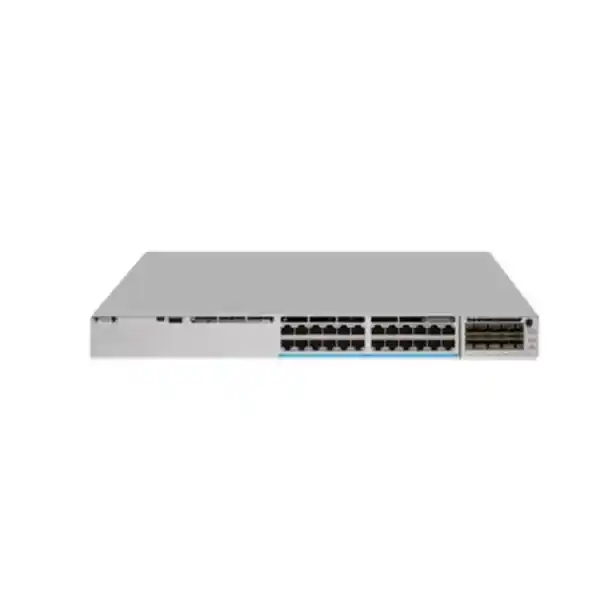
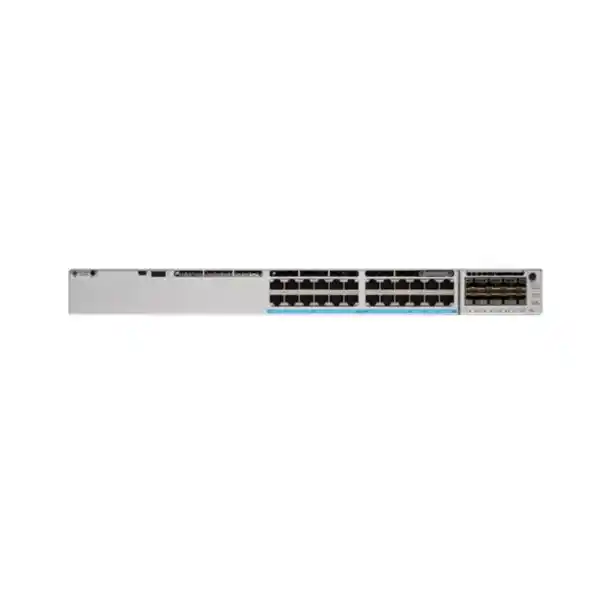
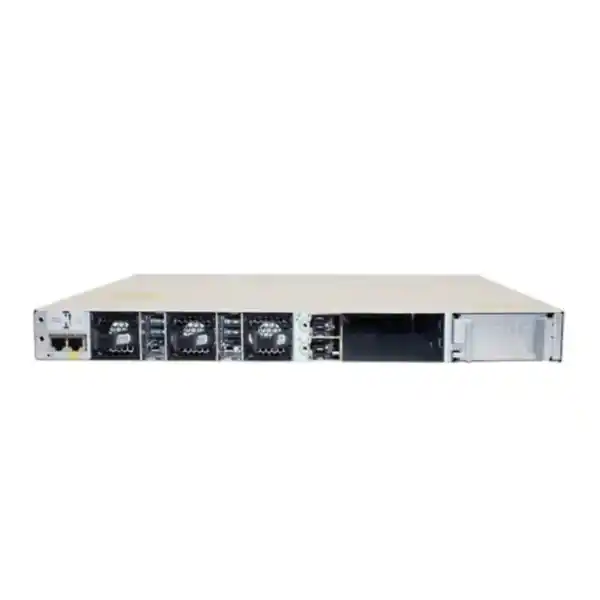
Cisco C9350-24U Smart Switch for high-power enterprise access
The Cisco C9350-24U Smart Switch is designed for organizations that want a modern enterprise access switch with 24 copper Gigabit Ethernet ports, higher-power PoE capability, resilient stacking, flexible uplinks, and Cisco IOS XE operations. Each access port supports 10/100/1000 Mbps and can provide up to 60W of Cisco UPOE based on IEEE 802.3bt Type 3. That makes the platform a practical fit for networks that must connect and power devices such as IP phones, security cameras, access-control equipment, wireless access points, building systems, sensors, and other powered edge devices while keeping switching and power delivery in a single managed platform.
For buyers in Tanzania, the most important design question is not only whether 24 ports are enough. You should also check the power required by each endpoint, the combined PoE load, the uplink speed needed toward the distribution or core layer, the required level of redundancy, the intended management model, and the software license tier. The C9350-24U can deliver up to 60W on an individual port, but the total power available to all connected devices depends on the installed power supplies. Cisco lists 570W of available PoE with the default 850W power supply, so a deployment that expects many higher-power endpoints must be engineered with the correct additional or higher-capacity power supply configuration rather than assuming every port can simultaneously draw 60W from the default setup.
Choose this model when 1 Gigabit access is sufficient for the endpoints and you value high PoE capability, enterprise Layer 2/Layer 3 features, high-bandwidth stacking, modular fiber uplinks, and flexible management. If the connected devices need 2.5G, 5G, or 10G copper access, a C9350 Multigigabit model is a better fit. This distinction helps avoid overbuying on power while underbuying on access speed.
Quick technical summary
| Access ports | 24 × 10/100/1000 Mbps copper RJ-45 downlinks |
|---|---|
| PoE capability | Up to 60W Cisco UPOE per port; IEEE 802.3bt Type 3 |
| Default power supply | PWR-C2-850WAC family; Cisco lists 570W available PoE with the default PSU |
| Maximum platform PoE design | Up to 1440W aggregate capability with an appropriately sized power configuration |
| Switching bandwidth | 448 Gbps; up to 2048 Gbps switching capacity with stacking |
| Forwarding rate | 333.312 Mpps; up to 1523.712 Mpps with stacking |
| Stacking | StackWise-1.6T, supporting a stack of up to eight C9350 switches when design and licensing requirements are met |
| Uplinks | Modular uplink support; the C9350-24U supports up to 200G of modular uplink bandwidth with supported network modules |
| Operating system | Cisco IOS XE |
| Memory platform | C9350 series supports 16 GB DRAM and 18 GB flash, with optional SSD capacity for supported application-hosting use cases |
Final configuration depends on the selected power supplies, uplink module, optics, licenses, software release, and accessories. Confirm those items during quotation rather than treating the base chassis as a complete deployment bundle.
Who should consider the C9350-24U?
The C9350-24U is strongest in enterprise access environments where endpoints need reliable 1G connectivity and a meaningful amount of power from the switch. A typical deployment may have a mixture of ordinary low-power devices and a smaller number of endpoints that need more than conventional PoE+. Examples include higher-function wireless access points, pan-tilt-zoom cameras, video devices, access-control equipment, compact edge appliances, digital signage, or building technology. Because the switch can provide up to 60W on a port, it gives the network designer more headroom than a 30W PoE+ access switch.
It is also a good fit when operational consistency matters. Cisco IOS XE provides a common enterprise operating environment with routing, switching, security, telemetry, automation, and programmatic management capabilities. The platform can be managed through supported on-premises, cloud, or hybrid approaches depending on the chosen licensing model and operational design. For organizations standardizing on Cisco campus switching, that can reduce the number of different operational methods administrators must maintain.
This model is not intended to be the universal answer for every access layer. If you expect a large number of modern Wi-Fi access points or workstations that need greater than 1 Gbps over copper, choose a C9350 Multigigabit variant. If you do not need PoE at all, a data-only model may be more economical. If most endpoints need no more than 30W, the 24-port PoE+ model may be sufficient. The value of the C9350-24U is therefore its balance: 24 1G access ports, up to 60W per port, powerful stacking, modern uplinks, and enterprise software features without moving to Multigigabit copper where it is unnecessary.
Plan PoE by total budget, not only by the 60W port rating
Power planning is the most important buying consideration for the C9350-24U. The switch supports up to 60W UPOE on each of its 24 access ports, but a per-port maximum is not the same as the power available to all ports at the same time. Cisco specifies a default 850W AC power supply for this model and identifies 570W of available PoE with that default supply. Cisco also describes an overall platform design capable of a larger aggregate PoE budget when the power subsystem is configured appropriately. In practical terms, you should calculate the real endpoint load and then select the power supplies and redundancy strategy that meet that load with suitable headroom.
For example, a site with twenty-four low-power IP phones may use far less than the default available PoE budget. A site with several higher-power cameras, access points, or edge devices can consume much more. The required power configuration should therefore follow the actual bill of materials. This is especially important for critical locations where a power-supply failure must not interrupt cameras, access-control systems, phones, or wireless coverage.
The C9350 platform also supports StackPower+, which can pool power across supported switches in a StackPower domain. This can improve power utilization and provide additional design flexibility, but it should be engineered deliberately with the supported cables, power supplies, and topology. Do not assume that a data stack automatically provides shared power; data stacking and power stacking are separate design elements.
Performance for an enterprise access layer
Cisco specifies 448 Gbps of bandwidth for the C9350-24U and a forwarding rate of 333.312 million packets per second in the standalone specification. With stacking included, Cisco lists up to 2048 Gbps of switching capacity and 1523.712 Mpps of forwarding rate. Those figures show that the platform is built for more than simple unmanaged edge connectivity. It can aggregate many active endpoints while participating in a resilient campus design.
The important design principle is to match access traffic to the uplink architecture. Twenty-four 1G downlinks can theoretically generate substantial aggregate traffic, especially where multiple VLANs, local servers, voice, surveillance, and wireless clients share the same switch. An uplink chosen only for today’s average load may become a bottleneck during backups, software deployment, camera bursts, application peaks, or future growth. The modular uplink design lets you select an uplink module that better matches the intended distribution or core connection.
For Layer 3 scale, the C9350 family provides large route, ARP, ACL, multicast, NetFlow, and VLAN capacities. Exact usable scale depends on software, features, and the selected SDM profile, so large designs should be validated against the current Cisco scale tables for the intended IOS XE release. For a normal campus access deployment, the more immediate decisions are endpoint count, uplink bandwidth, PoE, resiliency, and license tier.
Modular uplinks: choose the network module around the design
The C9350-24U uses replaceable network modules rather than forcing one fixed uplink arrangement. Cisco lists support for modules including the C9350-NM-2C and C9350-NM-8Y on this model, enabling combinations of higher-speed uplinks. The C9350-24U is specified for up to 200G of modular uplink bandwidth. That provides a useful path for connecting the access switch to distribution, core, server, or aggregation infrastructure using the appropriate supported optics and cabling.
A buyer should therefore treat the uplink module and transceivers as design choices, not as afterthoughts. Decide whether the switch needs redundant uplinks, link aggregation, diverse physical paths, long-distance fiber, short-reach fiber, or another supported media option. Verify that the chosen module, transceiver, fiber type, connector type, distance, and software release are mutually compatible. Also confirm whether both uplinks terminate on one upstream device, a pair of redundant devices, or a stacked/virtualized upstream system.
For sites with modest traffic, a lower-speed uplink may be completely adequate. For access layers serving surveillance, wireless, rich media, large file transfers, or many active users, faster uplinks can protect the investment by leaving room for growth. Because the access ports themselves are 1G, the uplink decision is about aggregate traffic and resilience rather than accelerating a single endpoint above 1G.
StackWise-1.6T for simpler expansion and resilience
Cisco C9350 switches support StackWise-1.6T, providing a high-bandwidth stacking architecture for building one logical system from multiple compatible switches. Cisco documents support for up to eight C9350 members in a StackWise-1.6T stack, subject to model and license requirements. In the right design, stacking can simplify management, increase available port count, improve operational consistency, and make it easier to build link redundancy across separate physical members.
The stacking cables are specific to the C9350 generation. Cisco notes that C9350 StackWise and StackPower cabling is not compatible with previous Catalyst 9300-generation stacking or power-stacking cables. That matters during refresh projects: an existing rack may contain older cables that physically resemble the required accessories but cannot be reused. Include the correct cable type and length in the bill of materials and confirm rack placement before ordering.
Stacking should also be evaluated from a failure-domain perspective. One logical stack can reduce routine management effort, but it places multiple access switches into a shared control design. Consider maintenance procedures, software-upgrade methods, power redundancy, cabling path, and what happens if the stack ring is broken. A well-designed stack can provide strong operational benefits; a poorly cabled or underpowered stack can create avoidable risk.
Cisco IOS XE management, automation and telemetry
The C9350 Series runs Cisco IOS XE, giving network teams a programmable operating environment rather than a basic switch interface. Cisco describes model-driven programmability through NETCONF, RESTCONF, and YANG, together with streaming telemetry, on-box Python capabilities, and application-hosting functions. These tools can help organizations move from device-by-device manual configuration toward repeatable automation and more continuous visibility.
How much of that capability you use depends on operational maturity. A smaller IT team may primarily use the switch through familiar CLI and centralized management. A larger environment may integrate configuration workflows with source-controlled templates, APIs, compliance checks, monitoring platforms, event-driven automation, or network orchestration. The advantage is that the platform can support both approaches without requiring a hardware replacement when the operations model evolves.
Cisco also positions the C9350 for flexible management choices. Depending on the selected licensing model, organizations can use supported cloud, on-premises, or hybrid management methods. Licensing is therefore part of architecture, not simply a procurement code. Before ordering, decide who will manage the switch, where the management plane should live, what automation or assurance features are required, and whether the organization already has Cisco Smart Accounts, centralized management, or Meraki operational processes.
For monitoring, collect more than link-up/link-down events. Track interface utilization, errors, PoE consumption, temperature, power-supply state, stack health, uplink saturation, client behavior, and software status. These measurements help reveal capacity problems before users experience them and can support better decisions about uplink upgrades or power expansion.
Security capabilities should be designed as part of the access layer
An enterprise access switch sits close to users, devices, cameras, phones, building systems, and wireless infrastructure, so it is an important enforcement point. Cisco positions the C9350 platform with integrated security capabilities, zero-trust-oriented controls, access policy functions, segmentation options, secure management, and modern cryptographic support. Exact features available to a deployment can depend on software release, license tier, identity infrastructure, and the rest of the network architecture.
The practical security plan should begin with device and user identity, VLAN or segmentation requirements, authentication, administrative access, management-plane protection, logging, software maintenance, and control of unused ports. Where identity-based access or advanced policy is required, validate integration with the organization’s Cisco identity and management systems. Where the switch will carry surveillance or physical-security traffic, keep operational dependencies in mind: an authentication or policy error should not accidentally take critical devices offline.
The hardware also provides the foundation for newer platform capabilities, but buyers should avoid assuming that every announced feature is automatically enabled in every software release. Cisco documentation may identify some functions as release-dependent or separately licensed. During project design, verify the required security function against the exact IOS XE version and license selected for the switch.
Application hosting and operational visibility
The C9350 platform includes resources for supported application-hosting use cases. Cisco documents 16 GB of DRAM, 18 GB of flash, dedicated application-hosting resources, optional SSD capacity, and high-speed application connectivity on the series. Supported applications can include Cisco operational or visibility tools, and Cisco has documented native hosting options such as ThousandEyes Enterprise Agent on supported software releases.
This matters when the switch is placed at an important branch, campus building, or user edge where visibility into application and network performance is valuable. Running a supported monitoring application close to users can help distinguish local switching problems from WAN, DNS, internet, SaaS, or application issues. However, application hosting should not be purchased on assumption alone. Confirm the required application, license, storage option, CPU/memory allocation, IOS XE release, and operational support model before making it part of the design.
If application hosting is not needed, the switch remains useful as a high-performance access platform. Optional capabilities should support a business requirement rather than complicate the deployment.
Common deployment scenarios
Office access
Connect desktops, phones, printers, room systems, access points, and other wired devices while using VLANs and policy to separate business services.
Video surveillance
Power and connect IP cameras, including devices that may need more power than conventional PoE+, while planning uplinks for aggregate video traffic.
Building systems
Support access-control, sensors, controllers, signage, and other networked building devices where centralized PoE can simplify power distribution.
Education campus
Use in classrooms, administration blocks, libraries, labs, or shared facilities where 1G user access and centralized operations are appropriate.
Healthcare and service sites
Provide segmented wired connectivity for administrative, communication, security, and supported facility devices, with careful availability planning.
Branch or building aggregation
Use Layer 3 and high-speed uplinks to connect a local access environment into a larger campus architecture where the traffic and scale fit the platform.
Tanzania deployment planning: power, cabling, environment and supportability
For a Tanzania deployment, use the same disciplined site-readiness process you would use for any enterprise switching project, but validate conditions at the actual location rather than relying on assumptions. The C9350-24U supports AC input in the 100V to 230V range and Cisco specifies environmental limits for temperature and humidity. The switch should be installed in a suitable rack with correct airflow, clean power, grounding, ventilation, and enough depth for the chassis, power supplies, cable bend radius, and uplink optics.
Where utility interruptions or voltage disturbances are a concern for a particular site, size the UPS and power-protection system for the full switch configuration and expected PoE load. A switch drawing power for many endpoint devices can require considerably more UPS capacity than a data-only switch. Include the connected PoE devices in runtime calculations, not just the switch electronics. For critical communications or security systems, consider whether a generator, dual power path, additional PSU, or a StackPower design is required by the business continuity plan.
Copper access cabling should meet the required Ethernet category and installation quality for the chosen speed and distance. Cisco specifies a maximum copper run of 100 metres for the 10/100/1000 ports. Power delivery can expose weak terminations, underspecified cable, or poor patching, so test the structured cabling and use suitable components. For fiber uplinks, verify fiber type, connector, optic reach, and compatibility with both ends of the link.
Local availability, delivery time, installation service, warranty handling, and licensing assistance should be confirmed during quotation because those commercial details can vary by project and should not be assumed from the hardware specification alone.
C9350-24U vs nearby C9350 choices
| Model | Access ports | PoE profile | Best fit |
|---|---|---|---|
| C9350-24U | 24 × 1G copper | Up to 60W UPOE per port | 1G enterprise access with higher-power endpoints |
| C9350-24P | 24 × 1G copper | Up to 30W PoE+ | 1G access where 30W per port is sufficient |
| C9350-24T | 24 × 1G copper | No PoE | Data-only access where endpoints have separate power |
| C9350-24HX | 24 × Multigigabit copper | Higher-power UPOE+ profile | High-performance access where endpoints need greater than 1G copper |
The easiest way to choose is to start with endpoint speed and power. If a device needs 60W but only 1G data, the 24U is a logical candidate. If it needs more than 1G over copper, move to a Multigigabit model even if the power requirement is modest. If it needs only standard PoE+, the 24P may be sufficient. If it needs no switch-supplied power, the 24T avoids paying for a capability that will not be used.
Network design checklist before requesting a quote
- Count required access ports. Include active endpoints, planned growth, spares, and any devices that may move from Wi-Fi to wired connectivity.
- Confirm access speed. The C9350-24U provides 1G copper access; it is not a Multigigabit access model.
- Calculate PoE watts. Add the expected endpoint load and compare it with the power available under the selected PSU configuration.
- Choose redundancy. Decide whether you need additional PSUs, StackPower+, redundant uplinks, or a switch stack.
- Select uplink speed and media. Define fiber type, distance, optic type, port speed, and whether uplinks need link aggregation or diverse paths.
- Define Layer 2/Layer 3 role. Decide which VLANs, routing functions, access policies, and gateway responsibilities belong on the switch.
- Choose management model. Confirm cloud, on-premises, or hybrid operation and the corresponding licensing requirements.
- Validate software features. Check the exact IOS XE release and license tier for any advanced feature that is essential to the project.
- Check rack and power readiness. Verify rack depth, airflow, grounding, UPS capacity, input power, and cable management.
- Build the full bill of materials. Include chassis, licenses, power supplies, network module, optics, stacking cables, StackPower cables where required, rack accessories, SSD where required, and support items.
Licensing is part of the architecture
Cisco C9350 Series Smart Switches use current Cisco licensing models that can support Cisco Networking Subscription and, for supported deployment choices, Meraki Classic Licensing. Cisco also identifies Essentials and Advantage feature levels in its ordering guidance. The correct choice depends on how the network will be managed and which advanced features are needed. Because software entitlements can affect security, assurance, management, automation, and operational capabilities, the license should be selected at the same time as the hardware rather than added as an afterthought.
Organizations using Cisco Smart Accounts should ensure the required account and virtual-account structure is ready for license assignment and lifecycle management. If the switch will be introduced into an existing Cisco environment, confirm how it will coexist with the organization’s current licensing, management, identity, monitoring, and support processes. If it will be managed through the Meraki dashboard, validate the intended workflow and feature requirements before ordering.
Do not assume that a feature mentioned for the C9350 platform is present under every license. During quotation, provide the required functions and management model so the exact license can be matched to the deployment. That is safer than choosing a tier solely from a product name.
Installation and operational considerations
The C9350-24U is a rack-mount enterprise switch with front access ports and a chassis depth that must be considered together with the installed power supply and cable clearance. Cisco lists the 24U chassis at approximately 4.4 cm high, 44.5 cm wide, and 38.3 cm deep before accounting for power-supply extension, with a weight of about 6.35 kg when equipped with the default power supply. Confirm the exact rack, rail, bracket, and clearance requirements for the final configuration.
Airflow must remain unobstructed. Keep the switch away from blocked intake or exhaust paths and leave enough space for service access. Route copper, fiber, stack, and power cables so they do not place stress on connectors or obstruct modules and fans. Label both ends of every uplink, stack cable, and power feed. For stacked deployments, document member numbers, physical order, stack-ring connections, power topology, and uplink ownership so another engineer can service the rack without tracing every cable from the beginning.
During commissioning, validate more than basic connectivity. Check power-supply state, PoE allocation, port errors, negotiated speed, duplex, stack health, uplink redundancy, spanning-tree or routing behavior, time synchronization, logging, AAA, monitoring, configuration backup, and software version. Test a controlled failure where the design requires redundancy. A resilient architecture should be proven before production dependency grows.
After deployment, keep configuration and software management under change control. Review Cisco advisories and recommended software guidance, and verify feature compatibility before upgrades. A switch this capable can remain in service for years, so disciplined lifecycle management is as important as the initial hardware choice.
What the 1G access-port limit means in practice
The most important limitation to understand is that the C9350-24U access ports are 10/100/1000 Mbps. The switch has powerful uplinks and stacking, but those capabilities do not turn an individual copper access port into a 2.5G, 5G, or 10G interface. A modern wireless access point may be able to generate more than 1 Gbps of aggregate client traffic, and some workstations or edge devices may also include Multigigabit Ethernet. If those endpoints must operate above 1 Gbps on the wired side, this is the wrong C9350 access model.
Conversely, many enterprise endpoints still operate comfortably at 1G or below. IP phones, many cameras, printers, access-control devices, controllers, standard office desktops, and a broad range of IoT devices do not require Multigigabit access. For those environments, the 24U can be a better fit because it combines adequate data rate with stronger per-port power capacity and a high-performance switching architecture.
A mixed campus may use different C9350 models by floor or use case. High-density Wi-Fi areas can use Multigigabit variants, while office, surveillance, or building-technology areas use 1G models. Designing by endpoint requirement is usually more efficient than selecting one expensive port type everywhere.
Buying guidance for a complete C9350-24U deployment
A complete quote should describe the intended deployment, not only the switch model. Start with the number and type of endpoints, the maximum power needed by each device, the total PoE requirement, uplink speed, fiber distance, desired redundancy, stack size, management method, and required software features. This information determines the accessories and licenses that make the chassis usable in the target network.
For example, a single C9350-24U used in a small equipment room may need one uplink module, two optics, an appropriate license, and enough power capacity for its endpoints. A larger campus deployment may require multiple stack members, StackWise cables, additional power supplies, StackPower cables, redundant high-speed uplinks, spare optics, and coordinated software. Both scenarios use the same base switch, but the final bills of materials are very different.
Avoid copying a parts list from another C9350 model. Network modules, power supplies, accessories, stacking requirements, and software entitlements can differ. Likewise, do not rely on old Catalyst 9300 stack cables for the C9350 generation. Cisco explicitly documents C9350-specific StackWise-1.6T and StackPower cable requirements.
If you are replacing an older access switch, share the existing model, current uplink type, endpoint count, PoE usage, VLAN design, routing role, and management platform during the quotation process. Those details make it easier to identify compatibility gaps before the installation window.
Frequently asked questions
Does the Cisco C9350-24U have 24 Gigabit Ethernet ports?
Yes. The C9350-24U provides 24 copper RJ-45 downlink ports supporting 10/100/1000 Mbps. The access ports are 1G-class ports, not Multigigabit ports. If an endpoint requires 2.5G, 5G, or 10G over copper, choose a C9350 Multigigabit model instead.
Can every port provide 60W at the same time?
Each port supports up to 60W UPOE, but simultaneous aggregate output depends on the installed power supplies. Cisco lists 570W of available PoE with the default 850W power supply. A design expecting a much higher combined load must use the appropriate power configuration and should include redundancy requirements in the calculation.
What PoE standard does the C9350-24U use?
Cisco specifies UPOE support based on IEEE 802.3bt Type 3 for this model, providing up to 60W on a supported port. The actual power negotiated with a device depends on the endpoint, cabling, configuration, and available switch power budget.
Does the switch support stacking?
Yes. The C9350 family supports StackWise-1.6T, and Cisco documents stacks of up to eight C9350 members under the supported design conditions. Use the correct C9350 StackWise cables; previous-generation Catalyst 9300 stacking cables are not compatible with the C9350 stacking system.
What uplink speeds can the C9350-24U support?
The switch uses supported modular network modules and Cisco specifies up to 200G of modular uplink bandwidth for the C9350-24U. The exact port speeds and optic choices depend on the installed module. Select the module only after deciding the required upstream speed, redundancy, fiber type, and distance.
Can the C9350-24U be managed from the cloud?
The C9350 platform supports flexible management models, including supported cloud, on-premises, and hybrid choices depending on licensing and architecture. Confirm the intended management platform and license during ordering because feature availability and workflow depend on the selected model.
Does it support Layer 3 routing?
The C9350 platform combines enterprise switching and routing capabilities in Cisco IOS XE. The exact routing features and scale available to your design depend on software, licensing, and configuration. If a specific protocol or scale target is mandatory, validate it against the current Cisco feature and scale documentation for the chosen release.
Is the C9350-24U suitable for wireless access points?
Yes when the access point’s wired requirement fits a 1G Ethernet port and its power demand fits the PoE design. If the access point needs a Multigigabit wired uplink, select a C9350 mGig model so the wired connection does not limit the AP.
Can it replace a Catalyst 9300 switch directly?
It may be suitable as part of a migration, but treat the project as a design review rather than a drop-in swap. Confirm licenses, software features, uplink modules, optics, stacking cables, power design, rack depth, configuration, and management integration. C9350 stacking and power-stacking cables are not the same as previous Catalyst 9300-generation cables.
What information should I provide for a Tanzania quotation?
Provide the required quantity, endpoint count, expected PoE load, uplink speed and fiber distance, redundancy needs, whether switches will be stacked, preferred management approach, any required Cisco license tier, and the installation location or delivery requirement. If this is a replacement, include the current switch model and uplink details. These inputs help build a complete bill of materials instead of quoting only the chassis.
Request a Cisco C9350-24U configuration and quote
For the most accurate recommendation, provide your port count, PoE device list, estimated wattage, uplink requirement, stack size, management preference, and redundancy target. A complete configuration can then account for the switch, software licensing, power supplies, network module, optics, stacking accessories, and other required components.
Next step: request a project-specific C9350-24U bill of materials for your Tanzania deployment. Pricing, stock, delivery timing, installation scope, and warranty handling should be confirmed in the formal quotation rather than assumed from the product specification.




Reviews
There are no reviews yet.