

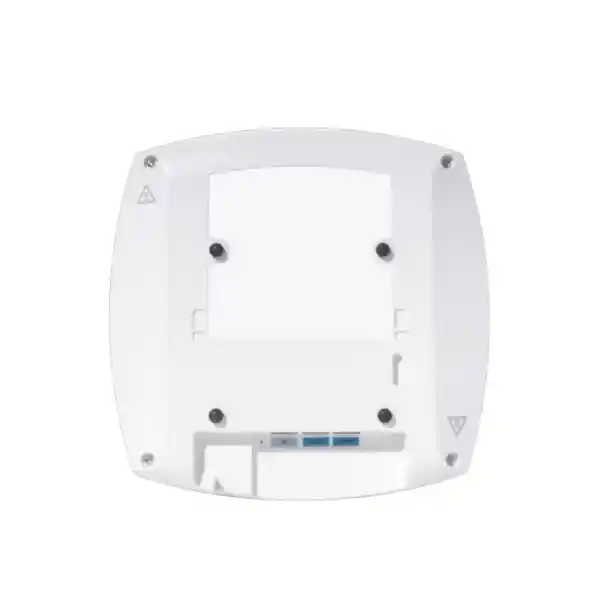
Enterprise indoor Wi-Fi 7 access point
Cisco Wireless CW9178I Wi-Fi 7 Access Point
The Cisco Wireless CW9178I is built for organisations that are upgrading beyond conventional Wi-Fi 6 or Wi-Fi 6E and need more capacity, higher uplink headroom, flexible radio operation, and a management choice that can fit either Cisco Catalyst or Meraki environments. It is an indoor, enterprise-class Wi-Fi 7 access point with integrated omnidirectional antennas, multiband radios for 2.4 GHz, 5 GHz and 6 GHz, dual multigigabit Ethernet ports capable of up to 10 Gbps, dedicated RF scanning, and integrated capabilities for IoT and location-oriented applications.
For a Tanzania deployment, the important buying question is not simply whether the access point supports Wi-Fi 7. The design also needs the correct PoE budget, switching capacity, management platform, subscription, client mix, cabling, RF plan, and confirmation of the frequencies and features permitted for the intended installation. FourTeck Tanzania can use these requirements as the basis for a properly scoped quotation rather than treating the access point as a stand-alone replacement for an older model.
Quick fit: when the CW9178I makes sense
What the Cisco CW9178I is designed to solve
Wireless networks are often upgraded because user complaints appear first: unstable video meetings, slow file access, unpredictable roaming, overloaded meeting areas, or poor performance when many endpoints arrive at the same time. The better design approach is to identify where the bottleneck actually sits. It may be radio capacity, channel reuse, client capability, interference, switching, power delivery, WAN capacity, authentication, or management. The CW9178I addresses several of those access-layer challenges by combining a high-performance radio platform with multigigabit wired connectivity, RF intelligence, security functions, and flexible management.
Cisco specifies the CW9178I with a default tri-radio operating mode and the ability to use quad-radio operation. In quad-radio mode, the access point can provide a 2.4 GHz radio, two 5 GHz radios and a 6 GHz radio, with 4×4 capability across those serving radios when the required power is available. This can be valuable in dense locations where 5 GHz client capacity remains important even while newer 6 GHz-capable endpoints are introduced. Flexible Radio Assignment helps the platform adapt radio use to RF conditions and traffic demand rather than forcing every deployment into one static arrangement.
The result is a product that is best evaluated as part of an enterprise WLAN architecture. Buyers should plan controller or cloud-management compatibility, subscription licensing, uplink switching, PoE, structured cabling, RF coverage, expected device counts, application behavior, and regulatory settings together. That approach gives a more realistic outcome than selecting an access point only from its maximum advertised PHY rate.
Wi-Fi 7 capabilities and what they mean in practice
The CW9178I supports IEEE 802.11be, commonly called Wi-Fi 7, together with earlier 802.11 generations. Wi-Fi 7 introduces several mechanisms intended to increase efficiency, throughput potential and connection resilience. The benefit a user sees depends on the client device, spectrum available, channel plan, signal quality, interference, network configuration and application. A Wi-Fi 7 access point cannot make a legacy endpoint behave like a Wi-Fi 7 client, but it can provide a platform on which old and new clients can coexist while the endpoint population changes over time.
Multi-Link Operation
Multi-Link Operation, or MLO, is one of the defining Wi-Fi 7 capabilities. It allows supported clients and the access point to use multiple links rather than relying on a single radio link in the traditional way. Depending on client support and configuration, this can improve throughput, reduce latency, or improve resilience by giving traffic more than one available path. It is particularly relevant to organisations preparing for interactive collaboration, real-time communications, high-throughput applications, and dense client environments. Because MLO requires compatible endpoints and software behavior, it should be treated as an architectural capability rather than an unconditional speed guarantee.
320 MHz channels on 6 GHz
Wi-Fi 7 can use channel widths up to 320 MHz in the 6 GHz band. Wider channels increase peak PHY-rate potential, but a design does not automatically benefit from using the widest possible channel everywhere. Channel reuse, number of neighbouring cells, available spectrum, regulatory rules, interference conditions and client distribution all matter. In a dense multi-AP network, narrower channels may provide better total system capacity because more independent channels can be reused. For this reason, a professional survey and channel plan remain important even with a high-end access point.
4096-QAM and high-quality RF conditions
The 802.11be implementation supports 4096-QAM. Higher-order modulation can carry more information in each symbol when the radio link has sufficiently good signal-to-noise conditions. In real buildings, that means the benefit is strongest when clients have clean RF conditions and an appropriate signal level. Walls, distance, competing transmitters, client antenna quality and transmit power asymmetry can reduce the time a device can use the highest modulation rates. Good AP placement therefore remains essential even when the radio hardware is capable of advanced modulation.
Preamble puncturing and OFDMA
Preamble puncturing is designed to let a wider channel remain useful even when part of that channel is affected by interference, subject to supported configurations and client behavior. Uplink and downlink OFDMA improve the way channel resources can be allocated among multiple users. Together with MU-MIMO, Target Wake Time, BSS coloring and other efficiency mechanisms inherited or enhanced from Wi-Fi 6, these features help the WLAN serve mixed traffic more intelligently than simply giving every device a full channel in turn.
Peak PHY rate versus application throughput
Cisco lists aggregate PHY-rate figures that can reach up to 24 Gbps in a specific quad-radio configuration and lower aggregate values in tri-radio configurations. Those figures describe radio-layer potential, not the speed a single user should expect. Real application throughput is affected by protocol overhead, airtime contention, client spatial-stream capability, channel width, signal conditions, interference, security, switching, server performance and WAN bandwidth. When sizing a Tanzania enterprise WLAN, use application and concurrency requirements rather than treating a maximum PHY figure as a guaranteed user speed.
Radio architecture for dense enterprise environments
The CW9178I uses integrated omnidirectional antennas and supports 4×4 operation on its serving radios when fully powered. Its default tri-radio mode combines 2.4 GHz, 5 GHz and 6 GHz. Quad-radio mode adds a second 5 GHz serving radio, creating a design option that can be useful where a large installed base of 5 GHz clients must be supported alongside newer 6 GHz-capable devices. The access point also includes dedicated scanning capability so RF monitoring does not have to rely entirely on serving radios leaving their client channels.
For planners, the dual-5-GHz option is not simply a matter of turning on another radio. Cell size, channel availability, channel width, transmit power, physical spacing and the client mix must still be considered. Two radios placed in the same enclosure are useful only when the RF plan gives each radio productive spectrum and prevents excessive contention. In high-density designs, capacity often depends more on disciplined channel reuse and AP placement than on installing the greatest possible number of radios.
Cisco’s deployment documentation lists a scale figure of up to 1,200 clients for the CW9178I platform, but that is not the same as a recommended number of active users for every site. A practical design should instead estimate concurrent active devices, traffic per device, application latency sensitivity, roaming behavior and the airtime cost of slower clients. Voice, video, scanning terminals, guest access and background synchronization create very different WLAN loads even when the device count looks similar.
Dual 10GbE multigigabit uplinks and switching requirements
The access point has two RJ-45 multigigabit Ethernet interfaces supporting 100 Mbps, 1 Gbps, 2.5 Gbps, 5 Gbps and 10 Gbps link rates. Cisco describes the dual-port design as supporting link and power redundancy. This is important because Wi-Fi 7 capacity can exceed the practical headroom of a single 1 Gbps edge connection in demanding deployments. A modern wireless refresh should therefore evaluate the access switching layer at the same time as the access points.
Cabling is part of that assessment. Cisco specifies Cat6 or Cat6A cabling for 10 Gbps port speeds, while Cat5e can support speeds up to 5 Gbps in the documented configuration. Existing structured cabling should be tested rather than assumed suitable, especially where cable length, termination quality, patch panels, old connectors or environmental conditions could affect multigigabit operation. A site that replaces access points but leaves an inadequate switching and cabling layer may not realise the expected capacity benefit.
The access-layer switch should also be checked for uplink oversubscription. Ten-gigabit AP ports do not imply every access point continuously sends 10 Gbps, but a floor or building with many high-capacity APs can generate substantially more aggregate traffic than an older Wi-Fi deployment. Switch fabric capacity, upstream links, VLAN design, gateway capacity, firewall throughput, WAN or internet connectivity, and services such as authentication and DHCP should be reviewed as part of the project.
PoE planning: full capability depends on available power
Power planning is a critical buying consideration for the CW9178I. Cisco documents support for 802.3bt Cisco UPOE, 802.3at PoE+, and 802.3af PoE for staging with the radios off. The operating capability changes when the access point is powered from a lower PoE class. For full 4×4 radio operation, dual 10 Gbps links and USB availability, the documented 802.3bt Class 6 design is the relevant reference point, with a maximum PoE power figure of 47 W.
With 802.3at PoE+, the access point operates in reduced-power configurations. Cisco lists reduced spatial-stream capability and lower link-speed behavior depending on tri-radio or quad-radio mode, while USB is not available in those PoE+ profiles. This means an organisation should not buy a high-end Wi-Fi 7 access point and assume an older PoE+ access switch will deliver the same feature set as a properly sized 802.3bt design.
Cisco publishes typical power consumption figures of approximately 25.7 W, with a stated tolerance, for its documented 802.3bt test conditions and approximately 16.8 W, also with a stated tolerance, for its 802.3at test conditions. Actual draw varies with radio configuration, traffic and enabled functions. A switch power budget must be calculated across all ports, not one AP at a time. Redundant power supplies, UPS runtime and generator-backed power should also be considered where wireless availability is important to operations.
For project scoping, confirm the exact switch model, per-port PoE capability, total PoE budget, number of planned APs, cable category and desired CW9178I radio mode before finalising quantities. Cisco also documents a compatible CW-INJ-8 power injector option for deployments where appropriate switch-side power is not available, but injector use should be evaluated carefully against the cabling and operational design.
Choose the management model before deployment
The CW9178I is part of Cisco’s global-use access point portfolio. The same hardware platform can be used with a Cisco Catalyst controller-based stack or with Meraki cloud management, which can simplify procurement when organisations want flexibility in their operating model. The important step is to decide how the access points will be managed, licensed and integrated before installation so the rest of the network design matches that choice.
Cisco Catalyst path
Cisco documents support for Catalyst 9800 Series Wireless Controllers, physical or virtual, and for selected Catalyst 9000 embedded-controller use in SD-Access mode. Catalyst Center can add automation, assurance and operational visibility. This model fits organisations that already standardise on Cisco enterprise campus architecture or prefer controller-based WLAN operations.
Meraki cloud path
The hardware can also operate in a Meraki cloud-managed environment. That approach centralises configuration, monitoring and policy through the Meraki management model and can be attractive for distributed organisations that value cloud-based operations. Exact feature availability should be checked against the selected subscription and current software.
Cisco states that Wi-Fi 7 access points in the 9178 Series require a Cisco Networking Subscription for wireless, available in Essentials or Advantage levels. Subscription selection should therefore be part of the bill of materials rather than an afterthought. The right edition depends on the management stack and feature requirements. Confirm the intended term, support expectations and entitlement scope as part of the quotation.
Security and operational visibility
Wireless security depends on much more than encryption, but the access point provides a strong platform for enterprise security design. Cisco lists support for WPA2 and WPA3, 802.1X authentication, Enhanced Open/OWE, AES-based encryption options and multiple EAP methods. The correct authentication method should be chosen according to the identity architecture, endpoint types and security policy rather than enabling one generic SSID for every device.
The platform also incorporates Cisco Trust Anchor technologies, including secure boot and image-signing capabilities. These are designed to help establish confidence in hardware and software integrity. When paired with the broader Cisco architecture, organisations can combine wireless access with policy, identity and assurance tools such as Cisco Identity Services Engine, Catalyst Center and Cisco Spaces, subject to licensing and deployment design.
A dedicated scanning radio and Cisco RF visibility features can help operations teams detect problems without relying solely on user complaints. That is valuable in busy environments where intermittent interference or poor client behavior may otherwise be difficult to reproduce. The access point should still be supported by disciplined monitoring, software maintenance, configuration control and incident-response processes. Hardware capability improves visibility, but ongoing operations determine whether that visibility turns into better service.
IoT, location and edge-ready capabilities
The CW9178I includes more than client-serving Wi-Fi radios. Cisco documents an integrated Bluetooth Low Energy radio, Ultra-Wideband capability, GNSS/GPS, a dedicated IoT radio, USB connectivity and application-hosting support. These functions can support location, asset, wayfinding, sensor and edge-computing use cases when paired with the required software, applications and compatible devices.
BLE can be used in location-oriented scenarios such as asset tracking and wayfinding. UWB can support higher-precision location use cases where the surrounding solution is designed for it. GNSS/GPS can assist the global-use onboarding process and location awareness. The access point also includes an accelerometer, which Cisco describes as useful for post-deployment verification of how the AP is installed.
These capabilities should not be treated as automatic services. A complete solution may require compatible tags, sensors, applications, platform subscriptions, network integration and data-governance decisions. If the project objective includes asset tracking, occupancy analytics or an IoT overlay, define that outcome during design so the required software and endpoint ecosystem can be included in the scope.
Tanzania deployment planning: five checks before ordering
- Confirm spectrum and regulatory settings. Cisco’s data sheet notes that the 6 GHz radio is disabled in countries where the band is not permitted or where software support is not yet available. Tanzania maintains national frequency-allocation and WLAN band-planning rules through TCRA. Verify the current permitted bands, channel conditions and product-approval requirements for the exact intended deployment before relying on 6 GHz features.
- Audit the wired edge. Record the current switch models, available multigigabit ports, PoE class, total PoE budget, upstream bandwidth and cable category. This identifies whether the WLAN refresh also requires switching, optics, patching or power changes.
- Define the management platform. Decide whether the network will operate in a Catalyst controller-based model or Meraki cloud-managed model. Confirm the software release, controller compatibility and Cisco Networking Subscription level required for the design.
- Model actual client demand. Separate total registered devices from concurrently active devices. Estimate voice, video, guest access, productivity traffic, scanners, IoT devices and any specialist applications. Also identify how many endpoints can use 6 GHz and Wi-Fi 7 today versus how many will remain on 2.4 or 5 GHz.
- Perform RF design and validation. Floor plans and theoretical coverage estimates are useful, but construction materials, ceiling height, neighbouring RF sources, client transmit power and occupancy can change real coverage. Use an appropriate predictive design and, for critical deployments, on-site validation before finalising AP positions and channel settings.
Migration from Wi-Fi 5, Wi-Fi 6 or Wi-Fi 6E
A CW9178I rollout can be introduced while older clients remain in service because the platform supports earlier 802.11 generations. This enables a staged migration, but backward compatibility should not be confused with identical performance. Older endpoints may use narrower channels, fewer spatial streams, older modulation and only 2.4 or 5 GHz. Their airtime behavior can still influence a shared WLAN, particularly in areas with many legacy devices.
For a refresh from Wi-Fi 5 or early Wi-Fi 6, the largest infrastructure changes may be outside the radio itself: multigigabit switching, higher PoE classes, new controller or subscription requirements, upgraded cabling, and a 6 GHz-aware RF plan. A direct one-for-one AP replacement is therefore not always the best design. New radio characteristics and client density may justify different access-point placement or cell sizing.
For a Wi-Fi 6E environment, the migration can be more incremental because the organisation may already have 6 GHz-capable endpoints and a modern switching edge. Wi-Fi 7 then adds MLO, 4096-QAM, wider 320 MHz channel capability and other enhancements. The business case should still be tied to measurable requirements such as capacity, latency, reliability, device growth, support lifecycle or standardisation rather than upgrading solely because a newer standard exists.
Common business scenarios
Useful where many laptops, phones and collaboration devices share meeting areas and open-plan workspaces, especially when the wired edge and RF design are also modernised.
Can support dense classrooms, lecture areas and digital learning use cases where large groups connect simultaneously and dependable roaming and capacity are important.
A candidate for organisations with mobile staff, voice, tablets, clinical applications and IoT growth, subject to the application’s validation, security policy and facility RF requirements.
Can provide additional capacity for properties with heavy guest-device use, streaming and staff operations, provided the internet edge, captive portal and back-end systems are sized accordingly.
Fits broader Cisco architectures where wireless assurance, policy, location services and high-capacity access switching are part of a coordinated campus design.
Integrated BLE, UWB, GNSS/GPS, IoT radio and application-hosting capabilities can support advanced projects when matched with the correct software and endpoint ecosystem.
Key specifications
| Model | Cisco Wireless CW9178I |
|---|---|
| Form factor | Indoor access point with integrated omnidirectional antennas |
| Wireless standards | 802.11be Wi-Fi 7 with support for earlier 802.11 generations documented by Cisco |
| Serving bands | 2.4 GHz, 5 GHz and 6 GHz; 6 GHz use is subject to country regulation and software support |
| Radio modes | Tri-radio default; quad-radio option adds a second 5 GHz serving radio |
| Wi-Fi 7 features | 4096-QAM, Multi-Link Operation, preamble puncturing, OFDMA and up to 320 MHz channels on 6 GHz |
| Ethernet | 2 × RJ-45 multigigabit Ethernet, 100M/1G/2.5G/5G/10G |
| Other interfaces | RJ-45 console; USB 2.0 with up to 9 W output when supported by the power profile |
| Power | 802.3bt/UPOE for full capability; documented reduced-power modes with 802.3at; 802.3af for staging with radios off |
| Dimensions | Approximately 25.1 × 25.1 × 5.1 cm without mounting brackets |
| Weight | Approximately 1.87 kg |
| Management and licensing | Catalyst or Meraki deployment options; Cisco Networking Subscription for wireless required |
Environmental and installation considerations
Cisco specifies an operating temperature range of 0°C to 50°C and operating humidity of 10% to 90% non-condensing. The data sheet also notes that when ambient operating temperature exceeds 40°C, the access point shifts the 2.4 GHz, 5 GHz and 6 GHz radios from 4×4 to 2×2 while leaving the USB interface enabled. This matters in warm environments, ceiling spaces and locations with poor ventilation. The temperature around the installed access point should be considered, not only the general room temperature measured at occupant level.
The CW9178I is an indoor model. Placement should provide appropriate ventilation, secure mounting, suitable cable routes and RF coverage. Avoid installing it where environmental exposure exceeds the product’s indoor specification. Ceiling type and mounting hardware should be checked during survey. If the project includes warehouses, semi-outdoor areas, industrial zones or exposed environments, validate whether a different Cisco model with an appropriate enclosure and antenna design is required.
Because the access point uses integrated omnidirectional antennas, its installation orientation and position influence coverage. An omnidirectional pattern does not mean equal signal in every three-dimensional direction. A professional design considers antenna patterns, mounting height, the intended client area, obstacles and neighbouring cells. This is especially important when trying to reuse locations chosen for a previous-generation AP with different radio characteristics.
What to confirm for a complete quotation
A useful quotation should cover the network outcome, not only the access point quantity. Before procurement, prepare a concise scope containing the number of sites, floor plans where available, expected user and device counts, key applications, existing switch models, cable type, management platform, controller details if applicable, current WLAN generation, authentication method and whether the project requires guest access, location services, IoT integration or advanced analytics.
For each proposed AP location, confirm that the switch port can provide the intended multigigabit speed and PoE class. For the switch as a whole, confirm the total PoE budget and upstream capacity. If the network must remain operational during power interruptions, include UPS and power-resilience requirements. If two Ethernet paths are being considered for redundancy, verify the intended topology and Cisco design guidance for the selected software and management stack.
Licensing should be listed explicitly. Cisco states that the 9178 Series requires a Cisco Networking Subscription for wireless, with Essentials or Advantage options. The quotation should therefore identify the management approach and required subscription rather than presenting the hardware as a complete licensed solution by itself. Exact subscription terms and feature entitlements can change, so they should be confirmed against the current Cisco ordering information at the time of purchase.
Finally, confirm local regulatory suitability. Global-use hardware simplifies the physical product choice, but it does not override local spectrum or equipment-approval rules. The allowed channels, power settings and 6 GHz operation must follow the country configuration and applicable Tanzania requirements. This is particularly important when the business case depends on 6 GHz or 320 MHz channels.
Buyer checklist
- Confirm the exact model required: CW9178I with integrated antennas for indoor deployment.
- Confirm the target management mode: Cisco Catalyst or Meraki cloud.
- Confirm the Cisco Networking Subscription level and term required for the project.
- Check controller and software compatibility if using Catalyst infrastructure.
- Check access-switch port speed, switch fabric capacity and upstream bandwidth.
- Provide 802.3bt/UPOE where full radio, dual-10G and USB capability is required.
- Validate total switch PoE budget across all planned access points.
- Verify Cat6/Cat6A cabling where 10 Gbps Ethernet operation is required.
- Estimate active-client density and application traffic rather than relying only on total device count.
- Identify the percentage of current endpoints that support Wi-Fi 6E or Wi-Fi 7 and 6 GHz.
- Complete RF planning for AP placement, channel width, channel reuse and transmit power.
- Confirm Tanzania spectrum, product-approval and 6 GHz requirements for the intended deployment.
- Plan authentication, segmentation, guest access and security integration.
- Define support, monitoring, software maintenance and operational ownership after installation.
Frequently asked questions
Is the Cisco CW9178I a Wi-Fi 7 access point?
Yes. Cisco specifies the CW9178I as an 802.11be Wi-Fi 7 enterprise access point. It supports features including 4096-QAM, Multi-Link Operation, preamble puncturing, OFDMA and up to 320 MHz channel width in the 6 GHz band. Actual feature use depends on software, client support, RF design and the frequencies permitted in the country of deployment.
Does it support 2.4 GHz, 5 GHz and 6 GHz?
Yes. The platform supports serving radios across 2.4 GHz, 5 GHz and 6 GHz. It can operate in a default tri-radio mode or a quad-radio mode that adds a second 5 GHz serving radio. Cisco notes that 6 GHz is disabled where country regulations or software support do not permit its operation, so local availability must be confirmed.
Can the CW9178I work with older Wi-Fi clients?
Yes. Cisco documents interoperability with earlier-generation clients, including Wi-Fi 6 and Wi-Fi 5 devices. Older clients will use the capabilities they support, while compatible Wi-Fi 7 clients can use newer features. A mixed environment is normal during migration, but legacy-client airtime can still affect overall capacity and should be considered in design.
Does it need 10 Gbps switching?
The access point has two multigigabit Ethernet ports that can operate up to 10 Gbps, but the correct switch speed depends on the deployment. High-density Wi-Fi 7 designs are more likely to benefit from multigigabit uplinks. Cisco specifies Cat6/Cat6A for 10 Gbps port operation. Switching capacity and cabling should be evaluated together.
Can I power it from a PoE+ switch?
Cisco documents 802.3at PoE+ operating modes, but these reduce some capabilities compared with the 802.3bt/UPOE full-power profile. Depending on radio mode, spatial streams, Ethernet link behavior and USB availability are reduced. If the project requires the full capability of the access point, plan the PoE infrastructure around the documented 802.3bt requirement.
Does the access point require a subscription?
Yes. Cisco states that its Wi-Fi 7 access points, including the 9178 Series, require a Cisco Networking Subscription for wireless. Cisco lists Essentials and Advantage license levels. Select the subscription according to the intended management platform, features, support requirements and current Cisco ordering rules.
Can the same hardware be used with Catalyst and Meraki?
The CW9178I belongs to Cisco’s global-use unified access point portfolio and supports either Catalyst controller-based deployment or a Meraki cloud-managed stack. The management choice should be planned before rollout because onboarding, licensing, operations and feature configuration depend on the selected stack and current software support.
Is 6 GHz automatically available in Tanzania?
Do not assume that every 6 GHz feature is automatically available simply because the hardware supports it. Cisco applies country and regulatory controls, and Tanzania maintains national frequency-allocation and WLAN band plans through TCRA. Confirm the current rules, equipment approval and software country configuration for the exact deployment before making 6 GHz or 320 MHz channels a design dependency.
How many users can one CW9178I support?
Cisco’s deployment documentation lists a platform scale figure of up to 1,200 clients. That figure should not be used as a design target for active users. Recommended density depends on device type, traffic, channel plan, RF conditions, roaming, latency requirements and the amount of airtime each application consumes. Capacity planning should be based on concurrent demand and service objectives.
What information should I provide for a CW9178I quote?
Provide the site type, approximate user and device counts, floor plans if available, key applications, current access points, switch models, cabling type, existing Cisco controller or Meraki environment, preferred management approach, power requirements, expected growth and any need for guest Wi-Fi, IoT or location services. This helps build a bill of materials that includes licensing, switching and deployment requirements rather than quoting AP hardware alone.
Request a Cisco CW9178I solution quote for Tanzania
Use the CW9178I when the project requires a high-capacity indoor Wi-Fi 7 platform and the surrounding network can support it. For accurate scoping, include the existing switching and PoE environment, management preference, client density, floor-plan information and the applications that matter most to the business.
FourTeck Tanzania can prepare the product and solution requirements for review, including access points, subscription licensing, compatible switching and PoE considerations, while leaving final quantities and regulatory-dependent 6 GHz settings to the validated deployment design.




Reviews
There are no reviews yet.