
Cisco enterprise wireless for smaller indoor sites
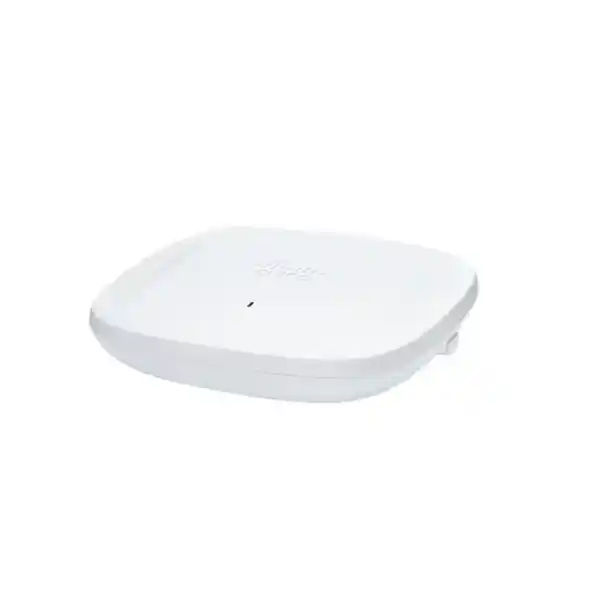
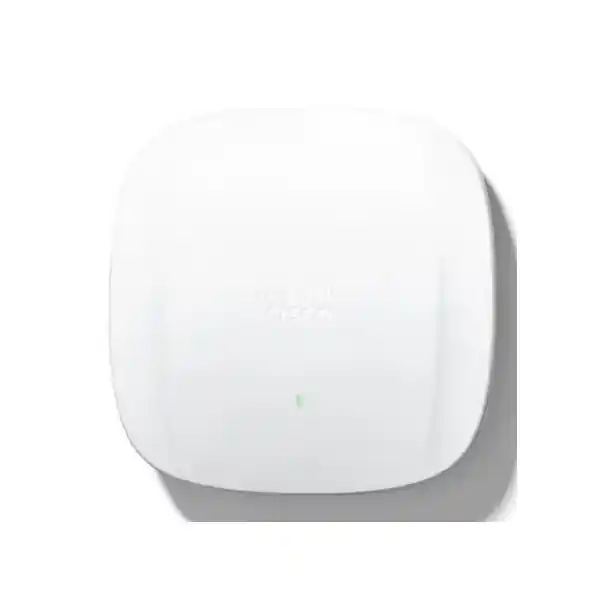
Cisco Catalyst CW9162I Wi‑Fi 6E Access Point
The Cisco Catalyst CW9162I is a tri-band indoor enterprise access point built for organizations that want Wi‑Fi 6E capability, modern security, multigigabit wired connectivity and a choice between Cisco Catalyst and Meraki management. It is positioned for smaller sites and general-purpose deployments where dependable business wireless matters more than the extra radio capacity of larger 4×4 models. Three client-serving 2×2:2 radios cover 2.4 GHz, 5 GHz and 6 GHz, while a dedicated tri-band scanning radio and an integrated Bluetooth Low Energy radio support spectrum visibility and IoT-oriented use cases.
For a Tanzania deployment, the practical buying question is not only “does this access point support Wi‑Fi 6E?” but also “is the selected regulatory domain, software, power, switching and local spectrum use correct for this site?” The CW9162I can be a strong fit for offices, branches, classrooms, clinics, professional spaces, retail locations and other indoor environments, but it should be specified as part of a complete WLAN design rather than chosen only from headline throughput. A site survey, client inventory, switch-port check and regulatory review are the right starting points.
2.4 GHz, 5 GHz and 6 GHz client-serving radios using 802.11ax.
Six client-serving spatial streams in total across the three radios.
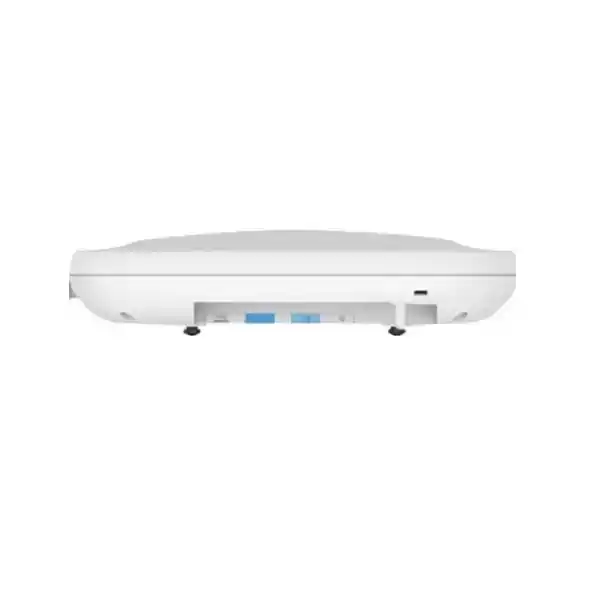
One 100M/1G/2.5G multigigabit Ethernet port for wired backhaul.
Full 2×2 radio operation is supported with 802.3at or 802.3bt power.
Supports Catalyst 9800 controller deployments or Meraki cloud management, depending on SKU and licensing.
WPA3, secure boot, Trust Anchor, CleanAir Pro, scanning radio and Cisco ecosystem integrations.
Who the CW9162I is designed for
The CW9162I is best understood as Cisco’s general-purpose Wi‑Fi 6E option for smaller indoor deployments. That positioning matters. A wireless project does not automatically need a 4×4 access point simply because more spatial streams are available on paper. In many business sites, client devices are predominantly 1×1 or 2×2, traffic is distributed across several access points, and the priority is predictable coverage, secure access, straightforward operations and enough capacity for collaboration, cloud applications, voice, web, line-of-business systems and ordinary IoT traffic. In those environments, the CW9162I can provide a balanced hardware profile without over-specifying every cell.
Good candidates include branch offices, small and medium office floors, training rooms, consulting practices, reception areas, clinics, retail spaces, restaurants, schools, laboratories, back-office areas and distributed sites where IT teams want a consistent Cisco wireless architecture. It can also suit larger organizations that need a lower-radio-count AP in areas with moderate density while using higher-capacity models in auditoriums, conference zones or other demanding spaces.
The CW9162I is not automatically the best choice for every high-density venue. If a deployment has very high concurrent-client counts, unusually heavy video traffic, dense lecture-hall seating, event-space requirements, or a design that depends on additional radio chains and higher wired uplink capacity, evaluate higher-tier Catalyst access points as part of the RF design. The right decision should be based on measured requirements, not only model hierarchy.
Tri-band radio architecture: what you actually get
The CW9162I has three 2×2:2 client-serving radios: one for 2.4 GHz, one for 5 GHz and one for 6 GHz. This means each band can use two spatial streams. Cisco also integrates a tri-band scanning radio used for spectrum intelligence and a separate 2.4 GHz Bluetooth Low Energy radio. The result is a five-radio hardware design when the client, scanning and BLE functions are counted together.
For buyers, the advantage of tri-band Wi‑Fi 6E is not simply an additional frequency label. The 6 GHz band can provide additional channel resources for compatible clients, which can help reduce contention when the network and local regulations permit its use. Wi‑Fi 6E clients can be directed toward 6 GHz, leaving 2.4 GHz and 5 GHz capacity available for older devices. This can make network planning more efficient in mixed-device environments, particularly as newer laptops and mobile devices enter service.
The AP supports 20 MHz channels on 2.4 GHz, 20/40/80 MHz on 5 GHz, and up to 160 MHz on 6 GHz. Cisco specifies an aggregate PHY data rate of up to 3.9 Gbps when combining the supported radio configurations. PHY rate is not the same as application throughput. Real performance depends on channel width, client capabilities, distance, interference, power level, protocol overhead, retransmissions, controller and switching design, internet or WAN capacity, and the number of active users sharing airtime.
The integrated antennas are internal and omnidirectional in azimuth, with Cisco specifying peak gains of 4 dBi at 2.4 GHz and 5 dBi at both 5 GHz and 6 GHz. This suits common ceiling and indoor coverage designs where a clean integrated form factor is preferred. Antenna pattern, mounting height, building materials and neighbouring AP placement still need to be considered during survey and design.
Wi‑Fi 6 and Wi‑Fi 6E efficiency features
The CW9162I supports the 802.11ax mechanisms that make Wi‑Fi 6 and Wi‑Fi 6E useful in real multi-client networks. Uplink and downlink OFDMA can divide a channel into smaller resource units so the AP can schedule multiple clients more efficiently instead of treating every transmission as a full-channel event. That can reduce overhead and improve responsiveness when many devices have relatively small packets, which is common in business collaboration, cloud applications and IoT traffic.
MU‑MIMO allows the AP to serve multiple compatible clients using spatial streams. The CW9162I supports downlink MU‑MIMO across the client radios and uplink MU‑MIMO on 6 GHz. BSS coloring helps nearby Wi‑Fi networks distinguish overlapping basic service sets and can improve spatial reuse in busy RF environments. Target Wake Time allows compatible battery-powered clients to coordinate wake and sleep periods, reducing unnecessary radio activity and potentially improving client power efficiency.
Beamforming, packet aggregation and dynamic frequency selection are also part of the platform’s standards support. These capabilities do not remove the need for careful channel planning. A wide 80 or 160 MHz channel can increase peak data rate, but it also consumes more spectrum. In many enterprise environments, a narrower channel plan can produce better aggregate capacity by enabling greater frequency reuse. The correct width should be selected from the survey, client mix, interference conditions and required cell density.
Cisco CleanAir Pro extends spectrum intelligence into the 6 GHz range and helps identify RF conditions that can affect wireless performance. The dedicated scanning architecture is especially valuable because monitoring does not need to rely exclusively on a client-serving radio. IT teams can use this visibility as part of ongoing troubleshooting and assurance rather than treating a wireless survey as a one-time exercise.
Catalyst controller or Meraki cloud management
A major design benefit of the Catalyst 9162 family is the option to operate in Cisco’s on-premises Catalyst architecture or in the Meraki cloud-managed model. In Catalyst mode, the CW9162I is designed to work with Cisco Catalyst 9800 Series Wireless Controllers, including supported physical or virtual controller options. This model is appropriate for organizations that already operate Catalyst wireless, need controller-centric enterprise policy, or want alignment with Cisco Catalyst Center and related campus infrastructure.
The Meraki-managed version uses the Meraki Dashboard for cloud-based management. That can be attractive for distributed branches, lean IT teams and organizations that prefer centralized web-based operations across multiple locations. Cisco also positions the 9162 platform as capable of shifting between management modes, but the exact process, supported software, licensing and SKU requirements must be checked before purchase or migration. A CW9162I-MR unit is not simply assumed to join a Catalyst 9800 controller without the appropriate migration process.
Before ordering, decide which operating model is intended on day one. Confirm the exact part number, licensing tier, controller or dashboard prerequisites, software release and account requirements. This prevents a common procurement problem: buying correct hardware with the wrong management entitlement or regulatory variant. If an organization plans a future migration from one management model to another, that requirement should be stated during solution design so the software and licensing path can be verified.
Cisco’s current licensing model includes subscription-based wireless tiers, while legacy and existing estates may still involve Cisco DNA licensing structures. Because entitlements, terms and available features vary by platform and software release, licensing should be quoted for the exact deployment rather than inferred from hardware specifications alone.
Tanzania 6 GHz deployment: verify before enabling
Important: the CW9162I is technically capable of Wi‑Fi 6E operation in 6 GHz, but that does not mean every 6 GHz configuration is automatically permitted in every country. Cisco instructs customers to verify country approval and the correct regulatory domain, and notes that the 6 GHz radio can be disabled where local use is not allowed or software support is unavailable.
Cisco’s AP Channel Lookup currently lists CW9162I under the -ROW domain for indoor on-premises use in Tanzania and also lists the model for indoor cloud deployments. That is useful for product-selection guidance, but it should not be treated as a substitute for local spectrum and equipment-approval requirements. The selected hardware, software release and permitted channels must align with the country settings used in the final deployment.
TCRA’s July 2025 Radio Frequency Band Plan for WLAN & LPWAN Services lists licence-exempt WLAN ranges in 2.4 GHz and 5 GHz and sets operational conditions for those bands. Because the current dedicated WLAN plan does not present the 6 GHz range in its licence-exempt table, a Tanzania buyer should obtain current confirmation for the intended 6 GHz use instead of assuming that the AP’s hardware capability alone authorizes operation. This is particularly important for imported equipment, controller country-code configuration and any project that expects 6 GHz capacity to be a core design assumption.
If the project must operate immediately regardless of 6 GHz status, design a robust 2.4 GHz and 5 GHz service plan first, then treat 6 GHz as an additional band only after the deployment requirements are confirmed. If 6 GHz is essential to the business case, make regulatory and type-approval validation a procurement checkpoint before committing to the final quantity.
Wired uplink and PoE planning
The access point includes one multigigabit Ethernet port supporting 100 Mbps, 1 Gbps and 2.5 Gbps. For a new deployment, 2.5GbE-capable switching is the preferred design target if the network is expected to take advantage of the AP’s aggregate wireless capacity. A gigabit switch port can still be operational in some designs, but it can become the wired bottleneck when radio traffic is high. The switch, cable plant and patching should therefore be reviewed together rather than treating the AP as an isolated upgrade.
Power is equally important. Cisco specifies full 2×2 operation on all three client bands with 802.3at PoE+ or 802.3bt/UPOE, with a 2.5GbE link and USB available. Maximum PoE consumption is specified at 25.5 W in the full-power modes. The AP can operate on 802.3af, but it enters a restricted configuration: the 2.4 GHz client radio is disabled, the 5 GHz and 6 GHz client radios reduce to 1×1, the Ethernet link drops to 1 Gbps and USB is disabled. That mode can be useful for limited circumstances, but it should not be used accidentally in a design that expects the advertised tri-band 2×2 capability.
Before installation, confirm that the access switch supports the required PoE standard on every planned AP port and that the total PoE budget is sufficient when all devices are active. A switch that has PoE+ on individual ports may still have an insufficient overall power budget for a full access-point estate. Cisco recommends appropriate power negotiation using LLDP/CDP. Where a PoE switch is not available, supported injectors or the supported DC power option may be considered according to the deployment design.
Structured cabling should be tested for the negotiated link rate, especially on older buildings where existing copper was installed for 1GbE. A multigigabit AP connected through poor cabling may negotiate below the intended speed or show errors that appear to be wireless problems. Include switch-port counters, cable certification and PoE status in the commissioning checklist.
Security for enterprise access
The CW9162I supports WPA2 and WPA3 security options, including WPA3-Personal, WPA3-Enterprise and Enhanced Open. It also supports common enterprise EAP methods for 802.1X authentication. In practical deployments, this enables organizations to move beyond a single shared Wi‑Fi password and use identity-based access, certificate-based authentication or role-oriented policy where the surrounding network architecture supports it.
Security also extends below the wireless encryption layer. Cisco documents image signing, Secure Boot and a Trust Anchor module as part of the platform’s trusted-system foundation. These mechanisms help establish hardware and software authenticity and are important for organizations that treat access points as managed infrastructure rather than simple radio bridges.
For Catalyst deployments, integrations with Cisco Identity Services Engine can support policy and access-control workflows. Cisco Spaces can provide location-oriented services and analytics where licensed and configured. Software-Defined Access is also part of Cisco’s supported enterprise architecture. In Meraki mode, policy, segmentation and monitoring are managed through the Meraki platform according to the organization’s licensing and configuration.
Do not equate the presence of WPA3 with a complete secure WLAN. Authentication design, RADIUS resilience, certificate lifecycle, guest segmentation, management-plane access, firmware maintenance, switch security, DNS protection and logging all influence the final security posture. The AP should be integrated into a documented network-security policy with defined ownership for software updates and alert response.
BLE, scanning and IoT readiness
The integrated Bluetooth Low Energy radio can support location-related use cases such as asset tracking and wayfinding when paired with the appropriate software and solution components. This makes the CW9162I more than a conventional client-connectivity AP. Organizations planning smart-building, visitor-experience, tracking or sensor projects can use the wireless infrastructure as part of a broader location and IoT architecture, subject to the required applications, licensing and compatible devices.
The dedicated tri-band scanning radio helps the infrastructure observe RF conditions without relying entirely on the radios serving users. Cisco CleanAir Pro extends interference detection and classification across 2.4, 5 and 6 GHz. Intelligent Capture capabilities can contribute packet and anomaly information within the Cisco management ecosystem. These tools are useful for troubleshooting intermittent issues that cannot be reproduced easily during a technician visit.
The USB 2.0 interface can also support application-hosting and attached-device scenarios within Cisco’s supported architecture. USB availability depends on the power mode; it is disabled when the AP operates on 802.3af. If a project expects to use the USB port or edge applications, state that requirement during power and switch design rather than assuming the port will be available under every powering method.
Physical design and installation considerations
The CW9162I measures approximately 200 x 200 x 44.45 mm without mounting brackets and weighs about 0.93 kg. Its integrated antennas simplify ceiling deployment because external antenna selection and connector planning are not required. Cisco provides compatible mounting-bracket and ceiling-grid options, and the hardware also includes physical security features such as a lock hasp and Kensington lock slot.
The AP is designed for indoor environments. Cisco specifies an operating temperature range of 0°C to 50°C and operating humidity of 10% to 90% non-condensing. Those limits matter in Tanzania because ceiling voids, equipment rooms and poorly ventilated spaces can become significantly warmer than the occupied room below. The design should consider the actual temperature at the mounting position, not only the building’s thermostat setting.
Mounting location strongly affects coverage. Metal shelves, reinforced concrete, masonry, lift shafts, dense storage, glass treatments and machinery can change RF propagation. Mounting every AP in a corridor simply because cabling is convenient can result in weak room coverage and excessive cell overlap. A predictive design should be validated with an onsite survey where building materials or performance requirements justify it.
The access point should also be installed where maintenance staff can reach it safely without making it vulnerable to casual interference or tampering. Record the AP name, switch port, cable identifier, floor-plan location, mounting height and power source during commissioning. Accurate documentation reduces future troubleshooting time and makes controller or cloud dashboards much more useful.
How to plan coverage and capacity
Do not select AP quantity from square metres alone. Two buildings with the same floor area can need very different WLAN designs because of wall material, room layout, ceiling height, user concentration, applications, client capabilities and interference. A branch with thirty users spread across open office space may need fewer radios than a training centre with the same area and one room containing a large concentration of active laptops.
Start with the applications that must work. Voice and real-time collaboration are sensitive to latency, roaming and packet loss. High-definition video can be throughput intensive. Cloud applications may appear lightweight but create continuous bidirectional traffic across many clients. Handheld scanners or legacy IoT devices may support only 2.4 GHz. New laptops may support 6 GHz. These differences determine how much value the tri-band design can deliver.
Next, inventory client radio capabilities. Many devices still use one or two spatial streams, so a 2×2 AP can align well with typical endpoints. More capable APs can provide additional aggregate capacity in dense environments even if individual clients remain 2×2. The decision should therefore consider concurrent airtime demand rather than only client peak link rates.
Plan channel width deliberately. Wider channels increase peak rates for compatible clients but reduce the number of non-overlapping channels available for reuse. In a multi-AP design, 20 or 40 MHz channels may produce better total system capacity in 5 GHz than 80 MHz channels. In 6 GHz, additional spectrum can make wider channels more practical where permitted. Automatic RF management is valuable, but it performs best when the physical AP placement and design assumptions are sound.
Finally, validate roaming requirements. Users carrying voice clients, tablets or laptops between rooms need overlapping coverage at appropriate signal levels, but too much overlap increases contention and can encourage clients to remain associated with a distant AP. Roaming behaviour is partly client-controlled, so test the actual device types used by the organization instead of assuming every client will react identically.
Where the CW9162I fits in the Catalyst Wi‑Fi 6E range
| Model | Client radio profile | Wired uplink | Best-fit guidance |
|---|---|---|---|
| CW9162I | 2×2:2 on 2.4, 5 and 6 GHz | 2.5GbE | General-purpose Wi‑Fi 6E for smaller sites and moderate-density areas. |
| CW9164I | 2×2:2 on 2.4 GHz; 4×4:4 on 5 and 6 GHz | 2.5GbE | A step up where additional 5/6 GHz radio capacity is useful. |
| CW9166I | 4×4:4 on 2.4, 5 and 6 GHz | 5GbE | Higher-capacity option for larger or more demanding indoor deployments. |
This comparison is useful for sizing, not a substitute for design. A smaller site can still need the 9164 or 9166 if it concentrates many active users in a small area. A large site can use many 9162 units if capacity is distributed and the RF design supports it. The number of radios, channel plan, power levels, AP placement and wired network all work together.
If the project is replacing older Wi‑Fi 5 or early Wi‑Fi 6 access points, also check mounting compatibility, switch power, multigigabit support, controller software and licensing. Reusing an existing cable and bracket without validating the surrounding infrastructure can undermine the value of the new AP.
Common deployment scenarios
Branch office refresh
Upgrade a small office from Wi‑Fi 5 or earlier Wi‑Fi 6 while preparing for newer 6 GHz-capable laptops. Validate PoE+ and 2.5GbE switching before rollout.
Education and training rooms
Provide modern 802.11ax efficiency for laptops and tablets. Where rooms become very dense, assess whether a higher-capacity model is more suitable.
Retail and service locations
Support staff, POS, guest and operational devices with segmented WLANs while retaining BLE and location-oriented expansion options.
Professional offices
Serve cloud applications, meetings, voice and general mobility with centralized policy and enterprise authentication.
Distributed multi-site WLAN
Use a common hardware family across multiple smaller locations while choosing the management approach that fits the organization’s operating model.
Mixed-density campus
Use CW9162I in moderate-density zones and higher-tier APs in heavy-use rooms, keeping policy and management within the same Cisco architecture.
Pre-purchase checklist for a Tanzania project
- Confirm the management model. Decide whether the AP will run with Catalyst 9800 controllers or Meraki cloud management, then quote the correct SKU and licensing path.
- Validate the regulatory variant. Cisco currently maps Tanzania to -ROW for the relevant indoor on-premises model, but the exact ordered part and country configuration still need verification.
- Confirm 6 GHz requirements. Do not make 6 GHz capacity a design dependency until the intended local operation is confirmed against current TCRA requirements, Cisco approvals and software support.
- Check controller and software compatibility. Ensure the Catalyst 9800 or Meraki environment supports the intended AP mode and release.
- Check switch uplinks. Prefer 2.5GbE-capable access ports if the project expects to avoid a 1GbE wired bottleneck.
- Check PoE budget. Plan for 802.3at PoE+ or better for full radio functionality; avoid unintended operation in the reduced 802.3af mode.
- Assess cabling. Verify that installed copper can sustain the target multigigabit link and PoE requirements.
- Survey the RF environment. Review floor plans, building materials, neighbouring WLANs, user density and critical application requirements.
- Inventory client capabilities. Separate 2.4 GHz-only devices, 5 GHz clients and 6 GHz-capable devices so the channel and steering strategy matches reality.
- Plan authentication and segmentation. Define employee, guest, voice, IoT and operational networks, together with 802.1X, RADIUS or other required services.
- Plan resilience. Consider controller availability, switch redundancy, UPS coverage, WAN dependency for cloud management and business-continuity requirements.
- Document acceptance tests. Define expected coverage, roaming, throughput, latency, application behaviour and monitoring before the installation is signed off.
Technical specifications
| Product family | Cisco Catalyst 9162 Series |
|---|---|
| Target model | CW9162I indoor access point with internal antennas |
| Wireless standard | IEEE 802.11ax Wi‑Fi 6 / Wi‑Fi 6E, with support for earlier 802.11 generations as documented by Cisco |
| Client radios | 2×2:2 at 2.4 GHz, 2×2:2 at 5 GHz, 2×2:2 at 6 GHz |
| Additional radios | Tri-band scanning radio plus 2.4 GHz Bluetooth Low Energy radio |
| Maximum aggregate PHY rate | Up to 3.9 Gbps under Cisco’s specified radio/channel configuration; real application throughput will be lower |
| Channel widths | 2.4 GHz: 20 MHz; 5 GHz: 20/40/80 MHz; 6 GHz: 20/40/80/160 MHz, subject to local permissions and configuration |
| Antenna | Integrated internal antennas; peak gain 4 dBi at 2.4 GHz and 5 dBi at 5/6 GHz |
| Ethernet | 1 x 100M/1G/2.5G multigigabit RJ‑45 |
| Other interfaces | RJ‑45 console, USB 2.0 and DC power input |
| Power | 802.3at PoE+, 802.3bt/UPOE, supported injectors, 802.3af reduced mode, or supported DC power option |
| Maximum PoE consumption | 25.5 W in full-power PoE modes |
| Dimensions | 200 x 200 x 44.45 mm without mounting brackets |
| Weight | Approximately 0.93 kg |
| Operating temperature | 0°C to 50°C |
| Operating humidity | 10% to 90% non-condensing |
| Security | WPA2, WPA3-Personal, WPA3-Enterprise, Enhanced Open, AES and supported enterprise EAP methods |
| Management | Cisco Catalyst 9800 Series Wireless Controller or Meraki cloud management, subject to SKU, licensing and supported migration path |
Frequently asked questions
Is the Cisco CW9162I a Wi‑Fi 6 or Wi‑Fi 6E access point?
It is a Wi‑Fi 6E access point. Wi‑Fi 6E extends 802.11ax operation into the 6 GHz band while retaining 2.4 GHz and 5 GHz support. Local spectrum rules and software support determine whether the 6 GHz radio can be enabled in a given country.
Does the CW9162I support 6 GHz in Tanzania?
The hardware supports 6 GHz, and Cisco’s current channel lookup lists the CW9162I for Tanzania under the relevant indoor deployment listings. However, 6 GHz operation should be confirmed against current TCRA rules, product approval, the exact regulatory domain and software before activation. The current TCRA WLAN/LPWAN band plan should be reviewed as part of deployment approval.
What is the difference between CW9162I and CW9162I-MR?
CW9162I-x designations are associated with Cisco Catalyst regulatory-domain variants, while CW9162I-MR is the Meraki cloud-managed orderable version. Management mode, licensing and migration requirements should be verified for the exact unit being purchased.
Can the CW9162I work with Cisco Catalyst 9800 controllers?
Yes, Cisco lists Catalyst 9800 Series Wireless Controllers as supported for the Catalyst-managed deployment model. The controller software release and exact AP mode must be compatible.
Can it be managed through the Meraki Dashboard?
Yes, the 9162 platform supports a Meraki cloud-managed deployment model. Purchase the correct SKU and licenses and verify the supported operating mode before installation.
Does it require a 2.5GbE switch port?
The AP supports a 2.5GbE uplink and Cisco recommends a multigigabit link to avoid the wired port becoming a bottleneck. Whether 2.5GbE is mandatory for a specific site depends on traffic requirements, but it is the preferred design for new infrastructure intended to use the AP’s capacity.
What PoE standard should be used?
Plan for 802.3at PoE+ or 802.3bt/UPOE for full three-band 2×2 operation and a 2.5GbE link. The AP can run on 802.3af, but Cisco documents significant restrictions in that mode, including the loss of the 2.4 GHz client radio and reduced 1×1 operation on 5 and 6 GHz.
How fast is the CW9162I?
Cisco specifies up to 3.9 Gbps aggregate PHY rate across the supported 2.4, 5 and 6 GHz radio configuration. Actual user throughput is lower and varies with client capability, channel plan, airtime contention, interference, distance, switching, controller architecture and upstream network capacity.
Is the CW9162I suitable for high-density environments?
It can serve moderate-density business environments effectively, but Cisco positions it as a general-purpose option for smaller deployments. For very high density or sustained heavy traffic, compare the 9164 and 9166 families and perform a capacity-focused RF design.
Does it support WPA3?
Yes. Cisco documents WPA3-Personal, WPA3-Enterprise and Enhanced Open support, along with WPA2 and enterprise EAP methods. The final authentication method depends on the broader WLAN and identity design.
Does it have external antennas?
No. The CW9162I uses integrated internal antennas with omnidirectional coverage characteristics. Sites that require specialized external antennas should evaluate another model designed for that requirement.
What should be checked before ordering multiple units?
Confirm regulatory domain, intended management mode, licensing, controller or dashboard compatibility, PoE budget, 2.5GbE switching, cable condition, mounting requirements, client mix, 6 GHz permissions and the number of APs determined by a coverage and capacity design. This prevents costly changes after installation.
Request a CW9162I solution review for Tanzania
Use the CW9162I when your priority is a modern, secure and manageable indoor Wi‑Fi 6E platform for smaller or moderate-density sites. Before finalizing a bill of materials, verify the exact Cisco part number, management mode, licensing, switch power, multigigabit uplinks, mounting and local spectrum requirements.
For an accurate quotation, prepare your site count, floor plans, estimated users per area, existing switch models, current wireless controller or Meraki environment, critical applications and whether 6 GHz operation is a mandatory project requirement. This allows the wireless solution to be sized around real business needs rather than a generic access-point quantity.




Reviews
There are no reviews yet.