
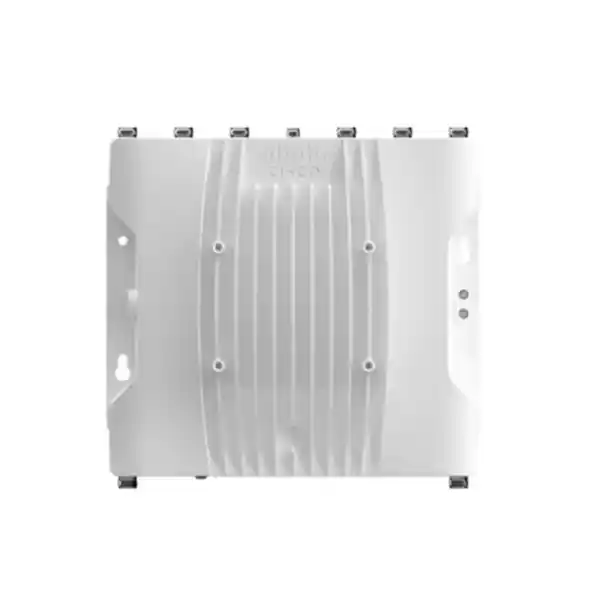
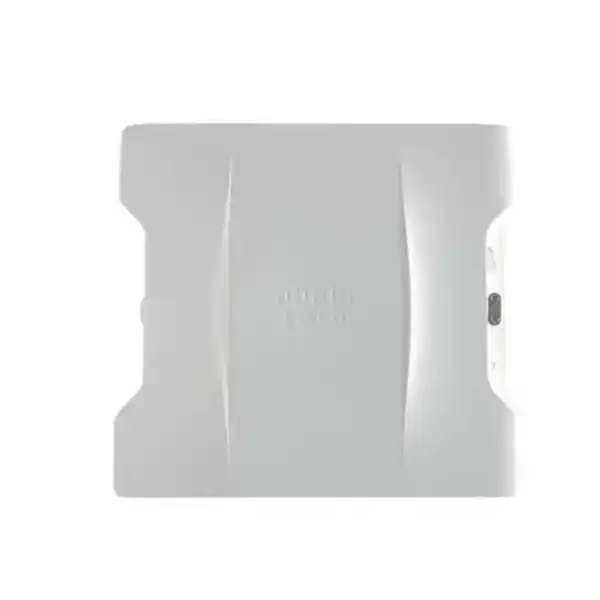
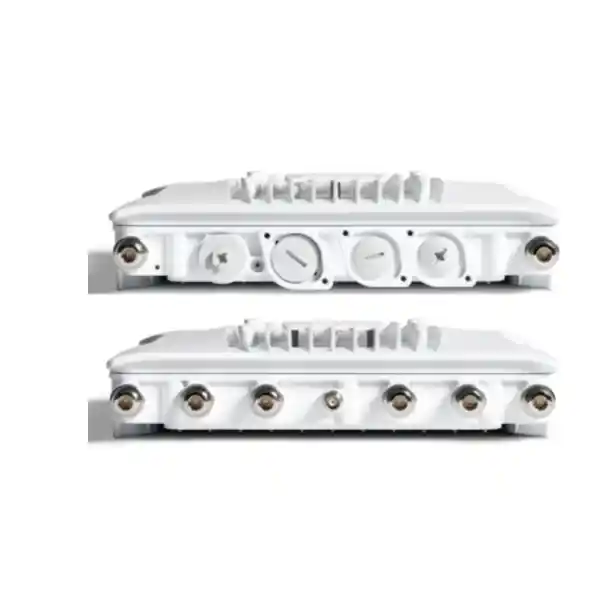
Cisco Catalyst IW9167I Industrial Access Point
Build dependable wireless coverage in industrial and outdoor environments with a rugged Wi-Fi 6E-ready access point designed around integrated omnidirectional antennas, tri-radio 4×4 performance, enterprise management and flexible wired uplinks. The Cisco Catalyst IW9167I is aimed at organizations that need strong client connectivity without adding external Wi-Fi antennas to the access point itself.
2.4 + 5 + 6 GHz radios
4×4 MU-MIMO
IP66 / IP67
5 GbE + SFP/SFP+
Integrated antennas
Fast fit check
Best fit
Industrial sites, outdoor campus areas, logistics yards, utilities, manufacturing locations, warehouses with exposed zones, transport facilities and other deployments that need weather-resistant enterprise Wi-Fi with integrated omnidirectional antennas.
Why choose the I model
The IW9167I integrates its client-serving antennas into the enclosure. That simplifies the antenna bill of materials and can reduce installation complexity where broad local coverage is preferred over customized external antenna patterns.
Management
Cisco lists the IW9167I for Cisco Catalyst 9800 Series Wireless Controllers. Plan the controller software release, licensing, RF policy and site design together rather than treating the access point as an isolated device.
Tanzania check
Confirm the exact Cisco regulatory domain and the permitted operating bands for the installation location before ordering. 6 GHz capability is hardware-dependent and country regulations determine which channels and power modes may actually be used.
What the Cisco Catalyst IW9167I is designed to solve
Industrial wireless projects often fail for reasons that have little to do with headline Wi-Fi speed. Access points may be exposed to rain, dust, heat, condensation, vibration, long cable runs, electrical noise, difficult mounting positions and changing client density. A conventional indoor access point can be a poor fit in these conditions even if its radio specification looks impressive. The IW9167I addresses this design problem with a hardened enclosure, industrial power choices, integrated antennas and enterprise wireless functions in a platform intended for outdoor and industrial use.
For buyers in Tanzania, the practical value is the ability to design one managed wireless layer across operational areas where ordinary office access points may not belong. That can include loading areas, plant perimeters, outdoor workshops, processing zones, distribution yards, covered industrial spaces and campus links between buildings where users or operational devices need reliable client access. The access point is not a substitute for a radio survey, correct mounting, grounding, surge planning or regulatory verification, but it gives the network designer a platform built for those conditions.
The IW9167I is specifically the integrated-antenna member of the IW9167 family. This distinction matters. If the project requires highly directional external antennas, unusual antenna placement or specialized antenna gain patterns, the IW9167E family may be the more appropriate starting point. If the goal is a cleaner installation with built-in omnidirectional coverage, the IW9167I can reduce external RF components while retaining high-capacity 4×4 radio capability.
Core wireless architecture
Cisco specifies three client-serving radios on the IW9167I: a 2.4 GHz 4×4 radio, a 5 GHz 4×4 radio and a 6 GHz 4×4 radio. The 6 GHz radio supports channel widths up to 160 MHz where regulations and deployment mode permit. The 5 GHz radio supports 20, 40 and 80 MHz channels, while the 2.4 GHz radio uses 20 MHz channels for 802.11ax operation. This architecture lets a network design balance compatibility, coverage and capacity instead of forcing every device into one band.
The access point supports uplink and downlink MU-MIMO and OFDMA under 802.11ax. In practical terms, these Wi-Fi 6 mechanisms help the network schedule airtime more efficiently when many clients are active. OFDMA can divide a channel into smaller resource units, while MU-MIMO can serve multiple spatial streams. These capabilities are especially relevant in industrial environments where handheld terminals, tablets, rugged laptops, scanners, cameras, sensors and employee devices may all compete for airtime.
Cisco also lists Target Wake Time, BSS coloring, beamforming and WPA3 support among the 802.11ax capabilities. None of these features removes the need for good RF engineering. Channel reuse, transmit power, cell size, client capabilities, roaming behavior and interference still determine real application performance. The advantage is that the IW9167I gives the designer a modern radio platform with tools that can be applied through the wider Cisco wireless architecture.
Wi-Fi 6E and the 6 GHz opportunity
The most important architectural difference between Wi-Fi 6 and Wi-Fi 6E is access to the 6 GHz band. Cisco designed the IW9167I with dedicated 6 GHz hardware, allowing organizations to take advantage of additional spectrum where the local regulatory environment and Cisco country configuration support it. More spectrum can create cleaner channel plans and more capacity because the band has fewer legacy Wi-Fi generations competing for airtime.
For Tanzania, 6 GHz should be treated as a deployment decision rather than an automatic feature toggle. TCRA maintains a WLAN and LPWAN spectrum framework, while Cisco maps each country to supported regulatory domains and country-code behavior. Before purchase, the project team should confirm the exact orderable Cisco domain, allowed frequency range, indoor or outdoor operating conditions, permitted power class and any equipment approval obligations that apply to the site. This is particularly important for an outdoor-capable industrial access point because rules can differ between low-power indoor and outdoor or standard-power modes.
Even when 6 GHz is not enabled for a particular installation, the IW9167I still provides 2.4 GHz and 5 GHz Wi-Fi capability. A sensible design therefore starts with client inventory. If most operational devices are 2.4 GHz-only or 5 GHz-only, the benefit of 6 GHz may initially be capacity relief for newer devices rather than universal migration. If newer Wi-Fi 6E clients are available, they can be placed on 6 GHz while older clients remain on established bands.
Integrated omnidirectional antennas
The IW9167I uses internal, cross-polarized omnidirectional antennas for its main Wi-Fi radios. Cisco lists peak antenna gain of 3.95 dBi on 2.4 GHz, 4.78 dBi on 5 GHz and 5.81 dBi on 6 GHz. It also includes an internal BLE antenna and an internal GNSS antenna. This integrated design is a key reason to choose the I variant: there are no external client-radio antennas to select, mount and cable for a normal deployment.
Integrated antennas simplify procurement, but they also shape the deployment. Omnidirectional coverage is useful when clients surround the access point or move through a local area, such as a yard, production zone or outdoor campus space. It is less appropriate when the design needs a narrow beam, a long directional reach, a highly controlled sector or antenna placement away from the access point enclosure. Those situations should trigger an evaluation of an external-antenna model instead of trying to force the IW9167I into a role it was not designed to fill.
Mounting height and orientation remain important because an omnidirectional antenna pattern is not the same as perfect spherical coverage. Nearby metal surfaces, containers, vehicles, machinery, walls, roofing and process equipment can reflect or absorb RF energy. A predictive design is useful, but an onsite validation survey is strongly recommended for operational areas where roaming, voice, video or real-time applications matter.
Capacity, channel width and realistic throughput
Cisco specifies aggregate PHY data rates up to 7.8 Gbps for the tri-radio platform when using 4×4 160 MHz on 6 GHz, 4×4 80 MHz on 5 GHz and 4×4 20 MHz on 2.4 GHz. This is a physical-layer figure, not a promise of application throughput to one client. Actual user performance is lower and depends on channel width, modulation, spatial streams, interference, protocol overhead, client radio capability, signal quality, controller configuration and upstream network capacity.
For an industrial network, maximizing channel width is not always the right goal. Wider channels can provide higher peak rates, but they also consume more spectrum and can reduce channel reuse. In dense coverage areas, narrower channels may deliver better overall network consistency. In lightly populated areas with clean spectrum and compatible clients, wider channels may make sense. The design should be based on application demand and RF conditions, not only on maximum specification numbers.
The copper uplink supports multigigabit Ethernet up to 5 Gbps, while the SFP interface can support fiber and higher-rate uplink options according to the selected module and Cisco guidance. These interfaces help prevent the wired side from becoming an unnecessary bottleneck, but the switch port, cabling, optics, power source and controller path must all be designed to match the intended access-point capability.
Wired interfaces and uplink flexibility
| Interface | What it means for the project |
|---|---|
| RJ-45 multigigabit Ethernet | Cisco specifies 100M/1G/2.5G/5G support on the copper interface, with supported PoE input. This is the straightforward choice when an industrial or campus switch can provide the required Ethernet speed and power. |
| SFP / SFP+ | Supports copper or fiber options according to Cisco’s compatibility guidance. Fiber can be valuable for distance, electrical isolation strategy and industrial backbone design, subject to the selected module and installation requirements. |
| Console | A dedicated management console interface is available for installation and troubleshooting workflows. |
| DC input | Provides an alternative to PoE for sites that already use industrial DC distribution or where the design calls for separate power and data paths. |
A key implementation point is ingress protection around the interfaces. Cisco notes that the appropriate glands or supported M12 conversion accessories are required on Ethernet and power interfaces to maintain the environmental rating. In other words, an IP67 access point can still be installed badly. Cable entry, sealing, bend radius, drip loops, grounding and surge protection all belong in the installation method statement.
Where fiber is selected, confirm the supported SFP/SFP+ module, distance, fiber type and temperature range. Cisco’s hardware guide also notes operational details for supported modules, so optics should be treated as engineered components rather than generic accessories. For copper, confirm cable category, shielding strategy where required, environmental jacket rating, connector protection and switch-port capability.
Power design: PoE or industrial DC
Cisco supports multiple power approaches for the IW9167I, including 802.3at PoE+, 802.3bt, Cisco Universal PoE and 24 to 48 VDC. The platform can draw up to 48 W in higher-power operating configurations. With 802.3at PoE+, Cisco specifies reduced radio capability compared with the full 4×4 configuration, so the choice of power source directly affects the wireless design.
This makes power planning more than a cabling exercise. If the project expects full tri-radio 4×4 operation and multigigabit uplink capability, verify that the selected switch or injector can provide the required power class at the actual cable length. If the installation uses industrial DC, check the power supply, overcurrent protection, grounding, cable size, voltage drop and environmental rating of every component. If power is delivered from a remote cabinet, include cable-loss calculations rather than assuming nominal voltage at the source equals voltage at the access point.
For Tanzania sites where mains continuity may vary by location, access-point uptime also depends on the upstream power architecture. UPS capacity, generator integration, DC plant design and switch resilience may matter more than the access point’s own power input. The wireless design should therefore be included in the site’s wider power-continuity plan, especially where Wi-Fi supports operational workflows rather than guest access.
Built for outdoor and industrial conditions
Cisco rates the IW9167I enclosure to EN/IEC 60529 IP66 and IP67. This means the platform is designed for demanding dust and water exposure conditions when installed according to Cisco requirements. The enclosure is cast aluminum, and the product is positioned specifically for industrial and outdoor deployments. It also supports condensing humidity conditions and elevated installation altitudes within Cisco’s published limits.
For operating temperature, Cisco lists -40°C to +55°C with solar load and still air. With DC power, Cisco also publishes an extended operating range of -50°C to +65°C without solar loading and with a cold-start limitation of -40°C. These details matter because a quoted temperature range is always tied to defined test conditions. A sun-exposed enclosure on a hot wall, a shaded installation, a ventilated structure and a location near process heat can all create very different thermal conditions.
Cisco lists wind resistance up to 257 km/h sustained for the platform, but the mounting structure and hardware must also be engineered for the local installation. The access point can be mounted on a wall or pole. Structural suitability, corrosion exposure, lightning protection, earthing, cable restraint and safe access for maintenance should be reviewed as part of the site design.
Controller integration and operating modes
Cisco documents the IW9167I for use with Catalyst 9800 Series Wireless Controllers and states support from IOS XE 17.12.1 for the platform. Current software planning should always be checked against Cisco’s release documentation before deployment because controller compatibility, features and recommended releases can change over the life of the product. A wireless project should standardize the intended controller version before staging access points.
Cisco supports CAPWAP operating modes including Local, FlexConnect, Sniffer, Monitor and Site Survey. Local mode is commonly used when client data and control are centrally handled by the wireless architecture. FlexConnect can be useful when local data switching is required at a remote location while central management is maintained. Monitor and Sniffer modes support troubleshooting and RF visibility use cases, while Site Survey mode can support deployment work.
The important buying question is not simply whether the access point can connect to a controller; it is whether the proposed controller topology, licensing, WAN path, switching and policy design match the site’s operational needs. Industrial sites may require continued local connectivity during WAN disruption, segmented OT and IT traffic, specific authentication methods, or tightly controlled maintenance windows. Those requirements should be captured before hardware quantities are finalized.
Security and RF visibility
The IW9167 platform supports modern wireless security standards including WPA3, WPA2, IEEE 802.1X and multiple EAP methods. This makes it suitable for enterprise authentication architectures where users or devices are validated through centralized identity services rather than shared passwords. The right authentication method depends on the client estate: rugged scanners, laptops, mobile devices and embedded industrial clients do not always support the same EAP options.
Cisco also documents a dedicated monitoring capability used for RF spectrum analysis and wireless intrusion prevention functions. In an industrial environment, that visibility can help teams distinguish ordinary coverage problems from interference, channel congestion or unauthorized wireless activity. It should be integrated into a security and operations process rather than treated as a dashboard feature that nobody owns.
For OT environments, wireless security is only one layer. VLAN or VRF segmentation, access control, firewall policy, device identity, certificate lifecycle, management-plane protection, logging and change control should be designed together. Avoid placing industrial devices onto a broad flat wireless network simply because they share the same physical access point. The IW9167I can carry multiple policy domains, but the architecture around it determines whether that capability produces meaningful isolation.
BLE, GNSS and operational context
The IW9167I includes Bluetooth Low Energy hardware and integrated GNSS. BLE can support IoT-related functions and the platform’s broader wireless capabilities, while GNSS provides location coordinates used by the system. Cisco also uses GNSS in connection with 6 GHz standard-power mechanisms where Automated Frequency Coordination applies in supported regulatory environments.
These functions are useful, but buyers should avoid assuming that the presence of BLE or GNSS automatically creates a complete asset-tracking or location solution. Business outcomes depend on software, tags or client support, analytics, controller features and the intended application. Similarly, GNSS reception depends on installation conditions; locations with poor sky visibility can behave differently from open outdoor placements.
During design, decide whether these integrated radios are part of the solution or simply available platform capabilities. That distinction keeps the scope clear. If a project specifically requires Bluetooth telemetry, location analytics, sensor integration or edge applications, validate the exact Cisco software support and licensing required for that use case before procurement.
Where the IW9167I fits in Tanzania
Manufacturing and processing
Extend managed Wi-Fi into production-adjacent zones, outdoor process areas, loading points and industrial spaces where dust, moisture or temperature exposure make standard indoor access points less suitable.
Logistics and distribution
Support handheld terminals, tablets and operational devices across yards, docks, covered loading zones and warehouse perimeter areas, subject to a proper roaming and capacity design.
Utilities and infrastructure
Provide rugged client access around compounds, treatment sites, substations or operational campuses where environmental resilience and flexible uplinks are important. Site-specific electrical and safety requirements still apply.
Large campuses
Extend enterprise policy beyond office interiors into outdoor walkways, maintenance areas, security zones and inter-building spaces while keeping management within the Cisco Catalyst wireless architecture.
These examples describe deployment patterns, not guaranteed suitability. Every site should be evaluated for RF propagation, client type, environmental exposure, mounting access, hazardous-area classification, power availability and regulatory constraints. The standard IW9167I should not be assumed suitable for hazardous classified locations merely because it is industrial and IP67-rated. Cisco offers a separate hazardous-location variant within the broader IW9167 family, and project safety requirements must determine the correct product.
The integrated antenna design is particularly attractive where teams want a robust, self-contained access point with broad local coverage. Where a yard is very long and narrow, where radio energy must be concentrated in a corridor, or where the access point must sit behind an obstruction while the antenna is positioned elsewhere, an external-antenna design may be easier to engineer.
IW9167I versus IW9167E: choose based on antenna strategy
| Decision point | IW9167I | IW9167E |
|---|---|---|
| Main antenna approach | Integrated omnidirectional antennas for the client-serving radios. | External RF antenna ports for selecting antennas to suit the deployment. |
| Installation simplicity | Fewer external RF components and no separate client-radio antenna cabling in a normal installation. | More antenna design choices, but requires antenna selection, RF cabling and installation planning. |
| Best when | Broad local coverage and a clean integrated form factor are desired. | Directional, sectorized or specialized antenna patterns are required. |
| Operating role | Cisco positions the IW9167I as the outdoor and industrial Wi-Fi access-point model. | The E platform supports additional industrial wireless operating roles depending on software and licensing. |
This is a design choice, not a ranking. The I model is not inherently better because antennas are integrated, and the E model is not inherently better because antennas are external. The right model is the one whose RF architecture fits the physical environment, coverage shape, maintenance plan and software role. For a new project, identify the intended coverage geometry before choosing the product family.
Physical size and installation planning
Cisco publishes IW9167I dimensions of approximately 29.2 × 26.7 × 7.6 cm and a weight of approximately 3.6 kg. Those numbers should be included in mounting and structure calculations, but the installed footprint is larger once cable glands, bend radius, drip loops, bracket clearance and technician access are considered. Do not design a mounting location using enclosure dimensions alone.
Before installation, Cisco recommends a site survey and supports wall or pole mounting. The survey should identify intended access-point locations, mounting orientation, power source and network connection. On a live industrial site, also document lifting or work-at-height requirements, access permits, production shutdown restrictions and whether installation can be completed without exposing cable entries to rain or contaminants.
Plan maintenance access from the beginning. An access point mounted where it cannot be safely reached may be technically functional but operationally expensive. Keep enough space to inspect seals, remove the unit, service cable entries and read status indicators. Record the installed serial number, switch port, cable route, mounting asset identifier and controller name so future troubleshooting does not start with a physical search.
A practical deployment workflow
- Define the application. List every important client class, application, mobility pattern and service-level expectation. Separate ordinary staff connectivity from operational traffic that affects production or safety.
- Validate regulatory fit. Confirm the Cisco regulatory domain and the bands and power modes permitted for the specific Tanzania deployment before final ordering.
- Perform RF design. Use a predictive design, then validate assumptions onsite. Include building materials, metal structures, vehicle movement and seasonal or operational changes.
- Choose power and uplink. Decide between PoE and DC, copper and fiber, then verify switch capability, optics, injectors, surge protection and environmental accessories.
- Standardize software. Confirm Catalyst 9800 compatibility, intended IOS XE release, licensing, AAA integration, VLANs and monitoring before staging hardware.
- Stage before field installation. Adopt the access point, upgrade to the approved software, apply country code and configuration, verify radios, and label the unit before it goes to site.
- Install and seal correctly. Follow Cisco grounding, gland, connector, torque and environmental instructions so the completed installation preserves the intended protection rating.
- Validate after installation. Test signal, SNR, roaming, throughput, authentication, application behavior, failover expectations and monitoring. Keep the survey as part of the handover record.
What to confirm before requesting a quote
Quantity and coverage area
Provide site drawings or approximate dimensions, mounting heights and the number of operational zones. Access-point quantity should come from RF design, not floor-area rules of thumb.
Client mix
List important device types, Wi-Fi generations, supported bands and roaming requirements. This determines whether 2.4, 5 or 6 GHz should carry the critical workload.
Power source
State whether the site will use PoE, a Cisco-supported injector or industrial DC, and identify the existing switch model where possible.
Backhaul
Confirm whether copper or fiber is preferred and the approximate cable distance from each access point to the nearest network cabinet.
Controller
Provide the Catalyst 9800 model or virtual controller details and current software release if the site already operates Cisco wireless.
Environment
Identify rain exposure, direct sun, washdown, dust, corrosive atmosphere, vibration, hazardous-area classification and any mounting restrictions.
Providing these details early helps prevent a hardware-only quote that later requires changes to power, optics, licenses, accessories or access-point count. For greenfield deployments, FourTeck Tanzania can prepare the commercial request around a defined design brief rather than an isolated product SKU.
Important limitations and buying considerations
The IW9167I is not the right answer for every industrial wireless problem. Its integrated antennas reduce external RF complexity, but they also remove the flexibility to choose a directional client antenna. If a project needs a narrow beam, remote antenna placement or specialized antenna gain, evaluate an external-antenna platform.
The access point is Wi-Fi 6E-ready at the hardware level, but 6 GHz use is subject to country approval and the configured regulatory domain. Do not purchase the product solely on the assumption that every 6 GHz channel or outdoor power mode will be available at the target Tanzania site. Confirm regulatory conditions and Cisco orderability first.
Full radio capability also depends on power. Cisco documents reduced radio operation under 802.3at compared with higher-power input. If a project expects 4×4 operation across all radios, design the power source accordingly. Likewise, the presence of a 5 Gbps copper port and 10 Gbps-capable SFP options does not mean every installation needs those speeds; upstream switching and application demand should determine the uplink design.
Finally, an IP66/IP67 enclosure does not make the installation maintenance-free. Environmental protection depends on correct glands, connectors and installation practice. Lightning, surge, grounding, corrosion, cable damage and mounting integrity should be included in periodic site inspection.
Technical specification summary
| Product | Cisco Catalyst IW9167I Heavy Duty Access Point |
|---|---|
| Primary role | Outdoor and industrial enterprise Wi-Fi access point with integrated antennas |
| Wi-Fi radios | 2.4 GHz 4×4, 5 GHz 4×4, 6 GHz 4×4 hardware |
| Channel widths | 2.4 GHz: 20 MHz; 5 GHz: 20/40/80 MHz; 6 GHz: 20/40/80/160 MHz, subject to regulatory availability |
| Wireless standards | IEEE 802.11a/b/g/n/ac/ax with WPA3 support |
| Internal Wi-Fi antenna gain | Peak 3.95 dBi at 2.4 GHz, 4.78 dBi at 5 GHz and 5.81 dBi at 6 GHz |
| Additional radios | Bluetooth Low Energy and integrated GNSS |
| Copper uplink | 100M/1G/2.5G/5G multigigabit Ethernet |
| Secondary uplink | SFP copper or fiber options, including supported 10 Gbps configurations |
| Power | 802.3at, 802.3bt/Cisco UPOE options, or 24–48 VDC; design power class to required radio capability |
| Environmental rating | EN/IEC 60529 IP66 and IP67 when installed according to Cisco requirements |
| Operating temperature | -40°C to +55°C with solar load and still air; extended DC-powered conditions published by Cisco up to +65°C without solar loading |
| Dimensions | Approximately 29.2 × 26.7 × 7.6 cm |
| Weight | Approximately 3.6 kg |
| Controller family | Cisco Catalyst 9800 Series Wireless Controllers |
Designing for roaming industrial clients
Many industrial Wi-Fi projects are mobility projects rather than simple coverage projects. A handheld terminal that works while stationary may still fail during movement if cells are too large, overlap is poor, authentication takes too long or the client has weak roaming logic. For scanners, voice handsets, tablets on vehicles or process devices that move through the site, define roaming acceptance criteria before installation.
Good roaming begins with predictable cell boundaries and sufficient overlap at the client device’s actual transmit power. Access points can often transmit more strongly than battery-powered clients, creating a false sense of coverage if the design is evaluated only from the AP perspective. Survey with representative devices or at least with realistic client radio assumptions. Track minimum RSSI, SNR, retry rate, channel utilization and handoff behavior along the actual movement path.
The IW9167I’s integrated antennas are well suited to repeatable cell design when mounted consistently. However, industrial geometry can change as stock, vehicles, containers or machinery move. Validation after commissioning should therefore include peak operational conditions, not only an empty site. For critical roaming, schedule a post-change survey whenever major structures, racking or production layouts are altered.
Planning coexistence across 2.4, 5 and 6 GHz
A tri-band access point gives the network architect options, but those options need policy. The 2.4 GHz band generally provides broad compatibility and useful propagation, yet it has limited non-overlapping channel capacity and is often crowded by legacy devices. The 5 GHz band provides more channel options and is widely supported by enterprise clients. The 6 GHz band can add cleaner spectrum for newer clients, subject to local rules and device support.
Do not force all operational clients into the newest band simply because the access point supports it. Some industrial endpoints may have long hardware lifecycles and conservative driver stacks. A phased band strategy can preserve compatibility while moving capable devices to 5 or 6 GHz. Band steering can assist, but client behavior ultimately matters. During acceptance testing, confirm that each critical device connects to the intended band and stays stable under normal movement and load.
Channel width should also be planned by area. A high-density production zone may benefit from narrower channels and greater reuse, while a low-density open area may support wider channels. The controller’s RF features can help optimize operation, but a deliberate baseline design makes automated decisions more effective and easier to troubleshoot.
Switching, segmentation and resilient architecture
The wireless edge is only as reliable as the network behind it. A rugged access point connected to an undersized or non-redundant switch can still become a single point of failure. For operational Wi-Fi, map each access point to its switch, power source, uplink path, controller reachability and upstream routing. Where business impact justifies it, use resilient distribution and power designs rather than relying on the ruggedness of the AP enclosure.
Segmentation should reflect business function. Corporate laptops, contractor devices, scanners, cameras and industrial control-related endpoints can share the same physical AP while using separate SSIDs or policy constructs, VLANs and security controls. Keep the number of broadcast wireless networks reasonable because every SSID adds management overhead on the radio. The objective is logical separation without wasting airtime.
FlexConnect can be relevant to remote facilities where local switching or survivability is desired. Whether it should be used depends on the WAN topology, policy enforcement requirements and controller architecture. Document what is expected to keep working if the WAN or central controller path is interrupted, then configure and test that behavior rather than discovering it during an outage.
Commissioning and handover checklist
- Confirm exact AP model and regulatory domain against the approved bill of materials.
- Record controller version, AP image, license entitlement and country configuration.
- Verify power class and confirm the access point has the expected radio-chain capability.
- Check copper or fiber uplink speed, errors and negotiated status.
- Inspect mounting hardware, cable support, glands, seals, grounding and weather protection.
- Test each production SSID, authentication path, DHCP, DNS, routing and application reachability.
- Validate 2.4, 5 and, where permitted, 6 GHz behavior with representative client devices.
- Perform roaming tests along real operational paths and under realistic traffic load.
- Capture baseline RF measurements and controller health after commissioning.
- Document AP name, serial number, MAC address, switch port, mounting location and cabinet reference.
- Store survey files, configuration standards and acceptance results with the site network documentation.
- Define the operational owner for monitoring, software lifecycle, certificate renewal and incident response.
Frequently asked questions
Is the Cisco Catalyst IW9167I an outdoor access point?
Yes. Cisco positions the IW9167I for outdoor and industrial environments and publishes IP66/IP67 environmental ratings when the unit is installed according to its hardware requirements. Outdoor suitability still depends on correct glands, grounding, mounting, surge protection and the site’s environmental conditions.
Does the IW9167I support Wi-Fi 6E?
The hardware includes a dedicated 6 GHz 802.11ax radio and is designed for Wi-Fi 6E operation. Actual 6 GHz channels and operating modes depend on the country, regulatory domain and applicable spectrum rules. For a Tanzania deployment, confirm the current permitted configuration and exact Cisco orderable domain before activation.
What is the difference between IW9167I and IW9167E?
The biggest practical difference is antenna architecture. The IW9167I uses integrated omnidirectional Wi-Fi antennas, while the IW9167E provides external RF antenna ports. Choose the I model for simpler integrated coverage and the E model when the RF design needs selectable external antennas or a different industrial wireless role.
Can the IW9167I use fiber?
Yes. The platform includes an SFP interface with supported copper and fiber module options. The exact module, speed, cable type, distance and environmental range must be selected from Cisco compatibility guidance. The SFP path is useful where fiber better fits distance, electrical or backbone requirements.
Can it be powered by PoE?
Yes. Cisco supports 802.3at and higher-power PoE options as well as Cisco UPOE. However, 802.3at operation uses reduced radio capability compared with higher-power input. If the design requires full 4×4 operation across the radios, verify power budget and switch capability before procurement.
Can it run from DC power?
Yes. Cisco specifies 24 to 48 VDC as a supported input range, with a wider maximum voltage range documented in the datasheet. Industrial DC can be useful where the site already has a protected DC plant or where power and data are intentionally separated.
Does it work with Cisco Catalyst 9800 controllers?
Yes. Cisco lists the Catalyst 9800 Series Wireless Controllers as the supported controller family for the IW9167I. Cisco documents support from IOS XE 17.12.1 for the platform, but a current recommended release and feature compatibility check should be completed before deployment.
Is the IW9167I suitable for hazardous locations?
Do not assume so. IP66/IP67 environmental protection is not the same as hazardous-location certification. Cisco has a separate hazardous-location variant in the IW9167 family. If the site has classified explosive atmospheres, the safety classification must be reviewed and the correct approved hardware selected.
How many access points are needed for a yard or factory?
There is no reliable fixed area-per-access-point rule. Quantity depends on client density, required data rate, roaming needs, mounting height, obstacles, interference, channel plan and device capabilities. A predictive RF design followed by onsite validation is the correct way to estimate quantity.
Does the access point include antennas?
Yes. The IW9167I includes internal antennas for 2.4, 5 and 6 GHz client radios, plus internal BLE and GNSS antennas. That is one of its main differences from the IW9167E, which is designed around external antenna connections.
What uplink speed should be used?
Use the uplink that matches the application’s aggregate demand and the broader switch design. The AP supports multigigabit copper up to 5 Gbps and SFP/SFP+ options, but a 10 Gbps-capable interface does not automatically mean every site needs a 10 Gbps uplink. Measure or model expected traffic and provide appropriate headroom.
What should a Tanzania buyer verify before ordering?
Confirm the exact Cisco regulatory domain, local spectrum and equipment requirements, controller compatibility, licensing, power source, mounting accessories, uplink type and environmental conditions. If 6 GHz is a key requirement, verify the permitted operating mode for the actual site instead of relying only on the Wi-Fi 6E label.
Why specification accuracy matters on industrial Wi-Fi projects
Industrial wireless equipment is often purchased as part of a larger project with installation labor, switching, power, fiber, accessories and software licenses. A small specification misunderstanding can therefore create a large project impact. Ordering the wrong regulatory domain can delay deployment. Using an insufficient PoE class can reduce radio capability. Assuming integrated antennas can produce a directional coverage pattern can force a redesign after installation. Ignoring cable glands can compromise environmental protection. These are avoidable problems when the product is treated as one component of a complete design.
A good procurement package should therefore include the access-point model, exact orderable part number, controller and license requirements, mounting kit, power method, surge and grounding components, copper or fiber uplink components and any required environmental accessories. It should also state which items are supplied by the customer and which are included in the vendor scope. Clear boundaries reduce commissioning disputes and prevent technicians arriving onsite without essential components.
For a multi-site rollout, standardize these decisions in a deployment template. Keep exceptions documented for sites with different power, spectrum or mounting conditions. Standardization makes spares planning, troubleshooting and software management easier while still allowing RF design to adapt to the physical environment.
Lifecycle and support planning
Wireless infrastructure has a longer operational life than many client devices, so the purchase decision should include software lifecycle and support. Cisco publishes software configuration guides and controller release requirements for the IW9167I. Before production rollout, identify the organization’s target IOS XE release, upgrade process, maintenance window and rollback method. Avoid letting field access points drift across unmanaged software versions.
Licensing should also be included in the commercial design. Cisco lists Industrial Wireless Cisco DNA Essentials and Advantage license options for Wi-Fi operation in the IW9167 series. The correct level depends on the required management and feature set. Confirm license term and entitlement as part of the quote rather than assuming hardware alone provides every software capability shown in Cisco architecture documentation.
Cisco’s datasheet states that the IW9167 Series has a one-year limited hardware warranty with defined replacement terms. That manufacturer statement should not be confused with a local commercial support package. If your organization requires onsite support, advanced replacement, managed services or a specific response commitment in Tanzania, request those items explicitly in the commercial proposal and verify the terms offered for the project.
Decision guide: when to shortlist the IW9167I
This decision framing prevents over-specification as well as under-specification. Industrial hardware is valuable where environmental and operational requirements justify it. In clean, climate-controlled offices, a standard indoor Catalyst access point may be more appropriate. In specialized industrial backhaul or hazardous areas, another member of the Cisco industrial wireless portfolio may fit better. The correct product should follow the use case.
Request an IW9167I design and quotation for Tanzania
Share your site type, approximate coverage area, client devices, preferred power method, controller environment and whether 6 GHz is a project requirement. FourTeck Tanzania can use those details to prepare the right product configuration and supporting bill of materials for review.
Exact regulatory domain, orderable part number, licensing, accessories, local availability, commercial warranty and delivery terms should be confirmed in the final quotation.




Reviews
There are no reviews yet.