
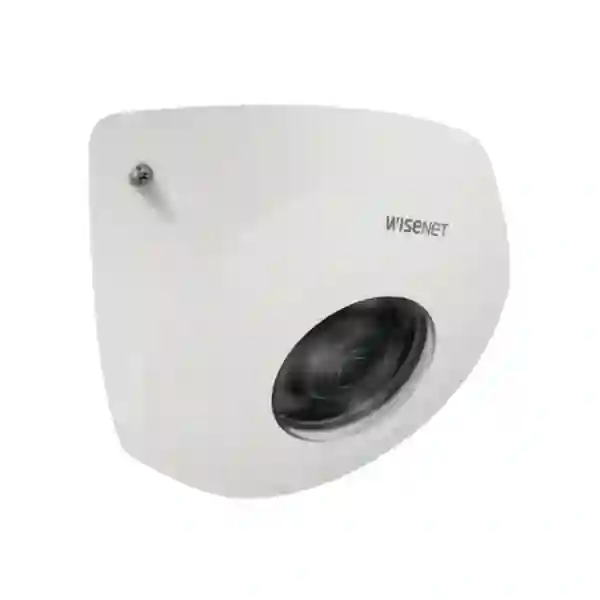
Hanwha TNV-8010C | 5MP Anti-Ligature Corner Camera
The Hanwha TNV-8010C 5MP Anti-Ligature Corner-Mount IP Camera is intended for security projects that need wide-angle observation from a compact corner installation while minimising accessible ligature attachment points. Its combination of 5MP imaging, a fixed 2.3mm lens, impact-resistant housing and network recording features makes it relevant to carefully assessed secure or compact rooms. Determine the right position, lighting, safeguarding policy and recorder interoperability before ordering.
5MP IP Video2.3mm Wide ViewPoEIP66 · IK10H.265
Fast buyer checklist
Verified technical overview
| Product | Hanwha Vision / Wisenet TNV-8010C |
|---|---|
| Type | Specialist anti-ligature, corner-mounted network camera |
| Image resolution | 5MP, 2592 × 1944 pixels |
| Sensor | 1/2.8-inch CMOS |
| Lens | 2.3mm fixed, F2.3 |
| Angular view | 131° horizontal / 93.4° vertical / 174° diagonal |
| Video | H.265, H.264, MJPEG; up to 3 profiles |
| Max. frame rate | 30fps H.265/H.264; 15fps MJPEG (mode-dependent) |
| Wide dynamic range | 120dB |
| Minimum illumination | 0.1 lux colour; 0.02 lux B/W at F2.3 and 1/30 sec |
| Features | Day/Night, Hallway View, WiseStream II, selected analytics |
| Recording | 1 microSD/SDHC/SDXC slot, up to 128GB |
| Power | PoE only, IEEE 802.3af Class 2; max. 6.49W in cited model sheet |
| Integration | ONVIF S/G/T, SUNAPI; verify receiver and software compatibility |
| Alarm interfaces | 1 input / 1 output |
| Protection | IP66 / IP6K9K / IK10 |
| Temperature | −10°C to +55°C; less than 95% RH per manufacturer conditions |
| Size | Approximately 143 × 122 × 73.7mm |
| Optional accessory | SBC-140C stainless-steel cover, subject to quote |
Model revisions and installation conditions may affect detailed values. Verify the exact supplied revision and manufacturer documentation. No local stock, price or warranty claim is implied.
A purpose-built camera for difficult-to-monitor rooms
The Hanwha TNV-8010C is not simply a conventional CCTV camera placed in a corner. Its housing is shaped for corner mounting and designed to reduce accessible protrusions and potential ligature attachment points. This makes it particularly relevant to buyers planning surveillance in demanding institutional environments where a standard dome or bullet camera could be more exposed to interference. The 5MP image, wide fixed lens, network connection and recording features work together to provide situational awareness from a comparatively compact location.
The starting decision should be the room and the safety objective, not just the megapixel rating. Ask who will be monitored, why observation is required, what level of detail is necessary, where the camera can be mounted and how recordings will be governed. A camera can help an approved observation procedure, but it cannot guarantee prevention of incidents or replace trained staff. A site assessment should define both the expected viewing area and the human response that will follow an alert.
Where the model is likely to be a good fit
The strongest applications are supervised rooms where an unobtrusive corner location, broad view and tough enclosure are meaningful requirements. Examples include selected detention settings, controlled institutional rooms, certain behavioural-health environments, lift interiors and compact high-risk service spaces. These are application possibilities identified by the manufacturer, not promises that a particular installation is suitable or permitted. Each location needs its own risk, safety and privacy assessment.
For a buyer, the key fit question is whether a single corner viewpoint can show relevant movement while avoiding unacceptable blind areas. Door swings, furnishings, screens, ceiling features and large occupants close to the lens can all change effective visibility. In a long corridor a rotated Hallway View image may be more useful than a standard landscape image. Conversely, identifying someone at distance may call for a narrower lens or additional camera. Obtain a layout and sample views before finalising quantity.
Quick decision guide: strengths and trade-offs
Choose this specialist camera when corner placement and an anti-ligature mechanical design are core project requirements. Its 5MP capture, 120dB wide dynamic range, H.265 compression, microSD support and PoE simplify the technical case for many managed IP surveillance projects. Its weather and impact ratings also make the enclosure a candidate for locations where cleaning, splashing or physical contact must be considered under the installation instructions.
The same design involves trade-offs. The 2.3mm lens is fixed rather than motorised zoom, and the small adjustment range is for installation alignment rather than remote pan-tilt-zoom operation. A wide scene is useful for awareness but spreads image pixels across a large angle. No dedicated built-in infrared illumination distance is specified for the TNV-8010C in the referenced model literature, so a project requiring full darkness must separately plan lighting or assess another appropriate model. Check all of these points against the actual room rather than buying solely from headline features.
What five megapixels mean in practice
At its maximum specified image size of 2592 by 1944 pixels, the camera offers substantially more picture information than a basic 1080p image. This can assist operators reviewing movement or events across a whole room, especially where image detail is important and the lens covers a large area. The published maximum rate is 30 frames per second for H.265 and H.264 under the relevant 60Hz setting; the published model sheet also lists lower rates for certain 50Hz configurations. Frame rate should therefore be configured for the target installation.
A megapixel figure alone does not establish that faces or objects will be identifiable at every distance. Identification depends on target size within the image, camera-to-subject distance, lighting, motion, focus and compression. During design, mark the points where the system must show general activity, support recognition or preserve fine evidence. Sample frames at the nearest and farthest intended locations reveal much more than an isolated resolution claim.
Understanding the wide fixed 2.3mm lens
The TNV-8010C uses a built-in 2.3mm fixed lens. Published angular coverage is approximately 131 degrees horizontally, 93.4 degrees vertically and 174 degrees diagonally. This unusually broad view is valuable when installation space is limited and the mounting corner is expected to cover most of a compact room. The lens does not mechanically zoom, so focal length cannot be changed later to bring a distant subject closer.
Wide-angle optics also create practical design questions. Objects near image edges may appear differently from objects in the centre, and a subject occupying a small portion of the scene may have limited usable detail. The correct viewing angle depends on ceiling height, bed or furniture positions, partitions and where people usually stand. Specify critical detail points first, then check pixel coverage using a representative site layout and real sample imagery. Where high-detail evidence is needed in addition to overview, consider a separate complementary camera.
Why anti-ligature design matters
Anti-ligature refers to physical design intended to minimise places where a cord or similar item could be attached. Hanwha introduced this model for demanding environments, including secure institutional rooms, with a compact corner-mounted enclosure that is difficult to grip or interfere with. That is a housing characteristic, not a certification that an entire room is safe from ligature hazards and not proof of suitability for every care or custody setting.
A competent safeguarding or facilities team must examine the complete installed assembly. Wall and ceiling geometry, fasteners, nearby fixtures, conduits, accessible cable routes and additional accessories can all affect risk. The camera should be installed exactly as required by the manufacturer’s guidance and the site’s own safety review. It must form part of a wider programme that includes trained observation staff, safe-room design, response procedures and scheduled physical inspections. Avoid treating camera selection as a substitute for those controls.
Secure-room planning beyond the camera
In a secure room, surveillance quality is determined by more than image sharpness. Operators need to know which activities require immediate attention, whether continuous observation is permitted, how they will receive warnings and who will respond. The TNV-8010C provides a camera endpoint and event functions that may support such workflows, but the management process is separate. Document who can view live video, when recording is retained and how an incident is escalated.
It is also important to plan around people, not just equipment. Any facility involving patients, detainees or other vulnerable persons must consider dignity, confidentiality, applicable rules and appropriate consent or legal authority. Sightlines should be limited where necessary, and sound monitoring should not automatically be enabled merely because audio interfaces exist. A written risk assessment should reconcile safety observation, proportionality and privacy before any recorder or live display is activated.
Behavioural-health and care environments
Where an authorised clinical or care team is considering video observation, the camera’s anti-ligature housing and wide view may be relevant to a carefully designed high-risk room. The manufacturer specifically identifies mental-health and other secure institutional applications. This does not mean the product is a medical device, a continuous patient-monitoring guarantee or a replacement for required in-person checks. Clinical and safeguarding leaders should approve both the physical installation and the monitoring protocol.
Care settings often introduce unique constraints: privacy during personal care, lights dimmed for rest, changing room layouts, staffing handovers and the need to avoid unexpected audible prompts. In these spaces, assess actual image quality under the lighting schedule and agree precisely what staff may view or record. Make sure alert recipients understand the limitations of motion and sound analysis. They should not interpret a lack of alarm as proof that a person is safe.
Corrections and controlled institutional spaces
Custodial surveillance often must endure attempted interference while preserving reliable images for authorised incident review. The TNV-8010C’s compact corner form, IK10 impact rating and video analytics provide a credible technical starting point for assessing a controlled cell or other institutional area. However, impact resistance does not mean a camera cannot be damaged, obstructed or disabled. Staff should still inspect the device and test event notifications on a regular schedule.
A useful specification distinguishes live oversight, incident reconstruction and forensic evidence requirements. Determine whether the system must show the whole room, capture people at a door, or focus on a defined activity area. Those objectives may require different placement or multiple views. Also confirm recording retention, clock synchronisation, camera tampering procedures, access logs and secure export. Procurement should include both the camera and the supporting operational processes needed to act on its images.
Lifts, service booths and other compact spaces
The manufacturer also mentions challenging locations such as lifts and ATM-related monitoring. A small corner-mounted camera can be attractive where a protruding housing would interfere with users or be easy to contact. Wide-angle coverage may capture activity over much of a compact space from a single location, while impact and ingress ratings address some enclosure-level environmental risks. This is only an initial fit indication; mounting permissions and the exact room geometry still matter.
For a lift installation, investigate moving-cable arrangements, vibration, power, connectivity, fire and building requirements, and any lift-manufacturer restrictions before specifying equipment. For an ATM or service booth, decide how to avoid exposing PIN entry or other sensitive information while preserving useful incident imagery. The privacy and integration design may matter more than the camera’s maximum resolution. Have the owner, installer and security operator agree on a practical acceptance test.
Lighting and day-night performance
Hanwha lists minimum illumination figures of 0.1 lux in colour and 0.02 lux in black and white at F2.3 with a 1/30-second exposure for this camera. Its Day/Night function can adjust operation as light conditions change. These laboratory-style thresholds are useful technical references, but they do not guarantee acceptable subject detail during rapid movement, extreme darkness or uneven room lighting.
For a project with lights switched off overnight, identify the actual lowest illumination and test moving people rather than a stationary chart. Some sales listings for related corner cameras refer to infrared features, but no built-in infrared range should be assumed for this exact TNV-8010C model. If a completely dark room must be monitored, verify a safe, approved lighting strategy or compare a model with explicitly documented illumination capability. Never infer visibility at zero lux from the black-and-white minimum illumination figure.
Handling difficult contrast with 120dB WDR
A secure room can contain a bright doorway, a window and darker interior corners at the same time. The TNV-8010C is specified with 120dB wide dynamic range, which is intended to retain more useful detail across unevenly illuminated parts of the same scene. This can help when a person moves between a bright corridor and a comparatively shaded area or when artificial lighting creates sharp contrast.
Wide dynamic range is not a substitute for properly designed lighting. Extremely strong backlight, reflective surfaces, flashing lights and quick exposure changes may still reduce image usability. Ask the installer to capture sample footage with the door open and closed and under day, evening and overnight lighting. Check whether faces, hands or other relevant subjects remain visible at the positions that matter. The goal is dependable evidence for this particular room, not merely enabling a WDR setting.
Hallway View and image orientation
The model supports Hallway View, an option designed for tall or narrow scenes such as corridors. Hanwha describes portrait-oriented use of its image output so that more of the recording area can be devoted to the direction of travel instead of unused portions of a conventional landscape frame. This can be useful in passages where doors, people or objects are arranged along a long axis.
Hallway View still requires correct mounting, rotation and client-side display support. Before choosing it, confirm what the recorder displays, exports and searches, and whether the desired capture mode fits the project resolution and evidence requirements. A portrait image will not magically extend the lens range or remove obstructions. Compare recorded examples in standard and rotated formats under the intended field of view, then choose the mode that gives operators the clearest and most consistent scene.
H.265, H.264 and MJPEG recording choices
The TNV-8010C supports H.265, H.264 and MJPEG video compression. H.265 may reduce network and storage demand compared with less efficient encoding when the system is configured appropriately and the receiving software supports it. H.264 remains useful where an existing recorder or viewing client cannot process the preferred H.265 stream. MJPEG may serve specific integrations, although its bandwidth profile differs significantly and the manufacturer’s stated maximum frame rate is lower.
A buyer should ask which codec is actually supported by the proposed NVR, VMS, browser and remote client. Test live viewing and recorded playback rather than relying only on an interoperability logo. Compression settings also affect image quality: very low bitrates can erase important detail, while unnecessarily high settings increase disk and network load. The appropriate choice comes from the evidence objective, the number of cameras, recorded hours and measured scene complexity.
WiseStream II and practical bandwidth planning
WiseStream II is a Hanwha compression-related feature intended to improve efficiency when paired with supported video encoding. In some conditions the manufacturer describes significant savings, but an advertised maximum reduction should not be used as a guaranteed bitrate for Tanzania installations. Actual results vary with movement, lighting variation, noise, codec settings and the recorder’s compatibility with the stream.
To size a deployment, define the selected resolution, frame rate, quality, target bitrate and expected recording schedule. Consider the peak load when doors open, lighting changes or several people move at once. Then add network and storage headroom rather than assuming an ideal laboratory scene. Test one configured camera under representative conditions before multiplying its bandwidth by the total camera count. The result is a more credible network and storage budget than a generic estimate based only on megapixels.
Multiple streams for different users
The exact-model documentation describes support for up to three streaming profiles. Different profiles can help a system balance full-quality recording, live control-room viewing and a lower-bandwidth remote view, subject to camera configuration and the capabilities of the selected management platform. This is valuable where a recording should preserve detail but a temporary remote check does not need the same bandwidth.
However, profiles are not unlimited independent recordings. Confirm the camera’s simultaneous encoding limits, each client’s chosen profile and the NVR’s ability to retain the intended master stream. Test behaviour during a network interruption or recorder restart. Give each viewer a defined business purpose and access level; do not distribute camera login credentials merely to share a lower-resolution feed. A well-designed stream plan supports reliability, reduces avoidable load and maintains an audit trail of who can see sensitive spaces.
Recording to a microSD card
The TNV-8010C includes one microSD/SDHC/SDXC card slot with a published maximum of 128GB. Appropriately configured edge storage can provide a local recording option and may help preserve footage during certain network disruptions. It is a resilience tool, not a reason to omit a broader recording and backup strategy where the application demands one. A card can fill, wear out, become inaccessible or be lost if the camera is damaged.
Specify an endurance-rated card suitable for video recording, and verify the manufacturer’s current compatibility and setup guidance before purchase. Confirm whether the NVR can retrieve or reconcile camera-side recordings after a connectivity failure; this behaviour depends on the system’s supported features and configuration. Establish card health checks, overwrite rules and retention settings. For incidents where evidence integrity is important, plan secure central storage and a controlled export process rather than depending on removable media alone.
PoE power and network cabling
The camera uses Power over Ethernet only, with its published electrical specification identifying IEEE 802.3af Class 2. The manufacturer sheet lists typical power consumption of about 4.6W and a maximum of 6.49W for the referenced product revision. PoE allows network data and power to travel over the same suitable Ethernet cable, which can simplify installation in places where a separate local power adaptor would be awkward or undesirable.
Power design still requires care. Confirm the PoE switch’s available budget for every port, the planned cable length and quality, the number of cameras sharing the switch and the required backup runtime. Protect network equipment in an appropriately controlled location. For installations exposed to unstable electricity or planned outages, a correctly sized UPS may be important for the switch, recorder and upstream network devices. A powered camera cannot provide usable recording if the rest of the required system is offline.
Integrating with an existing NVR or VMS
The manufacturer’s TNV-8010C documentation lists ONVIF Profiles S, G and T, as well as SUNAPI and Wisenet open-platform interfaces. These standards and interfaces can assist integration with compatible management and recording systems, but their presence does not guarantee every advanced function will work with every vendor’s software. Compatibility is version-specific and needs verification before a purchasing decision.
For an existing installation, provide the exact recorder or VMS product, version and licensed channel capacity to the integrator. Check live video, audio if authorised, time synchronisation, event metadata, edge recording support, playback and export. Some platforms may receive video but not vendor-specific analytics or camera-side notifications. A brief proof-of-concept test can avoid an expensive mismatch. If compatibility is uncertain, document which functions are essential and which can be left disabled without compromising the project’s agreed objectives.
Video analytics as an operational aid
Hanwha describes event functions for the TNV-8010C including defocus detection, direction-related detection, motion, entry and exit, virtual line and tampering. The manufacturer also identifies shock and audio-related detection support. Such functions can help an operator notice a camera obstruction, a defined movement or an event in a supervised space. Their value depends on sensitivity settings, scene layout and the system receiving the events.
Do not equate a motion alert with an emergency diagnosis or assume every incident will trigger a warning. Reflections, moving shadows, staff activity and vibration can create nuisance events, while occlusion and poor lighting can hide important activity. Set detection zones according to a written purpose, test under normal and abnormal scenarios and assign human review responsibilities. Where alarms are safety-related, document a separate escalation process and periodic functional testing.
Tampering and shock-response procedures
A rugged housing is useful when a camera can be reached, but the installation should assume that interference remains possible. Analytic features such as tampering and shock detection may provide warning of changes or physical attacks, subject to correct setup and receiver support. Operators need to know what an alert actually means: a blurred lens, a changed scene or vibration is not always evidence of deliberate interference.
Create a response procedure that distinguishes an ordinary maintenance issue from a possible security incident. Check whether the alert was recorded, whether another camera can confirm the situation and whether a safe physical inspection is needed. Train staff to acknowledge the event and record the corrective action. Document repeated faults because they may reveal poor mounting, a cleaning problem or an unsuitable environmental location. This discipline turns a feature into an operational control rather than an unattended notification.
Two-way audio interfaces and audio governance
The TNV-8010C supports bidirectional audio capability through its audio interfaces, and its documentation identifies selectable microphone or line input and line output. This should not be interpreted as a guarantee that a usable microphone and speaker are built into every shipped unit; system design may require separate approved audio peripherals and compatible management software. Audio functions should only be specified where there is a clear, lawful operational purpose.
In sensitive rooms, sound collection can be more intrusive than video alone. Establish whether audio is permitted, how people are informed, which conversations are in scope and who may listen or retrieve a recording. Confirm acoustic performance in the actual room before relying on a communication path. It may be appropriate to disable audio entirely in some deployments. Site policy and applicable law should govern audio choices, not the mere availability of an input connector.
Alarm inputs and outputs
The published camera specification includes one alarm input and one alarm output. These interfaces may allow the camera to participate in a broader event workflow, depending on the electrical design and the integration platform. For example, a suitable external sensor could contribute to an event trigger, or a supported alert path might connect to a control system. Any particular wiring arrangement must be verified against the full installation manual and the other device’s specifications.
Do not connect an unknown load or life-safety system based only on the presence of an alarm terminal. Determine required voltage, current, isolation, fail-safe behaviour and responsible approvals. Test alarms end to end, including what happens when power, network or the recorder fails. A camera alert can support situational awareness, but it should not be presented as a certified fire alarm, access-control safety circuit or emergency communications device.
Network security and access control
Every connected camera should be treated as a managed endpoint on the organisation’s network. The model’s documented security-related capabilities include HTTPS authentication options, access controls and network mechanisms such as 802.1X in the referenced literature. Their presence provides configuration options, not automatic security. The final security posture depends on firmware, password policy, network segmentation, service exposure and operational maintenance.
A responsible deployment uses individual authorised accounts where supported, strong credentials, restricted administration, an appropriate management VLAN or network segment and minimal exposure to public networks. Confirm update availability and approved firmware for the exact TNV-8010C hardware rather than installing files intended for another camera. Log changes, keep a recovery plan and review access periodically. Remote access should be designed through an approved secure solution, not through indiscriminate port forwarding. Security monitoring must protect both the physical premises and the privacy of the people whose images are collected.
Outdoor ratings and impact resistance
The exact-model specification lists IP66, IP6K9K and IK10. In practical buying terms, these indicate a housing designed for demanding ingress and impact conditions under the defined test standards. They do not mean that any mounting arrangement is suitable for unrestricted weather exposure, pressurised cleaning, chemical attack or deliberate prolonged damage. Cable entry, glands, connectors, adjacent materials and installation orientation can be weaker points than the camera body.
For a proposed external or aggressively cleaned location, check the detailed installation instructions and obtain confirmation about cleaning products, water exposure, drainage and environmental conditions. A rated enclosure can still experience condensation or service issues if its seals are damaged or cable routing is poor. Record the inspection and cleaning regime and make sure installers use compatible hardware. Do not convert a rating into an unconditional statement of waterproof, tamper-proof or maintenance-free operation.
Temperature and humidity considerations
Manufacturer literature for the TNV-8010C states an operating temperature range of approximately minus 10 to plus 55 degrees Celsius and less than 95 percent relative humidity under the specified conditions. These figures help assess technical suitability, but they do not eliminate the need to consider local heat, solar exposure and enclosure ventilation. A small room or unventilated service area can run hotter than the ambient environment elsewhere in the building.
For Tanzania projects, record the expected temperatures where the camera and associated network equipment will actually operate. Evaluate condensation, dust, cleaning schedules and power reliability at the site rather than making assumptions about the whole country. Where a camera is placed close to a bright window, hot ceiling void or equipment cabinet, test conditions during the warmest expected period. For locations beyond the supported envelope, seek a more appropriate mounting method or device instead of treating the rating as flexible.
Physical dimensions and finish
The detailed TNV-8010C product sheet describes a white aluminium housing approximately 143 by 122 by 73.7 millimetres. A published revision lists a weight around 815 grams, although earlier family brochures show different weights, so the exact shipping or installed assembly should be confirmed against the supplied revision. The compact form is designed to occupy a corner without the projection typical of some security camera housings.
Measurements matter during engineering. Check that the wall and ceiling junction is square and structurally suitable, that fasteners engage an appropriate substrate and that the camera remains serviceable without creating new hazards. Allow for the actual cable route and required access during initial alignment. Where finish or concealment is important, evaluate any accessory separately rather than assuming that all cosmetic variants fit all revisions. A physical mock-up can resolve questions that drawings alone may miss.
Optional stainless-steel cover
Hanwha identifies the SBC-140C as an optional brushed stainless-steel skin cover for the TNV-8010C. The manufacturer describes a magnetic three-point attachment. This is an accessory, not a standard included item unless confirmed in the specific quotation. Buyers considering it for appearance or additional protection should ask the supplier to confirm the exact part, compatible configuration and installation implications.
Accessories can affect maintenance, cleaning procedures and how the housing interfaces with the surrounding walls. Their appearance should not be treated as evidence of a different impact rating or of additional safeguarding capability unless documented for the combined assembly. Specify the required colour and surface finish at the quotation stage, and make sure both the accessory and the camera can be serviced without compromising the room. Where an anti-ligature evaluation is essential, assess the completed installed assembly, including the selected cover.
Mounting height, angle and field verification
The TNV-8010C provides a limited installation tilt adjustment described by Hanwha as approximately minus seven to plus seven degrees. It is not a remotely controlled PTZ camera. That means the installer must choose the corner location carefully, set the view and verify it before the project is accepted. Moving the unit later may require physical work, updated cable routing and a new room risk assessment.
Commissioning should examine the entire relevant floor area, the door region, corners adjacent to furniture and any place an occupant can come close to the camera. Test the image with a person moving through the scene because static room photographs can conceal motion blur and occlusion. Record the final mounting height, view direction, adjustment position and acceptance images. Have the customer sign off on what the camera can and cannot see, instead of using vague language such as full coverage without defining it.
Recording architecture for a multi-camera project
A single camera can be viewed directly in a test environment, but an operational site usually needs a clear recording architecture. Decide where live monitoring occurs, whether recording is continuous or event-based, how many concurrent viewers are expected and what happens when the central network connection fails. The proposed NVR or VMS must have sufficient supported channels, storage throughput, user permissions and export capability.
For an institution with several rooms, determine whether each camera requires its own recording schedule and access rules. Consider separating highly sensitive streams from ordinary public-area CCTV. Also account for network switch capacity, uplink bandwidth, power continuity and event receiver licences. A camera’s ability to send compressed video does not establish that the entire system can retain the desired footage at the chosen resolution and frame rate. A design document should specify every dependent component before procurement.
How to estimate video storage realistically
Storage is a function of actual recorded bitrate, recording hours, retention period and overhead. Start by measuring the proposed encoding configuration in a representative scene. Multiply the average bitrate by recording time, then add an engineering allowance for peak activity, indexing, metadata and future changes. For projects using several streams or dual recording, include each additional recording path instead of counting only the main camera channel.
The 128GB camera-side card limit should not be mistaken for a fixed number of guaranteed recording days. A calm room at a modest bitrate may have very different storage demand from a busy corridor with constant movement and rapid lighting changes. Similarly, motion-triggered retention depends on the actual event frequency. Record the assumptions, review them after initial operation and verify that the oldest required footage remains accessible. Retention must also comply with the site’s authorised privacy and records policy.
Designing around electricity interruptions
Where mains power continuity is uncertain, the PoE camera is only one part of the backup plan. A UPS protecting the PoE switch but not the NVR may leave a live camera with nowhere appropriate to send its recording. A UPS protecting the recorder but not the network may have a similar problem. Map the entire path from camera to switch, fibre or router, recording server and operator workstation, then decide which elements require backup.
Test the actual outage scenario. Confirm that devices recover in the correct order, clocks remain synchronised, event notifications resume and recordings are not silently missing. If edge storage is enabled, verify its behaviour and any supported reconciliation process under an interrupted network. Establish a maintenance schedule for batteries and power supplies. A documented and tested recovery procedure is more valuable than a broad claim that the camera will always record during outages.
Tanzania deployment checks without assumptions
For a Tanzanian procurement or design team, useful due diligence starts with the exact site, its room type and its existing network and security infrastructure. Gather drawings, lighting conditions, the proposed recording location and the intended number of cameras. Ask whether the facility has an approved data-handling policy and qualified personnel to respond to incidents. These project facts determine suitability more reliably than a generic list of cities or claimed local availability.
Request confirmation of supply status, actual pricing, delivery arrangements, accessory availability, applicable warranty conditions and whether installation or maintenance services are included. These commercial details vary and are not verified by the product specification itself. If the camera will join an existing recorder, provide its make, model and software version. If the project is new, obtain an itemised system proposal including networking, power backup, recording, storage, user access and commissioning. This helps prevent an incomplete camera-only quotation.
Privacy, placement and proportionality
Surveillance of an ordinary corridor is not the same privacy decision as observation inside a vulnerable person’s room. Before deployment, identify a legitimate purpose, the legal or institutional authority, who will be informed and what safeguards protect recordings. Decide where camera coverage is essential and where it should be restricted. An anti-ligature housing can make a product mechanically appealing in a sensitive area, but it does not itself authorise filming that area.
Keep the privacy review linked to technical choices. Audio should be disabled unless justified, access should be granted only to authorised staff and recordings should be protected from casual copying. Establish retention and deletion rules, secure export procedures and an audit trail of access. Relevant Tanzanian law and site-specific obligations should be reviewed by responsible local advisers rather than inferred from a vendor feature list. Project sign-off should include both security and privacy stakeholders.
Incident review and evidence integrity
If footage may be used to review a serious incident, the recording process should preserve context as well as image quality. Use reliable time synchronisation, consistent camera names, documented retention periods and a controlled method for exporting original files. Define who may request an export, where it is stored and how its integrity is documented. Important footage may be lost through accidental overwriting or poor access controls even when the camera itself worked correctly.
Test an example incident from beginning to end: detection or operator observation, event acknowledgement, retrieval, playback, export and later verification. Ensure that the selected management software supports the required workflow for this model and codec. Include a process for saving relevant evidence before retention expires, subject to legal and institutional policy. A functioning camera is only the first stage of a trustworthy incident-review system.
Operator workflow and alert fatigue
A camera with several analytics options can generate more notifications than a control room can use. Before enabling every event rule, identify the actions that matter and the circumstances in which staff should respond. A narrow set of well-tested warnings often provides more operational value than a large queue of nuisance alarms. Design detection zones around the actual room layout, normal staff movements and authorised activities.
Train operators to interpret the alarm, review the related image and apply the organisation’s response plan. Define who receives alerts during shift changes and what happens when an event is unacknowledged. Keep an audit record of recurring nuisance alarms and adjust configurations through controlled changes. Review performance after furniture moves, lighting modifications or staffing changes. Neither video analytics nor an event dashboard should be represented as an automated substitute for human judgment in a high-risk setting.
Commissioning and acceptance tests
A competent handover should include more than confirmation that the live image appears on a screen. Verify the correct model and firmware, mechanical fixing, enclosure seals, cable strain relief, PoE budget, IP addressing, time settings, user permissions, stream profiles and recorder interoperability. Check that video actually records and can be replayed for the required duration. Where enabled, test analytics, audio, alarm I/O and edge recording as separate functions.
Repeat visual tests under the site’s different lighting conditions and with realistic movement. Capture approved reference images that show intended coverage and known blind areas. Simulate a short network interruption and a controlled power restart if safe to do so. Provide the customer with the approved configuration, operating procedures, training and service schedule. A signed acceptance checklist reduces disputes about features that were available on paper but not configured in the deployed system.
Cleaning, inspection and preventive maintenance
A camera used in a demanding institutional setting needs regular inspection, even when the enclosure carries an impact rating. Establish a safe maintenance procedure to examine the mounting interface, lens window, visible fasteners, cabling and any optional cover. Look for obstruction, loose fittings, damaged seals, condensation, unexpected movement or persistent image blur. Use cleaning methods approved for the actual housing and avoid assuming that a high ingress rating permits every detergent or pressure-cleaning technique.
Maintenance should also cover the network and recorder. Check video availability, storage health, time synchronisation, alert routing, account permissions and event logs. Record when a part or accessory is replaced and retest the view afterward. The maintenance plan should be proportionate to the application’s risk: an isolated high-security room may justify more frequent checking than a lower-risk service area. A periodic review can catch faults before an incident reveals them.
Cybersecurity and firmware lifecycle management
Buying the correct camera is not the end of the security decision. The organisation should determine how it will obtain verified software updates, evaluate change notices and schedule maintenance windows. Firmware may change compatibility or configuration behaviour, so keep an inventory of the exact model, installed version, recorder connection and configuration backup. Do not substitute firmware from the similar-looking TNV-8011C without explicit manufacturer support for the exact hardware.
Before an update, assess operational impact and arrange an approved backup or alternative observation method if the location is high risk. After an update, verify video, recording, events, user access and time settings. Retire unused accounts and restrict exposed services. The owner should also understand the supplier’s current support position and obtain any written lifecycle confirmation needed for long-term procurement. The existence of current documentation for a newer model does not establish the status of this older one.
Comparing this model with ordinary dome cameras
A conventional dome camera can be appropriate for corridors, offices and common areas where anti-ligature design is not a priority. Such cameras may offer different lens choices, integrated illumination or a different mounting method depending on model. The TNV-8010C is better considered as a specialist candidate when the corner form and reduced accessible protrusions are important. Selection should not assume that a specialist enclosure automatically delivers better images in all environments.
Compare actual models against the same checklist: minimum required detail, coverage area, lighting, tamper exposure, mounting constraints, recorder interoperability, storage, power and cost of maintaining the installation. In a long outdoor perimeter, for example, a different lens configuration might be more suitable. In a compact secure room, the mechanical design can be decisive. A fair comparison uses project objectives and independently verified specifications, not vague labels such as best camera or complete protection.
Comparing the TNV-8010C with the TNV-8011C
Hanwha also has a separate model designated TNV-8011C. Similar naming and overlapping 5MP corner-mount features can cause errors in quotes and technical schedules. They should not be treated as identical products, and a specification taken from one should not automatically be applied to the other. This product page concerns the TNV-8010C and relies on its own published model information for electrical, mechanical and video claims.
If a supplier offers the TNV-8011C as an alternative, ask for an explicit side-by-side check of current manufacturer documents. Verify resolution modes, recording capabilities, accessories, power, firmware, security functions, housing details and any approved substitutions. Where the camera is part of a formal safety or security design, record the exact approved part number. Even a newer device that appears equivalent in a brochure should go through the same site, integration and safeguarding evaluation.
What to include in a quotation request
A useful quotation request describes the problem to solve rather than asking only for one camera price. State the TNV-8010C model, proposed quantity, room dimensions, approximate mounting height, lighting schedule and intended recording duration. Add the existing NVR or VMS details, whether an approved audio capability is needed, which analytics matter and whether an optional SBC-140C cover is required. Include any physical security or privacy constraints that influence installation.
Ask for line items covering the camera, approved mounting materials, accessories, PoE equipment, network cabling, storage, licences, UPS, configuration, testing, staff training and maintenance where applicable. Request separate confirmation of availability, warranty, delivery and ongoing support terms. This approach lets the buyer distinguish the equipment specification from the services and dependencies necessary for a functioning system. A complete proposal should state exclusions and assumptions so that there are fewer surprises during deployment.
Questions for facilities and safeguarding teams
Before approving a room installation, ask what hazards the camera housing is intended to reduce, where occupants can reach the enclosure and whether adjacent fixtures create risks. Confirm that the wall and ceiling materials support the prescribed installation and that maintenance can be done safely. Establish how much of the room must be seen, whether any private area must remain outside coverage and what happens when observation is interrupted.
The facilities team should coordinate with security operations and, where relevant, care or custodial leadership. Review the installation during a room walk-through rather than relying only on architectural drawings. If the room changes use, furnishings or clinical protocol, the original design may no longer be suitable. Maintain a simple change-control record for the mounting, view, recording and alert configuration so that later work does not silently weaken an approved safeguard.
Questions for IT and recording teams
The IT team should be able to explain how the camera connects, receives power, authenticates, sends video and is monitored for faults. Confirm compatible PoE capacity, switch ports, IP planning, network isolation, time services, recorder licensing and user permission management. Determine whether continuous high-quality recording and occasional remote viewing need different stream profiles, and test both. Review how the organisation will maintain backups of configurations and retrieve footage after outages.
For a multi-site or institution-wide system, define who owns camera firmware maintenance and who approves network changes. Document which alerts are handled by the VMS and which may remain camera-specific. If external access is proposed, apply the organisation’s approved secure remote connectivity design. Recording equipment, storage and network components should be sized and protected as carefully as the cameras themselves. Without that coordination, a correctly mounted camera may still produce an unreliable security service.
A responsible purchase decision
The TNV-8010C is a worthwhile candidate when its specialist mechanical design and verified camera capabilities solve a defined monitoring problem. It combines 5MP network video, an especially wide 2.3mm fixed lens, WDR, multiple supported codecs, PoE, event analytics and a ruggedised enclosure. Those characteristics support a strong technical conversation, but they do not establish that the camera is right for every high-risk room.
A final purchase should follow a documented site assessment, privacy and safeguarding review, network compatibility check, lighting test and quotation covering all required supporting equipment. Make sure the exact model and optional accessories appear on the order. Confirm any commercial or support terms directly rather than assuming stock, pricing, local installation coverage or warranty from an online description. The next step is to request a project-specific technical review and itemised quotation for the proposed Tanzania deployment.
Frequently asked questions
Is the Hanwha TNV-8010C an IP camera or an analogue camera?
It is a network or IP camera designed to transmit compressed digital video over Ethernet. Its published model specification includes H.265, H.264 and MJPEG streaming. A listed CVBS connection is an installation-related video output and should not be confused with the primary network recording architecture. Confirm the planned recorder, network settings and viewing platform before purchase.
What is the maximum recorded resolution?
The published maximum image size is 2592 by 1944 pixels, commonly described as 5MP. Resolution should be considered together with lens coverage, installation distance, lighting and compression settings. Full resolution does not guarantee that a small or distant subject can be identified. Test the exact monitoring position under real operating conditions.
Does the camera have a zoom lens or remote PTZ?
No. The documented lens is a fixed 2.3mm optic with a broad angle of view, and the model is not a remote PTZ camera. The limited mechanical tilt adjustment is intended for installation alignment. Buyers who need to follow distant subjects or optically zoom in should examine a different camera specification.
Can this camera monitor a room in total darkness?
Do not assume it can. Hanwha publishes low-light minimum illumination figures, but the available model literature does not establish a built-in infrared illumination distance for the TNV-8010C. Day/Night capability does not mean adequate pictures at zero light. Evaluate the actual overnight lighting or specify an independently verified low-light solution.
What does anti-ligature mean for this product?
It refers to an enclosure shape intended to reduce accessible points that could be used to attach a ligature. It is not a guarantee against self-harm, tampering or other risks. Site staff must assess the completed room, fixtures, cable access, camera placement and observation procedures. A camera cannot replace safeguarding policies or human response.
Can the camera record onto a memory card?
Yes. Its published specification includes one microSD/SDHC/SDXC slot supporting a maximum card capacity of 128GB. The amount of footage retained depends on bitrate, frame rate, event frequency and overwrite settings. Confirm compatible cards and whether the chosen NVR can use or retrieve camera-side recordings when a network connection is restored.
Does it require a separate power supply?
The documented power method is IEEE 802.3af Power over Ethernet, rather than a conventional local plug-in power adaptor. A compatible, correctly budgeted PoE port or approved injector and suitable Ethernet cable are therefore required. If recording during electricity interruptions matters, provide backup power to the relevant network and recording equipment as well.
Is it waterproof and vandal-proof?
The enclosure is rated IP66, IP6K9K and IK10 in manufacturer materials. These are defined test classifications, not permission to ignore mounting instructions, cleaning limits or maintenance. Weather exposure, damaged seals, loose fixings and deliberate interference can still create problems. Evaluate the complete installation and the intended environmental conditions.
Can it work with a third-party recorder?
The exact-model documentation lists ONVIF Profiles S, G and T and Hanwha SUNAPI support. This may assist integration, but it does not verify every recorder, firmware version or advanced function. The installer should test live viewing, recording, playback, export, event metadata and any required edge-storage workflows with the actual NVR or VMS.
Does the model include two-way audio?
Manufacturer literature identifies bidirectional audio support and audio input/output interfaces. It should not be assumed that every required microphone, speaker or other external audio component is built into the unit. Confirm the installation hardware and client support. In sensitive rooms, authorise audio only after a separate legal, privacy and operational review.
Can analytics replace staff observation?
No. Events such as motion, tampering, defocus and other supported detections can assist personnel, but they can produce missed events or false alarms. Define alert rules, test their behaviour in the actual scene, appoint responsible human responders and maintain an escalation procedure. Video analytics should not be described as a substitute for trained staff or approved safety protocols.
What should a Tanzania buyer verify before ordering?
Confirm the exact TNV-8010C model, room dimensions, lighting, target image detail, recorder compatibility, PoE and UPS needs, storage duration and authorised observation policy. Request written confirmation of current availability, project pricing, delivery terms, support and warranty. None of those commercial matters can be inferred reliably from the camera’s technical sheet alone.
Is the TNV-8011C the same model?
No. The TNV-8011C is a separately identified Hanwha corner camera. Some published characteristics are similar, but purchasers should not substitute accessories, power assumptions, firmware files or other specifications without verification. If a supplier proposes a replacement or alternative, require a documented comparison and approval from the project stakeholders.
Which optional cover is associated with TNV-8010C?
Hanwha identifies the SBC-140C stainless-steel skin cover as an accessory for the TNV-8010C. It attaches through a magnetic three-point arrangement according to the manufacturer. Confirm the cover is required, quoted separately if necessary, currently available and appropriate to the planned installation and safeguarding review.
Request a TNV-8010C technical review
Share the planned room dimensions, number of cameras, light levels, existing NVR/VMS and expected retention period. Ask for a written confirmation of exact model, accessories, supply terms and integration scope before ordering. A site-specific review can determine whether this camera, an alternative or a combination of views best serves the project’s requirements.
Request an itemised quotation and suitability assessment for your Tanzania project.




Reviews
There are no reviews yet.