
Verified specifications at a glance
This table summarizes manufacturer-listed capabilities, not a promise that every feature is included in a particular recording system or commercial package. Confirm final firmware and system compatibility during procurement.
| Camera and image | 5MP CMOS, up to 2592 × 1944; H.264/H.265 up to 30/25fps (60/50Hz) |
|---|---|
| Lens and viewpoint | 1.6mm F1.6 fixed lens; 175° horizontal, 125° vertical field of view; ±25° manual tilt |
| Night and exposure | IR up to 15m; 120dB WDR; automatic day/night function |
| AI analytics | People and vehicle classification, line and area events, people/vehicle counting, queue management, heatmap |
| Network and audio | 10/100 Ethernet, built-in microphone, ONVIF S/G/T/M; SUNAPI |
| Power and edge storage | IEEE 802.3af PoE Class 3; max 11.5W; microSD family up to 256GB |
| Physical specification | IP66 and IK10; 80 × 167 × 57mm; about 600g; -30°C to +55°C operating range |
Who should consider the TNV-C8011RW?
A panoramic surveillance camera is useful when a single viewpoint must take in the width of an entrance, a small reception space or a customer-facing transaction area. The Hanwha TNV-C8011RW is built around this requirement. It combines a fixed 1.6mm wide-angle lens with 5MP imaging, infrared illumination and onboard analytics in a compact wall-mounted housing. That mix is particularly relevant when a traditional ceiling-mounted dome produces an unhelpfully steep picture of people approaching a counter or passing through a door.
The buying decision should start with the scene rather than the camera specification alone. Sketch the area, mark the important person or vehicle paths and decide what level of visual detail the operator needs. A wide view can improve situational awareness, but it also spreads image pixels across a large scene. Buyers who must read distant labels, inspect small objects or capture a narrow gate at high detail may need a different lens or an additional camera. Request a scene-specific design before equating a wide angle with complete coverage.
A wall-level perspective that changes the viewing angle
Many security systems place cameras near a ceiling because those mounting positions are accessible and discreet. The resulting overhead view can be excellent for general movement, but faces and interactions at a service desk may become difficult to see. A wall-level panoramic camera can capture a more natural perspective of people moving through the foreground. The lens orientation is therefore one of this model’s most important practical design differences.
The TNV-C8011RW has a published lens tilt adjustment of minus 25° to plus 25°. This is an installation adjustment, not a motorized pan-tilt-zoom mechanism. Installers can use that range to improve framing, but they should not promise that an operator can steer the lens remotely during everyday use. Positioning should also account for nearby shelves, door wings, signs, reflective glass and tall visitors that may obscure part of the scene. A short on-site field-of-view test is more valuable than selecting the mount height by rule of thumb.
What 175 degrees of horizontal coverage means
Hanwha Vision specifies a 175° horizontal field of view and a 125° vertical field of view for the fixed lens. This can show activity across a very broad area from one wall, helping an operator understand movement between several adjacent points. The camera is particularly interesting when coverage at the edges of the scene matters and there is limited space for multiple narrowly aimed cameras.
However, 175° should not be interpreted as the ability to identify a person anywhere within that angle. The useful detail at a particular distance depends on pixel density, light, motion, mounting height and the subject’s position in the picture. Wide-angle lenses also change how objects appear near the edges. The model provides lens distortion correction, but physical framing still needs validation. Ask the installer to capture sample images at the farthest important point, check both edges and assess whether the relevant task is detection, observation, recognition or identification. Design around the hardest required detail, not just the widest view.
Five-megapixel imaging and real recording expectations
The camera uses a 1/2.8-inch CMOS imaging device and supports a maximum listed resolution of 2592 by 1944 pixels. Hanwha Vision lists up to 30 frames per second with H.264 or H.265 at 60Hz, or 25 frames per second in 50Hz operation. Those are device capabilities rather than a promise that every video management system will record the maximum combination under all conditions. Stream selection, network bandwidth, scene activity and recorder limits still matter.
Five megapixels can be a useful balance for wide scenes, providing more picture information than basic lower-resolution monitoring while keeping the system simpler than multiple separate viewpoints in some layouts. But resolution alone does not resolve motion blur or poor night lighting. The design team should state whether the priority is a continuous operational overview, review of incidents, or detailed evidence at one particular distance. Capture test footage at the intended recording settings, not only in the live manufacturer interface. Confirm that playback exports preserve enough detail for the intended investigation.
Handling backlight at doors and windows
Retail entrances, glazed offices and reception desks often combine bright outdoor light with relatively dark interior surfaces. The TNV-C8011RW specifies 120dB wide dynamic range, plus backlight compensation and digital image controls. These capabilities help balance portions of the scene where a person crosses between differently lit zones. The value is practical: an operator should be able to follow a subject through changing illumination without losing the whole image to glare.
WDR cannot compensate for every lighting problem. A camera pointed directly into severe reflections, headlights or a rising sun may still lose useful detail. Likewise, automatic exposure settings can favor the broader scene instead of a small critical target. During commissioning, review examples with the entrance door open, closed and in use. Check the actual lighting periods that matter to the business, not just a daytime demonstration. If identification is essential in a backlit area, consider a supplementary viewpoint or changes to the lighting design rather than relying entirely on processing.
Infrared performance after dark
The specified infrared viewable length is up to 15 metres. Built-in IR can make the camera useful after ordinary room lights are switched off or in locations where illumination changes overnight. The manufacturer also lists an automatic day-and-night function with an infrared-cut filter. These are useful technical features, but an IR distance figure is not the same as verified facial detail at 15 metres.
The actual night image will depend on mounting position, reflective surfaces, nearby walls, weather, lens direction and how quickly objects move. Strong reflections from a wall next to the lens can reduce the clarity of the rest of the scene. A subject near the camera may appear very bright while the background remains comparatively dark. For an outdoor entrance, test a wet surface, passing headlights and the darkest operating period where possible. If consistent color detail at night is required, plan appropriate white lighting or an additional camera. IR footage should be assessed as evidence, not assumed to match daytime performance.
AI classification: useful context, not automatic certainty
The camera’s analytics distinguish objects such as people, faces and vehicles, with published metadata for selected clothing and vehicle attributes. This allows an installation to focus attention on relevant movements instead of treating every moving shadow or leaf as an equal alarm. The model also supports best-shot thumbnails, which can assist an operator looking through events. These functions can improve workflow when configured with clear operational objectives.
Classification is never a substitute for reviewing a critical event. An obscured subject, crowded scene, rain, low light or unsuitable mounting angle can affect detection quality. Metadata categories do not imply that the system performs facial recognition, individual identification or automatic number-plate reading. The project should document which events are being used, expected false-positive rates and whether human review is required. Configure conservative alarms first, run real scenes through the rules, and adjust only after the customer has seen the results. Treat analytics as a decision aid alongside the actual recorded video.
Virtual lines and defined monitoring zones
A virtual line can be useful for watching movement across a threshold, while a virtual area can monitor entry, exit, intrusion or loitering within a defined part of the picture. The TNV-C8011RW lists AI-based virtual line crossing and direction events, along with virtual-area behaviors. These tools let a project distinguish a relevant approach to a monitored doorway from routine traffic elsewhere in the wide field of view.
A good rule starts with a clear sentence such as, ‘alert when a person crosses this service-only boundary after the area is closed.’ The installer should then draw the line or polygon based on the real camera view and configure the surrounding system to receive the event. Avoid placing alarm zones directly through busy door swings, hanging signage or high-glare areas. Run tests with people entering and leaving at different speeds. Confirm how events appear in the intended recorder or management platform; the existence of an event in the camera does not guarantee that every third-party system will display it in the same way.
People counting and operational context
People counting can be informative when a business wants to understand movement through a defined entrance or passage. Hanwha Vision lists people counting among the model’s AI-based business-intelligence features. For example, a shop might review relative entrance activity at different periods or a facility manager might compare busy and quiet windows across the operating day. Such insights are most useful when the count corresponds to a carefully chosen path.
For planning, confirm whether the camera sees the complete crossing area and whether people move in clear directions. Crowds, groups standing near the line, children, trolleys, occlusions and staff passing repeatedly can affect the interpretation. Do not describe counts as exact visitor totals without an on-site validation process. Document what an entry or exit means, test sample counts manually and explain differences between unique visitors and crossing events. If the data will support staffing or business reporting, agree on retention and export requirements before deployment. Avoid presenting analytics as a guaranteed measure of customer behavior or sales outcomes.
Queue management, heatmaps and movement patterns
The manufacturer lists queue management and heatmap analytics in addition to people counting. These can be helpful in customer-facing operations where a manager needs an indication of congestion, frequently occupied zones or the amount of activity around a service point. A wide panoramic view may be advantageous when several adjacent areas must be understood together from a fixed wall position.
The correct interpretation depends on configuration. A heatmap describes detected activity or occupancy within its configured rules; it is not a literal record of every person’s intentions. Queue measurements also depend on how the waiting area is defined, the camera’s viewpoint and the number of individuals who can be distinguished. Before selecting dashboards, decide whether the question concerns a waiting line, a busy doorway or a general movement pattern. Then validate that the mounting angle and available analytics actually answer it. Do not promise automated staff scheduling, revenue gains or complete operational intelligence from a camera alone. The analytical outputs need context from the business process.
Vehicle-related analytics for mixed-use sites
The TNV-C8011RW can classify vehicles and supports vehicle counting. Its published classification examples include cars, buses, trucks, motorcycles and bicycles. This may be useful at a site where staff want contextual awareness of a forecourt, access lane or shared pedestrian-and-vehicle area. It can also help define rules that treat a vehicle differently from a walking person within the same panoramic picture.
The camera is not specified here as a dedicated automatic number-plate recognition device or a long-range traffic-enforcement camera. Its very wide lens makes small distant targets a particular concern. Site owners should distinguish simple presence, directional counting, vehicle-type classification, plate capture and individual vehicle identification: these are different tasks with different camera placement demands. Test the actual traffic lane, daylight and nighttime glare, and the points where vehicles overlap. If plate capture or detailed vehicle evidence is mandatory, plan a purpose-designed additional camera. Avoid assuming a single panoramic view can provide both broad situational context and distant forensic detail.
Built-in microphone and responsible audio use
A built-in microphone is part of the model’s published feature set. When appropriately configured, audio can add context to a recorded event near a service point or public-facing entrance. However, the mere presence of a microphone does not mean audio should always be enabled. A customer’s security requirements may be satisfied by video alone, and audio collection can create additional privacy, policy and storage obligations.
Before enabling audio, determine whether recording is justified for the intended purpose, whether notice or consent requirements apply and who can access playback. Review applicable Tanzanian privacy obligations with the organization’s responsible adviser rather than assuming a universal rule for every property. Confirm how the recorder handles audio codecs, synchronized playback, export and access logging. If audio is not part of the approved deployment, disable it in the camera configuration and record that decision in the commissioning sheet. This model has an audio input capability; it should not be described as a two-way talk station without verification of the whole system.
Video compression and bandwidth planning
The camera supports H.265, H.264 and MJPEG, as well as Hanwha Vision’s WiseStream III technology. These options allow system designers to select stream formats appropriate to network capacity and recorder compatibility. A modern compression format may reduce storage or bandwidth compared with a less efficient one, but real savings depend on motion, lighting, image complexity, frame rate and quality settings.
For a Tanzania deployment, calculate network demand using the actual camera profile and the intended recording schedule. An entrance with constantly changing activity can produce a different bitrate from a quiet corridor. Do not apply a generic percentage saving as a guaranteed project result. Test the selected video management software with the chosen codec, and check that both live view and playback are satisfactory. If remote monitoring is expected, distinguish on-site recording traffic from traffic passing over an internet connection. Check upload capacity, service reliability and the number of simultaneous viewers. Keep the evidence-quality stream separate from a lower-bandwidth preview where that workflow is supported.
Local microSD and recorder architecture
Hanwha Vision lists one microSD, microSDHC or microSDXC slot with a maximum supported capacity of 256GB. This can be useful for edge recording or a design that benefits from local storage alongside a central system. It does not mean that a particular card is included or that the camera will retain video for a fixed number of days. Retention depends on bitrate, motion, frame rate, recording mode, free capacity and card endurance.
The camera’s event options include recording to supported local or network storage paths, but the system should be designed around the customer’s real evidence-retrieval requirements. Decide whether continuous recording, event-triggered clips or a combination is required. Validate how clips are recovered after a network interruption and whether time stamps stay synchronized. Check the manufacturer guidance for approved card characteristics and replacement intervals. Where incident evidence is important, consider how the VMS, NVR, storage redundancy and access controls will work together. Local storage can be helpful, but it is not automatically a backup policy or a guarantee of uninterrupted recording.
PoE cabling and electrical considerations
The TNV-C8011RW uses Power over Ethernet under IEEE 802.3af, Class 3. Hanwha Vision publishes a typical consumption of 4.8W and a maximum of 11.5W. This is useful when planning switch power budgets, selecting network infrastructure and reducing the need for a separate power adapter beside each camera. It also makes cable routing an important part of the installation design.
Confirm that the planned switch or injector supplies the required standard, that the port budget covers all connected devices and that the cable path meets the network equipment’s specifications. For installations with frequent electrical interruption, consider an appropriately designed UPS for the camera switch, recorder and relevant network equipment. A UPS on the camera alone cannot keep remote viewing available if the rest of the network is off. For outdoor runs, qualified installers should consider suitable cable protection, surge protection, earthing and physical routing. Specify the maximum camera power rather than budgeting only from its typical consumption. Never promise that PoE eliminates all site electrical work.
Network integration and ONVIF planning
The model provides an RJ-45 10/100BASE-T network interface and is listed with ONVIF Profiles S, G, T and M, plus Hanwha Vision’s SUNAPI interface. These are useful starting points for assessing compatibility with a recording platform. ONVIF support does not guarantee that a specific third-party NVR or VMS will expose every analytic rule, metadata field, audio function or event in the same way.
For a project using an existing surveillance system, obtain the recorder model, software version, available channel licenses and supported camera list before procurement. Test live display, scheduled recording, event capture, timeline search, audio handling and export. If analytics are part of the buying case, verify whether the central system can receive and use those exact events. The camera can provide more than one stream profile, but a multi-stream design should be validated against user load and recorder behavior. Confirm IP addressing, time synchronization and secure administrative access. Integration claims should describe a tested system, not simply repeat a standards logo.
Cybersecurity that belongs in the project design
Hanwha Vision documents several device security controls for this model, including secure boot, signed and encrypted firmware, user authentication, network authentication options, HTTPS and secure storage features. These capabilities can contribute to a managed IP surveillance network, but the overall risk depends on how the camera is deployed. A secure feature that is left unconfigured does not protect an installation by itself.
Start with unique administrator credentials, limited accounts for daily operators, controlled firmware updates and a network architecture appropriate to the site. Avoid exposing the camera management interface directly to the public internet. Plan how trusted administrators will connect for maintenance and how audit logs will be reviewed. Assign responsibility for patch assessment, configuration backups and end-of-support checks. When using remote viewing or cloud-connected functions, confirm the selected service’s actual compatibility, subscription requirements, data handling and access control arrangements. The existence of optional security protocols must never be marketed as a promise of complete protection against cyber incidents.
Privacy zones, signage and access decisions
A nearly 180-degree view may capture more of a space than the property owner initially intends. This makes privacy planning particularly important. The camera offers privacy masking functions, including a published set of configurable mask areas. Such tools can help limit the visible portions of a scene, but appropriate masking must be tested in the actual installed view and within the recording workflow.
Before commissioning, identify areas that should not be monitored, such as neighboring private spaces or unnecessary customer details. Agree on the lawful purpose of the surveillance, who may watch live feeds, who can export footage and how long recordings should be retained. Apply the site’s relevant policies and Tanzanian legal requirements, using qualified local advice where needed. Signage, authorization and audio decisions should be documented rather than left to the installer. Review what happens when a camera is repositioned or reconfigured, since masks and analytic areas may require retesting. Protecting privacy is a system design requirement, not an optional finishing touch.
IP66 and IK10: what the ratings do and do not say
The housing is listed with IP66 environmental protection and IK10 impact resistance. These ratings are relevant for exposed wall installations and locations where a camera may experience accidental contact or attempted interference. Hanwha Vision specifies an operating temperature range from minus 30°C to plus 55°C and a non-condensing humidity range up to 95 percent. The published body dimensions are 80 by 167 by 57mm, with a weight of approximately 600g.
These ratings do not mean that every outdoor mounting configuration is automatically safe. Water ingress risk also depends on cable entries, wall penetrations, seals, attachment methods and installation quality. High ambient temperature, direct solar exposure and poorly ventilated enclosures should be reviewed against the actual installation environment. IK10 is not a guarantee against all vandalism. A wall bracket or cable route may become the weak point even when the camera body is robust. Use the manufacturer’s installation guidance, verify the substrate and inspect the physical arrangement during handover.
Choosing the right mounting position
The best camera position is the one that captures the required activity without relying on unrealistic post-processing. Begin with a marked floor plan showing doors, counters, potential barriers and the nearest network point. Consider where people will stand, the paths they follow and whether bright windows lie directly opposite the lens. The ±25° tilt range provides adjustment after mounting, but it cannot move the entire viewpoint to another wall.
Test the proposed position before drilling where practical. Hold a representative camera or use a temporary mounting arrangement, then observe the live image at realistic heights. Verify both the left and right extremes of the panoramic field. Check for portions of the scene hidden behind door frames, fixtures or visitors. Inspect the location after dark if night coverage matters. Select a mounting substrate that supports the device and protect cable entries appropriately. The drawing should also show service access, since a camera that is difficult to inspect can become expensive to maintain. Record the final tilt and scene boundaries for future changes.
A practical commissioning sequence
A useful installation handover is more than confirming that the camera powers on. First, inspect the mount and cabling and confirm that the switch provides the required PoE class. Next, establish a secure management configuration, correct time settings and the selected recording profiles. Once video is available, frame the complete scene and adjust exposure, distortion correction and IR behavior according to observed results.
After basic image setup, configure the required analytic lines or areas and document exactly what each event should mean. Check daytime and night operation if the site will rely on both. Test recording and playback through the customer’s real NVR or VMS rather than only viewing the camera’s own web interface. Verify user permissions, event notifications, exports and storage retention against the agreed operating plan. Finally, provide a handover record with device model, firmware version, physical location, administrative ownership, operating settings and known limitations. Training should include false-alarm review and what to do when an operator sees an event, not only how to open the video feed.
Testing analytics before operational reliance
Analytics performance should be verified in the actual scene with people or vehicles following typical movement paths. For a line-crossing rule, test movement in both directions and have a person stop at the boundary. For an intrusion zone, test permitted foot traffic nearby and activity that ought to generate an alert. If the site uses queue management, assess whether stationary groups and passing visitors are counted differently.
Keep a simple test log with the event expected, the result, lighting conditions and any adjustments made. Do not tune sensitivity solely to eliminate every alert; aggressive suppression can hide incidents that matter. Ask the operator to review both misses and false alarms and agree on acceptable performance for the specific business process. Repeat tests after a significant change in furniture, signage, lighting or camera angle. Where a VMS is used, verify that event labels are searchable and that supporting footage is retained. A feature list is only the starting point; repeatable field performance is what makes the system useful.
Retail stores and customer transaction areas
A retail operator may need to see several adjacent points: the entry, the path past a display and the approach to a counter. The wall-mounted panoramic viewpoint can be a useful candidate when those points are visible from one stable location. In that design, people counting may add a secondary operational perspective, while intrusion or line events support a defined security procedure.
The layout must be reviewed for merchandising changes. Seasonal displays, hanging signs and tall shelving can conceal people or objects from any fixed viewpoint. If the business needs a clear record of individual items passing across a checkout surface, a second camera with a narrower field may be necessary. The panoramic camera should not be described as proof that every transaction is fully captured. Discuss whether footage is used for security review, customer-flow analysis or both, and limit access accordingly. Set retention and privacy expectations before installation. For a buyer in Tanzania, seek a site-based quote covering cabling, network equipment, recording integration and commissioning rather than comparing camera hardware alone.
Office lobbies, receptions and shared entrances
Office reception spaces often combine a wide doorway, visitor waiting area and a staff desk. A single broad camera can provide a useful overview when the viewing position is chosen carefully. At a suitable wall height, the TNV-C8011RW may show how visitors enter and where they move next, while a line event can help log movement through a defined threshold.
The project must still decide which details matter. Seeing that a person entered the reception is different from verifying their identity or reading a visitor badge. A wide panoramic lens may not meet a small-detail requirement at a distant waiting seat. Glass partitions, bright exterior doors and indoor spotlights can create mixed lighting, so test WDR and exposure settings with real visitors present. If an organization has access-control systems, verify any planned relationship through actual system integration rather than assuming a camera triggers a door automatically. Define who may view lobby footage and how visitors are informed. The goal should be a sensible combination of operational awareness, proportionate recording and usable incident review.
Forecourts, sheltered exterior walls and access lanes
A forecourt or covered entrance may benefit from a camera that observes pedestrians and vehicles within one scene. The TNV-C8011RW’s broad field, vehicle classification, infrared capability and environmental rating make it a product worth evaluating for this use case. A fixed wall position can also be helpful when the site needs to understand interactions close to a kiosk, gatehouse or service window.
Outdoor design introduces additional variables. Direct headlights can create intense glare, rain changes reflectivity and moving vehicles demand suitable shutter and recording settings. The short focal length is oriented toward wide awareness, not distant number plates. Identify how far the monitored lane extends and whether detail at the far edge is truly required. Mount the camera where passing vehicles cannot obstruct a critical pedestrian path in the picture. Consider appropriate protection for exposed wiring and data connections. Before committing to a single device, test the busiest traffic period and darkness conditions, then decide whether a second targeted camera is required for a barrier, plate or cash-handling point.
Warehouses, internal corridors and service points
Warehouse buildings often contain mixed sight lines, with open areas near doors and narrow views behind stock racks. A panoramic camera can cover a broad loading entrance or service point but cannot see through shelving, parked vehicles or stacked goods. The TNV-C8011RW is therefore more suitable for a defined visible zone than for a promise to monitor an entire warehouse from one position.
Assess staff and forklift movement separately. People and vehicles can share spaces in a busy facility, but the camera’s analytics are not a certified collision-avoidance or industrial safety system. Do not treat event detection as a replacement for workplace controls or barriers. Position the camera to reduce visual occlusion from pallets and moving machinery, and check image quality under the facility’s practical lighting. Network wiring may need physical protection in loading areas. Consider the location of the recorder and the implications of power or network loss during shifts. Include an operator procedure explaining how footage should be requested and reviewed after a reported incident, with access restricted to authorized personnel.
How it differs from a conventional dome camera
A conventional dome with a narrower lens may deliver more pixels onto a small distant subject, while a panoramic wall-mounted camera spreads its field across a wider scene. Neither approach is inherently better for every project. The TNV-C8011RW is appealing when the buyer values broad, eye-level context and has a visible area to monitor from a fixed wall. A narrower camera may be preferable where a single doorway, register, gate or distant target needs greater image detail.
Mounting geometry also changes the evidence. Ceiling domes commonly look down on the tops of people’s heads and the floor. A carefully placed wall-mounted camera may show a more natural approach view, although it can be more exposed to physical contact or blocked by objects in front. The right comparison therefore considers angle, distance, lighting, blind spots, camera count and maintenance access. It should not be reduced to megapixels or price alone. For high-value monitoring points, a panoramic overview paired with a focused detail camera can be a more realistic design than insisting that either device performs every task.
Why the full system matters more than an isolated feature
Camera performance depends on the complete chain: power, network, recording, viewing software, operating procedures and maintenance. A good lens cannot compensate for a recorder that drops frames, and well-configured AI rules are of limited value if nobody reviews the notifications. The TNV-C8011RW offers useful building blocks, but those capabilities must be connected to the way the customer intends to operate the site.
Write a simple requirements document before requesting equipment. State the physical scene, daytime and nighttime expectations, how many operators will view video, whether audio is permitted, which alerts matter and how long evidence should remain available. List the existing switch and NVR or VMS platform. Identify who will administer updates and who approves footage export. The resulting quotation can then separate camera hardware from cabling, PoE capacity, storage, licenses, configuration and testing. If any integration or management feature depends on additional software, ask for that dependency to be stated explicitly. This approach creates a stronger basis for acceptance than a generic security-camera checklist.
Data retention and storage calculations
Storage should be sized from the intended video profile, not from the headline 5MP resolution alone. H.265 or H.264 selection, frame rate, bitrate control, scene complexity, infrared noise and event-based recording all affect how much capacity a system needs. A quiet reception at night may not resemble a busy entrance during business hours, even with the same camera and encoder settings.
To plan retention, choose a trial bitrate based on footage from the actual site, multiply it by the recording hours and number of cameras, and allow appropriate margin for changes in activity. Then validate storage behavior on the selected recorder. Specify whether audio is included and how video is overwritten, archived or exported. If microSD is used, decide whether it provides local primary recording or a supplementary path and confirm what happens if the card fails. For footage that may be needed after an incident, operational access controls and a documented export process matter as much as capacity. Do not advertise a fixed number of recording days without the required project assumptions.
Remote monitoring in a Tanzania installation
Remote viewing can be valuable for authorized managers, but it places new demands on internet access and security. The camera itself supports network protocols and streaming capabilities; the actual remote viewing experience depends on the VMS, recorder, approved services and the site’s connection. It is important not to confuse local camera capability with a guaranteed cloud subscription, mobile app feature or internet service package.
Where remote access is planned, estimate the upstream bandwidth required by the chosen streams and number of viewers. Consider what happens when the connection is slow or temporarily unavailable. A design that records locally and presents a reduced-bandwidth preview may be more resilient than sending full-quality streams to every viewer, if the selected platform supports it. Use controlled authentication and a documented method for remote administration instead of exposing management ports unnecessarily. If the customer has data-residency or contractual requirements, review the service and storage arrangements before enabling any cloud-connected function. Confirm current commercial terms with the actual provider; none should be inferred from the camera model.
Maintenance, firmware and operational ownership
The camera should have an owner long after installation. Hanwha Vision maintains product documentation and firmware resources, but a successful maintenance routine depends on the customer’s procedures. Schedule checks of the lens window, seals, cable entry, time synchronization, recording continuity, storage status and alarm performance. Inspect for newly introduced obstructions or lighting changes that might reduce coverage.
Firmware updates should be assessed using official release information and the management system’s compatibility requirements. Perform them through an approved maintenance window, following the manufacturer’s instructions and appropriate backup practices. Do not install unknown firmware files or assume that a new version requires no testing. Review account permissions after staff changes and remove access that is no longer needed. Where analytical counts inform operations, periodically validate representative sample events against real activity. If installation is outdoors, inspect the mounting surface and protection of the network cable as part of the routine. Procurement should include clarity about who performs these checks, without inventing a warranty, service package or response-time commitment.
Technical specification snapshot
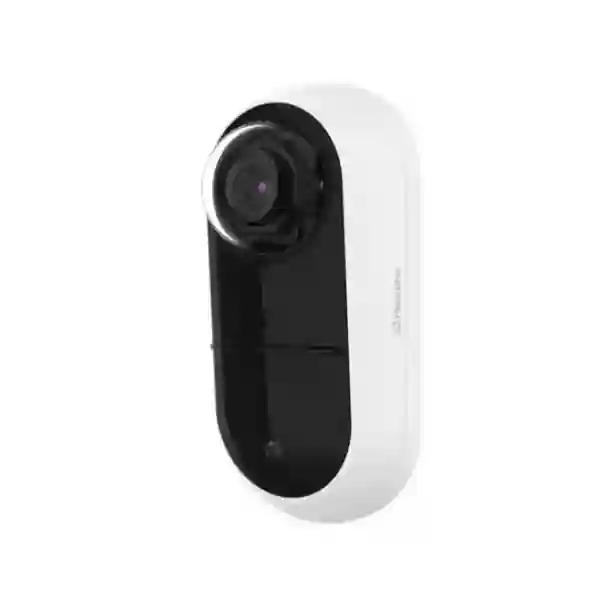
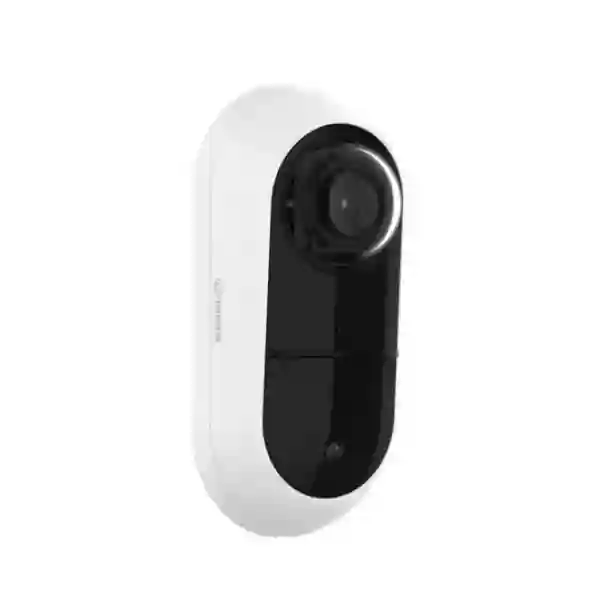
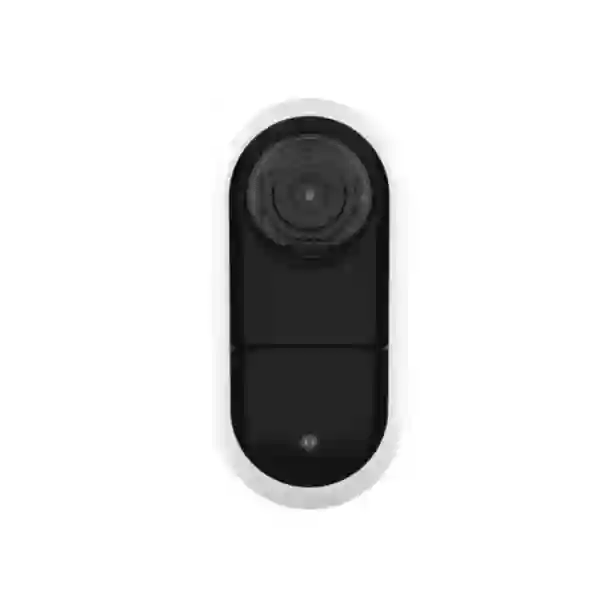
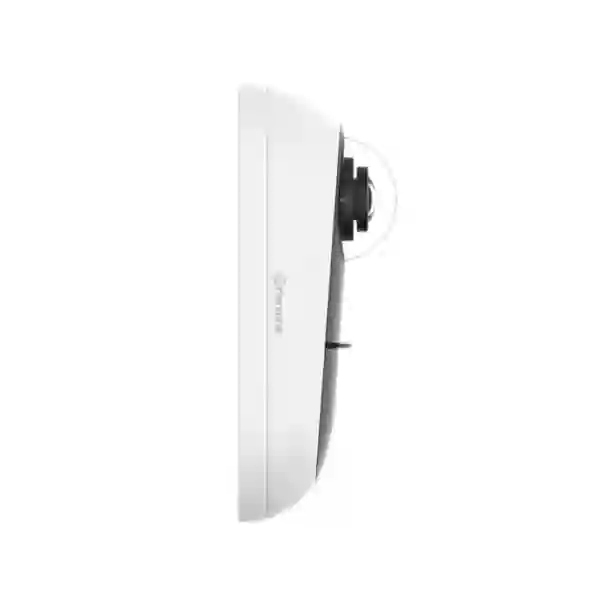
The manufacturer’s listed hardware details help engineers move from broad product suitability to a specific bill of materials. The unit includes a fixed F1.6, 1.6mm lens, an image sensor rated at 1/2.8 inch, a white housing with aluminum and a hard-coated dome, and a single-gang-box-compatible mounting arrangement. Published dimensions are approximately 80mm wide, 167mm high and 57mm deep, with a weight of 600g.
The unit operates on IEEE 802.3af Class 3 PoE, lists up to 11.5W consumption, and offers a microSD slot supporting up to 256GB. Audio input is provided by the built-in microphone. It supports multiple image-stream profiles and standard network-camera protocols, subject to platform interoperability. These details are valuable for checking switch budgets, clearance around wall features, memory-card selection and installation drawings. They are not a substitute for the official installation manual or an actual model-specific compatibility test. Exact accessories and items included in a commercial package should be confirmed in the quoted scope rather than assumed from a technical specification sheet.
When a different camera may be a better choice
The TNV-C8011RW is not the right answer to every video-security problem. If the primary objective is a clear image of a small object far from the lens, a camera with a narrower view or a varifocal lens may be more suitable. If an operator needs to follow a moving target by changing the direction of the camera, a motorized PTZ product addresses a different requirement. For number plates, specialized plate-reading cameras and controlled capture geometry deserve consideration.
Likewise, an exposed industrial environment with unusual vibration, chemical exposure or a mounting position outside the published environmental limits needs separate review. A wide image can make a strong overview, but physical obstacles will still create unseen spaces. Projects that require reliable individual identification should test their target distances carefully. The best solution may be one panoramic camera plus one or more detail views. It is better to acknowledge that trade-off before purchase than to enlarge footage later and discover that the original scene never contained enough usable detail. Match every camera to a defined evidence task.
Questions to settle before requesting a quote
Start the procurement conversation with the installation context. Specify the number of monitored locations, indoor or sheltered-outdoor conditions, expected viewing distances and whether a wide overview or identification detail takes priority. Include a simple plan or reference photograph of the proposed wall, with any private areas omitted. Share the periods when lighting is difficult, the importance of night recording and whether a nearby power-and-network cabinet already exists.
Next, identify the existing recorder or management system, available PoE switch capacity, retention policy, number of remote viewers and whether analytics are essential. Explain which events must be visible in the operator’s workflow. If the quotation includes installation, request clear boundaries for mounting, cable runs, network configuration, storage sizing, integration testing and handover. Ask whether cards, mounts, software licenses or support services are included rather than assumed. For the Tanzania market, request written confirmation of current supply, price, taxes, delivery and warranty conditions for the actual offer. The page does not claim any of these commercial details without a verified quotation.
What a meaningful site acceptance test should prove
Acceptance should be tied to the original need rather than the appearance of the device. For a retail entrance, the test may require a usable view of people approaching through the doorway in daytime and at night. For a reception, it may require the counter and adjacent waiting area to remain visible without excessive backlight. For a forecourt, it may require a clear overview of the critical pedestrian-and-vehicle interaction zone.
Record the sample footage, location of the test subject and playback quality from the actual platform. Confirm that configured events are received and searchable, that time stamps are correct and that authorized staff can export a test clip. Note any limitations at the edges of the wide image or beyond the intended range. Make the acceptance document accessible to the people who will operate the system, and ensure they know who to contact for changes. A successful handover is evidence that the installed design meets an agreed task—not a claim that a camera has no blind spots or will detect every event.
A focused next step for project buyers
The Hanwha TNV-C8011RW should be evaluated as a wide-angle, wall-mounted security and operational-awareness camera rather than a universal replacement for every dome, PTZ or detail camera. Its 5MP panoramic image, infrared capability, AI event tools and documented network features create a credible shortlist for entrance-level monitoring where broad coverage is important. The value depends on framing, lighting, system compatibility and deliberate configuration.
For a Tanzania project, prepare a short scope describing the monitored area, target distances, installation environment, preferred recording system and required analytics. Ask for a quotation that identifies the exact camera model, any accessories, the recording solution, installation work and the tests needed before handover. Seek confirmation of current availability and commercial terms rather than relying on generic online figures. If a site drawing or sample image can be supplied, the design conversation can focus on real coverage and avoid paying for a specification that does not address the underlying security need.
Frequently asked questions
These answers address common evaluation questions. A formal design should still be based on actual scene measurements, existing system details and the manufacturer’s current documentation.
Is the TNV-C8011RW a PTZ camera?
No. It is a fixed-lens wall-mounted panoramic IP camera. The published plus-or-minus 25-degree lens tilt is for installation framing, not a motorized pan-and-tilt function. An operator who needs to steer a camera during live surveillance should evaluate a suitable PTZ model or add a dedicated camera covering the target area. Digital viewing controls should not be confused with optical zoom or mechanical movement.
Can this camera see clearly in total darkness?
It includes infrared illumination with a manufacturer-rated viewable length up to 15 metres. In darkness, the usable result depends on target distance, movement, reflective surfaces and camera placement. The rating does not guarantee recognizable facial detail throughout the 15-metre zone. Conduct a night test of the actual location and confirm that the recorded video, not only live preview, satisfies the intended monitoring task.
Can the camera identify every person seen in its 175-degree view?
No. Its panoramic field is primarily an advantage for broad visibility. Pixel density becomes lower for small or distant subjects within that wide scene, and image detail can also be affected by lighting and motion. The manufacturer describes AI object classification and related metadata, but that does not mean automatic identification of named individuals. A focused supplementary viewpoint may be required where positive identification is an essential requirement.
Does it work with an existing NVR or VMS?
The camera offers ONVIF profiles and standard streaming capabilities, which help with interoperability. However, recorder support should be checked by model, firmware and software release. Confirm H.265 or H.264 recording, audio, event subscription, analytics metadata, timeline search and export in the exact installation. Some third-party platforms may support basic video but not every camera-specific analytic function. Request a compatibility check before treating integration as confirmed.
Is a microSD card supplied and how long will it record?
The model supports one microSD-family card slot up to 256GB, but the available source does not confirm a card is included in any particular commercial package. Recording duration cannot be determined from card capacity alone. It depends on resolution, frame rate, compression, bitrate, motion and whether recording is continuous or event-based. Ask the system designer to size storage using the actual video profile and intended retention period.
What network power does it need?
The camera is specified for IEEE 802.3af, Class 3 Power over Ethernet, with published maximum power consumption of 11.5W. The supporting switch or injector must provide suitable power and the cabling should meet network installation requirements. Where continued local operation during power interruptions matters, consider backup power for the connected switch and recorder as part of the overall design. Check the entire PoE budget, especially for multiple cameras.
Can it be installed outdoors in Tanzania?
The device is rated IP66 and IK10 and has a published operating range of minus 30°C to plus 55°C. These specifications support evaluation for demanding environments, but the complete installation still depends on properly sealed cable entries, a suitable mounting surface and appropriate environmental protection. Direct sun, flooding, harsh conditions and the placement of network equipment require site-specific checks. No local regulatory approval, installation coverage or warranty claim is implied by the rating.
Does the AI feature include number-plate recognition?
The manufacturer’s features include vehicle classification and vehicle-counting analytics, but these should not be interpreted as a dedicated automatic number-plate recognition capability. The wide 1.6mm lens is particularly important when thinking about the pixel density available for distant plates. If capturing plates is a requirement, specify that task separately, review lighting and vehicle movement, and consider a purpose-built plate-reading camera in addition to the panoramic overview.
Can the built-in microphone be switched off?
A microphone is built in, but whether it should be used depends on the project’s approved recording policy and the chosen platform. Video-only operation may be preferable for some sites. Determine the lawful basis for any audio capture, required notices, access permissions and retention practices before enabling the audio stream. Verify the actual settings with the installer and document the chosen configuration during handover.
How do we request the right product quotation?
Provide the exact model TNV-C8011RW, the number of cameras, approximate monitoring layout, indoor or outdoor conditions, target distance, nighttime requirement and existing network or recording system. State whether people counting, line crossing, audio or other analytics will be used. Request an itemized proposal that separates hardware, accessories, recording, cabling, installation and commissioning. Confirm current commercial terms for the actual Tanzania offer; this page does not assert stock, a TZS price or a delivery date.
Project enquiry
Request a TNV-C8011RW project quotation
Share the number of units, mounting environment, expected monitoring distances, existing recording platform and the analytics you need. Request confirmation of hardware configuration, any mounting accessories, power and network requirements, installation scope, commercial terms and acceptance testing. Price, availability, lead time and warranty conditions must be confirmed for the actual Tanzania quotation.
Ask FourTeck Tanzania for an itemized, site-appropriate quotation.




Reviews
There are no reviews yet.