
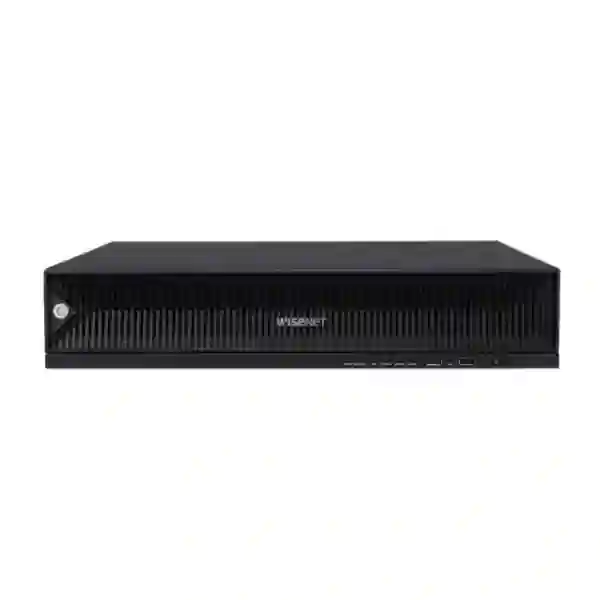
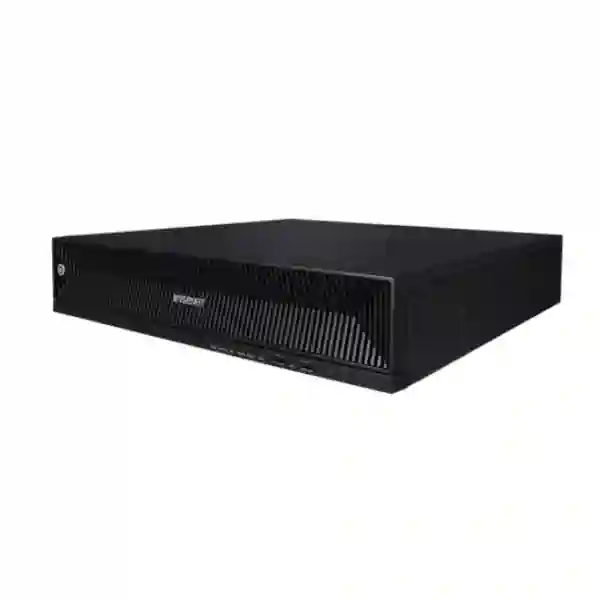
Hanwha PRN-1600B2 16-Channel AI Network Video Recorder
Centralise footage from up to 16 compatible IP cameras, plan substantial local video storage and investigate events with supported Hanwha AI search workflows. Review the model’s discontinued status and camera dependencies before requesting a Tanzania quotation.
Verified specifications at a glance
| Recorder channels | Up to 16 network-camera channels |
|---|---|
| Recording resolution | CIF to 32MP; camera and mode restrictions apply |
| Recording throughput | Normal mode up to 150 Mbps; distributed/RAID up to 250 Mbps |
| Playback throughput | Up to 32 Mbps non-RAID or 64 Mbps RAID |
| Video formats | H.265, H.264, MJPEG; WiseStream-related support |
| Disk configuration | Eight SATA bays; up to 10TB per supported drive; 80TB maximum raw, non-RAID |
| Storage resilience | RAID 5 / RAID 6; iSCSI external storage listed |
| Local outputs | HDMI 1 up to 4K at 30 Hz; HDMI 2 up to 1080p at 60 Hz |
| Connectivity | Three RJ-45 gigabit Ethernet interfaces |
| Alarm interfaces | Eight inputs and four outputs |
| Operating environment | 0–40°C, 20–85% RH |
| Input power | 100–240 VAC, 50/60 Hz; 205 W maximum with eight 10TB disks |
| Physical size | 438 × 86 × 434.9 mm; approximately 9.1 kg without HDDs |
| Lifecycle | Discontinued; manufacturer identifies XRN-3220RB2 as replacement |
Published product limits are not guarantees for every combination of cameras, drives, applications or firmware. Confirm the proposed configuration before purchase.
What this recorder is designed to solve
The Hanwha PRN-1600B2 is a 16-channel IP video recorder intended for organisations that need centrally managed surveillance footage, local investigation tools and a way to review video from several network cameras. It is not simply a device that puts sixteen pictures on a screen. It receives compatible video streams, records them according to configured rules, associates footage with timestamps and events, and presents authorised staff with search, playback and export controls. A buyer should start with the operational question: which events must be captured, who will review them, how long must the evidence be retained, and what happens if a network link or disk fails? Those requirements determine whether the recorder is a good match.
For a security control room, business premises, warehouse or multi-camera facility in Tanzania, the product’s main attraction is the combination of up to sixteen camera inputs, high-resolution recording, eight disk positions and investigation features that can work with suitable Hanwha cameras. The recorder’s published specifications describe capabilities, not a complete installed surveillance system. Cameras, network switching, suitable hard disks, cabling, display equipment, backup power and configuration still need planning. Hanwha Vision currently identifies this model as discontinued, so any purchasing decision should begin with confirmation of whether an acceptable unit can be sourced or whether a current alternative is more appropriate.
Why the sixteen-channel limit matters
Sixteen channels means that the recorder is designed to register no more than sixteen network-camera inputs. It does not mean that sixteen cameras are included, that sixteen Ethernet cables can be plugged directly into it, or that each camera will record at its maximum advertised settings at the same time. The right system design begins with a camera schedule: label each entrance, aisle, perimeter view, loading bay and other position, then record the resolution, expected frame rate, preferred compression profile and importance of its footage. A channel plan helps avoid using one input for a low-priority view while leaving a critical observation point unrecorded.
Where a site currently needs fewer than sixteen cameras, spare channels can be useful for later changes, but growth should not be treated as unlimited. If the long-term requirement might exceed sixteen independent inputs, compare an appropriate higher-channel recorder rather than assuming that additional licenses or drives will increase the physical channel limit. The installation team should also consider live-display layout separately from recording capacity: viewing every camera in a grid is a different workload from writing streams to disk or decoding high-resolution video during investigations. A documented plan makes expansion, fault diagnosis and handover easier.
Image detail and realistic recording expectations
Hanwha specifies camera recording resolution support from CIF up to 32 megapixels, often marketed as 8K class capability. The high endpoint is useful when the selected camera and lens deliver enough scene detail for the actual task. Resolution alone does not guarantee that an operator can recognise a face or read a vehicle plate. Viewing angle, distance, lighting, shutter speed, compression and installation height can matter more than an impressive pixel count. A close, correctly exposed image from a suitable camera may provide better evidence than a very wide scene with inadequate subject detail.
The published decoding examples distinguish resolutions and frame rates, including 32MP at 15 frames per second using H.265 and 12MP at 30 frames per second using H.265. These are decoding-performance examples, not a promise that all sixteen channels can operate simultaneously at those figures. During design, identify where full detail is essential, where ordinary overview footage is sufficient, and which camera profiles operators need for live display. Ask the installer to test recorded clips from the intended scene during daylight, low light and movement. The success criterion should be usable evidence under site conditions, not the largest number printed on the specification sheet.
Recording bandwidth is mode dependent
The manufacturer’s detailed technical table gives up to 250 Mbps recording throughput in distributed mode and RAID mode, while listing up to 150 Mbps in normal mode. This distinction is important because a headline description may show only the larger throughput figure. To assess the fit, estimate the aggregate recording bit rate of all cameras, include event-related variability and leave operational headroom rather than designing exactly to the theoretical limit. Cameras using variable bit rate can produce more traffic when movement, rain, foliage or scene complexity increases. Video that looks quiet during a brief demonstration may behave differently during a busy shift.
Recording throughput, network transmission capacity and playback bandwidth are related but separate limits. A system may record continuously yet feel slow when several users search high-resolution footage, or it may display an acceptable live view while struggling with a poorly planned recording profile. The published playback figures are up to 64 Mbps in RAID mode and up to 32 Mbps without RAID. Those ceilings should influence investigation workflows, particularly when operators regularly review multiple streams at once. Obtain a camera-by-camera bit-rate worksheet and test representative live, recording and playback loads before signing off the final configuration.
Compression, dual streams and WiseStream
The recorder supports H.265, H.264 and MJPEG, together with Hanwha’s WiseStream-related recording capabilities where supported. Compression helps balance picture quality, storage consumption and network traffic, but it is not a guarantee of a fixed saving percentage. Compression performance depends on camera model, firmware, scene motion, lighting and the exact profile selected. A quiet office corridor may compress very differently from a moving vehicle entrance or a busy loading area. When comparing retention options, work with measured or carefully estimated bit rates for each real camera scene rather than relying on generic storage marketing tables.
Dual-stream arrangements can make monitoring more practical by allowing a lower-load stream for some live-display situations while keeping an appropriate stream for recording or investigation. The chosen camera and recorder settings still determine how streams are used. Confirm that a lower-resolution live view does not cause the evidence profile to be reduced unintentionally. Set clear priorities for critical cameras, and test the trade-off between bit rate and readability at the intended recording settings. It is better to retain evidence that can answer an incident question for the required period than to maximise days of recordings with images that are too compressed for meaningful review.
Planning eight SATA drive positions
Eight internal SATA drive positions are a major design feature. The manufacturer’s limit is up to 10 TB per supported drive, giving up to 80 TB of raw installed disk capacity when eight suitable 10 TB drives are fitted and the recorder is configured without RAID. Raw disk capacity is not the same as usable evidence storage. RAID configuration, file-system use, retention policy, overhead and operating conditions all affect the capacity actually available for video. The figure also does not establish that hard disks are included with a particular unit. Ask for the proposed drive count, individual capacity, approved drive models and final usable-space estimate in the quotation.
Surveillance recording is a sustained-write workload. Drive suitability matters alongside nominal capacity, so specify disks approved or recommended for the recorder’s application rather than choosing only on price. Consider whether all bays need populating initially, what service access is available for replacement and whether disk health alerts will be monitored. Document serial numbers and the drive layout at handover. If an existing installation is being expanded, verify firmware and drive compatibility before mixing capacities or generations. These checks are especially relevant when procuring a discontinued recorder because current disk options and replacement parts should not be assumed compatible without confirmation.
RAID 5, RAID 6 and the limits of redundancy
RAID 5 and RAID 6 are supported configurations, but the selection should be made against available capacity, expected fault tolerance, rebuild exposure and the importance of continuous recording. RAID provides a measure of protection against specified drive failures within a properly configured array; it does not turn an NVR into a complete backup system. The exact usable capacity will be lower than the total size of fitted disks, and rebuild time depends on the array and its workload. Anyone purchasing storage for long retention should insist on a usable-capacity calculation for the chosen array, not merely a raw terabyte count.
RAID does not replace independent exports of important incidents, protect against every possible simultaneous failure, or solve accidental deletion, sabotage, theft, fire, network outages or power interruption. Evidence-preservation policy should explain when a clip is exported, who can authorise an export, where the file is secured and how it is identified later. The recorder supports file-backup functions and external iSCSI storage in its published specifications, but the design and supported implementation must be checked for the intended firmware and network environment. Treat resilience as a layered operational plan rather than a single checkbox in a storage menu.
How to calculate the retention requirement
Retention planning starts with the business or security requirement rather than the largest disk option. Decide how many days of footage each camera must keep, whether the recording is continuous or event-driven, and whether different entrances or evidence-critical views need different treatment. Prepare a worksheet showing each channel’s recording resolution, frame rate, compression codec, average bit rate, expected hours per day and desired retention period. Then account for RAID overhead, operational margin and expected scene variation. If the footage is subject to an internal policy or contractual evidence requirement, record that basis so that it can be reviewed when camera settings change.
A common mistake is to ask for a fixed number of recording days without defining video quality. The same usable storage can hold very different durations depending on a camera’s profile. Another mistake is to size the system around an idealised test scene rather than normal activity. Movement at a gate, changing daylight and night noise can alter bit rates. Commissioning should include a retention estimate generated from the approved camera schedule and a later check against observed daily storage use. This gives the owner a defensible basis for adding disks, adjusting profiles or choosing a different recorder before the installation becomes operationally dependent on assumptions.
AI search depends on the connected cameras
The PRN-1600B2 offers AI-assisted investigation functions such as BestShot, attribute-based search and searches related to people, vehicles and license plates with suitable camera sources. The important buying distinction is that the recorder does not magically make every third-party or older camera perform the same analytics. Hanwha’s product information specifically describes expanded AI search capabilities with selected P, X and Q series cameras and identifies Wisenet AI-camera dependencies for some searches. Confirm the exact camera model, relevant analytics, firmware and event metadata before promising a searchable category to a security team.
For example, an operations manager may want to find the period when a vehicle entered a gate rather than watch hours of footage. That workflow works best when the installed camera can produce the required classification or metadata and the recorder can ingest and present it correctly. BestShot and attributes can speed up review, but false matches, missed detections and environmental limitations still require an operator to examine original footage. AI search should be evaluated with real scenes, not only a catalogue demonstration. Include day and night trials, challenging weather, occlusions and representative movement in the acceptance procedure, and train staff on how to verify results.
Vehicle and license plate investigations
License plate detection and search are valuable in facilities with vehicle arrivals, contractor movements or controlled parking areas, provided the camera and the scene are suitable. The manufacturer identifies plate-related analytics on supported Wisenet AI cameras, with limitations that depend on the camera family and available recognition features. It should not be assumed that the recorder alone can accurately read every plate format in Tanzania, understand registration databases, issue alerts for every vehicle or deliver enforcement-grade evidence. Those outcomes would require separate validation of the specific camera, software and site conditions.
For practical design, start by deciding whether the objective is to observe a vehicle, search recorded metadata, or reliably capture readable plate characters. Each objective imposes different requirements for lens selection, mounting angle, speed, lighting and storage. A wide overview camera may show the whole gate but fail to capture plate details; a specialised, carefully positioned view may be needed for that purpose. Check performance with actual traffic and local plate styles before accepting a plate-recognition claim. The security policy should also define who may search such records, how results are retained and how sensitive footage is handled.
Local monitoring and operator workflow
The recorder provides two HDMI display outputs. Hanwha lists HDMI 1 at up to 3840 by 2160 at 30 Hz and HDMI 2 at up to 1920 by 1080 at 60 Hz. That gives installers options for a primary 4K-class display and an additional monitoring screen, subject to the configured layout and connected monitors. Local multi-screen layouts, dynamic layout features, event-related views and the recorder’s GUI can help an operator monitor a camera group or inspect footage without constantly switching among individual camera interfaces. The actual workflow should be tested for the people who will operate it.
A two-screen installation needs more than suitable cables. Decide which screen displays routine live views, which one is used for incident review and who may change the layout. A control-room supervisor may want a stable grid of priority entrances, while an investigator needs quick access to timeline and export controls. High-resolution decoding still has limits, so the installer should test the planned grid and playback combination with the target camera streams. Document the mouse, keyboard or controller method, user rights, time synchronisation and incident handoff procedure. Good operating practice often saves more investigation time than adding another screen.
Web access, desktop software and mobile viewing
Hanwha lists web viewing, Wisenet Mobile and supported desktop management software options for this product, along with QR-code assisted peer-to-peer setup. These features may be useful for authorised staff who need to review a live feed or follow up an alarm away from the recorder. However, a remote-viewing option should not be interpreted as guaranteed connectivity from every mobile network or unrestricted Internet access. Actual performance depends on site uplink capacity, routing, the access method, user permissions, compatible application versions and security settings.
A sensible commissioning process separates local viewing from remote access. Verify first that cameras record correctly on the internal network. Then configure individual authorised accounts and test remote viewing on the approved connection path. Confirm how recordings are searched or played back, what happens if the Internet link fails and whether mobile viewing causes excessive data use. Because software ecosystems change over time, review currently supported app and firmware combinations before relying on an older recorder for a new deployment. Avoid shared administrator accounts or permanently exposed management interfaces simply because they appear convenient during initial setup.
Network architecture and camera connectivity
The technical specification lists three RJ-45 gigabit Ethernet interfaces. That does not describe sixteen integrated camera-PoE ports. Plan the camera-side network and power separately using compatible switches, injectors or other approved infrastructure. Determine whether the cameras will share an existing business LAN or use a dedicated surveillance segment. Document switch capacity, uplinks, VLANs if used, IP addressing, device naming and the path each camera stream will take to the recorder. Where network traffic crosses multiple switches or remote buildings, analyse the cumulative load at every uplink instead of considering cameras one by one.
Network reliability often determines whether an otherwise suitable NVR performs consistently. Faults can arise from unsuitable cabling, overloaded uplinks, duplicate addresses, misconfigured gateways, unstable wireless bridges or poorly protected outdoor connections. An operator may see the live picture disappear without understanding whether the recorder, camera or network path caused it. Provide a network diagram, labelled ports and a fault-check procedure. Include plans for time synchronisation and DNS where needed. When using ONVIF or RTSP with non-Hanwha devices, confirm the actual functions available after connection; being able to display a video stream does not prove complete control, analytics or event compatibility.
ONVIF, SUNAPI and integration decisions
Hanwha identifies SUNAPI and ONVIF as supported camera-related protocols, along with common networking protocols. This provides useful integration possibilities, particularly where a site already owns compatible IP cameras or management software. Nevertheless, protocol support is not a universal compatibility guarantee. A recorder might accept video from a camera while exposing fewer event types, PTZ features or analytics than the customer expects. Check the actual ONVIF profile and implemented functions of both devices. For mixed-brand installations, arrange a proof of concept using the proposed model and firmware rather than treating a protocol logo as the final compatibility test.
Integration planning should distinguish between basic live video, continuous recording, motion events, intelligent detection, audio, remote playback and external control. Prepare a short acceptance matrix describing the feature required from every camera type. Hanwha’s published specification also refers to management software and a SUNAPI interface for some third-party VMS integrations; any proposed integration should be checked against the selected software version. If the site has access-control or alarm systems, specify the intended event behaviour carefully and test it end to end. The aim is predictable operator actions, not the largest possible list of theoretical interfaces.
Alarms, audio, PTZ and incident response
The recorder includes eight alarm inputs and four alarm outputs in the manufacturer’s interface specification, plus support for camera-related event triggers and event actions. These features can connect surveillance to operational responses, but they need a clear event design. An alarm may be triggered by a camera, a physical input or loss of video; the configured response might involve an on-screen indication, notification, alarm output or a PTZ action. Not every action is appropriate for every incident, and frequent low-value alerts can cause operators to ignore important ones. Set thresholds and escalation rules around specific site needs.
Network audio functions and two-way communication are also described in the published feature set, subject to compatible connected equipment and settings. Before enabling audio, confirm that the site has a legitimate operational purpose and a suitable notice and access policy. For PTZ cameras, test movement control and preset positions with the actual installation. Do not confuse the presence of a recorder interface with proof that a particular speaker, microphone, alarm panel or PTZ model is supported. Document each configured event, the responsible responder and the method of verifying that a recorded incident can be recovered later. Reliable response comes from procedures plus hardware.
Cybersecurity and access administration
An NVR stores potentially sensitive operational footage and should be treated as an information system, not an appliance that can be left with default credentials. Hanwha lists security-related functions including IP address filtering, user access logs, 802.1X, device certificates and signed firmware. The availability and behaviour of individual controls should be verified against the installed firmware and chosen topology. Start with unique administrative credentials, restricted management access, appropriate account privileges and a process to remove former users. Avoid publishing management services directly to the Internet when a more controlled access method is available.
The site owner should also agree who can view video, search archives, export evidence or change recording settings. Log review, accurate device time and documented configuration changes make it easier to investigate technical or security events. Firmware support matters especially for discontinued equipment. Check the manufacturer’s support guidance and available updates before connecting a unit to a production network; do not assume that a historical specification guarantees indefinite security maintenance. Protect backed-up clips, record who handled them and keep an inventory of the NVR, disks, cameras and network equipment. Security controls must be practical enough to be followed after the installer leaves.
Power, temperature and physical placement
Hanwha specifies a 100–240 VAC, 50/60 Hz input and up to 205 W power consumption with eight 10 TB disks installed. The operating temperature range is 0°C to 40°C and the published relative-humidity range is 20% to 85%. Those figures make physical placement a design issue. Avoid a hot, poorly ventilated cupboard, direct water exposure or an area where dust and unauthorised visitors can affect the recorder. Check airflow around the enclosure and allow space for servicing drives and cables. The electrical specification describes the product, not a guarantee that a site’s supply is stable or protected.
For deployment in Tanzania, assess the real electrical environment at the installation point rather than making countrywide assumptions. Consider a correctly sized UPS, orderly shutdown procedures and protection suited to the site’s distribution system. UPS capacity must account for the complete load and desired runtime, not just the recorder’s nameplate figure. Cameras, PoE switches, routers, displays and communications devices may also need backup power if uninterrupted recording is expected. A secure equipment rack or room, appropriate access control and a documented maintenance routine help prevent minor environmental problems from becoming unexplained footage gaps.
Resilience when cameras or links disconnect
The recorder’s published features include Automatic Recovery Backup and N+1 failover support. These terms can sound like universal protection, but they refer to specific system behaviours with configuration and equipment prerequisites. Automatic recovery functions depend on supported camera capabilities and storage or recording settings, while failover requires an appropriate system arrangement. Neither feature should be represented as protection against all outages, nor should their inclusion justify omitting backups or operational checks. Ask the installer to demonstrate the exact recovery sequence using the cameras, network arrangement and recorder versions included in the proposed solution.
For example, a controlled network-disconnection test can reveal whether staff receive a useful warning, whether a camera continues suitable local recording if supported, and how the missing period is handled after connectivity returns. Test power loss, disk alerts and network path faults separately. Record what the system actually recovers and what remains unavailable. Establish a simple daily health review for channels, recording status, time synchronisation and storage warnings. An NVR can have sophisticated recovery features while still leaving a security team without evidence if nobody notices a failed camera for several days.
A responsible purchasing decision for a discontinued model
Hanwha Vision currently labels PRN-1600B2 as discontinued and identifies XRN-3220RB2 as a replacement model. This is a material fact for anyone reviewing a quotation. A discontinued product may still be present in existing installations or offered through some channels, but that does not establish present stock, firmware support, warranty entitlement, spare-parts availability or compatibility with a proposed camera set in Tanzania. Do not make a purchase decision solely because a specification sheet appears suitable. Obtain written confirmation of the exact unit condition, included accessories, storage configuration, support arrangements and acceptance procedure.
If the purpose is to extend an existing installation, staying with the same model might reduce some integration changes, subject to verification. If the purpose is a brand-new site, a currently supported recorder may be the lower-risk direction. The named replacement should be evaluated on its own specifications and requirements; the designation ‘replacement’ does not imply identical channel count, connections, storage layout, export workflow or licensing conditions. Ask for an itemised comparison covering recording capacity, camera compatibility, disk layout, software support, physical installation and total project cost. Clear lifecycle information is more valuable than an unqualified promise of availability.
How to compare an alternative fairly
A meaningful comparison starts with the requirements sheet, not a checklist of headline specifications. Compare the number of actual cameras required today and in future; each stream’s recording profile; aggregate recording load; target retention; usable storage after redundancy; investigation and playback workflow; analytics compatibility; remote user needs; environmental limits; and support expectations. A recorder with more channels may still be a poor fit if it lacks the desired camera analytics or requires additional infrastructure. Conversely, a newer unit may be preferable even where the older model appears powerful on paper.
Ask vendors to state which capabilities have been confirmed through manufacturer documentation, which rely on compatible cameras and which require optional hardware or software. Use the same camera schedule when reviewing both the discontinued Hanwha PRN-1600B2 and a current alternative. For any proposed migration, confirm whether existing drives can be reused, whether archived footage remains accessible and whether configuration can be transferred; none of those should be presumed. The final comparison should end with an operational recommendation, a bill of materials and a list of remaining tests. That makes the decision auditable for procurement and security stakeholders.
Use cases in business and institutional premises
In a warehouse, the priority may be verifying vehicle arrival times, high-value stock movements and the condition of loading doors. Such a design often benefits from a combination of overview cameras and closer detail views, with timestamps that can be correlated to delivery records. At a commercial site, the most useful views may be controlled entrances, reception, common circulation areas and selected perimeter positions. In an office or institutional setting, access governance and evidence retention can be just as important as the ability to show multiple feeds on a monitor. The recorder is a central video component within those broader workflows.
For each environment, map cameras to an operational question and decide what constitutes satisfactory evidence. A gate camera may be expected to show a vehicle’s movement, whereas a separate close view may be needed for plate detail. A stockroom camera might need clear lighting and coverage across work hours, while a reception camera may require careful placement to avoid unnecessary capture of sensitive areas. These are illustrative scenarios, not statements about FourTeck installations or product suitability at a specific property. The model can be considered against them only after the intended camera mix, network, storage and lifecycle risks have been reviewed.
Procurement and commissioning checklist
Before approving an equipment order, ask for the exact model number and condition, the manufacturer’s current lifecycle status, a camera and lens schedule, verified camera compatibility, the expected total recording bit rate and the intended recording mode. Request a drive schedule with model numbers, usable array capacity and retention estimate. Ask whether switches and camera power are part of the offer, how the NVR is connected to the LAN, which monitors will be used, and whether remote access, configuration and user training are included. Record all exclusions so that a low recorder-only price is not confused with a complete surveillance system.
During acceptance testing, confirm all intended channels register and record at their agreed profiles. Review a representative incident on the local monitor and, where approved, through remote access. Test search, timestamp accuracy, event notifications, authorised export, user permissions, disk alarms and recovery behaviour. Inspect cabinet ventilation, cable labelling and UPS operation. Deliver an administrator handover with protected credentials, configuration records, network details, maintenance contacts and a schedule for reviewing system health. Commissioning is complete when the designated site operator can find and preserve a clip without relying on the installer to remember how the system was set up.
Questions to settle before requesting a quotation
A useful quotation request states whether the organisation already owns a PRN-1600B2, wants an additional compatible unit or is exploring a new recorder for a new installation. It should include the current and planned camera count, any existing camera model numbers, required evidence detail, desired recording retention, local monitor requirements, likely remote users and the site’s network and power conditions. If AI searches or plate investigations are important, describe the precise search task and the view in which it must work. This gives a technical reviewer the information needed to identify compatibility gaps before recommending hardware.
Also request explicit confirmation of lifecycle, availability and the terms applicable to the actual proposed unit, without assuming that older published warranty information automatically applies. Where a different model is recommended, ask why it improves the fit, and require an equivalent demonstration of the required recording and export workflow. For a refurbished or previously installed unit, questions about drive history, firmware condition and service support become even more important. FourTeck Tanzania can review an enquiry about this model and a suitable current option, but specific inventory, pricing, delivery, installation service and warranty details must be confirmed for the enquiry.
Frequently asked questions
Is the Hanwha PRN-1600B2 still a current model?
No. Hanwha Vision identifies it as discontinued and names XRN-3220RB2 as its replacement. Discontinued does not automatically mean that every installed unit stops functioning, but it does mean that buyers should verify sourcing, support and suitable alternatives before placing a new order. The replacement is a separate model, so do not assume its interfaces or channel specification are identical. Ask for an up-to-date, itemised proposal before making a decision.
Does a 16-channel recorder come with sixteen cameras?
A channel count describes the number of camera inputs the recorder is designed to manage. It does not mean cameras are included. A complete solution may also need camera lenses and mounts, cabling, suitable network switches, camera power, storage drives, displays and backup power. Ask the supplier to specify exactly which components are included in the quoted package and which are existing customer equipment. This avoids discovering missing infrastructure during installation.
Does the PRN-1600B2 have sixteen built-in PoE ports?
The manufacturer’s interface specification lists three gigabit RJ-45 Ethernet interfaces; it does not list an integrated bank of sixteen camera PoE ports. Plan camera network connections and power separately. The number of switch ports, total PoE budget, cable distances and uplink capacities depend on the proposed camera set. A network diagram and bill of materials should show how every camera reaches the recorder and receives stable power.
Can it record 32MP cameras on all channels?
The model’s published recording-resolution range reaches 32MP, but the actual system must also respect camera compatibility, recording bandwidth, display decoding and playback limits. The manufacturer lists different throughput for normal and RAID or distributed recording modes. Therefore a blanket promise about sixteen simultaneous 32MP streams would not be responsible. Ask for a camera-by-camera bit-rate and frame-rate plan, then test the chosen configuration under realistic scene conditions.
Is 80TB available for recorded footage?
Up to 80TB refers to the maximum raw capacity of eight supported 10TB drives in non-RAID mode. It is not a promise of usable recording space, included disks or a particular number of storage days. RAID 5 or RAID 6 reduces usable capacity, and actual retention changes with bit rate and recording policy. Ask for a usable-capacity figure after the selected RAID configuration and a retention estimate based on the actual camera settings.
Does the NVR analyse any camera with AI?
No universal AI compatibility should be assumed. Hanwha documents AI-related search functions and dependencies on supported cameras and metadata, including selected Hanwha P, X and Q series features. A stream that records successfully may still lack particular smart-search or plate-search functions. Confirm the exact camera model, firmware and event types, and test a real scene before treating an AI search function as a guaranteed deliverable.
Can it search for vehicle registration plates?
Plate-related search is included among its supported AI investigation capabilities when paired with appropriate Wisenet AI cameras and compatible metadata. Performance on a particular road, gate, camera angle, illumination level or Tanzania plate style must be validated separately. A suitable close-up capture position may be needed. A claim of automatic recognition, identification or database integration should never be inferred merely from the NVR product description.
Will it work with cameras from another brand?
The recorder supports protocols including ONVIF, which can enable interoperability with compatible devices. However, recording a basic video stream is not equivalent to full integration. PTZ commands, audio, motion events, intelligent analytics, device settings and recovery functions may vary by model and firmware. For a mixed-brand system, specify required features and test those exact functions with the intended camera equipment before approving procurement.
Can staff watch cameras remotely?
Hanwha lists web viewing, supported viewing software and mobile application capabilities. Whether a particular user can connect depends on the approved network architecture, Internet uplink, application support, authentication and configured permissions. Remote access should be set up securely and tested rather than obtained by indiscriminately exposing NVR interfaces to the Internet. Confirm which live and playback controls are required and which staff roles may use them.
What happens if a hard disk fails?
The outcome depends on the configured storage array, the number and type of faults, and whether alarms are monitored promptly. RAID 5 or RAID 6 can provide resilience for specified drive-failure conditions but is not a substitute for evidence backup. An important clip should be exported and safeguarded according to policy. The installer should configure health alerts, demonstrate drive-fault handling and document replacement procedures and usable storage after configuration.
Can it keep recording during a power cut?
The recorder requires electrical power. Backup operation needs a properly designed UPS or other approved power-continuity arrangement, and the cameras and network devices must also remain powered. The product’s published maximum consumption is 205W with eight 10TB disks; a complete-system UPS calculation must include all other connected equipment. Test the actual runtime and recovery procedure at the site rather than assuming that the NVR itself contains a battery.
How should a buyer in Tanzania request a quote?
Share the exact product model, current and planned camera count, any existing camera models, required storage duration, useful monitor and remote-access functions, and the expected installation conditions. State whether this is an existing-system replacement or a new project. Request confirmation of current product status and an alternative-model comparison because Hanwha lists this model as discontinued. Price, stock, lead time, warranty and delivery should be confirmed only in the specific quotation.
Request a compatibility review or an alternative recorder quotation
Tell FourTeck Tanzania what you need to record, how many compatible cameras you have, the storage duration you require and whether this is a replacement or a new installation. Ask for confirmation of the PRN-1600B2 lifecycle position and a comparison with an appropriate current model. A quotation should specify the complete proposed equipment configuration, testing scope and any relevant commercial terms; no stock, price or delivery promise is implied by this product overview.
Next step: request an itemised product and system suitability quotation from FourTeck Tanzania.




Reviews
There are no reviews yet.