
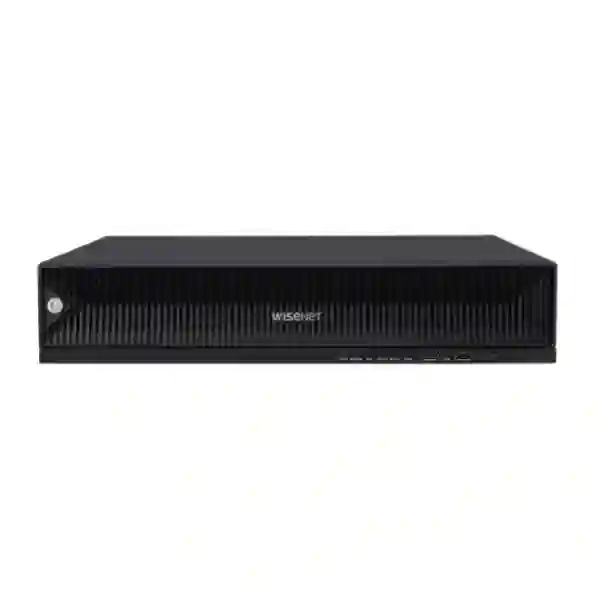
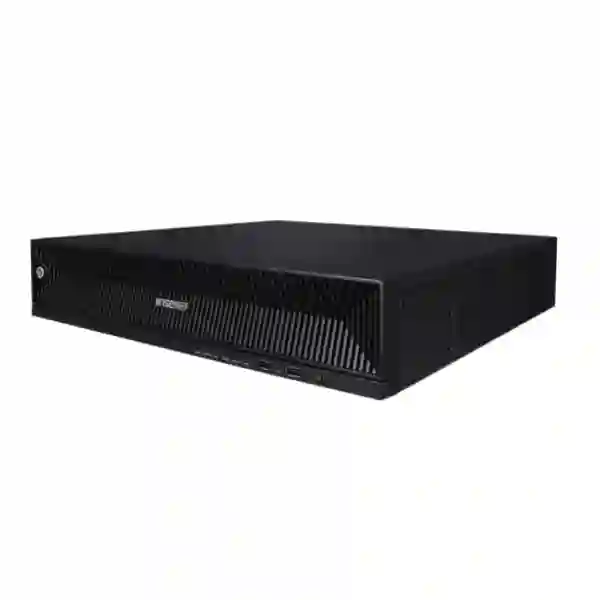
Hanwha Vision PRN-3200B2 32-Channel AI Network Video Recorder
Choose the Hanwha PRN-3200B2 for a planned IP surveillance installation that needs up to 32 camera channels, high-resolution recording, RAID-capable internal storage and useful searches with compatible Hanwha AI cameras. The right configuration depends on camera bitrates, storage retention, viewing needs and integration details—not the channel count alone.
For a Tanzania equipment enquiry, share the camera schedule and desired retention period to request a configuration-specific quotation. Price, stock, included disks, warranty and installation coverage require separate confirmation.
32 camera channels
Plan a defined IP camera estate with stream, retention and workload checks.
Up to 32MP recording
Capture high-resolution camera streams when supported by the chosen profiles.
Eight SATA bays
Design raw capacity and RAID usable space around a documented retention requirement.
Compatible AI search
Use camera metadata to support targeted investigations where feature compatibility is verified.
Technical specifications at a glance
| Recording inputs | Up to 32 IP camera channels |
|---|---|
| Maximum camera resolution | Up to 32MP; actual decoding depends on codec and profile |
| Video codecs | H.265, H.264, MJPEG |
| Recording throughput | Up to 400 Mbps in documented supported modes; lower in other modes |
| Internal bays | 8 SATA bays, up to 10TB per supported drive |
| Raw non-RAID total | Up to 80TB before system overhead |
| Resilience | RAID 5, RAID 6, ARB and documented N+1 options |
| Local monitors | HDMI 1 up to 4K at 30Hz; HDMI 2 up to 1080p at 60Hz |
| Networking | 3 x RJ-45 Gigabit Ethernet |
| Alarm interfaces | 8 inputs and 4 outputs |
| Power | 100–240 VAC, 50/60Hz; up to 205W with eight 10TB disks |
| Operating conditions | 0–40°C; 20–85% relative humidity |
Specifications reflect manufacturer documentation and are subject to compatible hardware, configuration and revisions. Local commercial terms must be confirmed separately.
A recorder chosen around the surveillance task
The Hanwha PRN-3200B2 is intended for a site where the security team needs a central place to record video from multiple network cameras, retrieve incidents and supervise day-to-day operations. Its 32-channel ceiling gives planners a defined camera count, rather than an unlimited license promise. The real purchasing question is whether the recorder’s channel capacity, recording bandwidth, storage configuration and viewing tools match the installation that will actually be connected. A simple count of camera housings is a starting point, not a completed system design.
For a buyer assessing a replacement recorder or a new CCTV installation in Tanzania, the useful next step is to document camera locations, image quality targets, recording hours and the period for which footage must remain accessible. That project brief reveals whether a single 32-channel appliance is suitable and what additional infrastructure the site will require. The PRN-3200B2 is a network video recorder rather than a complete camera-and-cabling package. Cameras, drives, suitable switches, display equipment, power protection and installation labour should be explicitly included or excluded in any quotation.
Where this 32-channel model fits
A 32-channel recorder can make practical sense for a warehouse, office property, commercial building, education facility or industrial location that requires several camera views under one recording policy. A site may have a mix of entry cameras, general overview cameras and higher-detail views at selected areas. Those camera groups can create different storage and bandwidth demands, even where the final count is below 32. The unit is therefore best assessed against both present requirements and credible near-term expansion, without implying that future camera additions can exceed its published limit.
The model is less compelling where a deployment needs substantially more than 32 simultaneous IP camera channels, or where the intended media streams exceed the operating-mode limits. It also should not be assumed to provide every AI function on its own. Advanced metadata searches depend on appropriate cameras and supported combinations. Buyers expecting built-in PoE camera ports, preinstalled surveillance disks or an unrestricted cloud service should ask for confirmation of the actual supplied configuration. Selecting the right recorder means identifying these boundaries before purchase, not learning about them when commissioning begins.
Start with a camera-by-camera schedule
Prepare a camera schedule that gives every planned channel a name, location, model, maximum resolution, preferred recording profile and expected frame rate. Include day and night conditions, because motion and image noise can change the bitrate a camera needs to preserve useful detail. A main entrance requiring evidence-quality images may use a different profile from a corridor observed mainly for movement. Record whether audio is necessary and lawful for each position, and which events should produce operator alerts. This schedule becomes a common reference for the installer, IT team and security manager.
A 32-channel allowance does not mean that each connected camera must run at its highest possible bitrate. Nor does it mean the recorder will have the same spare capacity under every configuration. Establish which cameras record continuously, which use event schedules and which need dual-stream treatment. Then reserve sensible headroom for variable-rate encoding and operational changes. Consider what happens when cameras are replaced with higher-resolution models later. A sound design is one that can accommodate realistic peak loads while preserving the ability to review an incident promptly.
Understand the recording bandwidth figures
The headline maximum recording bandwidth is up to 400 Mbps, but the manufacturer’s detailed specification distinguishes operating conditions. It identifies up to 400 Mbps in distributed mode and up to 150 Mbps in normal mode; for RAID operation it lists up to 400 Mbps in the normal RAID state and up to 320 Mbps while degraded or rebuilding. These figures should not be blended into a blanket guarantee that any 32 cameras will always record at 400 Mbps. The planned configuration, firmware and operating conditions matter, and capacity must be assessed against the actual mode used.
Ask the system designer to add the expected bitrates of all active streams and compare the total with the appropriate manufacturer limit. Include a safety margin instead of matching the published maximum exactly. Playback also has a separate bandwidth budget: the specified maximum is 64 Mbps in RAID mode and 32 Mbps without RAID. If several personnel need to investigate incidents while recording continues, test retrieval workflows with representative footage. The distinction between incoming recording load and outgoing playback demand is especially important for busy security desks and incident-response operations.
Translate retention requirements into drive capacity
The PRN-3200B2 has eight internal SATA positions and the manufacturer specifies supported hard drives of up to 10TB per position, giving a maximum raw internal total of 80TB in non-RAID mode. Raw capacity is not the same as usable recording space. Actual retained footage depends on camera count, codec, bitrate, continuous or event recording, scene complexity and reserved storage. A statement such as ‘thirty days of footage’ is meaningless until those assumptions are defined. Ask for a calculation that shows all input values and the resulting estimated retention period.
An effective storage plan should include an allowance for busy periods when variable-bit-rate footage grows, rather than relying entirely on a quiet test scene. Document how long each camera category needs to retain video, whether audio is included, and which footage must be exported before normal overwrite. Use supported surveillance-rated drives and confirm the current compatibility list for the intended firmware. Also establish whether the quoted unit includes any drives. A chassis with eight bays should never be presented as if it automatically ships with eight populated drives or with the full 80TB available to the customer.
RAID 5 and RAID 6: resilience, not a substitute for backup
The recorder supports RAID 5 and RAID 6, allowing a storage array to tolerate certain drive failures while maintaining the recording environment. RAID consumes part of the raw drive capacity for parity and reduces usable space. As an illustrative simple calculation, an eight-drive array of equal-sized disks has a different usable total under RAID 5 than under RAID 6. Actual configuration, drive formatting and operational overhead must still be checked. Buyers should make a deliberate choice between retention capacity and tolerance for disk faults, not simply choose whichever headline capacity appears larger.
RAID does not protect against every possible loss: accidental deletion, configuration errors, theft, catastrophic damage and an unsuitable backup policy remain separate risks. Hanwha’s recorder documentation describes drive replacement and rebuild procedures, so the operating team needs a tested response for drive warnings. Rebuilding also has performance implications, reflected in the manufacturer’s lower degraded or rebuild recording limit. Agree who monitors array health, who keeps replacement drives available, who can authorise maintenance and which critical incidents need a separate evidential export. A resilience feature only helps when it is commissioned and maintained correctly.
Compression, WiseStream and image quality
The recorder supports H.265, H.264 and MJPEG and is associated with Hanwha’s WiseStream technology for suitable camera and encoding combinations. Compression matters because the amount of detail in a scene and the chosen encoding profile affect the network load and days of storage achievable. H.265 can improve efficiency in appropriate deployments, but its effectiveness depends on camera support, configuration and actual scene content. A buyer should not assume that selecting a codec yields one fixed percentage of disk savings. Preserve a profile that provides the evidence quality the site needs.
Test moving subjects, backlit entrances, low-light views and any areas with rapidly changing imagery. Those conditions are often more informative than a static demonstration. Confirm whether the intended cameras support the required recording modes and whether their codec settings can be centrally managed. For long-term retrieval, the exported recording must remain usable by authorised investigators. Video quality, compression efficiency and playback convenience are linked decisions. It is rarely worthwhile to maximise nominal retention if the saved image does not show the essential detail at the moment an incident occurs.
What 32MP and 8K support actually mean
Hanwha lists network-camera recording support up to 32MP, commonly described in its marketing as 8K-class capability. That describes a supported input resolution ceiling, not a promise that every local output is an 8K monitor feed or that 32 high-resolution cameras can run without regard to bitrate. The published decoding table also varies by resolution and codec. For instance, the manufacturer’s display specification includes 32MP decoding at 15 frames per second under H.265, with other capacity figures for lower resolutions. Project requirements should be checked against those specific profiles.
Distinguish recording resolution, live-view decoding and monitor output resolution when writing technical requirements. A camera may record a high-detail stream while operators use a lower-demand profile for a multi-tile monitoring layout. That can improve operator responsiveness without forfeiting the intended stored evidence profile. If a customer has unusually detailed cameras, request a proof-of-configuration review rather than assuming every maximum specification can be achieved simultaneously. This approach avoids surprises when a demonstration uses fewer cameras, simpler scenes or a different recording mode from the final production deployment.
AI-assisted search depends on the camera ecosystem
The PRN-3200B2 can use AI search functions such as BestShot and attribute-oriented retrieval with suitable Hanwha Vision cameras. Manufacturer information references compatible P, X and Q family combinations and describes searching attributes associated with humans, faces, vehicles and licence plates. However, the availability of a particular search filter depends on the camera producing the necessary metadata and the supported recorder-camera combination. It is safer to verify exact camera models and current software compatibility than to say that any ONVIF camera instantly acquires Hanwha AI analytics.
For the security team, the practical benefit is a more targeted investigation workflow: an operator may narrow an event search using supported classifications or attributes rather than reviewing an entire timeline manually. The value still depends on accurate camera placement, lighting, metadata quality and sensible event settings. A camera mounted too high, pointed into glare or configured without the relevant analytic capability can reduce search usefulness. Before buying for AI functionality, ask for a demonstration using the same camera family, firmware combination and type of scene that the customer plans to monitor.
Licence plate search and expectations
Manufacturer materials describe licence plate detection and search with compatible Wisenet AI cameras. This is a useful capability to evaluate for vehicle entrances and controlled access points, but it is not a universal guarantee of plate recognition in every environment. Recognition depends on suitable camera positioning, plate size in the image, shutter settings, lighting, vehicle movement and the supported recognition functions of the camera. The recorder’s documentation references English and numeric plate handling in relevant AI contexts; do not extrapolate that into a promise for every plate format.
For a vehicle-oriented project, ask the integrator to validate sample images under the expected day and night conditions. Confirm the exact analytic search behaviour, country plate-format handling and retention policy before positioning the system as an automatic vehicle-identification solution. Make a distinction between a video record of a vehicle entering and a searchable licence plate attribute. Both can be operationally valuable, but they are not equivalent outcomes. Where identification decisions carry legal or security consequences, provide a human review procedure and avoid treating machine-derived matches as infallible evidence.
Integrating network cameras and management tools
The recorder’s published interface support includes SUNAPI and ONVIF, with ONVIF Profile S appearing in the manufacturer’s protocol list. These are integration starting points, not a complete compatibility certificate for every third-party camera feature. Basic video streaming may work where advanced events, configuration options, analytics metadata or specialised audio functions do not. Verify the proposed camera model, firmware, stream profile and specific functions in the applicable compatibility information. When an existing camera estate is being retained, allow time for a real interoperability test.
Hanwha also lists Wisenet Viewer, mobile access and professional viewer or management software integrations in its product information. Exact software capabilities, versions and licensing should be checked for the proposed architecture. Consider how users will move between live monitoring, archived review, incident export and system administration. A product specification is most helpful when it maps these tasks to actual screens and operator permissions. If central management spans multiple locations, establish whether a separate platform or network design is required rather than assuming that this standalone recorder automatically provides a complete multisite command centre.
Plan the network independently of the channel count
The hardware specification lists three RJ-45 Gigabit Ethernet interfaces. That should prompt a network design discussion covering camera traffic, management access and the path to viewing clients. The individual interfaces do not remove the need to assess aggregate bandwidth, routing, switch uplinks and security boundaries. A recorder may have enough nominal channel capacity but still perform poorly if camera feeds share a congested segment or unstable link. Create a simple drawing showing every camera network, switch, recording interface and access point for authorised users.
Give the recording traffic a predictable path where possible, and coordinate IP addressing, NTP time synchronisation, DNS and monitoring with the IT team. A dedicated or logically segmented camera network can reduce unintended exposure and competition with ordinary office traffic. Document who controls configuration changes so that a switch replacement or firewall rule does not interrupt recording unnoticed. For remote sites, consider whether uplink outages should interrupt viewing only, or whether the recorder and local camera network can continue capturing independently. Test those behaviours before accepting the system.
Power over Ethernet and related accessories
Do not confuse Ethernet network interfaces on the recorder with a bank of integrated powered camera ports. The published PRN-3200B2 interface list describes RJ-45 network connections rather than a populated PoE camera switch, so an installation plan should budget for suitable external PoE switching or camera power supplies where required. Confirm individual camera power classes, outdoor equipment requirements, cable length limits and uplink capabilities. A recorder purchase without a matching switching and power plan can leave an otherwise suitable camera design incomplete.
Other components to specify include surveillance drives, a correctly sized equipment cabinet or rack arrangement, patch panels, network surge protection where appropriate and a UPS. Monitor cables, mouse or keyboard access and an operational display may also be needed. These items should appear as separate quotation lines unless the seller explicitly confirms a bundled package. Ask whether spare drive carriers, maintenance access and documentation are included. A transparent component list helps the buyer compare whole-system costs, not just the price of the recorder chassis.
Local monitoring and two-screen operation
The manufacturer’s interface specification lists two HDMI outputs: HDMI 1 at up to 3840 by 2160 at 30Hz and HDMI 2 at up to 1920 by 1080 at 60Hz. Its local display supports dynamic layouts and different arrangements across the two outputs. This suits environments where a security desk needs a broad overview while another display shows a selected view or operational context. The quality of the monitoring experience also depends on how many streams must be decoded, their resolutions and the screen layouts chosen.
Design the operator interface around jobs rather than filling every tile just because a display can show many divisions. Important doorways, perimeter alarms and cash-handling areas may deserve larger tiles, while lower-priority views can be grouped. Ask operators which cameras they need during shift handover or alarm response, then configure a small set of repeatable layouts. Ensure an investigator can switch from live monitoring to recorded footage without unnecessary complexity. Local display capability should be tested with the intended camera mix, rather than only with a manufacturer’s demonstration feeds.
Playback, search, bookmarks and export
A video recorder delivers value when personnel can find the right sequence quickly. The PRN-3200B2 supports calendar and event-oriented searches, smart searching, playback control, bookmarks and recorded-video export functions described in the manufacturer’s documentation. Plan the incident process around a clear sequence: identify the event time, narrow the camera list, verify the footage, create a controlled export and record who received it. Train at least two authorised people to perform this workflow. A large storage array with weak retrieval procedures can still cause serious operational delays.
Playback bandwidth and user limits matter when a security desk, manager and investigator all need access. The manufacturer specifies different maximum playback bandwidth in RAID and non-RAID operation, so include that condition in workload testing. Ask how clips will be labelled, where exports will be retained and which file formats recipients can open. For evidential use, preserve the original footage and necessary context, including time information and a record of the export. These operational details often distinguish a usable system from one that looks adequate only on a specification sheet.
Alerts, events and everyday operator workload
Supported recording and event modes include continuous scheduling, event-driven triggers and pre- or post-event handling. Manufacturer-listed triggers include alarm input, video loss and compatible camera events, while actions can include on-screen indications, buzzer, messages, alarm outputs and related responses. Not every event source or reaction will be suitable for every camera and installation. The practical goal is to create alerts that help staff respond, rather than generating so many low-value notifications that operators eventually ignore them.
Begin with the events that matter most to the site: loss of an essential entrance camera, a storage problem, an intrusion condition at an agreed time or another specific operational risk. Test each event, verify who sees it and document the expected response. Review false positives and sensitivity settings after installation. Decide which events are merely logged, which appear at the local console and which require escalation. A clear escalation rule is more valuable than an impressive list of technical triggers that nobody is responsible for monitoring.
Remote access and mobile viewing
Hanwha describes a QR-code or P2P connection approach and support for Wisenet mobile applications and viewing software. Such capabilities can be useful where an authorised manager needs to confirm a live situation without standing at the recorder. They should not be interpreted as permission to expose management interfaces publicly or as a guarantee that every mobile connection will perform well. Remote viewing depends on the site’s network connection, firewall policy, user credentials, application version and the specific streams requested.
Create separate accounts for individual roles where supported, restrict privileged access and review the relevant firmware security guidance. Choose a secure remote access architecture with the organisation’s IT team and keep credentials out of shared messages. Test playback over typical site connectivity as well as live viewing. If the connection is slow or unreliable, use an appropriate lower-bandwidth viewing profile rather than lowering the quality of stored evidence unnecessarily. Document how access will be revoked when a staff member or external contractor no longer needs the system.
Continuity, ARB and operational resilience
The PRN-3200B2 product information lists ARB, short for Automatic Recovery Backup, and an N+1 failover capability. These features are worth investigating when recording continuity is important, but their presence on a feature list should not be presented as a complete disaster-recovery solution. Their operation depends on a properly designed and compatible system configuration, including equipment relationships and supported cameras. Ask the installer to describe precisely what type of interruption each feature addresses, what data can be recovered and how the status will be monitored.
A resilience design also considers the site power supply, network switching, drive failure response and personnel availability. Request an acceptance test that simulates relevant faults in a controlled way and records the actual outcome. Determine what happens if the recorder loses power, if one drive fails, if a network uplink becomes unavailable or if a camera disconnects temporarily. These events have different effects and should not be grouped under a vague promise of continuous operation. Clear recovery priorities, spare equipment and responsible contacts are central parts of a reliable surveillance plan.
Electrical, cooling and environmental considerations
The manufacturer specifies an input of 100 to 240 volts AC, 50 or 60Hz, and a maximum power consumption of 205W with eight 10TB drives installed. The listed operating environment is 0°C to 40°C with 20 to 85 percent relative humidity. These are equipment specifications, not claims that the device can operate in unconditioned spaces regardless of ambient heat or moisture. A cabinet that is warm, dusty or poorly ventilated may create a risk even if the room temperature seems acceptable.
For a Tanzania project, have the installer assess the actual equipment room or security closet rather than assuming that all locations share the same conditions. Provide suitable ventilation, clean power and an appropriately specified UPS according to the installation environment. Keep adequate space for cable management, ventilation and access to storage bays. Consider the operational impact of power interruptions on the recorder, network switches and cameras together; backing up only the recorder will not maintain useful footage if every upstream camera loses power at the same moment.
Cybersecurity and responsible access
The product’s published security features include IP address filtering, access logging, 802.1X support, device certificates and signed firmware. Those controls are valuable components but do not make an unmaintained system automatically secure. Start by changing initial credentials, using individual accounts with the least access needed and reviewing all exposed services. Place recorder management on a controlled network, maintain an asset register and define the patching responsibility. Any remote connection should be evaluated against the organisation’s IT and data protection policies.
Access to recorded surveillance footage can be sensitive, especially where employees, customers or visitors are identifiable. Document why cameras are used, who may see recordings, how long footage is retained and how an export is authorised. Site-specific legal obligations should be reviewed with qualified local advisers rather than inferred from a product specification. Maintain auditability for important actions, including login review and incident exports. A security system is most trustworthy when the people operating it have clear processes, permissions and accountability in addition to capable hardware.
Practical Tanzania purchasing checklist
When requesting a quotation for the PRN-3200B2, ask the supplier to identify the exact model, whether it is a new chassis or a configured system, how many compatible hard drives are included and which commercial terms apply. State the expected camera count, desired retention interval and whether the job includes new cameras, network switches or existing equipment integration. Request explicit confirmation of local availability, warranty terms, delivery arrangements and installation scope; none should be assumed from the manufacturer’s worldwide specification.
A useful quotation should separate recorder hardware, drives, PoE switching, UPS, cabinet equipment, displays, configuration labour, training and maintenance. It should also specify the acceptance tests and documentation that will be handed to the customer. Comparing itemised quotes prevents a cheaper-looking chassis offer from being mistaken for a fully commissioned CCTV system. If the existing cameras are mixed-brand or unusually old, ask for a compatibility assessment before commercial commitment. The goal is a transparent solution fit, not simply the lowest advertised recorder price.
A disciplined installation and handover process
Begin with a design approval meeting that confirms camera channels, stream profiles, storage retention and access roles. Next, prepare the network and physical installation, identify all cables and document switch ports. Configure the recorder with current supported firmware and a controlled administrator account, then add cameras in manageable groups. Verify every stream under both normal and expected high-activity conditions. Check camera time synchronisation, recording schedules, storage health and the intended video display layouts. Each step should have a recorded outcome rather than an informal verbal assurance.
At handover, run a test that includes live view, retrieval by date and event, an authorised export, simulated camera loss and the appropriate recovery alerts. If RAID is configured, confirm the array state and discuss the consequences of replacement or rebuild. Give operators a short guide for incidents, routine checks and contacting support. Store configuration backups and access records through an approved secure process. An acceptance sheet signed against the project requirements can reduce future disputes about what the delivered system was expected to do.
Use cases that reveal the real requirements
For a warehouse, the key challenge may be retaining clear evidence of loading activity while preventing gaps during shift changes. An office property may place greater emphasis on visitor entrances, lift lobbies and privacy-aware access controls. A school or training campus may need a clear division between authorised monitoring and restricted footage access. These are example design contexts, not claims that the product has been installed or approved at any particular location. They illustrate why the correct camera plan and operator workflow vary even when two sites use the same recorder model.
For a production or logistics environment, camera activity can be continuous and network reliability may take priority over sophisticated AI search. For a parking entrance, compatible vehicle metadata and a carefully configured image can matter more than a large number of general-purpose views. In a facility with several remote users, playback bandwidth and user permissions may become a design constraint. Ask each stakeholder to describe the incident they most need to investigate, the time allowed to find it and the evidence detail required. Those answers make the equipment selection more measurable.
Questions to resolve before ordering
A technically grounded evaluation of this recorder should answer six questions. What are the exact camera models and how many will operate concurrently? What bitrate and codec will each recording profile use? Which recording mode is needed to meet the aggregate throughput? How much usable storage remains under the selected RAID policy? Which AI search features have been proven with the proposed cameras? What level of remote viewing, backup and operational support does the site expect? If any answer is unknown, the design is not yet ready for a confident retention or performance promise.
The Hanwha PRN-3200B2 is a strong candidate where its published channel count, storage options, analytics integration and viewing functions align with these needs. It is not an automatic replacement for sound network engineering, a legal and operational recording policy, or careful drive sizing. Before purchase, request a written solution description with configuration assumptions and acceptance criteria. FourTeck Tanzania can review the requested equipment scope and provide a quotation discussion subject to confirmation of local commercial details. No stock, price, warranty or included accessories are represented as confirmed on this page.
Frequently asked questions
Can this NVR record 32 IP cameras at once?
It provides up to 32 network-camera channels. Actual viability also depends on aggregate stream bitrate, resolution, recording mode and storage requirements. Create a schedule of the intended cameras and confirm the planned stream load against the manufacturer’s limits for that mode. Do not assume that every camera can use its maximum possible settings simultaneously. A pre-installation assessment and representative live test offer better assurance than the channel count alone.
Is the maximum recording rate always 400 Mbps?
No. The manufacturer’s detailed specification gives different recording limits for different modes, including a lower normal-mode figure and a reduced figure during RAID degradation or rebuild. The 400 Mbps headline is therefore a mode-dependent maximum, not a universal guaranteed rate. Ask the installer which mode will be configured and preserve enough headroom for fluctuating image complexity and operational events. Include playback requirements as a separate workload.
Does it include 80TB of hard drives?
The published 80TB figure refers to the maximum raw capacity of eight supported 10TB disks in a non-RAID configuration. It does not establish that any disks are included with a purchased chassis. RAID parity and formatting also reduce the usable recording space. Request written confirmation of supplied disks, their make and capacity, current compatibility, usable RAID capacity and estimated retention. Those details are necessary to compare product offers accurately.
What is the difference between RAID 5 and RAID 6?
Both are supported parity-based storage arrangements, but they make different tradeoffs between drive-fault tolerance and usable capacity. RAID 6 uses additional parity capacity compared with RAID 5. Your choice should reflect the number of disks, recording workload, business continuity needs and replacement procedures. Neither choice replaces a controlled export or separate backup strategy for critical footage. Have the integrator explain the intended failure and rebuild process before commissioning.
Will AI search work with any third-party camera?
Not necessarily. The recorder supports specific AI search workflows when compatible cameras supply the relevant metadata and both devices support the feature. Basic interoperability through a network video standard does not ensure equivalent object attributes, face-related search or licence plate functions. Verify the exact proposed camera models, firmware versions and required search fields. A demonstration with the actual camera family is the best way to prevent disappointment at installation.
Can it identify number plates at a vehicle gate?
Hanwha describes licence plate detection and search with compatible AI camera combinations. Real-world results depend on the camera’s analytical capability, viewing angle, shutter and lighting conditions, plate readability and supported plate formats. The NVR is not a universal recognition guarantee. If this function is central to the project, request a site-specific image test and confirmation of the exact metadata searchable in the intended configuration before treating it as a procurement requirement.
Does this model power IP cameras directly?
The manufacturer lists three Gigabit Ethernet network connections on the PRN-3200B2, not an integrated bank of PoE camera outputs. Plan for correctly rated external PoE switching or separate camera power as appropriate, subject to final hardware configuration confirmation. The camera power budget, switch uplinks, cable distances and backup power all belong in the system design. Ask for them as clear quotation items instead of assuming they are included in the recorder package.
Can two monitors be connected locally?
The specifications list two HDMI outputs with different maximum resolutions and refresh rates. Local layouts can be configured for monitoring needs, but real decoding performance depends on the selected video streams and display configuration. Agree on the tile layout and operator tasks in advance. Test live viewing and playback with the proposed camera mix, especially if the security desk expects many high-resolution images on both screens at once.
What happens if a hard drive fails?
When a supported RAID configuration is correctly established, it can provide resilience against specified disk failures while the system is managed and recovered. The recorder also provides status information that staff need to monitor. The exact outcome depends on the RAID level, number of failed disks and the progress of replacement or rebuilding. Train designated personnel to identify warnings, secure replacement drives and follow the documented recovery procedure. RAID is not a guarantee against every possible data-loss event.
Can an authorised manager view video on a phone?
Hanwha lists mobile viewing support and simplified connection functionality. The experience depends on network reachability, app support, configured permissions and available upload bandwidth. Remote management should follow the organisation’s security policy and should not require careless exposure of recorder services. Confirm the approved connection method and app versions during commissioning, then test live viewing, playback and account revocation with the intended user roles.
Does H.265 guarantee a certain number of recording days?
No. H.265 is a compression format, not a fixed retention promise. Storage use changes with the resolution, frame rate, image complexity, quality settings, recording schedule and number of active cameras. A retention estimate must also subtract RAID overhead and allow for fluctuations. Ask the supplier to provide the bitrate assumptions behind the estimate and verify them with representative footage. A real storage model is more useful than a generic claim of thirty or sixty days.
Is it suitable for a very hot equipment room?
The published operating range is 0°C to 40°C and 20 to 85 percent relative humidity. The site must remain within the manufacturer’s conditions, with suitable airflow and protection from dust and moisture. Temperatures inside a cabinet can exceed the surrounding room temperature. Have the installer assess the actual recorder location and power arrangements. Do not treat a global product specification as a warranty for unconditioned outdoor or overheated indoor installation.
Can older ONVIF cameras be reused?
Possibly, but the answer is model- and function-specific. The recorder lists ONVIF and SUNAPI protocol support, which can help with integration. Older cameras may differ in codec support, stream profiles, event reporting, time handling or firmware security. Audit each camera and conduct a pilot test before committing to full reuse. If advanced AI search is required, examine that requirement separately because video interoperability alone does not prove analytics metadata interoperability.
What should be included in a Tanzania quotation?
Request the exact PRN-3200B2 chassis configuration, number and capacity of included drives, camera compatibility assumptions, network and PoE equipment, UPS, screens, installation, commissioning, operator training and support scope. Ask for separately verified local pricing, tax treatment where relevant, availability, warranty and delivery terms. The product’s global technical description cannot establish any of those commercial details. An itemised proposal makes it possible to compare complete solutions on equal terms.
How should footage be exported for an investigation?
Define who can search recorded video, which time sources are used and where authorised exports are stored. The recorder supports search and export functions, but the organisation still needs an evidence-handling procedure. Preserve enough scene context, record the export date and responsible person, and limit access to the people who need the footage. Test file readability on the equipment that authorised recipients will use. Seek qualified local advice for any special legal retention or disclosure obligations.
What information should I send to request a quote?
Provide the location type and environment, planned or existing camera models, camera count, desired recording hours per day, target retention period, need for AI search, preferred RAID strategy and number of local or remote operators. Add details of the existing network and whether drives, switches, displays and UPS hardware should be included. A clear requirements list helps produce a realistic proposal and avoids unsupported assumptions about the final package or available recording duration.
Request a PRN-3200B2 configuration quotation
Tell FourTeck Tanzania how many cameras you plan to record, the target retention period, current camera makes and models, whether AI search matters and which drives, switches, UPS and display accessories you need. Request written confirmation of technical fit, the exact package and current local commercial terms.
Next step: Ask FourTeck Tanzania for a configuration review and itemised quote.




Reviews
There are no reviews yet.