
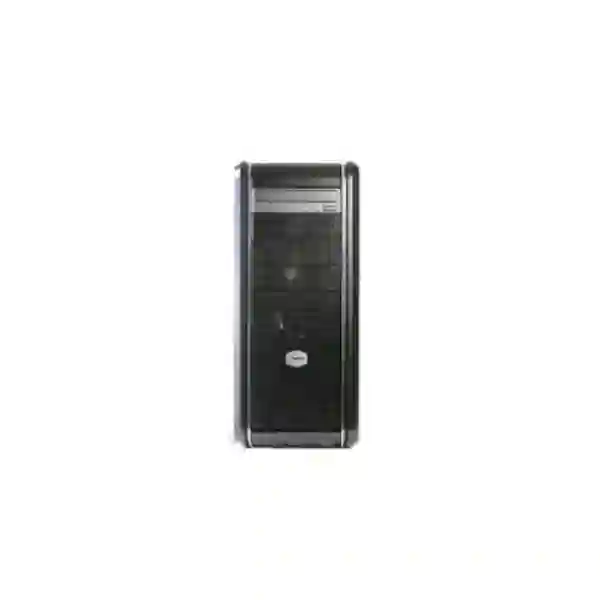
Hanwha SRN-SENCMS-DSPS Enterprise Display Workstation
The Hanwha SRN-SENCMS-DSPS is a legacy enterprise display workstation created for central video management environments using the SSM Console or a compatible VMS partner display module. It is a display-side computer, not a stand-alone camera recorder or a complete video management licence. Hanwha Vision identifies the model as discontinued, so anyone evaluating it in Tanzania should begin with an existing-system compatibility check, a condition assessment and a plan for security support rather than assuming it is suitable for a new installation.
The published manufacturer configuration includes a quad-core Intel Core i7-4790 processor, NVIDIA GeForce GTX 970 graphics with 4 GB video memory and four display outputs, 8 GB system memory, a 1 TB 7,200 rpm SATA system hard drive, Windows 7 Professional 64-bit and a 24x DVD writer. Actual equipment can differ from historic documentation or may have been refurbished, so request photographs, hardware identification and a written configuration before making a procurement decision.
Published technical specifications
The following describes the manufacturer’s historical reference configuration, not a guarantee that any specific offered unit contains unmodified components.
| Product category | Enterprise central-video-management display workstation |
|---|---|
| Manufacturer | Hanwha Vision (historically Samsung / Hanwha Techwin branding) |
| Model reference | SRN-SENCMS-DSPS |
| Processor | Quad-core Intel Core i7-4790, as published |
| Graphics | GeForce GTX 970, 4 GB, four outputs, as published |
| Memory | 8 GB RAM, original configuration |
| System storage | 1 TB 7,200 rpm SATA hard drive, original configuration |
| Original OS | Windows 7 Professional 64-bit |
| Optical drive | 24x DVD-RW, original configuration |
| Intended use | SSM Console and compatible VMS partner display module |
| Lifecycle | Discontinued, according to Hanwha Vision |
| Software licence | Do not assume included; verify entitlement separately |
What this legacy workstation is designed to do
Security operations often require a dedicated computer on which an operator can see live camera images, review recorded incidents and respond to alarms managed by a wider surveillance system. The SRN-SENCMS-DSPS was built for that display role in an SSM-based environment. Its computer hardware supplies processing, graphics and local user interaction, while correctly configured video management services and recording devices provide the information being viewed.
The distinction is important when planning a purchase. A display workstation should not be confused with a network video recorder, media gateway, central system manager or video-wall decoder. Purchasing a used workstation alone does not create a working surveillance platform. The required cameras, recorders, network connections, software components, user permissions and licences must be present and compatible. Ask the site administrator to document the existing architecture before deciding whether this is the part that needs replacement.
For an established installation, the model reference may be valuable because it identifies the type of hardware originally used. An identical reference on a maintenance schedule does not establish that an old unit remains secure or serviceable. In many situations, replacing the function with an appropriately specified, supported workstation will be preferable to obtaining another discontinued machine. The correct decision depends on the exact software release and the operating conditions of the existing site.
Where the enterprise display role fits
In a centralised security system, camera video can be captured by network recorders or recording services and then made accessible through a video management platform. The operator console is the human-facing endpoint: people use it to choose views, inspect incidents and work with alarms according to their permissions. This product was designated for the SSM Console and VMS partner display module, so its design intent sits at that endpoint.
A practical system diagram should show cameras and network segments, the recording layer, management services, the console workstation and each connected monitor. Mark the path taken by live video, the path taken by recorded-video searches and the network route used for management. This exercise can reveal whether delays come from workstation resources, server capacity, a congested link or camera stream settings rather than the display computer itself.
The term ‘enterprise’ in the product name describes the historic model variant. It is not a promise that the machine will meet every contemporary enterprise requirement. Enterprise buyers should separately assess cybersecurity, identity controls, integration support, disaster recovery, monitor management and long-term maintainability. For Tanzania projects with multiple premises, document the connectivity and access model for each site without assuming that an older workstation can solve bandwidth or access-control problems on its own.
Published hardware configuration
Hanwha Vision’s product information identifies an Intel Core i7-4790 quad-core processor as the central processing component. The manufacturer also lists 8 GB of RAM and a 1 TB 7,200 rpm SATA hard drive for the operating system. These describe the historical design baseline, not the current health of any particular machine. A decades-old drive could have been replaced, worn or altered, and system memory may have been upgraded or reduced.
For graphics, the current manufacturer listing names a GeForce GTX 970 with 4 GB video memory and four outputs. Some historical sales documents describe a different graphics card and processor speed. Because that mismatch affects monitor planning, treat the manufacturer listing as the reference specification and verify the actual GPU model, installed drivers, output connectors and card condition on any offered unit. A four-output label does not establish that four requested monitors will work at every desired resolution and refresh rate.
The original operating environment is listed as Windows 7 Professional 64-bit, together with a 24x DVD writer. These details help technicians recognise the legacy platform and locate suitable historical media when legitimately available. They are not recommendations for installing unsupported software on a production network. Ask whether the operating system has been changed, whether original recovery media and licences are available, and whether the software supplier will support the proposed configuration.
Why four display outputs matter
A multi-monitor console can help a control-room operator keep a general overview visible while investigating an event on another screen. The SRN-SENCMS-DSPS is associated with a four-output graphics configuration, making the model relevant to older surveillance desks that used several physical displays from one computer. This explains the hardware intent but does not give a verified maximum number of simultaneous decoded camera streams.
A monitor plan should begin with the actual screens: their resolutions, refresh rates, input types, mounting arrangement and distance from the desk. Confirm whether adapters, active conversion equipment or long cable runs will be required. Test display detection and layout persistence after restarting the computer. Verify that the monitoring software recognises the intended screen arrangement and that windows return to useful positions after a power interruption.
Do not assume the four graphics outputs make this a replacement for a dedicated video-wall management system. Large wall installations may require different software, decoders, network paths or licensing. Similarly, physical output count does not establish video processing performance. Stream codec, frame rate, camera resolution, number of tiles, graphics drivers and CPU load all influence usability. Evaluate performance on the real workload rather than assigning an unsupported camera-channel rating to the workstation.
Software, SSM Console and licensing
The workstation was designed for the SSM Console and compatible display modules, but hardware designation is not proof that a particular SSM application, release or entitlement is installed. Historical Hanwha commercial documentation identifies the display workstation separately from a VMS licence. Buyers should therefore request the current software inventory, licence ownership information and evidence that the intended components may be lawfully installed or transferred.
Before procurement, record the software version running on the existing control room, the version used by the central servers, the installed camera and recorder families, and any third-party integration modules. Ask the responsible software provider whether the exact combination is supported. Hanwha’s modern Wisenet SSM platform continues to evolve; capabilities documented for newer releases must not be attributed automatically to this legacy Windows 7 workstation.
A successful test should include sign-in, user-role enforcement, live viewing, playback, event review, screen layouts and graceful reconnection after a network interruption. Any additional functions such as advanced analytics, virtual matrix operation or failover should be checked as separate system capabilities and licences. A statement such as ‘SSM compatible’ is too broad without a version number, installed component list and acceptance test that matches the buyer’s real tasks.
Discontinued status and purchasing implications
Hanwha Vision identifies SRN-SENCMS-DSPS as discontinued. That status is a significant purchasing fact. It means buyers must not treat the model as a routine current product merely because a catalogue or seller still displays its details. A dated product listing may describe how the system was sold historically, not what is available for purchase today in Tanzania.
For an existing estate, purchasing a replacement of the same model may appear convenient because operating procedures and interfaces are familiar. That convenience has to be weighed against potential parts scarcity, unsupported drivers, aging storage, software licensing questions and the cost of maintaining an insecure operating system. Ask for explicit confirmation of whether the offer is new-old-stock, used, refurbished or a replacement proposal, and insist on a written statement of tested condition.
For a new surveillance project, start with the functional requirement rather than the part number. Define operator count, monitors, codecs, camera streams, operating system support, service life and the VMS release. A current supported workstation may satisfy the intended role more sustainably. FourTeck Tanzania can use the model reference to understand a legacy request and discuss the specification of a suitable alternative, without assuming that the discontinued model is stocked or supplied.
Windows 7 and current cybersecurity risk
The original operating system specified for this workstation is Windows 7 Professional 64-bit. Microsoft’s extended support for Windows 7 ended in January 2020, and the later Extended Security Updates programme has also ended. This introduces material risk for a machine that might have access to camera networks, management credentials, recorded video and a security operations room.
Using an unsupported computer as an internet-connected control-room terminal should not be a default deployment choice. Risk assessment may call for a supported replacement, network isolation, tightly managed remote access, restrictive firewall rules and a formal exception process for any temporary legacy use. The availability of old security software does not turn an unsupported operating system back into a fully supported platform.
If an operational dependency requires a transition period, define the owner, duration, monitoring plan and removal date. Record which networks the workstation can reach, which credentials it stores, who can log on and what physical access controls apply. Avoid opening inbound services simply to make legacy remote viewing convenient. A documented migration is generally more defensible than adding compensating controls indefinitely around hardware and software that can no longer receive normal platform updates.
Planning a safe legacy migration
A migration should begin with an inventory instead of an immediate hardware swap. Capture the workstation’s exact model, processor, graphics card, memory, storage condition, operating system, application versions, monitor connections, licensing information and custom configurations. Record the existing screen layouts and operator workflows. Where authorised, take suitable configuration backups before changing a working security environment.
Next, define a test system with the target supported operating system and compatible VMS client. Verify the chosen platform against the software vendor’s documented requirements, then test connections to the existing management and recording services. If a broader software upgrade is required, understand the order in which servers, databases, clients and integrations must be changed. A new workstation alone cannot remove incompatibility between older server components and newer clients.
Schedule cutover around site operations. Arrange a fallback monitoring procedure, verify time synchronisation and user permissions, and test live and recorded video with representative cameras. After acceptance, securely remove stored credentials and operational data from the retired machine according to the organisation’s policy. A migration plan should identify measurable success criteria so a project is not marked complete just because the new desktop displays a login screen.
Workstation condition and refurbishment checks
When an offered unit is used or refurbished, its age matters as much as the model number. Request serial-number photographs and a full bill of the installed parts rather than relying on a generic product photograph. Examine the enclosure for damage, accumulated dust, missing screws, improvised power connections and signs of overheating. Confirm that the device starts consistently from a cold boot and can run the requested application for an extended test period.
Storage health is a particularly important inspection item. The historical specification names a 1 TB mechanical SATA drive, which is not evidence of today’s drive condition or usable free capacity. Ask for a drive-health report, a description of any replacement and proof that the operating system has a recoverable installation image. Confirm that memory tests, fan operation and graphics-card stability have been checked under a representative monitoring load.
A refurbished workstation may also contain an aftermarket graphics card or a different software image. That can be acceptable only if compatibility, licensing and support are confirmed for the intended role. The purchase paperwork should state exactly what is included, what tests were completed, the condition category, any return terms actually offered and the support contact. Do not equate refurbishment with a new manufacturer warranty.
Network and bandwidth considerations
Video console performance depends on the network architecture as well as the desktop hardware. Record which applications communicate with which management servers and how the camera and playback streams reach the operator. For a distributed site, identify whether the console receives streams from local recorders, centralised services or a remote gateway. Bandwidth planning should reflect measured stream profiles instead of a generic assumption about an enterprise workstation.
A useful test involves selecting a normal monitoring layout, opening recorded video and observing latency and responsiveness during a realistic busy period. Capture the number of active views, typical resolution, stream codec and actual network utilisation. Compare those findings with CPU, memory and graphics activity on the workstation. This helps distinguish a network bottleneck from slow local decoding or an overburdened storage or recording server.
Security-sensitive networks should use segmentation, access policies and documented remote-support methods. Do not expose unsupported console software directly to the public internet. Where several Tanzanian business sites feed into a central monitoring desk, review each connection’s stability and the consequences of link failure. A practical design states what operators will see when communications stop and how critical incidents will be handled until connectivity is restored.
Power, cooling and physical installation
A security operations workstation is only useful while it is powered, stable and accessible to the operator. For installation in Tanzania, assess the actual site environment instead of assuming that a familiar desktop design will behave well in every room. A workstation placed in a dusty cabinet, close to direct sunlight or without adequate airflow may become unreliable even when its hardware specifications are otherwise suitable.
Confirm the equipment’s input-power requirements from the unit label or an approved technical document before connecting it. Plan suitable surge protection and uninterruptible power arrangements based on the complete desk load, including monitors and network equipment. UPS capacity and runtime must be calculated from measured consumption and the required continuity window; this page does not claim a model-specific wattage or backup duration.
Use a stable desk or appropriately designed enclosure with enough clearance for airflow and service access. Consider cable strain relief, display cable length, physical security, cleaning schedules and safe shutdown procedures. Test whether the workstation and monitors return to an acceptable operating state after a controlled power interruption. A documented site test is more useful than a generic claim that a computer is designed for continuous surveillance operation.
Integrating with existing cameras and recorders
The SRN-SENCMS-DSPS is not a direct promise of compatibility with every Hanwha camera, recorder or third-party device. In an SSM environment, supported device families and protocols depend on the installed management software, intermediate services and their versions. A hardware model can identify the intended console role without defining the entire compatibility matrix.
Build a device inventory that includes camera and recorder model, firmware, network address plan, recording settings and the management service through which each device is accessed. Then compare those details with the support documentation for the exact SSM release. Pay particular attention to older recorders that may use obsolete interfaces and newer cameras that may depend on features unavailable to a legacy console. Where ONVIF or another integration route is proposed, verify the relevant functions rather than assuming that basic discovery implies full feature support.
The acceptance checklist should cover live image display, recorded-video lookup, time accuracy, permissions, alarms and the ordinary investigation workflow. If the buyer uses a third-party VMS partner display module, obtain written confirmation of the exact module and installed software version. Device compatibility is an end-to-end system property, not a conclusion that can be drawn from a four-output graphics specification.
Operational use at a security desk
An effective console supports quick recognition and consistent action. A well-designed screen layout distinguishes a general overview from high-priority cameras, event details and playback windows. Before selecting a workstation, observe how operators actually use the desk. Identify whether they need to switch layouts often, maintain a fixed overview throughout a shift or work on evidence review while another person watches live feeds.
The legacy display server may be relevant to an existing desk that was designed around its four graphics outputs, but a modern workstation can also be evaluated against the same operational goals. Record the number of operators, the desired screen arrangement and the tasks that must remain responsive. Test layout loading time, login behaviour and transitions between live viewing and playback. These practical measures can reveal issues that component specifications alone do not capture.
Operational documentation should cover starting a shift, responding to alarms, reporting faults and safely ending a session. Use named operator accounts and appropriate permissions rather than sharing administrator access for convenience. Where video is sensitive, apply the organisation’s privacy and retention policies and limit display access to authorised personnel. Good console design combines hardware selection with procedures, training and accountable access controls.
Understanding what is not included
A product title containing the words ‘central video management’ can be misunderstood as an all-in-one CCTV solution. This model identifies display workstation hardware. It does not by itself provide a complete estate of cameras, cabling, recording storage, system management servers, network equipment or a functioning monitor wall. Historical commercial descriptions also state that a VMS licence was not included with the listed hardware.
Because old stock and refurbished units may have changed hands, no buyer should infer that software entitlements, authentication credentials, recovery media or additional accessories transfer automatically. Ask for an itemised statement identifying the computer, keyboard and mouse, monitor cables, any physical monitors, installed software, licence documentation and any optional integration components. Treat anything not confirmed in writing as outside the offer.
Do not rely on the operating system’s original installation media to establish current support, lawful activation or compatibility. A reseller may be able to supply a machine without being able to supply original software rights or ongoing technical maintenance. Procurement approvals should therefore distinguish equipment cost, software cost, installation, commissioning, migration, training and future support. This prevents a seemingly inexpensive legacy replacement from becoming an unexpectedly expensive systems project.
Choosing between legacy repair and replacement
The appropriate response to a failed control-room computer is not always to buy the same model. First establish the failure: is it an exhausted drive, faulty graphics card, insufficient memory, operating system problem, network interruption or an issue with the recording server? Accurate diagnosis can prevent replacing a workstation that is not causing the observed symptoms.
Legacy repair may be considered for a narrowly defined, time-limited dependency when the system owner accepts the risks and compatible parts can be verified. Nevertheless, keeping Windows 7 running in a security environment demands exceptional care. A supported replacement should generally be evaluated where business continuity, cyber risk and maintenance life are important. Check whether the current VMS software can run on a supported platform and whether any server upgrades are required.
Compare options using total cost of ownership rather than only purchase price. Include integration engineering, downtime risk, serviceability, software support, spare parts and the time needed to migrate. Require a clearly described acceptance test and a named person responsible for commissioning. The model designation remains useful as a historical reference even when the sound commercial answer is to specify a different current workstation for the same operational role.
How the DSPS differs from the DSP model
Hanwha also described the SRN-SENCMS-DSP as a central video management display workstation. Its historical manufacturer listing names a GeForce GTX 660 with 2 GB video memory and two outputs, while the DSPS enterprise listing names a GeForce GTX 970 with 4 GB and four outputs. Both listings describe a quad-core i7-4790 family processor, 8 GB RAM, 1 TB 7,200 rpm SATA storage and Windows 7 Professional 64-bit.
Those published differences are useful when identifying an existing installation or interpreting an old parts schedule. They do not prove that a particular used workstation still contains the original card, nor that it will meet a requested workload today. Check the installed hardware and the exact monitor configuration. Do not substitute the two-output DSP for the four-output DSPS without consulting the operator and validating the screen layout.
Neither variant should be presented as a current supported platform on the strength of historical specifications. If the need is a replacement console, state the required number of displays, video streams, resolution and application version. Then choose a supported configuration validated by the VMS vendor. Model comparison should lead to a functional requirement, not an unsupported promise about how many live cameras a legacy graphics card will decode.
Evaluating display performance correctly
A graphics card’s memory and output count are relevant but insufficient to predict surveillance performance. A desktop displaying a handful of low-resolution substreams can behave differently from one displaying numerous high-resolution live feeds while searching recordings. Video codec, pixel count, frame rate, layout density, hardware acceleration support and available drivers all affect how the operator experiences the system.
Define a representative performance scenario before accepting a workstation. Specify the normal camera grid, a peak-time grid, whether playback runs concurrently, the number and resolution of connected monitors, and the maximum acceptable delay when opening a view. Measure responsiveness during a sustained test rather than relying on a short demonstration. Use the same test for any replacement proposal so comparisons are fair.
The manufacturer’s four-output listing must not be converted into a guaranteed four-monitor performance rating for arbitrary streams. Output ports are physical connection capabilities, while video-decoding capacity is a workload-dependent result. Older GPU drivers may also constrain supported operating systems or application versions. If the preferred solution is a modern workstation, insist that the supplier validate the selected hardware and software combination against the planned viewing workload.
Supporting incident investigation workflows
A control-room workstation should help authorised staff retrieve the correct evidence without confusion. When examining an incident, the operator may need to select a camera, find a timestamp, inspect recorded material and preserve a documented chain of actions. The console application and recording infrastructure supply these functions; the desktop hardware must provide a reliable interface for using them.
During acceptance testing, have an operator complete a typical investigation from start to finish. Check that time zones and timestamps are understood, that recorded footage opens reliably and that image quality is sufficient for the task. If export is part of the procedure, establish where exports are stored, how they are protected and who is permitted to perform them. These requirements should be documented independently of the workstation model.
A legacy console can create risks if export devices, removable media or unsupported software are used without policy. Apply controlled accounts, secure storage destinations and appropriate audit practices. If an organisation is migrating from SRN-SENCMS-DSPS, retain the workflow details in the replacement specification. The goal is not simply matching the old computer’s graphics outputs; it is preserving the operational ability to detect, investigate and escalate incidents accurately.
A Tanzania-focused procurement checklist
Businesses evaluating this model in Tanzania should communicate whether the request concerns a working legacy system, spare parts, a complete replacement desk or a new installation. This context determines what evidence and engineering are needed. A buyer asking for the exact discontinued part may actually need a supported workstation with equivalent monitor capability and a compatible version of SSM.
Before requesting a quotation, prepare a concise site brief covering the existing VMS version, server architecture, number of monitors, screen resolutions, camera and recorder types, network connection, expected workload and any integration modules. Indicate whether the existing machine can be examined and whether downtime can be scheduled. For multi-site environments, identify the controlling location and any site-specific access restrictions, without assuming geographic service coverage or delivery arrangements.
Ask for a written response that distinguishes confirmed facts from assumptions. Request model and condition information, system compatibility evidence, operating system support, licensing, included accessories, installation scope and a test plan. Price, local taxes, import arrangements, lead time, warranty and service availability should be stated only in an actual verified offer. This page intentionally does not claim that the discontinued unit is in stock or available for immediate delivery in Tanzania.
Questions for the IT and security teams
Before authorising a hardware purchase, bring both IT and physical security stakeholders into the discussion. Security teams can define what they need to see and do, while IT can assess operating system support, network access, account controls, remote management and lifecycle risk. The strongest requirements come from both groups rather than from a single historical product number.
Ask whether the workstation needs direct access to any camera subnet or can operate only through a controlled management service. Clarify who will administer the client, how accounts will be provisioned, whether the machine may use removable media and how faults will be escalated. Verify that any remote-support arrangement can be operated securely and lawfully under the organisation’s policies. If a legacy Windows 7 machine remains temporarily, agree on compensating safeguards and an end date.
The procurement decision should also consider how operators will be trained and how changes will be documented. A technically compatible machine can still fail to serve the organisation if screen layouts, alarm handling or permissions are different from what the staff expect. Collect questions early, use a small representative acceptance team and make final sign-off contingent on real operational tests rather than a vendor datasheet alone.
How to specify a supported replacement
Where the DSPS is unavailable or unsuitable, specify outcomes rather than requiring exact historical components. State the number of monitors, physical connection types, resolutions, expected video-grid layouts, simultaneous playback needs, workstation management requirements and preferred support horizon. Include the exact VMS application and version, or state that the VMS will be upgraded as part of the project.
A replacement specification should identify minimum supported CPU, memory, graphics and storage requirements from the current VMS supplier, not by copying the old i7, 8 GB RAM and mechanical hard drive values. Hardware requirements have evolved, and the most suitable configuration depends on software support and workload testing. Ask the proposer to document supported drivers, operating system, warranty terms actually offered and procedures for future updates.
During a proof of concept, run a sustained viewing test with the real or representative stream mix. Check startup, sign-in, video quality, alarm response, network interruptions and recovery after power loss. If the solution uses multiple displays, validate cabling and window management. A supported replacement should reduce avoidable security and maintenance risks while preserving the functions that caused the original enterprise display workstation to be selected.
Commissioning and acceptance criteria
Commissioning should produce evidence that the chosen workstation operates safely within the intended surveillance system. Begin by confirming the delivered hardware matches the written offer and that necessary software licences and support rights have been documented. Verify the physical installation, cable management, display assignments and network policy before moving on to application testing.
Run through a checklist with the buyer’s operators. Confirm that each authorised user can sign in with the intended permission level, that the normal camera layouts open, that recordings can be located and that relevant events display as expected. Exercise a network interruption and a controlled restart to see whether the console recovers predictably. Capture any deviations, assign corrective action and retest before final sign-off.
For a legacy replacement, compare the new system against the original workflows rather than only against component specifications. Document the installed software version, configuration backup method, support contacts and basic troubleshooting steps. If the old machine will remain as a temporary fallback, specify its permitted use and cybersecurity restrictions. Completion means the people operating the desk can perform their essential work, not merely that a computer has been delivered.
Maintenance and lifecycle planning
Long-term reliability depends on planned maintenance, not just initial selection. Establish who is responsible for hardware inspection, operating system updates, VMS client updates, access reviews and the verification of backup or recovery procedures. A discontinued model with an unsupported operating system requires special attention because some normal vendor support and security update routes may no longer be available.
For any temporary legacy use, keep an accurate inventory and a risk register. Record the business reason for continued operation, the known limitations, allowed network connections, the responsible owner and the planned migration date. Test any spare workstation before treating it as an effective fallback. A spare that cannot authenticate to the existing management server or drive the required monitors does not provide useful continuity.
For new equipment, request a documented update policy and a reasonable replacement horizon based on vendor support. Train the operations team to report unusual behaviour, repeated restarts and display failures early. Keep technical instructions accessible to authorised staff so recovery is not dependent on one individual’s memory. The final objective is a maintainable surveillance desk that supports operations without leaving unresolved, preventable technology risks.
Information to send with a quote enquiry
A useful enquiry begins with the exact model reference and the purpose of the request. State that you are enquiring about Hanwha SRN-SENCMS-DSPS and indicate whether the request is for historical specification confirmation, repair, replacement hardware or a modern substitute. Describe the number of screens and provide any available photographs or equipment labels from your existing unit.
Include the name and version of the installed video management software, details of the central server environment and the approximate camera-viewing workload. If a fault prompted the enquiry, explain the symptoms and any tests already completed. A photograph of the rear display connections, when safe and authorised to obtain, can help establish which adapters and monitor cables are in use. Never send passwords, licence keys or confidential network diagrams through an unverified public channel.
Ask the supplier to state what is known and what needs site validation. The answer should identify whether the legacy model can reasonably be supported, whether a suitable replacement can be proposed, and what checks are necessary before commissioning. A clear technical brief makes it easier to compare options while avoiding unsupported assumptions about local stock, pricing, deployment services or the continuing life of this discontinued product.
Frequently asked questions
Is Hanwha SRN-SENCMS-DSPS still a current product?
No. Hanwha Vision’s product entry labels SRN-SENCMS-DSPS discontinued. This does not establish whether any individual third-party seller has old stock, but it does mean buyers should confirm condition, lawful software use, available support and an exit plan. For a new surveillance desk, ask whether a supported workstation can meet the required display and VMS functions instead.
Is it a network video recorder?
No. The model is described as a central video management display workstation designed for a console role. It is not, by itself, an NVR with a defined number of recording channels. Recording services, cameras, management software and licences have to be evaluated separately. The original 1 TB system drive should not be mistaken for a documented surveillance archive capacity.
How many monitors does it support?
The manufacturer listing describes a graphics configuration with four outputs. This is a historical hardware specification, not a guarantee for every monitor type or workload. Verify the actual installed graphics card, connectors, drivers and screen arrangement. Test the required monitors at the intended resolutions, particularly when adapting old cabling or using refurbished hardware.
Which graphics card is in the DSPS?
Hanwha Vision’s current published entry identifies an NVIDIA GeForce GTX 970 with 4 GB memory and four outputs. Some older commercial material identifies different graphics hardware. Do not assume a used unit matches either document until its installed card is inspected. The distinction matters for output connectors, drivers and compatibility with the intended software.
Does the workstation include SSM or VMS licensing?
Do not assume it does. Historical Hanwha commercial descriptions explicitly separated the display workstation from a VMS licence. Any installed applications, transferred licences and current support eligibility must be confirmed in writing. Ask the system administrator for the software version and entitlement records before deciding whether the machine can be used in the existing platform.
Can I connect any IP security camera?
Not on the strength of the hardware model alone. Camera access is mediated by the installed VMS, recording devices, management servers and supported protocols. Compatibility depends on the actual software version, device model, firmware and configuration. Request a tested device list or perform a controlled proof of concept with representative cameras and recorders.
Is Windows 7 safe for a new security deployment?
Windows 7 reached the end of Microsoft’s ordinary extended support in January 2020 and is no longer an appropriate default for a new security-critical workstation. Legacy use calls for a documented risk assessment, strict network controls and a migration plan. A supported operating system and compatible current VMS should be evaluated wherever the deployment permits.
Can it function as a video wall controller?
The DSPS was designed for a console and partner display module, and its four graphics outputs can serve multiple local screens. However, a dedicated multi-screen video-wall solution may require additional software, decoders, servers and licences. Do not assume that four local outputs provide virtual matrix management or all wall-control features. Specify the desired behaviour and verify the complete architecture.
Is it suitable for a new CCTV project in Tanzania?
For a new deployment, the discontinued status and original Windows 7 environment make a supported alternative worth evaluating first. Define display count, stream workload, VMS version, cybersecurity requirements and support horizon. Local availability, price, installation coverage and warranty must be verified in a specific quotation; this product description does not establish those commercial terms.
What should I provide when requesting a replacement?
Share the original model reference, photographs or part labels, existing graphics connections, number and resolution of monitors, VMS application and version, approximate stream workload and a description of the operational problem. Include network and server requirements at an appropriate non-confidential level. These details help distinguish a simple hardware failure from a larger compatibility or migration issue.
Does four-output graphics mean four high-resolution camera walls?
No. Four outputs identify physical display connections, not a tested number of decoded streams or independent wall systems. Workload depends on codecs, camera resolution, frame rate, screen layout, driver support and the VMS application. Use representative live and playback tests to establish performance rather than treating a graphics-card output count as a surveillance capacity guarantee.
What is the safer alternative if this exact model cannot be sourced?
Specify a currently supported operator workstation using the verified requirements of the intended VMS software. Maintain the required monitor layout and surveillance workflows while avoiding unnecessary dependence on the original Windows 7 hardware. Confirm software licensing, device compatibility and network policies through testing. A functional replacement specification is usually more useful than an unverified promise of exact-model availability.
Discuss your existing console or a supported replacement
Ask FourTeck Tanzania to review your SRN-SENCMS-DSPS reference against the actual screen layout, SSM version, network conditions and required operator workflows. Request written clarification of the available product or replacement option, software compatibility, lifecycle status and commercial terms. No local stock, price, warranty, installation coverage or lead time is implied by this description.
For an efficient enquiry, provide the existing workstation label, installed software version, number of monitors and a concise description of the fault or expansion requirement. Do not disclose passwords or software licence keys through an unverified channel.




Reviews
There are no reviews yet.