
Hanwha Vision • Network Video Recording • Tanzania
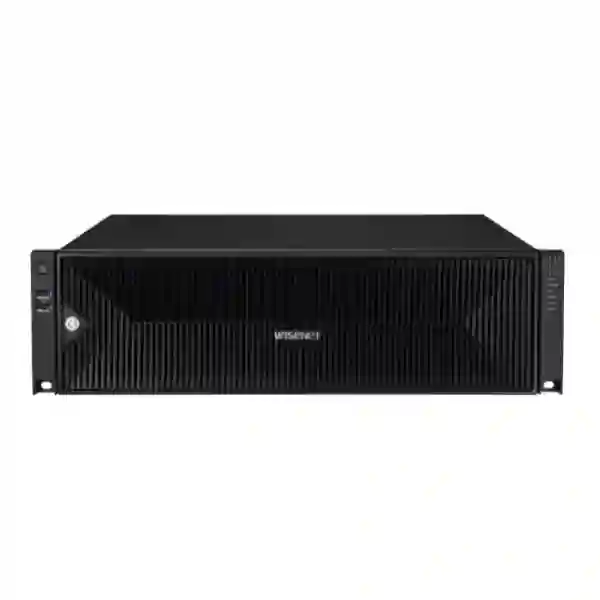
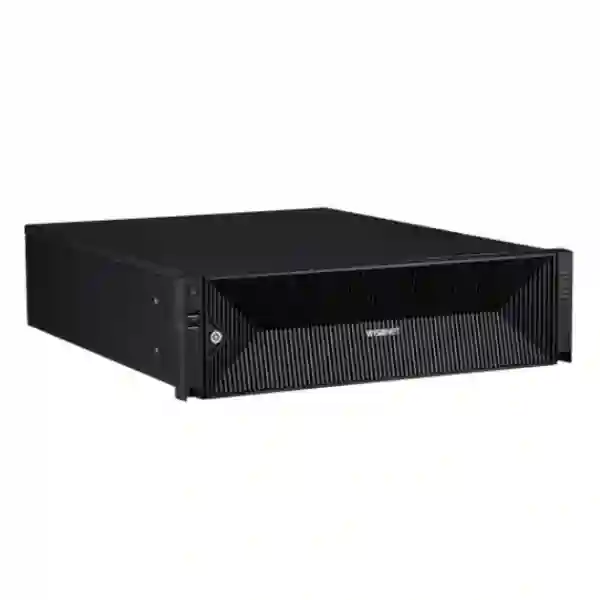
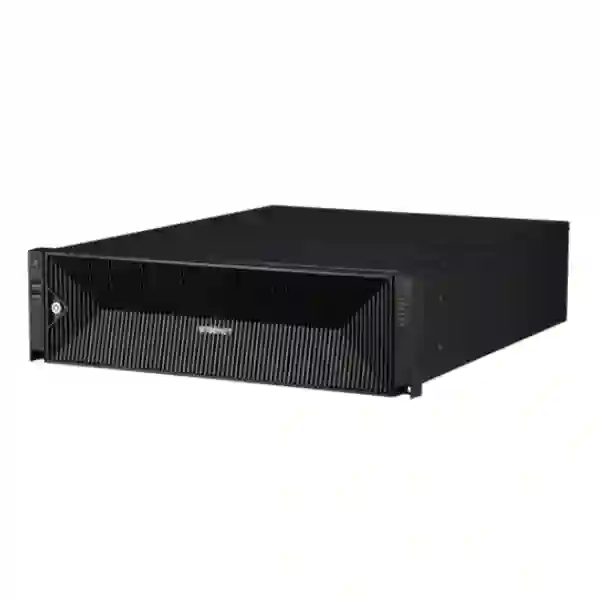
Hanwha XRN-3210B4 32-channel NVR
A professional IP camera recorder with 32-channel input capacity, supported 32 MP camera recording, sixteen SATA drive bays, RAID 5/6 options and AI-assisted search when used with compatible Hanwha AI cameras.
Before ordering, confirm the intended recording mode, camera bitrates, usable storage after any RAID overhead, lifecycle status and current availability for Tanzania. Request an appropriately specified product and storage quote rather than relying on raw headline figures alone.
Technical specifications at a glance
Camera capacity
Up to 32 network-camera channels; camera resolutions up to 32 MP
Recording modes
Up to 400 Mbps distributed; 150 Mbps normal; RAID up to 400 Mbps normal / 320 Mbps degraded or rebuilding
Compression
H.265, H.264 and MJPEG
Drive configuration
16 SATA bays; up to 10 TB per supported drive; 160 TB maximum raw non-RAID capacity
Resilience
RAID 5/6, N+1 failover and ARB with suitable configuration
Display
HDMI 1: up to 4K at 30 Hz; HDMI 2: up to Full HD at 60 Hz
Connectivity
3 × 1 Gbps RJ-45; 8 alarm inputs; 4 alarm outputs; 4 USB ports
Operating limits
0–40°C; 20–85% RH; 100–240 VAC, 50/60 Hz
A recorder for complex camera estates
When a building or multi-area operation depends on many IP cameras, the recorder needs to be sized for the video streams it will actually receive, not only for the number printed on its front panel. The Hanwha XRN-3210B4 32-channel NVR is intended for projects requiring a central platform to record, review and manage as many as 32 supported camera channels. It combines high-resolution camera intake, multiple local hard-disk positions, recording management and event-led search in one dedicated unit. This makes it a useful product to evaluate where footage retention and operational review are as important as viewing live images.
The most important buying decision is the relationship between channel count, aggregate bitrate, usable disk capacity and resilience. A system can stay under 32 channels yet exceed the bandwidth of its selected recording mode. It can also appear to have sufficient raw disk space while falling short after RAID overhead and retention requirements. This guide explains those trade-offs in practical terms so procurement teams, installers, IT administrators and security managers can establish a defensible specification before agreeing to hardware, drives and commissioning work. Product supply in Tanzania is subject to confirmation rather than assumed.
What the headline specifications really mean
Hanwha Vision specifies a maximum of 32 network-camera channels and supports camera resolutions from CIF through 32 MP. The recorder accepts H.265, H.264 and MJPEG streams, lists SUNAPI and ONVIF camera protocols, and supports dual HDMI monitor outputs. It provides sixteen SATA drive positions, with a stated maximum of 160 TB of raw local capacity in non-RAID mode using up to 10 TB drives supported by the manufacturer. RAID 5 and RAID 6 configurations are available, and external iSCSI storage is listed as an option. Each of these figures has operating conditions that matter to the final design.
For example, the 32 MP specification concerns compatible camera recording and decoding capability; it does not mean a connected HDMI monitor displays 32 MP. Similarly, the maximum quoted recording bandwidth is not unconditional across every mode. The manufacturer specifies up to 400 Mbps in distributed mode, up to 150 Mbps in normal mode and, with RAID, up to 400 Mbps during normal operation or 320 Mbps during a degraded or rebuilding state. Integrators should calculate the intended live workload against the applicable operating mode and leave capacity for peak scenes, not treat these figures as interchangeable.
Who should evaluate this model
The recorder is most relevant when a buyer has an IP camera installation large enough to justify a dedicated multi-drive unit. Examples can include a warehouse with loading and perimeter cameras, a production site with several protected zones, a campus building with corridor and entrance coverage, or a hospitality property with separate monitoring areas. These examples describe possible design scenarios, not a claim that the device has been deployed at any particular property. The model may also suit a phased expansion in which camera count and recording storage need to grow according to a documented plan.
It is not automatically the right answer for every 32-camera project. A modest set of low-bitrate cameras may not need sixteen drive bays. Conversely, 32 very high-resolution streams may require particular codec settings, disk layouts or a different recording architecture. Consider who will manage the system, how quickly investigators need to find incidents, whether a second viewing station is necessary, which equipment will remain operational through interruptions and how data will be exported. These operational questions often influence the appropriate recorder more than a simple comparison of channel totals.
Plan channels before selecting cameras
The XRN-3210B4 has a maximum of 32 input channels, but a camera list should identify every sensor and logical stream that needs a recording channel. Multi-directional cameras, encoders and integrated devices can affect channel accounting according to their configuration. The design should therefore record the exact camera models, expected number of occupied channels, resolution, frame rate, image compression, expected bitrate and whether audio is required. Do not infer that one physical enclosure always consumes exactly one recorder channel. Confirm channel interpretation for the actual devices before purchase.
A practical schedule separates fixed wide-angle views, identification views, entrances, corridors and special-purpose cameras. It then assigns recording profiles based on what footage must show. A high-definition gate view might need a different bitrate from a low-activity corridor. Keeping this schedule makes later troubleshooting easier: administrators can see which cameras are business-critical, which streams must record continuously and which may be suitable for event-led recording. It also exposes spare channel capacity or a potential shortfall well before cabling and equipment orders are finalized.
Calculate recording bandwidth by mode
Recording throughput is a shared resource across all simultaneous video sources. For planning purposes, add the expected recording bitrates for all 32 or fewer channels, then account for scene variation, codec behavior and normal operating overhead. Bitrate can rise when activity increases, particularly if stream settings allow variable rates. The published limits are mode dependent: up to 400 Mbps in distributed mode, 150 Mbps in ordinary normal mode, 400 Mbps in normal RAID operation and 320 Mbps during a RAID degraded or rebuild condition. Selecting an appropriate mode is therefore a technical design step, not a cosmetic setting.
Consider a hypothetical design of twenty-four cameras averaging 6 Mbps each. Their nominal aggregate would be 144 Mbps before variation, and it would approach the stated 150 Mbps normal-mode ceiling. That example illustrates why an installer must not simply assume a 400 Mbps operating envelope for every setup. An alternative mode or a revised recording profile may be required, but any change should follow the manufacturer’s documentation for the chosen firmware and storage configuration. Use tested camera bitrates where available, and verify peak behavior with the recorder under the real workload rather than relying on averages alone.
High-resolution intake is not the display resolution
The recorder supports compatible camera recordings up to 32 MP, with manufacturer-listed decoding combinations that vary by resolution and codec. Its first HDMI output is specified at up to 3840 × 2160 at 30 Hz, while the second is specified at up to 1920 × 1080 at 60 Hz. A connected 4K monitor can therefore provide an excellent overview, but its panel resolution is different from the original camera image resolution. Investigators may still need to inspect or export the recorded source footage to assess fine details from very high-resolution cameras.
Plan monitor use around operator tasks. One screen can present the principal camera grid while the other displays a smaller selection or a separate layout, subject to supported display modes. A guard station that requires many simultaneous tiles may prioritize legibility and sensible grouping over displaying the largest number of video windows. For detailed incident review, define a process to open the correct channel, select the recorded interval and confirm image quality at its original recorded resolution. The dual-display feature is a workflow aid rather than a substitute for camera placement and image-quality planning.
H.265, H.264 and MJPEG considerations
Support for H.265, H.264 and MJPEG gives the integrator flexibility when the surveillance estate includes different camera generations. Compression choice affects storage demand, network load and compatibility with the specific cameras and viewers. H.265 can reduce required bitrate for comparable visual quality under suitable conditions, but the saving depends on image content, encoder settings, motion, frame rate and resolution. It should not be translated into a universal percentage reduction when estimating retention. Camera-side WiseStream capabilities also require compatible equipment and settings to deliver their intended benefit.
For each camera, record the codec actually enabled, not merely the codecs theoretically supported. Check that live view, playback, video export and any connected monitoring application can handle the selected profile. A mixed estate may operate best with different profiles for different zones. In sensitive locations, prioritize sufficient evidence detail rather than forcing aggressively low bitrates to meet a storage target. A useful commissioning test is to record representative daytime, nighttime and busy-period footage, inspect motion clarity and confirm that the resulting file sizes match the storage model closely enough for operational confidence.
Sixteen SATA bays and raw disk capacity
The published configuration offers sixteen SATA positions and specifies up to 10 TB per supported drive, yielding a stated maximum of 160 TB of raw local capacity in non-RAID mode. Raw capacity is the sum of installed disk labels before allowance for RAID parity, file-system overhead, retention policy or other reserved space. It is not the same as space available for retained footage. The manufacturer also publishes an HDD compatibility list, which should guide drive selection because surveillance recorders depend on supported drive models, firmware and continuous-write behavior.
Disk specification should include the model, capacity, quantity, compatibility status and intended arrangement. Do not assume every marketed 10 TB disk is an approved substitute for a tested surveillance drive. Sixteen slots also do not mean the buyer must populate all sixteen on day one. A carefully planned smaller array can be an option when retention is modest, provided the proposed RAID grouping, rebuild procedure and later expansion path have been verified. Budget for spare components where appropriate, and document how a failed disk will be identified and replaced without creating avoidable gaps in evidence retention.
RAID 5 and RAID 6 are not backups
Hanwha lists RAID 5 and RAID 6, with arrays specified as eight drives per array and up to two arrays in the published configuration. RAID protects availability against particular disk-failure scenarios, but it changes usable capacity and can affect performance during recovery. RAID 5 generally allocates the equivalent of one drive per array to parity, while RAID 6 allocates the equivalent of two; exact usable space also depends on drive arrangement and formatting. These are capacity-planning concepts, not a promise that every array can be configured in every conceivable way.
A RAID rebuild is a period of elevated operational risk, especially if another drive is unhealthy or the disk subsystem is already heavily loaded. The stated recording bandwidth may be lower in degraded or rebuild mode, making headroom particularly important. RAID does not protect against accidental deletion, malicious changes, loss of the complete recorder, major site damage or all forms of corruption. Where footage must survive those events, design a separate authorized backup or export process with independent storage and recovery testing. Ask the installer to demonstrate fault detection, alerting and the intended replacement procedure at handover.
Retention sizing starts with evidence requirements
A meaningful retention calculation begins with an agreed number of days, the camera schedule and actual recording duty cycles. Continuous recording, event recording and mixed schedules produce different storage demands. A useful first-pass formula is total average recording bitrate multiplied by seconds recorded, converted into bytes and then adjusted for practical overhead and the usable disk configuration. This gives a starting estimate, not a guaranteed retention period. Scene complexity and variable bitrate can make real storage consumption materially different from a paper calculation.
Suppose an organization has a requirement to locate footage from a specified event several weeks later. The important question is whether every necessary camera will still have usable recordings at that time, including periods of high activity. Test that assumption with representative content, and include a margin for camera expansion and future quality adjustments. Define what should happen as storage fills, who can change the retention policy and whether critical evidence must be exported before overwrite. Retention requirements should be set by organizational needs and applicable obligations rather than an unsupported promise about how many days 160 TB will deliver.
External iSCSI storage and system architecture
The product specification lists external iSCSI storage support, which may be relevant to an organization with a managed storage network. However, an iSCSI capability should not be confused with an assurance that every storage array or network design is compatible. The integrator needs to confirm supported topology, capacity, authentication, network isolation, performance and recovery behavior for the recorder’s actual software release. A storage dependency can change the failure model: the recorder may remain powered while the network path to external disks is disrupted.
Before committing to iSCSI, document who owns the storage service, how network links are protected, how the recorder behaves during path loss and how footage is recovered after interruption. Dedicated network capacity and clear monitoring responsibilities are essential planning topics, especially when cameras, viewers and storage share infrastructure. For some buyers, local drives will be simpler to operate; for others, an engineered external-storage plan may offer benefits. The correct decision should follow a specific design review rather than assuming that an external disk shelf automatically increases reliability or usable retention.
Camera protocols and integration checks
SUNAPI and ONVIF are listed as supported camera protocols. This can help connect appropriate network cameras, but protocol support alone does not guarantee that every function of every third-party model will work. Basic live video may be available where advanced metadata search, motion events, audio features, camera setup or PTZ controls are not. Compatibility can also depend on firmware, ONVIF profile, authentication behavior and the exact recording features enabled on each camera. Obtain a verified camera compatibility list for the proposed equipment and test important functions before scale-up.
Where existing cameras will be reused, the audit should identify brand, model, firmware, protocol profile, codec settings, audio requirements and event types. If automatic discovery fails, assess supported manual registration rather than assuming the camera cannot be used. Test live view, continuous recording, scheduled recording, playback and export separately. This matters because some camera integrations expose video while omitting the metadata an operator expected to search later. A purchasing decision should therefore distinguish video interoperability from full feature interoperability, especially when the customer is mixing new Hanwha cameras with an established camera fleet.
AI-assisted search depends on compatible cameras
One of this recorder’s useful capabilities is AI metadata search when paired with supported Hanwha Vision AI cameras. Such cameras can supply object-related metadata that helps narrow a recorded-video investigation. The recorder should not be described as turning an ordinary non-AI camera into an AI detector by itself. Searchable attribute types depend on the AI camera family, its firmware and the metadata actually recorded. Validate the planned search attributes with the specific camera models in the project rather than presenting an unlimited list as a standard recorder feature.
For a security team, the value is practical: after an incident, an operator may be able to filter recorded events more effectively instead of manually scrolling through lengthy footage. That benefit depends on suitable camera placement, usable image quality, correct time synchronization and consistent event configuration. Define a few real investigation scenarios during acceptance testing and attempt them with the final system. If the buyer needs searches based on particular person or vehicle attributes, confirm exactly which attributes are supported and acceptable for the intended use, including any applicable privacy and access requirements.
Events, bookmarks and evidence review
The product supports recording schedules and event-based workflows, with manufacturer-listed triggers including alarm input, video loss, camera events, dynamic events and user events. Depending on configuration, actions can include notifications, PTZ presets, alarm outputs or other supported responses. Bookmark management is also listed, with support for up to 100 bookmarks. These features can help a control-room operator recognize a relevant incident and preserve the context needed for later examination, but only if event rules and responsibilities have been properly configured.
Build an event matrix that records each input, trigger condition, expected action, notification recipient and testing procedure. Avoid sending every minor event to every recipient, because excessive alerts reduce the chance that high-priority incidents receive attention. Define who can change the event matrix and how modifications are documented. For investigations, agree an evidence workflow: find the event, check adjacent camera views, record the time window, export using an approved format and document custody of the exported material. Search and alert features become operationally useful when they support a repeatable process rather than generating an unmanaged collection of notifications.
Live monitoring, playback and export
The recorder supports local display layouts, web access and compatible client applications, but concurrent usage and playback have documented limits. Hanwha lists maximum playback bandwidth of 64 Mbps in RAID mode and 32 Mbps in non-RAID mode, and published user/concurrency figures also vary by function. A busy control room should therefore be tested against simultaneous live monitoring, playback, searching and exporting rather than judging performance from a single operator’s demonstration. A high total recording bitrate does not mean every viewer can retrieve all recordings at that same rate.
Before handover, conduct a realistic review exercise: show an operator how to locate a camera by name, navigate to a known time, compare adjacent time windows and export a relevant clip. Confirm that the chosen export format can be opened using approved tools, and make sure the case reference and original timestamp are recorded correctly. Where synchronized views are needed, verify the capabilities of the actual client software. Viewing workflow should be designed around the number of people who will investigate footage, not only the number of screens installed in the security office.
Remote viewing is a security decision
Hanwha identifies web viewing, compatible desktop software and mobile access features for the recorder. Remote viewing can help authorized staff respond to events without being physically at the monitoring desk, but it also changes the network security requirements. A system owner should decide which users need remote access, whether they need live-only or recorded-video privileges and which network path is permitted. Remote access should be validated under the organization’s current security policy rather than activated for convenience without review.
Use account-level permissions, strong authentication practices where supported, access logging and appropriate network protections. Avoid exposing a recorder directly to uncontrolled internet traffic merely to make mobile viewing easier. Check the currently supported client applications and operating systems for the installed firmware, because a historical compatibility table is not a promise that every modern browser or phone release will work identically. Document a process for revoking access when employees change roles, and test remote performance under the internet connection and upload conditions the site can actually provide.
Security controls and system hardening
The published feature list includes security-related capabilities such as IP filtering, access logs, 802.1X, device certificates and signed firmware. These are useful building blocks but are not a complete security program. Their benefit depends on the selected network architecture, correct configuration, software maintenance and day-to-day administration. The recorder should reside on a managed network segment with access restricted to approved management and viewing devices. Security responsibilities should be divided clearly between the camera installer, networking team and the organization operating the surveillance system.
A commissioning record should include administrative account ownership, role assignments, password handling, time-service configuration, firmware version, network addresses, required ports and authorized external connections. Turn off unneeded access pathways where the product supports that action and monitor unusual login activity. Keep a controlled method for obtaining authentic manufacturer firmware and checking release notes before upgrades. Plan maintenance changes so that a failed upgrade or misconfiguration does not unexpectedly interrupt critical recording. These precautions are especially important when the recorder is connected to many cameras or shared with a wider enterprise network.
Failover and Automatic Recovery Backup
Hanwha lists N+1 failover and Automatic Recovery Backup, often shortened to ARB, among the XRN-3210B4 capabilities. These terms describe possible resilience features rather than a guarantee that one standalone recorder will never lose footage. N+1 failover requires a compatible and correctly engineered system arrangement. ARB depends on suitable connected cameras, supported settings and the circumstances of any interruption. Both should be reviewed against the current manufacturer implementation guidance before they are included as acceptance criteria or represented as protection against every outage.
Discuss resilience in terms of actual failure events: recorder power loss, a camera-link interruption, failed disk, network switch failure and loss of upstream connectivity. Each event may have a different recovery path. A backup recorder, camera-side recording capability or other redundancy element can introduce additional equipment and configuration responsibilities. Ask for a fault test that demonstrates the expected behavior, how a failure is reported and what footage remains available. Record those results in handover documentation. This produces a more credible reliability plan than relying solely on the presence of a failover checkbox in a product brochure.
Networking and PoE power design
The chassis specification lists three RJ-45 Ethernet interfaces rated at 1 Gbps. This is different from an integrated 32-port camera PoE switch: the product documentation does not list a corresponding built-in PoE camera power budget. Camera power, switching and network distribution therefore need to be planned as separate infrastructure unless a project-specific architecture proves otherwise. The quantity of physical network ports does not by itself establish independent 1 Gbps camera groups or immunity from shared bottlenecks. Follow the supported port-role and bandwidth guidance for the selected deployment mode.
Specify camera switches and uplinks according to total traffic, not the number of available connectors. Include overhead for live monitoring, management, event communication and any external storage path. If switches carry traffic from unrelated systems, check QoS, segmentation and failure-domain requirements with the IT team. Confirm the intended IP addressing, DNS, NTP, routing and firewall policies before cameras arrive. A clear topology drawing should show the recorder, every switch, camera grouping, operator workstation, remote access path and any storage or failover component. This document is often the fastest route to diagnosing an installation problem later.
Electrical supply and continuity planning
The manufacturer’s power specification gives a 100–240 VAC input with a 50/60 Hz operating range and a listed maximum consumption of 265 W with sixteen drives installed. The actual system power budget must include the recorder plus cameras, PoE switches, monitors, networking equipment and any external storage or redundancy device. The recorder’s maximum figure should not be treated as the entire surveillance system load. Confirm the exact current power specification and local electrical installation requirements for the supplied equipment before commissioning.
For a Tanzania installation, the resilience conversation should include protection against unexpected power interruptions and controlled recovery after an outage. Size any UPS from the combined load, desired runtime, battery condition, inrush behavior and safe-shutdown requirements, not simply from the recorder wattage. Consider which cameras must remain powered during an interruption and whether network switches and display equipment share the protected supply. Test an outage and power restoration procedure as part of handover. Recording continuity depends on the complete chain of powered equipment, not just the recorder’s ability to accept a wide input-voltage range.
Operating environment and cooling
Hanwha specifies an ambient operating range of 0°C to 40°C and a relative humidity range of 20% to 85%. These are equipment operating limits, not a promise that a closed cabinet remains inside those limits. Sixteen populated drives, neighboring rack appliances and restricted airflow can all increase internal heat load. Temperature monitoring, suitable rack ventilation and a protected equipment-room environment should be part of the installation specification, particularly where rooms may become hot or damp.
Confirm the likely temperature at the recorder’s air intake under peak building conditions, rather than relying on the temperature in an adjacent occupied room. The published maximum power consumption also gives a useful basis for estimating heat that the equipment space must remove. Leave the required airflow clearances indicated in the installation manual and avoid forcing cables or stored materials against ventilation openings. Establish a maintenance schedule for dust control and inspection of cooling components. Environmental care affects disk reliability, serviceability and the likelihood of preserving continuous footage during demanding periods.
Rack dimensions, service access and location
The published dimensions are approximately 440 × 132 × 571.1 mm, and the recorder weighs approximately 13.4 kg without hard disks. Fully populated storage will add weight, so rack design and handling precautions should use the actual supplied configuration. Depth can be an overlooked constraint: a cabinet that appears wide enough may still lack room for the chassis, power cord bends, network cabling and service access. Verify the rack mounting method and any rails or accessories required for the installation before equipment is moved to site.
Place the recorder where authorized staff can access drives and indicators without exposing the equipment to routine public contact. A cabinet with a lock is not a substitute for strong user permissions, but physical access control reduces avoidable interference. Label power circuits, network interfaces and drive locations consistently. Consider who can reach the unit during an out-of-hours fault and whether the site has an orderly way to replace a drive. These small design decisions can reduce a lengthy troubleshooting event to a controlled maintenance task.
Example: warehouse and distribution operation
A warehouse camera plan might cover loading doors, vehicle approaches, internal aisles, dispatch counters and selected perimeter points. The challenge is not merely fitting every camera within 32 channels; it is deciding which views need enough image detail to identify activity and which need context. A loading-bay camera may be exposed to rapid movement and changing light, increasing its required bitrate at exactly the time useful evidence is being created. Record those conditions during a site survey and use them in the bandwidth estimate.
For this scenario, separate continuously recorded critical views from cameras that may use other approved recording schedules. Confirm that the site can locate a dispatch-related incident using timestamps and bookmarks, then export the relevant clip without exhausting playback resources for other operators. If coverage must continue through a power interruption, include switch and camera power in the UPS design. The recorder may be an appropriate element in this architecture, but the choice should follow a measured camera schedule, a retention target and a validated storage arrangement.
Example: offices, campuses and shared buildings
In a multi-floor office or campus building, security teams may need different views of entrances, lift lobbies, corridors and common spaces. A centralized recorder can consolidate many cameras, while user permissions and viewing layouts help staff focus on their assigned responsibilities. The camera list should define each area and the intended purpose of coverage. A monitoring layout that displays too many small tiles can be less useful than separate operator screens grouped by access point and floor. Plan the two HDMI outputs around actual monitoring duties.
Operational questions also matter: can an administrator grant temporary viewing permission, can a reviewer find a door event from a specific day, and can an incident export be separated from routine viewing? With mixed camera models, test event metadata before promising AI-led investigations. For organizations sharing the network with office data, segmentation and carefully defined viewing access deserve attention from the outset. A clear operating procedure protects evidence quality and limits the chance that surveillance maintenance unexpectedly impacts the wider network.
Example: manufacturing and controlled facilities
Production sites may combine safety observation, restricted-area monitoring, delivery management and general perimeter coverage. Cameras can differ substantially in lens choice, lighting conditions and video bitrate. A recorder chosen for a documented camera schedule can support those varied streams, but mechanical mounting and network availability still govern system reliability. Build the recording plan around the reason each camera exists, including the necessary retention period and who needs access to review footage following an incident.
A controlled facility should also plan event handling carefully. Alarm inputs and camera analytics can be useful, but excessive triggers may overwhelm monitoring staff. Identify the few events that should result in immediate operator action and test them under realistic conditions. If continuous recording is critical, examine storage fault behavior, rebuild-state bandwidth and power continuity together. The XRN-3210B4 offers relevant recording and resilience features, yet none removes the need for suitable cameras, switching, maintenance procedures and an explicitly agreed incident workflow.
Example: hospitality and visitor-focused properties
A hotel or visitor-oriented property may need to coordinate entrance, back-of-house, service passage and shared-area cameras without giving every employee unrestricted access to all video. The selection process should consider who can view live images, who may inspect historical footage and how requests are logged. The recorder’s support for multiple network cameras, dual monitor outputs and search functions can be relevant, provided permission and retention settings match the organization’s policies and applicable obligations.
Camera positioning and privacy boundaries remain crucial design choices that no recorder feature can solve on its own. Define the areas where monitoring is appropriate and communicate the operational purpose to relevant staff. During system testing, check ordinary live monitoring, the retrieval of an incident from an earlier day and the export approval process. Avoid buying based solely on the largest stated hard-drive number: retention should be demonstrated with actual stream settings, usable storage after any parity arrangement and the footage needed for realistic incident investigations.
Procurement checklist for a Tanzania quote
Before requesting commercial terms, assemble a short but complete technical brief. Include the required number of recording channels, exact camera models or proposed camera classes, image resolutions, frame rates, codec settings, expected bitrates, recording schedules and retention targets. Add whether AI metadata search is required, whether third-party cameras must remain in service, and how many people will simultaneously monitor or review video. Include expected storage redundancy, any iSCSI requirement and the intended operating mode so the bandwidth figures are interpreted correctly.
The same brief should describe the rack space, room conditions, power and UPS requirements, network architecture, available monitors and security policy. Ask the supplier to identify the supplied recorder configuration, supported drive models and quantities, included or excluded accessories, firmware support considerations, installation responsibilities and test acceptance criteria. Price, stock, delivery, warranty and regional availability should be confirmed in the actual quotation; none is assumed on this page. The resulting offer can then be compared on completeness and operational suitability rather than on a single headline number.
A sensible commissioning and acceptance sequence
Begin by documenting the as-built topology and inventory. Confirm the chassis identity, installed drive models, current firmware and intended recording mode. Next, configure administrator and operator access with the organization’s ownership rules and a reliable time source. Register each camera and verify its live stream and metadata capabilities. Apply recording policies one group at a time, checking that actual aggregate bitrate stays within the selected mode and that recording continues normally during high-motion periods.
After basic recording works, validate the storage arrangement and the expected free capacity. Test playback, search, bookmarks, event actions and exports with known events. If the design calls for RAID, demonstrate a supported disk-failure notification and document the recovery process without causing unnecessary risk to production data. Where failover or ARB is part of the design, test it using the exact compatible equipment and an agreed procedure. Finally, record environmental readings, verify power continuity and supply administrator training plus a concise maintenance and escalation plan. Completion should be based on documented tests, not merely on seeing live camera tiles.
Day-to-day operation and preventive maintenance
A recorder is part of an ongoing evidence system. Assign responsibility for checking recording health, disk alerts, clock synchronization, storage usage and unexpected camera disconnections. The frequency should reflect the importance of the site and the organization’s operating procedures. A regular review can reveal a misconfigured camera that has stopped sending its intended stream or a storage issue that would otherwise remain unnoticed until someone needs footage. Do not wait for an incident to test playback and export.
Maintain an inventory of installed drives, camera addresses, firmware versions, software clients and authorized user roles. Preserve configuration records through changes and implement a controlled procedure for replacing disks. When firmware releases become available, review manufacturer notes for the installed version and assess compatibility before scheduling maintenance. Train more than one authorized operator in incident retrieval so the organization is not dependent on a single person. Simple preventive routines improve the practical value of advanced hardware because a properly functioning recording chain is what ultimately delivers useful evidence.
Product lifecycle and newer-model evaluation
The Hanwha Vision United States product listing labels the XRN-3210B4 discontinued and identifies the XRN-3220B4 as a replacement model. That status is specific to the manufacturer’s regional listing and should not be treated as a confirmed stock position for Tanzania. It is nevertheless relevant to a new purchase because long-term firmware, spares and future expansion can influence total ownership cost. Buyers should ask which exact unit is being supplied and whether a currently supported replacement would better match a new installation.
A replacement should be evaluated rather than assumed to be fully identical. Compare the required channel count, bandwidth by mode, drive compatibility, RAID arrangement, physical dimensions, software integrations and feature support for the intended cameras. If the existing design already specifies XRN-3210B4, verify whether an alternative changes the project acceptance criteria or licensing and software arrangements. In any quote request, ask for a clear response on current regional availability and supported options rather than basing an investment on an unverified product-status assumption.
What to include in the final specification
A sound final specification translates every claimed benefit into something measurable. Instead of stating only ’32 channels and 160 TB,’ record the number of occupied channels, tested peak aggregate bandwidth, usable storage after the selected disk scheme and the footage retention target. Instead of simply asking for AI search, identify supported AI cameras and a sample search scenario. Instead of requesting redundancy as a general term, identify failure modes and the expected recording or recovery behavior. These distinctions make the equipment easier to evaluate and service.
The same principle applies to viewers and network security. Specify required monitor resolutions, live layouts, playback tasks, user roles, approved remote access paths and export formats. Document who will perform scheduled health checks and how incidents or faults will be escalated. This level of detail does not require every buyer to become a surveillance engineer; it gives the supplier enough information to propose and validate a complete solution. The result should be an understandable recording system with limits that have been checked, not a collection of impressive but disconnected specifications.
Frequently asked questions
Is the Hanwha XRN-3210B4 a 32-channel recorder?
Yes. Hanwha specifies a maximum of 32 network-camera channels. Plan how each sensor or encoder occupies those channels, and verify the actual camera inventory before placing an order. Channel count is only one sizing parameter: bitrate, recording mode, playback load and storage retention must also be checked. A project with fewer than 32 cameras can still need adjustments if its streams exceed the selected configuration’s bandwidth limits.
Can it record 32 MP cameras?
The manufacturer lists support for recording from CIF up to 32 MP with compatible cameras, while decoding capability depends on resolution and codec. A 32 MP camera is not the same thing as a 32 MP monitor output. The primary HDMI output is specified up to 4K at 30 Hz. Verify every proposed camera model, codec, frame rate and playback requirement, especially when multiple high-resolution streams will operate concurrently.
Does it always record at 400 Mbps?
No. The manufacturer’s published figures distinguish up to 400 Mbps in distributed mode from up to 150 Mbps in normal mode. RAID normal operation is listed up to 400 Mbps, with up to 320 Mbps in degraded or rebuild mode. Your actual supported mode and firmware determine which limit applies. Calculate the total camera workload including bitrate variation, then check it in a realistic commissioning test.
How much usable storage is available?
The recorder supports up to sixteen compatible SATA hard disks, with a published raw maximum of 160 TB in non-RAID mode using supported drives of up to 10 TB each. Usable recording space is lower after any RAID parity, formatting and operational reserves. The final retention period also depends on camera bitrate and schedule. Ask for a drive schedule and usable-capacity calculation specific to the proposed RAID layout.
Does RAID replace an evidence backup plan?
No. RAID 5 or RAID 6 can provide protection from particular disk failures, but it is not a substitute for an independent copy of important footage. It does not eliminate risks such as deletion, site loss, misconfiguration or unsupported recoveries. Organizations that need long-term or legally important evidence should define approved export and separate backup procedures, verify their security and periodically test whether the copied footage can actually be restored and examined.
Will AI search work with any IP camera?
No. The recorder’s AI-assisted searches depend on suitable Hanwha Vision AI cameras and the supported metadata they provide. An ordinary camera may supply usable video without delivering those searchable attributes. Before purchasing, list the required AI search functions, the exact camera models and their firmware versions. Request a demonstration of a real search scenario using compatible equipment so expectations match the features that can be delivered.
Can cameras from other brands connect?
SUNAPI and ONVIF support are listed, and compatible third-party camera integration may be possible. However, ONVIF support is not a guarantee of full feature parity. Video, audio, PTZ, event metadata and camera settings should each be tested for the exact model and software release. Obtain an approved compatibility assessment for any existing camera estate that must be retained, particularly where event recording or AI metadata is essential to daily operation.
Does the unit power cameras through PoE ports?
The listed chassis interfaces include three 1 Gbps RJ-45 Ethernet ports, but the product specification does not list a built-in camera PoE power budget or 32 integrated PoE ports. Plan suitable external switching and camera power as part of the surveillance infrastructure. The power estimate should cover those switches, the cameras, the recorder and any additional devices. Check actual installation accessories and architecture in the supplier’s documented proposal.
Does it support remote viewing?
Hanwha lists web, client software and mobile viewing functions, subject to compatible software and version requirements. Remote access should use an approved and secured network path with appropriate user permissions. Before deployment, verify the client’s current compatibility, the available site internet performance and what each authorized user needs to see. Do not assume that remote access is secure merely because a QR-code setup workflow is supported.
What is the difference between HDMI output and camera resolution?
The maximum supported input camera resolution describes the detailed image that a compatible camera can record. A monitor output has its own display limit. On this model, HDMI 1 is specified up to 3840 × 2160 at 30 Hz, and HDMI 2 up to 1920 × 1080 at 60 Hz. Investigators should use the original recording or an approved export when fine detail must be examined beyond the resolution displayed in a multi-camera grid.
Is this recorder suitable for a hot equipment room?
The published ambient operating range is 0°C to 40°C with 20% to 85% relative humidity. A room, enclosure or rack that goes outside those limits needs environmental control; an air-conditioned nearby office does not prove the recorder itself stays within specification. Allow room for the unit’s 571.1 mm chassis depth, service clearances and ventilation. Confirm site conditions under peak load before approving the final mounting location.
Is the XRN-3210B4 still available in Tanzania?
Availability and commercial terms have not been verified for Tanzania. Hanwha Vision’s United States product listing currently marks this model discontinued and identifies XRN-3220B4 as its replacement. This does not independently establish the inventory or support position of a Tanzanian seller. Ask for confirmation of the exact model offered, region-specific availability, firmware support, drive compatibility, warranty terms and whether the newer option should be considered for a new project.
Request a project-specific XRN-3210B4 assessment
For a Tanzania surveillance project, provide your camera schedule, selected resolutions, recording settings, retention requirement, storage resilience expectations and site power and environmental conditions. Request confirmation of product availability, supported drive configuration, compatibility and any currently supported alternative before finalizing a purchase.
Ask FourTeck Tanzania for a recorder and storage configuration quote.




Reviews
There are no reviews yet.