
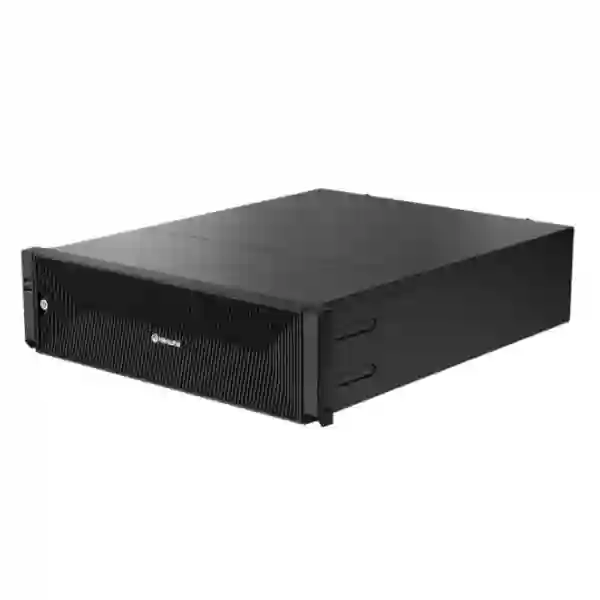
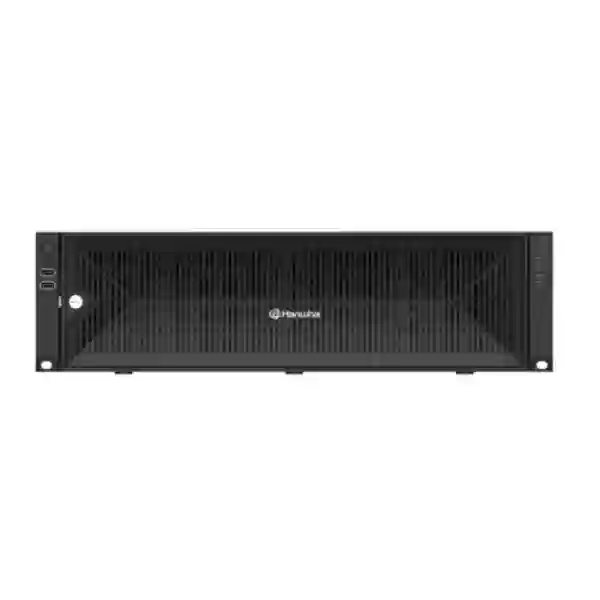
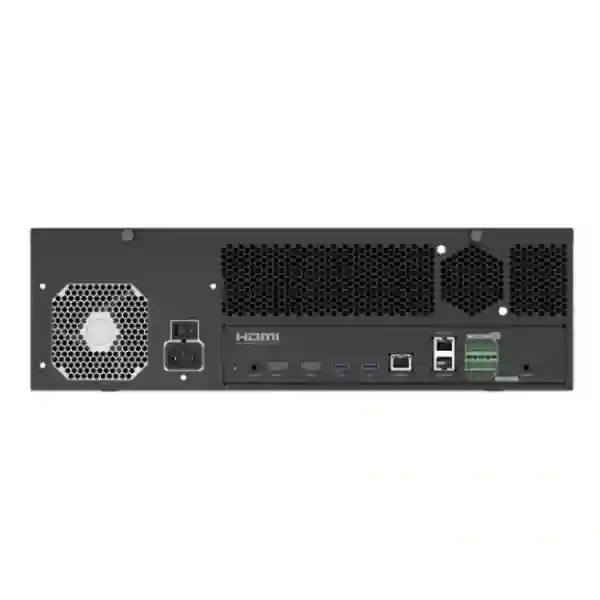
Hanwha XRN-3220B4 32-Channel NVR for Tanzania
The Hanwha Vision XRN-3220B4 brings together 32 IP camera channels, flexible disk expansion and professional recording management for sites that must retrieve usable evidence without unnecessary complexity. The right configuration depends on your cameras, the recording mode, storage requirements and operator workflow. Use this guide to understand the verified capabilities and the questions to settle before requesting a quote for a Tanzania-based project.
Verified technical overview
These are model-level manufacturer specifications. Installed storage, operating mode, camera compatibility and commercial package must be confirmed for the actual order.
| Camera capacity | Up to 32 IP channels |
|---|---|
| Camera resolution | Up to 32 MP, subject to performance limits |
| Recorder CPU | 12th generation Intel processor |
| Recording bandwidth | Up to 520 Mbps in specified modes; normal mode up to 300 Mbps |
| Compression | H.265 / H.264 / MJPEG |
| Drive bays | 16 SATA; up to 10 TB per supported drive |
| Raw capacity | Up to 160 TB, non-RAID |
| Storage protection | RAID 5 / RAID 6; supported hot-swap conditions apply |
| External storage | iSCSI support |
| Playback bandwidth | Up to 200 Mbps |
| Local monitors | HDMI 1 up to 4K/30 Hz; HDMI 2 up to 1080p/60 Hz |
| Networking | 3 × Gigabit RJ-45 |
| Security | TPM, signed firmware and supported access controls |
| Operating environment | 0–40°C; 20–85% RH |
| Power input | 100–240 VAC, 50/60 Hz |
| Max. power | Approx. 265 W with 16 HDDs |
| Dimensions | 440 × 132 × 571.1 mm |
| Weight | Approx. 14 kg without HDDs |
Who this 32-channel recorder is for
The Hanwha Vision XRN-3220B4 is intended for organisations that need to manage a substantial group of IP surveillance cameras on one recording platform. It can be considered for commercial buildings, warehouses, factories, campuses, larger retail properties and sites with several operational zones. Its value is not merely the headline channel count: the buyer gets a configurable recording appliance, a large drive-bay arrangement and tools to find and review incidents. A sound purchasing decision begins with the number and type of cameras, the evidence retention period and the people who will operate the system.
A 32-channel recorder is often appropriate when a small, single-screen DVR or entry-level NVR no longer matches the site. It is not automatically appropriate for every 32-camera design. A premises with unusually high frame rates, demanding analytics, very long retention requirements or many simultaneous viewers needs additional bandwidth and storage planning. Likewise, an organisation that expects to grow beyond 32 recorded camera channels should assess a different recorder or a multi-recorder architecture rather than assume more drive space will increase the licensed channel count.
Understand the 32-channel limit before buying
A channel generally represents an individual network camera stream registered for recording. This model supports up to 32 camera channels. Begin by counting all planned viewpoints: entrances, cash handling points, gates, parking areas, corridors, loading bays, production floors and any specialist cameras. Include spare channels for changes that have a realistic chance of happening during the planned service life. The recorder may physically fit in a rack with room to spare, but its channel limit remains a functional design constraint that must be respected.
It is useful to separate cameras from displayed views. The virtual-channel feature helps create monitoring layouts; it does not create additional recording channels or turn one camera into extra physical cameras. A multidirectional or multisensor product may have special stream and registration requirements, so ask for confirmation using exact camera models. When replacing an existing surveillance installation, inventory every active camera, disabled channel, planned expansion and camera that must keep recording during construction. This simple exercise avoids paying for a recorder that reaches capacity on day one.
Resolution support and what 32 MP means
Hanwha specifies IP camera resolutions up to 32 megapixels for the XRN-3220B4. That ceiling describes compatibility with supported high-resolution recording profiles; it does not mean that every camera can simultaneously deliver its maximum resolution, maximum frame rate and maximum bitrate without limits. Practical performance depends on codec, recording mode, the configured streams and the cumulative workload. Before specifying cameras, agree which scenes truly require fine details, where lower resolutions are adequate and which high-motion areas deserve higher frame rates.
High-resolution views are particularly useful when the scene demands identification or later digital examination, but image quality also depends on lens choice, lighting, exposure, compression and camera positioning. A recorder cannot recover facial or vehicle detail that the camera never captured. In a procurement schedule, state the minimum useful image quality for each scene rather than selecting every camera by megapixel count alone. Ask the installer to demonstrate the proposed recording profile and playback view with representative footage at both daytime and nighttime conditions.
Recording bandwidth: the critical sizing figure
The maximum advertised recording bandwidth is up to 520 Mbps, but Hanwha distinguishes operating modes. Its published specifications give up to 520 Mbps in distributed mode and up to 300 Mbps in normal mode, with separate figures for configured RAID operation. The distinction is important: a quotation that mentions only the largest number may overstate the capacity available in a particular configuration. Your system designer should select the intended mode first and then total the actual camera bitrates against that mode’s verified limits.
Plan for more than a best-case average. H.265 streams can vary as scenes become busy, headlights enter view, lighting changes or analytics generate a burst of activity. Peak bitrate, codec profile and dual-stream settings should be documented, and the design should leave operational headroom. Playback, remote live viewing and recording do not always use the same performance budget, so they must be considered separately. A satisfactory acceptance test should confirm stable recording when the full group of cameras is active rather than only when a few cameras are connected.
H.265, H.264 and MJPEG recording choices
The recorder supports H.265, H.264 and MJPEG compression. H.265 can reduce storage requirements compared with less efficient alternatives for suitable scenes and camera settings, while H.264 remains helpful when wider compatibility matters. MJPEG has specialised uses but can consume substantially more storage and network capacity for continuous monitoring. Not every camera uses these formats in the same way, and recorder support does not override the camera’s own encoder limits or settings. Verify profiles, resolution, frame rate and interoperability for each intended device.
Compression should be managed as an image-quality decision, not just a disk-saving exercise. Excessive compression can hide motion detail exactly when an incident needs investigation. On the other hand, recording a static store room at an unnecessarily high bitrate can waste expensive disk space. Consider setting profiles by scene type: busy entrances and vehicle routes, normal offices and warehouses, and low-activity service areas. Compare sample playback at the retention target before approving the final settings, especially where evidence may be reviewed long after the event.
Sixteen drive bays and the meaning of 160 TB
The XRN-3220B4 has 16 SATA hard-drive bays. Hanwha lists supported drives up to 10 TB each and a maximum of 160 TB in non-RAID mode. That 160 TB figure is a raw capacity ceiling, not a guarantee of usable recording space, retention duration or the number of drives supplied with a particular purchase. The manufacturer’s regional listing describes the base unit without hard disks. A Tanzania quotation must therefore identify the installed drive count, individual capacities and whether drives are included rather than treating the maximum figure as an out-of-box specification.
Drive selection should follow Hanwha’s compatibility guidance and the recorder’s supported firmware or hardware revision. Surveillance recording places sustained write demands on storage, which makes drive type and approved compatibility material to reliability. Confirm drive trays, any required mounting accessories and the service plan for a failed disk. Buyers should request both raw capacity and estimated usable capacity in writing, with assumptions for RAID and overhead disclosed. An appliance that can accept 16 disks is not necessarily most economical or operationally sensible when every bay is filled immediately.
How to estimate your real retention period
Retention is the period for which recorded video remains available before older footage is overwritten or otherwise managed. Start with the required number of days, then define how many cameras record continuously, how many record on events and how much activity each scene contains. Camera resolution and frame rate matter, but the most useful input is the realistic average recorded bitrate for each profile. Multiply the combined recording rate by the required recording time and account for the actual storage available after array configuration and filesystem overhead.
Avoid treating a manufacturer’s raw terabyte maximum as equivalent to a fixed number of retention days. Two sites with identical cameras can consume very different storage because one faces busy roads and changing light while the other observes quiet indoor corridors. Recording schedules, audio, event pre-recording and retention policies change the total as well. Before order approval, ask for a capacity calculation that states the number of cameras, assumed bitrates, compression, duty cycle, RAID arrangement, reserve space and retention target. Review the result again after commissioning using observed rather than guessed traffic.
For investigation-heavy locations, add an evidence-export process to the retention plan. Retaining video on the recorder is useful, but important footage should be identified and exported before normal overwrite cycles erase it. Set clear rules for who can request a copy, who may export it, which file format is suitable and where the exported copy will be held. Retention planning is also a business policy question: longer is not automatically better when privacy, operational cost and access control requirements are considered.
RAID 5 and RAID 6: useful protection, not a backup
Hanwha supports RAID 5 and RAID 6 on this model and specifies arrays of up to eight drives, with two arrays in the stated design. RAID can provide continued access to recordings through certain disk failures, depending on the selected level and health of the remaining disks. It also uses some installed capacity for parity, so usable space is smaller than the sum of disk labels. Confirm the supported array layout, disk counts and rebuild procedure with the installer and current manufacturer documentation before choosing a particular configuration.
RAID is not a substitute for an independent evidence backup. A damaged chassis, simultaneous hardware faults, malicious deletion, incorrect administration or a serious site incident can affect the entire recorder. RAID rebuilds are also operational events that deserve monitoring and may place additional load on the system. For critical footage, establish procedures for exporting important clips to a separate authorised destination. The right configuration balances capacity, fault tolerance, replacement cost and the organisation’s willingness to accept interruption or reduced protection during maintenance.
Hot-swappable drives and maintenance planning
The hardware supports hot-swappable storage, with the manufacturer’s regional information specifically associating the hot-swap facility with RAID operation. This is helpful for service teams, but it should not be interpreted as permission to remove any disk at any time. First confirm the failed drive, array health, identification indicators and the documented replacement sequence. Keep a record of the drive position and serial number. The service procedure and compatible replacement model should be available to authorised technicians, not improvised during an incident.
The cost of a spare drive is small compared with the disruption caused by an unplanned search for a compatible replacement in a critical installation. A site should decide whether to keep a suitable spare, how faults are reported and who is responsible for replacement. Periodic checks should include RAID status, storage alarms, available free capacity and actual recording continuity. These administrative details are as important as the recorder’s headline specifications for maintaining usable evidence over time.
External iSCSI storage and design boundaries
The official specifications include support for external iSCSI storage. This gives some organisations additional architecture options, but the presence of iSCSI in a feature table should not be taken as proof that every storage appliance, network layout or expansion target is supported. The storage design needs an explicit compatibility and performance review covering the particular target device, firmware, network throughput, latency and failure behaviour. For straightforward deployments, internal supported disks may be simpler to administer and troubleshoot.
If external storage is proposed, ask who will monitor both ends of the connection and how recordings behave during network or storage interruptions. Separate storage traffic from general office activity where the design requires it, and establish procedures for testing recovery. Also clarify whether the proposed capacity calculation uses local drives, an iSCSI target or both. A quote that lists total terabytes without stating their location and fault boundaries does not give the buyer enough information to evaluate reliability.
Continuous, scheduled, event and dual-stream recording
The XRN-3220B4 offers normal recording, scheduled continuous or event recording, pre-event and post-event capture, bookmarks and dual-stream options. These modes allow the system to match operational needs: a public entrance may require uninterrupted recording while a rarely used service room may use event-driven capture if that policy is suitable. Pre-event video helps give context before an alarm or detection, and post-event video can preserve the aftermath. Camera event compatibility and available recording behaviour should be tested with each exact device.
Event-only recording is not always a good way to save space. If motion detection is poorly configured, an incident may occur outside a defined zone, in difficult lighting or without triggering the expected camera event. Where evidence continuity is essential, continuous recording may be the safer choice even when it requires more storage. Commissioning should include realistic test events, alarm conditions and manual review of the recorded clips. Write the selected recording schedule into the site handover rather than leaving undocumented default settings.
Playback, searching and evidence review
The manufacturer’s specification lists playback bandwidth up to 200 Mbps and multiple search methods, including time, event, bookmarks and smart-search functions. These tools support a practical investigative workflow: identify a date and approximate time, narrow the relevant cameras, review nearby activity, preserve a clip and log the result. A recorder’s value during an incident depends on how quickly an authorised user can retrieve the right material, not simply on how many hours of video it stores.
Plan operator training around common tasks: finding a delivery at a loading dock, reviewing an access incident at a gate, checking an alarm across nearby cameras and exporting footage without losing context. Simultaneous playback and user limits must be interpreted from the actual specification rather than assumed to be unlimited. Exported files should be checked for successful playback, correct timestamps and the accompanying evidence required by the site’s own procedures. Where time accuracy matters, configure a reliable time source and document the time zone used by the system.
AI search works with compatible AI cameras
Hanwha describes AI attribute search for use with compatible Hanwha AI cameras. This distinction matters when comparing recorders: the XRN-3220B4 is not a promise that every third-party IP camera suddenly acquires the same AI capabilities. The camera and recorder work as a system, and the camera must supply the information needed for the supported search workflow. Buyers interested in person or vehicle attributes should request a model-specific demonstration using the cameras they intend to purchase.
Analytics quality varies with the scene, lighting, lens, movement, installation height and detection settings. Search tools can make review faster, but they are aids rather than guarantees that a particular individual, object or event will always be found. Design an appropriate human review process for significant incidents. For a mixed-brand installation, distinguish ordinary video recording from advanced metadata search; a camera that can produce an ONVIF stream may still lack the metadata integration required for a particular AI search feature.
Camera alarms, PTZ actions and operator workflows
Supported event sources include alarm inputs, loss of video and selected camera-generated events such as motion or analytics, subject to actual device integration. The recorder can trigger actions such as an alarm output, email, event notification or PTZ preset according to supported configuration. It also offers manual event controls from the live interface. These functions can help security teams connect a detected event with a visible response, but they should be designed carefully to avoid unnecessary notifications and confusing operator procedures.
A useful implementation begins with a simple alarm matrix. For each relevant event, record its source, priority, notification recipient, intended action and confirmation method. For instance, a restricted door opening after hours may require a nearby camera view and a message to an authorised supervisor, whereas an intermittent network link might require a maintenance alert. Test each rule end to end and record how to silence, investigate and reset it. Never assume a third-party alarm or PTZ camera supports every Hanwha command without checking the exact integration.
Dual HDMI monitoring and screen layouts
Two HDMI outputs enable local monitoring, with the published specifications listing HDMI 1 at up to 3840 by 2160 at 30 Hz and HDMI 2 at up to 1920 by 1080 at 60 Hz. Dynamic layouts and virtual-channel views let operators place high-priority cameras where they are easiest to see. In an operations room, this can be more useful than displaying a uniform grid of tiny images. The physical monitor sizes, viewing distance and intended operator tasks should guide the final layout.
The local interface has specific multi-screen and decoding limits. Those limits do not disappear simply because a monitor supports a high display resolution, and simultaneous high-resolution streams can affect the design. If a busy control room requires several walls of monitors, advanced VMS functions or large numbers of concurrent live views, review the broader software and workstation architecture as well. Ask the integrator to demonstrate the exact target layout with the installed cameras and confirm how an operator switches from a general overview to detailed investigation.
Network interfaces and the role of PoE switches
Hanwha lists three RJ-45 Gigabit Ethernet interfaces for LAN or WAN connectivity. These are network interfaces for the recorder; they should not be confused with an integrated 32-port PoE camera switch. The catalogue does not identify a PoE budget for this model, so plan separate camera power and switching as appropriate. The IP CCTV network may also need fibre links, surge protection, managed switching and uplink capacity depending on the site layout and distances between cameras and the recording room.
Network planning should document camera VLANs or equivalent segmentation, uplink bandwidth, permitted management paths and the consequences of a switch failure. If cameras are distributed across several buildings, the design must consider the weakest link between those cameras and the recorder. The fact that the NVR can record hundreds of megabits per second does not mean a congested WAN or underpowered edge switch can deliver those streams reliably. Test the whole path with real camera traffic before accepting the system.
Cybersecurity and the integrated TPM
The XRN-3220B4 includes an integrated Trusted Platform Module and Hanwha lists security features including signed firmware, TLS, access logs, IP address filtering and 802.1X support. These are useful platform features, not evidence that an unmanaged installation will be secure by itself. Create unique administrator credentials, give named operators the least access they need, remove unused accounts and apply approved firmware updates through a documented change process. Secure the physical rack and restrict who can reach the management interface.
For remote viewing, use a network design that protects credentials and limits exposed services. Avoid opening arbitrary recorder services directly to the public internet merely for convenience. Confirm which remote-access method is approved by the customer’s IT or security policy and whether multifactor protection is available in the surrounding access solution. Keep an inventory of recorder firmware, camera firmware and administrator ownership. Incident-response and password-recovery procedures should be decided before an employee leaves or an emergency occurs.
Remote viewing and software integration
Hanwha lists support for its viewer ecosystem, web viewing and mobile access, with named applications including Wisenet Viewer, Wisenet mobile, WAVE and SSM in relevant specifications. It also identifies SUNAPI and ONVIF capabilities. The practical question is which software version, operating system, camera model and integration task the proposed deployment needs. Browser compatibility and remote-client concurrency should be reviewed against current manufacturer documentation instead of assuming that every older workstation or phone will work indefinitely.
Separate the requirements of a security guard watching live images, an investigator searching recordings and an IT administrator changing settings. Each may need a different permission level and interface. A third-party VMS may access certain features through standards or an integration API, but not necessarily the full native functionality of the recorder. If the customer’s organisation already uses a VMS, request a test with the exact software version, metadata requirements, events and playback workflow before replacing or expanding the existing system.
Network resilience, ARB and N+1 failover
The manufacturer specifies Automatic Recovery Backup support and an N+1 failover feature. These are potentially valuable resilience capabilities, but their effectiveness depends on compatible cameras, configuration, supporting infrastructure and any required additional recorder capacity. They should not be interpreted as a statement that a single XRN-3220B4 can never lose footage. Ask the designer to explain the precise failure scenarios addressed by each function and what additional hardware or camera features are needed.
A useful resilience plan tests failures individually: loss of a camera link, interruption of a switch, a failed drive, loss of main power and unavailability of the primary recorder. Record which events cause temporary gaps, how footage is recovered and how operators are notified. Where downtime has serious consequences, consider power redundancy and a second recording device as part of a broader system design. Document the recovery steps in operational language so they remain usable when the original installer is not on site.
Electrical, rack-space and cooling requirements
Hanwha specifies a 100–240 VAC, 50/60 Hz supply and maximum power consumption of approximately 265 W with sixteen hard drives fitted. The metal chassis is approximately 440 by 132 by 571.1 millimetres and weighs about 14 kilograms before hard drives are installed. This is a substantial recorder, so check rack depth, mounting support, access to the drive bays, cable clearance, ventilation and total equipment weight. A cabinet that fits the front dimensions may still be too shallow for safe installation and maintenance.
The specified operating environment is 0 to 40 degrees Celsius and 20 to 85 percent relative humidity. In a warm equipment room, ambient temperature inside a crowded cabinet can be considerably higher than elsewhere in the building. Cooling, dust control and clear airflow paths therefore deserve attention. A reliable installation separates the recorder from rain, water ingress, direct sun and unconditioned outdoor exposure. Confirm the final environmental conditions at the equipment location, not just the general weather outside the premises.
Power continuity considerations for Tanzania
For a Tanzanian installation, assess the power quality and continuity at the specific property without assuming conditions are identical across cities or regions. An NVR is only one part of the surveillance chain: cameras, PoE switches, network uplinks, monitors and any storage appliance also need power if recording is to continue during an interruption. A UPS plan should therefore cover the necessary equipment, required ride-through time and safe shutdown behaviour, rather than protecting only the recorder chassis.
Ask the site engineer to evaluate earthing, electrical protection, switch placement and cabling routes using applicable project requirements. Where cameras run outdoors or across buildings, the design may need suitable surge protection and careful separation of systems. Do not treat a UPS as a substitute for resilient network topology, maintenance or a documented restart sequence. Commissioning should include a controlled test of power loss and restoration, showing whether time synchronisation, recording and network connections recover as intended.
Practical scenario: warehouses and distribution facilities
A warehouse may need coverage of goods receiving, dispatch, internal aisles, staff access, loading ramps and perimeter entrances. The 32-channel capacity can make it possible to manage these zones on one system when the planned camera count fits. The important specification is often the combined recording requirement: moving vehicles, forklifts and changing daylight can create challenging scenes. Cameras should be chosen for the field of view and image detail needed to investigate damage, inventory discrepancies or access incidents.
Storage policy should reflect the time it normally takes the business to discover an incident. If discrepancies are only noticed after several weeks, a short retention period may undermine the investment even when the video quality is excellent. Ask operators which camera views they search most frequently and configure bookmarks, naming conventions and monitor layouts around those tasks. Keep the recording room secure and arrange authorised procedures for evidence exports associated with internal investigations or customer disputes.
Practical scenario: commercial buildings and campuses
A multi-floor building or campus often combines entrances, corridors, shared spaces, gates and service areas. Recording requirements vary considerably from a busy public lobby to a quiet plant room, so channel-by-channel profiles are appropriate. The system should help security staff navigate between overview screens and targeted playback without memorising arbitrary camera numbers. A clear naming scheme based on building, floor and zone reduces errors when operators must find a particular view quickly.
Where cameras are connected through more than one network cabinet, the bandwidth and availability of every intermediate uplink matter. Plan maintenance access for the recorder separately from normal employee access. Verify who may see cameras in sensitive areas and whether audio recording is appropriate under the organisation’s applicable policies. A larger recorder can centralise video management, but it does not remove the need to define ownership, permissions, retention rules and a clear chain for escalating incidents.
Practical scenario: retail, parking and mixed-use sites
Retail environments often want recorded views of entrances, high-value merchandise areas, deliveries and back-of-house activity. Parking areas may require different cameras for wide situational awareness and detailed vehicle movement. This recorder can serve such mixed scenes if its channel, bitrate and storage limits match the plan. Avoid specifying a single camera model for every area solely to simplify procurement; lens, dynamic range, lighting and mounting position should follow the evidence requirement of each viewpoint.
When operators must review a reported incident, time synchronisation across cameras is especially important. Arrange camera names in an understandable sequence and test how quickly staff can retrieve a period involving multiple adjacent views. For a property with separate tenants or departments, role-based viewing permissions may be essential. Decide at the design stage whether tenants use independent recording platforms or a centrally managed recorder with carefully restricted access.
Compatibility checks for Hanwha and third-party cameras
The product documentation identifies SUNAPI and ONVIF support, which can be helpful when integrating IP cameras. Nevertheless, support for a protocol does not guarantee that every camera feature is available across brands. Basic live video, recording, PTZ commands, audio, analytic events and advanced metadata are distinct interoperability questions. A camera may stream successfully while its specialist alerts or configuration functions remain unsupported in the recorder interface. For each non-Hanwha model, confirm the exact firmware and intended features.
A procurement compatibility matrix should list the camera model, firmware, codec, maximum intended resolution, frame rate, bitrate, audio requirement, PTZ requirement and event behaviour. Include cameras retained from an older installation as well as new purchases. Ask for a bench test when a feature is critical to business operations. Compatibility also depends on how cameras are powered and connected; protocol support cannot resolve insufficient PoE power, damaged cabling, unreliable network links or unsuitable camera exposure settings.
Replacing an existing DVR or NVR
A recorder replacement is a good opportunity to review the installation rather than simply transfer old camera numbers to a new box. First identify whether the existing cameras are IP or analogue, since an IP NVR does not directly provide analogue coaxial camera inputs as a conventional DVR does. Review the make, protocol and supported video stream of every IP camera that will remain. Record the current passwords, system ownership and administrative access through authorised channels before any legacy equipment is disconnected.
Next, plan the transition so required surveillance does not disappear unnoticed. Decide whether old video needs to remain accessible, whether evidence should be exported and how recording cutover will be documented. Test one representative camera of each type on the new NVR before migrating the full installation. If the old system has bespoke access-control triggers or integrations, verify those individually rather than assuming the move will reproduce them automatically. Finish with an updated drawing, camera schedule, user permissions and recovery plan.
Questions to settle before requesting a quotation
A useful quotation should name the exact Hanwha Vision XRN-3220B4 model, intended drive configuration, compatible storage media and all other equipment required for a working system. Request a camera count and model schedule, proposed bitrates, retention calculation, RAID layout, network switches, uplinks, UPS design and required monitoring software. Clarify whether pricing includes installation, testing, training or any separately purchased accessories. Do not assume any of those services, parts or commercial terms are bundled unless the written quotation says so.
Also ask who provides ongoing firmware management, who monitors drive alarms and how replacement components will be obtained. The buyer should receive a statement of acceptance tests and the deliverables expected at handover. FourTeck Tanzania can be contacted to discuss the requested configuration and quote scope; availability, commercial conditions and service eligibility must be confirmed for the specific enquiry. A well-defined requirement is the best way to compare a recorder-only offer against a complete, functioning surveillance solution.
Commissioning checklist: prove the design in operation
Commissioning should begin with a documented inventory showing the recorder model, firmware, drive sizes, RAID configuration, camera count and approved network settings. Confirm that every intended channel records at its required resolution and frame rate, and verify the recording mode and measured aggregate bitrate. Review the actual storage estimate after the cameras have been operating under representative conditions. Check that system time, camera time and recorded timestamps agree, and that the operator can locate each view by its assigned name.
Next, test live viewing, playback, bookmarks, exports, basic alarm triggers and any special camera analytics required by the contract. Test a sample from each camera type rather than assuming one successful stream validates every brand and firmware version. Confirm that normal staff accounts cannot alter administrator-only settings and that important alerts reach the nominated recipients. Where RAID and failover features are used, test the manufacturer-supported fault procedure under controlled conditions and verify that the organisation understands what the feature can and cannot recover.
Close the project by recording the actual retention estimate, handover credentials through an approved secure method, backup arrangements and the support escalation path. Provide a simple operator guide for the actions staff perform most often: live monitoring, search, evidence export, alarm review and escalation. Photograph or document the rack connections and label network ports and power paths. A recorder only becomes an effective security system when its operators can use it consistently and its maintenance team knows how to recognise an early warning.
Comparing the XRN-3220B4 with smaller alternatives
When comparing this model with an eight-, sixteen- or other thirty-two-channel recorder, look beyond channel counts. Its sixteen-bay storage arrangement, supported RAID levels, bandwidth modes and enterprise-oriented management functions may be more important than a modest difference in initial purchase price. Conversely, a small shop with a handful of moderate-bitrate cameras may not need the physical size, storage flexibility or power requirement of this unit. The right purchase reflects a documented system requirement rather than the largest available specification.
Comparisons should use the same assumptions for camera count, codec, image quality, frame rate, retention days and redundancy. A smaller NVR with fewer empty bays may look inexpensive until enough usable disk capacity is added to meet the retention target. A bigger NVR may seem attractive until rack, UPS, cooling and maintenance costs are considered. For a property expected to expand significantly, compare the cost and manageability of a multi-recorder design instead of relying only on spare drive bays.
Limitations worth understanding before commitment
The XRN-3220B4 does not create unlimited channels, storage or playback capacity. The 32-channel limit, drive compatibility guidance and mode-specific recording bandwidth all matter. The stated maximum 160 TB is non-RAID raw capacity, and RAID reduces available recording space. High-resolution camera compatibility does not mean unconstrained 32 MP recording at the highest frame rate on every channel. AI attribute search depends on supported AI cameras, and third-party interoperability may vary by feature and software revision.
The base model’s HDD inclusion, precise warranty, local stock, delivery scope and price must be verified against the actual quotation; no Tanzania-specific commercial promise is implied here. Separate camera PoE switching should be planned because this is a network recorder rather than a 32-port PoE switch. Security features need proper configuration, while RAID and failover need tested operational plans. Keeping these limits visible makes purchasing decisions easier and gives the project team practical criteria for acceptance.
Frequently asked questions
Does the Hanwha XRN-3220B4 support 32 IP cameras?
Yes. The manufacturer specifies a maximum of 32 network-camera channels. The actual camera mix must also fit supported protocols, recording performance and system configuration. Count each intended recording channel and review special requirements for multisensor cameras rather than relying on the number of physical housings alone. If expansion above 32 channels is likely, plan the architecture before ordering.
Are hard drives included?
Do not assume so. Hanwha’s regional product information describes a base no-HDD configuration, while other market-specific bundles may differ. The Tanzania quotation must state clearly whether drives are included, their individual capacities, their compatibility status and the array configuration. The 16 available drive bays and 160 TB maximum do not indicate that a purchased unit will arrive with any particular capacity installed.
How much recording time will 160 TB provide?
There is no universal day count. The 160 TB figure is a raw, non-RAID maximum based on 16 supported 10 TB disks. Usable capacity may be lower, particularly when RAID is configured. Retention depends on the actual combined camera bitrates, continuous versus event recording, audio, scene activity and filesystem overhead. Request a written storage calculation for your exact cameras and required retention period.
Is the advertised 520 Mbps available in every mode?
No. Hanwha publishes up to 520 Mbps for certain modes, including distributed and specified RAID configurations, while normal mode is listed at up to 300 Mbps. The system designer must confirm the actual selected mode and its limits. Allow headroom for bitrate variation and test the complete camera load before acceptance rather than comparing only the maximum marketing figure.
Can it record 32 MP cameras?
The official camera-resolution range extends to 32 MP, but practical recording and local decoding are subject to compression, frame-rate and aggregate performance limits. The camera must also support a compatible stream. Verify the intended codec and profile, especially for high-resolution cameras, and ask to see recorded playback at the quality required for the surveillance task.
Does the recorder itself provide PoE power for cameras?
The manufacturer’s specification lists three Gigabit network interfaces, not a built-in 32-port PoE camera switch. Plan appropriate PoE network switches or other camera power arrangements and include their electrical load in the site UPS design. Confirm that every camera receives the correct power budget and that uplinks between switches and the recorder can transport the intended recording traffic.
Can it use third-party ONVIF cameras?
It supports ONVIF and SUNAPI, but interoperability must be checked with each exact camera and required function. Standard video streaming may work while advanced PTZ, event, audio or AI features behave differently. For a mixed-brand installation, request a compatibility matrix and a practical test using the camera firmware and software versions that will be deployed.
Will AI search work with any ordinary IP camera?
Not necessarily. Hanwha describes AI attribute search as compatible with selected Hanwha AI cameras. A non-AI camera may still be suitable for normal recording but may not supply the metadata needed for advanced attribute-based search. Ask for a working demonstration with the proposed models if AI search is a purchasing requirement.
What is the difference between RAID and evidence backup?
RAID helps a supported storage array tolerate certain drive failures, depending on the configuration. It does not provide an independent copy of every important incident, and it cannot address every risk to the recorder or site. Establish an authorised export or backup procedure for critical footage, and verify the resulting files before original recordings are overwritten.
What should a buyer in Tanzania confirm before ordering?
Confirm the exact recorder variant, camera compatibility, disk count and usable RAID capacity, desired retention, network and PoE requirements, UPS coverage, rack environment and intended viewing software. Obtain written confirmation of pricing, stock, warranty and any installation or support services for the particular offer. A short technical consultation can prevent substantial changes after the equipment is delivered.
Request a configuration-specific quote
Tell FourTeck Tanzania the proposed number of cameras, camera models, required evidence retention, preferred storage protection, existing network equipment and whether installation services are needed. Ask for a written scope showing the recorder variant, installed drive capacity, supported accessories and commercial terms. Pricing, stock, local service options, warranty and lead time require confirmation for the particular enquiry.
Next step: Request a Hanwha XRN-3220B4 NVR quotation from FourTeck Tanzania.




Reviews
There are no reviews yet.