
Hanwha Vision | IP video recording
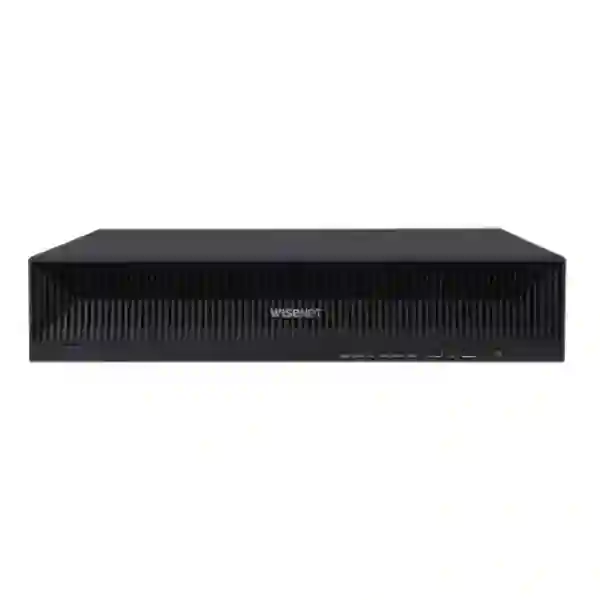
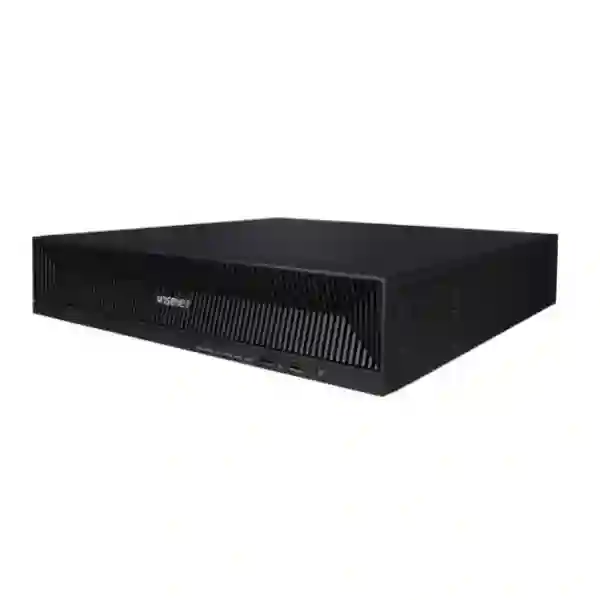
Hanwha XRN-6410B2 64-Channel Network Video Recorder
Need a central recorder for a multi-camera IP surveillance system? The Hanwha Vision XRN-6410B2 supports up to 64 camera channels, incoming resolutions up to 32 MP and eight SATA drive positions. It is a considered option for buyers in Tanzania planning a larger security installation, provided camera compatibility, mode-specific recording bandwidth and footage retention are calculated before purchase.
Request a configuration review with your camera list, bitrate estimates and required retention period before asking for a formal quotation. Storage options, price, supply and service terms must be confirmed for the exact offer.
Essential specifications at a glance
| Inputs | Up to 64 IP camera channels |
|---|---|
| Supported camera resolution | Up to 32 MP |
| Recording bandwidth | Up to 400 Mbps distributed mode; up to 150 Mbps normal mode |
| Recording formats | H.265, H.264, MJPEG |
| Storage | 8 SATA bays, up to 10 TB per supported HDD (80 TB nominal maximum) |
| Output | HDMI 1: 4K at 30 Hz; HDMI 2: Full HD at 60 Hz |
| Integration | SUNAPI; ONVIF including Profile S |
| Audio and alarm | Network audio supported; 8 alarm inputs and 4 outputs |
| Ethernet | 3 × Gigabit RJ-45 |
| Power | 100–240 VAC, 50/60 Hz; published max 138 W with eight 10 TB HDDs |
| Operating conditions | 0°C to +40°C; 20–85% relative humidity |
| Dimensions and weight | 438.0 × 86.0 × 434.9 mm; 7.5 kg without HDDs |
Published maximums are model specifications, not a guarantee for every camera mix or storage configuration. The manufacturer may update specifications.
Important before you buy: 400 Mbps is mode-dependent
The manufacturer’s detailed specification states up to 400 Mbps in distributed recording mode and up to 150 Mbps in normal recording mode. Record the selected mode in the design and check that the total camera bitrate fits it. The eight-bay 80 TB specification likewise describes a nominal maximum, not the installed disk configuration.
1. Who this 64-channel recorder is for
The XRN-6410B2 is intended for buyers who need a central place to record and review video from a substantial IP camera installation. A growing business may have cameras spread across entrances, sales floors, loading areas, offices, corridors and outdoor boundaries. Instead of asking staff to inspect many independent recordings, the NVR brings compatible camera feeds, recording schedules, events and playback into one managed system. Its maximum of 64 camera channels makes it relevant to a larger single site or a carefully designed multi-zone installation. That channel limit is the ceiling for camera inputs, not a promise that every mix of resolution, frame rate and bitrate will fit.
The best buyer is someone prepared to specify the entire surveillance workload rather than select equipment by channel count alone. A designer should know how many cameras are needed today, the expected expansion, what each camera records, how long footage must remain available and who will use live view or playback. The XRN-6410B2 is less appropriate when a smaller recorder would meet the requirement with ample headroom, when a project requires a different storage-resilience architecture, or when continuous recording would exceed the manufacturer’s mode-specific bandwidth limits. Establish those facts before requesting a configuration and commercial quotation.
2. Read the recording numbers correctly
A central buying consideration is the distinction between the two published recording modes. Hanwha Vision specifies up to 400 Mbps of recording bandwidth in distributed mode and up to 150 Mbps in normal mode. The larger figure is not a blanket guarantee for every setup. It is a mode-dependent equipment specification, so a procurement document that says only ‘400 Mbps NVR’ can conceal an important design assumption. Ask the system designer which mode will actually be configured and how storage, network traffic and operational behavior will be checked in that mode.
A simple planning illustration shows why this matters. Sixty-four cameras averaging 4 Mbps would together generate about 256 Mbps before allowing for variation and overhead. That average exceeds the stated normal-mode ceiling but is below the stated distributed-mode maximum. Sixty-four cameras averaging 8 Mbps would generate about 512 Mbps, higher than either stated limit. These are planning examples, not measured performance tests of a real installation. Camera motion, night scenes, variable-bit-rate settings, additional streams and firmware behavior all influence actual demand. Leave sensible headroom rather than building to a theoretical maximum.
3. Why channel count and camera resolution are separate decisions
The recorder supports up to 64 network camera channels and camera input resolutions from CIF through 32 MP. These statements describe two different boundaries. Channel capacity tells you how many camera inputs can be registered; supported resolution tells you the range of incoming video formats. Neither eliminates the need to check the combined stream bitrate, recording mode, decoder workload, storage capacity or display layout. A smaller number of very high-resolution cameras can place more demand on an installation than a larger number of moderate-resolution cameras. Resolution should follow the operational question each camera must answer.
For example, identifying activity at a distant gate may call for a different camera lens, field of view and pixel density than watching movement in a wide storage hall. The XRN-6410B2 does not by itself fix poor camera placement, insufficient illumination or a narrow network link. Confirm the exact camera model, planned stream profile and whether analytics metadata must also reach the recorder. Test representative live view and playback before commissioning the complete site, especially where multiple camera families or unusual resolutions are involved.
4. Eight drive bays and the meaning of 80 TB
The XRN-6410B2 provides eight internal SATA drive positions. Hanwha Vision states support for up to 10 TB per supported HDD and a maximum of 80 TB across all eight positions. That figure represents the published upper storage capacity, not proof that a particular quotation includes eight drives or that the full nominal amount will be available for recordings. Ask whether the proposed unit is supplied without hard disks or with a clearly specified drive configuration. The final usable capacity depends on actual installed disks, system allocation, formatting and other installation choices.
Drive compatibility deserves the same attention as headline capacity. Surveillance recording involves repeated writes over long periods, so selected disks should be checked against the manufacturer’s current compatibility guidance for the exact recorder and firmware. A quotation should state the drive model, quantity, individual capacity and any applicable service arrangements. If a buyer requires protected storage, verify the protection strategy separately; do not assume that eight drive bays automatically mean RAID is available on this exact XRN-6410B2 version. Also decide how important evidence will be copied outside the primary recorder, because capacity alone is not a backup policy.
5. Plan retention before deciding how many drives to buy
Retention is the number of days recorded footage needs to remain available before the oldest material is overwritten or otherwise removed. The answer depends on camera count, bitrate, hours of operation, recording mode and total usable storage. As a rough decimal calculation, a continuous 1 Mbps stream produces about 10.8 GB per day. At 64 cameras averaging 4 Mbps continuously, the theoretical footage rate is about 2.76 TB per day. This illustration excludes filesystem overhead, actual encoder variation, reserved space and operational factors, so it should never be treated as a retention guarantee.
Start with the policy rather than the disk catalogue. A site that needs to investigate an incident reported several weeks after it happened has a different requirement from a site reviewing events each morning. Separate cameras that need uninterrupted evidence from those suited to scheduled or event-based capture, if the organization’s policy permits that distinction. Work through an estimated low, typical and peak stream budget, then recalculate using the exact selected drive configuration. Record the agreed retention assumption in the handover documentation and verify it after the system has collected representative live footage.
6. Compression choices and practical video quality
The published recording formats are H.265, H.264 and MJPEG. Compression helps manage the bandwidth and disk space required for continuous security video, but the selected format must also be supported by the cameras and the workflows used to retrieve footage. H.265 can be useful when designers want more efficient video storage, while H.264 may be relevant where interoperability with particular viewers or third-party systems is a priority. MJPEG has different bandwidth and storage behavior. These tradeoffs should be tested with the installed cameras rather than assumed from codec names alone.
Image quality is shaped by more than the codec. Resolution, frame rate, bitrate control, scene motion, night-time noise, exposure and compression settings all affect whether an incident can be understood later. A low bitrate can save storage but may lose detail at precisely the moment fast movement occurs. Conversely, keeping every camera at an unnecessarily high frame rate may consume capacity without improving the intended security outcome. Agree which locations need the clearest evidence, configure their stream profiles, and test both daytime and low-light recordings before calculating the final storage requirement.
7. Camera integration using SUNAPI and ONVIF
Hanwha Vision lists SUNAPI and ONVIF among the recorder’s network camera interfaces, including ONVIF Profile S in its published protocol details. These standards and interfaces can support integration across network-camera environments, but a protocol label is not a complete compatibility certificate for any particular camera. Features such as audio, events, motion regions, PTZ settings, camera-based analytics or special streams may vary by camera model and software version. A project with existing third-party cameras should therefore build a compatibility list before purchasing the recorder.
For a mixed-camera project, collect model numbers, firmware versions, ONVIF support details, desired video profiles and any event functions that operators expect to use. Ask the installer to confirm live video registration, sustained recording, playback, time synchronization and event behavior with representative hardware. Where deep integration with Hanwha cameras is a priority, understand which functions rely on SUNAPI rather than generic protocols. A successful basic live stream should not be mistaken for proof that every camera feature will work in the finished system.
8. AI-assisted search has a camera dependency
The XRN-6410B2 supports AI search using object attributes when working with compatible Hanwha AI cameras. This is an important distinction: the feature is not a claim that the NVR converts every ordinary camera into an AI camera. The camera and its analytics capabilities are part of the end-to-end solution. When deployed appropriately, attribute-based searching can help an operator narrow an investigation instead of watching hours of footage manually. Exactly which attributes are available should be checked against the selected camera’s capability and the relevant software versions.
A useful trial begins with a real investigation question. Can the operator find the relevant person or vehicle activity from a specific time period? Does the proposed camera produce the necessary metadata in the tested scene? Does the search interface return results clearly enough for a duty officer to verify them against recorded video? AI search should accelerate review, not replace human examination of footage or a carefully maintained evidence process. Document any camera-specific limitations before presenting the feature as a required capability in the purchase specification.
9. Event handling, schedules and bookmarks
The recorder supports normal and dual-stream recording, scheduled continuous or event recording, pre-event and post-event capture, and bookmark management. It also supports event triggers associated with alarms, video loss and supported camera events, plus dynamic event functions. These options allow administrators to align recording and alerts with actual operational needs. Continuous recording may be appropriate for a high-priority entry point, while a different area might have schedule-based monitoring, depending on policy. Event-only recording should be selected only after checking whether important incidents could be missed.
Bookmarks can be useful during reviews because staff may need to return to a moment identified during a shift. Hanwha lists management of up to 100 bookmarks, so bookmarking is a review aid rather than an unlimited case-management archive. Event responses include supported notifications, alarm outputs and other integrations, but each action requires configuration and operational testing. Agree who should receive an alert, which events merit urgent attention and how false alarms will be handled. The value of an event system comes from a clear response process, not from enabling every available notification.
10. Monitoring across two HDMI displays
Two HDMI outputs allow a local operating desk to use more than one monitor. The published maximum output is 3840 × 2160 at 30 Hz on HDMI 1 and 1920 × 1080 at 60 Hz on HDMI 2. Hanwha also documents dynamic local layouts, clone mode and expanded display arrangements. This makes the recorder suitable for a security desk that wants selected high-priority views visible while operators manage other live feeds or review incidents. Exact split-screen performance is determined by the system’s supported decoding and layout limits.
A dual-monitor arrangement should be designed around attention, not simply the maximum number of small tiles. A gate, cashier area, vehicle route or other critical view may need a larger tile than a low-risk corridor. On a densely populated display, an operator may not be able to read subtle activity even when the underlying camera records high-resolution video. Decide which alarms should prompt a changed display, where the control keyboard and mouse will sit, and who is authorized to change layouts. Test simultaneous monitoring under representative recording demand rather than treating HDMI output resolution as a promise about every mosaic view.
11. Playback, evidence review and export
Search and playback are central reasons to invest in a dedicated NVR rather than merely view cameras live. The XRN-6410B2 supports calendar-based date and time search, event-list search, text and smart search functions, together with playback controls. Its published maximum playback bandwidth is 32 Mbps. This is separate from its recording bandwidth rating and should be considered when several users expect to retrieve footage at once. The right operational test is whether a user can locate, examine and export relevant moments without interrupting the site’s essential recording work.
Hanwha lists local GUI backup formats and network export options. Before deployment, decide who may export clips, how original files and player requirements will be handled, and how the organization will document the time, camera, reason and recipient associated with an export. Staff should be trained to confirm the recorder’s clock and to retain context around an event, not just one isolated frame. When video may be needed for an internal investigation or a formal request, a documented handling process is as important as the file format.
12. Network architecture and traffic separation
The recorder has three RJ-45 Gigabit Ethernet interfaces according to Hanwha Vision’s published interface specifications. A good design treats the camera network, operator access and any wider organization network as related but distinct traffic paths. Check how each port will be assigned in the intended system, which cameras will send directly to the recorder, and whether the switch fabric can carry peak video traffic. Do not assume that three ports automatically provide any particular routing, aggregation or cybersecurity topology. Those behaviors require supported configuration and network design.
A surveillance rollout also needs to plan camera power and switching independently. The official interface list identifies Ethernet ports on the NVR, not a bank of dedicated camera power outputs; therefore, specify compatible PoE infrastructure or other suitable camera power supplies as part of the wider system. Use correctly sized switches, appropriate cable distances, monitored uplinks and documented addressing. Where cameras span more than one building or network segment, calculate the actual available throughput on each path rather than relying on a single headline recorder figure.
13. Remote viewing and mobile access
Hanwha lists web viewing, desktop viewing software and mobile support in the XRN-6410B2 feature set. The specification also identifies limits for remote search and live sessions, so remote access should be planned around the number of people who genuinely need it. A manager checking an incident, an administrator maintaining camera settings and a security operator watching live feeds are different users with different privileges. Give them only the access their roles require, and check the software and device versions supported by the intended deployment.
Remote viewing performance also depends on the site’s available uplink, network conditions and configured stream profiles. An office may record video locally at high quality while using a lower-rate profile for a mobile viewer. This can protect local recording performance and improve the experience over a limited connection. Confirm the organization’s approved access method with its IT team rather than exposing recorder services to the public internet merely for convenience. Test login, playback, account revocation and logging before staff begin relying on remote access for routine incidents.
14. Security controls and ongoing maintenance
The manufacturer’s listed network-security capabilities include IP address filtering, user access logs, 802.1X, device-certificate encryption functions and signed firmware. These controls are useful building blocks, not an automatic declaration that a system is secure the moment it is powered on. An installer still needs to configure administrator access, change default credentials where relevant, restrict network reachability and define which operators may view, export or change footage. Device software should be managed through an approved maintenance process that considers compatibility and operational downtime.
Surveillance footage may contain sensitive information about employees, visitors and customers. Access therefore needs governance as well as technical settings. Create individual operator accounts where practical, review access when roles change, and document authorized purposes for viewing and exporting clips. Confirm applicable organizational and legal requirements separately; the existence of a security feature is not proof of compliance with a particular local rule. Regularly review logs, storage alerts, camera disconnections and configuration backups so the recorder remains dependable after the initial installation.
15. Availability, recovery and system resilience
Hanwha’s feature list includes N+1 failover and ARB support. These are system capabilities that must be understood in their supported configuration, not evidence that one installed unit alone delivers continuous recording under every fault. For a project where lost footage would have serious consequences, ask what happens during a recorder interruption, storage problem, network outage and camera disconnection. Review the required additional components and software versions with the solution designer before including resilience claims in a commercial proposal.
Power design is equally important. The published electrical input is 100–240 VAC, 50/60 Hz, with maximum consumption stated as 138 W when populated with eight 10 TB hard drives. This is a useful reference for power budgeting, but a UPS must also account for screens, networking and any other equipment it is intended to support. Select backup power according to the desired operating time and safe shutdown procedure. Test how recording and the system clock behave after planned shutdowns and power restoration rather than assuming recovery will always be seamless.
16. Physical interfaces and equipment-room planning
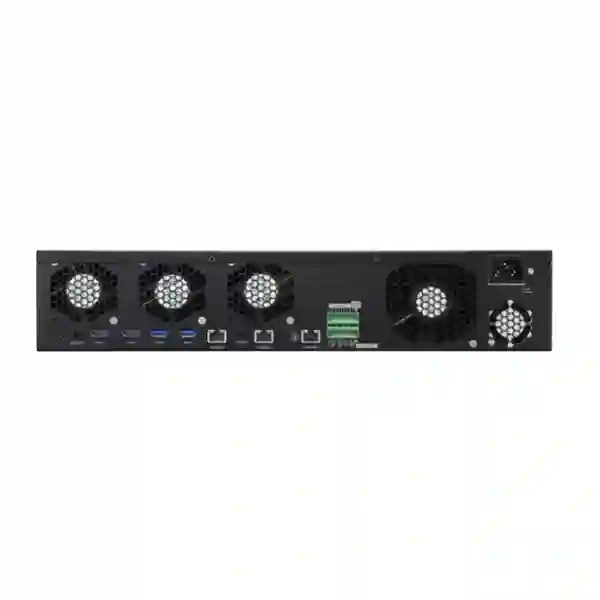
The XRN-6410B2 has two HDMI outputs, three Gigabit Ethernet ports, eight alarm inputs, four alarm outputs and four USB ports, according to the manufacturer’s interface list. A 3.5 mm audio output is also specified. These connectors make sense when a project needs local monitoring, selected alarm-system interaction or supported accessories. Before ordering, create a port schedule showing what each connection will be used for, including which display is primary and what external alarm equipment requires. Any special peripheral should be confirmed against the device’s compatibility documentation.
Its metal enclosure is approximately 438.0 × 86.0 × 434.9 mm and weighs approximately 7.5 kg without HDDs. Those dimensions matter when checking cabinet depth, access for cabling and the weight of a fully populated installation. The manufacturer’s specified operating range is 0°C to +40°C and 20% to 85% relative humidity. An equipment space that exceeds those conditions requires environmental attention before installation. Keep adequate ventilation, avoid blocked airflow and provide manageable access for routine inspection and service.
17. Planning for the Tanzania operating environment
For a deployment in Tanzania, begin with actual site conditions rather than assumptions about a whole country or city. Visit the equipment location and check ambient temperature, ventilation, dust exposure, moisture and power stability. A recorder housed in a poorly ventilated storeroom may encounter different conditions from one installed in a managed communications cabinet. Confirm that the proposed site keeps the unit within its published environmental range. Decide how power interruptions will be handled and whether the camera switches and communication links need backup power alongside the recorder.
The network and operating model also deserve local verification. Where a business has several areas connected by fiber, copper or wireless links, measure the useful video capacity and continuity of those links. Where staff depend on remote viewing, test actual available internet bandwidth at the property. Do not assume a particular provider, installation service, delivery lead time or local certification from the NVR specification alone. A sound purchasing discussion should confirm the required location, site-readiness work, equipment quantities and service scope in the final written quotation.
18. Retail, supermarket and customer-facing sites
A larger retail property may combine cameras around access points, checkout areas, stockrooms and delivery zones. The XRN-6410B2 provides a central recording platform for a design in which the total number of compatible cameras and bitrate demand fit the equipment limits. The important buying question is not simply whether the NVR can accept 64 inputs; it is which incidents staff need to investigate and how long footage must remain available. Camera placement, appropriate picture detail and reliable timestamps are likely to contribute more to useful evidence than an unnecessarily dense monitoring wall.
A retail installation may benefit from event notifications for selected doors or after-hours zones, while keeping continuous recording in areas where gaps are unacceptable. Trial the views used for loss-prevention or safety reviews, confirm that low-light scenes remain usable and set appropriate access permissions for store staff and investigators. If the retailer has multiple sites, clarify whether each site will have local recording, central management or a mixed approach. An individual recorder’s 64-channel specification does not by itself establish a complete multi-site architecture.
19. Warehouses, industrial facilities and logistics yards
Warehouses and logistics facilities often place cameras in areas with different recording challenges: long aisles, loading bays, high-mounted viewpoints, outdoor approaches and vehicle movement. These scenes can make bitrates highly variable. Before specifying the full camera count, model the proposed stream settings for active and quiet periods and include the nighttime performance expected from each camera. The XRN-6410B2 can be evaluated as a central recorder for these environments when its channel, bitrate, storage and interface capabilities suit the confirmed system design.
A warehouse may also need a disciplined process for retrieving footage associated with a delivery, gate event or stock discrepancy. Agree how staff will name cameras, synchronize time, search by event and export relevant video. If outdoor cameras run over long network links, confirm power protection, cabling and network reliability at the edge. If the organization needs resilient recording, distinguish the NVR’s documented support for system functions from the equipment actually included in the planned resilience arrangement. Put those details in the commissioning checklist.
20. Offices, campuses and hospitality properties
An office complex, campus or hospitality property may need to monitor entrances, reception areas, shared corridors, parking and permitted service spaces. A larger-channel NVR can simplify the recording architecture, provided the camera distribution and network topology are carefully planned. Not all areas have the same need for resolution, frame rate, retention or user access. Defining those differences early helps the project avoid paying for unnecessary recording capacity while protecting the video quality of higher-priority locations.
Permissions are especially important in facilities with many departments. A receptionist may need a narrow live-view role, while security supervisors may need playback and export permissions for a broader set of cameras. Design those roles before commissioning the system. Also consider how temporary staff are onboarded and how access is revoked. The appropriate location for cameras and the retention of footage should follow the organization’s actual policies and applicable rules. The NVR provides technical controls; operating procedures determine whether those controls are used responsibly.
21. Replacing an older recorder or expanding an existing system
When evaluating the XRN-6410B2 as a replacement, make a written inventory of the cameras and functions the old recorder currently supports. Include exact models, compression formats, resolutions, firmware, active alarms, PTZ needs, audio requirements and third-party integrations. This prevents a common migration problem: recording works, but a less visible function used by the security team no longer behaves as expected. Check whether existing disks are compatible and suitable for reuse; do not assume drives or recording archives can be moved transparently between equipment generations.
The migration plan should protect evidence and limit operational blind spots. Decide when the previous recorder will stop, who verifies that historical footage has been retained as required, and how the new device will be tested before staff depend on it. Compare sample footage from important cameras, not just successful device registration. Document the camera names, credentials administration process, IP assignments, schedules and relevant alarm configuration. Keep an agreed fallback plan if a critical camera or integration cannot be validated on the proposed cutover day.
22. How it compares with other NVR configurations
A buyer comparing recorders should use the workload as the starting point. A lower-channel model may be the better value for a compact site with little expected expansion. A higher-performance or differently configured 64-channel model may be preferable where the requirement includes heavier recording traffic, more disk capacity or a different approach to disk resilience. Even recorders that share a brand and a 64-channel label can have materially different normal-mode bandwidth and hardware features. Compare the exact model suffix and latest official specification rather than relying on family-level marketing descriptions.
For this model, make the comparison around six questions: how many compatible cameras are required; what is the expected total bitrate; which recording mode is intended; how much footage must be retained; what are the live-view and playback expectations; and what failure scenarios must the system tolerate? A specification that answers these questions is more useful than a simple table of channels and megapixels. If requirements are uncertain, request a revised architecture with clearly stated assumptions instead of treating the maximum advertised numbers as an installation guarantee.
23. What to include in a quotation request
An effective quotation request for the Hanwha XRN-6410B2 should include a camera schedule with make, model, quantity, codec, resolution, expected frame rate and bitrate wherever available. Add a simple site diagram showing camera groups, switches, links and where the recorder and monitoring displays will sit. State the required retention period, whether recording is continuous or event-driven, and which users need local and remote access. Identify any existing cameras that must remain in use and any analytics, audio, alarm or PTZ functions that are mandatory.
Ask for the quotation to distinguish the NVR chassis from hard drives, network equipment, monitoring hardware, UPS equipment and installation work. The vendor should state the actual drive configuration rather than quote only the eight-bay maximum. Request confirmation of the selected recording mode, a storage calculation, the compatibility assumptions and what commissioning tests are included. Also clarify whether the proposal covers site survey, user training, configuration documentation and future support. Price, stock, lead time and warranty terms must come from the specific current offer rather than an assumed catalogue listing.
24. Commissioning and acceptance checklist
A sensible acceptance test begins before the security team signs off. Verify the installed NVR model and firmware, count the registered cameras, confirm their names and test a representative view from each relevant area. Watch for network dropouts and storage warnings under normal operations. Review the recording schedule, storage allocation, expected retention and time synchronization. Test the local HDMI layouts and playback at the required operator stations. A recorder can appear operational because live video is visible even when recording or export settings remain incomplete.
Next, test key events, permissions and recovery behavior. Simulate an approved non-destructive event, confirm any intended alert, search for the related footage and export a sample clip. Check that unauthorized roles cannot alter settings or access restricted footage. Test remote access through the approved method and verify logging. Review backup power and controlled restart procedures. Finally, deliver a usable handover package listing device information, approved users, network contacts, recording assumptions, maintenance responsibilities and the steps to take when a camera or disk shows a fault.
25. Day-to-day operation and lifecycle ownership
Once the system is live, a named owner should monitor health indicators and coordinate routine maintenance. Important checks include recording continuity, camera connection status, remaining storage behavior, user-account changes and any hardware alarms. A predictable daily or weekly review is usually more useful than discovering a fault only after a requested clip cannot be found. Operators should know how to distinguish a camera problem from a recorder problem and whom to contact when a fault cannot be resolved through an approved procedure.
Changes to cameras or image settings can invalidate the assumptions used for original storage and bandwidth planning. Adding a camera, raising frame rate or switching compression modes should trigger a review of capacity. The same applies when organizational policy changes retention requirements. Keep the official product documentation and compatible firmware guidance available to the responsible maintenance team. Maintain copies of the configuration and the approved surveillance policy according to organizational requirements. Long-term usefulness depends on maintaining the complete solution, not only the recorder hardware.
Frequently asked questions about the Hanwha XRN-6410B2
These answers address common purchase and deployment questions. Confirm exact camera, disk and software compatibility for the final project configuration.
Does the XRN-6410B2 support 64 IP cameras?
Yes, Hanwha Vision states a maximum of 64 network camera channels. That does not mean every possible 64-camera combination will record at its highest frame rate and resolution simultaneously. The sum of camera bitrates, the selected recording mode, storage configuration, network design and playback workload must be checked. A designer should validate the exact camera schedule against the stated performance limits before confirming the final configuration.
Does the XRN-6410B2 record at 400 Mbps in all modes?
No. The manufacturer’s current published specification distinguishes up to 400 Mbps in distributed mode from up to 150 Mbps in normal mode. The choice of mode is therefore a material purchase and installation consideration. Ask the integrator to document which mode will be used, the aggregate camera bitrate and the margin reserved for variation. Do not interpret the highest number on a product summary as the guaranteed performance of every installation.
How many hard drives can be installed?
The recorder has eight SATA HDD positions and the published support limit is up to 10 TB per supported drive, or 80 TB maximum nominal capacity across all eight positions. The actual number and size of disks included in a sale must be verified against the quotation. Raw advertised disk capacity is not identical to guaranteed usable footage storage. Select drive models using current manufacturer compatibility guidance and obtain a retention calculation for the intended streams.
Are hard disks included when buying this model?
Do not assume so. The model family may be encountered in configurations with differing storage provisions, while the basic specification describes the hardware’s drive-bay capability. A buyer should ask for the exact configuration in writing, including the number of installed disks and each drive’s capacity and model. Also request clarification of the storage and service arrangement. This page does not claim a particular in-stock bundle or any included drive capacity for FourTeck Tanzania.
Can the NVR work with third-party cameras?
The recorder supports SUNAPI and ONVIF connectivity, including the published ONVIF Profile S protocol specification. That can enable integration with suitable cameras, but compatibility must be evaluated for each third-party camera model and firmware. Basic video registration does not automatically mean advanced motion events, metadata search, audio or PTZ functions will behave identically. Request a compatibility check and, for critical features, a representative test before full deployment.
Does it provide AI analytics for every connected camera?
No. The published AI object-attribute search capability is associated with compatible Hanwha AI cameras. It should not be presented as a standalone AI upgrade for every standard camera. The exact available search attributes and results depend on camera capability, configuration and software support. Ask for a test using the intended AI camera models and the types of investigations the security team expects to perform.
Does it support two monitors?
Yes. Hanwha Vision lists two HDMI outputs: HDMI 1 up to 3840 × 2160 at 30 Hz and HDMI 2 up to 1920 × 1080 at 60 Hz. This can support a local two-screen security desk. The number of simultaneously decoded views, split-screen behavior and operator experience still depend on supported layouts and the live video workload. Choose practical display layouts that keep the most important cameras visible.
Is 80 TB enough for a month of continuous recording?
It depends on the actual number of cameras and their combined average bitrate, rather than the drive capacity alone. For illustration, one continuous 1 Mbps stream produces about 10.8 GB per day using decimal storage units. Higher total bitrates consume capacity much faster. The equipment’s 80 TB figure is a stated nominal maximum, not a one-month promise. Request a storage estimate based on the selected streams, usable capacity, recording schedules and a reasonable operational margin.
Is RAID protection built in?
Do not infer RAID support from the presence of eight drive bays. The current manufacturer’s XRN-6410B2 listing describes eight SATA slots and other system functions, but a buyer should request explicit confirmation of any required disk-level resilience for the exact model and firmware. ARB and supported N+1 failover are not the same thing as RAID. If redundant storage is mandatory, make it an explicit acceptance requirement and compare the proposed system design against it.
Can staff view recorded video from a phone or computer?
The manufacturer’s specification lists web, desktop and mobile viewing support. In practice, user permissions, approved software versions, network conditions and the deployment’s security architecture determine the experience. Configure remote users with appropriate privileges and avoid exposing recorder services unnecessarily. For a site with limited uplink capacity, test suitable lower-rate remote viewing profiles while preserving local recording quality. Verify the user workflow before declaring remote access complete.
Will it power 64 PoE cameras directly?
The NVR’s published port list identifies three Gigabit Ethernet interfaces, not a dedicated bank of 64 camera PoE outputs. Camera power and network switching should therefore be designed as separate parts of the installation. The exact approach will depend on the camera types, switch topology, cable runs and power requirements. Include supported PoE switches or other camera power equipment in the system quotation where required, and account for them in any UPS calculation.
What details should a Tanzania buyer provide for a quote?
Provide the number and exact models of cameras, their expected stream settings, the preferred recording schedule, required retention days and whether advanced search or alarm integration is important. Add the site location and a description of power, networking, rack space and remote-access needs. State whether disks, displays, switches, backup power, installation and training should be included. Request confirmation of local commercial terms, availability and service conditions in the written quote, rather than assuming them from general product information.
Request an XRN-6410B2 system quotation
Share your camera schedule, retention requirement, recording mode preference, installation location and whether hard drives, network switches, displays or backup power should be included. FourTeck Tanzania can review the requested configuration and provide the applicable product and commercial details through its normal quotation process. Do not assume stock, supplied drive capacity, local service coverage or warranty terms without written confirmation for the intended offer.
Ask for a configuration review and quote




Reviews
There are no reviews yet.