
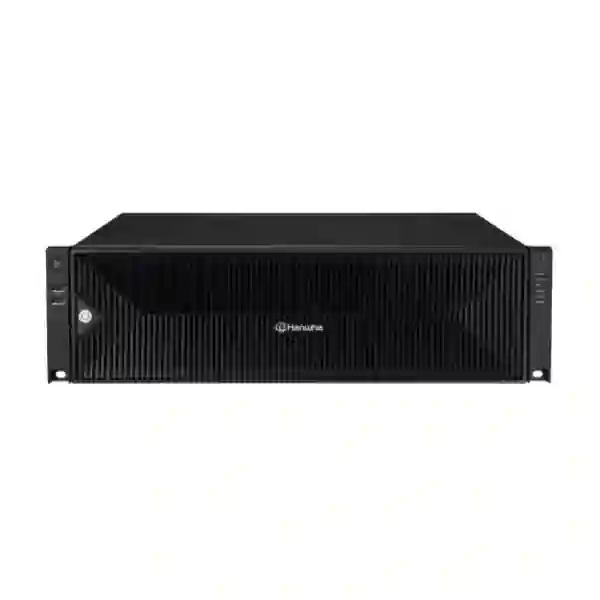
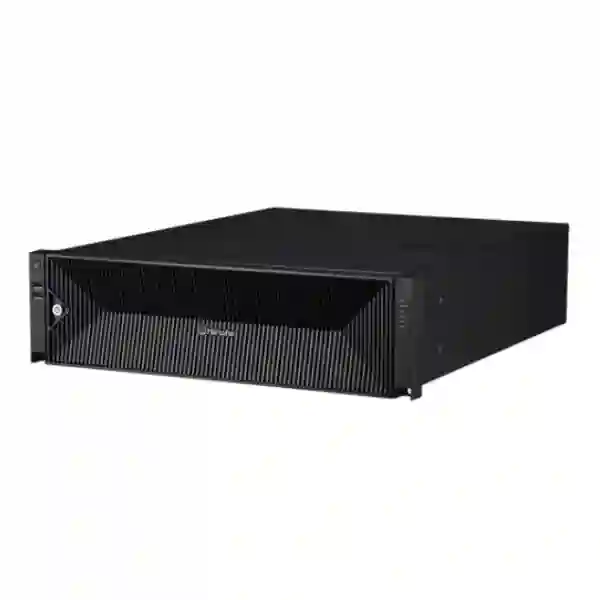
Hanwha Vision | 32-channel video recording
Hanwha Vision XRN-K3210B4-30: 30 TB NVR for planned IP CCTV systems
A professional recorder should preserve the footage your team needs and make it practical to retrieve. This model combines 32 network camera channels with a 30 TB nominal installed HDD configuration. Correct camera sizing, storage planning and reliable site infrastructure remain essential.
Specifications at a glance
| Manufacturer and model | Hanwha Vision XRN-K3210B4-30 |
|---|---|
| Inputs | Up to 32 network camera channels |
| Camera recording resolution | Up to 32 MP, subject to encoding and performance conditions |
| Supplied nominal HDD configuration | 30 TB identified for the -30 configuration; verify on quote |
| Internal storage chassis | 16 SATA HDD positions; up to 160 TB in supported non-RAID arrangements |
| Storage protection | RAID 5/6 supported |
| Compression | H.265, H.264, MJPEG |
| Recording bandwidth | Mode dependent; up to 400 Mbps in specified configurations |
| Monitor outputs | 2 HDMI: primary up to 3840 x 2160 at 30 Hz, secondary up to 1920 x 1080 at 60 Hz |
| Connectivity | 3 x 1 Gbps RJ-45 ports; 8 alarm inputs and 4 alarm outputs |
| Power / environment | 100-240 VAC, 50/60 Hz; 0-40 degrees C operating temperature |
Manufacturer specifications may vary by revision. Confirm the exact model, disk population, camera compatibility and recording mode for the unit proposed.
Who this recorder is for
A growing surveillance installation needs more than a device that accepts camera connections. The recording platform must preserve usable video, make incidents easy to find, support the operators who review footage, and fit the network and electrical environment. The Hanwha XRN-K3210B4-30 is an option for a site that needs up to 32 IP camera channels and room for substantial local storage. Typical evaluation scenarios include a commercial building, warehouse, multi-entrance facility, school campus or industrial premises. Those examples describe possible use cases, not a claim that the recorder is approved or already installed at any such site.
Choose this class of NVR when the security plan calls for a central recording point, locally connected monitors, controlled access to playback and planned storage administration. It may be less suitable where the main requirement is a tiny standalone camera system, where all video must remain in a cloud service, or where the total recording load exceeds the selected mode’s actual limit. Before placing an order, map how many cameras need recording now, the expected expansion, the hours of operation, the staff who require access and how evidence will be exported. This prevents buying on channel count alone.
What the XRN-K3210B4-30 designation means
The exact requested model is XRN-K3210B4-30. Hanwha Vision describes it as a 32-channel H.265 network video recorder and its published product material associates the -30 configuration with 30 TB of installed hard disk capacity. The number should not be interpreted as 30 TB of footage storage available after formatting, recording-system overhead or a RAID arrangement. Nor should it be treated as evidence of a specific number of recording days. Those depend on camera bitrate and storage policy. Verify the exact drive population and configuration supplied for the Tanzania quotation.
A useful distinction is the difference between the recorder’s base hardware capacity and the configuration purchased. The chassis supports as many as 16 SATA HDD positions and the manufacturer states up to 160 TB in non-RAID mode using supported drives. That is a platform ceiling, not a promise that the quoted 30 TB unit contains 160 TB or can be expanded without additional disks, setup or interruption. A procurement specification should name both the supplied nominal capacity and the proposed usable recording capacity, with the RAID level clearly marked if one will be configured.
A practical 32-channel surveillance plan
The maximum input count is 32 network camera channels. That allows a designer to allocate views across entrances, corridors, service areas, car parks, loading areas and perimeter positions without automatically requiring a second recorder. But a 32-channel label does not prove every proposed camera will run at its highest resolution and frame rate together. The combined encoded bitrate, decoding workload, firmware capabilities and display needs must also be checked. A well-defined camera schedule lists camera model, desired stream, codec, frame rate, target bitrate, audio requirement and recording mode for each channel.
Consider starting with the surveillance objectives rather than filling every available channel. An entrance camera may need detailed identification imagery, while a broad overview may be configured differently. High movement, nighttime noise, wide scenes and analytic overlays can alter bitrate demand. Reserve a modest design margin for future cameras and configuration changes, but do not assume unused channels equal spare recording bandwidth. A final proposal should show both camera-channel utilization and aggregate recording traffic under realistic scene conditions, with special attention to events when several cameras become busy together.
Resolution and real-world video detail
Hanwha’s specification states support for recording network cameras from CIF up to 32 MP. High sensor resolution can provide additional pixels over a wide area, but the actual identification value depends on lens selection, camera placement, exposure, illumination and compression. It is a mistake to read 32 MP support as a guarantee of sharp faces or number plates in every circumstance. Camera selection should be based on the distance and level of detail needed at each scene, followed by a test of both live view and recorded playback.
The NVR’s decoding specification has its own limits. The manufacturer’s page distinguishes formats and frame-rate handling for local display, and high-resolution playback capabilities vary with codec. For example, 32 MP handling is specified under H.265 conditions rather than as an unrestricted universal format. When a site uses mixed camera resolutions, confirm which stream will be viewed on a local monitor and which stream will be archived. Test demanding review tasks such as opening multiple high-resolution streams, seeking through motion-heavy recordings and exporting evidence from a busy period.
Understand the recording bandwidth correctly
The often-advertised recording bandwidth is up to 400 Mbps, but that number needs context. Hanwha’s exact-model product specification lists distributed recording up to 400 Mbps, normal recording up to 150 Mbps, RAID-mode normal operation up to 400 Mbps and degraded or rebuild RAID operation up to 320 Mbps. These are mode-specific figures, not a single guaranteed sustained allowance across every configuration. Confirm the current manufacturer documentation and firmware behaviour for the supplied unit, particularly where procurement material from different revisions summarizes a bandwidth figure differently.
For design purposes, total the expected average and peak recording bitrates from all cameras rather than multiplying resolution by a guessed number. Include audio where enabled and consider a busy scene at night, rain or a crowded entrance, since compression efficiency changes as the picture changes. Allow overhead and headroom instead of planning exactly at the maximum. The deployment sign-off should state the configuration actually chosen, demonstrate that recorded footage is not missing frames under peak conditions, and document a recovery plan for degraded storage operation.
Work out recording retention before purchase
A retention target is a business decision. Some premises need only short operational review, while others must preserve footage for a longer internal or contractual period. The recorder cannot determine the correct period on its own. Ask the owner of the surveillance policy how many days are needed, which cameras require continuous recording, whether motion or events may be used, and who is allowed to export or delete material. Separate policy requirements from storage marketing numbers. Then build a calculation using the actual encoded rates of the selected cameras.
A preliminary estimate begins with usable disk capacity and aggregate average bitrate, then adjusts for recording hours, additional streams, audio, filesystem overhead and reserved space. Continuous recording and event-only recording produce very different results, but event-only operation has the risk of missing activity that failed to trigger a detector. Avoid promising a fixed number of days merely because the recorder is described as 30 TB. After commissioning, measure real daily consumption over representative busy and quiet periods, revise the estimate and set alerts before older footage is overwritten unexpectedly.
30 TB nominal storage versus protected usable storage
The 30 TB configuration is an important starting point, but capacity should be broken into understandable parts on the quotation. Nominal HDD capacity is the manufacturer’s label for installed drives. Usable storage is what the recorder can use after the selected arrangement, formatting and any protection scheme. Retention is the time that usable recording space supports at the cameras’ real bitrates. These three measures are related but are not interchangeable, and they should not appear as if they were the same claim on a commercial document.
For example, RAID parity uses some physical disk capacity to protect against certain disk failures. The exact reduction depends on drive count, RAID level and how arrays are built. A system shipped with several drives may also need setup before the planned protection policy is active. Request a bill of materials showing HDD quantity and capacities, an array diagram if relevant and the predicted usable space. If a project requires evidence preservation beyond automatic overwrite, arrange an independent, authorized export or backup procedure rather than depending on the NVR’s circular recording alone.
RAID 5 and RAID 6: useful, but not backup
Hanwha lists RAID 5/6 support and an array arrangement of up to eight drives per array, with two arrays supported. RAID can improve resilience when a compatible disk fails, subject to the chosen configuration and rebuild state. RAID 5 and RAID 6 have different parity overhead and failure-tolerance characteristics. Neither one eliminates every cause of lost footage: accidental deletion, physical theft, power events, malware, misconfiguration and simultaneous failures can still threaten evidence. A project should describe exactly which protection level will be enabled and how health will be checked.
The manufacturer’s recording figures also distinguish normal RAID operation from a degraded or rebuilding array. That matters because a drive problem can change performance at the same time that operators urgently need footage. Plan for alerts, approved replacement drives, controlled maintenance and verification that the array actually returns to a healthy state. Do not remove a drive or trigger a rebuild casually. Most importantly, define a separate export and off-device retention process for critical incidents. RAID is an availability aid, not a replacement for an evidence-management policy.
Drive expansion, compatibility and service access
The chassis has 16 hot-swappable SATA HDD positions and a published non-RAID maximum of 160 TB with supported drives. That is useful for facilities expecting a storage increase, but actual expansion depends on the installed configuration and the manufacturer’s disk compatibility list. Do not assume any consumer hard disk will be suitable for continuous surveillance workloads or that a larger disk can simply be inserted without planning. Check the approved drive models, capacity limits, firmware and array rules before procuring an upgrade.
A complete design also considers how staff will reach the recorder when a disk needs attention. It should be installed in a secure, ventilated location with front access and cable clearance, and with asset labels that make each disk and array identifiable. The hot-swap capability is not an invitation to exchange disks without following Hanwha’s procedure. Record the drive serial numbers, installation date, alarms and maintenance history. If retention is the key business objective, a capacity expansion proposal should show a new usable-space calculation and a realistic recording-days estimate before the equipment is changed.
H.265, H.264 and MJPEG recording
The recorder supports H.265, H.264 and MJPEG compression. Modern video compression helps control the amount of data moving across the network and into storage, but it does not make bitrate irrelevant. At the same camera resolution, the outcome varies with motion, lighting, image noise, scene detail, codec profile and chosen quality settings. A camera aimed at a busy entrance may generate different daily storage use from one aimed at a mostly empty corridor. Treat codec selection as one part of a tested end-to-end video policy.
H.265 may be attractive when seeking efficient high-resolution recording, while H.264 is sometimes retained for compatibility with particular viewing and export processes. MJPEG can have a different bandwidth profile and should be assessed for the actual application rather than enabled by default. Where compatible Hanwha camera technologies provide intelligent bitrate management, confirm the feature and test the practical savings on representative footage. The target is not the smallest possible file at any cost; it is the detail required for reliable review while staying inside the recording and storage limits.
AI-assisted searches: know the camera dependency
The recorder supports object-attribute searching with compatible Hanwha AI cameras. This can help operators narrow an investigation, but the NVR should not be described as independently performing every AI detection task on any connected camera. Supported metadata has to be generated and transmitted by a suitable camera, and camera models, firmware, configured analytics and search categories determine what can be used. The buyer should supply a list of proposed cameras so compatibility can be checked rather than inferred from a shared brand name.
A good acceptance demonstration uses actual recorded footage and the precise search tasks that staff are likely to perform. For example, operators might need to find a person moving through a selected area during a time window. The test should compare a metadata-assisted search with ordinary date-and-time review and confirm how the results can be exported. Keep expectations realistic: image conditions, occlusion, camera angle and metadata rules influence results. An AI-assisted search is a workflow aid, not proof that an event can always be recognized or that every search will locate the correct recording.
Finding and exporting evidence
Useful footage must be retrievable when needed. Hanwha’s documentation describes calendar, event-list, text and smart search functions, along with bookmarked review. These features are important for a receptionist investigating a missed delivery, a facilities manager checking a loading bay event or a security supervisor reconstructing a sequence across multiple cameras. Decide which staff may watch live video, search recordings, create bookmarks and export material. Permission design belongs in the project plan instead of being improvised after commissioning.
The recorder specifies local and network backup/export formats, but a practical evidence process requires more than selecting an output format. Establish who authorizes an export, how the correct camera and time range are identified, how the exported files are labelled, where copies are securely stored and how their integrity is checked. Test that files can be opened on the intended receiving system before an incident occurs. Document the device clock, time zone and synchronization source, since footage with an incorrect timestamp can complicate an otherwise straightforward review.
Dual-monitor control room use
Two HDMI outputs support a local viewing arrangement: Hanwha lists up to 3840 by 2160 at 30 Hz on HDMI 1 and 1920 by 1080 at 60 Hz on HDMI 2. The manufacturer describes different layouts for clone and expanded monitor modes. That can be valuable where a guard needs a broad overview and a supervisor needs a second set of selected views. However, screen output resolution is not the same as the pixel count stored from the camera, and it does not guarantee that all channels can decode at every source resolution simultaneously.
Plan the viewing experience around duties, not just display size. A control room may benefit from priority cameras on the main screen and rotating secondary views, while a smaller office may need only one monitor. Test the physical monitor outputs, the actual layouts and the response when an operator switches to playback. Check cable lengths, monitor compatibility, viewing distance and power continuity. The aim is to avoid a visually impressive wall of tiny camera tiles that is difficult to use during a real event.
Network design and camera connectivity
The exact-model interface specification lists three gigabit RJ-45 Ethernet ports. A deployment should still be designed as a complete IP network, with camera switches, addressing, routing, bandwidth management and permissions suited to the premises. Network ports on the recorder should not be mistaken for an integrated bank of 32 PoE camera outputs. Budget separately for supported PoE switching or camera power, and verify total power requirements rather than assuming the NVR powers the cameras directly.
Discuss whether surveillance traffic should be isolated from ordinary business devices and how administration will be performed without opening unnecessary access paths. Camera uplinks can become congested even when the recorder’s maximum recording capability is higher. Verify switch backplane capacity, uplink utilization and the effect of multiple high-resolution streams. Use a consistent device-naming and IP-address plan, maintain current network diagrams and record any firewall exceptions. If a remote location sends cameras over a constrained link, test actual sustained traffic and packet loss at peak times before relying on continuous recording.
Camera compatibility and integration
Hanwha’s product specification references SUNAPI and ONVIF camera protocols. These are useful integration signals, but protocol support is not a guarantee that every feature of every third-party camera will work. A camera may deliver a basic video stream while withholding vendor-specific analytics, advanced event metadata, unusual audio modes or particular configuration controls. Exact integration depends on the camera model, firmware, supported profiles and the recorder’s corresponding implementation. Therefore, the correct purchasing question is not simply whether a device is an IP camera; it is whether the required recording and operational features have been verified together.
For mixed-brand systems, request a small compatibility matrix with each camera model, firmware, main/sub-stream settings, event requirements, time synchronization and expected playback. Check PTZ control and preset behaviour where applicable. Where a camera supplies analytic events, prove they reach the NVR and trigger the intended action. Reuse of existing cameras can reduce migration costs, but only if the test demonstrates sufficient picture quality, recording stability and support for the functions that staff will actually need.
Events, alarms and operational response
The recorder includes event-handling options such as alarm inputs, camera events, video-loss conditions and actions that can include local indication, notifications, alarm output and other configured responses. Hanwha lists eight physical alarm inputs and four alarm outputs on the exact-model specification. Those interfaces can support a more deliberate monitoring process, provided sensors, camera analytics and operators are configured correctly. An event indication should be treated as a prompt for review, not as automatic proof that a security incident occurred.
Define what should happen when a camera goes offline, a door contact changes, a disk reports a problem or an intrusion-related camera event is generated. Decide who receives the notification, which hours it applies to, what the first operator should check and who can escalate. Test both true events and nuisance conditions, including temporary network disruption. Poorly tuned alerts can overload staff; alerts that are too restrictive can fail to prompt attention. A commissioning checklist should include response ownership, event history and a demonstration that the system works when the primary operator is away.
Mobile access and remote viewing
Hanwha describes smartphone connectivity, live viewing and remote playback capabilities, including QR-code-based connection features. These should be evaluated as operational conveniences rather than a guarantee of remote access from every mobile network or Internet environment. Practical access can depend on the deployment’s firewall, router, service configuration, supported apps and user permissions. A system intended for managers to review an incident from offsite needs a clear access policy as well as an adequate upload connection at the premises.
Avoid sharing one administrator account among several staff members. Identify who needs live-only access, who may search stored footage and who can change configuration. Check the approved connection method, account management, credential controls and logging before enabling external access. Test remote viewing on the actual expected network and device types, but do not expose recorder management interfaces unnecessarily. If connectivity is lost, the primary local recording design should still be evaluated independently, along with an agreed process for checking the status once communications are restored.
Cybersecurity and access governance
A recorder is a network computer that handles sensitive surveillance footage. Hanwha’s published features include access logging, IP filtering, 802.1X, device-certificate functions and signed firmware. Those controls are helpful only when the installation team enables and maintains an appropriate security configuration. Keep firmware under a documented update policy, use individual accounts and strong credentials, and limit management access to authorized networks. A record of who has access to live video, recordings and configuration changes should be part of the security handover.
Before installation, agree on footage access permissions, privacy practices, password recovery responsibilities and procedures for departing staff. Review the need for Internet access, and prefer the least-privileged connection path compatible with the system’s operational requirements. Back up configuration records securely and test recovery steps without revealing confidential credentials in shared project documents. Where a site has its own IT policies, align the NVR with those policies rather than treating CCTV as an isolated device. Product security features do not by themselves establish regulatory compliance or remove the need for site-specific governance.
Electricity, ventilation and physical installation
The manufacturer specifies 100-240 VAC, 50/60 Hz input, a maximum stated consumption of 265 W with 16 HDDs, operation from 0 to 40 degrees Celsius and 20 to 85 percent relative humidity. These numbers define important equipment conditions, not a complete power-system design. Size the UPS using the recorder, camera switches, networking equipment and any essential monitoring screens that must remain operational. If cameras lose power while the recorder stays on, surveillance coverage can still fail. A power plan therefore needs to cover the whole capture and recording path.
In a warm or dusty equipment room, temperature control, clean airflow and routine inspection matter. Avoid enclosed shelves without clearance, direct sun exposure and unmanaged moisture. Confirm the physical rack, load capacity and access space for a chassis approximately 440 by 132 by 571.1 millimetres and weighing around 13.4 kilograms without drives. The installed weight will increase with the selected HDD population. Ask the site technician to verify earthing, cable management, surge protection and safe maintenance access according to the actual installation environment.
Tanzania deployment considerations
For a Tanzania-based organization, the practical questions are often about maintaining recording through electrical disturbances, ensuring the premises network remains stable, protecting equipment from heat and planning who can service a failed drive. These are deployment concerns rather than claims that this model has been certified for a particular Tanzanian project. The product’s broad AC input rating does not replace assessment of local power quality, UPS runtime or surge exposure. Similarly, a feature list does not prove that every camera, hard drive or networking accessory proposed by an installer is compatible.
A good local buying discussion starts with the actual premises, number of buildings, network topology, camera list, required recording days, operating hours and security procedure. Determine whether footage will be reviewed at one desk, by a staffed control room or across several authorized teams. Ask for an itemized proposal that makes support, delivery, commissioning and any service commitments explicit. Do not assume local stock, an installed service network, warranty duration or price until these have been confirmed for the quotation and specific equipment configuration.
A commissioning and acceptance plan
A dependable recorder installation should be accepted against measured outcomes, not just a power-on demonstration. Start by verifying exact model identity, supplied disk capacities and drive health, firmware version, channel licenses or features where applicable, network configuration, camera connections and chosen recording modes. Test representative day and night scenes at the specified quality settings. Confirm that the aggregate recording traffic remains within the limits of the selected mode and that the storage estimate matches real data generated by the system.
Continue with operator tasks: find footage from yesterday, search a camera event, use supported metadata with a compatible AI camera, export a file, recover from a temporary network interruption and verify that the correct users can perform each action. If RAID is configured, demonstrate monitoring of array health without deliberately risking stored evidence. Document alarms, UPS behaviour and the expected effect of a power outage. Close acceptance only after an as-built configuration record, administrative handover, training and a written list of outstanding limitations have been delivered.
Day-to-day maintenance after handover
Long-term recording quality depends on routine checks. Assign an owner to review disk health, recording status, camera outages, storage utilization, clock synchronization and event notifications. Establish a cadence appropriate to the risk of the site rather than waiting until a recording is requested. Keep configuration exports, the original equipment schedule and contact details for authorized support in a protected location. When settings change, record who changed them and why, especially for camera bitrate, recording schedule, retention and user permissions.
Maintenance should also check the ordinary things that often become invisible after installation: blocked ventilation, full UPS batteries, damaged patch leads, overloaded switches and outdated access accounts. Schedule firmware reviews using official release information and plan changes so they do not unintentionally interrupt recording. Periodically ask operators to retrieve and export a test clip; an archive that appears healthy but cannot be used has limited value. When expanding the camera system, repeat the storage and bandwidth calculation rather than treating the original acceptance results as permanent.
Upgrading or migrating an existing recorder
A replacement project may involve older cameras, new high-resolution cameras or both. Before moving equipment, inventory camera models, stream settings, network addresses, user roles, stored evidence and any interfaces to alarms or monitoring software. Establish whether historical footage must remain accessible and how long the previous system needs to stay operational. An NVR replacement does not automatically migrate old recordings or preserve all manufacturer-specific metadata. Plan the transition so critical cameras are not left without a working recorder during cutover.
A safe migration sequence includes a compatibility pilot, a new network and storage plan, setup of the replacement recorder, parallel checks where feasible and a verified handover. Confirm which legacy cameras can produce compatible streams at the required quality, and flag those that need separate replacement. Validate operator workflows such as PTZ, alarm events, playback and remote access. Define when the previous recorder may be retired and how its retained footage and drives will be handled. Budget for installation and testing effort, not only for the new NVR hardware.
Compare this model with smaller and newer alternatives
The strongest reason to consider this 32-channel recorder is the combination of a large internal drive chassis, substantial nominal preinstalled capacity and professional recording features. It is not necessarily the best choice for every CCTV design. A smaller NVR may be simpler and more economical for a site with a handful of fixed cameras and short retention needs. A newer platform may be better when a project has particularly demanding bandwidth, decoding or management requirements. The right comparison starts with measured workload and required resilience rather than model age or feature count alone.
When asking for alternatives, request the same comparison columns for every candidate: channels, supported camera models, resolution, average and peak recording load, usable storage, days of retention, RAID behaviour, local display performance, AI metadata compatibility, administration, expected maintenance and the actual quoted commercial terms. Be careful not to compare the maximum recording rate of one unit with the normal-mode rate of another. Confirm product lifecycle and regional support for the exact SKU or configuration being quoted, particularly when a manufacturer has related model names that look similar but are not identical.
Information to provide when requesting a quote
A useful quotation should be specific enough to support a confident technical decision. Provide the exact model Hanwha Vision XRN-K3210B4-30, the number and makes of existing cameras, the models of any new cameras and the proposed resolution and frame rate per stream. State whether continuous recording is needed, the preferred retention period, whether AI-camera metadata is required, and which users need local or remote playback. Include an outline of the physical site, available network switches, UPS arrangements and any obligation to export evidence securely.
Ask the supplier to return a clear schedule showing the 30 TB supplied drive configuration, recommended RAID choice, calculated usable storage, estimated recording days with assumptions, confirmed supported camera and disk models, all additional required hardware and a practical commissioning scope. The document should identify available firmware and support conditions for the exact unit, plus any local commercial terms that have actually been checked. This is the most reliable route from an attractive specification to a surveillance system that performs as expected.
Frequently asked questions
Is the XRN-K3210B4-30 a 32-camera NVR?
Yes. Hanwha lists up to 32 network camera input channels. That is the input count, not a guarantee that every camera can run its maximum resolution, frame rate and bitrate simultaneously. Specify the full camera schedule and verify the actual recording load for the planned operating mode.
Does the model include 30 TB of storage?
Hanwha’s product literature identifies the -30 configuration with 30 TB of installed HDD capacity. Confirm the exact drive quantity and arrangement in the quoted unit. Thirty terabytes is a nominal installed figure; RAID, formatting and recording settings determine usable space and retention.
How many recording days will 30 TB provide?
There is no single correct number without the camera plan. Retention depends on usable disk space, number of active channels, average bitrate, codec, frame rate, continuous or event recording and audio. Request an estimate that states assumptions, then verify consumption after installation.
Can it record 32 MP cameras?
Hanwha specifies recording support up to 32 MP. Camera-to-recorder compatibility and high-resolution display or playback constraints still need checking. In particular, some high-resolution decoding conditions are codec dependent. Verify the chosen camera streams with the current product documentation.
Is the recording bandwidth always 400 Mbps?
No. The exact-model specification distinguishes normal, distributed and RAID operating modes, with different published recording bandwidth figures. A design should use the limit for its actual configuration and leave capacity headroom for traffic changes, events and maintenance conditions.
Does the recorder provide PoE to cameras?
Do not assume it does. The documented network interfaces are Ethernet connections; plan compatible PoE switches or separate camera power supplies as needed. Camera electricity, network uplinks and NVR recording performance are different elements of the system design.
Does RAID protect all recordings from loss?
RAID 5/6 support helps address certain disk-failure scenarios when correctly configured. It does not protect against every kind of loss, including theft, accidental deletion, major equipment damage or configuration mistakes. Keep a separate, approved incident-export and backup procedure.
Will AI object search work with any IP camera?
No. Hanwha states AI object-attribute search support with compatible Hanwha AI cameras. The camera must supply supported metadata, and the relevant configuration must be tested. Basic video compatibility through ONVIF does not automatically include proprietary AI-search features.
Can the system display video on two monitors?
Yes. Hanwha lists two HDMI outputs, including 4K output on the primary port and Full HD output on the secondary port. Available layouts and simultaneous decoding depend on the selected operating mode and camera streams. Test the intended viewing arrangement.
Can I use other manufacturers’ cameras?
The recorder lists ONVIF and SUNAPI protocol support, but exact functionality varies. Third-party video streams may work while certain PTZ, event, audio or analytics functions do not. Request a compatibility test for the actual camera model, firmware and required features.
What should I check before installation in Tanzania?
Review the camera schedule, power backup, PoE switching, network resilience, ambient temperature, secure equipment location, disk configuration and access permissions. Confirm the commercial terms and the exact supplied version through the quotation. Do not infer regional stock or local certification from an international feature list.
How can I request a suitable configuration?
Share the number and model of cameras, desired recording quality, retention target, site network information, AI or alarm needs and any preference for RAID. Request an itemized FourTeck Tanzania quotation that explains usable storage, bandwidth assumptions, compatibility and commissioning requirements before an order is finalized.
Request a configuration review for Tanzania
For an accurate quotation, provide the intended number of cameras, their models, target recording days, chosen codec and frame rates, any AI or alarm requirements, and the site network and UPS details. Request confirmation of the XRN-K3210B4-30 drive population, usable storage, the actual recording mode, camera compatibility and locally applicable commercial terms. FourTeck Tanzania can then assess the requested equipment and quotation without relying on assumptions about stock, delivery or a fixed recording duration.
Ask FourTeck Tanzania for a product quotation and technical suitability check.




Reviews
There are no reviews yet.