
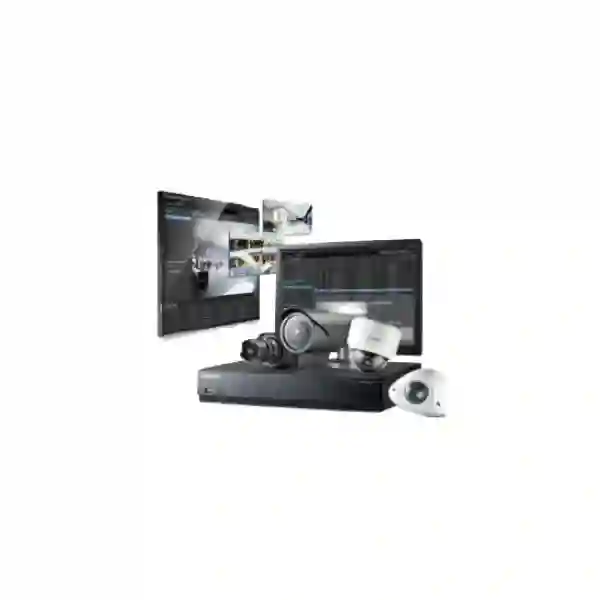
Hanwha Vision · Enterprise surveillance software
Hanwha SSM Enterprise (v2.0)
A coordinated security management platform for organisations evaluating centralised camera and recorder administration, multi-site monitoring, enterprise resilience and supported third-party security integrations.
Planning a deployment in Tanzania? Request a version-specific review of software entitlement, device compatibility, recording architecture and support before purchasing. The v2.0 name is not a promise of compatibility with later Wisenet SSM releases.
Key capabilities at a glance
Manage
Central configuration of servers, cameras, recorders and user/group policy.
Connect
Modular architecture with federation and Transaction Server integration.
Monitor
Rule-based events, event-focused console workflows and a system dashboard.
Investigate
Nine manufacturer-described search methods and a Video Summary feature.
Recover
1-n failover and automatic network-failure recovery, subject to design.
Verify
Release-specific compatibility, licence terms and support before ordering.
What this enterprise security platform is designed to solve
Hanwha SSM Enterprise v2.0 addresses a management problem that grows as surveillance estates expand: operators need a reliable view of devices, events and recordings even when those assets belong to different buildings, operating teams or server groups. A conventional collection of stand-alone camera interfaces can require users to remember separate logins, switch applications and reconstruct a sequence of events from several recorders. SSM Enterprise is positioned as a coordinated software environment in which cameras, recorders and server resources can be configured and monitored through a common management approach. That is a software capability, not a claim that every camera or system will connect without assessment.
The product is best evaluated as part of a designed security system rather than as a downloadable utility selected in isolation. Its usefulness depends on the number and type of devices, the need for central oversight, the number of operating locations, the recording model and the consequences of lost connectivity. Buyers should also establish who will administer policies, who will investigate incidents and which other security subsystems need to send useful events into the monitoring workflow. Those decisions provide a much more reliable basis for licensing and architecture conversations than simply choosing an enterprise label.
Buyer checklist
- Primary purpose: unified security-system management and operator visibility.
- Designed for evaluation in multi-server and more demanding multi-site environments.
- Requires project-specific verification of supported endpoints, modules and licensing.
Centralised management: one operating view, defined responsibilities
The manufacturer describes central configuration of servers, cameras and recorders through one user interface, including policies for users and groups across the system. For a security manager this creates the opportunity to apply more consistent operational rules instead of repeating configuration decisions independently at every device. In a structured deployment, a central administrator can define who is responsible for maintenance, which operators should observe an area and how the organisation intends to separate duties between routine monitoring and incident review. The exact controls available must be validated against the installed build and the selected licence or modules.
Centralised management is not the same thing as removing local responsibility. Physical access to server rooms, network maintenance, camera cleaning, recorder replacement and site incident procedures still require owners. A sensible system design identifies a local technical contact for each location while reserving the overarching configuration and policy decisions for an authorised central team. This arrangement can reduce confusion when staff change or when a new site is added. It also means that access permissions, configuration records and escalation processes must be documented so a single convenient interface does not become an uncontrolled single point of administration.
Buyer checklist
- Consider whether site teams need local operational control as well as central visibility.
- Define administrator, operator, investigator and maintenance responsibilities before configuration.
- Document changes to device ownership, groups and incident escalation rules.
Modular architecture and what scalability really means
SSM Enterprise uses a distributed, module-based architecture. Hanwha describes it as adaptable to systems of different sizes through combinations of software components rather than a single rigid layout. In procurement terms, that means the buyer should discuss the roles of management, media handling, recording, operator clients and any enterprise additions before assuming a standard server count. Larger installations may need duties distributed across multiple machines and network segments. This is a design choice that must account for real stream loads, storage throughput, simultaneous users and the impact of equipment failure.
Scalability is often misunderstood as a promise of unlimited capacity. A usable design needs verified limits for the exact release, the selected hardware, the relevant licence and the specific connected device models. The engineering team should model live-view concurrency, playback demand, event volume and recording writes rather than using camera count alone. A hundred low-activity views and a hundred high-resolution continuously recorded streams impose different burdens. Expansion should therefore be planned through measured assumptions, headroom and tested growth stages. The benefit of modularity is the potential to organise those requirements, not permission to ignore practical system constraints.
Buyer checklist
- Specify recording and viewing workloads separately.
- Review module placement, server roles and network capacity together.
- Reserve measured headroom for additional cameras, users and events.
Site federation for multi-location operations
Federation is one of the enterprise functions highlighted by Hanwha. It is relevant when an organisation wants oversight of multiple surveillance domains or locations without treating each as a completely unrelated operation. A head office, campus command centre or central security team may need to understand events at remote sites, bring selected camera views into an incident workflow and preserve a distinction between central oversight and the permissions held by local operators. The specific federation topology, limits and permissions depend on the SSM build and design and should be confirmed before a quotation.
A strong federation plan begins with ownership. Decide whether each facility operates autonomously when the wide-area connection is unavailable, who can modify remote configurations and how an escalation reaches the central command team. Site naming must be consistent enough that an operator can distinguish similar entrances or vehicle gates without guessing. The plan should also consider whether remote bandwidth is sufficient for routine monitoring, whether lower-bandwidth views are appropriate and how evidence will be retrieved from another site. Federation is valuable when it reinforces clear procedures; a confusing central dashboard can slow response even if every connection works technically.
Buyer checklist
- Define the site hierarchy and local-versus-central permissions.
- Test operation during WAN outages and reconnection.
- Agree on camera naming, event ownership and cross-site evidence handling.
Live monitoring, alarms and operator attention
Enterprise video monitoring becomes more effective when the console helps an operator identify the relevant event instead of presenting an uninterrupted wall of equally important footage. Hanwha documents rule-based event action, event-centred monitoring and processing in SSM Enterprise. These capabilities can help teams design a workflow in which an incoming alarm is associated with cameras, locations or required follow-up actions. The precise triggers, automation actions and event sources must be verified for the version deployed. Do not assume every modern camera analytic or external event category is available automatically in this older product label.
A practical monitoring design defines the relationship between each alert and the response it deserves. A perimeter alarm, device-offline indication and routine access event do not necessarily require the same screen, sound or escalation. Before go-live, the owner should decide which events are safety-critical, what operators must acknowledge, what counts as a nuisance alert and when a supervisor should be notified. Test scenarios should include overlapping events, acknowledgement by different users and recovery after the console disconnects. The outcome sought is not simply more notifications; it is a workable process for receiving, understanding, validating and acting on significant security information.
Buyer checklist
- Categorise alerts by response priority and assign their owners.
- Check whether supported cameras and integrations generate the required event types.
- Test busy-period workflows, not only one alarm in a demonstration.
Event rules and meaningful incident workflows
Rule-driven monitoring is useful only when the system’s actions correspond to documented security procedures. A site may want an intruder alarm to bring a nearby camera to the operator’s attention, or an incident review to show several views relevant to the same entrance. SSM Enterprise is described by the manufacturer as supporting actions triggered by rules and event-focused operation. The buyer should validate the actual mapping, the supported event vocabulary and the configuration steps with the implementation team rather than assuming that any desired automation is included in the core software.
For each proposed rule, record the event source, its trusted status, the condition that triggers the action, the intended console behaviour and the procedure if the action does not occur. A rule that is too broad can saturate an operator with alerts; a rule that is too narrow may hide a genuine event. Maintenance, testing and shift changes also create legitimate alarm activity that should be handled deliberately. Review the rules after commissioning against real incident logs and adjust them under change control. This provides an auditable explanation of why an alert appears and who is expected to act on it.
Buyer checklist
- Create a written event-to-action matrix before commissioning.
- Include false-alarm and loss-of-signal cases in acceptance testing.
- Make rule changes controlled, documented and reversible.
Searching recorded evidence and using video summary
Hanwha identifies nine search methods as part of the SSM Enterprise (v2.0) offering and highlights a Video Summary function that can condense the review of a twenty-four-hour period into a short illustrative clip. That description establishes the product’s evidence-retrieval focus, but it does not guarantee identical search results for every recording type or third-party endpoint. The exact search tools, source requirements, recording conditions and video-summary behaviour should be demonstrated on the intended system. Buyers should ask for a workflow test involving the type of incidents their team commonly investigates.
Effective retrieval also relies on details outside the search screen. Cameras and servers need consistent time configuration; labels must identify the right view; retention settings need to preserve the required period; and users need permission to access relevant footage. During an incident, a fast search is valuable only if the resulting material can be evaluated, exported using the supported process and handled according to the organisation’s evidence rules. Establish how investigations will be logged, how exports will be secured, who approves disclosure and how a chain of custody will be maintained where necessary. A demonstration should cover these tasks from detection to authorised handover.
Buyer checklist
- Test search against sample footage from the proposed device models.
- Verify timestamp accuracy and evidence export procedures.
- Separate investigative access from unrestricted administrator permissions.
Failover, recovery and system-health visibility
Hanwha lists 1-n failover, automatic network-failure recovery and a system dashboard among SSM Enterprise’s reliability features. These are important design capabilities for sites that cannot rely on a single management or recording component. A failover arrangement should be engineered around specific protected services and the way their workload moves when the primary component fails. It should not be advertised as a guarantee that every failure is invisible to operators or that no recording can ever be lost. Recovery performance depends on the selected architecture and the condition that caused the fault.
Buyers should specify what continuity actually means in their setting. A command centre might prioritise ongoing recording, while another site might place greater emphasis on immediate live monitoring or cross-site visibility. The engineering plan should identify which server roles are protected, which are not, where standby resources reside and how the health dashboard is used for early warning. Acceptance testing should include power loss, network interruption, a failed server, restoration of normal services and verification that stored evidence remains accessible. Record each outcome and the recovery procedure. Reliability is something to test against stated requirements, not merely a feature badge.
Buyer checklist
- Identify every service that needs continuity and its acceptable interruption.
- Validate the purchased failover module and supported failover topology.
- Test failure and recovery using realistic operating load.
Third-party integrations and the Transaction Server
SSM Enterprise’s Transaction Server is documented as a way to bring information from external security systems, including access control and intrusion detection, into the software environment. The potential value is contextual awareness: an operator investigating a door event may benefit from viewing relevant surveillance images alongside the event, instead of manually correlating two systems. Integration is not universal compatibility. Each proposed connection needs its supported interface, data mapping, licensing, software version and acceptance criteria confirmed before it becomes part of a sales proposal.
Integration projects should define the direction and sensitivity of data transfer. Is the requirement only to display events, or does the business expect a command to be sent back to a device? Are identity details included in access records? How will an event be labelled when different systems use different terminology? Agree on the expected behaviour when one external service is unavailable, especially whether operators can distinguish missing integration data from a genuinely clear alarm state. A supported and tested event feed is usually more useful than an ambitious but undefined promise to connect everything. The quote should identify each integration as included, optional or subject to validation.
Buyer checklist
- List external product names, firmware and exact requested workflows.
- Confirm whether the link is read-only, two-way or alarm-event only.
- Document integration dependencies and ongoing maintenance ownership.
Security roles, permissions and governance
The manufacturer’s central user and group policy feature is useful when surveillance access must be appropriate to a person’s duties. Different roles may need different camera groups, playback functions or configuration privileges. A business can use that structure to make sensitive areas accessible to authorised users without giving every operator broad administrative rights. The product-specific permission model must be checked during solution design. In particular, do not assume that a feature described for a newer SSM release, a different edition or an external directory connector is necessarily present in the requested v2.0 configuration.
Permission planning should begin with an access matrix approved by the security and information-governance owners. Record the job roles, relevant sites, permitted viewing activities and the approval process for elevated access. Review how accounts are created, disabled and audited when people move between teams. Consider shared control rooms where staff use different shifts and ensure activity can be attributed appropriately within the capabilities of the installed platform. Also decide who may change camera configuration, search archived recordings and export files. A well-managed enterprise deployment makes the central console convenient while keeping authority deliberately limited and reviewable.
Buyer checklist
- Use role-based access decisions tied to job functions.
- Review account removal, shift handover and evidence-export permissions.
- Check audit and directory-integration capabilities for the exact version.
Network design and remote-site communications
Any central video-management deployment needs a network design that reflects real traffic, not just the number of endpoint devices on a drawing. Live video, playback retrieval, configuration changes and health events may use different flows and have different performance expectations. A multi-site project should identify the local LAN, inter-site connectivity, any private routing or secure access method, and the locations of client workstations and servers. SSM Enterprise’s distributed design provides architectural options, but successful operation still depends on the available bandwidth, latency, packet loss and security controls across the actual links.
For Tanzania deployments, this review is especially important where sites rely on different connectivity providers or where remote facilities cannot assume continuous high-throughput service. These are project-planning considerations, not claims about any particular provider or coverage area. Determine which activities must continue locally during an outage and whether operators can work with a reduced set of streams when bandwidth is constrained. Keep device-management access appropriately segmented and restrict remote access to authorised methods. Ask the installer to document traffic paths, firewall requirements, time synchronisation and the procedure for restoring central visibility after a communications failure.
Buyer checklist
- Calculate expected concurrent live and playback traffic.
- Design for local operation if the central connection fails.
- Record approved access paths, firewall rules and time sources.
Recording architecture, retention and storage planning
A software quotation should not be mistaken for a complete recording-capacity assessment. The storage required for CCTV evidence depends on how many streams are recorded, the chosen resolution, frame rate, compression, operating hours and retention target. Event recording can behave differently from continuous recording, and activity levels can change materially across sites. Some deployments may rely on compatible network recorders while others use an SSM recording server arrangement. The exact options must be validated for the hardware and product build under consideration. Storage resilience, search demands and export performance should be addressed together.
Before confirming a purchase, ask the project owner to define a retention policy for different camera groups and the process for retaining footage relevant to an investigation. The integrator can then model raw data demand, usable capacity after redundancy and the effect of foreseeable expansion. Do not treat a nominal drive capacity as the amount available for evidence. Decide how faults will be detected, how failed drives or recorders will be replaced and how recovery will be verified. Recording settings should match the operational reason for deploying each camera. This provides a defensible configuration and avoids paying for capacity that serves no defined purpose.
Buyer checklist
- Define recorded stream parameters and the desired retention period.
- Account for usable storage, redundancy and realistic growth.
- Test searching and exporting footage during active recording.
System compatibility and version-specific purchasing checks
The requested product name specifies SSM Enterprise (v2.0). Hanwha also maintains newer Wisenet SSM software under a broader product family, with different published releases and support notes. These names must not be treated as interchangeable. A feature shown in current Wisenet SSM documentation may not be present in the original v2.0 software, and a component that worked with an older installation may require a different upgrade path. Version details matter for cameras, NVRs, operator clients, mobile applications, integration modules and any associated server infrastructure.
Before ordering, ask for the exact executable version or release family that will be supplied, licence part numbers or entitlement details, support eligibility and a written compatibility assessment. Confirm whether the goal is to expand an existing SSM Enterprise environment, replace a legacy installation or build a new system. For upgrades, a migration plan should identify existing recordings, retained configurations, permissions, third-party integrations and the possibility of rollback. If the requested v2.0 package is no longer commercially offered in the relevant market, that must be resolved with an approved alternative before the buying decision. No unsupported availability statement should be inferred from this page.
Buyer checklist
- Identify the exact software release and proposed upgrade route.
- Confirm the camera/NVR firmware and client versions in scope.
- Request written clarification of licence availability, support and migration.
Licensing: what to confirm before requesting a quote
A buyer should not interpret this page as a fixed-price, fully bundled enterprise licence. SSM software has had different editions, licensing arrangements and version-specific entitlements over time. The items required for a particular project can depend on recording channels, server roles, integration components and the chosen software release. Hanwha’s published free-licence policy has also changed: its official announcement describes discontinuation of online distribution of a free sixteen-channel recording licence, with conditions affecting both SSM v1.6 and v2.0. That historical free-licence arrangement should not be used as an assumption about current purchase eligibility.
Request a formal quote that identifies precisely what is being licensed, which hardware or operating systems are prerequisites, whether any third-party components require separate licences and what future maintenance or upgrade rights are included. The quote should distinguish software from installation, configuration, training and optional integrations. Ask how a replacement server or recovery scenario affects licence activation, and whether ownership is tied to an account, a device or another mechanism for the exact release. When working with an existing installation, supply version and entitlement information through an approved private enquiry channel; do not place licence credentials or activation data in public messages.
Buyer checklist
- Clarify the edition, channel counts, modules and activation model.
- Separate software, servers, integration, installation and support in the quote.
- Do not assume an old free licence or trial entitlement is available now.
Planning the rollout for a Tanzania organisation
A Tanzania project can involve a single property, several buildings or a distributed set of facilities. The technical process is similar even when the operational needs differ: create a device inventory, establish coverage and incident objectives, verify connectivity, confirm electrical protection and decide where management and recording resources will reside. Where electricity interruptions are a concern at a particular site, evaluate the actual UPS and generator arrangement for the servers, network switches and recording equipment. This is a site assessment requirement; the presence of enterprise software does not protect a camera that has lost power.
Location-specific commercial and deployment arrangements must be confirmed rather than assumed. A customer should ask whether the proposed version can be supplied for their exact project, what technical support route exists and which party will perform commissioning and future maintenance. Budget for operator training, documentation and a supervised acceptance phase, not only licences and computers. If remote facilities will connect to a central security team, test the realistic WAN service at each location. Define handover documents in advance: as-built diagram, device list, account and permission plan, backup instructions, integration schedule and named incident escalation contacts.
Buyer checklist
- Assess each site independently for network and power resilience.
- Include operational training and maintenance ownership in project scope.
- Avoid unverified claims about local stock, installation coverage or pricing.
Common enterprise use cases to evaluate
A commercial campus may want several buildings treated as one managed estate while maintaining separate access rules for each building. A logistics operator may need camera views associated with gates, yards and loading areas so investigators can follow an event across a site. A manufacturing environment may need coordinated alarm handling between surveillance and supported intrusion or access-control equipment. An organisation operating different premises may prioritise federation and central oversight. These are potential design scenarios, not a statement that every deployment has the same interface, automation or integration ready to activate.
Translate each scenario into a measurable acceptance test. For a distributed estate, try a remote alarm while the site network is degraded and determine what remains visible locally. For a security gate, test whether the expected third-party event reaches the console with a meaningful location label. For a control room, compare the number of events per shift with the operator’s ability to acknowledge and investigate them. For a high-retention environment, verify a realistic evidence request near the end of the retention period. These exercises help the buyer choose the right architecture and avoid over-specifying features that do not improve actual operations.
Buyer checklist
- Campuses: centralised oversight with clear local responsibility.
- Logistics and industrial sites: incident review across multiple camera areas.
- Multi-site businesses: coordinated policies, federation and recovery planning.
A practical evaluation and commissioning sequence
Begin with a discovery workshop that includes security operations, IT, the network team and the person accountable for evidence handling. The output should be a concise requirements document: site and camera counts, device model lists, intended recording method, retention, operating roles, third-party events, resilience targets and anticipated growth. Next, map those requirements to the exact SSM Enterprise v2.0 capabilities with confirmation from the relevant manufacturer or supplier documentation. Where a requirement is uncertain, label it as a test item rather than writing it into the final quotation as a delivered feature.
The design stage should then produce a topology, bill of materials, licence schedule, network flows and commissioning checklist. In a pilot, use representative camera models, actual operator workstations and at least one realistic integration or failover scenario if required. Test the complete incident cycle from alarm generation through viewing, searching, exporting and escalation. After resolving deficiencies, deploy in agreed stages, recording the baseline configuration and operational training outcomes. Formal acceptance should depend on evidence that the agreed functions work under expected conditions. This sequence makes technical risk visible before the organisation depends on the system for daily security decisions.
Buyer checklist
- Discover: capture objective, device inventory and acceptance criteria.
- Design and pilot: validate licences, modules, network and operator workflows.
- Commission: test incidents, recovery, permissions and handover documentation.
Cybersecurity and operational protection
Video management systems connect sensitive visual records, device configuration and user accounts. Their security therefore depends on more than the advertised feature list. The organisation should assess the installed operating-system environment, patch support, network segmentation, administrator credentials, endpoint hardening, remote access controls and the protection of exported recordings. The exact security controls and supported encryption capabilities must be checked for the v2.0 product being supplied; do not assume that later Wisenet SSM release notes apply unchanged to this installation. Vendor support status is particularly important when evaluating software with an older version label.
Develop a maintenance process that names who may apply updates, how an update is tested, how settings are backed up and what happens when a vulnerability is reported. Operators should know how to report suspicious access, unexplained device disconnections and unusual evidence-export requests. Periodic account review helps maintain least privilege as staff and contractors change. Test restoration from backed-up configurations on an agreed schedule. Cybersecurity and operational continuity intersect: a system that cannot be patched or restored safely may be a poor fit even if its monitoring features meet the immediate requirement. Include these considerations in the procurement decision.
Buyer checklist
- Verify patch and support status for the actual release.
- Protect management access and exported footage.
- Test configuration recovery and formalise change approvals.
Choosing SSM Enterprise versus a simpler monitoring arrangement
Not every surveillance project needs an enterprise video-management architecture. A smaller installation with a modest number of compatible recorders, a limited operator team and no requirement for cross-site federation may be served by a simpler viewer or recorder-centred process. The reason to investigate SSM Enterprise is the need to coordinate management, operator permissions, incident workflows or resilience across a more complex estate. An enterprise solution can also involve additional server infrastructure, administration, licensing and implementation work. Those costs should be justified by a clear security and operational benefit.
Ask what would become difficult if the organisation continued using independent recorder interfaces. If the answer is mainly occasional remote viewing, investigate whether a lighter supported option meets the requirement. If the challenge is consistent policies across sites, third-party alarm correlation, central investigation or protected server functions, the enterprise capabilities may deserve a more detailed evaluation. Compare alternatives using the same device list and real incident scenarios. When proposing a newer Wisenet SSM release instead of the v2.0-labelled offering, request a fresh feature and compatibility assessment rather than assuming a like-for-like substitution.
Buyer checklist
- Choose complexity in proportion to operational need.
- Compare user workflows, support and whole-life cost, not names alone.
- Require release-specific proof before substituting another software version.
What a useful quotation and technical proposal should contain
A good proposal for this type of software should identify the product and release unambiguously, then map individual customer requirements to the required licences, modules and server components. It should set out the number of connected camera channels, recording and viewing workloads, operator access requirements, connected sites and integration dependencies. It should state what the supplier has actually confirmed, what still needs a manufacturer response and which features are conditional on other equipment. Avoid proposals that advertise federation, automatic recovery and third-party integration without showing how they are included in the offered configuration.
The commercial section should separate licence entitlement from supporting hardware, commissioning, tests, training and recurring services. The technical section should contain performance assumptions, expected network links, storage calculations, planned availability measures and documented exclusions. Acceptance criteria should use observable tasks: an authorised operator can find a camera, a defined alarm displays correctly, an investigator can retrieve approved footage and a protected server failure behaves according to the agreed design. This reduces disputes later and gives buyers a practical basis for comparing different integrators or software paths without relying on marketing shorthand.
Buyer checklist
- Specify the exact release, entitlement and optional modules.
- List assumptions, dependencies and exclusions in plain language.
- Make acceptance criteria measurable and relevant to the site.
Frequently asked questions
These answers explain how to evaluate the requested SSM Enterprise v2.0 product without assuming that a different edition, newer release or unverified local package carries the same entitlements. Project-specific details should be confirmed in the formal technical proposal.
Is Hanwha SSM Enterprise v2.0 a camera, recorder or software?
It is security-management software, not a physical camera or recorder. Its documented role is to organise management, monitoring and investigation workflows across compatible surveillance components. A complete deployment can require cameras, network recorders or recording servers, operator workstations, network infrastructure and separately confirmed software entitlements. The exact bill of materials follows the scope and architecture. If a supplier offers a packaged solution, request an itemised description of the included hardware and licence rights. This prevents the name of a software product from being mistaken for a ready-to-operate CCTV system.
Can it bring multiple sites into one security operation?
Hanwha lists federation among the enterprise capabilities, making multi-site coordination an appropriate use case to assess. The actual design must address the number and structure of sites, each site’s local responsibilities, connectivity, authentication and permissions. Remote operation can be affected by WAN performance and loss of service. During evaluation, ask for a demonstration using the planned hierarchy and the representative monitoring and incident tasks. Confirm the supported release and modules, because the product label alone does not establish a specific capacity or topology for your project.
Does the software support integration with access control or intrusion alarms?
The manufacturer describes third-party integration through a Transaction Server, including security systems such as access control and intrusion detection. That does not establish compatibility with every brand, model, protocol or firmware release. Provide the precise external system details and define whether the requirement is event display, alarm correlation or another supported exchange. An implementation team should check interfaces, licensing and event mapping and perform a proof of concept before production. The resulting proposal should explicitly name the integration and any additional components needed, rather than offering unrestricted compatibility.
What are the main reliability features?
The exact v2.0 manufacturer description highlights 1-n failover, automatic network-failure recovery and a full system dashboard. Their practical effect depends on which server roles are protected, the selected architecture and the failure scenario. These functions do not remove the need for a reliable network, storage design, maintained power and operating procedures. Buyers should request a documented recovery objective and a demonstration of the failures that matter most to them. A clear acceptance test, with the expected result recorded, is more useful than a general promise of uninterrupted operation.
Is v2.0 the same as the current Wisenet SSM release?
No. The v2.0 label in this product name identifies a particular SSM Enterprise listing, while Hanwha’s wider Wisenet SSM family has progressed through later releases. Feature sets, installation prerequisites, licence arrangements and integration compatibility can differ. Never assume that a current manual or software download automatically describes this specific v2.0 offer. Ask the supplier for the precise release to be delivered and its official documentation. For an existing installation, provide the currently installed build and device inventory so any upgrade can be assessed as a migration, not an unverified direct replacement.
Can an existing free SSM licence be used for this purchase?
Do not make that assumption. Hanwha published a change to the distribution and validity of older free sixteen-channel recording licences, with a notice affecting SSM v1.6 and v2.0. A historical entitlement or trial description should not be treated as a current commercial offer. For a project being purchased now, request confirmation of the required paid or otherwise valid entitlements, the activation conditions and available support. If an existing licence is involved, have the provider review its status through an appropriate private channel and avoid sharing activation information publicly.
How do we decide how many servers or licences we need?
Begin with the number and models of cameras, how video is recorded, the hours and quality required, the number of concurrent viewers and the number of sites. Add integration requirements, operator access roles, retention rules and the protection expected during a server or link failure. The supplier can then match those needs to supported modules, channel entitlements and hardware for the exact release. A server count or licence schedule calculated from only the camera total can overlook recording bandwidth, playback workload, high availability and future expansion. Request the assumptions and sizing method in writing.
What should be tested before a multi-site deployment goes live?
A pilot should test representative cameras and NVRs, normal live monitoring, a real event or simulated alarm, recording retrieval, evidence export and the planned cross-site view. Add permissions testing so each user role can do the intended task and cannot perform unauthorised actions. If failover or integration is included, test the associated fault and event conditions. Reproduce a degraded WAN connection if remote sites are involved, and confirm the expected local behaviour. The project should end with documented results, corrective actions, operating instructions and a signed acceptance process rather than a demonstration alone.
Is the software a fit for a Tanzania security project?
It can be considered for a Tanzania organisation seeking centralised surveillance management, particularly where enterprise functions address a defined operational requirement. Suitability depends on the precise software release, device compatibility, licences, network conditions, power continuity, maintenance arrangements and availability of appropriate technical support. No particular local stock level, price, installation area or legal certification is implied here. Provide a site inventory and an outline of how your operators work, then request a project-specific assessment. If the exact v2.0 offer cannot be confirmed, ask for an explicitly documented compatible alternative.
What information should we provide to request a quotation?
Provide the number of sites, approximate camera and recorder count, the available device makes and models, existing software version if any, recording and retention objectives, number of operator workstations and relevant third-party security systems. Explain whether the requirement is a new installation, expansion, replacement or migration. Include known internet or inter-site connectivity limits and desired fault tolerance. The supplier should respond with a release-specific licensing and equipment proposal and a clear list of questions that still require validation. Keep existing licence keys and private credentials out of public enquiry text.
Request a Hanwha SSM Enterprise technical quotation
Share your camera and recorder inventory, site count, current software version if relevant, operator requirements, desired storage and retention, and any access-control or intrusion-alarm integration needs. Request written confirmation of the exact software release, available licences, supported components, continuity design, implementation scope and support route for your Tanzania project.
Next step: ask FourTeck Tanzania for a project-specific product and compatibility assessment.




Reviews
There are no reviews yet.