
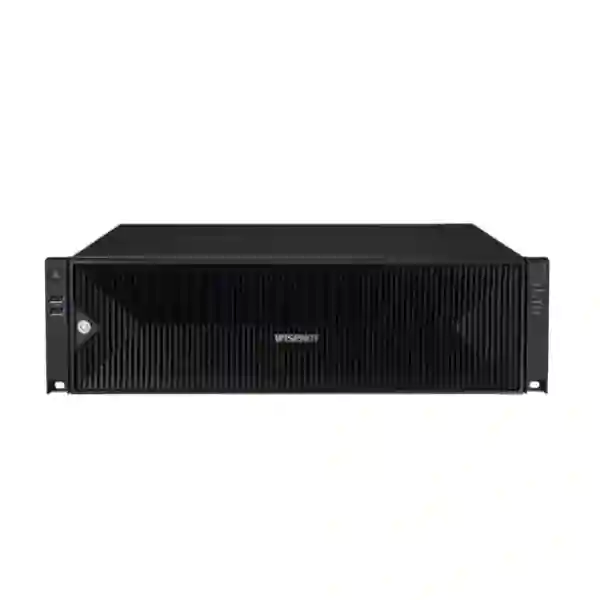
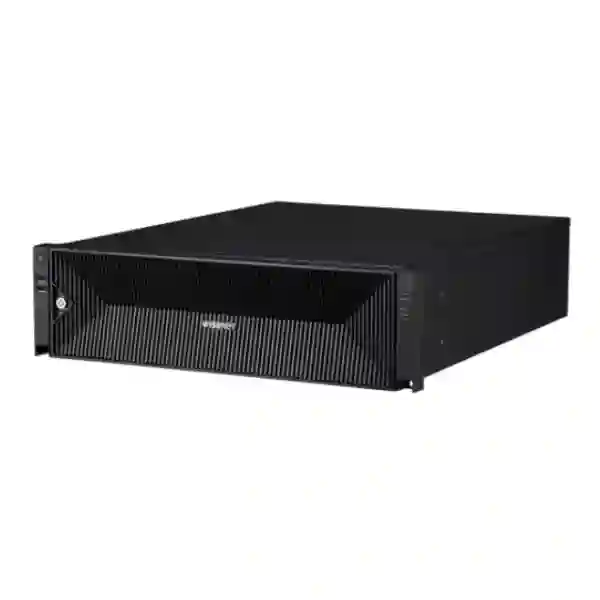
Hanwha Vision XRP-4210B4 — 72-Channel Wisenet SSM Recording Server
Planning a larger CCTV system in Tanzania? The Hanwha Vision XRP-4210B4 provides a defined 72-camera recording-server platform, substantial drive-bay options, and Wisenet SSM management features. The right choice depends on camera compatibility, measured stream bitrates, protected usable storage, and operational requirements—not channel count alone.
Request a configuration-based quote with your camera list, recording retention requirement, and site network details.
Key verified specifications
Hanwha also specifies an Intel Core i7-8700T processor, 16 GB RAM, Windows 10 IoT Enterprise LTSC with SSM preinstalled, two HDMI outputs, three Gigabit Ethernet ports, and 100–240 V AC power input. Actual deployment suitability must be validated for the intended recording load and configuration.
Technical specification reference
The following values are from the manufacturer’s product information. Verify any hardware, firmware, regional, and drive-compatibility changes for the delivered configuration.
| Product category | 72-channel SSM network video recording server |
|---|---|
| Manufacturer model | Hanwha Vision XRP-4210B4 |
| Recording video compression | H.265, H.264, MJPEG, WiseStream (with supported profiles) |
| Network-camera protocols | Wisenet; ONVIF / ONVIF Profile S as listed |
| Operating system | Windows 10 IoT Enterprise LTSC, SSM preinstalled |
| CPU and memory | Intel Core i7-8700T; 16 GB RAM |
| OS storage | 128 GB M.2 SSD listed by manufacturer |
| Video recording | Up to 400 Mbps |
| Search and playback | Up to 150 Mbps |
| HDD bays | 16 × 3.5-inch SATA hot-swap positions; two-volume configuration noted |
| Storage protection | RAID 1, 5, 6, 10, 50 |
| Monitor output | 2 × HDMI |
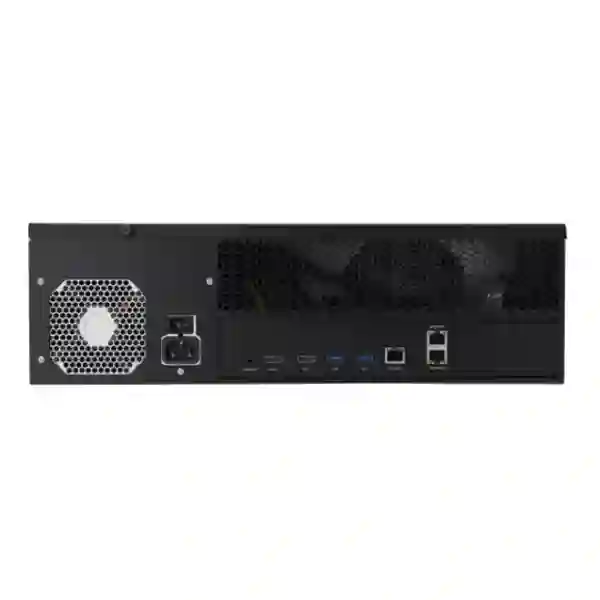
| Network interface | 3 × Gigabit Ethernet RJ-45 |
| USB interface | 2 × USB 3.0; 2 × USB 2.0 |
| Audio | Network audio and supported two-way communication |
| Operation temperature | 0°C to 40°C |
| Operating humidity | 80% or less |
| Power | 100–240 V AC, 50–60 Hz; manufacturer figure 285 W |
| Dimensions | 440 × 132 × 548.1 mm; manufacturer also lists 571.1 mm including cover |
| Weight | 13.30 kg without HDDs |
Who this recording server is for
The Hanwha Vision XRP-4210B4 suits projects where a basic small-channel recorder no longer provides the desired number of camera connections, storage arrangements, or central operating workflow. Its defined role is a 72-channel Wisenet SSM recording server. Facilities teams, security integrators, and technical buyers can use that baseline to decide whether the appliance belongs in a proposed surveillance architecture. Start with the required camera count, retention period, recording profiles, investigation workload, and expected growth rather than treating a channel headline as proof that every proposed camera stream will fit.
A sensible procurement discussion begins with an inventory of entrances, perimeter views, production areas, corridors, loading areas, and any other areas requiring recorded coverage. Assign each camera an intended purpose and recording policy. This helps distinguish essential evidence cameras from operational overview cameras and prevents overbuying resolution without a reason. The server is the recording and management element of a wider system; cameras, network switching, usable hard-drive capacity, monitoring stations, access policies, and backup arrangements still require separate consideration.
72 channels and the clustering distinction
The manufacturer lists up to 72 network camera inputs for a standalone XRP-4210B4. It also describes support for up to 132 channels when clustering is implemented. These are different deployment conditions, not two interchangeable capacities for a single standalone unit. Buyers should count individual camera streams and clarify how the software treats additional streams or devices in their intended configuration. An installation with 70 cameras can still exceed a bandwidth or storage target, while a smaller installation of high-bitrate cameras may require considerable engineering attention.
Clustering should be specified only after confirming the planned appliance topology, software versions, network design, storage responsibilities, and recovery behavior. Do not assume that purchasing this model automatically increases the single-unit camera allowance to 132 or creates fault tolerance by itself. Ask an integrator to document what remains active if a node or network link fails, which recordings remain accessible, and what administrative actions are needed to restore normal operation.
Understand the 400 Mbps recording ceiling
Hanwha states a maximum recording bandwidth of 400 Mbps and a maximum playback or search bandwidth of 150 Mbps. These figures are key sizing inputs, but they are not promises that every combination of codec, resolution, frame rate, analytics, and concurrent user activity will perform identically. Before purchase, sum the expected peak recording bitrates for the cameras that will be active simultaneously. Leave an engineering margin for changing scenes, nighttime noise, higher-quality evidence settings, and possible future camera additions.
Bandwidth planning is especially important where multiple streams share switches and uplinks. A camera may produce one recording stream and another lower-bitrate viewing stream, so distinguish ingestion requirements from operator viewing and remote access. Recording bandwidth is not the same thing as internet speed; local camera traffic can be confined to site networks. Similarly, the 150 Mbps playback figure should inform how many investigators or consoles can retrieve footage at once rather than being treated as a measure of capture capacity.
Camera resolution up to 32 megapixels
The official specification lists camera resolutions from CIF to 32 MP. That range makes the XRP-4210B4 relevant to mixed surveillance environments where different positions call for different image detail. A high-resolution overview can help an investigation cover more of a scene, but it also increases potential storage and network demands. Fit the resolution to the objective: a doorway, vehicle approach, corridor, or distant perimeter may need different lens choices and fields of view even when the recorder accepts the camera's encoded stream.
A supported resolution is not an assurance of a particular real-time frame rate across all 72 channels. Ask the project designer to validate camera model, codec, resolution, frame rate, analytics metadata, and proposed recording schedule as a complete profile. Image quality is a combined result of optics, lighting, positioning, exposure settings, compression, and monitoring practice. A powerful recorder cannot recover important detail that a badly located or inadequately illuminated camera never captured.
Wisenet SSM as the operating environment
The appliance ships with Hanwha's Wisenet SSM software preinstalled, according to the product documentation. This provides a starting point for the server's recording and investigation workflow rather than requiring the buyer to select an unrelated video management product. The published operating system is Windows 10 IoT Enterprise LTSC on an M.2 system SSD. Confirm the current software build, available maintenance path, license arrangements where applicable, and cybersecurity support obligations for the exact delivered unit before implementing a long-lived system.
Operational value comes from configuring SSM carefully. Decide who can view live feeds, who can search recordings, who can export footage, and who can change administrative settings. Create meaningful camera names, location groups, maps or operator workflows where supported by the installed version. Test that alerts reach the correct staff and that an investigation can find an event without manually reviewing every camera for hours. Software capabilities and interface behavior may vary by version and deployment.
Camera protocols and mixed installations
Hanwha lists Wisenet and ONVIF among the supported camera connections, with ONVIF Profile S appearing in the protocol details. This can help planners assess a mixed IP camera environment, but ONVIF compatibility should be tested at the feature level. A third-party camera might deliver basic video while providing a different set of events, metadata, configuration controls, audio functions, or playback behavior. Never infer universal interoperability simply from the word ONVIF on two datasheets.
For a migration from an existing CCTV estate, assemble a camera compatibility matrix before the recorder is specified. Include model and firmware, desired recording stream, authentication method, event reporting, PTZ requirements, audio needs, and time synchronization. Bench-test any camera family that is business-critical. If an existing camera must retain a specialized analytic feature, confirm the exact data path from that camera into SSM and through to the intended operator action. Document unsupported functions before committing.
Storage bays and usable capacity
The XRP-4210B4 provides 16 SATA positions for enterprise hard drives and supports hot-swap arrangements described by Hanwha as two volumes. A bay count is physical capacity, not a guaranteed number of recording days. The resulting usable storage changes with the actual drives approved for the model, their capacities, the selected RAID scheme, formatting and reserved space, recording modes, and the mix of video and audio streams. Consult Hanwha's current HDD compatibility information for supported drive selections and any firmware dependencies.
Request a storage plan that states raw capacity, expected usable capacity, protected capacity, retention objective, and growth margin separately. Also record assumptions such as hours recorded per day, motion or event frequency, scene complexity, selected codecs, and whether recordings must remain accessible during a drive rebuild. Do not assume the server comes populated with any hard drives: the exact supplied drive configuration and inclusion of storage must be confirmed on the product quote.
Calculate retention from measured video demand
A practical retention estimate starts with the expected average bitrate per camera and the hours of footage retained. For a continuously recording stream, one megabit per second is approximately 10.8 gigabytes per day before accounting for system overhead and variations in camera behavior. Multiply by the planned stream bitrate, camera count, and retention days to form an initial data budget. This is a planning illustration, not the usable storage specification or a forecast of actual disk usage for a particular installation.
Validate the estimate against recordings from the selected cameras, including daytime and night scenes. Compression efficiency changes with motion, lighting, textures, and camera settings; a low-activity office corridor and a busy vehicle approach may behave differently. Event recording can reduce storage use, but it also changes what footage exists when an unexpected incident occurs. Define what evidence is required before deciding to reduce capture time. Retention policy should reflect operational and legal needs established by the buyer.
RAID choices and their limits
The published RAID options are 1, 5, 6, 10, and 50. These arrangements provide different balances between usable capacity, disk-failure tolerance, rebuild behavior, and write performance. The appropriate choice depends on drive count, drive size, business tolerance for disruption, and the consequence of losing footage during a rebuild. Request a design that explains the proposed level in plain language instead of choosing the option with the largest raw capacity number or assuming every configuration protects against the same failure.
RAID is not the same as an independent backup. It cannot by itself protect against every software error, deletion, theft, major environmental incident, or simultaneous failure scenario. Hanwha's support guidance recommends checking RAID status and maintaining backups of important data. For evidence-sensitive projects, write down when footage is exported, where exports are stored, who has access, how integrity is checked, and how the business can recover if the recording appliance is unavailable.
Hot swapping and drive maintenance
Hot-swappable enterprise-drive support can reduce the inconvenience of replacing a failed drive, but the ability to exchange a disk does not remove the need for maintenance procedures. Operators must identify the correct failed position, verify the RAID state, use approved replacement drives, and watch the rebuild to completion. A careless swap or interruption during recovery can increase the risk of lost recordings. Establish a service log that records installed drives, serial numbers where appropriate, replacement dates, and any recurring faults.
Before operations begin, decide who receives storage alarms and who is authorized to physically access the recorder. Confirm that replacement drives can be procured for the supported configuration and that the rack has suitable access and ventilation. Schedule checks of storage health rather than waiting for a critical failure. When planning a drive replacement, follow the manufacturer's current service instructions for the installed software and hardware revisions; do not assume one universal hot-swap process fits every RAID state.
Live monitoring and operator displays
Hanwha specifies two HDMI outputs and lists flexible multi-screen viewing arrangements. Its display description distinguishes dual-monitor support with Full HD monitors from single-monitor use with a UHD monitor. Match these capabilities to the control-room plan instead of assuming unlimited 4K display outputs. Decide how many live tiles an operator must watch meaningfully, whether a separate review workstation is needed, and how alarms will draw attention to footage that requires action.
A useful control-room design favors readable views and clear incident workflows over a wall full of tiny camera thumbnails. Group camera views around entrances, perimeters, loading points, public-facing areas, and other operational responsibilities. Confirm the planned monitor arrangement and local-display performance with the selected camera profiles. When multiple people need simultaneous review, test SSM client access, decoder demands, and retrieval activity alongside the regular recording workload.
Playback, evidence search, and export
The manufacturer reports playback or search bandwidth up to 150 Mbps, and identifies file backup formats including AVI and SEC. These details matter for a team that needs footage after an alarm, complaint, safety event, or suspected intrusion. During commissioning, verify that an authorized operator can locate an incident by date, time, camera, and event; review footage at an appropriate level of detail; and export a useful segment without interrupting normal recording.
Build an evidence-handling procedure around the way the organization actually responds to incidents. Use consistent time synchronization, record the reason for an export, control who can retrieve a clip, and preserve context around the event where the policy requires it. Confirm that any receiving party can open the export in the format supplied, with any needed viewer. Test the procedure on a sample incident; discovering a missing player, incorrect timestamp, or insufficient permissions during a real investigation is avoidable.
AI-related events: capabilities and dependencies
The XRP-4210B4 lists AI event triggers associated with faces, appearance, face masks, and vehicles, alongside camera-originated events such as motion, tampering, line or area activities, and other supported metadata. This should be understood as an event-handling capability within the broader surveillance system, not a statement that the recorder independently performs every analytic task on any connected video. Camera model, supported analytics, enabled features, firmware, and SSM version determine which events are available.
Define the practical question before selecting analytics: identifying a relevant vehicle passage, finding a person in a restricted zone, or notifying a guard about a perimeter event may require different cameras and rules. Test event accuracy in the intended environment and review false alerts. Any use of identifiable video or analytic metadata should follow the organization's applicable privacy, retention, and access policies. Avoid basing a purchasing decision on an analytic label until the exact end-to-end workflow has been demonstrated.
Events, notifications, and response design
Hanwha lists reactions including pop-ups, sound, preset actions, alarm output, and email notifications. Useful alerts depend on more than switching on a checkbox. Someone must be responsible for responding, the alert must reach the right screen or team, and there must be a procedure for confirming whether an event needs action. Too many low-value alerts can make important ones easier to miss, particularly in busy sites with continuous movement.
Begin with a small number of clearly defined priorities, such as loss of video from a critical entrance, camera tampering, or a verified event from a protected area. Assign an owner, define expected acknowledgement, and test during different shifts. Document whether the event should bookmark footage, initiate another camera view, or request a security patrol. Refine thresholds using observed results rather than assuming manufacturer-defined defaults are suitable for every location.
Security and access controls
The specification includes HTTPS-based login authentication, digest authentication, IP address filtering, user access logs, and a device certificate mechanism. These are useful elements in a managed installation, yet they do not automatically create a secure surveillance environment. The actual protection depends on deployment choices: strong individual accounts, software updates, restricted administrative access, segmentation, remote-access design, and monitoring for unusual activity. Do not claim encryption at rest or other safeguards unless specifically verified for the delivered configuration.
Prepare a basic security baseline before the recorder is connected to operational networks. Change any default credentials, apply approved software maintenance, minimize exposed services, enforce appropriate password practice, and reserve high-privilege access for designated staff. Document who reviews login records and how accounts are revoked when roles change. For external support, favor a managed and auditable access method instead of exposing an administrative interface directly to the public internet.
User roles and simultaneous access
Hanwha lists a tested maximum of 1,024 remote users, with deployment and clustering conditions in the published specification. This number should not be interpreted as a promise that 1,024 users can continuously watch every high-resolution stream at once. Viewer count, viewing profiles, client hardware, network bandwidth, and playback demand have to be planned together. Most organizations benefit more from well-defined access roles than from a large headline user ceiling.
Classify access into responsibilities such as monitoring, investigation, system administration, and external maintenance. Give staff the least privilege they need; a guard viewing a live perimeter should not necessarily have permission to alter storage settings or export sensitive footage. Decide whether access logs need periodic review and how user accounts map to employment or contractor records. During acceptance testing, simulate realistic concurrent activity rather than checking only that every account can sign in.
Clustering and failover planning
The manufacturer documents server clustering as well as active-active and active-standby failover approaches. These features are relevant where camera recordings and live monitoring must survive selected faults, but the appliance's availability is not guaranteed simply because the product supports them. The actual design determines how responsibilities are shared between devices, what capacity is reserved for failure scenarios, and how cameras or clients reconnect after a disruption.
Ask for a written failure-mode test. It should cover a network disconnect, a node outage, a drive problem, a restart during normal operation, and restoration after service. Confirm that the selected software versions and license terms support the planned topology. Any claim about continuous recording during a specific failure should be proven by a deployment test. For some facilities, a carefully documented single-server installation with backups may be preferable to a more complex cluster that staff cannot maintain.
Network layout and the three Ethernet ports
The XRP-4210B4 has three Gigabit Ethernet RJ-45 ports according to Hanwha's interface specification. These provide options for a network design, but the presence of three ports does not imply that their bandwidth can be added together for every application or that they provide automatic redundancy. Agree on which interfaces serve cameras, management, clients, or other approved functions, and verify the operating system and application configuration for the intended roles.
Coordinate the server design with managed switches, VLAN policies where appropriate, uplink capacity, IP addressing, DNS, and time services. Maintain predictable camera paths and avoid unexamined traffic bottlenecks between buildings or network closets. A remote building with poor backhaul can lose footage even when the recorder itself has unused channel capacity. Include network loss, reconnection, and time synchronization tests in the site acceptance procedure.
Remote viewing across sites
SSM Client and Wisenet Mobile are named in the manufacturer's viewer software details. Remote access can be useful for supervisors and authorized responders, but it depends on how the organization provides safe connectivity and on available network performance. Separate the requirement to record locally from the requirement to stream video to someone elsewhere. A weak or interrupted wide-area connection should be analyzed as a design risk, especially if cameras themselves depend on that connection to reach the recorder.
Before approving a remote-viewing plan, confirm the number of concurrent viewers, typical viewing quality, mobile-device policy, and the expected response when connectivity is lost. Review whether administrators should have remote configuration privileges at all. If the recorder serves cameras at multiple locations, specify which links carry recording traffic and how a link interruption will be detected. Avoid promising cloud storage, managed monitoring, or internet delivery features that have not been established for the exact solution.
Audio, PTZ, and special camera functions
The product documentation includes network audio support, two-way audio, PTZ control functions, and fisheye dewarping in the SSM console. These may be useful at facilities that need situational awareness beyond ordinary fixed-camera recording. They remain conditional on camera capability, enabled codecs, device compatibility, permissions, and the network path. A recording server cannot provide a microphone, speaker, or PTZ movement to a connected camera that lacks the relevant hardware.
Identify which cameras actually require such functions and why. For PTZ, define preset views, operator rights, and how footage from a moving camera will be interpreted after an incident. For audio, check the applicable organizational and local privacy requirements before enabling capture or talkback. For fisheye cameras, test whether the desired view can be rendered and reviewed by the intended client. Specialized functions should be commissioned one at a time rather than assumed from the protocol list.
Rack space and service access
The manufacturer lists a metal chassis approximately 440 mm wide, 132 mm high, and 548.1 mm deep, with a further depth figure including its cover. The listed weight is 13.30 kg before hard drives are fitted. These are planning dimensions, not confirmation that any existing rack has appropriate rails, clearance, airflow, or load capacity. Confirm the precise mounting kit and cabinet depth against the supplied unit and the intended storage population.
Leave service room for cables, airflow, access to drive bays, and any manufacturer's required maintenance clearance. Install the appliance where it is protected from tampering, accidental power disconnection, dust accumulation, and water exposure. Document the rack position and the path for replacing drives without disturbing adjacent equipment. A carefully chosen rack is part of surveillance reliability because the recorder may be expected to operate continuously while other systems around it are being serviced.
Environmental limits and cooling
Hanwha specifies an operating temperature of 0°C to 40°C and operating humidity of 80% or less for this model. Those figures are especially important when selecting an equipment room, cabinet, or remote site installation in Tanzania. Do not assume that a ventilated room or general office environment will remain within the device limit throughout hot periods or during a power outage. Evaluate the actual rack temperature under normal recording load with the cabinet closed.
Use a cooling and maintenance approach appropriate to the site, with clear responsibility for checking room conditions. Dust management also matters: Hanwha publishes service guidance covering front dust-filter maintenance for this model family. A filter can only perform as intended if it is maintained according to the relevant instructions. Monitor for blocked airflow, unusual fan behavior, and signs of thermal stress. Consider how a cooling failure will be reported outside normal working hours.
Power input and continuity
The XRP-4210B4 is specified for 100–240 V AC at 50–60 Hz, with a published 285 W single-unit power-consumption figure. This is a starting point for power planning; the full installation also includes cameras, PoE switches, monitors, networking equipment, and any supporting servers. Use the actual equipment schedule and measured or documented loads to size power distribution and backup. A recorder on a UPS will not preserve recording if critical network switches or camera supplies lose power first.
Choose an appropriate UPS and safe shutdown approach based on the required outage tolerance and site electrical conditions. Document which devices share protected power and test an orderly response to loss and return of mains supply. If extended operation is essential, account for upstream systems rather than calculating only the recorder load. Surge protection, grounding, cabinet distribution, and maintenance practices should be designed by competent personnel for the installation.
Why camera placement still matters
A high-capacity recording platform does not replace good camera design. The project should set out the identity or activity that each view must document, the intended viewing distance, expected lighting, obstructions, and where video must be useful during an incident. A wide-angle camera may offer broad coverage but insufficient detail at a distant gate. A narrow view may give better identification while leaving blind areas nearby. Decide these tradeoffs before storage calculations are finalized.
Survey in daylight and darkness and examine how people and vehicles move through the site. Consider backlighting, rain, dust, changing indoor light, and crowded zones only where relevant to the actual location. Select recording profiles that preserve the needed evidence rather than relying on a single setting for every camera. Clear purpose for each view also helps avoid recording unnecessary areas and simplifies later decisions about retention, privacy masking, and who may view particular cameras.
A structured pre-order checklist
Before requesting a quotation, prepare a brief with the camera count now and in the next planned expansion, camera manufacturers and model numbers, required image detail, expected recording hours, retention days, user roles, and incident workflows. Add a site network diagram, available rack space, and power-continuity expectations. Include any mandatory interfaces, analytics, audio, PTZ, or clustering requirements. This information makes it possible to review fit against the 72-channel, 400 Mbps, and storage constraints instead of relying on a product name alone.
Ask the supplier to distinguish included hardware from optional components. In particular, obtain written confirmation of hard-drive quantities and models, software status, installation accessories, configuration services, warranty terms, and any training or maintenance offer. None of these commercial inclusions should be presumed from the base manufacturer specification. An itemized proposal gives the buyer a defensible way to compare solutions even when two quotations use the same recorder model.
Commissioning and acceptance testing
Commissioning should prove the complete workflow, not merely that the server powers on and shows live video. First verify camera connection and naming, recording profiles, clock accuracy, and the actual aggregate bitrate. Then test that footage is recorded and retained, events arrive where expected, and authorized staff can search and export evidence. Include the most demanding camera scenes available during the visit, rather than accepting only a quiet daytime test.
Next test a controlled network interruption, a restart procedure, disk alerts, and any approved failover design. Confirm that system logs can be reviewed and that the handover pack records administrative contacts, firmware and software versions, drive layout, monitoring responsibilities, and recovery steps. Document any outstanding exceptions and assign owners. A written acceptance checklist helps distinguish an installed recorder from an operational surveillance system that staff can rely on.
Retention and evidence governance
Video retention is both a storage calculation and a policy decision. The correct retention period depends on the buyer's operational requirements and applicable obligations; it should not be invented by a seller or inferred from the number of disk bays. Define which camera groups require continuous recording, whether event-only recording is acceptable anywhere, and who may preserve selected clips beyond the routine deletion cycle. Make sure the physical storage design can deliver the policy under realistic bitrates.
Create an access and evidence governance plan that covers time synchronization, incident identifiers, export approval, secure handling, and deletion after the authorized period. Where video covers staff, visitors, or public-facing areas, assess the relevant privacy and notice requirements. The recorder is a technical tool; it does not establish legal authority to capture, retain, or distribute identifiable footage. Clear governance also improves everyday search because users know where and how to document important incidents.
Routine health checks and preventive maintenance
Operational reliability depends on what happens after installation. Schedule checks of drive health, RAID status, camera connectivity, recording continuity, event delivery, storage consumption, and system time. Review trends rather than reacting only to complete failures. A slow loss of cameras, increasing disk errors, or recurring network disconnections may reduce useful evidence long before anyone reports that the recorder is down. Record the responsible role and escalation route for each type of alert.
Review applicable Hanwha maintenance and software guidance for the exact installed version. Test backups and exports periodically, keep a controlled record of configuration changes, and document supported replacement parts. Update with a rollback plan and a maintenance window where the business requires uninterrupted monitoring. When changes are made to cameras or recording profiles, revisit bandwidth and retention estimates. A healthy system is one whose operation is measured and recoverable, not one that has simply been left switched on.
Scenario: warehouses and logistics operations
A warehouse or logistics facility may have many views covering loading bays, entrances, circulation routes, storage aisles, and external approaches. The XRP-4210B4 may be worth evaluating where those areas create a need for more than a small recorder's channel allowance. Design should distinguish routine overview recording from camera positions that must document vehicle movements, handovers, or incidents. Storage demand can rise at busy gates even when some internal areas are comparatively quiet.
For this scenario, prioritize camera naming by operational zone, time synchronization between gate systems and CCTV, rapid retrieval of a selected loading event, and clear rules for evidence export. If analytics are part of the plan, validate them with the precise cameras and real site movement. Do not assume ANPR or any other specialist feature will be present and licensed merely because related event types appear in the recorder specification.
Scenario: offices, campuses, and multiple buildings
A large office complex or campus can require coordinated recording from entrances, parking areas, reception points, corridors, and facilities spaces. The important design questions are where camera streams converge, how far they travel over network links, and who is allowed to view each building. A central recorder can simplify some operations, but it also makes uplink resilience and access governance more important. Count cameras and analyze bitrate for every building separately before aggregating the total.
Where site links are vulnerable to disruption, decide whether locally retained evidence, an alternate link, or a different recording architecture is needed. Give local operators permissions appropriate to their responsibilities while maintaining consistent administration and audit practice. Test a realistic incident path from alert to footage retrieval across buildings. The choice between one centralized server and several smaller recorders should be based on infrastructure and recovery requirements, not on model capacity alone.
Scenario: industrial and critical operational areas
An industrial environment may need recordings from access points, production approaches, restricted zones, or safety-related areas. These applications can place special demands on camera selection, environmental protection, uptime, and evidence retention. The XRP-4210B4's role remains recording and management; it should not be confused with a safety-rated control system or used as the sole protective measure for hazardous work. Evaluate whether loss of a camera or recording path creates an operational risk requiring a separate procedure.
Map out control-room responsibility, escalation for camera loss, and protected power for all critical components. Assess heat and dust where the recorder or camera network equipment will be installed. If a remote site depends on wireless or wide-area backhaul, test worst-case connection quality and determine what happens to recordings during an outage. Write these dependencies into procurement and commissioning requirements so performance expectations are specific and testable.
Comparing a server recorder with smaller NVRs
A server-style appliance can be attractive when an organization needs the published 72-channel class, a substantial drive-bay arrangement, and Wisenet SSM workflows. It is not automatically the most economical or reliable approach for every surveillance project. A smaller site with a handful of cameras may prefer a simpler recorder, while a widely distributed organization may value local recording at several buildings instead of putting every camera path through one central network location.
Compare complete system cost and operational complexity, not only the recorder's base price. Include approved drives, installation hardware, monitoring workstations, network upgrades, UPS capacity, secure remote access, training, service arrangements, and any software or integration requirements. Also compare the consequences of a single appliance being unavailable. A correctly sized solution may contain fewer headline channels but be better aligned with the site's practical needs.
Planning for future camera expansion
Projects often add cameras after opening because traffic patterns, building access, or operational requirements change. Leave intentional headroom in camera count, bandwidth, storage, switch ports, and user-management processes. A 72-channel rating alone cannot answer whether an extra dozen high-resolution cameras will fit. Recalculate average and peak bitrate, storage retention, and viewing workload whenever the expansion plan changes. Evaluate the effort involved in modifying RAID or replacing drives before capacity becomes urgent.
Where expansion might eventually involve clustering, make that a documented design stage with technical and commercial conditions rather than a vague promise. Identify what must be purchased, configured, and tested later. Do not assume every version or feature carries forward without qualification. A measured growth plan is more useful than reserving undefined capacity; it tells the business what future additions will cost and when another architecture may become preferable.
Questions to settle before selecting drives
Drive selection is one of the biggest sources of confusion in a recorder quotation. Confirm whether drives are included, how many bays are populated, what exact models are compatible with the currently installed firmware, and what the proposed RAID level means for usable space. Request an estimate of recording days based on the named camera profiles rather than an assertion that a given number of terabytes equals a fixed period. Include an allowance for growth and evidence exports.
Ask how spare drives will be obtained, what the maintenance procedure is when a disk reports an error, and who monitors the rebuild. Consider drive power and thermal implications inside the chosen rack. A quote with more raw terabytes may produce less usable protected storage if its RAID configuration differs. Keep raw capacity, usable capacity, and protected recording duration separate in the final proposal so nontechnical stakeholders can compare them accurately.
What a complete quotation should specify
A useful quote names the exact Hanwha Vision XRP-4210B4 model and describes the proposed configuration, not just an unqualified product title. It should identify installed hard drives if any, software and license conditions, accessories, integration assumptions, installation scope, testing, and any training or support offered. It should state whether camera devices, switching, UPS hardware, monitoring clients, and cabling are included or excluded. Pricing and availability must come from a current offer for the intended destination.
Before accepting an order, confirm who will validate the camera compatibility list and sign off on the storage calculations. Ask for manufacturer-supported configurations and clear documentation of any conditions, exceptions, or alternative parts. If an installation is to take place in Tanzania, the buyer should request verified delivery, service, electrical, and warranty details from the supplier rather than assuming that another market's product listing applies locally.
Handover documentation that saves future effort
After installation, the client should receive a practical system record: camera inventory, IP and network diagram, recording policies, disk layout, software versions, authorized user roles, alert routing, and test results. Sensitive credentials belong in a secure controlled process, not in public-facing documentation. The handover should also describe how to export footage, check available recording days, identify a failing disk, contact the responsible support team, and report camera outages.
Arrange a short operational exercise for the staff who will use the system daily. Ask them to locate a test recording, acknowledge an alarm, verify a camera is recording, and produce an approved export. Ensure that the procedures remain understandable when the original installer is unavailable. Clear documentation and training make the intended value of the server more likely to be realized over years of use.
Tanzania deployment considerations
For a Tanzania-based installation, the technical priorities include reliable local power, appropriate cooling, secure equipment placement, and workable connectivity between cameras and the recording location. The exact importance of each factor varies with the site; a climate-controlled equipment room and a small remote cabinet present different conditions. The recorder's published electrical and environmental operating limits should be checked against measurements and the proposed enclosure before installation.
Buyers should obtain local commercial terms directly rather than rely on an overseas listing for price, stock, delivery, certifications, or support coverage. Confirm the quote currency, import or logistics arrangements if relevant, warranty eligibility, spare-drive process, and who will perform commissioning. The manufacturer specifications establish what the hardware can support; they do not establish that any specific product configuration is presently available through a particular Tanzania sales channel.
Frequently asked questions about the XRP-4210B4
Is the XRP-4210B4 a camera or a recorder?
It is a network video recording server, not an IP camera. Its job is to receive supported camera video, manage recordings through Wisenet SSM, and support authorized monitoring and review. The cameras, storage disks, switches, displays, and network infrastructure are separate design elements. Confirm everything included in the exact quotation.
How many cameras can the XRP-4210B4 record?
Hanwha describes up to 72 standalone network camera channels, or a maximum of 132 channels in a supported clustering configuration. The clustered figure is not the normal standalone allowance. Video bitrates, camera settings, storage plans, and software compatibility must also meet the design requirements even when the camera count fits.
Does support for 32 MP cameras mean 72 cameras can all run at maximum settings?
No. Thirty-two megapixels is a stated supported camera resolution, while the recording bandwidth ceiling is up to 400 Mbps. Calculate the total peak stream bitrate and confirm the exact codec, frame-rate, and scene assumptions. A large number of very high-bitrate streams may exceed a system limit before the channel count is reached.
What does the 16-bay specification mean for recording days?
It means the chassis has 16 SATA storage positions, not that it guarantees a specific retention period. Recording days depend on compatible installed drives, RAID, bitrate, recording hours, and other overhead. Ask for a written storage calculation based on your selected cameras and retention target.
Are hard drives included with the server?
The manufacturer information used for this description verifies the bay arrangement but does not establish the contents of a particular FourTeck Tanzania package. Ask for an itemized quote identifying the number, capacities, and models of installed drives. Do not assume either a fully populated or an empty chassis without written confirmation.
Which RAID modes are supported?
Hanwha lists RAID 1, 5, 6, 10, and 50. The best fit depends on drive arrangement, desired fault tolerance, usable capacity, and recovery expectations. RAID is not a substitute for independent backups and should be accompanied by drive-health monitoring and a tested incident procedure.
Can I use third-party ONVIF cameras?
The recorder's published network specifications include ONVIF Profile S and Wisenet camera connections. Basic interoperability may be possible, but analytics, audio, PTZ, events, settings, and performance can vary by model and firmware. Obtain a model-by-model compatibility check before making the purchase.
Does the recorder perform AI detection without compatible cameras?
Do not assume it does. The specification names supported AI event triggers, but successful workflows depend on compatible camera analytics, metadata, configuration, and the SSM software version. Demonstrate the exact event search and response feature required by your project before purchasing on that basis.
Can recording continue during a failed drive?
That depends on the installed RAID design and the nature of the failure. Hot-swap hardware and RAID options support serviceability, but the configuration must be correctly built and monitored. Even where one drive failure is tolerated, urgent replacement, backups, and rebuild checks remain essential.
Can staff watch cameras from another location?
Hanwha lists SSM Client and Wisenet Mobile among viewer software options. Actual remote monitoring depends on supported software, permissions, network reachability, bandwidth, and security design. Validate an approved remote-access arrangement rather than exposing the recorder directly to public internet traffic.
What power and temperature conditions are required?
Hanwha lists 100–240 V AC, 50–60 Hz input, a 285 W power-consumption figure, operating temperatures from 0°C to 40°C, and humidity not above 80%. Review total system load, rack cooling, and protected power for cameras and switches as well as the server.
Is the 132-channel figure a free upgrade?
It is a clustering-related product capability, not an unconditional increase to a single recorder's standalone capacity. A valid clustered deployment requires an appropriate technical architecture and verification of the relevant software, network, licensing, and recovery arrangements. Request a separate cluster design if more than 72 channels are planned.
What should be supplied for a meaningful quote?
Provide current and future camera counts, camera models, preferred recording settings, retention days, site network details, operator count, required analytics or PTZ functions, and any clustering need. State whether installation, drives, monitoring workstations, and backup power are required. This allows a configuration to be assessed rather than guessed.
Is a Tanzania price or warranty confirmed?
No current Tanzania price, stock quantity, delivery time, or warranty term has been verified for the target listing. Request current commercial details, included hardware, available service arrangements, and applicable warranty conditions in writing. Manufacturer technical capabilities should not be confused with a supplier's specific sale terms.
Request a Hanwha XRP-4210B4 configuration quote
Share your camera count, exact camera models, preferred recording profiles, target retention days, and any requirements for RAID, analytics, remote viewing, or clustering. Ask for a written configuration that states the included hard drives, usable protected capacity, system assumptions, and current Tanzania commercial terms.
FourTeck Tanzania can review your request through its established enquiry process. No unverified product-page or contact URL has been added.




Reviews
There are no reviews yet.