
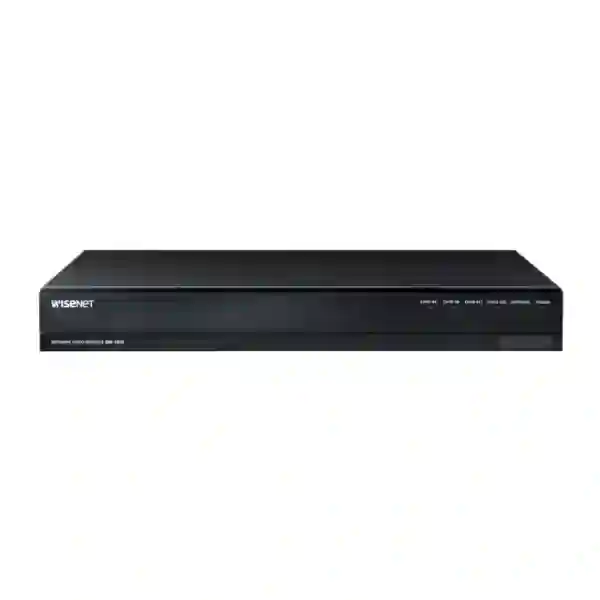
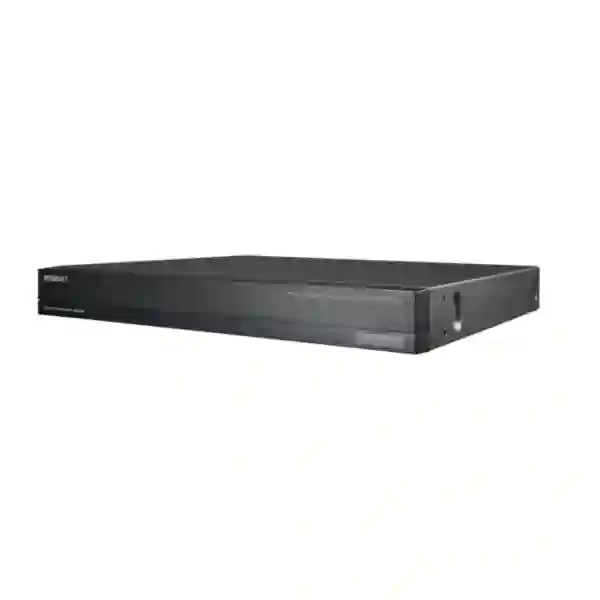
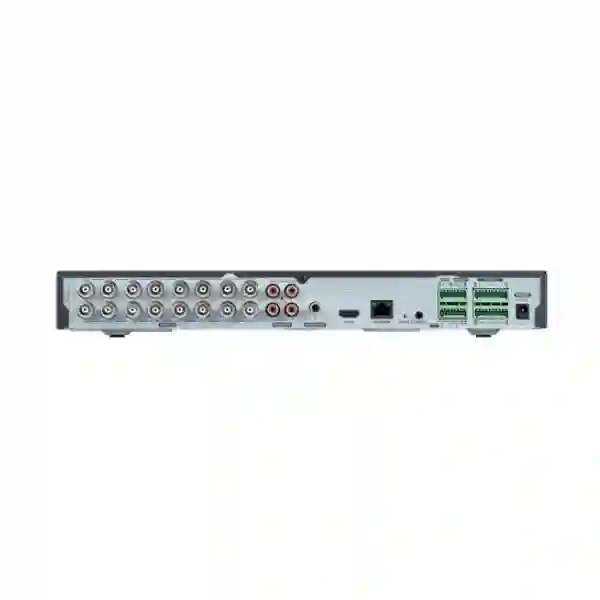
Hanwha SPE-1620 16-Channel Network Video Encoder
Bring compatible existing analogue CCTV camera signals into an IP-managed surveillance system without assuming every camera must be changed immediately. The Hanwha SPE-1620 offers sixteen BNC inputs, network streaming and documented integration functions, but the model has been discontinued. Check fit, lifecycle and current alternatives before purchasing.
For Tanzania projects, the first step is a camera and recorder compatibility review. Neither local stock nor a current commercial offer is implied by this product information.
Key capabilities at a glance
Values are model specifications rather than a performance guarantee for a particular camera, recorder or site. A successful deployment depends on source format, selected settings and integration testing.
Important before ordering
Hanwha Vision has marked this encoder discontinued. A model being described here does not establish that FourTeck Tanzania has local stock, that a warranty is available, or that manufacturer security updates are ongoing. Review the actual camera inputs and recording software, then compare any legacy-stock option with a supported replacement on technical merit, service life, and verified terms.
A practical route from coaxial cameras to an IP video system
The Hanwha SPE-1620 is intended for organizations that already own compatible analogue CCTV cameras and need to present their video to a networked recording or management environment. Instead of replacing every camera as the first step, an encoder may preserve useful existing camera infrastructure while making selected video feeds accessible over an IP network.
This makes sense when the installed cameras still deliver adequate pictures, coaxial cabling is in reasonable condition, and the intended recorder can accept the encoder’s network streams. The encoder is not a camera, a complete recorder, or a direct substitute for a surveillance design. It is the conversion point between analogue inputs and digital network video.
Because Hanwha Vision identifies this model as discontinued, the buyer should approach it as a legacy equipment consideration rather than assume a new supported product is available. A sensible inquiry begins with camera types, the number of channels, recorder compatibility, expected image quality, and the cost of keeping the existing installation in service.
What the sixteen channels actually mean
The unit provides sixteen BNC video input connections. In a typical application, each compatible analogue camera uses its own coaxial feed into one input, with the encoder turning those feeds into network-accessible video streams. The channel count represents camera connections, not sixteen independent network sockets or sixteen newly supplied IP cameras.
A site with twelve compatible cameras can plan around those twelve inputs and retain some capacity for additional supported feeds. A site with twenty cameras should not assume one sixteen-channel unit is sufficient. Camera mapping matters: document which camera is connected to each port and preserve the original area names in the recording interface where possible.
Before deciding on the encoder, inspect the existing cabling and video connectors. Loose BNC terminations, electrical noise, incorrect signal formats, poor power supplies, and damaged cable runs will still affect picture quality after encoding. Digitizing a degraded signal does not restore detail that the camera and analogue transport never captured.
Supported analogue formats and the importance of verification
Hanwha’s technical specifications identify CVBS as well as AHD, CVI, and TVI input support, with automatic detection for compatible signals. This is useful in mixed installations, where individual cameras may have been purchased at different times and do not all share one high-definition analogue standard.
Automatic detection should not be confused with unlimited compatibility. The stated high-definition analogue inputs are for supported one- and two-megapixel formats. A camera producing a higher-resolution proprietary signal, an unusual refresh rate, or a configuration outside the published format list may require reconfiguration or replacement before it can work reliably.
During an initial survey, record camera make, model, output mode, PAL or NTSC setting, and any menu option that changes its analogue output. Test a representative example of every camera family against the encoder, particularly when the installation uses older equipment or cameras from several vendors. This is more reliable than assuming a BNC connector alone guarantees success.
Understand the two-megapixel resolution ceiling
The SPE-1620 is specified for video up to two megapixels, including a 1920 by 1080 image size. That is suitable for some established CCTV monitoring applications, but it is not a path to four-megapixel or eight-megapixel detail from an existing higher-resolution camera. The encoder’s supported input and output capabilities establish the ceiling for a converted feed.
Resolution is only one part of usable evidence. Camera lens position, focus, viewing distance, low-light behavior, contrast, lighting direction, and the quality of the coaxial path determine how clearly a person, vehicle, or event appears. A two-megapixel file from a weak source can remain less useful than expected.
For buyers planning identification at an entrance or detailed monitoring of a cash-handling point, review real sample recordings at the required distance and lighting conditions. If the job depends on detail the present cameras cannot capture, a direct move to modern network cameras may be more appropriate than adding a video encoder.
Frame rates differ by input mode
The headline performance is up to fifteen frames per second at two-megapixel or 1080p input, and up to thirty frames per second at 720p under the specified NTSC conditions. The manufacturer also publishes corresponding PAL-mode figures of twelve frames per second at 1080p and twenty-five at 720p, so video-system standard and configured mode matter.
Frame rate affects how smoothly motion is recorded, but more frames are not always the most valuable design choice. People walking through a lobby, a vehicle passing a gate, or objects moving across a production floor create different demands. The balance should include usable image detail, lighting, retention, network bandwidth, and what investigators need to see.
Do not interpret the 720p frame-rate figure as evidence that 1080p feeds can also run at thirty frames per second. Demonstrate the exact camera format and recorder settings with a realistic scene. If very smooth high-resolution motion is an essential requirement, evaluate an alternative architecture instead of relying on optimistic assumptions.
Main and secondary streams for different viewers
The device supports up to two streaming profiles per camera channel. In a well-planned system, this can allow a higher-detail stream for recording and another profile tailored to lighter viewing requirements, subject to the published limits. Different viewing tasks can therefore make different demands on the encoded material.
A monitoring operator looking at a wall of many thumbnails often needs a different stream from a person reviewing a single recorded incident. Multiple profiles can help separate those tasks, but they do not provide unlimited processing capacity. The datasheet also documents conditions under which frame rates can fall when streams and on-screen time display are used together.
During commissioning, test simultaneous recording and viewing, not just one camera in an isolated browser tab. Confirm the real frame rate on both profiles, the latency visible to operators, and the way the chosen NVR or VMS requests streams. That practical test protects the project against unexpected compromises during everyday operation.
H.265, H.264 and MJPEG are options, not promises
The SPE-1620 lists H.265, H.264, and MJPEG among supported video compression methods. These names describe ways of encoding images for transport or storage. They do not by themselves establish the storage size, bit rate, video quality, or compatibility that a particular site will experience.
H.265 can improve compression efficiency in suitable systems, but the receiving platform must be able to decode and record the selected stream. H.264 can be a practical compatibility choice for older video-management platforms. MJPEG is available with tighter published frame-rate limits and should not be treated as equivalent to the main H.265 or H.264 recording path.
Choose the codec after confirming the recorder’s supported profiles, the playback clients, and the intended archive settings. Use representative motion, day and night footage, and a repeatable image-quality check. The right result is the one that meets the project’s evidence and operational requirements, not simply the codec with the newest name.
How network bandwidth should be planned
The encoder provides a single RJ-45 Ethernet interface supporting 10, 100, and 1000 Base-T connections. This connection aggregates network traffic from the converted video channels, so network design should consider the sum of active streams and viewers, not merely the nominal speed available at the switch port.
An installation with many channels, high-detail primary streams, secondary streams, and multiple simultaneous viewers can generate substantial traffic. Exact bandwidth depends on encoding profiles, video complexity, frame rate, bit-rate settings, and the number of receiving clients. There is no dependable universal bandwidth figure for every sixteen-camera site.
Plan a suitable switch connection and measure traffic during a live trial. Separate surveillance traffic from unrelated business applications when network policy requires it. Check uplinks, firewalls, routed paths, and recorder capacity as well as the encoder’s Ethernet socket. The limiting component may be elsewhere in the network.
Recording and storage are separate decisions
The SPE-1620 performs video encoding; it does not remove the need for a recording destination when stored footage is required. Buyers should specify whether the project uses a network video recorder, video-management server, another supported recording platform, or controlled live viewing without retention.
Retention planning starts with the number of cameras, active hours, motion characteristics, selected compression, target bit rates, and required archive period. It should also address continuous versus event recording, storage redundancy, access permissions, and how footage is exported. The encoder’s sixteen inputs do not automatically determine the size of the necessary disks.
When replacing an existing DVR, identify the recordings that must remain accessible and the date when archive responsibility changes. Test time synchronization and export playback before the new arrangement becomes operational. A conversion project should improve how video is managed without creating uncertainty about where important footage is held.
ONVIF and network integration
The published specifications list ONVIF Profile S and SUNAPI support, along with RTSP and other networking protocols. These interfaces can help integrate the encoder with compatible video-management systems and provide configuration options for integrators. Their presence is useful, but a protocol name is not a universal guarantee of every recorder feature.
A receiving platform may accept live video yet handle alarms, configuration menus, audio, time overlays, or camera controls differently. Even products advertising the same standard can vary by firmware version, recording software release, and vendor implementation. Some operations may require vendor-specific integration instead of generic ONVIF discovery.
Ask the integrator to demonstrate the exact functions the buyer needs on the intended NVR or VMS. Verify live display, recorded playback, search, evidence export, event display, user permissions, and reconnection after a network interruption. Keep a record of tested software and firmware versions so future maintenance has a clear starting point.
Recorder and software compatibility must be tested
Hanwha’s published technical material references its own recorder families and software ecosystem for the SPE-1620. That is a useful starting point for system design, especially when a site already uses equipment from the same manufacturer. It should not be interpreted as proof that any chosen model or current software release will work without limitations.
Real compatibility includes discovery, addressing, credentials, maximum streams, recording formats, time stamps, alarms, and the platform’s licensing or channel-count rules. A new network stream may require a recorder channel license even when an analogue camera was already present in the old system. Licensing arrangements must be confirmed with the software provider.
The strongest procurement test is a demonstration with the intended recording system and at least one real camera. If that test is impossible, ask for current written compatibility evidence for the exact version combination. When there is uncertainty, factor the integration risk into the equipment decision before ordering.
Local HDMI viewing and its proper role
The encoder includes an HDMI video output specified for a sixteen-image multiview display with a 1920 by 1080 output. This can be useful at the equipment location when an installer needs local visibility of connected inputs or a technician is diagnosing whether a camera feed reaches the encoder.
Local video output should not be mistaken for a full recording service or the complete operating interface of a network surveillance system. Day-to-day control, search functions, user roles, retained footage, and incident export are normally planned around the chosen recorder or video-management platform.
During site design, decide whether a local monitor is genuinely needed and where it will be located. Test the available display and cable arrangement, and protect any accessible equipment from unauthorized changes. A convenient engineering output is helpful, but it cannot replace the operational controls and retention functions of the wider solution.
Audio connections and their limitations
The technical specification lists four line-level audio inputs and one line-level output, with G.711 u-law audio compression. This may support selected audio-related integration needs, but the number of audio connections is not equal to the sixteen video channels. A buyer should not assume every camera feed can have an independent audio input.
Audio projects require much more than identifying sockets. Confirm microphone signal levels, approved accessories, recording-platform support, synchronization, cabling, and the intended monitoring policy. Where sound is recorded in workplaces or customer areas, applicable privacy rules and organizational procedures must also be considered.
If audio is a required feature, include it in the acceptance test and check playback together with the associated video. Do not promise two-way intercom operation, built-in microphones, automatic audio recording for all channels, or legal permission to capture conversations without verifying the full system and deployment context.
Alarm inputs and outputs for existing systems
The SPE-1620’s published specifications list sixteen alarm inputs and four outputs. They may be relevant when an installation includes contact signals, sensor events, or other approved control-system interfaces. Correct mapping is essential because alarm wiring, relay behavior, event actions, and recording workflows can all influence how an operator responds.
A simple example might involve a monitored door contact or an equipment-room alarm triggering a configured event. However, the encoder should not be described as a certified life-safety controller or assumed suitable for critical access-control functions. Alarm functions belong inside a properly engineered system with the appropriate independent safeguards.
Before connection, document the contact type, voltage requirements, wiring, event naming, and permitted action for each interface. Test events with the relevant recorder and monitoring staff. A working relay connection is only one part of an end-to-end alarm process; notifications, log retention, and human response need their own validation.
Motion detection, video loss and event handling
The model lists motion detection, tampering, video loss, alarm inputs, and network disconnect among its event-related capabilities. These features can help an operator or recording platform recognize conditions requiring attention. They are useful building blocks, not proof of advanced AI analytics or guaranteed detection of every incident.
Basic motion alerts can react to lighting changes, shadows, animals, moving trees, or other irrelevant visual changes. Conversely, a poorly framed or dim scene may fail to produce a useful trigger. Event sensitivity and the physical camera view should be evaluated together to avoid overwhelming operators with alarms they no longer trust.
Define a practical event policy for each camera group. Decide which events are recorded, displayed, sent through a supported notification mechanism, or escalated to an operator. Document who reviews them and how false alerts are handled. Test temporary cable disconnection and network interruptions so faults do not go unnoticed.
Privacy masking and sensible access controls
Hanwha identifies privacy masking among the encoder’s functions, with four rectangular masking zones in the published specification. A mask can help restrict certain areas of a camera view when a legitimate deployment needs to avoid unnecessary observation. It does not automatically solve every privacy or data-protection requirement.
Where recording covers offices, entrances, shops, common areas, or neighboring property, site owners should decide which areas are necessary for the security purpose and which should be excluded. Access permissions, retention rules, notices, and lawful operation require a separate policy that fits the organization and applicable local obligations.
Check how the chosen mask appears in both live and recorded streams and whether different viewing profiles behave consistently. Review who can edit the settings and how configuration changes are documented. Technical masking is a helpful control only when it forms part of a considered privacy and governance process.
PTZ and control interfaces require compatibility checks
The technical material lists an RS-485 half-duplex interface with specified control protocols, together with coaxial-control functionality for supported formats. These features may matter when an existing estate contains compatible pan-tilt-zoom cameras or equipment that relies on established control wiring.
Control support is not the same as universal PTZ compatibility. Camera protocol, addressing, baud rate, wiring polarity, firmware, and the behavior of the management platform may all affect whether an operator can move a camera or call a preset. Particular functions can be unavailable even if basic video works.
If PTZ operation is essential, include real movement tests in the pilot. Confirm that control requests reach the correct camera, presets behave as expected, and normal users cannot make unauthorized changes. Some modern camera features are better supported by a direct network-camera connection than by retaining an older analogue control path.
Power requirements and electrical planning
The published device specification identifies a 12-volt DC input and a maximum listed device power consumption of sixteen watts. It also specifies a 12-volt, five-ampere input arrangement. Treat those figures as device information and verify the correct approved power hardware for the particular installation rather than substituting an arbitrary supply.
The encoder’s Ethernet port does not by itself mean that the device can be powered through the network cable. Existing analogue cameras will still need their own suitable power arrangements unless another verified design supplies them. The power budget should therefore cover the encoder, cameras, switch, recording equipment, and any monitor independently.
Consider a suitably engineered UPS if the surveillance service must continue through short electrical interruptions. Confirm grounding, surge protection, circuit capacity, cable management, and safe access for servicing. An encoder is only useful while its camera feeds, network connection, and recording destination remain powered and operational.
Heat, humidity and installation environment
The manufacturer publishes an operating temperature range of minus ten to plus forty-five degrees Celsius, with a lower maximum of plus forty degrees Celsius when installed in a rack, and a specified relative-humidity range. Those limits deserve attention in equipment cabinets, small server rooms, and spaces with restricted airflow.
For deployments in Tanzania, assess the actual indoor installation environment rather than assuming general outdoor weather is the same as cabinet conditions. Equipment placed near hot ceilings, unventilated cupboards, dust sources, or corrosive environments may require a different enclosure or an adjusted equipment-room design.
Measure the proposed location during typical use and consider what happens when cooling or ventilation is unavailable. Do not expose indoor equipment to rain or treat the listed temperature range as evidence of outdoor weatherproofing. Maintain clearance for airflow and provide access for inspection, cable identification, and eventual replacement.
Dimensions, rack planning and physical access
The published dimensions are approximately 370 millimetres wide, 44 millimetres high, and 320 millimetres deep, excluding the extra depth noted for connectors. Device weight is approximately 2.32 kilograms. These figures help planners check shelf space, cable clearance, cabinet ventilation, and the practical location of sixteen coaxial terminations.
A neat installation is more than fitting the metal case onto a shelf. The rear connectors and incoming coaxial cables need room for service loops and labeling. Tight bends or heavy cable bundles can stress connections and make faults more difficult to identify. Consider access to the power and network connection as well.
Before installation, confirm mounting requirements using the applicable Hanwha guidance and any approved accessories. Record a port schedule and photograph a clean, completed arrangement for maintenance. Physical organization matters particularly when an existing CCTV room also contains a DVR, network switches, a UPS, patch panels, and other devices.
Network security and controlled remote access
The published security functions include HTTPS-related authentication, digest login, IP address filtering, access logging, and listed 802.1X authentication methods. These can contribute to an appropriately managed deployment, but the presence of features in a datasheet does not prove that a particular installation is secure by default.
An installer should apply a defined password and account policy, disable unnecessary services where feasible, restrict management access, and keep surveillance devices behind correctly configured network controls. Avoid placing an old encoder directly on the public internet. Remote access should follow the organization’s approved secure-access architecture.
Because the SPE-1620 is discontinued, maintenance and security support require additional scrutiny. Ask which firmware version is supported, whether updates remain available, and how vulnerabilities or configuration problems will be handled. If the security requirements are strict or ongoing vendor support is mandatory, that may favor a currently supported replacement.
Why discontinued status changes the buying decision
Hanwha Vision’s current product information marks the SPE-1620 as discontinued. This is a lifecycle statement about the model, not proof that every unit has disappeared from every supplier. Equally, an unrelated retailer advertising a unit cannot establish availability, warranty terms, or official support for a buyer in Tanzania.
For a one-off repair, continuing with a compatible legacy unit might be considered after checking its condition, provenance, firmware, and expected operating life. For a new multi-year deployment, the uncertainty around replacement units, documentation, ongoing security maintenance, and future expansion deserves more weight.
Procurement should start with a lifecycle question: is preserving the exact encoder necessary, or does the business simply need its existing analogue cameras connected to a modern recorder? That distinction helps the buyer compare a like-for-like legacy part against current encoders, replacement cameras, and a phased surveillance refresh.
Survey the existing camera estate before buying
A useful site survey identifies every camera, connection type, video standard, resolution, power source, cable condition, and observation purpose. The survey should also record camera failures, inadequate coverage, poor night-time images, and blind spots. These issues are not fixed merely by routing the same footage through a network encoder.
Group the cameras by practical importance. Entrance views, perimeter monitoring, service counters, stock rooms, and general overview cameras may have different evidence needs. A system that has worked for years might still fall short of current operational expectations, particularly when staff now expect remote review or clearer evidence.
Compare survey findings with the encoder’s sixteen inputs, maximum two-megapixel capability, and input signal support. Prepare a camera-by-camera compatibility sheet rather than making a single whole-site assumption. The result should be a list of cameras suitable for retention, cameras requiring adjustment, and cameras better replaced.
Run a proof of concept with real cameras
A pilot should use equipment that represents the installation, not only a showroom camera with ideal cabling. Include at least one camera of each relevant standard, a long cable run where quality is uncertain, and the actual NVR or software version intended for production. This reveals problems before purchasing or commissioning the complete system.
Test daylight footage, night footage, movement, camera restarts, power interruptions, stream reconnection, time synchronization, and evidence export. Check both primary and secondary streams if both will be used. Where alarms or PTZ matter, test those functions rather than inferring them from a specifications list.
Record pass-and-fail criteria in simple language: correct image, acceptable frame rate, compatible storage, stable live viewing, correct channel naming, and successful retrieval of a specific incident. If a pilot exposes a hard limitation, redesign the system. Do not compensate for a failed requirement by changing the project description.
Build the migration plan around continuity
Many organizations cannot switch off surveillance for an extended period. Plan the migration in camera groups so staff know which areas are temporarily unavailable and where footage is being recorded during the change. An old DVR may need to remain online for retained historical recordings while new feeds are moved to the network system.
Create a port mapping between the old and new arrangements. Include physical camera labels, coaxial inputs, recorder channel names, network addresses, stream credentials, and storage destination. Ensure the operations team can identify the correct camera after migration instead of relying on generic names such as Channel 01.
Have a rollback plan for essential areas. That may involve preserving original connections, maintaining compatible recording equipment temporarily, and scheduling work at a low-risk time. The goal is not only technical cutover; it is maintaining confidence that operators can see, record, search, and export the footage they depend upon.
Commissioning checks for dependable operation
Before accepting the project, check every physical input against the camera inventory. Confirm each displayed picture belongs to the expected location and that time and date information is consistent with the selected recording platform. Test network addressing, authentication, connection recovery, and any approved remote-viewing route.
Review recorded footage rather than checking only live pictures. Inspect short clips for motion smoothness, compression artifacts, dropped intervals, and usable detail. Confirm that staff can find footage by time and camera, export it in the required format, and review it on a separate authorized workstation.
Hand over written configuration records, account ownership details through a secure process, camera labels, firmware information, network diagrams, and a maintenance checklist. Avoid storing real passwords in general project documents. A completed system should be understandable to the owner and a future service technician without depending on one person’s memory.
Scenario: retail shops and multi-camera premises
A retailer might have a working group of coaxial cameras covering entrances, service counters, aisles, and back-of-house spaces. If these cameras use supported analogue formats, an encoder could provide a route to network-based viewing or recording while avoiding immediate changes to every camera and cable.
The buying decision still depends on scene quality. An overview camera may be adequate at two megapixels, while a critical point-of-sale view could benefit from a carefully selected modern network camera. The objective is evidence that meets the retailer’s needs, not retaining every component regardless of its condition.
Plan camera names around operational areas, define authorized viewer roles, and verify night-time recording. If remote access is important, use a secure design and test bandwidth at the intended viewing location. A phased approach can retain useful equipment while prioritizing camera replacements where better detail genuinely matters.
Scenario: warehouses, workshops and logistics areas
An established warehouse or workshop may use analogue cameras on gates, storage rows, loading spaces, and internal corridors. In such a setting, the SPE-1620’s channel capacity may be attractive as a way to bring older feeds into a networked monitoring plan, subject to compatibility and the discontinued model’s procurement risks.
Fast-moving vehicles, long viewing distances, dusty environments, and difficult lighting can expose the weaknesses of older cameras. The encoder cannot improve the optical field of view, illumination, or native image detail. Review the scenes that matter most and test whether the published frame-rate limits deliver useful recordings.
Separate the indoor equipment location from exposed camera locations and protect the network and power supply. Document which areas require continuous recording and which require event review. If future analytics, high resolution, or scalable remote management are priorities, compare a direct network-camera refresh before committing to a legacy encoder.
Scenario: schools, offices and hospitality properties
Schools, offices, and hospitality sites may inherit surveillance systems installed over several expansion phases. A sixteen-channel encoder can be relevant when compatible analogue cameras remain useful and a central management platform is being introduced. However, user access, privacy, retention, and camera placement are just as important as connectivity.
In occupied buildings, staff and visitors may be affected by changes to surveillance arrangements. Make sure monitoring purposes, authorized users, and any required notices are defined by the organization. Avoid unnecessary observation of sensitive spaces. Technical configuration should reflect the actual policy rather than determine the policy on its own.
Test normal daytime occupancy, evening lighting, and periods of network congestion. Check that live-monitoring screens show the right locations and that staff can retrieve recordings during an incident review. Choose a current solution instead when the buyer requires features the analogue equipment or discontinued encoder cannot deliver.
Cost comparison: retain cameras or replace them?
An encoder-based conversion can appear less disruptive because many existing cameras and coaxial runs may remain in place. Yet total project cost includes more than the encoder: cabling repairs, camera power, switch capacity, network configuration, recorder licenses, storage, installation labor, cyber controls, and eventual replacement all belong in the calculation.
Compare at least two realistic designs. One might retain suitable analogue cameras through an encoder; another might replace the most important cameras with supported network models, using a staged upgrade for the remaining locations. Include the expected operational life, serviceability, image quality, and monitoring requirements of each route.
No current FourTeck Tanzania price, stock level, delivery period, or warranty has been established for this specific model. Buyers should therefore ask for a verified quote and an explicit equipment-status explanation. A lower initial hardware figure is not a saving if the chosen design fails a required function or becomes difficult to maintain.
What a suitable current alternative should provide
If the exact SPE-1620 is unavailable or inappropriate, the functional requirement may still be achievable with another supported multi-channel encoder or a redesigned IP-camera solution. Start with mandatory inputs, camera standards, resolution, frame rates, management-platform integration, alarm and audio needs, security support, and expected expansion.
Do not select a substitute solely because it has sixteen ports. Some devices accept different analogue formats, offer different encoding performance, or support a different subset of recorder functions. Others may demand a complete camera replacement. Compare manufacturer documentation for the exact alternative and confirm interoperability with the intended system.
Ask suppliers to identify the recommended product’s lifecycle status, supported firmware path, replacement availability, and locally applicable commercial terms. Require a practical trial for unusual legacy cameras. The most useful alternative is one that solves the surveillance requirement today and can be operated responsibly over the planned service life.
What to include in a useful quotation request
For a meaningful review, provide the number of existing cameras, camera models if known, image formats, current recorder or management software, network arrangement, installation environment, and any essential alarm or audio functions. A few sample images and a clear camera inventory are often more useful than a request containing only the encoder model number.
Explain whether the requirement is to replace a failed SPE-1620, migrate from an older DVR, extend a working site, or design a new networked CCTV system. State the target recording period and what users expect to do: live monitoring, search, evidence export, mobile viewing, or centralized control across several premises.
Ask for the proposed bill of materials, compatibility assumptions, commissioning tests, lifecycle position, and verified commercial terms. If the manufacturer has discontinued the requested part, request a clear comparison with a supported solution. This makes the purchasing discussion specific and prevents a quote from hiding important integration conditions.
Maintenance after installation
Legacy video infrastructure needs regular checks even when it seems stable. Review camera images for lost focus, poor night performance, new obstructions, signal noise, and failed power supplies. Inspect the encoder’s event logs and recording connectivity, and confirm the NVR or VMS continues to receive the expected channels.
Periodically test an evidence search and export. A live image on a monitor is not sufficient proof that yesterday’s footage was retained correctly. Review storage health, timestamps, user access, network performance, backup arrangements where relevant, and changes to operational requirements.
Keep firmware and configuration records and use only validated maintenance procedures appropriate to the installed equipment. For a discontinued device, establish a documented replacement strategy before a failure becomes urgent. Maintenance planning should protect both the present footage and the organization’s ability to move to a supported future system.
A clear purchasing recommendation for Tanzania
The Hanwha SPE-1620 can be understood as a sixteen-channel bridge for supported analogue camera signals, using network video streams to connect an older CCTV estate with selected IP-based management equipment. Its strengths and limitations are specific: two-megapixel maximum video, format-dependent frame rates, two profiles per channel, and published integration interfaces.
The central caution is product lifecycle. Hanwha Vision currently marks the model discontinued, and no local inventory or commercial offer has been verified. It is therefore best evaluated as a legacy part or reference specification, not promoted as a guaranteed available new purchase in Tanzania.
Before committing, have the existing cameras and receiving software checked against the technical requirements. If the objective is a new installation, reliable future expansion, stronger security maintenance, or higher-resolution video, request an assessment of current supported alternatives. Use the product’s real capabilities to guide the design instead of treating its model number as the solution.
Frequently asked questions
Answers to common technical and purchasing questions about using this discontinued sixteen-channel encoder within an existing CCTV installation.
What is the Hanwha SPE-1620 used for?
It converts video from up to sixteen compatible analogue camera inputs into network-accessible video streams for integration with suitable management or recording equipment. It does not include cameras, replace a complete NVR, or guarantee that every analogue format will work. Camera outputs and receiving-platform capabilities must be checked for the exact installation.
Is the SPE-1620 still in production?
Hanwha Vision identifies this model as discontinued. That does not prove that no reseller has existing stock, but it means buyers should not assume normal ongoing production or unrestricted manufacturer support. Request confirmation of condition, provenance, firmware support, warranty, and any available current replacement before making a purchasing decision.
Can it work with sixteen existing coaxial CCTV cameras?
Potentially, if the cameras use the supported analogue standards and resolutions and their coaxial signals are sound. Each camera would normally use a separate BNC input. A connection count alone does not establish compatibility. Survey the camera models, PAL or NTSC settings, cables, and video output modes, then test representative feeds.
Does it support 4MP or 4K recording from analogue cameras?
No such capability is established for this model. The published maximum video resolution is two megapixels. If the project requires higher-resolution evidence, the buyer should evaluate a different, currently supported solution and confirm the entire chain from camera capture to recording and playback.
Can it record 1080p at 30 frames per second?
The manufacturer’s headline specification lists up to fifteen frames per second at 2MP or 1080p under the stated NTSC settings, with a lower corresponding PAL figure. The higher thirty-frame figure belongs to 720p operation under the stated conditions. Confirm settings and actual recorded results during a pilot.
Does H.265 mean the storage requirement is known?
No. H.265 is one of the listed video codecs, but the actual archive requirement depends on scene complexity, frame rate, bit-rate settings, the number of cameras, the recording schedule, and retention duration. Size the recorder and storage only after representative stream tests and a documented retention policy.
Will it connect to any NVR that supports ONVIF?
Not automatically. The published interfaces include ONVIF Profile S, but real integration also depends on firmware, recorder software, credentials, stream formats, and which features are required. Confirm discovery, recorded playback, events, audio, time synchronization, and export on the exact intended recorder before procurement.
Is the HDMI connection a substitute for an NVR?
No. The published HDMI connection provides a local multiview video output, which can assist with installation and inspection. The responsibilities of long-term recording, search, retention, access control, and evidence export must be assigned to an appropriate recording or video-management solution.
Does it power analogue cameras over Ethernet?
Do not assume that. The device has a specified DC power input and a network interface, while connected analogue cameras require their own suitable power arrangements unless a separate verified design provides them. Check the electrical plan for the encoder, each camera, the network switch, and the recording equipment.
Does it support audio and alarm integration?
The published specification lists four line-level audio inputs, one line-level output, sixteen alarm inputs, and four outputs. Availability of usable features in a working system depends on wiring, compatible devices, firmware, recorder integration, and operating policy. An acceptance test should demonstrate each required function.
Can existing PTZ cameras still be controlled?
Some compatible legacy cameras may be controlled using the specified RS-485 or coaxial-control interfaces. Support is dependent on the camera protocol, addressing, wiring, and the management interface. Test movement and presets on the actual cameras; do not assume every PTZ function will survive the migration.
What should a Tanzania buyer check before requesting a quote?
Share the camera count, make and model, analogue output standards, intended recording platform, required retention, site environment, and installation goals. Ask for verified product availability, lifecycle information, support arrangements, and a technically matched alternative because the SPE-1620 is discontinued. No Tanzanian price or local stock claim is established here.
Can it improve blurry video from old cameras?
An encoder changes how video is packaged and transported; it does not invent missing optical detail. Poor focus, insufficient light, worn cameras, damaged coaxial cable, and bad connectors can remain visible in the encoded stream. Diagnose the original image before deciding whether a conversion or camera replacement will best solve the problem.
What security precautions matter with a discontinued encoder?
Use controlled accounts, appropriate network isolation, protected management access, documented configurations, and an agreed maintenance process. Check which firmware versions and security updates remain supported. Avoid direct public-internet exposure, and assess whether the organization’s risk policy allows a legacy device in a new deployment.
How should the success of an upgrade be measured?
Start with explicit acceptance criteria: correct video from every required camera, acceptable image detail and motion, stable recording, accurate timestamps, reliable search and export, and working critical alarms. Test network recovery and user permissions as well. Those results matter more than a model name or a catalogue feature checklist.
Request a compatibility and replacement review
Ask FourTeck Tanzania to review your existing analogue camera standards, channel count, recording platform and planned operating life. Because Hanwha Vision lists the SPE-1620 as discontinued, request confirmation of the exact item’s status and a comparison with a currently supported solution wherever appropriate.




Reviews
There are no reviews yet.