

HANWHA VISION · IP SURVEILLANCE DISPLAY
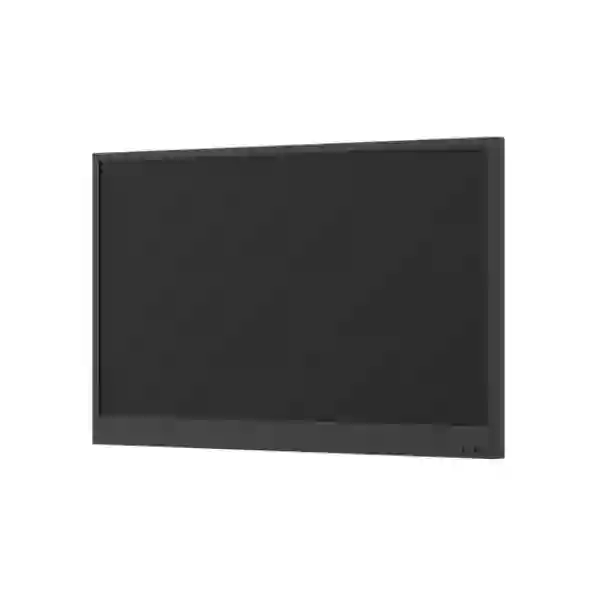
Hanwha Vision SMT-2721D 27-inch Full HD Video Decoder Monitor
For a dedicated CCTV viewing position that needs live IP camera pictures without a separate general-purpose PC at the screen, consider the Hanwha Vision SMT-2721D. It brings a 27-inch Full HD LED monitor and network video decoder into one device, supports cameras with streams up to 4K, and provides configurable multi-view layouts plus an HDMI output for a secondary display. The headline capacity of up to 64 live streams must be assessed against actual decoding performance and image sizes. This is a surveillance viewing endpoint, not a confirmed recorder or a native 4K panel. For a Tanzania installation, verify camera compatibility, power accessories, environment, and commissioning scope before requesting a quotation.
*Stream count and display divisions do not override the specified resolution, frame-rate, and decoding-performance limits.
At a glance: fit and decision checks
Dedicated live-view monitoring, planned layouts, controlled security desks, and an additional viewing point for selected IP cameras.
Exact stream loads, third-party camera compatibility, power source, included accessories, external screen requirement, and separate recording functions.
A security display with its own decoder, not an ordinary monitor
The Hanwha Vision SMT-2721D combines a 27-inch LED display with an integrated IP video decoder. In a conventional surveillance desk, a separate computer, recorder output, or dedicated decoder may be required to place camera views on a monitor. Here, the display contains the decoding function itself. That arrangement can be useful where the requirement is to show selected network-camera video on a screen without assigning a general-purpose workstation to continuous display duty. It does not, however, remove the need for a properly designed camera network, appropriate credentials, compatible streams, reliable electrical power, and operational procedures.
The practical buying question is whether your team needs a straightforward live-view endpoint or a complete recording and investigation platform. This monitor is especially relevant to a guard desk, reception security point, entrance monitoring position, or a compact control-room wall where live pictures must remain visible. The manufacturer’s published information identifies local user-interface management, browser-based viewing or configuration, and SSM management support. The exact operating workflow should be confirmed against the current manual and the customer’s software environment before commissioning.
Buy the model for its combination of network decoding and physical screen, not merely for its panel size. A conventional 27-inch office monitor may look similar but typically depends on another device to process IP camera streams. Conversely, this decoder monitor should not be assumed to replace a network video recorder, footage retention system, analytics server, incident-management platform, or full-featured video management workstation. Identify the required operator tasks first, then decide which devices perform display, recording, search, export, and alarm handling.
Who should consider the SMT-2721D
A site with many cameras but only a small number of staffed watch positions may benefit from a dedicated screen showing a carefully chosen group of feeds. The integrated decoding function can make the endpoint more self-contained than a passive display. Good candidates include supervised entrances, building security desks, gatehouses, dispatch rooms, and auxiliary viewing points where live awareness is important. The fit depends less on the total number of installed cameras than on how many must be visible simultaneously, the resolution of their streams, and the operator’s ability to interpret each tile.
It may also suit a team that wants to extend live monitoring beyond a primary VMS desk, provided the intended camera or management-system integration is verified. For example, a supervisor might need a persistent overview of gates and corridors while an investigator uses a separate workstation for recording searches. In such a design, the decoder monitor presents a selected view; the recording system maintains history and manages retention. This separation of functions can make the security workflow easier to explain and support.
It is less appropriate when the central requirement is detailed 4K viewing at native resolution, extensive interactive forensic review, or unusually dense camera mosaics that operators must interpret from a distance. The screen is Full HD even though it accepts supported streams from cameras of up to 4K resolution. If the buyer needs true 4K pixels on screen, a different display specification should be evaluated. If a camera uses proprietary streaming behavior, compatibility testing is preferable to assuming that a matching connector or a protocol label guarantees operation.
Full HD panel: what the picture specification means
The integrated LED panel is 27 inches diagonally with a native resolution of 1920 × 1080 pixels and a 16:9 aspect ratio. Hanwha Vision specifies brightness of 300 cd/m², a 3000:1 contrast ratio, and 178-degree horizontal and vertical viewing angles. It also lists 16.7 million display colors, a 12 ms response time, and a panel-life specification of 30,000 hours. These figures describe the panel characteristics, not a promise that every source scene will appear sharp or useful in every lighting condition.
For a security officer seated close to the desk, Full HD resolution may provide a practical balance between readable controls and a manageable screen size. Tile layout remains crucial: placing many live views on one display shrinks each image and makes faces, labels, and distant activity harder to distinguish. Camera framing, illumination, compression settings, the selected stream, and viewing distance often determine whether the footage is genuinely usable. The monitor’s native pixel count cannot restore detail discarded before the image arrives.
The 178-degree viewing-angle specification helps describe panel visibility from the side; it is not a substitute for testing a real workstation under its installed lighting. If the screen faces strong daylight, reflective surfaces, or a brightly lit lobby, assess placement and glare before purchase. Equally, do not interpret the 30,000-hour panel-life figure as a guaranteed service period or warranty duration. Maintenance policy, environmental conditions, duty cycle, and the terms offered for the actual purchase all need separate review.
4K camera input support is not a 4K screen
One of the most important distinctions in this model is between the incoming camera stream and the pixels displayed. Hanwha Vision states support for cameras with resolutions up to 4K, while the built-in monitor still outputs a 1920 × 1080 image. That means a supported higher-resolution stream can be decoded and scaled into the available display area. The screen does not gain extra native pixels merely because an attached camera records more detail, and a tiny picture tile cannot show all 4K detail at once.
For a monitoring plan, start by asking what the operator needs to recognize. If the task is identifying whether a delivery vehicle entered a yard, a well-framed live view may be sufficient. If the task is reading small text across a large scene or inspecting very fine details, evaluate the full chain: camera lens, capture resolution, network bitrate, decoder capability, screen pixels, and the investigator’s ability to zoom or inspect recorded footage elsewhere. The highest camera resolution is not automatically the best continuous display setting.
A useful design choice is to maintain appropriate main and secondary camera streams where supported by the camera and deployment. Lower-bitrate or lower-resolution streams can be considered for dense overview layouts, while higher-quality streams are reserved for views where detail matters and decoder limits permit. Stream selection must be tested with the exact camera models and firmware. Do not interpret the published 4K camera compatibility statement as a guarantee that dozens of simultaneous 4K feeds can run at full frame rate.
Understanding the published decoding performance
The manufacturer lists maximum decoding performance of 2 × 8-megapixel streams at 30 frames per second or 12 × 2-megapixel streams at 30 frames per second. It also highlights support for up to 64 live video streams and multiple layouts. These specifications are related but not interchangeable. The headline channel or display count describes potential live-view arrangements; the decoding-performance figures show why stream resolution and frame rate affect the real workload. A 64-tile layout is not evidence that 64 full-resolution 4K sources can be decoded simultaneously.
Before signing off on a design, list each view’s expected resolution, codec, frames per second, intended stream profile, and how often it will appear. A small control screen may be most useful with six or nine strategically chosen images, even if the device can represent a much larger channel layout. For a larger overview, use lower-load profiles only when picture quality remains adequate for the task. Test the most demanding layout rather than an easy demonstration with a few low-resolution streams.
Capacity planning should also account for changing scenes. Fast movement, night conditions, and busy entrances can alter stream bitrate and operational usefulness. The published decoding examples are reference ceilings, not a universal performance guarantee for every camera, codec combination, or network. When uncertain, ask for a commissioning test using representative cameras and an explicit acceptance criterion: all required views load, remain stable, show acceptable delay, and are understandable at the planned viewing distance.
Clone and expand modes for a second screen
The SMT-2721D includes an HDMI output for an external secondary monitor. Hanwha describes HDMI number one as the internal main monitor and HDMI number two as the external secondary monitor. Its published division figures distinguish clone mode, with up to 64 divisions on the main display, from expand mode, with up to 36 divisions on the main display and up to 25 on the external display. These are mode-specific maxima rather than a recommendation to fill every division for daily security work.
Clone mode is useful when two viewers need a similar picture arrangement, subject to the manufacturer’s actual mode behavior. Expand mode is more appropriate when different camera groups should occupy different display areas. For example, a guard might keep entry points on the primary monitor and yard views on a nearby external screen. The benefit is operational separation, not an increase in the monitor’s native screen resolution or an unlimited increase in aggregate decoding throughput.
The external HDMI output supports the listed 60 Hz output formats of 1280 × 720, 1280 × 1024, and 1920 × 1080. Verify the external display’s accepted format, cable run, physical placement, and any need for signal distribution before ordering equipment. An additional display is a separate item unless an exact quotation says otherwise. Do not assume the second HDMI connection is a general-purpose video input for a laptop or NVR: the manufacturer specifically describes an internal decoder main monitor and an external decoder secondary monitor.
Layouts, sequencing, and readable live monitoring
Hanwha lists up to 20 layouts and sequencing support. A layout is a practical tool for grouping the feeds that operators need together. Rather than giving every camera equal space, prioritize cameras by risk and urgency. A main entrance, vehicle barrier, cash-handling area, or emergency exit may deserve a larger tile than a quiet equipment corridor. Different shifts or operational periods may justify different views. A well-designed layout is a decision aid, not simply a way to display the maximum number of thumbnails.
Sequencing can help rotate through groups of cameras when the monitoring station has limited screen area. It should not be used casually for views that require continuous observation: a camera hidden during a sequence cannot be watched at that moment. Record which locations must remain persistent, which may rotate, and how the operator returns immediately to a priority group. During acceptance testing, assess whether image labels remain legible and whether sequence changes give the user enough time to understand the scene.
Design for real human attention. Ten carefully selected images can produce better situational awareness than a crowded wall of tiny squares. Consider a simple operator exercise: ask staff to find a person entering a specified doorway while several other scenes are moving. If they struggle, change the layout before increasing the camera count. For each layout, document its purpose, the camera names it uses, and the response expected when something unusual appears. That work adds value beyond the hardware specification.
Video and audio codec support
The specified video codecs are H.265, H.264, and MJPEG. These are common formats in IP video deployments, but stating codec support is not the same as certifying every possible profile, firmware build, or combination of source settings. When integrating an existing camera estate, record the current codec and stream configuration for each candidate camera. A camera may publish several streams with different resolutions, frame rates, or encoding options; select the one that the monitor handles reliably and that meets operational needs.
Compression creates a tradeoff between network usage, decoder workload, and visible detail. Highly compressed pictures may be adequate for broad movement awareness but less useful for reading signs or observing subtle movement. More demanding streams can place greater load on the decoding endpoint. Test daytime and night scenes, busy and quiet periods, and any camera with unusual aspect ratios. A specification that identifies H.265 or H.264 does not independently prove acceptable latency or image clarity under all conditions.
For audio, Hanwha lists G.711, G.726, and AAC codecs, alongside two built-in speakers rated at 1 W each. If the monitoring procedure depends on listening, establish whether the selected camera provides a compatible audio stream, whether site policy permits audio monitoring, and whether the chosen layout or configuration actually plays it. The speaker specification should not be taken as a promise of room-filling sound or public-address functionality. Audio behavior should be explicitly included in any integration and acceptance test.
Network connections and the IP camera path
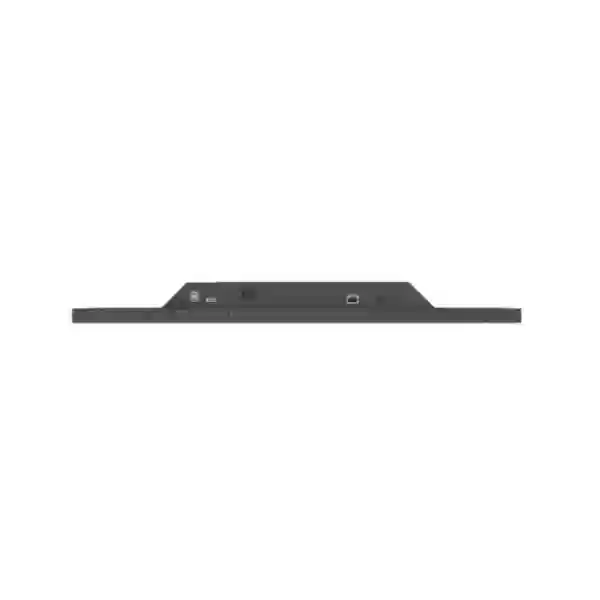
Network connectivity is through one RJ-45 Ethernet interface supporting 10/100/1000BASE-T. In normal planning, this port links the monitor’s decoder to the appropriate network environment; the video is not simply fed through the HDMI cable from each IP camera. The path can involve camera switches, network segments, routing policies, access rules, and management infrastructure. A working video arrangement therefore requires network reachability and the proper permissions as well as the physical Ethernet connection.
A gigabit port identifies the interface link capability, not the throughput available to every source or the amount of video the decoder can process. The network team should assess aggregate stream traffic, uplink capacity, multicast or unicast behavior as applicable, switch configuration, and the effect of intermittent packet loss. Avoid assuming that a fast port automatically resolves video freezing, delayed images, or bandwidth contention. The practical test is sustained playback of the exact selected streams over the intended production network.
Plan the IP address and naming scheme before the installer arrives. Give the endpoint a documented identity, maintain time synchronization, and know which cameras and management stations it must communicate with. Decide whether remote access is genuinely necessary, and restrict it according to the site’s security design. A decoder placed on a poorly governed flat network can introduce unnecessary exposure even if its screen only shows video. Coordination between the security contractor and network administrator is part of commissioning, not an optional extra.
Protocols and camera interoperability
The published protocol list includes RTP, RTSP, HTTP, CGI via SUNAPI, and ONVIF. These entries make the monitor a candidate for network-camera integrations in environments where the required services are supported. They should be treated as a compatibility starting point rather than a blanket guarantee. Actual integration may depend on the camera’s ONVIF profile, stream URL behavior, authentication method, firmware, and which functions are needed beyond basic video viewing.
For a mixed-brand installation, create a small test matrix before a bulk rollout. Include the exact camera model, firmware version, intended protocol, stream codec, resolution, frame rate, authentication method, and observed result. Verify that reconnecting after a network interruption works as expected and that the camera keeps the selected profile. If a feed appears only under a less secure configuration or only at an unexpectedly low frame rate, resolve that problem before declaring the integration complete.
Hanwha’s SUNAPI support is relevant when planning certain Hanwha camera integrations, but it should not be presented as evidence that every feature of every camera will be exposed on this display. Likewise, ONVIF support does not automatically imply full control of all analytics, alarms, recording functions, or proprietary settings. Determine which tasks are required at the monitor and which remain in the VMS or NVR. That division prevents disappointed operators and reduces time spent troubleshooting functions the product was never selected to provide.
Management interfaces and practical configuration
Hanwha identifies local UI, Web-Viewer, and SSM as management options. That creates possibilities for local setup at the monitor and for administration through supported management tools. Before purchase, confirm which option aligns with the organization’s operating procedure, the installed software version, and the IT team’s security requirements. A browser-based interface may make administration convenient, but administrative reachability should never be assumed to be unrestricted or automatically suitable for access from outside the site.
A useful handover document contains the configured IP settings, asset identifier, camera assignments, selected layouts, time source, authorized administrator roles, and the procedure for changing a failed camera connection. It should also explain what happens after a power interruption or a change to the camera network. Keep secrets in an approved credential vault rather than in a paper handover sheet or a general-purpose spreadsheet. Configuration work is only complete when another authorized technician can understand and maintain the setup.
The specification also lists configuration export and import. Treat this as an opportunity to preserve a known-good configuration under the site’s backup procedures, subject to the actual file format and manual. Test restoration on appropriate equipment before relying on it during an incident. Establish who approves layout changes and how those changes are recorded. A consistent naming system and controlled configuration history can be more valuable to everyday operators than a rarely used maximum-channel setting.
Cybersecurity built into a monitoring endpoint
The manufacturer lists IP address filtering, user access logging, 802.1X, encryption, device certificates associated with the Hanwha Techwin root CA, and signed firmware among the security features. These are meaningful elements of a security-capable product specification, but they are not proof that the endpoint will be securely configured out of the box. Their availability and behavior should be confirmed for the firmware and management setup selected by the customer.
An appropriate deployment starts with unique authorized accounts, carefully assigned privileges, a documented firmware baseline, controlled administrative access, and network separation suited to the security policy. Decide which hosts may reach the configuration interface and which camera traffic is permitted. Where the network uses 802.1X authentication, coordinate certificate and port requirements with the network team before installation. Restrict the decoder’s exposure to the internet; public access should not be introduced merely to make initial configuration easier.
Security operations need an ongoing owner. Maintain an asset record, establish a process for evaluating manufacturer updates, preserve relevant logs according to policy, and remove access when staff roles change. Test that the monitor continues to function after approved security changes. Compliance labels or certification icons shown in another market do not establish Tanzania-specific regulatory approval, installation suitability, or procurement eligibility. Assess any compliance requirement against current local rules and the documents applicable to the exact supplied unit.
Power options and electrical design
The SMT-2721D supports DC 24 V input and HPoE identified by Hanwha as IEEE 802.3bt, with specified power consumption of 31 W. This offers flexibility when selecting the way power reaches the monitoring position. However, a standards label and device wattage are not sufficient to select a complete power system. The buyer must ensure the proposed power source, injector or switch port, cabling, and any required accessories are correctly specified for the device and the physical installation.
The availability of two supported power-input methods should not be casually interpreted as automatic, tested, fail-safe redundancy. If the site requires uninterrupted monitoring through a power-source failure, obtain a verified design for backup power, changeover behavior, and upstream network continuity. A powered monitor is of little use if the camera switches and communications path shut down. Record which parts of the chain are protected by a UPS or other approved electrical arrangement and how long the required service should continue.
Confirm what is included in the supplier’s quoted package. Some distributor descriptions identify stands and power accessories as separately supplied, but packaging and regional supply can vary. Request confirmation of the correct DC adapter or HPoE arrangement, plug and electrical compatibility, cable routing, protective equipment, and installation labor. Do not infer included accessories from a photograph. The acceptance test should demonstrate normal startup, stable operation, and the approved recovery process after an intentional power interruption.
Mechanical dimensions, mounting, and desk ergonomics
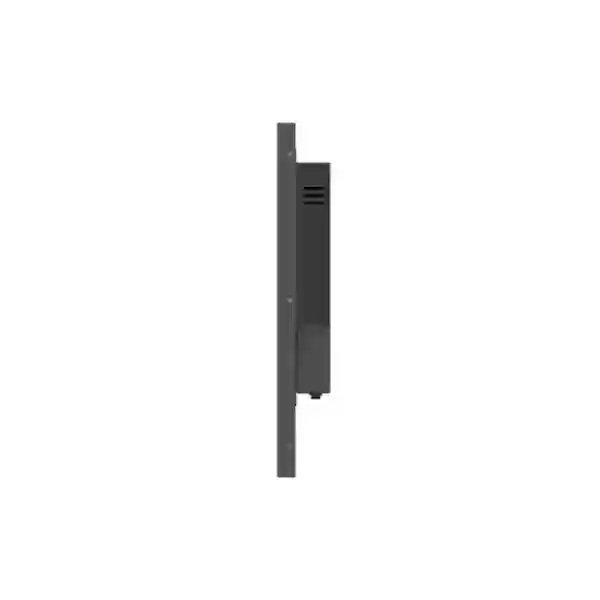
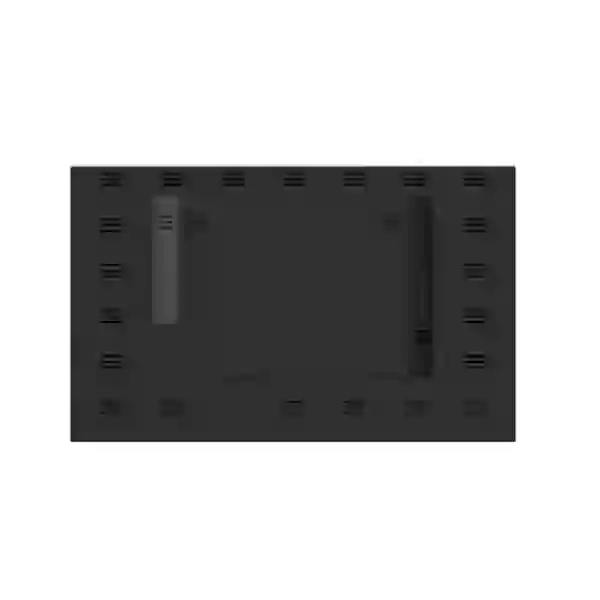
Hanwha specifies dimensions without a stand of 624 × 387 × 58 mm and a unit weight of 6.5 kg. It lists VESA mounting interfaces of 100 × 100 mm, 200 × 100 mm, and 200 × 200 mm. These are useful starting points when choosing a wall bracket, articulated arm, or fixed monitoring station. They do not replace confirmation that the actual mounting hardware supports the equipment safely and that local building surfaces or furniture can carry the installed load.
The screen position should match the operator’s seated or standing eye line. Consider the viewing distance, neck movement, reflections, cable reach, and whether alarms or other tasks require the operator to shift attention between screens. If an external monitor is used, arrange the two displays according to which one holds the primary views. Avoid mounting a high-density grid so far away that small details become illegible. The right number of visible feeds depends on screen size and human attention, not a channel-count label.
Plan for ventilation and maintenance access as well as appearance. Do not route cables where they obstruct exits, pinch against the bracket, or become vulnerable to accidental disconnection. Verify that power and network connectors remain accessible for service, while restricting casual tampering in public-facing areas. If the monitor will be mounted in a gatehouse, warehouse office, or reception counter, inspect the actual space before ordering the arm or bracket. A VESA interface alone does not identify the best mount.
Operating conditions and 24/7 expectations
Hanwha markets the model as designed and tested for 24/7 operation. Its published environmental range is 0 to +40 °C, with 10 to 80 percent non-condensing relative humidity. Those limits matter for monitoring desks in areas with heat, dust, humidity, or unreliable climate control. A stated 24/7 design does not mean outdoor weather resistance, tolerance of condensation, or permission to operate beyond the listed temperature range.
Before installation, inspect the proposed location at its hottest and most humid expected times. A small enclosed guard post can become significantly warmer than the adjacent office, especially with direct sunlight or poor airflow. If a viewing position is exposed to damp conditions, determine whether a protected indoor environment or a different enclosure is necessary. Do not assume that standard office electronics are safe in an unconditioned outdoor cabinet simply because they are used for security monitoring.
Continuous operation also creates an operational responsibility: cleaning, ventilation checks, power conditioning, firmware review, and a recovery procedure when the display or a feed stops working. The panel-life figure is a component specification and should not be converted into a promised replacement interval. If constant visibility is mission-critical, consider an operational fallback such as another supervised station and clear escalation instructions. The business requirement is continuous awareness; the hardware label alone cannot deliver it.
Example: entrance, perimeter, and reception monitoring
Consider a building where reception staff need to see the pedestrian entrance, vehicle gate, loading area, and one or two internal corridors. A decoder monitor can be positioned to keep this limited live set visible while employees carry out normal desk duties. A practical layout would place the highest-consequence entrance in the largest tile and keep secondary views smaller. Any camera that requires detailed investigation can remain recorded in the separate system responsible for evidence handling.
The design should answer questions before choosing equipment. What happens if the entrance camera is offline? Does an operator need to hear audio? Are images being observed at the desk or from across the room? Will the person on duty use a mouse or keyboard to change layouts? Are public-facing visitors able to see sensitive internal camera views? Privacy, workstation placement, and role permissions should shape the installation as much as the number of cameras.
For a Tanzania-based buyer evaluating this scenario, ask for a demonstration using local site conditions and representative camera scenes. The model’s technical specifications are manufacturer-level facts; they do not verify local stock, installation service, or a particular delivery schedule. Request a documented quotation that separates the decoder monitor, accessories, network or power work, commissioning, and any supporting recording platform. That makes it easier to compare the actual solution instead of comparing only the hardware name.
Example: logistics yard and warehouse operations
A logistics or warehouse security team may need persistent live views of vehicle access, loading bays, pedestrian doors, and selected circulation paths. The challenge is frequently prioritization rather than camera count. A well-organized screen can put the gate camera in a prominent location while less urgent warehouse aisle views rotate through a sequence. In a shift change, a documented layout helps the next operator understand what they should watch without reconstructing the camera selection.
Network and cabling design becomes especially relevant when cameras are distributed across long buildings or separate yard zones. The monitor may be in a control office while the cameras connect through several switches. Test all intended streams across the actual network and under high-traffic conditions. If the site includes high-resolution cameras, decide which live streams require detail and which serve as general overview images. The published decoder ceilings should inform that design instead of relying solely on the 64-stream headline.
Include environmental checks at the monitoring location. A warehouse control room may share heat, vibration, dust, or power disturbances with industrial areas. The monitor should remain within its stated operating environment and be mounted where it is protected from accidental impacts. Define the incident workflow separately: a live view can help staff notice activity, but retrieval, preservation, and export of evidence depend on the site’s recording and security procedures, which should be specified independently.
Example: multi-screen security control desk
A staffed control desk may divide work into two visual categories: immediate priority cameras and wider situational awareness. The SMT-2721D’s secondary HDMI output and supported clone or expand modes can be considered for this arrangement. A sensible pilot might place entrances and alarms-related cameras on the main display, with selected perimeter views on the second screen. The assignment should be validated against the published mode-specific division limits and aggregate decoding performance.
More screen area is useful only when the operator can manage it. Test the distance between displays, camera label readability, visual scanning time, and how quickly a person can identify the correct stream during a reported incident. Do not copy a marketing illustration with dozens of tiny tiles without examining the actual operational task. A large mosaic can convey site-wide movement, while a smaller set of focused views supports decision-making. Both can be useful at different moments.
Where a control room already has a full VMS environment, confirm whether this device is adding a useful independent monitoring endpoint or merely duplicating a function that existing equipment performs better. Procurement should consider integration, lifecycle administration, accessories, and support capability. The best architecture is the one technicians can maintain and operators can use during a real event, rather than the one with the greatest advertised number of simultaneous screen divisions.
Compare three ways to show IP surveillance video
A standard HDMI monitor is principally a display. It usually needs a computer, NVR video output, or separate decoder to present network camera images. That can be economical when a suitable source is already available, but it may add another device at a new viewing point. The SMT-2721D differs because it integrates network video decoding with the display. It is therefore worth considering for a dedicated live-view location where the supported protocols, controls, and channel requirements match the installation.
A full VMS workstation offers a different class of functions: depending on its software and permissions, it may support investigations, playback, export, alarm workflows, and more complex operator interaction. A decoder monitor is not a one-for-one replacement for that capability. If operators must search archived footage, prepare incident exports, manage users across multiple systems, or run advanced analytics workflows, specify those requirements explicitly and select the necessary software or recording platform in addition to any live-view display.
A separate decoder feeding one or more display panels can also be a valid alternative where screen size, arrangement, or serviceability requirements differ. Compare the entire bill of materials rather than buying on display size alone: decoder processing, number of outputs, support for the installed cameras, power and cabling, mount, physical space, maintenance effort, and operational resilience. The SMT-2721D’s integrated design is attractive when those tradeoffs fit the job; it is not automatically superior for every control room.
Installation preparation: gather the right information first
An efficient installation begins with a camera schedule. Record each camera’s location, model, firmware, IP address or managed identifier, desired stream, resolution, codec, frame rate, and access requirements. Classify the feeds as always-visible, occasionally viewed, or investigation-only. Then outline the preferred layouts and operator role. This information prevents the installer from treating all cameras as identical and helps establish whether the monitor’s decoding limits match the most demanding planned screen.
Prepare the network and electrical sides at the same time. Confirm the Ethernet outlet and network segment, available address allocation, permitted camera routes, time server policy, approved firmware, and administrative access process. Check whether the power design uses a suitable DC 24 V adapter or an appropriately specified IEEE 802.3bt HPoE source. Verify the mounting arrangement and safe access to cabling. These are separate deliverables that should appear in the proposed installation scope.
Ask the supplier to identify any accessory exclusions. The monitor, stand, mounting hardware, adapter or injector, patch leads, external display, and installation service should each be clear in the quotation. Confirm whether commissioning includes camera onboarding, layout creation, security hardening, operator familiarization, and a handover document. A low equipment price can be misleading if the essential accessories or setup labor are absent. Do not assume a working security station emerges automatically when the boxed display is powered.
Commissioning: a practical acceptance test
Start with the physical installation. Verify secure mounting, suitable ventilation, correct power input, reliable Ethernet link, and a stable display at native resolution. Confirm the device has the approved network identity and current time. Record the firmware version. Assign authorized management accounts and apply the network restrictions determined by IT. Before loading a complex layout, test one known-good camera, then several cameras using different approved stream profiles.
Next, test the intended operational layouts. For each view, check camera identity, image orientation, sharpness for the task, smoothness, reconnection after a brief network interruption, and acceptable delay. Repeat at times when lighting changes or movement increases. If the design uses sequencing, confirm its intervals are workable. If an external monitor is part of the project, check the selected HDMI format and both clone and expand behavior as applicable. Avoid approving only a single static screenshot.
Finally, test recovery and ownership. Simulate an approved restart, an interrupted camera connection, and a power event under controlled conditions. Confirm that staff know how to recognize a missing feed and whom to contact. Export the configuration if supported by the chosen workflow, document the final camera-to-layout map, and store credentials securely. The acceptance report should identify unresolved limitations rather than hiding them. Sign-off is about usable monitoring, not merely whether the screen switched on.
How to plan usable bandwidth and stream quality
Stream counts need to be translated into real network traffic. Gather the configured bitrate range for every camera stream the monitor will use and examine the shared uplinks along its path. When one camera is displayed at multiple stations, understand whether the network transports separate unicast sessions or uses another supported distribution model. The decoder’s Ethernet link may be gigabit-capable, yet intermediate uplinks, overloaded switches, or unstable links can still cause dropped pictures.
Bandwidth planning must be based on measured or specified camera outputs, not a universal assumed bitrate per camera. H.265, H.264, and MJPEG can have very different traffic characteristics depending on scene motion, image quality, resolution, and encoding parameters. Investigate busy hours, not just quiet test periods. If a screen needs 36 tiled views, consider whether the available profiles provide a sensible operational picture and whether the total decoding load falls within the manufacturer’s published performance examples.
Do not solve quality problems only by lowering every stream. A priority gate view may need better detail than a low-risk overview camera. Create a tiered plan: critical fixed views, contextual overview views, and sources that appear temporarily through sequences. Validate the results with operators. A technically stable but illegible picture is still a poor monitoring outcome. Review capacity after cameras are added or their settings change, since a later firmware upgrade or encoding adjustment can alter the workload.
Operational reliability, care, and handover
A security monitor is useful only if someone owns its daily operation. Assign responsibility for checking that critical feeds are present at the start of each shift, that camera names match the site, and that the selected layout reflects current risks. Keep a short instruction for changing to a priority view and for reporting frozen or missing video. Monitoring personnel should not have to understand codec theory to perform basic checks, but they do need a predictable response when something is wrong.
Technicians need a deeper handover: network topology, approved access routes, device settings, stream profiles, management method, time configuration, power source, mounting information, and the process for obtaining manufacturer updates. Keep configuration backups and a controlled change record where the available tools permit. Use the manufacturer’s current guidance to evaluate firmware updates; avoid unplanned changes immediately before a high-risk operational period. Test the viewing station after network, camera, or security-policy changes.
Regular maintenance should address screen condition, accessible ventilation, cable strain, bracket integrity, unauthorized access attempts, and logs relevant to the site policy. Define a realistic fallback when a display or upstream camera service fails. A second screen, other guard station, or defined patrol process may be part of business continuity, depending on site risk. The SMT-2721D contributes an endpoint for live awareness; reliability comes from the whole operational design.
What this model does not automatically provide
The product should not be purchased on the assumption that it includes a built-in NVR, video archive, forensic search workstation, or unlimited 4K display capacity. The manufacturer documents a built-in decoder and Full HD panel; it does not describe this model as a complete recording solution. Confirm evidence retention, export, playback, and incident workflows within the system selected for those tasks. If a salesperson describes an integrated recording function, request the exact manufacturer documentation supporting that claim.
The maximum 64 live-stream figure should likewise be interpreted alongside the documented decoding-performance values, mode-specific screen divisions, and the native screen resolution. It is a planning parameter, not an instruction to show every camera on one page. Protocol support is not a guarantee that every third-party camera will expose every function. The monitor’s 24/7 design description does not cancel its operating temperature and humidity restrictions or remove the need for power and network resilience.
Finally, do not infer included adapters, stands, regional certificates, warranties, procurement authorizations, or stock from generic online descriptions. Packages and commercial conditions may vary. The user should request a written specification matching the exact model and a line-item quotation for any accessories and services. These checks protect the buyer from an incomplete deployment while keeping the selection focused on the model’s verifiable strengths.
Buying checklist for a Tanzania installation
Before requesting a quote, specify the monitoring location and the expected duty: desk viewing, constant control-room overview, or supplementary live display. State the number of cameras to show at once, the camera models, preferred stream profiles, and whether a second screen is required. Explain whether an existing NVR or VMS already handles recording and investigations. If only a passive HDMI monitor is actually needed, that should be identified before committing to the cost of an integrated decoder.
Ask the supplier to confirm the exact Hanwha Vision SMT-2721D model, supported firmware, power accessory, stand or VESA mount, suitable network connection, and all included or excluded items. Request confirmation of the external monitor arrangement if applicable. Clarify who will configure cameras, optimize layouts, secure administrator access, test the monitoring workflow, and support future updates. The offer should state any commercial terms separately rather than treating manufacturer specifications as guarantees of local stock or service.
For Tanzania, use the actual site conditions to evaluate temperature, humidity, electrical protection, network reliability, and installer access. Obtain a current local quotation for price, tax treatment, delivery, warranty, and support coverage instead of relying on foreign reseller listings or currency conversion. Any required regulatory or procurement compliance should be checked using the applicable documents for the exact unit. A proper purchasing decision includes evidence of compatibility and a realistic commissioning plan.
Detailed manufacturer specification reference
The specification below consolidates fields published for the exact SMT-2721D model. It is a technical reference for evaluating suitability, not a promise of supplied accessories or a claim about Tanzania inventory. Figures are subject to manufacturer changes and should be checked against the current document supplied with the quote. In particular, the decoder throughput and layout counts must be read together when estimating how many simultaneous high-quality images will be practical.
Display: 27-inch LED; 1920 × 1080 native resolution; 16:9; 300 cd/m² brightness; 3000:1 contrast; 178°/178° viewing angles; 16.7 million colors; 12 ms response; specified 30,000-hour panel life. Interfaces: gigabit Ethernet through one RJ-45 connector; two USB 2.0 ports for mouse and keyboard plus one USB 2.0 for firmware upgrade; HDMI for external secondary monitor; built-in 1 W × 2 speakers. Supported external HDMI formats include 720p and 1080p at 60 Hz and 1280 × 1024 at 60 Hz.
Decoder: H.265, H.264, MJPEG; up to 2 × 8 MP at 30 fps or 12 × 2 MP at 30 fps decoding performance; clone and expand division modes; up to 20 layouts with sequencing; G.711, G.726, AAC audio; RTP, RTSP, HTTP, SUNAPI CGI, ONVIF. Power: DC 24 V or IEEE 802.3bt HPoE; specified consumption 31 W. Environment: 0 to +40 °C and 10–80% non-condensing humidity. Dimensions without stand: 624 × 387 × 58 mm; weight 6.5 kg; VESA patterns 100 × 100, 200 × 100, and 200 × 200 mm.
Buyer questions and practical answers
Is the Hanwha SMT-2721D a normal computer monitor?
No. It is a 27-inch Full HD monitor incorporating an IP video decoder. Its main value is presenting supported network camera feeds without treating the panel as a passive display alone. It should not be confused with a monitor that merely receives an HDMI picture from a PC. Confirm the intended viewing, control, and management functions before buying.
Can it display a 4K picture in native 4K resolution?
No. Hanwha states support for camera streams from cameras of up to 4K resolution, but the actual panel is 1920 × 1080. A higher-resolution source must be represented within Full HD display pixels. If native 3840 × 2160 viewing is a requirement, evaluate an appropriate 4K display and decoder arrangement instead.
Does 64 live streams mean 64 cameras at 4K and 30 fps?
No. The 64-stream headline should be read alongside the separate maximum decoding examples of two 8 MP streams at 30 fps or twelve 2 MP streams at 30 fps. Screen-division maxima and decoding capacity describe different constraints. Plan and test the exact mixture of streams that the operator needs.
Can an external monitor be connected?
Yes. The manufacturer lists HDMI output for a secondary external monitor, with supported 60 Hz formats including 1920 × 1080. It also identifies clone and expand modes with different screen division limits. Confirm the external monitor is compatible, and include its cable, mounting, and power arrangements in the project design.
Does it work with cameras from different manufacturers?
The specification includes ONVIF, RTSP, and other network protocols, making mixed-camera evaluation reasonable. Compatibility is not universal: authentication, camera firmware, stream profiles, specific ONVIF behavior, and the desired functions all matter. Test the exact third-party models before finalizing a purchase for a mixed estate.
Does the SMT-2721D record surveillance footage?
The published product description presents it as a video decoder monitor, not as an NVR with a defined video-storage capacity. Do not assume it records, stores, searches, or exports surveillance evidence. Specify an appropriate recorder or VMS separately when footage retention and investigation are required.
What power does the monitor need?
Hanwha lists DC 24 V and IEEE 802.3bt HPoE as supported power inputs and specifies 31 W consumption. The correct adapter, injector, switch capacity, cabling, and backup arrangement must be selected for the installation. Ask which accessories are actually supplied; the existence of two power options is not a warranty of automatic redundant power.
Can it run continuously in a security control room?
Hanwha describes the product as designed and tested for 24/7 operation. The specified operating conditions are 0 to +40 °C and 10–80% relative humidity without condensation. It needs an appropriate indoor installation, ventilation, stable power and network, maintenance, and a failure-response procedure; the design description is not a promise of uninterrupted service.
Are the stand and power adapter included in Tanzania?
That cannot be established from the model specifications alone. Some external distributor listings describe accessories as optional, and regional packages may differ. Ask the supplier for a written list identifying the monitor, stand or mount, adapter or HPoE accessory, cables, and any other included equipment. Do not rely on product photography as packing-list evidence.
What should be checked before ordering for an existing CCTV system?
Provide exact camera models, firmware, codec and stream profiles, expected simultaneous live views, network design, available power, mounting position, and any external display requirement. Verify supported protocols and test representative feeds. Clarify who handles recording, evidence export, configuration, future updates, and security administration.
Is the quoted panel life the same as a warranty?
No. The manufacturer’s 30,000-hour panel-life specification is a technical characteristic. It does not establish an automatic warranty duration, guaranteed years of service, or replacement entitlement. The warranty and support terms must be verified from the seller’s written offer and relevant manufacturer conditions for the actual market.
How can a Tanzania buyer request the right quotation?
Describe the live monitoring requirement and provide the camera list, number of priority views, power and network conditions, mounting needs, and accessory expectations. Ask for an itemized quote for the exact SMT-2721D and a commissioning or integration plan where required. Confirm local pricing, stock, delivery, and warranty directly with the supplier rather than assuming them from unrelated regions.
Request a configuration-led SMT-2721D quotation
Share the number and models of IP cameras, your intended on-screen layout, whether an external monitor is needed, and the proposed power and network arrangement. Ask for an itemized Tanzania quotation covering the exact monitor, confirmed accessories, setup, compatibility checks, and applicable commercial terms. That is the clearest way to establish whether this decoder monitor is the right fit before purchase.
Prices, availability, delivery, installation coverage, and warranty must be confirmed for the actual offer.




Reviews
There are no reviews yet.