
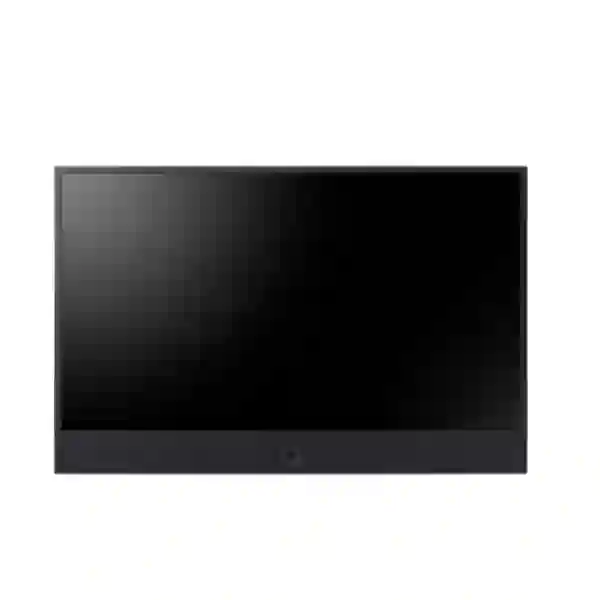
Hanwha SMT-2731PV: 27-inch AI Public View Monitor
Make surveillance more visible at an entrance, reception area, or customer-facing location with a combined Full HD display and built-in 2MP AI camera. The Hanwha SMT-2731PV brings visitor-facing video, configurable notifications, and supported two-window viewing into one indoor device. It is designed for purposeful public-view monitoring rather than as a substitute for a complete security system.
At a glance: best fit and buying checks
This model suits buyers who need visitors to see an on-site camera image and who want options for analytics, visible notices, or a secondary HDMI display source. Before ordering, confirm the viewing location, the exact PIP/PBP source combination, approved recording arrangements, and a suitable power accessory. The 24V adapter or HPoE injector is not included in the manufacturer-described package. For Tanzanian projects, request a written quotation confirming commercial terms and the complete installation scope rather than assuming local stock, pricing, or services.
What the SMT-2731PV is designed to do
A public view monitor is meant to be seen by people entering or moving through a monitored area. Unlike a conventional office display that simply receives a video feed, this model combines the visible screen with its own network camera and event functions. A visitor can see a live view of the area and a clear surveillance notice where the business chooses to show one. Staff can also use the display as part of an organized front-of-house security process. The important purchasing question is not simply whether a 27-inch panel fits the wall, but whether public-facing visibility and camera positioning will serve the intended site.
The Hanwha SMT-2731PV is particularly relevant where an organization wants one visible device at an entrance, checkout approach, service counter, or controlled access point. Its built-in camera reduces the need to plan a separate camera solely for the public-view screen, although other surveillance cameras may still be necessary for full coverage. It is not an automatic replacement for a recorder, a security operator, an access-control system, or a comprehensive site survey. Buyers should first define the observation area, the desired on-screen message, and how alerts will be handled before deciding on quantity and mounting positions.
A more useful way to evaluate public-view security
The starting point for a public-facing security display should be the behavior it is expected to support. Some sites want people to notice that an area is monitored. Others want visitors to see themselves approaching a reception desk, or want staff to show a second approved HDMI source while retaining the internal camera view. These are different requirements. A display positioned behind a counter may be easy for employees to see but ineffective as a public view monitor; a display high above an entrance may be prominent yet poorly angled for facial framing.
Before choosing a location, stand where the intended visitor will stand and look at the actual viewing distance, surrounding lighting, traffic direction, and distractions. Decide whether the primary purpose is a visible reminder of monitoring, an operational view, or a combination. Then consider what the internal camera can actually see from that location. A well-positioned single monitor may be more useful than multiple screens placed without a purpose. The site should also have a plan for signage, operator responsibilities, image access, and incident response, because a screen alone does not establish a working security procedure.
27-inch Full HD screen and visibility
The model uses a 27-inch LED display with a maximum resolution of 1920 by 1080 pixels and a 16:9 aspect ratio. Hanwha specifies 300 cd/m² brightness, a 1000:1 contrast ratio, and 178-degree horizontal and vertical viewing angles. These figures make it possible to compare the screen against the expected viewing distance and mounting angle, but they do not guarantee readability under every lighting condition. Reflections, direct sunlight, glass surfaces, and the content being displayed can make a major difference in real use.
For a public entrance, prioritize large, uncluttered text and a camera composition that remains understandable at a glance. A small logo or long sentence may look attractive on a desk but become hard to read from several metres away. Test the screen during the brightest and darkest operating periods rather than relying only on specification figures. The published panel-life figure is 30,000 hours, which is a manufacturer specification rather than a promise about the life of a particular installed unit. An operating schedule should reflect actual business hours and security needs.
The integrated 2MP camera and field of view
A 1/2.8-inch 2MP CMOS camera is integrated into the monitor. Its fixed 3.06mm lens has a manufacturer-listed horizontal field of view of 107.7 degrees, vertical field of view of 59.0 degrees, and diagonal field of view of 126.7 degrees. The broad horizontal view can help cover an area in front of the display, while the vertical framing makes mounting height important. The camera cannot be physically aimed independently like a separate adjustable dome or bullet camera, so the monitor position effectively determines the camera’s viewing direction.
For entrance use, check whether the resulting image includes faces at useful sizes without capturing unnecessary private areas. A wide lens sees more context but usually renders distant people smaller than a narrow lens would. The camera includes a maximum F1.6 aperture and a listed colour minimum illumination of 0.03 lux under specified test conditions. Those specifications do not mean every face will remain clear in poor lighting or fast movement. Test the scene with actual visitor traffic, night lighting, and the door open and closed, then revise the placement or supporting lighting if necessary.
Image handling in mixed lighting
Entrances often create difficult lighting conditions: a brightly lit street may appear behind a visitor while the interior remains comparatively dark. Hanwha specifies 120dB wide dynamic range, backlight compensation, and digital noise-reduction capabilities for the built-in camera. These controls are intended to help handle varied scenes, but they should be configured for the location rather than assumed to provide perfect results automatically. The same view can change when signage lights switch on, sunlight shifts, or reflective doors open.
Commissioning should include a check for overexposed doorways, underexposed faces, motion blur, and objects that may hide the important part of the scene. The device supports adjustments such as white balance and digital image rotation; use only the options that improve the actual recorded and displayed result. Frame-rate specifications also depend on codec and video frequency, with H.265 and H.264 reaching a manufacturer-listed maximum of 30 or 25 frames per second under stated conditions. Those are upper configuration limits, not guaranteed delivered network performance in every installation.
What the AI analytics can and cannot tell you
The built-in camera includes AI-based person and face classification together with event features such as motion detection, object detection, virtual lines, virtual areas, and tampering or defocus detection. This gives the installer ways to define a meaningful scene event instead of treating every pixel change as equally important. For example, a virtual line might be considered for an area where direction of movement matters, while an intrusion or loitering zone may be relevant to a specific monitored boundary. The event type should match an actual business rule and should be tested with normal site traffic.
Face detection must not be confused with verified identification of an individual. The published feature list does not establish that the monitor can identify a named person or reliably infer intent. Analytics can miss events, trigger on unwanted activity, or behave differently under occlusion and unusual lighting. Choose zones conservatively, exclude irrelevant motion where the configuration permits, and decide what happens when an alarm activates. A useful deployment measures whether alerts are actionable rather than simply enabling every available analytic option. Sensitive decisions should remain subject to suitable human review and organizational policy.
Visible prompts, LED alerts and audio cues
The SMT-2731PV supports motion- and event-activated LED and audio alarms, as well as configurable text overlay. Its standard messaging includes a recording-related notice, and the content can be adapted to the site. These features are suited to a deliberately visible installation where people should understand that monitoring is taking place. The right wording should reflect the actual recording and retention configuration: do not display a claim that footage is being saved if the installation has not been configured to record it.
The monitor also has integrated speakers rated at 2W each and one alarm input and one alarm output. That combination offers installation choices, but wiring and alert behavior require a project-specific design. Determine whether a notification is intended for visitors, staff, or the monitoring team, and avoid creating repeated unnecessary sounds in high-traffic locations. An alert must be audible where needed without becoming disruptive. Test the actual trigger conditions and confirm that event messages do not conceal important video details or confuse people about what security personnel will do next.
Picture in Picture and Picture by Picture explained
Picture in Picture, usually shortened to PIP, allows a secondary image to appear inside a larger image. Picture by Picture, or PBP, presents two viewing areas alongside one another. Both can be useful when a site wants to show its public-facing camera view together with a secondary source. On this exact model, however, the documented two-window combination is the integrated camera plus HDMI input 1. The second HDMI port is available as a video input but should not be assumed to form an arbitrary two-HDMI PIP or PBP combination.
This distinction matters when preparing a recorder or media player connection. Ask which source must dominate the display, which source should be secondary, and whether viewers will understand the layout. A security feed with many tiny tiles can be less useful than one clear public-facing image. Before ordering, confirm the desired image arrangement using the manufacturer’s supported mode, and validate the output resolution of the HDMI source. A project that requires multiple independent camera mosaics or a full control-room wall may be better served by a dedicated viewing system rather than this public-view monitor alone.
Connecting recorders and other HDMI sources
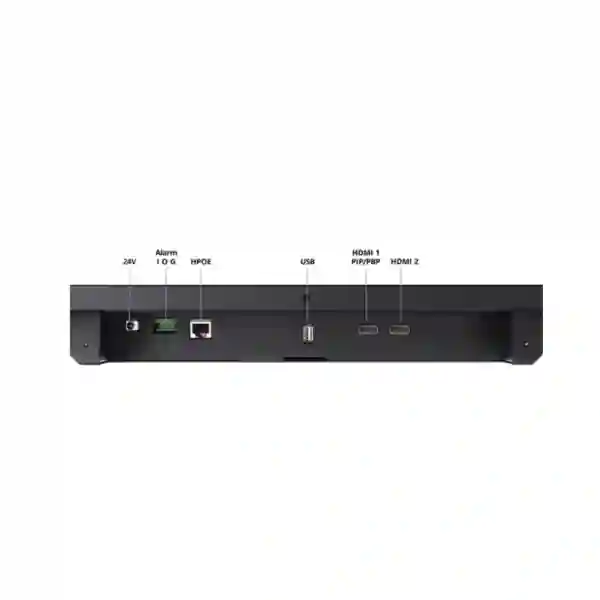
There are two HDMI inputs on the product, with HDMI 1 serving the documented PIP/PBP combination alongside the internal camera. This makes HDMI assignment a practical design decision instead of an afterthought. If a network video recorder, decoder, or signage source will feed the monitor, identify the port and the desired display mode in the installation plan. The published HDMI formats include Full HD 1920 by 1080 at 60Hz together with several lower-resolution signals, so the source should be configured to a supported output format.
Do not assume that connecting an HDMI cable automatically integrates that device’s event data with the monitor’s own camera analytics. HDMI carries the video signal; network and event interoperability are separate questions. Cable routing should keep connectors protected, avoid tension at the mounted screen, and remain accessible for maintenance. For longer cable runs, select an appropriate transmission method only after confirming compatibility and signal quality. During acceptance testing, disconnect and reconnect the source to see how the display responds, and document the preferred mode for operators who may need to restore it.
Network connectivity and system integration
The built-in camera provides a 10/100BASE-T Ethernet connection and supports ONVIF Profiles S, G, T, and M as well as Hanwha’s SUNAPI interface. These published interfaces are useful starting points when evaluating a video management system or recorder. They do not establish that every analytics event, metadata field, firmware feature, or control is supported by a particular third-party platform. Obtain the proposed platform version and test the exact functions required: live view, recording, event receipt, time synchronization, and authorized administration.
A good integration checklist separates basic video interoperability from deeper analytics compatibility. A system may display the stream correctly while omitting a specialized event or overlay. Decide who will configure the device and whether the local security network permits the required connections. For locations where the screen is operated by front-desk staff but the camera is administered by IT, make those roles explicit. Avoid unnecessary exposure of management interfaces, and do not place a security device directly on an untrusted network simply because the Ethernet connector makes it convenient.
Recording options, storage and retention
The product specifies a microSD, SDHC, or SDXC card slot with support up to 256GB and includes event-triggered recording options involving compatible local media or network storage. A slot rating does not mean a memory card is supplied, that all card types offer the same endurance, or that a particular retention period is guaranteed. Storage planning depends on compression, frame rate, recorded scene activity, event rules, card endurance, and how the recording system handles overwriting or failures. The camera supports H.265, H.264, and MJPEG streams under the manufacturer’s stated limits.
For a useful deployment, start by deciding why footage must be retained and for how long. Then choose between local edge recording, an approved network recording design, or an appropriately supported combination. Test the response to a disconnected network, full storage, or interrupted power. Set accurate time and a consistent time zone so that footage can be located during an incident review. If the screen is used only as a public deterrent display without configured recording, the customer-facing messaging must not suggest otherwise. Keep retention settings and access permissions documented.
People counting, queue awareness and heatmaps
Hanwha lists people counting, queue-management analytics, and heatmap functionality for the camera. These can be valuable discussion points when a retail or service environment wants a better understanding of movement, but the physical viewpoint must support the intended measurement. A front-facing public-view camera may be positioned differently from a dedicated overhead people counter. Before relying on a report, define what is being counted, where the counting boundary lies, and which movements should be excluded. A useful number needs an understood measurement method.
For example, a reception team might want to observe whether the waiting area is congested, while a shop manager might want directional traffic context. Those are not identical analytics projects. Validate sample results against manual observation during typical periods, including groups, staff movement, and changes in furniture position. The product’s published feature availability is not a substitute for testing accuracy at the chosen angle. Do not treat these functions as a promise of sales conversion, staffing optimization, or perfectly accurate customer counts. They are tools that require configuration, interpretation, and appropriate handling of visitor data.
Landscape, portrait and hallway arrangements
The manufacturer supports both landscape and portrait installation, as well as camera rotation options including hallway-style views. Landscape presentation can make sense where the scene spreads across an entrance or counter, while portrait presentation may suit a narrow wall position and vertically arranged messaging. The best choice depends on the actual mounting surface, the camera’s frame, and the composition the visitor will see. Rotation is not simply a decorative preference: it changes which parts of the scene fit naturally within the display and the recorded camera picture.
Create a simple location drawing with viewing height, expected pedestrian path, approximate screen centre, and available mounting space. In a busy entrance, confirm that the screen does not block signs, access equipment, emergency routes, or a clear sightline for staff. Review how cable access will work after installation and whether maintenance can be performed without dismantling surrounding fittings. A portrait screen may need a different arrangement of on-screen text to keep the message easy to read. Test an actual sample layout before finalizing the wall position.
Mounting strength, dimensions and enclosure
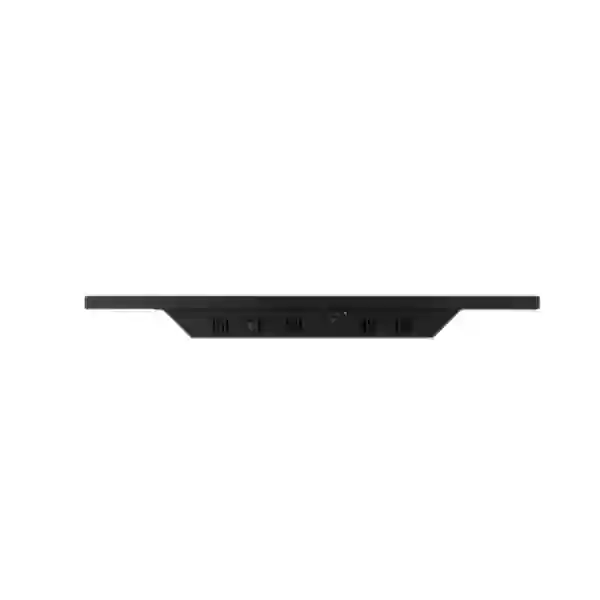
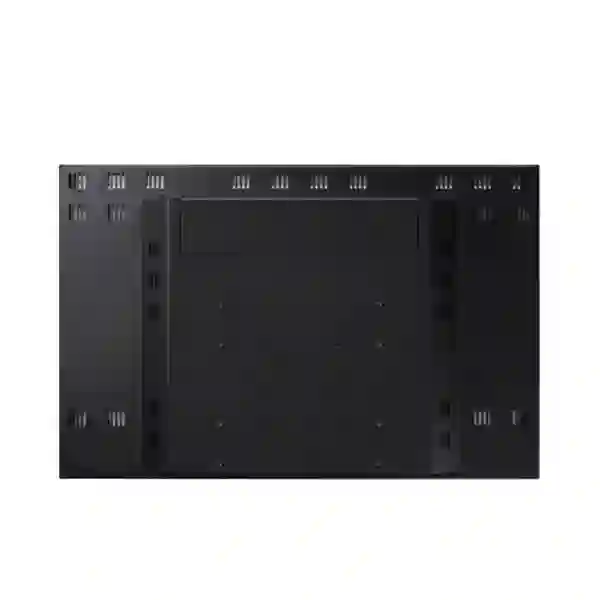
The listed dimensions without a stand are approximately 619 by 405 by 58mm, with a weight of 8.5kg. Hanwha specifies VESA interfaces of 100 by 100mm, 200 by 100mm, and 200 by 200mm. These details help the installation team select a compatible bracket, but bolt length, bracket loading, wall construction, and permitted orientation must still be checked against the installation instructions. The unit uses a steel cabinet, which is useful to know during handling and mounting, but does not by itself make the product weatherproof or vandal-proof.
Mounting should be treated as a safety decision. Identify whether the supporting surface is masonry, a framed partition, or another construction type, and use suitable fixings designed for the load. Consider the possibility of contact from passing people or cleaning equipment. Ensure the installer can reach power and data terminals safely and that ventilation is not obstructed. The bracket should allow the appropriate screen position without putting pressure on connectors. Include the mounting kit and installation labour in the project scope; do not assume every accessory is included in the monitor package.
Electrical planning: HPoE or 24V DC
The SMT-2731PV has two published power methods: DC 24V or high-power Power over Ethernet using IEEE 802.3bt. Manufacturer-listed power consumption is 31W. Choosing between the methods should depend on the power infrastructure already planned, cable routing, equipment location, and how the site intends to provide backup power. A normal low-power PoE port must not be assumed suitable simply because the product has an Ethernet connector. The supplying equipment needs to meet the device’s documented power requirements.
Hanwha specifically states that the power adapters are not included and identifies DC power adapter SPU-60240 and HPoE injector SPO-8315 as related accessories. Verify the correct package, connector, local electrical suitability, and available accessories with the seller before procurement. Where continuity matters, plan an appropriate UPS or other approved backup arrangement for the entire chain, including networking and recording equipment if used. An energized screen without a functioning network may still fail the intended operational goal. Have a qualified installer check the electrical approach and cable protection.
Indoor operating conditions and site environment
The manufacturer’s environmental range for operation is 0 to 40 degrees Celsius and 10 to 80 percent relative humidity without condensation. These values are particularly important when considering entrances, unconditioned spaces, shopfront glazing, and areas with changing temperatures. The product is intended for indoor commercial use; do not place it outdoors or in a damp environment without an engineered protective solution that is independently assessed for the entire installation. A covered external doorway is not automatically equivalent to an indoor environment.
In Tanzania, buyers should check the actual installation location rather than assuming a general national climate describes an individual room. Measure or assess daytime heat near windows, airflow behind the display, humidity, and the effect of cleaning routines. A monitor exposed to direct sun or trapped in a poorly ventilated enclosure may experience conditions unlike those in an equipment room. Make sure local site conditions remain within the published limits. If the proposed site cannot meet them, adjust the location or choose equipment better suited to the environment.
On-screen branding, notices and scheduled display use
The device supports a custom logo image, customizable text overlay, image slideshow functions, and monitor management through a web interface, including power scheduling and banner-related controls. That makes it possible to design a display that looks intentional rather than like an unattended CCTV test monitor. A logo can identify the location or organization, while a short notice can explain the purpose of the camera. The communication should be truthful, readable, and consistent with the customer’s actual surveillance and privacy arrangements.
Before deployment, nominate an owner for the wording and visual layout. Decide who may change the banner, approve artwork, schedule screen operation, and restore the preferred mode after maintenance. Avoid including more information than a passing visitor can absorb. For mixed security and informational use, test that the operational camera view does not become too small. The built-in slideshow capability is described by Hanwha as not requiring additional slideshow storage, but this statement should not be confused with the separate recording-storage requirements for camera footage.
Cybersecurity and controlled administration
The published security capabilities include secure boot, signed firmware, firmware encryption, HTTPS-based communication, network authentication options, IP-based access control, and device logging. These are meaningful features, but secure operation still requires proper configuration and maintenance. Change default credentials where applicable, use strong unique authentication, restrict administration to authorized staff, and follow a planned process for software updates. Confirm firmware compatibility for the exact monitor model before installing packages listed in a broader product-family support area.
The security team should decide which VLAN or network segment the device belongs to, how its clock is maintained, how logs are reviewed, and whether remote access is genuinely required. Avoid open port forwarding and broad account sharing. Back up supported configuration details according to the organization’s procedures, and record the administrator and handover contacts. Where third-party video systems are integrated, limit permissions to the tasks each platform needs. A public-facing display can be physically prominent while its management interface remains carefully controlled and invisible to visitors.
Privacy, notices and responsible analytics
Because the monitor includes a camera that may observe customers, visitors, and employees, a responsible plan should address privacy before activation. Determine the purpose of the capture, who can view footage, which spaces should not be recorded, what notice is appropriate, and how access requests or incident reviews are handled. The device provides privacy-masking functionality, but masks should be evaluated against the actual camera view and verified after any change in mounting or orientation. Technical capability does not remove the need to assess applicable rules and internal policies.
AI face detection and people counting should be introduced with precise language. Detection is not the same as identity verification; footfall estimates are not a substitute for a formal audit. Avoid promising employee monitoring outcomes or behavior prediction that the device does not establish. If footage is recorded, create an approved retention plan, secure the storage media, limit downloads, and document deletion procedures. If multiple systems receive video, each recipient should have a defined need. Review local legal requirements with the organization’s responsible adviser rather than relying on an unsupported blanket compliance statement on a product page.
A practical deployment plan for Tanzanian businesses
For a shop, office reception, financial-service counter, hotel entrance, clinic waiting area, or similar customer-facing location in Tanzania, the purchasing process should begin with a site-specific brief. Describe the area to be observed, whether the screen will face visitors, typical lighting, hours of use, available wall space, and the network connection point. Identify whether the organization wants only a visible camera image or also analytics, external HDMI video, and recording. These choices affect installation scope and accessory requirements more than the screen size alone.
For commercial quotations, ask that the bill of materials separate the monitor, appropriate power accessory, mounting solution, network equipment, HDMI equipment if required, recording media if specified, configuration, and testing. Confirm local availability, import and tax treatment, warranty terms, after-sales support, and delivery arrangements directly in the quotation rather than assuming them from this product description. If the project is in a location with unreliable power, plan continuity for the monitor and connected systems. Treat the local deployment as an engineered project, not merely a screen purchase.
Commissioning and handover: what to test
An acceptance test should begin with the physical installation: mounting security, unobstructed ventilation, safe cabling, and a stable power supply. Next inspect the displayed image from the intended visitor position, including the actual text size, logo, and camera framing. Confirm that the built-in camera covers the agreed area without exposing unrelated private spaces. Test landscape or portrait mode as specified. If HDMI 1 is used with the internal camera, verify both PIP and PBP behavior where required; test HDMI 2 separately rather than assuming it participates in the same two-window combination.
Then verify network access, user permissions, date and time, intended analytics zones, and the response to test events. If recording is part of the scope, save and retrieve test footage, check storage capacity and retention rules, and confirm the behavior during a network or power interruption. Demonstrate normal operation to the designated staff and document the steps for reporting faults. Finally, record the approved screen layout, administrator handover method, installation photos where permitted, software version, and responsible service contact. This avoids a visually impressive installation becoming difficult to operate after the installer leaves.
Deciding between this PVM and a standard monitor
A standard CCTV monitor may be sufficient when the requirement is only to display the HDMI output of an existing recorder. The SMT-2731PV is a stronger candidate when the buyer specifically wants a public-view device with its own 2MP camera, visual deterrence features, analytics, and managed on-screen messaging. Those capabilities create additional value only when someone will configure and maintain them. If the project has no requirement for a local camera or visitor-facing message, paying for features that remain unused may not be sensible.
The choice also depends on installation flexibility. A separate camera can often be positioned independently of its display; this combined device fixes the camera position to the screen position. A dedicated signage solution may be preferable for complex content playlists, and a specialist video wall may be needed for many simultaneous feeds. Compare the whole workflow rather than isolated product specifications: who sees the image, what event matters, who receives alerts, where evidence is stored, and what maintenance is required. A clear answer to those questions makes a quote easier to evaluate.
Questions to resolve before requesting a quotation
Prepare a short site statement covering the number of entrances or counters, target mounting height, ambient lighting, whether portrait orientation is preferred, network availability, and expected operating schedule. State if an existing recorder or media player must connect over HDMI and whether PIP or PBP is essential. Decide whether built-in AI events are required, or whether live public viewing is the main purpose. If recording is required, describe the recorder, storage, and retention goals without assuming that a memory-card slot alone satisfies them.
Ask for confirmation of the exact Hanwha Vision model SMT-2731PV, compatible power hardware, mounting accessories, integration feasibility, and testing responsibilities. Include any rules about privacy signs and network separation in the scope. The supplier can then distinguish product supply from integration and commissioning services and identify any missing components. Without an agreed bill of materials, a lower display-only quote and a complete operational installation are not comparable. A useful quotation specifies what is included, what is excluded, and what still needs verification on site.
Verified technical specifications
The table summarizes selected manufacturer-listed information for the exact SMT-2731PV model. It supports initial selection and does not replace the latest documentation, installation instructions, or a compatibility check for the intended system.
| Item | Published specification |
|---|---|
| Product type | AI public view monitor with integrated network camera |
| Display | 27-inch LED, 1920 × 1080, 16:9 |
| Brightness and viewing angles | 300 cd/m²; 178° horizontal / 178° vertical |
| Camera | 2MP CMOS, fixed 3.06mm lens, F1.6 |
| Horizontal camera field of view | 107.7° |
| Video inputs | HDMI × 2; PIP/PBP pairs internal camera with HDMI 1 |
| Network | RJ-45, 10/100BASE-T; ONVIF Profiles S/G/T/M; SUNAPI |
| Audio and alarm | Two 2W speakers; one alarm input and one output |
| Edge storage | microSD/SDHC/SDXC slot, up to 256GB |
| Power | DC 24V or HPoE 802.3bt; 31W listed |
| Operating conditions | 0–40°C; 10–80% RH, non-condensing |
| Mounting | VESA 100×100mm, 200×100mm, 200×200mm |
| Dimensions and weight | 619×405×58mm without stand; 8.5kg |
| Accessories note | DC adapter and HPoE injector not included |
Specifications can change by revision or region. Confirm the exact offered configuration, supported accessories, and firmware documentation before purchasing or integrating the monitor.
Buyer FAQs
Is the SMT-2731PV just a CCTV screen?
No. It is a 27-inch public view monitor with an integrated 2MP network camera and AI-driven event features. It can show a local camera view to visitors and accept HDMI sources. Buyers should evaluate it as a combined display and camera device, not simply a conventional LCD panel. A recorder, additional cameras, or operator workstation may still be needed for a larger surveillance deployment.
Does it support Full HD?
Yes. The panel’s specified maximum resolution is 1920 by 1080 pixels. This is Full HD rather than 4K. When connecting an external device, set its HDMI signal to one of the formats supported by the monitor and verify the actual on-screen result. Image clarity also depends on the source, mounting distance, and lighting.
Can it display two HDMI inputs together in PIP?
Do not design around that assumption. Hanwha documents the two-window PIP and PBP arrangement as the internal camera together with HDMI 1. HDMI 2 is an additional video input, but not a documented substitute for the internal camera in that pairing. Verify the exact desired source arrangement before placing an order.
Does it have a built-in camera?
Yes. The fixed 3.06mm lens and 2MP CMOS camera are part of the monitor itself. That makes the unit suitable for certain front-facing public view arrangements, but the camera direction follows the screen’s installed position. If the best screen position is not the best surveillance viewpoint, a separate camera may still be appropriate.
What does face detection mean here?
The manufacturer lists person and face classification and a face-detection display feature. Those capabilities should not be described as facial recognition or the ability to identify a named visitor. Organizations should also verify the purpose, notice, configuration, and data-handling requirements for any analytics used in a public space.
Can the monitor count people?
Hanwha lists people counting, queue management, and heatmap analytics. Their practical usefulness depends on camera height, angle, the scene, and configuration. Validate the chosen counting or queue method against real movement patterns before using the results to guide business decisions or performance reports.
What power supply is required?
The model supports DC 24V or HPoE using IEEE 802.3bt. The manufacturer lists 31W power consumption and specifies that power adapters are not included. Confirm an appropriate power supply or injector in the bill of materials; do not assume that a standard low-power PoE port will power the unit.
Can a memory card record video?
The published specification includes one microSD, SDHC, or SDXC slot supporting up to 256GB. Recording requires compatible media, correct configuration, and an agreed retention approach. A card is not automatically included, and recording duration varies with stream settings and the scene. Network recording options should be checked against the proposed recorder or storage platform.
Can it be mounted vertically?
Yes. Landscape and portrait operation are listed features, along with several VESA mounting patterns. Check the selected bracket and wall strength, follow the installation manual, and test whether the camera framing and public message remain effective in the chosen orientation. Rotation alone does not solve an unsuitable viewing angle.
Is it suitable for outdoor installation?
The manufacturer provides indoor operating limits of 0 to 40 degrees Celsius and 10 to 80 percent humidity without condensation. The steel cabinet does not establish outdoor weather protection. For a doorway or sun-exposed location, assess the actual conditions and select a suitable indoor position or a purpose-built alternative.
Will it work with any NVR or video-management software?
ONVIF Profiles S, G, T, and M and SUNAPI are published interfaces, which can help integration planning. They do not guarantee every feature will work in every third-party system. Check the actual platform version and test video, recording, analytics events, and administration functions required by the project.
Is pricing or availability in Tanzania confirmed?
This description does not claim a current local price, stock level, warranty period, or delivery time. These depend on the exact commercial quotation and supply arrangement. Request confirmation of the monitor, any separate power and mounting accessories, delivery terms, applicable taxes, and support scope before approving procurement.
Request a configuration-led quotation
Interested in the Hanwha SMT-2731PV for a Tanzanian site? Request a quote that identifies the exact monitor, the required DC power adapter or HPoE injector, the suitable mounting hardware, and any recording or integration components. Include the proposed viewing location, power and network arrangements, and whether the intended display mode uses the internal camera together with HDMI 1.
Ask for written confirmation of price, availability, delivery, warranty, and the installation and testing scope for your project. A site-specific proposal is the best way to establish whether this public view monitor will meet the operational goal without overpromising what a single display can do.




Reviews
There are no reviews yet.