
Public-view security monitor • Tanzania buyers’ guide
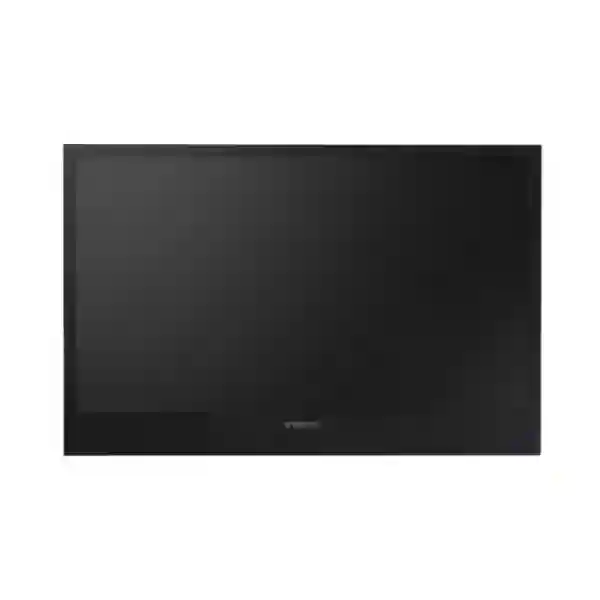
Hanwha SMT-3230PV 32-inch Public View Monitor
A visible security display and an integrated Full HD network camera, designed to help customers understand that video monitoring is taking place. Assess the complete system—display, camera, network, mounting and recording—before choosing this model for a shop entrance or checkout area.
Is this the right security display?
The Hanwha SMT-3230PV public view monitor is designed for organizations that want surveillance to be conspicuous at customer-facing points. Its camera can supply video to a compatible recording system while the display shows live images or other supported content. It is worth considering for retail entrances, checkout stations and similarly managed indoor spaces where visible monitoring supports a wider security plan.
For a Tanzania deployment, confirm the device’s current availability, exact hardware revision, mounting and electrical requirements, integration with the intended recorder, and the organization’s privacy notices. No local stock, price, warranty or service commitment is asserted here.
Verified feature snapshot
| Product | 32-inch public view monitor with integrated 2MP network camera |
|---|---|
| Display | Full HD, 1920 × 1080, LED-backlit |
| Camera | Integrated fixed-lens network camera; manufacturer materials describe 4.6mm |
| Video | H.265 / H.264 / MJPEG |
| Network | Ethernet, IP camera and management functions |
| Local media | microSD / microSDHC / microSDXC, up to 256GB per published specification |
| Detection | Face and motion detection; visible face-box and text-overlay options |
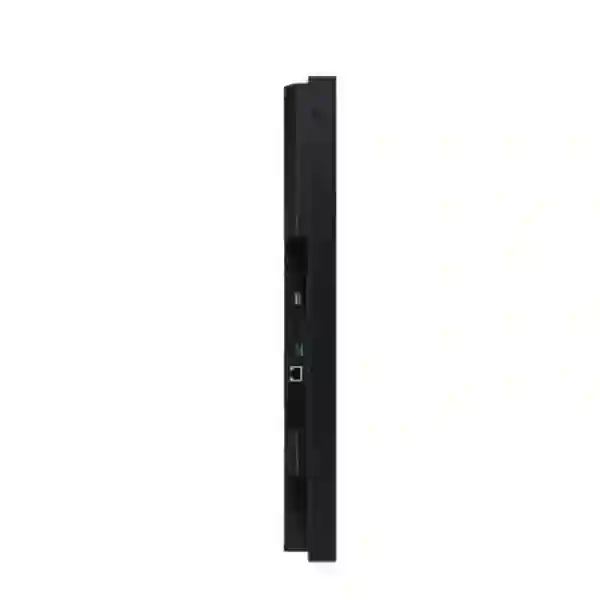
| Connections | HDMI input; confirm other ports against exact unit revision |
| Power | 12V DC; do not assume PoE for this model |
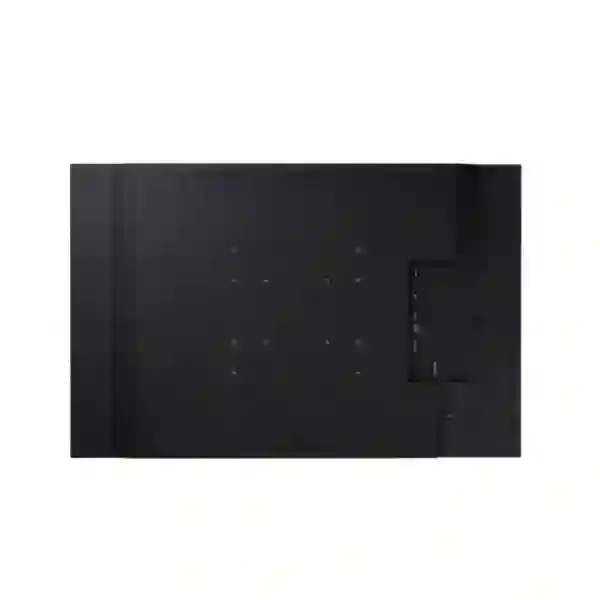
| Mounting | VESA-compatible; bracket and fixing pattern require verification |
Summary based on published Hanwha product and technical information. Some archived document revisions differ on selected panel attributes; verify exact specifications for the quoted unit.
What the SMT-3230PV is designed to do
The Hanwha SMT-3230PV public view monitor combines a 32-inch Full HD screen and an integrated 2-megapixel network camera in a single customer-facing device. Its main purpose is to let people entering or moving through a monitored space see a live security image and understand that the area is under video surveillance. For a business comparing a normal television, a separate security camera and a specialist public-view monitor, that distinction is central: this unit is built around awareness, display and IP video capture rather than entertainment viewing.
Public-view monitoring is most relevant at locations where visible cameras and clear notices support a broader loss-prevention programme. The unit can show live video, present selected slide-show material and display on-screen recording notices. It does not eliminate the need for staff, appropriate camera placement, secure recording or a written security procedure. Ask FourTeck Tanzania to help assess whether the SMT-3230PV fits the intended premises, the existing video management system and the desired customer experience before choosing quantity or mounting accessories.
The decision in one minute
Choose this model when the business needs a recognizable 32-inch public-view display with a discreet built-in camera, an Ethernet-connected video stream and the option to present its own messaging. The nominal screen resolution is 1920 × 1080, and the integrated camera uses a 2MP sensor. Hanwha lists face detection, motion detection, configurable text overlays, H.265, H.264 and MJPEG video encoding, and a microSD-family memory slot with a stated maximum of 256GB. A separate HDMI input broadens possible display arrangements.
Before buying, verify three practical conditions. First, the monitor must be mounted where visitors can see the image without blocking movement or compromising privacy. Second, the camera and any recorder must be supported by the network and the selected VMS or NVR configuration. Third, power, cabling and mounting hardware must suit the exact installation. A public-view monitor is a component of a security system, not a guarantee that theft, disputes or unauthorized activity will stop.
Where a 32-inch display makes sense
A 32-inch diagonal screen can be useful at a shop entrance, a broad checkout zone, a self-service area or a point where multiple customers pass through. It offers more display area than compact public-view models and can help customers notice that their image is being shown. Actual effectiveness depends on mounting height, distance, lighting, traffic direction and whether the camera sees the relevant faces or actions. A large screen installed above the natural sightline may attract less attention than a smaller one at a better position.
The device should be evaluated in the context of the room rather than chosen on screen size alone. Walk the intended route a customer takes, note the position of doors and counters, and identify reflections or direct sunlight. Plan a trial viewpoint from realistic standing positions, including shorter adults and wheelchair users. Leave enough clearance for the monitor and support structure. This helps distinguish a useful deterrence display from an oversized screen that is difficult to read or maintain.
Retail entrance deployment
Entrances are a common public-view monitor location because the first few seconds of a visit establish the surveillance message. Positioning the SMT-3230PV where arriving customers can see a live image may help communicate that cameras are active. The unit’s built-in camera reduces the need to align a separate display camera with the screen. Its published wide dynamic range capability is particularly relevant when an entrance has bright daylight behind an approaching person and a darker interior behind the display.
However, no camera can be assumed to capture every face at every angle or under every lighting condition. A door swinging across the field of view, reflective glazing, rapid changes in lighting and crowded queues can reduce practical coverage. For entrance installations, review both the outward-facing screen position and the inward-looking camera view. Test morning and late-afternoon light, confirm cable routes above or behind the display, and use a recording system appropriate to the site’s security policy.
Checkout counters and self-service points
Checkout and payment areas benefit from precise placement rather than maximum screen visibility. The monitor can be aimed so customers recognize themselves while staff retain an unobstructed working area. That makes it relevant to traditional payment counters, staffed tills and some self-service locations. A live image may reinforce the presence of surveillance, while text overlays can clarify the message without needing a separate sign on the display. The configuration must not obscure payment instructions or required accessibility information.
A good commissioning test follows a complete customer interaction: joining the queue, approaching the counter, placing items down, completing payment and leaving. Check whether the captured view is meaningful throughout, rather than only when a person stands still in front of the screen. Do not point the camera to intentionally capture PIN entry, private documents or other unnecessary personal information. Use the public view as a visible control within an overall checkout design, supported by trained staff and a reliable evidence workflow.
Merchandise aisles and high-value sections
Public-view monitors can also be considered near display racks or other merchandise zones where customers benefit from a clear indication that cameras are present. The SMT-3230PV is not a replacement for fixed overview cameras, but its built-in camera and obvious screen may complement a wider CCTV design. A single unit is best assessed against a defined viewing zone. Shelves, promotional stands and moving customers can create blind spots, so the screen’s apparent prominence does not prove that useful video will be captured.
Before placing a monitor in an aisle, consider whether it could create congestion or become vulnerable to accidental impact. A secure VESA-compatible mounting arrangement, unobtrusive cable routing and an accessible maintenance approach matter as much as display dimensions. In areas where audio, signage or marketing messages are important, decide which information is essential and avoid cluttering the live image. The aim is clear awareness and consistent recording, not a visually noisy installation that people quickly ignore.
Using the display for information
Hanwha describes a slide-show capability alongside the live security view. This makes the SMT-3230PV useful for businesses that want to display approved notices, simple promotional visuals or operational messages when the live camera image is not being shown. The public-view function remains the defining purpose, so treat the screen as a security display with additional messaging options rather than a full-featured digital-signage platform. Supported formats and scheduling behaviour should be confirmed against the deployed firmware and manual.
When preparing slides, favour short messages that can be understood from the intended viewing distance. Avoid small text, rapidly changing graphics and crowded visual layouts. Test how content behaves when the camera triggers a switch to the live image. If notices are required to remain visible at all times, confirm whether the selected configuration supports that requirement; do not rely on a slide that could be replaced by another mode. Keep brand promotions separate from surveillance statements so customers are not confused about the device’s purpose.
Live-view switching and detection events
The monitor supports camera-related analytics including motion and face detection. Hanwha describes configurations in which a detected event can change the display from a slide show to live video, making the surveillance function visible when someone approaches. That interaction is different from merely running a continuous video feed. It can also require appropriate local media or device settings, and its exact behaviour should be tested on the version installed at the site.
Plan each event rule deliberately. A busy doorway with constant traffic may switch repeatedly, while a quiet area may display slides for much of the day. Decide what triggers a switch, how long the live view remains, and whether a message is shown over the image. Then test people walking through at different speeds and distances. Detection events should not be treated as proof that a person committed an offence. They are inputs to display or recording workflows, and any response by staff should follow established procedures.
What face detection means here
The product supports face detection that can show a coloured bounding box around a detected face. For the customer, the box is a visible signal that the camera has recognized a face-shaped region in the image. That can reinforce the public-view effect, but it should not be confused with facial recognition, identity matching or verification of who a person is. No identification database, identity accuracy or biometric matching service should be assumed from the published face-detection feature.
Camera angle and environmental conditions affect detection. A person turning away, wearing an obstruction, moving quickly or standing in uneven light may not produce the same display response as someone facing the camera directly. Evaluate the feature only after choosing the correct mounting height and viewing position. If your organization has strict privacy policies, decide whether the visible face box is suitable for the setting and how customers will be informed. The feature should be framed as awareness and event detection, not an automated accusation.
Camera and lens planning
The integrated network camera is described as a 2MP camera with a fixed 4.6mm lens in Hanwha’s published technical material. A fixed lens means the field of view needs to be considered before the device is mounted. Unlike a varifocal camera, it should not be selected with the expectation of a convenient optical zoom adjustment after installation. The manufacturer also identifies a 150dB wide dynamic range capability, supporting evaluation in mixed bright and shaded scenes.
To plan the image, mark the intended position on the wall and test the camera’s horizontal coverage against the actual entrance or counter. Pay attention to near-field subjects and how the frame crops the sides of a queue. A manufacturer lens specification cannot guarantee a useful facial image at a particular distance. Site geometry, viewing angle, lighting and recording settings all contribute. If more detailed identification or wider scene coverage is needed, specify separate cameras alongside the public-view monitor rather than overloading one built-in camera with every task.
Image quality and contrast
The display provides Full HD 1920 × 1080 resolution with LED backlighting, while the integrated camera is intended to capture Full HD network video. This provides a familiar level of detail for on-screen public viewing and typical IP surveillance workflows. Hanwha’s published 150dB WDR figure is relevant to scenes containing strong differences between light and dark areas. It does not mean every backlit face will be perfectly exposed, and it does not replace sensible lighting design.
During commissioning, test a real person at the expected distance under normal operating conditions. Check daylight reflections, artificial lighting, moving shadows and the brightness of the surrounding room. Ensure the displayed live image is easy to interpret without appearing unnaturally washed out or dark. Different manufacturer document revisions show differing figures for certain panel attributes, so avoid selecting this unit based on an unconfirmed brightness or contrast specification alone. Confirm the precise revision and its display data before using those values in a procurement comparison.
Video codecs and bandwidth
The camera supports H.265, H.264 and MJPEG, and Hanwha describes multiple streaming. This is useful when a business needs video to travel over an IP network to a recorder or video management platform. The right encoding format depends on the receiving equipment, the selected quality settings and the organization’s storage and network design. H.265 can be efficient in compatible workflows, but a codec name alone does not establish a particular storage saving or guarantee interoperability.
A network planner should determine the expected number of concurrent streams, recording resolution, frame rate, retention target and available link capacity. Ask the recorder or VMS administrator which codecs, discovery methods and event features are supported in the actual deployed versions. Avoid assigning an arbitrary fixed bandwidth allowance from a brochure feature list. Monitor the stream during a busy scene, because motion and detail can affect encoded traffic. Document the final settings so maintenance personnel can reproduce a working configuration.
Integration with NVR and VMS systems
Hanwha describes support for its Wisenet recording and management ecosystem and for third-party integration through ONVIF and its SUNAPI interface. Published technical material identifies ONVIF Profile S/G. These are useful starting points when checking compatibility with a network video recorder or video management system, but they are not a promise that every feature works on every recorder. Live video may connect successfully even when analytics events, configuration controls or local-storage retrieval require additional verification.
Before purchasing several units, test one device with the intended recorder. Verify discovery, authentication, time synchronization, live view, recording, playback and any event-driven triggers required by the security team. Record the firmware and recorder software versions. Confirm the camera stream continues to serve the monitoring and recording workflow in the display modes you plan to use. For an existing CCTV system, a short interoperability checklist is more reliable than assuming universal compatibility from a protocol logo or broad vendor category.
Independent recording and screen behaviour
A key operational distinction is that the screen and camera perform related but different functions. Hanwha states that the built-in camera can continue streaming to a recorder or video management system while the monitor shows a slide show or while the display has been turned off using its remote control. This can be valuable in sites where the visible screen is scheduled or temporarily not showing live images. It does not mean recording can continue during an actual loss of power, network connectivity or recorder operation.
The installation plan should therefore describe two separate outcomes: what visitors see on the display and what the security team receives as evidence. Test each mode after commissioning, including normal live view, slides, a screen-off state and recovery from a restart. If events must be recorded during a display change, confirm this with an actual playback test. Staff should understand that a dark display is not necessarily a disconnected camera, while the site’s privacy notice should accurately describe the organization’s real recording practices.
Local memory and retention design
The manufacturer lists support for microSD, microSDHC and microSDXC memory with a stated maximum capacity of 256GB. Local memory can be relevant for supported camera functions, but it is not a substitute for a retention policy or a properly sized central recorder. The card capacity does not tell you how many days of footage will be saved. Actual duration depends on video settings, activity, recording mode, file management and other operational factors.
Select media intended for continuous video use if local recording is part of the plan, and confirm exact card compatibility with the manufacturer documentation for the installed firmware. Decide whether the card is being used for recording, slide-show media or another supported function; do not assume each task is available simultaneously without testing. Define who may remove or access the card and how stored evidence is protected. If the organization requires centralized retention, backup and audit trails, include those needs in the NVR or VMS design rather than relying solely on removable storage.
HDMI and other interfaces
The SMT-3230PV has a documented HDMI input as well as an Ethernet network connection for its IP camera functionality. These connections serve different purposes. HDMI relates to the picture presented on the display, while Ethernet is central to managing and streaming video from the integrated network camera. Keeping that distinction clear prevents a common procurement error: assuming an HDMI-equipped screen automatically behaves like a multi-input workstation monitor or that network access replaces a video connection for every display mode.
Inspect the connector panel and the exact product revision before ordering special cables or integration accessories. Some reseller summaries contain broad interface lists that may not match the detailed model-specific manufacturer table. Avoid promising VGA, multiple HDMI inputs or universal digital-signage functions unless confirmed for the exact supplied unit. In a deployment document, label every cable by its job: incoming display source, network camera traffic, power and any alarm integration. This makes commissioning, fault isolation and future equipment replacement much easier.
Power supply requirements
Hanwha’s published material identifies 12V DC power for the SMT-3230PV. Its product-family announcement specifically reserves the additional PoE+ power option for the smaller SMT-1030PV, so the 32-inch model should not be planned as a PoE-powered monitor without separate manufacturer confirmation. Do not assume that connecting an Ethernet cable will power the SMT-3230PV. Check the correct manufacturer-specified adapter, electrical input rating and plug arrangement for the exact unit supplied.
In Tanzania, ensure the electrician or responsible installer confirms suitable mains power, adapter compatibility and protection appropriate to the premises. Plan sockets and power cables so customers cannot unplug the monitor inadvertently. If the security design requires continuing camera operation during a mains outage, size and test a suitable backup-power arrangement for the full chain: monitor power supply, network switch, recorder and any upstream infrastructure. A backup recorder cannot obtain footage from an unpowered camera, even when the network link is otherwise healthy.
Mounting and physical safety
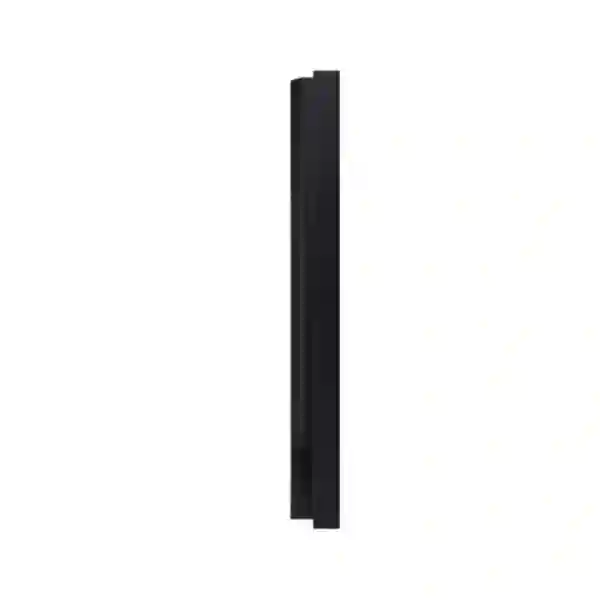
The monitor is designed for VESA-compatible mounting, with published documentation listing several patterns including 100 × 100mm and larger configurations. The exact supported hole pattern and fastener requirements should be confirmed against the unit and current installation instructions. Manufacturer technical material gives approximate product dimensions of 737.6 × 480.9 × 52mm and a weight of about 12.9kg, which underline the importance of a suitable wall structure and properly rated bracket.
Use professional mounting practice appropriate to the wall construction, audience exposure and expected vibration or accidental contact. Check that a chosen arm or fixed bracket will not obscure the camera view, connector access or ventilation openings. A stable screen is particularly important in a crowded queue or narrow aisle. Leave an agreed maintenance route for reset, cabling and inspection. Where the device is mounted above customers, evaluate the load-bearing structure and local safety requirements before installation; a nominal VESA match alone does not demonstrate that the complete mounting arrangement is safe.
Heat, dust and indoor conditions
Manufacturer technical tables describe an operating temperature range beginning at 0°C and extending to 50°C, subject to specified humidity conditions. That should not be interpreted as an unrestricted outdoor rating. A commercial shopfront in Tanzania may be hot, dusty or exposed to direct sun at certain times, and those site conditions require assessment. The product should not be assumed weatherproof or suitable for rain, high-pressure cleaning, condensation or an unprotected external wall.
For a reliable installation, select an indoor position with adequate ventilation and access for cleaning. Avoid blocking vents with custom carpentry or crowding the device into a sealed recess. Check ambient temperature where the monitor will actually operate, especially near windows, ceilings and unventilated kiosks. Where dust is frequent, plan periodic inspection without using aggressive cleaning methods around the screen, camera or connectors. If the site genuinely needs an outdoor display, a device with verified environmental protection may be more appropriate than this indoor-oriented public-view monitor.
Customer privacy and visible notices
Public-view security should be transparent and proportionate to its purpose. A screen showing visitors their image can help communicate monitoring, but the organization should also provide any notices and information required by its own policy and applicable Tanzanian legal requirements. Do not assume that an on-screen message alone satisfies every privacy or data-handling obligation. The display’s ability to show a recording statement is helpful only when the statement accurately reflects the configured system.
Develop a practical site policy covering why footage is collected, who can view it, where recordings are stored, how long they are retained and how access is logged. Avoid pointing the camera at private areas or collecting unnecessary sensitive detail. Make sure employees understand how to respond if a visitor asks about recording. Where the business uses face-detection overlays, explain internally that these are detection cues, not proof of identity. Obtain current legal guidance for any special category of premises or data processing rather than relying on generic CCTV assumptions.
Network security and credentials
Any network camera introduces access-control and maintenance responsibilities. For the SMT-3230PV, plan a managed IP connection, approved credentials and an administrative process suited to the business. The fact that a device supports network video and an API does not make it safe to expose directly to the public internet. Use the organization’s normal security architecture, including segmentation where appropriate, controlled administrator access and a documented update process.
Before handing over a newly installed unit, change any default or temporary credentials according to the vendor’s instructions, confirm date and time settings, and disable services not required for the deployment when supported. Record the assigned address, switch port, device location and firmware revision in the site’s asset register. Verify remote access through an approved secure method rather than casual port forwarding. If multiple branches share a central video platform, account for connectivity failures and separate sites’ access rights. Good network administration protects the video evidence as much as camera placement does.
Making the display useful to staff
Customers see the screen, but staff need to understand what it does and does not mean. A live customer-facing image can reinforce store security awareness, yet operators should know where recorded footage is viewed and who is permitted to retrieve it. Agree on the responsibility for checking that the display is showing the intended image at opening time, and for reporting blank screens, distorted pictures or unexpected error messages without attempting unauthorized changes.
A short operating instruction can cover three tasks: identify normal screen behaviour, report problems promptly and preserve incidents through the approved recording process. It should not encourage staff to confront people simply because an analytics box appears on the image. If the monitor is used for slides, nominate a person who approves the messaging and controls replacements. Include a simple after-power-loss check. The best installation is one the team can operate consistently without needing a specialist for every routine observation.
Commissioning test plan
A professional handover should demonstrate more than a powered-on screen. Start with physical checks: bracket security, safe cable routing, ventilation and clear visibility from the expected customer approach. Next verify the camera field of view and Full HD display setting. Check the network path, recorder authentication and live stream. Then confirm whatever motion detection, face detection, slide-show switching or text overlays the business intends to use. Test these with normal staff movement, not merely a static test image.
Record evidence of results against a short acceptance checklist. Include day and evening lighting, customer-facing readability, recorded playback, time accuracy and recovery after a controlled restart. If the design requires an alarm input or external event, test that exact connection. Review screen-off behaviour separately from actual power loss. A failure in one feature need not invalidate the entire device, but it must be documented before the site declares the security design complete. Keep configuration notes with the business rather than only with the installer.
Maintenance and ongoing checks
Public-view monitors are easy to notice when switched on and easy to overlook when an integrated camera stops sending useful video. Schedule checks for both functions. Regularly confirm that the customer-facing display shows the intended content, the camera view has not been blocked, and the NVR or VMS has recent playable footage. Inspect exposed cables, power connectors and mounts, particularly in areas where stock movement or cleaning may disturb equipment.
Maintenance should include approved firmware reviews, access-account checks, appropriate cleaning and periodic testing of time synchronization. An electronic screen can remain bright while the recording destination is unreachable; conversely, the camera may stream while the display is in another mode. Make both states part of an operations checklist. Keep spare mounting details and power-adapter specifications documented so a future replacement is straightforward. If the original model is no longer available from a supplier, check the proposed replacement against the existing configuration rather than assuming plug-and-play equivalence.
Comparing a public-view monitor with a normal CCTV monitor
A normal security monitor mainly displays video supplied by another device. The SMT-3230PV is different because its own built-in camera contributes an IP stream while its display can show customers their live image and security messaging. That combination can reduce the number of separate physical components mounted at a customer-facing point. However, buyers should not confuse integration convenience with complete CCTV system coverage; separate cameras may still be required for wide-area monitoring, evidence detail or blind spots.
Choose a conventional CCTV monitor if the main need is a staff-only viewing station with multiple workstation inputs. Choose a public-view monitor when visible surveillance awareness is an explicit design objective and the integrated camera view suits the location. Choose dedicated digital signage when detailed content scheduling and advertising control outweigh surveillance needs. An informed comparison includes intended audience, recording architecture, mounting position, screen size, maintenance responsibility and the need for additional cameras or video sources.
Comparing against other public-view sizes
Hanwha’s public-view family has included different display sizes, which creates a practical choice between visibility and installation footprint. A 32-inch model can suit a larger entrance or checkout point, but a compact display may be more appropriate beside a narrow till or at eye level in a restricted space. A larger screen generally requires a more substantial support structure and more careful positioning. The best choice is not automatically the largest option.
Define the intended viewing distance and whether the whole screen must be readable or simply noticeable. Then weigh camera coverage, line of sight, power availability, public access and visual impact. Confirm the currently supported family models and their exact capabilities rather than assuming every size has identical power options, lens behaviour or input connections. Where there are several checkouts, a single central monitor may not cover every interaction. A consistent site plan can be more useful than a collection of individually chosen units.
Assessing newer and replacement models
Organizations planning a new rollout should check the current Hanwha public-view product range as well as the SMT-3230PV. A reseller listing has described this particular model as discontinued and identified the SMT-3231PV as a replacement; that is a retailer status statement, not confirmed manufacturer-wide stock or lifecycle information for Tanzania. Hanwha does separately list an SMT-3231PV model, so comparison is sensible when requesting a quotation.
Do not assume that a newer public-view monitor has exactly the same lens, connectors, recording profile, bracket configuration or software behaviour. Give the supplier the intended use case and the existing recorder details, then ask for a model-by-model comparison. For expansion of an installed system, confirm how replacement units will affect administrator workflows, live-view presentation and stored evidence. For a new project, consider availability, maintainability and present-day firmware support as well as initial acquisition cost. Any substitute must be approved against the original operational requirement.
Planning for more than one store or branch
A multi-branch deployment benefits from a consistent standard rather than a unique configuration at every location. Begin with a reference installation that defines the mounting height, camera view, notice wording, network settings, recorder connection and handover checks. Validate it in a representative location before increasing quantity. Common operating standards make it easier to train staff and compare problems between sites without implying that each building has identical lighting or architecture.
Branch differences still matter. A glass-fronted outlet may need extra attention to contrast, while a deep indoor aisle has different lighting and traffic. Network connectivity, recorder capacity and responsibility for footage access may also vary. Prepare a simple site survey for each location, including safe power and local mounting conditions. Avoid promising that remote configuration or centralized support will work without checking the exact VMS, connectivity and security arrangements. Document what is standardized and what is site-specific so future changes remain controlled.
Questions to resolve before an order
Procurement should capture the required quantity, intended locations, existing CCTV or VMS platform, preferred recording arrangement and whether customer-facing slides are planned. It should also note the required mounting approach, local power provision and network availability. These details allow a quote to cover the complete installation requirement rather than the bare display alone. Where the unit is replacing another monitor, record the old model and any accessories the business expects to reuse.
Ask the supplier to confirm the exact Hanwha model revision, current stock or ordering status, approved mounting options, included power components, documentation and warranty terms for the offered item. Verify whether any software licensing, recorder changes or storage media are required for the features you actually plan to use. The product model number is not proof of the target seller’s internal SKU, nor does an overseas price establish a Tanzania price. A written, model-specific confirmation prevents avoidable assumptions from becoming contractual commitments.
What a complete quotation should cover
A useful quotation separates the monitor from the supporting work and materials. Depending on the project, those may include an appropriately rated wall bracket, safe cabling, power supply verification, Ethernet provision, recorder or VMS integration, configuration of notices or slide shows, commissioning and staff handover. Not every installation requires every item, so the quote should clearly distinguish included items, optional items and customer-provided infrastructure. The exact scope should be agreed before installation starts.
For a project in Tanzania, request confirmation of the commercial details directly rather than assuming delivery coverage, local support, customs charges or particular lead times. Where the device is part of an existing CCTV estate, include a trial integration or compatibility check. If a successor is proposed, ask for the differences to be documented. A complete quote should enable the buyer to understand what will be installed, what will be tested, what remains their responsibility and which acceptance criteria will be used.
Deployment sequence for a smooth handover
Start by defining the security outcome and the target visitor experience. Next survey the physical location and identify a mounting position. Verify camera coverage, power and network paths before the bracket is installed. Confirm the model revision and any compatibility requirements. After installation, configure the display, network camera and recorder as separate but connected functions. Apply the approved text overlays and slide materials, if these are part of the site policy.
Finish with realistic tests and written acceptance. Demonstrate what customers see, where security personnel view or retrieve footage, and how faults are reported. Keep administrative credentials under organizational control, record key settings and give staff an agreed contact procedure. Schedule follow-up checks for both display and recording health. This sequence avoids a common shortfall: installing a visually impressive public-facing screen without ensuring that the camera stream, retention arrangements and staff process are ready to support it.
Practical buyer checklist for Tanzania
Before approving a purchase, match the SMT-3230PV to the site instead of choosing from the headline specification alone. Confirm that the intended installation is indoors and that the screen is visible at the desired viewing distance. Ask whether the camera’s fixed-lens field of view reaches the relevant people and whether any entrance backlighting requires a live trial. Identify the recording endpoint and verify support for the selected codec, ONVIF connection and required analytics events.
Check the electrical supply, safe mounting surface, cable security and access for maintenance. Specify the exact wording of surveillance notices and decide who manages them. Establish retention rules and responsibilities for footage retrieval. Confirm whether the buyer needs local media or central storage, and have the integrator test the intended behaviour. Finally, request written confirmation of present-day product availability, compatibility, warranty, price and any suggested successor for Tanzania. This is the point where a feature list becomes a workable business deployment.
When this is not the right device
The SMT-3230PV may be unsuitable where the application primarily needs a weatherproof outdoor display, a specialist advertising screen, a multi-input control-room workstation or a camera with adjustable optical zoom. It may also be unnecessary in areas where visitors should not see a camera feed or where a normal surveillance sign communicates the policy more appropriately. Use-case fit matters more than the number of individual product features.
Similarly, an organization that requires advanced identification, people counting, guaranteed recognition results or specific automated enforcement workflows should not infer those functions from face detection or motion detection. Those requirements need separate product and software verification. An area with unreliable power or no viable network path must resolve infrastructure first. If the business simply needs a discreet evidence camera, a dedicated network camera may be the better starting point. A supplier should be willing to explain when a specialist public-view display adds value and when it does not.
The next step with FourTeck Tanzania
For an existing CCTV system, prepare the NVR or VMS make, model, firmware details and a simple description of where the public-view monitor will be positioned. For a new installation, describe the business environment, expected customer approach, number of desired displays, available power and preferred recording location. These details make it possible to assess the integrated camera, screen visibility and connection requirements together rather than treating each as an isolated purchase.
Request a model-specific suitability and availability check for the Hanwha SMT-3230PV public view monitor in Tanzania. Ask for confirmation of the proposed unit, any current alternative, the required accessories and the acceptance tests for your site. FourTeck Tanzania can review the information provided and respond through its normal enquiry process; no product stock, fulfillment time, installation commitment or warranty entitlement is assumed by this description. The goal is a quotation grounded in the real operating environment and the buyer’s documented requirements.
Frequently asked questions
Is the SMT-3230PV just a television?
No. It is a customer-facing public-view monitor with a built-in 2MP network surveillance camera and a 32-inch Full HD display. The intended application is to make surveillance visible while supporting compatible network recording workflows. It should not be purchased as a substitute for a general-purpose entertainment television or an advanced digital-signage player without verifying those separate needs.
Can it show live video and advertising slides?
Hanwha describes both live public-view video and a slide-show function. Detection events can be configured to influence what is shown, depending on supported settings and media. The exact switching behaviour, slide requirements and display source arrangements should be demonstrated on the intended unit before a site relies on them. Keep required surveillance notices visible in accordance with the organization’s approved policy.
Does the camera need a separate housing?
The camera is integrated into the monitor, which can simplify the appearance of a public-facing installation. This does not remove the need for safe mounting, suitable power, a network connection or a recorder when centralized evidence storage is required. A separate camera may still be necessary to cover wider angles, detailed areas or blind spots beyond the fixed integrated lens.
Does this model use Power over Ethernet?
Do not plan on PoE for the 32-inch SMT-3230PV. Hanwha documents 12V DC power for this model and identifies PoE+ as an additional option for a smaller model in the same launch family. Confirm the correct adapter and exact unit revision with the supplier. The network cable is for IP communication and should not be assumed to provide operating power.
Can it connect to a third-party NVR?
The camera’s published support for ONVIF and network video codecs provides a basis for integration with compatible third-party recording systems. Real compatibility still depends on the specific NVR, its firmware, profiles and event handling. Test discovery, authentication, recording, playback and any analytics triggers on the actual proposed system before ordering a multi-unit rollout.
What is the recording resolution?
The screen is specified at 1920 × 1080 and the integrated camera is described as 2MP Full HD. The recorded result also depends on the stream chosen, encoder configuration, recorder settings and available network capacity. Check a saved clip during commissioning instead of assuming that selecting a Full HD display always produces Full HD evidence files.
Can the camera keep streaming when the visible display is off?
Hanwha states that the integrated camera can keep streaming to a recorder or VMS when the screen has been switched off by remote control or changed to slide-show mode. That is not the same as operation through a power failure. Verify the planned screen-off, recording and restart behaviours as separate acceptance tests, including any backup-power design.
Does face detection identify individual customers?
No identity-recognition capability should be assumed. The published feature identifies a face within an image and can display a coloured boundary to reinforce surveillance awareness. This is different from matching an individual’s identity. Detection reliability depends on viewing angle, lighting and movement, and the organization remains responsible for appropriate privacy practices.
How much storage does the microSD slot provide?
Manufacturer information lists microSD-family support up to 256GB. This is a maximum supported capacity rather than a promise of recording duration. Storage time varies with frame rate, video quality, scene movement and recording rules. Verify the role of the card and select compatible media for the intended application; centralized retention may require an NVR or VMS.
Can it be used outdoors in Tanzania?
Do not assume outdoor suitability. The published specifications describe operating temperature and humidity conditions but do not establish a weatherproof installation rating for exposed rain, dust or direct environmental stress. Evaluate the actual site conditions and select verified outdoor-rated equipment if the location is exposed. Even an indoor installation should allow adequate ventilation and maintenance access.
What wall mount is needed?
The monitor uses VESA-compatible mounting, with manufacturer documentation describing several patterns. Confirm the exact mounting holes, fasteners, bracket load rating and wall structure for the supplied revision. The monitor weighs about 12.9kg in published technical material. A VESA pattern match alone does not prove that a particular wall or bracket installation is safe.
Is pricing or stock confirmed for Tanzania?
No Tanzania price, stock position, delivery time or warranty term is confirmed in this product description. These depend on the precise offered unit and the supplier’s current commercial arrangements. Request written confirmation of availability and ask whether a current Hanwha successor model should be evaluated alongside the SMT-3230PV before placing an order.
Request a model-specific review and quote
Tell FourTeck Tanzania where the monitor will be installed, what existing cameras or recorder you use, and whether you need slide-show messaging, a mounting bracket or central recording. Request confirmation of availability and a comparison with any appropriate current alternative.
Next step: Enquire about the Hanwha SMT-3230PV public view monitor and the installation requirements for your site. Product supply and commercial terms are subject to written confirmation.




Reviews
There are no reviews yet.